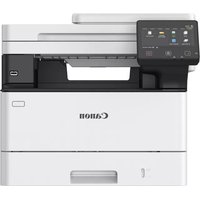
i-SENSYS MF461dw - Printer CANON - Free user manual and instructions
Find the device manual for free i-SENSYS MF461dw CANON in PDF.



| Product type | Monochrome laser multifunction printer |
| Functions | Print, copy, scan, fax |
| Print speed | Up to 40 ppm (A4, black) |
| Print resolution | 600 x 600 dpi (equivalent 1200 dpi) |
| Standard paper capacity | 250-sheet cassette, 1-sheet multipurpose tray |
| Connectivity | USB 2.0, Ethernet 10/100/1000, Wi-Fi 802.11b/g/n |
| Dimensions (W x D x H) | Approx. 465 x 430 x 430 mm |
| Weight | Approx. 15.5 kg |
| Power supply | AC 220-240 V, 50/60 Hz |
| Power consumption | Approx. 1.3 kWh (print), 0.5 W (standby) |
| Noise level | Approx. 50 dB (A) (print) |
| Toner cartridge | Canon 069 black toner (approx. 3,000 pages) |
| Maintenance and cleaning | Clean rollers and interior regularly with a soft cloth. Avoid humidity. |
| Security | PIN code protection for remote user interface access |
| Spare parts and repairability | Optional cassette module, optional handset, parts available through after-sales service |
| General information | User manual available online at https://oip.manual.canon/ |
Frequently Asked Questions - i-SENSYS MF461dw CANON
User questions about i-SENSYS MF461dw CANON
0 question about this device. Answer the ones you know or ask your own.
Ask a new question about this device
Download the instructions for your Printer in PDF format for free! Find your manual i-SENSYS MF461dw - CANON and take your electronic device back in hand. On this page are published all the documents necessary for the use of your device. i-SENSYS MF461dw by CANON.
USER MANUAL i-SENSYS MF461dw CANON
• After you finish reading this guide, store it in a safe place for future reference.
- The information in this guide is subject to change without notice.
1 Important Safety Instructions
Be sure to read these instructions before using the machine.
2 Setup Guide (this document)
3 User's Guide
This section explains all the ways this machine can be used.
FAQ
This section describes problems that may arise and how to resolve these problems.
https://oip.manual.canon/
See p. 8 "Accessing the Online Manual" for details.
Unless otherwise stated, illustrations used in this document are for the MF465dw.
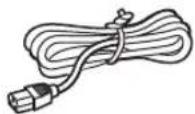
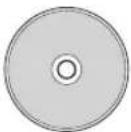
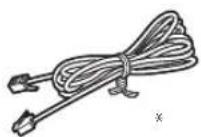
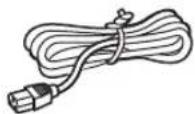
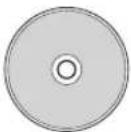
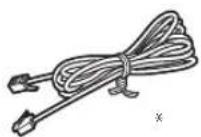
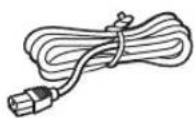
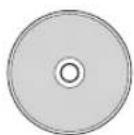
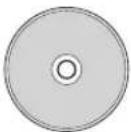
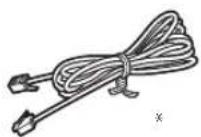
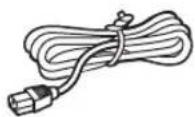
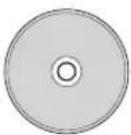
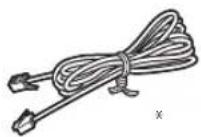
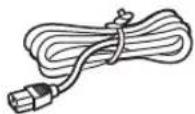
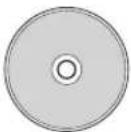
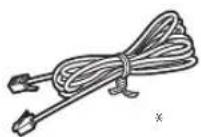
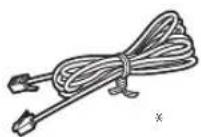
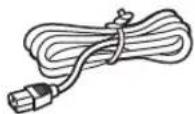
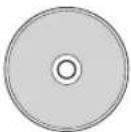
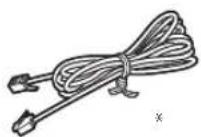
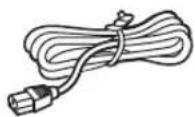
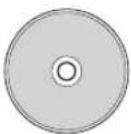
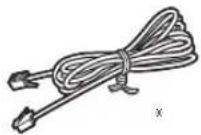
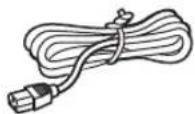
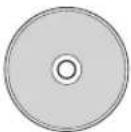
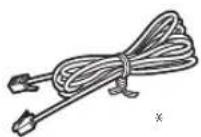
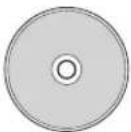
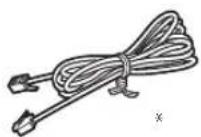
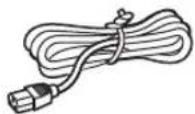
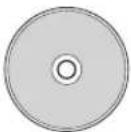
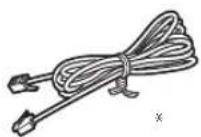
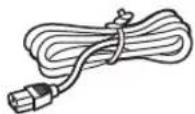
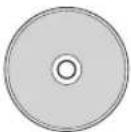
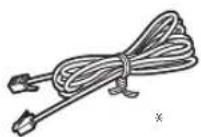
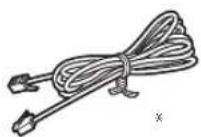
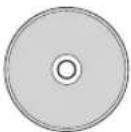
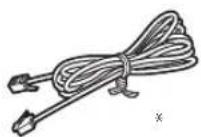
1 Checking the Items Included
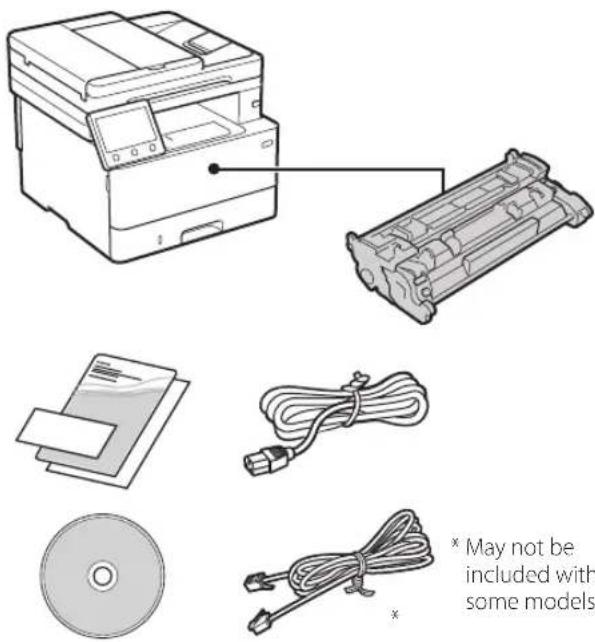
text_image
May not be included with some models2 Removing the Packing Material
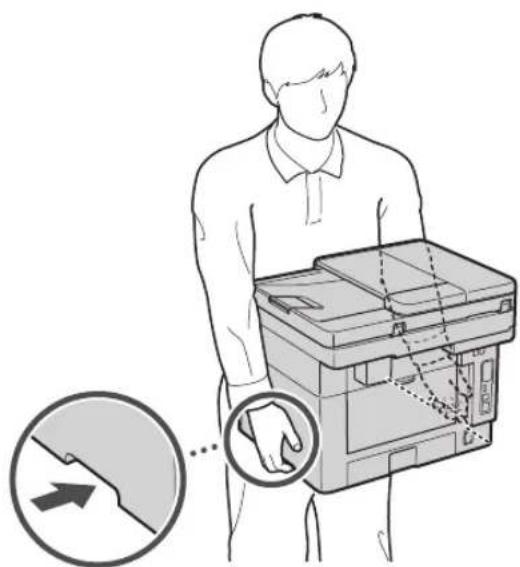
- Install the machine in the location where it will be used.
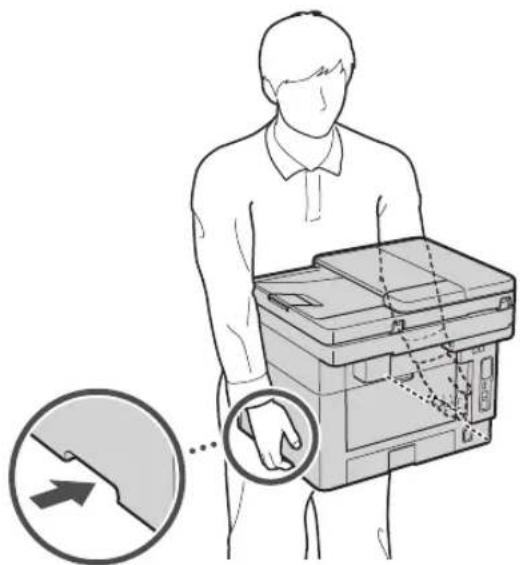
text_image
Diagram illustrating a person handling a device with hand placement, showing a magnified view of the device's hand positioning.
Provide a space of 100 mm or more around the machine when installing.
2. Remove all packing material.
Remove all tapes.

Do not remove the sticker that covers the USB port until you actually use the USB port.
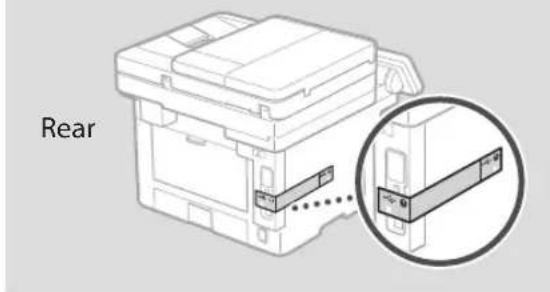
text_image
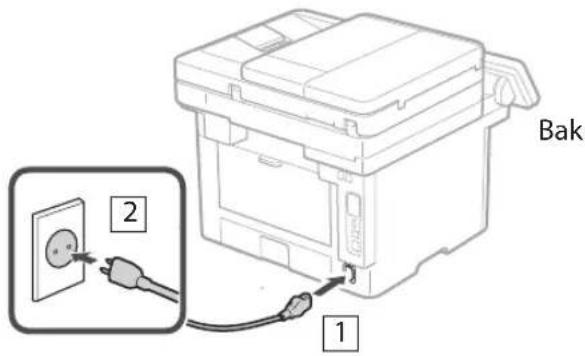
Rear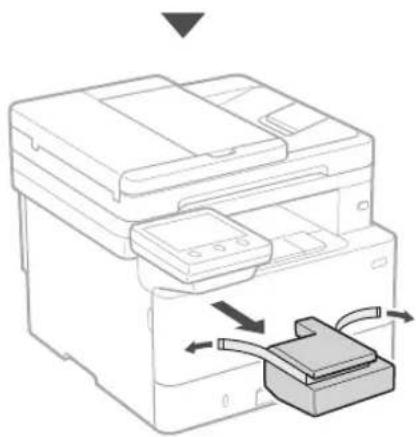
natural_image
Line drawing of a printer with a device inserted into a box, showing internal components and directional arrows (no text or symbols)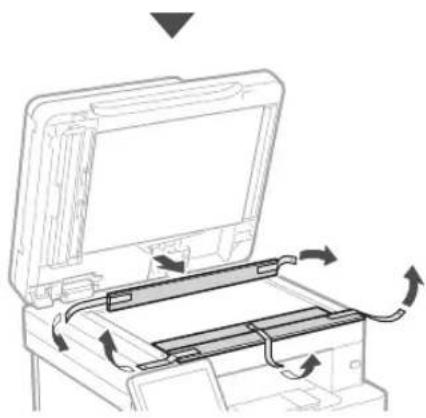
natural_image
Diagram of a printer or printer with an open lid and internal circuit board, showing rotational arrows indicating motion (no text or symbols present)3 Loading Paper
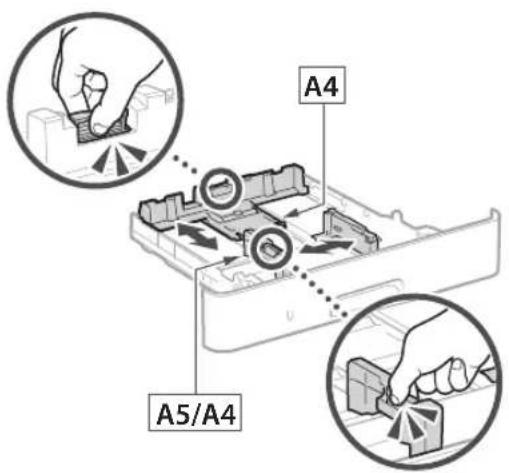
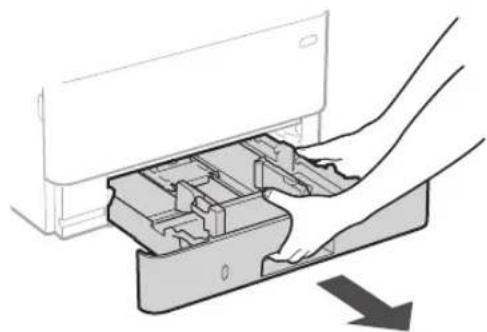
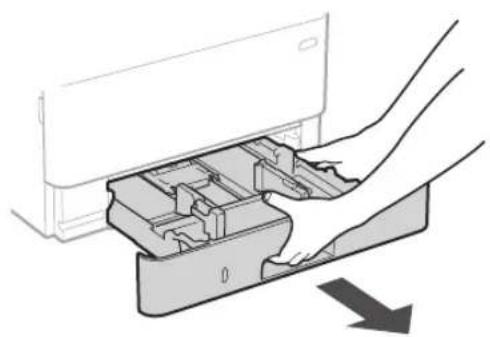
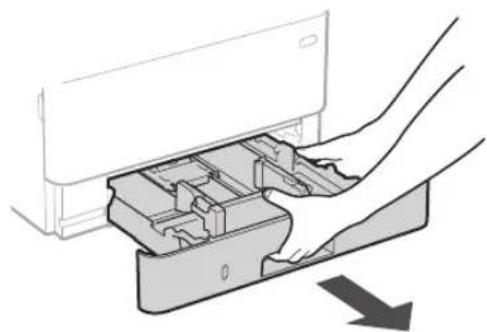
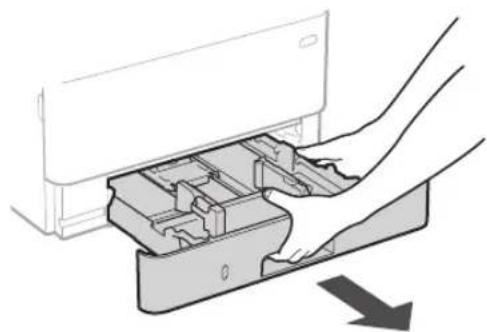
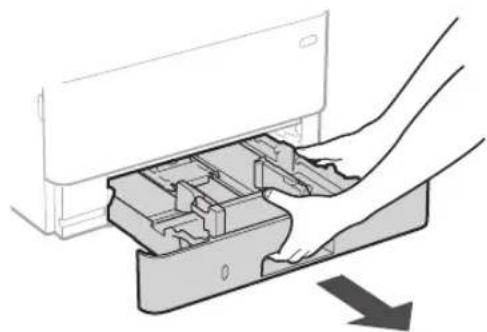
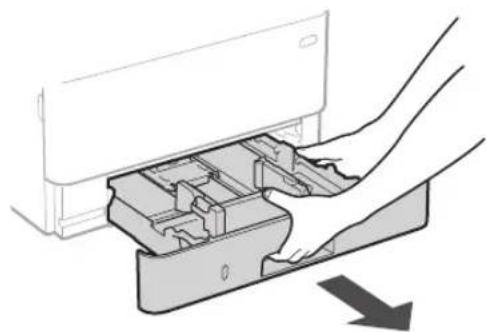
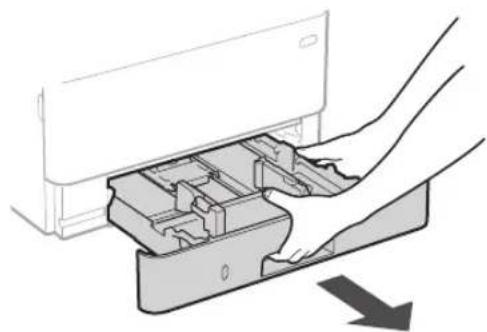
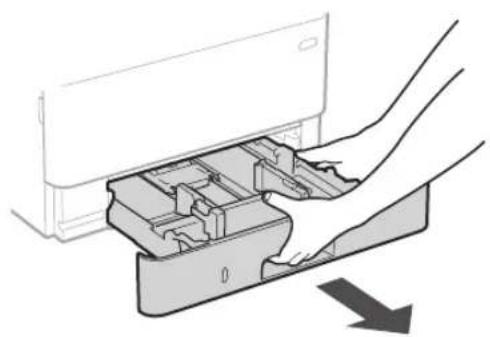
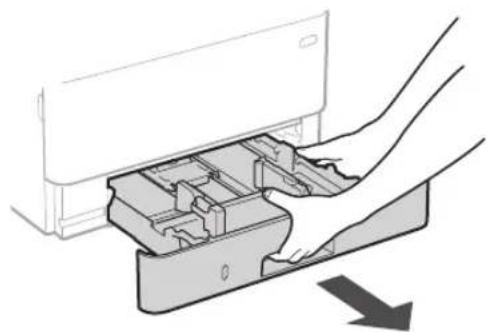
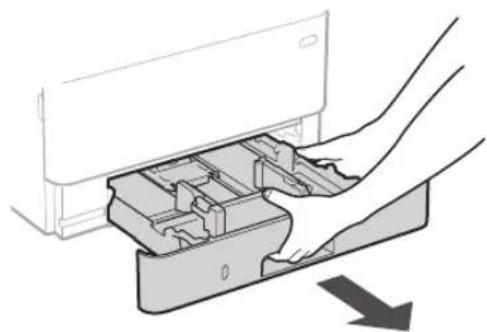
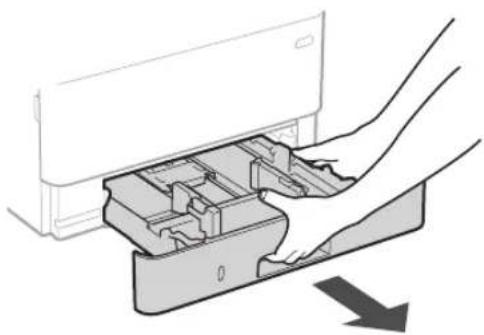
1.
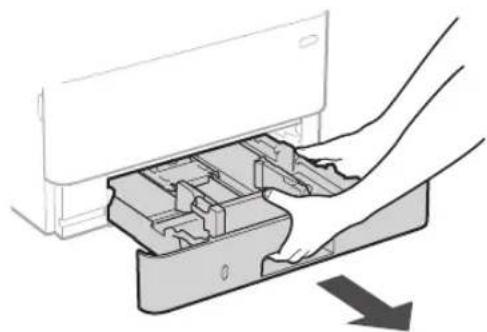
natural_image
Diagram of a hand inserting a device into a plastic housing (no text or symbols visible)2.
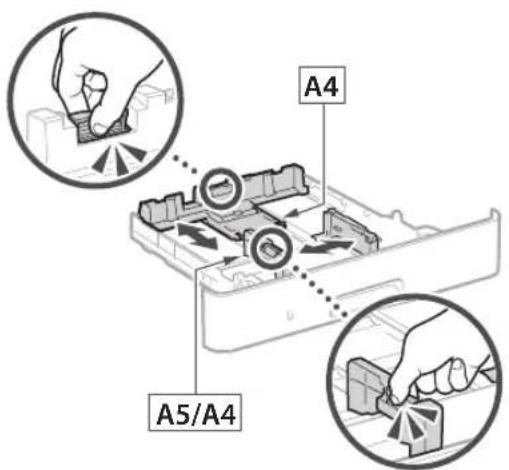
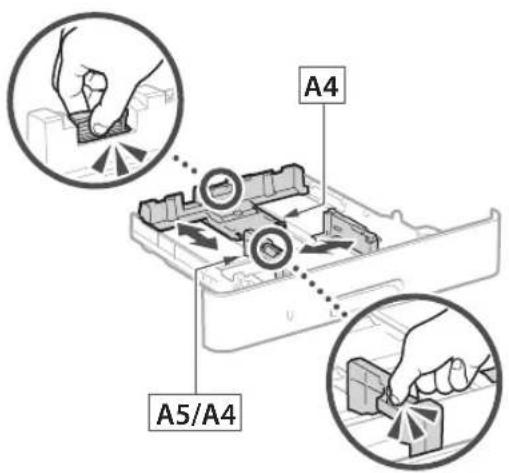
text_image
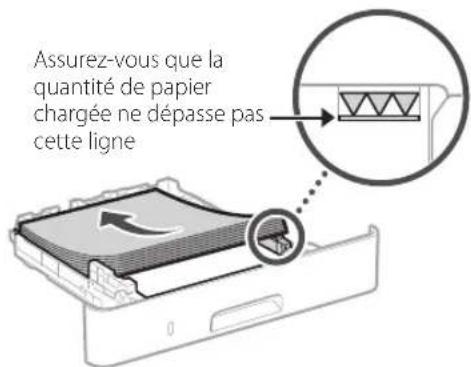
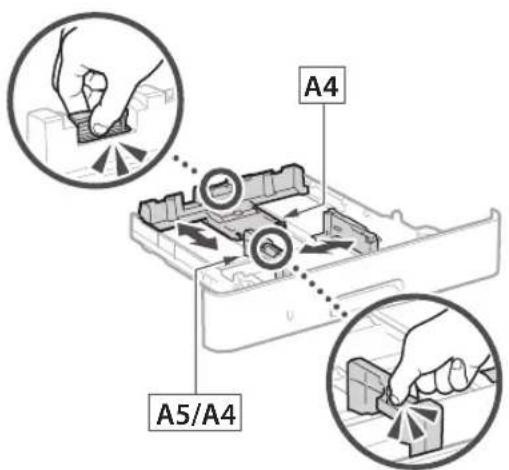
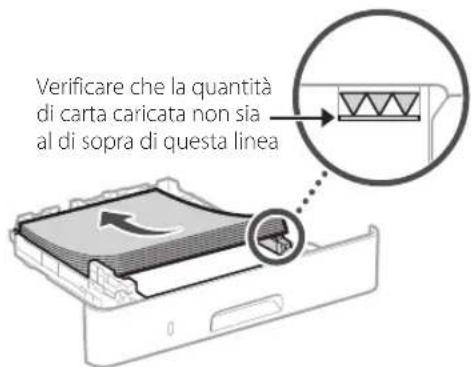
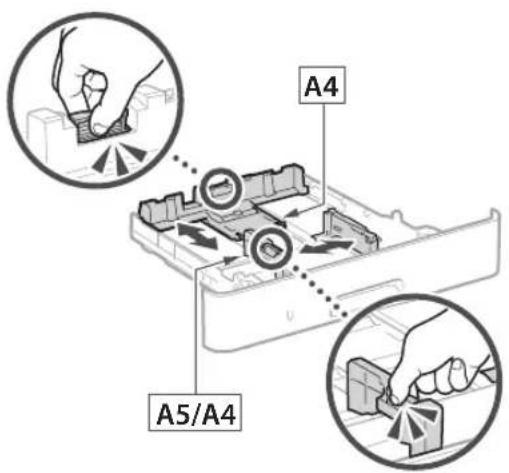
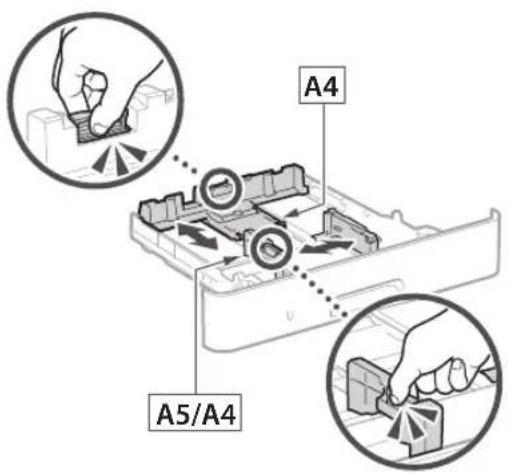
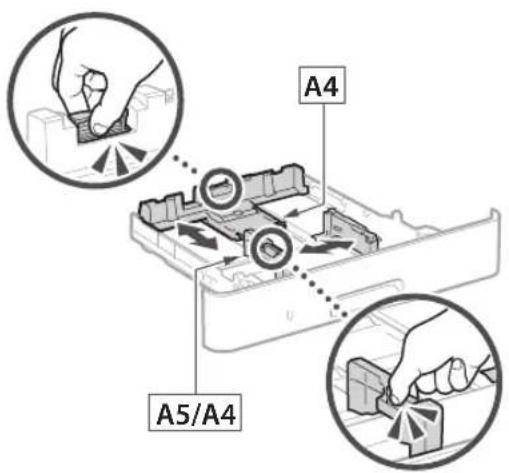
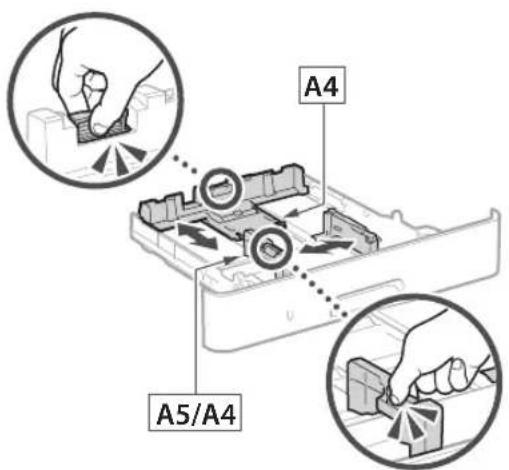
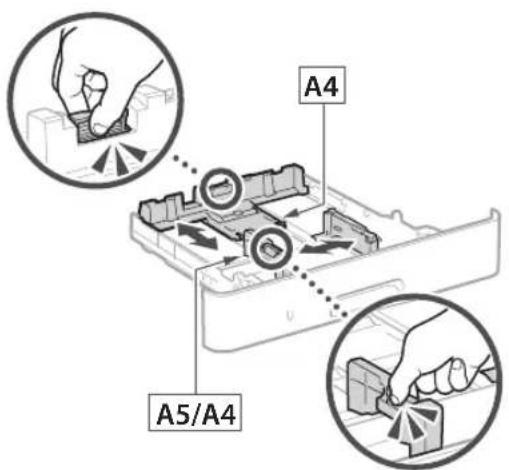
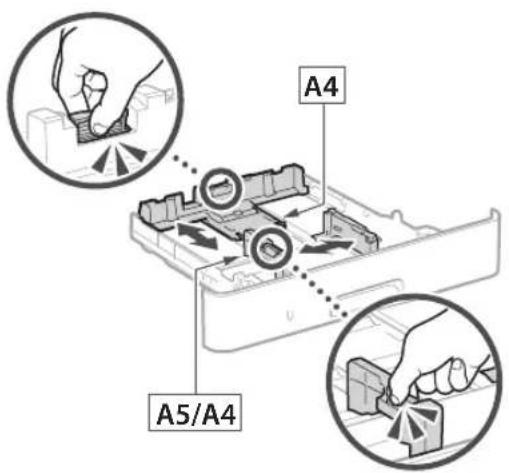
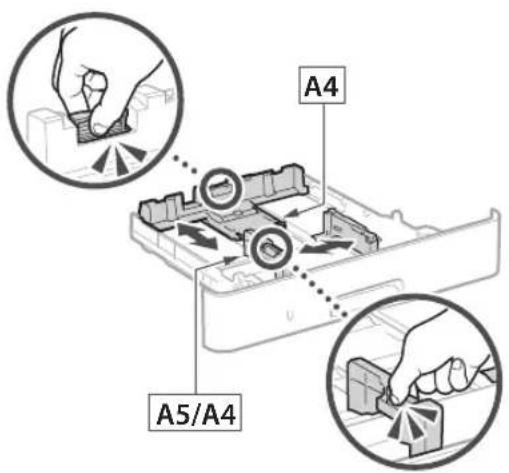
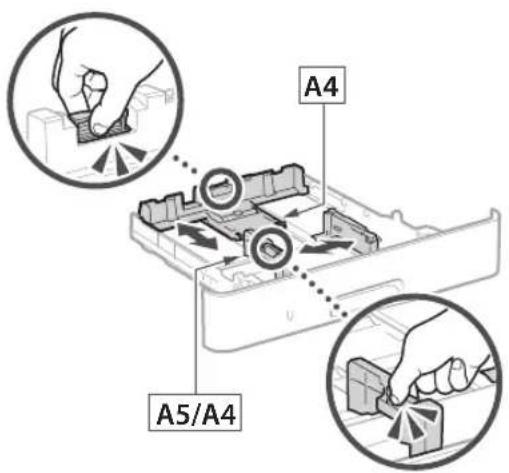
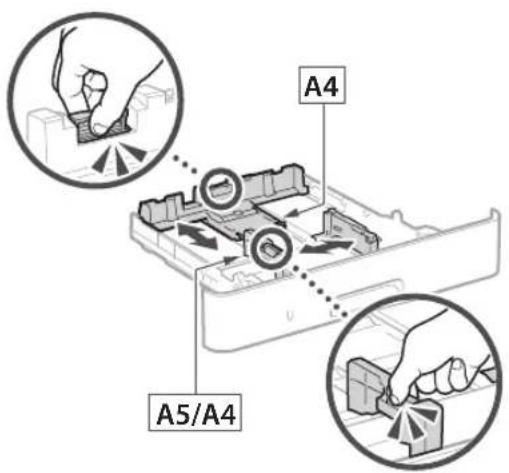
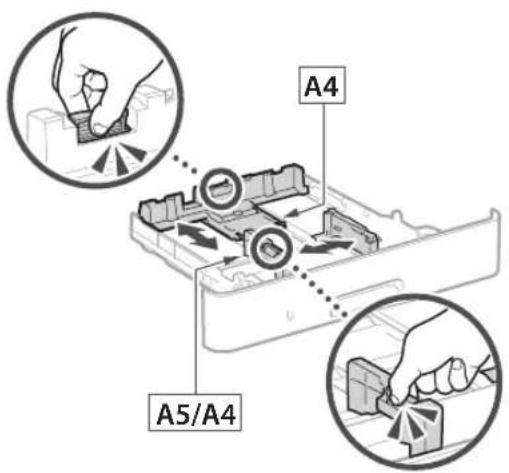
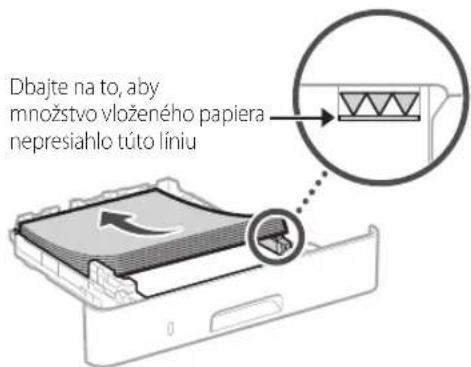
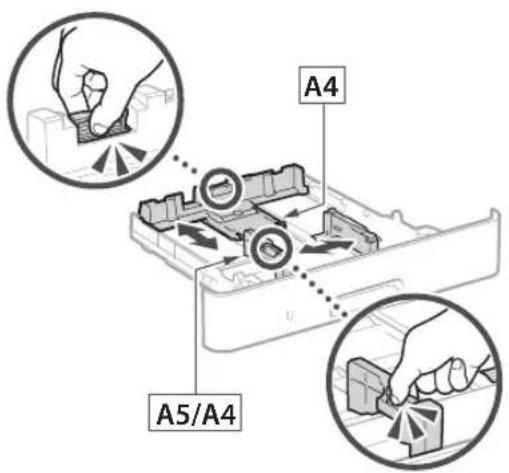
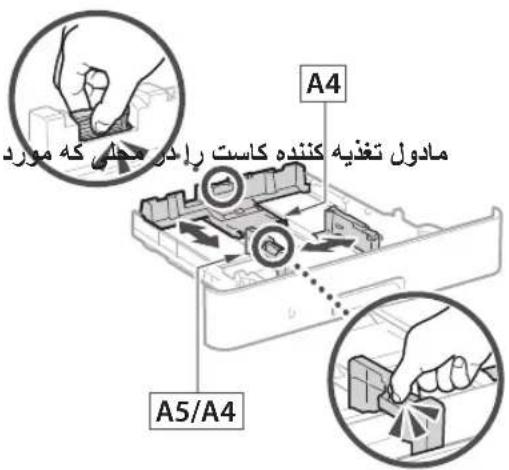
A4 A5/A43.
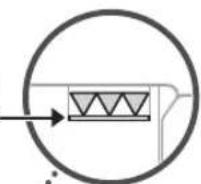
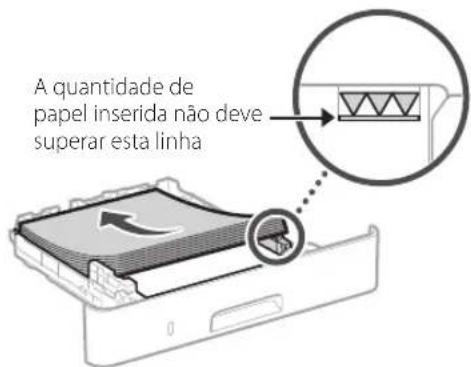
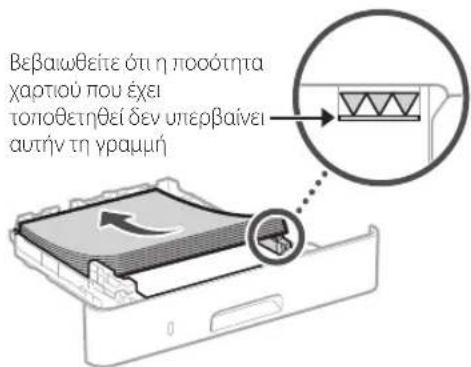
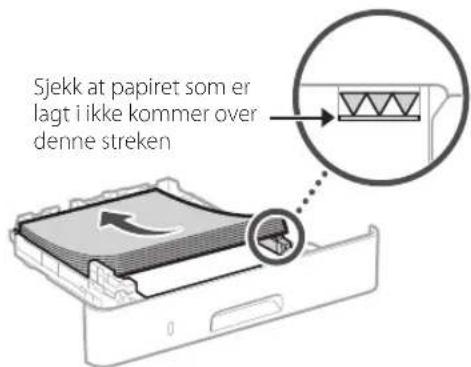
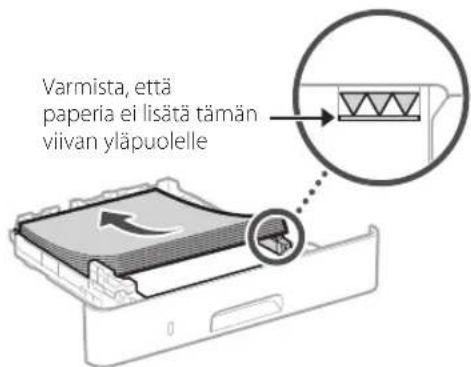
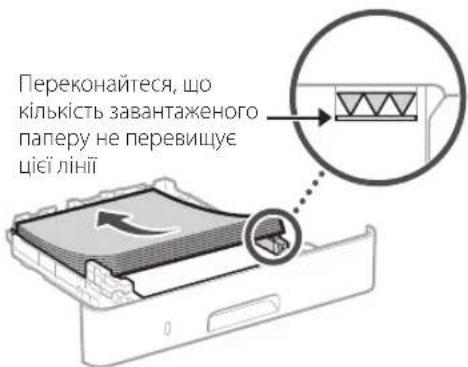
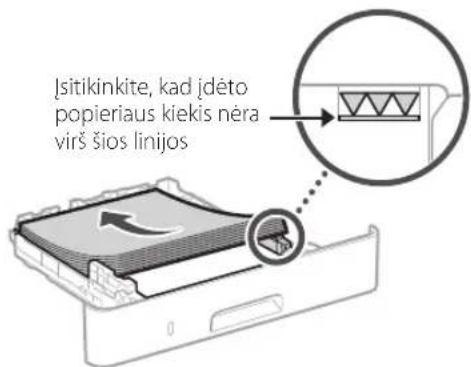
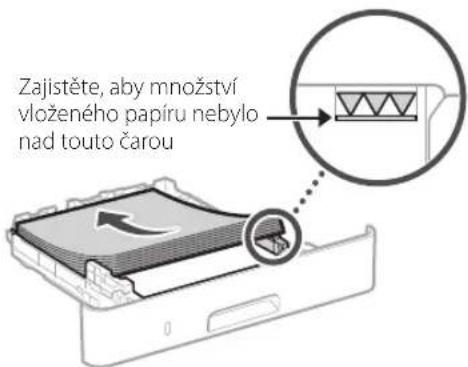
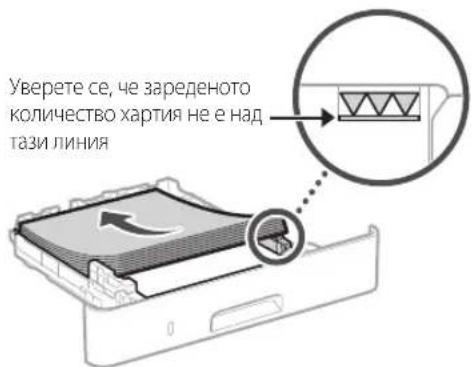
Ensure that the amount of paper loaded is not above this line
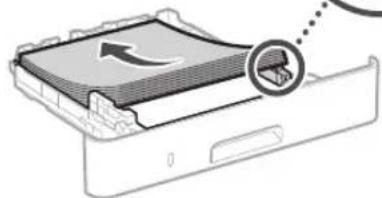
natural_image
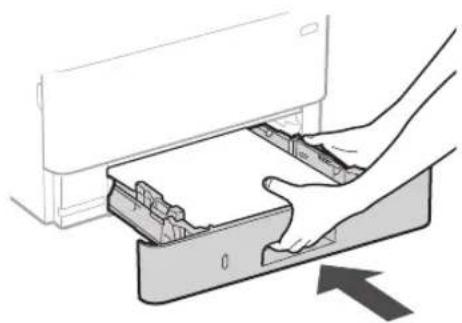
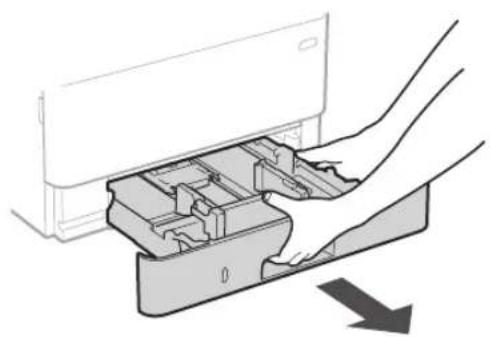
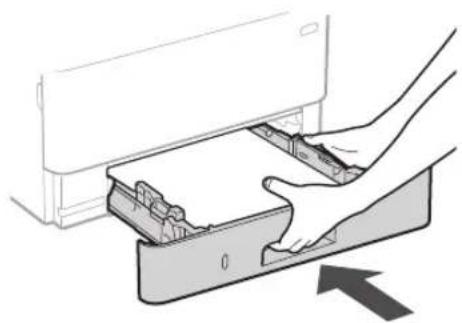
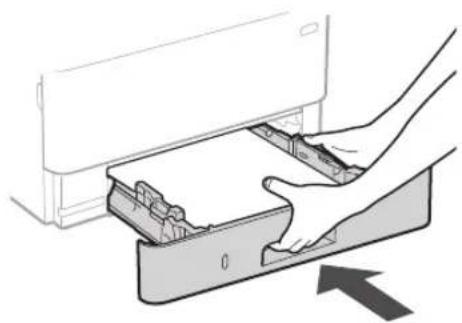
Diagram of a device with a magnified view showing internal components (no text or symbols)4.
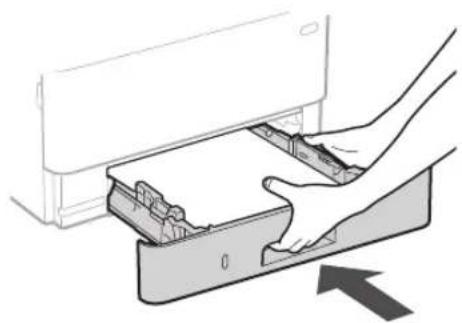
natural_image
Illustration of a hand inserting a device into a drawer with an arrow indicating direction (no text or symbols)4 Installing the Optional Part

If you are not using optional part, proceed to step 5
Before Installing the Optional Part
After the machine has been installed, perform the following before installing the optional part:
- Turn OFF the machine and your computer.
- Unplug the machine from the mains power outlet.
- Disconnect all cords and cables from the machine.
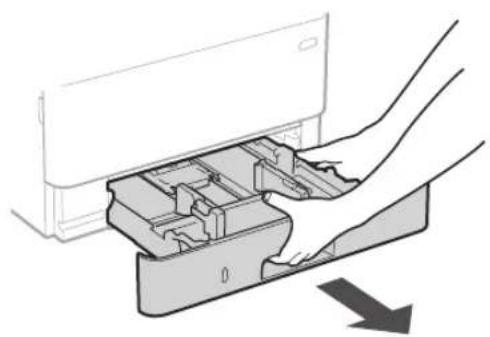
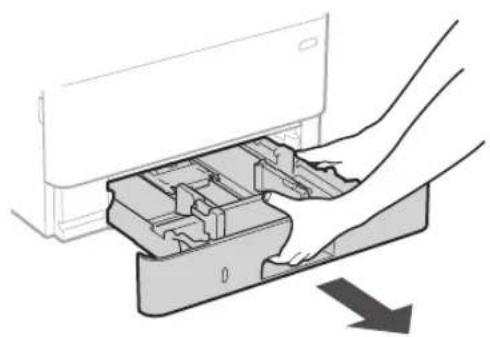
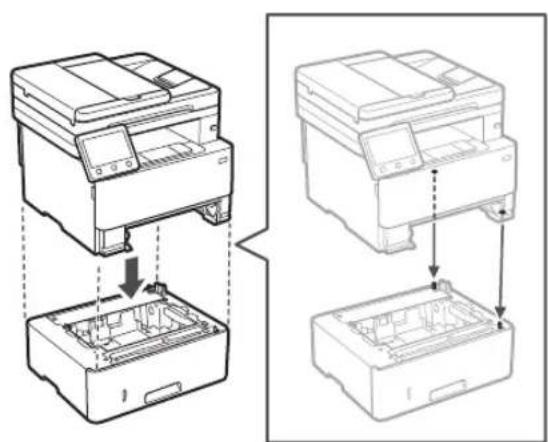
Cassette Feeding Module
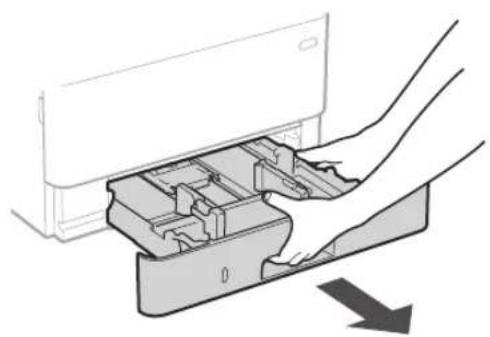
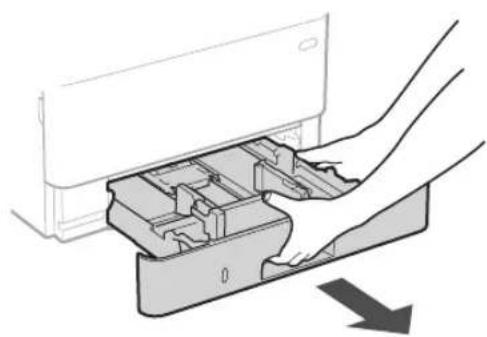
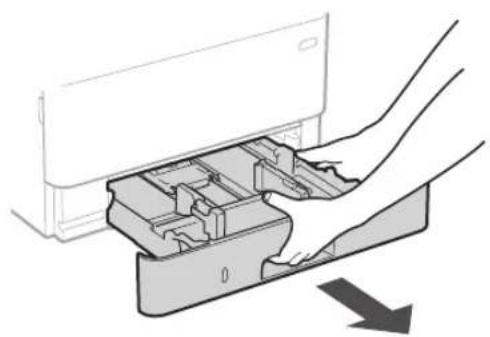
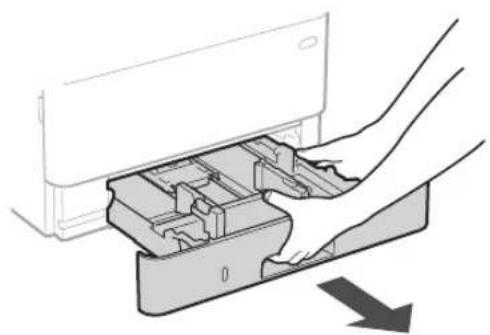
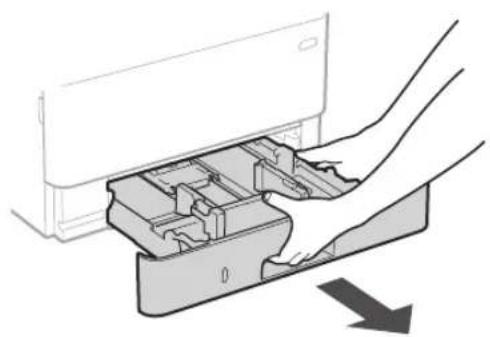
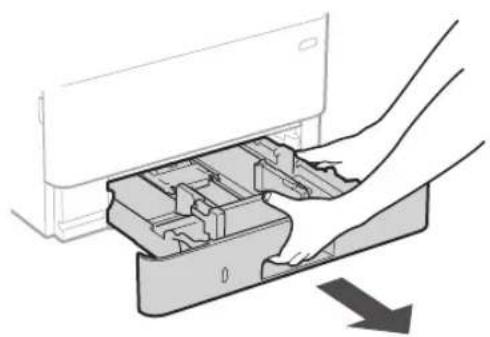
- Install the cassette feeding module in the location where it will be used.
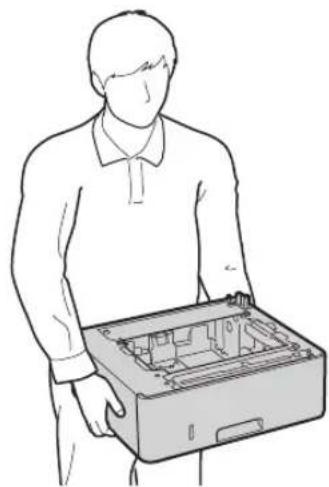
natural_image
Line drawing of a person holding an open hard disk (no text or symbols)2.

natural_image
Diagram of hands inserting a device into a plastic container with an arrow indicating direction (no text or symbols present)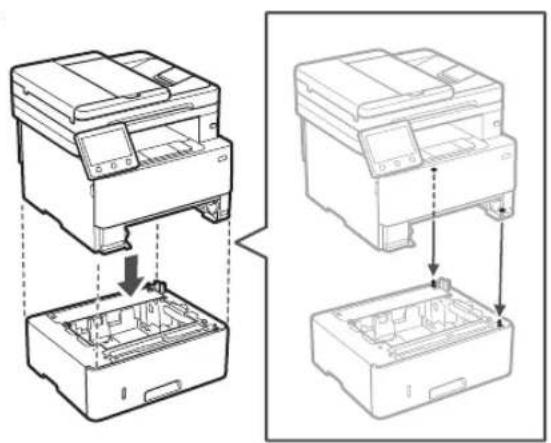
natural_image
Technical line drawing showing two views of a printer or printer with internal components and mounting holes (no text or symbols)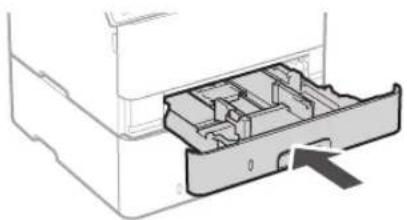
natural_image
Diagram of a printer drawer showing internal compartments and a handle (no text or symbols)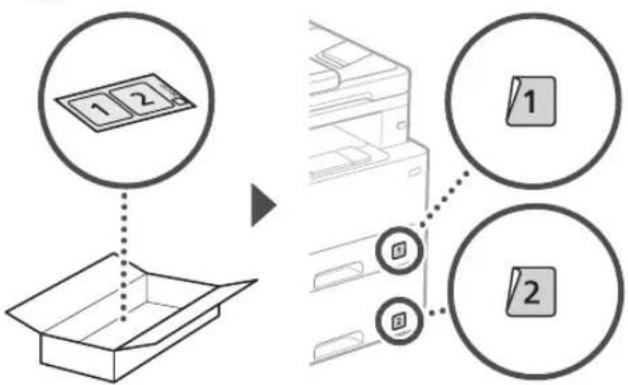
flowchart
graph TD
    A["1 2"] --> B["Box Box"]
    C["1"] --> D["Printer Box"]
    E["2"] --> D
    style A fill:#f9f,stroke:#333
    style B fill:#ccf,stroke:#333
    style C fill:#cfc,stroke:#333
    style D fill:#fcc,stroke:#333
    style E fill:#cff,stroke:#333
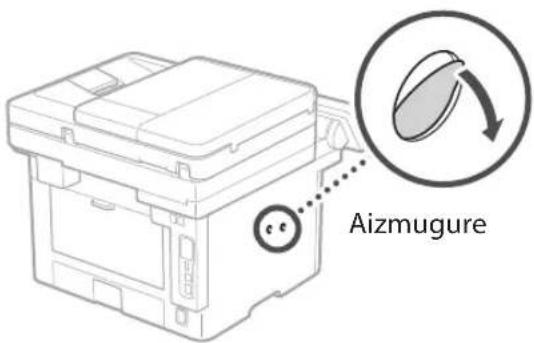
Handset
* The handset cannot be used with some models.
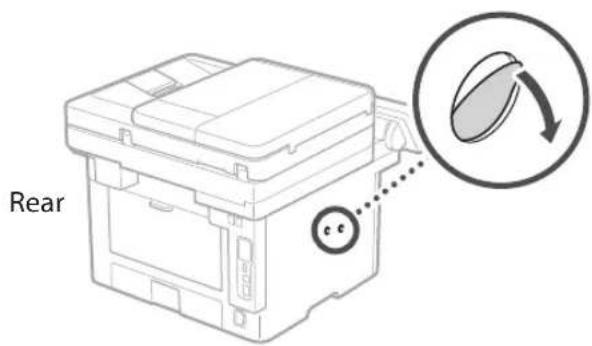
text_image
Rear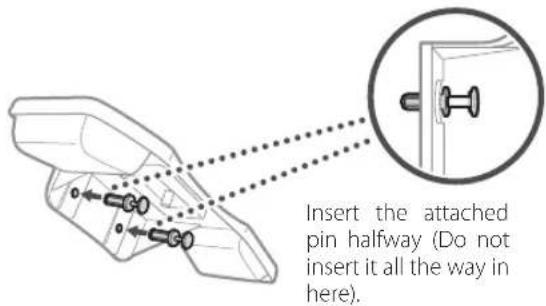
text_image
Insert the attached pin halfway (Do not insert it all the way in here).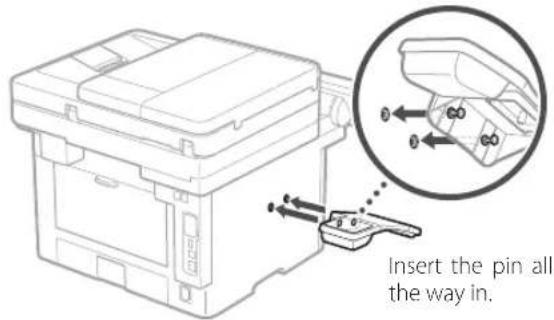
text_image
Insert the pin all the way in.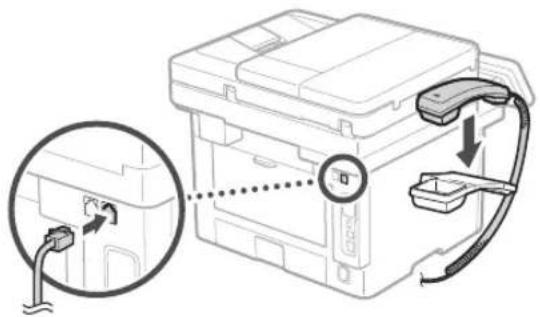
text_image
Diagram showing a device with a magnified inset highlighting a connector or connection point, likely illustrating a mechanical or electrical assembly.5
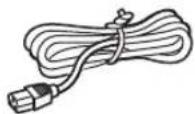
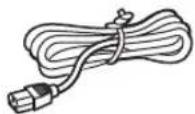
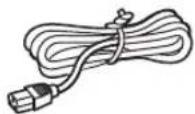
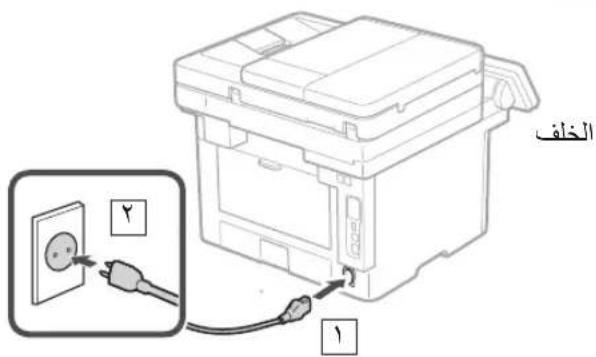
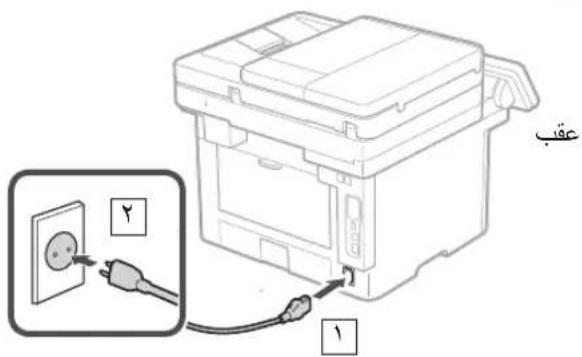
Connecting the Power Cord
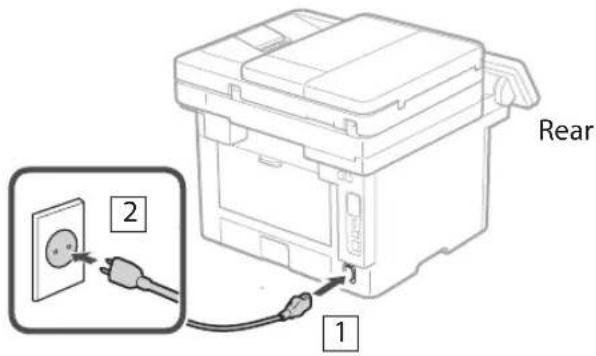
text_image
Rear 1 26 Specifying the Basic Settings
When you turn on the machine for the first time, the Setup Guide appears on the operation panel. Perform the initial machine setup by following the on-screen instructions.
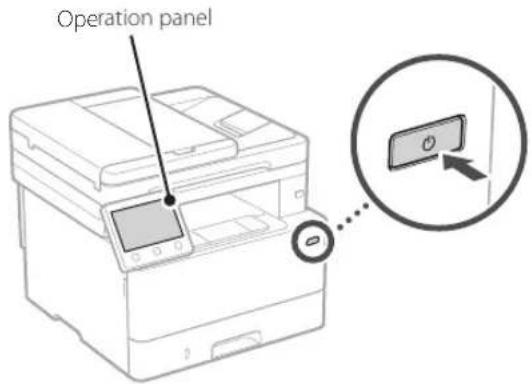
text_image
Operation panel- Select the language, the country or region, and then the time zone.
- Set the current date/time.
7 Specifying the Security Settings
To prevent unauthorized access to the machine, set access restrictions for Remote UI.

What is Remote UI?
Remote UI allows you to use your computer's Web browser to check the machine's operating status, change settings, and save items to the Address Book.
1. To use the Remote UI, select .
To continue without using the Remote UI, select
2. To use General User mode, select .
- Set the PIN to be used by general users to access the Remote UI.
- To continue without using General User mode, select
and proceed to step 8.
3. Set the Remote UI Access PIN.
- Enter any number and then select
. - Re-enter the same PIN on the next screen as confirmation and select
.
* Do not forget your PIN.
8 Specifying the Network Settings
Specify the settings for connecting the machine to a network. Before proceeding, check that the computer and router are correctly connected to the network.
- You cannot use a wired LAN and a wireless LAN at the same time.
Wireless LAN
- Check the router's "SSID" and "Network key."
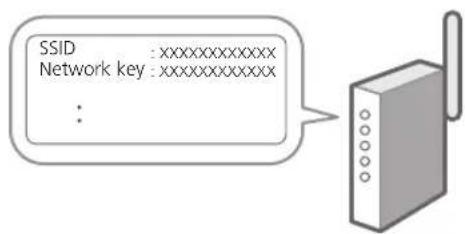
text_image
SSID :xxxxxxxxxxxx Network key :xxxxxxxxxxxx :- To configure the settings, select
on the operation panel. - Select the network with a matching SSID.
- Enter the password (network key) and select
.
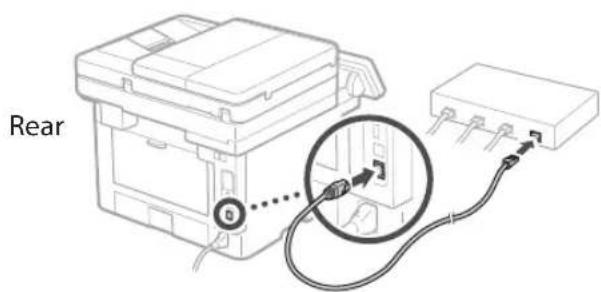
Wired LAN
Connect the router to the machine with a LAN cable and then select
text_image
Rear9 Ending the Setup Guide
Check the description in the Application Library and then select
10 Installing the Software/Drivers
To use the print, fax, and scan functions of the machine, you must install the respective drivers.
Downloading from the Canon website
- Search for "(model name) download."
XXXXXXXX download

Example: MF465dw download
If you cannot find the download site, go to https://global.canon/en/support/
- Download the software and drivers, and install them on your computer.
To use the scan function, install the "MF Scan Utility" scanning application and the scan driver.
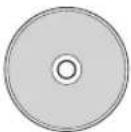
Installing from the Bundled CD/DVD-ROM
- Load the CD/DVD-ROM into your computer, and install the software and drivers.
For normal installation, select "Easy Installation." Selecting "Easy Installation" installs the drivers along with the standard software and manuals.
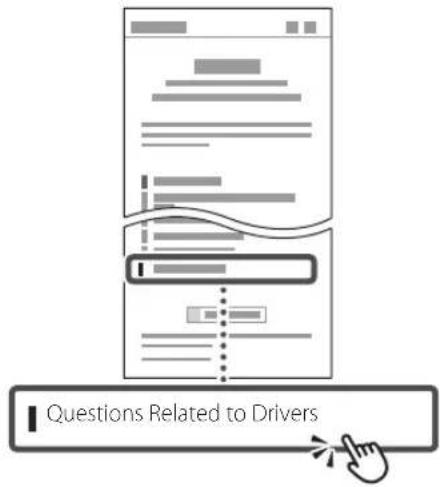
If a problem arises during the installation, see "Questions Related to Drivers" in "FAQ." Accessing the FAQ
p. 8 "Accessing the Online Manual"
On models with a fax function, configure the fax settings next.
11 Fax Setup
* These settings do not appear on models without a fax function.
The first time you select
Setup Procedure
- Select
on the Home screen. - Select
. - Select
. - Enter the Unit Telephone Number and select
. - Select
. - Enter the Unit Name (name and company name, etc.) and select
. - Select
. -
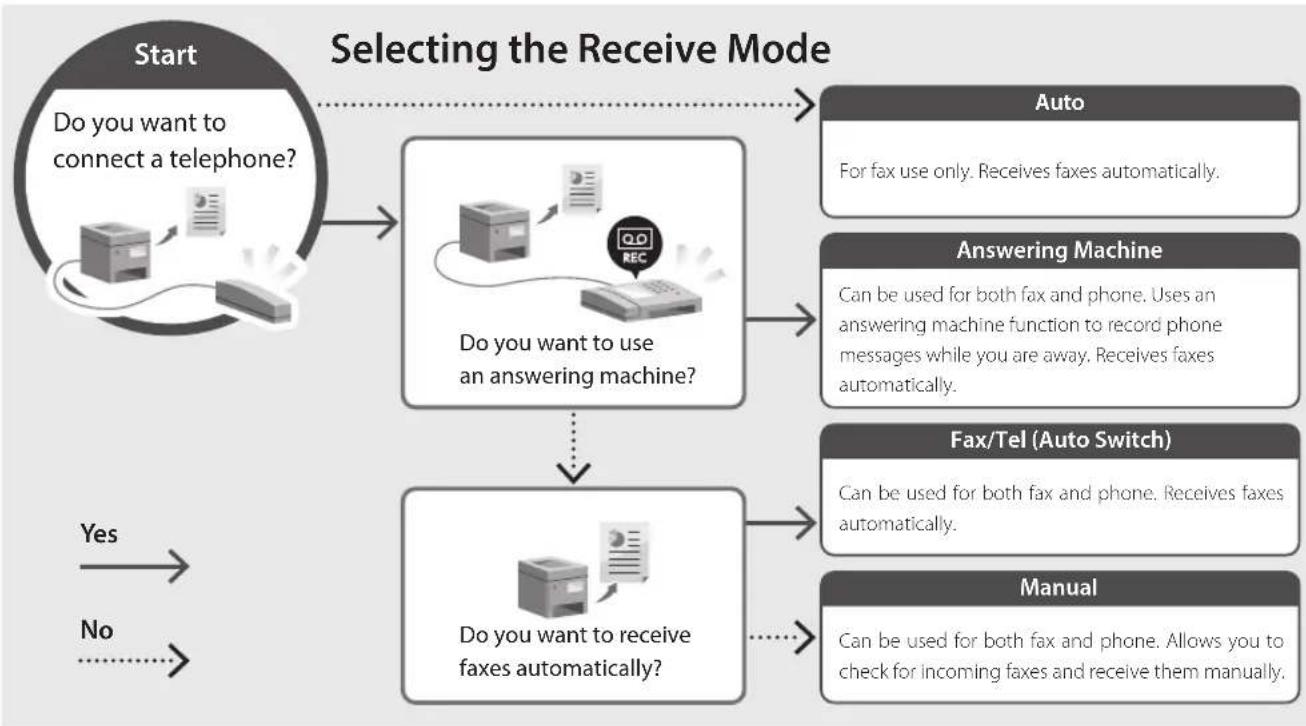
Select the receive mode that best suits your telephone connection and the way you receive calls.
Refer to the illustration below and selector . Finally, select to set the receive mode. -
Connect the machine to a telephone line.
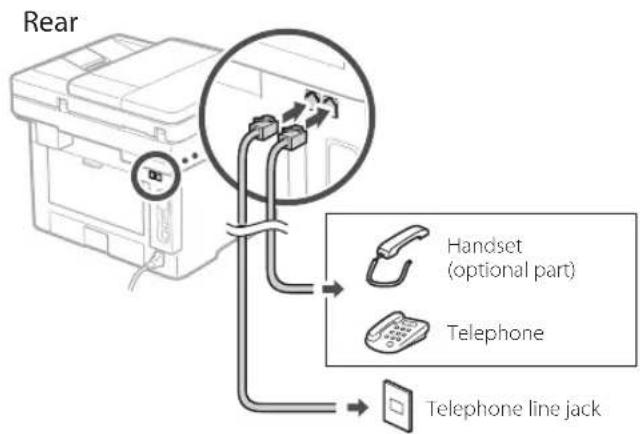
text_image
Rear Handset (optional part) Telephone Telephone line jack- When you have completed the connection, select
. - Select
.
flowchart
graph TD
    A["Start\nDo you want to connect a telephone?"] --> B["Selecting the Receive Mode"]
    B --> C["Auto\nFor fax use only. Receives faxes automatically."]
    B --> D["Answering Machine\nCan be used for both fax and phone. Uses an answering machine function to record phone messages while you are away. Receives faxes automatically."]
    B --> E["Fax/Tel (Auto Switch)\nCan be used for both fax and phone. Receives faxes automatically."]
    B --> F["Manual\nCan be used for both fax and phone. Allows you to check for incoming faxes and receive them manually."]
    G["Start"] --> H["Selecting the Receive Mode"]
    H --> I["Do you want to use an answering machine?"]
    I --> J["Auto\nFor fax use only. Receives faxes automatically."]
    I --> K["Answering Machine\nCan be used for both fax and phone. Uses an answering machine function to record phone messages while you are away. Receives faxes automatically."]
    I --> L["Fax/Tel (Auto Switch)\nCan be used for both fax and phone. Receives faxes automatically."]
    L --> M["Manual\nCan be used for both fax and phone. Allows you to check for incoming faxes and receive them manually."]
    N["Start"] --> O["Selecting the Receive Mode"]
    O --> P["Do you want to receive faxes automatically?"]
    P --> Q["Auto\nFor fax use only. Receives faxes automatically."]
    P --> R["Answering Machine\nCan be used for both fax and phone. Uses an answering machine function to record phone messages while you are away. Receives faxes automatically."]
    P --> S["Fax/Tel (Auto Switch)\nCan be used for both fax and phone. Receives faxes automatically."]
    P --> T["Manual\nCan be used for both fax and phone. Allows you to check for incoming faxes and receive them manually."]
Useful Functions and Helpful Information
Accessing the Online Manual
- Scan the QR code to open the website to the Canon online manual.

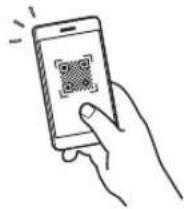
If the site does not open, go to
https://oip.manual.canon/
- Select the manual.
User's Guide
This section lists the functions of the machine, including machine operations, settings, and operating procedures.
FAQ
This section lists frequently asked questions and their answers.

If a problem arises during driver installation, see "Questions Related to Drivers."
text_image
Questions Related to DriversUsing this Machine from a Mobile Device (Linking with Mobile Devices)
This machine can be used from mobile devices such as smartphones. This makes it easy to print documents or photos from a mobile device and to save data scanned on this machine on a mobile device.

User's Guide
See "Linking with Mobile Devices."
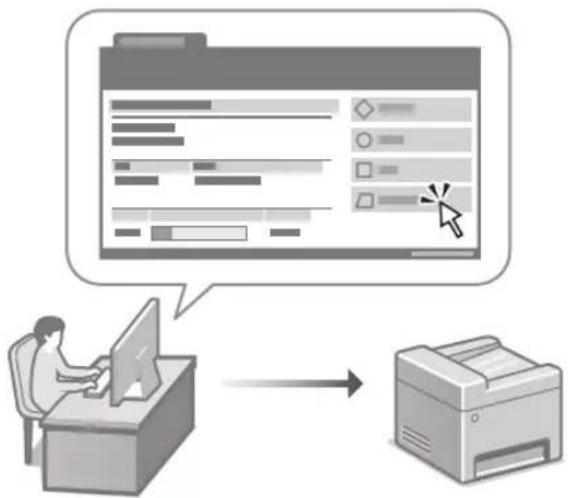
Managing the Machine from a Computer (Remote UI)
flowchart
graph TD
    A["User Input"] --> B["Process Data"]
    B --> C["Output Format"]
    style A fill:#f9f,stroke:#333
    style C fill:#ccf,stroke:#333
Remote UI allows this machine to be managed using the Web browser on a computer. You can use it to check the machine's operating status, change settings, and save items to the Address Book.

User's Guide
See "Managing the Machine from a Computer (Remote UI)."
Canon
MF465dw
MF463dw
MF461dw
Guide de configuration
natural_image
Illustration of a person handling a device with a magnified inset showing hand placement (no text or symbols)natural_image
Diagram of a hand inserting a device into a plastic housing (no text or symbols visible)2.
text_image
A4 A5/A43.
natural_image
Illustration of a hand inserting a device into a drawer with an arrow indicating direction (no text or symbols)natural_image
Line drawing of a person holding an open computer case (no text or symbols)2.
natural_image
Diagram of hands inserting a device into a drawer with an arrow indicating direction (no text or symbols present)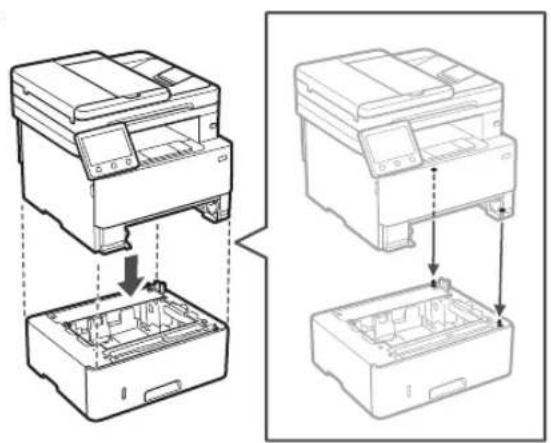
natural_image
Technical line drawing showing two views of a printer or printer with internal components and mounting holes (no text or symbols)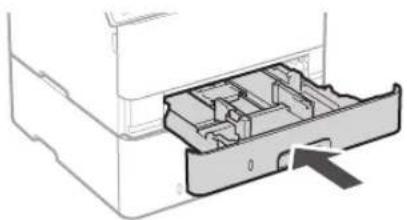
natural_image
Diagram of a printer drawer with internal compartments and an arrow indicating a location (no text or symbols present)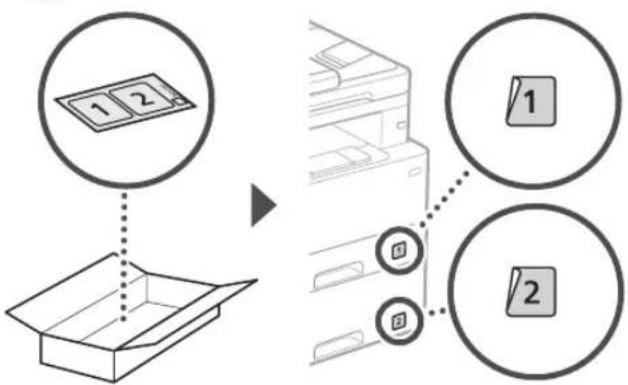
flowchart
graph TD
    A["1 2"] --> B["Box Box"]
    C["1"] --> D["Printer Box"]
    E["2"] --> D
    style A fill:#f9f,stroke:#333
    style B fill:#ccf,stroke:#333
    style C fill:#cfc,stroke:#333
    style D fill:#fcc,stroke:#333
    style E fill:#cff,stroke:#333
text_image
Diagram showing a device with a magnified inset highlighting a connector detail, likely illustrating a cable or cable assembly.5
natural_image
Hand holding smartphone displaying a QR code (no text or symbols on device)natural_image
Technical line drawing of a printer with a separate cylindrical component (no text or symbols)
natural_image
Illustration of a person handling a device with hand gestures, showing no text or symbols
natural_image
Line drawing of a printer with a paperclip inserted into a box, showing internal components and directional arrows (no text or symbols)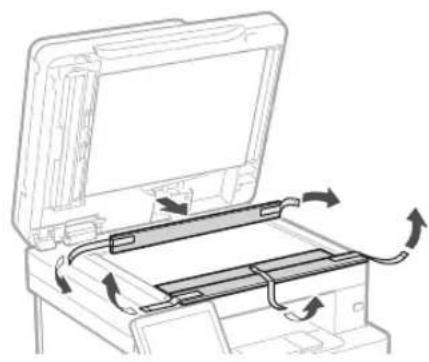
natural_image
Diagram of a printer's internal structure showing paper feeding into a tray with arrows indicating rotation (no text or symbols)natural_image
Diagram of a hand inserting a device into a plastic housing (no text or symbols visible)2.
text_image
A4 A5/A43.
natural_image
Diagram of a device with a slide and a magnified inset showing a close-up of a device (no text or symbols present)4.
natural_image
Illustration of hands inserting a device into a drawer with an arrow indicating direction (no text or symbols)natural_image
Line drawing of a person holding an open electronic device case (no text or symbols)2.
natural_image
Diagram showing hands inserting a device into a plastic container with an arrow indicating direction (no text or symbols present)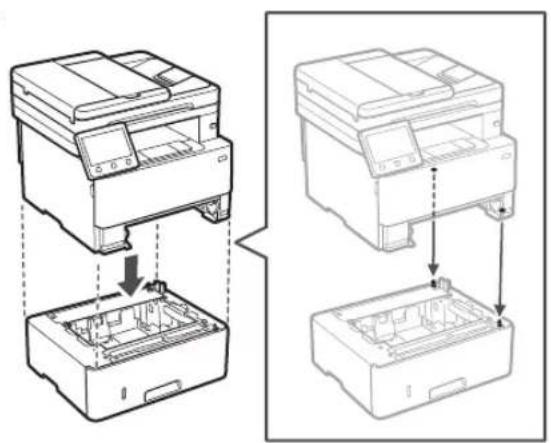
natural_image
Technical line drawing showing two views of a printer or printer stack with internal components (no text or symbols)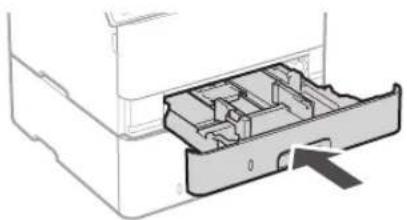
natural_image
Diagram of a mechanical device showing internal compartments and a directional arrow (no text or symbols)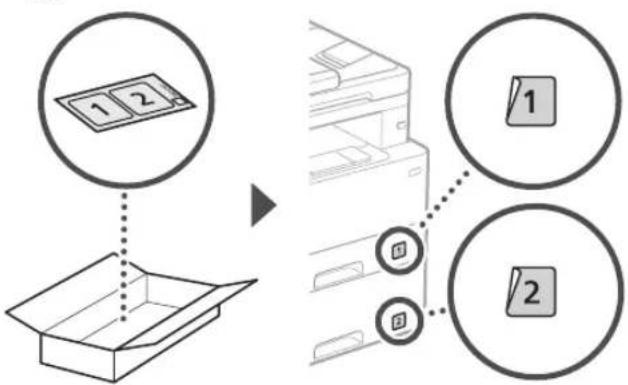
flowchart
graph TD
    A["1 2"] --> B["Box Box"]
    C["1"] --> D["Printer Box"]
    E["2"] --> D
    style A fill:#f9f,stroke:#333
    style B fill:#ccf,stroke:#333
    style C fill:#cfc,stroke:#333
    style D fill:#fcc,stroke:#333
    style E fill:#cff,stroke:#333
Hörer
text_image
Diagram showing a device with a magnified inset highlighting a connector or connection point, likely illustrating a mechanical or electrical setup.text_image
SSID :XXXXXXXXXXXX Netzwerkschlüssel :XXXXXXXXXXXX :natural_image
Hand holding smartphone displaying a QR code (no text or symbols on device)natural_image
Technical line drawing of a printer with a separate cylindrical component (no text or symbols)
natural_image
Illustration of a person handling a printer case with a magnified inset showing hand placement (no text or symbols)
natural_image
Line drawing of a printer with a close-up view showing internal components and arrows indicating motion (no text or symbols)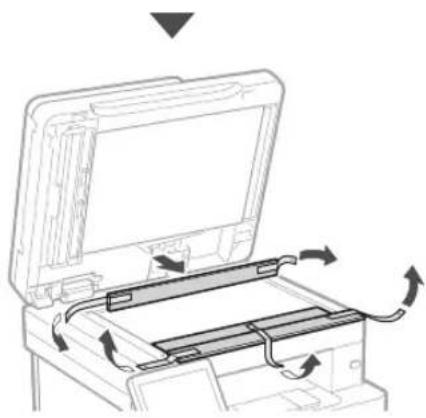
natural_image
Diagram of a printer's internal structure showing paper feeding into a tray with arrows indicating rotation (no text or symbols)3 Caricamento carta
1.
natural_image
Diagram of a hand inserting a device into a plastic housing, showing internal components and a downward arrow (no text or symbols)2.
text_image
A4 A5/A43.
natural_image
Illustration of a hand inserting a device into a drawer with an arrow indicating direction (no text or symbols)natural_image
Line drawing of a person holding an open computer case (no text or symbols)2.
natural_image
Diagram of hands inserting a device into a drawer with an arrow indicating direction (no text or symbols present)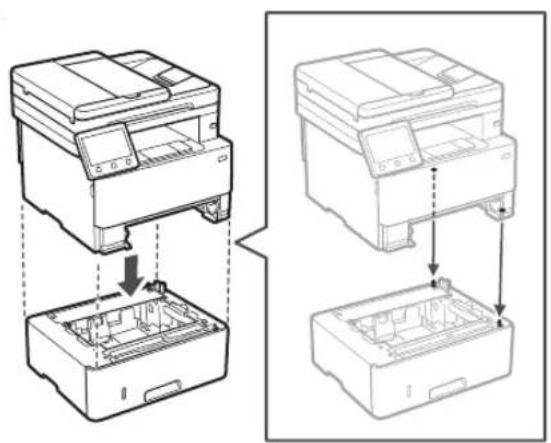
natural_image
Technical line drawing showing two views of a printer or printer stack with internal components (no text or symbols)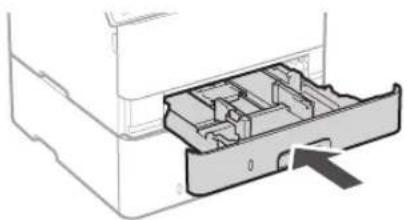
natural_image
Diagram of a printer drawer with internal compartments and an arrow indicating a location (no text or symbols present)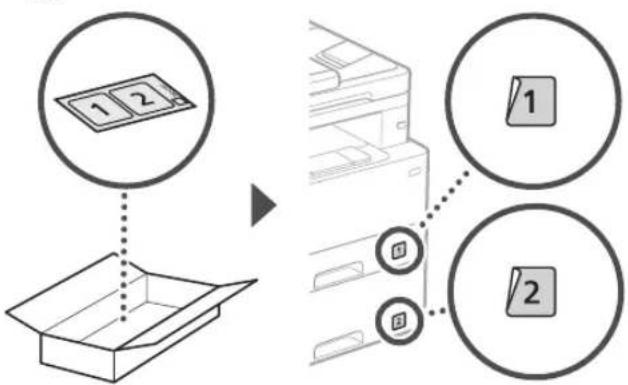
flowchart
graph TD
    A["1 2"] --> B["Box Box"]
    C["1"] --> D["Printer Box"]
    E["2"] --> D
    style A fill:#f9f,stroke:#333
    style B fill:#ccf,stroke:#333
    style C fill:#cfc,stroke:#333
    style D fill:#fcc,stroke:#333
    style E fill:#cff,stroke:#333
Ricevitore
text_image
Diagram showing a device with a magnified inset highlighting a cable or cable connection detail, likely illustrating a cable or cable assembly.5
natural_image
Hand holding a smartphone displaying a QR code (no text or symbols on the device screen)text_image
Domande relative ai drivernatural_image
Technical line drawing of a printer with a separate cylindrical component (no text or symbols)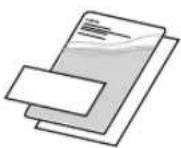

natural_image
Illustration of a person handling a device with hand gestures, showing no text or symbols
natural_image
Line drawing of a printer with a device and paper box, showing internal components and directional arrows (no text or symbols)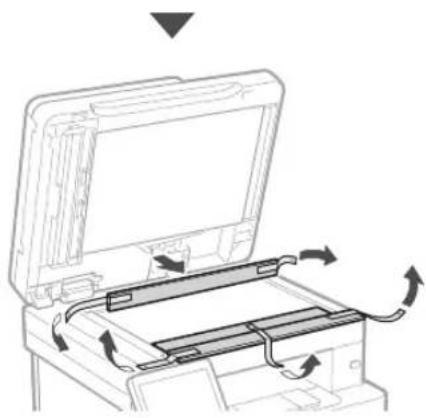
natural_image
Diagram of a printer's internal structure with arrows indicating motion, no text or symbols present3 Cargar papel
1.
natural_image
Diagram of a hand inserting a device into a plastic housing with an arrow indicating direction (no text or symbols present)2.
text_image
A4 A5/A43.

natural_image
Illustration of hands inserting a device into a drawer with an arrow indicating direction (no text or symbols)natural_image
Line drawing of a person holding an open computer case (no text or symbols)2.
natural_image
Diagram of hands inserting a device into a drawer with an arrow indicating direction (no text or symbols present)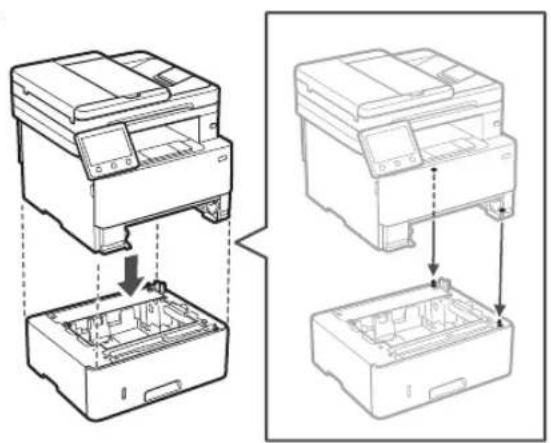
natural_image
Technical line drawing showing two views of a printer or printer with internal components and assembly steps (no text or symbols)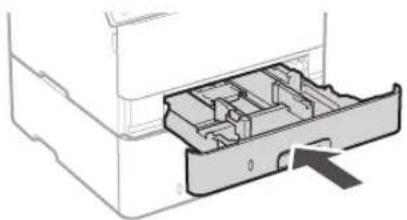
natural_image
Diagram of a printer drawer showing internal compartments and a handle (no text or symbols)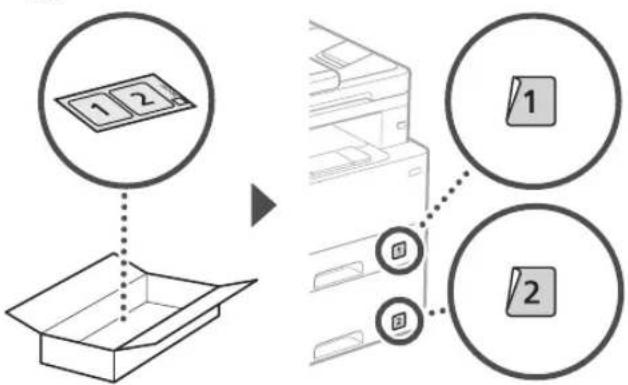
flowchart
graph TD
    A["1 2"] --> B["Box Box"]
    C["1"] --> D["Printer Box"]
    E["2"] --> D
    style A fill:#f9f,stroke:#333
    style B fill:#ccf,stroke:#333
    style C fill:#cfc,stroke:#333
    style D fill:#fcc,stroke:#333
    style E fill:#cff,stroke:#333
Teléfono
text_image
Diagram showing a device with a magnified inset highlighting a connector detail, likely illustrating a cable or cable assembly process.5
natural_image
Technical line drawing of a printer with a separate cylindrical component (no text or symbols)
text_image
Diagram illustrating hand positioning and foot movement on a device, with magnified inset showing finger placement.
natural_image
Line drawing of a printer with a device inserted into a box, showing internal components and arrows indicating flow (no text or symbols)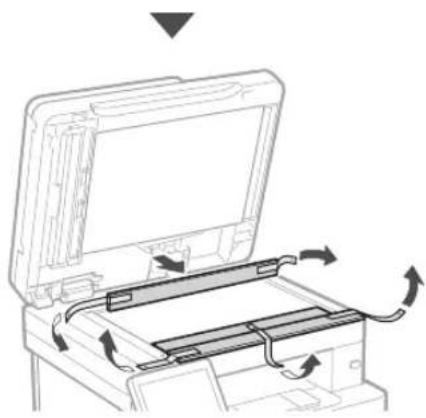
natural_image
Diagram of a printer's internal structure showing paper feeding into a tray with arrows indicating rotation (no text or symbols)3 Càrrega de paper
1.
natural_image
Diagram of a hand inserting a device into a plastic housing, showing internal components and a downward arrow (no text or symbols)2.
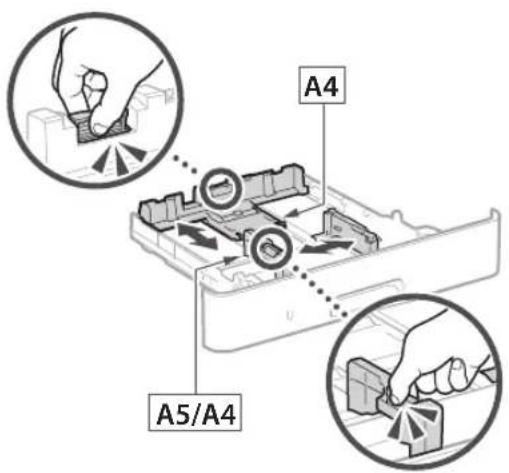
text_image
A4 A5/A43.
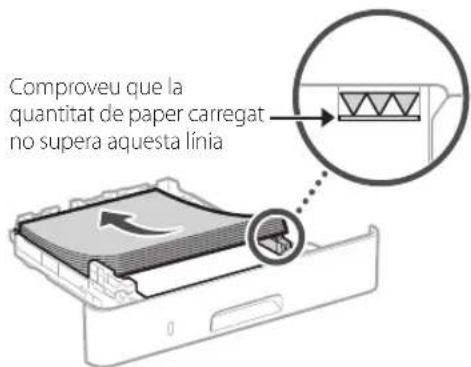
natural_image
Illustration of a hand inserting a device into a drawer with an arrow indicating direction (no text or symbols)natural_image
Line drawing of a person holding an open computer case (no text or symbols)2.
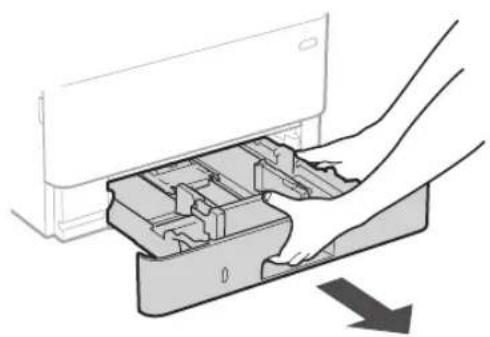
natural_image
Diagram of hands inserting a device into a drawer with an arrow indicating direction (no text or symbols present)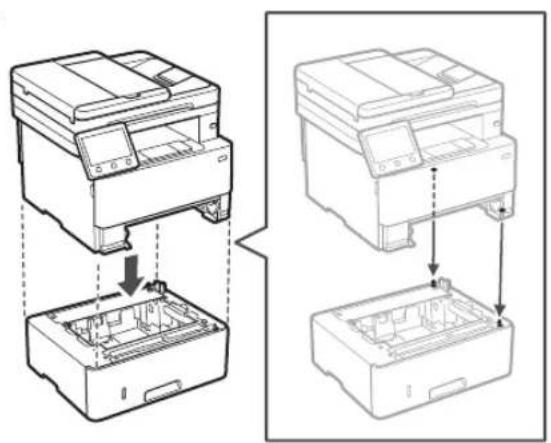
natural_image
Technical line drawing showing two views of a printer or printer with internal components and assembly steps (no text or symbols)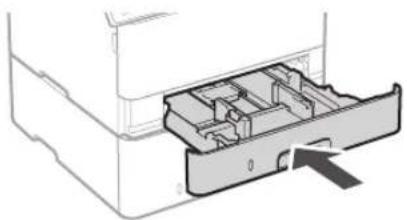
natural_image
Diagram of a printer drawer showing internal compartments and a central slot (no text or symbols)
flowchart
graph TD
    A["1 2"] --> B["Box Box"]
    C["1"] --> D["Printer Box"]
    E["2"] --> D
    style A fill:#f9f,stroke:#333
    style B fill:#ccf,stroke:#333
    style C fill:#cfc,stroke:#333
    style D fill:#fcc,stroke:#333
    style E fill:#cff,stroke:#333
Telèfon
text_image
Diagram showing a device with a magnified inset highlighting a connector detail, likely illustrating a cable or cable assembly process.5
text_image
Hand holding smartphone displaying a QR code on screen, with motion lines indicating speed and alerttext_image
Diagram illustrating a document processing workflow with text input, processing steps, and output stages.text_image
QR code and smartphone payment interface with QR code on screenhttps://oip.manual.canon/
natural_image
Illustration of a person handling a large electronic device with hand gestures, showing no text or symbols.natural_image
Line drawing of a printer with a paperclip inserted into a box, showing internal components and arrows indicating motion (no text or symbols)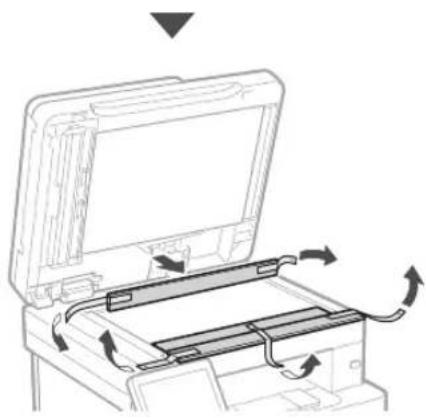
natural_image
Diagram of a printer's internal structure with arrows indicating motion, no text or symbols present3 Papera kargatzea
1.
natural_image
Diagram of a hand inserting a device into a plastic housing with an arrow indicating direction (no text or symbols present)2.
text_image
A4 A5/A43.
natural_image
Diagram of a device with a slide and a magnified inset showing a close-up of a device (no text or symbols present)4.
natural_image
Illustration of a hand inserting a device into a drawer with an arrow indicating direction (no text or symbols)4 Aukerako elementua instalatzea

natural_image
Line drawing of a person holding an open computer case (no text or symbols)2.
natural_image
Diagram of hands inserting a device into a drawer with an arrow indicating direction (no text or symbols present)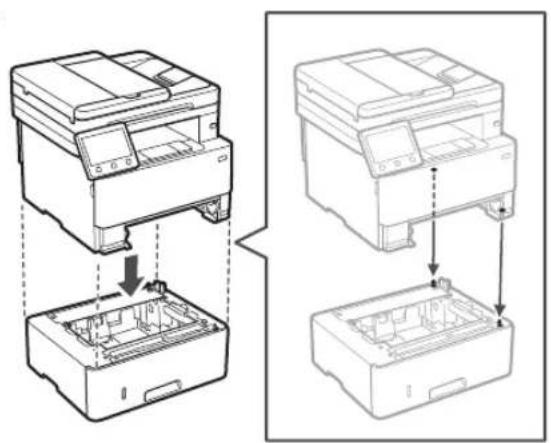
natural_image
Technical line drawing showing two views of a printer or printer with internal components and assembly steps (no text or symbols)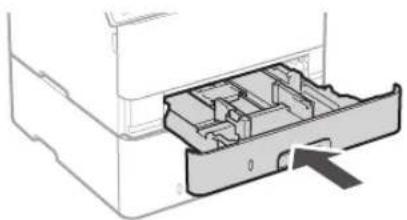
natural_image
Diagram of a printer drawer with internal compartments and an arrow indicating a location (no text or symbols present)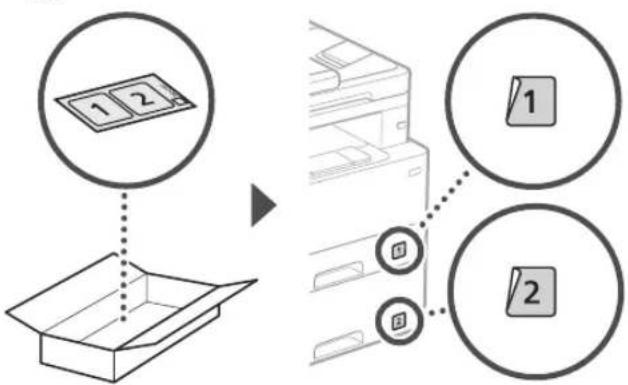
flowchart
graph TD
    A["1 2"] --> B["Box Box"]
    C["1"] --> D["Printer Box"]
    E["2"] --> D
    style A fill:#f9f,stroke:#333
    style B fill:#ccf,stroke:#333
    style C fill:#cfc,stroke:#333
    style D fill:#fcc,stroke:#333
    style E fill:#cff,stroke:#333
Telefonoa
text_image
Diagram showing a device with a magnified inset highlighting a connector detail, likely illustrating a cable or cable assembly process.5
text_image
Operazio panelatext_image
Hand holding smartphone displaying a QR code with a lock icon, likely for mobile payment or scanning purposes.natural_image
Illustration of a person handling a device with a magnified inset showing hand placement (no text or symbols)
natural_image
Line drawing of a printer with a device inserted into a box, showing internal components and directional arrows (no text or symbols)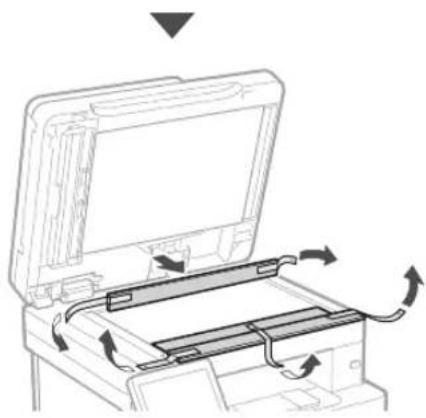
natural_image
Diagram of a printer's internal structure showing paper feeding into a tray with arrows indicating rotation (no text or symbols)3 Colocar papel
1.
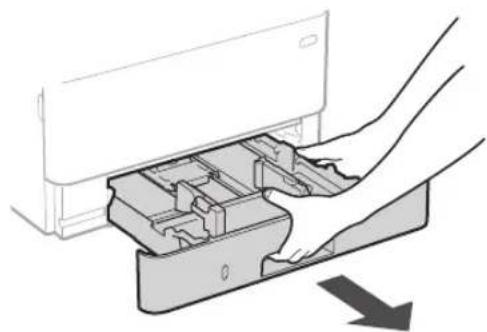
natural_image
Diagram of a hand inserting a device into a plastic housing (no text or symbols visible)2.
text_image
A4 A5/A43.
natural_image
Illustration of a hand inserting a device into a drawer with an arrow indicating direction (no text or symbols)natural_image
Line drawing of a person holding an open computer case (no text or symbols)2.
natural_image
Diagram showing hands inserting a device into a drawer with an arrow indicating direction (no text or symbols present)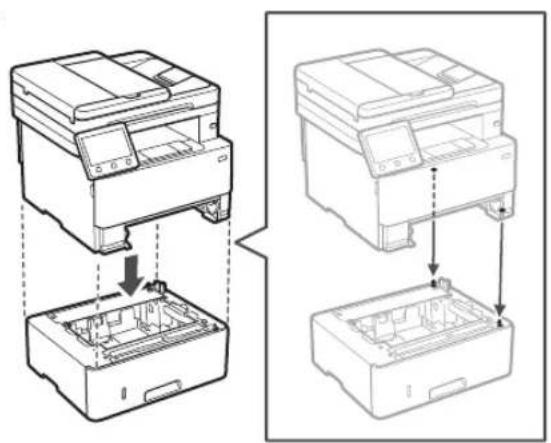
natural_image
Technical line drawing showing two views of a printer or printer with internal components and assembly steps (no text or symbols)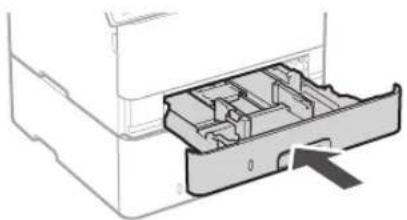
natural_image
Diagram of a printer drawer with internal compartments and an arrow indicating a location (no text or symbols present)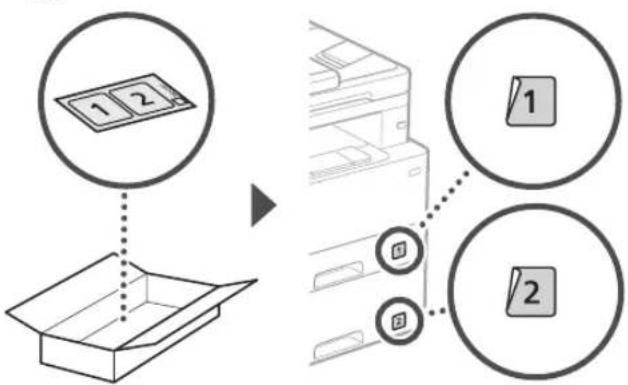
flowchart
graph TD
    A["1 2"] --> B["Box Box"]
    C["1"] --> D["Printer Box"]
    E["2"] --> D
    style A fill:#f9f,stroke:#333
    style B fill:#ccf,stroke:#333
    style C fill:#cfc,stroke:#333
    style D fill:#fcc,stroke:#333
    style E fill:#cff,stroke:#333
Auscultador
text_image
Diagram showing a device with a magnified inset highlighting a cable or cable connection detail, likely illustrating a cable or cable assembly.text_image
Hand holding smartphone displaying a QR code on screen, with motion lines indicating speed and alertnatural_image
Technical line drawing of a printer with an attached cylindrical component (no text or symbols)
natural_image
Illustration of a person handling a large electronic device with hand placement, showing a magnified inset of the device's left side (no text or symbols present)
natural_image
Line drawing of a printer with a device inserted into a box, showing internal components and arrows indicating flow (no text or symbols)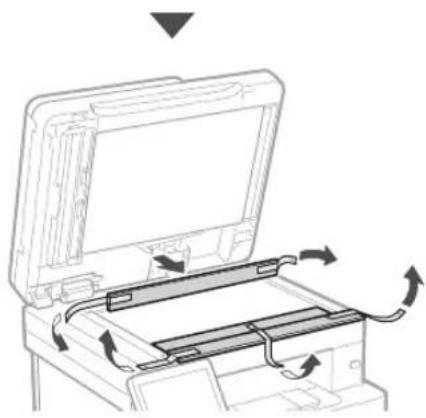
natural_image
Diagram of a printer's internal structure with arrows indicating rotation or movement (no text or symbols)natural_image
Diagram of a hand inserting a device into a plastic housing, showing internal components and a downward arrow (no text or symbols)2.
text_image
A4 A5/A43.
natural_image
Illustration of a hand inserting a device into a drawer with an arrow indicating direction (no text or symbols)natural_image
Line drawing of a person holding an open electronic device case (no text or symbols)2.
natural_image
Diagram of hands inserting a device into a container with an arrow indicating direction (no text or symbols present)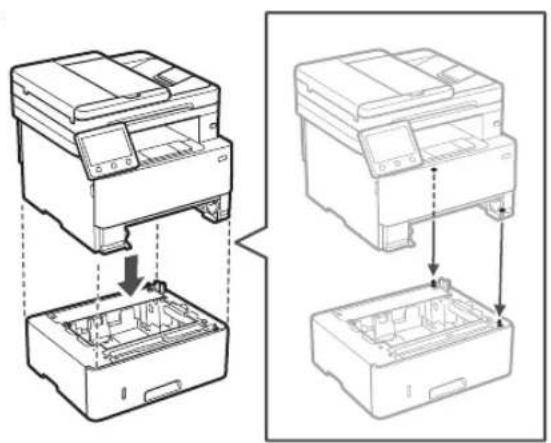
natural_image
Technical line drawing showing two views of a printer or printer with internal components and assembly steps (no text or symbols)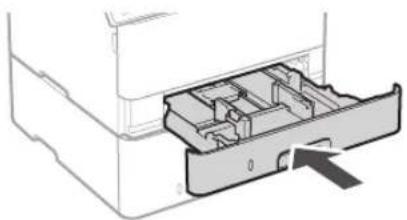
natural_image
Diagram of a printer drawer showing internal compartments and a central slot (no text or labels)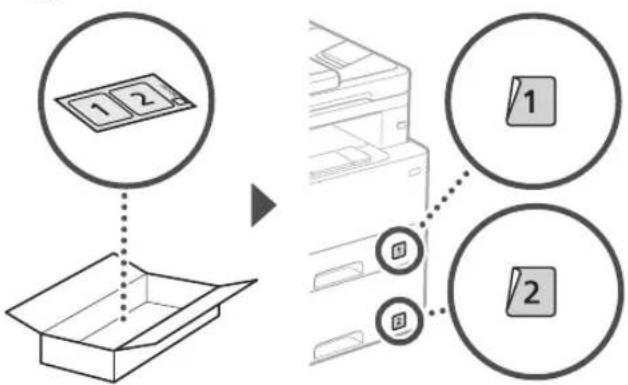
flowchart
graph TD
    A["1 2"] --> B["Box Box"]
    C["1"] --> D["Printer Box"]
    E["2"] --> D
    style A fill:#f9f,stroke:#333
    style B fill:#ccf,stroke:#333
    style C fill:#cfc,stroke:#333
    style D fill:#fcc,stroke:#333
    style E fill:#cff,stroke:#333
Ακουστικό
text_image
Diagram showing a device with a magnified view of its internal structure, highlighting a component with an arrow and a circular detail.text_image
Diagram illustrating a document processing workflow with steps for data entry, review, and outputting.natural_image
Technical line drawing of a printer with an attached cylindrical component (no text or symbols)
natural_image
Illustration of a person handling a portable electronic device with hand gestures, showing no text or symbols.
natural_image
Line drawing of a printer with a paperclip inserted into a box, showing internal components and arrows indicating motion (no text or symbols)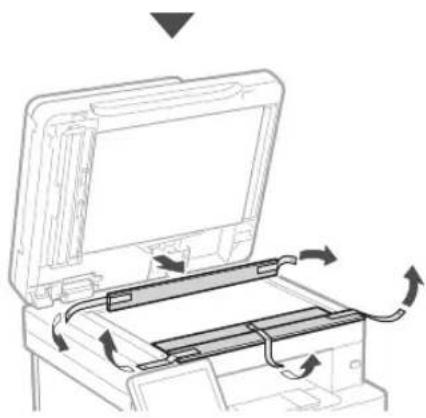
natural_image
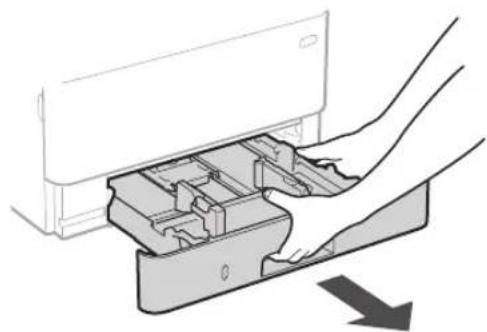
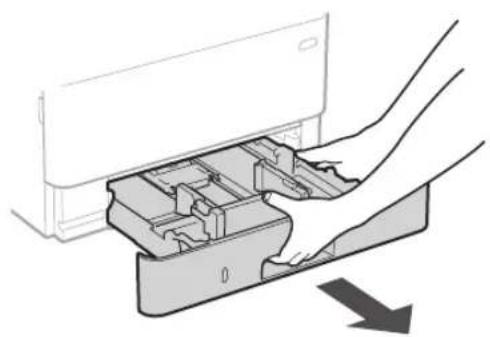
Diagram of a printer or printer with an open lid and internal circuit board, showing directional arrows indicating rotation (no text or symbols present)3 Ilægning af papir
1.
natural_image
Diagram of a hand inserting a device into a plastic housing (no text or symbols visible)2.
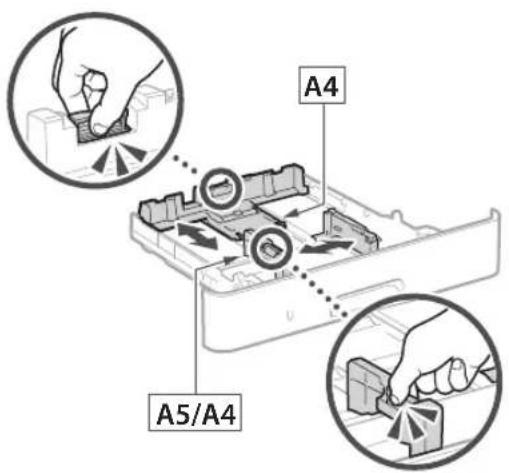
text_image
A4 A5/A43.
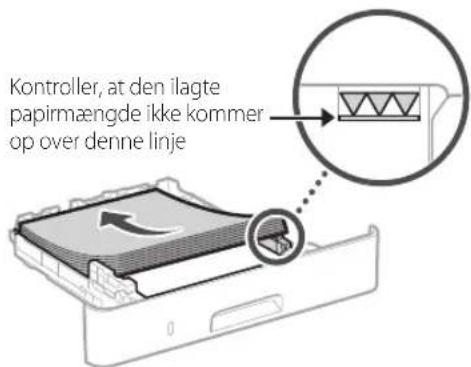
natural_image
Illustration of hands inserting a device into a drawer with an arrow indicating direction (no text or symbols)natural_image
Line drawing of a person holding an open computer case (no text or symbols)2.
natural_image
Diagram showing hands inserting a device into a drawer with an arrow indicating direction (no text or symbols present)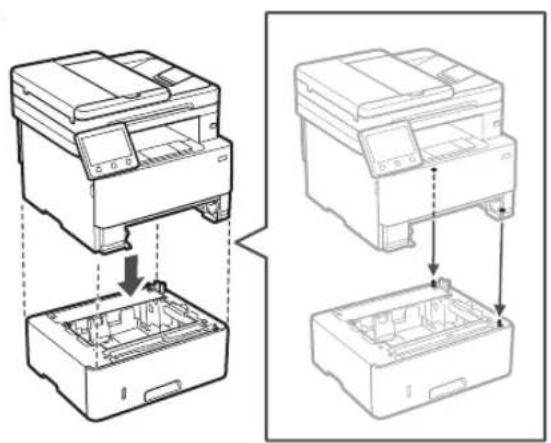
natural_image
Technical line drawing showing two views of a printer or printer with internal components and assembly steps (no text or symbols)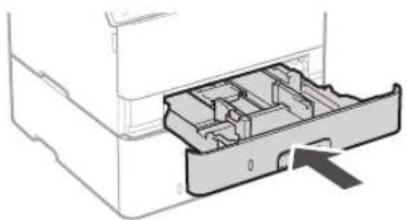
natural_image
Diagram of a mechanical device showing internal compartments and a directional arrow (no text or symbols)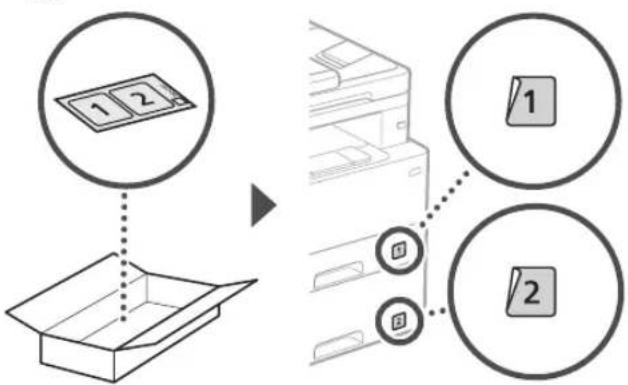
flowchart
graph TD
    A["1 2"] --> B["Box Box"]
    C["1"] --> D["Printer Box"]
    E["2"] --> D
    style A fill:#f9f,stroke:#333
    style B fill:#ccf,stroke:#333
    style C fill:#cfc,stroke:#333
    style D fill:#fcc,stroke:#333
    style E fill:#cff,stroke:#333
Telefon
text_image
Diagram showing a device with a magnified inset highlighting a cable or cable connection, likely illustrating a mechanical or electrical setup.5
text_image
2 1 Bagside10 Installation af software/ drivere
natural_image
Hand holding smartphone displaying a QR code (no text or symbols on device)natural_image
Technical line drawing of a printer with an attached roller component (no text or symbols)

text_image
Diagram illustrating a person handling a device with a magnified inset showing hand placement and directional arrow.
natural_image
Line drawing of a printer with a close-up view showing internal components and arrows indicating motion (no text or symbols)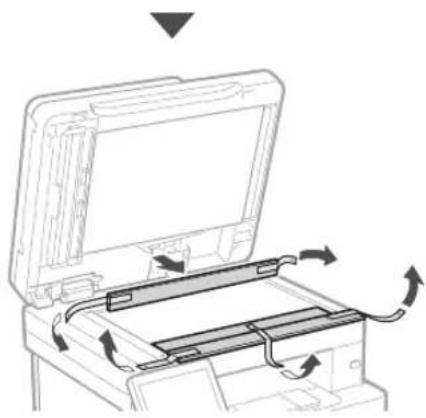
natural_image
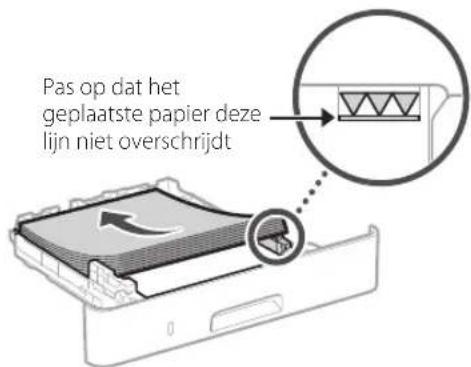
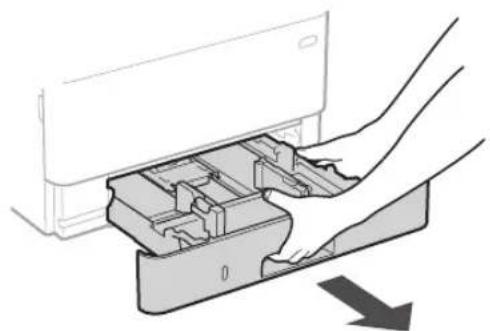
Diagram of a printer's internal structure showing paper feeding into a tray with arrows indicating rotation (no text or symbols)3 Papier laden
1.
natural_image
Diagram of a hand inserting a device into a plastic housing (no text or symbols visible)2.
text_image
A4 A5/A43.
natural_image
Illustration of hands inserting a device into a drawer with an arrow indicating direction (no text or symbols)natural_image
Line drawing of a person holding an open computer case (no text or symbols)2.
natural_image
Diagram of hands inserting a device into a container with an arrow indicating direction (no text or symbols present)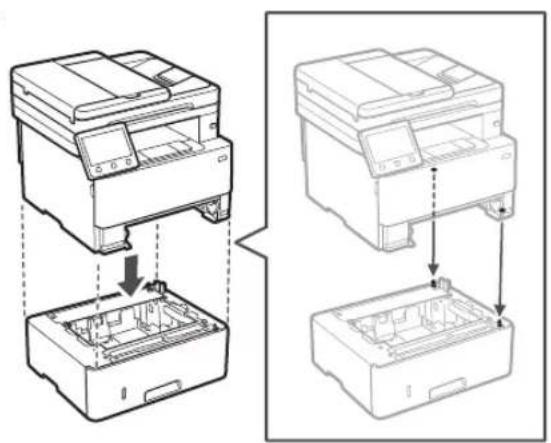
natural_image
Technical line drawing showing two views of a printer or printer stack with internal components (no text or symbols)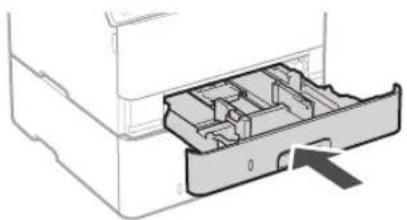
natural_image
Diagram of a mechanical device showing internal compartments and a directional arrow (no text or symbols)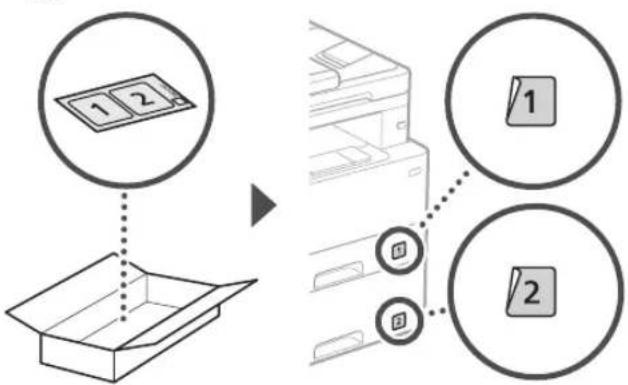
flowchart
graph TD
    A["1 2"] --> B["Box Box"]
    C["1"] --> D["Printer Box"]
    E["2"] --> D
    style A fill:#f9f,stroke:#333
    style B fill:#ccf,stroke:#333
    style C fill:#cfc,stroke:#333
    style D fill:#fcc,stroke:#333
    style E fill:#cff,stroke:#333
Handset
text_image
Diagram showing a device with a magnified inset highlighting a cable or cable connection detail, likely illustrating a mechanical or electrical assembly.text_image
SSID :XXXXXXXXXXXX Netwerksleutel :XXXXXXXXXXXX :natural_image
Hand holding smartphone displaying a QR code (no text or symbols on device)natural_image
Technical line drawing of a printer with a separate cylindrical component (no text or symbols)
text_image
Diagram illustrating a person handling a device with a magnified inset showing hand placement and tool path.
natural_image
Technical line drawing of a mechanical component with an inset magnified detail showing internal structure (no text or symbols)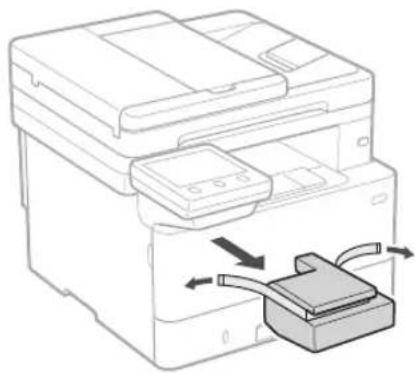
natural_image
Line drawing of a printer with a paperclip inserted into a box, showing internal components and arrows indicating motion (no text or symbols)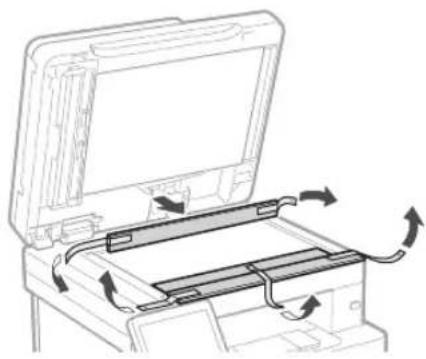
natural_image
Diagram of a printer's internal structure with arrows indicating rotation or movement (no text or symbols)3 Legge i papir
1.
natural_image
Diagram of a hand inserting a device into a plastic housing, showing internal compartments and a downward arrow (no text or symbols)2.
text_image
A4 A5/A43.
natural_image
Illustration of hands inserting a device into a drawer with an arrow indicating direction (no text or symbols)natural_image
Line drawing of a person holding an open computer case (no text or symbols)2.
natural_image
Diagram of hands inserting a device into a drawer with an arrow indicating direction (no text or symbols present)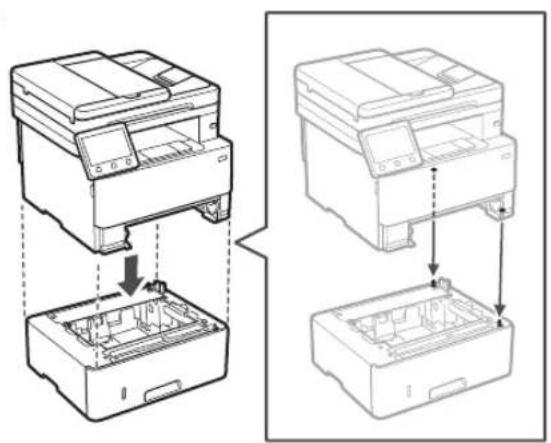
natural_image
Technical line drawing showing two views of a printer or printer with internal components and assembly steps (no text or symbols)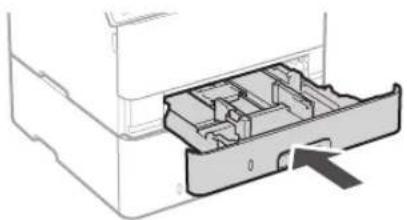
natural_image
Diagram of a printer drawer with internal compartments and an arrow indicating a location (no text or symbols present)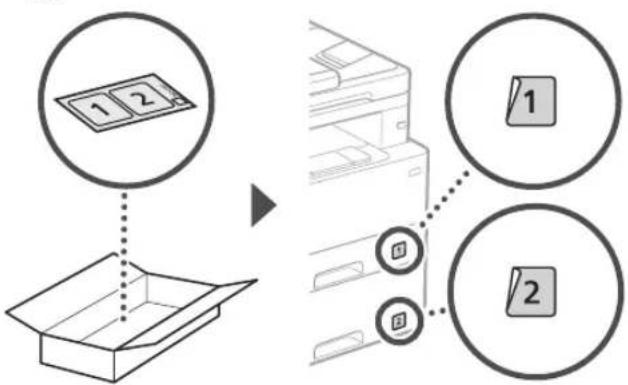
flowchart
graph TD
    A["1 2"] --> B["Box Box"]
    C["1"] --> D["Printer Box"]
    E["2"] --> D
    style A fill:#f9f,stroke:#333
    style B fill:#ccf,stroke:#333
    style C fill:#cfc,stroke:#333
    style D fill:#fcc,stroke:#333
    style E fill:#cff,stroke:#333
Telefonrør
text_image
Diagram showing a device with a magnified inset highlighting a cable or cable connection detail, likely illustrating a mechanical or electrical assembly.text_image
SSID :XXXXXXXXXXXX Nettverksnokkel :XXXXXXXXXXXX :- Velg
på betjeningspanelet när du vil konfigurere innstillingene. - Velg det nettverket som har samme SSID.
- Skriv inn passordet (nettverksnøkkelen) og velg
.
Kablet LAN
natural_image
Technical line drawing of a printer with an attached roller stack (no text or symbols)
text_image
Diagram illustrating a person handling a device with a magnified inset showing hand placement and directional arrow.
natural_image
Line drawing of a printer with a paperclip inserted into a box, showing internal components and arrows indicating motion (no text or symbols)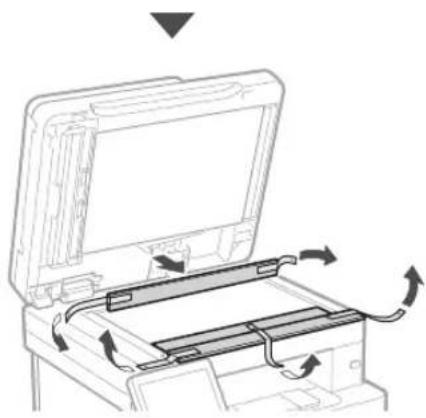
natural_image
Diagram of a printer's internal structure showing paper feeding into a tray with arrows indicating rotation (no text or symbols)3 Fylla på papper
1.
natural_image
Diagram of a hand inserting a device into a plastic housing (no text or symbols visible)2.
text_image
A4 A5/A43.
natural_image
Diagram of a device with a slide and a magnified inset showing a close-up of a device (no text or symbols present)4.
natural_image
Illustration of hands inserting a device into a drawer with an arrow indicating direction (no text or symbols)4 Installera tillvalskomponent

natural_image
Line drawing of a person holding an open computer case (no text or symbols)2.
natural_image
Diagram of hands inserting a device into a drawer with an arrow indicating direction (no text or symbols present)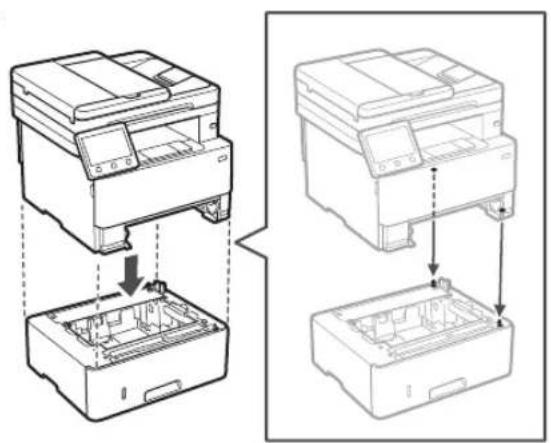
natural_image
Technical line drawing showing two views of a printer or printer stack with internal components (no text or symbols)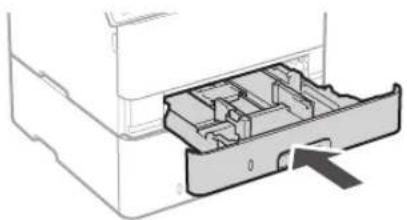
natural_image
Diagram of a mechanical device showing internal compartments and a directional arrow (no text or symbols)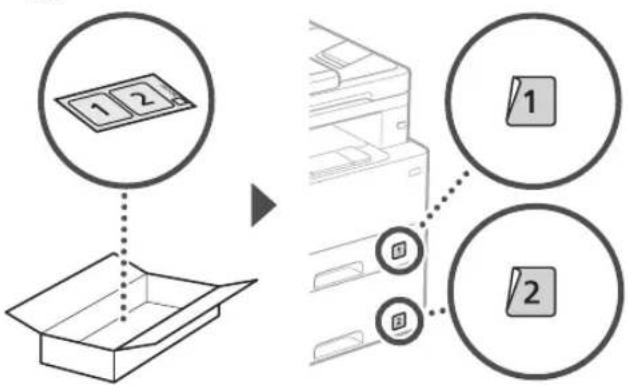
flowchart
graph TD
    A["1 2"] --> B["Box Box"]
    C["1"] --> D["Printer Box"]
    E["2"] --> D
    style A fill:#f9f,stroke:#333
    style B fill:#ccf,stroke:#333
    style C fill:#cfc,stroke:#333
    style D fill:#fcc,stroke:#333
    style E fill:#cff,stroke:#333
Telefonlur
text_image
Diagram showing a device with a magnified view of its internal structure, highlighting a component with an arrow and a circular detail.5
Ansluta nätkabeln
text_image
Bak 1 210 Installera program/ drivrutiner
natural_image
Hand holding a smartphone displaying a QR code (no text or symbols on the device)natural_image
Illustration of a person handling a device with hand gestures, showing no text or symbols
natural_image
Line drawing of a printer with a paperclip inserted into a box, showing internal components and arrows indicating motion (no text or symbols)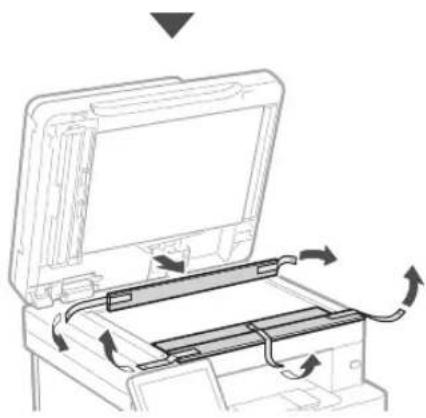
natural_image
Diagram of a printer's internal structure showing paper feeding into a tray with arrows indicating rotation (no text or symbols)natural_image
Diagram of a hand inserting a device into a plastic housing (no text or symbols visible)2.
text_image
A4 A5/A43.
natural_image
Illustration of a hand inserting a device into a drawer with an arrow indicating direction (no text or symbols)natural_image
Line drawing of a person holding an open computer case (no text or symbols)2.
natural_image
Diagram of hands inserting a device into a drawer with an arrow indicating direction (no text or symbols present)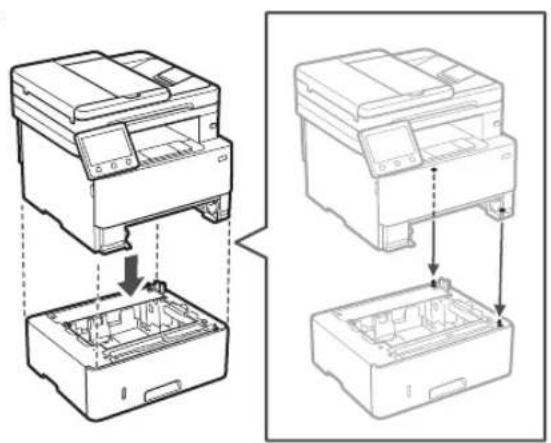
natural_image
Technical line drawing showing two views of a printer or printer with internal components and assembly steps (no text or symbols)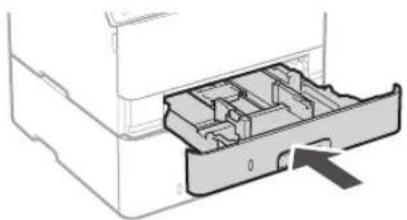
natural_image
Diagram of a mechanical device showing internal compartments and a directional arrow (no text or symbols)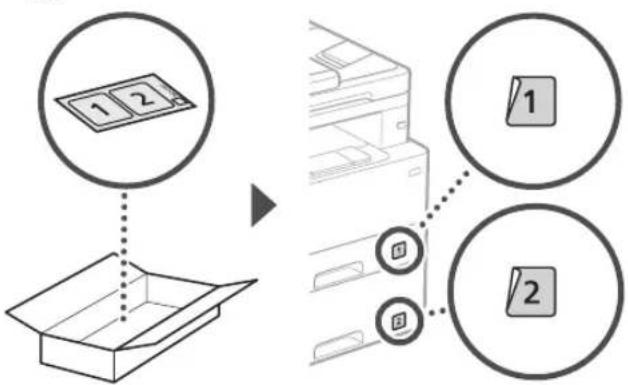
flowchart
graph TD
    A["1 2"] --> B["Box Box"]
    C["1"] --> D["Printer Box"]
    E["2"] --> D
    style A fill:#f9f,stroke:#333
    style B fill:#ccf,stroke:#333
    style C fill:#cfc,stroke:#333
    style D fill:#fcc,stroke:#333
    style E fill:#cff,stroke:#333
Luuri
text_image
Diagram showing a device with a magnified view of the internal structure, highlighting a component with an arrow and a circular detail.natural_image
Hand holding smartphone displaying a QR code (no text or symbols on device)natural_image
Technical line drawing of a printer with an attached cylindrical component (no text or symbols)
text_image
Diagram illustrating a person handling a device with a magnified inset showing hand placement and a pointing hand gesture.
natural_image
Line drawing of a printer with a close-up view showing internal components and arrows indicating motion (no text or symbols)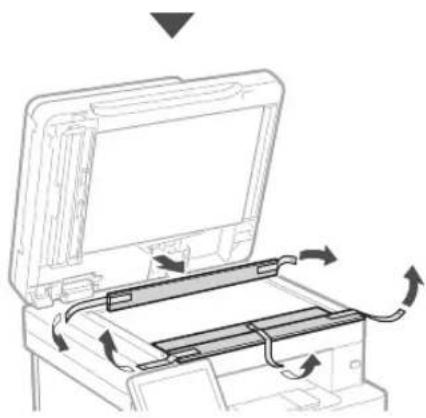
natural_image
Diagram of a printer's internal structure showing paper feeding into a tray with arrows indicating rotation (no text or symbols)3 Загрузка бумаги
1.
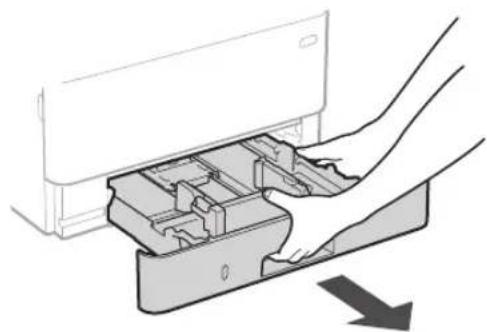
natural_image
Diagram of a hand inserting a device into a plastic housing, showing internal components and a downward arrow (no text or symbols)2.
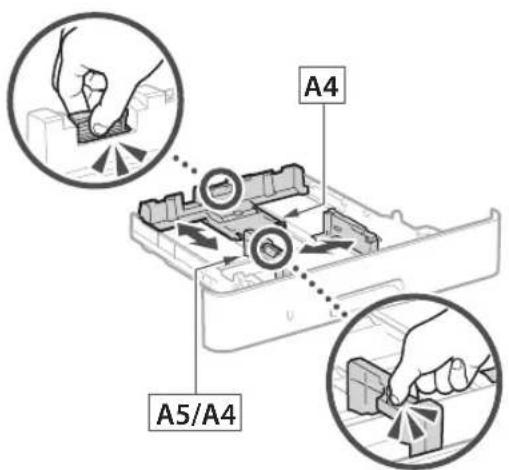
text_image
A4 A5/A43.
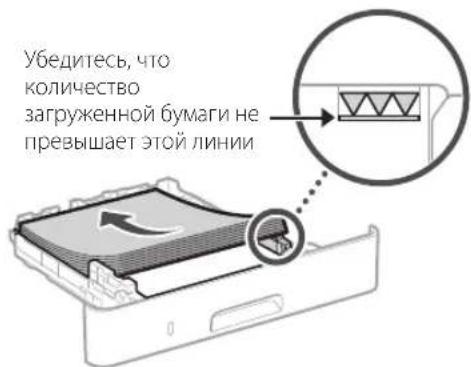
natural_image
Illustration of hands inserting a device into a drawer with an arrow indicating direction (no text or symbols)4
natural_image
Line drawing of a person holding an open electronic device case (no text or symbols)2.
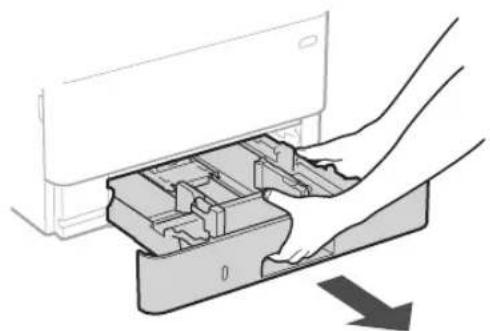
natural_image
Diagram showing hands inserting a device into a container with arrows indicating direction (no text or symbols)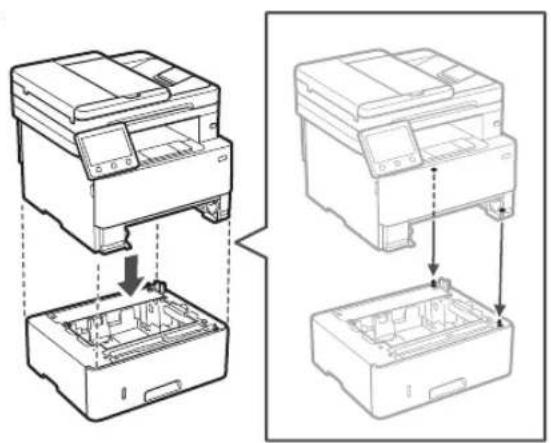
natural_image
Technical line drawing showing two views of a printer or printer with internal components and assembly steps (no text or symbols)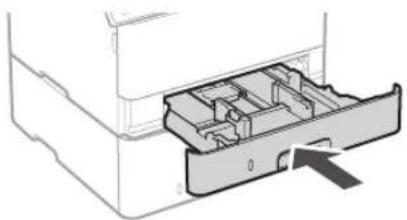
natural_image
Diagram of a printer drawer with internal compartments and an arrow indicating a location (no text or symbols present)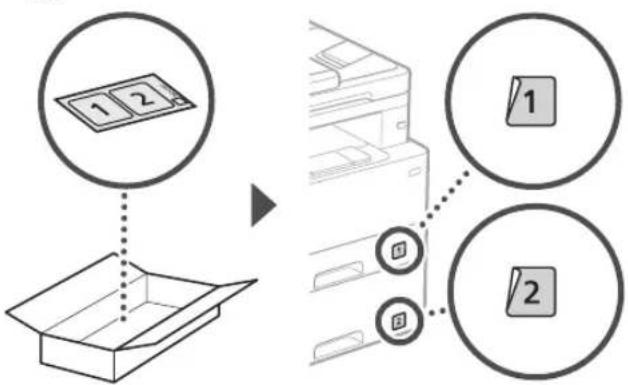
flowchart
graph TD
    A["1 2"] --> B["Box Box"]
    C["1"] --> D["Printer Box"]
    E["2"] --> D
    style A fill:#f9f,stroke:#333
    style B fill:#ccf,stroke:#333
    style C fill:#cfc,stroke:#333
    style D fill:#fcc,stroke:#333
    style E fill:#cff,stroke:#333
Телефонная трубка
text_image
Diagram showing a device with a magnified inset highlighting a cable or cable connection detail, likely illustrating a mechanical or electrical assembly.5
text_image
Hand holding smartphone displaying a QR code with a lock icon, likely for mobile payment or scanning purposes.natural_image
Technical line drawing of a printer with an attached cylindrical component (no text or symbols)
natural_image
Illustration of a person handling a device with a magnified inset showing hand movement (no text or symbols)
natural_image
Line drawing of a printer with a close-up view showing internal components and arrows indicating motion (no text or symbols)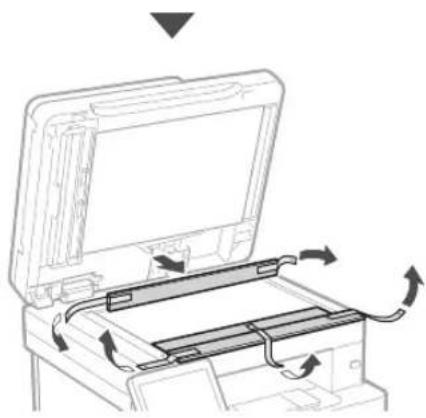
natural_image
Diagram of a printer's internal structure showing paper feeding into a tray with arrows indicating rotation (no text or symbols)natural_image
Diagram of a hand inserting a device into a plastic housing, showing internal components and a downward arrow (no text or symbols)2.
text_image
A4 A5/A43.
natural_image
Illustration of hands inserting a device into a drawer with an arrow indicating direction (no text or symbols)natural_image
Line drawing of a person holding an open hard disk (no text or symbols)2.
natural_image
Diagram of hands inserting a device into a drawer with an arrow indicating direction (no text or symbols present)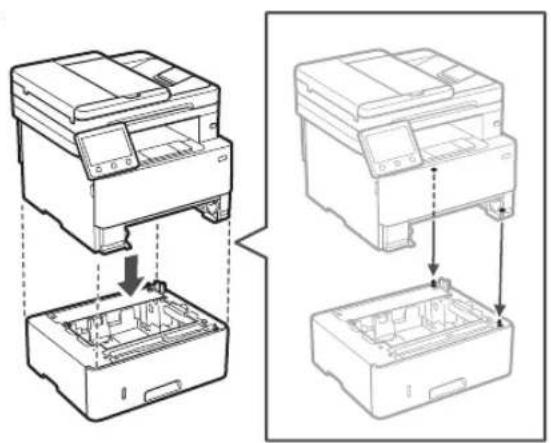
natural_image
Technical line drawing showing two views of a printer or printer with internal components and assembly steps (no text or symbols)
natural_image
Diagram of a printer drawer with internal compartments and an arrow indicating a location (no text or symbols present)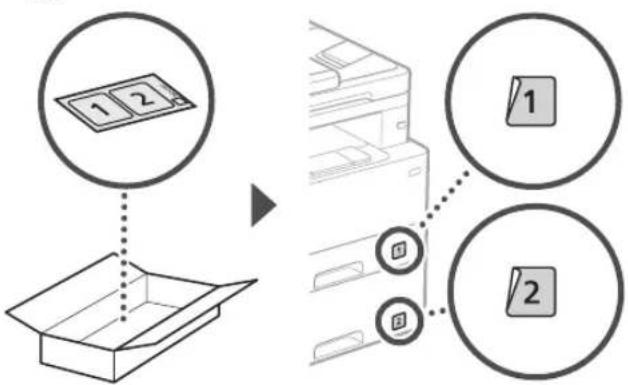
flowchart
graph TD
    A["1 2"] --> B["Box Box"]
    C["1"] --> D["Printer Box"]
    E["2"] --> D
    style A fill:#f9f,stroke:#333
    style B fill:#ccf,stroke:#333
    style C fill:#cfc,stroke:#333
    style D fill:#fcc,stroke:#333
    style E fill:#cff,stroke:#333
Слухавка
text_image
Diagram showing a device with a magnified inset highlighting a connector detail, likely illustrating a cable or cable assembly process.natural_image
Hand holding smartphone displaying a QR code (no text or symbols on device)natural_image
Technical line drawing of a printer with a separate cylindrical component (no text or symbols)
text_image
Diagram illustrating a person handling a device with a magnified inset showing hand placement and directional arrow.
natural_image
Line drawing of a printer with a close-up view showing internal components and arrows indicating motion (no text or symbols)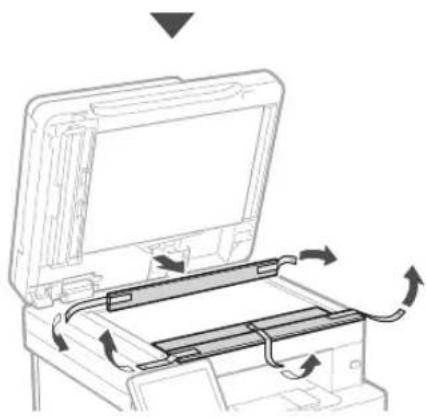
natural_image
Diagram of a printer's internal structure showing paper feeding into a tray with arrows indicating rotation (no text or symbols)natural_image
Diagram of a hand inserting a device into a plastic housing, showing internal components and a downward arrow (no text or symbols)2.
text_image
A4 A5/A43.
natural_image
Illustration of a hand inserting a device into a drawer with an arrow indicating direction (no text or symbols)natural_image
Line drawing of a person holding an open computer case (no text or symbols)2.
natural_image
Diagram of hands inserting a device into a drawer with an arrow indicating direction (no text or symbols present)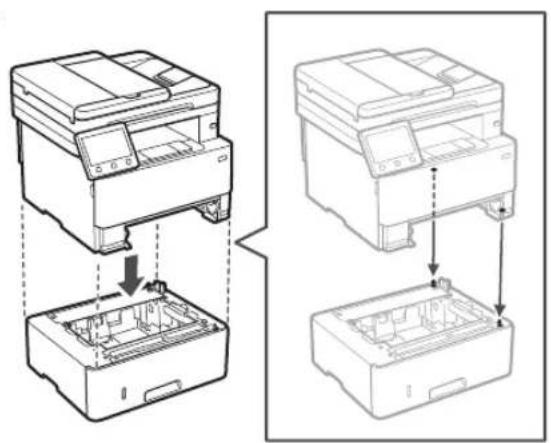
natural_image
Technical line drawing showing two views of a printer or printer with internal components and assembly steps (no text or symbols)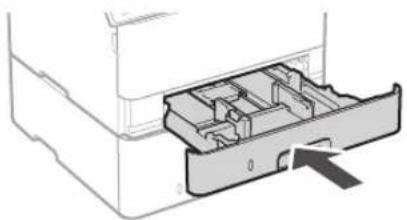
natural_image
Diagram of a printer drawer showing internal compartments and a handle (no text or symbols)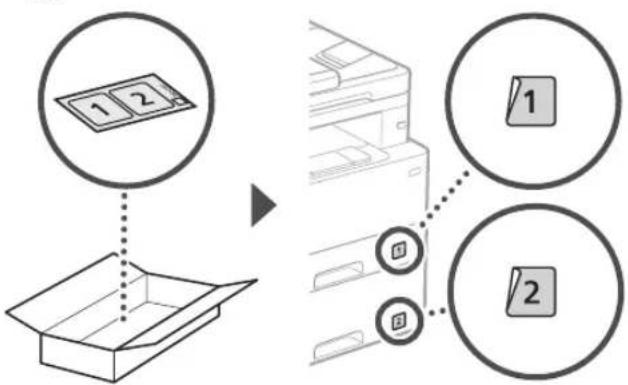
flowchart
graph TD
    A["1 2"] --> B["Box Box"]
    C["1"] --> D["Printer Box"]
    E["2"] --> D
    style A fill:#f9f,stroke:#333
    style B fill:#ccf,stroke:#333
    style C fill:#cfc,stroke:#333
    style D fill:#fcc,stroke:#333
    style E fill:#cff,stroke:#333
Klausule
* Ar dažiem modeliem klausuli nevar izmantot.
text_image
Aizmugure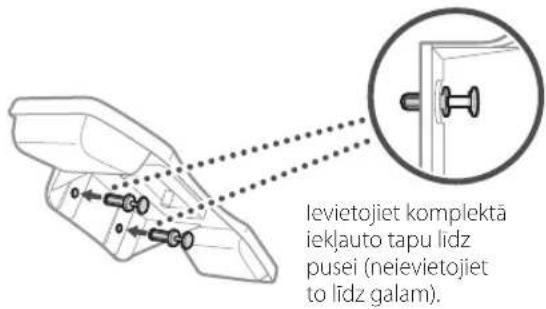
text_image
Diagram showing a device with a magnified inset highlighting a cable or cable connection detail.5
text_image
Diagram illustrating a person handling a device with a magnified inset showing hand placement and directional arrows.natural_image
Line drawing of a printer with a paperclip inserted into a box, showing internal components and arrows indicating motion (no text or symbols)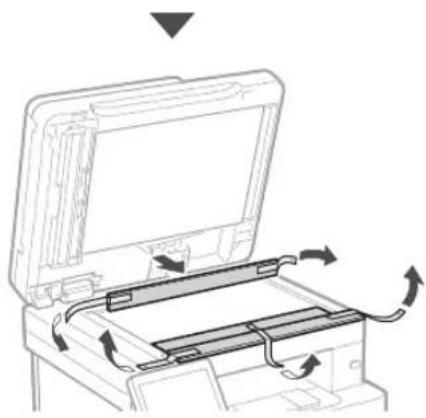
natural_image
Diagram of a printer's internal structure showing paper feeding into a tray with arrows indicating rotation (no text or symbols)natural_image
Diagram of a hand inserting a device into a plastic housing with an arrow indicating direction (no text or symbols present)2.
text_image
A4 A5/A43.
natural_image
Illustration of a hand inserting a device into a drawer with an arrow indicating direction (no text or symbols)4 Papildomos dalies jrengimas

natural_image
Line drawing of a person holding an open computer case (no text or symbols)2.
natural_image
Diagram of hands inserting a device into a drawer with an arrow indicating direction (no text or symbols present)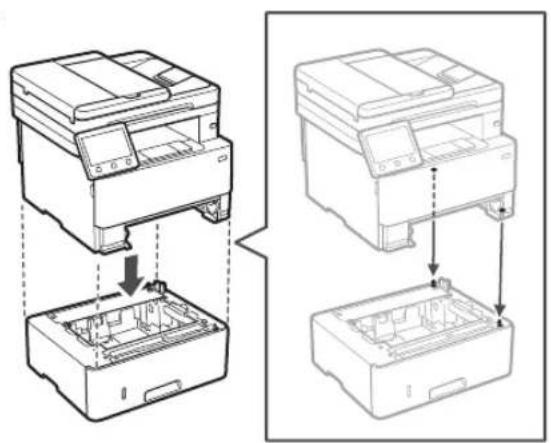
natural_image
Technical line drawing showing two views of a printer or printer stack with internal components (no text or symbols)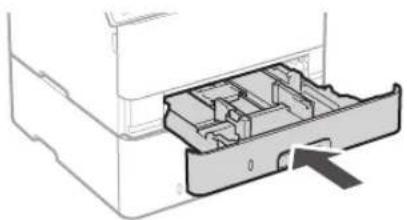
natural_image
Diagram of a printer drawer showing internal compartments and a central slot (no text or labels)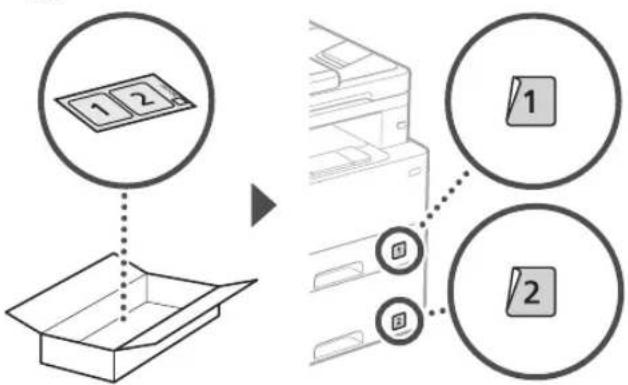
flowchart
graph TD
    A["1 2"] --> B["Box Box"]
    C["1"] --> D["Printer Box"]
    E["2"] --> D
    style A fill:#f9f,stroke:#333
    style B fill:#ccf,stroke:#333
    style C fill:#cfc,stroke:#333
    style D fill:#fcc,stroke:#333
    style E fill:#cff,stroke:#333
Telefono aparatas
* Telefono aparato negalima naudoti su kai kuriais modeliais.
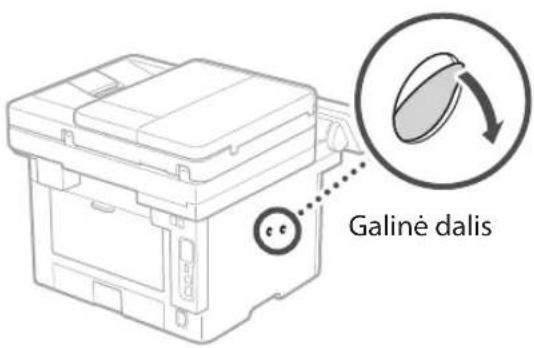
text_image
Galine dalis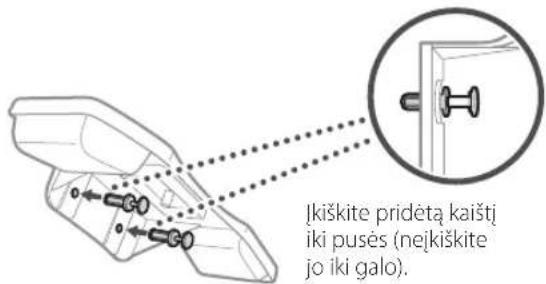
text_image
Diagram showing a device with a magnified view of the internal structure, highlighting a component with an arrow and a circular detail.5
Maitinimo laido
prijungimas
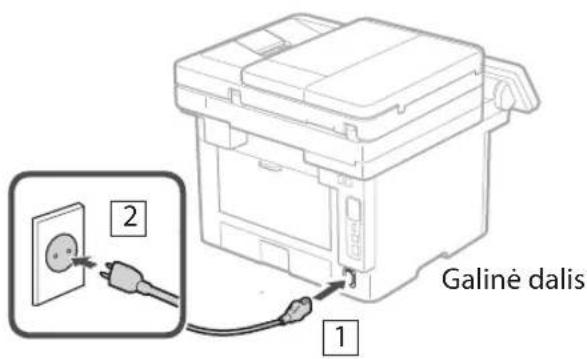
text_image
Galiné dalis 1 2text_image
Hand holding smartphone displaying a QR code with a glowing effectnatural_image
Illustration of a person handling a device with a magnified inset showing hand positioning (no text or symbols)
natural_image
Line drawing of a printer with a close-up view showing internal components and arrows indicating motion (no text or symbols)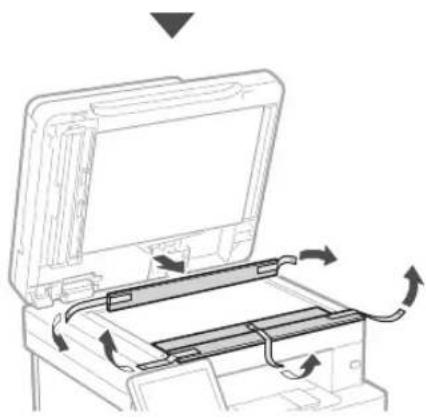
natural_image
Diagram of a printer's internal structure with arrows indicating motion, no text or symbols present3 Paberi asetamine
1.
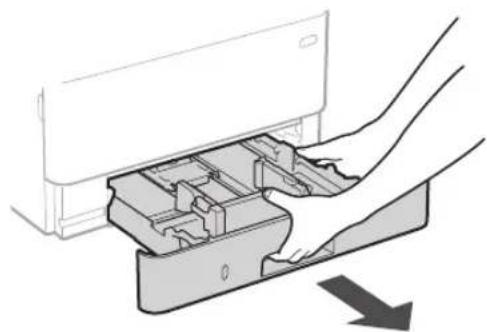
natural_image
Diagram of a hand inserting a device into a plastic housing with an arrow indicating direction (no text or symbols present)2.
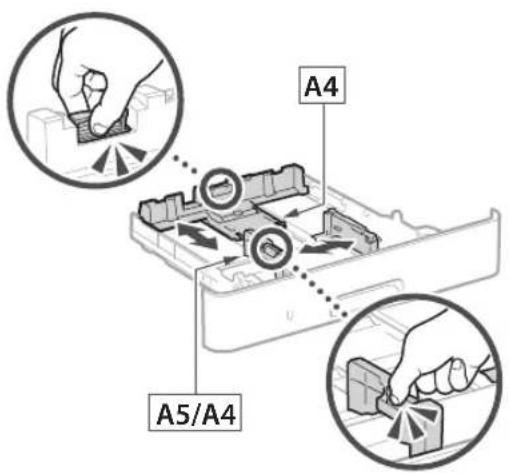
text_image
A4 A5/A43.
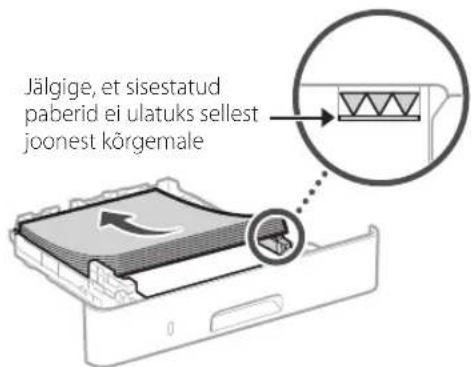
natural_image
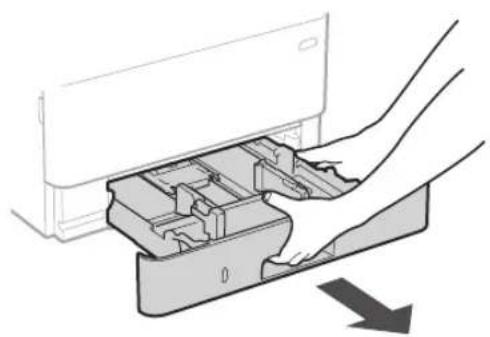
Illustration of a hand inserting a device into a drawer with an arrow indicating direction (no text or symbols)4 Lisavarustuse paigaldamine

natural_image
Line drawing of a person holding an open electronic device case (no text or symbols)2.
natural_image
Diagram of hands inserting a device into a drawer with an arrow indicating direction (no text or symbols present)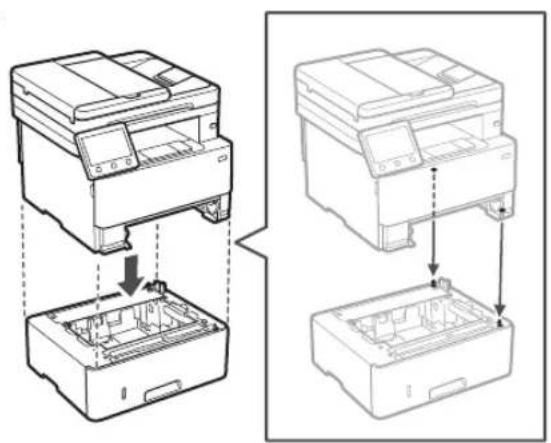
natural_image
Technical line drawing showing two views of a printer or printer stack with internal components (no text or symbols)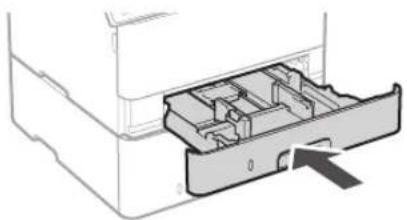
natural_image
Diagram of a printer drawer with internal compartments and an arrow indicating a location (no text or symbols present)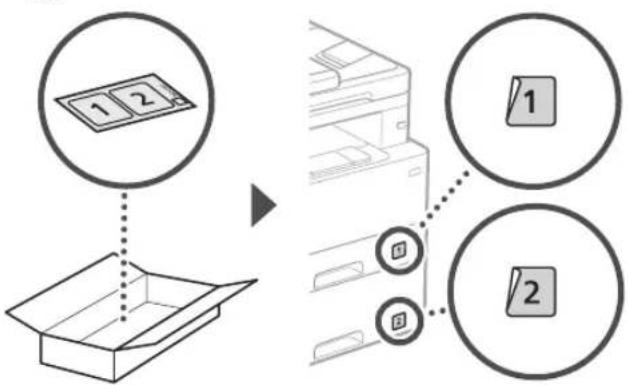
flowchart
graph TD
    A["1 2"] --> B["Box Box"]
    C["1"] --> D["Printer Box"]
    E["2"] --> D
    style A fill:#f9f,stroke:#333
    style B fill:#ccf,stroke:#333
    style C fill:#cfc,stroke:#333
    style D fill:#fcc,stroke:#333
    style E fill:#cff,stroke:#333
Telefonitoru
text_image
Diagram showing a device with a magnified view of its internal structure, highlighting a component with an arrow and a circular detail.text_image
Hand holding smartphone displaying a QR code with a flag icon, likely for mobile payment or scanning purposes.Kui saiti ei avata,minge
https://oip.manual.canon/
- Valige juhend.
Kasutusjuhend
natural_image
Illustration of a person handling a device with a magnified inset showing hand placement (no text or symbols)natural_image
Line drawing of a printer with a paper box inserted into a slot, showing internal components and arrows indicating flow (no text or symbols)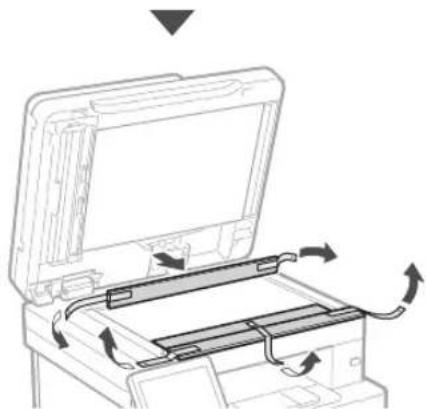
natural_image
Diagram of a printer or scanner with internal components and directional arrows indicating motion (no text or symbols)3 Ładowanie papieru
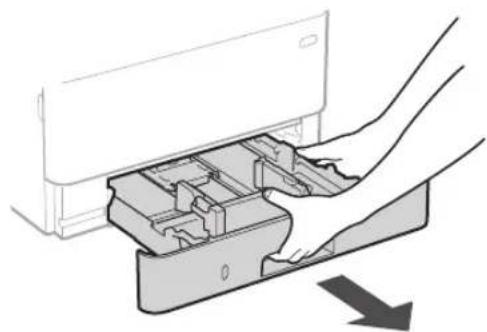
1.
natural_image
Diagram showing hands inserting a device into a plastic housing (no text or symbols)2.
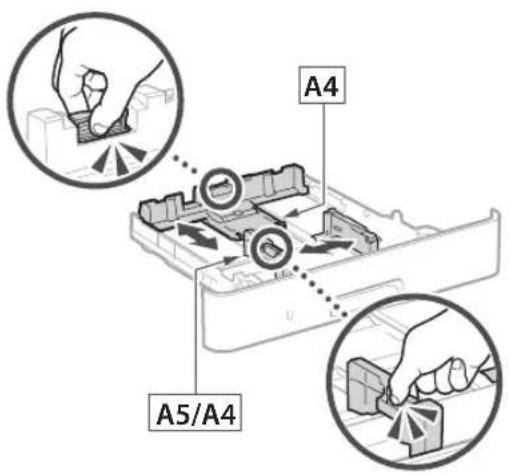
text_image
A4 A5/A43.
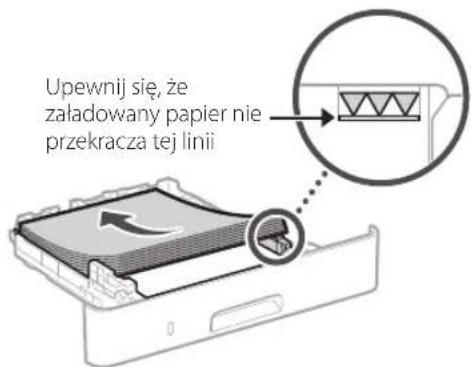
natural_image
Illustration of hands inserting a device into a drawer with an arrow indicating direction (no text or symbols)natural_image
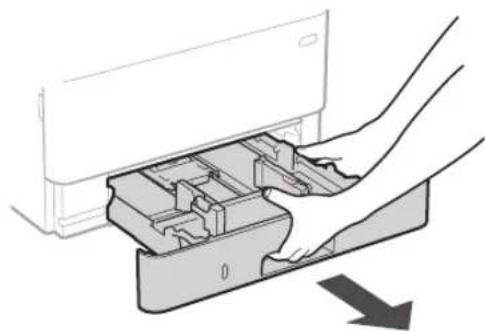
Line drawing of a person holding an open hard disk device (no text or symbols)2.
natural_image
Diagram showing hands inserting a device into a drawer with an arrow indicating direction (no text or symbols present)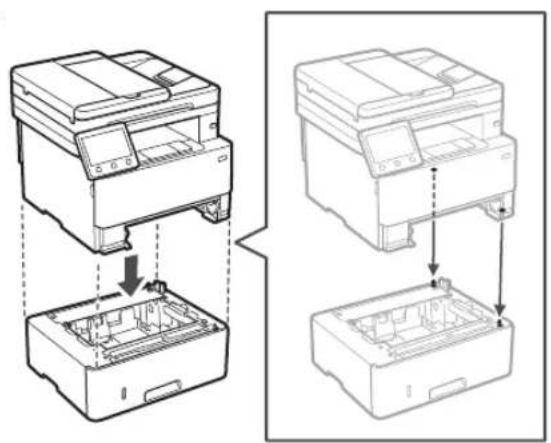
natural_image
Technical line drawing showing two views of a printer or printer with internal components and assembly steps (no text or symbols)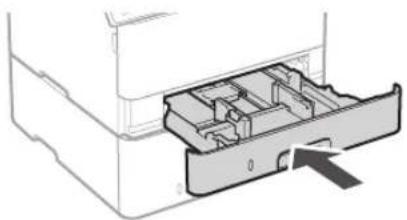
natural_image
Diagram of a printer drawer with internal compartments and an arrow indicating a location (no text or symbols present)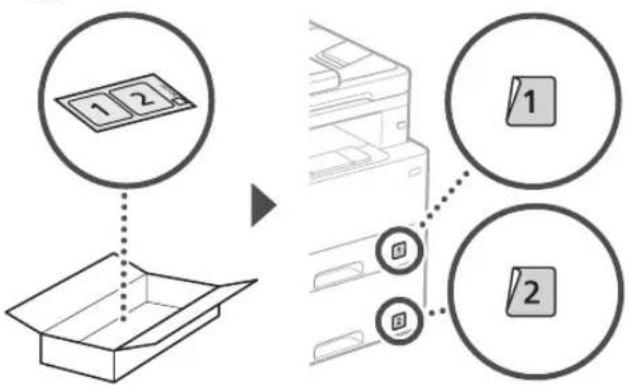
flowchart
graph TD
    A["1 2"] --> B["Box Box"]
    C["1"] --> D["Printer Box"]
    E["2"] --> D
    style A fill:#f9f,stroke:#333
    style B fill:#ccf,stroke:#333
    style C fill:#cfc,stroke:#333
    style D fill:#fcc,stroke:#333
    style E fill:#cff,stroke:#333
Słuchawka
text_image
Diagram showing a device with a magnified view of its internal structure, highlighting a component with an arrow and a circular detail.natural_image
Hand holding smartphone displaying a QR code (no text or symbols on device)text_image
Diagram illustrating a person handling a device with a magnified inset showing hand placement and directional arrow.
natural_image
Line drawing of a printer with a device inserted into a box, showing internal components and arrows indicating motion (no text or symbols)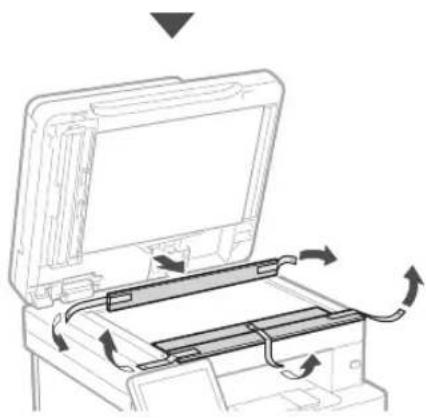
natural_image
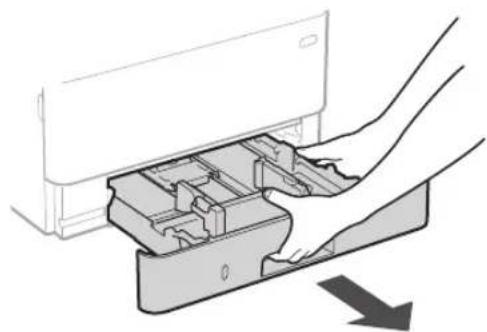
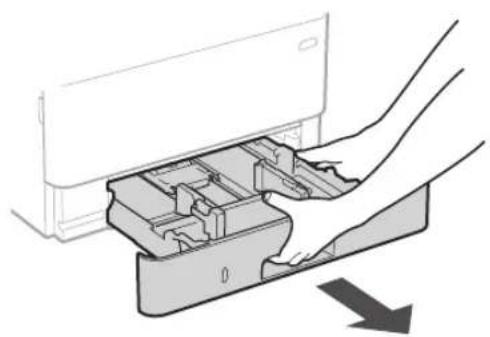
Diagram of a printer's internal structure showing paper feeding into a tray with arrows indicating rotation (no text or symbols)3 Vkládání papíru
1.
natural_image
Diagram of a hand inserting a device into a plastic housing (no text or symbols visible)2.
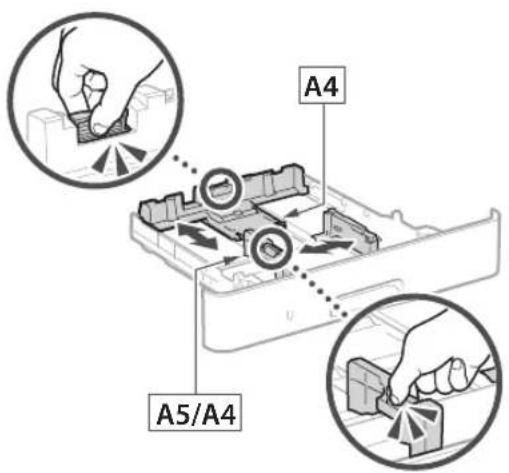
text_image
A4 A5/A43.
natural_image
Illustration of hands inserting a device into a drawer with an arrow indicating direction (no text or symbols)natural_image
Line drawing of a person holding an open computer case (no text or symbols)2.
natural_image
Diagram of hands inserting a device into a drawer with an arrow indicating direction (no text or symbols present)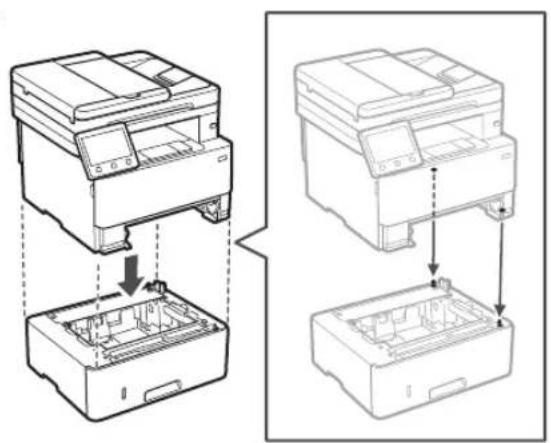
natural_image
Technical line drawing showing two views of a printer or printer with internal components and assembly steps (no text or symbols)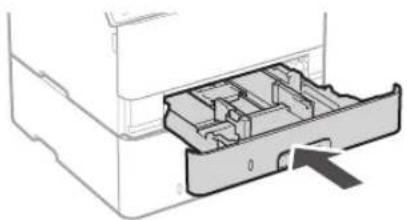
natural_image
Diagram of a mechanical device showing internal compartments and a directional arrow (no text or symbols)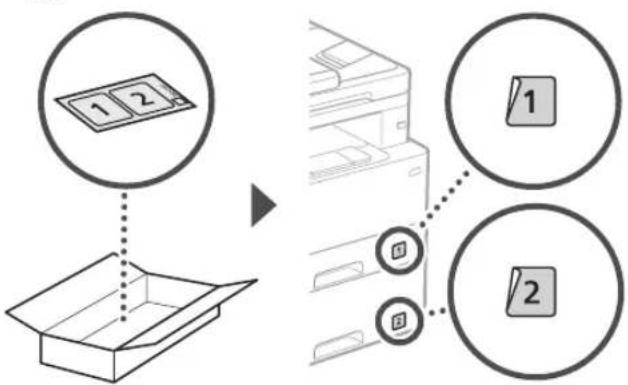
flowchart
graph TD
    A["1 2"] --> B["Box Box"]
    C["1"] --> D["Printer Box"]
    E["2"] --> D
    style A fill:#f9f,stroke:#333
    style B fill:#ccf,stroke:#333
    style C fill:#cfc,stroke:#333
    style D fill:#fcc,stroke:#333
    style E fill:#cff,stroke:#333
Dálkové ovládání
text_image
Diagram showing a device with a magnified inset highlighting a cable or cable connection detail, likely illustrating a mechanical or electrical component assembly.5
text_image
Hand holding smartphone displaying a QR code on screen, with motion lines indicating speed and alertnatural_image
Illustration of a person handling a device with a magnified inset showing hand placement (no text or symbols)
natural_image
Line drawing of a printer with a close-up view showing internal components and arrows indicating motion (no text or symbols)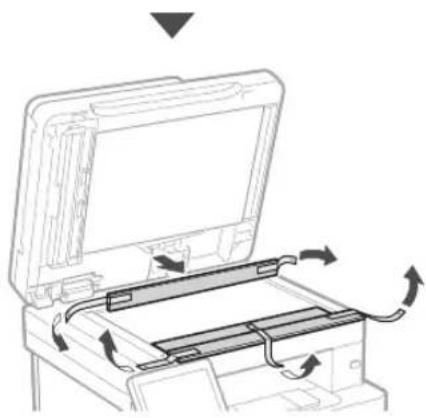
natural_image
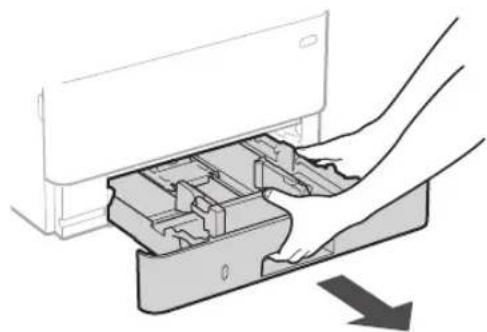
Diagram of a printer or printer with an open lid and internal circuit board, showing directional arrows indicating rotation (no text or symbols present)3 Vkladanie papiera
1.
natural_image
Diagram of a hand inserting a device into a plastic housing with an arrow indicating direction (no text or symbols present)2.
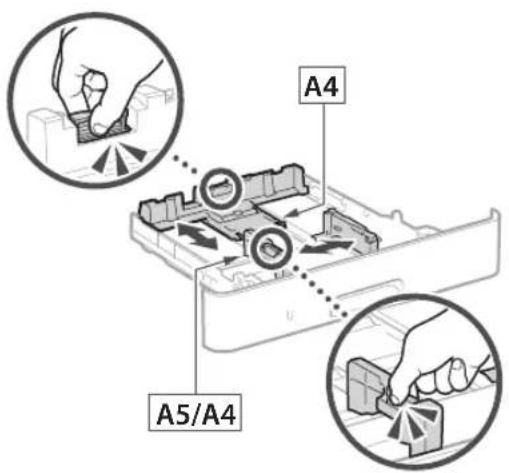
text_image
A4 A5/A43.
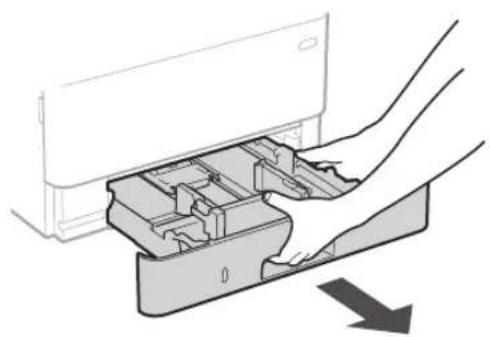
natural_image
Illustration of a hand inserting a device into a drawer with an arrow indicating direction (no text or symbols)natural_image
Line drawing of a person holding an open computer case (no text or symbols)2.
natural_image
Diagram of hands inserting a device into a drawer with an arrow indicating direction (no text or symbols present)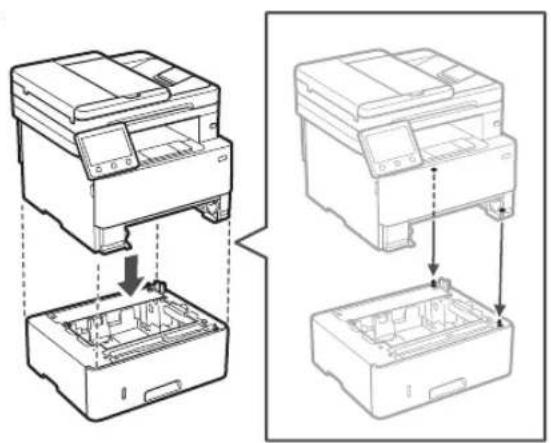
natural_image
Technical line drawing showing two views of a printer or printer with internal components and assembly steps (no text or symbols)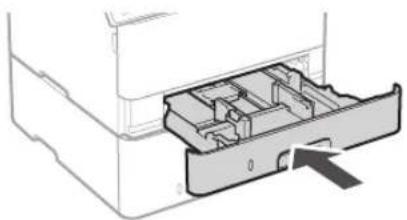
natural_image
Diagram of a printer drawer with internal compartments and an arrow indicating a location (no text or symbols present)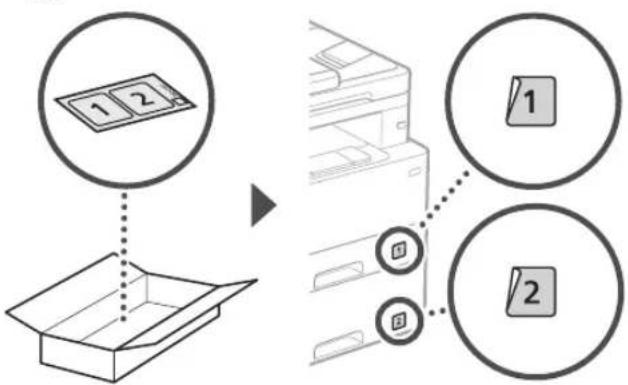
flowchart
graph TD
    A["1 2"] --> B["Box Box"]
    C["1"] --> D["Printer Box"]
    E["2"] --> D
    style A fill:#f9f,stroke:#333
    style B fill:#ccf,stroke:#333
    style C fill:#cfc,stroke:#333
    style D fill:#fcc,stroke:#333
    style E fill:#cff,stroke:#333
Telefón
text_image
Diagram showing a device with a magnified inset highlighting a cable or cable connection detail, likely illustrating a mechanical or electrical assembly.5
natural_image
Hand holding a smartphone displaying a QR code (no text or symbols on the device)text_image
QR code and smartphone icon with Chinese text, likely for scanning to access digital content or a payment apphttps://oip.manual.canon/
text_image
Diagram illustrating a person handling a device with a magnified inset showing hand placement and directional arrow.
natural_image
Diagram of a hand inserting a device into a plastic housing (no text or symbols visible)2.
text_image
A4 A5/A43.
natural_image
Illustration of a hand inserting a device into a drawer with an arrow indicating direction (no text or symbols)natural_image
Line drawing of a person holding an open computer case (no text or symbols)2.
natural_image
Diagram of hands inserting a device into a drawer with an arrow indicating direction (no text or symbols present)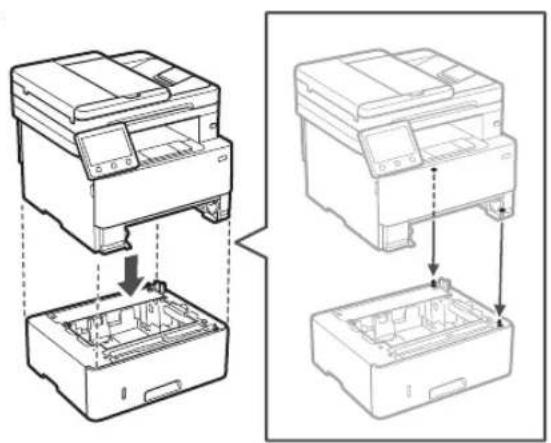
natural_image
Technical line drawing showing two views of a printer or printer stack with internal components (no text or symbols)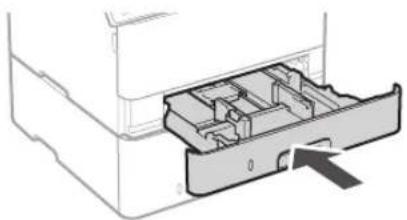
natural_image
Diagram of a printer drawer with internal compartments and an arrow indicating a location (no text or symbols present)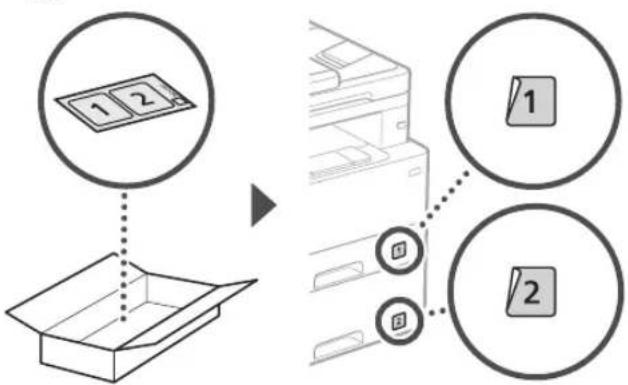
flowchart
graph TD
    A["1 2"] --> B["Box Box"]
    C["1"] --> D["Printer Box"]
    E["2"] --> D
    style A fill:#f9f,stroke:#333
    style B fill:#ccf,stroke:#333
    style C fill:#cfc,stroke:#333
    style D fill:#fcc,stroke:#333
    style E fill:#cff,stroke:#333
Slušalka
text_image
Diagram showing a device with a magnified inset highlighting a connector or connection point, likely illustrating a mechanical or electrical assembly.natural_image
Line drawing of a printer with a device inserted into a box, showing internal components and arrows indicating motion (no text or symbols)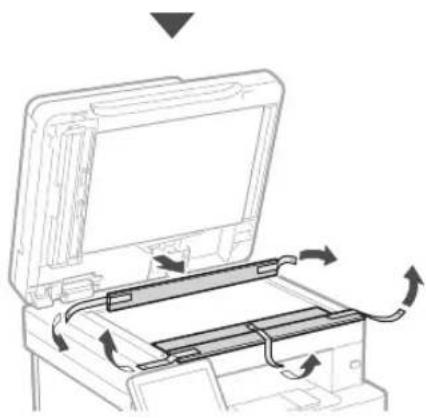
natural_image
Diagram of a printer's internal structure showing paper feeding into a tray with arrows indicating rotation (no text or symbols)3 Umetanje papira
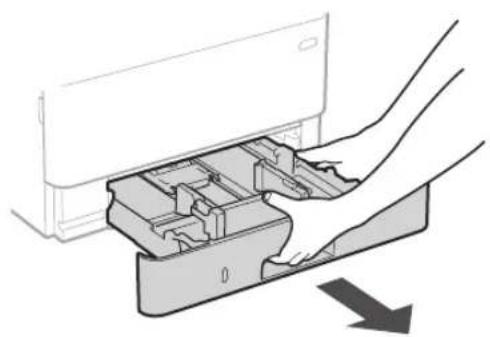
1.
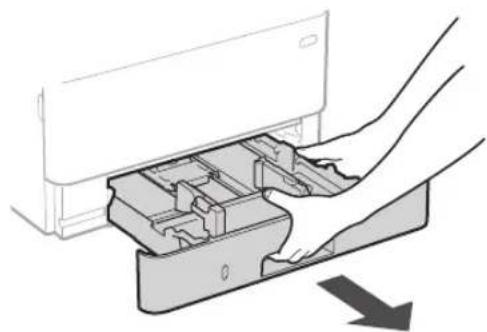
natural_image
Diagram of a hand inserting a device into a plastic housing (no text or symbols visible)2.
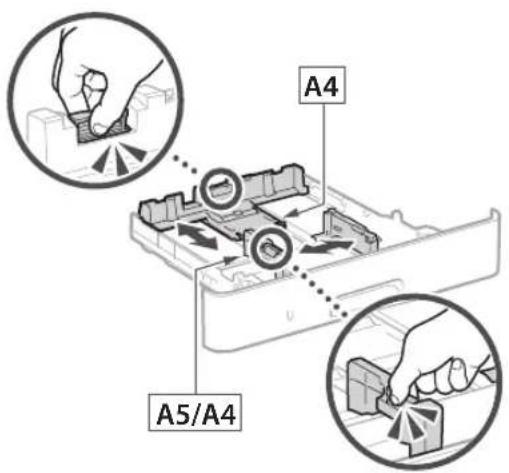
text_image
A4 A5/A43.
text_image
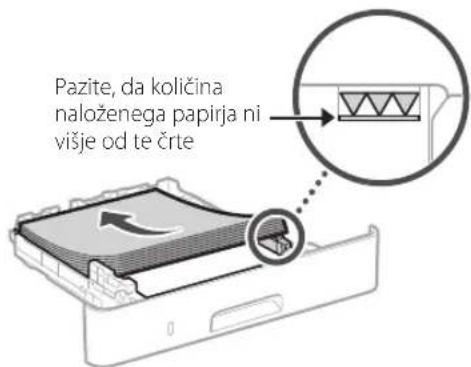
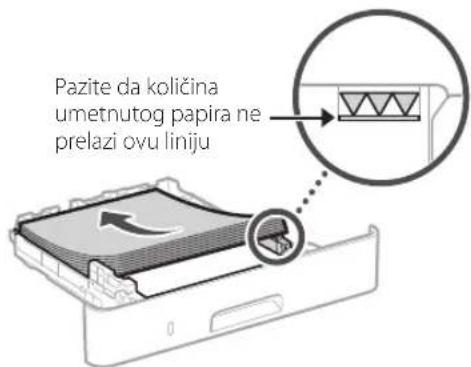
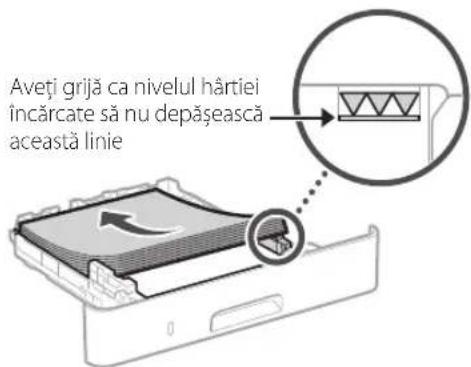
Pazite da količina umetnutog papira ne prelazi ovu liniju4.
natural_image
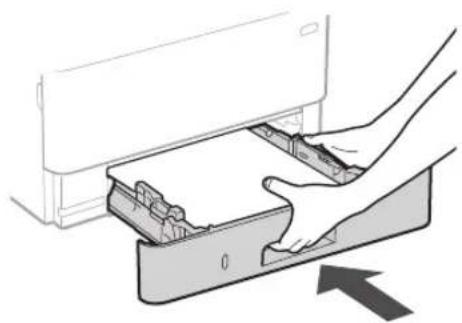
Illustration of a hand inserting a device into a drawer with an arrow indicating direction (no text or symbols)4 Postavljanje izbornog dijela

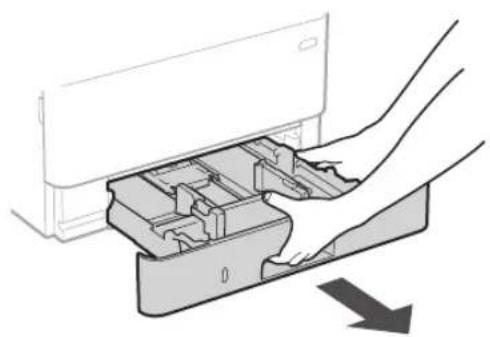
Ako ne upotrebljavate izborni dio, idite na korak 5
natural_image
Line drawing of a person holding an open computer case (no text or symbols)2.
natural_image
Diagram of hands inserting a device into a drawer with an arrow indicating direction (no text or symbols present)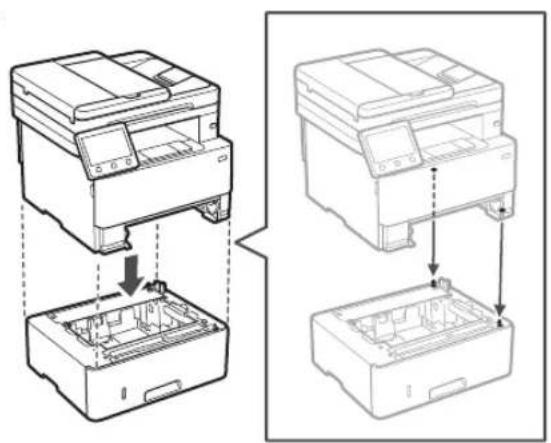
natural_image
Technical line drawing showing two views of a printer or printer with internal components and assembly steps (no text or symbols)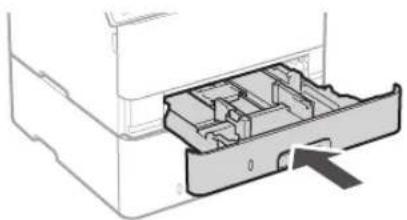
natural_image
Diagram of a printer drawer with internal compartments and an arrow indicating a location (no text or symbols present)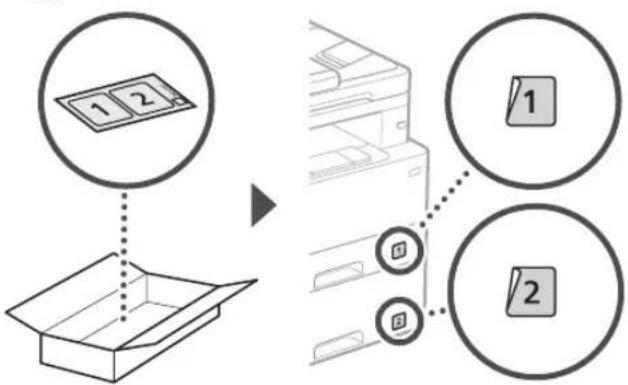
flowchart
graph TD
    A["1 2"] --> B["Box Box"]
    C["1"] --> D["Printer Box"]
    E["2"] --> D
    style A fill:#f9f,stroke:#333
    style B fill:#ccf,stroke:#333
    style C fill:#cfc,stroke:#333
    style D fill:#fcc,stroke:#333
    style E fill:#cff,stroke:#333
Slušalica
text_image
Diagram showing a device with a magnified inset highlighting a cable or cable connection, likely illustrating a mechanical or electrical setup.5
text_image
Hand holding smartphone displaying a QR code with a glowing effectAko se stranice ne otvara, idite na
https://oip.manual.canon/
- Odaberite korisnički priručnik.
Korisnički vodič
U ovom se dijelu navode funkcije uređaja, uključujući operacije, postavke i radne procedure uređaja.
FAQ
natural_image
Illustration of a person handling a large electronic device with hand gestures, showing no text or symbols.
natural_image
Diagram of a hand inserting a device into a plastic housing (no text or symbols visible)2.
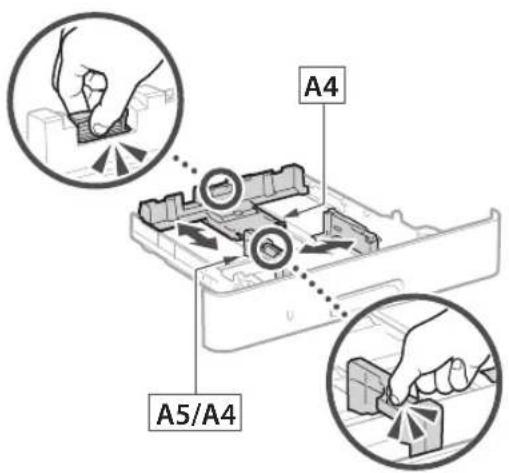
text_image
A4 A5/A43.
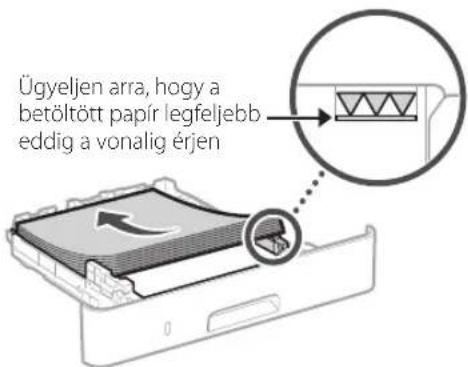
natural_image
Illustration of hands inserting a device into a drawer with an arrow indicating direction (no text or symbols)natural_image
Line drawing of a person holding an open hard disk or tray device (no text or symbols)2.
natural_image
Diagram of hands inserting a device into a drawer with an arrow indicating direction (no text or symbols present)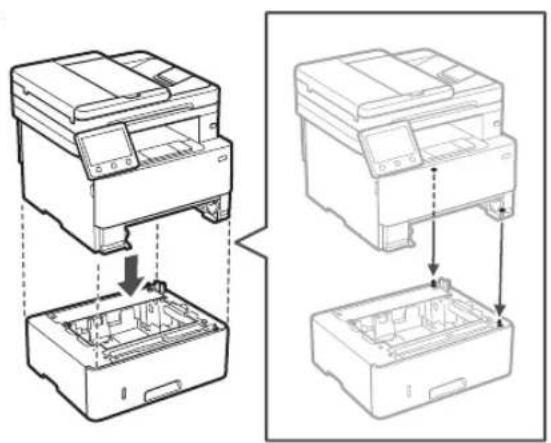
natural_image
Technical line drawing showing two views of a printer or printer with internal components and assembly steps (no text or symbols)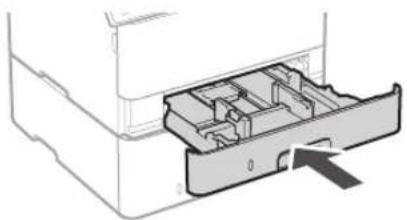
natural_image
Diagram of a printer drawer with internal compartments and an arrow indicating a location (no text or symbols present)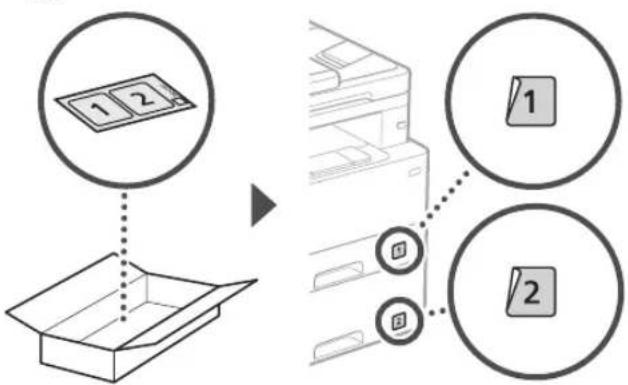
flowchart
graph TD
    A["1 2"] --> B["Box Box"]
    C["1"] --> D["Printer Box"]
    E["2"] --> D
    style A fill:#f9f,stroke:#333
    style B fill:#ccf,stroke:#333
    style C fill:#cfc,stroke:#333
    style D fill:#fcc,stroke:#333
    style E fill:#cff,stroke:#333
Kézibeszélő
text_image
Diagram showing a device with a magnified inset highlighting a connector detail, likely illustrating a cable or cable assembly process.natural_image
Hand holding a smartphone displaying a QR code (no text or symbols on the device screen)natural_image
Technical line drawing of a printer with a separate cylindrical component (no text or symbols)
text_image
Diagram illustrating a person handling a device with a magnified inset showing hand placement and directional arrow.
natural_image
Line drawing of a printer with a paperclip inserted into a box, showing internal components and arrows indicating motion (no text or symbols)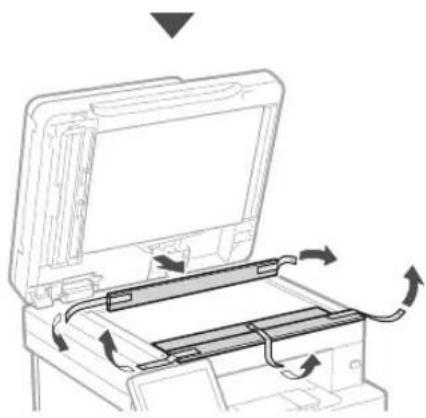
natural_image
Diagram of a printer's internal structure showing paper feeding into a tray with arrows indicating rotation (no text or symbols)natural_image
Diagram of a hand inserting a device into a plastic housing with an arrow indicating direction (no text or symbols present)2.
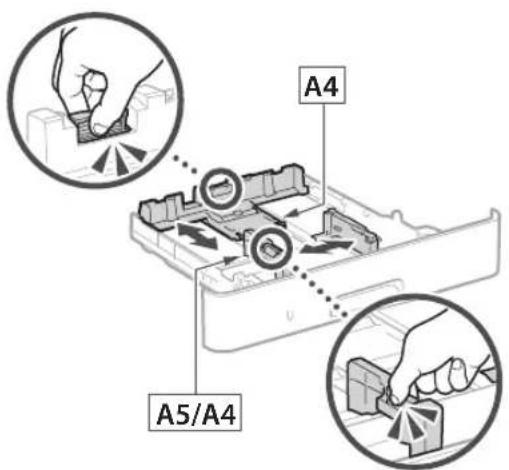
text_image
A4 A5/A43.
natural_image
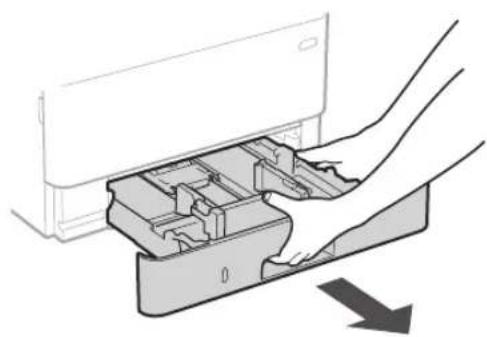
Illustration of hands inserting a device into a drawer with an arrow indicating direction (no text or symbols)natural_image
Line drawing of a person holding an open hard disk (no text or symbols)2.
natural_image
Diagram of hands inserting a device into a drawer with an arrow indicating direction (no text or symbols present)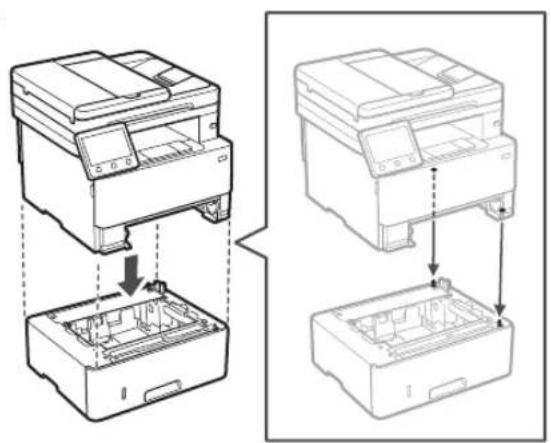
natural_image
Technical line drawing showing two views of a printer or printer with internal components and assembly steps (no text or symbols)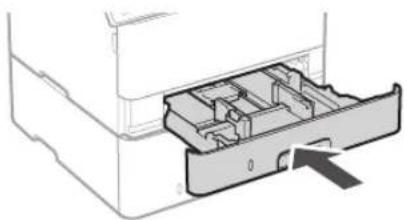
natural_image
Diagram of a printer drawer showing internal compartments and a central slot (no text or symbols)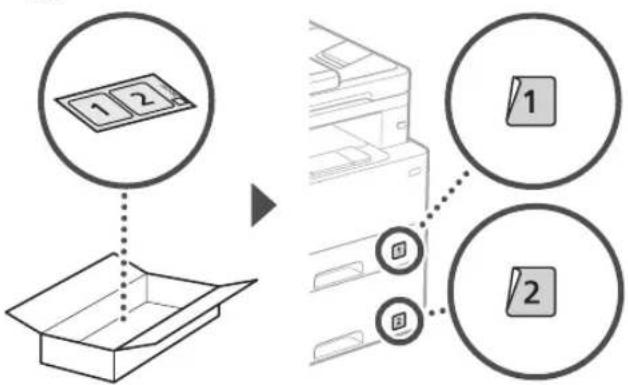
flowchart
graph TD
    A["1 2"] --> B["Box Box"]
    C["1"] --> D["Printer Box"]
    E["2"] --> D
    style A fill:#f9f,stroke:#333
    style B fill:#ccf,stroke:#333
    style C fill:#cfc,stroke:#333
    style D fill:#fcc,stroke:#333
    style E fill:#cff,stroke:#333
Receptor
text_image
Diagram showing a device with a magnified inset highlighting a cable or cable connection detail, likely illustrating a mechanical or electrical component assembly.text_image
Spate 1 2natural_image
Hand holding smartphone displaying a QR code (no text or symbols on device)natural_image
Technical line drawing of a printer with a separate cylindrical component (no text or symbols)
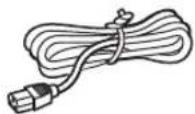
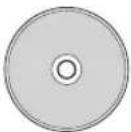
text_image
Diagram illustrating a person handling a device with a magnified inset showing hand placement and tool path.
natural_image
Line drawing of a printer with a close-up of its internal components, showing no text or symbols.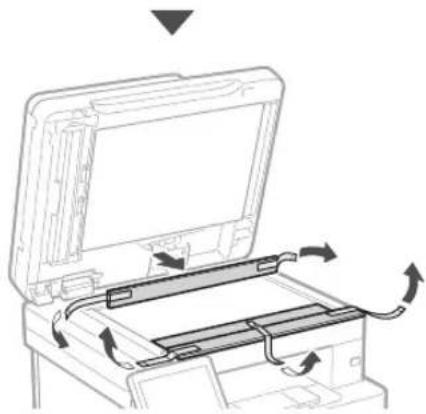
natural_image
Diagram of a printer or printer with an open lid and internal circuit board, showing directional arrows indicating rotation (no text or symbols present)natural_image
Diagram of a hand inserting a device into a plastic housing with an arrow indicating direction (no text or symbols present)2.

text_image
A4 A5/A43.
natural_image
Illustration of a hand inserting a device into a drawer with an arrow indicating direction (no text or symbols present)natural_image
Line drawing of a person holding an open electronic device case (no text or symbols)2.
natural_image
Diagram of hands inserting a device into a container with an arrow indicating direction (no text or symbols present)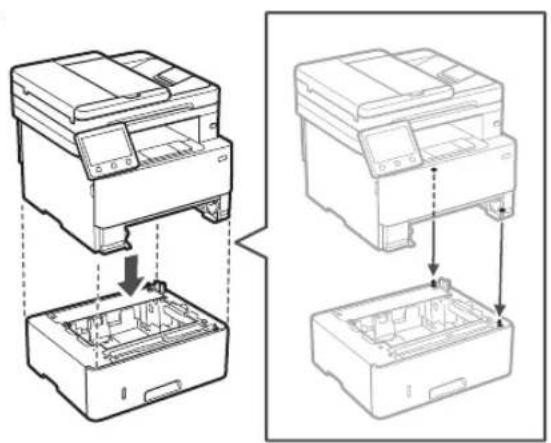
natural_image
Technical line drawing showing two views of a printer or printer with internal components and assembly steps (no text or symbols)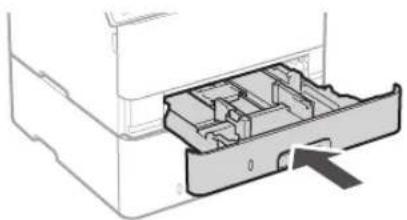
natural_image
Diagram of a printer drawer with internal compartments and an arrow indicating a location (no text or symbols present)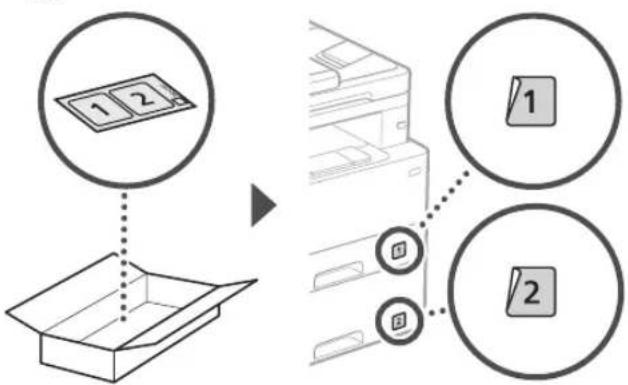
flowchart
graph TD
    A["1 2"] --> B["Box Box"]
    C["1"] --> D["Printer Box"]
    E["2"] --> D
    style A fill:#f9f,stroke:#333
    style B fill:#ccf,stroke:#333
    style C fill:#cfc,stroke:#333
    style D fill:#fcc,stroke:#333
    style E fill:#cff,stroke:#333
Слушалка
text_image
Diagram showing a device with a magnified inset highlighting a cable or cable connection detail, likely illustrating a mechanical or electrical component assembly.5
natural_image
Hand holding a smartphone displaying a QR code (no text or symbols on the device)natural_image
Technical line drawing of a printer with a separate cylindrical component (no text or symbols)
text_image
Diagram illustrating hand positioning and foot movement on a device, with magnified inset showing finger placement.
natural_image
Line drawing of a printer with a close-up view showing internal components and arrows indicating motion (no text or symbols)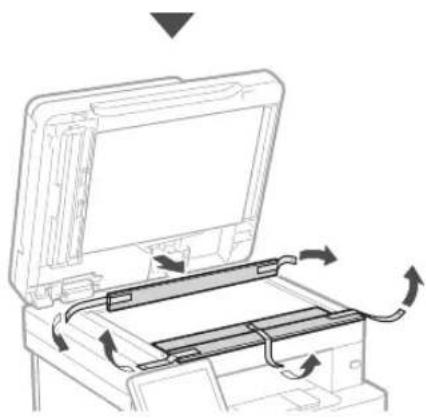
natural_image
Diagram of a printer's internal structure with arrows indicating rotation or movement (no text or symbols)3 Kağıt Yükleme
1.
natural_image
Diagram of a hand inserting a device into a plastic housing (no text or symbols visible)2.
text_image
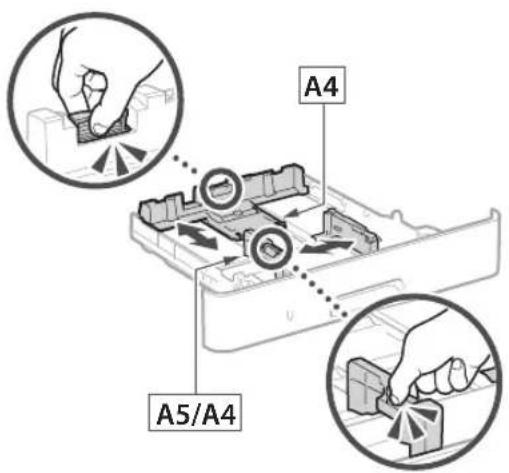
A4 A5/A43.
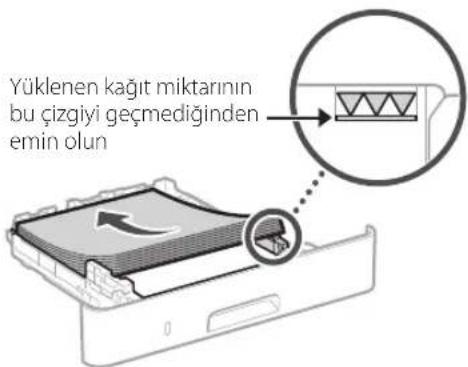
natural_image
Illustration of hands inserting a device into a drawer with an arrow indicating direction (no text or symbols)natural_image
Line drawing of a person holding an open hard disk (no text or symbols)2.
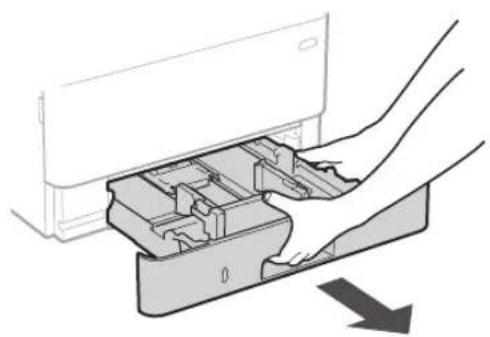
natural_image
Diagram of hands inserting a device into a drawer with an arrow indicating direction (no text or symbols present)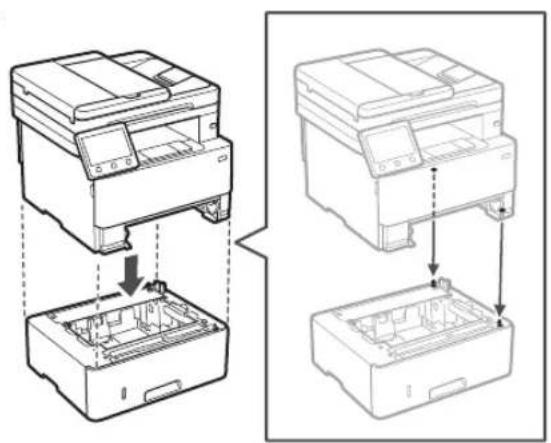
natural_image
Technical line drawing showing two views of a printer or printer with internal components and assembly steps (no text or symbols)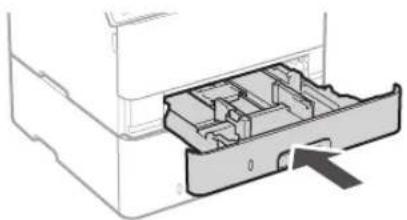
natural_image
Diagram of a printer drawer with internal compartments and an arrow indicating a location (no text or symbols present)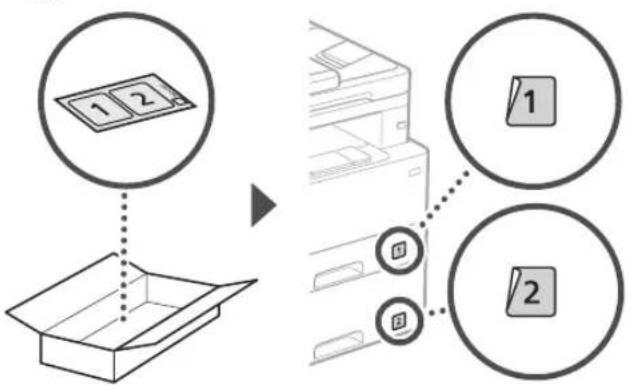
flowchart
graph TD
    A["1 2"] --> B["Box Box"]
    C["1"] --> D["Printer Box"]
    E["2"] --> D
    style A fill:#f9f,stroke:#333
    style B fill:#ccf,stroke:#333
    style C fill:#cfc,stroke:#333
    style D fill:#fcc,stroke:#333
    style E fill:#cff,stroke:#333
Ahize
text_image
Diagram showing a device with a magnified inset highlighting a cable or cable connection detail, likely illustrating a mechanical or electrical setup.text_image
Hand holding smartphone displaying a QR code on screen, with motion lines indicating speed and alertnatural_image
Sequence of gray square blocks with left-pointing and right-pointing arrows, ending in a black rectangle with a white checkmark (no text or symbols)natural_image
Line drawing of a printer with a device and internal components, showing fluid flow direction (no text or symbols)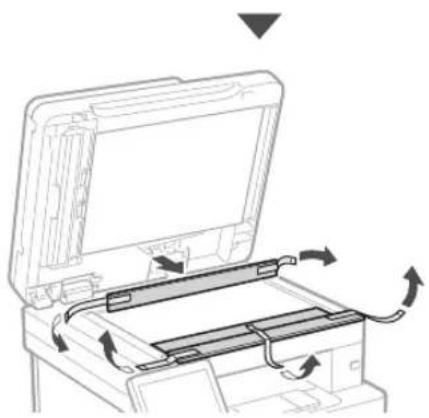
natural_image
Diagram of a printer or printer with an open lid and internal circuit board, showing directional arrows indicating motion (no text or symbols present)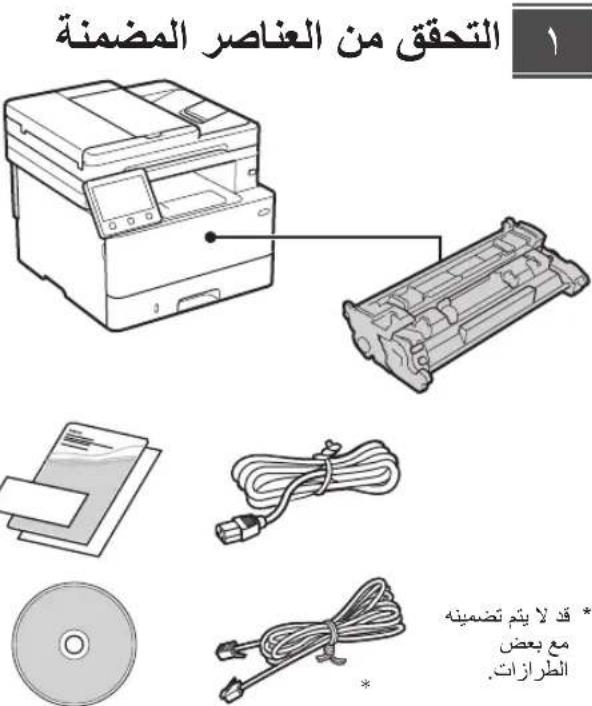
natural_image
Illustration of four electronic components: a CD, a package, a USB cable, and a cord (no text or symbols)إزالة مواد التغليف

۱ دامه قييه.
natural_image
Illustration of a person handling a device with a magnified inset showing hand placement (no text or symbols)natural_image
Illustration showing a person handling a device case with a hand inserting a tray into a box (no text or symbols present)تصميم الورق

natural_image
Diagram showing hands inserting a device into a plastic container with an arrow indicating downward motion (no text or symbols present)natural_image
Illustration of hands inserting a device into a drawer with an arrow indicating direction (no text or symbols)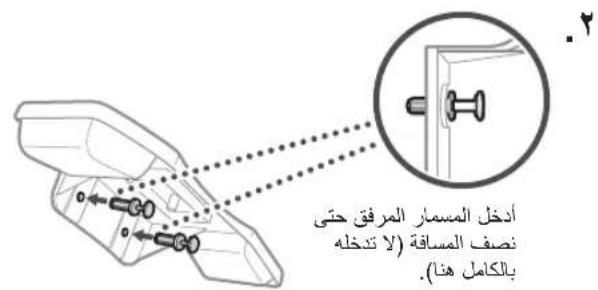
text_image
Diagram showing a device with a magnified view of its internal structure, including a close-up of the connector and cable connection.توصيل سلك الطاقة
text_image
الخلف 1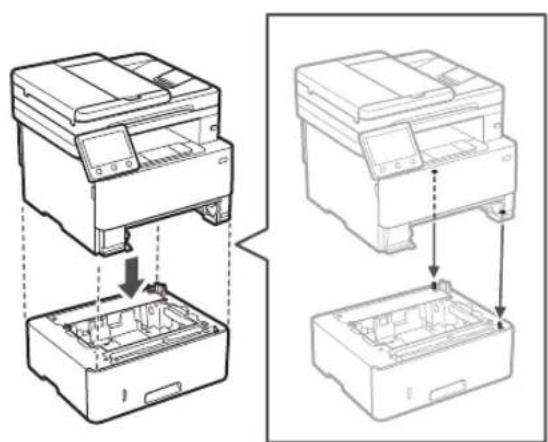
natural_image
Technical line drawing showing two views of a printer or printer assembly process, with no visible text or symbols.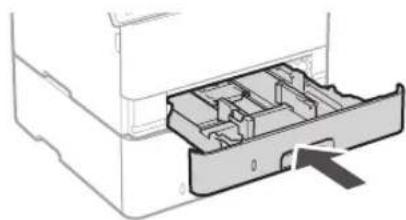
natural_image
Diagram of a printer drawer with internal compartments and an arrow indicating insertion (no text or symbols)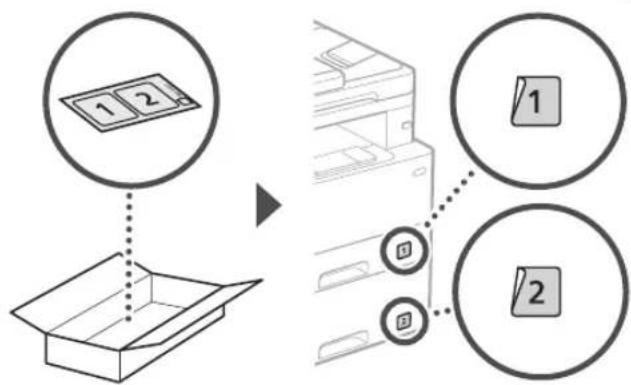
flowchart
graph TD
    A["1 2"] --> B["Box Box"]
    C["1"] --> D["Computer"]
    E["2"] --> D
    style A fill:#f9f,stroke:#333
    style B fill:#ccf,stroke:#333
    style C fill:#cfc,stroke:#333
    style D fill:#fcc,stroke:#333
    style E fill:#cff,stroke:#333
text_image
Sequence of gray square icons with white text, likely representing a media player or navigation bar layouttext_image
Diagram showing a document with text fields and a highlighted section, likely illustrating a form or interface.natural_image
Diagram of hands inserting a device into a plastic housing (no text or symbols visible)natural_image
Line drawing of a person holding an open computer case (no text or symbols)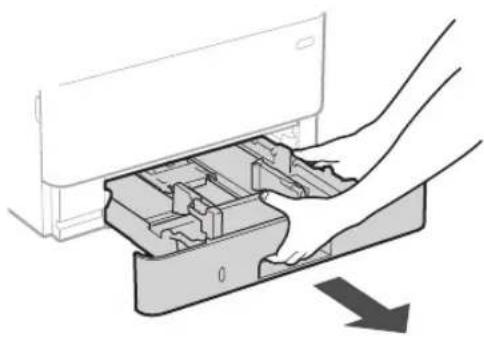
natural_image
Diagram showing hands inserting a device into a plastic housing with an arrow indicating direction (no text or symbols present)1
natural_image
Illustration of hands inserting a device into a drawer with an arrow indicating direction (no text or symbols)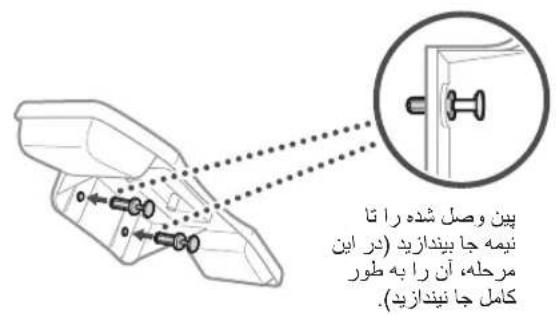
text_image
Diagram showing a device with a magnified view of its internal structure, including a close-up of the connector and cable connection.وصل کردن سیم برق
text_image
Diagram showing installation of an electrical outlet with labeled components and a magnified view of the socket connection.1
natural_image
Technical line drawing showing two views of a printer or printer stack with internal components, no text or symbols present.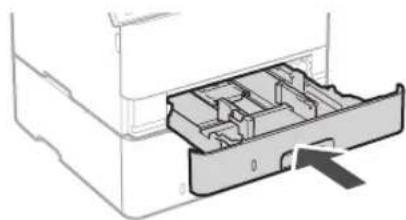
natural_image
Diagram of a printer drawer with internal compartments and an arrow indicating insertion (no text or symbols)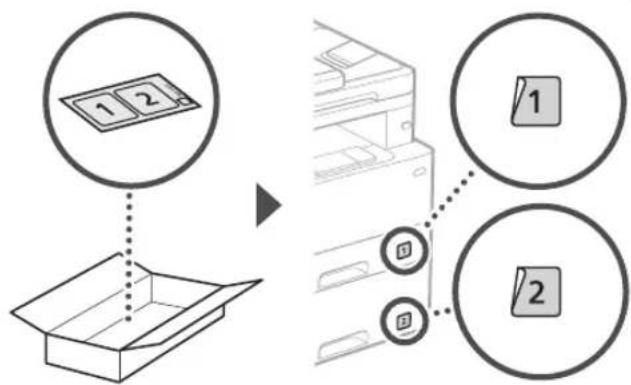
text_image
Diagram illustrating the process of inserting a card into an open box, with labeled parts and directional arrows.گوشى
text_image
Diagram showing cable connection to a device with labeled components and a magnified inset highlighting a detail.تعيين تنظیمات اصلی

text_image
Sequence of gray square icons with white text, likely representing a media player or navigation bar layout30-2, Shimomaruko 3-chome, Ohta-ku, Tokyo 146-8501, Japan
One Canon Park, Melville, NY 11747, U.S.A.
CANON EUROPA N.V.
Bovenkerkerweg 59, 1185 XB Amstelveen, The Netherlands
CANON SINGAPORE PTE LTD
1 Fusionopolis Place, #14-10, Galaxis, Singapore 138522
CANON AUSTRALIA PTY LTD
Building A, The Park Estate, 5 Talavera Road, Macquarie Park, NSW 2113, Australia
CANON GLOBAL WORLDWIDE SITES
https://global.canon/
text_image
Black and white barcode image with vertical lines and patternsFT6-3205-000
