OPD 270 - DVD player OK - Free user manual and instructions
Find the device manual for free OPD 270 OK in PDF.

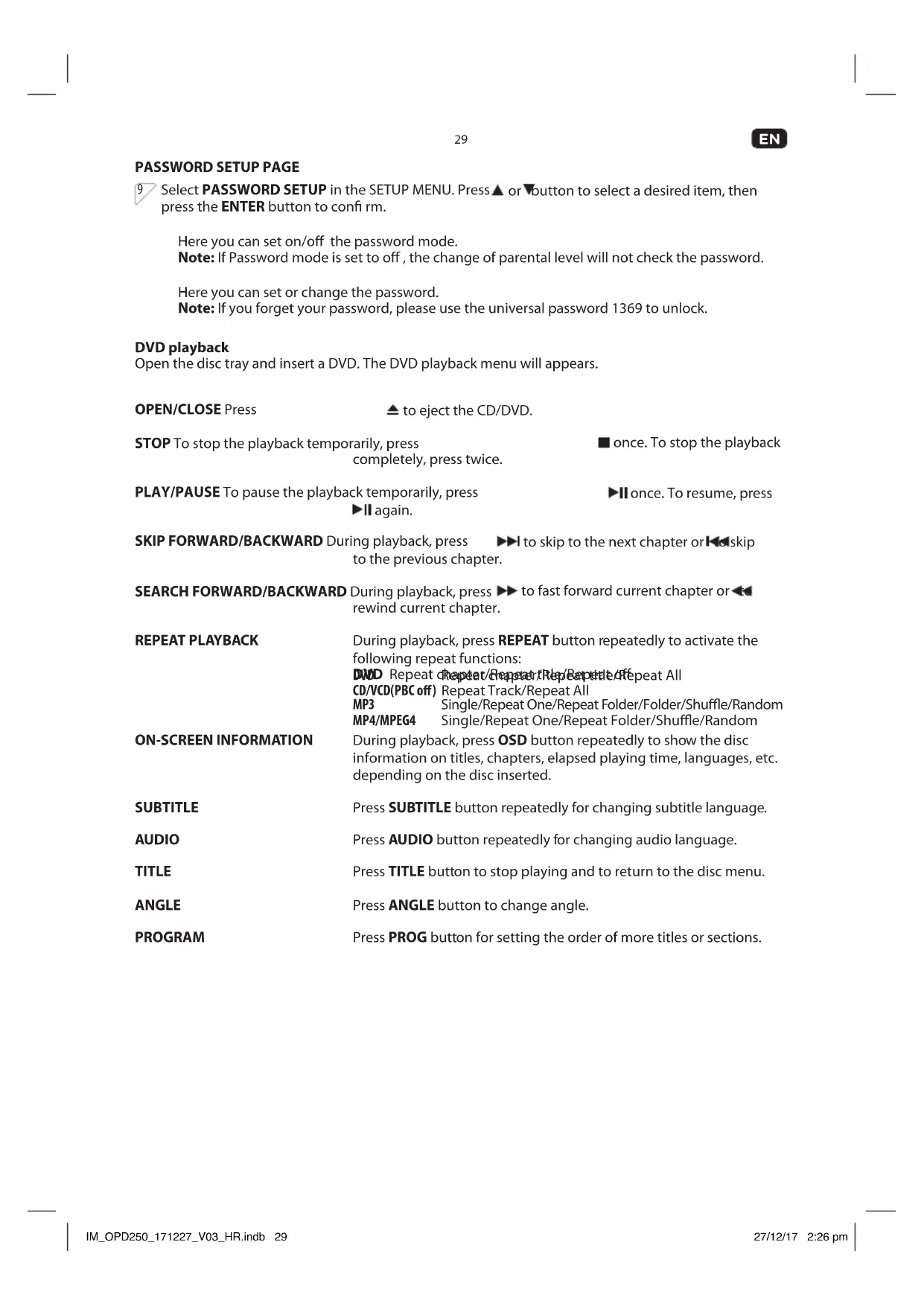


| Product type | DVD Player |
| Brand | OK |
| Model | OPD 270 |
| Power supply | 100-240 V~, 50/60 Hz, < 8 W |
| Supported disc formats | DVD, DVD+/-R/RW, VCD, CD, CD-R/RW, MPEG4, JPEG, MP3 |
| Video outputs | HDMI, SCART, Composite video (RCA) |
| Audio outputs | RCA stereo (L/R) |
| USB port | Yes (USB 1.1/2.0, FAT16/32, up to 32 GB) |
| Playback functions | Programmable, repeat, search, zoom, angle, subtitles, slow motion |
| Remote control | Yes (AAA batteries included) |
| Dimensions (approx.) | 43 x 22 x 4.5 cm |
| Weight (approx.) | 1.5 kg |
| Power consumption | < 8 W |
| Insulation class | Class II (double insulation) |
| Video resolution | NTSC/PAL |
| Audio frequency response | 20 Hz - 20 kHz |
| Signal-to-noise ratio | > 90 dB |
| Total harmonic distortion | < 0.025 % |
| Maintenance | Clean with a soft, dry cloth. Do not use solvents. |
| Safety | Do not expose to moisture. Class 1 laser radiation. Do not open. |
| Repairability | Have any repairs carried out by a qualified technician. |
Frequently Asked Questions - OPD 270 OK
User questions about OPD 270 OK
0 question about this device. Answer the ones you know or ask your own.
Ask a new question about this device
Download the instructions for your DVD player in PDF format for free! Find your manual OPD 270 - OK and take your electronic device back in hand. On this page are published all the documents necessary for the use of your device. OPD 270 by OK.
USER MANUAL OPD 270 OK
- KID SAF
- G
B. PG - PG13
- PGR
- R
- NC17
B. ADULT
WIEDERHOLTE WIEDERGABE
ZEAIAIPTOTIMHSEONPYOMISEON

EniEETPREFERENCESETUPoEvou PuOeiewvSETUPMENuPiTeTo nKtpo △via va EniEETe to eIthmuNToTOxieio kai eTae TPO ENTER yia eniBeeaiwon.
EnleTeTo ouotma xpwatv nou avtoiox etn δikn oac tnλeopaon με Eddouc AV:
-PAL
-AUTO
-NTSC
- KID SAF
- G
B. PG - PG13
- PGR
- R
- NC17
B. ADULT
Thanks for your purchase of an ok. product. Please read this manual carefully and keep it for future reference.
IMPORTANT SAFETY INSTRUCTIONS. READ CAREFULLY AND KEEP FOR FUTURE REFERENCE.
- Risk of electric shock! Do not open.
- CAUTION: To prevent the risk of electric shock, do not remove cover (or back). No user-serviceable parts inside. Refer servicing to authorised service agent.
- For safety reasons, this class II device is provided with double or reinforced insulation as indicated by this symbol.
- The lightning flash with arrowhead within an equilateral triangle is intended to alert the user to the presence of uninsulated "dangerous voltage" inside the enclosure of this device, which may be of sufficient magnitude to constitute a risk of electric shock to persons.
- The exclamation point within an equilateral triangle is intended to alert the user to the presence of important operating and maintenance instructions in the literature accompanying this device.
- DANGER! Invisible laser radiation when open and safety interlock failed or defeated. Avoid direct exposure to the beam. Do not touch the lens.
- Before connecting the device to a socket outlet, make sure the voltage indicated on the device corresponds to your local mains.
- The mains plug or device coupler is the disconnecting device. It shall remain readily operable.
- If the supply cord is damaged, it must be replaced by the manufacturer or its authorised service agent or similarly qualified person in order to avoid hazard.
- WARNING! To reduce the risk of fire or electric shock, do not expose this device to rain or moisture. Protect from dripping or splashing. Do not place any objects filled with liquids, such as vases, on the device.
- Regularly check if the supply cord, device or extension cable are defective. If found defective, do not put device into operation. Immediately pull the plug.
- Place the supply cord and, if necessary, an extension cable in such a way that pulling or tripping over it is impossible. Do not allow the supply cord to hang down within easy reach.
- Do not jam, bend or pull the supply cord over sharp edges.
- Protect the supply cord from being walked on or pinched particularly at the plug, convenience receptacles and the point where it exits from the device.
- Never pull the plug by the supply cord or with wet hands.
- Disconnect the mains plug in case of faults during use, during lightening storms, before cleaning and when not using the device for a longer period of time.
- In case of malfunction due to electrostatic discharge, reset the device by removing the mains plug from the socket outlet.
- Refer all servicing to authorised service agent. Do not attempt to repair the device yourself. Servicing is required when the device has been damaged in any way, such as the supply cord or plug are damaged, liquid has been spilled, objects have fallen into the device, the enclosure is damaged, the device has been exposed to rain or moisture, does not operate normally, or has been dropped.
- The product is only suitable for use at moderate degrees of latitude. Do not use in the tropics or in particularly humid climates.
- When installing the device, leave sufficient space for ventilation. Do not install in bookcases, built-in cabinets or the like.
- Do not impede ventilation by covering the ventilation openings with items, such as newspapers, table-cloths, curtains, etc. Do not insert any objects.
- Do not place naked flame sources, such as lighted candles, on the device.
- Do not place any electronic equipment or toys on the device. Such items could fall from the top and cause device damage and/or personal injury.
- Do not install near any heat sources such as radiators, heat registers, stoves or other appliances (including amplifiers) that produce heat.
- Do not apply excessive force to the front or top, as this could ultimately overturn the device.
- Do not shift or move the device when powered on.
EN
24
- CAUTION! Danger of explosion if batteries are incorrectly replaced. Replace only with the same or equivalent type. Do not mix new and old batteries.
- Install batteries correctly, with + and - aligned as indicated on the device.
- Remove batteries when not using the device for a longer period of time.
- Do not expose batteries to excessive heat such as sunshine, fire or the like.
- In case of battery leakage, remove the batteries and clean the battery compartment thoroughly. Avoid contact with skin and eyes.
- Keep batteries out of reach of children. Seek medical advice immediately if batteries have been swallowed.
- Do not dismantle or shred batteries; do not throw into fire. Dispose of properly in accordance with the user manual. Do not dispose of in household waste.
- The batteries (battery pack or batteries installed) shall not be exposed to excessive heat such as sunshine, fire or the like.
- To prevent the spread or fire, keep candles or other open flames away from this device at all times.
- Figures and illustrations in this User Manual are provided for reference only and may differ from actual device appearance. Product design and specifications may be changed without notice.
- Excessive sound pressure from earphones and headphones can cause hearing loss.
INTENDED USE
This device is intended for playing audio and video signals. Any other use may result in damage to product or injuries.
The Imtron GmbH assumes no liability for damage to the product, for property damage or for personal injury due to careless or improper usage of the product, or usage of product which does not meet the manufacturer's specified purpose.
COMPONENTS
Main Unit
A. Tray door
B. Power indicator
C. IR-Sensor
D. USB-Port
E. Button
F. button
G. Bultton
H.▲ button
I. R, L audio output
J. Video output
K. HDMI output
L. Power cord with plug
M. SCART output
Remote Control
- button
Switch the DVD Player between on and standby mode - 0-9/10+ Numerical button
Select a numbered item in the menu - SETUP button
To enter the system set up menu - ▲ button
Navigation key - MENU button
Open menu
6.SEARCH button
Jump to a certain time on a disc - STOP button
Stop a playback - FWD/REV button
Fast forward/ Fast reverse during playback - VOLUME-/+ button
Decrease/increase volume - TITLE button
Display the title menu - RETURN button
Return to root menu during normal playback and vice versa - ANGLE button
View action from 2 different angles
13.ZOOM button
Zoom in or out the picture - Battery compartment
15.AUDIO button
Change audio mode -
STEP button
-
A-B button
18.SLOW button
Selection of slow motion playback
level
- PREV/NEXT button
Skip to previous/next chapter/track
- Play / Pause button
Play/pause a playback
- REPEAT button
Repeat playback
- MUTE button
Switch on/off the sound
- ENTER button
Confirm an entry
- SOURCE button
Select DVD/USB
- CLEAR button
Clear the input number in SEARCH
and PROG mode
26.PROG button
Program playback sequences
- OSD button
During playback, press repeatedly
to show the elapsed playing time,
languages, etc. depending on the
disc inserted
- LANGUAGE button
Change language
- SUBTITLE button
Press during playback repeatedly to
display or switch subtitles
- 4 button
Open and close the disc tray
EN
26
BEFORE FIRST TIME USE
the original packaging for storage. If you wish to dispose of the original packaging, please observe applicable legal provisions. Should you have any questions regarding proper disposal, contact your local waste management center.
incomplete or damaged, contact your sales outlet immediately.
OPERATION
Installing remote control batteries
1 Open the battery cover on the back of the remote control. Insert 2 batteries (AAA, 1.5 V). Ensure the + and - polarities of the batteries line up with the markings inside the case. Close the cover.
Connecting to TV
Caution: Disconnect the AC power cord before connecting any devices.
2 Connect the DVD player to the TV with an HDMI, Video or SCART cable.
Audio
3 Connect the DVD player's R and L jack to the audio input jack on the TV.
Note: Only necessary when connected via Video cable.
Plugging in the power cord
4 Connect the power plug to a suitable power outlet.
OSD
SETUP MENU
Press the SETUP button on the remote control. SETUP MENU will be displayed. After accessing the SETUP MENU, press or button to select an item desired, then press the ENTER button to confirm. Press button return to the next upper menu. To exit the setup, press the SETUP button again. In the SETUP MENU, you may choose any of the following options as you like.
Select TV Display in the SETUP MENU and confirm with ENTER button. Press or button to select a desired format, then press the ENTER button to confirm.
Note: The image display ratio is related to the recorded disc format. Some disc cannot display images in the aspect ratio you choose. If you play a disc recorded in 4:3 format on a wide screen TV, black bars will appear on the left and right side of the screen. You must adjust the screen setting depending on the type of the television you have.
Select Angle Mark in the SETUP MENU and confirm with ENTER button. Press or button to switch on or off the angle. Press the ENTER button to confirm.
Select OSD Language in the SETUP MENU and confirm with ENTER button. Press or button to select a desired language. Press the ENTER button to confirm.
Closed captions are data that are hidden in the video signal of some discs.
Note: Before you select this function, please ensure that the disc contains closed captions information and your TV set also has this function.
Activate/de-activate the screen saver.
Note: Not all player support this function.
Set the auto standby time of the DVD Player.
AUDIO SETUP PAGE
Select Audio in the Setup Menu. Press or button to select a desired item, then press the ENTER button to confirm.
This option is used to set the R/L and Stereo Channel speakers.
The option included Dual Mono and Dynamic.
VIDEO SETUP PAGE
7 Select Video in the SETUP MENU. Press or button to select a desired item, then press the ENTER button to confirm.
Setting the options related to SCART.
This option is used to set the resolution.
Here you can set different color setting:
- SHARPNESS
BRIGHTNESS
-CONTRAST
-HUE - SATURATION
Setting the options related to the HDMI.
-HDMI:ON or OFF
- AUDIO SOURCE: AUTO/PCM
- DEEP COLOR: 24 BIT / 30 BIT / 36 BIT
EN
28
PREFERENCE SETUP PAGE

Select PREFERENCE SETUP in the SETUP MENU. Press or button to select a desired item, then press the ENTER button to confirm.
Selecting the color system that corresponds to your TV when AV outputs:
-PAL
-AUTO
-NTSC
Select a language for audio (if available).
- ENGLISH
-FRENCH - GERMAN
-ITALIAN - SPANISH
- SWEDISH
DUTCH
Select a language for subtitle (if available).
- ENGLISH
-FRENCH - GERMAN
-ITALIAN
-SPANISH - SWEDISH
- DUTCH
-OFF
Select a language for disc menu (if available).
- ENGLISH
-FRENCH - GERMAN
-ITALIAN - SPANISH
- SWEDISH
DUTCH
Here you can set the Parental setting of the DVD Player.
- KID SAF
- G
B. PG - PG13
- PGR
6.R - NC17
8.ADULT
Note: A password is required to set the parental setting.
Set the DVD player back to factory default.
password setup PAGE
9 Select PASSWORD SETUP in the SETUP MENU. Press or button to select a desired item, then press the ENTER button to confirm.
Here you can set on/off the password mode.
Note: If Password mode is set to off, the change of parental level will not check the password.
Here you can set or change the password.
Note: If you forget your password, please use the universal password 1369 to unlock.
DVD playback
Open the disc tray and insert a DVD. The DVD playback menu will appear.
OPEN/CLOSE Press
to eject the CD/DVD.
STOP To stop the playback temporarily, press completely, press twice.
PLAY/PAUSE To pause the playback temporarily, press
again.
once. To stop the playback
Once. To resume, press
SKIP FORWARD/BACKWARD During playback, press
to skip to the next chapter or skip
to the previous chapter.
SEARCH FORWARD/BACKWARD
During playback, press
to fast forward current chapter or
rewind current chapter.
REPEAT PLAYBACK
During playback, press REPEAT button repeatedly to activate the following repeat functions:
DWD Repeat/Repeat/Repeat/Repeat/Repeat/Repeat All
CD/VCD(PBC off) Repeat Track/Repeat All
MP3 Single/Repeat One/Repeat Folder/Folder/Shuffle/Random
MP4/MPEG4 Single/Repeat One/Repeat Folder/Shuffle/Random
ON-SCREEN INFORMATION
During playback, press OSD button repeatedly to show the disc information on titles, chapters, elapsed playing time, languages, etc. depending on the disc inserted.
SUBTITLE
Press SUBTITLE button repeatedly for changing subtitle language.
AUDIO
Press AUDIO button repeatedly for changing audio language.
TITLE
Press TITLE button to stop playing and to return to the disc menu.
ANGLE
Press ANGLE button to change angle.
PROGRAM
Press PROG button for setting the order of more titles or sections.
EN
30
MP3/JPEG/MPEG4 playback
Press or button to choose the root directory and then press ENTER button to enter into the sub directory.
Press or button to choose the desired track and then press ENTER or button to start the music or movie playback.
Repeat To switch different repeat playing mode.
REPEAT FOLDER
FOLDER
SHUFFLE
RANDOM
SINGLE
REPEAT ONE
PICTURE CD playback
Press or button to choose the root directory and then press ENTER button to enter into the sub directory.
- Press or button to choose the desired picture.
- Then press ENTER or PLAY button to show the picture on screen. If you want to return to the upper menu, press or button to choose and press ENTER button.
In picture play state:
- Press or button to rotate the picture,
- Press PROG button to change the picture scan mode.
USB
10 Insert an USB Stick with MP3/MP4/MPEG4 files.
Note: Connect the USB device directly to the USB port of the unit. Using an extension cable is not recommended and may cause interference and failure of data transfer.
This product supports USB 1.1 and 2.0 up to 32GB with fIle system FAT16 and FAT32.
CLEANING AND CARE
cleaners on the DVD player.
TROUBLESHOOTING
If there are any problems during operation, please refer to the following table. If problems cannot be solved as indicated under Solution, please contact your manufacturer.
| Problem Possible causes Solution | ||
| supply | outlet. | |
| connection | correctly.your TV. | |
| connection | your TV.correctly. | |
| Poor picture or sound | correct | correctly.not damaged. |
| deformed球员.software CD. If so, please restart the player. | ||
| supplyremote control andDVD player | sensor.the IR sensor. | |
| discharge | ||
| scratched. | ||
| No playback of ACC/WMA fi les | support MP2/MP3/AC3 fi les. | |
| No playback of Divx3.11/4/5/6 fi les. | support MPEG2/MPEG4/XVID fi les. | 720 x 576)/ MPEG4 (not higher than 800 x 600)/XVID fi les |
TECHNICAL DATA
| DISPLAY FEATURES | |
| Video standard NTSC/PAL | |
| Discs Compatibility MPEG4, DVD, DVD+/-R/RW, VCD, JPEG. CD-DA, CD-R, CD-RW | |
| VIDEO OUT | |
| Video out 1.0 V (p-p) / 75 Q, sync, negative polarity | |
| AUDIO OUT | |
| Audio out level 2 V rms -1/+0.2 | |
| Frequency response 20 Hz to 20 kHz | |
| S/N ratio >90 dB | |
| Total harmonic distortion < 0.025 % | |
| POWER REQUIREMENTS | |
| Power Input 100 - 240 V~, 50/60 Hz | |
| Power consumption < 8 W | |
| CONNECTIONS | |
| Input | |
| USB 1 | |
| Output | |
| R/L 1 | |
| SCART 1 | |
| Video 1 | |
| HDMI 1 | |
DISPOSAL

Do not dispose of this product as unsorted municipal waste. Return it to a designated collection point for the recycling of WEEE. By doing so, you will help to conserve resources and protect the environment. Contact your retailer or local authorities for more information.

Please dispose of batteries in an environmentally friendly manner. Do not put batteries into the household waste. Please use the return and collection systems in your community or contact the dealer where you purchased the product.
ENHORABUENA
- KID SAF
- G
B. PG - PG13
- PGR
- R
- NC17
8.ADULT
(BUSCAR HACIA ADELANTE/
DVD Repeat chapter/Repeat title/Repeat All
CD/VCD(PBC off) Repeat Track/Repeat All
MP3 Single/Repeat One/Repeat Folder/Folder/Shuffle/Random
MP4/MPEG4 Single/Repeat One/Repeat Folder/Shuffle/Random
ON-SCREEN INFORMATION
(INFORMATION EN PANTALLA)
- KID SAF
- G
B. PG - PG13
- PGR
- R
- NC17
8.ADULT
DWD Repeat chapter/Repeat title/Repeat All
CD/VCD(PBC off) Repeat Track/Repeat All
MP3 Single/Repeat One/Repeat Folder/Folder/Shuffle/Random
MP4/MPEG4 Single/Repeat One/Repeat Folder/Shuffle/Random
ON-SCREEN INFORMATION
- KID SAF
- G
B. PG - PG13
- PGR
- R
- NC17
8.ADULT
DVD Repeat chapter/Repeat title/Repeat All
CD/VCD(PBC off) Repeat Track/Repeat All
MP3 Single/Repeat One/Repeat Folder/Folder/Shuffle/Random
MP4/MPEG4 Single/Repeat One/Repeat Folder/Shuffle/Random
ON-SCREEN INFORMATION
- KID SAF
- G
B. PG - PG13
- PGR
- R
- NC17
8.ADULT
CD/VCD(PBC off) Repeat Track/Repeat All
MP3 Single/Repeat One/Repeat Folder/Folder/Shuffle/Random
MP4/MPEG4 Single/Repeat One/Repeat Folder/Shuffle/Random
ON-SCREEN INFORMATION
- KID SAF
- G
B. PG - PG13
- PGR
- R
- NC17
B. ADULT
CD/VCD(PBC off) Repeat Track/Repeat All
MP3 Single/Repeat One/Repeat Folder/Folder/Shuffle/Random
MP4/MPEG4 Single/Repeat One/Repeat Folder/Shuffle/Random
ON-SCREEN INFORMATION
- KID SAF
- G
B. PG - PG13
- PGR
- R
- NC17
B. ADULT
DWD Repeat chapter/Repeat title/Repeat All CD/VCD(PBC off) Repeat Track/Repeat All MP3 Single/Repeat One/Repeat Folder/Folder/Shuffle/Random MP4/MPEG4 Single/Repeat One/Repeat Folder/Shuffle/Random
INFORMAÇAO NO ECRA
BOCnpon3BedeHn,HTo6bI
POKa3aTb PpoWseDJee BpeM
BOcnpOn3BedeHn,r3bIKN T.D.B
3aBNCIMOCTNOT BCTaBJIeHHORO DnCKa
- KhoNka LANGUAGE
I3meHHeYa3bika
- Khonka SUBTITLE
HaximaiTe IOBTOPO BO Bpemr
BOCPON3BeDHeHNA, UTO6bl NOKa3bIBaTb
IINIpeeklioaTbCy6TNtpbl
- KhoNka
OTkpblte nn 3akpbTne IOTka Dncka
RU
NEPEI NEPBbIM ICIOJIb3OBAHnEM
COxpaHnTbOpnHaIbHyU ynaKOBky. YtIIN3aIIO opnHaJIbHOy naKOBKn Heo6xoIIMO npoBOIHTB CooTBcTbN C DeIcTByIOuIM 3aKOHOaTeJIbCTBOM. IIO BONPOcAM OTHOCIneJIbHO npaBnJIbHOytnI3aUIN ynaKOBKn O6pTaNTecB MecThbI cEHrTp ynpabNeHHO tXoJaMn.
Clyuae HeKOMnIeKTHOCTN INI INPn HAnuHINIOBpeXdHn cpa3y Je 6paTntecb B TOcKy npOdaXn.
NCPOJIb3OBAHNE
YctahOBka 6aTapeek B nyIbTe dNCTaHcUNHOHorO ynpabNeHn
1 OtkpoTe KpbIku TY OTeJeHnry dny 6aTapeek C TbJIbHOJ CTopoHbI NybTa Yy. BCTaBbTe 2 6aTapeKu (AAA, 1,5 B).Y6eInTeCb, yTO NOJaRPHocTb Ha 6aTapeKax + n - COOTBeTcTByeT O6O3HaueHnAm BHyTpN Kopnyca. 3aKpoTe KpbIku.
IopKJIIOUeHne K TB
BhMaHHe:peep noKJIoueHnem IIO6bIX n3dEni BbIeprNBaTe ceTeBOu Hyp n3 po3eTKn. PoiKluoyHne uepe3 HDMI-ka6eJb PoiKIIouChTe DVD-nEEP K TB nOcePcTbOM HDMI-ka6eJ
2 ΠoɪκJIIOUHTe DVD-ɪpɒɪrpɒbIbaTeɪb K TeɪeBɪZOpу c nɒmʊʒbɪ O BɪdɛOka6eɪa, ka6eɪa HDMI nɪn SCART.
Aydno
3 PnokkIIOUHTe ayINOBbIXOdb R n L DVD-npouirpbibaTeN K ayINOBXoam Ha TeJeBn3ope. PnpmeuHHe: Heo6xoJMo TOnbko npn pNOKIOUeHN Upe3 BInDeoka6enb.
Iopknlouehme ceteBoro shypa
4 BcTaBbTe ceTeByIO BnIKy B nOxOJaIyIO po3eTKy.
OSD
HACTPOIKA CNTEMbl
5 HaxMITE KONky SETUP Ha nyIbTe DK. Ha 3KpaHe NOBITc MEHIO HACTPOEK. Nocne BxOda B MEHO HACTPOEK HaxMITE KONky AINn DnBa BbIbOpa HyXHOro 3JeMeHTa, nocne Yero NOITBepDIne BbIbOp HaxKaTnEM KONKn ENTER. HaxMITE KONky UTo6bl BepHyTcBcR B MeHIO BepxHrO yPobHra. TTo6bl BbIbTu n3 HAcTpoE, HaxMITE KONky SETUP eue pa3. B MEHIO HACTPOEK Bbl MoKeTe BbIbPaTb IIO6yU n3 Heo6xOdMlbIX OncuN.
Bb6epe TB 3KpaH B SETUP MENU n noTBePnTe Bb6op KhONKO ENTER .HaKMaTe KhONKy ▲ NINy,HTo6bI Bb6paTb XeNaTeNbHbI φOpMaT, 3aTeM HaxMNTe KhONKy ENTER ,HTo6bI NoTBePnTb Bb6op.
PnmeHHe: Ko3o0fUuHcTcAaTINu 3IO6paXeHnOTHOCHTcK 3aNCAHHOMy Ha DnCKe fOpMaTy. HeKOToBpeDnCKn He MOrYt BOCpOn3BOoNTb 3IO6paXeHnB COOTHOweHN CTOpOH, KOToBb BblBb6pAn. EcnBbl BOCpOn3BOoNTe DnCK, 3aNcaHbB nΦopMaTe 4:3, H a npOKom TB 3kpaHe, Na IeBoN n PpaBOI CTOpOHax 3KpaHa NOBRTcA YepHbIe NOnocbl. Bbl DoJxHbI OTperyIpOBaTb HAcTpoKn 3KpaHa, B 3aBNCIMoCTn OT Tnna BaUero TeNeBu3Opa.
BbI6peTe yrnobyu MeKy B SETUP MENU n noTBePnTe BbI6Op KHONKoI ENTER. HaKMaIte KhoNkY ▲ nnn VTO6bl BKIOUHTb nnn BBIKHOUYt b yOr. HaxMITE KhoNky ENTER, YTO6bl IooTBePnTb BbI6Op.
Bb6peTe r3bIK MeHOB SETUP MENU nIOdTBePnTe Bb6Op KHOKNO ENTER. Haxmaite KHOKNy A nnu TTO6bI Bb6paTb JKeNaTeNbHbI r3bIK. Haxmnte KHOKNY ENTER, TTO6bl NOITBePnTb Bb6Op.
Ckpblte TnTpbl npeCTabJIaIOT co6oJ daHHbIe, Ckpblte B BuDEOCnHahJax HeKOTopblx DnCKOB.
PnmeHne: PpeJe Yem BbIbnpaTb 3Ty fYHKUIO, y6eINTEcb, yTO INCK COepeXNT INHOpMaUIO BCKpbITbIX TITpax U TO BaI W TeJIeBUNOp ToKe IMeet TaKyIO fYHKUIO.
BkIIOueHne / BbIKIOueHne IpeOxpaHnteHa 3KpaHa
PnmeHHeBCE npoIrpBaTeIN NOeepKBAOT 3Ty yHKnIO.
YctaHObIte B DVD-mpnIrpBbateJe Bpemr abTOMaTnueckoro peKIMa OxuHaHn
CTPAHUNA AYDNO HACTPOIKN
6 BbIbepe ayno B MeHIO HacTpoek. HaxmMaTe KhoNky AnyTo6bl BbIbpaTb XeNaTeJbHbI npaMeTp, 3aTeM Haxmnte KhoNky ENTER , To6bl NoDTBepnTb Bbl6Op.
3a HactpoKa nCnoB3yeTc4I KOnHnrgpaun R/L n CtepeoHaAMKOB.
3a Hactpoika BkIouaeT Bce6aBapnaHTb Dual Mono u Dynamic.
CTPAHUCA BIDEO HACTPOIKU
7 BbI6epeTe BnIeO B SETUP MENU. HaxmMaIte KhoNky A nn YTO6bI BbI6paTb XeNaTeIbHbI npaMeTp, 3aTeM Haxmnte KhoNky ENTER, YTO6bI NOITBepuNTb Bbl6op.
I3MeHeHHe HacTpoEK, OTHOcAunXcK BbIXoY SCART.
3Ta OIcIIaNcIIOb3YeTcI dIa NAcTpOIK pa3peWeHn.
3decb Bbl MOKeTe yCTaHOBnTb CNeDyUOuNHe NaCTpoKu ZBeTa:
- SHARPNESS
BRIGHTNESS
-CONTRAST
-HUE - SATURATION
Bb6op r3bka nla MeHIO nCKOB (ecn eCTb Bb6Op).
- ENGLISH
-FRENCH - GERMAN
-ITALIAN - SPANISH
- SWEDISH
- DUTCH
3decb BbMoKeTe yCTaHOBnTb HAcTpOuKn poDInTeBcCKOrO KOHTpOnA B DVD-nponrpblBaTeNe.
- KID SAF
- G
B.PG - PG13
- PGR
6.R - NC17
B. ADULT
PnmeaHne: IyctaHOBKn HAcTpoNk PoOnTeJIbCKOrO KOHTpOJa Heo6xOdM npoJIb.
UcTaHOBInTe 6oPaTHO 3aOBdCKne 3NaueHnI NO yMOJuaHNIO B DVD- npOnrPbIBaTeNe.
CTPAHUIA YCTAHOBKN IAPOJIAR

Bbipb Password Setup B SETUP MENU. HaxmuaTe KhoNky ▲nIn YTO6bI Bb1paTb JenaTeHbHn npaMeTp, 3aTe Haxmte KhoNky ENTER ,YTO6bI NOITBepDntb Bbl6Op.
3Decb Bbl MoKeTe BKJIOHTb /BblKJIOHTb peXIM npOJIa.
PpmeHHe: Ecn npexn npoJyCtAHOBnB BbIKNoeHHoe nIoXeHne, N3MeHeHne ypoBn poNTeBckOTo KOHTpOJa He 6ydt npoBepaTb npoJIb.
3dec Bbl MOXeTe yCTaHOBnTb ININ IN3MeHnTb napOJIb.
PnmeHne: EcnBb3a6bln napolb, nCnoJb3yIe yHNBepcaJIbHbI npoIb 1369 nla pa36JokupobAHna.
Bocnpon3BeJeHne DVD
OTKPOIe DBepu DnCKOBoJa n BCTaBbTe DVD. Ha 3kpaHe BbICBeTnCt MeHIO BOCPon3BeDHeNr DVD.
OTKpblb/3AKPblb
(OPEN/CLOSE)
Haxmnte△,yTo6bIu3BHeybCD/DVD-dnck.
CTON (STOP) UTo6bl npnoctaHOBnTB BOCPpon3BeDeHne, OdHn pa3 HaKMITE
YTo6bIOCTaHOBnTBBOcnpOu3BeDeHneNOJHoCTbIO,HaXMITEBaXJIbI.
BOCIPON3BEDEHNE/PAY3A (PLAY/PAUSE)
YTo6bI 3aepKaTb BocPon3BeHeHne, OINH pa3 HaxMnteII .ДЯ BO3O6HOBJIeHnBOCPon3BeHnHn HaxMnteHOBa.
PONYCK BNEPEI/HA3AD
(SKIP FORWARD/BACKWARD)
Bo Bpem BoCnpon3BedeHnna Haxmnte▶, UTo6bl npOnyctntb
cneyuoupi pa3den,nn106bI npOnyctntb npdeUYuui pa3den.
NONCK BNEPEД/HA3AД
(SEARCH FORWARD /BACKWARD)
Bo Bpem BoCpOn3BedeHn HaxMnte TnepeMoTkn Tekyuero
pa3dela Bnepeid nn npn npemotk Tekyuero pa3deJa Ha3a.
IOBTOPOIN3BEENH
(REPEAT PLAYBACK)
Bo Bpem BoCpOIN3BeDHeN HxMnTe KHOKnY REPEAT HeckoIbKO
pa3, yTO6bI aKTHBnPOBaTb CNeIyUOuIe FyHKcN NOBTOPa:
DND NOBTOPOAepaeFappeepepepafttReepetkAll
CD/VCD(PBC off) Repeat Track/Repeat All
MP3 Single/Repeat One/Repeat Folder/Folder/Shuffle/Random
MP4/MPEG4 Single/Repeat One/Repeat Folder/Shuffle/Random
NHΦOPMALIHA 3KPAHE
Bo BpemBocnpoun3BepeHnHeckoNko pa3 HaxMnte KhONky DISPLAY,
TO6bI OTO6pa3nTb INHΦOpMaUNIO O DnCKe: TpeKN, pa3JeJIbI, Bpem
BOcnpoIN3BeDeHnI, J3bIKN I.T.D. B 3aBNCIMOCTN OT BCTaBJIeHHOrO DnCKa.
CYB7NTPbl (SUBTITLE)
HeckoJIbko pa3 HaxMITE KHOKNKY SUBTITLE IIN CMeHbI RaBika
cy6TnTPOB
3BYK (AUDIO)
HeckoIbko pa3 HaxMnte KhoNky AUDIO dIy cMeHb Ia3bka dy6Jxka.
TPEK (TITLE)
Haxmte KhONky TITLE 1JRA OCTaHOBKn BOCnPOn3BeJeHna I
BO3Bpa山eHnB MeHIO DNCKa.
YTOJ(ANGLE)
Haxmte KhoNky ANGLE nI3MeHeHry yRJa o630pa.
PPOPTAMMA(PROGRAM)
HaxmTe KhoNky PROG nHaCTpoKn npaKdpynx TpeKOB
IIN pa3eIOB.
RU
110
Bocnpoun3BeJeHne MP3/JPEG/MPEG4
Hajmte KhoNky Mnn BbIbopa KopHeBoro KaTaNora, 3aTeM Haxmte KhoNky ENTER, TTo6bBoITN B NOKaTaNor.
Haxmnte KhONky mIn, TTo6bI Bb6paTb HxKhBn TpeK, 3aTeM HaxmTe KhONky ENTER nnn 3anycka Bocnpou3BeHeHnMy3bIKn nnn fNlbMa.
Nobtop Bb6op pa3nHbIX pexmOB nobTopa Bocnpo3BeHeia.
REPEAT FOLDER
FOLDER
SHUFFLE
RANDOM
SINGLE
REPEAT ONE
Bocnpoun3BeJeHne OTO-CD
Hajmte KhoNky ▲nI ▼nBbI6opa KopHeBOrO KaTalora, 3aTeM Haxmte KhoNky ENTER, yTo6bl BoITN B NOkataJor.
- Haxmnte KhoNky Ann BbIb6pa HyxHoro n3o6paKeHHa.
- 3aTeM HaxMnTE KHOkny ENTER nIIN PLAY, yTO6bl BbIEcTn I3O6paXeHne He kpaH. EcII XOTnTE BepHyTbCBA MeHIO Ha ypoBeHb BblIe, HaxMnTE KHOkny AIIIN, YTO6bl Bbl6paTb, HaxMnTE KHOkny ENTER.
BpekmE BocpnOn3BeDeHn n3o6paKeHn:
- HaxmTe KhoNky AIN, TTo6bl nepeBepHyt b 306paKeHne,
- HaxmTe KhoNky PROG, YTO6bI N3MeHnTb peXMM cKaHnPoBaHnI OTo.
USB

BCTaBbTe HaKoNITeIb (DnCK) USB C my3bIkaIbHbIMn aInaMn MP3/MP4/MPEG4.
PnmeHne: POKIoute yctpoCTBO USB hnapmyo K npTy USB. He peKomeHnyetcNcNoB3OBAHne ydInHHTeNbHO Ka6eIa, KOtOpbIM MoKeT Co3daTb NOMExu HHeCnpaBHOCTn npipepaue daHHbIX.
3To yCTpoIcTBo nOndepKnBaET hakOnnteTI USB 1.1 n 2.0 o6bemom do 32 Fb c faiNoBOI cnCTeMoF FAT16 nIIu FAT32.
CHCTKA UYXOJ
XIMIKaTbI NII 6bITOBBIE MOIOUe CpeDCTBa.
YCTPAHEHNE HENCNPABHOCTEIN
Ecnn B xOe 3Kcnnyataunn Bo3HnKHyT TpyHocTn, noXaanyIcTa, pyKOBOJCTByITecb CneJeYIOSei Ta6niuee. Ecn npo6nemy He ydaTcra peuNTb nHcTpyKcNn B Peuenn, noXaanyIcTa, o6paTntecb K CBOEmy npOn3BODInTeIIO.
TEXHUNECKNEXAPAKTEPNUCTUKN
- KID SAF
- G
B. PG - PG13
- PGR
- R
- NC17
B. ADULT
Repeat chapter/Repeat title/Repeat All
CD/VCD(PBC off) Repeat Track/Repeat All
MP3 Single/Repeat One/Repeat Folder/Folder/Shuffle/Random
MP4/MPEG4 Single/Repeat One/Repeat Folder/Shuffle/Random
ON-SCREEN INFORMATION
(PÄ-SKÄRM INFORMATION)
- KID SAF
- G
B. PG - PG13
- PGR
- R
- NC17
B. ADULT