USML 3.7 A1 - Mobile charging station ULTIMATE SPEED - Free user manual and instructions
Find the device manual for free USML 3.7 A1 ULTIMATE SPEED in PDF.



User questions about USML 3.7 A1 ULTIMATE SPEED
0 question about this device. Answer the ones you know or ask your own.
Ask a new question about this device
Download the instructions for your Mobile charging station in PDF format for free! Find your manual USML 3.7 A1 - ULTIMATE SPEED and take your electronic device back in hand. On this page are published all the documents necessary for the use of your device. USML 3.7 A1 by ULTIMATE SPEED.
USER MANUAL USML 3.7 A1 ULTIMATE SPEED
text_image
PDF ONLINE www.lidl-service.comMOBILE CHARGING STATION USML 3.7 A1
MOBILE LADESTATION USML 3.7 A1
STATION DE CHARGE MOBILE USML 3.7 A1
GB IE NI CY MT
MOBILE CHARGING STATION
Operation and Safety Notes
Translation of the original instructions
FR BE CH NL
STATION DE CHARGE MOBILE
Before reading, unfold the page containing the illustrations and familiarise yourself with all functions of the device.
DE AT CH
GB/IE/NI/CY/MT Operation and Safety Notes Page 5
Scope of delivery ...... Page 8
Equipment Page 8
Technical Specifications....Page 9
Safety instructions...... Page 9
Specific safety instructions ...... Page 11
Using the device ...... Page 12
Cleaning Page 16
Storage Page 17
Information about recycling and disposal ...... Page 17
EC Declaration of Conformity ...... Page 18
Warranty and service information ...... Page 19
Warranty conditions ...... Page 19
Warranty period and statutory claims for defects...... Page 19
Extent of warranty.... Page 20
Processing of warranty claims ...... Page 20
Service......Page 21
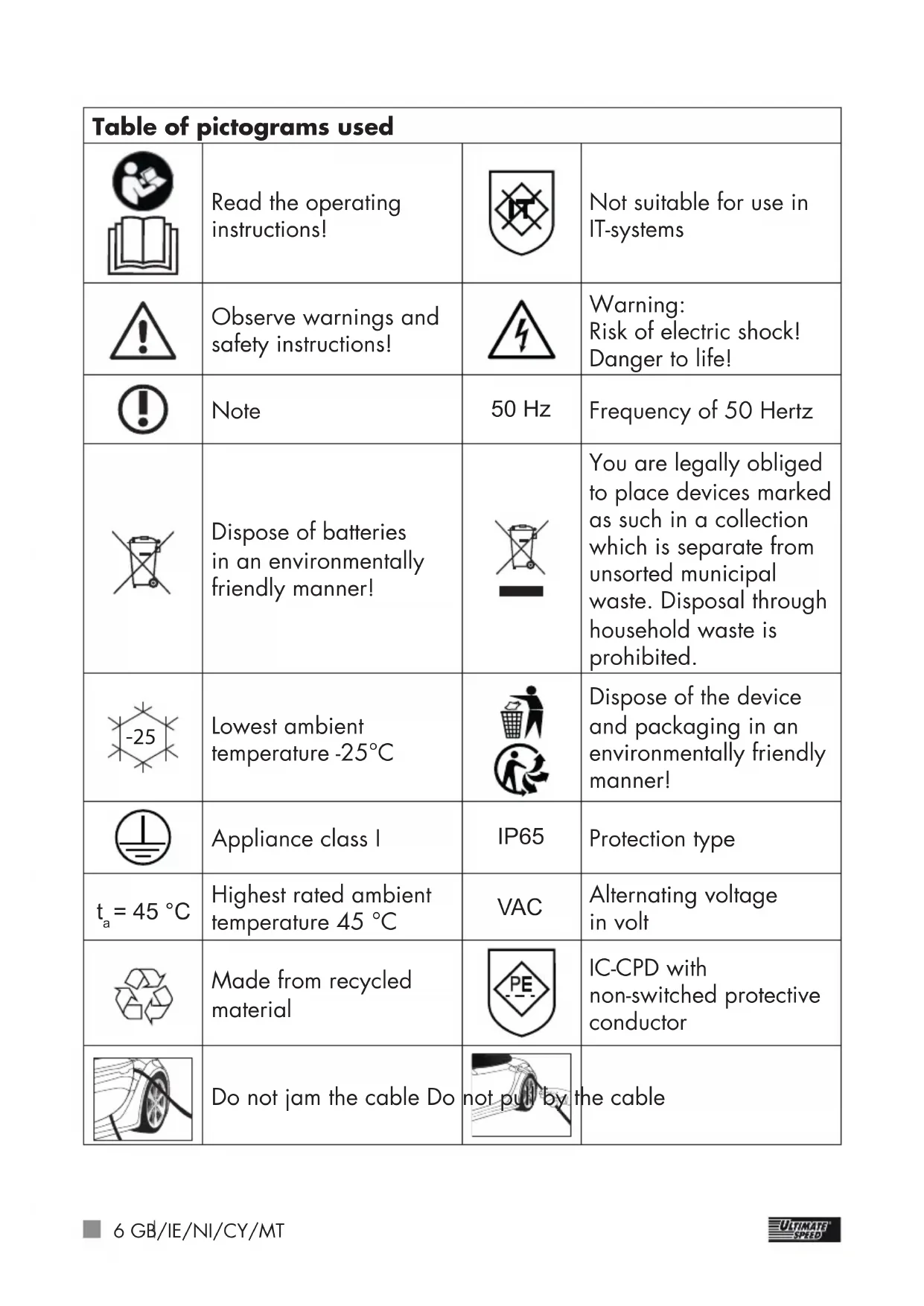
| Table of pictograms used | |||
 | Read the operating instructions! |  | Not suitable for use in IT-systems |
 | Observe warnings and safety instructions! | 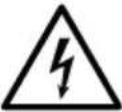 | Warning:Risk of electric shock!Danger to life! |
 | Note | 50 Hz | Frequency of 50 Hertz |
 | Dispose of batteries in an environmentally friendly manner! | 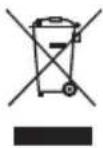 | You are legally obliged to place devices marked as such in a collection which is separate from unsorted municipal waste. Disposal through household waste is prohibited. |
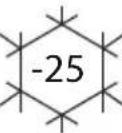 | Lowest ambient temperature -25°C |  | Dispose of the device and packaging in an environmentally friendly manner! |
 | Appliance class I | IP65 | Protection type |
| t_a = 45 °C | Highest rated ambient temperature 45 °C | VAC | Alternating voltage in volt |
 | Made from recycled material |  | IC-CPD with non-switched protective conductor |
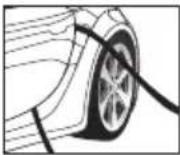 | Do not jam the cable Do r |  | the cable |
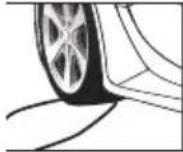 | Do not drive over the cable | 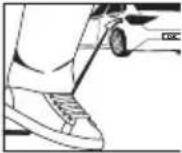 | Do not step on the cable |
 | Do not drive over the plug | 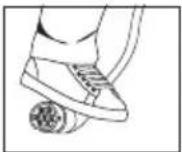 | Do not step on the plug |
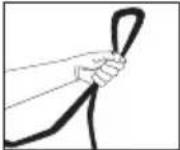 | Do not kink the cable |  | Wind up and unwind the cable properly |
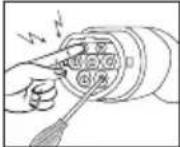 | Do not touch contacts. Do not put any sharp objects into the contacts |  | Caution! Do not allow the plug and cable to come into contact with moisture/water. |
 | Keep the plug away from fire | 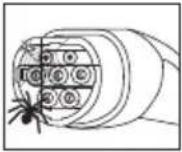 | Keep the plug clean. Prevent insects from getting in. |
 | Do not touch cables with wet hands |  | Always protect the plug with the cover cap, whenever it is not being used. |
MOBILE CHARGING STATION USML 3.7 A1
- Introduction
Congratulations! You have purchased one of our high-quality products. Please familiarise yourself with the product before using it for the first time. To do so, please read through the following operating and safety instructions carefully.
KEEP OUT OF THE REACH OF CHILDREN!

The charger is only suitable for electric and hybrid cars with a type 2 plug.
- Intended use
Using the charging cable, electric and hybrid cars, hereafter referred to as "cars", can be charged from
a charging infrastructure intended for this purpose, or a 230 V socket. Any other use is not permitted and is therefore regarded as improper use. The mobile charging station 1 is only safe, if these operating instructions and the documentation for the car are followed.
Before using the mobile charging station 1, you must read the operating instructions and the documentation for the car.
When the mobile charging station 1 is being used, observe the instructions as described.
Failure to do this can lead to personal injury or damage to property, such as, for example, electric shock, short circuit or fire.
Any other use may cause damage to the device and expose the user to a risk of serious injury. The manufacturer is not liable for any injury or damage resulting from improper use.
Note: In case of doubt, get a qualified electrician to check that the charging infrastructure or 230 V socket is suitable.
The device has been developed for consumer use and is not suitable for use in a commercial or industrial environment. The product must only be started up initially by people who have been trained to do so.
- Scope of delivery
1 Mobile charging station
1 Operating instructions
- Equipment
For this see Fig. A, B:
After unpacking the product, please check that all of the package contents are present and that the mobile charging station is in perfect condition 1. Do not use the device if it is defective.
1 Mobile charging station
2 LED strip
3 Digital charging display
4 Button
5 Mains cable
6 Charging cable – electric car
7 Mains plug
8 Cover cap for T2 plug
9 T2 plug
10 Charge current
11 Connection
12 Charging time
13 Energy supplied
14 Charging voltage
15 Charging capacity
Note: The use of the term "product" or "device" in the following text refers to the mobile charging station named in these operating instructions 1.
• Technical Specifications
CAREFULLY BEFORE USE. THESE FORM PART OF THE PRODUCT AND MUST BE AVAILABLE AT ALL TIMES!
Model: USML 3.7 A1
Operating
temperature: -25^ - 45^
Input voltage: 230 V\~50 Hz
Max. input current: 16 A
Output voltage: 230 V\~50 Hz
Max. output current: 16 A
Charging capacity: 1.38–3.7 kW
Total length: 500 cm
Housing protection type: IP65
Trigger characteristic: Type A
Residual current
detection: 30 mA
Residual current detection: 6 mA DC
Appliance class: I
Input plug: Schuko
Output plug: T2
(in accordance with EN 62196-2)
Power system: TN-C, TN-S
Changes to technical and visual aspects of the product may be made as part of future developments without notice. Accordingly, no warranty is offered for the physical dimensions, information and specifications in these operating instructions. The operating instructions cannot therefore be used as the basis for asserting a legal claim.
- Safety instructions
PLEASE READ THROUGH THE OPER- ATING INSTRUCTIONS
This section covers the basic safety instructions applicable when working with the device.
Personal safety:
- Keep children and animals away from the mobile charging station 1.
- Do not allow children to play with the device. Cleaning and day-to-day maintenance must not be performed by children without supervision.
■ Children must be supervised to ensure that they do not play with the device.
■ Within the working area, the user is responsible for any damage or injury to third parties that was caused by the use of the device.
During operation, never point the device at yourself or other individuals, and keep the device well way from your ears and eyes. There is a risk of injury! - Keep the device in a dry location and out of the reach of children.

This helps prevent device damage and possible personal injuries that could result from it:
Working with the device:
- Do not use the device while driving the vehicle.
■ Before setup or first use, check the device for any damage and do not use unless in perfect working order.
- Do not submerge the device in water. There is a risk of electric shock!
- Keep the vent on the underside of the device clear during operation. Do not block the vent with your hands or fingers, and do not cover the device. Keep the opening clear and clean at all times. Do not block or stick anything over the opening. Do not poke objects into the holes. There is a risk of overheating!
■ Take care to ensure that sand, dust and other small foreign objects cannot enter the air inlet or air outlet openings.
In hot weather, do not leave the device in the car. This could permanently
damage the device.
■ The device becomes warm during use. There is a risk of burn injuries from touching the hot surfaces.
- Do not operate the device near to flammable liquids or gases. Do not use the device to draw in hot fumes. Failure to do so risks causing a fire or explosion!
■ Switch the device off and remove the mains plug from the socket in the following cases:
- when you are not using the device;
- if you are doing cleaning work;
- if the connection cable is damaged;
- if foreign objects have got into the device or you notice unusual noises.
■ Only use the accessories supplied and recommended by the manufacturer.
- Do not dismantle or modify the mobile charging station ①. This device must only be repaired by a maintenance technician.
■ Do not use the device in areas with a risk of explosion, e.g. near flammable
liquids, gases or powders.
- Do not expose the device to any source of heat.
- Do not store in places where the temperature can exceed 70 °C.
- Do not connect the charging cable to a faulty or unsuitable socket, which, for example, is not designed for the continuous use required.
■ Protect the plug connections and plug devices from moisture and liquids.
- Do not step on or drive over plugs, charging cable and connecting cables.
- Do not jam or kink charging and connection cables.
- Do not touch plugs with wet hands.
■ When the device is not being used, always put the cover caps 8 on the plugs 9.
The device must not be used if it is not possible to operate it properly in accordance with the instructions. Ask the manufacturer, a responsible dealer or an electrician for advice.

CAUTION: How to avoid accidents and injuries resulting from
electric shock:
Electrical safety:
- Do not carry the device by the cable. Do not unplug the plug from the socket by pulling on the cable. Protect the cable from heat, oil and sharp edges.
If the cable is damaged, unplug the plug immediately from the socket. A damaged charging cable can lead to death or serious injuries. Before each use, check the charging cable for damage (e.g. cracks). Do not use damaged charging cables.
- Do not short circuit the contacts on the T2 plug. This can lead to a hazardous situation!
■ Do not put fingers or sharp objects into the plug contacts.
- Do not hold the plug under water or submerge it in water.
● Specific safety instructions
■ Before operation, the device carries out an automatic self test and checks internal components, possible residual currents, over or under volt-
age and temperature.
A charging process is then only possible if all test criteria have been met.
- Do not use adapter plugs or extension cables. The device must be plugged directly into the fixed socket.
■ The electrical system and the socket, which are provided for charging electric cars, must be checked by an electrician before use.
■ Only use the device in an ambient temperature between -25 °C and 45 °C.
■ Only use mobile charging stations 1 up to height of 4,000 m above sea level.
A slightly higher temperature, during charging is absolutely normal and not a malfunction.
■ Protect the mobile charging station 1 from moisture and high temperatures, including fires.
■ Store the mobile charging station 1 in a dry place and protect the device from moisture and corrosion.
- Do not drop the mobile charging station 1 while it is being used.
■ The mobile charging station 1 is designed for electric cars with type 2 plug (in accordance with EN 62196-2).
■ When using the mobile charging station 1 make sure that the connector plugs 7 and 9 are securely in place.
There is a hole for hanging the charger on the wall. It's highly recommended that the user hangs the charger on the wall for normal usage. If not, please make sure the height of the wall socket from the ground is no longer than the length of the input wire to avoid strain on plug 7 and socket.
Electromagnetic compatibility
The Mobile Charging Station meets the requirements for use in residential areas according to EN 61000-6-3:2020.
- Using the device
Start the charging process:
- Unwind the charging cable. - Plug the mains plug into the 230 V mains socket.
The digital charging display 3 indicates that a car is not yet connected:

natural_image
Two circular icons: a hand pointing at a car and a cross symbol (no text or labels)The left part of the LED strip 2 flashes and indicates that charging is not taking place.
■ Remove the protective cap from the plug 9 on the car side.
- Plug the plug into the car. The digital charging display 3 indicates that a car is connected:

natural_image
Two circular icons: a plug and a car, connected by an arrow (no text or symbols)The left part of the LED strip 2 continues to flash.
- Start the charging process on the car, if you want to charge immediately, without using the car's timer.
■ Selecting the charge current: each time you press the button 4 a different charge current will be displayed (charge current 10 on the display 3). The following charge currents can be selected: 6 A (approx. 1.4 kW at 230 V) 8 A (approx. 1.8 kW at 230 V) 10 A (approx. 2.3 kW at 230 V) 13 A (approx. 3.0 kW at 230 V) 16 A (approx. 3.7 kW at 230 V) If the button 4 is not pressed for 5 seconds, the selection is confirmed. The last selected charge current will always be stored.
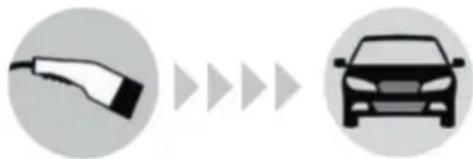
■ The charging process will now
be activated as long as the car's charging timer is deactivated. The digital charging display 3 indicates that the car is being charged:
flowchart
graph LR
    A["Car Charging Plug"] --> B["Car"]
    B --> C["Next Step"]
    C --> D["Next Step"]
The LED strip 2 continually lights up from left to right and this indicates that current is flowing into the car.
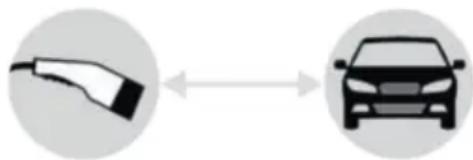
Otherwise the charging process will start at the time programmed in the car. In this case, the digital charging display 3 indicates that a car is connected:
natural_image
Two circular icons: a hand holding an electric plug and a car, connected by bidirectional arrows (no text or symbols)The left part of the LED strip 2 continues to flash.
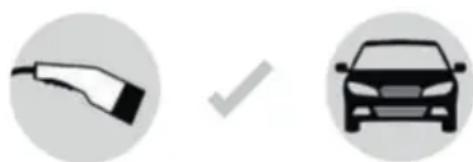
Some cars carry out a test charge first for a few seconds. In this case the digital charging display 3 indicates that the mobile charging station is ready to charge at the time programmed in the car:
natural_image
Two circular icons: a plug and a car, both with a checkmark (no text or symbols)Other cars take a very low
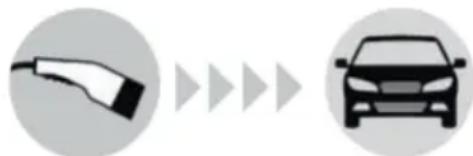
charge current, before the actual charging at the time programmed in the car. In this case the digital charging display ^3 already indicates that the car is being charged:
natural_image
Two circular icons: a plug pointing to a car and a right-pointing arrow, both without any text or symbols.The LED strip 2 continually lights up from left to right and this indicates that current is flowing into the car.
The display 3 shows the charging time 12, the energy supplied 13, and the charging capacity 15.
Finish the charging process and disconnect the mobile charging station 1:
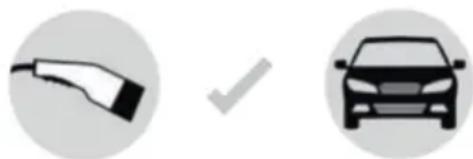
■ The charging process will stop automatically at the time programmed in the car. The digital charging display 3 indicates that the charging process is complete:
natural_image
Two circular icons: a hand holding an electric plug and a car with a checkmark (no text or symbols)The full LED strip 2 lights up.
■ If the charging timer in the car is deactivated, then finish the charging process in the car.
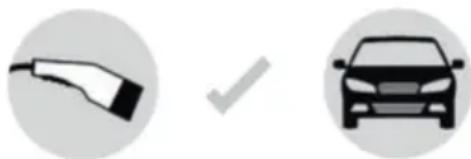
■ The charging process will stop. The digital charging display 3 indicates that the charging process is complete:
natural_image
Two circular icons: a hand holding a car and a car with a checkmark (no text or symbols)The full LED strip 2 lights up.
On the display 3 you can read off the charging time 12 and the energy supplied 13.
■ Unplug the plug from the car and put the cover cap 8 on the plug 9.
■ Then unplug the mains plug from the 230 V socket.
■ Wind up the charging cable without kinks.
■ Store the mobile charging station 1 in its packaging and keep it in the car in an orderly way.
Finish the charging process at the mobile charging station 1:
If, during charging, the button is pressed for approx. 5 seconds, the charging process will stop. The digital charging display indicates that the charging process is complete:

natural_image
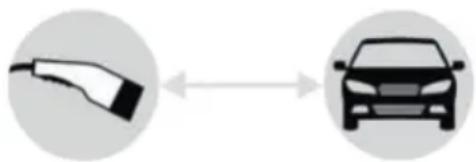
Two circular icons: a hand holding an electric plug and a car with a checkmark (no text or symbols)The full LED strip 2 lights up. On the display 3 you can read off the charging time 12 and the energy supplied 13 . By pressing it again for approx. 5 seconds, a new charging process can be
activated. The digital charging display 3 indicates that a car is connected:
natural_image
Diagram showing a car charging plug connected to a car, with no text or symbols present.The left part of the LED strip 2 flashes.
The charge current can be selected again by pressing the button 4 within 5 seconds.
However if you want to disconnect the mobile charging station 1 from your car, proceed as follows:
■ Finish the charging process on the car.
■ Unplug the plug from the car
and put the cover cap 8 on the plug 9.
■ Then unplug the mains plug from the 230 V socket.
■ Re-wind the charging cable properly afterwards and when doing this, making sure that the cable is not kinked.
■ Now store the mobile charging station 1 properly in the packaging and keep it in the car.
Voltage failure:
If there is a voltage failure, the charging process will automatically resume once the voltage returns.
Error messages:
| Fault Meaning Solution | ||
| ERROR 1 The temperature is too high. (the temperature in the housing has increased to over 70 °C) | Disconnect from the car and mains. Wait until the housing temperature has dropped, then start the charging process again. | |
| ERROR 2 Charge current is too high (the charge current is 2 A higher than the set value) | Disconnect from the car and mains. Then start the charging process again. | |
| ERROR 3 Residual current (residual current is greater than 6 mA DC or 30 mA) | Disconnect from the car and mains. Then start the charging process again. | |
| ERROR 4 Self test failed Disconnect from the car and mains. Then start the charging process again. If the fault should occur again, return the mobile charging station 1 to the dealer for repair. | ||
| ERROR 5 Under voltage (input voltage below 185 V) | Disconnect from the car and mains. Wait until the mains voltage rises to over 195 V. Then start the charging process again. | |
| ERROR 6 Over voltage (input voltage is over 275 V) | Disconnect from the car and mains. Wait until the mains voltage drops to below 265 V. Then start the charging process again. | |
| ERROR 7 Internal component fault (relay) | Disconnect from the car and mains. Return the mobile charging station 1 to the dealer for repair. | |
| ERROR 8 The temperature on the Mains plug 7 is too high. (temperature in the mains plug 7 is over 80 °C) | Disconnect from the car and mains. Wait until the temperature in the mains plug has dropped below 70 °C. Then start the charging process again. | |
| ERROR 9 Possible fault in the car electronics (diode) | Disconnect from the car and mains. Then start the charging process again. | |
| ERROR 10 Short circuit cables (CP to PE) | Disconnect from the car and mains. Then start the charging process again. | |
- Cleaning
Attention: The device must not be submerged in water. There is a risk of injury due
to electric shock if moisture enters the device.
■ Do not use cleaners or solvents. These could damage the device
beyond repair.
- Keep the housing and device accessories clean.
■ Use a damp cloth or a soft brush to clean the device and the accessories.
- Storage
- Keep the device in a dry location and out of the reach of children.
■ To avoid damage, take care to ensure that the charging cable 6 does not become kinked.
● Information about recycling and disposal

Do not dispose of electrical tools in household waste! Don't throw
away - recycle!
According to European Directive 2012/19/EU, used electrical devices must be collected separately for environmentally compatible recycling or recovery. Electrical and electronic devices which have become waste are called old devices. Owners of old devices are obliged to place them in a collection which is separate from unsorted municipal waste. Owners of old devices have old batteries and old rechargeable battery packs, which are not enclosed by the old device, as well as bulbs which must be separated
from the device before it is handed in at a collection point. This does not apply if the old devices are handed in to public waste disposal authorities and they are separated from other old devices there for the purposes of preparation for recycling. If you are unsure, please contact an independent specialist.
Owners of old devices from private households can hand these in to collection points for public waste disposal authorities or collection points which have been set up by manufacturers or distributors in line with the ElektroG (German disposal of electrical equipment act). The disposal of defective devices which you have sent in will be carried out free of charge. You can also return the old device to your Lidl branch, free of charge. As the end user, it is your responsibility to delete any personal information on the old devices to be disposed of.


Please return this device, accessories and packaging to your local
recycling depot.

This device is marked in accordance with the
2012/19/EU directive on old electronic and electrical devices (WEEE). The symbol of the “crossed out dustbin” means that you are legally obliged to place these
devices in a collection which is separate from unsorted municipal waste. Disposal through household waste is prohibited. Batteries containing harmful substances are labelled with the adjacent symbol, which indicates the prohibition on disposal in household waste. The abbreviations for the relevant heavy metals are: Cd = cadmium, Hg = mercury, Pb = lead.
Take used batteries to a waste management company in your city or community or return them to your dealer. This satisfies your legal obligations while also making an important contribution to protecting the environment.
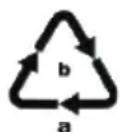
Please note the marking on the different packaging materials and separate them as necessary. The packaging materials are marked with abbreviations (a) and digits (b) with the following definitions: 1–7: Plastics, 20–22: Paper and cardboard, 80–98: Composite materials.
• EC Declaration of Conformity
We, the manufacturer,
C. M. C. GmbH
Responsible for documentation: Dr. Christian Weyler Katharina-Loth-Str. 15
66386 St. Ingbert GERMANY
hereby take sole responsibility for declaring that the product
Mobile charging station
IAN: 403811_2201
Art. no.: 2493
Year of
meets the basic safety requirements as specified in the European Directives
Electromagnetic
Compatibility:(2014/30/EU)
Low Voltage Directive:
(2014/35/EU)
RoHS Directive:
(2011/65/EU)+(2015/863/EU)
Ecodesign Directive:
(2009/125/EU)
and the amendments to these Directives.
The object of the declaration described above meets the requirements of Directive 2011/65/EU of the European Parliament and of the Council of 8 June 2011 on the restriction of the use of certain haz-
ardous substances in electrical and electronic equipment.
This conformity assessment is based on the following harmonised standards:
EN IEC 61000-6-1:2019 EN IEC 61000-6-3:2021 EN IEC 61851-21-2:2021
C.M.C. GmbH Katharma-Loth-Slr. 15 1.A.66386 St. Inglet Telefon: +49 6894 9989750 Telefax: +49 6894 9989729
pp Dr. Christian Weyler – Quality Assurance –
- Warranty and service information
Warranty from Creative Marketing&Consulting GmbH
Dear Customer,
The warranty for this equipment is 3 years from the date of purchase. In the event of product defects, you have legal rights against the retailer of this product. Your statutory rights are not affected in any way by our warranty conditions, which are described below.
- Warranty conditions
The warranty period begins on the date of purchase. Please retain the original sales receipt. This document is required as your proof of purchase.
Should this product show any defect in materials or manufacture within 3 years from the date of purchase, we will repair or replace it – at our discretion – free of charge.
This warranty service requires that you retain proof of purchase (sales receipt) for the defective device for the three year period and that you briefly explain in writing what the fault entails and when it occurred. If the defect is covered by our warranty, we will repair and return your product or send you a replacement. The original warranty period is not extended when a device is repair or replaced.
- Warranty period and statutory claims for defects
The warranty period is not extended by the guarantee. This also applies to replaced and repaired parts. Any damages or defects detected at the time of purchase must be reported immediately after unpacking. Any incidental repairs after the warranty period are subject to a fee.
- Extent of warranty
This device has been manufactured according to strict quality guidelines and carefully inspected before delivery.
The warranty applies to material and manufacturing defects only. This warranty does not extend to product parts, which are subject to normal wear and tear and can thus be regarded as consumable parts, or for damages to fragile parts, e.g. switches, rechargeable batteries or parts made from glass.
This warranty is voided if the product becomes damaged or is improperly used or maintained. For proper use of the product, all of the instructions given in the operating instructions must be followed precisely. If the operating instructions advise you or warn you against certain uses or actions, these must be avoided in all circumstances.
The product is for consumer use only and is not intended for commercial or trade use. The warranty becomes void in the event of misuse and improper use, use of force, and any work on the device that has not been carried out by our authorised service branch.
- Processing of warranty claims
To ensure prompt processing of your claim, please follow the instructions given below.
Please retain proof of purchase and the article number (e.g. IAN) for all inquiries.
The product number can be found on the type plate, an engraving, the cover page of your instructions (bottom left), or the sticker on the back or underside of the device. In the event of malfunctions or other defects, please first contact our service department below by phone or email. If your product is found to be defective, you can then send your product with proof of purchase (till receipt) and a statement describing what the fault involves and when it occurred free of charge to the service address given.

Note:
If you visit www.lidl-service.
com, you can download this manual and many other manuals, product videos and software.
With this QR code you can gain immediate access to the Lidl Service page (www.lidl-service.com) and you can open your operating instructions by entering the article number (IAN) 403811.

text_image
PDF ONLINE www.lidl-service.comService
How to contact us:
GB, IE, NI, CY, MT
Name: C. M. C. GmbH
Website: www.cmc-creative.de
E-mail: service.gb@cmc-creative.de
Phone: 0-808-189-0652
Registered office: Germany
IAN 403811\_2201
Please note that the following
address is not a service address.
Please first contact the service point
given above.
Address:
C. M. C. GmbH
Katharina-Loth-Str. 15
66386 St. Ingbert
GERMANY
text_image
Diagram showing a car icon connected to an electric plug symbol and a cross symbol, indicating equivalence or collision.natural_image
Diagram showing a car charging plug connected to a car, with no text or symbols present.natural_image
Two icons: a charging plug and a car, connected by arrows (no text or symbols)natural_image
Diagram showing a car being charged to an electric vehicle, with no text or symbols present.natural_image
Two circular icons: a hand holding an electric plug and a car with a checkmark (no text or symbols)natural_image
Two circular icons: a hand holding an electric plug and a car with a checkmark (no text or symbols)natural_image
Two circular icons: a plug and a car, both with a checkmark (no text or symbols)natural_image
Two circular icons: a hand holding an electric plug and a car with a checkmark (no text or symbols)natural_image
Diagram showing a car charging plug and its side profile, no text or symbols presentDr. Christian Weyler
Katharina-Loth-Str. 15
DE - 66386 St. Ingbert
DEUTSCHLAND
EN IEC 61000-6-3:2021
EN IEC 61851-21-2:2021

text_image
C.M.C. GmbH Katharmal-Loth-Str. 15 1.A.66386 S###gheft Telefon: +49 6894 9989750 Telefax: +49 6894 9989729service.at@cmc-creative.de
service.ch@cmc-creative.de
Telefon: +49 (0) 6894/ 9989750
text_image
Diagram showing a car icon and a cross symbol, likely indicating collision or equivalence between vehicle and vehicle.natural_image
Diagram showing a car being charged with an electric plug, connected by an arrow (no text or symbols)natural_image
Diagram showing a car charging plug connected to a car, both depicted in circular frames with no text or symbols.natural_image
Two circular icons: a plug and a car, both with a checkmark (no text or symbols)natural_image
Two circular icons: a plug and a car, connected by a checkmark (no text or symbols)natural_image
Two circular icons: a hand holding an electric plug and a car with a checkmark (no text or symbols)natural_image
Two circular icons: a hand holding an electric plug and a car silhouette, both without any text or symbols.natural_image
Diagram showing a car being charged to an electric vehicle, with no text or symbols present.Dr. Christian Weyler
Katharina-Loth-Str. 15
DE-66386 St. Ingbert
ALLEMAGNE
Station de charge mobile
IAN : 403811_2201
Réf : 2493
Année de
Le site www.lidl-service.
natural_image
Two circular icons: a hand pointing at a car and a cross symbol (no text or labels)flowchart
graph LR
    A["Plug Icon"] --> B["Car Icon"]
natural_image
Diagram showing a car being charged to an electric vehicle, with no text or symbols present.natural_image
Two circular icons: a hand holding an electric plug and a car with a checkmark (no text or symbols)natural_image
Two circular icons: a charging plug and a car, connected by double arrow symbols (no text or labels)natural_image
Two circular icons: a plug and a car, both with a checkmark (no text or symbols)De led-strook 2 licht volledig op.
natural_image
Two circular icons: a hand holding an electric car and a car with a checkmark (no text or symbols)natural_image
Two circular icons: a hand holding an electric plug and a car with a checkmark (no text or symbols)natural_image
Diagram showing a car being charged with an electric plug, connected by bidirectional arrows (no text or symbols)Dr. Christian Weyler
Katharina-Loth-Str. 15
D-66386 St. Ingbert
DUITSLAND
EN IEC 61000-6-3:2021
EN IEC 61851-21-2:2021
St. Ingbert, 01-8-2022
text_image
C.M.C. GmbH Katharmal-Loth-Str. 15 1.A.66386 S###gblet Telefon: +49 6894 9989750 Telefax: +49 6894 9989729i. o. Dr. Christian Weyler
text_image
Diagram showing a car charging plug icon and a car with an 'X' symbol, indicating charging or collision.natural_image
Diagram showing a car charging plug connected to a car, with no text or symbols present.flowchart
graph LR
    A["Car with plug"] --> B["Next Step"]
    B --> C["Car"]
natural_image
Diagram showing a car charging plug connected to a car, with no text or symbols present.natural_image
Two circular icons: a plug and a car, both with a checkmark (no text or symbols)natural_image
Two circular icons: a charging plug and a car, connected by arrows (no text or symbols)natural_image
Two circular icons: a plug and a car, both with a checkmark (no text or symbols)LED pruh 2 se rozsvítí naplno.
natural_image
Two circular icons: a plug and a car, both with a checkmark (no text or symbols)natural_image
Two circular icons: a hand holding an electric plug and a car with a checkmark (no text or symbols)natural_image
Diagram showing a car connected to an electric plug, indicating bidirectional connection (no text or symbols)Dr. Christian Weyler
Katharina-Loth-Str. 15
66386 St. Ingbert
NĚMECKO
EN IEC 61000-6-3:2021
EN IEC 61851-21-2:2021
Na adrese www.lidl-service.
text_image
Diagram showing a car charging plug and a car with an 'X' symbol, indicating charging or discharging process.natural_image
Diagram showing a car being charged with an electric plug, connected by an arrow (no text or symbols)flowchart
graph LR
    A["Plug-in"] --> B["Car Icon"]
natural_image
Diagram showing a car being charged to an electric vehicle, with no text or symbols present.natural_image
Two circular icons: a hand holding an electric plug and a car with a checkmark (no text or symbols)natural_image
Two circular icons: a charging plug and a car, connected by arrows (no text or symbols)natural_image
Two circular icons: a hand holding a cable and a car with a checkmark (no text or symbols)natural_image
Two circular icons: a hand holding an electric car and a car with a checkmark (no text or symbols)natural_image
Two circular icons: a hand holding an electric plug and a car with a checkmark (no text or symbols)natural_image
Diagram showing a car being charged with an electric plug, connected by bidirectional arrows (no text or symbols)Dr. Christian Weyler
Katharina-Loth-Str. 15
DE-66386 St. Ingbert
NIEMCY
EN IEC 61000-6-3:2021
EN IEC 61851-21-2:2021
z up. Dr. Christian Weyler
- Dział Jakości -
text_image
Diagram showing a car icon and an 'X' symbol, indicating equivalence or collision between vehicle and car.text_image
Diagram showing a car being charged to an electric vehicle, with arrows indicating the direction of charging.LED pásik 2 nadálej bliká v l'avej oblasti.
natural_image
Diagram showing a car being charged with an electric plug, connected by an arrow (no text or symbols)LED pásik 2 nadálej bliká v l'avej oblasti.
natural_image
Two circular icons: a hand holding an electric plug and a car with a checkmark (no text or symbols)natural_image
Two circular icons: a hand holding an electric plug and a car with a checkmark (no text or symbols)natural_image
Two circular icons: a hand holding an electric plug and a car with a checkmark (no text or symbols)natural_image
Two circular icons: a hand holding an electric plug and a car with a checkmark (no text or symbols)LED pásik 2 sa plne rozsvieti. Na displeji 3 sa dá odčítať doba nabíjania 12 a nabitá energia 13. Nový proces nabíjania je možné spustit’ stlačením tlačidla na cca 5 sekúnd. Digitálna indikácia nabitia 3 indikuje, že je pripojené vozidlo:

natural_image
Diagram showing a car connected to an electric plug, indicating bidirectional connection (no text or symbols)Dr. Christian Weyler
Katharina-Loth-Str. 15
DE-66386 St. Ingbert
NEMECKO
EN IEC 61000-6-3:2021
EN IEC 61851-21-2:2021
natural_image
Two icons: a car with a handle and a car with a cross, connected by an 'X' line (no text or symbols)natural_image
Diagram showing a car charging plug connected to a car, with no text or symbols present.natural_image
Diagram showing a car being charged with an electric plug, connected by bidirectional arrows (no text or symbols)natural_image
Two circular icons: a plug and a car, both with a checkmark (no text or symbols)natural_image
Two circular icons: a plug and a car, both with a checkmark (no text or symbols)natural_image
Two circular icons: a plug and a car, both with a checkmark (no text or symbols)natural_image
Two circular icons: a hand holding an electric plug and a car with a checkmark (no text or symbols)natural_image
Diagram showing a car being charged with an electric plug, connected by bidirectional arrows (no text or symbols)text_image
Diagram showing a car icon and an 'X' symbol, likely indicating collision or equivalence between vehicle and vehicle.natural_image
Two circular icons: a plug pointing left and a car on the right, both without any text or symbols.LED-striben 2 blinker fortsat i det venstre område.
natural_image
Two circular icons: a plug and a car, connected by double arrow symbols (no text or labels)natural_image
Diagram showing a car being charged to an electric vehicle, with no text or symbols present.LED-striben 2 blinker fortsat i det venstre område.
natural_image
Two circular icons: a plug and a car, connected by a checkmark (no text or symbols)natural_image
Two circular icons: a plug pointing to a car and a right-pointing arrow, both without any text or symbols.natural_image
Two circular icons: a plug and a car, connected by a checkmark (no text or symbols)Hele LED-striben 2 lyser op.
natural_image
Two circular icons: a hand holding an electric plug and a car with a checkmark (no text or symbols)natural_image
Two circular icons: a plug and a car, both with a checkmark (no text or symbols)natural_image
Diagram showing a car being charged to an electric vehicle, with no text or symbols present.LED-striben 2 blinker i det venstre område.
Dr. Christian Weyler
Katharina-Loth-Str. 15
DE-66386 St. Ingbert
TYSKLAND
EN IEC 61000-6-3:2021
EN IEC 61851-21-2:2021
St. Ingbert, 01-08-2022

text_image
C.M.C. GmbH Katharmal-Loth-Str. 15 1.A.66386 S###t##t Telefon: +49 6894 9989750 Telefax: +49 6894 9989729e.b. Dr. Christian Weyler
text_image
Diagram showing a car icon connected to an electric plug symbol and a cross symbol, indicating equivalence or collision.natural_image
Two circular icons: a charging plug and a car, connected by double arrow symbols (no text or labels)natural_image
Diagram showing a car being charged with an electric plug, connected by an arrow (no text or symbols)natural_image
Two circular icons: a plug and a car, connected by a checkmark (no text or symbols)natural_image
Two circular icons: a charging plug and a car, connected by double arrow symbols (no text or labels)natural_image
Two circular icons: a hand holding an electric plug and a car with a checkmark (no text or symbols)natural_image
Two circular icons: a plug and a car, both with a checkmark (no text or symbols)natural_image
Two circular icons: a hand holding an electric plug and a car with a checkmark (no text or symbols)natural_image
Diagram showing a car connected to an electric plug, indicating charging or discharging (no text or symbols present)Nome: Riku Service snc
Indirizzo Internet: www.riku-service.com
E-Mail: assistenzalidl@riku-service.com
Telefono: 0039 (0) 4711430103
Sede: Germania
IAN 403811\_2201
text_image
Diagram showing a car icon and an electric vehicle symbol with an 'X' indicating equivalence or equivalence.natural_image
Diagram showing a car charging plug connected to a car, with no text or symbols present.natural_image
Two icons: a charging plug and a car, connected by arrows (no text or symbols)natural_image
Diagram showing a car charging plug connected to a car, with no text or symbols present.natural_image
Two circular icons: a plug and a car, connected by a checkmark (no text or symbols)natural_image
Diagram showing a car charging plug and its side profile, with no text or symbols present.natural_image
Two circular icons: a plug and a car, both with a checkmark (no text or symbols)natural_image
Two circular icons: a hand holding an electric plug and a car with a checkmark (no text or symbols)natural_image
Two circular icons: a plug and a car, both with a checkmark (no text or symbols)natural_image
Diagram showing a car connected to an electric plug, indicating bidirectional connection (no text or symbols)Dr. Christian Weyler
Katharina-Loth-Str. 15
66386 St. Ingbert
NÉMETORSZÁG
EN IEC 61000-6-3:2021
EN IEC 61851-21-2:2021
text_image
Diagram showing a car icon and an 'X' symbol, likely indicating cancellation or equivalence between vehicle and car.LED trak 2 na levi strani in signalizira, da se polnjenje ne izvaja.
- Odstranite zaščitni pokrov z vtiča 9 na strani vozila.
- Priključite vtič na vozilu. Digitalni indikator napolnjenosti 3 kaže, da je vozilo povezano:

natural_image
Diagram showing a car being charged with an electric plug, connected by bidirectional arrows (no text or symbols)natural_image
Diagram showing a car charging plug connected to a car, both with arrows indicating direction (no text or symbols)natural_image
Two circular icons: a hand holding an electric plug and a car with a checkmark (no text or symbols)natural_image
Two circular icons: a hand holding an electric car and a car with a checkmark (no text or symbols)LED trak ^2 zasveti v celoti.
natural_image
Two circular icons: a hand holding an electric plug and a car with a checkmark (no text or symbols)LED trak 2 zasveti v celoti.
natural_image
Two circular icons: a hand holding an electric plug and a car with a checkmark (no text or symbols)LED trak 2 zasveti v celoti.
natural_image
Two circular icons: a car with cable and an electric plug, connected by bidirectional arrows (no text or symbols)Dr. Christian Weyler
Katharina-Loth-Str. 15
DE-66386 St. Ingbert
NEMČIJA
EN IEC 61000-6-3:2021
EN IEC 61851-21-2:2021

text_image
C.M.C. GmbH Katharma-Loth-Str. 15 1.66386 Str. 9ngkef Telefon: +49 6894 9989750 Telefax: +49 6894 9989729Ime: C.M.C. Creative Marketing &
Consulting GmbH
Servis in informacije
Spletna stran: www.cmc-creative.de
E-pošta: service.si@cmc-creative.de
Telefon: 00386 (0) 80 28 60
Sedež: Nemčija