ThermoSpot Pocket - Thermometer Laserliner - Free user manual and instructions
Find the device manual for free ThermoSpot Pocket Laserliner in PDF.



| Brand | Laserliner |
| Model | ThermoSpot Pocket |
| Product type | Non-contact infrared thermometer |
| Dimensions (W x H x D) | 95 x 132 x 37 mm |
| Weight (including batteries) | 144 g |
| Power supply | 1 x 9V 6LR61 battery (9V block battery) |
| Battery life | Approx. 35 hours |
| Infrared measurement range | -40°C to 400°C |
| Accuracy | ±2°C or ±2 % (whichever is greater) |
| Optics (distance-to-spot ratio) | 12:1 |
| Targeting laser | Class 2, <1 mW, 650 nm |
| Emissivity | 0.95 (fixed) |
| Functions | Min, Max, Hold, continuous measurement |
| Auto power off | After 30 seconds of inactivity |
| Operating conditions | 0°C to 40°C, max. 80% RH, non-condensing |
| Storage conditions | -10°C to 60°C, max. 80% RH, non-condensing |
| Maintenance and cleaning | Clean with a slightly damp cloth, avoid solvents and abrasive products |
| Recommended calibration | Once a year |
| Laser safety | Do not look into the beam, do not point at people |
| Approval | CE, compliant with EMC Directive 2014/30/EU |
Frequently Asked Questions - ThermoSpot Pocket Laserliner
User questions about ThermoSpot Pocket Laserliner
0 question about this device. Answer the ones you know or ask your own.
Ask a new question about this device
Download the instructions for your Thermometer in PDF format for free! Find your manual ThermoSpot Pocket - Laserliner and take your electronic device back in hand. On this page are published all the documents necessary for the use of your device. ThermoSpot Pocket by Laserliner.
USER MANUAL ThermoSpot Pocket Laserliner
text_image
Warning sign with sunburst symbol inside triangle, indicating hazard or cautionnatural_image
Illustration of a Laserliner Thermometer probe with a downward arrow indicating compression (no text or symbols on the device itself)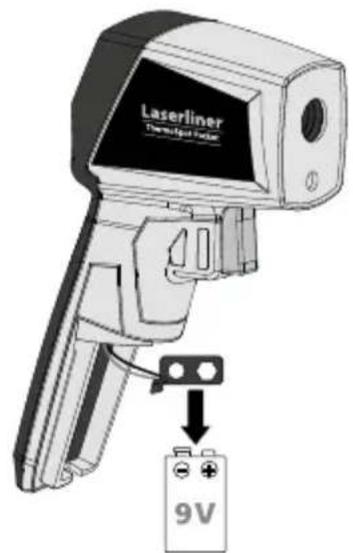
text_image
Laserliner Temperature Sensor 9V2 ON/OFF
text_image
Laserliner Tremipier Pencil ONtext_image
a b c 888.8 888.8 d e ftext_image
Diagram showing a computer monitor with CE logo and Chinese text, likely indicating a device or system interface.natural_image
Diagram showing a firearm and a screen with a checkmark (no text or symbols present)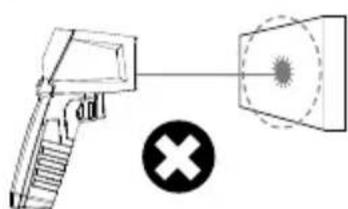
natural_image
Diagram showing a gun with a cross symbol and a target box, no text or labels present4 MIN/MAX-Anzeige
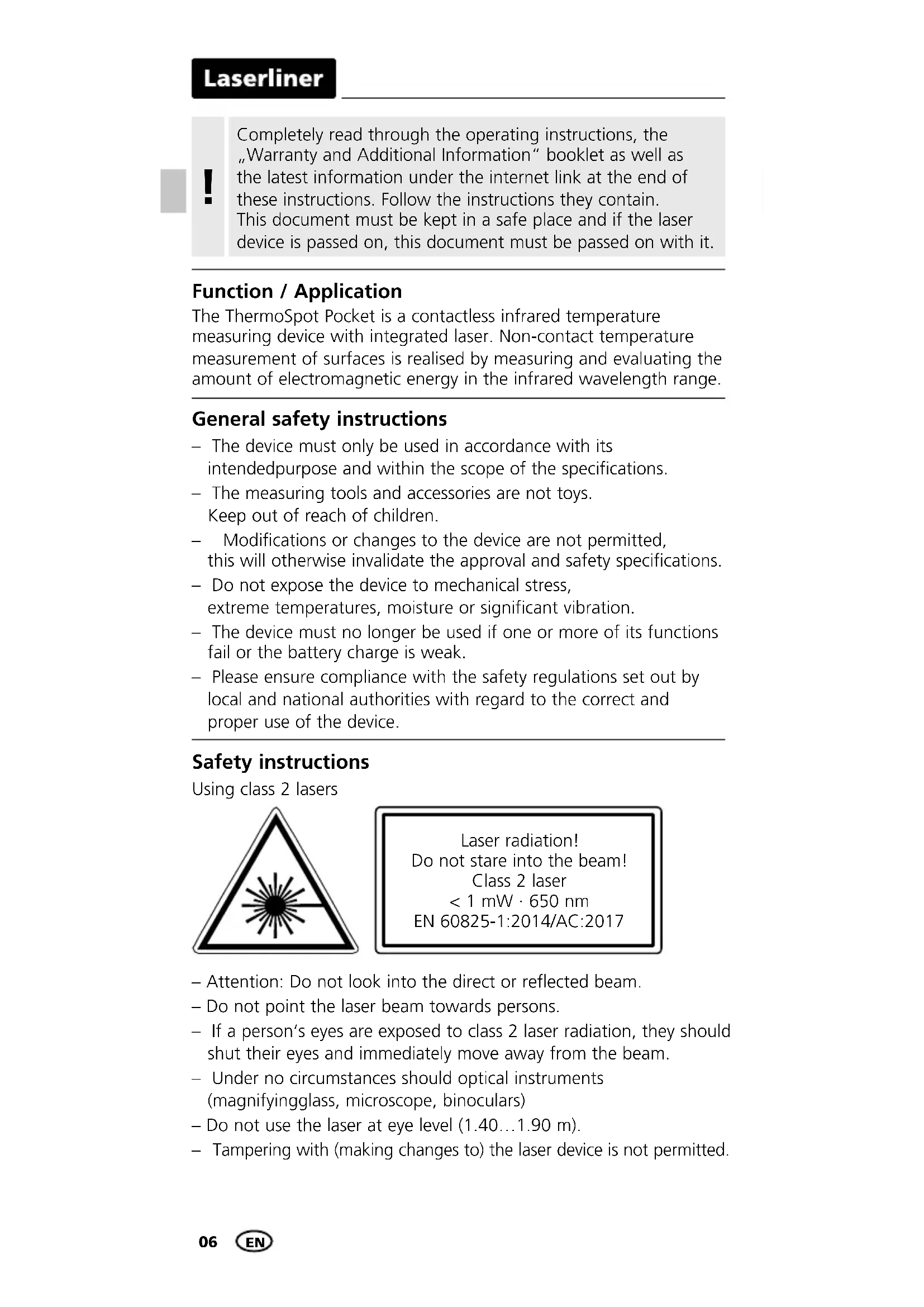
Completely read through the operating instructions, the "Warranty and Additional Information" booklet as well as the latest information under the internet link at the end of these instructions. Follow the instructions they contain. This document must be kept in a safe place and if the laser device is passed on, this document must be passed on with it.
Function / Application
The ThermoSpot Pocket is a contactless infrared temperature measuring device with integrated laser. Non-contact temperature measurement of surfaces is realised by measuring and evaluating the amount of electromagnetic energy in the infrared wavelength range.
General safety instructions
- The device must only be used in accordance with its intended purpose and within the scope of the specifications.
- The measuring tools and accessories are not toys. Keep out of reach of children.
- Modifications or changes to the device are not permitted, this will otherwise invalidate the approval and safety specifications.
- Do not expose the device to mechanical stress, extreme temperatures, moisture or significant vibration.
- The device must no longer be used if one or more of its functions fail or the battery charge is weak.
- Please ensure compliance with the safety regulations set out by local and national authorities with regard to the correct and proper use of the device.
Safety instructions
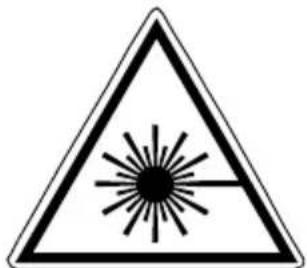
Using class 2 lasers
text_image
Warning sign with sunburst symbol inside triangle, indicating hazard or cautionLaser radiation! Do not stare into the beam! Class 2 laser < 1 mW · 650 nm
EN 60825-1:2014/AC:2017
- Attention: Do not look into the direct or reflected beam.
- Do not point the laser beam towards persons.
- If a person's eyes are exposed to class 2 laser radiation, they should shut their eyes and immediately move away from the beam.
- Under no circumstances should optical instruments (magnifyingglass, microscope, binoculars)
- Do not use the laser at eye level (1.40...1.90 m).
- Tampering with (making changes to) the laser device is not permitted.
Safety instructions
Dealing with electromagnetic radiation
- The measuring device complies with electromagnetic compatibility regulations and limit values in accordance with EMC-Directive 2014/30/EU.
- Local operating restrictions – for example, in hospitals, aircraft, petrol stations or in the vicinity of people with pacemakers – may apply. Electronic devices can potentially cause hazards or interference or be subject to hazards or interference.
- The measuring accuracy may be affected when working close to high voltages or high electromagnetic alternating fields.
Information on maintenance and care
Clean all components with a damp cloth and do not use cleaning agents, scouring agents and solvents. Remove the battery(ies) before storing for longer periods. Store the device in a clean and dry place.
Calibration
The meter needs to be calibrated and tested on a regular basis to ensure it produces accurate measurement results. We recommend carrying out calibration once a year.
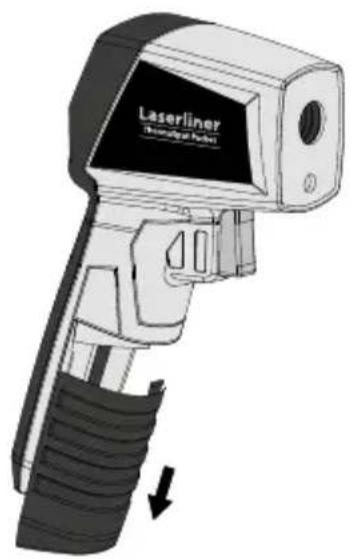
1 Inserting battery
Open the battery compartment and insert battery according to the symbols. Be sure to pay attention to polarity.
natural_image
Illustration of a Laserliner (Thermal Sensor) device with a black handle and black grip, showing no text or symbols on the device itself.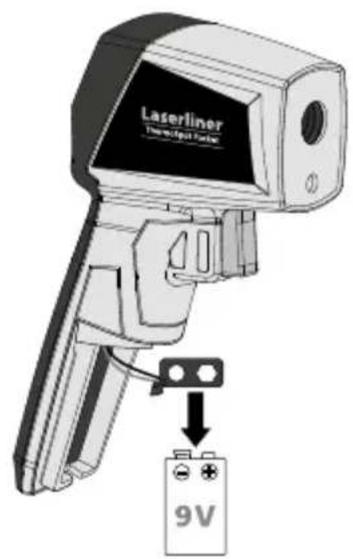
text_image
Laserliner Transcriptator 9V2 ON/OFF
text_image
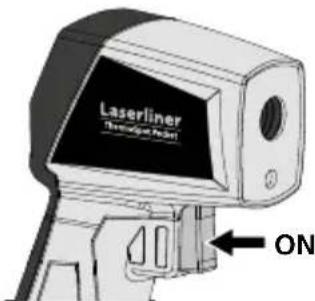
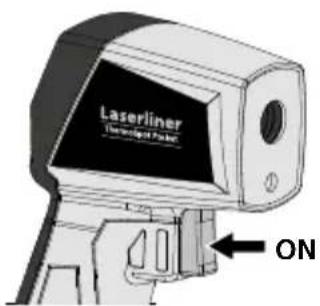
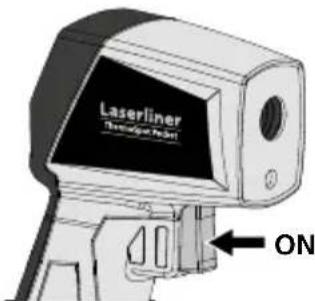
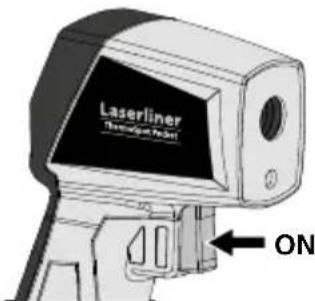
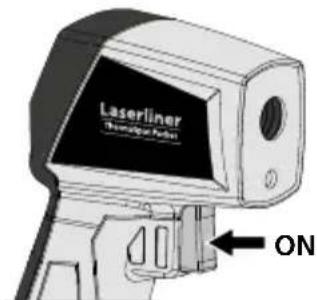
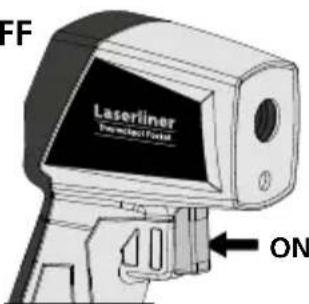
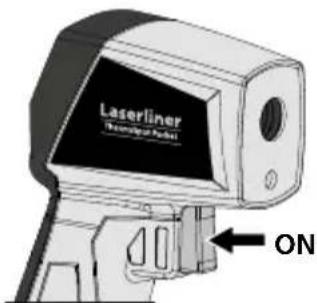
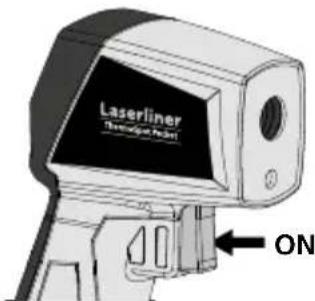
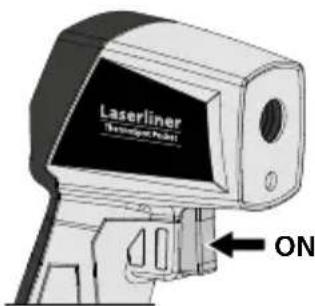
Laserliner Technology Panel ONThe device switches off automatically after 30 seconds. Press the button again to switch the device back on.
Laserliner
text_image
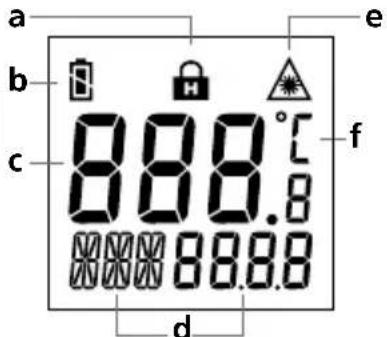
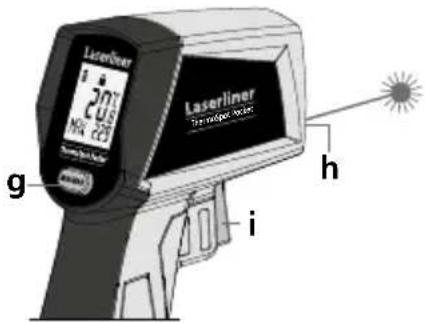
a b c 8 8 8.8 8 8 8.8 d e fa Hold function
b Battery status
c Measured value display
d MIN or MAX value during the measurement
text_image
Laserliner 20% N/A 20% g h ie Laser beam switched on
f Unit of measurement °C
g MIN/MAX switching
h Laser output
i ON / Measure
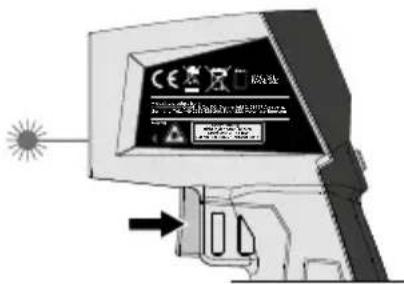
3 Continuous measurement / Hold
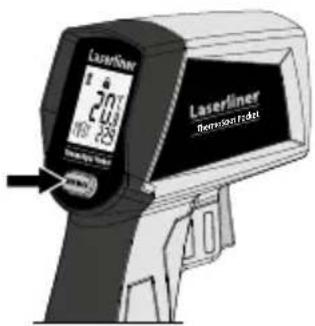
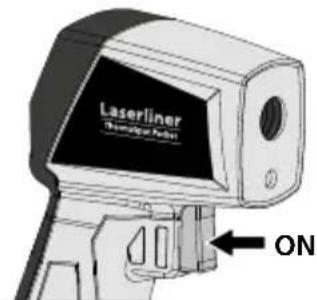
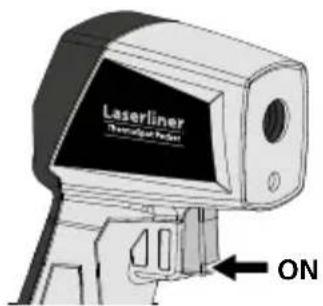
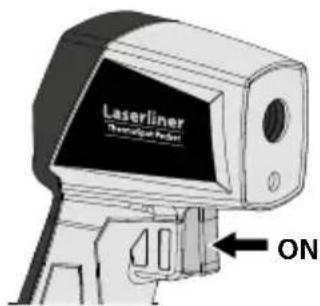
For continuous measurement activate the laser (see figure) and keep the button pressed.
Release the button as soon as the target laser pinpoints the measurement location. The measured value is held.
text_image
Diagram showing a computer monitor with warning labels and an arrow pointing to a device, likely indicating a warning or alert mechanism.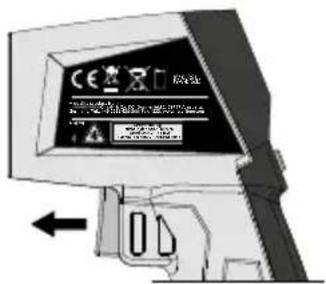
text_image
Diagram showing a computer monitor with a warning sign and directional arrow, likely indicating a warning or alert mechanism.Measurement procedure notice
This infrared temperature instrument detects the temperature of various surfaces and materials. A built-in sensor head detects the material-specific infrared rays emitted by every object. The amount of these emissions is determined by the material's emission coefficient (0 ... 1). This instrument is permanently set to an emission coefficient of 0.95, which is applicable to most organic materials as well as plastics, ceramics, wood, rubber and stone. Please ensure that the space between the instrument and surface to be measured is free of disturbances (steam, gas, contamination, glass).
Laser
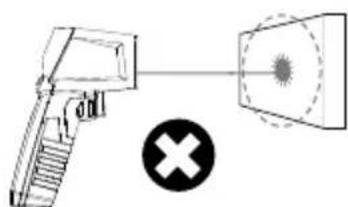
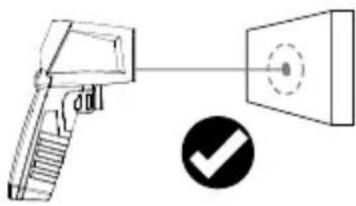
The laser is a targeting aid to sight the location for the infrared measurement. Only the surface's temperature is measured. Set the optimum measuring distance for the measured spot (12:1) such that it is completely within the target object.
natural_image
Diagram showing a handgun and a screen with a circular target, alongside a checkmark icon (no text or symbols)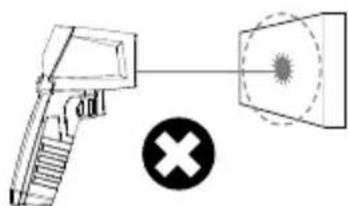
natural_image
Diagram showing a gun with a cross symbol and a target, no text or labels present4 Min/Max display
The MIN or MAX value can be displayed during a continuous measurement. Press the MIN/MAX button to switch between the two values.
text_image
Laserliner 20 100 25 Laserliner ThermometerTechnical data
| Measured variable Infrared | temperature |
| Functions | Min / Max / Hold |
| Measuring range infrared temperature | -40°C ... 400°C |
| Accuracy infrared temperature | ± 2°C + 0.1°C/degree (-40°C ... 0°C) ± 2°C or ± 2% (0°C ... 400°C), greater value applies |
| Laser wavelength | 650 nm |
| Laser class 2 / < 1 mW (EN | 60825-1:2014/AC:2017) |
| Emission coefficient Fixed, | 0.95 |
| Optic | 12:1 (12 m distance : 1 m measured spot) |
| Auto power off after 30 seconds | |
| Operating conditions | 0°C ... 40°C, max. humidity 80% rH, no condensation, max. working altitude 2000 m above sea level |
| Storage conditions | -10°C ... 60°C, max. humidity 80% rH, no condensation |
| Power supply 1 x 9V 6LR61 | (9-volt block) |
| Operating time approx. 35 | hours |
| Dimensions (W x H x D) | 95 x 132 x 37 mm |
| Weight 144 g (incl. batteries) | |
Technical revisions reserved. 19W41
EU directives and disposal
This device complies with all necessary standards for the free movement of goods within the EU.
This product is an electric device and must be collected separately for disposal according to the European Directive on waste electrical and electronic equipment.
Further safety and supplementary notices at: http://laserliner.com/info?an=AJB


Laserliner
!
text_image
Warning sign with sunburst symbol inside triangle, indicating hazard or caution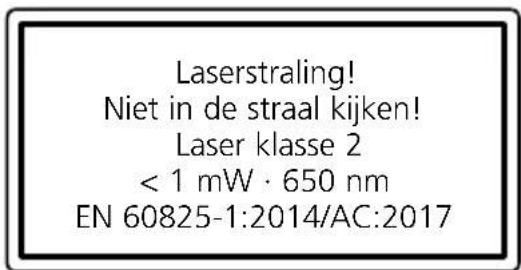
natural_image
Illustration of a Laserliner Thermometer probe with a downward arrow indicating compression (no text or symbols on the device itself)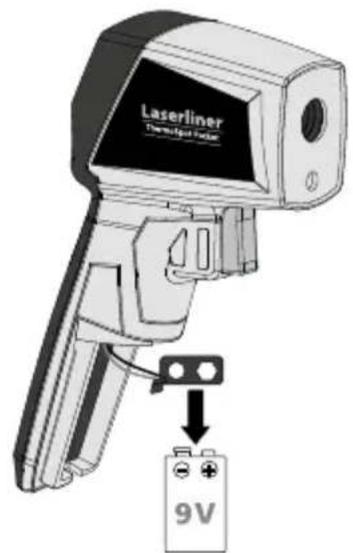
text_image
Laserliner Temperature Sensor 9V2 ON/OFF
text_image
Laserliner Tremipier Pencil ONtext_image
Diagram showing a computer monitor with a warning sign and Chinese text, pointing to a device with an arrow indicating action.text_image
Diagram showing a computer monitor with a warning label and directional arrow, likely indicating a warning or alert mechanism.natural_image
Diagram of a handheld device with a circular target and a checkmark icon (no text or symbols)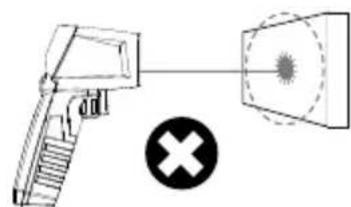
natural_image
Diagram showing a firearm and a target with a cross symbol (no text or labels)text_image
Warning sign with sunburst symbol inside triangle, indicating hazard or caution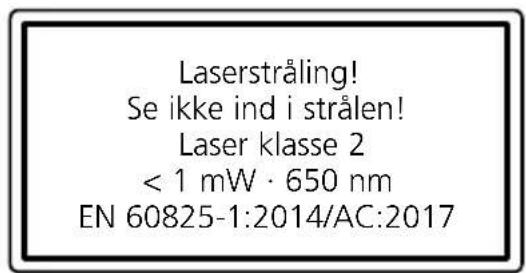
text_image
Laserstråling! Se ikke ind i strålen! Laser klasse 2 < 1 mW · 650 nm EN 60825-1:2014/AC:2017natural_image
Illustration of a Laserliner medical device with no visible text or symbols on its body, showing a black-and-white photo with a downward arrow indicating motion (no readable text or symbols)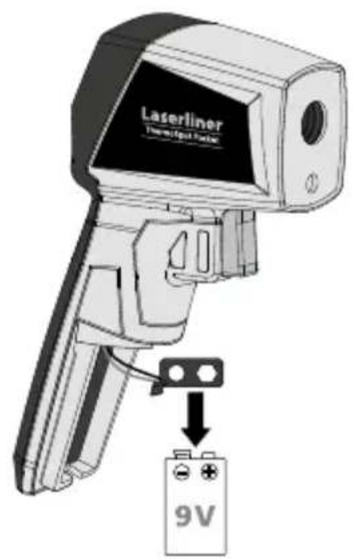
text_image
Laserliner Transcriptator 9V2 ON/OFF
text_image
Laserliner Thermometer Panel ONtext_image
Diagram showing a computer monitor with warning labels and an arrow pointing to a device, likely indicating a warning or alert.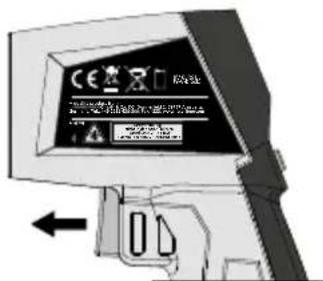
text_image
Diagram showing a computer monitor with a warning sign and Chinese text, indicating a warning about the use of a device.Henvisninger til måleprocessen
natural_image
Diagram of a firearm with a target and checkmark icon (no text or symbols)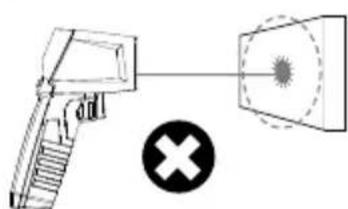
natural_image
Diagram showing a gun with a cross symbol and a magnified view of a sun-like object (no text or labels)4 Min./Maks.-visning
text_image
Warning sign with sunburst symbol inside triangle, indicating caution or hazardnatural_image
Illustration of a Laserliner Thermometer with a downward arrow indicating compression or disassembly (no text or symbols on the device itself)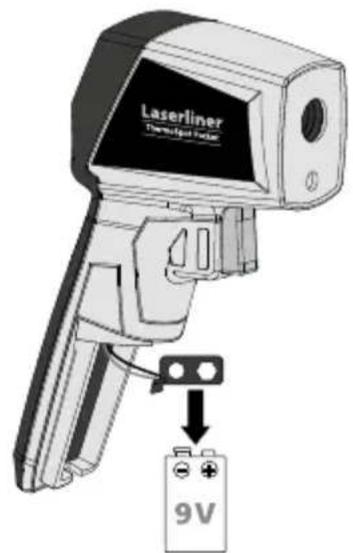
text_image
Laserliner Thermostat fan 9V2 ON/OFF
text_image
Laserliner Tremipier Pader! ONtext_image
Diagram showing a computer monitor with warning labels and a warning dialog box, likely for safety or hazard detection.natural_image
Diagram showing a firearm and a screen with a checkmark (no text or symbols)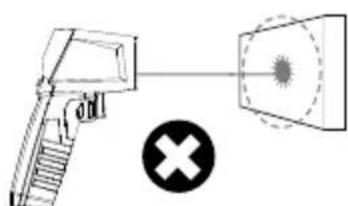
natural_image
Diagram showing a gun firing into a target with a cross symbol below (no text or labels)text_image
Warning sign with sunburst symbol inside triangle, indicating hazard or caution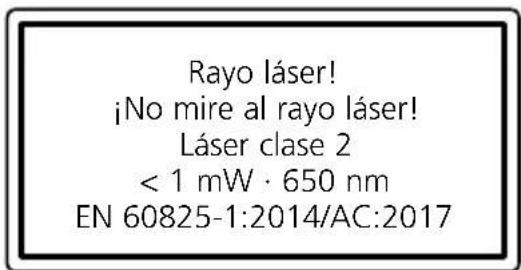
natural_image
Illustration of a Laserliner medical device with no visible text or symbols on the device itself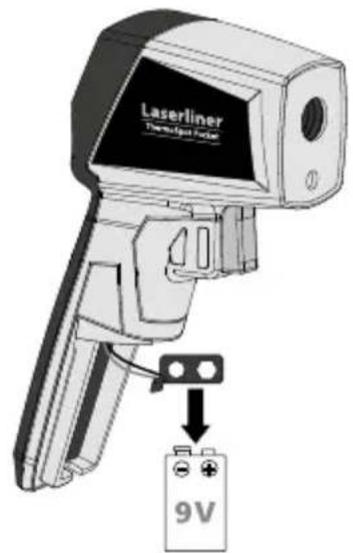
text_image
Laserliner Thermometer Follower 9V2 ON/OFF
text_image
Laserliner Thermostat Sensor ONtext_image
Diagram showing a computer monitor with warning labels and a warning dialog box, likely for safety or hazard detection.natural_image
Diagram of a handheld device with a circular target and a checkmark icon (no text or symbols)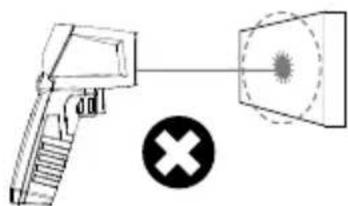
natural_image
Diagram showing a gun with a cross symbol and a target, no text or labels presenttext_image
Warning sign with sunburst symbol inside triangle, indicating hazard or caution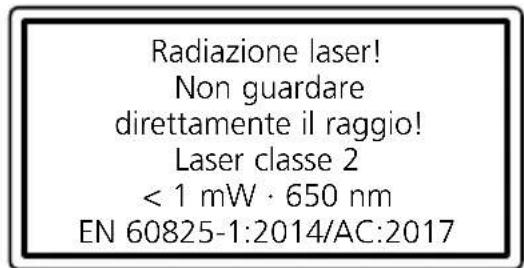
natural_image
Illustration of a Laserliner medical device with no visible text or symbols on its body, showing a stylized tool and a downward arrow (no readable text or symbols)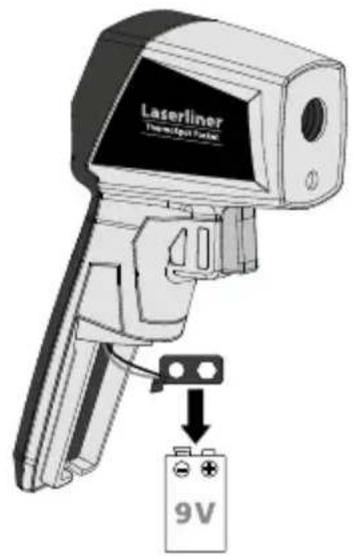
text_image
Laserliner Thermostat System 9V2 ON/OFF
text_image
Laserliner Technique Sensor ONtext_image
a b c 888.8 888.8 d e ftext_image
Diagram showing a computer monitor with warning labels and an arrow pointing to a device, likely indicating a warning or alert mechanism.natural_image
Diagram of a handheld device with a circular target and a checkmark icon (no text or symbols)
natural_image
Diagram showing a firearm and a target with a cross symbol (no text or labels)text_image
Warning sign with sunburst symbol inside triangle, indicating radiation hazard or warningnatural_image
Illustration of a Laserliner medical device with no visible text or symbols on its body, showing a stylized tool and a downward arrow (no readable text or symbols)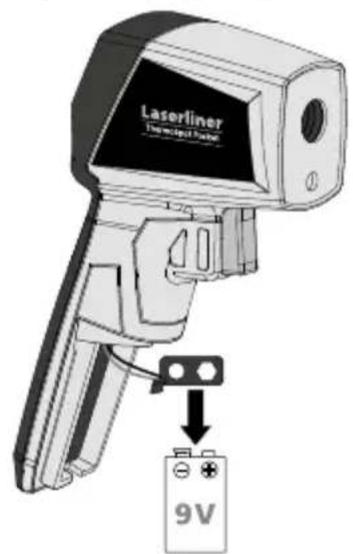
text_image
Laserliner Thermostat Power 9V2 ON/OFF
text_image
FF Laserliner Non-Select Panel ONtext_image
a b c 888.8 888.8 888.8 d e ftext_image
Diagram illustrating two types of gun control methods: one with a target and another with a target and cross symbol.text_image
Warning sign with sunburst symbol inside triangle, indicating hazard or caution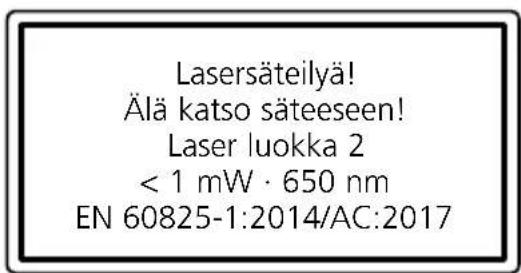
natural_image
Illustration of a Laserliner medical device with no visible text or symbols on its body, showing a mechanical grip and lever mechanism (no readable text or symbols)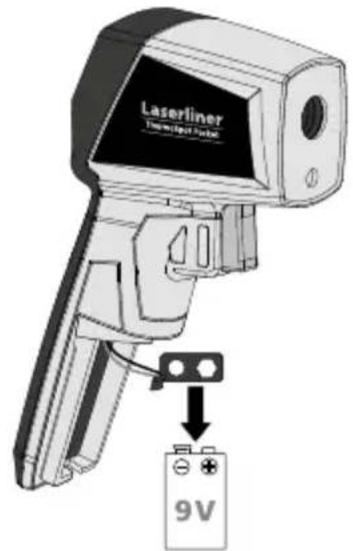
text_image
Laserliner Thermostat Valve 9V2 ON/OFF
text_image
Laserliner Technological Pocket ONtext_image
Diagram showing a computer monitor with warning labels and an alert dialog box, likely for a security or hazard detection interface.text_image
Diagram showing a computer monitor with a warning sign and Chinese text, indicating a hazard or alert about the use of a device.Mittausohjeita
natural_image
Diagram of a handheld device with a circular target and a checkmark icon (no text or symbols)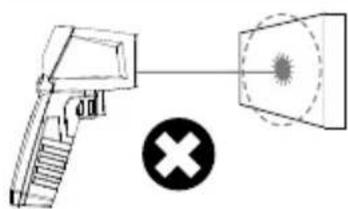
natural_image
Diagram showing a spray gun emitting a light beam through a detector, with a cross symbol below (no text or labels)4 Min./Max.-näyttö
text_image
Warning sign with sunburst symbol inside triangle, indicating hazard or caution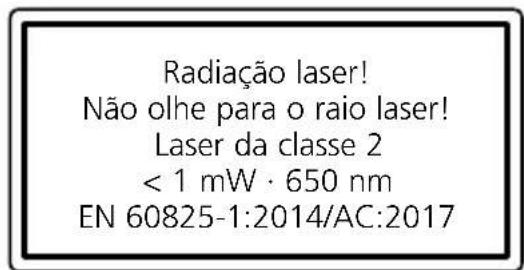
natural_image
Illustration of a Laserliner Thermometer probe with a downward arrow indicating compression (no text or symbols on the device itself)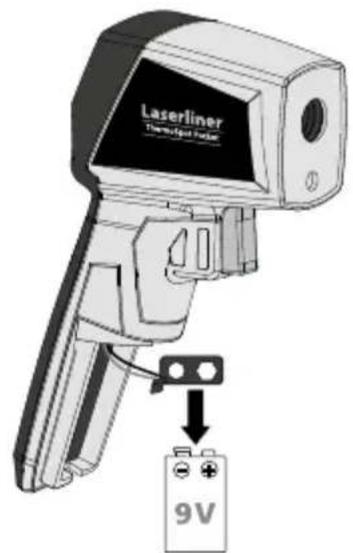
text_image
Laserliner Thermostat fan 9V2 ON/OFF
text_image
Laserliner Tremipier Pencil ONtext_image
Diagram showing a computer monitor with warning labels and a warning symbol, likely for a security or alert system.natural_image
Diagram showing a handgun and a screen with a circular target, alongside a checkmark (no text or symbols)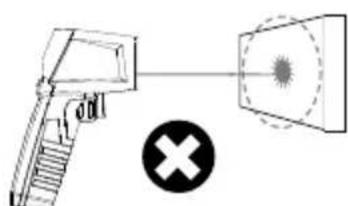
text_image
Diagram showing a gun with a cross symbol and a target, likely illustrating a targeting or targeting concept.text_image
Warning sign with sunburst symbol inside triangle, indicating hazard or cautionLaserstrålning! Titta aldrig direkt in i laserstrålen! Laser klass 2 < 1 mW · 650 nm EN 60825-1:2014/AC:2017
natural_image
Illustration of a Laserliner medical device with a black handle and black grip, showing no text or symbols on the device itself.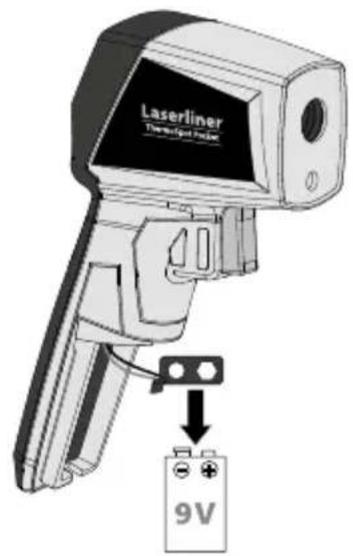
text_image
Laserliner Thermostat Probe 9V2 ON/OFF
text_image
Laserliner Thermometer Panel ONtext_image
Diagram showing a computer monitor with CE logo and Chinese text, likely indicating a device or system interface.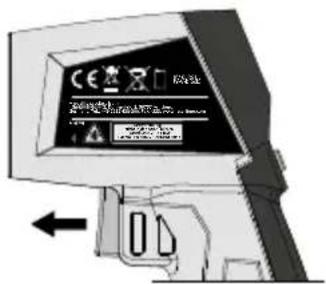
natural_image
Diagram of a handheld device with a circular target and a checkmark icon (no text or symbols)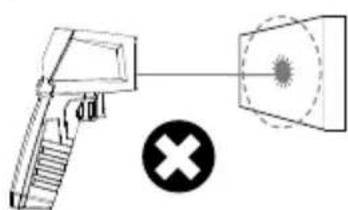
natural_image
Diagram showing a firearm and a target with a cross symbol (no text or labels)4 MIN/MAX-indikator
text_image
Warning sign with sunburst symbol inside triangle, indicating radiation hazard or warning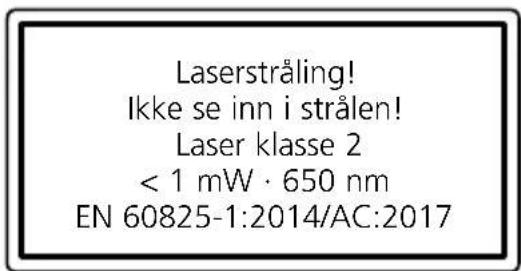
text_image
Laserstråling! Ikke se inn i strålen! Laser klasse 2 < 1 mW · 650 nm EN 60825-1:2014/AC:2017natural_image
Illustration of a Laserliner medical device with a black arrow indicating motion (no text or symbols on the device itself)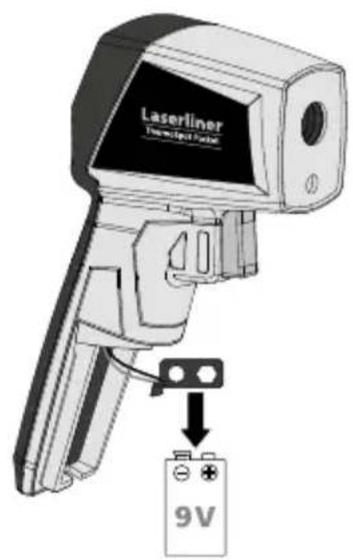
text_image
Laserliner Translucent Phone 9V2 ON/OFF
text_image
Laserliner Technique Pocket ONtext_image
Diagram showing a computer monitor with CE logo and warning message, with an arrow pointing to the screen.
natural_image
Diagram showing a firearm and a screen with a checkmark (no text or symbols)