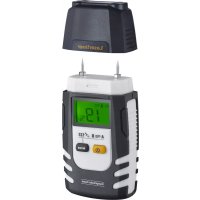
DampFinder Home - Measuring equipment Laserliner - Free user manual and instructions
Find the device manual for free DampFinder Home Laserliner in PDF.


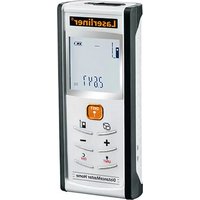
| Product type | Material moisture meter (resistive) |
| Brand | Laserliner |
| Model | DampFinder Home |
| Dimensions (L x H x D) | 57 x 120 x 44 mm |
| Weight (incl. battery) | 146 g |
| Power supply | 1 x 9V battery (6LR61) |
| Measuring principle | Resistive measurement via integrated electrodes |
| Measuring modes | 2 wood groups (A, B); 3 building materials (cement screed, plaster, aerated concrete); auto test mode |
| Measuring ranges (wood) | 5 % … 99 % |
| Measuring ranges (cement screed) | 1 % … 4.5 % |
| Measuring ranges (plaster) | 0.1 % … 38.2 % |
| Measuring ranges (aerated concrete) | 2.2 % … 99 % |
| Accuracy (wood) | ± 1 % (5 % … 30 %); ± 2 % (<5 % or >30 %) |
| Accuracy (building materials) | ± 0.15 % (0 % … 10 %); ± 1 % (>10 %) |
| Operating conditions | 0 °C … 40 °C; RH max 85 % (non-condensing); max altitude 2,000 m |
| Storage conditions | -10 °C … 50 °C; RH max 85 % |
| Display | LCD screen with symbols (battery level, auto test, wood mode, construction mode, Hold, % unit, measured value) |
| Main functions | Auto-Hold (hold 5 s), auto power off (3 min), mode switching, auto test, recommended annual calibration |
| Accessories supplied | Protective cap |
| Safety | Do not use on electrical/water conduits; do not force electrodes; keep out of reach of children; do not modify the device |
| Maintenance and cleaning | Clean with a slightly damp cloth; do not use solvents; remove battery for prolonged storage; store in a dry and clean place |
| Warranty | Consult the complete user manual on the Laserliner website |
Frequently Asked Questions - DampFinder Home Laserliner
User questions about DampFinder Home Laserliner
0 question about this device. Answer the ones you know or ask your own.
Ask a new question about this device
Download the instructions for your Measuring equipment in PDF format for free! Find your manual DampFinder Home - Laserliner and take your electronic device back in hand. On this page are published all the documents necessary for the use of your device. DampFinder Home by Laserliner.
USER MANUAL DampFinder Home Laserliner
natural_image
Close-up of a black Laserliner branded device (no additional text or symbols visible)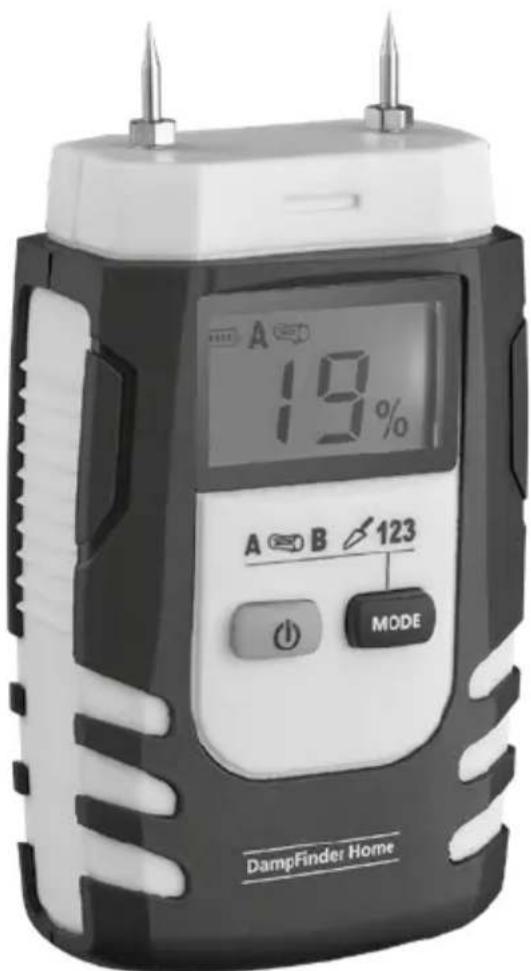

Laserliner
| DE | 02 |
| EN | 08 |
| NL | 14 |
| DA | 20 |
| FR | 26 |
| ES | 32 |
| IT | 38 |
| PL | 44 |
| FI | 50 |
| PT | 56 |
| SV | 62 |
| NO | 68 |
| TR | 74 |
| RU | |
| UK | |
| CS | |
| ET | |
| LV | |
| LT | |
| RO | |
| BG | |
| EL | |
| SL | |
| HU | |
| SK |
Laserliner
!
2
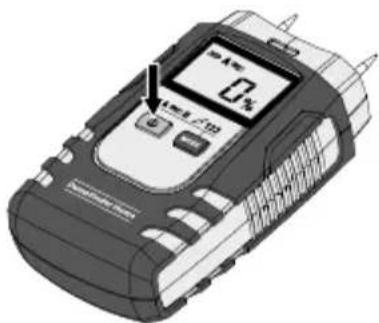
B ON/OFF
natural_image
Illustration of a mobile phone with a digital display showing 4% and no visible text or symbols on the device itself.natural_image
Diagram showing a device connected to a device with an attached connector (no text or symbols visible)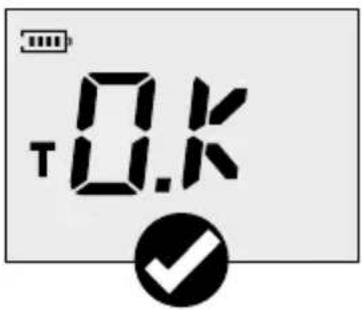


natural_image
Illustration of a mobile device next to a cylindrical device with arrows indicating flow or interaction (no text or symbols present)natural_image
Illustration of a mobile phone displaying a 2.3A display with a textured screen, against a textured wall (no text or symbols visible)Materialkennlinien
Completely read through the operating instructions, the "Warranty and Additional Information" booklet as well as the latest information under the internet link at the end of these instructions. Follow the instructions they contain. This document must be kept in a safe place and passed on together with the device.
Function / application
This material moisture instrument detects and evaluates the material moisture content of wood and building materials by way of electric resistance measurement. The displayed value is material moisture in % with respect to dry mass. Example: 100% material moisture for 1 kg of wet wood = 500 g water.
General safety instructions
- The device must only be used in accordance with its intended purpose and within the scope of the specifications.
- The measuring tools and accessories are not toys. Keep out of reach of children.
- The structure of the device must not be modified in any way.
- Do not expose the device to mechanical stress, extreme temperatures, moisture or significant vibration.
- The device must no longer be used if one or more of its functions fail or the battery charge is weak.
- Do not use the measuring probe with an external voltage.
- Please ensure compliance with the safety regulations set out by local and national authorities with regard to the correct and proper use of the device.
Safety instructions
Dealing with electromagnetic radiation
- The measuring device complies with electromagnetic compatibility regulations and limit values in accordance with EMC-Directive 2014/30/EU.
- Local operating restrictions – for example, in hospitals, aircraft, petrol stations or in the vicinity of people with pacemakers – may apply. Electronic devices can potentially cause hazards or interference or be subject to hazards or interference.
- The measuring accuracy may be affected when working close to high voltages or high electromagnetic alternating fields.
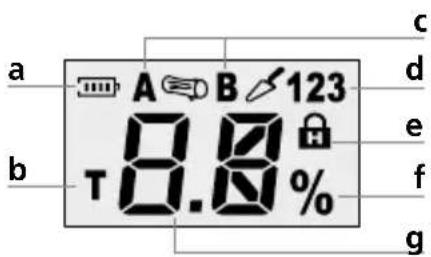
a Battery charge
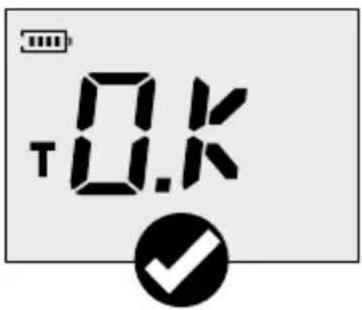
b Self-test function
c Measuring mode Wood
d Measuring mode Building Materials
e Hold function
f Unit of measurement %
g Measured value display
DampFinder Home
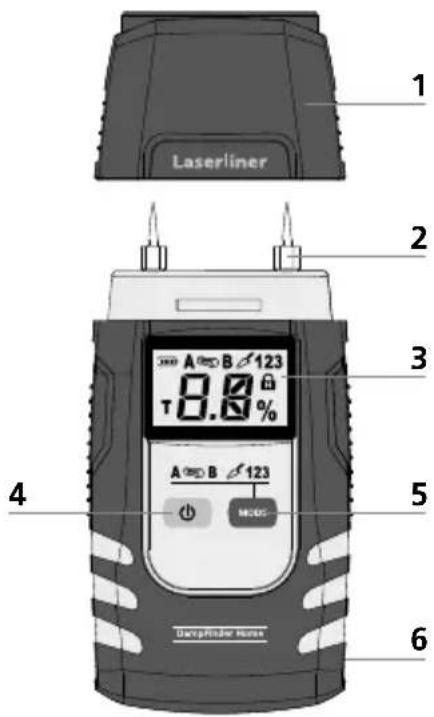
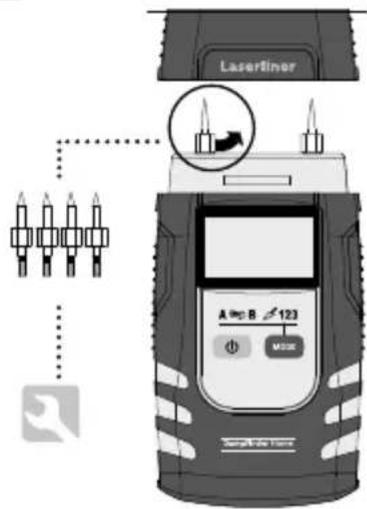
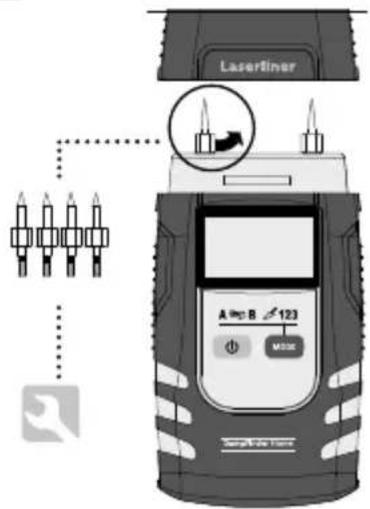
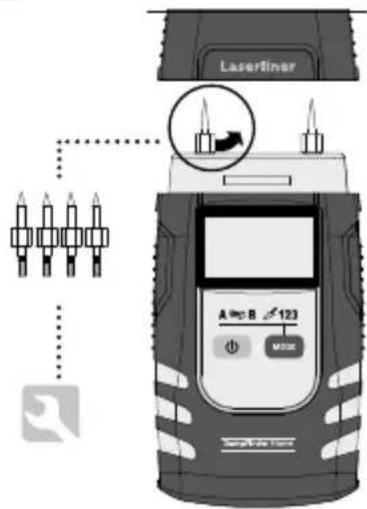
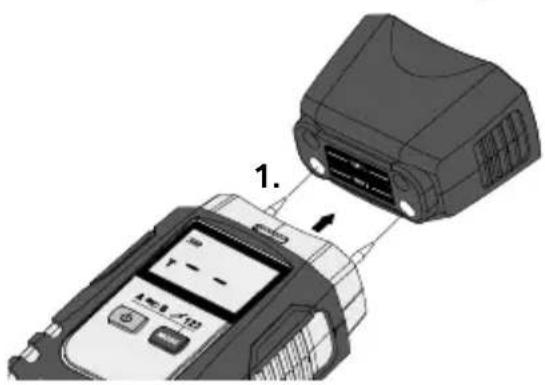
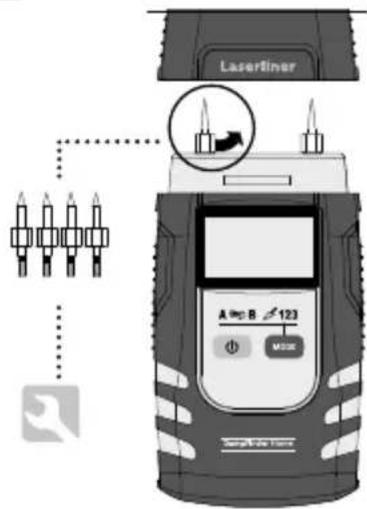
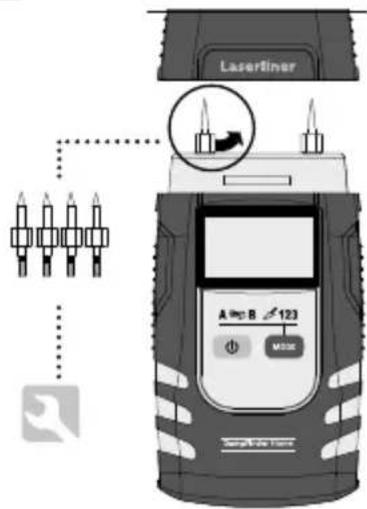
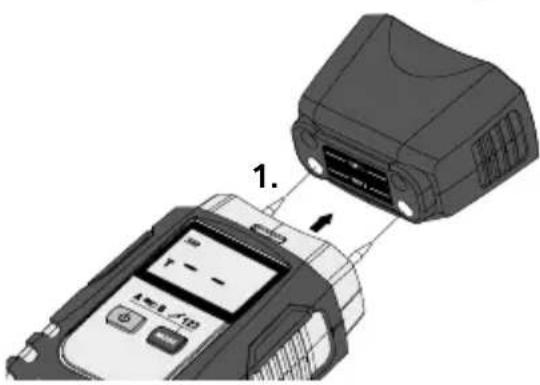
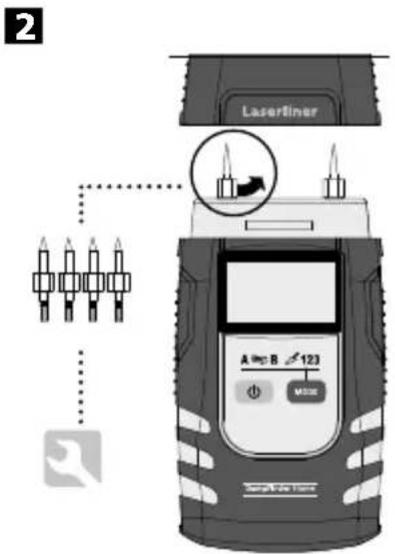
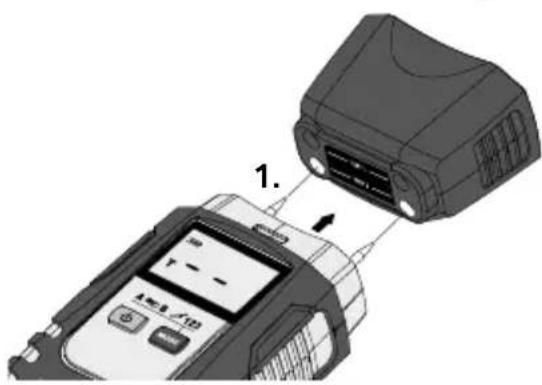
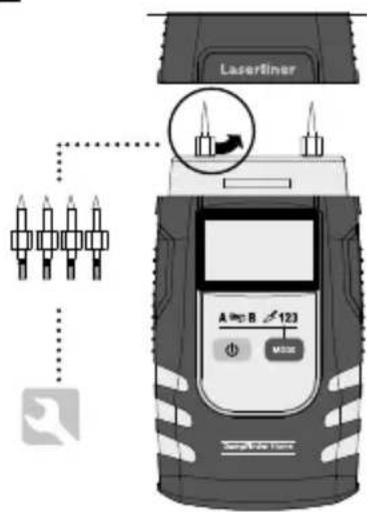
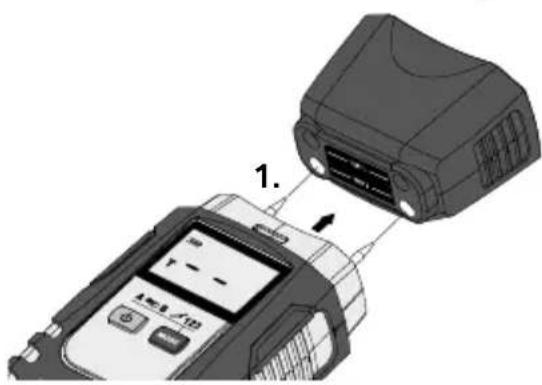
1 Protective cap
2 Measuring electrodes
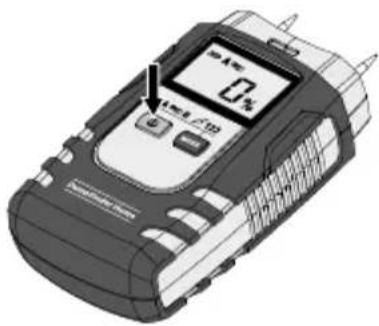
3 LC display
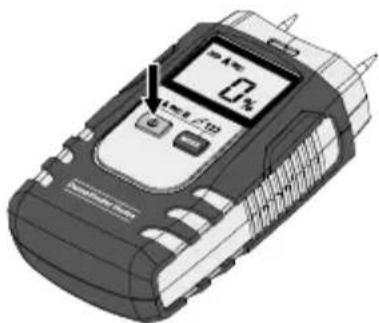
4 On/Off switch
5 Measuring mode selection
6 Battery compartment (rear)
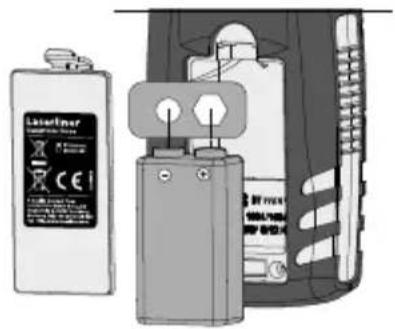
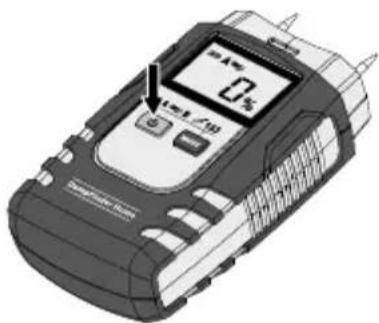
1 Inserting battery
Open the battery compartment and insert battery according to the symbols. Be sure to pay attention to polarity.
2
B ON/OFF
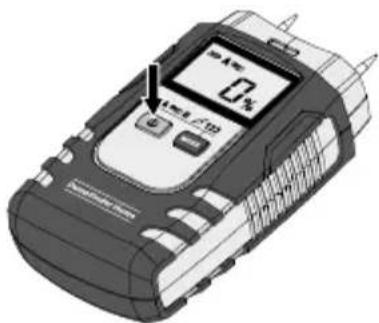
natural_image
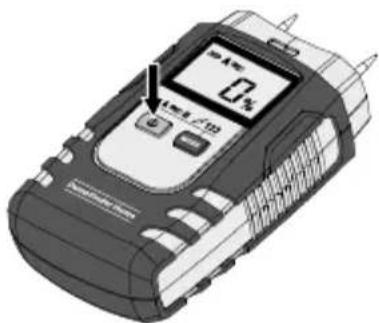
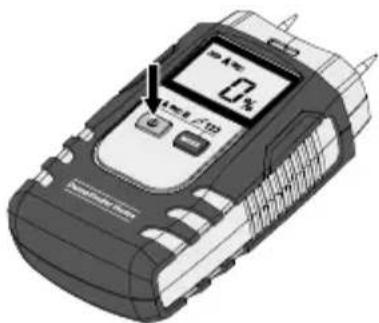
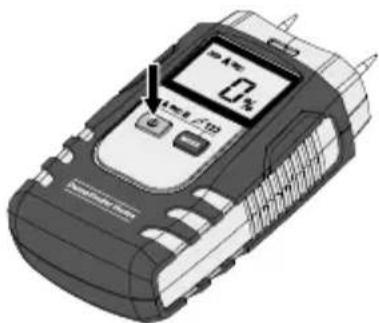
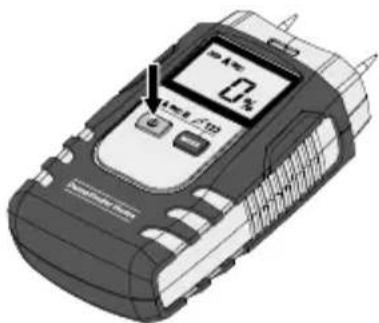
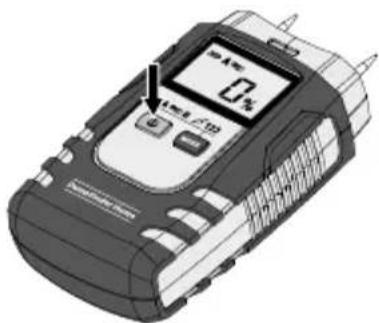
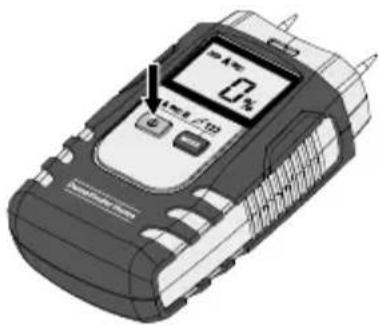
Illustration of a mobile phone with a digital display showing 4% and 10% (no text or symbols on device body)The device switches itself off automatically after 3 minutes to save battery power. If the device has switched itself off, use the On/Off switch again to switch it on again.
Laserliner
4 To change measuring mode

— Device on
MODE
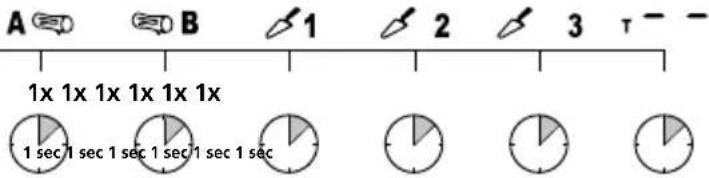
1 sec 1 sec 1 sec 1 sec 1 sec 1 sec
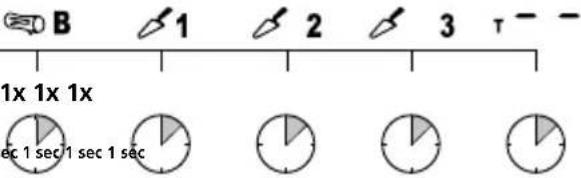
The device starts with the measuring mode last selected.
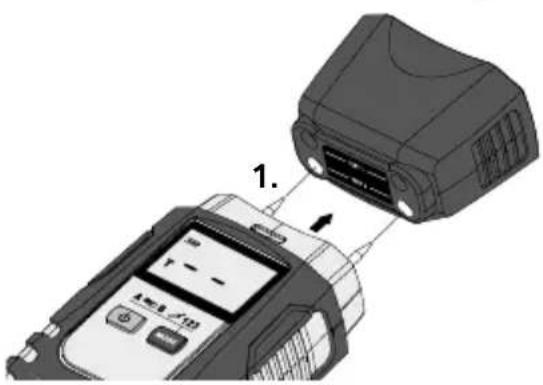
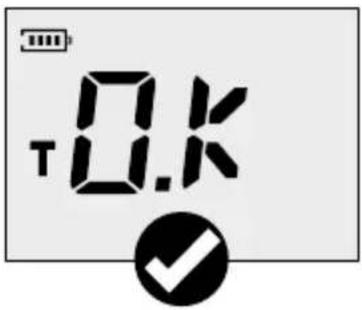
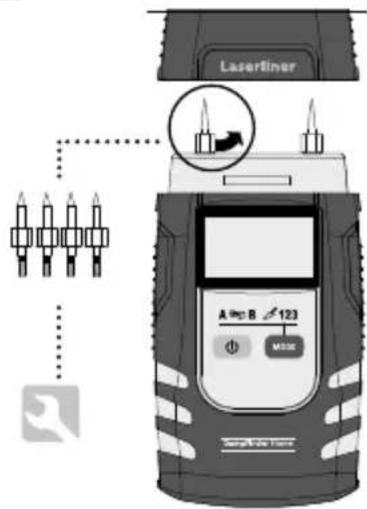
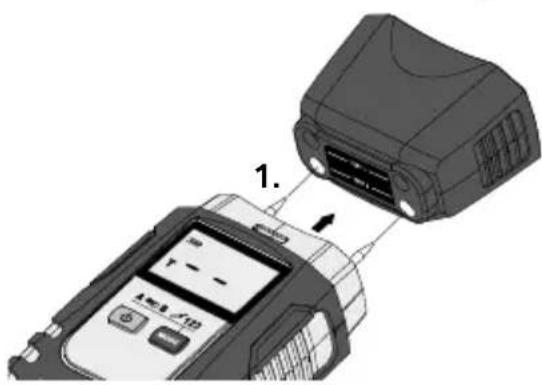
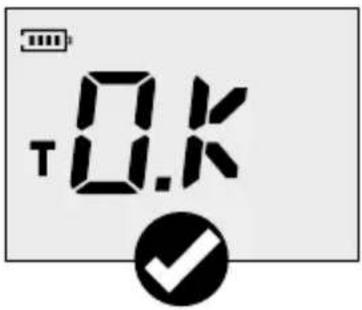
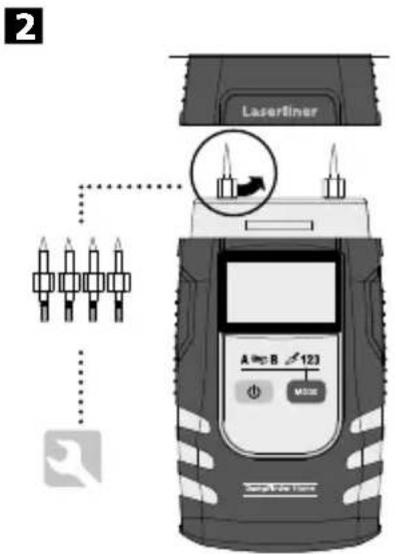
5 Self-test function
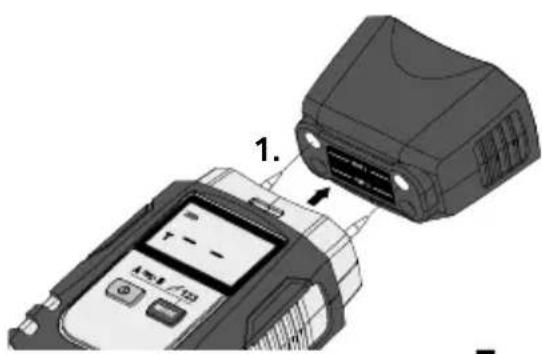

natural_image
Diagram showing a device connected to a device with an attached connector (no text or symbols visible)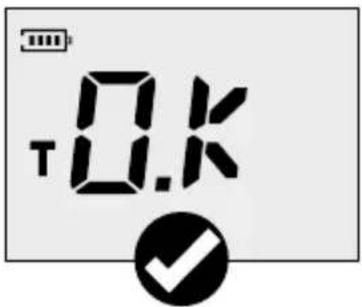

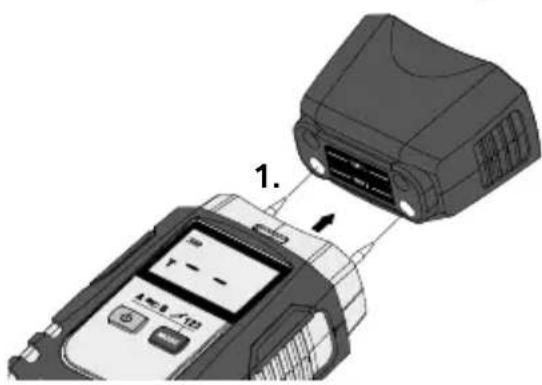
Measurement procedure notice
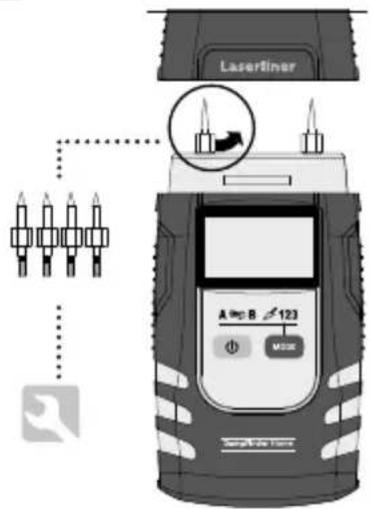
Be sure neither supply lines (electric lines, water pipes, etc) nor a metal subsurface is present at the location to be measured. Insert the electrodes as far into the material as possible but never use excessive or sudden impact force as this could damage the unit. Always pull the unit out of the material with left/right twisting motion. Perform several comparative measurements at different locations to minimise measurement error. The sharply pointed electrodes present an injury hazard. Always put the safety cap on the unit when it is not in use or being transported.
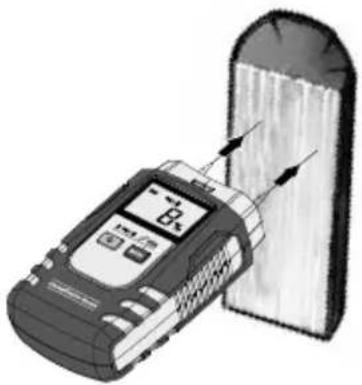
6 Wood
The location to be measured should be untreated, free of knots, dirt and resin. Measurements should not be made on the end faces of wood because these areas dry particularly quickly such that they produce incorrect measurement results.
Perform multiple comparative measurements. Wait until the
% symbol stops blinking and remains constantly lighted. Only then are measurement values stable.
natural_image
Illustration of a mobile device next to a cylindrical device with arrows indicating flow or interaction (no text or symbols present)7 Mineral building materials
Be aware that walls (or surfaces) with differing material structures, or even variations in material composition, can cause measurement results to be falsified. Perform multiple comparative measurements. Wait until the % symbol stops blinking and remains constantly lighted. Only then are measurement values stable.
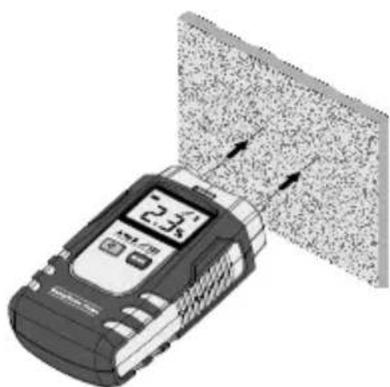
natural_image
Illustration of a handheld electronic device with a digital display and directional arrows, next to a textured surface (no text or symbols)Material characteristics
The material characteristics available for selection in the measuring device are listed in the tables below. The different types of wood are divided into Groups A and B. Please set the measuring device for the respective group in which the type of wood to be measured is found (see Step 4). A similar setting must also be made for measurements performed on building materials (see Step 4). Building materials are classified from 1 to 3.
8 Wood tables
| Wood group A | ||
| Abachi | Cypress Pine, Mexican | Niové |
| Abura | Ebony, African | Oak, Red |
| Afzelia | Gum, Manna | Oak, White American |
| Albizia falcatara | Hickory, Mockernut | Okoumé |
| Ash, American | Hickory Pecan | Pau amarello |
| Ash, Japanese | Hickory, Pignut | Pear |
| Ash, White American | Idigbo | Pine, Brazilian |
| Beech, American | Ilomba | Rosewood, Brazilian |
| Beech, European | Ipe | Rosewood, Indian |
| Beech, Red (Sapwood) | Iroko | Teak |
| Canarium, Grey | Lime, American | Willow |
| Canarium, (PG) | Lime, European | Willow, Black |
| Cedar, common | Mockernut | |
| Cypress, Alaska | Niangon | |
Wood group B
| Agba | Cembra Pine | Mahogany, Cherry |
| Alder, Black | Cherry, European | Maple Black |
| Alder, Common | Chestnut, Horse | Maple, Great |
| Alder, Red | Chestnut, Sweet | Maple Red |
| Alerce | Cypress, Italian | Oak, European |
| Andiroba | Douka | Pine, Common |
| Ash, Common | Elm | Pine, Maritime |
| Ash, Silver (Southern) | Emien | Pine, Ponderosa |
| Aspen | Fir, Douglas | Pine, Western Yellow |
| Balsa | Fréne | Plum, European |
| Basralocus / Angelique | Hornbeam, common | Poplar, all |
| Bean, Black | Izombé | Poplar, White |
| Birch | Jacareuba | Purpleheart |
| Birch, European White | Jarrah | Sandalwood, Red |
| Birch, Yellow | Kapok | Scots Pine |
| Bloodwood, Red | Karri | Spruce, European |
| Box, Black | Kosipo | Tola branca |
| Canarium (SB) | Larch, European | Tree heath |
| Cedar, Incense | Limba | Walnut, European |
| Cedar, Pencil | Logwood | |
| Cedar, Western red | Mahogany, African |
9 Table of building materials
Integrated building materials / measuring range
| 1 Cement screed without additive / 1.0 ... 4.5% | 2 Gypsum plaster / 0.1 ... 38.2% | 3 Cellular concrete (Hebel) / 2,2 ... 99% |
Tip: Moisture measuring devices that operate in accordance with the resistance method can be used to compare measuring points – in this case the numerical value only serves as an index value. Take a sample measurement in a dry area of the same material, note down the value and compare against values of the areas to be measured. Higher values indicate more moisture. In this way it is possible to detect moisture paths in the material irrespective of the material or material combinations (e.g. plaster with wallpaper).
10 Auto-Hold function
The last measurement value will continue to display for about 5 seconds after removing the device from the measured material. The Hold symbol flashes and the measured value last determined is displayed for this period of time. The device is ready for a new measurement as soon as the flashing stops and the measured value is reset to 0.
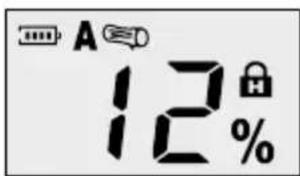
Calibration
The meter needs to be calibrated and tested on a regular basis to ensure it produces accurate measurement results. We recommend carrying out calibration once a year.
!
Functional and operational safety is only warranted when the instrument is operated within the specified climatic conditions and is only used for those purposes for which it is designed. The assessment of measurement results and actions taken as a consequence lie in the user's scope of responsibility, depending on the given type of work.
Information on maintenance and care
Clean all components with a damp cloth and do not use cleaning agents, scouring agents and solvents. Remove the battery(ies) before storing for longer periods. Store the device in a clean and dry place.
Technical data
| Measurement principle | Resistive material moisture measurement by way of integrated electrodes |
| Modes | 2 wood groups3 building materialsTest mode |
| Materials / Measurement range | Cement screed: 1% ... 4,5%Gypsum plaster: 0.1% ... 38.2%Cellular concrete: 2.2% ... 99%Wood: 5% ... 99% |
| Accuracy (absolute) | Wood: ±1% (5% ... 30%)±2% (<5% and >30%)Building ±0.15% (0% ... 10%)materials: ±1% (>10%) |
| Operating conditions | 0°C...40°C, Max. humidity 85% rH,no condensation, Max. working altitude 2000 m above sea level |
| Storage conditions -10°C | ...50°C, Max. humidity 85% rH |
| Power supply | 1 x 6LR61, 9V |
| Dimensions (W x H x D) 57 | x 120 x 44 mm |
| Weight (incl. battery) 146 | g |
Subject to technical changes without notice. 19W09
EU directives and disposal
This device complies with all necessary standards for the free movement of goods within the EU.
This product is an electric device and must be collected separately for disposal according to the European Directive on waste electrical and electronic equipment.
Further safety and supplementary notices at:
http://laserliner.com/info?an=dafiho
Laserliner
!
2
B ON/OFF
natural_image
Illustration of a mobile phone with a digital display and control buttons (no visible text or symbols)sec 1 sec 1 sec 1 sec 1 sec


natural_image
Diagram showing a device connected to a device with an attached component, labeled '1.' (no text or symbols on the device itself)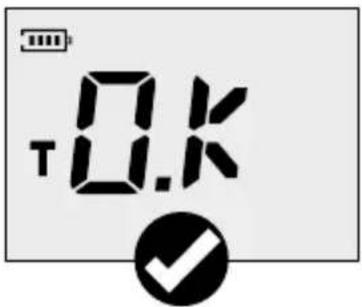

natural_image
Illustration of a mobile device connected to a cylindrical device with arrows indicating signal or measurement (no text or symbols present)7 Minerale bouwmaterialen
natural_image
Illustration of a handheld electronic device with a digital display and directional arrows, next to a textured surface (no text or symbols)2
B ON/OFF
natural_image
Illustration of a mobile phone with a digital display showing 4% and 10% (no text or symbols on the device body)sec 1 sec 1 sec 1 sec 1 sec


natural_image
Diagram showing a device connected to a device with an attached connector (no text or symbols visible)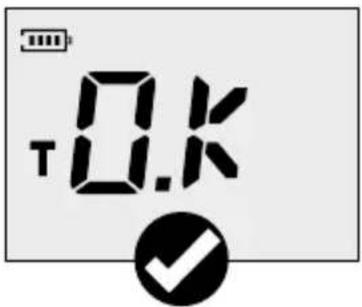

natural_image
Illustration of a mobile device next to a cylindrical device with arrows indicating flow or interaction (no text or symbols present)natural_image
Illustration of a digital thermometer device with a textured surface and directional arrows, no visible text or symbols.Materialekarakteristika
natural_image
Illustration of a battery and charging device with no visible text or symbols2
B ON/OFF
natural_image
Illustration of a mobile phone with a digital display showing 0.5% and control buttons (no text or symbols on device body)sec 1 sec 1 sec 1 sec 1 sec


natural_image
Diagram showing a device connected to a device with an attached component, labeled '1.' (no text or symbols on the device itself)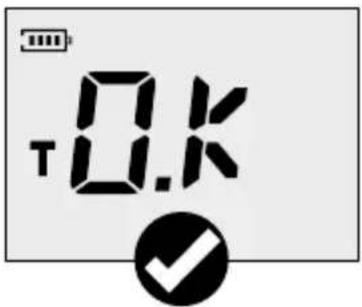

natural_image
Illustration of a mobile device next to a cylindrical device with arrows indicating flow or interaction (no text or symbols present)natural_image
Illustration of a mobile phone with a digital display and control buttons (no visible text or symbols)natural_image
Diagram showing a device connected to a device with an attached component, labeled '1.' (no text or symbols on the device itself)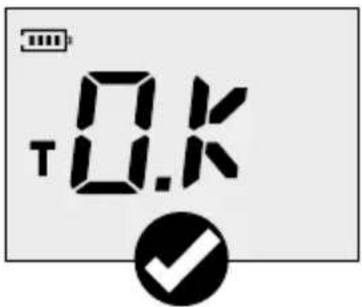

natural_image
Illustration of a mobile device next to a cylindrical device with arrows indicating flow or interaction (no text or symbols present)2

3 ON/OFF
natural_image
Illustration of a mobile phone with a digital display showing 10% and control buttons (no text or symbols on device body)natural_image
Diagram showing a device connected to a device with an attached connector (no text or symbols visible)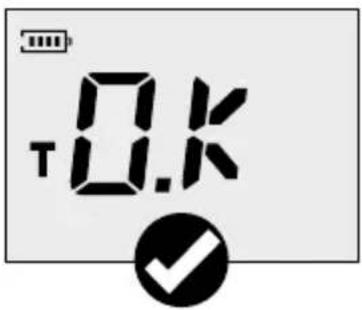


natural_image
Illustration of a mobile device next to a cylindrical device with arrows indicating flow or interaction (no text or symbols present)natural_image
Illustration of a mobile phone displaying a 2.1x speed limit, with a textured surface and directional arrows (no text or symbols on device)natural_image
Illustration of battery components including a battery and two connected devices (no text or symbols visible)2
B ON/OFF

natural_image
Illustration of a handheld electronic device with a digital display and control buttons (no visible text or symbols)natural_image
Diagram showing a device connected to a device with an attached component, labeled '1.' (no text or symbols on the device itself)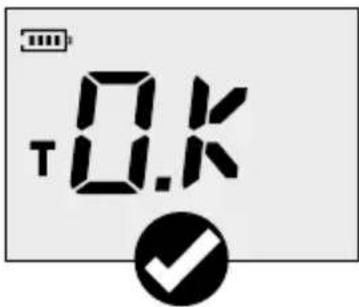
!
natural_image
Illustration of a mobile device next to a cylindrical device with arrows indicating flow or interaction (no text or symbols present)natural_image
Illustration of a mobile phone displaying a digital display with arrows pointing to a textured surface (no text or symbols)2
B ON/OFF
natural_image
Illustration of a handheld electronic device with a digital display showing 0% and 1% values (no readable text or symbols)natural_image
Diagram showing a device connected to a device with an attached connector (no text or symbols visible)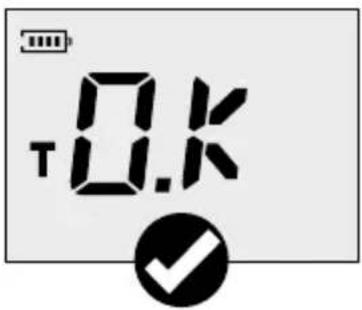

natural_image
Diagram showing a device connected to a device with an attached component, labeled '1.' (no text or symbols on the device itself)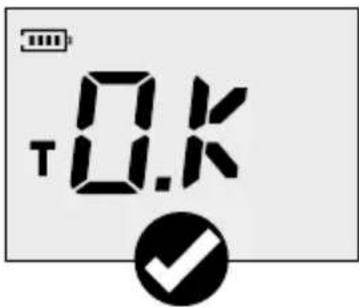

Mittausohjeita
natural_image
Illustration of a mobile device connected to a cylindrical device (no text or symbols visible)7 Kiviainekset
natural_image
Illustration of a digital handheld device emitting particles from a textured surface (no text or symbols visible)Materiaalikäyrät
B ON/OFF
natural_image
Illustration of a mobile phone with a digital display showing 4% and 10% (no text or symbols on the device itself)natural_image
Diagram showing a device connected to a device with an attached connector (no text or symbols visible)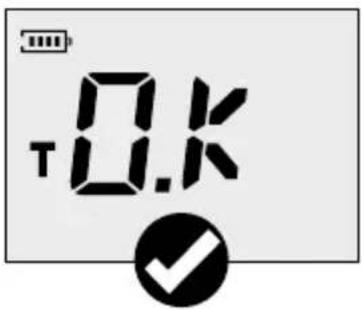

natural_image
Diagram showing a device connected to a device with an attached component, labeled '1.' (no text or symbols on the device itself)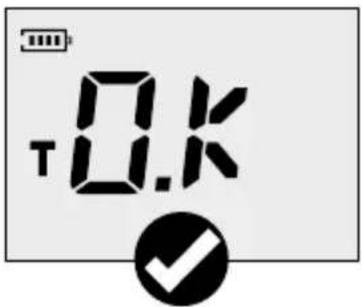
!
natural_image
Illustration of a battery and charging device with no visible text or symbols2
B ON/OFF
natural_image
Illustration of a mobile phone with a digital display showing 4% and control buttons (no text or symbols on the device itself)natural_image
Diagram showing a device connected to a device with an attached connector (no text or symbols visible)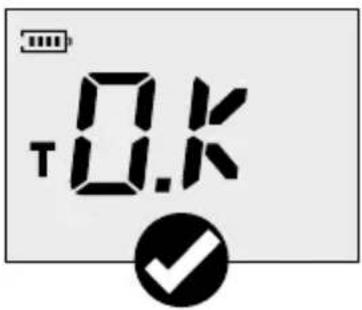

natural_image
Diagram showing a device connected to a device with an attached component, labeled '1.' (no text or symbols on the device itself)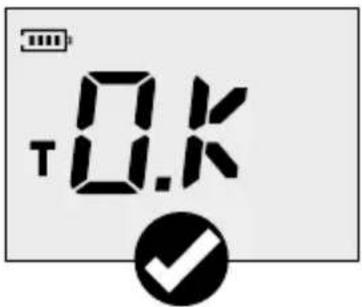
!
natural_image
Illustration of a mobile device next to a cylindrical device with arrows indicating flow or interaction (no text or symbols present)natural_image
Illustration of a digital handheld device emitting particles from a textured surface (no text or symbols visible)Materialkurvor
2

B ON/OFF
natural_image
Illustration of a mobile phone with a digital display showing 4% and 10% (no text or symbols on device body)natural_image
Diagram showing a device connected to a device with an attached connector (no text or symbols visible)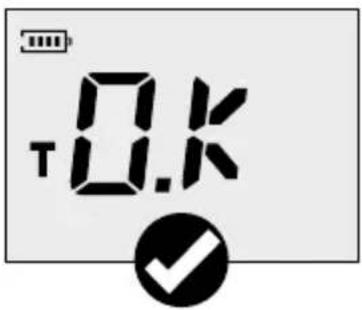

natural_image
Diagram showing a device connected to a device with an attached component, labeled '1.' (no text or symbols on the device itself)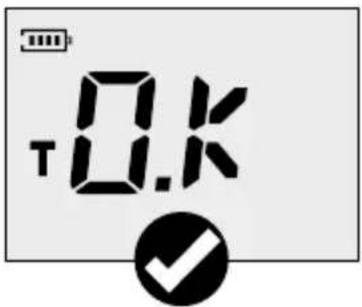
!
natural_image
Illustration of a mobile device connected to a cylindrical device with arrows indicating signal or measurement (no text or symbols present)7 Mineraliske byggematerialer
natural_image
Illustration of a digital thermometer device with a textured surface and directional arrows, no visible text or symbols.Materialenes karakteristika
B ON/OFF
natural_image
Illustration of a handheld electronic device with a digital display showing 0% and control buttons (no readable text or symbols)
natural_image
Diagram showing a device connected to a device with an attached component, labeled '1.' (no text or symbols on the device itself)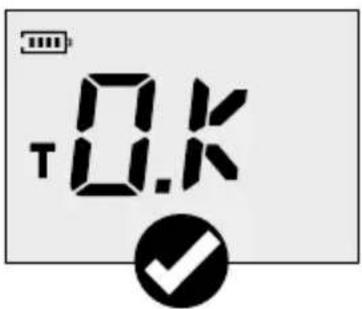

natural_image
Illustration of a mobile device next to a cylindrical device with arrows indicating flow or interaction (no text or symbols present)natural_image
Illustration of a handheld electronic device with a digital display and signal flow, against a textured surface (no text or symbols)natural_image
Close-up of a digital thermometer measuring a surface with three droplets, next to a brick wall and a circular icon (no text or symbols on the main subject)SERVICE

Umarex GmbH & Co. KG
- Laserliner -
- Laserliner
- B ON/OFF
- Materialkennlinien
- Function / application
- General safety instructions
- Safety instructions
- DampFinder Home
- Inserting battery
- To change measuring mode
- Self-test function
- Measurement procedure notice
- Wood
- Perform multiple comparative measurements. Wait until the
- Mineral building materials
- Material characteristics
- Wood tables
- Table of building materials
- Auto-Hold function
- Calibration
- Information on maintenance and care
- EU directives and disposal
- Minerale bouwmaterialen
- Materialekarakteristika
- ON/OFF
- !
- Mittausohjeita
- Kiviainekset
- Materiaalikäyrät
- Materialkurvor
- Mineraliske byggematerialer
- Materialenes karakteristika
Brand : Laserliner
Model : DampFinder Home
Category : Measuring equipment