Freedom Neck 00184122 - Bluetooth Headset HAMA - Free user manual and instructions
Find the device manual for free Freedom Neck 00184122 HAMA in PDF.



User questions about Freedom Neck 00184122 HAMA
0 question about this device. Answer the ones you know or ask your own.
Ask a new question about this device
Download the instructions for your Bluetooth Headset in PDF format for free! Find your manual Freedom Neck 00184122 - HAMA and take your electronic device back in hand. On this page are published all the documents necessary for the use of your device. Freedom Neck 00184122 by HAMA.
USER MANUAL Freedom Neck 00184122 HAMA
GB Operating Instructions
Thank you for choosing a Hama product.
Take your time and read the following instructions and information completely. Please keep these instructions in a safe place for future reference
you sell the device, please pass these operating instructions on to the new owner.
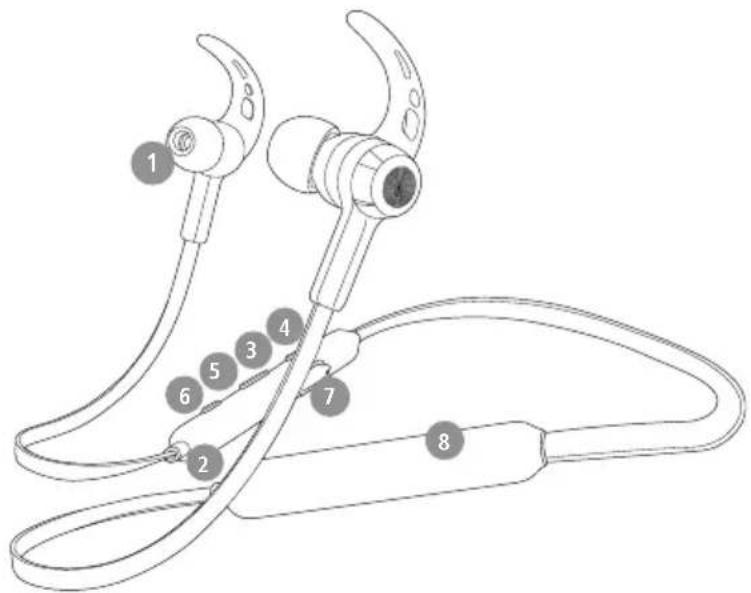
Controls and displays
- Earphones
- Microphone
3.StatusLED -
- button
- Multi-function button (MFB)
-
- button
- Micro-USB connection
- Counterweight
1. Explanation of warning symbols and notes
Warning

This symbol is used to indicate safety instructions or to draw your attention to specific hazards and
Note

This symbol is used to indicate additional information or important notes.
2. Package contents
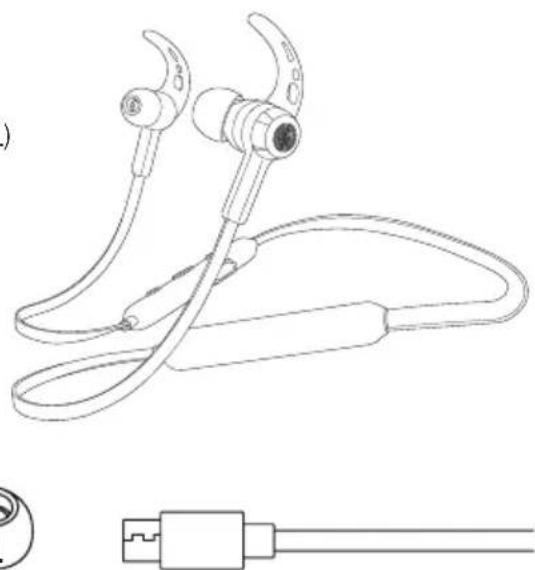
1 x "Freedom Neck" Bluetooth earphones
1 x USB charging cable
3 pairs of ear pads in various sizes (S/M/L)
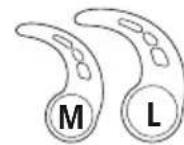
2 pairs of silicone ear hooks in various sizes (M/L)
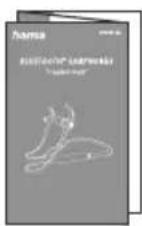
1 x quick guide
1 x warning and safety instructions



3. Safety instructions
The product is intended for private, non-commercial use only
- Use the product only for the intended purpose.
- Children should be supervised to ensure that they do not play with the product
- Do not use the product in areas in which electronic products are not permitted
- Do not attempt to service or repair the product yourself. Leave any and all service work to qualified experts
- Do not open the device or continue to operate it becomes damaged
- Do not bend or crush the cable.
- Do not drop the product and do not expose any major shocks.
- Dispose of packaging material immediately in accordance with the locally applicable regulations.
- Do not modify the product in any way. Doing voids the warranty
- Protect the product from dirt, moisture and overheating and use it in dry environments only
- Do not use the product in the immediate vicinity of heaters, other heat sources or in direct sunlight
Only use the article under moderate climatic conditions.
- As with all electrical products, this device should be kept out of the reach of children
- Do not operate the product outside the power limits specified in the technical data
- Do not use the product in a damp environment and avoid splashing water
While driving a car or using sports equipment, do not allow yourself to be distracted by your product and keep an eye on the traffic situation and your surroundings.
- The battery is permanently installed and cannot be removed; dispose of the product as a whole accordance with the statutory regulations
- Do not incinerate the battery or the product.
- Do not tamper with or damage/heat/disassemble the batteries/rechargeable batteries
- Do not use the product during the charging process!
Warning - rechargeable battery

- Only use suitable charging devices or USB ports to charge the product.
- Do not use defective chargers or USB ports.
key and do not attempt to repair .them -
Do not overcharge the product or allow the battery to completely discharge.
-
Avoid storing, charging and using in extreme temperatures and at extremely low atmospheric pressures (such as at high altitudes).
- Charge regularly (at least quarterly) during periods of prolonged storage.
it to
Warning - magnets


This product generates magnetic fields. Persons with a cardiac pacemaker should consult a doctor before using this product, as the pacemaker's proper function could be affected.
- Do not store bank or similar cards with magnetic strips near the charging box or tearphones. The data on the cards could be damaged or completely deleted
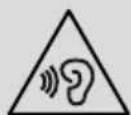
Warning - high volume

High sound pressure!
- There is a risk of hearing damage.
- To prevent any loss of hearing, avoid listening at loud volumes for prolonged periods.
Always keep the volume at a sensible level.
doLoud volumes, even over short periods, can
cause hearing loss.
ur Using this product limits your perception of
ambient noise You should therefore not drive or operate machinery while using them

4. Switching on/off
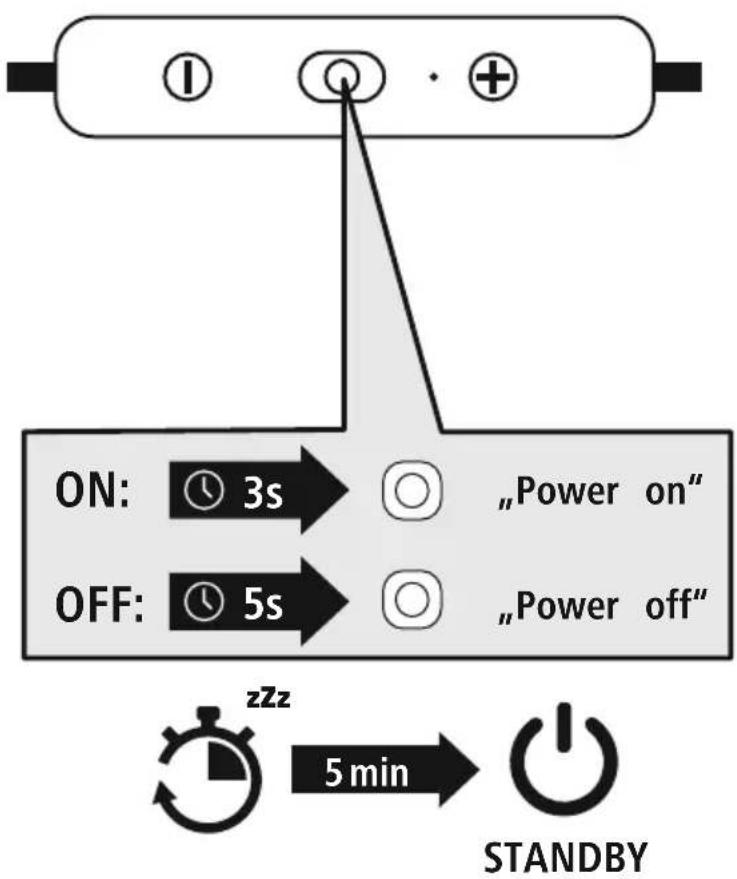
Press the MFB key (5) for approx. 3 seconds until the announcement "Power on" is heard and the LED (5) flashes blue.

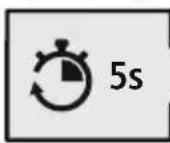
To switch off, press the MFB key (5) for approx. 5 seconds until the announcement "Power off" is heard and the LED (5) flashes red and then goes out.
Note - Automatic switch-off of the product

The product is equipped with an automatic switch-off mechanism. If there is no connection to your device within 5 minutes, it switches itself off automatically.

5. Charging
Fully charge the earphones once before using them for the .first time
Switching off the earphones and connecting them
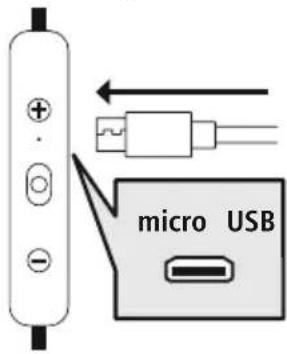
Ensure that the earphones are switched off before charging.
Connect the USB charging cable included to the charging socket (7).
Connect the free plug on the micro-USB charging cable to a suitable USB charger. To do this, consult the operating instructions for the USB charger you are using.
2 Earphones charging process
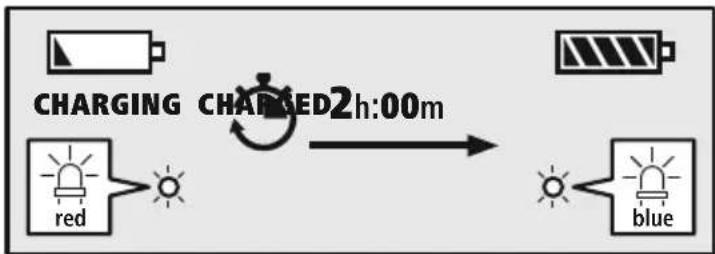
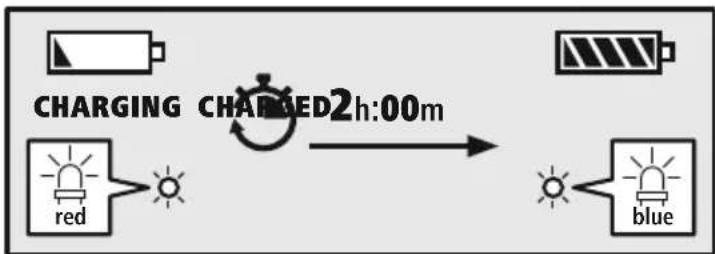
The LED (3) lights up solid red during the charging process
Once the charging process is complete, the LED (3) lights up blue.
It can take up to 2 hours for the battery to be fully charged.
3 Battery capacity
When the earphones' battery capacity is low, the LED (3) flashes red and the announcement "Battery Low" is heard
The actual battery life will vary depending on how you use the device, the settings and the ar temperatures (rechargeable batteries have a limited life)
Note

If you have not used the product for a few months, it can take up to 15 - 30 minutes until status LED (3) lights up red during the charging process.
6. Bluetooth pairing
Note - Pairing

- Make sure that your Bluetoothable device is switched on and that Bluetosis activated.
- For more information, please refer to the operating instructions of your device.
The earphones and the device should not be more than 1 metre apart. The shorter the distance, the better.
Ensure that the earphones are switched on.
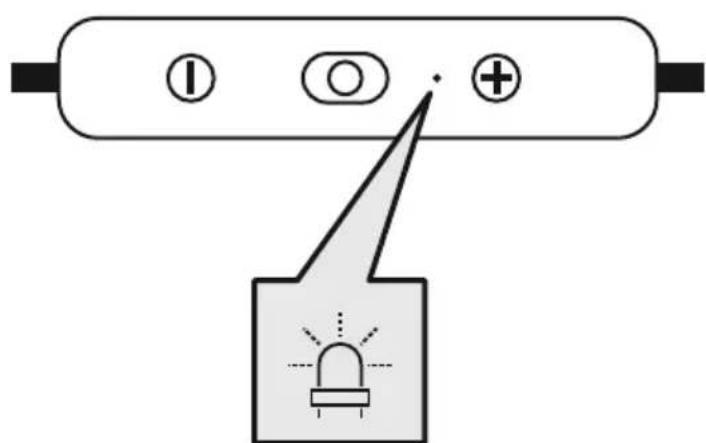
1 Check the status of the status LED (3)
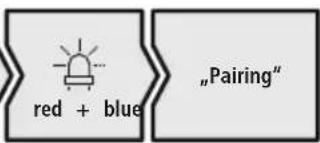
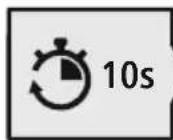
If the status LED (3) is flashing alternately and the announcement is:
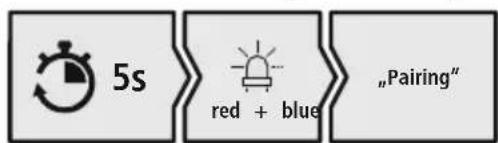
the earphones are searching for a Bluetooth connection.
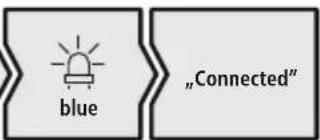
If the status LED (3) is flashing and the announcement:
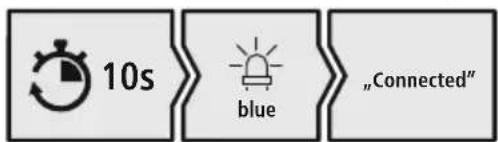
the earphones are already paired with a Bluetooth device.
Search using your device for the earphones (only required on the first connection)
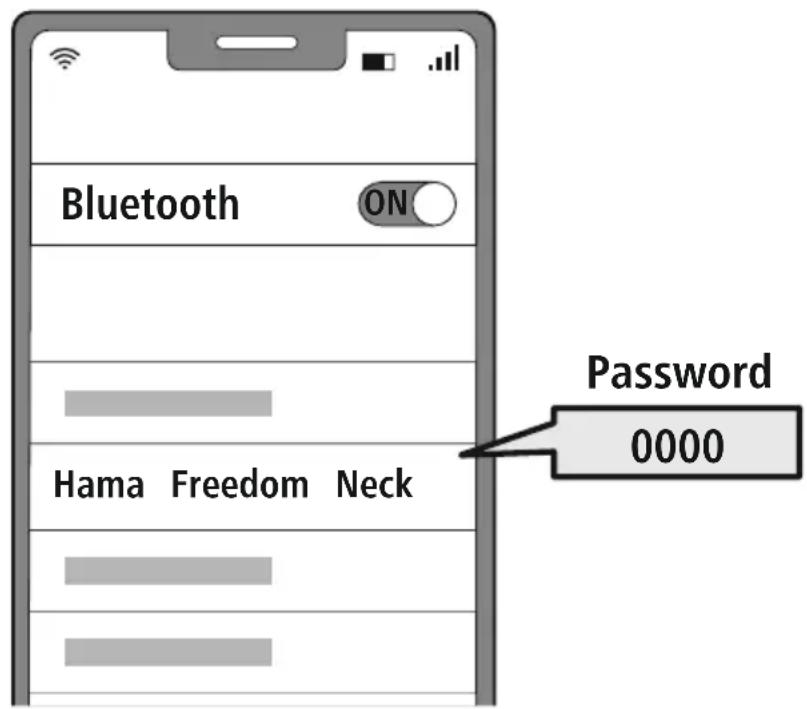
Open the Bluetooth settings on your device and wait until the list of found Bluetooth shows Hama Freedom Neck
Select Hama Freedom Neck and wait until the earphones are shown as connected in your device's Bluetooth® settings. You will hear a brief signal tone.
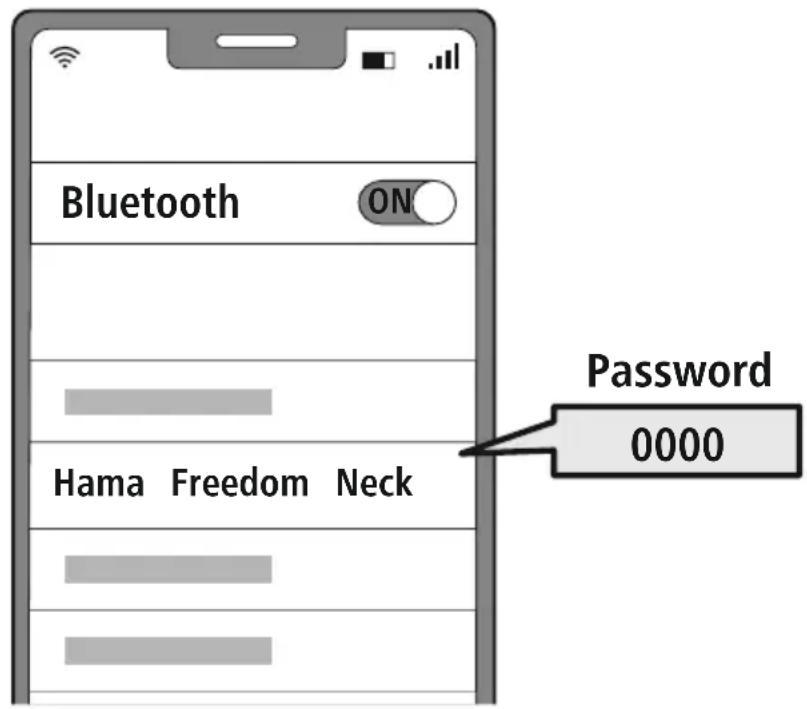
Note - Bluetoothpassword

Some devices require a password in order to connect to another ^ 假 device
- If your device requests a password to connect to the product, enter 0000.
3 Multi-point technology
These headphones can connect to two Bluetooth-bleed devices simultaneously (multi-point).
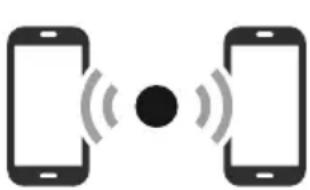
- First connect the first device to the headphones.
- Then deactivate the Bluetooth® function on this device.
- Then connect the second device to the headphones.
- Activate the Bluetooth® function on the first device again. The headphones then connect to this device too.
7. Controls
Note

- Please be aware that your terminal device must support some functions if they are to be used.
- For more information, please refer to the operating instructions of your device.
7.1 Voice assistant function
Siri/ Google
Press and hold the MFB key (5) for around 2 seconds to start communication with your Siri or Google Assistant. As soon as you hear a signal tone, your voice assistant is ready to assist you.
Note - Siri

Siri is only available on suitable devices running iOS 5 (iPhone 4s or later) or higher.
Note - Google Assistant

- The Google Assistant is only available on suitable devices running Android 5.0 or higher with Google Play Services, >1.5 GB of free memory and a minimum screen resolution of 720P.
- The Google Assistant App must be available on your device and be set as the default voice assistant.
7.2 Hands-free function
It is possible to use the earphones like a hands-free facility for your device.
1 Make a call
Dial the number directly via your device to make a call.
2 Accept a call


Press the MFB key (5) to accept an incoming call.
3 Reject a call


Press and hold the MFB button (5) twice or use your device to reject an incoming call.
End a call


During the call, press the MFB key (5) once to end the call.
5 Last number redial


Press the MFB key (5) twice to redial the last number.
Note

The "Last number radial" function is only available for the device which was paired first in a multi-pairing situation
7.3 Audio playback
1 Start playback on your device.
2 Play / Pause

Press the MFB button (5) once to pause or start audio playback.
3 Next track
- Press and hold the ^+ key (4) for around 2 seconds to skip the next track.
4 Previous track
Press and hold the - button (6) for around 2 seconds to skip to the previous track.
7.4 Volume control
1 Increase volume
Press the + button (4) once to increase the volume. Once the maximum volume is reached, the announcement "Maximum volume" is heard
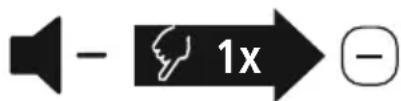
2 Reduce volume
Press the -button (6) once to reduce the volume. Once the minimum volume is reached, you will hear "beep .beep"
8. Technical data
| Bluetooth® earphones | |
| Bluetooth technology Bluetooth® v5.0 | |
| Profiles supported A2DP V1.3 | / AVRCP V1.6 / HFP V1.7 |
| Frequency for Bluetooth transmissions | 2402 - 2480 MHz |
| Range < 10 m | |
| Rechargeable battery | |
| Battery type 3 | .7V Li polymer |
| Min. capacity 115 mAh | |
| Power consumption max | . 5 €=90 mA |
| Charging time 2 | h |
| Standby * 360 d | |
| Music playing * 12 h | |
| Call time * 11 h | |
| Weight 23 g | |
- Once fully charged

9. Care and maintenance
Only clean this product with a slightly damp, lint-free cloth and do not use aggressive cleaning agen
10. Warranty disclaimer
Hama GmbH & Co KG assumes no liability and provides no warranty for damage resulting from impr. installation/mounting, improper use of the product or from failure to observe the operating instructions and/or safety notes
11. Service and Support
Please contact Hama Product Consulting if you have any questions about this product.
Hotline: +49 9091 502-0 (German/English)
Further support information can be found here: http://www.com
12. Declaration of Conformity
CE Hama GmbH & Co KG hereby declares that the radio equipment type [00184122] is in compliance with Directive 2014/53/EU. The full text of the EU declaration of conformity is available at the following Internet address:
www.hama.com->00184122->Downloads.
Frequency band(s) 2402MHz - 2480MHz
Maximum radio-frequency power transmitted 2.5mW E.I.R.P.

Remarque - Assistant Google

Avertizare - Accumulator

*dupa fncarcarea complea
3 Viacobodova technologica
Tieto sluchadla sa mozu sucasne spojit's dvomi koncovymi zariadeniami s funkciou® Bluetooth (viacbodová technología).
- Spojte najprv prve koncové zariadenie so sluchadlami.
- Následne deaktivujte funkciu Bluetooth® na toto koncovom zariadení.
- Potom spojte druhé koncové zariadenie so sluchadlami.
- Opat aktivujte funkciu Bluetooth® na prvom koncovom zariadeni. Sluchadla sa potom spoja aj s tymto koncovym zariadenim.
7. Ovladacie privky
Upozornenie

- Upozornujeme, ze podpora niedtorych funkci zavisid vasho koncoveho zariadenia
K tomu si preciţajte námod na obsluhu văsho koncového zariadenia
7.1 Funcão Voice Assistant
Siri/

Varning - magnetizer


Power off (npnbop BbIKIOueH)CBeToIOoD (5) He 3aMnraet KpaChbIM, a 3aTeM He nOrachET.
Yka3aHne - aBTOMaTHueeCKoe BbIKIOUeHne raphHTypbl

I3dJIe OCHaSeHO CNTeMoA bTOMaTHueCKoRb BbIKNoUeHn. Ecnn B TeueHne 5 MmH coeINHeHne c OKOHeuHbIM yCTpOJCTBOM OTCyTCTByET, OHN aTOMaTHueCKn BbIKNoUaOTcra.
5.Заряда
IpeepnepBbIM npmmeHneM noHocTbO 3apndte HayuHNKn OINH pa3
1 BbIKIIOUeHne n noKIOUeHne HayuHnKOB
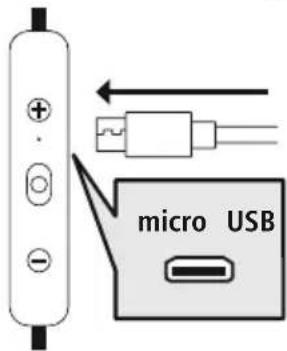
Y6eHntecb B TOM, YTO nepei 3apRikoN HayuHKn BblKIOueHb. IopKIOUHTe npnilaraembl 3apRnHbI USB-Ka6eJb K 3apRHOmy rHe3dy (7) IopKIOUHTe CBO6OHNbI UTekep 3apRdHoro Ka6eJIa Micro-USB K NOxODaIeMy 3apRdHOMy yCTpoiCTBy USB. Co6IouaIte pyKOBoCTBO No EKcNlyatauN nCnoJIb3yEmoR 3apRdHoro USB-yCTpoiCTBa.
2 Ppoecc 3apAdkn HayshNKOB
Bo Bpem 3apAikn CBeToIIO, (3) NOCToHNO rOpNT KpaChbIM CBeTOM.
Iocne 3aBepueHn 3apAKn CBeToDnOd (3) rOpNT cHnM.
ДлгплногиЗардкуakkyMyntopaMOKETnotpe60BaTbCndo2yacOB.
3 EMKoctb aKKyMyJnTopa
Ipn Hn3KOM ypOBHe 3apJa aKKymyJrTopa HayuHKnOB CBeToJNOd (3) Muraet KpaChbIM npa3daTcY yCTHOe ONObEseHne Battery Low (Hn3Kn 3apJd 6a.Tapeu)
IpoJOnKInTeBHOCTb pa60TbI aKKymyIaTOPa BapbIpyETcB 3aBNCIMOCtN OT INHTeHCNBHOCTn IcNoJIb3OBAHnI np6opa, HAcTpoE N OkpyKaIOUeI Tempeatypbl (aKKymyIaTOPbl IMeIOT orpaHnueHHbI cPOK Cnyk6bl).
Yka3aHne

EcnBbHeckoBKe MecaeB He noIb3OBaHnCb n3dennm, MoXeT npOHTn 15-30 MInHyT, noka CBToDnOHDhM HnDKaTOP COCTOHHN (3) npn 3apAKe 3arOpNTcKpaCHbIM
6. CoeHHene Bluetooth(copjxehne)
ykaahne — conpjxehne

- Y6eIntecb, yTO OKOHeHoe yCTpOINCTBO C BO3MOXHOCTbIO COeINHeHnY uepe3 BluKoTHeHo n Bluetooth®-coeINHeHne yCTaHOBNeHo.
CobioaTe COOTBeTCTByOuHne yka3aHn pyKOBoDcTaB no EKcnIyatauB aWero OKoHeHoro yctpoNCTBa.
HayuHnKn OKOHeuHoe yCTpOJCTBO DOJXHbI HaxOJITbcra Ha pacCToAHn He 6OJIbSe 1 MeTp aDpyr ot dpyra. Yem MeHbSe pacCToAHne, TeM LyUwe.
y6eHntecb, yTO HayuHnKn BkIIOueHbI.
1ПpoBepbTe CBeToIIOHbI INHdNKaTOp COCTOHN3 (3)
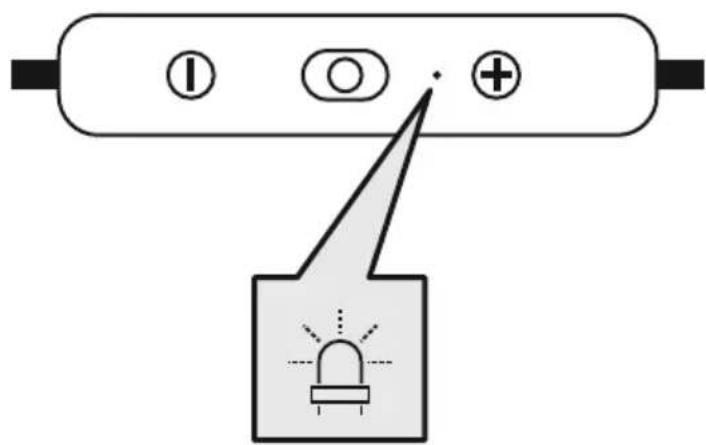
Pn nonepemehHom MrraHn CBeToNDHO r HndKaTopa coCToHHa (3) n onoBeuehen
HayuHnKn PbIaOTc yCTaHOBNTb COeINHeHne Bluetooth®.
Pn MrraHnn CBeToDnOHDoro HndNKatopa CoCToAHN (3) n ONOBeueHN:
HayuHnK uCTaHOBnI COeINHeHne C OKoHeHbIM yCTpOInCTBOM Bluetooth.
2 HauDte B OKOHeHOM yCTpoIcTBe HauuHnKn (Tpe6yeTcra TOnbko npn nepBOM coeHNHeHn)
OTKpoTe MeHIO HaCTpoe BluteoHa BaWem OKOHeuHOM yCTpoiCTBe N NOOxDHTe, NOKa BCnCKe HauDeHHbIX yCTPOIcTB C BluteoThe NoBNTcHama Freedom Neck
Bb6epnte Hama Freedom Neck n nooxnTe, noka HayuHnKn OTo6pa3rTa B KaueCTBe noknueHHoro yctpoiCTBa B NaCTPOkax BluetooKoHeuHO r cTPOiCTBa. Pa3daCTc 3BykoBoi CnHaJ.
YkaaHne — napoJb Bluetooth

IJI HeKOTOpbIX OKOHeuHbIX yCTpOINCTB npn yCTaHOBneHN coeHNHeHNA C pyrIM B'luetooth yCTpOINCTBOM Tpe6yETc npoJIb
- Ecni BaWe OKoHeuHoe yCTpOiCTBO Tpe6yTe erO BBOJa, BBeIte IJIa CoEINHeHnC n3JeJIneM napOlb 0000.
3 TexHoiJorma Multipoint
3TN HayuHnKMOxHO CnHXPOHn3IPOBaTb OndHOBpeMeHHo C DByMa OKOHeYhbIMN yCTpoiCTBaMn, NOdepXnBaUoUmmn FyHKcHIO Bluetooth(TexHOLorna Multipoint).
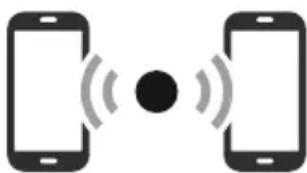
- Chauana cnHxpoHn3npynte c HayuHnKaMn nepBoe oKOHeHoe yCTpOJCTBO.
- 3aTeM DeakTnBnpyuTe cyHKuHo Bluetooth® Ha 3tOM OKOHeuHOM yCTpOiCTBe.
- После ЭТORO снхронишичte с hayшнкамь Вторец Okohuehoe устpoистBO.
- Choba aKTHBnpyuTe fYHKUIO Bluetooth® Ha nepBOM OKOHeHOM yCTpOuCTBe. Tenepb HayShnKn CNHXPOHN3NpyOTc N C 3TUM OKOHeHbIM yCTpOuCTBOM.
7. Θлем entbl ynpabneHnA
Yka3aHne

- 06paTHe BHMaHHe, YTo NoIePkKa HeKOTOpbIX yHKn3aBNCNT OT BaWero OKoHeHOrO yCTpoNCTBa.
CobJIOaIte COOTBeTCTByOuHne yka3aHn pyKOBoDcTBa nO 3KcnJyatauN BaJero OKoHeHoro yCTpOInCTBa.
7.1Функци Интелктуальною rolocoboro nOMOuzHnka
Siri/ Google
Haxmte u ydepknae KhoNky MFB (5) B TeueHne 2 cekynd, T06bl 3aIyCTnTB o6MeH daHHbIMc Siri nn Google Assistant. Korda pa3dactcra BYK cnHaJa, 3TO 6ydet O3HaHaTb, 4TO BaI rOJocOBn NOMUHNK rOTOB NOMOyB Bam.
ykaaHne — Siri

CepBnC Siri IocTyneH TOnbKO Ha COOTBeTCTByUOx OKOHeuHbIX yCTpoiCTBax c iOS 5 (HaunHajc iPhon 4s) nn BoJee No3dHe BepCme
Yka3aHne - Google Assistant

CepBnC Google Assistant IOCTyneH TOJbKO Ha COOTBeTCTByIOUx OKOHeuHbIX yCTPOIcTBax C Android 5.0 nnn 6oJee no3dHe BepCnei C cepBncamn Google Play Services, >1,5 F6 CBO6OJHOI pAMrN mMHmAlhBbIM pa3peWeHnem 3kpaHa 720 nIKceJe.
- PpnoKHe Google Assistant DOJXHO 6bITb DOCTyHNO Ha BaWem OKOHeHOM yCTpoiCTBe HAcTpoEHO B KaueCTBe CTaHdapTHOro FOIOCOBOrO NOMOuHnKa.
7.2ФункцгромковCB3N
BbI TAKKe MoXeTe NcNoJIb3OBAtB HayuHnKu B KaueCTBe yCTpOJCTBa IJa rPOMKo TeJeFOHHo CBa3N dJa CBOero OkHeuHO YoCTPOJCTBa.
1 CoBepuMb Bbl3OB
Bb6epTe Hmep HenocpeCTBeHHo Ha OKOHeuHOM yCTpoNCTBE, T06bl COBepWHTb Bbl3OB.
2 PpHrTb Bbl3OB


OndokpatHO haxMnte KhONky MFB (5), yTo6bI npHrTb BXoJusn Bbl3OB
3 OTKIOHHTb Bbl3OB


ДвждынжмITE KHONky MFB (5) nnn nCnoNb3ynte BaWe OKOHeuHoe yCTpoIcTBO, YTO6bl OTKIOHHTb BXODaUIM Bbl3OB.
4 3aBepuNTb Bbl3OB

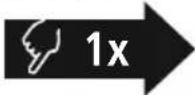

Bo Bpempa3roBopa OndHOKpaTHo HaxMnte KhoNky MFB (5), 4To6bl 3aBepuNTb Bbl3OB.
5 NOBTOpHbI Ha6Op

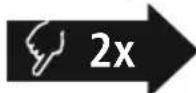

Haxmte KhoNky MFB (5) DbaXdbI, YTo6bl Ha6paTb NocJeHn H6paHHbH Homep
yKa3aHne

Функця NOВTOPHOro Ha6opa DoCTynHa TOnbko ДЯ OKOHeuHOrO yCTpoIcTBA, KOTOpoe 6blno ChauJa CnHXPOHUNpOBaHO
7.3 Bocnpon3BeJeHne aydno3aannc
1 BkIIOUHTe BOCnpon3BeDeHne Ha OKOHeuHOM yCTpoIcTbe.
2 Bocnpoun3BedeHne/nay3a

ДвждынжмITE Khonky MFB (5),чTO6bl npnoctaHOBNTb mnn 3anyCTnTB BOCnpoN3BeDeHne 3Byka.
3 Cnedyuou n Tpek

+Для nepexoanda K cIeIyIOUeMy TpeKy HaxMITE u ydepxnBaIte KhoNky + (4)В TeueHne npIMepHo 2 c.
4 Ppebidyun Tpek
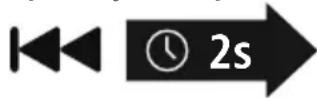
Haxmnte u ydepxmbaTe KhoNky "-(6) B TeueHeOcekyndIpepeXoDa K npdeBldUyEmy Tpeky
7.4 PerynipoBka rpoMkoCTN
1 YBeJIuYeHne rpOMKocTn
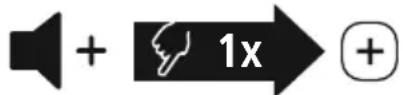
Дя NOвьшеня ГомКОCTи OДнHOKpaTHO HaxMnte KHONKy + (4).При ДOCТnxKeHn MaKcMaJIbHoN ГOMKOCTn pa3daetc yCTHO onOBeueHne "Maximum Volume".
2 yMeHbWeHne rpOMKoCTn
Дя уMeHBWeHЯ ГOMKocTи ODHOKpaTHO HAXMnTe KHOKNy "-" (6) Пи ДOCtNXeHn MNHmAlbHoN ГOMKOCTn pa3daetcay "beep beep".
8. TexHHueckne daHHbIe
10. NCKJIIOUeHHe OTBeTCTBeHHOCTn
Hama GmbH & Co. KG He HeceT OTBETCTBEHHOCTn 3a NOBpeXdEHN, BO3NkUne B pe3yIbTaTe HeHaJnxKaIeYcTaHOBKn, MOHTaJa N HeHaJnxKaIeero NcNoJIb3OBaHN N3dEIN Nn HecO6JIIODeHNr Tpe6OBaHn pyKoBOdCTBa n O KcNpyatau nn N/nn Yka3AHn no Texnke 6e3OnacHOCTn.
11. CepBnchoe 06cnyKuBaHne n noDnepKka
PnB03HKnHOBeHHN BOpocOB no n3dJIIno o6paauTecb Cnyx6y noepKn Hama.
Topua JINHJ: +49 9091 502-0 (HeM./aHr.)
IOnoJIHnTeJbHyIO INΦOpMaunHO NO TexHnueckO NoDpeKke eHa caIte www.hama.com
12. CeptuФнкaT COOTBETCTBnA
CE HactoIzM KOMnHnHa Hama GmbH & Co KG 3aBnEeT, yTo paAnoo6OpyObaHne Tnna [00184122] OTBeuAet Tpe6oBaHnM dIpeKtNBbI 2014/53/EC. C noJIhBIM TeKCTOM DeKJapaun o COOTBeTcBnN Tpe6oBaHnM EC MoXHo O3HaKOMITbcr 3decb:
www.hama.com->00184122->Downloads.
Dnana3OH/tnana3Ohby 2402 M-2480 M
MaKcMmaJIbHaI 3Nlyaemar MoUHocTb 2,5 MBT E.I.R.P.
BG PbKOBOIDCTBO 3a ekCnIooatauia
"Battery Low"anonsu gerceklesir