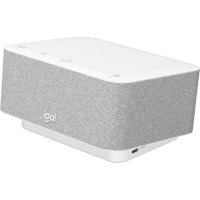
Logi Dock - Docking station LOGITECH - Free user manual and instructions
Find the device manual for free Logi Dock LOGITECH in PDF.



| Product type | Docking station with webcam |
| Brand | Logitech |
| Model | Logi Dock |
| Dimensions (L x D x H) | 14.4 x 8.4 x 5.4 cm |
| Weight | 500 g |
| Power supply | Power adapter (100-240 V AC) |
| Connectivity | USB-C, Ethernet (via adapter), USB-A |
| Built-in webcam | Logitech Brio with IR sensor and privacy shutter |
| Microphone | Beamforming microphone |
| Mounting | Table mounting with screws or VHB adhesive tape |
| Security | Kensington security slot |
| Cable management | Storage kit with combs and removable clip |
| Box contents | Logi Dock, Brio webcam, USB-C cable, USB-C/Ethernet adapter, power cable, mounting hardware, documentation |
| Maintenance | Clean with a soft, dry cloth |
| Operating temperature | 0 °C to 40 °C |
| Warranty | 2 years |
| Compatible with | Windows, macOS, Chrome OS |
Frequently Asked Questions - Logi Dock LOGITECH
User questions about Logi Dock LOGITECH
0 question about this device. Answer the ones you know or ask your own.
Ask a new question about this device
Download the instructions for your Docking station in PDF format for free! Find your manual Logi Dock - LOGITECH and take your electronic device back in hand. On this page are published all the documents necessary for the use of your device. Logi Dock by LOGITECH.
USER MANUAL Logi Dock LOGITECH
LOGI DOCK FOCUS ROOM KIT KIT POUR SALLE DE DISCUSSION LOGI DOCK
Complete Setup Guide Guide d'installation complet
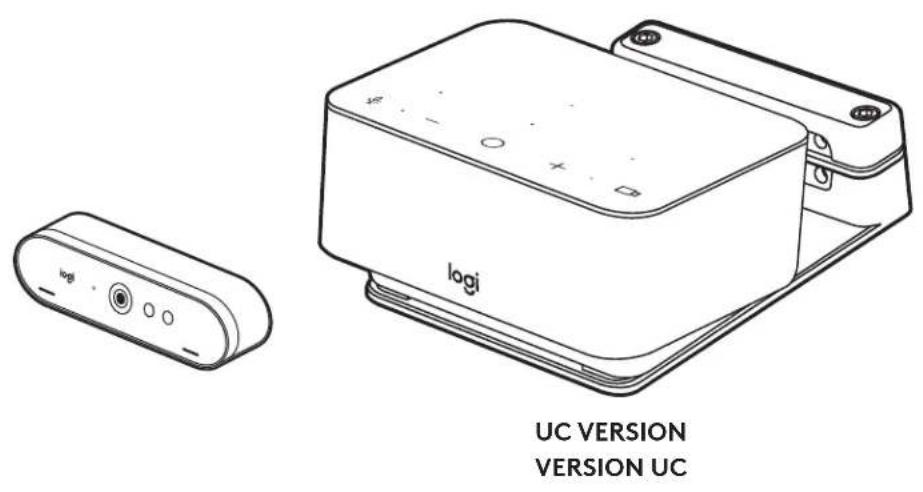
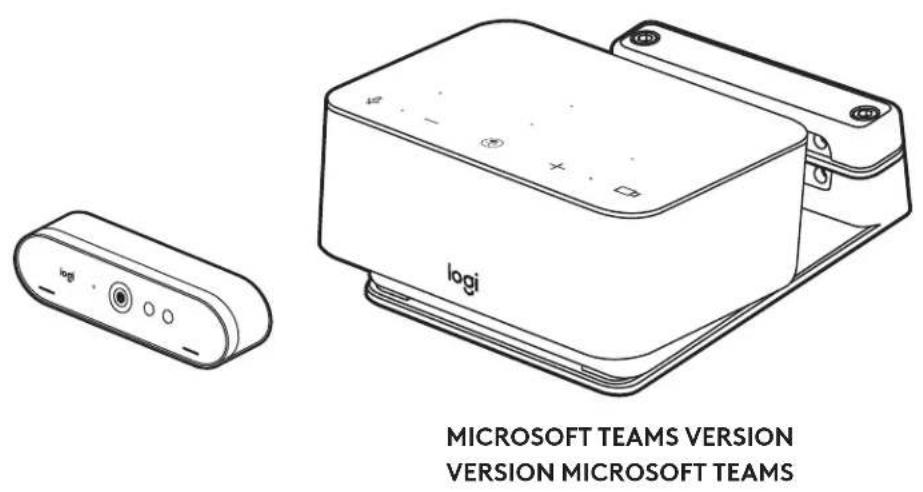
CONTENTS
English 3
Francais 11
Espanol (Mexico) 19
Portugues (Brasil) 27
Deutsch .35
Italiano. 43
Espanol. 51
Portugues .59
Nederlands 67
Svenska .75
Dansk .83
Norsk. 91
Suomi 99
Eληνικα. 107
PpCkn. 115
Po polsku. 123
Magyar. 131
Ceská verze 139
Slovencina 147
yKpaIHcbKa 155
Eesti 163
Latviski. 171
Lietuviq. 179
BbIrapckn. 187
Hrvatski 195
Srpski. 203
Slovenscina 211
Romana 219
Türkce 227
235.
243.
繁體中文 25
法 259
Indonesia 267
WHAT'S IN THE BOX
1 Logi Dock with mounting bracket
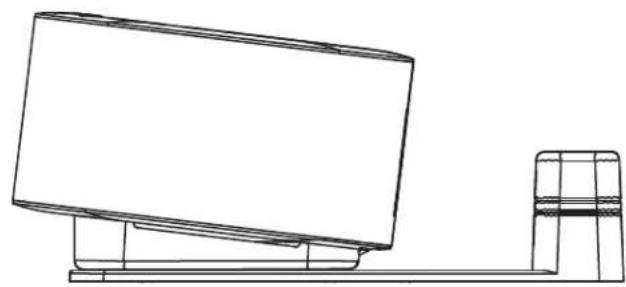
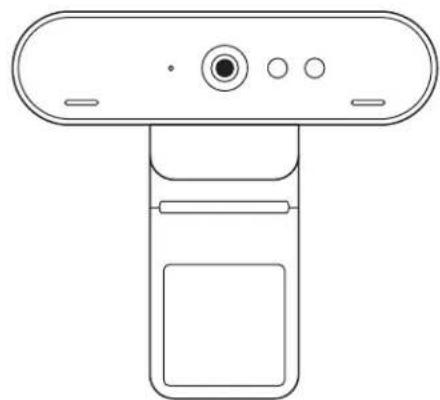
2 Brio webcam with universal mounting clip
3 Attachable privacy shutter
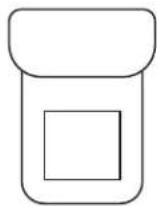
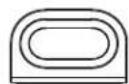
4 USB-C cable tidy kit
5 USB-C-to-Ethernet adapter
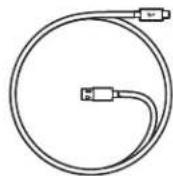
6 USB-C to USB-C cable
7 AC power cord
8 Power supply
9 USB-A to USB-C cable
10 Mounting hardware - screws x2, VHB tape, hex key
11 Documentation
1
2
3
4

5
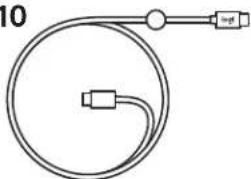
6710
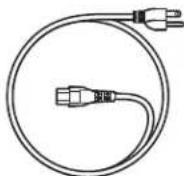
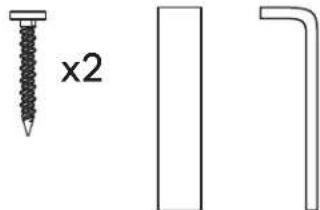
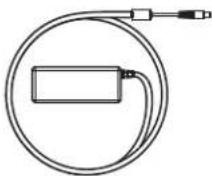

1189
FEATURES
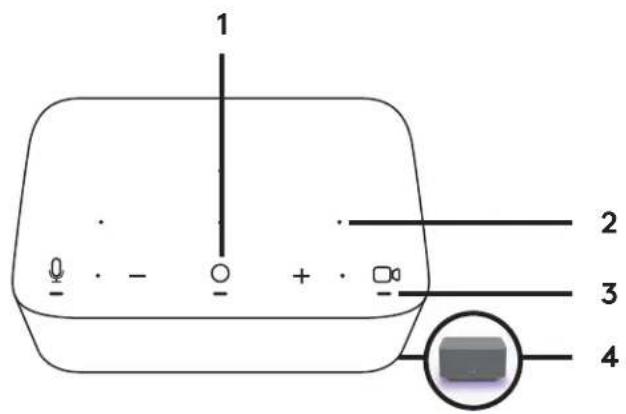
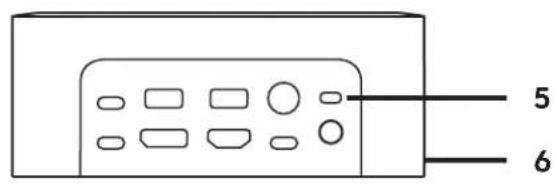
LOGI DOCK
1 One touch to join
2 Beamforming mic
3 Status LED
4 Ambient light
5 Kensington security slot
6 USB-C
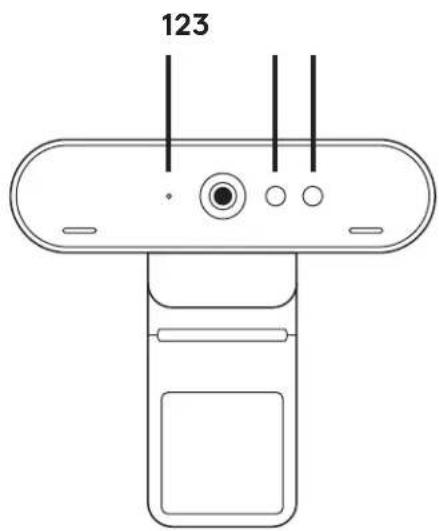
BRIO WEBCAM
1 Status LED
2 IR sensor
3 IR LED
CONNECTION OVERVIEW
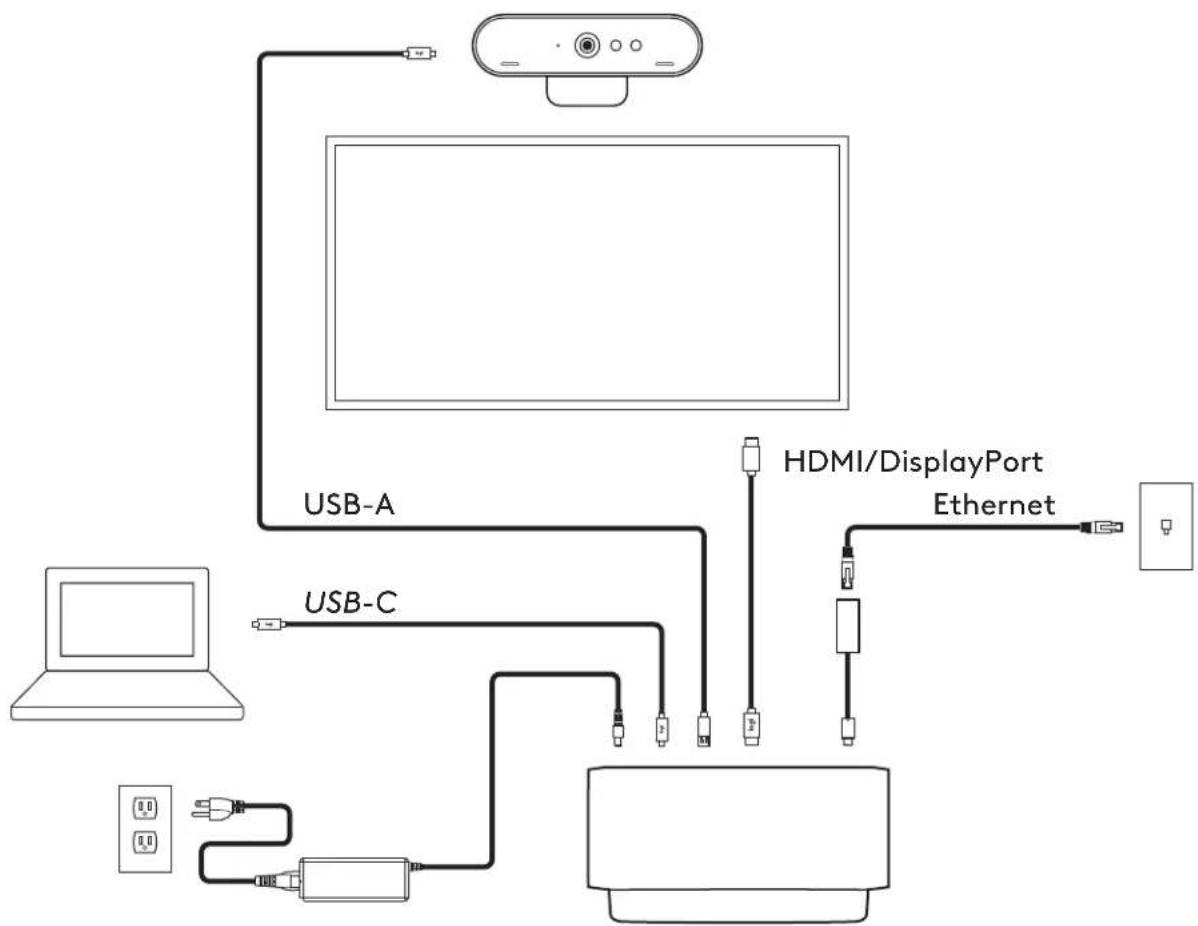
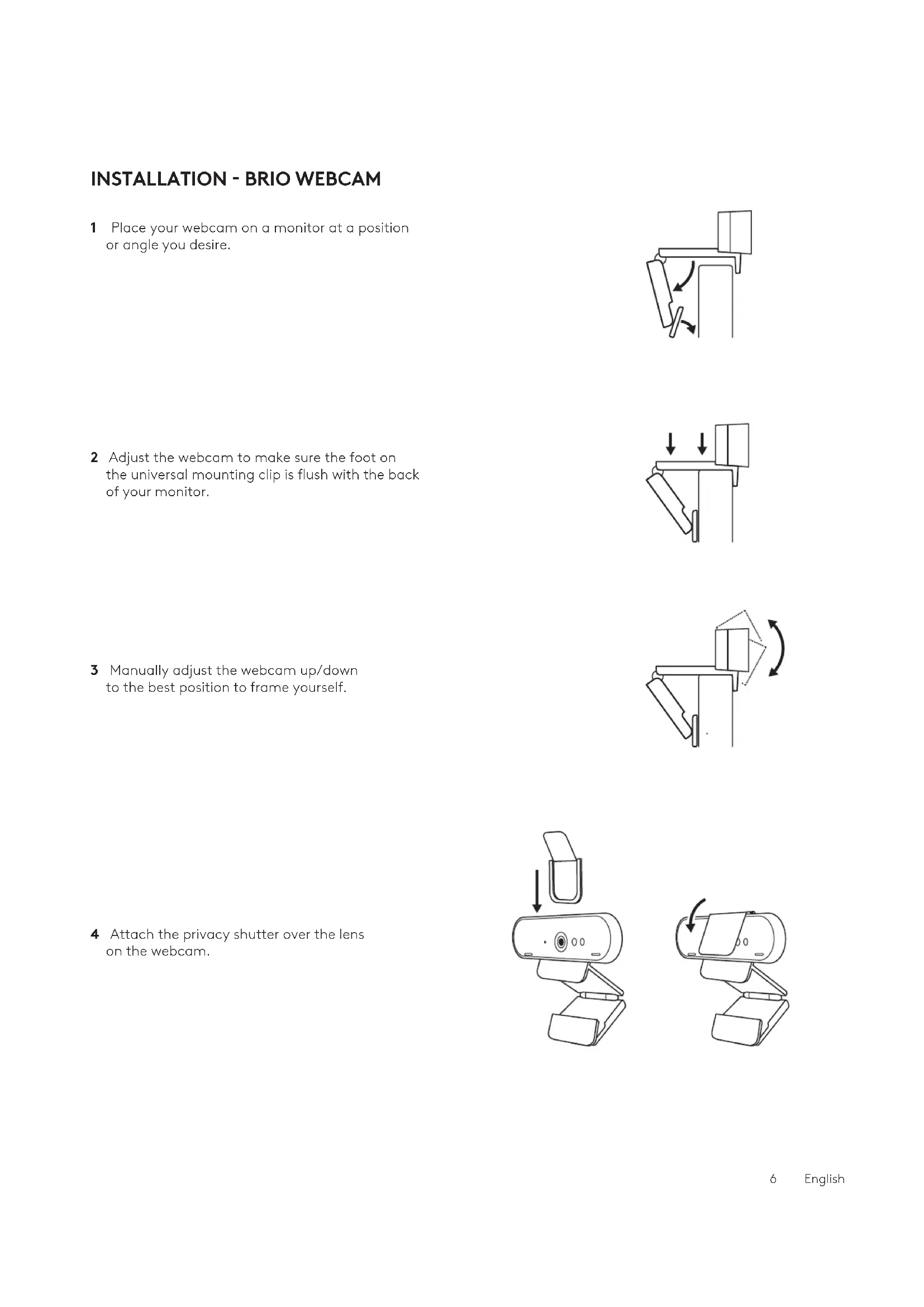
INSTALLATION - BRIO WEBCAM
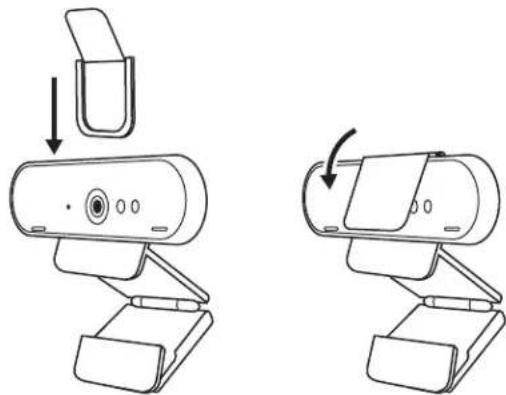
1 Place your webcam on a monitor at a position or angle you desire.
2 Adjust the webcam to make sure the foot on the universal mounting clip is flush with the back of your monitor.
3 Manually adjust the webcam up/down to the best position to frame yourself.
4 Attach the privacy shutter over the lens on the webcam.
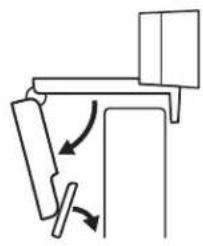
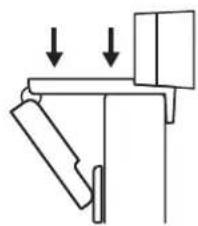
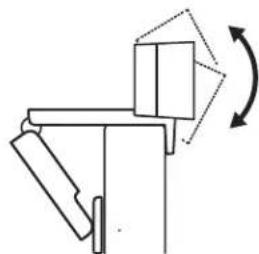
INSTALLATION - USB-C CABLE TIDY KIT
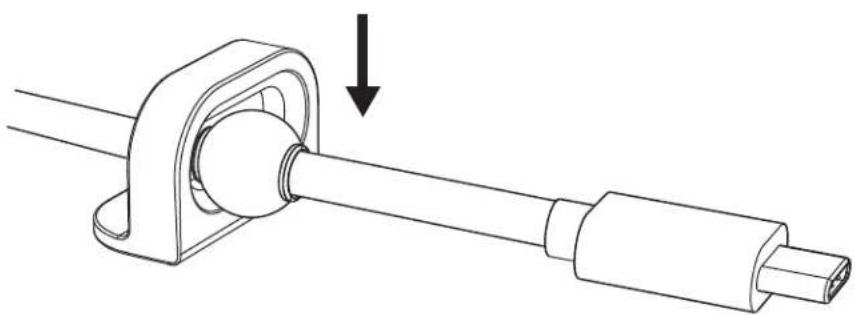
1 Clean the surface. Peel off the tape.
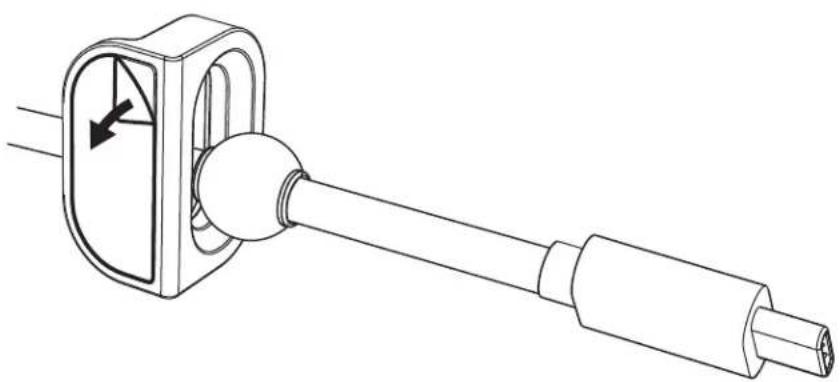
2 Press the loop to the table with force for a few seconds.
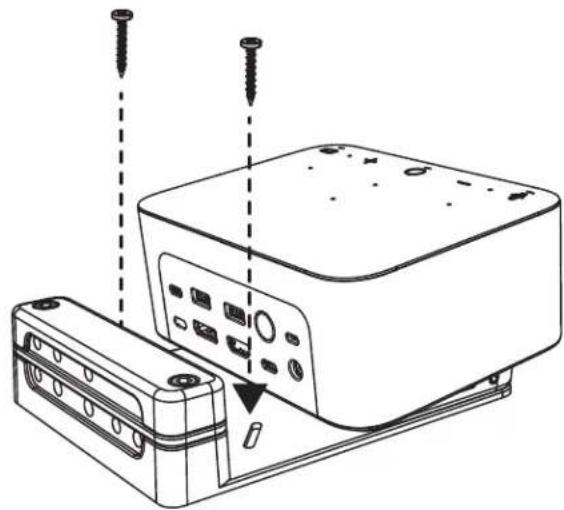
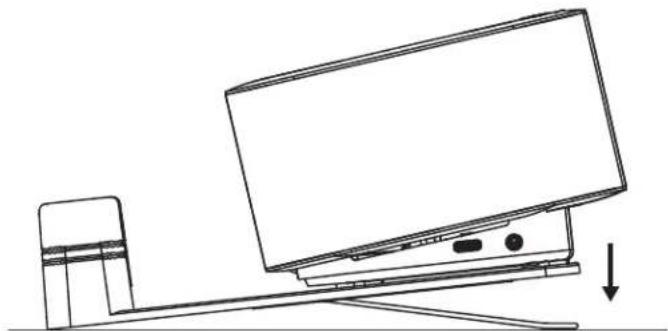
INSTALLATION - MOUNTING BRACKET OPTIONS
Option 1 Mount Logi Dock to the table using included 2 screws.
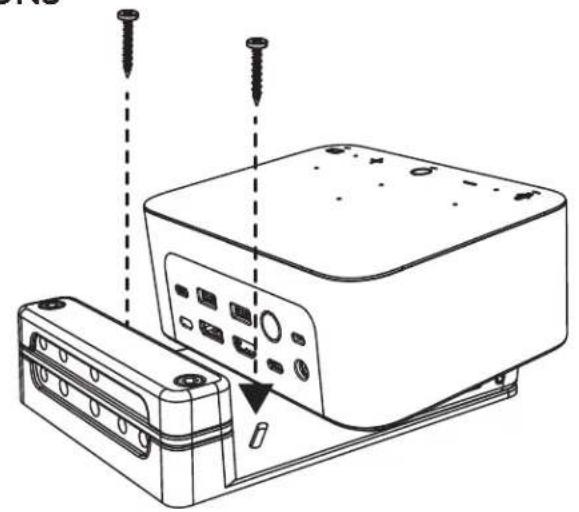
Option 2 Mount Logi Dock to the table with VHB tape by applying the tape to the bottom of the bracket.
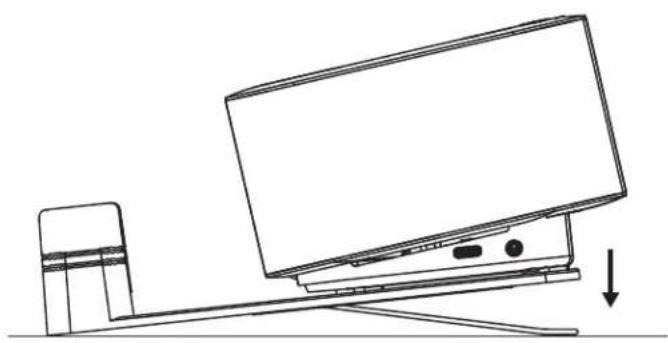
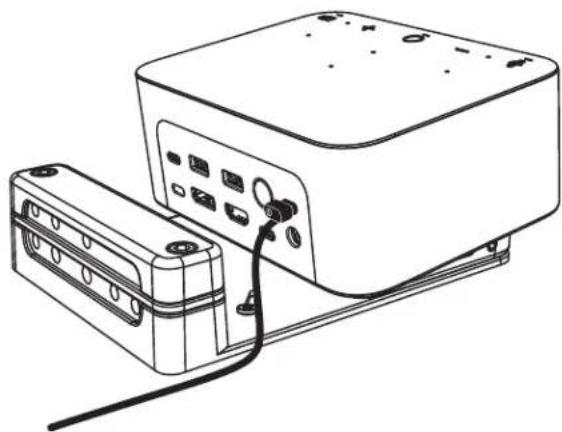
Option 3 Secure Logi Dock to the table with Kensington Lock.*
*Lock not included
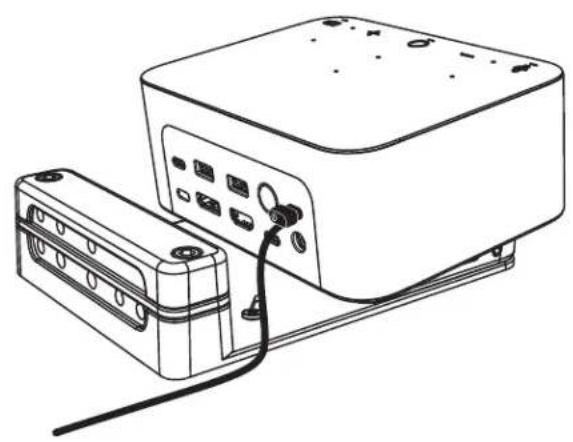
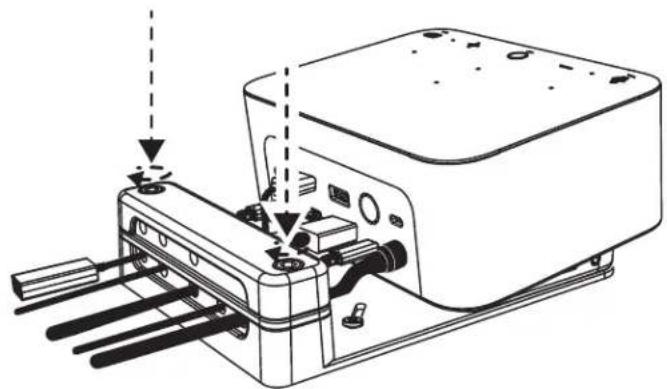
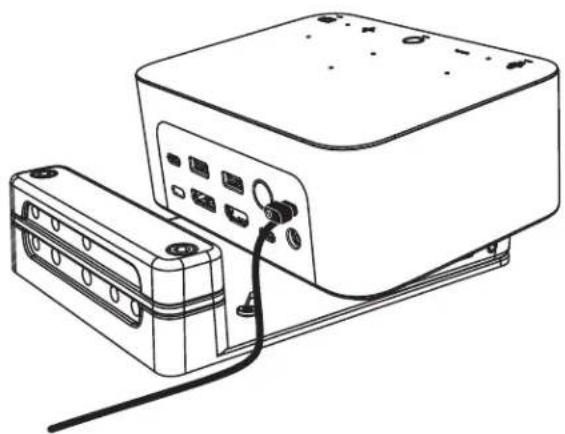
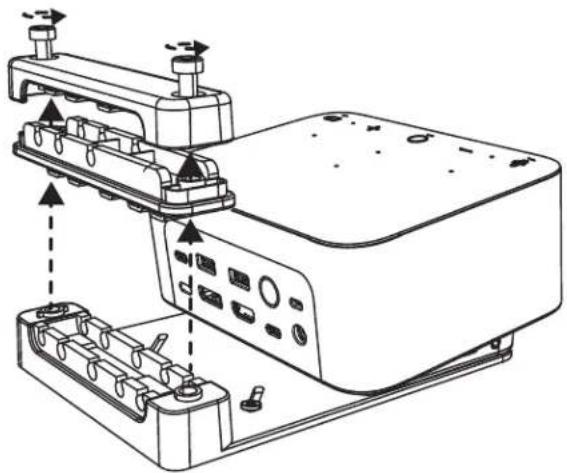
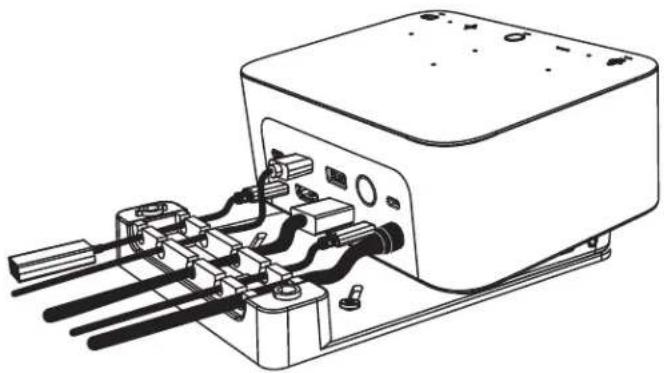
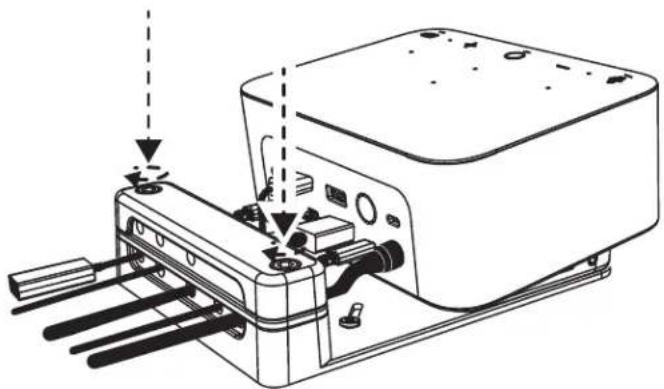
INSTALLATION - WIRE MANAGEMENT
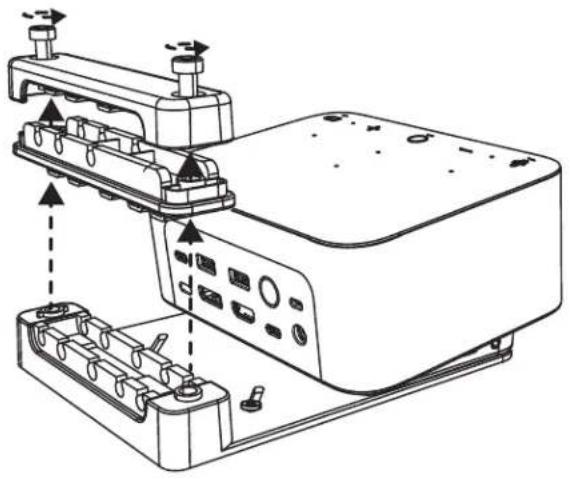
1 Remove clamp with the hex key provided. Then lift off the top and middle comb.
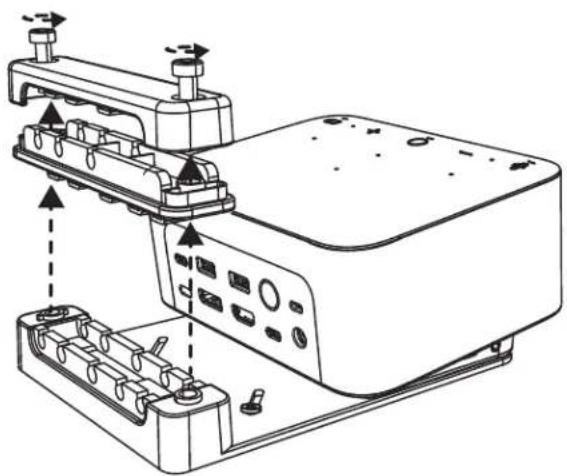
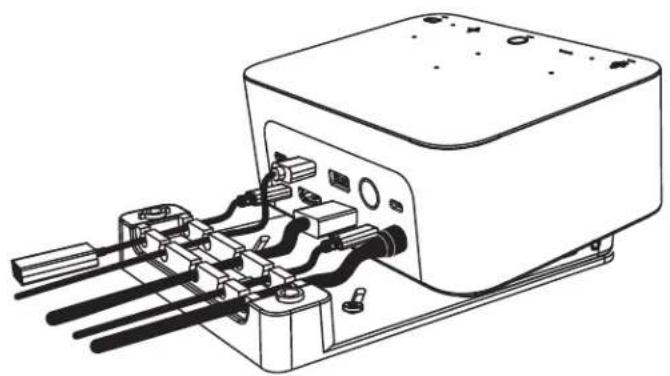
2 Install all cables either into top or bottom comb based on connector placement.
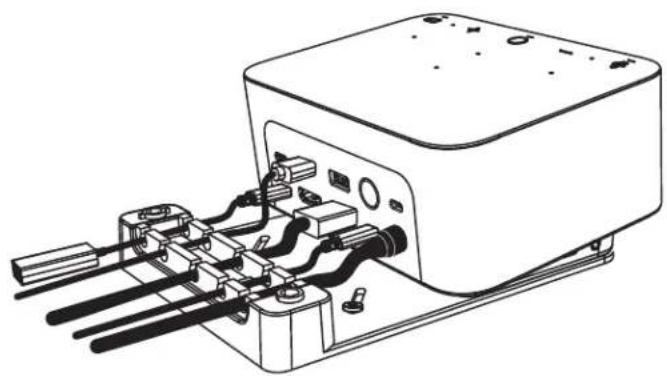
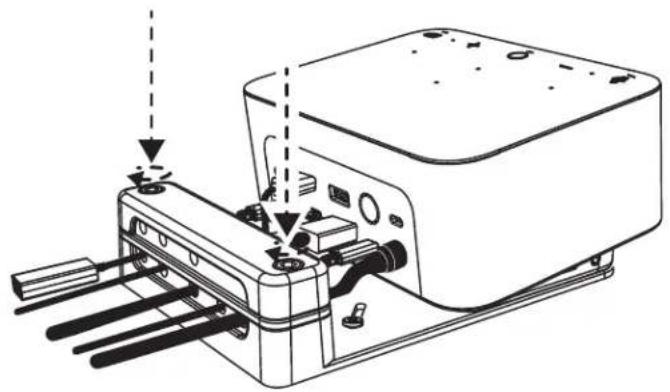
3 Replace clamp. Tighten screws to secure cables.
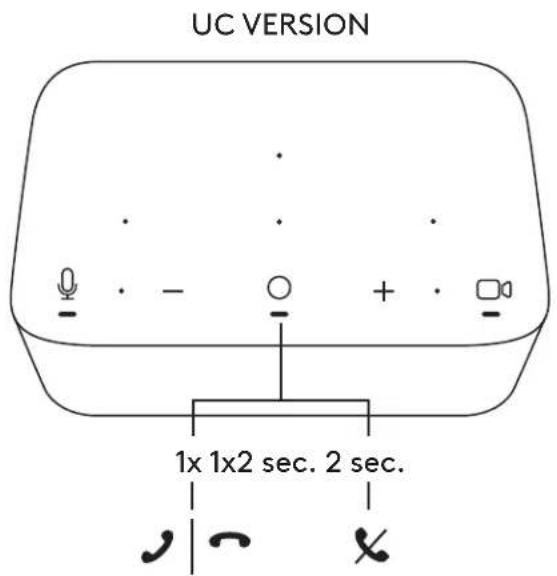
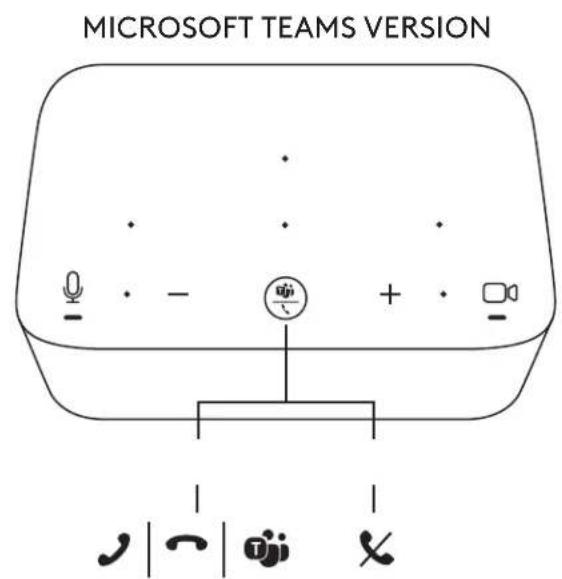
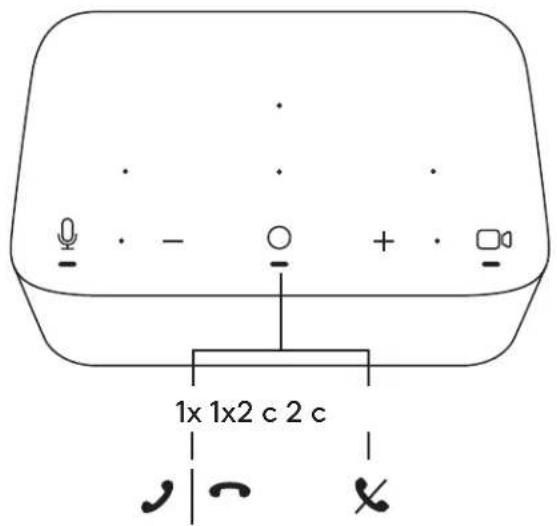
CONTROLS

logitech.com/tune

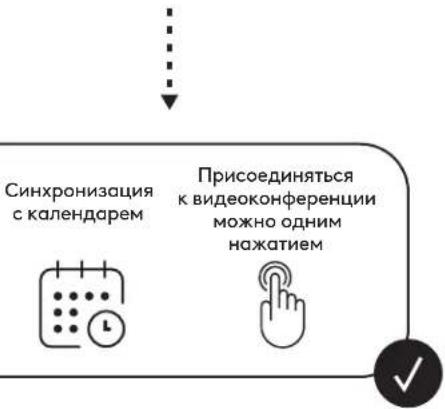
Calendar Integration

One Touch To Join


CONTENU
INSTALLATION: KIT DE RANGEMENT POUR CABLE USB-C
INSTALLATION: OPTIONS DE FIXATION
Kalender-integration

INSTALLATION - LEDNINGSTYRING
Kalender-integration

Bapnant 3 3aKpenite Logi Dock Ha cTone c noMooubIO 3Amka Kensington Lock.
*3AMOK He BXOINT B KOMNJIeKT NOCTABKN
YCTAHOBKA - OPRAHn3AUngIPOBOIOB
1 YdaInte 3axm WecTnrgpaHHbIM KIOUOM, KOtOpBn NOCTabNReTCB KOMPNeKTe. 3aTeM NoDHNMTe BepxHn n CpeHn rpe6eHb.
2 PpOBeIte Ka6eIu Ype3 BepxHn Hnn HnxHn rpe6eHb, B 3aBncmocTn ot pa3MeueHn pa3beMa.
3 YcTaHOBHTe 3aXHM Ha MeCTO. 3aKpyTITe BnHTb IJn fHKcaUN Ka6enei.
3JIEMEHTbI UYPABJIENHIA
BEPCnA C NOI,DEPJKOJUC
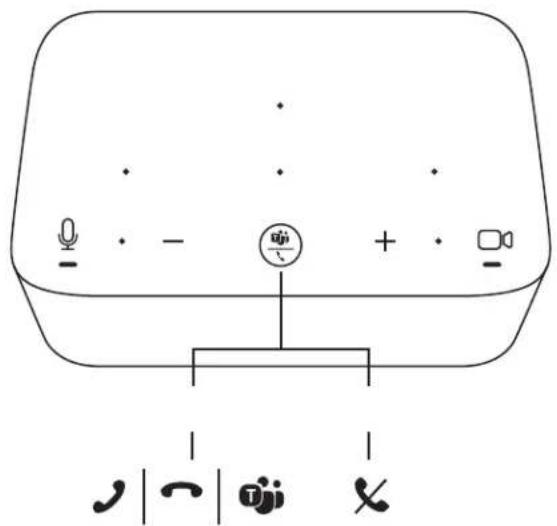
BEPCN C NO,Д.Д.EPЖКОМ MICROSOFT TEAMS

logitech.com/tune
ZAWARTOSC ZESTAWU
nynxnx nwn by Logi Dock nx jnn 1 nnn
2
nniin nniin by Logi Dock nx jnn 2 ninn
nynnnnVHBno
Jannnn nn
nynxnx nwn by Logi Dock nx pnn 3 nwnx
*.Kensington yynn
777777
D'vin 17 - nnn
1
nnnnn nn nnnn nn nn 2 nn nn n
3
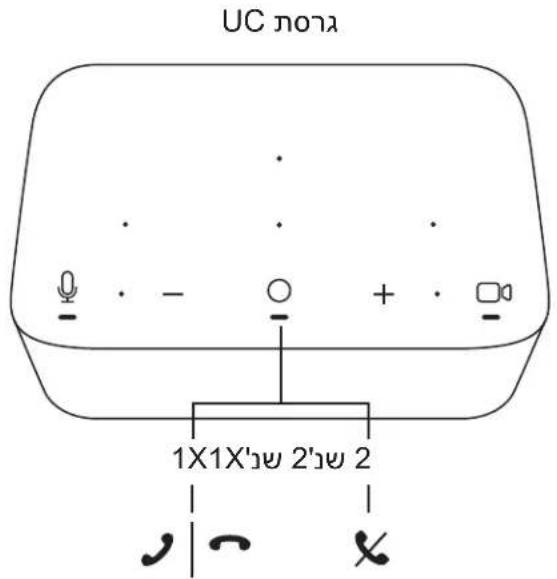
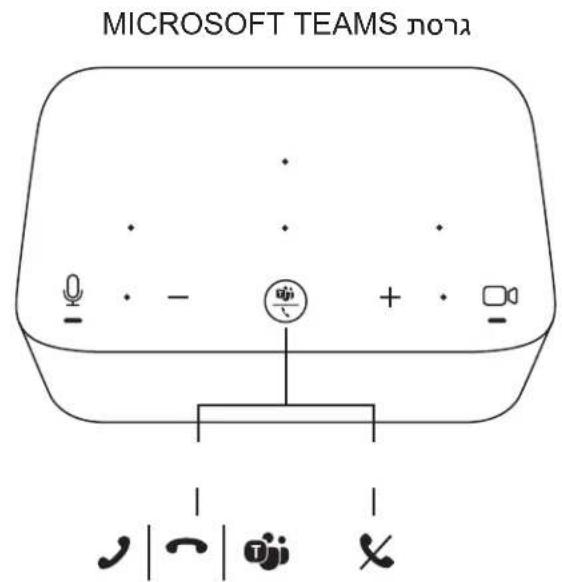

logitech.com/tune

D
7


包装内容
PEMASANGAN - OPSI MOUNTING BRACKET
logitech.com/support/logi-dock-focus-room-kit
© 2023 Logitech. Logitech, Logi and the Logitech logo are trademarks or registered trademarks of Logitech Europe S.A. and/or its affiliates in the U.S. and other countries. US-C and all other 3rd party trademarks are the property of their respective owners. Logitech assumes no responsibility for any errors that may appear in this manual. Information contained herein is subject to change without notice.
- LOGI DOCK FOCUS ROOM KIT KIT POUR SALLE DE DISCUSSION LOGI DOCK
- CONTENTS
- WHAT'S IN THE BOX
- FEATURES
- LOGI DOCK
- BRIO WEBCAM
- CONNECTION OVERVIEW
- INSTALLATION - BRIO WEBCAM
- INSTALLATION - USB-C CABLE TIDY KIT
- INSTALLATION - MOUNTING BRACKET OPTIONS
- INSTALLATION - WIRE MANAGEMENT
- CONTENU
- INSTALLATION: KIT DE RANGEMENT POUR CABLE USB-C
- INSTALLATION: OPTIONS DE FIXATION
- INSTALLATION - LEDNINGSTYRING
- YCTAHOBKA - OPRAHn3AUngIPOBOIOB
- 3JIEMEHTbI UYPABJIENHIA
- ZAWARTOSC ZESTAWU
- D'vin 17 - nnn
- 包装内容
- PEMASANGAN - OPSI MOUNTING BRACKET
- logitech.com/support/logi-dock-focus-room-kit
Brand : LOGITECH
Model : Logi Dock
Category : Docking station