S315i - Docking station LOGITECH - Free user manual and instructions
Find the device manual for free S315i LOGITECH in PDF.

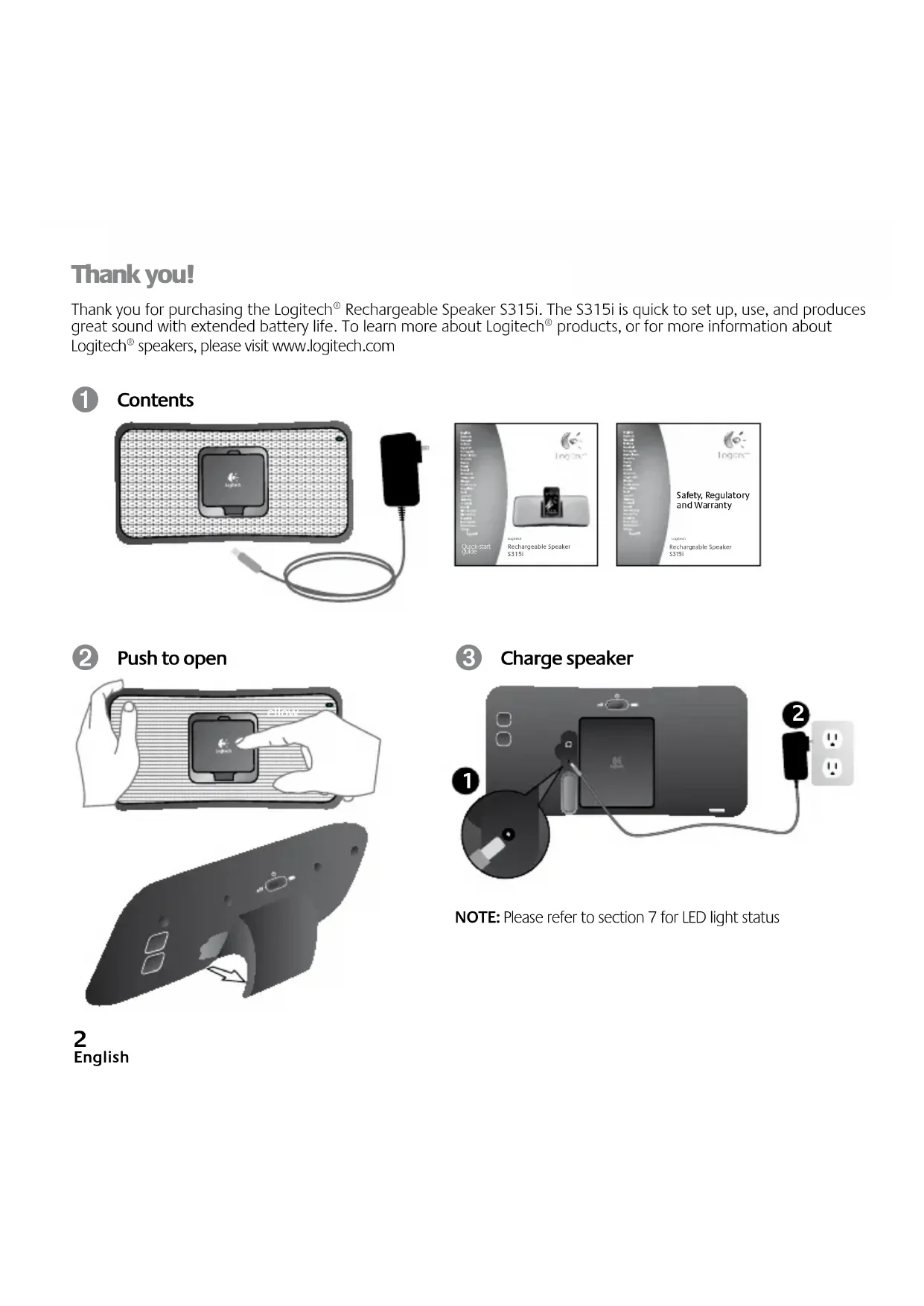


| Product type | Docking station for iPod/iPhone |
| Brand | Logitech |
| Model | S315i |
| Power supply | Mains (charger included) or built-in rechargeable battery |
| Battery type | Built-in rechargeable (Lithium-ion) |
| Battery life | Up to 10 hours in normal use, up to 20 hours in energy-saving mode |
| Charging time | Approximately 10 to 20 hours depending on remaining charge level |
| Compatibility | All iPods and iPhones with dock connector (no adapter required) |
| Charging function for connected device | Yes, only when the speaker is plugged into the mains |
| Battery level indicator | Multicolor LED (green, orange, red) to indicate charge level |
| Energy-saving mode | Yes, can be activated to extend battery life (reduced volume and bass) |
| Connectivity | Dock for iPod/iPhone, mains power socket |
| Box contents | S315i speaker, mains charger, user manual |
| Dimensions (W x H x D) | Approximately 250 x 120 x 100 mm |
| Weight | Approximately 0.8 kg |
| Color | Black / Silver |
| Material | Plastic and metal |
| Usage | Indoor |
| Maintenance | Wipe with a soft, dry cloth. Do not use abrasive products. |
| Warranty | 2 years (according to applicable legislation) |
Frequently Asked Questions - S315i LOGITECH
User questions about S315i LOGITECH
0 question about this device. Answer the ones you know or ask your own.
Ask a new question about this device
Download the instructions for your Docking station in PDF format for free! Find your manual S315i - LOGITECH and take your electronic device back in hand. On this page are published all the documents necessary for the use of your device. S315i by LOGITECH.
USER MANUAL S315i LOGITECH
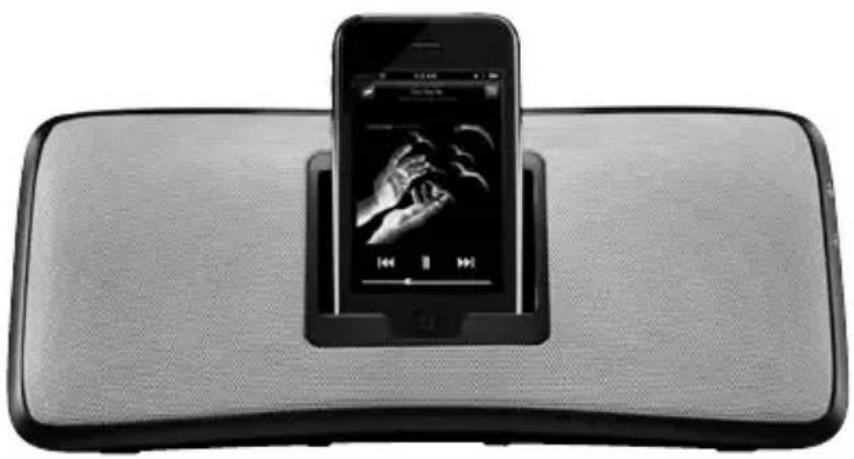
Logitech Rechargeable Speaker S315i
Thank you!
Thank you for purchasing the Logitech® Rechargeable Speaker S315i. The S315i is quick to set up, use, and produces great sound with extended battery life. To learn more about Logitech® products, or for more information about Logitech® speakers, please visit www.logitech.com
1 Contents
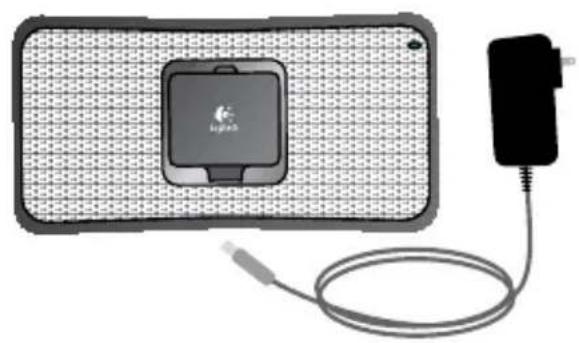

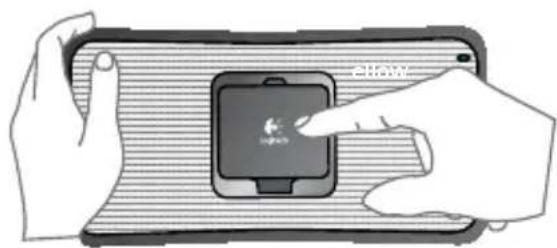
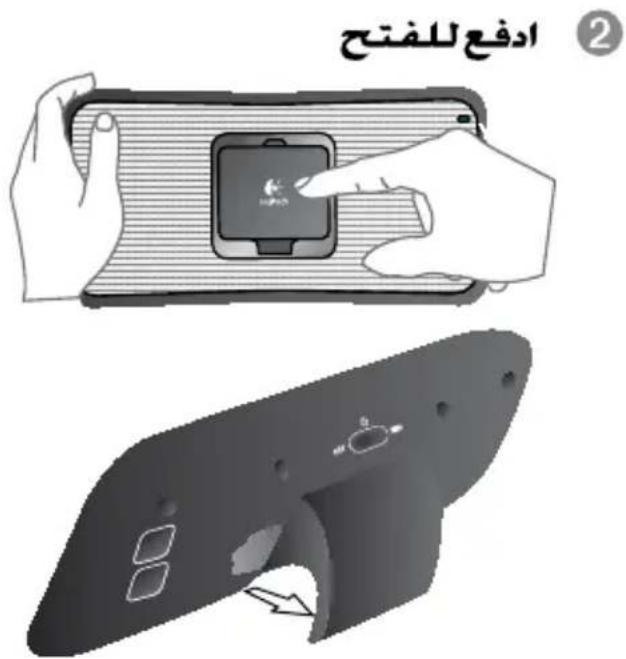
Push to open
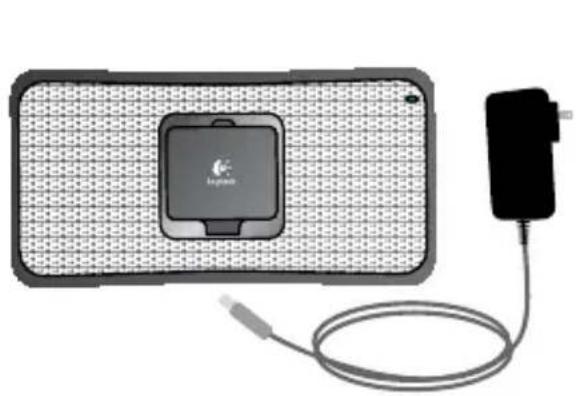
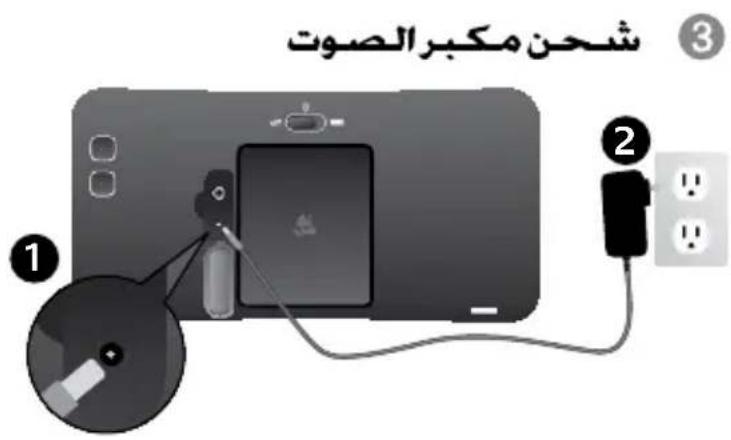
Charge speaker
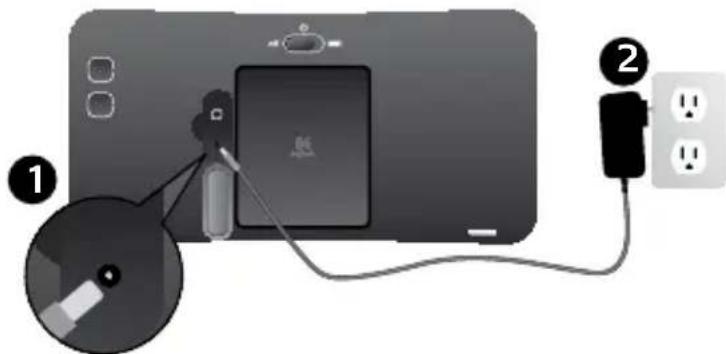

NOTE: Please refer to section 7 for LED light status
2 English
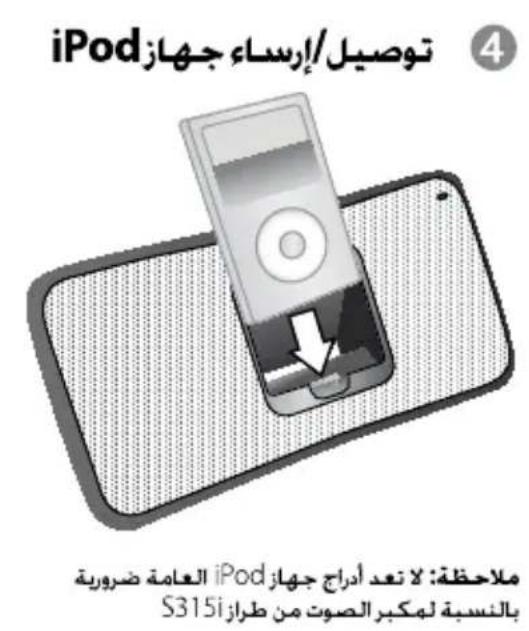
4 Connect/Dock iPod
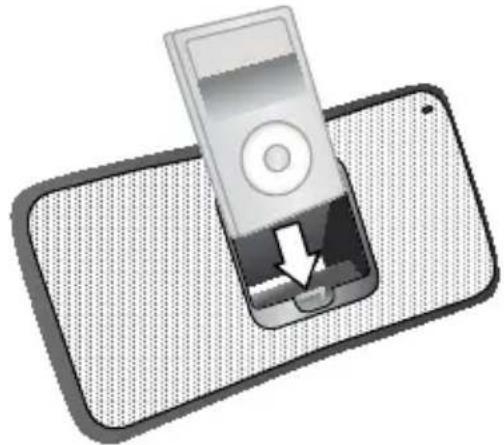
NOTE: Universal iPod Trays are not needed for the S315i speaker
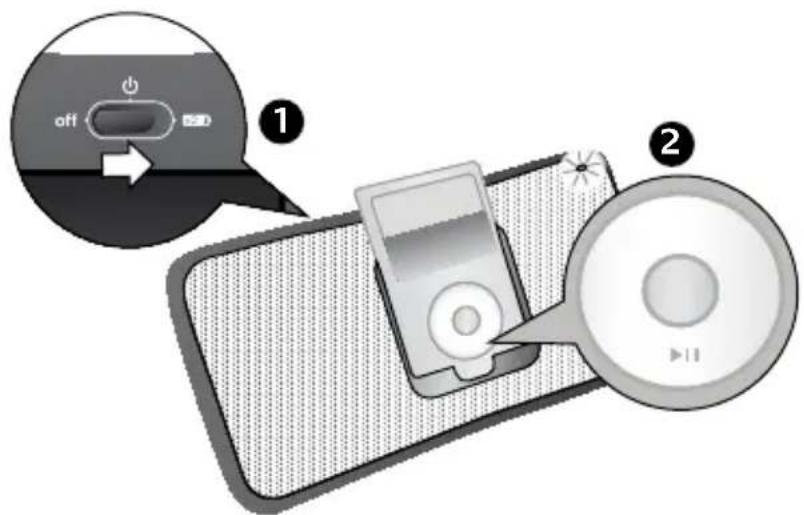
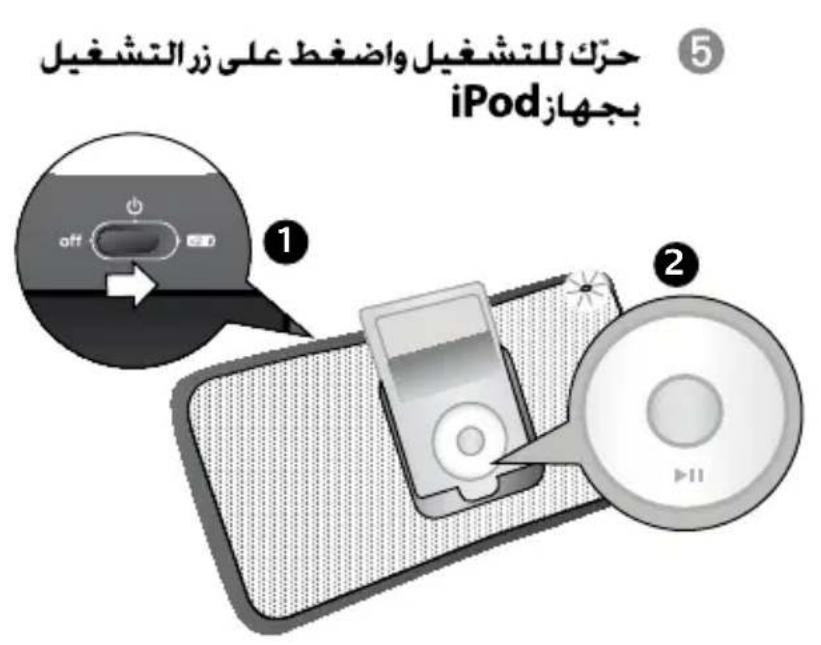
Slide to power on and press play on the iPod
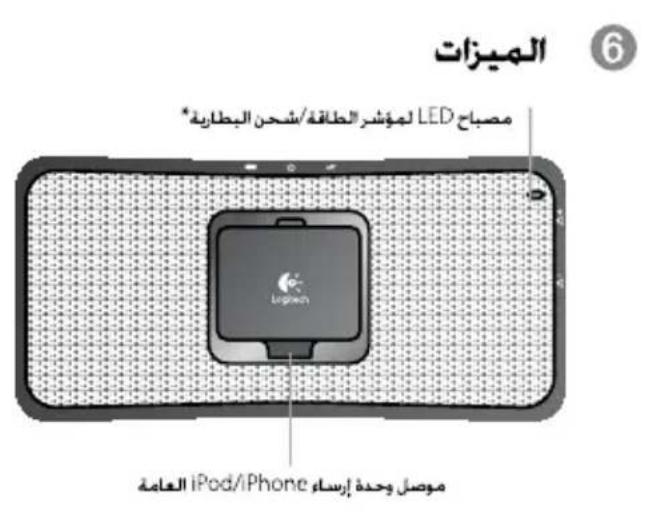
6 Features
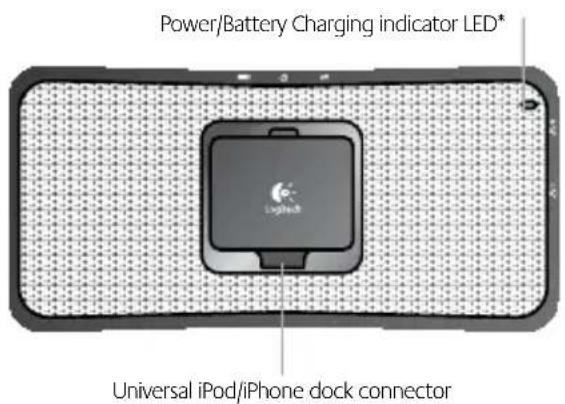
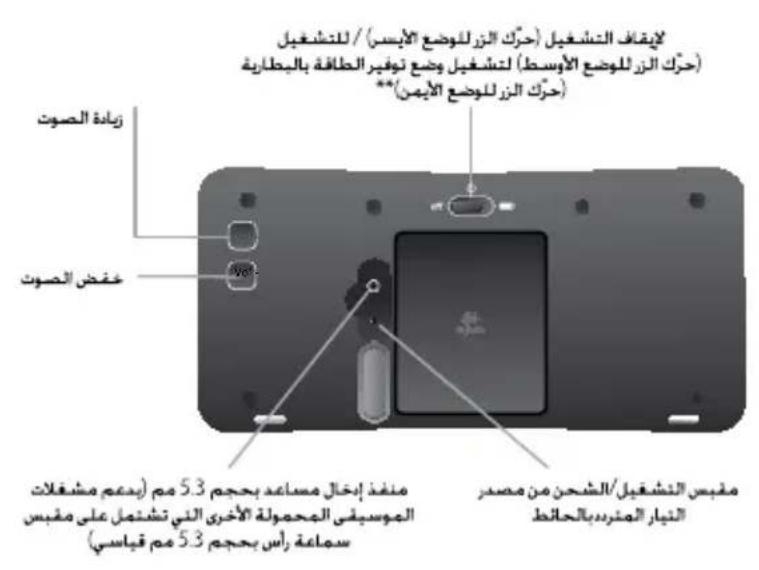
Power OFF (slide LEFT position) / Power ON (CENTER position)
Power-saving battery mode (slide RIGHT position)**
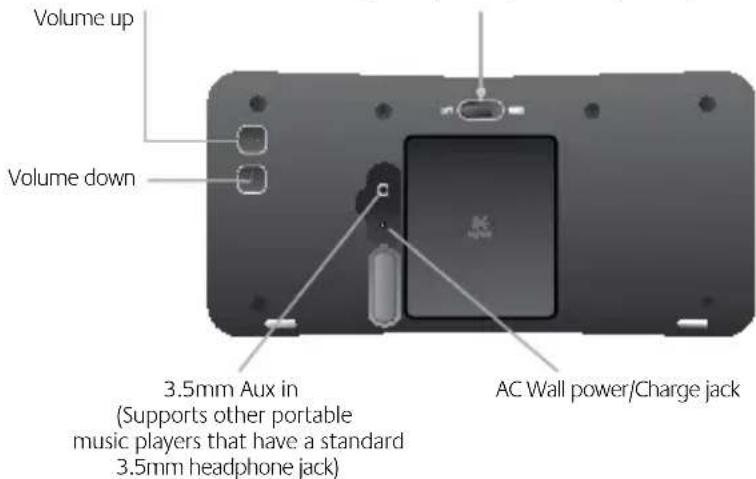
* Please refer to section 7 for LED light status
** Power-saving mode extends your battery life to up to 20 hrs. See section 8 - FAQ

LED light indications
| Power coming from S315i | light indicator Indicating that | |
| AC Wall No Light S315i is powered OFF, but still charging | ||
| AC Wall Green (solid) S315i battery is fully charged and power is ON | ||
| AC Wall Green (slow pulsing) S315i battery is < (less than) 100%, but charging (Power is ON) | ||
| Battery No light S315i is powered off or has zero battery life left | ||
| Battery Green S315i battery life is > (greater than) 40% | ||
| Battery Orange | S315i battery life is between 5%-40% | |
| Battery | Red | S315i battery life is < (less than) 5% |

FAQ
Q: How do I charge my S315i speaker?
A: Simply connect the provided AC charger into the back of the S315i and plug it into a standard wall power socket.
Q: How long does it take to recharge my S315i speaker?
A: Anywhere from 10hrs to 20hrs (Depending on how far the battery has drained)
Q: How long does a battery charge last?
A: 10 hours of normal operation
A: Up to 20 hours in Power-saving Mode *** * Depending on the volume setting of the S315i
** You may notice less bass and loudness when in Power-saving Mode
Q: How is the battery charge level of my S315i speaker displayed?
A: Use the multi color LED light in the upper right hand corner on the front of the S315i. Refer to the S315i LED Light indications matrix above that shows what each different light means.
Q: Will an iPod/iPhone charge when plugged into my S315i speaker?
A: Yes, if your S315i speaker is plugged into AC power. The S315i will not charge your iPod or iPhone if it is running on battery power.
Q: I have an Apple Universal Dock Tray that came with my iPod, where does it go?
You don't need any of the Universal Trays. The S315i speaker is designed to perfectly support all iPods and iPhones with a dock connector.
4
English
Vielen Dank!
LLED 15
S315i 100000000000000000000000000000000000000000000000000000000000000000000
iPod/iPhone jgj 1S315jg
S315i j 000000000000000000000000000000000000000000000000000000000000000000000000000
iPodjglrApple 100
gallpao aolc jai yaiyai iPhone, Pod sLs LAs S31Si 0
S315iJbJnGgallgaiLg
J 1
S315jboogal
Jaliljwulldlb
j0galllo jwololc!djwgllll
5315i
i 1
(aLJI Lai:laLb:Lj)
C 1
galeall jiaaiil all yieclw jiuic
g 1
5315i;jdo gao all, gao gao gao gao gao
i 1
DEL 7 7
S315i jLp no cagall Slogitech Rechargeable Speaker S315i Cgall Lc J Logle all no y Logitech . 2000.

LED

www.logitech.com/support


| Location Hotline Technical Help | |
| België / Belgique Dutch: +32-(0)2 200 64 44; French: +32-(0)2 200 64 40 | |
| Česká Republika +420 | 239 000 335 |
| Danmark +45-38 32 31 | 20 |
| Deutschland +49-(0)69 | -51 709 427 |
| Espana +34 -91-275 45 | 88 |
| France +33-(0)1-57 32 | 32 71 |
| Ireland +353-(0)1 524 | 50 80 |
| Italia +39-02-91 48 30 | 31 |
| Magyarország +36-177 | -74 853 |
| Nederland +31-(0)-20-200 | 200 84 33 |
| Norge +47-(0)24 159 5 | 79 |
| Österreich +43-(0)1 206 | 091 026 |
| Polska 00800 441 17 19 | |
| Portugal +351-21-415 | 90 16 |
| Russija +7(495) 641 34 | 60 |
| Schweiz / Suisse D +41 | (0)22 761 40 12; F +41-(0)22 761 40 16; |
| Svizzera | 1 +41-(0)22 761 40 20; E +41 (0)22 761 40 25 |
| South Africa | 800 981 089 |
| Suomi | +358-(0)9 725 191 08 |
| Sverige | +46-(0)8-501 632 83 |
| Türkiye | 00800 44 882 5862 |
| United Arab Emirates | 8000 441-4294 |
| United Kingdom | +44-(0)203-024-81 59 |
| European, Mid. East., & African Hq. Romanel s/Morges, Switzerland | English: +41-(0)22 761 40 25Fax: +41-(0)21 863 54 02 |
| Eastern Europe | English: 41-(0)22 761 40 25 |
© 2009 Logitech. All rights reserved. Logitech, the Logitech logo, and other Logitech marks are owned by Logitech and may be registered. All other trademarks are the property of their respective owners. Logitech assumes no responsibility for any errors that may appear in this manual. Information contained herein is subject to change without notice.
"Made for iPod" means that an electronic accessory has been designed to connect specifically to iPod and has been certified by the developer to meet Apple performance standards.
"Works with iPhone" means that an electronic accessory has been designed to connect specifically to iPhone and has been certified by the developer to meet Apple performance standards.
Apple is not responsible for the operation of this device or its compliance with safety and regulatory standards.
iPod and iPhone are Trademarks of Apple Inc., registered in the U.S. and other countries.
620-002185
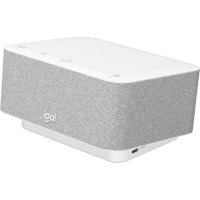
Brand : LOGITECH
Model : S315i
Category : Docking station