
TPVC 3630 S Auto - Vacuum Cleaner EINHELL - Free user manual and instructions
Find the device manual for free TPVC 3630 S Auto EINHELL in PDF.



| Product type | Cordless wet and dry vacuum cleaner |
| Brand | Einhell |
| Model | TPVC 3630 S Auto |
| Motor voltage | 36 V DC |
| Tank volume | 30 L |
| Weight (without battery) | Approximately 9.2 kg |
| Transmitter/receiver frequency band | 2474-2475 MHz |
| Max. transmission power | 2 dBm |
| Battery power supply | 2 batteries (not included) of same capacity ≥ 3.0 Ah |
| Suction levels | 2 levels (I and II) |
| Main functions | Dry vacuuming, liquid vacuuming, blowing, connectivity (automatic start via vibration detection) |
| Filter types | Pleated filter (dry), foam filter (liquid), additional filter |
| Included accessories | Combination nozzle, crevice nozzle, upholstery nozzle, suction hose, tubes, castors, collection bag, etc. |
| Tank drainage | Threaded water drain plug |
| Safety | Float safety valve (automatic stop at max. level) |
| Maintenance and cleaning | Regular cleaning of filters and tank; remove battery before cleaning |
| Wear parts / consumables | Battery, brushes, filters, collection bag |
| Warranty | 24 months, conditions in manual |
Frequently Asked Questions - TPVC 3630 S Auto EINHELL
User questions about TPVC 3630 S Auto EINHELL
0 question about this device. Answer the ones you know or ask your own.
Ask a new question about this device
Download the instructions for your Vacuum Cleaner in PDF format for free! Find your manual TPVC 3630 S Auto - EINHELL and take your electronic device back in hand. On this page are published all the documents necessary for the use of your device. TPVC 3630 S Auto by EINHELL.
USER MANUAL TPVC 3630 S Auto EINHELL
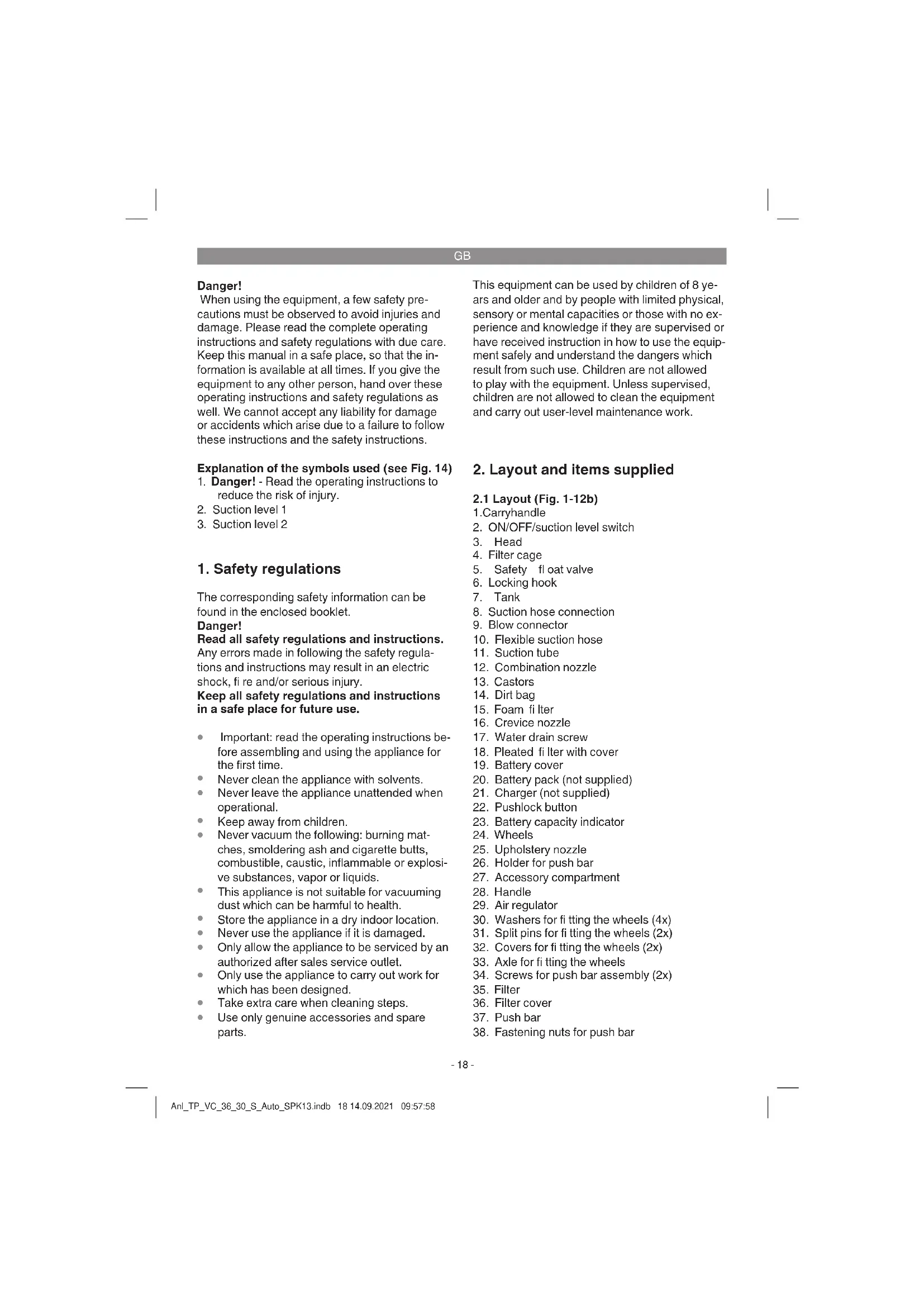
When using the equipment, a few safety precautions must be observed to avoid injuries and damage. Please read the complete operating instructions and safety regulations with due care. Keep this manual in a safe place, so that the information is available at all times. If you give the equipment to any other person, hand over these operating instructions and safety regulations as well. We cannot accept any liability for damage or accidents which arise due to a failure to follow these instructions and the safety instructions.
Explanation of the symbols used (see Fig. 14)
- Danger! - Read the operating instructions to reduce the risk of injury.
- Suction level 1
- Suction level 2
1. Safety regulations
The corresponding safety information can be found in the enclosed booklet.
Danger!
Read all safety regulations and instructions. Any errors made in following the safety regulations and instructions may result in an electric shock, fire and/or serious injury.
Keep all safety regulations and instructions in a safe place for future use.
- Important: read the operating instructions before assembling and using the appliance for the first time.
- Never clean the appliance with solvents.
- Never leave the appliance unattended when operational.
- Keep away from children.
- Never vacuum the following: burning matches, smoldering ash and cigarette butts, combustible, caustic, inflammable or explosive substances, vapor or liquids.
- This appliance is not suitable for vacuuming dust which can be harmful to health.
- Store the appliance in a dry indoor location.
- Never use the appliance if it is damaged.
Only allow the appliance to be serviced by an authorized after sales service outlet.
Only use the appliance to carry out work for which has been designed.
Take extra care when cleaning steps.
Use only genuine accessories and spare parts.
This equipment can be used by children of 8 years and older and by people with limited physical, sensory or mental capacities or those with no experience and knowledge if they are supervised or have received instruction in how to use the equipment safely and understand the dangers which result from such use. Children are not allowed to play with the equipment. Unless supervised, children are not allowed to clean the equipment and carry out user-level maintenance work.
2. Layout and items supplied
2.1 Layout (Fig. 1-12b)
1.Carryhandle
- ON/OFF/suction level switch
- Head
- Filter cage
- Safety float valve
-
Locking hook
-
Tank
- Suction hose connection
- Blow connector
- Flexible suction hose
- Suction tube
- Combination nozzle
- Castors
- Dirt bag
- Foam filter
- Crevice nozzle
- Water drain screw
- Pleated filter with cover
- Battery cover
- Battery pack (not supplied)
- Charger (not supplied)
- Pushlock button
- Battery capacity indicator
24.Wheels - Upholstery nozzle
- Holder for push bar
- Accessory compartment
- Handle
- Air regulator
- Washers for fitting the wheels (4x)
- Split pins for fitting the wheels (2x)
- Covers for fitting the wheels (2x)
- Axle for fitting the wheels
- Screws for push bar assembly (2x)
- Filter
- Filter cover
- Push bar
- Fastening nuts for push bar
GB
- Receiver status LED
- Receiver button
- Receiver
- Connectivity switch
- Transmitter
- Transmitted button
- Transmitter status LED
- Charging cable micro-USB
- Electric tool adapter
2.2 Items supplied
Please check that the article is complete as sp-cified in the scope of delivery. If parts are missing, please contact our service center or the nearest branch of the DIY store where you made your purchase at the latest within 5 work days after purchasing the article and upon presentation of a valid bill of purchase. Also, refer to the warranty table in the warranty provisions at the end of the operating instructions.
- Open the packaging and take out the equipment with care.
- Remove the packaging material and any packaging and/or transportation braces (if available).
Check to see if all items are supplied. - Inspect the equipment and accessories for transport damage.
If possible, please keep the packaging until the end of the guarantee period.
Danger!
The equipment and packaging material are not toys. Do not let children play with plastic bags, foils or small parts. There is a danger of swallowing or suffocating!
Original operating instructions
- Safety instructions
The equipment comes with a chain (z) on the tank bottom. The chain helps to prevent static charging during use.
3. Proper use
The cordless wet and dry vacuum cleaner is designed for wet and dry vacuuming using the appropriate fiiter. The equipment is not suitable for the vacuuming of combustible, explosive or harmful substances.
The equipment is to be used only for its prescribed purpose. Any other use is deemed to be a case of misuse. The user / operator and not the manufacturer will be liable for any damage or injuries of any kind caused as a result of this.
Please note that our equipment has not been designed for use in commercial, trade or industrial applications. Our warranty will be voided if the equipment is used in commercial, trade or industrial businesses or for equivalent purposes.
4. Technical data
Motor power supply 36 V DC
Container volume: 301
Transmitter/receiver
frequency band 2474-2475 MHz
Transmission power max. 2 dBm
Weight (without battery): approx. 9.2 kg
5. Before starting the equipment
5.1 Appliance assembly
Fitting the appliance head (Fig. 1, 4)
The appliance head (3) is fastened to the container (7) by the locking hook (6). To remove the appliance head (3), open the locking hook (6) and remove the appliance head (3). When fitting the appliance head (3), make sure that the locking hook (6) locks into place correctly.
Fitting the wheels (Figs. 5a-5g)
Place a split pin for ftitting the wheels (31) through the appropriate hole in the axle (33) and fit a washer (30), a wheel (24) and a washer to the axle (33) (Figs. 5a-5b). Now slide the axle (33) through the guides provided for it on the underside of the tank (7) (Fig. 5c). Fit a washer and the second wheel (24) to the empty end of the axle (33) and secure it with the other washer (30) and the split pin (31) (Figs. 5d-5f). Push the covers
GB
(32) on to the outside of the wheels (24) so that the detents engage on the covers (32) for the wheel (24) (Fig. 5g).
Fitting the push bar (Fig. 10)
Fit the push bar handle (37) onto the push bar mounts (a) of the tank and secure the push bar with the supplied screws (34) and fastening nuts (38) as shown in Figure 10.
Fitting the castors (Fig. 5/13)
Fit the castors (13) into the appropriate mountings on the underside of the tank (7). Push the castors (13) firmly into the mounting until they engage with a clicking noise (Fig. 5).
5.2 Fitting the fi Iter
Notice!
Never use the wet and dry vacuum cleaner without a filter!
Always ensure that the filters are perfectly secure!
Fitting the foam filter (Fig. 6/15)
For wet-vacuuming, slip the supplied foamed plastic filter (15) over the filter basket (fig. 3/4).
Fitting the pleated filter (Fig. 7)
For dry-vacuuming, slip the pleated fi liter (18) over the filter basket (Fig. 3/4). The pleated filter is suitable for dry-vacuuming only.
Assembling the dirt bag (Fig. 9/14)
For vacuuming fi ne, dry dirt it is recommended that you fit the dirt bag (2a/14). Slip the dirt bag (14) over the vacuuming hole. The dirt bag (14) is suitable for dry-vacuuming only. The dirt bag makes it easier to dispose of the sucked-in dust.
5.3 Fitting the suction hose (Fig. 3, 9)
Connect the suction hose (10) to the corresponding connector on the wet and dry vacuum cleaner, depending on the application required.
Vacuuming
Connect the suction hose (10) to the suction hose connector (8)
Blowing
Connect the suction hose (10) to the blow connector (9)
Air regulator (Fig. 2a/29)
The air regulator (29) can be fitted between the suction hose (10) and the suction tube (11). The suction power of the nozzle can be infinitely adjusted using the air regulator (29).
When wet vacuuming, make selective use of the air regulator to suck in air as well as liquids. This will help to take some strain off the equipment when vacuuming liquids.
5.4 Suction nozzles
Dual-purpose nozzle (Fig. 2a)
The dual-purpose nozzle (12) is for vacuuming solids and liquids over medium to large areas.
Crevice nozzle (Fig. 2a)
The crevice nozzle (16) is designed for vacuuming solids and liquids in corners, edges and other areas that are difficult to access.
Upholstery nozzle (Fig. 2a)
The upholstery nozzle (25) is specially designed for vacuuming solids on upholstery and carpets.
5.5 Charging the battery (Fig. 12a/20)
- Take the battery pack out of the equipment. Do this by pressing the side pushlock butt
- Check that your mains voltage is the same as that marked on the rating plate of the battery charger. Insert the power plug of the charger (21) into the socket outlet. The green LED will then begin to flash.
- Insert the battery pack (20) into the battery charger (21).
- In the section entitled „Charger indicator“ you will find a table with an explanation of the LED indicator on the charger.
The battery pack can become a little warm during the charging. This is normal.
If the battery pack fails to charge, check:
whether there is voltage at the socket outlet
whether there is good contact at the charging contacts
If the battery pack still fails to charge, send
the charging unit
and the battery pack
to our customer service center.
To ensure that items are properly packaged and delivered when you send them to us, please contact our customer service or the point of sale at which the equipment was purchased.
GB
When shipping or disposing of batteries and cordless tools, always ensure that they are packed individually in plastic bags to prevent short circuits and fire.
To ensure that the battery pack provides long service, you should take care to recharge it promptly. You must recharge the battery pack when you notice that the performance of the device drops. Never allow the battery pack to become fully discharged. This will cause it to develop a defect.
Important!
For optimum suction results and battery power performance it is always best to use batteries with the same capacity of 3.0 Ah or higher.
Important!
Use only batteries which are charged to the same level. Never combine full and half-full batteries. Always charge the two batteries simultaneously. The equipment's operating time depends on the battery with the lower charge level. The two batteries must always be fully charged before use. Close the battery cover by swinging it down, and make sure that it latches in place correctly.
Fitting the battery (Fig. 8)
Fold the battery cover (19) up as shown in Figure 8. Then insert the two batteries (20) into the mounts.
Battery capacity indicator (Fig. 12b/23)
Press the switch for the battery capacity indicator (a). The battery capacity indicator (Fig. 23) shows the charge status of the battery using 3 LEDs.
All 3 LEDs are lit:
The battery is fully charged.
2 or 1 LED(s) are lit:
The battery has an adequate remaining charge.
1 LED fl ashes:
The battery is empty, recharge the battery.
All LEDs blink:
The battery temperature is too low. Remove the battery from the equipment, keep it at room temperature for one day. If the fault reoccurs, this means that the rechargeable battery has undergone exhaustive discharge and is defective. Remove the battery from the equipment. Never use or charge a defective battery.
5.6 Charging the transmitter
You must fully charge the battery before you use it for the first time and after it has spent a long period in storage.
| Transmitter status LED during charging | Meaning |
| Flashing The battery is being charged | gcharged |
| Off The battery is charged; | the transmitter is ready for use |
Charging takes approx. 2 hours.
5.7 Coupling the transmitter (Fig. 1)
-
Set the On/Off /Vacuum setting switch (2) to position I
-
Set the connectivity switch (42) to position I
- Keep the receiver button (40) pressed until the status LED (39) begins to fl ash
- Immediately press the transmitter button (44) once
- The receiver status LED (39) will light up for 3 s - the transmitter is coupled.
5.8 Decoupling the transmitter (Fig. 1)
- Set the On/Off /Vacuum setting switch (2) and the connectivity switch (42) to position I
- Press the receiver button (40) 5 times in quick succession
- The receiver status LED (39) will light up for 3 s - the transmitter is decoupled
6. Operation
6.1 On/Off switch (Fig. 1/2)
Switch position 0: Off
Switch position I: Vacuum setting 1
Switch position II: Vacuum setting 2
6.1.2 Connectivity switch (Fig. 1/Item 42)
Switch position 0: Connectivity off
Switch position I: Connectivity on
6.1.3 Using without connectivity (Fig. 1)
Set the connectivity switch (42) to 0. The equipment can then be used via the On/Off /Vacuum setting switch (2) in the mode required (switch position I or II).
GB
6.1.4 Using with connectivity (Fig. 13)
The "connectivity" function enables the vacuum cleaner to be switched on/off via the detection of vibrations.
Connect the suction hose (10) to the vacuum cleaner connection of your electric tool and fasten the transmitter (43) to the suction hose (Fig. 13). Make sure that the transmitter is fastened securely. If the vibrations are too low, fasten the transmitter directly to the electric tool.
Set the On/Off /Vacuum setting switch (2) to position I or II and set the connectivity switch (42) to position I. The vacuum cleaner will switch itself on as soon as you switch on the electric tool and vibrations are generated. When you switch off the electric tool, the vacuum cleaner will switch off after a pre-set delay.
6.2 Dry vacuuming
Use the pleated fi tter (18) for dry vacuuming (see point 5.2). The dirt bag (14) can be fitted in addition when removing particularly stubborn dirt (see point 5.3).
Always ensure that the filters are securely seated!
6.3 Wet vacuuming
For wet-vacuuming, use the foam filter (15) (see point 5.2).
Check that the filter is securely seated at all times!
Water drain screw (Fig. 1)
To make the tank (7) easier to empty after wet vacuuming, it is fi tted with a water drain screw (17). Open the water drain screw (17) by turning it counter-clockwise and drain the liquid.
When wet vacuuming, the fl oating safety switch (Fig. 3/5) closes when the maximum tank level is reached. In doing so, the suction noise of the equipment will change and become louder. You must then switch off the equipment and empty the tank.
Danger!
The wet and dry vacuum cleaner is not suitable for the vacuuming of combustible liquids. For wet vacuuming, use only the supplied foam filter.
6.4 Blowing
Connect the suction hose (10) to the blow connector (9) on the wet and dry vacuum cleaner.
6.5 Cleaning the appliance head (1/3)
Clean the appliance regularly with a damp cloth and some soft soap. Do not use cleaning agents or solvents; these may be aggressive to the plastic parts in the appliance.
6.6 Cleaning the container (1/7)
The container can be cleaned with a damp cloth and some soft soap or under running water, depending on the amount of dirt.
6.7 Cleaning the fi Iters
Cleaning the pleated fi Iter (Fig. 2a)
Clean the pleated fi liter (18) regularly by carefully patting it and cleaning it with a fi ne brush or hand brush.
Cleaning the foam filter (2a)
Clean the foam fi liter (15) with a little soft soap under running water and allow it to air-dry.
Cleaning the fi Iter (Figs. 11a-11b)
The fi titer (26) should be checked at regular intervals and cleaned if necessary.
- Remove the fi Iter cover (34) (Fig. 11a).
- Take out the filter (26) (Fig. 11b)
- Clean the fi Iter by tapping it or blowing it out.
- Assemble in reverse order
7. Cleaning, maintenance and ordering of spare parts
Danger!
Always pull out the battery before starting any cleaning work.
7.1 Cleaning
- Keep all safety devices, air vents and the motor housing free of dirt and dust as far as possible.
We recommend that you clean the equipment immediately after you use it.
7.2 Servicing
At regular intervals and before each use, check that the fi iters in the wet and dry vacuum cleaner are securely fitted.
GB
7.3 Ordering spare parts
Please provide the following information on all orders for spare parts:
Model/type of the equipment
Article number of the equipment
ID number of the equipment
- Part number of the required spare part For our latest prices and information please go to www.Einhell-Service.com
8. Disposal and recycling
The equipment is supplied in packaging to prevent it from being damaged in transit. The raw materials in this packaging can be reused or recycled. The equipment and its accessories are made of various types of material, such as metal and plastic. Never place defective equipment in your household refuse. The equipment should be taken to a suitable collection center for proper disposal. If you do not know the whereabouts of such a collection point, you should ask in your local council offices.
9. Storage
Store the equipment and accessories in a dark and dry place at above freezing temperature. The ideal storage temperature is between 5 and 30 ^ C . Store the electric tool in its original packaging.
10. Charger indicator
| Indicator status Explanations and actions | ||
| Red LED Green LED | ||
| Off | Flashing | Ready for use The charger is connected to the mains and is ready for use; there is no battery pack in the charger |
| On Off Charging | The charger is charging the battery pack in quick charge mode. The charging times are shown directly on the charger. Important! The actual charging times may vary slightly from the stated charging times depending on the existing battery charge. | |
| Off | On | The battery is charged and ready for use. The unit then changes over to gentle charging mode until the battery is fully charged. To do this, leave the rechargeable battery on the charger for approx. 15 minutes longer. Action: Take the battery pack out of the charger. Disconnect the charger from the mains supply. |
| Flashing Off | Adapted charging | |
| The charger is in gentle charging mode. For safety reasons the charging is performed less quickly and takes more time. The reasons can be: - The rechargeable battery has not been used for a very long time. - The battery temperature is outside the ideal range. Action: Wait for the charging to be completed; you can still continue to charge the battery pack. | ||
| Flashing Flashing Fault | Charging is no longer possible. The battery pack is defective. Action: Never charge a defective battery pack. Take the battery pack out of the charger. | |
| On On Temperature fault | The battery pack is too hot (e.g. due to direct sunshine) or too cold (below 0°C). Action: Remove the battery pack and keep it at room temperature (approx. 20°C) for one day. | |
GB

For EU countries only
Never place any electric power tools in your household refuse.
To comply with European Directive 2012/19/EC concerning old electric and electronic equipment and its implementation in national laws, old electric power tools have to be separated from other waste and disposed of in an environment-friendly fashion, e.g. by taking to a recycling depot.
Recycling alternative to the return request:
As an alternative to returning the equipment to the manufacturer, the owner of the electrical equipment must make sure that the equipment is properly disposed of if he no longer wants to keep the equipment. The old equipment can be returned to a suitable collection point that will dispose of the equipment in accordance with the national recycling and waste disposal regulations. This does not apply to any accessories or aids without electrical components supplied with the old equipment.
The reprinting or reproduction by any other means, in whole or in part, of documentation and papers accompanying products is permitted only with the express consent of the Einhell Germany AG.
Subject to technical changes
This consignment contains lithium-ion batteries.
In accordance with special provision 188 this consignment is not subject to the ADR regulations. Handle with care. Danger of ignition in case of damage to the consignment package. If the consignment package is damaged: Check and if necessary repackage.
For further information contact: 0049 9951 95920-66. Outside Germany charges will apply instead for a regular call to a landline number in Germany.
GB
Service information
We have competent service partners in all countries named on the guarantee certificate whose contact details can also be found on the guarantee certificate. These partners will help you with all service requests such as repairs, spare and wearing part orders or the purchase of consumables.
Please note that the following parts of this product are subject to normal or natural wear and that the following parts are therefore also required for use as consumables.
| Category Example | |
| Wear parts* Battery, Combination nozzle, crevice | nozzle, upholstery nozzle, electric tool adapter, etc. |
| Consumables* | Pleated filter, foam filter, dirt bag, additional filter, etc. |
| Missing parts |
- Not necessarily included in the scope of delivery!
In the effect of defects or faults, please register the problem on the internet at www.Einhell-Service.com. Please ensure that you provide a precise description of the problem and answer the following questions in all cases:
Did the equipment work at all or was it defective from the beginning?
Did you notice anything (symptom or defect) prior to the failure?
What malfunction does the equipment have in your opinion (main symptom)?
Describe this malfunction.
GB
Warranty certificate
Dear Customer,
All of our products undergo strict quality checks to ensure that they reach you in perfect condition. In the unlikely event that your device develops a fault, please contact our service department at the address shown on this guarantee card. You can also contact us by telephone using the service number shown. Please note the following terms under which guarantee claims can be made:
- These guarantee terms apply to consumers only, i.e. natural persons intending to use this product neither for their commercial activities nor for any other self-employed activities. These warranty terms regulate additional warranty services, which the manufacturer mentioned below promises to buyers of its new products in addition to their statutory rights of guarantee. Your statutory guarantee claims are not affected by this guarantee. Our guarantee is free of charge to you.
- The warranty services cover only defects due to material or manufacturing faults on a product which you have bought from the manufacturer mentioned below and are limited to either the rectification of said defects on the product or the replacement of the product, whichever we prefer. Please note that our devices are not designed for use in commercial, trade or professional applications. A guarantee contract will not be created if the device has been used by commercial, trade or industrial business or has been exposed to similar stresses during the guarantee period.
-
The following are not covered by our guarantee:
-
Damage to the device caused by a failure to follow the assembly instructions or due to incorrect installation, a failure to follow the operating instructions (for example connecting it to an incorrect mains voltage or current type) or a failure to follow the maintenance and safety instructions or by exposing the device to abnormal environmental conditions or by lack of care and maintenance.
- Damage to the device caused by abuse or incorrect use (for example overloading the device or the use or unapproved tools or accessories), ingress of foreign bodies into the device (such as sand, stones or dust, transport damage), the use of force or damage caused by external forces (for example by dropping it).
-
Damage to the device or parts of the device caused by normal or natural wear or tear or by normal use of the device.
-
The guarantee is valid for a period of 24 months starting from the purchase date of the device. Guarantee claims should be submitted before the end of the guarantee period within two weeks of the defect being noticed. No guarantee claims will be accepted after the end of the guarantee period. The original guarantee period remains applicable to the device even if repairs are carried out or parts are replaced. In such cases, the work performed or parts fitted will not result in an extension of the guarantee period, and no new guarantee will become active for the work performed or parts fitted. This also applies if an on-site service is used.
-
To make a claim under the guarantee, please register the defective device at: www.Einhell-Service.com. Please keep your bill of purchase or other proof of purchase for the new device. Devices that are returned without proof of purchase or without a rating plate shall not be covered by the guarantee, because appropriate identification will not be possible. If the defect is covered by our guarantee, then the item in question will either be repaired immediately and returned to you or we will send you a new replacement.
Of course, we are also happy offer a chargeable repair service for any defects which are not covered by the scope of this guarantee or for units which are no longer covered. To take advantage of this service, please send the device to our service address.
Also refer to the restrictions of this warranty concerning wear parts, consumables and missing parts as set out in the service information in these operating instructions.
F
Danger!
Chere cliente, cher client,
5.5 Nabijeni akumulatoru (obr. 12b/20)
Akumulator je uplnne nability.
Prostornina posode: 30 L
Frekvencnipas oddajnika/sprejemnika 2474-2475 Mhz
Maksimalna oddajna moč: 2 dBm
Teza (brez akumulatorja): prbl. 9,2 kg
5. Pred uporabo
5.1 Montaža naprave
Montaža glave naprave (sl. 1, 4)
Glava naprave (3) je na posodi (8) pritjena s priključnim kavljem (6). Glavo naprave (3) snamete tako, da odprete priključni kavelj (6) in snamete glavo naprave (3). Pri montaži glave naprave (3) pazite, da se priključni kavelj (6) pravilno zaskovi.
Regulator zraka (sl. 2a/29)
Svetita 2 ali 1 lucka LED
Stimata clienta, stimate client,
produsele noastre sunt supuse unui control de calitate riguros. Daca totusi vredata acest aparat nu va functiona ireprosabil, ne pare foarte rau si va rugam sa va adresati centrului nostru service, la adresa indica tla finalul acestui certificat de garantie. Bineinteles ca va stam si la Telefon cu placere la disposiztie, la numeroile de service mentionate. Pencru revendicare apretiilor de garantie trebuie tinut cont de urmatoarele:
Pwrotunec obnyic xprns
YnodxiEic aoaalias
H oukeun eivai eoIauevn u aeuaida (z) otov nuheva tou doxieiou. Pnpoicietai yia tyn elattwn otatiknc foprtionk kat a th diapkeia ts xphons
3.Σωπηχρησ
H nEeKtpiKn oKaouna yia uypo kai steyvokaaepio eivai katalnnyn yia uypo kai steyvokaaepio me xpnon tou avaloyouphiipou.H ouakeun ne npooipctetai yia tnyavappoon eFhAeTsw, EKPNTIKw v EINiBaaWyia Tnuyeia ouoiw.
H unxavn va xnpaunoeitai mvo yia to akoro yia tv oio npoopietai. Kahe nepav touot xpnon dev eivai evdsieymevni Za nmu c n Taqaatouc navtoc eisou nou oediovtae 1m Evdsieymevxn pnoen euvvctae o xpntnc / xeipotnc kalox kataaekuaattns.
Napakaouue va npoeEeTe, nwc oI oukeuec mac devexuvkatakevaotei yia enayylambdaikn, biotexvki kai biounxavikn xon. Dev avalaauavouve kaumia eyyunon, evn oukeu xponoiomthetae biotexvle biounxavie c ne npapouoe epyaies.
4. TeXviKa xaapaktnpiotiká
Tpofoosia taons kivtnnpa 36 V DC
Oykoosdoxxiou: 301
Zwovouxvotntwv
6.6 Kaepiogoc tou doxoiou (1/7)
To doxio nopei vakaqapiotei, avaloya e to Bafo akaqapoiwv, e eva wnto navi kalyo malakocanovui n katw anto tpexoumevo vepo.
6.7KaapiooCtwviptpw
Evnpewon yia to eepic
5. Pre puštanja u pigeon
5.1 Montaza uredaja
Montaža glave uredaja (sl. 1, 4)
Glavu uredaja (3) pričvrstite pomocu kukice zatvarača (6) na spreznik (7). Da bisté skinuli glavu uredaja (3) otvorite kukice za zatvaranje (6) i skinente glavu (3). Kod montaje glave (3) pripazije da se kukice (6) isprawno uglave.
Montaža točkova (sl. 5a-5g)
Sigurnosnu rascepku za montazu tocka (31) umetnite u odgovarajuci provrt u osovini tocka (33) i provedite podlošku (30), tocka (24) i podlošku preko osovine tocka (33) (sl. 5a-5b). Sada gurnite osovinu tocka (33) kroz za to predvidene vodice na donjoj strani rezervaora (7) (sl. 5c). Utaknite podlošku i drugi tocka (24) na slobodan kraj osovine tocka (33) i pričvrstite je drugom podloškom (30) i sigurnosnom rascepkom (31) (sl. 5d-5f). PritisnitePoklopce (32) na spoljinoj strani tockova (24) takao da se utvrdekukice na Poklpcima (32) tocka (24) (sl. 5g).
Montaza rucke za guranje (sl. 10)
Utaknite ručku za guranje (37) na pripadajuće priključke (a) na rezervoaru i prićvrstite ručku prilozem im zavrtnjima (34) i prićvsnim navrtkama (38) kao što je prikazano na slici 10.
RS
Montaža točkica (sl. 5/13)
Umetnite tockice (13) u odgovarajuce prihvatnike na donjoj strani rezerovoara (7). Snažno pritsinite tockice(13) u prihvatnike takdo sa de cujno fiksiraju (sl. 5).
5.2 Montaza fi Itera
Napomena!
Usisaac za suvo i mokro ciiscenje nikad nemojte da koristite bez fi ltera!
Svetle sve 3 LE-diode:
3 LED Iambasin tumu yaniyor:
Akutam sarjil.
1 LED lambasi yaniyor:
5.1 MoNTaH yCTpoHCTBa MoHTaH rOIOBHN yCTpoHCTBa (pnc.1,4)
TolOBKa yCTpoiCTBa (3) 3aKpeIeHa 3anOpHbIM KpIOHOM (6) Ha EMHOCTn (7).ДЯ demoHTaHa TOLOBKn yCTpoiCTBa (3) OTkpOte 3anOpHbIKpOCH (6) INCMMTE TOLOBKy yCTPOiCTBa (3).ПпоMuNTe 3a npABInbHoiФнCaUneI 3anOpHOrO kPouka (6).
MOHTAH KOJec (pnc. 5a-5g)
BCTaBtpe npdeoxpaHnteIbHbI WIIINHT dI
MOHTaHa KOIEC (31) B COOTBETCTBYIOOee
OTBEpCTHe B OCN KOIECa (33) HADeHbTe
yIIOHTeJIbHyU WAI6y (30) N KOIEco (24)
HA OCB KOIEca (33) (pnc.5a-5b). 3aTEM
BCTaBtte OCB KOIEca (33) YpeE3 CneuaIbHO
npdeymOTpeHHbIe HAnpABLIHOuNE B HINKHei
YAcTN EMKOCTN (7) (pnc.5c). HAdeHbTe
yIIOHTeJIbHyU WAI6y IN BTOPOe KOIEco (24)
CO CBO6oHOH CTOPHOb I OCN KOIEca (33) H
3aΦHKnpyTE OCTABWEICr yNIOHTeJIbHOI
WAI6oB (30) N pDeoxpaHNTeJIbHbIM WIIINHTOM
(31) (pnc.5d-5f). HaKMITE HA KOHYXn (32) Ha
BHEuHEI CTOpOE KOIEca (24) TAKM Obpa3OM,
TTO 6bl 3aΦHKnOPOBaIIcB CTONOPHbIe HOCHN Ha
KOHyXax (32) KOIEca (24). (pnc.5g).
MOHTAH Bedyue pyHOaTHn (pnc.10)
BCTaBbTe BeDyUko pyKoAry (37) B coeHNHtBeNbHe 3JIeMeHTbI (a) EMKoCTN n 3aKnCpYNe ee npn NOMOu BNODaUxN B KOMPLeKT NOCTaBNu BInTOB (34) INKpeENbIX raek (38), KaK NOKa3aHO Ha pncyHne 10.
MOHTAHXOIOBbIXPOINHOB(pnc.5/13)
BCTaBbTe xOoBbIe polnKn (13) B COOTBeTcByUoiNe npHemHbI npCnOCo6HeH N HIXHne Yactn EMHO (7). CInbHo BdABNTbXoOoBbIe polnKn (13) B npHemHbI npCnOCo6HeN Do Tex nop, nOka OHN He 3aΦHNCpYHTc R cJeJyKOM (pnc.5).
5.2 YcTaHOBHaΦnIbTpα
Yka3aHne!
3anpeeHNOIb30BaTb nbIeocDnBlaaHHO n cyxOOnCTKn 6e3 pfNtpa!Bcerda BHNMaTeJbHO CneInte 3a npOHocTbHQpeJIeHn HJbTpOB!
MOnTAnΦnIbTpα n3 neHnCTOro MaTePnAla (pnc.6/15)
IINBIAHHOY6OpKYNcTaHOBHTe NOCTABJIENHHBI B KOMNJIeKTe FNIbTp N3 neHnCTOROMaTePnAJa(15)HaFNIbTPOBaJIbHyO Kopo6Ky(pnc.3/4).
MOHTAH CHJIaHaTOrO fHbTp a (pnc.7)
Iy cyxoro 3acacbHaHn BCTaBte CnlaDnTaBn
Ibtp (18) B nIbTpObaJIbHyIO KOp0bky (pnc.
3/4).CknAuaTbI ynbTp npednaHaueH ToIbKO
Iy cyxoro BCacbHaHn.
MOHTAH MeHa dIy yIaBnBaHn Mycopa (pnc. 9/14)
ДЯ BCacbIbAHnMeJHOrO cyxoro Mycopa peKOMeHdyETcdoONJIHTeJIbHO yCTaHaBJIbAtb MeWOndYyABINBaHnMyCopa(2a/14). HaTHeNtMeWOndYyABINBaHnMyCopa (14)Ha BCacbIbAOoee OTBepCTne.MeWOndYyABINBaHnMyCopa (14)npedHa3NaueH ToJIbKO dRy CyXoro BCacbIbAHn.C NOMOuBo MEwKa dRy yAbaHBaHnMyCopa npoJe yTInN3nPoBaTb co6paHHyIO nbIb.
5.3 MoHTaH BCacbIbAIOUeO WnAHa (pHc. 3, 9)
Ipeed nCnoB3oBaHnem noDcoeHNHTe BCacbibaOuun WJAnr (10) K COOTBeTCTByIOUcEmy MeCTy NOKIIIOUHeN Nblncoca dJa BnaKHOu n CyXOuOCHTK.
BcacbBaHne
IpoedoeHHte BCacbBAIOUHn 10K MeCTy PNOKIOUeHnBcABBaIOUero IHaHa (8)
06dyaBHe
POncoeHNHTe BCaCbIbAIOuN uHaHr (10) K MeCTy PnncoeHNHeHn BO3dyOxOyBKn (9)
RUS
PerylaTOP OTBOHORO NOTOKA BO3dyxa (pnc.2a/29)
MeHdy BCacbIbAIOHM IaHrom (10) H BCacbIbAOSeI Tyboi (11) MOxHO yCTaHOBnTb peYrIaTOP OTbOHO rOtoKA BO3dyxa (29). PeYrIaTOPOM OTbOHO rOtoKA BO3dyxa (29) MOxHO 6ecCTyneHatopeYrIpoBaTb CIny BCacbIbAHnB H hacaKe.
NcnoIb3ytepeyIaTOpOTbOHDoroNOTOKA B03dYxaPnBvIaNHOY6OpHe,HTo6blOH NOMMO KNDOCTH OCyUeCTBIAJI TAKKe BCacbBAHne B03dyxa.TaKIM Obpa3OM,PnB BCACBaHHN 3yCTPOINCTBa BBIOIDNTCR KNDOCtB.
5.4 Bcabsbaioune hacaekn
YHnBepcaJIbHaI HacaKa (pnc. 2a)
YHbepcaIbHoe cOIIo (12) npEHa3HaHeNo dIBAcBbAHHaTBepbIX BSeIeCTB HJNkOCTeC NOBEPXHOCTe CpeHNx N 60JIbXn pa3MePOB.
Плоскаянада(pnc.2a)
Плоская Насда (16)npedha3нанeHaДЯ BCaCbBaHnT BepdBx BeueCTB N HINHOCTN ByrIax,уКрOMOKИВdpyrNx TpydHOOCtynHbIX MEcTaX.
HacaHaIaMRAHKOI6NBKN (pnc.2a)
HacaKaIyMaRKOIBNkU(25)CneuHaJIbHO npEHa3NaYeHaIyBCaCbBaHNrTBepDbX BeueCTB HaMaRKOIBNBe HOBpax.
5.5 3apnHa anKymyIaTopa (pnc.12a/20)
- BbHyTb aKMyIaTOpHbI 6LoN H3 yCTpoIcTBa. IaIe 3TOrO CLeJeYet HaKaTaB 60KOByIO KKnCnpyUOyIO KnAbuWJy.
- 乌6eHITecb TOM, YTO yHa3aHHOE HaФИрмEHOH TaBnUHKe 3HAueHHe HAnpJxHEHr CTeN COOTBeTCTByET IMeIOUeMyc 3HAueHHeHn HApPjKHeHr CETn. BCTabBe TseTEK 3apEnHO rCtpoIcTBA (21) WHTeNCeIbHyO pO3eTHy. 3eJIeHbI CBEToINoAD HAHTe MnRA Tb.
- BCTaBbTe aKHyMylTOp (20) B 3apArdHoe yctpoNCTBO (21).
4.Bpa3dene 一 _ H NnKAtOpbI 3apAnHO yctpoiCTBa" npBODNTc Ta6nua C yka3aHHeM 3NaeHm CBETOnoHoi INDnKaun 3apAnHO yctpoCTBa.
Bo BpemI npouceca 3apAkn aKnMyIaTOp MOKeT HEMHOHarpTeBc.3To BnONHe HopMaIbHoE ABLHe.
Ecnn aKkymyIaTOpHbI 6LoK He 3apHaeTcA, HEOxOIMO pOBepHTb:
HaJIyHe HaIpyKeHnCeTnB 3JIeKTPnueckOu po3eTke;
HaJIyueI IIOHTHO CoeINHeHnHa KOHTaKTax 3apdHoro yCTpoNCTBa.
EcnaAkhymyIaTOpHbI 6Iok BCE eIe He 3apHaetc, npocbaOTnpaBtB
3apnHOe yctpOCTBO
aKMyTOpHbI6loK
B HauO TdEJI O6CnyKINBaHnA.
ДяообсесенправиьhoITcblNK npocmOBpaHTbcnBHaWOTdJ 06cIyHbAHNIIHBMara3NH,BHOTOPOM 6blno npno6peTeHO yCTpoNTBO.
PnO tCBIJIke HIN yTHIN3aunn AnKHMyIANTopoB,a TAKHe aHHymyIANTOPHbIX yCTPOINCTb yNAHyTe KaHdbi(Oe) N3 HNX B OTDeNbHbI NpACTNHObI NaET DnToro, YTO6bI M36EHaTb KOpOTHO 3aMbIHANn noHaapa.
FopT Bce 3 CBeToAnoHa:
AkkymyIaTOp noHocTbO 3apRKeH.
Topr2nH1CBetoaNoA:
OCTaToUHbI 3apRd aKHyMylrTopa doCTaToeH.
Muraer1cBetoNOa:
AkhymyTop pa3pRKeH, Heo6xOIMO 3aprntb ero.
MiraT BCE CBETOHObI:
Tempeatypa akMyIaTopa HnHe HopMbI.
H3BLeKeNte akKMyIaTOp n3 yCTpoIcTba
nOCTaBbTe B NOMEuEHH C KOMHATOH
temepaTpyoHa OOnH DeH. EcIn OOn6Ka
NOBTOpHTcR, akKMyIaTOp NOJIHOCTbHO pa3PraHe
n HeNCpRaBeH. N3BLeKeNte akKMyIaTOp
n3 yCTpoIcTBa. 3AnpeSeHo npOdoJIkAtb
HCNoJb3OBAbHe NCpRaBbI aKKMyIaTOp n
3apKaTb erO.
5.6 ZapraHa nepepaTunKa
IIOHOCbTO 3aApIte aKHyMylrTop nepeI nepBbIM IcNoJIb3OBAHNEM INoCJIe dNITeBHOro nepNoDa XpaHeHn.
6.1 PpeKJIIOUaTeIb BKNIOUeHO-BbIKIOUeHO (pnc. 1/2)
IpoJxHeHnepeKluOyateTEn0:He roPnt
Iolokhenne nepeknoyateIaI:
YpOBeHb BCaCbBaHnHa 1
Ioiokhenne npeeknouateI1
YpOBeHb BCaCbBaHn2
6.1.2 IpehenlHouateIb BO3MOHOCHTIPOHJIUOHeHH (pnc. 1, no3. 42)
IIOJKeHne nepeKIOUOaTeJI O: BO3MOXHOCTb IOKIOUOeHnB bIKIOUeHa IIOJOKeHne nepeKIOUoTeJI I: BO3MOXHOCTb IOKIOUOeHn BIKIOUeHa
6.1.3 PpIMMeHHeNe 6e3 Bo3MOxHOCTn NOHIOUHeHn (PHC.1)
UcTaHOBtenepeKIOuATEb BO3MOHOCHTn NOKIOHcHNEA (42) BNOIOKeHne 0.3aTeM yCTPOIcTB MOKHO NcIOJIb3OBA Tb B HJKHOM peKHeME (NIOIOKeHnepeKIOUoTeTAE I INI II) C NOMOUsbIOpeKIOUoTeA Dn BKNIOHcHNeBBIKIOHcHEn HAcTPOiKn YpOBHN BCACbIBaHN
RUS
(2).
6.1.4 PnmeHHeNc BO3MOKHOCTbIO NOHJIQUeHHa (pnc.13)
Функця «Bo3moKHOCTb NOДКIOUOHeHЯ
N03BOJRAET ABTOMATUeCHN BIKIOUaTB IIN
BbIIOUoHTb NbIEcOC NyTeM paCNo3HaBaHNr
Bn6paun.
IpoCoeDHHnte BCacBlaBaoUns IuHaR
(10) K nepexoDnHy DnI NOdHIOUeHery
nbIEcoca 3JIeKTPOnHCTpyMeHTa N 3aKePENIT
pepeDAuNK (43) Ha BCaCbBAIoUeM WLaHRe
(pnc.13).Y6eDNTecb, YTO pepeDAuNK
HaDeEHHO 3aΦHNCiPoBAn. PnI CInHkOM
Hn3Knx Bn6paunx 3aKepeNtE pepeDAuNK
HeNoocPeDCTBeHHo Ha 3JIeKTPOnHCTpyMeHte.
UcTaHOBHTe nepeKIOuTeIb Ia BkIOUeHnBbIKIOUeHn HAcTPOKn YpOBH BCaCbIBaHN (2)B noIOJHeHne I nII II, a peKeKIOUateIb BO3MOHNOCTn NOKIOUeHn (42)-B noIOJHeHn I. PocLe BKIOUeHn EJIeKTPOINCTpyMeHTa NBO3HKnHOBeHn Bn6paun BkIOUaETcN bIEcOC.Pnp BBKIOUeHn 3JeKTOPINCTpyMeHTa NbIEcOC BbIKIOUaeTc C npEBAcapTEJBHO 3aDaHHo 3aepKko
6.2 BcacbBaHne npn cyxoy6OpKe
NcnoIb3yIte IJI BCAcbIBaHIN npi cyXoY6OpKe cKlauDAtbI yInbTp (18) CMOtpTe nyHKT 5.2).PnU yctpaHEHNOCO6EHOnCINbHbIX 3aRp3HeH NMOHO MOHTPOBaTBDOJINHTeBbHmMeWOK dJIyLaBbHaHMyCOPa (14) CM.nyHKT 5.3).Bcerda BHNMaTeJbHo CJIeNTe 3a npOCHtBuKpeJIeHnIyIbTpoB!
6.3 BcacbBaHne npn BlaJHHo y6OpKe
6.5 OuHCTHa rOIOBHN yCTpoHCTBa (1/3)
PeryIaHPO HcCTNte YcTpoIcTBo BlaKaHHoBETObIO C He6OJIbShIM KOnUeCTBOM KnDKOrMbila. He NcNoJIb3yIte YcCTraIe cpeIcTBaHnn pactBopHTeIN, OHN MOrY pa3BeCTbPiactMaccOBbie DetAIn yCtpoIcTBa.
6.6 OuHCTHa eMHoCTn (1/7)
EMKOCb MOHNO NOHCTNb 3aBNCMOCTHOT CTeENH 3aFp3HeHn Pn NOMOu BNAAHOH TpIKNn HBe6oJbHm KOINueCTBOM KNDKORo MbJa.
6.7 OuNCTKa HJIbTpOB
OuHCTHa cKaJaTaTOro fHbTppa (pnc.2a) OuHaaTe peryraepHo cKaJaTaBti fHbTp (18), OCTopoXHO bblBn er noNoHCTNB eTkoi.
OuHCTKa CknaDyatoTOro FnIbTpTa (pnc.2a)
OuHauTepeyIpaHcKnaIaHTbIΦnIbTp(15), OCTOPoXHO BbIB Eero N NOHCNTB UeTKoN.
OuHCTKaΦnJIbTppa(pnc.11a-11b)
Фильтpr(26)слдует Perylnapno npOBepaTb n npn Heo6xOdmocTN uCTNTb.
- YdaIaIte KpbIuKHy fHbTp a (34) (pnc. 11a).
- 13BnEHTe HnIbTp (26) (pnc. 11b).
- OuHCTnTe ΦnIbTp, BbltpxHyB nII IN pOdyB erO.
4.C60pKaOcUeCTBnErcT B 6paTHoN nocJeOBaTeIbHOCTH.
RUS
7.ЧИства,Текниесhoe обслuyнibusнueи 3аназ Запachesч acTei
Onachoctb!
Ipeep Bcempa6oTAMn IO OChTKe Heo6xOymo I3BLeYb aKHyMnTOp I3 yCtpoiCTBa.
7.1 UncTHa
Copepknte 3aunTHbIe npncoc6leHnA, BEHTINrIOHNbIe IeJIIn NKOPyCS DBIVATEJIc CBOODbIMN OT bIIN n rpa3H, HACKoJIbHO 3TO BO3MOKHO.
MbI peKOMeHMyem YCTNTb yCTPOINCTBO HENOCpeIDCTBHeHNO NocJe KaJDoRO IcNoJIb3OBAHH.
7.2TexHHueckoe 06cnyHbAHne
Peyrnpn HpeepKaHdbim NcnoJb3oAHnEM npOBepRte HaDeKHOCTb KpeIeHHnHnHnTPOB nbIEcOca dIy BlaJHKHO n CyXOH OYNCN.
7.3 3aHa3 3anachbix YacTei
Pn3aKa3e 3anaChbix YactEn Heo6xOdmo yKa3aTb CLeDyIOUne DaHHeIe:
TNyctpoiCTBa
apTNKyIbHbI HOMep yCTpOCTBa
HdENTnHnKaUNHOHHbI HOMep yCTpoiCTBa
HOMep Heo6xOJIMo3aNaCHOn qACTn
AHTaJIbHbIe HeI INHΦOpMaIIO MOKHO HaTn HA caIte www.Einhell-Service.com.
8. Ytuln3auny n BtopnuHoe HcnoJb3ObaHne
UcTpoCTBO NOCTABJIETCBA YNAKOBKe
dIy npedOTbpaueHnIOBpeHDeHn npi
TpaHCnpTIPOBKE.3a yNakOBKa RJIaETc
cbIpbem I N03OMY MOKeT 6bITb NCIOJb3ObaHa
BHOBB HIN HANpABLeHa HA NOBtOPHyo
nepepa60Ky cbIpBa.YcTpoCTBO Iero
pInHAnIeHXoCTN I3rTOBJeHbI N3 paJINuHbIX
MATEpHnAIOB, HApNIMep, MetaIIa N pIaNCTMaCC.
He BbIbpcBaIBaTe DeEeKTHbIe YcTpoCTBa
BMECTe C 6b10BbIMN OTXoDAmM.ДЯ npabINbHO
yTNHn3auHcY cTpoCTBO HeO6XoDIMO CdaTb B
noNDxoJaun PnyHK TpHema.EcNJ BbI He 3Haete,
rDE HAXOHTCn PYHK TpHema,yTOCHTE 3TO B
opraHax KOMMyHaIbHoro UYPaBLeHn.
RUS
10. INHINHaTOPbI 3apArdHO yCTpoiCTBa
- He 683aTeBHo BxOaT B 6bEm NoCTaBKn!
PnO6hApUHeHn DeEeKToB Hn HeNCpABoHocTe MblnpCm Bac 3aABnTb O TaKOM Cnyae BCtN INTEpHET Ha caIte WwE.Inhell-Service.com. O6paTIte BHNMaHne Ha ToHoe ONCaHne HEnCpABoHocTn N B IIObOM cLyuee OTBeTbeHa CJeDyUOnne BONPOcBi:
- UcpoCTBO yke pa6oTaIO nIIN OHO 6bIIO HeNCnPaBHBm C camoro Hauana?
Bam 6poCnIocb YTO-JIH6o B rIa3a nepeD Bo3NtKHOBeHHeM HeuCnpaBHOCTH (npn3HaK nepeD HncnpaBHOCTB0)?
KaHyo HEnCnpaBHOCTb HMeET yCTPOINCTBO, NO BaWemy MHeHIO (OCHOBHO npn3HaK)? OnnHTe 3Ty HeNcnpaBHOCTb.
RUS
TapaHTnHoe CBnTeJIbCTBO
YBaKaemnOKyNaTeBnHnua,yBaKaemnOKyNaTeB,
Haun npOdyKTb npOxOaT TuaTeBHeMn KOHTpOB kauEcTa. EcHn 3To yCTPOcTB Oce He he dyet fynHmOHIOpaBaT b63ynpEHO, Mbl npocim Bac o6pATNTbCBA H aau cepBncbH no apdecy. yka3aHOMy B 3OT mrapaHTnHOM TaLoHe. Mbl taKHe oxTOH OTBeTM Ha Baun BonpOsI NO TeLefoHy, HomeR KOTOPo npBVeDEH HnHe. Pn npEdbAbeHN rapaHTnHbIX TpebOaHn DeCTByOT cJeDyUOHe ycLOBNA.
- HactoIe npaBnla rapaHTn DeECTbYOT NCHIOHTeB OTOHOENN NOJb3ObaTeJe, T.e. 4H3Hccknx IuC, KOtOpBie He HamepeBaIOCTc HcNOJIb3OBA Tb HactoIeue N3dJIe N BpaMx CBOe npocecMOHaBnOH nDpyrO camocTERTbHOB dReTBJHoCTn. HactoIe npaBnla rapaHTm peryIpyOT DONoHNTEbHbIE ycIOBnA RapaHTnHBx yCnyT, KOTOpBie HNKeYOMaHTbI npOn3BOIDNTeB o6cneNuBaET NOKyNaTeJAM CBOX HOBbY cTPOCTB B DONoHEne K YcIOBnAR rapaHTn B COOTBeTCTBN C3aHOHom. 3TN rapaHTnHbIE o63aTeNbCTBa He 3aTaPraHbAot Baun 3aKoHbIE rapaHTnHbIE tpe6oBaHN. HaanrpaHTnHbIE ycLytn DnB Bac 6ecnNaTHbl.
- RapaHTHnHbYe cLyfyn paacnpocTpaHHOTcToIbHO Ha DeEeKtBt HOBOrO yCTPOyCTBa HnKeYnomHyTOr O npOn3BOHTeJI, HOTOpoe Bbl pno6peJI, C83aHNbIE c HeIOCTaKOM MATEpHaJIa NIN I npOn3BOdCTBeHHbIM 6paKOM, I ORpaHUNBAIOCToN HoMAeY BbIOpy UcTaPHeM TaKHX DeEeKTOB YcTPOcTBa NII 3aMeHOH yCTpojCTBa.YUHTte, YTO HAHIu YcTOpCTBa HnepeHnAHAeHbI JN IcNoIb3OBAHnB I PpOMbIJIeHHbIX YeJAX, B pEmecLeHOM pOn3BOdCTBE H Na IpoOeCCHOHaJIbHO OHoBe. NoTOMy rapaHTnHbIy DOOBOP CHTAeTcH HeJeCTBmTEJIbIM, eCNI yCTPOyCTBO IcNoIb3OBAIOCb B TeueHHe rapaHTnHOrO cPoKa H KcyTApHbIX, PpOMbIJIuHHbIX pNeIpPrTTHx IIN B pEmecLeHHOM pOn3BOdCTBe, A tAOHe NOBepraHoc BOConOTABMOH HarpyKe.
-
Hawa rapaHTnHa pacnpoctpaHreTc Ha:
-
NOBpeKHeHn yCtpoiCTBa, BO3HNKUHe B pe3yIbTaTe HecO6JIoDeHn pyKOBODCTBa No MOHTaKy IIN HeNPaBnIbHO MOCTaHa, HecO6JIoDeHn pyKOBODCTBa NO KcNpyATAuHn (HapnpMep, pni NOKluOeHHn K CTeN C HEPpaBnIbHbIM HApnpKeHHem IIN POdom TOHa), HecO6JIoDeHHn Tpe6BaHn KAcAteJbHO TexNHueCKOrO 0cClyHbBAHn I Tpe6BaHn TexNHKn 6e3OnaCHocTn, Bo3dEChTBNa Ha yCtpoiCTBO AHOAmJIbHbIX YcLOBn OKpyKaIoSeI cpebl NII HEOCTaTOHOrO YXoJa I TeXNHueCKOrO 0cClyHbBAHn;
-
NOBpeKdEHHyUCTPOCTBA, BO3HKnIe B pe3yIbTaTe HnPaBnIbHO rNl HnHaJLeHaeIero
ICNOIb3OBAHn (HanpIMep, NpePyr3Ha yCtPOCTBA, INnpMeHeHne He dOnyueHHbIX K
HCIOJIb3OBaHn HacaDOK INn pINHaJNeHHocTe), IOnaDAHN B yCtPOCTBO NOCTOPOHHX
PpeMDETOB (HanpIMep, NeCa, KAMHeN INn PbNl, NOBpeJDeHH npr TpaHCnOpTnPoBE),
IPmHeHn CInbl INn BHeWlnx BO3dIcTBNI (HapIMep, NOBpeKdEHH npr NaDeHHN); -
NOBpeKdEHHy yctpoHCTBA HnH YacteYyctpoHCTBA,C83aHHbIe C H3HOCOM B C83N C 3KcPlyatauHEn,OBHyHBMnHpyHM eCTeBHbIM H3HOCOM.
-
RapaHTHnHbI cPOK coCTaBnAET 24 MeCA, OTCyET HauHHeTcO DO HN NOKyHN YcTPOECTBa. RapaHTHbI Ipaba Heo6xOIMO PpebYBnTb Do hCTeueHHa Cpoka rapaHTHn B TeueHH n DByX HeDeJIb NocTe TORO KAK 6yEt ObHApYkeHa HEnCpABHOCTb. 3aBJeHHa H a rapaHTHnHOE 0cbNyHNBaHne NocTe HcTeueHHa Cpoka rapaHTHn He pInHMaTOcR. PeMOHT HIN 3aMeHa yCTpoiCTBa HE BeET K npOJeHHo RapaHTHnHOr cPoKa, TaHOe PIPOkOA3AHn TakoYcLyTNOTcET HOBOrO rapaHTHnHO rpoKA Ho yCTpoIcTBo IIN BO3MOKHO yCTaHOBLeHHbIE DetALn He HauHHeTcBAHOBO. 3To ycNoBE DeIcTByET TaHOe PnP 6paueHHn B MecTHbI cepBNCbI OTen.
5.ДлпрдьгелгараHTннБИХТpe6OBaHи coo6UHTe O HeNCpabHocTH yCTpoIcTBa Ha caIte WeEinh-Service.com.PnroTOBte KbNTaHNoO noKnyNke NIN dpyrNe DOka3aTeJIbCTBA npO6peTHeN BamHOBOYcTPOcTBA.Oka3aHne rapaHTN HbIX YClyr PnpMeHInTeIbHO K yCTPOICTBam,HapRaBHeHbIM Ha paccMOtpeHne 6e3 COOTBeTCTBYUQHX DOka3aTeJIbCTB NIN φIpMrMeHNToTabIuKN,IVKnIOyAeTCB BNDy HeNOCTaHa DAHbN Dn INEHTNfHAcuN TaHX yCTPOICTB.EcINaHaRaPahTcPaacnoCTpaHReTcHa HeNCpBaHocTb yCTpoIcTBa,BI HeMEnHENo NOUYHTe OTPEOMHTPOBaHHOe INN HOBE yCTPOIcTBO.
Cama co6oai paaayMeTcB, MoI MOHE TAHKe YcTaPAHbI npOnlate 3aTpAte HnEINpABHOCTHyCTpoICTBa, KOTOpBE He BXoAI B o6m EaparAHInhBy xCyIg nII npN hCTeEHn cPoka rapaHTn. IJIr 3TOr BA mHeO6XODMO BblcIaB yctpoCTBO ha aDpe NaeH cJxHy6b cepBnCA.
Yto hacaetc 6bIcTpO3HaUHbUOuHxCn, paXoDhBx Detanei HHeDCTaOuHx KOMHOHETOB, Mbl obaaam BHMaHne HaOpAHenHtOaRapHTNcOrlaHcNo IHΦopMaun O cepBHCOM 0cbLHyBAHNH HACToero pyKoBOdCTBa NO kCNlpyTaun.
EE
Oht!
Subject to change without notice
Archive-File/Record: NAPR023420
Documents registrar: Sergey Hirsekorn
Wiesenweg 22, D-94405 Landau/Isar
aCorl w d s t f i t t t t t t t t t t t t t t t t t t t t t t t t t t t t t t t t t t t t t t t t t t t t t t t t t t .

Declaration of conformity
We, Einhell UK Ltd
Champions Business Park, First Floor Unit 10, Arrowe Brook Rd, Upton, Wirral CH49 0AB, United Kingdom
declare the conformity to UK standards and legislation was assessed for:
Cordl. Wet/Dry Vacuum Cleaner TP-VC 36/30 S Auto (Einhell)
UK legislation
Simple Pressure Vessels (Safety) Regulation
Electrical Equipment (Safety) Regulation
X Radio Equipment Regulation
Personal Protective Equipment Regulation
The Ecodesign for Energy-Related Products and Energy Information Regulation
The Restriction of the Use of Certain Hazardous Substances in Electrical and Electronic Equipment Regulation
Nolse Emisslon in the Environment by Equipment for use Outdoors Regulation
Noise:measuredL = dB Aguaranteed L_WA = dB A
Supply of Machinery (Safety) Regulation
Annex IV
Notified Body:
Reg.No.:
Standards: BS 60335-1; BS 60335-2-2; BS 62233; BS 55014-1;
BS 55014-2; BS 301 489-1; BS 301 489-3; BS 300 440; BS 50663
Wirral, 2021.07.16

Tom Chambers, Managing Director Einhell UK Ltd.
Archive-File/Record: NAPR0023420
Article Number:23.471.43 I-No.:21010
Subject to change without notice Wiesenweg 22, 94405 Landau/Isar, Germany
Documents registrar: Sergey Hirsekorn
EH 09/2021 (01)