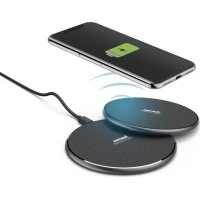
QIFC10 - Battery charger HAMA - Free user manual and instructions
Find the device manual for free QIFC10 HAMA in PDF.



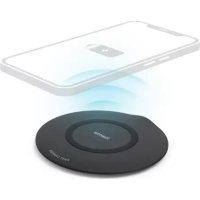
| Product type | Induction wireless charger |
| Brand | Hama |
| Model | QIFC10 |
| Dimensions (charging base) | Ø 101.5 mm x 6.6 mm |
| Input power (base) | 5 V / 2.0 A or 9 V / 1.67 A |
| Maximum output power | 10 W (5 W / 7.5 W / 10 W depending on device) |
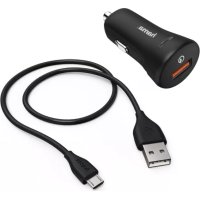
| Mains charger included | Yes, 230 V with USB-C connector |
| Charger input voltage | 100 – 240 V, 50/60 Hz |
| Mains charger output | 3.6 – 6.5 V / 3.0 A ; 6.5 – 9.0 V / 2.0 A ; 9.0 – 12.0 V / 1.5 A |
| Average operating efficiency | 82.3 % |
| No-load consumption | 0.07 W |
| Frequency band | 100.10 – 160.80 kHz |
| LED indicators | Solid red (charging), solid blue (fully charged), flashing red (error), off (standby) |
| Compatibility | Devices compatible with inductive charging (Qi standard) |
| Maintenance and cleaning | Clean with a soft dry cloth; do not use aggressive detergents; disconnect before cleaning |
| Important safety instructions | Do not expose to moisture; do not cover; do not use if damaged; keep out of reach of children |
| Package contents | Wireless charger, 230 V quick charger, USB-C cable, instruction manual |
| Protection class | IP20 (indoor dry use) |
| Warranty | 2 years (according to local legislation) |
Frequently Asked Questions - QIFC10 HAMA
User questions about QIFC10 HAMA
0 question about this device. Answer the ones you know or ask your own.
Ask a new question about this device
Download the instructions for your Battery charger in PDF format for free! Find your manual QIFC10 - HAMA and take your electronic device back in hand. On this page are published all the documents necessary for the use of your device. QIFC10 by HAMA.
USER MANUAL QIFC10 HAMA
natural_image
Line drawing of a circular filter with mesh pattern connected to a plug and a separate rectangular device (no text or symbols)A
B
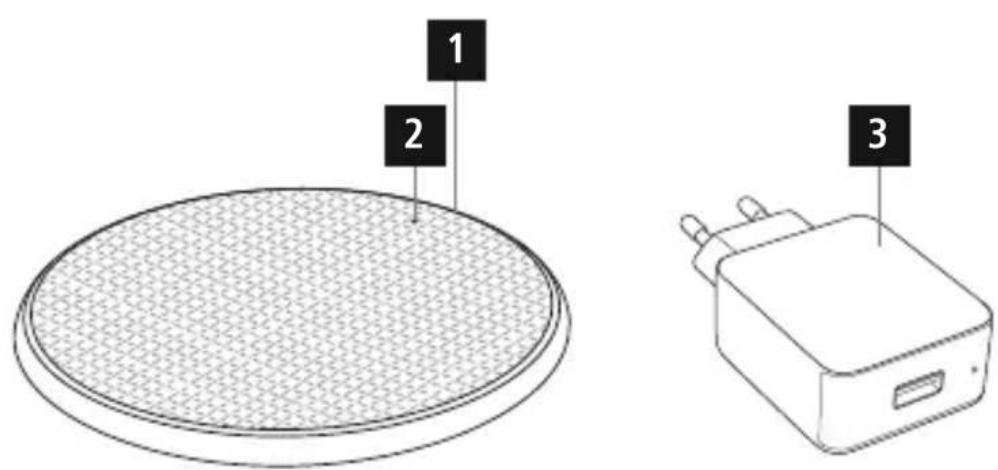
Controlsanddisplays
- USB-Cinput
2.StatusLED
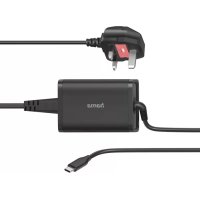
3.230-Vfastcharger
LEDfunctionindicator
| Powersupply | Brieflightingup,1xblue,1xred |
| Standby | off |
| Chargingprocess | Lightsupred |
| Endofcharging | Lightsupblue 1) |
| Errormessage | Flashesred |
1) Thedisplayattheendofchargingmaydifferonsomedevices,dependingonthemanufacturer.
ThankyouforchoosingaHamaproduct.
Takeyourtimeandreadthefollowinginstructionsandinformationcompletely.Pleasekeeptheseinstructions inasafeplaceforfuturereference.Ifyousellthedevice,pleasepassthesoperatinginstructionsontothe newowner.
1. Explanationofwarningsymbolsandnotes
Riskofelectricshock

Thissymbolindicatesariskofelectricshockfromtouchinguninsulatedproductpartsthatmaycarry hazardousvoltage.
Warning

This symbol is used to indicate safety instructions or to draw your attention to specific hazards and risks.
Note

This symbol is used to indicate additional information or important notes.
2.Packagecontents
• "QI-FC10" WirelessChargerforSmartphones
- 1x230-Vfastcharger
- 1xUSB-Ccable
• Theseoperatinginstructions
3. Safetyinstructions
- Protect the product from dirt, moisture and overheating and use it in dry environments only.
- Donotdropheproductandonotexposeittoanymajorshocks.
- Do not operate the product outside the power limits specified in the technical data.
- Donotusetheproductinareasinwhichelectronicproductsarenotpermitted.
- Ensure that the product is not covered up by textiles, metal or other objects in order to avoid damage caused by overheating.
- Dispose of packaging material immediately in accordance with the locally applicable regulations.
- Donotmodifytheproductinanyway.Doingsovoidsthewarranty.
- Donotcontinuetooperatetheproductifitisvisiblydamaged.
- Usetheproductonlyfortheintendedpurpose.
- Do not use the product in the immediate vicinity of heaters, other heat sources or in direct sunlight.
- Onlyusethearticleundermoderateclimaticconditions.
- Aswithallelectricalproducts, this devices should be kept out of there each of children.
- Donotusetheproductinadampenvironmentandavoidsplashingwater.
- Donotbendorcrushthecable.
- Neverapplyforcewhenusingtheproductorduringinstallation.
- Take care that components such as airbags, safety areas, controls, instruments, etc. and visibility are not blocked or restricted.
- Ensure that the product is securely mounted before every journey.
- Do not allow yourself to be distracted by the product when driving a vehicle. Always pay attention to the surrounding traffic and you're environment.
- Alwayspulldirectlyontheplugwhendisconnectingthecable,neveronthecableitself.
Riskofelectricshock
- Donotopenthedeviceorcontinuetooperateitifitbecomesdamaged.
- Donotusetheproductifthe
ACadapter, the adapter cable or themains cable are damaged. - Do not attempt to service or repair the product yourself. Leave any and all service work to qualified experts.
Donotplaceanybankorsimilarcardswithmagneticstrips ormagnetically sensitive objects on the product.
Thedataonthecardscouldbedamagedorcompletelydeleted.


Warning
Ensure that there are anometal parts (e.g. metal plate form magneticholders) on the back of your device.
Metal heats up significantly in the field of an induction charger and can damage your device and/or the charger.

4. Start-up and operation
Warning
- Only operate the product from a socket that has been approved for the device. The socket must be installedclosetotheproductandmustbeeasilyaccessible.
- Disconnect the product from the power supply using the On/Off switch — if this is not available, unplug thepowercordfromthesocket.
- If using a multi-socket power strip, make sure that the total power consumption of all connected devices does not exceed the power strip's maximum throughput rating.
- If you will not be using the product for a prolonged period, disconnect it from mains power.

Note
- To be able to charge your device via the wireless charger, it must be compatible with induction charging technology. Pleaserefertotheoperatinginstructionsofyourdeviceformoreinformation.
- Note that mobile phone cases, covers, etc., and other materials between the wireless charger and the backofyourdevicemayinterferewithorevenpreventthechargingprocess.
- Connect the enclosed USB-C cable to the USB-C input (1) of the inductive charger and a suitable USB charger. Whendoingso, consulttheoperatinginstructionsfortheUSBcharger.
Note
- The maximum charging power of up to 10 W is only achieved with a Qualcomm quick charging device (5V/2A,9V/1.67A).
- An active power supply is confirmed by the status LED (2) briefly lighting up red.

Warning
DonotusedefectivechargersorUSBportsanddonotattempttorepairthem.

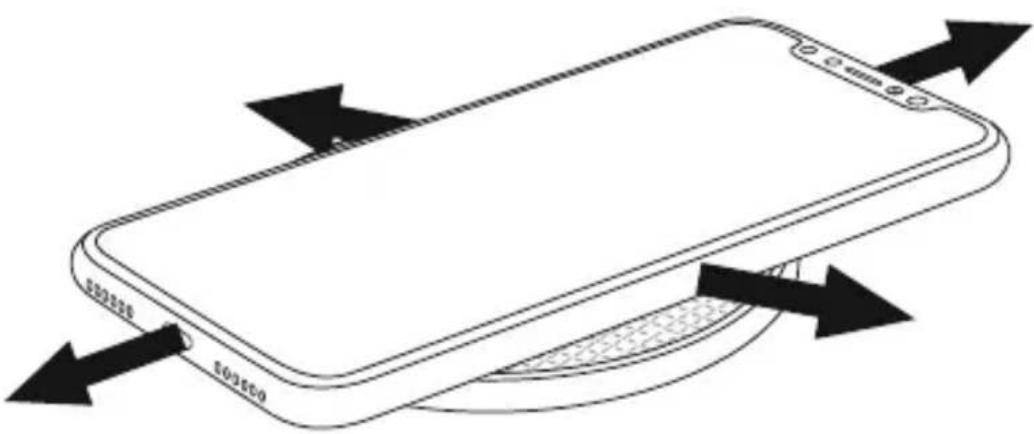
- Placeyourdevicewithitsbackontheinductivecharger(B).
- The charging process begins as soon as an effective induction field has been established. The status LED (2)lightsupsolidred.Thecurrentchargestatusisdisplayedonyourdevice.
- If no induction connection can be established, change the position of your device if necessary (B).
- The charging process ends automatically once your device's battery is fully charged. The status LED (2) lightsupsolidblue.

5. Careandmaintenance
Onlycleanthisproductusingalint-free,slightlydampclothanddonotuseanyharshcleaners.Ensurethatno waterisabletoentertheproduct.

Note
Disconnect the device from themains before cleaning and during prolonged period so of non-use.
6.Warrantydisclaimer
HamaGmbH&CoKGassumesnoliabilityandprovidesnowarrantyfordamageresultingfromimproper installation/mounting,improperuseoftheproductorfromfailuretoobservetheoperatinginstructionsand/orsafetynotes.
7.Technicaldata
Wirelesscharger
| Input | 5 V 2.0A9V1 67A |
| Output(underoptimisedconditions)5W/7.5W/10Wmax. | |
| Dimensions∅101.5mmx6.6mm | |
230Vfastcharger

| Brandname,commercialregisternumber,address | Hama,HRA12159,DresdnerStr.9,86653Monheim |
| Modelidentifier00201688 | |
| Inputvoltage100-240V | |
| InputACfrequency | 50-60Hz |
| Outputvoltage/outputcurrent/poweroutput | 3.6-6.5VDC/3.0A/10.8-19.5W6.5-9.0VDC/2.0A/13.0-18.0W9.0-12.0VDC/1.5A/13.5-18.0W |
| Averageefficiencyduringoperation | 82.3% |
| Efficiencyatlowload(10%) | 73.5% |
| Powerconsumptionatzeroload | 0.07W |
8. Declaration of conformity

HamaGmbH&CoKGherebydeclaresthattheradioequipmenttype[00201688]isincompliance withDirective2014/53/EU.ThefulltextoftheEUdeclarationofconformityisavailableatthe followingInternetaddress:
www.hama.com->00201688->Downloads.
Frequencyband(s)100.10–160.80kHz
Maximumradio-frequencypowertransmitted4.05dBμA/mat10mdistance
PAP RaccoltaCarta

Brand : HAMA
Model : QIFC10
Category : Battery charger