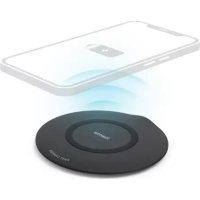
QIFC15 - Battery charger HAMA - Free user manual and instructions
Find the device manual for free QIFC15 HAMA in PDF.



| Brand | Hama |
| Model | QIFC15 |
| Product type | Inductive wireless charger |
| Dimensions | 100 mm (diameter) x 7.6 mm (height) |
| Material | Plastic, non-slip surface |
| Power supply | USB-C (5 V / 2 A, 9 V / 1.67 A, 12 V / 1.67 A) |
| Output power | 5 W / 7.5 W / 10 W / 15 W max |
| LED indicator | Red (standby/power), Blue (charging), Off (charge complete), Flashing red/blue (error) |
| Charging standard | Qi (compatible with all Qi devices) |
| Main functions | Wireless charging, foreign object detection, overheat protection, automatic shutoff |
| Safety | Overcurrent protection, short circuit protection, overheat protection; do not use with metal objects |
| Package contents | Wireless charger, USB-A to USB-C cable, user manual |
| Care and cleaning | Clean with a soft dry cloth, no harsh chemicals, unplug before cleaning |
| Intended use | Indoor only, in a dry environment |
| Operating temperature | 0°C to 40°C (estimated) |
| Warranty | 2 years (legal warranty) |
| Country of origin | China (estimated) |
| Repairability | Not user-serviceable; contact qualified technical service |
| Frequency bands | 108.8 kHz – 160.4 kHz |
| Maximum transmission power | 11.25 dBμA/m at 10 m |
Frequently Asked Questions - QIFC15 HAMA
User questions about QIFC15 HAMA
0 question about this device. Answer the ones you know or ask your own.
Ask a new question about this device
Download the instructions for your Battery charger in PDF format for free! Find your manual QIFC15 - HAMA and take your electronic device back in hand. On this page are published all the documents necessary for the use of your device. QIFC15 by HAMA.
USER MANUAL QIFC15 HAMA
OperatingInstructions
Bedienungsanleitung
Moded'emploi
Instruccionesdeuso
natural_image
Diagram of a smartphone with bidirectional arrows indicating data flow or interaction (no text or symbols)Controlelements
- USB-Cinput
2.StatusLED
LED function indicator
| Powersupply | Lightsupred |
| Standby | Lightsupred |
| Chargingprocess | Lightsupblue |
| Endofcharging | off 1) |
| Errormessage | Flashesalternatelyred a ndblue |
1) Thedisplayattheendofchargingmaydifferonsomedevices,dependingonthe manufacturer.
Thankyouforchoosinga H amaproduct.
Take your time and read the following instructions and information completely. Please keep these instructions in a safe place for future reference. If you sell the device, please pass these operating instructions onto thenewowner.
1. Explanationofwarningsymbolsandnotes
Warning
This symbol is used to indicate safety instructions to draw your attention to specific hazards and risks.

Note
This symbol is used to indicate additional information or important notes.

Riskofelectricshock
This symbol indicates a risk of electric shock from touching uninsulated product parts that may carry hazardous voltage.

2. Packagecontents
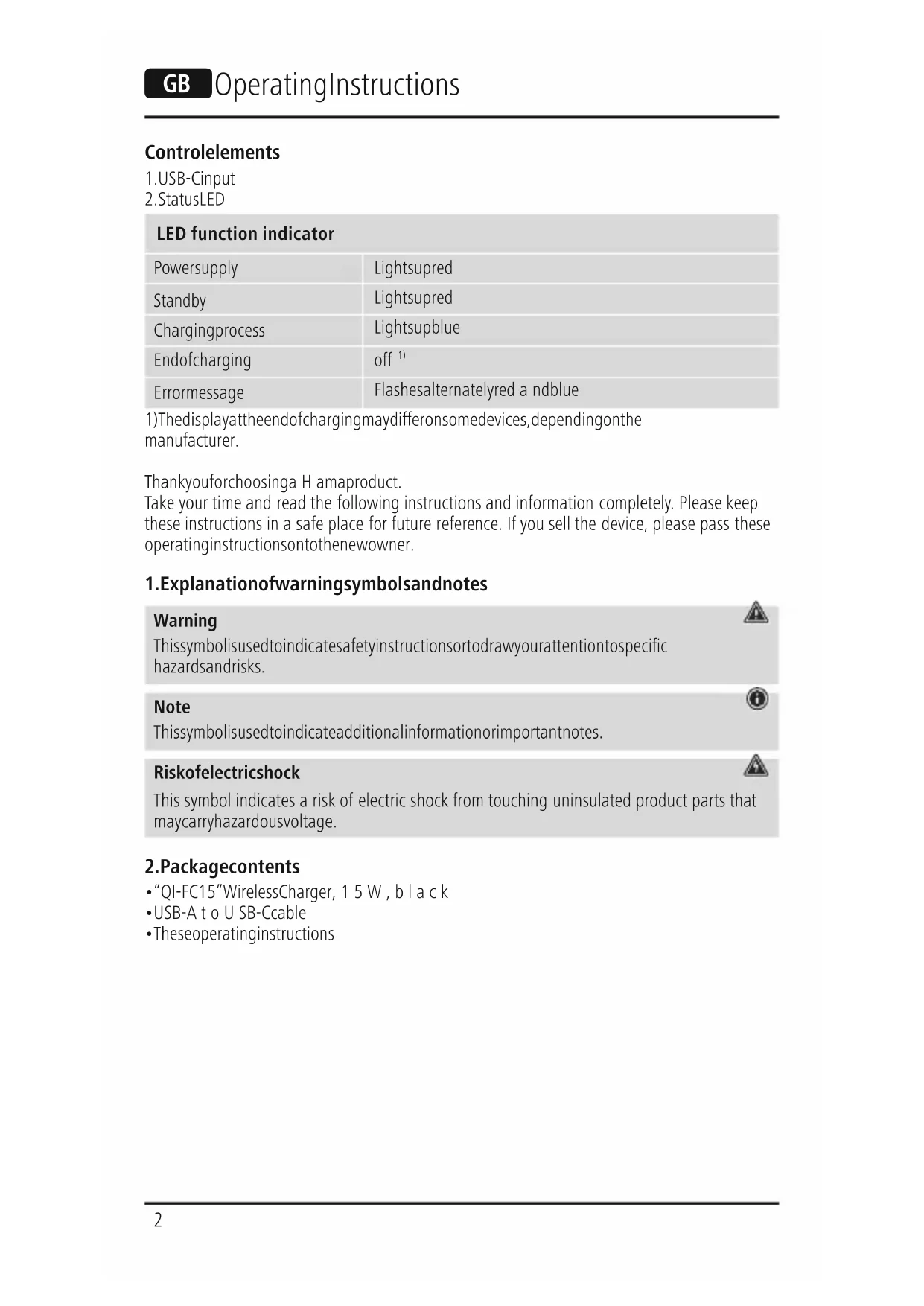
• "QI-FC15" WirelessCharger, 15 W, black
- USB-A to USB-Cable
• Theseoperatinginstructions
3. Safetyinstructions
- Protect the product from dirt, moisture and overheating and use it in dry environments only.
- Donotdropheproductandonotexposeittoanymajorshocks.
- Do not operate the product outside the power limits given in the specifications.
- Do not use the product in areas in which electronic products are not permitted.
- Ensure that the product is not covered up by textiles, metal or other objects in order to avoid damage caused by overheating.
- Disposeofpackagingmaterialinaccordancewiththelocallyapplicableregulations.
- Do not modify the product in any way. Doing so voids the warranty.
- Usetheproductonlyfortheintendedpurpose.
- Donotusetheproductintheimmediatevicinityofheaters,otherheatsourcesorindirect sunlight.
- As with all electrical products, this device should be kept out of the reach of children.
- Onlyusethearticleundermoderateclimaticconditions.
- Do not use the product in a damp environment and avoid splashing water.
• Theproductisintendedonlyforuseinsidebuildings. - Thisproductisnotintendedforusebypersons,includingchildren,withlimitedphysical,sensoryormentalabilitiesorlackinginexperienceorknowledge,unlesstheyaresupervised by a person responsible for their safety or have been instructed on how to use theproduct.
- Alwayspulldirectlyontheplugwhendisconnectingthecable,neveronthecableitself.
- Donotopenthedeviceorcontinuetooperateitifitbecomesdamaged.
- Do not attempt to service or repair the product yourself. Leave any and all service work to qualifiedexperts.
- Donotbendorcrushthecable.
- Do not place any liquid-filled vessels such as flower vases on or in the immediate vicinity of the product. The vessel may topple over and the liquid can then impair the electrical safety.
Warning-magnets
Donotplaceanybankorsimilarcardswithmagneticstripsormagneticallysensitive objectsontheproduct.Thedataonthecardscouldbedamagedorcompletelydeleted.

Warning

Ensure that there are no metal parts on the back of your device. Metal heats up significantly in the field of an induction charger and can damage your device and/or the charger.
Riskofelectricshock

- Donotopenthedeviceorcontinuetooperateitifitbecomesdamaged.
- Donotusetheproductifthe
AC adapter, the adapter cable or the mains cable are damaged. - Do not attempt to service or repair the product yourself. Leave any and all service work to qualified experts.
4. Start-up and operation

Note
- To be able to charge your device via the wireless charger, it must be compatible with induction charging technology. Please refer to the operating instructions of your device formore information.
- Notethatmobilephonecases,covers,etc.,andothermaterialsbetweenthewireless charger and the back of your device may interfere with or even prevent the charging process.
- Connect the enclosed USB-C cable to the USB-C input (1) on the wireless charger and a suitable USB charger. To do this, consult the operating instructions for the USB charger you are using.
- When the power supply is active, the status LED (2) lights up red.
Warning

- OnlyusesuitablechargingdevicesorUSBportstochargetheproduct.
- DonotusedefectivechargersorUSBportsanddonotattempttorepairthem.
- Placeyourdevicewithitsbackontheinductivecharger(B).
- The charging process begins as soon as an effective induction field has been established. The colour of the status LED(2)changestoblue.The current charge status is displayed on your device.
- Ifnoinductionconnectioncanbeestablished,changethepositionofyourdeviceif necessary(B).
- The charging process ends automatically once your device's battery is fully charged. The statusLED(2)goesout.
- Remove your device from the wireless charger and disconnect the wireless charger from the powersupply.
Note

The maximum charging power of up to 15 W is guaranteed with an appropriate Qualcomm quick-charging device. Refertothetechnical specifications of the inductive charger forth this.
5. Careandmaintenance
Only clean this product using a lint-free, slightly damp cloth and do not use any harsh cleaners. Ensure t hatnowaterisabletoentertheproduct.
Note
Disconnect the device from the mains before cleaning and during prolonged periods of non-use.

6.Warrantydisclaimer
Hama GmbH & Co KG assumes no liability and provides no warranty for damage resulting from improper installation/mounting, improper use of the product from failure to observe the operating instructions and/or safety notes.
7.Technicaldata
Wirelesscharger
| Input | 5 V 2A9 V 1.67A12V1.67A |
| Output (under optimised conditions) | 5 W / 7.5 W / 10 W / 15 W max. |
| Dimensions | ∅ 100 mm x H=7.6 mm |
8. Declaration of conformity
CE Hama GmbH & Co KG hereby declares that the radio equipment type [00201674] is in compliance with Directive 2014/53/EU. The full text of the EU declaration of conformity is available at the following Internet address:
www.hama.com->00201674->Downloads.
Frequencyband(s)108.8kHz–1 60.4kHz
Maximumradio-frequencypowertransmitted11.25dBμA/mat10m
Bedienungselemente
Avertizare – M agneti


Brand : HAMA
Model : QIFC15
Category : Battery charger