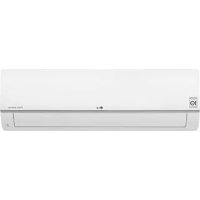
ARNU21GL6G4 - Air-conditioner LG - Free user manual and instructions
Find the device manual for free ARNU21GL6G4 LG in PDF.



User questions about ARNU21GL6G4 LG
0 question about this device. Answer the ones you know or ask your own.
Ask a new question about this device
Download the instructions for your Air-conditioner in PDF format for free! Find your manual ARNU21GL6G4 - LG and take your electronic device back in hand. On this page are published all the documents necessary for the use of your device. ARNU21GL6G4 by LG.
USER MANUAL ARNU21GL6G4 LG
Please read this installation manual completely before installing the product.
Installation work must be performed in accordance with the national wiring standards by authorized personnel only.
Please retain this installation manual for future reference after reading it thoroughly.
Ceiling Concealed Duct - Low Static
ARNU05GL4G4 ARNU07GL4G4 ARNU09GL4G4 ARNU12GL5G4
ARNU15GL5G4 ARNU18GL5G4 ARNU21GL6G4 ARNU24GL6G4
Original instruction
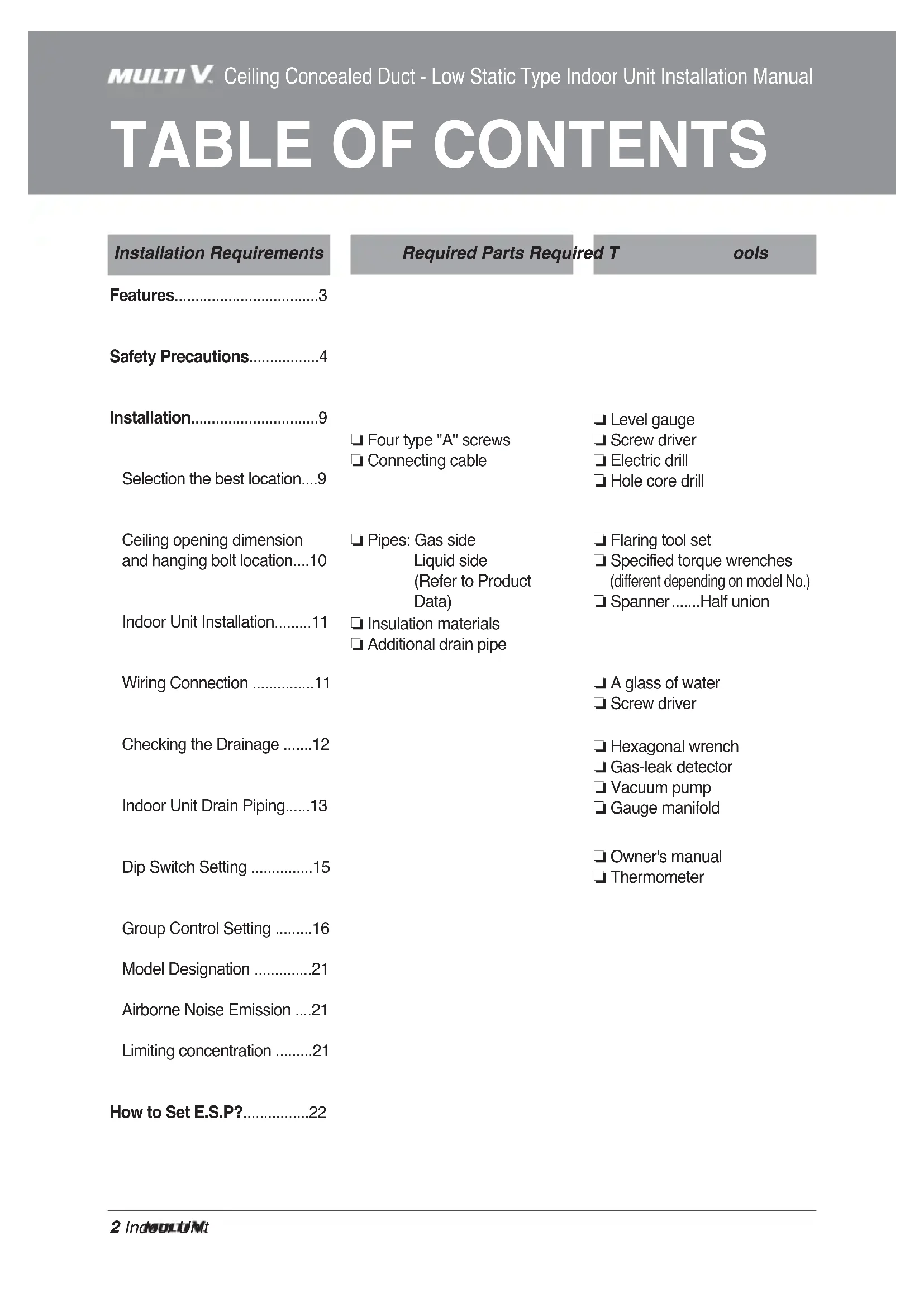
TABLE OF CONTENTS
Installation Requirements
Required Parts Required T
ools
Features......3
Safety Precautions......4
Installation....9
Selection the best location....9
☐ Four type "A" screws
Connecting cable
Level gauge
Screw driver
Electric drill
□ Hole core drill
Ceiling opening dimension and hanging bolt location....10
Indoor Unit Installation......11
Wiring Connection ....11
Checking the Drainage .....12
Indoor Unit Drain Piping.....13
Dip Switch Setting .....15
Group Control Setting .....16
Model Designation .....21
Airborne Noise Emission ....21
Limiting concentration .....21
How to Set E.S.P?......22
☐ Pipes: Gas side
Liquid side
(Refer to Product Data)
□ Insulation materials
☐ Additional drain pipe
Flaring tool set
☐ Specified torque wrenches (different depending on model No.)
☐ Spanner .....Half union
□ A glass of water
Screw driver
Hexagonal wrench
Gas-leak detector
□ Vacuum pump
□ Gauge manifold
Owner's manual
Thermometer
Features

text_image
Air Outlet Vents Control Box Wired Remote Controller Air Filter Air Intake VentsInstallation Tool
| Name | Drain hose | Clamp metal | Washer for hanging bracket | Clamp (Tie Wrap) | Insulation for fitting | (Other) |
| Quantity | 1 EA | 2 EA | 8 EA | 4 EA | 1 SET | Owner's manualInstallation manual |
| Shape |  |  |  | 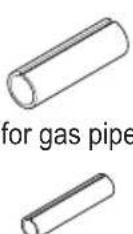 for liquid pipe for liquid pipe |
Safety Precautions
The following symbols are displayed on indoor and outdoor units.
 | Read the precautions in this manual carefully before operating the unit. |  | This appliance is filled with flammable refrigerant (R32) |
 | This symbol indicates that the Operation Manual should be read carefully. |  | This symbol indicates that a service personnel should be handling this equipment with reference to the Installation Manual. |
To prevent injury to the user or other people and property damage, the following instructions must be followed.
■ Incorrect operation due to ignoring instruction will cause harm or damage. The seriousness is classified by the following indications.

WARNING
This symbol indicates the possibility of death or serious injury.

CAUTION
This symbol indicates the possibility of injury or damage to properties only.
■ Meanings of symbols used in this manual are as shown below.


Be sure to follow the instruction.

WARNING
Installation
- Do not use a defective or underrated circuit breaker. Use this appliance on a dedicated circuit.
- There is risk of fire or electric shock.
- For electrical work, contact the dealer, seller, a qualified electrician, or an Authorized Service Center.
- Do not disassemble or repair the product. There is risk of fire or electric shock.
• Always ground the product. - There is risk of fire or electric shock.
- Install the panel and the cover of control box securely.
- There is risk of fire or electric shock.
• Always install a dedicated circuit and breaker. - Improper wiring or installation may cause fire or electric shock
- Use the correctly rated breaker or fuse.
- There is risk of fire or electric shock.
- Do not modify or extend the power cable.
- There is risk of fire or electric shock.
- Do not install, remove, or re-install the unit by yourself (customer).
- There is risk of fire, electric shock, explosion, or injury.
-
Be cautious when unpacking and installing the product.
-
Sharp edges could cause injury. Be especially careful of the case edges and the fins on the condenser and evaporator.
- For installation, always contact the dealer or an Authorized Service Center.
- There is risk of fire, electric shock, explosion, or injury.
- Do not install the product on a defective installation stand.
- It may cause injury, accident, or damage to the product.
- Be sure the installation area does not deteriorate with age.
- If the base collapses, the air conditioner could fall with it, causing property damage, product failure, and personal injury.
- Do not turn on the breaker or power under condition that front panel, cabinet, top cover, control box cover are removed or opened.
- Otherwise, it may cause fire, electric shock, explosion or death.
- Use a vacuum pump or Inert (nitrogen) gas when doing leakage test or air purge. Do not compress air or Oxygen and Do not use Flammable gases. Otherwise, it may cause fire or explosion.
- There is the risk of death, injury, fire or explosion.
- The appliance shall be stored in a well-ventilated area where the room size corresponds to the room area as specified for operation.(for R32)
Operation
- Do not let the air conditioner run for a long time when the humidity is very high and a door or a window is left open.
- Moisture may condense and wet or damage furniture.
• Take care to ensure that power cable could not be pulled out or damaged during operation.
- There is risk of fire or electric shock.
- Do not place anything on the power cable.
- There is risk of fire or electric shock.
- Do not plug or unplug the power supply plug during operation.
- There is risk of fire or electric shock.
- Do not touch(operate) the product with wet hands.
- There is risk of fire or electrical shock.
- Do not place a heater or other appliances near the power cable.
- There is risk of fire and electric shock.
- Do not allow water to run into electric parts.
- It may cause There is risk of fire, failure of the product, or electric shock.
- Do not store or use flammable gas or combustibles near the product.
- There is risk of fire or failure of product.
- Do not use the product in a tightly closed space for a long time.
- Oxygen deficiency could occur.
- When flammable gas leaks, turn off the gas and open a window for ventilation before turn the product on.
- Do not use the telephone or turn switches on or off. There is risk of explosion or fire.
- If strange sounds, or small or smoke comes from product. Turn the breaker off or disconnect the power supply cable.
- There is risk of electric shock or fire.
- Stop operation and close the window in storm or hurricane.
If possible, remove the product from the window before the hurricane arrives.
- There is risk of property damage, failure of product, or electric shock.
- Do not open the inlet grill of the product during operation.
(Do not touch the electrostatic filter, if the unit is so equipped.)
- There is risk of physical injury, electric shock, or product failure.
- When the product is soaked (flooded or submerged), contact an Authorized Service Center.
- There is risk of fire or electric shock.
- Be cautious that water could not enter the product.
- There is risk of fire, electric shock, or product damage.
- Ventilate the product from time to time when operating it together with a stove, etc.
- There is risk of fire or electric shock.
- Turn the main power off when cleaning or maintaining the product.
- There is risk of electric shock.
- When the product is not be used for a long time, disconnect the power supply plug or turn off the breaker.
- There is risk of product damage or failure, or unintended operation.
• Take care to ensure that nobody could step on or fall onto the outdoor unit.
- This could result in personal injury and product damage.
- When mechanical connectors are reused indoors, sealing parts shall be renewed.(for R32)
- When flared joints are reused indoors, the flare part shall be refabricated. (for R32)
CAUTION
Installation
• Always check for gas (refrigerant) leakage after installation or repair of product.
- Low refrigerant levels may cause failure of product.
• Install the drain hose to ensure that water is drained away properly.
- A bad connection may cause water leakage.
- Keep level even when installing the product.
- To avoid vibration or water leakage.
- Do not install the product where the noise or hot air from the outdoor unit could damage the neighborhoods.
- It may cause a problem for your neighbors.
- Use two or more people to lift and transport the product.
- Avoid personal injury.
- Do not install the product where it will be exposed to sea wind (salt spray) directly.
- It may cause corrosion on the product. Corrosion, particularly on the condenser and evaporator fins, could cause product malfunction or inefficient operation.
- Any person who is involved with working on or breaking into a refrigerant circuit should hold a current valid certificate from an industry-accredited assessment authority, which authorises their competence to handle refrigerants safely in accordance with an industry recognised assessment specification.(for R32)
Operation
- Do not expose the skin directly to cool air for long periods of time. (Don't sit in the draft.)
- This could harm to your health.
- Do not use the product for special purposes, such as preserving foods, works of art, etc. It is a consumer air conditioner, not a precision refrigeration system.
- There is risk of damage or loss of property.
- Do not block the inlet or outlet of air flow.
- It may cause product failure.
- Use a soft cloth to clean. Do not use harsh detergents, solvents, etc.
- There is risk of fire, electric shock, or damage to the plastic parts of the product.
- Do not touch the metal parts of the product when removing the air filter. They are very sharp!
- There is risk of personal injury.
- Do not step on or put anything on the product. (outdoor units)
- There is risk of personal injury and failure of product.
• Always insert the filter securely. Clean the filter every two weeks or more often if necessary.
- A dirty filter reduces the efficiency of the air conditioner and could cause product malfunction or damage.
- Do not insert hands or other objects through the air inlet or outlet while the product is operated.
- There are sharp and moving parts that could cause personal injury.
- Do not drink the water drained from the product.
- It is not sanitary and could cause serious health issues.
- Use a firm stool or ladder when cleaning or maintaining the product.
- Be careful and avoid personal injury.
- Replace the all batteries in the remote control with new ones of the same type. Do not mix old and new batteries or different types of batteries.
- There is risk of fire or explosion.
- Do not recharge or disassemble the batteries. Do not dispose of batteries in a fire.
- They may burn or explode.
- If the liquid from the batteries gets onto your skin or clothes, wash it well with clean water. Do not use the remote if the batteries have leaked.
- The chemicals in batteries could cause burns or other health hazards.
- If you eat the liquid from the batteries, brush your teeth and see doctor. Do not use the remote if the batteries have leaked.
- The chemicals in batteries could cause burns or other health hazards.
- Servicing shall only be performed as recommended by the equipment manufacturer. Maintenance and repair requiring the assistance of other skilled personnel shall be carried out under the supervision of the person competent in the use of flammable refrigerants. (for R32)
Installation
Selection of the best location
Indoor unit
Install the air conditioner in the location that satisfies the following conditions.
- The place shall easily bear a load exceeding four times the indoor unit's weight.
• The place shall be able to inspect the unit as the figure.
• The place where the unit shall be leveled. - The place shall easily connect with the outdoor unit.
- The place where the unit is not affected by an electrical noise.
• The place where air circulation in the room will be good. - There should not be any heat source or steam near the unit
Confirm the positional relationship between the unit and suspension bolts.
• Installation the ceiling opening to clean the filter or service under the product.
(Unit: mm)
| Capacity (kBtu/h) A B | ||
| 5/7/9 600 800 | ||
| 12/15/18 600 1000 | ||
| 21/24 600 1200 |

text_image
Top view (Unit: mm) Inspection hole (600 x 600) Control box 600 Air outlet 600
text_image
Side view (unit: mm) Air outlet H=20 or more • Suitable dimension "H" is necessary to get a slope to drain as shown in the figure
text_image
A(Min) B(Min) Ceiling Service Space A BFlexible installation
Case 1: Air inlet from rear (Factory mode)

text_image
Air inlet Panel 2 Panel 1Case 2: Air inlet from bottom.

text_image
Bend line(90°) Panel 2 Air inlet Panel 1
text_image
screw(6EA)*Panel 1 is bend 90^ inward and then fix screw to the case.
Minimum floor area (for R32)
- The appliance shall be installed, operated and stored in a room with a floor area larger than the minimum area.
- Use the graph of table to determine the minimum area.

- m : Total refrigerant amount in the system
- Total refrigerant amount : factory refrigerant charge + additional refrigerant amount
- Amin : minimum area for installation
| Floor location | Floor location | ||
| m (kg) | Amin (m2) | m (kg) | Amin (m2) |
| < 1.224 | - | 4.6 | 181.56 |
| 1.224 | 12.9 | 4.8 | 197.70 |
| 1.4 | 16.82 | 5 | 214.51 |
| 1.6 | 21.97 | 5.2 | 232.02 |
| 1.8 | 27.80 | 5.4 | 250.21 |
| 2 | 34.32 | 5.6 | 269.09 |
| 2.2 | 41.53 | 5.8 | 288.65 |
| 2.4 | 49.42 | 6 | 308.90 |
| 2.6 | 58.00 | 6.2 | 329.84 |
| 2.8 | 67.27 | 6.4 | 351.46 |
| 3 | 77.22 | 6.6 | 373.77 |
| 3.2 | 87.86 | 6.8 | 396.76 |
| 3.4 | 99.19 | 7 | 420.45 |
| 3.6 | 111.20 | 7.2 | 444.81 |
| 3.8 | 123.90 | 7.4 | 469.87 |
| 4 | 137.29 | 7.6 | 495.61 |
| 4.2 | 151.36 | 7.8 | 522.04 |
| 4.4 | 166.12 | ||
| Wall mounted | Wall mounted | ||
| m (kg) | Amin (m2) | m (kg) | Amin (m2) |
| < 1.224 | - | 4.6 | 20.17 |
| 1.224 | 1.43 | 4.8 | 21.97 |
| 1.4 | 1.87 | 5 | 23.83 |
| 1.6 | 2.44 | 5.2 | 25.78 |
| 1.8 | 3.09 | 5.4 | 27.80 |
| 2 | 3.81 | 5.6 | 29.90 |
| 2.2 | 4.61 | 5.8 | 32.07 |
| 2.4 | 5.49 | 6 | 34.32 |
| 2.6 | 6.44 | 6.2 | 36.65 |
| 2.8 | 7.47 | 6.4 | 39.05 |
| 3 | 8.58 | 6.6 | 41.53 |
| 3.2 | 9.76 | 6.8 | 44.08 |
| 3.4 | 11.02 | 7 | 46.72 |
| 3.6 | 12.36 | 7.2 | 49.42 |
| 3.8 | 13.77 | 7.4 | 52.21 |
| 4 | 15.25 | 7.6 | 55.07 |
| 4.2 | 16.82 | 7.8 | 58.00 |
| 4.4 | 18.46 | ||
| Ceiling Mounted | Ceiling Mounted | ||
| m (kg) | Amin ( m^2 ) | m (kg) | Amin ( m^2 ) |
| < 1.224 | - | 4.6 | 13.50 |
| 1.224 | 0.956 | 4.8 | 14.70 |
| 1.4 | 1.25 | 5 | 15.96 |
| 1.6 | 1.63 | 5.2 | 17.26 |
| 1.8 | 2.07 | 5.4 | 18.61 |
| 2 | 2.55 | 5.6 | 20.01 |
| 2.2 | 3.09 | 5.8 | 21.47 |
| 2.4 | 3.68 | 6 | 22.98 |
| 2.6 | 4.31 | 6.2 | 24.53 |
| 2.8 | 5.00 | 6.4 | 26.14 |
| 3 | 5.74 | 6.6 | 27.80 |
| 3.2 | 6.54 | 6.8 | 29.51 |
| 3.4 | 7.38 | 7 | 31.27 |
| 3.6 | 8.27 | 7.2 | 33.09 |
| 3.8 | 9.22 | 7.4 | 34.95 |
| 4 | 10.21 | 7.6 | 36.86 |
| 4.2 | 11.26 | 7.8 | 38.83 |
| 4.4 | 12.36 | ||
Ceiling dimension and hanging bolt location
Installation of Unit
Install the unit above the ceiling correctly.
POSITION OF SUSPENSION BOLT
- Apply a joint-canvas between the unit and duct to absorb unnecessary vibration.
- Apply a filter Accessory at air return hole.
(Unit:mm)
| Capacity(kBtu/h)\Dimension | A B C D E F G H I J | ||||||||||
| L4 | 733 | 772 | 338 | 460 | 36 190 | 20 | 660 | 148 | 700 | ||
| L5 | 933 | 972 | 338 | 460 | 36 190 | 20 | 860 | 148 | 900 | ||
| L6 | 1133 | 1172 | 338 | 460 | 36 190 | 20 | 1060 | 148 | 1100 | ||
※ Install the unit leaning to a drainage hole side as a figure for easy water drainage.
POSITION OF CONSOLE BOLT
- A place where the unit will be leveled and that can support the weight of the unit.
• A place where the unit can withstand its vibration. - A place where service can be easily performed.

text_image
E 1" 3 1" 3 G D C J A B F H Drainage hole
text_image
M10 Nut X 4 M10 washer X 4 M10 washer X 4 M10 Nut X 8Indoor Unit Installation
- Select and mark the position for fixing bolts.
- Drill the hole for set anchor on the face of ceiling.

natural_image
Line drawing of a hand holding a tool with a pen, projecting a rectangular object (no text or symbols)
CAUTION : Tighten the nut and bolt to prevent unit falling.
- Insert the set anchor and washer onto the suspension bolts for locking the suspension bolts on the ceiling.
- Mount the suspension bolts to the set anchor firmly.
- Secure the installation plates onto the suspension bolts (adjust level roughly) using nuts, washers and spring washers.
Old building New building

flowchart
graph TD
    A["Set anchor"] --> B["Plate washer"]
    B --> C["Spring washer"]
    C --> D["Nut"]
    D --> E["Suspension bolts"]
Wiring Connection
Connect the wires to the terminals on the control board individually according to the outdoor unit connection.
- Ensure that the color of the wires of outdoor unit and the terminal No. are the same as those of indoor unit respectively.

flowchart
graph TD
    A["INDOOR POWER INPUT"] --> B["Terminal Block Indoor"]
    B --> C["1(L)"]
    B --> D["2(N)"]
    B --> E["Indoor Unit"]
    E --> F["3(A)"]
    E --> G["4(B)"]
    H["Outdoor unit"] --> I["SODU"]
    H --> J["SODU"]
    H --> K["IDU"]
    H --> L["IDU"]
    M["Indoor unit"] --> N["INTERNET"]
    M --> O["DRY1"]
    M --> P["DRY2"]
    M --> Q["GND"]
    M --> R["12V"]
    S["Central controller"] --> T["Outdoor unit"]
    S --> U["Indoor unit"]
    S --> V["Outdoor unit"]
    style A fill:#f9f,stroke:#333
    style H fill:#f9f,stroke:#333

WARNING: Make sure that the screws of the terminal are free from looseness.
Clamping of cables
1) Arrange 2 power cables on the control panel.
2) First, fasten the steel clamp with a screw to the inner boss of control panel.
3) For the cooling model, fix the other side of the clamp with a screw strongly. For the heat pump model, put the 0.75mm^2 cable(thinner cable) on the clamp and tighten it with a plastic clamp to the other boss of the control panel.

CAUTION : The Power cord connected to the unit should be selected according to the following specifications.
INSULATION, OTHERS
Insulate the joint and tubes completely.
THERMAL INSULATION
All thermal insulation must comply with local requirement.
INDOOR UNIT

text_image
Union for gas pipe Refrigerant pipe and thermal insulator(Local supply) Hose clip for thermal insulator (Local supply) Thermal insulator for refrigerant pipe (Local supply) Union for liquid pipe Thermal insulator for refrigerant pipe (Local supply) Thermal insulator for piping(Local supply) Overlap with thermal insulator for piping. Hose clip for thermal insulator(Local supply) Make sure that there is no clearance here.
text_image
TEST AND CHECK
text_image
Felt Cabinet Insulation No clearanceTEST AND CHECK
■ After all workings are finished, check the working and operation.
• Air distribution .... Is the air circulation good?
- Drain .... Is the drainage smoothly and no sweating?
- Gas leakage .... Is the piping connection correctly?
- Wiring Is the wiring connection correctly?
- Lock-bolt .... Is the lock-bolt of compressor loosened?
• Insulation..... Is the unit fully insulated?
• Ground .... Is the unit safely grounded?

CAUTION (for R32)
- When mechanical connectors are reused indoors, sealing parts shall be renewed.
- When flared joints are reused indoors, the flare part shall be re-fabricated.
Checking the Drainage
-
Remove the Air Filter.
-
Check the drainage.
-
Spray one or two glasses of water upon the evaporator.
- Ensure that water flows drain hose of indoor unit without any leakage.

text_image
Remove
natural_image
Line drawing of a hand holding a plastic bag attached to a device casing (no text or symbols)CAUTION
- Install declination of the indoor unit is very important for the drain of the duct type air conditioner.
- Minimum thickness of the insulation for the connecting pipe shall be 19mm.
Front of view
- The unit must be horizontal or declined to the drain hose connected when finished installation.

text_image
Ceiling Drainage holeDrain Pump use
Drain Piping
- Drain piping must have down-slope (1/50 to 1/100): be sure not to provide up-and-down slope to prevent reversal flow.
- During drain piping connection, be careful not to exert extra force on the drain port on the indoor unit.
- The outside diameter of the drain connection on the indoor unit is 32mm.
Piping material: Polyvinyl chloride pipe VP-25 and pipe fittings
- Be sure to install heat insulation on the drain piping.
Heat insulation material: Polyethylene foam with thickness more than 8 mm.

text_image
Pipe clamp Indoor unit Maintenance drain port Upward routing not allowedDrain test
The air conditioner uses a drain pump to drain water. Use the following procedure to test the drain pump operation:

text_image
Feed water Flexible drain hose Main drain pipe Drain port Glue the joint Drain pump Drain pan Drain hose connection Use the clip- Connect the main drain pipe to the exterior and leave it provisionally until the test comes to an end.
- Feed water to the flexible drain hose and check the piping for leakage.
- Be sure to check the drain pump for normal operating and noise when electrical wiring is complete.
- When the test is complete, connect the flexible drain hose to the drain port on the indoor unit.

CAUTION:
After the confirmation of the above conditions, prepare the wiring as follows:
1) Never fail to have an individual power specialized for the air conditioner. As for the method of wiring, be guided by the circuit diagram posted on the inside of control box cover.
2) Provide a circuit breaker switch between power source and the unit.
3) The screws which fasten the wiring in the casing of electrical fittings are liable to come loose from vibrations to which the unit is subjected during the course of transportation. Check them and make sure that they are all tightly fastened. (If they are loose, it could give rise to burn-out of the wires.)
4) Specification of power source
5) Confirm that electrical capacity is sufficient.
6) Be sure that the starting voltage is maintained at more than 90 percent of the rated voltage marked on the name plate.
7) Confirm that the cable thickness is as specified in the power sources specification. (Particularly note the relation between cable length and thickness.)
8) Never fail to equip a leakage breaker where it is wet or moist.
9) The following troubles would be caused by voltage drop-down.
- Vibration of a magnetic switch, damage on the contact point, fuse breaking, disturbance by the normal function of an overload protection device.
- Proper starting power is not given to the compressor.
HAND OVER
Teach the customer the operation and maintenance procedures, using the operation manual. (air filter cleaning, temperature control, etc.)
Dip Switch Setting
1. Indoor Unit
| Function | Description | Setting Off | Setting On | Default | |
| SW1 | Communication N/A (Default) - - Off | ||||
| SW2 | Cycle N/A | (Default) | - - Of | f | |
| SW3 | Group Control | Selection of Master or Slave | Master Slave Of | f | |
| SW4 | Dry Contact Mode | Selection of Dry Contact Mode | Wired/Wireless remote controller selection of Manual or Auto operation Mode | Auto Off | |
| SW5 | Installation | Fan continuous operation | Continuous operation Re-moval | - Off | |
| SW6 | Heater linkage N/A - - Off | ||||
| SW7 | Ventilator link-age | Selection of Ventilator linkage | Linkage Removal | Working | Off |
| Vane selection (Console) | Selection of up/down side Vane | Up side + Down side Vane | Up side Vane Only | ||
| Region selec-tion | Selection tropical re-gion | General model | Tropical model | ||
| SW8 | Etc. | Spare | - | - | Off |

CAUTION
For Multi V Models, DIP switch 1, 2, 6, 8 must be set OFF.
2. Outdoor Unit
In case that the products meet specific conditions, "Auto addressing" function can start automatically with the improved speed by turning the DIP switch #3 of the outdoor unit and resetting the power.
* Specific conditions:
- All names of the indoor units are ARNU****4.
- The serial number of Multi V super IV (outdoor units) is after October 2013.

text_image
DIP switch 7 segment 8:3:33Outdoor Unit PCB

text_image
ON 1 2 3 4 5 6 7 1 2 3 4 5 6 7 ON 1 2 3 4 5 6 7 1 2 3 4 5 6 7Outdoor Unit DIP Switch
Group Control Setting
1. Group Control 1
■ Wired remote controller 1 + Standard Indoor Units

flowchart
graph TD
    A["Master Slave Slave"] --> B["Display Error Message"]
    B --> C["Only connect serial signal and GND lines between indoor units."]
    C --> D["GND"]
    C --> E["Signal"]
    C --> F["12V"]
    A --> G["Master"]
    G --> H["Display Error Message"]
    H --> I["Only connect serial signal and GND lines between indoor units."]
    I --> J["GND"]
    I --> K["Signal"]
    I --> L["12V"]
    style A fill:#f9f,stroke:#333
    style B fill:#ccf,stroke:#333
    style C fill:#cfc,stroke:#333
    style D fill:#fcc,stroke:#333
    style E fill:#cff,stroke:#333
    style F fill:#ffc,stroke:#333
    style G fill:#cfc,stroke:#333
    style H fill:#fcc,stroke:#333
    style I fill:#cfc,stroke:#333
    style J fill:#fcc,stroke:#333
    style K fill:#fcc,stroke:#333
    style L fill:#fcc,stroke:#333
■ DIP Switch in PCB
① Master Setting - No. 3 Off

text_image
ON KSD08H 7 1 2 3 4 5 6 7 8② Slave Setting - No. 3 On

text_image
ON KSD08H 7J1 2 3 4 5 6 7 8Indoor Unit DIP Switch
Some products have no DIP switch on PCB. It is possible to set indoor units to Master or Slave by using the wireless remote controller instead of DIP switch.
For the details of the setting, please refer to the manual of the wireless remote controller.
- It is possible to 16 indoor units(Max.) by one wired remote controller.
Set only one indoor unit to Master, set the others to Slave.
-
It is possible to connect with every type of indoor units.
-
It is possible to use wireless remote controller at the same time.
-
It is possible to connect with Dry Contact and Central controller at the same time.
- The Master indoor unit is possible to recognize Dry Contact and Central Controller only.
- In case that any error occurs at indoor unit, the error code is displayed on the wired remote controller.
It is possible to control the other indoor units except the error units.
* It is possible to connect indoor units since Feb. 2009.
* It can be the cause of malfunctions when there is no setting of master and slave.
* In case of Group Control, it is possible to use following functions.
- Selection of operation, stop or mode
- Current time change
- Control of flow rate (High/Middle/Low)
- Reservation settings
It is not possible to use some functions.
- Temperature setting and room temperature check
2. Group Control 2
■ Wired remote controllers + Standard Indoor Units

flowchart
graph TD
    A["Master Master Slave"] -->|GND Signal 12V| B["LGAP Network System"]
    A -->|Display Error Message| C["Master Master"]
    A -->|Don't connect serial 12V line| D["Display Error Message"]
    A --> E["or"]
    E --> F["LGAP Network System"]
    style A fill:#f9f,stroke:#333
    style B fill:#ccf,stroke:#333
    style C fill:#cfc,stroke:#333
    style D fill:#fcc,stroke:#333
    style E fill:#cff,stroke:#333
    style F fill:#ffc,stroke:#333
* It is possible to control 16 indoor units(Max.) with the master wired remote control.
* Other than those, it is same with the Group Control 1.
3. Group Control 3
■ Mixture connection with indoor units and Fresh Air Intake Unit

flowchart
graph TD
    A["Master Master"] -->|Display Error Message| B["FAU Master"]
    B --> C["FAU Slave"]
    C --> D["Master"]
    D -->|Display Error Message| E["Slave"]
    E --> F["GND"]
    E --> G["Signal"]
    E --> H["12V"]
    B --> I["QA"]
    C --> J["QA"]
    D --> K["QA"]
    E --> L["QA"]
    style A fill:#f9f,stroke:#333
    style B fill:#ccf,stroke:#333
    style C fill:#cfc,stroke:#333
    style D fill:#fcc,stroke:#333
    style E fill:#cff,stroke:#333
    style F fill:#ffc,stroke:#333
    style G fill:#ffc,stroke:#333
    style H fill:#ffc,stroke:#333
    style I fill:#cfc,stroke:#333
    style J fill:#cfc,stroke:#333
    style K fill:#cfc,stroke:#333
    style L fill:#cfc,stroke:#333
* In case of connecting with standard indoor unit and Fresh Air Intake Unit, separate Fresh Air Intake Unit with standard units. (N, M ≤ 16) (Because setting temperature are different.)
* Other than those, it is same with Group Control 1.

flowchart
graph TD
    A["Large server unit"] --> B["FAU"]
    A --> C["FAU"]
    A --> D["Standard"]
    A --> E["Standard"]
    B --> F["Square"]
    C --> G["Square"]
    D --> H["Square"]
    E --> I["Square"]

flowchart
graph TD
    A["Large server unit"] --> B["FAU"]
    B --> C["Standard"]
    B --> D["Standard"]
    C --> E["No Line"]
    D --> E
    E --> F["Output"]
* FAU : Fresh Air Intake Unit Standard: Standard Indoor Unit
4.2 Remote Control
■ Wired remote controller 2 + Indoor unit 1

flowchart
graph TD
    A["Master"] --> B["Display Error Message"]
    A --> C["Slave"]
    D["Slave"] --> E["Slave"]
    F["LGAP Network System"] --> G["GND"]
    F --> H["Signal"]
    F --> I["12V"]
    style A fill:#f9f,stroke:#333
    style D fill:#bbf,stroke:#333
    style F fill:#bfb,stroke:#333
- It is possible to connect two wired remote controllers (Max.) with one indoor unit. Set only one indoor unit to Master, set the others to Slave.
Set only one wired remote controller to Master, set the others to Slave. - Every types of indoor unit is possible to connect two remote controller.
- It is possible to use wireless remote controller at the same time.
- It is possible to connect with Dry Contact and Central controller at the same time.
- In case that any error occurs at indoor unit, the error code is displayed on the wired remote controller.
- There isn't limits of indoor unit function.
5. Accessories for group control setting
It is possible to set group control by using below accessories.
| Indoor unit 2 EA +Wired remote controller | Indoor unit 1 EA +Wired remote controller 2EA |
| ※ PZCWRCG3 cable used for connectionMas te r SlavePZCWRCG3Maste r | ※ PZCWRC2 cable used for connectionPZCWRC2Maste r S lave |

CAUTION
- Apply totally enclosed noncombustible conduit in case of local building code Requiring plenum cable usage.
Model Designation

flowchart
graph TD
    A["ARN"] --> B["U"]
    B --> C["07"]
    C --> D["G"]
    D --> E["L4"]
    E --> F["G"]
    F --> G["4"]
    G --> H["Serial Number"]
    H --> I["Combinations of functions"]
    I --> J["A:Basic function L: Neo Plasma(Wall Mounted)"]
    I --> K["C: Plasma(Ceiling Cassette)"]
    I --> L["G: Low Static K: High Sensible Heat"]
    I --> M["U: Floor Standing without Case"]
    I --> N["SE/S8 - R: Mirror V: Silver B:Blue(ART COOL Type Panel Cloir)"]
    I --> O["SF - E: Red V: Silver G:Gold 1: Kiss (Photo changeable)"]
    I --> P["Q: Console Z: Fresh Air Intake Unit"]
    G --> Q["Chassis Name"]
    Q --> R["Electrical Ratings"]
    R --> S["1:1Ø, 115V, 60Hz 2:1Ø, 220V, 60Hz"]
    R --> T["6:1Ø, 220-240V, 50Hz 7:1Ø, 100V, 50/60Hz"]
    R --> U["3:1Ø, 208/230V, 60Hz G:1Ø, 220-240V, 50Hz/1Ø, 220V, 60Hz"]
    G --> V["Total Cooling Capacity in Btu/h"]
    V --> W["EX) 5,000 Btu/h → '05' 18,000 Btu/h → '18'"]
    V --> X["Combination of Inverter Type and Cooling Only or Heat Pump"]
    X --> Y["N: AC Inverter and H/P V: AC Inverter and C/O"]
    X --> Z["U: DC Inverter and H/P and C/O"]
    A --> AA["MULTIV. System with Indoor Unit using R32/R410A<br>* LGETA:U Ex) URN"]
Airborne Noise Emission
The A-weighted sound pressure emitted by this product is below 70 dB.
** The noise level can vary depending on the site.
The figures quoted are emission level and are not necessarily safe working levels. Whilst there is a correlation between the emission and exposure levels, this cannot be used reliably to determine whether or not further precautions are required. Factor that influence the actual level of exposure of the workforce include the characteristics of the work room and the other sources of noise, i.e. the number of equipment and other adjacent processes and the length of time for which an operator exposed to the noise. Also, the permissible exposure level can vary from country to country. This information, however, will enable the user of the equipment to make a better evaluation of the hazard and risk.
Limiting concentration
Limiting concentration is the limit of Freon gas concentration where immediate measures can be taken without hurting human body when refrigerant leaks in the air. The limiting concentration shall be described in the unit of kg/m ^3 (Freon gas weight per unit air volume) for facilitating calculation
Limiting concentration: 0.44kg/m ^3 (R410A)
■ Calculate refrigerant concentration
Refrigerant concentration = amount of replenished refrigerant in refrigerant facility (kg)Capacity of smallest room where indoor unit is installed (m^3)
How to Set E.S.P?
ARNU05GL4G4, ARNU07GL4G4, ARNU09GL4G4
(Unit : CMM)
| Setting Value | Static Pressure(mmAq(Pa)) | |||||
| 0 (0) | 1 (10) | 2 (20) | 3 (29) | 4 (39) | 5 (49) | |
| 60 | - | - | - | - | - | - |
| 65 | 5.03 | - | - | - | - | - |
| 70 | 5.60 | 4.85 | - | - | - | - |
| 75 | 6.19 | 5.44 | 4.57 | - | - | - |
| 80 | 6.79 | 6.05 | 5.17 | - | - | - |
| 85 | 7.41 | 6.67 | 5.80 | 4.80 | - | - |
| 90 | 8.05 | 7.31 | 6.43 | 5.44 | - | - |
| 95 | 8.71 | 7.96 | 7.09 | 6.09 | 4.97 | - |
| 100 | 9.38 | 8.63 | 7.76 | 6.76 | 5.64 | - |
| 105 | 10.07 | 9.32 | 8.45 | 7.45 | 6.33 | 5.08 |
| 110 | - | 10.03 | 9.16 | 8.16 | 7.04 | 5.79 |
| 115 | - | - | 9.88 | 8.88 | 7.76 | 6.51 |
| 120 | - | - | - | 9.62 | 8.50 | 7.25 |
| 125 | - | - | - | 10.38 | 9.26 | 8.01 |
| 130 | - | - | - | - | 10.03 | 8.78 |
ARNU12GL5G4, ARNU15GL5G4, ARNU18GL5G4
(Unit : CMM)
| Setting Value | Static Pressure(mmAq(Pa)) | |||||
| 0 (0) | 1 (10) | 2 (20) | 3 (29) | 4 (39) | 5 (49) | |
| 75 | 6.50 | - | - | - | - | - |
| 80 | 7.34 | 6.70 | - | - | - | - |
| 85 | 8.20 | 7.55 | 6.69 | - | - | - |
| 90 | 9.07 | 8.43 | 7.56 | 6.47 | - | - |
| 95 | 9.96 | 9.32 | 8.45 | 7.36 | - | - |
| 100 | 10.87 | 10.22 | 9.36 | 8.27 | 6.96 | - |
| 105 | 11.79 | 11.15 | 10.28 | 9.19 | 7.89 | 6.35 |
| 110 | 12.73 | 12.09 | 11.22 | 10.14 | 8.83 | 7.30 |
| 115 | 13.69 | 13.05 | 12.18 | 11.09 | 9.78 | 8.25 |
| 120 | 15.00 | 14.02 | 13.16 | 12.07 | 10.76 | 9.23 |
| 125 | 15.66 | 15.01 | 14.15 | 13.06 | 11.75 | 10.22 |
| 130 | 16.67 | 16.02 | 15.16 | 14.07 | 12.76 | 11.23 |
| 135 | - | - | 16.18 | 15.10 | 13.79 | 12.26 |
| 140 | - | - | - | 16.14 | 14.83 | 13.30 |
| 145 | - | - | - | - | 15.89 | 14.36 |
ARNU21GL6G4, ARNU24GL6G4
(Unit : CMM)
| Setting Value | Static Pressure(mmAq(Pa)) | |||||
| 0 (0) | 1 (10) | 2 (20) | 3 (29) | 4 (39) | 5 (49) | |
| 85 | 10.19 | - | - | - | - | - |
| 90 | 12.18 | 10.71 | 11.09 | - | - | - |
| 95 | 13.81 | 12.34 | 12.19 | - | - | - |
| 100 | 15.16 | 13.69 | 13.38 | 10.71 | - | - |
| 105 | 16.30 | 14.83 | 14.36 | 11.85 | - | - |
| 110 | 17.31 | 15.85 | 15.23 | 12.86 | 10.97 | - |
| 115 | 18.27 | 16.80 | 16.07 | 13.82 | 11.93 | - |
| 120 | 19.26 | 17.79 | 16.93 | 14.80 | 12.91 | 10.49 |
| 125 | 20.34 | 18.87 | 17.89 | 15.88 | 13.99 | 11.57 |
| 130 | 21.60 | 20.13 | 19.01 | 17.14 | 15.25 | 12.83 |
| 135 | - | 21.64 | 20.36 | 18.66 | 16.76 | 14.35 |
| 140 | - | - | 22.01 | 20.50 | 18.61 | 16.19 |
| 145 22.75 | 20.86- | - | - | 18.44 | ||
Note :
-
The above table shows the correlation between the air rates and E.S.P.
-
Please refer wired remote controller manual for E.S.P setting procedure.
□ Vitie tasselli in plastica
natural_image
Line drawing of a hand holding a tool with a pointed tip, extending into a rectangular frame (no text or symbols)natural_image
Line drawing of a hand holding a spray bottle over an open electronic device casing (no text or symbols)AVVERTENZA
natural_image
Line drawing of a hand holding a tool with a pointed tip, extending into a rectangular frame (no text or symbols)
PRECAUCIÓN:
natural_image
Line drawing of a hand holding a spray bottle over an open electronic device casing (no text or symbols)PRECAUCIÓN
flowchart
graph TD
    A["Large Space Unit"] --> B["FAU FAU FAU"]
    B --> C["Square"]
    B --> D["Square"]
    B --> E["Square"]
    B --> F["Square"]
    B --> G["Square"]
    B --> H["Square"]

flowchart
graph TD
    A["Server"] --> B["FAU"]
    B --> C["Estándar"]
    B --> D["EstándarEstándarEstándar"]
    C --> E["No"]
    D --> E
    E --> B
MANUEL D'INSTALLATION
CLIMATISEUR
Concentration limite......23
Installation flexible
natural_image
Line drawing of a hand holding a tool with a string, next to a rectangular frame (no text or symbols)natural_image
Line drawing of a hand holding a spray bottle next to a device casing (no text or symbols)ATTENTION
Flexible installation .....10
Airborne noise emission .....23
☐ Gegenhalteschlüssel (different depending on model No.)
Schraubenschluessel
Ein Glas Wasser
Schraubenzieher
Imbusschlüssel
Gasleck-Detektor
□ Vakuumpumpe
Manometerstation
□ Besitzer-Handbuch
Thermometera
Installationsteile

text_image
Luftauslassschlitze Reglerkasten Wired Remote Controller Luftfilter LuftauslassöfnungenMontagewerkzeuge
Case 2: Air inlet from bottom.

natural_image
Line drawing of a hand holding a tool with a pointed tip, next to a rectangular frame (no text or symbols)
VORSICHT:
natural_image
Line drawing of a hand holding a spray bottle over an open air conditioner unit (no text or symbols)VORSICHT
ARNU12GL5G4, ARNU15GL5G4, ARNU18GL5G4
(Unit : CMM)
| Einstellung | Statischer Druck(mmAq(Pa)) | |||||
| 0 (0) | 1 (10) | 2 (20) | 3 (29) | 4 (39) | 5 (49) | |
| 75 | 6.50 | - | - | - | - | - |
| 80 | 7.34 | 6.70 | - | - | - | - |
| 85 | 8.20 | 7.55 | 6.69 | - | - | - |
| 90 | 9.07 | 8.43 | 7.56 | 6.47 | - | - |
| 95 | 9.96 | 9.32 | 8.45 | 7.36 | - | - |
| 100 | 10.87 | 10.22 | 9.36 | 8.27 | 6.96 | - |
| 105 | 11.79 | 11.15 | 10.28 | 9.19 | 7.89 | 6.35 |
| 110 | 12.73 | 12.09 | 11.22 | 10.14 | 8.83 | 7.30 |
| 115 | 13.69 | 13.05 | 12.18 | 11.09 | 9.78 | 8.25 |
| 120 | 15.00 | 14.02 | 13.16 | 12.07 | 10.76 | 9.23 |
| 125 | 15.66 | 15.01 | 14.15 | 13.06 | 11.75 | 10.22 |
| 130 | 16.67 | 16.02 | 15.16 | 14.07 | 12.76 | 11.23 |
| 135 | - | - | 16.18 | 15.10 | 13.79 | 12.26 |
| 140 | - | - | - | 16.14 | 14.83 | 13.30 |
| 145 | - | - | - | - | 15.89 | 14.36 |
ARNU21GL6G4, ARNU24GL6G4
(Unit : CMM)
| Einstellung | Statischer Druck(mmAq(Pa)) | |||||
| 0 (0) | 1 (10) | 2 (20) | 3 (29) | 4 (39) | 5 (49) | |
| 85 | 10.19 | - | - | - | - | - |
| 90 | 12.18 | 10.71 | 11.09 | - | - | - |
| 95 | 13.81 | 12.34 | 12.19 | - | - | - |
| 100 | 15.16 | 13.69 | 13.38 | 10.71 | - | - |
| 105 | 16.30 | 14.83 | 14.36 | 11.85 | - | - |
| 110 | 17.31 | 15.85 | 15.23 | 12.86 | 10.97 | - |
| 115 | 18.27 | 16.80 | 16.07 | 13.82 | 11.93 | - |
| 120 | 19.26 | 17.79 | 16.93 | 14.80 | 12.91 | 10.49 |
| 125 | 20.34 | 18.87 | 17.89 | 15.88 | 13.99 | 11.57 |
| 130 | 21.60 | 20.13 | 19.01 | 17.14 | 15.25 | 12.83 |
| 135 | - | 21.64 | 20.36 | 18.66 | 16.76 | 14.35 |
| 140 | - | - | 22.01 | 20.50 | 18.61 | 16.19 |
| 145 22.75 | 20.86-18.44 | - | - | |||
text_image
Forg/ab M10 X 4 Pol/Ka M10 X 4 Pol/Ka M10 X 4 Pol/ab M10 X 5natural_image
Line drawing of a hand holding a tool with a pointed tip, extending into a rectangular frame (no text or symbols)natural_image
Line drawing of a hand holding a droplet over an open electronic device casing (no text or symbols)ΠΡΟΣΟΧΗ
text_image
šroub (6 ks)natural_image
Illustration of a hand holding a tool with a pointed tip, extending into a rectangular frame (no text or symbols)natural_image
Line drawing of a hand holding a spray bottle next to an open electronic device casing (no text or symbols)UPOZORNĚNÍ
Flexible installation
Case 1: Air inlet from rear (Factory mode)

text_image
Air inlet Panel 2 Panel 1Case 2: Air inlet from bottom.

text_image
Bend line(90°) Panel 2 Air inlet Panel 1
text_image
screw(6EA)*Panel 1 is bend 90^ inward and then fix screw to the case.
natural_image
Illustration of a hand holding a tool with a pen, projecting a rectangular frame (no text or symbols)natural_image
Line drawing of a hand holding a droplet over an open electronic device casing (no text or symbols)LET OP
ARNU12GL5G4, ARNU15GL5G4, ARNU18GL5G4
(Eenheid: CMM)
| Ingestelde waarde | Statische druk (mmAq(Pa)) | |||||
| 0 (0) | 1 (10) | 2 (20) | 3 (29) | 4 (39) | 5 (49) | |
| 75 | 6.50 | - | - | - | - | - |
| 80 | 7.34 | 6.70 | - | - | - | - |
| 85 | 8.20 | 7.55 | 6.69 | - | - | - |
| 90 | 9.07 | 8.43 | 7.56 | 6.47 | - | - |
| 95 | 9.96 | 9.32 | 8.45 | 7.36 | - | - |
| 100 | 10.87 | 10.22 | 9.36 | 8.27 | 6.96 | - |
| 105 | 11.79 | 11.15 | 10.28 | 9.19 | 7.89 | 6.35 |
| 110 | 12.73 | 12.09 | 11.22 | 10.14 | 8.83 | 7.30 |
| 115 | 13.69 | 13.05 | 12.18 | 11.09 | 9.78 | 8.25 |
| 120 | 15.00 | 14.02 | 13.16 | 12.07 | 10.76 | 9.23 |
| 125 | 15.66 | 15.01 | 14.15 | 13.06 | 11.75 | 10.22 |
| 130 | 16.67 | 16.02 | 15.16 | 14.07 | 12.76 | 11.23 |
| 135 | - | - | 16.18 | 15.10 | 13.79 | 12.26 |
| 140 | - | - | - | 16.14 | 14.83 | 13.30 |
| 145 | - | - | - | - | 15.89 | 14.36 |
ARNU21GL6G4, ARNU24GL6G4
(Eenheid: CMM)
| Ingestelde waarde | Statische druk (mmAq(Pa)) | |||||
| 0 (0) | 1 (10) | 2 (20) | 3 (29) | 4 (39) | 5 (49) | |
| 85 | 10.19 | - | - | - | - | - |
| 90 | 12.18 | 10.71 | 11.09 | - | - | - |
| 95 | 13.81 | 12.34 | 12.19 | - | - | - |
| 100 | 15.16 | 13.69 | 13.38 | 10.71 | - | - |
| 105 | 16.30 | 14.83 | 14.36 | 11.85 | - | - |
| 110 | 17.31 | 15.85 | 15.23 | 12.86 | 10.97 | - |
| 115 | 18.27 | 16.80 | 16.07 | 13.82 | 11.93 | - |
| 120 | 19.26 | 17.79 | 16.93 | 14.80 | 12.91 | 10.49 |
| 125 | 20.34 | 18.87 | 17.89 | 15.88 | 13.99 | 11.57 |
| 130 | 21.60 | 20.13 | 19.01 | 17.14 | 15.25 | 12.83 |
| 135 | - | 21.64 | 20.36 | 18.66 | 16.76 | 14.35 |
| 140 | - | - | 22.01 | 20.50 | 18.61 | 16.19 |
| 145 22.75 | 20.86-18.44 | - | - | |||
Opmerking:
natural_image
Line drawing of a hand holding a tool with a pointed tip, projecting a 3D coordinate system (no text or symbols)natural_image
Line drawing of a hand holding a spray bottle over an open electronic device casing (no text or symbols)OSTROŻNIE
text_image
şurub (6EA)natural_image
Illustration of a hand holding a tool with a pen, projecting a rectangular frame (no text or symbols)natural_image
Line drawing of a hand holding a spray bottle over a device casing (no text or symbols)ATENTIE
ARNU05GL4G4, ARNU07GL4G4, ARNU09GL4G4
(Unitate: CMM)
| Valoare de reglaj | Presiune statică (mmAq (Pa)) | |||||
| 0 (0) | 1 (10) | 2 (20) | 3 (29) | 4 (39) | 5 (49) | |
| 60 | - | - | - | - | - | - |
| 65 | 5.03 | - | - | - | - | - |
| 70 | 5.60 | 4.85 | - | - | - | - |
| 75 | 6.19 | 5.44 | 4.57 | - | - | - |
| 80 | 6.79 | 6.05 | 5.17 | - | - | - |
| 85 | 7.41 | 6.67 | 5.80 | 4.80 | - | - |
| 90 | 8.05 | 7.31 | 6.43 | 5.44 | - | - |
| 95 | 8.71 | 7.96 | 7.09 | 6.09 | 4.97 | - |
| 100 | 9.38 | 8.63 | 7.76 | 6.76 | 5.64 | - |
| 105 | 10.07 | 9.32 | 8.45 | 7.45 | 6.33 | 5.08 |
| 110 | - | 10.03 | 9.16 | 8.16 | 7.04 | 5.79 |
| 115 | - | - | 9.88 | 8.88 | 7.76 | 6.51 |
| 120 | - | - | - | 9.62 | 8.50 | 7.25 |
| 125 | - | - | - | 10.38 | 9.26 | 8.01 |
| 130 | - | - | - | - | 10.03 | 8.78 |
ARNU12GL5G4, ARNU15GL5G4, ARNU18GL5G4
(Unitate: CMM)
| Valoare de reglaj | Presiune statică (mmAq (Pa)) | |||||
| 0 (0) | 1 (10) | 2 (20) | 3 (29) | 4 (39) | 5 (49) | |
| 75 | 6.50 | - | - | - | - | - |
| 80 | 7.34 | 6.70 | - | - | - | - |
| 85 | 8.20 | 7.55 | 6.69 | - | - | - |
| 90 | 9.07 | 8.43 | 7.56 | 6.47 | - | - |
| 95 | 9.96 | 9.32 | 8.45 | 7.36 | - | - |
| 100 | 10.87 | 10.22 | 9.36 | 8.27 | 6.96 | - |
| 105 | 11.79 | 11.15 | 10.28 | 9.19 | 7.89 | 6.35 |
| 110 | 12.73 | 12.09 | 11.22 | 10.14 | 8.83 | 7.30 |
| 115 | 13.69 | 13.05 | 12.18 | 11.09 | 9.78 | 8.25 |
| 120 | 15.00 | 14.02 | 13.16 | 12.07 | 10.76 | 9.23 |
| 125 | 15.66 | 15.01 | 14.15 | 13.06 | 11.75 | 10.22 |
| 130 | 16.67 | 16.02 | 15.16 | 14.07 | 12.76 | 11.23 |
| 135 | - | - | 16.18 | 15.10 | 13.79 | 12.26 |
| 140 | - | - | - | 16.14 | 14.83 | 13.30 |
| 145 | - | - | - | - | 15.89 | 14.36 |
ARNU21GL6G4, ARNU24GL6G4
(Unitate: CMM)
| Valoare de reglaj | Presiune statică (mmAq (Pa)) | |||||
| 0 (0) | 1 (10) | 2 (20) | 3 (29) | 4 (39) | 5 (49) | |
| 85 | 10.19 | - | - | - | - | - |
| 90 | 12.18 | 10.71 | 11.09 | - | - | - |
| 95 | 13.81 | 12.34 | 12.19 | - | - | - |
| 100 | 15.16 | 13.69 | 13.38 | 10.71 | - | - |
| 105 | 16.30 | 14.83 | 14.36 | 11.85 | - | - |
| 110 | 17.31 | 15.85 | 15.23 | 12.86 | 10.97 | - |
| 115 | 18.27 | 16.80 | 16.07 | 13.82 | 11.93 | - |
| 120 | 19.26 | 17.79 | 16.93 | 14.80 | 12.91 | 10.49 |
| 125 | 20.34 | 18.87 | 17.89 | 15.88 | 13.99 | 11.57 |
| 130 | 21.60 | 20.13 | 19.01 | 17.14 | 15.25 | 12.83 |
| 135 | - | 21.64 | 20.36 | 18.66 | 16.76 | 14.35 |
| 140 | - | - | 22.01 | 20.50 | 18.61 | 16.19 |
| 145 22.75 | 20.86-18.44 | - | - | |||
Observatie:
natural_image
Illustration of a hand holding a tool with a pen, projecting a rectangular frame (no text or symbols)
flowchart
graph TD
    A["Control Unit"] --> B["Main Control Panel"]
    B --> C["Control Panel"]
    C --> D["Control Panel"]
    D --> E["Control Panel"]
    E --> F["Control Panel"]
    F --> G["Control Panel"]
    G --> H["Control Panel"]
    H --> I["Control Panel"]
    I --> J["Control Panel"]
    J --> K["Control Panel"]
    K --> L["Control Panel"]
    L --> M["Control Panel"]
    M --> N["Control Panel"]
    N --> O["Control Panel"]
    O --> P["Control Panel"]
    P --> Q["Control Panel"]
    Q --> R["Control Panel"]
    R --> S["Control Panel"]
    S --> T["Control Panel"]
    T --> U["Control Panel"]
    U --> V["Control Panel"]
    V --> W["Control Panel"]
    W --> X["Control Panel"]
    X --> Y["Control Panel"]
    Y --> Z["Control Panel"]
    Z --> AA["Control Panel"]
    AA --> AB["Control Panel"]
    AB --> AC["Control Panel"]
    AC --> AD["Control Panel"]
    AD --> AE["Control Panel"]
    AE --> AF["Control Panel"]
    AF --> AG["Control Panel"]
    AG --> AH["Control Panel"]
    AH --> AI["Control Panel"]
    AI --> AJ["Control Panel"]
    AJ --> AK["Control Panel"]
    AK --> AL["Control Panel"]
    AL --> AM["Control Panel"]
    AM --> AN["Control Panel"]
    AN --> AO["Control Panel"]
    AO --> AP["Control Panel"]
    AP --> AQ["Control Panel"]
    AQ --> AR["Control Panel"]
    AR --> AS["Control Panel"]
    AS --> AT["Control Panel"]
    AT --> AU["Control Panel"]
    AU --> AV["Control Panel"]
    AV --> AW["Control Panel"]
    AW --> AX["Control Panel"]
    AX --> AY["Control Panel"]
    AY --> AZ["Control Panel"]
    AZ --> BA["Control Panel"]
    BA --> BB["Control Panel"]
    BB --> BC["Control Panel"]
    BC --> BD["Control Panel"]
    BD --> BE["Control Panel"]
    BE --> BF["Control Panel"]
    BF --> BG["Control Panel"]
    BG --> BH["Control Panel"]
    BH --> BI["Control Panel"]
    BI --> BJ["Control Panel"]
    BJ --> BK["Control Panel"]
    BK --> BL["Control Panel"]
    BL --> BM["Control Panel"]
    BM --> BN["Control Panel"]
    BN --> BO["Control Panel"]
    BO --> BP["Control Panel"]
    BP --> BQ["Control Panel"]
    BQ --> BR["Control Panel"]
    BR --> BS["Control Panel"]
    BS --> BT["Control Panel"]
    BT --> BU["Control Panel"]
    BU --> BV["Control Panel"]
    BV --> BW["Control Panel"]
    BW --> BX["Control Panel"]
    BX --> BY["Control Panel"]
    BY --> BZ["Control Panel"]
    BZ --> CA["Control Panel"]
    CA --> CB["Control Panel"]
    CB --> CC["Control Panel"]
    CC --> CD["Control Panel"]
    CD --> CE["Control Panel"]
    CE --> CF["Control Panel"]
    CF --> CG["Control Panel"]
    CG --> CH["Control Panel"]
    CH --> CI["Control Panel"]
    CI --> CJ["Control Panel"]
    CJ --> CK["Control Panel"]
    CK --> CR["Control Panel"]
    CR --> CS["Control Panel"]
    CS --> CT["Control Panel"]
    CT --> CU["Control Panel"]
    CU --> CV["Control Panel"]
    CV --> CW["Control Panel"]
    CW --> CX["Control Panel"]
    CX --> CY["Control Panel"]
    CY --> CZ["Control Panel"]
natural_image
Technical line drawing of a rectangular enclosure or enclosure with internal partitions and mounting holes (no text or symbols)natural_image
Line drawing of a hand holding a tool with a pen, projecting a rectangular frame (no text or symbols)
natural_image
Technical line drawing of a mechanical assembly with internal channels and a panel array (no text or symbols)
natural_image
Line drawing of a hand holding a small object inside a device casing (no text or symbols)УВАГА
flowchart
graph TD
    A["Мережева система LGAP"] --> B["або"]
    B --> C["Control panel"]
    C --> D["Data acquisition"]
    D --> E["Control panel with monitor"]
    E --> F["Control panel with display"]
    F --> G["Control panel with output"]
    G --> H["Control panel with display"]
    H --> I["Control panel with output"]
    I --> J["Control panel with display"]
    J --> K["Control panel with output"]
    K --> L["Control panel with display"]
    L --> M["Control panel with output"]
    M --> N["Control panel with display"]
    N --> O["Control panel with output"]
    O --> P["Control panel with display"]
    P --> Q["Control panel with output"]
    Q --> R["Control panel with display"]
    R --> S["Control panel with output"]
    S --> T["Control panel with display"]
    T --> U["Control panel with output"]
    U --> V["Control panel with display"]
    V --> W["Control panel with output"]
    W --> X["Control panel with display"]
    X --> Y["Control panel with output"]
    Y --> Z["Control panel with display"]
    Z --> AA["Control panel with output"]
    AA --> AB["Control panel with display"]
    AB --> AC["Control panel with output"]
    AC --> AD["Control panel with display"]
    AD --> AE["Control panel with output"]
    AE --> AF["Control panel with display"]
    AF --> AG["Control panel with output"]
    AG --> AH["Control panel with display"]
    AH --> AI["Control panel with output"]
    AI --> AJ["Control panel with display"]
    AJ --> AK["Control panel with output"]
    AK --> AL["Control panel with display"]
    AL --> AM["Control panel with output"]
    AM --> AN["Control panel with display"]
    AN --> AO["Control panel with output"]
    AO --> AP["Control panel with display"]
    AP --> AQ["Control panel with output"]
    AQ --> AR["Control panel with display"]
    AR --> AS["Control panel with output"]
    AS --> AT["Control panel with display"]
    AT --> AU["Control panel with output"]
    AU --> AV["Control panel with display"]
    AV --> AW["Control panel with output"]
    AW --> AX["Control panel with display"]
    AX --> AY["Control panel with output"]
natural_image
Line drawing of a hand holding a tool with a pen, projecting a rectangular frame (no text or symbols)natural_image
Technical line drawing of a mechanical assembly with internal components and motion arrows (no text or symbols)natural_image
Line drawing of a hand holding a droplet over an open electronic device casing (no text or symbols)АБАЙЛАНЫЗ
natural_image
Line drawing of a hand holding a tool with a pen, projecting a rectangular frame (no text or symbols)- Install declination of the indoor unit is very important for the drain of the duct type air conditioner.
- Minimum thickness of the insulation for the connecting pipe shall be 19mm.
Front of view
- The unit must be horizontal or declined to the drain hose connected when finished installation.

[Ishlab chiqaruvchi] LG Electronics Tianjin Appliances Co.,LTD
Jin Wei yo'li 9. Beichen rayon, Tianjin 300402. Xitoy X.R
MUNDARIJA
O'rnatish bo'yicha talablar
Xususiyatlari....3
Ehtiyot choralari....4
O'rnatish....9
Mos joy tanlash....9
Мослашувчан ўрнатиш......10
IMinimal pol yuzasi....11
Simlarni ulash....11
Shift o'lchami va osish bolti o'rni ....12
Ichki blokni o'rnatish......13
Simlarni ulash....13
Oqavani tekshirish......14
Oqava quvurlari ....15
DIP o'chirgich sozlamasi ....17
Guruh nazorat sozlamasi ...18
Model belgisi .....23
Shovqin chiqarishi....23
Chegaraviy konsentratsiya ....23
E.S.P qanday sozlanadi? ....24
Kerakli ehtiyot qismlar Kerakli asboblar
☐ To'rtta "A" turdagi burama mix
Kabelni ulash
□ Quvurlar: Gaz tomoni
Suyuqlik tomoni (Mahsulot
xarakteristikalarini ko'ring)
□Izolyatsiya materiallari
Qo'shimcha oqava quvuri
□ Tenglikni o'lchagich
Otvyortka
Elektr parma
□ Qoplamali parma
□ Klyuch.....Yarim ulama
□ Bir stakan suv
Otvyortka
Olti qirrali klyuch
□ Gaz sizishini aniqlagich
□ Vakuum nasosi
□ Manometr kollektori
text_image
E D C G J A B F H Oqava teshigi* Suv oson chiqib ketishi uchun blokni rasmda ko'rsatilganidek qilib oqava teshigi tomonga egilgan tarzda o'rnating.
KONSOL BOLT O'RNI
- Blok tekis turadigan va uning og'irligini ko'tara oladigan joy.
• Blok o'z tebranishini ko'tara oladigan joy.
• Ta'mirlash oson bajariladigan joy.

text_image
M10 gayka X 4 M10 shayba X 4 M10 shayba X 4 M10 gayka X 8Ichki blokni o'rnatish
- Mahkamlash boltlari uchun nuqtalarni tanlab, belgi qo'ying.
• Ankerli asos uchun shiftda teshik oching.

natural_image
Line drawing of a hand holding a tool with a pen, projecting a rectangular frame (no text or symbols)
DIQQAT: Blok tushib ketmasligi uchun gayka va boltni qotiring.
- Osma boltlarni shiftda qotirish uchun ularga ankerli asos bilan shaybani kirgizing.
- Osma boltlarni ankerli asosga mahkam qotiring.
• Gayka, shayba va prujinali shaybalar yordamida osma boltlarga o'rnatish plitalarini mahkamlang (tengligini chamalab rostlang).
Eski bino Yangi bino

flowchart
graph TD
    A["Ankerli asos"] --> B["Yapaloq shayba"]
    B --> C["Prujinali shayba"]
    C --> D["Gayka"]
    D --> E["Osma boltlar"]
Simlarni ulash
natural_image
Technical line drawing of a mechanical assembly with curved components and a grid-patterned panel (no text or symbols)
natural_image
Line drawing of a hand holding a spray bottle over an open electronic device casing (no text or symbols)DIQQAT
- Quvur turidagi havo konditsionerining oqava tizimi uchun ichki blokni qiyalatib o'rnatish juda muhimdir.
- Ulash quvuri uchun izolyatsiyaning minimal qalinligi 19mm bo'lishi lozim.
Front of view
- O'matish nihoyasiga yetganida blok horizontal yoki ulangan oqava shlangiga egilgan bo'lishi lozim.

text_image
Shift Oqava teshigiOqava nasosini ishlatish
Oqava quvurlari
- Oqava quvurlari pastga qiya bo'lishi kerak (1/50 to 1/100): orqaga oqib kirmasligi uchun pastga-tepaga qiyalanmasin.
- Oqava quvurlarini ulashda ichki blokning oqava portiga ortiqcha kuch ishlatmang.
- Ichki blokdagi oqava ulanishining tashqi diametri 32mm.
Quvur materiali: Polivinil xlorid (PVX) VP-25 quvuri va quvur moslamalari.
- Drenaj quvur yo'li termoizolyator bilan o'ralganligiga ishonch hosil qiling.
Issiqlik izolyatsiyasi materiali: 8 mm.dan qalin bo'Igan penopolietilen.

text_image
Quvur xomuti Ichki blok Texnik xizmat oqava porti Tepaga qaratib bo’lmaydiSizib chiqishni tekshirish
Havo konditsioneri oqava nasosi yordamida suvni chiqarib yuboradi.
Oqava nasosining ishlashini sinab ko'rish uchun quyidagilarni bajaring:

text_image
Suv yuboring Oqava nasosi Oqava tagligi Asosiy oqava guvurini tashqi tomonga Egiluvchan oqava shlangi Asosiy oqava quvuri Ulamani Ekitir simlariny valabang Oqava shlangi ulanishi Qisqich ishlating Oqava ulang va sinov tugagunicha joyida qoldiring. Egiluvchan oqava shlangiga suv yuboring va quvurlardan suv sizib chiqishini tekshiring. Oqava nasosi normal ishlayotgani va ovoz chiqarayotganini tekshirib ko'ring. Sinov tugallangach, egiluvchan oqava shlangini ichki blokdagi oqava portiga ulang.
DIQQAT:
text_image
DIP o'chirgichi 7 segmentTashqi blok PCB

text_image
ON 1 2 3 4 5 6 7 1 2 3 4 5 6 7 ON 1 2 3 4 5 6 7 1 2 3 4 5 6 7Tashqi blok DIP o'chirgichi
Guruh nazorat sozlamasi
1. Guruh nazorati 1
■ Simli boshqaruv pulti 1 + Standart ichki bloklar

flowchart
graph TD
    A["LGAP tarmoq tizimi"] --> B["Bosh Yordamchi Yordamchi"]
    B --> C["Xato xabarini ko'rsatish"]
    B --> D["Ichki bloklar o'rtasida faqat seriya signali va GND simlarini ulang."]
    D --> E["Yordamchi"]
    E --> F["GND"]
    E --> G["Signal"]
    E --> H["12V"]
    A --> I["yoki"]
    I --> J["Line chart with data labels"]
    J --> K["Controller panel"]
    K --> L["Bosh"]
    L --> M["User interface"]
■PCBDAGI DIP O'CHIRGICH
① Bosh sozlama
- 3-rqm O'ch

text_image
ON KSD08H 7J1 2 3 4 5 6 7 8② Yordamchi sozlama
- 3-rqm Yon

text_image
ON KSD08H 7J1 2 3 4 5 6 7 8Ichki blok DIP o'chirgichi
No.09, JinWei Road, Beichen District, Tianjin, 300402.P.R.China
UK Importer : LG Electronics U.K. Ltd
Velocity 2, Brooklands Drive, Weybridge, KT13 0SL
Eco design requirement
- The information for Eco design is available on the following free access website. https://www.lg.com/global/support/cedoc/cedoc