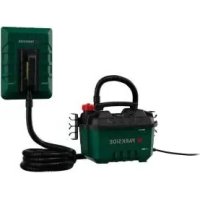
PDTA 5 A1 - Heat gun PARKSIDE - Free user manual and instructions
Find the device manual for free PDTA 5 A1 PARKSIDE in PDF.



User questions about PDTA 5 A1 PARKSIDE
0 question about this device. Answer the ones you know or ask your own.
Ask a new question about this device
Download the instructions for your Heat gun in PDF format for free! Find your manual PDTA 5 A1 - PARKSIDE and take your electronic device back in hand. On this page are published all the documents necessary for the use of your device. PDTA 5 A1 by PARKSIDE.
USER MANUAL PDTA 5 A1 PARKSIDE
Steam Wallpaper Stripper
Translation of the original instructions
NL BE
Before reading, unfold the page containing the illustrations and familiarise yourself with all functions of the device.
FR
GB / MT Translation of the original instructions Page
General description 15 Scope of delivery
Overview.. 16 Description of functions. 16
Technical data. 16
Safety information 16
Symbols on the device. 16
Symbols used in the instruction manual 17
Safety information. 17
Safety information for using the steam wallpaper remover..
Safety devices
Initial start-up 19 Connecting the mains cable.. 19
Mount the retaining clips. 19
Connecting the nose and steam plate. 19
Mounting and replacing the large steam plate. 19
Filling or topping up with water. 19
Operation.19
Switching on and off . . . . . . . . . . . . . . . . . . . . . . . . . . . . . . . . . . . . . . . . . . . . . . . . . . . . . . . . . . . . . . . . . . . . . . . . . . . . . . . . . . . . . . . . Removing wallpaper. 20
Cleaning and Servicing. 21
Cleaning. 21
Descending.. 22
Storage.
Disposal/Environmental protection. 22
Replacement parts/Accessories..22
Guarantee 23
Repair Service. 24
Service-Center. 24
Importer 24
Translation of the original F.C. declaration of conformity. 130
Introduction
Congratulations on the purchase of your new device. With it, you have chosen a high quality product. During production, this equipment has been checked for quality and subjected to a mal inspection. The functionality of your equipment is therefore guaranteed.
The operating instructions constitute part of this product. They contain important information on safety, use and disposal. Before using the product, familiarise yourself with all of the operating and safety instructions. Use the product only as described and for the applications specified. Keep this manual safely and in the event that the product is passed on, hand over all documents to the third party.
Proper use
The device is intended for removing wallpaper. Any other use not expressly approved in the present instruction manual can damage the device and thus present a substantial risk for the user.
The manufacturer is not liable for damage caused by improper use or incorrect operation. This device is not suitable for commercial use. The warranty is void in the case of commercial use.
General description
An illustration of the most important functional components can be found on the fold-out pages.
Scope of delivery
Unpack the device and check for completeness:
- Mains cable with plug
- Boiler tank
- Steam hose
- Small steam plate
Large steam plate - Retaining clips
-Scraper - Instruction manual
Overview

1 Mains cable
2 Retaining clip
3 Boiler tank carrying handle
4 Boiler tank hose connection
5 Pressure relief valve
6 Boiler cap
7 Boiler tank
8 Water level indicator 9 Scraper
10 Small steam plate handle
11 Small steam plate
12 Small steam plate guide rail
13 Large steam plate
14 Steam hose
15 Screw for retaining clip
16 Mains cable connection
Description of functions
The steam wallpaper remover has a steam time of 80 minutes, a small and large steam plate and a 4 metre long steam hose.
Please refer to the descriptions below for information on how the operating elements work.
Technical data
Steam Wallpaper Stripper
Power P 2300 W
Voltage U. 230-240V\~, 50 Hz
Steam time 80 min
Tank volume 51
Steam hose length. 4 m
Steam power 60 g/min
Size (large steam plate) 28 x 20 cm
Size (small steam plate) 18 x 8 cm
Mains cable 3 m
Protection class
Protection category.. IPX4
Weight (excluding accessories)....ca. 978 g
Weight (accessories only).....ca. 812 g
Safety information
Follow all safety instructions when using the device.
Symbols on the device

Read the instruction manual carefully.

Electrical devices must not be disposed of with domestic waste.

Attention! Hot surface.

Working with hot steam can lead to severe scalding!

Attention! Device starts immediately after plugging in the mains plug.

Attention! There is a risk of burns.

Never direct steam towards yourself or towards other people or animals!

Place the device securely and firmly on an even floor.

Do not use as a step

WARNING! Risk of scalding
Symbols used in the instruction manual

Hazard symbol with information on the prevention of personal injury or property damage

Hazard symbol with information on the prevention of personal injury caused by electric shock

Hazard symbol with information on damage prevention

Advisory symbol with information on how to best use the device

Risk of scalding!
Do not work directly over your head. Wear protective gloves!
Steam may escape from the device.
Safety information
a) This appliance can be used by children aged from 8 years and above and persons with reduced physical, sensory or mental capabilities or lack of experience and knowledge if they have been given supervision or instruction concerning use of the appliance in a safe way and understand the hazards involved. Children shall not play with the appliance. Cleaning and user maintenance shall not be made by children without supervision.
b) Make sure that the device is not directly aimed at electrical devices and equipment that contain electrical components, e.g. the inside of an oven
c) Remove the mains plug from the socket to disconnect the device from the mains supply after use or before any user maintenance work.
d) Do not leave the device unattended while it is connected to the mains supply.
e) The in-feed aperture must not be opened during use. Follow the instructions for safely topping up the water tank.
f) Do not use the device if it has been dropped, shows obvious signs of damage or is leaking.
g) Keep children away from the device during use and while it is cooling down.
Safety information for using the steam wallpaper remover
a) Surfaces may heat up during use. The boiler cap may be hot during operation and when cooling down.
b) Never switch on the device without filling with water!
c) Never immerse the device in liquids.
d) Only fill the device with tap water. Never add flammable, toxic, caustic or other liquids.
e) Do not exceed the maximum filling quantity (5 l).
f) Before removing the wallpaper, cover switches and sockets on the walls to make them waterproof and steamproof.
g) Close the boiler cap and screw caps tightly before operating the device (see "Initial start-up").
h) Risk of scalding! Never open the boiler cap or screw caps during operation. Before opening the boiler cap and screw caps: Remove the mains plug from the socket and allow the device and any remaining water to cool down. Only then is it safe to open the boiler cap or the screw caps (see "Filling or topping up with water").
i) If the steam hose becomes blocked and causes overpressure, remove the mains plug from the socket.
j) Always ensure you are working in a sturdy environment.
k) Carry the device by its handle only. Do not pull on the cable or hose.
I) Do not overstretch or kink the hose.
m) Place the device securely and firmly on an even floor. Do not knock the device over.
n) Risk of scalding! If the device falls over, hot water can get into the hose and escape out of the end of the hose. Switch off the device immediately, remove the mains plug, allow the device to cool down and only then empty the hose.
o) Grasp the steam plate by the handle only.
Safety devices
- The boiler cap (6) has a pressure relief valve (5). This means that steam and hot water may escape if there is too much pressure in the boiler tank (7). This can occur if the steam hose (14) is blocked or the boiler tank (7) is overfilled. In this case, remove the mains plug (1) from the socket and allow the device to cool down before checking it. This pressure relief valve (5) must under no circumstances become blocked.
Slight swelling of the boiler tank (7) is not a defect and is completely normal before the pressure relief valve (5) releases the pressure.
i In normal use, small amounts of steam and water escape via the pressure relief valve (5).
-
The boiler cap (6) has a vacuum release valve that allows air to enter the device when a vacuum is created.
The steam hose (14) is dual-lined in order to lower its surface temperature. -
The device is equipped with automatic overheating protection (thermal overload relay), which triggers when the device is heated without filling. Fill the device with (preferably hot) water. After a few minutes, the device will generate steam again.
- Be careful not to tip the device, as this may trigger the automatic overheating protection (thermal overload relay).
Initial start-up

Connecting the mains cable
Insert the mains cable (1) into the mains cable connection (16) on the boiler tank (7). See detailed illustration A.
Mount the retaining clips
Place the two retaining clips (2) on the device and screw them in with the screws (15). See detail A.
Connecting the hose and steam plate

- Screw one end of the steam hose (14) onto the hose connection (4) on the boiler tank (7).

- Screw the other end of the steam hose (14) onto the hose connection of the small steam plate (11).

Make sure that the steam hose is connected properly.
Never open the screw caps during operation.

Mounting and replacing the large steam plate
- Remove the mains plug (1) from the socket before mounting and changing the accessories. Wait until steam no longer escapes and the device has cooled down.
- To use the large steam plate (13), slide it into the guide rail (12) of the small steam plate (11).
- To remove the large steam plate (13), pull it out of the guide rail (12) of the small steam plate (11).

Filling or topping up with water
- Make sure that the mains plug (1) is removed from the socket and the device has cooled down.
- Unscrew the boiler cap (6) and remove it.
- Fill the boiler tank (7) with clean tap water. Fill the boiler tank (7) only up to the MAX mark on the water level indicator (8) (maximum 5 litres)
- Screw on the boiler cap (6). Ensure that it is screwed in properly.

When working for long periods: Observe the minimum mark on the water level indicator (8) and top up with water in good time.
Operation

Attention! Surfaces may heat up during use. The boiler cap may be hot during operation and when cooling down.

Risk of scalding!
Do not work directly over your head. Wear protective gloves! Steam may escape from the device.

Never direct steam towards yourself or towards other people or animals!
- Check the condition of the plaster before starting work, as steam generated at high temperatures can inadvertently remove loose, porous or poorly bound plaster. The plaster may also come away more easily in areas that have cracks or holes. Also, do not hold the steam plate in one place for a long period of time. You can determine where there is loose plaster by tapping parts of the wall with your knuckles. If it produces a hollow sound, please proceed with extreme caution.
- Always test the wallpaper remover in a small area of about 100cm^2 before actually starting work.
- If you find that the plaster is coming loose or you hear a crack, stop working. The wallpaper remover can be used safely for plasterboard surfaces.
- The heat generated by this product may cause damage to certain surfaces, e.g. carpets, upholstered furniture, table tops or cupboards. In order for these surfaces not to be damaged by the heat of the boiler tank (7), always place the tank on a wooden board or a similar object. Dust covers or newspapers are not suitable for this purpose.
- Hold the boiler tank (7) by the handle (3) only.
- Wallpapers that have had several coats of paint or that are waterproof
are difficult to remove. Perforate this type of wallpaper with a spiked roller so that the steam can work on the paste layer.
- In the case of foam backed vinyl wallpaper, remove the top vinyl layer, if necessary, before working with the wallpaper remover.
Always wear protective clothing when removing wallpaper from the ceiling. Pay attention to the condensation collecting on the steam plate, as hot water may drip off. Empty the steam plate regularly and do not use it directly over your head.
Always place the steam plate (11/13) in a suitable container when left unattended (even if only briefly). Never point the steam plate towards yourself when using it.
Switching on and off
- To switch on, insert the mains plug (1) into the socket.
- Depending on the temperature of the filled water, the device may take up to 15 minutes to generate steam. During the heating phase, some hot water may escape from the steam plate. Place the steam plate on a bucket to catch any escaping water.

Never leave the device unattended while it is switched on.
- To switch off the device, remove the mains plug (1) from the socket.

Removing wallpaper
- Grasp the small steam plate (11) by the handle (10) only.
It is best to work from the ceiling to the floor.
Use the small steam plate (11) to remove wallpaper in corners or niches (see "Mounting and changing the large steam plate").
- Use the large steam plate (13) to remove wallpaper on large areas (see "Mounting and changing the large steam plate").
- Place the steam plate (11/13) on the wallpaper. Depending on the type of wallpaper and surface, remove the steam plate after approx. 10 seconds and remove the wallpaper from top to bottom or scrape off with the scraper (9).
- Place the steam plate (11/13) on the wallpaper repeatedly while scraping.
Cleaning and Servicing

You should have any repair and maintenance work that is not described in these instructions carried out by our Service Centre. Only use original parts.

Remove the mains plug (1) from the socket and allow the device to cool down before starting any work.
Perform the following cleaning and maintenance work regularly. This will guarantee long and reliable use.
Cleaning

The device must not be sprayed with water or placed in water. Otherwise there is a risk of electric shock.
- Rinse the boiler occasionally with tap water until it is clear.
Do not use any cleaning agents or solvents. This could damage the device irreparably.
Descending

Never add flammable, toxic, caustic or other liquids!

Descale the appliance if necessary, depending on the water hardness and frequency of use. Use commercially available descending agents, preferably citric acid. Follow the dosage and application instructions of the descending agent manufacturer! Defects due to a lack of descending are excluded from the warranty.
- Make sure that the mains plug (1) is removed from the socket and that the device has cooled down.
- Pour in a commercially available descaling solution (2.5 litres).
- Remove the steam hose (14) and insert the mains plug (1).
- Boil the descending solution for approx. 5 minutes.
- Remove the mains plug (1) from the socket and allow the solution to take effect for another 10 minutes.
- Allow the device and the rest of the solution to cool down. Empty the device, rinse it with clear water and allow it to dry.

Storage
- Allow the device to cool down for at least 10 minutes.
- Empty the device.
- Wind the steam hose (14) around the retaining clips (2) on the boiler tank (7).
- Store the device in an upright position in a dry and dustproof location and out of reach of children.
Disposal/Environmental protection

Electrical devices do not belong in domestic waste.
In accordance with the Directive 2012/19/EU on waste electrical and electronic equipment, used electrical devices must be collected separately for disposal and recycled in an environmentally sound manner.
Depending on the implementation in national law, you may have the following options:
- Return to a shop,
- Return to an official collection point. For more information, please contact your local waste management provider or our service centre.
- Return to the manufacturer/distributor. We will dispose of any defective devices that you send to us free of charge.
This does not affect accessories enclosed with the old devices or tools without any electrical components.
Replacement parts/Accessories
Spare parts and accessories can be obtained at www.grizzlytools.shop
If you have issues ordering, please use the contact form. If you have any other questions, contact the "Service-Center" (see page 24).
Position Manual Description Order no.
| 2-8, 15 Boiler tank complete 91105685 |
| 14 Steam hose 91105686 |
| 10-13 Steam plate complete 91105687 |
Guarantee
Dear Customer,
This equipment is provided with a 3-year guarantee from the date of purchase.
In case of defects, you have statutory rights against the seller of the product. These statutory rights are not restricted by our guarantee presented below.
Terms of Guarantee
The term of the guarantee begins on the date of purchase. Please retain the original receipt. This document is required as proof of purchase.
If a material or manufacturing defect occurs within three years of the date of purchase of this product, we will repair or replace - at our choice - the product for you free of charge. This guarantee requires the defective equipment and proof of purchase to be presented within the three-year period with a brief written description of what constitutes the defect and when it occurred.
If the defect is covered by our guarantee, you will receive either the repaired product or a new product. No new guarantee period begins on repair or replacement of the product.
Guarantee Period and Statutory Claims for Defects
The guarantee period is not extended by the guarantee service. This also applies for replaced or repaired parts. Any damages and defects already present at the time of purchase must be reported immediately after unpacking. Repairs arising after expiry of the guarantee period are chargeable.
Guarantee Cover
The equipment has been carefully produced in accordance with strict quality guidelines and conscientiously checked prior to delivery.
The guarantee applies for all material and manufacturing defects. This guarantee does not extend to cover product parts that are subject to normal wear and may therefore be considered as wearing parts or to cover damage to breakable parts.
This guarantee shall be invalid if the product has been damaged, used incorrectly or not maintained. Precise adherence to all of the instructions specified in the operating manual is required for proper use of the product. Intended uses and actions against which the operating manual advises or warns must be categorically avoided.
The product is designed only for private and not commercial use. The guarantee will be invalidated in case of misuse or improper handling, use of force, or interventions not undertaken by our authorised service branch.
Processing in Case of Guarantee
To ensure quick handling of you issue, please follow the following directions:
-
Please have the receipt and identification number (IAN 385085_2107) ready as proof of purchase for all enquiries.
-
Please find the item number on the rating plate.
-
Should functional errors or other defects occur, please initially contact the service department specified below by telephone or by e-mail. You will then receive further information on the processing of your complaint.
GB MT
- After consultation with our customer service, a product recorded as defective can be sent postage paid to the service address communicated to you, with the proof of purchase (receipt) and specification of what constitutes the defect and when it occurred. In order to avoid acceptance problems and additional costs, please be sure to use only the address communicated to you. Ensure that the consignment is not sent carriage forward or by bulky goods, express or other special freight. Please send the equipment inc. all accessories supplied at the time of purchase and ensure adequate, safe transport packaging.
Repair Service
For a charge, repairs not covered by the guarantee can be carried out by our service branch, which will be happy to issue a cost estimate for you.
We can handle only equipment that has been sent with adequate packaging and postage.
Attention: Please send your equipment to our service branch in clean condition and with an indication of the defect.
Equipment sent carriage forward or by bulky goods, express or other special freight will not be accepted.
We will dispose of your defective devices free of charge when you send them to us.
Service-Center
GB Service Great Britain Tel.:08004047657
E-Mail: grizzly@lidl.co.uk
IAN 385085_2107
MT Service Malta
Tel.: 80062230
E-Mail: grizzly@lidl.com.mt
IAN 385085_2107
Importer
Please note that the following address is not a service address. Please initially contact the service centre specified above.
7 Reservoir chauffant
Attention! Surface chaude.

WAARSCHUWING- Verbrandingsgevaar
Pooblasceni serviser:
Tel.: 01 888 92 73
E-Mail: grizzlyy@lidl.si
(Birotehnika, Hodošček Renata s.p., Lendavska ULICA 23, 9000 Murska Sobota)
Garancijski list
Translation of the original EC declaration of conformity
We hereby declare that the
Steam Wallpaper Stripper
PDTA 5 A1 series
Serial Number
000001-067000
conforms with the following applicable relevant version of the EU guidelines:
2014/35/EU · 2014/30/EU · 2011/65/EU* & (EU) 2015/863
In order to guarantee consistency, the following harmonised standards as well as national standards and stipulations have been applied:
EN 60335-1:2012/A2:2019 • EN 60335-2-54:2008/A1:2015 • EN 62233:2008
EN 55014-1:2017/A11:2020 • EN 55014-2:2015 • EN IEC 61000-3-2:2019
EN 61000-3-3:2013/A1:2019 • EN IEC 63000:2018
This declaration of conformity (22)** is issued under the sole responsibility of the manufacturer:

Documentation Representative
- The object of the declaration described above satisfies the provisions of Directive 2011/65/EU of the European Parliament and the Council of 8 June 2011 on limiting the use of certain harmful substances in electrical and electronic appliances.
** The last two digits of the year in which the CE marking was affixed.