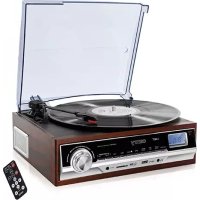
CR 1168 - Turntable CAMRY - Free user manual and instructions
Find the device manual for free CR 1168 CAMRY in PDF.



| Product type | Turntable with FM/AM radio, Bluetooth, USB/SD player |
| Brand | CAMRY |
| Model | CR 1168 |
| Power supply | 230 V ~ 50 Hz |
| Output power | 2 x 1.5 W RMS |
| Rotation speeds | 33⅓, 45, 78 rpm |
| Radio reception | FM (87.5-108 MHz) and AM |
| Bluetooth | Version 4.2 |
| Memory support | USB and SD card up to 8 GB |
| Audio formats | MP3 (playback from USB/SD) |
| Display | LCD |
| Functions | Timer (scheduled shut-off), alarm, radio/vinyl/AUX recording to USB/SD, repeat, auto-stop |
| Auxiliary input | AUX IN jack (3.5 mm) |
| Line output | LINE OUT jack |
| Included accessories | 45 rpm adapter, remote control |
| Care and cleaning | Clean with a dry cloth; do not use water or liquid products |
| Safety | Use on a stable, dry surface; do not expose to moisture; unplug after use |
| Spare parts and repairability | Contact an authorized service center for any repairs; do not open yourself |
Frequently Asked Questions - CR 1168 CAMRY
User questions about CR 1168 CAMRY
0 question about this device. Answer the ones you know or ask your own.
Ask a new question about this device
Download the instructions for your Turntable in PDF format for free! Find your manual CR 1168 - CAMRY and take your electronic device back in hand. On this page are published all the documents necessary for the use of your device. CR 1168 by CAMRY.
USER MANUAL CR 1168 CAMRY
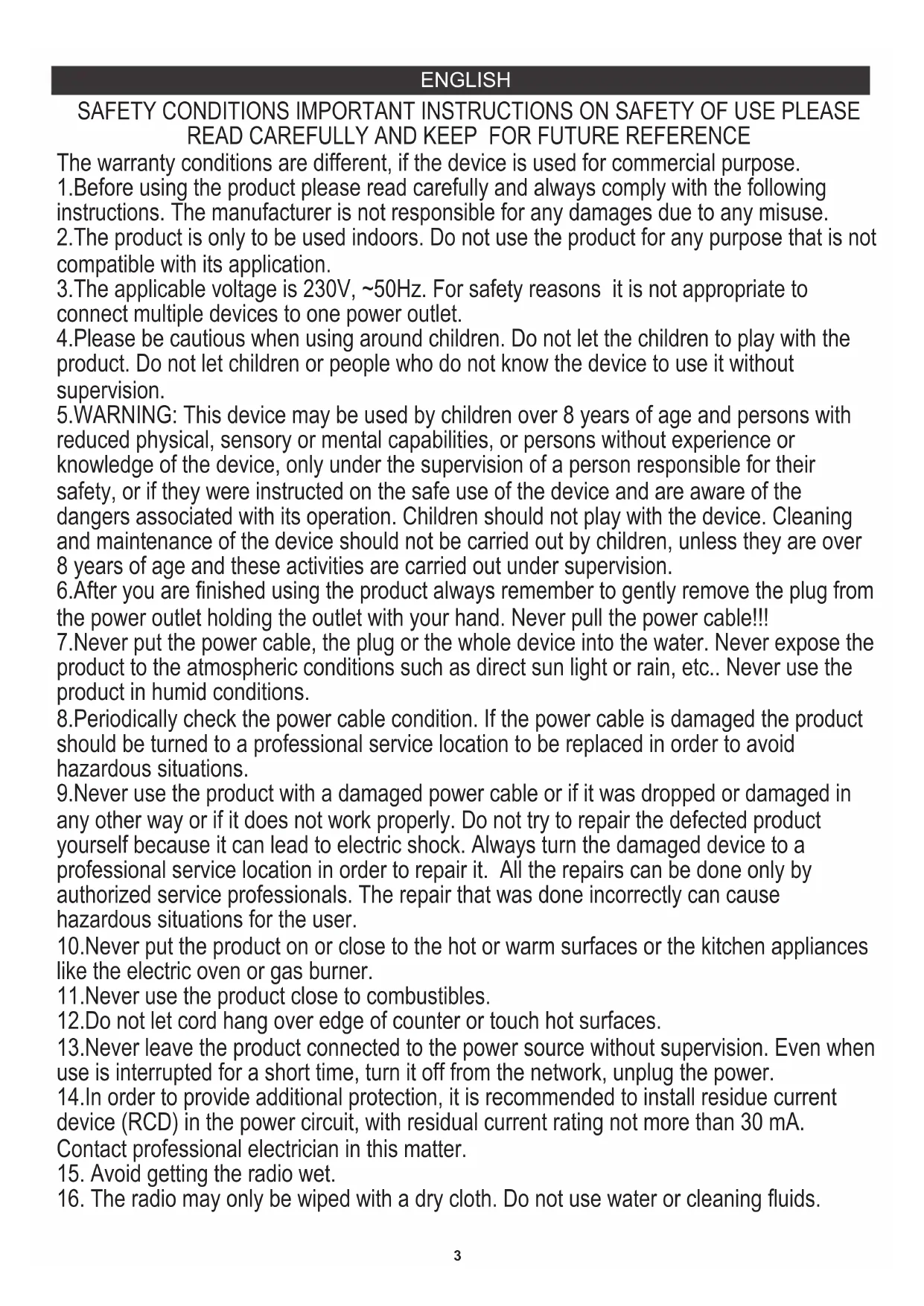
SAFETY CONDITIONS IMPORTANT INSTRUCTIONS ON SAFETY OF USE PLEASE READ CAREFULLY AND KEEP FOR FUTURE REFERENCE
The warranty conditions are different, if the device is used for commercial purpose.
1.Before using the product please read carefully and always comply with the following instructions. The manufacturer is not responsible for any damages due to any misuse.
2. The product is only to be used indoors. Do not use the product for any purpose that is not compatible with its application.
3. The applicable voltage is 230V , 50Hz . For safety reasons it is not appropriate to connect multiple devices to one power outlet.
4. Please be cautious when using around children. Do not let the children to play with the product. Do not let children or people who do not know the device to use it without supervision.
5. WARNING: This device may be used by children over 8 years of age and persons with reduced physical, sensory or mental capabilities, or persons without experience or knowledge of the device, only under the supervision of a person responsible for their safety, or if they were instructed on the safe use of the device and are aware of the dangers associated with its operation. Children should not play with the device. Cleaning and maintenance of the device should not be carried out by children, unless they are over 8 years of age and these activities are carried out under supervision.
6. After you are finished using the product always remember to gently remove the plug from the power outlet holding the outlet with your hand. Never pull the power cable!!!
7.Never put the power cable, the plug or the whole device into the water. Never expose the product to the atmospheric conditions such as direct sun light or rain, etc.. Never use the product in humid conditions.
8.Periodically check the power cable condition. If the power cable is damaged the product should be turned to a professional service location to be replaced in order to avoid hazardous situations.
9.Never use the product with a damaged power cable or if it was dropped or damaged in any other way or if it does not work properly. Do not try to repair the defected product yourself because it can lead to electric shock. Always turn the damaged device to a professional service location in order to repair it. All the repairs can be done only by authorized service professionals. The repair that was done incorrectly can cause hazardous situations for the user.
10. Never put the product on or close to the hot or warm surfaces or the kitchen appliances like the electric oven or gas burner.
11.Never use the product close to combustibles.
12.Do not let cord hang over edge of counter or touch hot surfaces.
13. Never leave the product connected to the power source without supervision. Even when use is interrupted for a short time, turn it off from the network, unplug the power.
14. In order to provide additional protection, it is recommended to install residue current device (RCD) in the power circuit, with residual current rating not more than 30mA . Contact professional electrician in this matter.
15. Avoid getting the radio wet.
16. The radio may only be wiped with a dry cloth. Do not use water or cleaning fluids.
17. To save energy, if there is no audio signal from Turntable /AUX IN / USB / SD for a period of over 10 minutes, then the unit will automatically switch to Standby Mode.
18. The radio should be kept in a dry room.
DESCRIPTION OF THE DEVICE
- Turntable cover 23. Turntable needle guard
- LCD display 24. LINE OUT jack
- Power diode 25. FM antenna cable
- In-built speaker 26. Power cord
- FUNCTION button 27. STANDBY button
- SLEEP/TIMER button 28. PRESET/ALBUM DN button
- Headphone port 29. PRESET/ALBUM UP button
- REC/DEL button 30. SD card port
- MODE/CLOCK button 31. MUTE button
- PLAY/PAUSE/TUNER SCAN button 32. AUTO-STOP switch
- STOP/BAND button 33. REC/DEL button
- SKIP DOWN button
- SKIP UP button
- AUX port
- ALBUM/PRESET DOWN button
- ALBUM/PRESET UP button
- ON/OFF switch/volume control
- 45RPM disc adaptor
- Turntable lever
- Turntable arm lock
- Plate spin speed adjustment
- Turntable arm
- FM ST. button
- FUNCTION button
- MODE/CLOCK button
- PLAY/PAUSE button
- STOP/BAND button
- SKIP DOWN button
- SKIP UP button
- VOLUME UP/DOWN buttons
- USB port
- SNOOZE button
- Timer/Sleep button
SETTING THE CLOCK
Before first use, unpack everything and remove all protective materials. Unwind the FM antenna cable and power cable. Do not cover the ventilation holes, make sure that there is a gap of a few centimeters around the radio, which is required for proper ventilation.
1. In standby mode, press and hold the MODE/CLOCK button (9, 36). '12H/24H' will start flashing on the display (2). Using the SKIP DOWN button (12, 39)
and SKIP UP button (13, 40) select either the 12-hour or 24-hour mode and confirm by pressing the MODE/CLOCK button again (9, 36). The device will enter the hour editing mode.
2. Using the SKIP DOWN button (12, 39) and SKIP UP button (13, 40) set the current hour and confirm by pressing the MODE/CLOCK button (9, 36). The device will enter the minute editing/ mode.
3. Using the SKIP DOWN button (12, 39) and SKIP UP button (13, 40) set the current minute and confirm by pressing the MODE/CLOCK button (9, 36).
TIMER FUNCTION (AUTOMATIC SHUT-OFF)
- When the device is switched on, press the SLEEP/TIMER button (6,44) the appropriate number of times to select the time after which the device is to switch off (90, 80, 70...10 minutes).
- The word 'SLEEP' on the display informs you that the automatic shut-off function is activated.
- After the selected time has elapsed the device will turn off and enter standby mode.
FUNCTION BUTTON (5)
Used to change the operating mode of the device
- PHON (turntable operation mode)
-AUX (external device operation mode)
FM radio mode
- MP3 (USB memory playback mode and SD card playback mode)
--Bluetoothmode
-
Turn the device on using the ON/OFF button (17, 27) and set the radio mode using the FUNCTION button (5).
-
Using the BAND button (11) set the wavelength to FM.
-
Using the SKIP DOWN button (12, 39) and SKIP UP button (13, 40) tune to the desired radio frequency. Pressing and holding these buttons for
approximately 1-2 seconds will automatically search for the closest frequency. After it is found the search will stop.
-
When the frequency of the selected station is found, press the MODE/CLOCK button (9, 36) to save the station.
-
Repeat steps 3-4 to program selected stations (maximum of 30 programs - FM, maximum of 20 programs - AM).
-
You can switch between saved programs by using the PRESET DOWN button (15) and PRESET UP button (16).
-
You can set the volume by turning the volume control knob (17) or using the buttons (40) on the remote control.
-
The FM antenna (24) is located on the back panel. If the reception is poor, try to move the antenna and find a spot in which the signal is strongest.
The AM antenna is located inside the radio receiver. If the reception is poor, try moving the receiver to a different place or turning it in another direction to catch the strongest signal.
- The TUNER SCAN button (10) is used to automatically find and save available radio stations.
PLAYBACK OF MP3 FILES FROM USB/SD MEMORY
CAUTION: The device may not be compatible with all of the files due to coding differences. The device may not work with some USB/SD memories. The device supports 8GB USB memories and SD cards.
- Turn the player on using the ON/OFF button (17, 27). Place the USB or SD memory in the port (USB port - 42, SD port - 30)
- Select the mode using the FUNCTION button (5, 35)
- The device will read the memory and show the number of recorded tracks on the display. The device will then begin playback of the first track.
- You can pause and resume playback of the given track using the PLAY/PAUSE button (10, 37).
- You can playback the previous or next tracks using the SKIP DOWN button (12, 39) and SKIP UP button (13, 40). Pressing and holding these buttons during playback of a track will make it rewind or fast-forward.
- You can playback the previous or next track album using the ALBUM DOWN button (15, 28) and ALBUM UP button (16, 29).
- During playback of a track press the MODE/CLOCK button (9, 36) once to activate repeat of one track. Pressing the MODE/CLOCK button (9,
36) again will repeat the entire content of the USB memory/SD card.
8. Before removing the USB memory/SD card from the port first turn off the player, or switch it to radio mode, turntable disc playback mode ('PHON') or external device mode ('AUX').
You are able to play music files saved on a mobile telephone equipped with Bluetooth, for playback on the power socket radio.
- Turn on the device, press "FUNCTION" button to select Bluetooth mode.
- Activate the Bluetooth connection of the media playback device. The media playback device will now search for devices to which it can connect.
- The media playback device should now be receiving the device code CR 1168
- Use the media playback device to connect to the radio. To do this, select CR 1168 on the media playback device.
USING A DEVICE CONNECTED THROUGH THE AUX IN UNIVERSAL ENTRY PORT:
- Connect the external device to the player by the AUX IN port (14).
- Switch the player to the AUX IN mode by pressing the FUNCTION button (5).
PLAYBACK OF VINYL DISCS
Prior to first use of the turntable, remove the turntable needle guard (23) and untie the knot protecting the turntable arm found next to the turntable arm lock (20).
- Release the arm lock (20) and set the device to the PHON mode by using the FUNCTION button (5, 35).
- Place the disc on the turntable plate. If necessary, use the adapter (18).
- Select the plate's rotational speed (the rotational speed depending on the type of disc) by using the switch (21).
- By using the level (19) lift the turntable arm - this will activate the turning of the plate with the turntable disc. Gently slide the arm onto the track you want to listen to. Lower the needle arm using the lever (19).
- You can set the volume by turning the volume control knob (17) or using the buttons (40) on the remote control.
- To stop playback of the disc, lift the turntable arm using the lever (19).
- After completion of playback of the disc lift the turntable lever (19). Move the arm over the lock (20) and lower it using the lever (19).
- To turn the AUTO-STOP function on or off use the AUTO-STOP switch (32).
RECORDING ONTO A USB DISC/SD CARD
- Recording from the radio - place the USB disc/SD card in the appropriate port (42 or 30). Press the FUNCTION button (5, 35) to select the radio mode. Using the BAND button (11) set the wavelength to AM or FM. Using the SKIP DOWN button (12, 39) and SKIP UP button (13, 40) tune to the desired radio frequency. Press the REC/DEL button (8, 33). Within a few seconds the device will read the available USB/SD memory media. Using the SKIP DOWN button (12, 39) and SKIP UP button (13, 40) select whether you want to record to the USB memory or the SD card. Confirm by pressing the REC/DEL button (8, 33) again. After a few seconds the device will record to the selected portable memory (if only the USB memory or the SD card is connected, the first press of the REC/DEL button will activate the recording function after a few seconds). The REC icon will flash during recording. To stop recording press the STOP/BAND button (11, 38).
CAUTION: Activation of the process of recording from the radio will occur with a several-second delay. There may be interference/noise during radio recording. - Recording from a vinyl disc - place the USB disc/SD card in the appropriate port (42 or 30). Press the FUNCTION button (5, 35) to select the 'PHON' mode. Place the vinyl disc on the plate and begin playback of the track you want to record by placing the turntable arm in the appropriate spot. The remaining steps are identical to that of recording from the radio.
- Recording from an external device (AUX mode) - place the USB disc/SD card in the appropriate port (42 or 30). Press the FUNCTION button (5, 35) to select the 'AUX' mode. Connect the external device to the AUX IN port (14) and select the track you wish to record from the external device. The remaining steps are identical to that of recording from the radio.
DELETING TRACKS FROM A USB DISC/SD CARD
Delete one recording - place the USB disc/SD card in the appropriate port (42 or 30). Select the track you want to delete using the SKIP DOWN button (12, 39) and SKIP UP button (13, 40) and begin playing back. Press and hold the REC/DEL button (8, 33) for approximately 3 seconds.
SNOOZE FUNCTION
PRESS "SNOOZE"(43) BUTTON ON THE REMOTE CONTROL WHEN ALARM IN ACTIVE, ALARM WILL BE SILENT FOR AROUND 9-10 MINUTES. AFTER 10-MINUTUE SNOOZE INTERVAL, ALARM WILL BE ACTIVE AGAIN. SNOOZE CAN BE USED FOR REPEATEDLY WITHIN THE 1-HOUR ALARM ACTIVE INTERVAL.
CLEANING AND MAINTENANCE
- Disconnect the device from the mains power.
- The device may only be wiped with a dry cloth.
- The device should be kept in a dry room.
CAUTION: Do not use water for cleaning - this may damage the device.
TECHNICAL DATA
Power source: 230V 50Hz
RMS output power: 2x 1.5W FM: 87,5-108 Mhz Bluetooth: 4.2V
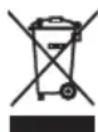
To protect your environment: please separate carton boxes and plastic bags and dispose them in corresponding waste bins. Used appliance should be delivered to the dedicated collecting points due to hazardous components, which may effect the environment. Electrical appliance must be returned in order to reduce its reuse and utilization. If the device contains batteries they should be delivered to dedicated points separately.
DEUTSCH
Vajutage nuppu "SNOOZE" (43) KAUGJUHTIMISNUPPI NAPUNAITMISEL, MIS RANDAKONNA KORRAL ON ALARM 9-10-MINUTISEKS.
PARAST 10-MINUTilist SNOOZE INTERVALI, ALARM TULEBAKTIIVSELT'uesti. SNOOZE'I KORRATAKSE 1-tunnise ALARM-Aktivse intervalli looksul.
FUNCTION NYOMOGOMB (5)
CHCTEHEI KOH3EPBAUNJA
- Ncknyu ng o ypeoT od ctpya.
- Ypeodt moke da ce 6puwe camo co cyba Kpna.
- YpeoT Tpe6a Da ce cyBa Bo cyBa npocToPnja.
BHIMAHHE:Да He ce KOpIcTn BOa Ппи УсTeHbETo,TOe MoKe Da T O OwTeTуpeDOT.
TEXHNUKINODATOLN:
Hanoi: 230V~50Hz
I3Je3Ha RMS mok: 2x 1,5W
FM: 87,5-108 Mhz Bluetooth: 4.2V
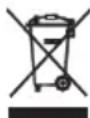
3a da ce 3aHTAT Baata OKIHa: Be MOIIME OdEHN KyTm IPiactuH N Kecn I da paCNOJara CO HNB BO COODBETHTe KaHTN 3a OTnAoU. KopCTn anapatot Tpe6a da 6nde npedaen Ha nocBeteH co6bpahe noEH npadn hazarsous KOMNOHETN, KOI MoXaT da BnJaat Ha XINBOTHaTa cpeiHa. He fPnajTe OoJ anapat Bo 3aeHNyKaTa Kopna 3a OTnAoU.
EAAHNIKA
PHON (re'zim play gramofun)
-AUX (rezim pro praci s vnejsim zarizenim)
- režim pro poslech rádia FM
- MP3 (rezim nactenii USB pameti nebo rezim nactenii SD karty)
POSLECH RADIA
BESCHRIJVING VAN HET APPARAAT
KOPINTHeBEYPeBAAJAPNIPIKJByEHOR KPO3 AYKC Y YHIBEP3AJIHOM PINTCTUY:
1.Повекитспобиуpe Haj ca npejepom npeko AYKC NH nopTa (14).
Bn moxete BiTbopIOBaTH My3NHy IaIIN, 36epexeHi Ha MoibHOMy TepeoHi, oIaHaHomy Bluteoth, Ira BiTbopeHHa paioctauii.
- Ybimkhitb npncpti, Hatnchltb kHonky «FUNCTION», 06b Bbpatn pejmm Bluetooth.
- AKTBye 3'EdHnHb Bluetooth npictpoB ViDtbpeHH MyIbTMMeia. Pnucpi BIDTBpeHH MyIbTMMeia Teep WkATme npictpoi, Do knx BiH Moke
πiδκινηουεnhЯ.
3.ПпстpiB BiTbOpeHЯ MyIbTmEia NOBInHo Tenepe OtpMByaN npicTppi Kody CR 1168
4. BnKopncToBpyTe npncptpi BntBopeHH MyIbTmMeia dna nikluoyehn do paio. Ira zoro BnBeipr CR 1168 Ha npncptoi BiNTBopeHH MyIbTmEia.
BVKOPNCTAHH NIPNCPTPOI, PIKKIOUeHO YEPE3 AUX B YHIBEPCAJbHOMY IOPTY
1.ПдкнчызовишиппстpiДо nporpaBaЧа uepe3 nopT AUX IN (14).
2. Ybimkhitb nporpaBaay y pexim AUX IN, hatachnyu khoiky FUNCTION (5).
BIDTBOPEHHBAHINbHNXIACK
Ipeed nepwim BnKOpncTaHHm NOBOPOTHO r cToIy 3HIMITb 3axnchN KOxUx (23) i po3B'jXiTb By30I, IIO 3axnuae pykU NOBOPOTHO r cToIy, po3aWOBAHy npuy i 3pikcatopom pykOaTkn (20).
1. Biidnyctitb pfikcatop pykota(20) i BcTaHOBiB npictpiy pexm PHON 3a donomoro khoNk FUNCTION (5, 35).
2. Po3TaUyIe Dnck Ha nlaactnHl. Pnp Heo6xIdHOCTi BnKOpncTOByTe aanTep (18).
3. 3a donomoroo nepemnkaa (21) Bn6epitb wbnikictb o6eptanHH nlaactHH (acctOTy o6eptanHH 3aIexHIO BiD TnHy DnCKA).
4. BnKOpncToBvOuH pBeHb (19), nIDHIMtB pyUky nobopoTHoi nlaTΦopMn - ce AKTNBye NOBOPOT nIaCTHH 3a DOnOMoROU dNcKa.
Obepexno nocyhbe pyky Ha dopixky, kny notpi6no npocnyxatn. Onycttb njeve rojkn 3a donomorok Baxkela (19).
5. Bn moxete BCTAHOBHTI ruyHicTb, NOBepHyBm pykny perynBOHnryHocTi (17) a6o 3a donomoroKhoNOK (40) Ha nyblti DuctahUHORO KepyBaHHra.
6. 6063yHnHHTB ViTbOpEHn DaNcKa, NiHIMtB pyUky NobOpToHOI nLaTcOpMn 3a DonOMorO BaxKeJn (19).
7. Nicra 3abepen Hn BIDTBOpHn Dncka nDnHIMtB IOBOPOTy nIaTOpM y a Donomoro Baxenr Nobopotho I naTOpMn (19).
IpeemictiBpykUH3amKOM(20)i onyctiB nooro 3a donomoroio BaxeJn (19).
8. Ⅲo6 yBimKHytn a6o BnMkhTytn fynkuiIO AUTO-STOP, BnKOpncTobynte nepemnkau AUTO-STOP (32).
3A\PICY HA USB I\NCK / KAPTY SD
- 3a nnc 3 paionpimmaay - po3micitb kapty USB / SD y Biinobihomy npoty (42 a6o 30). Hatachitb khoNKy FUNCTION (5, 35), uio6 Bn6paTn peKIM paio. 3a donomoroIO khoKN BAND (11) BCTaHOBT doBxHny xBNi Ha AM a6o FM. 3a donomoroIO khoNOK SKIP DOWN (12, 39) i SKIP UP (13, 40) hanaTuTe noptibHy paioacctoty. Hatachitb khoNKy REC / DEL (8, 33). PtoTrom deKilboKcx cekynd
npictpi 6yde ynta nocTy hoi USB / SD. 3a donomoro KhoNOK SKIP DOWN (12, 39) i SKIP UP (13, 40) Bn6epiTb, nn notpio 3anycyBatn ha USB-kapty abo SD-kapty. PntBepdbte, 3HOBy HATNCHBYIN KhoNky REC/DEL (8, 33).Yepe3 KInbKa cekynd npncptpi 3aHnue y Bnbpahny nopTaTHBHy nam'aytB (Akiqno pikKIOUeHO TiNbKN USB-nam'ayt b afo SD-kapty, nepwe HaTnCKAHHa KhoNkYREC/DEL AKTNByE FyHKIIO 3anCcype3 KInbKa cekynd).PiD qac 3anCcy 6nmae nIKTORpama REC. 3o6 3ynHHTn 3aNMC, HATNCHITb KhoNky STOP/BAND (11, 38).
YBAI: AKnBaicipnpoecy 3ancyc 3 paio Bi6ydtbcra 3aTpIMKOIO B KInbKa cekyH. Pid Yac 3ancy paio moke BNHKATN nepeWKoDN /wym.
-
3annc 3 BinioBoro ncka - po3miTb nck USB / SD y BiNobIDHomy npTy (42 a6o 30). HataHt b KOnky Fuc tion (5, 35), 06 Bn6paTn peKIM "PHON". Po3auyte BiHIOBNI dNc HA nlaCTNIi Ta noCHITb BiTbOpEHnD opixkN, kY notpi6HO 3anicaTn, po3mictNBwn pyKy nobopOTHorO cToJa y BiNobIDHomy micui. IHI kiKpOK iDeHTuHi KpOKAM 3ancy 3 paio.
-
3aInc i3 3OBHIHbOro npictpoIO (peKIM AUX) - nomictitb KapTy USB / SD y BiNobiHn nopT (42 a6o 30).HaTNCHTb KONky FUNCTION (5, 35), uO6 Bn6paTn peXIM "AUX". PIIKInouHt 3OBHIHn npictpri Do npoty AUX IN (14) i Bn6epitb TpeK, kNn Notpi6Ho 3aIncatn 3 OBHIHbOro npictpoIO. IHIJI KpOKN IDENTUHNI KpOKAM 3aIncy 3 paio.
BuaaHnH TpeKIB 3 nckIB USB / SD CARD
Buaen Hn OJHOro 3aIcN cy - po3mictb Dnck USB / SD y BiINOBiHOMy npTy (42 a60 30). Bn6epitb Iopixkky, kky nOpi6Ho BuaJIHTn, 3a DOnomoroo KhoKn SKIP DOWN (12, 39) i SKIP UP (13, 40) i noCHITb BiTbOpEHn. HaTncHt b i yTpmyTe KhoNkY REC / DEL (8, 33) npotraom pnp6n3No 3 cekynd.
ФУHKLJI CHOY3A
HANICATN "SNOOZE" (43) KhoNka Ha nctaHcHmOy KOHTPOJI, KOJIb 6uINbHnK He npaIOe, CnHaI3auJg 6yDe cNoIO npOTraGM 9-10 XBNIHN. NICJr 10-XBIHTOBAGO IHTEPBAJY 3HO3Y, AJIAPMA BvDb AKTINBHA IPOTN. SNOOZE MOKE' BIKOPNCCTOBATN BIIOBIDHO BID AKTINBHOTO IHTEPBAJY AJIAPMI HA 1 FOJY.
OuHENH TAOBCJYTOBYAHN
- BiD'edHaHTe npncTpiB iD eNeKtpomepexi
2.Пистри MOxHa npOTnpatu TINbKn CyXOTo TKaHnHO.
BuxiHa nOtuyHicThb RMS:2x1,5BT
FM: 87,5-108 Mhz Bluetooth: 4.2V
Ji
y j 1j 1j 1j 1j 1j 1j 1j
1- 1
g w g 1 j 1
-
2015 A 2015 "SLEEP" 2015
-
124000000000000000000000000000000000000000000
5( a + b) ( a + b) ( b - 1) = 0
jglzhi xiè 1
- PHON (J)
-AUX (j)
= 12 · AC · PD = 12 × CD × DE = 12 × 2t
-MP3(6)S12JUUBUSBAUBuSD)
-
-
2j alldiy jy jalol)27.17( jdy/ jay) jy jdy jay jay jay jay jay jay jay jay jay jay jay jay jay jay jay jay jay jay jay jay jay jay jay jay jay jay jay jay jay jay jay jay jay jay jay jay jay jay jay jay jay jay jay jay jay jay jay jay jay jay j
-
jbjjbjjbjBJBDN (11) 5x, jbjjjjjjjjFJ
-
2915 SKIP DOWN (20)39·12( )JzSbill SKIP UP (1340) 6x JzSbill
Adler Sp. z o.o. Ordona 2a, 01-237 Warsaw, Poland hereby declares that the CR 1168 device complies with the Directive 2014/53 / EU. The full text of the EU declaration of conformity is available at the following internet address: http://www.adler.com.pl/dane/deklaracion/
DEUTSCH
Adler Sp. J 01-237 Warsaw, Poland jzj CR 1168
2014/53 / yuynn nn n yuyn yuyny uynn yuyn yuyn yuyn yuyn yuyn yuyn yuyn yuyn yuyn yuyn yuyn yuyn yuyn yuyn yuyn yuyn yuyn yuyn yuyn yuyn yuyn yuyn yuyn yuyn yuyn yuyn yuyn yuyn yuyn yuyn yuyn yuyn yuyn yuyn
1:THX-120100KDV 2:220-240V 3:50/60Hz
4: = 12V
5:1A
6:12.010W
7:84,22%
8:78,28%
9:0,069W
GB DE FR
1:Model identifier
2:Input voltage
3:Input AC frequency
4:Output voltage
5:Output current
6:Output power
7:Average active efficiency
8:Efficiency at low load (10%)
9:No-load power consumption


- SAFETY CONDITIONS IMPORTANT INSTRUCTIONS ON SAFETY OF USE PLEASE READ CAREFULLY AND KEEP FOR FUTURE REFERENCE
- To save energy, if there is no audio signal from Turntable /AUX IN / USB / SD for a period of over 10 minutes, then the unit will automatically switch to Standby Mode.
- The radio should be kept in a dry room.
- DESCRIPTION OF THE DEVICE
- SETTING THE CLOCK
- TIMER FUNCTION (AUTOMATIC SHUT-OFF)
- FUNCTION BUTTON (5)
- PLAYBACK OF MP3 FILES FROM USB/SD MEMORY
- PLAYBACK OF VINYL DISCS
- RECORDING ONTO A USB DISC/SD CARD
- DELETING TRACKS FROM A USB DISC/SD CARD
- SNOOZE FUNCTION
- CLEANING AND MAINTENANCE
- TECHNICAL DATA
- DEUTSCH
- FUNCTION NYOMOGOMB (5)
- CHCTEHEI KOH3EPBAUNJA
- TEXHNUKINODATOLN:
- EAAHNIKA
- POSLECH RADIA
- BIDTBOPEHHBAHINbHNXIACK
- 3A\PICY HA USB I\NCK / KAPTY SD
- GB DE FR
Brand : CAMRY
Model : CR 1168
Category : Turntable