
EY47A1 - Saw PANASONIC - Free user manual and instructions
Find the device manual for free EY47A1 PANASONIC in PDF.



| Brand | Panasonic |
| Model | EY47A1 |
| Product Type | Cordless Reciprocating Saw |
| Motor Voltage | 14.4 V DC / 18 V DC |
| Stroke Length | 14 mm |
| No-Load Speed | 0 - 3000 min⁻¹ (14.4 V) / 0 - 3200 min⁻¹ (18 V) |
| Max Cutting Capacity (Wood) | 50 mm |
| Max Cutting Capacity (Mild Steel) | 50 mm |
| Compatible Blade Thickness | 0.9 mm - 1.6 mm |
| Total Length | 455 mm |
| Weight (with battery) | 1.7 kg - 2.05 kg depending on battery |
| Battery Type | Panasonic Li-ion (14.4 V or 18 V) |
| Compatible Charger | EY0L82 |
| Sound Pressure Level | 76 dB (A) |
| Sound Power Level | 87 dB (A) |
| Vibration (wood cutting) | 14.3 m/s² |
| Handle Angle Adjustment | 4 positions |
| Shoe Adjustment | Yes, with hex screw |
| Battery Protection | Overdischarge, overheating |
| Indicators | Low battery, overheating |
| Maintenance | Dry cloth, no solvent |
| Intended Use | Metal, wood, plastic, drywall |
Frequently Asked Questions - EY47A1 PANASONIC
User questions about EY47A1 PANASONIC
0 question about this device. Answer the ones you know or ask your own.
Ask a new question about this device
Download the instructions for your Saw in PDF format for free! Find your manual EY47A1 - PANASONIC and take your electronic device back in hand. On this page are published all the documents necessary for the use of your device. EY47A1 by PANASONIC.
USER MANUAL EY47A1 PANASONIC
Label (red or yellow)
Label (red or yellow)
Label (red or yellow)
Battery pack release button
Original instructions: English
Translation of the original
instructions: Other languages
I. INTENDED USE
Thank you for purchasing the
Panasonic Reciprocating Saw. This product can be used with Panasonic rechargeable batteries to provide excellent cutting performance. This product is for cutting metal, wood, plastic and drywall only.
II. SAFETY
INSTRUCTIONS
GENERAL POWER TOOL SAFETY WARNINGS

WARNING
Read all safety warnings, instructions, illustrations and specifications provided with this power tool.
Failure to follow all instructions listed below may result in electric shock, fire and/or serious injury.
The term "power tool" in the warnings refers to your mains-operated (corded) power tool or battery-operated (cordless) power tool.
1) Work Area Safety
a) Keep work area clean and well lit. Cluttered or dark areas invite accidents.
b) Do not operate power tools in explosive atmospheres, such as in the presence of flammable liquids, gases or dust.
Power tools create sparks which may ignite the dust or fumes.
c) Keep children and bystanders away while operating a power tool.
Distractions can cause you to lose control.
2) Electrical Safety
a) Power tool plugs must match the outlet. Never modify the plug in any way. Do not use any adapter plugs with earthed (grounded) power tools.
Unmodified plugs and matching outlets will reduce risk of electric shock.
b) Avoid body contact with earthed or grounded surfaces such as pipes, radiators, ranges and refrigerators.
There is an increased risk of electric shock if your body is earthed or grounded.
c) Do not expose power tools to rain or wet conditions.
Water entering a power tool will increase the risk of electric shock.
d) Do not abuse the cord. Never use the cord for carrying, pulling or unplugging the power tool. Keep cord away from heat, oil, sharp edges or moving parts.
Damaged or entangled cords increase the risk of electric shock.
e) When operating a power tool outdoors, use an extension cord suitable for outdoor use.
Use of a cord suitable for outdoor use reduces the risk of electric shock.
f) If operating a power tool in a damp location is unavoidable, use a residual current device (RCD) protected supply.
Use of RCD reduces the risk of electrical shock.
3) Personal Safety
a) Stay alert, watch what you are doing and use common sense when operating a power tool. Do not use a power tool while you are tired or under the influence of drugs, alcohol or medication.
A moment of inattention while operating power tools may result in serious personal injury.
b) Use personal protective equipment. Always wear eye protection.
Protective equipment such as dust mask, non-skid safety shoes, hard hat, or hearing protection used for appropriate conditions will reduce personal injuries.
c) Prevent unintentional starting. Ensure the switch is in the off-position before connecting to power source and/or battery pack, picking up or carrying the tool. Carrying power tools with your finger on the switch or energising power tools that have the switch on invites accidents. d) Remove any adjusting key or wrench before turning the power tool on.
A wrench or a key left attached to a rotating part of the power tool may result in personal injury.
e) Do not overreach. Keep proper footing and balance at all times. This enables better control of the power tool in unexpected situations. f) Dress properly. Do not wear loose clothing or jewellery. Keep your hair and clothing away from moving parts. Loose clothes, jewellery or long hair can be caught in moving parts. g) If devices are provided for the connection of dust extraction and collection facilities, ensure these are connected and properly used. Use of dust collection can reduce dust-related hazards. h) Do not let familiarity gained from frequent use of tools allow you to become complacent and ignore tool safety principles.
A careless action can cause severe injury within a fraction of a second.
4) Power Tool Use and Care a) Do not force the power tool. Use the correct power tool for your application. The correct power tool will do the job better and safer at the rate for which it was designed. b) Do not use the power tool if the switch does not turn it on and off.
Any power tool that cannot be controlled with the switch is dangerous and must be repaired.
c) Disconnect the plug from the power source and/or remove the battery pack, if detachable, from the power tool before making any adjustments, changing accessories, or storing power tools.
Such preventive safety measures reduce the risk of starting the power tool accidentally.
d) Store idle power tools out of the reach of children and do not allow persons unfamiliar with the power tool or these instructions to operate the power tool.
Power tools are dangerous in the hands of untrained users.
e) Maintain power tools and accessories. Check for misalignment or binding of moving parts, breakage of parts and any other condition that may affect the power tool's operation. If damaged, have the power tool repaired before use.
Many accidents are caused by poorly maintained power tools.
f) Keep cutting tools sharp and clean.
Properly maintained cutting tools with sharp cutting edges are less likely to bind and are easier to control.
g) Use the power tool, accessories and tool bits etc., in accordance with these instructions, taking into account the working conditions and the work to be performed.
Use of the power tool for operations different from those intended could result in a hazardous situation.
h) Keep handles and grasping surfaces dry, clean and free from oil and grease.
Slippery handles and grasping surfaces do not allow for safe handling and control of the tool in unexpected situations.
5) Battery Tool Use and Care
a) Recharge only with the charger specified by the manufacturer. A charger that is suitable for one type of battery pack may create a risk of fire when used with another battery pack. b) Use power tools only with specifically designated battery packs. Use of any other battery packs may create a risk of injury and fire. c) When battery pack is not in use, keep it away from other metal objects, like paper clips, coins, keys, nails, screws, or other small metal objects, that can make a connection from one terminal to another.
Shorting the battery terminals together may cause burns or a fire.
d) Under abusive conditions, liquid may be ejected from the battery; avoid contact. If contact accidentally occurs, flush with water. If liquid contacts eyes, additionally seek medical help.
Liquid ejected from the battery may cause irritation or burns.
e) Do not use a battery pack or tool that is damaged or modified.
Damaged or modified batteries may exhibit unpredictable behaviour resulting in fire, explosion or risk of injury.
f) Do not expose a battery pack or tool to fire or excessive temperature.
Exposure to fire or temperature above 130°C may cause explosion.
g) Follow all charging instructions and do not charge the battery pack or tool outside the temperature range specified in the instructions.
Charging improperly or at temperatures outside the specified range may damage the battery and increase the risk of fire.
6) Service
a) Have your power tool serviced by a qualified repair person using only identical replacement parts.
This will ensure that the safety of power tool is maintained.
b) Never service damaged battery packs.
Service of battery packs should only be performed by the manufacturer or authorized service providers.
FOR BATTERY CHARGER & BATTERY PACK
- SAVE THESE INSTRUCTIONS This manual contains important safety instructions for battery charger and battery pack.
- Before using battery charger, read all instructions and cautionary markings on battery charger, battery pack.
- The charger and battery pack are specifically designed to work together. Do not attempt to charge any other cordless tool or battery pack with this charger. Do not attempt to charge the battery pack with any other charger.
- Do not expose charger and battery pack to rain or snow or use in damp location.
- Use of an attachment not recommended may result in a risk of fire, electric shock, or injury to persons.
- Do not abuse cord. Never carry charger by cord or yank it to disconnect from outlet. Keep cord away from heat, oil and sharp edges.
- An extension cord should not be used.
- Do not operate charger with damaged cord or plug; take it to a qualified service personnel to replace them.
- Do not operate charger if it has received a sharp blow, been dropped, or otherwise damaged in any way; take it to a qualified service personnel.
- Do not attempt to disassemble charger and battery pack, take it to a qualified service personnel when service or repair is required. Incorrect reassembly may result in a risk of electric shock or fire.
- To reduce risk of electric shock, unplug charger from outlet before attempting any maintenance or cleaning.
- Make sure cord is located so that it will not be stepped on, tripped over, or otherwise subjected to damage or stress.
- Do not store battery pack in locations where the temperature may reach or exceed 50°C (such as metal tool shed, or a car in the summer), which can lead to deterioration of the storage battery.
- Do not incinerate the battery pack. It can explode in a fire.
- The charger is designed to operate on standard household electrical power only. Charge only on the voltage indicated on the nameplate. Do not attempt to use it on any other voltage!
- Charge the battery pack in a well ventilated place, do not cover the charger and battery pack with a cloth, etc., while charging.
- Do not short the battery pack. A battery short can cause a large current flow, over heating and burns.
- NOTE: If the supply cord of this appliance is damaged, it must only be replaced by a repair shop appointed by the manufacturer, because special purpose tools are required.
- This appliance is not intended for use by persons (including children) with reduced physical, sensory or mental capabilities, or lack of experience and knowledge, unless they have been given supervision or instruction concerning use of the appliance by a person responsible for their safety.
- Children shall not play with the appliance. Cleaning and user maintenance shall not be made by children without supervision.
III. ADDITIONAL SAFETY RULES
1) Wear ear protectors. Exposure to noise can cause hearing loss. 2) Keep hands away from cutting area and blade. Keep your insulated gripping surfaces. If both hands are holding the tool, they cannot be cut by the blade. 3) Never hold piece being cut in your hands or across your leg. It is important to support the work properly to minimize body exposure or loss of control. 4) Be aware that this tool is always in an operating condition, since it does not have to be plugged into an electrical outlet. 5) Always use safety goggles or glasses with side shields. Ordinary eye or sun glasses are NOT safety glasses. 6) When this tool is used for woodworking in confined areas (e.g. indoors), wear dust mask. 7) Avoid cutting nails. Inspect workpiece for any nails and remove them before operation. 8) Do not cut oversized workpiece. 9) Check for the proper clearance beyond the workpiece before cutting so that the blade will not strike the floor, workbench, etc. 10) Hold the tool firmly. 11) Make sure the blade is not contacting the workpiece before the switch is turned on. 12) Keep hands away from moving parts. 13) Do not touch the blade or workpiece immediately after operation; they may be extremely hot and could burn your skin. 14) Never swing tool. 15) Do not use blades which are deformed or cracked.
16) Do not use blades which do not comply with the characteristics specified in these instructions. 17) Remove the battery pack from the tool body before replacement of the blade, making adjustments, or other maintenance work. 18) Wear ear protectors when using the tool for extended periods. 19) During charging, the charger may become slightly warm. This is normal. Do NOT charge the battery for a long period. 20) Do not store the tool and battery pack in locations where the temperature may reach or exceed 50°C (122°F) (such as a metal tool shed, or a car in the summer), which can lead to deterioration of the storage battery. 21) The ambient temperature range is between 0°C (32°F) and 40°C (104°F).
IV. SAFETY INSTRUCTIONS FOR RECIPROCATING SAWS
1) Hold the power tool by insulated gripping surfaces, when performing an operation where the cutting accessory may contact hidden wiring.
Cutting accessory contacting a "live" wire may make exposed metal parts of the power tool "live" and could give the operator an electric shock.
2) Use clamps or another practical way to secure and support the workpiece to a stable platform. Holding the workpiece by hand or against your body leaves it unstable and may lead to loss of control.

WARNING
- Do not use other than the Panasonic battery packs that are designed for use with this rechargeable tool.
- Panasonic is not responsible for any damage or accident caused by the use of recycled or counterfeit battery pack.
- Do not dispose of the battery pack in a fire, or expose it to excessive heat.
- Do not allow metal objects to touch the battery pack terminals.
- Do not carry or store the battery pack in the same container as nails or similar metal objects.
- Do not charge the battery pack in a high-temperature location, such as next to a fire or in direct sunlight. Otherwise, the battery may overheat, catch fire, or explode. After removing the battery pack from the tool or the charger, always reattach the pack cover. Otherwise, the battery contacts could be shorted, leading to a risk of fire.
- When the Battery Pack Has Deteriorated, Replace It with a New One. Continued use of a damaged battery pack may result in heat generation, ignition or battery rupture.
- To prevent leakage, overheating, smoke generation, fire, and rupturing from occurring, follow these instructions when handling our rechargeable power tools (tool main body/battery pack/charger).
- Do not allow material cuttings or dust to fall onto the battery pack.
- Before storing, remove any material cuttings and dust from the battery pack, fit the red plastic "terminal cover", then place it separately from metal objects (screws, nails, etc.) in the tool case. Damage caused by loose objects in the case will not be covered by warranty.

WARNING
- Do not handle the rechargeable power tools in the following ways. (There is a hazard of smoke generation, fire, and rupturing) - Use or leave in places exposed to rain or moisture - Use submerging in water
| Symbol Meaning | |
| V | Volts |
| --- | Direct current |
| n₀ | No load speed |
| ... min-1 | Revolutions or reciprocations per minutes |
| Ah | Electrical capacity of battery pack |
| To reduce the risk of injury, user must read and understand instruction manual. | |
| For indoor use only. | |
V. ASSEMBLY

WARNING
- To reduce the risk of injury, always remove the battery pack before changing the blade.
- Do not inhale any smoke emitted from the tool or battery pack as it may be harmful.
Inspection before use
- Has the correct jigsaw blade been attached for the object to be cut?
- Has the correct stem shape and thickness of the blade been mounted?
- Check if the blade is fixed securely.
- Check if the blade is cracked or broken.
- Check that there are no foreign objects in the object to be cut.
Attaching and removing the reciprocating saw blade

WARNING
- Be sure to remove the battery pack before performing the blade replacement procedure, which includes preparation, inspection, and replacement steps.
Failure to do so may result in an accident in which tool operation is triggered inadvertently.
- When pulling the reciprocating saw blade, be sure to pull the back side.
When choosing a reciprocating saw blade, select a blade that protrudes sufficiently far from the protective shoe beyond the material being cut after the stroke length (14 mm) has been subtracted [Fig. 1].
Attaching
- Insert reciprocating saw blade into blade clamp. [Fig. 2]
- Insert the reciprocating saw blade while holding the locking sleeve in the rotated position. [Fig. 3]
The blade can be attached facing up or down as appropriate for the type of work being performed. [Fig. 4]
- Let go of the locking sleeve.
An integrated spring will return the sleeve to its position automatically, locking the reciprocating saw blade in place. - Grip the back of the reciprocating saw blade and pull it two or three times to verify that it is securely attached. [Fig. 5] - Check that the temperature of the blade has dropped sufficiently, and then remove the blade.
Removing
- Rotate the locking sleeve.
- Remove the reciprocating saw blade.
Attaching or Removing Battery Pack
- To connect the battery pack: [Fig. 6]

Line up the alignment marks and attach the battery pack.
- Slide the battery pack until it locks into position.
- To remove the battery pack: [Fig. 6]

Pull the button from the front to release the battery pack.
Adjusting Handle Angle
The handle position can be set to 4 different angles.
- Slide the handle lock release lever to set the handle angle. [Fig. 7] [Fig. 8]
- Before working, be sure to move the handle up and down to make sure the angle is fixed.
Adjusting the Position of the Protect Shoe
You can adjust the shoe position by inserting a hexagon wrench at the bottom of the main unit as shown in the figure and loosening the internal shoe adjustment screw about one turn. [Fig. 9]
- If the blade sharpness becomes poor due to the use of the same part of the blade, the unused part can be used by adjusting the position of the shoe, and the life of the reciprocating saw blade can be extended. After adjustment, be sure to tighten the adjustment screw.
- The shoe cannot be removed.
- Do not loosen the shoe adjusting screw more than 2 turns as it may cause a malfunction.
CAUTION
While working, press the protect shoe firmly against the material to be cut. - Do not apply excessive force when cutting.
- When cutting into a small arc, reduce the feed rate.
VI. OPERATION
- While pushing down the switch lock release lever, pull the power switch. [Fig. 10]
- The switch lock can be disengaged by pushing in the switch lock release lever from either side.
- The speed increases with the amount of depression of the power switch. While you are on the power switch, the tool will continue to operate even if you remove your fingers from the switch lock release lever.
- Once cutting is finished, release the power switch.
- Check that the temperature of the blade has dropped sufficiently, and then remove the blade.
When operating the tool by pulling the trigger, there may be a momentary lag before rotation starts. This does not signal a malfunction.
- This lag occurs as the tool's circuitry starts up when the trigger is pulled for the first time after installing a new battery pack or after the tool has not been used for at least 1 minute.
Rotation will start without any lag during second and subsequent operations.
Cutting
NOTE:
- Hold the protective shoe against the material being cut, taking care to align the reciprocating saw blade with the desired cut position, and pull the switch.
- The blade may vibrate occasionally, which is a normal phenomenon.
- If cuttings accumulate on the uneven surfaces near where the reciprocating saw blade is attached, clean them off before resuming work.
- Check that there are no obstacles to cut underneath workpiece.
- Check that there are no objects such as nails in the material to be cut. If the blade comes into contact with any such objects during cutting, a strong reaction force will be generated and severe injury may occur.
- Do not place your hand on the object in the direction cutting is to take place. If this is not observed, there is a risk of injury.
Holding the tool and pushing on it
Hold the tool securely with both hands. There is no need to exert excessive force on the tool while operating it. Exercise caution as applying excessive force to the tool in a prying or pushing motion may damage the tool. When cutting in a small arc, a lower feed speed will result. Attempting to move the saw too quickly may damage the reciprocating saw blade.

WARNING
- Do not remove the front cover. Always hold the tool with your hand on top of the front cover. After pausing or completing work, always turn off the switch and remove the battery pack from the tool.
Attempting to cut a pipe, piece of lumber, or other material that exceeds the reciprocating saw blade's cutting capacity may cause the tip of the blade to strike the inside of the pipe or the piece of lumber, damaging the blade [Fig. 11].
CAUTION
- Keep the protective shoe in contact with the material being cut while operating the tool.
- Failure to do so may cause the reciprocating saw blade to be damaged due to the resulting vibrations.
- When cutting in a small arc, a lower feed speed will result.
Control Panel
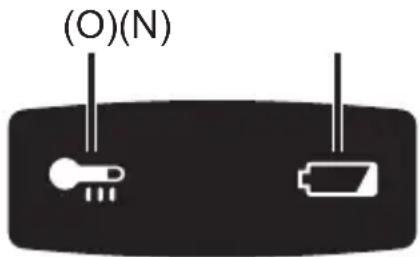
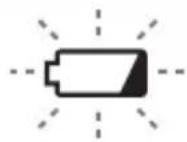
(N) Low battery warning lamp

Off (normal operation)

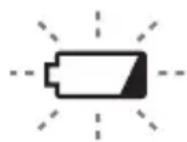
Flashing (No charge) Battery protection feature active
Excessive (complete) discharging of lithium ion batteries shortens their service life dramatically. The tool includes a battery protection feature designed to prevent excessive discharging of the battery pack.
- The battery protection feature activates immediately before the battery loses its charge, causing the battery low warning lamp to flash.
- If you notice the battery low warning lamp flashing, charge the battery pack immediately.
- If it is started with too little battery power remaining, the tool may stop operating without the battery low warning lamp flashing first. This indicates that there is too little battery power remaining to use the tool, and the battery pack should be charged before further use.
- If the tool is subject to a sudden load during use that causes the motor to lock up, the overdischarge prevention sensor may be triggered, and the battery low warning lamp may flash. The lamp will stop flashing once you address the cause of the motor's locking up and cycle the trigger.
(O) Overheat warning lamp (battery)
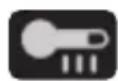
Off (normal operation)

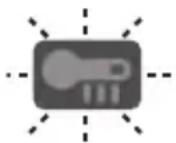
Flashing: Overheat. Indicates operation has been halted due to battery overheating.
To protect the motor or battery, be sure to note the following when carrying out this operation.
- If the motor or battery becomes hot, the protection function will be activated and the motor or battery will stop operating. The overheat warning lamp on the control panel illuminates or flashes when this feature is active.
- If the overheating protection feature activates, allow the tool to cool thoroughly (at least 30 minutes). The tool is ready for use when the overheat warning lamp goes out.
- Avoid using the tool in a way that causes the overheating protection feature to activate repeatedly.
- If the tool is operated continuously under high-load conditions or if it is used in hot-temperature conditions (such as during summer), the overheating protection feature may activate frequently.
- If the tool is used in cold-temperature conditions (such as during winter) or if it is frequently stopped during use, the overheating protection feature may not activate.
- The ambient temperature range is between 0°C (32°F) and 40°C (104°F). If the battery pack is used when the battery temperature is below 0°C (32°F), the tool may fail to function properly.
- When charging a cool battery pack (below 0°C (32°F)) in a warm place, leave the battery pack at the place and wait for more than one hour to warm up the battery to the level of the ambient temperature.
[Battery Pack]
For Appropriate Use of Battery Pack [Fig. 12]
- For optimum battery life, store the Li-ion battery pack following use without charging it.
- When operating the battery pack, make sure the work place is well ventilated.
For safe use
- If the battery pack is not connected firmly when the switch is switched on, the overheat warning lamp and the battery low warning lamp will flash to indicate that safe operation is not possible, and the main unit will not rotate normally. Connect the battery pack into the unit of the tool until the red or yellow label disappears.
- Only use rechargeable battery packs for Panasonic rechargeable tools. Do not use modified battery packs (including battery packs which have been disassembled and parts replaced).
- Do not use deteriorated battery packs. There is a risk of the generation of heat, ignition and explosion.
- If a battery pack leaks fluid, cease use, keep away from open flames, and return it to the store immediately.
- Attach the battery pack by sliding until the yellow and red labels are no longer visible, and check that it does not fall out of place.
- Failure to do so may result in scalding.
- The usage temperature range for lithium ion battery packs is 0 to 40 degrees.
- Use of battery packs cooled to below zero, such as in colder northern areas, may result in abnormal operation of the device. In such cases, leave the battery pack in a location of 10 degrees or more for one hour or more before use, and only use the device after the battery pack has warmed up.
[Battery Charger]
Charging
CAUTION:
1) If the temperature of the battery pack falls approximately below -10°C (14°F), charging will automatically stop to prevent degradation of the battery. 2) The ambient temperature range is between 0°C (32°F) and 40°C (104°F). If the battery pack is used when the battery temperature is below 0°C (32°F), the tool may fail to function properly. 3) Use the charger at temperatures between 0°C (32°F) and 40°C (104°F), and charge the battery at a temperature similar to that of the battery itself. (There should be no more than a 15°C (59°F) difference between the temperatures of the battery and the charging location.) 4) When charging a cool battery pack (below 0°C (32°F)) in a warm place, leave the battery pack at the place and wait for more than one hour to warm up the battery to the level of the ambient temperature. 5) Cool down the charger when charging more than two battery packs consecutively.
6) Do not insert your fingers into contact hole, when holding charger or any other occasions. 7) Unplug the charger when not in use. 8) Store the charger between 0 and 40 degrees, and charge the battery pack at a temperature close to the storage temperature.
- If the battery pack is charged while at a temperature below 0 degrees, a full charge will give only around 50% of a normal charge. Commence charging after 1 hour or more at the prescribed temperature.
9) Do not charge in a poorly ventilated place. 10) Do not cover the battery pack or charger with a cloth or the like while charging is in progress.
NOTE:
Your battery pack is not fully charged at the time of purchase. Be sure to charge the battery before use.
How to charge
- Plug the charger into the AC outlet.
NOTE:
Sparks may be produced when the plug is inserted into the AC power supply, but this is not a problem in terms of safety.
- Connect the battery pack firmly into the charger.
(1) Line up the alignment marks and place the battery onto the dock on the charger.
NOTE:
Not all battery packs display the alignment mark [Fig. 13] (on page 8).
(2) Slide forward in the direction of the arrow. [Fig. 13]
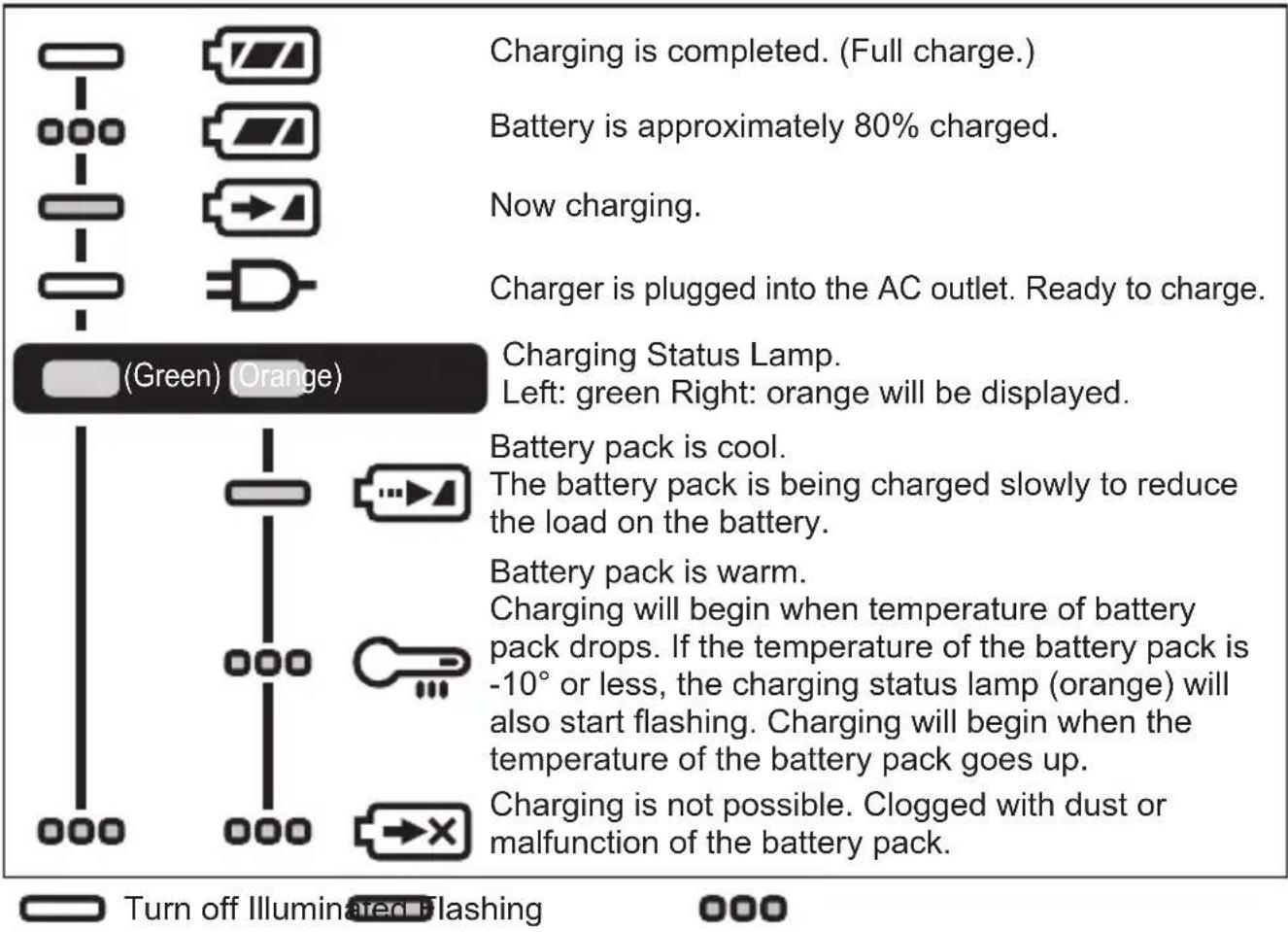
- During charging, the charging lamp will be lit. When charging is completed, an internal electronic switch will automatically be triggered to prevent overcharging.
- Charging will not start if the battery pack is hot (for example, immediately after heavy-duty operation). The orange standby lamp will be flashing until the battery cools down. Charging will then begin automatically.
- The charge lamp (green) will flash slowly once the battery is approximately 80% charged.
- When charging is completed, the charging lamp in green color will turn off.
- If the temperature of the battery pack is 0°C (32°F) or less, charging takes longer to fully charge the battery pack than the standard charging time. Even when the battery is fully charged, it will have approximately 50% of the power of a fully charged battery at normal operating temperature.
- Consult an authorized dealer if the charging lamp (green) does not turn off.
- If a fully charged battery pack is inserted into the charger again, the charging lamp lights up. After several minutes, the charging lamp in green color will turn off.
- Remove the battery pack while the battery pack release button is held up. [Fig. 13]
Battery Recycling
ATTENTION:
For environmental protection and recycling of materials, be sure that it is disposed of at an officially assigned location, if there is one in your country.
Information for Users on Collection and Disposal of Old Equipment and used Batteries
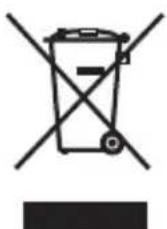
These symbols on the products, packaging, and/or accompanying documents mean that used electrical and electronic products and batteries should not be mixed with general household waste.
For proper treatment, recovery and recycling of old products and used batteries, please take them to applicable collection points, in accordance with your national legislation and the Directives 2012/19/EC and 2006/66/EC.
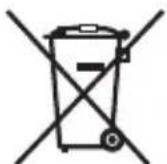
By disposing of these products and batteries correctly, you will help to save valuable resources and prevent any potential negative effects on human health and the environment which could otherwise arise from inappropriate waste handling.
For more information about collection and recycling of old products and batteries, please contact your local municipality, your waste disposal
[For business users in the European Union]
If you wish to discard electrical and electronic equipment, please contact your dealer or supplier for further information.
[Information on Disposal in other Countries outside the European Union]
These symbols are only valid in the European Union. If you wish to discard these items, please contact your local authorities or dealer and ask for the correct method of disposal.
VII. MAINTENANCE
- Use only a dry, soft cloth for wiping the unit. Do not use a damp cloth, thinner, benzine, or other volatile solvents for cleaning.
- In the event that the inside of the tool or battery pack is exposed to water, drain and allow to dry as soon as possible. Carefully remove any dust or iron filings that collect inside the tool. If you experience any problems operating the tool, consult with a repair shop.
VIII. ACCESSORIES

CAUTION:
- The use of any accessories not specified in this manual may result in fire, electric shock, or personal injury. Use recommended accessories only.
- To prevent the risk of injury, only use accessory or attachment for its stated purpose.
- Use only Panasonic Li-ion battery packs for power tool (Voltage DC 14.4 V/DC 18 V).
IX. SPECIFICATIONS
MAIN UNIT
| Model EY47A1 | |||
| Motor 14.4 V DC 18 V DC | |||
| Thickness of mounting blade 0.9 mm - 1.6 mm | |||
| Length of strokes 14 mm | |||
| Strokes per minute 0 - 3000 min | -1 | 0 - 3200 min-1 | |
| Maximum cutting capacities | Wood 50 mm | ||
| Mild steel 50 mm | |||
| Overall length 455 mm | |||
| Weight (with battery pack: EY9L45) 1.9 kg— | |||
| Weight (with battery pack: EY9L47) 1.7 kg— | |||
| Weight (with battery pack: EY9L51) — 2.0 kg | |||
| Weight (with battery pack: EY9L52) — 1.8 kg | |||
| Weight (with battery pack: EY9L53) | — | 1.8 kg | |
| Weight (with battery pack: EY9L54) | — | 2.05 kg | |
BATTERY CHARGER
| Model | EY0L82 |
| Electrical rating | See the rating plate on the bottom of the charger. |
| Weight | 0.93 kg |
BATTERY PACK
| Model No. | EY9L45 | EY9L47 | EY9L51 | EY9L52 | EY9L53 | EY9L54 |
| Storage battery | Li-ion Battery | |||||
| Voltage | DC 14.4 V | DC 18 V | ||||
| (3.6 V × 8 cells) | (3.6 V × 4 cells) | (3.6 V × 10 cells) | (3.6 V × 5 cells) | (3.6 V × 5 cells) | (3.6 V × 10 cells) | |
| Charging time (EY0L82) | Usable: 50 min | Usable: 35 min | Usable: 55 min | Usable: 35 min | Usable: 45 min | Usable: 65 min |
| Full: 60 min | Full: 40 min | Full: 70 min | Full: 40 min | Full: 60 min | Full: 80 min | |
X. TECHNICAL DATA
EN
Noise information and vibration values in accordance with EN62841-2-11, EN62841-1.
The declared vibration total values and the declared noise emission values have been measured in accordance with a standard test method and may be used for comparing one tool with another. The declared vibration total values and the declared noise emission values may also be used in a preliminary assessment of exposure.
1. Noise information
| A-weighted emission sound pressure level LpA 76 dB | ||
| Uncertainly for the sound pressure level K | pA 5 dB | |
| A-weighted sound power level L | WA 87 dB | |
| Uncertainly for the sound power level K | WA 5 dB | |
2. Mean vibration
| Vibration emission value when cutting boards with saw blade | ah,B 14.3 m/s2 |
| Uncertainly for cutting boards with saw Kh,B 1.5 m/s | |
| Uncertainly for cutting wooden beams with saw blade | ah,B 14.3 m/s2 |
| Uncertainly for cutting wooden beams with saw blade | Kh,B 1.5 m/s2 |
XI. CAUTION FOR AC MAINS LEAD
FOR YOUR SAFETY PLEASE READ THE FOLLOWING TEXT CAREFULLY
This appliance is supplied with a moulded three pin mains plug for your safety and convenience. A 5 amp fuse is fitted in this plug.
Should the fuse need to be replaced please ensure that the replacement fuse has a rating of 5 amp and that it is approved by ASTA or BSI to BS1362. Check for the ASTA mark or the BSI mark on the body of the fuse.
If the plug contains a removable fuse cover you must ensure that it is refitted when the fuse is replaced.
If you lose the fuse cover the plug must not be used until a replacement cover is obtained.
A replacement fuse cover can be purchased from your local Panasonic Dealer.
CAUTION:
IF THE FITTED MOULDED PLUG IS UNSUITABLE FOR THE SOCKET OUTLET IN YOUR HOME THEN THE FUSE SHOULD BE REMOVED AND THE PLUG CUT OFF AND DISPOSED OF SAFELY. THERE IS A DANGER OF SEVERE ELECTRICAL SHOCK IF THE CUT OFF PLUG IS INSERTED INTO ANY 13 AMP SOCKET.
How to replace the fuse
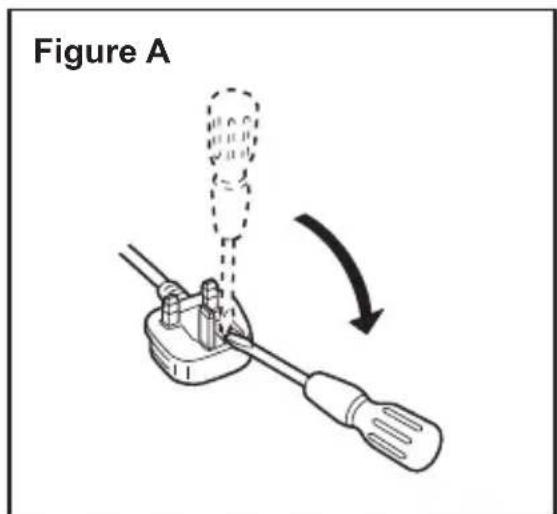
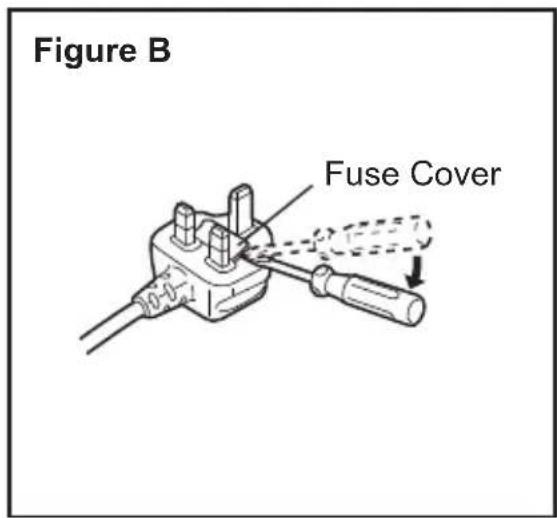
The location of the fuse differs according to the type of AC mains plug (figures A and B).
Confirm the AC mains plug fitted and follow the instructions below. Illustrations may differ from actual AC mains plug.
Open the fuse cover with a screwdriver and replace the fuse and close or attach the fuse cover.
(N) Low battery indicator lamp


Off (normal use)
On (normal operation)

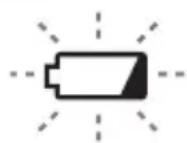
Blinking (No charging) Battery protection feature active
Off (normal operation)

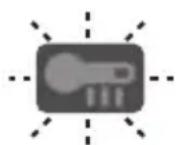
Importer for Turkey:
Panasonic Life Solutions Elektrik Sanayi ve Ticaret Anonim Şirketi
Abdurrahmangazi Mah. Ebubekir Cad. No: 44
34887 Sancaktepe Istanbul/Turkiye
Declaration of Conformity (DoC)
Panasonic
EU Declaration of Conformity
Document Number: ESPT-E00047-01
Manufacturer
| Name | Panasonic Corporation | |
| Address | 1006 Kadoma, Osaka 571-8501, Japan | |
| Object of Declaration | (A) | |
| Product Name | Cordless Reciprocating Saw | |
| Trade Name | Panasonic | |
| Model Number | EY47A1 | |
| CE Requirements | ||
| This declaration of conformity is issued under the sole responsibility of manufacturer. The object of the declaration described above is in conformity with the requirements of the following EU legislation and harmonized standards: | ||
| Council | 2006/42/EC | MD |
| Directive(s) | 2014/30/EU | EMC |
| 2011/65/EU | RoHS | |
| Applicable Standard(s) : EN 62841-1:2015; EN 62841-2-11:2016; EN 55014-1:2017; EN 55014-2:2015; EN IEC 63000:2018 | ||
Additional Information
(D)
(The two first digits of the year when the CE marking was affixed at the first time);
RoHS: 2011/65/EU as amended by (EU)2015/B63
2020.07.22
Date of Issue / Signature
Hirotoshi Watanabe / General Manager
Printed Name / Title
27.Jul.2020
Date of issue / Signature
Niels Erdmann
Authorised Representative and Authorised
Person to Complain the Technical File
Panasonic Testing Centre
Panasonic Marketing Europe GmbH
Winsbergring 15, 22525 Hamburg, Germany
German
Panasonic Testing Centre, Panasonic Marketing Europe GmbH, Winsbergring 15, 22525 Hamburg, Germany
Panasonic Corporation
1006, Kadoma, Osaka 571-8501, Japan
https://www.panasonic.com
- INTENDED USE
- SAFETY
- INSTRUCTIONS
- GENERAL POWER TOOL SAFETY WARNINGS
- WARNING
- FOR BATTERY CHARGER & BATTERY PACK
- ADDITIONAL SAFETY RULES
- SAFETY INSTRUCTIONS FOR RECIPROCATING SAWS
- ASSEMBLY
- INSPECTION BEFORE USE
- ATTACHING AND REMOVING THE RECIPROCATING SAW BLADE
- ATTACHING
- REMOVING
- ATTACHING OR REMOVING BATTERY PACK
- ADJUSTING HANDLE ANGLE
- ADJUSTING THE POSITION OF THE PROTECT SHOE
- CAUTION
- OPERATION
- CUTTING
- NOTE
- HOLDING THE TOOL AND PUSHING ON IT
- CONTROL PANEL
- LOW BATTERY WARNING LAMP
- OVERHEAT WARNING LAMP (BATTERY)
- [BATTERY PACK]
- FOR APPROPRIATE USE OF BATTERY PACK [FIG. 12]
- FOR SAFE USE
- [BATTERY CHARGER]
- CHARGING
- HOW TO CHARGE
- BATTERY RECYCLING
- ATTENTION
- INFORMATION FOR USERS ON COLLECTION AND DISPOSAL OF OLD EQUIPMENT AND USED BATTERIES
- [FOR BUSINESS USERS IN THE EUROPEAN UNION]
- [INFORMATION ON DISPOSAL IN OTHER COUNTRIES OUTSIDE THE EUROPEAN UNION]
- MAINTENANCE
- ACCESSORIES
- SPECIFICATIONS
- TECHNICAL DATA
- NOISE INFORMATION
- MEAN VIBRATION
- CAUTION FOR AC MAINS LEAD
- FOR YOUR SAFETY PLEASE READ THE FOLLOWING TEXT CAREFULLY
- HOW TO REPLACE THE FUSE
- LOW BATTERY INDICATOR LAMP
- DECLARATION OF CONFORMITY (DOC)
- PANASONIC
- ADDITIONAL INFORMATION
- NIELS ERDMANN
- GERMAN
Brand : PANASONIC
Model : EY47A1
Category : Saw