
TMRBR100 - 3D Glasses SONY - Free user manual and instructions
Find the device manual for free TMRBR100 SONY in PDF.
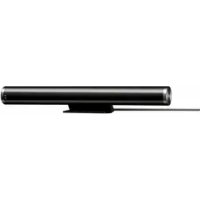



| Product type | 3D Sync Transmitter |
| Brand | Sony |
| Model | TMRBR100 |
| Dimensions (W × H × D) | 154 × 26 × 28 mm |
| Weight | 74 g (cable included) |
| Power supply | 12 V DC, 30 mA (via TV OUT jack) |
| Main function | Emits infrared rays to sync 3D glasses with TV |
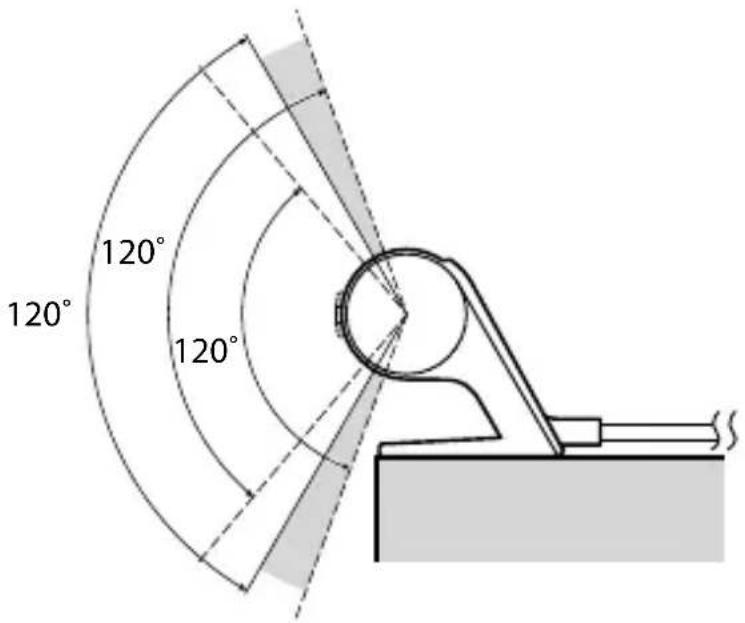
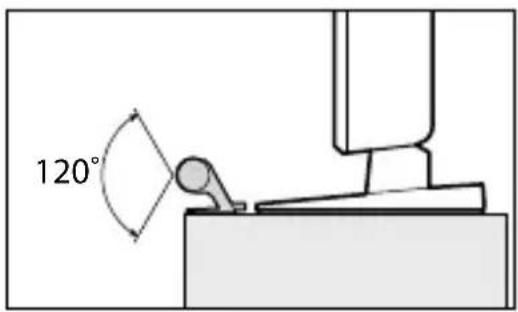
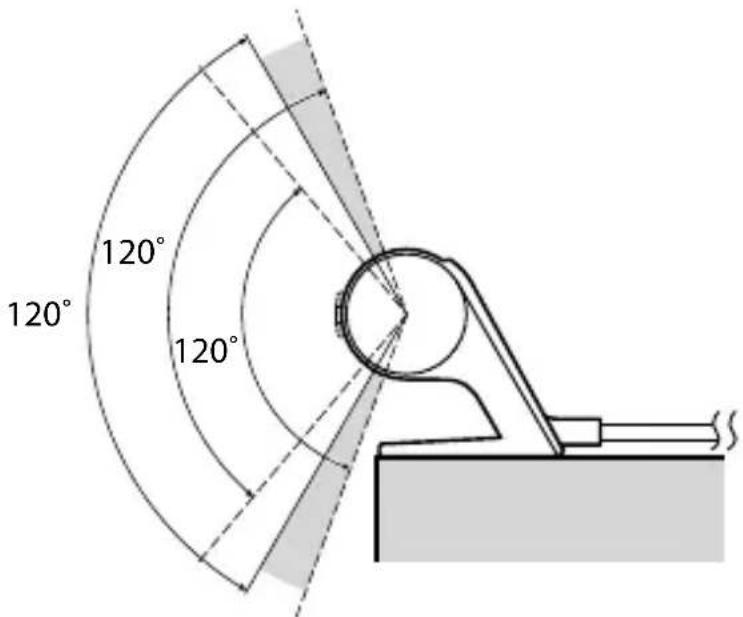
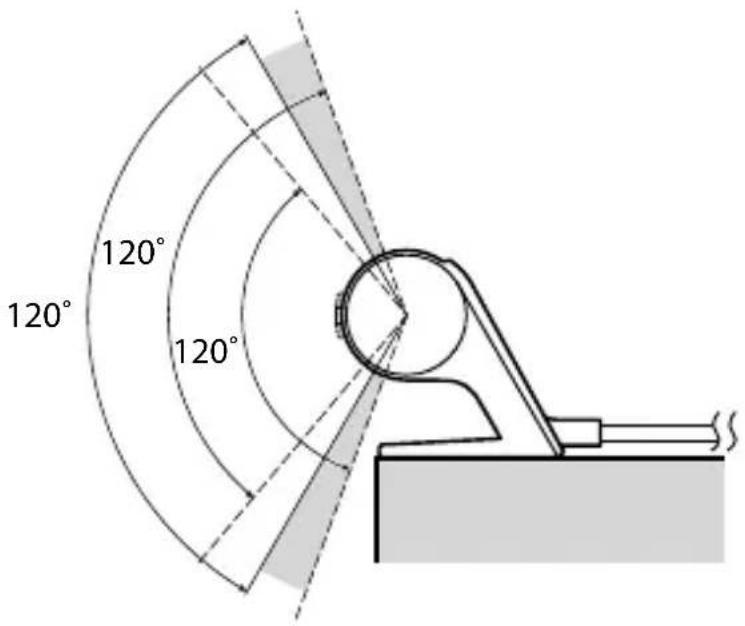
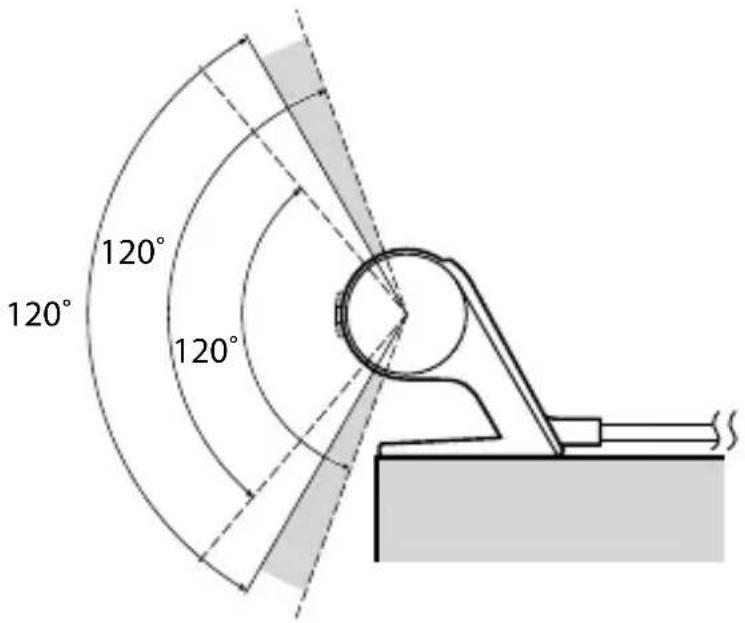
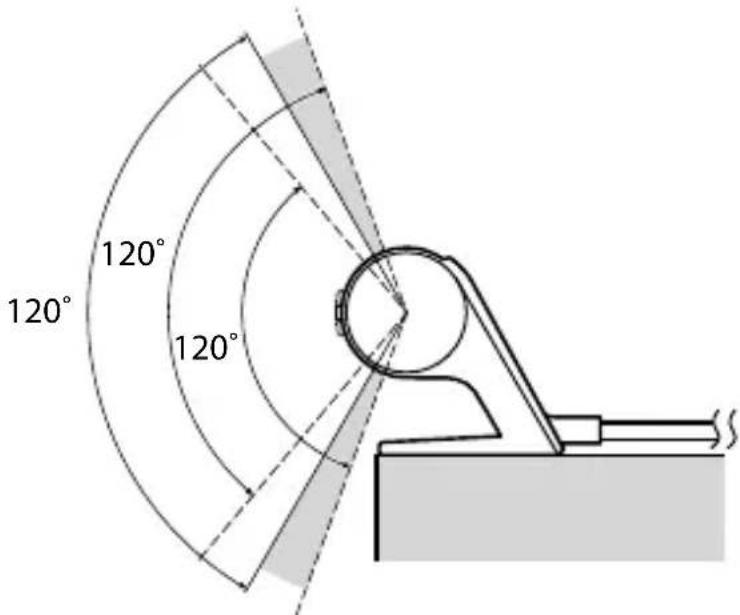
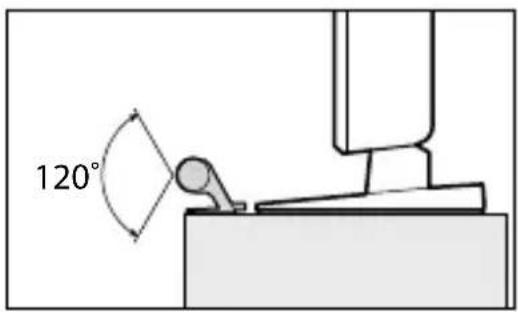
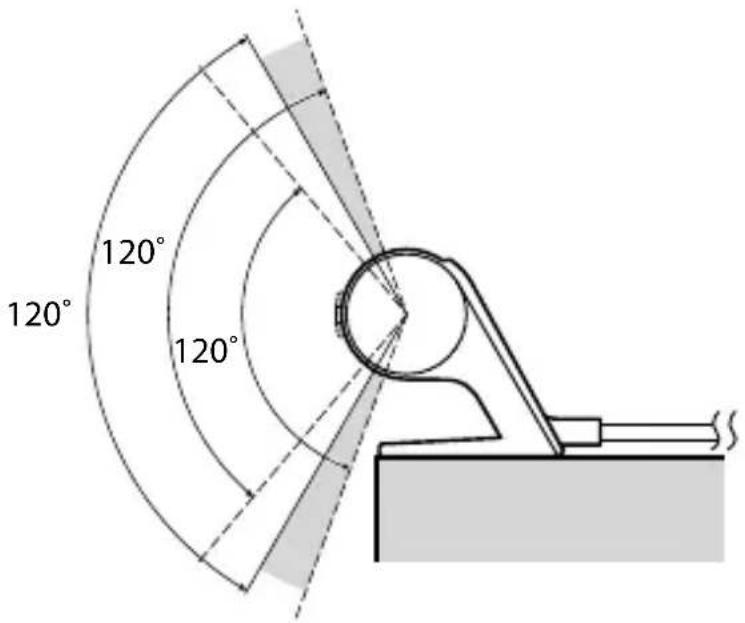
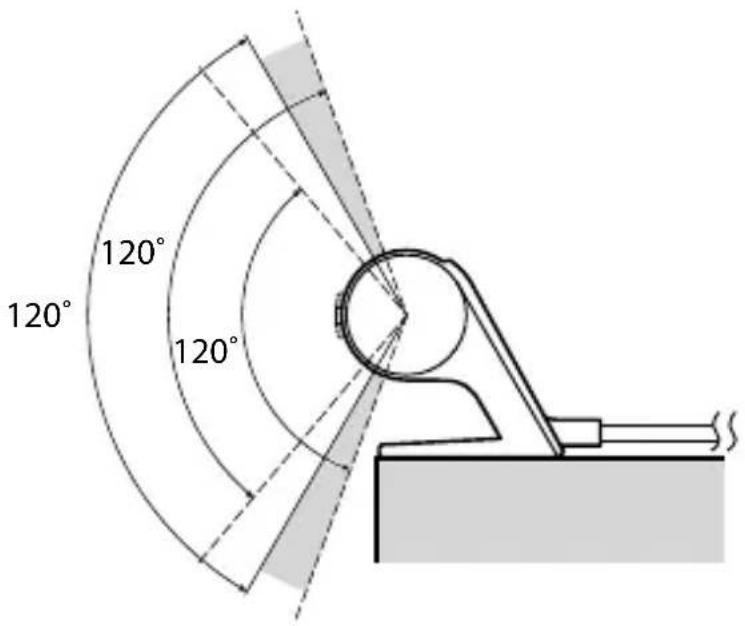
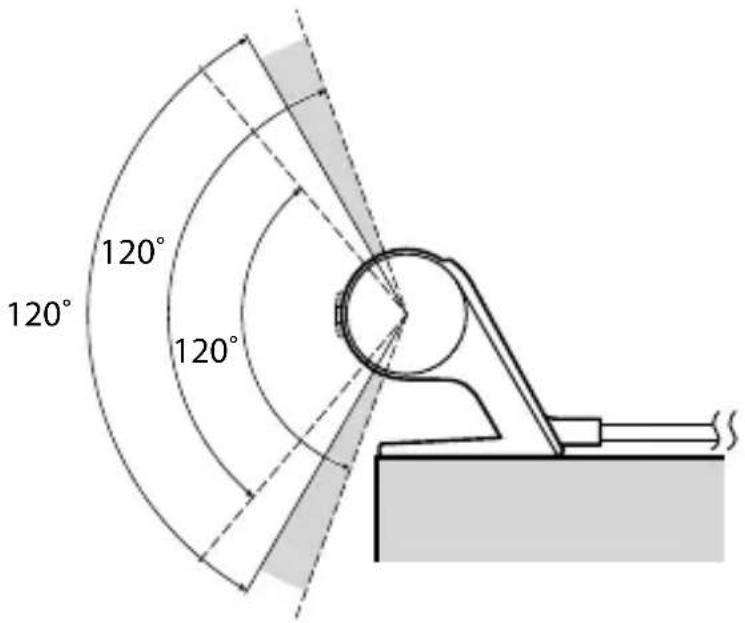
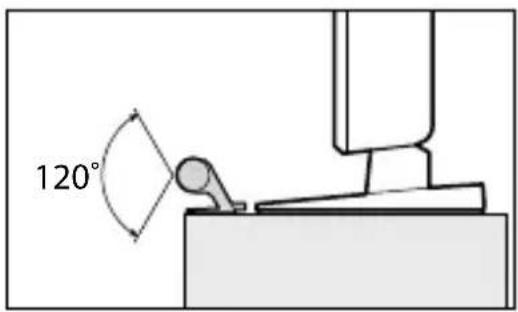
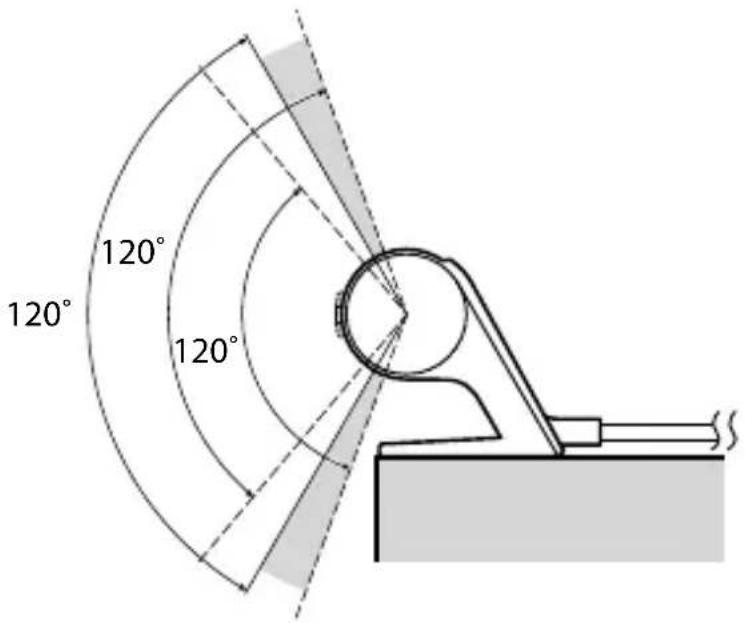
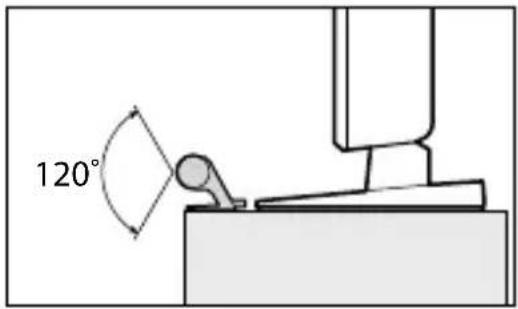
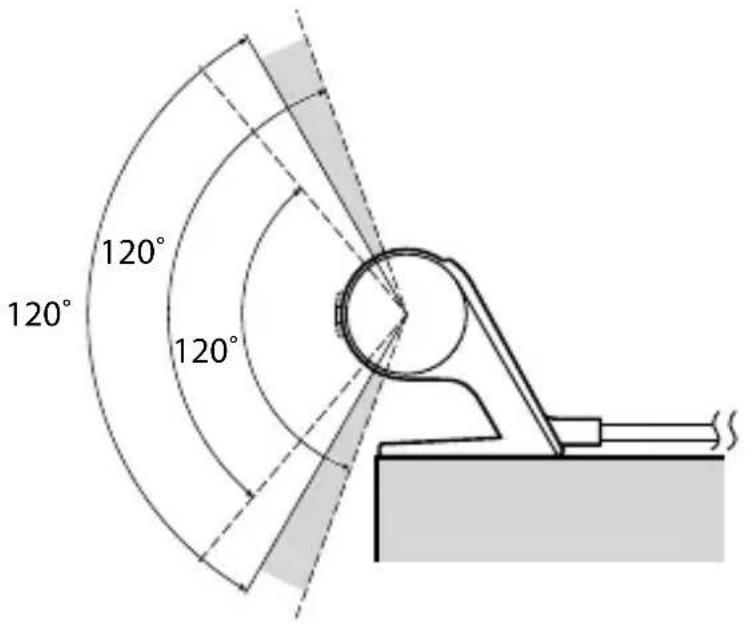
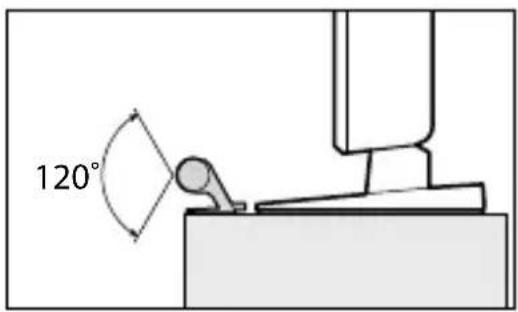
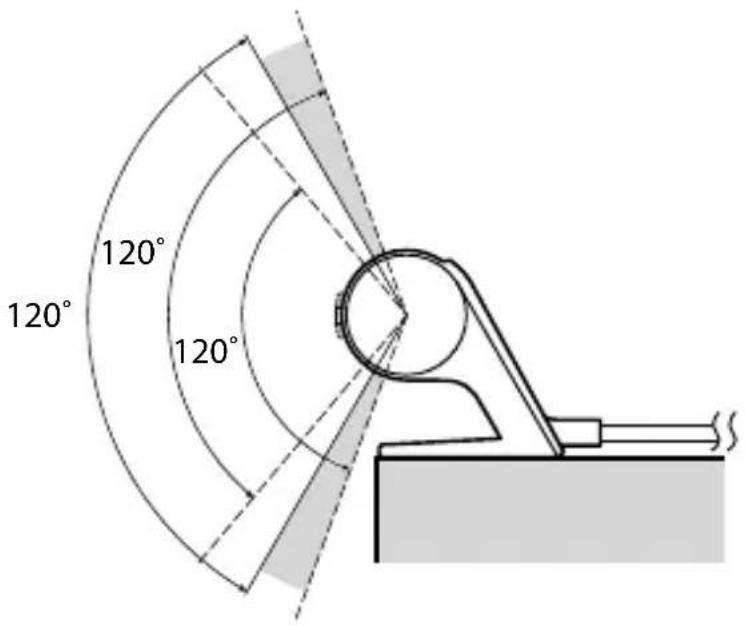
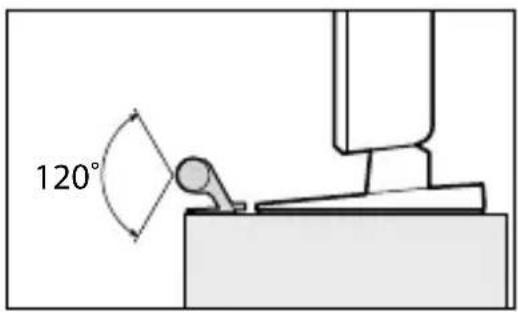
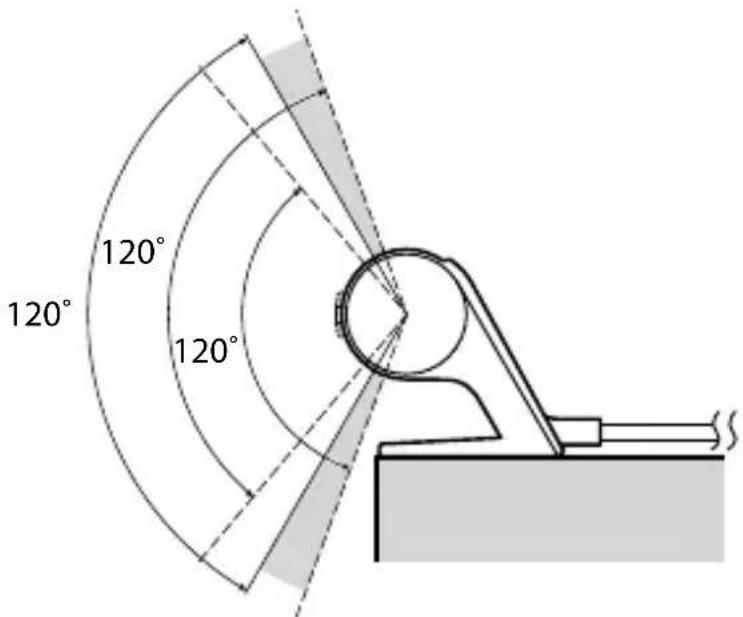
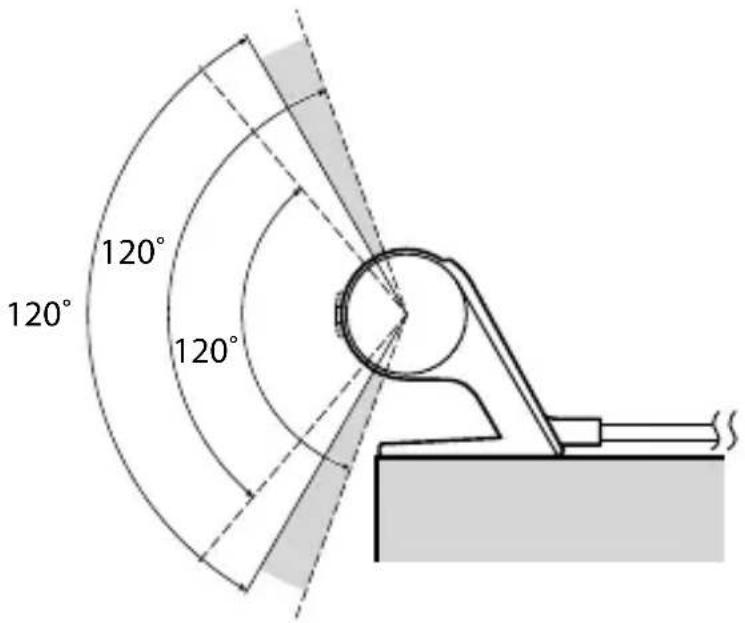
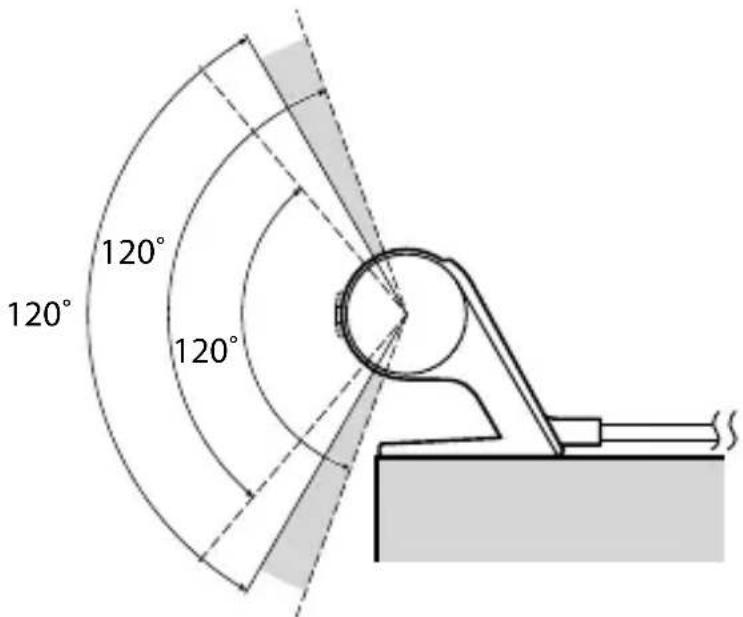
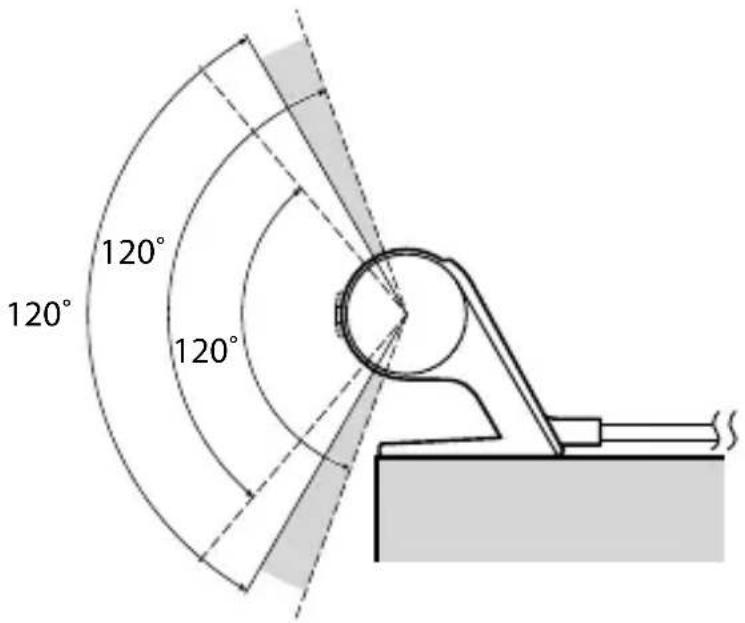
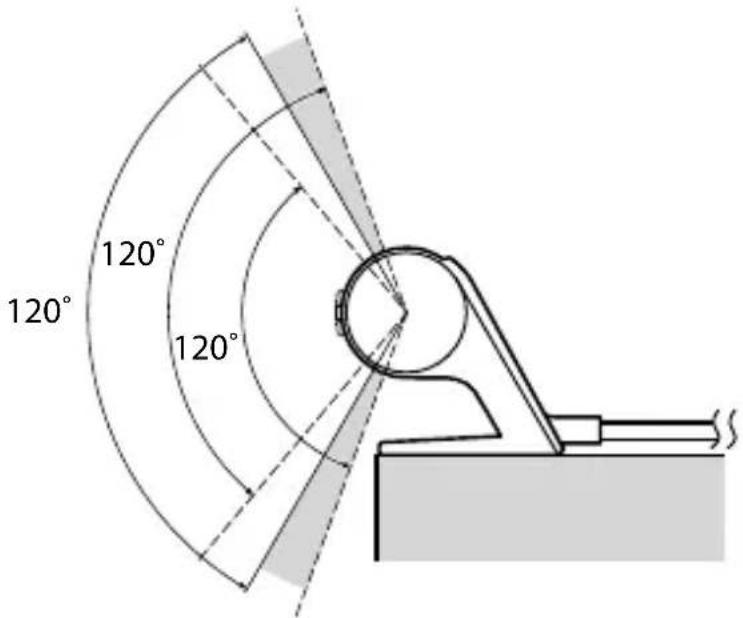
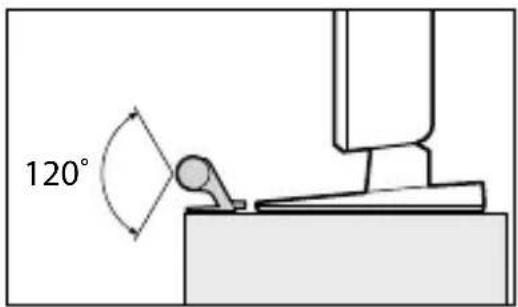
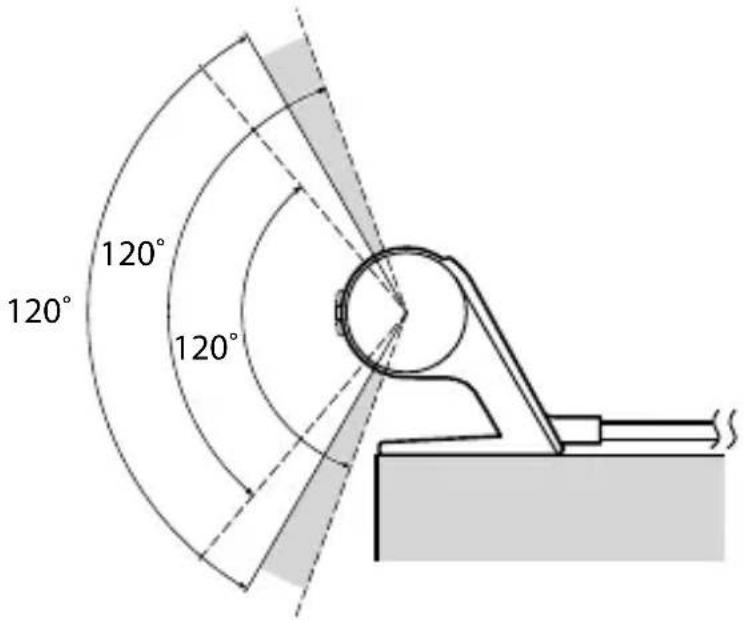
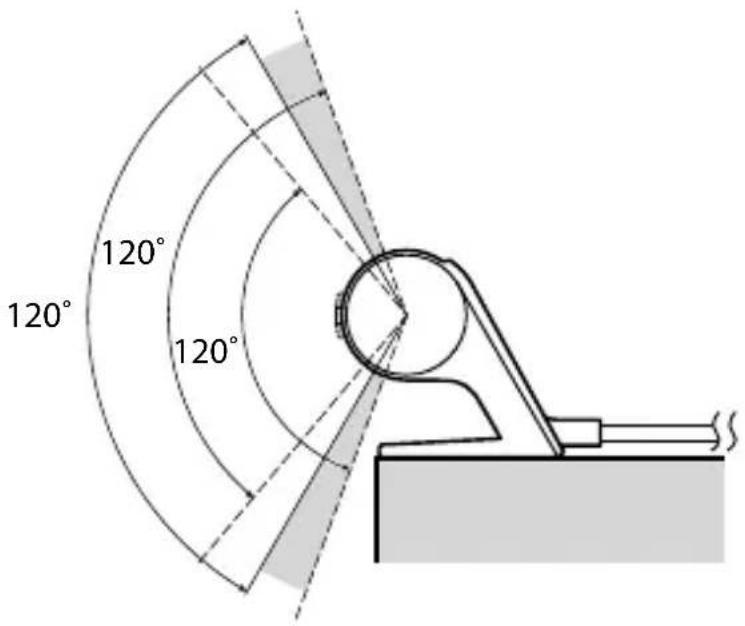
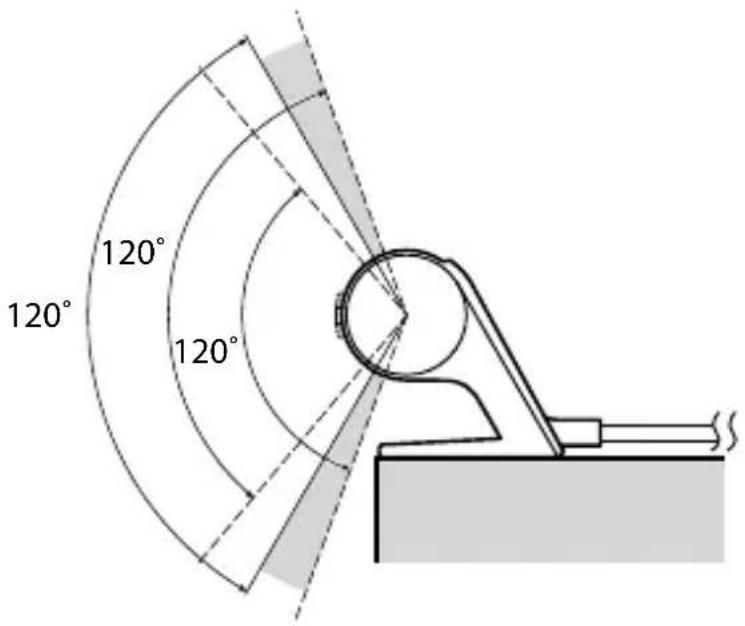
| Emission angle | 120° (horizontal and vertical) |
| Communication range | 1 m to 6 m |
| Compatibility | Sony TVs with 3D SYNC jack |
| Package contents | 3D Sync Transmitter (1), 3D sync cable (1), double-sided adhesive tape (2) |
| Placement | Place at center of TV or fix to wall with double-sided adhesive tape |
| Connection | Connect cable to 3D SYNC terminal of TV |
| Angle adjustment | Adjustment dial to orient beam towards glasses |
| Maintenance | Clean with soft dry cloth; do not use solvents |
| Safety | Do not drop or modify; do not look directly at infrared beam |
| Usage precautions | Avoid obstacles between transmitter and glasses; keep away from other infrared devices |
| Troubleshooting | Refer to TV instruction manual |
| Recycling | Do not dispose with household waste; deposit at WEEE collection point |
| Manufacturer | Sony Corporation, 1-7-1 Konan Minato-ku Tokyo, 108-0075 Japan |
| EU Representative | Sony Deutschland GmbH, Hedelfinger Strasse 61, 70327 Stuttgart, Germany |
Frequently Asked Questions - TMRBR100 SONY
User questions about TMRBR100 SONY
0 question about this device. Answer the ones you know or ask your own.
Ask a new question about this device
Download the instructions for your 3D Glasses in PDF format for free! Find your manual TMRBR100 - SONY and take your electronic device back in hand. On this page are published all the documents necessary for the use of your device. TMRBR100 by SONY.
USER MANUAL TMRBR100 SONY
http://www.sony.net/
Printed in China
© 2010 Sony Corporation
Product Overview
Connect this product to your TV to enjoy video programmes in 3D.
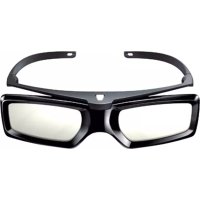
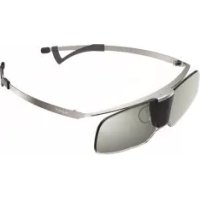
3D Glasses (TDG-BR100/BR50, sold separately) are required.
For details on how to enjoy 3D viewing or to make settings, refer to the TV's instruction manual.
Specifications
| Weight | 74 g (including cable) |
| Power Supply | DC 12V, 30mA (TV OUT) |
| Dimensions (Approx.) (w × h × d) | 154 × 26 × 28 mm |
The manufacturer of this product is Sony Corporation, 1-7-1 Konan Minato-ku Tokyo, 108-0075 Japan. The Authorized Representative for EMC and product safety is Sony Deutschland GmbH, Hedelfinger Strasse 61, 70327 Stuttgart, Germany. For any service or guarantee matters please refer to the addresses given in separate service or guarantee documents.
Disposal of the 3D Sync Transmitter

Disposal of Old Electrical & Electronic Equipment (Applicable in the European Union and other European countries with separate collection systems)
This symbol on the product or on its packaging indicates that this product shall not be treated as household waste. Instead it shall be handed over to the applicable collection point for the recycling of electrical and electronic equipment. By ensuring this product is disposed of correctly, you will help prevent potential negative consequences for the environment and human health, which could otherwise be caused by inappropriate waste handling of this product. The recycling of materials will help to conserve natural resources. For more detailed information about recycling of this product, please contact your local Civic Office, your household waste disposal service or the shop where you purchased the product.
Caution
Please read these safety instructions to ensure your personal safety and prevent property damage.
Precautions for use
- The 3D Glasses receive infrared rays from the 3D Sync Transmitter. If there are other infrared communication devices or lighting equipment, residential heating equipment, etc. nearby, this may affect their performance.
- When watching 3D video images, ensure that you are viewing the video within the specified receiving range. (refer to the illustration “3D Sync Transmitter and 3D Glasses Communication Range.”)
- If you use the 3D Glasses outside of the specified range, you may not be able to watch 3D video images.
- The 3D Sync Transmitter signal may interfere with infrared remote control operation. In such a case, reorient the 3D Sync Transmitter.
Safety Precautions
- You should only use this product for watching 3D video images on a compatible Sony television.
- Some people may experience discomfort (such as eye strain, fatigue, or nausea) when using this product. Sony recommends that all viewers take regular breaks while watching 3D video images or playing stereoscopic 3D games. The length and frequency of necessary breaks will vary from person to person. You must decide what works best. If you experience any discomfort, you should stop using this product and watching the 3D video images until the discomfort ends; consult a doctor if you believe necessary. You should also review (i) the instruction manual of your television, as well as any other device or media used with your television and (ii) our website (http://www.sony-europe.com/myproduct) for the latest information. The vision of young children (especially those under six years old) is still under development. Consult your doctor (such as a pediatrician or eye doctor) before allowing young children to watch 3D video images or play stereoscopic 3D games. Adults should supervise young children to ensure they follow the recommendations listed above.
- Do not drop or modify this product.
Parts and Components
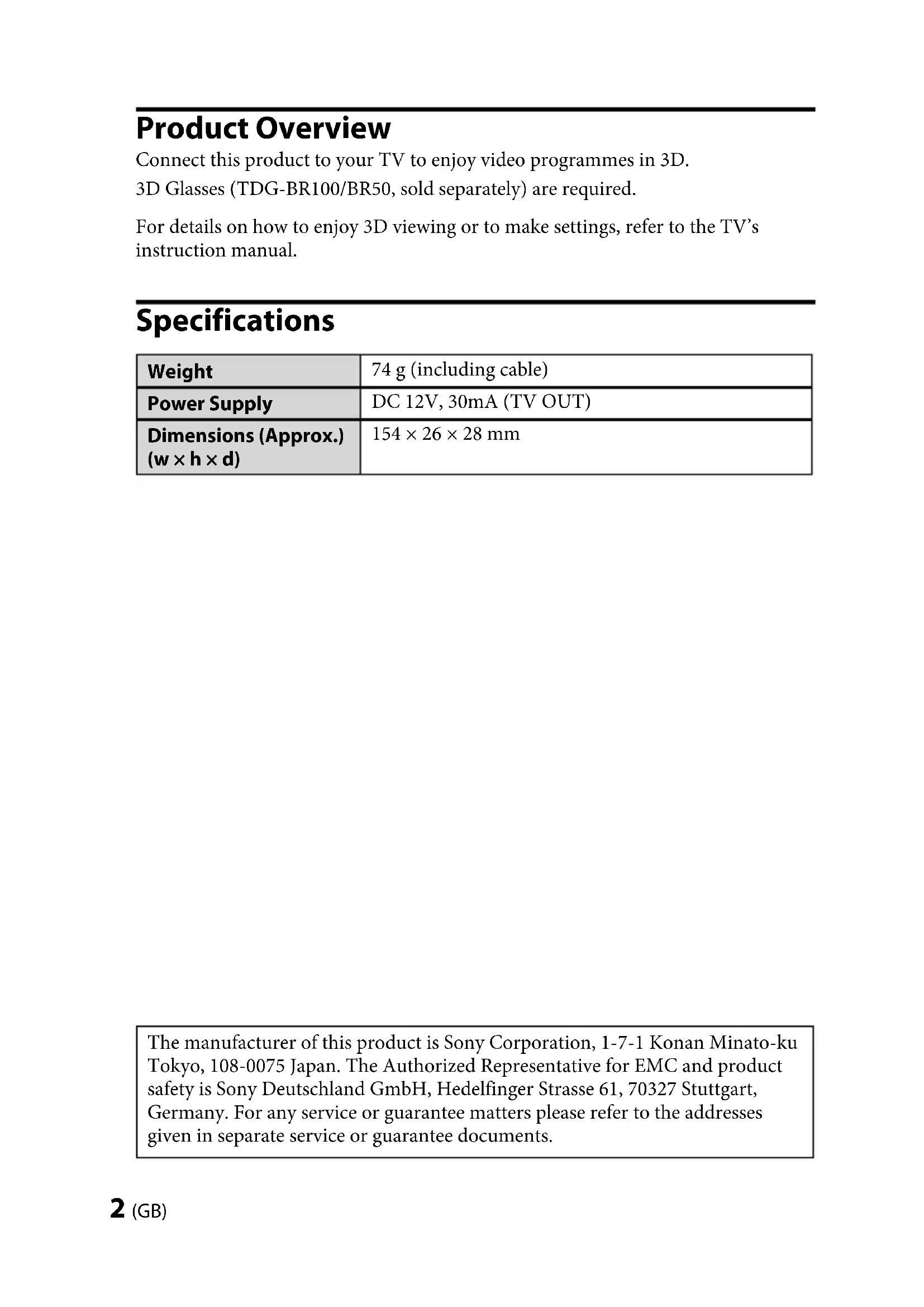
Double-sided tape (2)
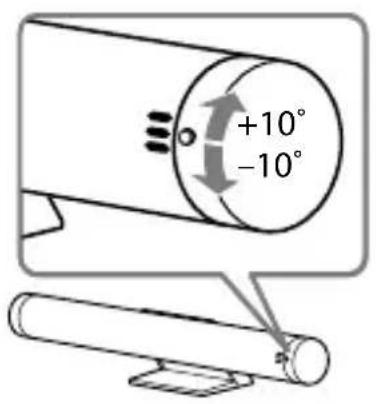
1 Angle adjustment dial
Adjust the angle to send infrared rays to the 3D Glasses.
2 3D Sync Cable
Connect to the 3D SYNC terminal of the TV.
Setting up the 3D Sync Transmitter
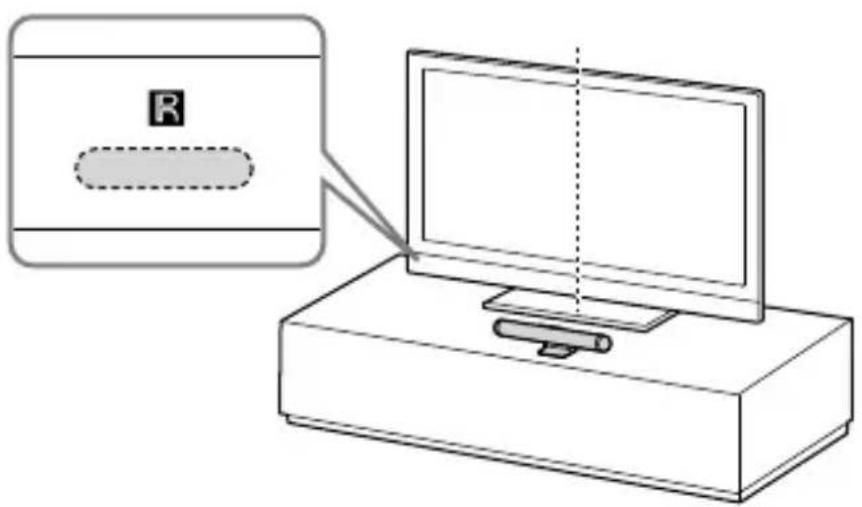
Do not place the 3D Sync Transmitter close to the remote control sensor.
(Continued)
5 (GB)
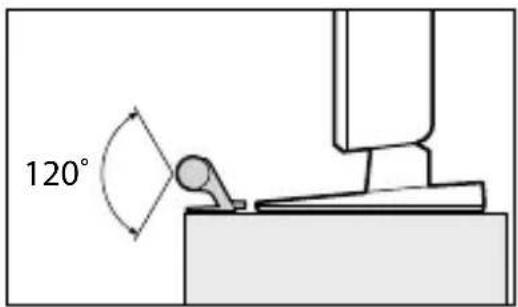
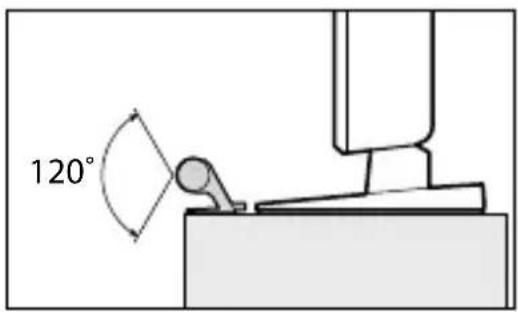
When the TV is placed on a cabinet or table: Place the 3D Sync Transmitter in the middle of the TV along the front edge of the table-top stand or TV stand.
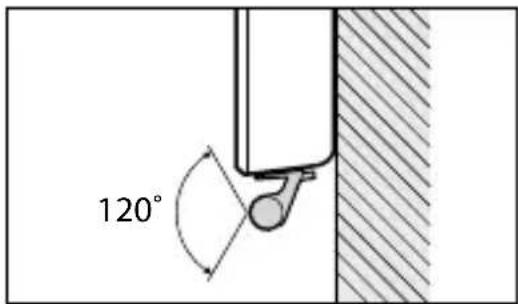
If the TV is mounted on a wall, attach the 3D Sync Transmitter to the TV (top centre or bottom right-of-centre), using double-sided tape.
Adjust the angle of the 3D Sync Transmitter based on the installation.
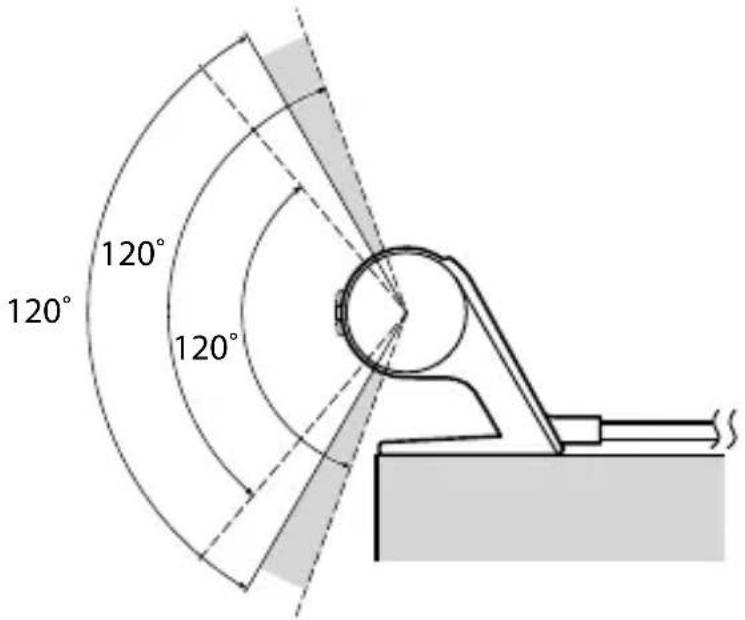
3D Sync Transmitter and 3D Glasses Communication Range
Attach the 3D Sync Transmitter in front of the TV and ensure that there are no obstacles between the 3D Sync Transmitter and the 3D Glasses.
Overhead view Side view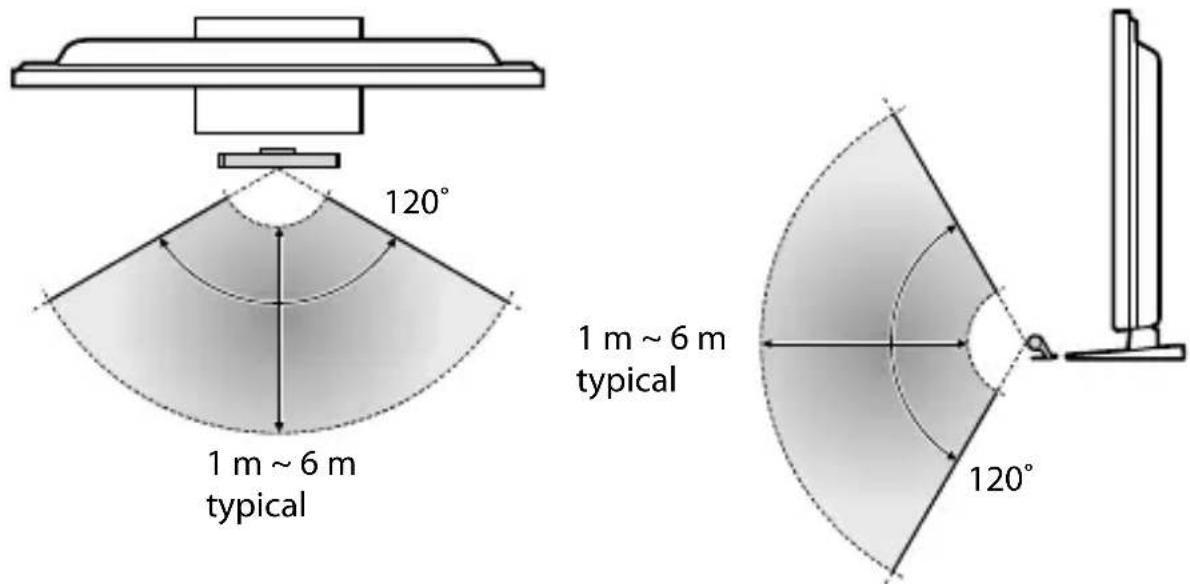
Connections
Turn off the TV and connect the 3D Sync Transmitter to the 3D SYNC terminal on your TV.
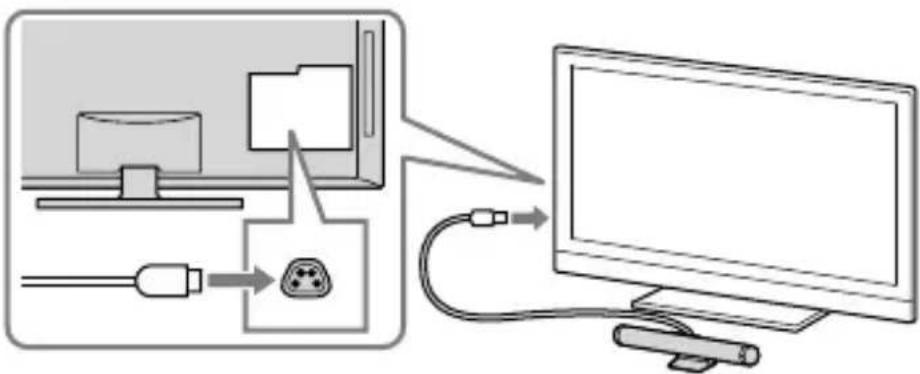
Turn on the TV and confirm that the 3D menu items appear on the OPTIONS menu list.
Be sure to turn off the TV once in order for the TV to recognise the 3D Sync Transmitter.
Refer to the TV's instruction manual for details on how to enjoy 3D viewing.
Troubleshooting
In the event of a problem, refer to the TV's instruction manual.
Product overview
(Continued)
5 (FR)
(Continued)
Turn on the TV and check that the 3D menu items appear in the OPTIONS menu list.
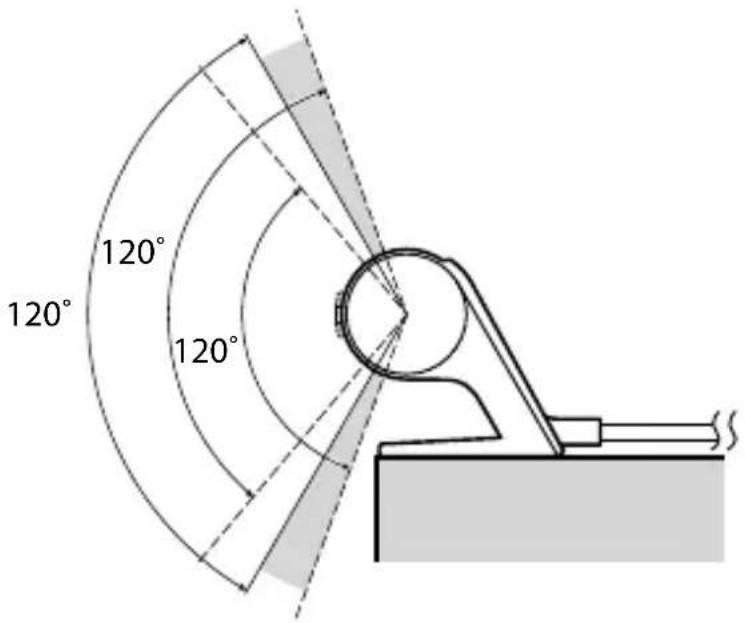
Communication range of the 3D sync transmitter and 3D glasses
Turn on the TV and check that the 3D menu items appear in the OPTIONS menu list.
Make sure to turn off the TV once so that the TV can recognize the 3D sync transmitter.
(Continued)
(Continued)
5 (NO)
(Continued)
5 (GR)
(Continued)
Connections
Connections
(continued)
- PRODUCT OVERVIEW
- DISPOSAL OF THE 3D SYNC TRANSMITTER
- DISPOSAL OF OLD ELECTRICAL & ELECTRONIC EQUIPMENT (APPLICABLE IN THE EUROPEAN UNION AND OTHER EUROPEAN COUNTRIES WITH SEPARATE COLLECTION SYSTEMS)
- CAUTION
- PRECAUTIONS FOR USE
- SAFETY PRECAUTIONS
- PARTS AND COMPONENTS
- SETTING UP THE 3D SYNC TRANSMITTER
- D SYNC TRANSMITTER AND 3D GLASSES COMMUNICATION RANGE
- CONNECTIONS
- TROUBLESHOOTING
- COMMUNICATION RANGE OF THE 3D SYNC TRANSMITTER AND 3D GLASSES
Brand : SONY
Model : TMRBR100
Category : 3D Glasses