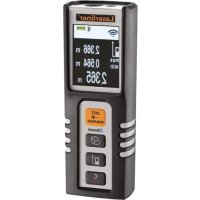
DistanceMaster Compact Plus - Rangefinder Laserliner - Free user manual and instructions
Find the device manual for free DistanceMaster Compact Plus Laserliner in PDF.



| Brand | Laserliner |
| Model | DistanceMaster Compact Plus |
| Product type | Compact laser distance meter |
| Measuring range (indoor) | 0.1 m – 40 m |
| Accuracy (typical) | ± 2 mm / 10 m |
| Laser class | 2 (IEC 60825-1:2014) |
| Laser power | < 1 mW |
| Laser wavelength | 650 nm |
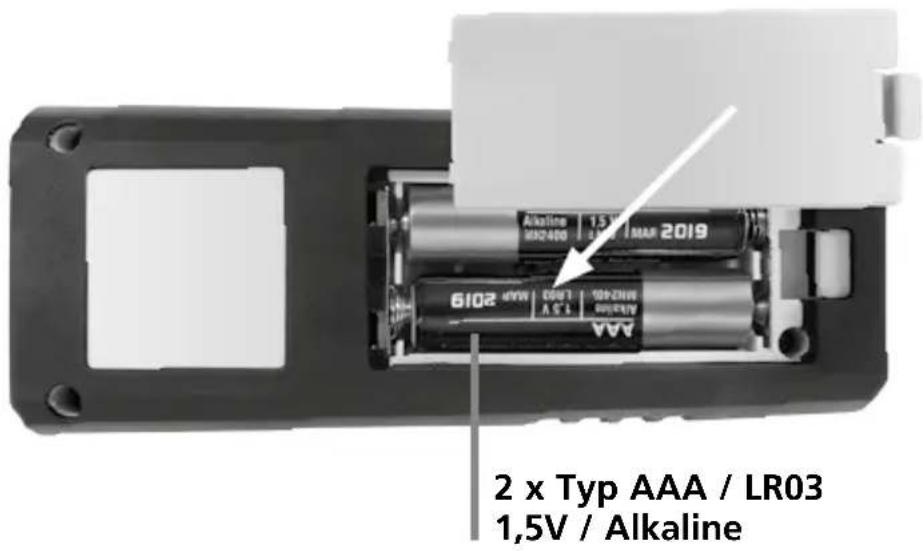
| Power supply | 2 AAA 1.5 V batteries |
| Dimensions (L × H × D) | 43 × 110 × 27 mm |
| Weight (with batteries) | 100 g |
| Automatic laser shut-off | 30 seconds |
| Automatic device shut-off | 10 minutes |
| Operating temperature | -10 °C to 40 °C |
| Storage temperature | -20 °C to 70 °C |
| Measurement functions | Length, area, volume, continuous min./max. measurement |
| Wireless interface | Bluetooth® 4.0 |
| Bluetooth® range | Up to 10 m (depending on conditions) |
| Units of measurement | m, ft, in, _'_" |
| Memory | Yes, saved values can be viewed |
| Measurement plane (reference) | Rear or front (switchable) |
| Cleaning | Soft cloth; avoid water ingress |
| Safety instructions | Do not look into the beam; keep out of reach of children |
| Error codes | Err101 to Err160 (battery, calculation, temperature, signal, etc.) |
| Standards and compliance | CE, WEEE, RoHS, EMC |
Frequently Asked Questions - DistanceMaster Compact Plus Laserliner
Err101: replace batteries
Err152: temperature > 40°C
Err153: temperature < 0°C
Err154: out of measuring range
Err155/156: signal too weak/strong
Err157: background too bright
Err160: movement too fast. Refer to the manual for the complete list.
User questions about DistanceMaster Compact Plus Laserliner
0 question about this device. Answer the ones you know or ask your own.
Ask a new question about this device
Download the instructions for your Rangefinder in PDF format for free! Find your manual DistanceMaster Compact Plus - Laserliner and take your electronic device back in hand. On this page are published all the documents necessary for the use of your device. DistanceMaster Compact Plus by Laserliner.
USER MANUAL DistanceMaster Compact Plus Laserliner
DistanceMaster Compact Plus
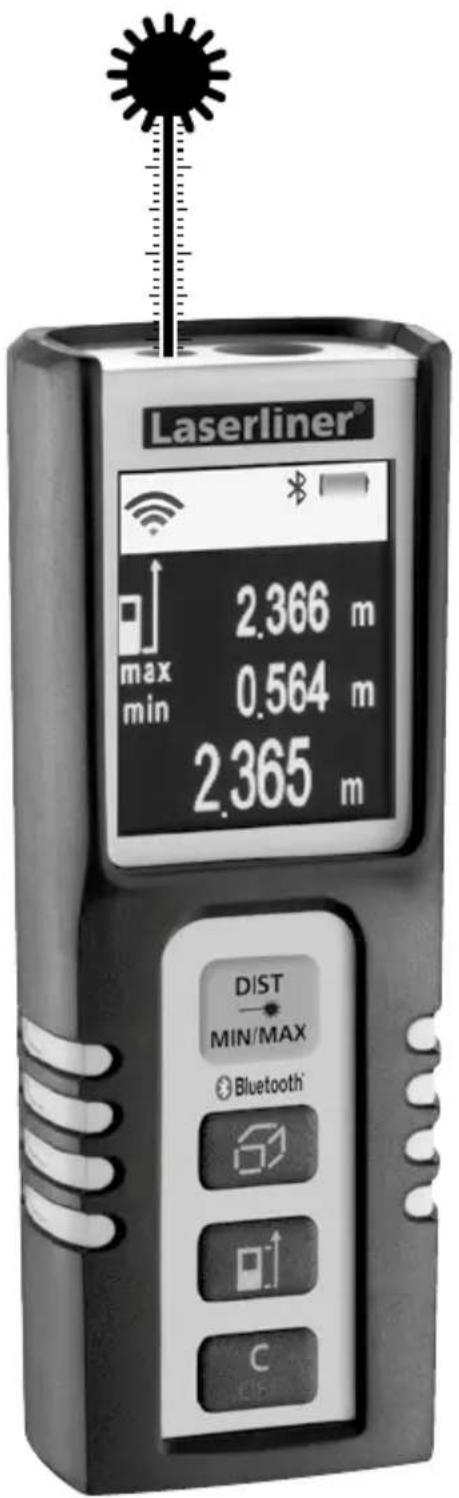

Laser
650 nm
SPEED
SHUTTER


COLOUR DISPLAY

Bluetooth®
Laserliner®
Innovation in Tools
| DE | 04 |
| GB | 10 |
| NL | 16 |
| DK | 22 |
| FR | 28 |
| ES | 34 |
| IT | 40 |
| PL | 46 |
| FI | 52 |
| PT | 58 |
| SE | 64 |
| NO | 70 |
| TR | 76 |
| RU | |
| UA | |
| CZ | |
| EE | |
| LV | |
| LT | |
| RO | |
| BG | |
| GR | |
| SI | |
| HU | |
| SK |
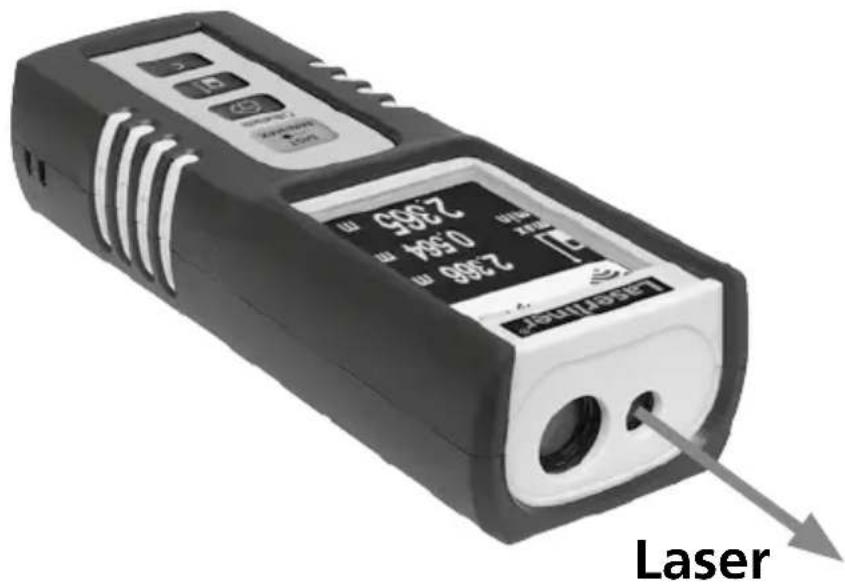
DistanceMaster Compact Plus


Read the operating instructions and the enclosed brochure "Guarantee and additional notices" completely. Follow the instructions they contain. This document must be kept in a safe place and if the laser device is passed on, this document must be passed on with it.
Compact laser distance meter for measuring length, area and volume indoors – with Bluetooth®\* interface
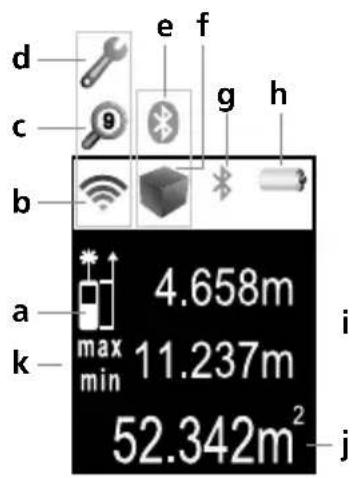
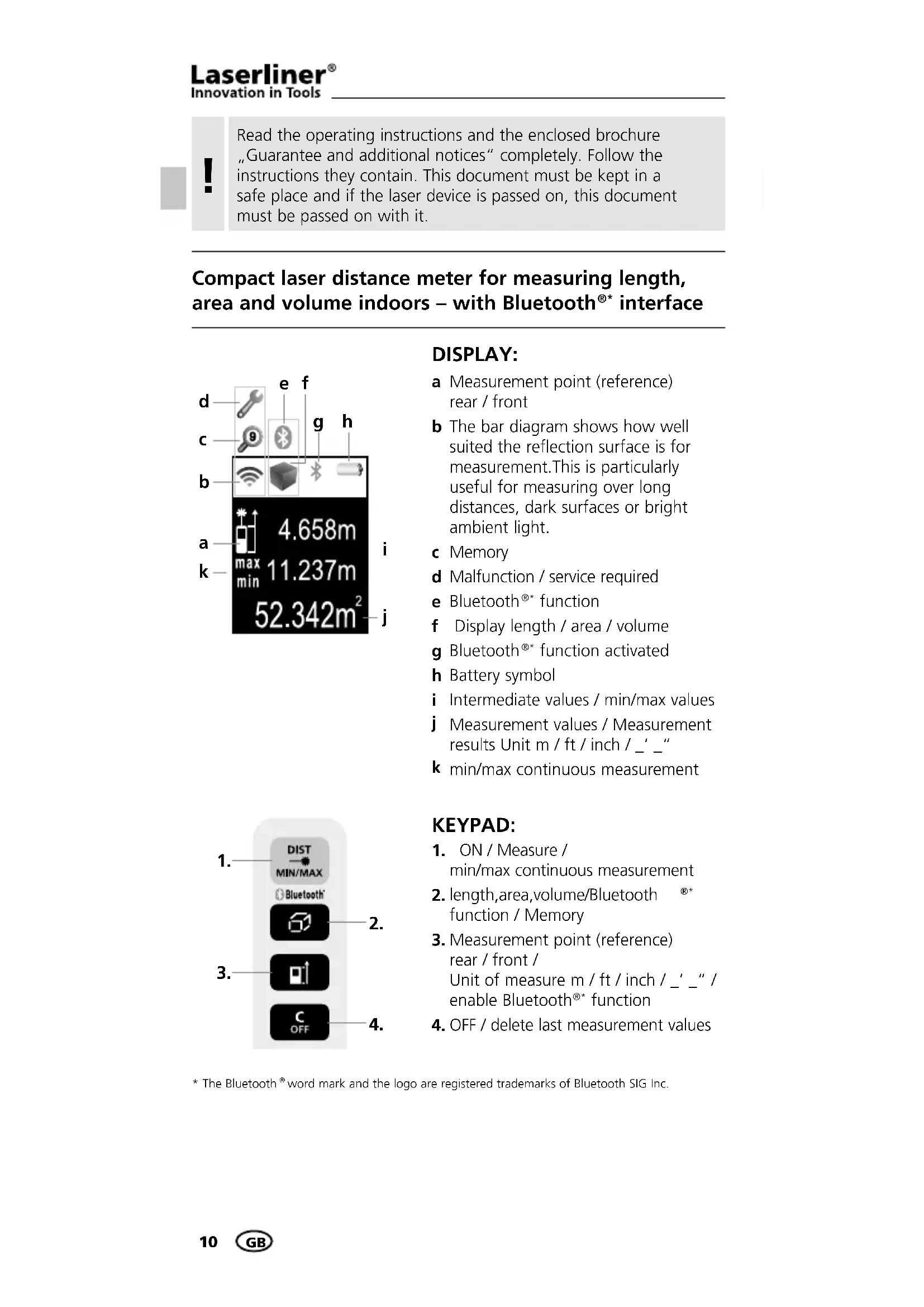
DISPLAY:
a Measurement point (reference) rear / front
b The bar diagram shows how well suited the reflection surface is for measurement. This is particularly useful for measuring over long distances, dark surfaces or bright ambient light.
c Memory
d Malfunction / service required
e Bluetooth®* function
f Display length / area / volume
g Bluetooth®* function activated
h Battery symbol
i Intermediate values / min/max values
j Measurement values / Measurement results Unit m / ft / inch / _' _"
k min/max continuous measurement
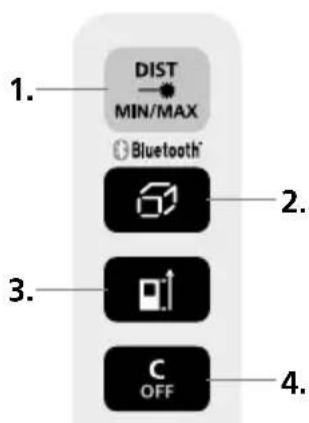
KEYPAD:
- ON / Measure / min/max continuous measurement
- length, area, volume/Bluetooth function / Memory
- Measurement point (reference) rear / front / Unit of measure m / ft / inch / _'_" / enable Bluetooth® function
- OFF / delete last measurement values
DistanceMaster Compact Plus
General safety instructions
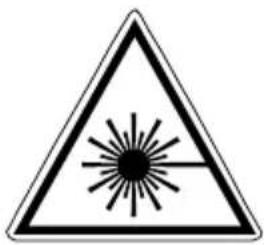
Laser radiation! Do not stare into the beam! Class 2 laser < 1 mW · 650 nm EN 60825-1:2014
- Attention: Do not look into the direct or reflected beam.
– The laser may not get into the hands of children! - Do not point the laser beam towards persons.
- If a person's eyes are exposed to class 2 laser radiation, they should shut their eyes and immediately move away from the beam.
- Do not expose the device to mechanical stress, extreme temperatures, moisture or significant vibration.
- The device must only be used in accordance with its intended purpose and within the scope of the specifications. Modifications or changes to the device are not permitted, this will otherwise invalidate the approval and safety specifications.
- The measuring device is equipped with a wireless interface. Local operating restrictions, e.g. in hospitals or aircraft may apply.
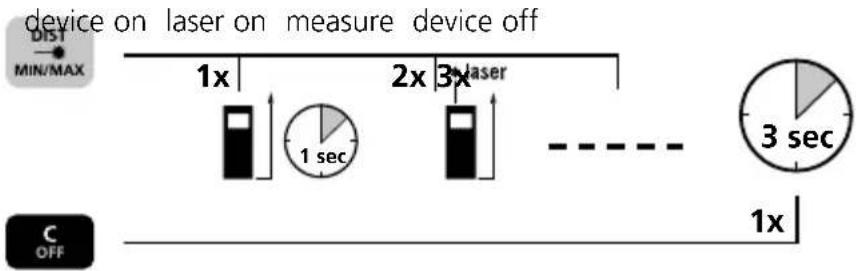
Switch on, measure and switch off:
Change unit of measure:
m / ft / inch / _ ' _ "


Delete the last measured value:

Change measurement point (reference):
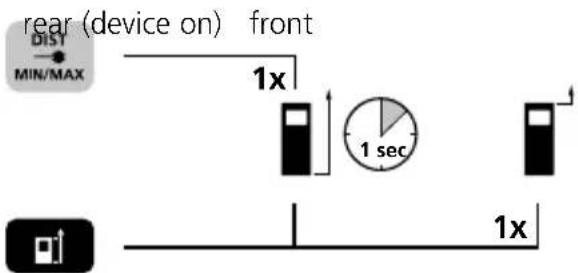
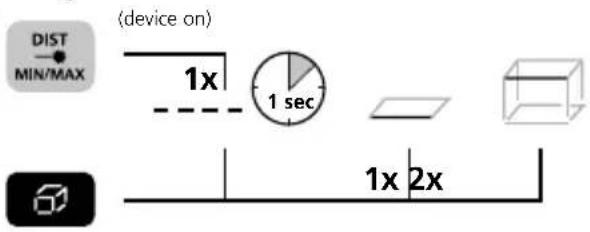
Change measurement function:
length area volume
Length measurement:
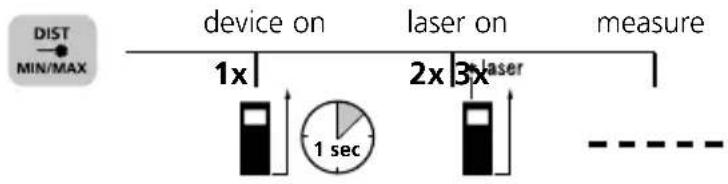
flowchart
graph LR
    A["device on"] --> B["1x"]
    B --> C["1 sec"]
    C --> D["2x"]
    D --> E["3x"]
    E --> F["measure"]
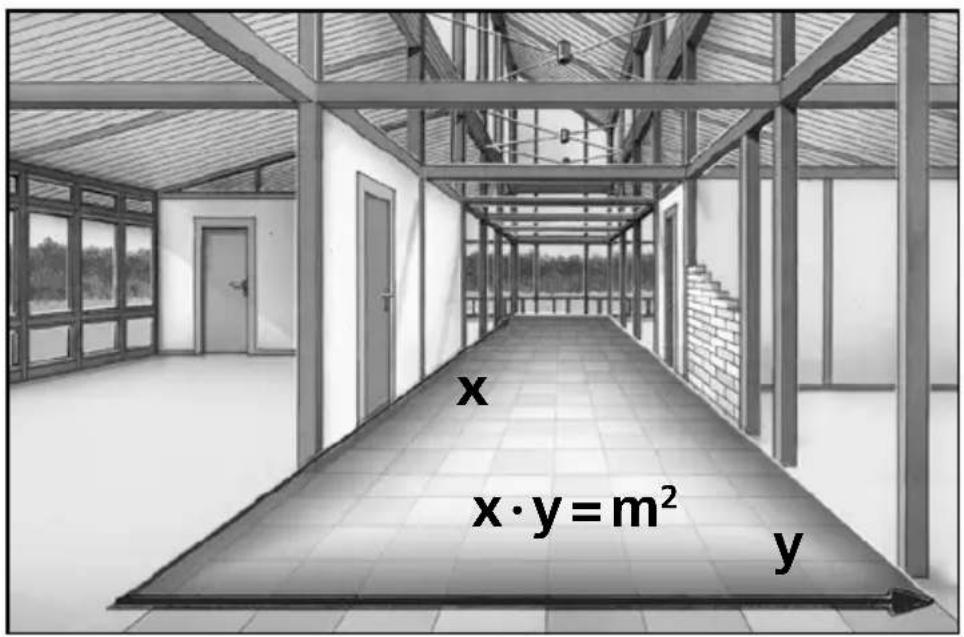
Area measurement:
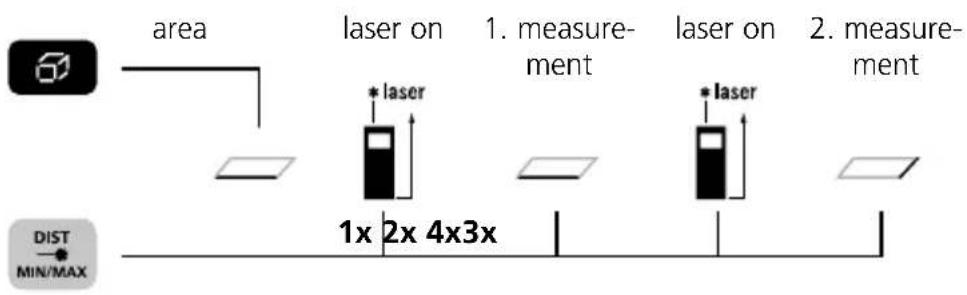
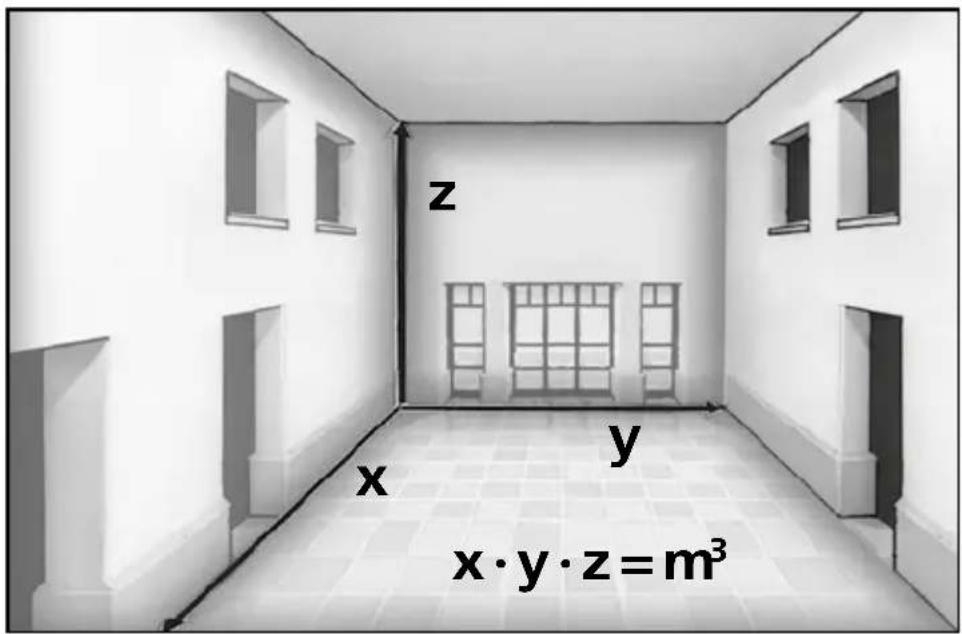
Volume measurement:
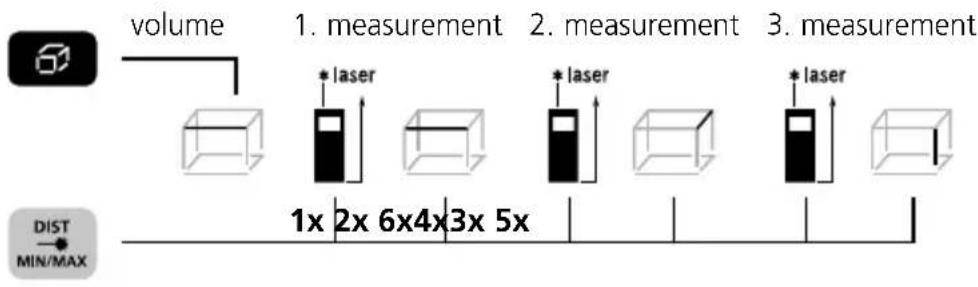
flowchart
graph LR
    A["Volume"] --> B["1. measurement"]
    B --> C["2. measurement"]
    C --> D["3. measurement"]
    D --> E["1x 2x 6x4x3x 5x"]
    style A fill:#f9f,stroke:#333
    style B fill:#ccf,stroke:#333
    style C fill:#ccf,stroke:#333
    style D fill:#ccf,stroke:#333
    style E fill:#fff,stroke:#333
min/max continuous measurement:
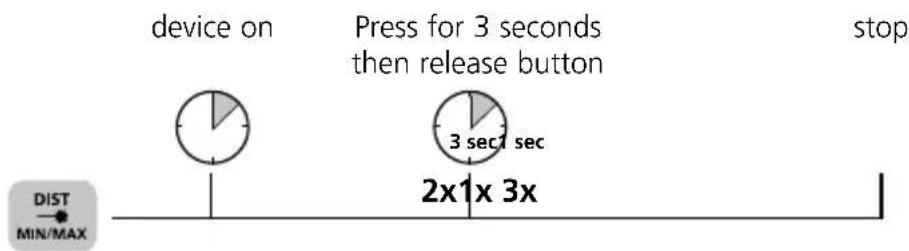
The LC display shows the max value, the min value and the current value.
Data transfer
The laser distance meter features a Bluetooth ^® function that enables wireless data transfer to mobile devices with a Bluetooth ^® interface (e.g. smartphone, tablet).
The system prerequisites for a Bluetooth®* connection are specified at www.laserliner.com
The device can set up a Bluetooth ^®* connection with Bluetooth 4.0 compatible devices.
The range is set to a maximum distance of 10 m from the terminal device and greatly depends on the ambient conditions such as the thickness and composition of walls, sources of interference as well as the transmit / receive properties of the terminal device.
* The Bluetooth® word mark and the logo are registered trademarks of Bluetooth SIG Inc.
Enable / disable Bluetooth®*:
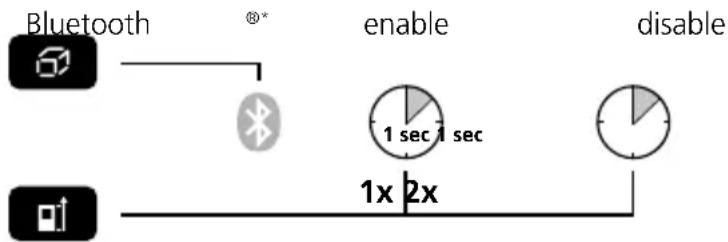
flowchart
graph LR
    A["Bluetooth"] --> B["Bluetooth"]
    B --> C["enable"]
    C --> D["1 sec 1 sec"]
    D --> E["disable"]
    F["1x 2x"] --> G["Line"]
When enabled the Bluetooth ^®* symbol appears on the display (g). When the function is active, a mobile device can connect by means of an app to the measuring device.
* The Bluetooth® word mark and the logo are registered trademarks of Bluetooth SIG Inc.
Application (app)
An app is required to use the Bluetooth®* function. You can download the app from the corresponding stores for the specific type of terminal device:


Make sure that the Bluetooth®* interface of the mobile device is activated.
After starting the app and activating the Bluetooth® function, a connection can be set up between a mobile device and the laser distance meter. If the app detects several active measuring devices, select the matching device.
This measuring device can be connected automatically the next time it is switched on.
* The Bluetooth® word mark and the logo are registered trademarks of Bluetooth SIG Inc.
Memory function:




View stored valuesor
Important notices
- The laser points to the location that will be measured. No objects may get into the laser's line of measurement.
- The device compensates the measurement for different room temperatures. Therefore allow the device a brief adaptation period when changing locations with large temperature differences.
- The device is only conditionally useable in outdoor areas and cannot be used in strong sunlight.
- The measurement results of outdoor measurements may be influenced or falsified by rain, fog and snow.
- In unfavourable conditions, e.g. with poorly reflecting surfaces, the maximum deviation may be greater than 3 mm.
- Carpeting, upholstery or curtains will not reflect the laser optimally. Measure to flat surfaces.
- Measurements made through glass (window panes) can falsify measurement results.
- An energy-saving function switches the device off automatically.
- Clean with a soft cloth. Water may not be allowed to penetrate the housing.
Technical Data (Subject to technical changes without notice)
| Inside measurement range 0.1 m | -40 m |
| Precision (typical)* ± 2 mm / 10 m | |
| Laser class 2 < 1 mW | |
| Laser wavelength 650 nm | |
| Power supply | 2 x AAA 1.5 Volt batteries |
| Dimensions (W x H x D) 43 x 110 | x 27 mm |
| Weight (incl. batteries) 100 g | |
| Automatic switch-off | 30 sec laser / 10 min device |
| Operating temperature -10°C – 40°C | |
| Storage temperature -20°C – 70°C | |
* measuring distance up to 10 m with strongly reflective target surface and at room temperature. The measurement deviation may increase by ± 0.2 mm/m for greater distances and under unfavourable measuring conditions such as strong sunlight or weakly reflective target surfaces.
Error codes:
Err101: Replace the battery
Err104: Calculation error
Err152: Temperature is too high: > 40°C
Err153: Temperature is too low: < 0°C
Err154: Outside the measuring range
Err155: Received signal too weak
Err156: Received signal too strong
Err157: Incorrect measurement or background is too bright
Err160: The device is moving too much to measure.
EU directives and disposal
This device complies with all necessary standards for the free movement of goods within the EU.
This product is an electric device and must be collected separately for disposal according to the European Directive on waste electrical and electronic equipment.
Further safety and supplementary notices at:
www.laserliner.com/info
Declaration of conformity
This product conforms to the stipulations of the Directives 2004/108/EC, 2014/30/EU (EMC), 2011/65/EU (RoHS) and 1999/5/EC (R&TTE).
Umarex GmbH & Co KG hereby declares compliance with the fundamental requirements and all relevant technical rules and regulations of the above directives and is therefore authorised to display the CE mark on the product.
Further information is available at www.laserliner.com or on request.




! Kontrollér, at Bluetooth®-interfacet i den mobile enhed er aktiveret.











Err101: Trocar as pilhas
Laserstrålning! Titta aldrig direkt in i laserstrålen! Laser klass 2 < 1 mW · 650 nm EN 60825-1:2014


Laserstråling! Ikke se inn i strålen! Laser klasse 2 < 1 mW · 650 nm EN 60825-1:2014
LC-displayet viser den høyeste verdien (maks.), den laveste verdien (min.) og den aktuelle verdien.
Dataoverføring

Pass på at Bluetooth®*.grensesnittet til det mobile sluttapparatet er aktivert.
The Ground Truth image displays a single, solid horizontal line. According to Rule 2 (UNDERSCORE & LINE RULES), if the GT contains lines used for stylistic emphasis or as background (like ruled paper), the OCR result must ignore them. The provided OCR content is "____", which consists of four underscores. This is incorrect because underscores are not equivalent to a solid line and are not permitted under the “Stylistic/Background Lines (Ignore)” rule. Outputting underscores for a stylistic line violates the rule and constitutes an error. Therefore, the OCR result is inconsistent with the Ground Truth.




Se på lagrede verdiereller
Viktig informasjon
Err155: Mottatt signal for svakt
Err156: Mottatt signal for sterkt


- DistanceMaster Compact Plus
- Compact laser distance meter for measuring length, area and volume indoors – with Bluetooth®\* interface
- DISPLAY:
- KEYPAD:
- General safety instructions
- Switch on, measure and switch off:
- Change unit of measure:
- Delete the last measured value:
- Change measurement point (reference):
- Change measurement function:
- Length measurement:
- Area measurement:
- Volume measurement:
- min/max continuous measurement:
- Data transfer
- Application (app)
- Memory function:
- Important notices
- Error codes:
- EU directives and disposal
- Declaration of conformity
- Dataoverføring
- Viktig informasjon
Brand : Laserliner
Model : DistanceMaster Compact Plus
Category : Rangefinder