Gentle Touch V980E - Thermometer Vicks - Free user manual and instructions
Find the device manual for free Gentle Touch V980E Vicks in PDF.



| Brand | Vicks |
| Model | Gentle Touch V980E |
| Product Type | Medical thermometer |
| Measurement Principle | By heat conduction behind the ear |
| Displayed Temperature Range | 34°C to 42.2°C (93.2°F to 108°F) |
| Measurement Time | Approximately 1 second |
| Calibration Accuracy | ±0.1°C (±0.2°F) |
| Display | LCD, resolution 0.1°C/°F |
| Temperature Scale | Celsius or Fahrenheit (adjustable) |
| Power Supply | 3V CR2032 lithium battery |
| Battery Life | 3 years or 500 measurements |
| Memory | Last 8 readings |
| Fever Indicator | Yes, by color code (green/yellow/red) |
| Measurement Area | Behind the ear (posterior auricular artery) |
| Operating Conditions | 10°C to 40°C, humidity ≤85% RH non-condensing |
| Storage Conditions | -20°C to 50°C |
| Cleaning | Clean lens with a soft cloth, do not immerse |
| Safety | Automatic shut-off after 60 seconds |
| Standards | EN 12470-3, EN 60601-1, EN ISO 14971, etc. |
| Warranty | Manufacturer warranty (see manual) |
| Battery Included | Yes |
| Usage | Household use only |
Frequently Asked Questions - Gentle Touch V980E Vicks
User questions about Gentle Touch V980E Vicks
0 question about this device. Answer the ones you know or ask your own.
Ask a new question about this device
Download the instructions for your Thermometer in PDF format for free! Find your manual Gentle Touch V980E - Vicks and take your electronic device back in hand. On this page are published all the documents necessary for the use of your device. Gentle Touch V980E by Vicks.
USER MANUAL Gentle Touch V980E Vicks
Gentle Touch Behind Ear Thermometer
natural_image
Close-up of a handheld electronic device with a curved handle and control buttons (no visible text or symbols)ENGLISH GB 8 CONTENTS
V980E
[GB] HOW TO TAKE A TEMPERATURE
4A
![Vicks Gentle Touch V980E - [GB] HOW TO TAKE A TEMPERATURE - 1](/content/2026/03/495826/images/e397f5c249bc4740bffcc2d91ec7d173aa37f5f34d6d3f59160437d37f2ce0af.jpg)
4B
![Vicks Gentle Touch V980E - [GB] HOW TO TAKE A TEMPERATURE - 2](/content/2026/03/495826/images/5b8ff1bfd12a0ca444f09139099ee2382bc8876c29effb74cbdd68b00194f0ea.jpg)
![Vicks Gentle Touch V980E - [GB] HOW TO TAKE A TEMPERATURE - 3](/content/2026/03/495826/images/85a98543d9717f2b27c1c0f05fb2cfa4b38716f86eb78eb5e6c19da96323d953.jpg)
![Vicks Gentle Touch V980E - [GB] HOW TO TAKE A TEMPERATURE - 4](/content/2026/03/495826/images/baa48225a828e9e944c80b08b180d2808011d7b234e1c93d41c7da20638193cd.jpg)
![Vicks Gentle Touch V980E - [GB] HOW TO TAKE A TEMPERATURE - 6](/content/2026/03/495826/images/f04581e813a081f6a34ce9e33a16a4a234c172f5c833a132c8cdcd432f3228b8.jpg)
![Vicks Gentle Touch V980E - [GB] HOW TO TAKE A TEMPERATURE - 7](/content/2026/03/495826/images/4f08f94f20a30968282b15d027a4d75b031149c3ee83adfab4dd300c440a0803.jpg)
5
![Vicks Gentle Touch V980E - [GB] HOW TO TAKE A TEMPERATURE - 8](/content/2026/03/495826/images/dbd3f01f1a15eb68c40807ea84e45562b0be71ea7aeb2e5623b17b4aa3f0b7b5.jpg)
6
![Vicks Gentle Touch V980E - [GB] HOW TO TAKE A TEMPERATURE - 9](/content/2026/03/495826/images/59a1dd6f46a7f9959ff73ffdaa6b2b82c709f4459590be2e4fd23ed796e9e28e.jpg)
![Vicks Gentle Touch V980E - [GB] HOW TO TAKE A TEMPERATURE - 10](/content/2026/03/495826/images/a877f78e4aad6b6e5de8dfbc6ba108851bfb9a440dfeafc453749d68e545ca9e.jpg)
[GB] HOW TO CLEAN
[DE] Reinigung
[ES] Cómo darle limpieza
[FI] Puhdistaminen
[FR] Nettoyage
[GR] Καθαρισμός
[HR] Kako promijeniti bateriju
[IT] Misurazione della temperatura
[NL] Reiniging
[PL] Sposób czyszczenia
[PT] Como limpar
[RO] Cum se curata
[SE] Hur man rengör
[SI] Čiščenje
[TR] Temizleme yöntemi
[SA] كيمية التنظيف
①
![Vicks Gentle Touch V980E - [GB] HOW TO CLEAN - 1](/content/2026/03/495826/images/9a44d5d50d4d21dff7c461df847ffe426d60739b6f4f317f240126f80f1ab7f7.jpg)
②
![Vicks Gentle Touch V980E - [GB] HOW TO CLEAN - 2](/content/2026/03/495826/images/9e68c6bcd51548f0b035d3c1e6b8cd30db86b96da41498b92e958d3ee1b2b43a.jpg)
③
![Vicks Gentle Touch V980E - [GB] HOW TO CLEAN - 3](/content/2026/03/495826/images/78ba59a4ea7bd3bda9c0007d427772dcb72c7524795834f4b897ebaeb96a9539.jpg)
④
![Vicks Gentle Touch V980E - [GB] HOW TO CLEAN - 4](/content/2026/03/495826/images/a8d18863a61ae7de2d98ed4268832e18f3500b86a63269c9bf38be3aecf10054.jpg)
⑤
![Vicks Gentle Touch V980E - [GB] HOW TO CLEAN - 5](/content/2026/03/495826/images/b7e69b232a03348cf247d77150696383c3d17e451fa3fc68f77f5392f9d9dd98.jpg)
⑥
![Vicks Gentle Touch V980E - [GB] HOW TO CLEAN - 6](/content/2026/03/495826/images/dcf054f9840172662df0de99cd564fcd9c049cb28a185b0c71d8d07b0b86c2f3.jpg)
⑦
![Vicks Gentle Touch V980E - [GB] HOW TO CLEAN - 7](/content/2026/03/495826/images/6c9897a3231c2381f1f6bc007274d5a37257575db384e4aa770dbc1104dacfbb.jpg)
V980E
[GB] HOW TO CHANGE THE BATTERY
[DE] Batterie austauschen
[ES] Cómo cambiar la pila
[FI] Pariston vaihtaminen
[FR] Remplacement de la pile
[GR] Λλλαγή μπαταρίας
[HR] Kako čistiti
[IT] Selezione della scala di temperatura
[NL] Vervangen van de batterij
[PL] Sposób wymiany baterii
[PT] Mudar a escala da temperatura
[RO] Cum de a schimba bateria
[SE] Hur man byter batteri
[SI] Menjava baterije
[TR] Pili değiştirme yöntemi
[SA] كيمينة تغير البطارية
①
![Vicks Gentle Touch V980E - [GB] HOW TO CHANGE THE BATTERY - 1](/content/2026/03/495826/images/806acbbe1889f4b5ee2686848930df471c83a167866ba3f9048b69a6e9e3c01c.jpg)
②
![Vicks Gentle Touch V980E - [GB] HOW TO CHANGE THE BATTERY - 2](/content/2026/03/495826/images/7693c53e7700bf6faa188ad4410cdbdb4a5681c8fcfac4a5d0bcef29677d3877.jpg)
③
![Vicks Gentle Touch V980E - [GB] HOW TO CHANGE THE BATTERY - 3](/content/2026/03/495826/images/bbe7bbc7f26f854315143f65ec502cbfd5ef474167f64081b7a28edba572f4fa.jpg)
④
![Vicks Gentle Touch V980E - [GB] HOW TO CHANGE THE BATTERY - 4](/content/2026/03/495826/images/81e04c00e41c5d33ab90798c2d20b43bdcbf0025cf8bd5520fe0d39554040ddf.jpg)
natural_image
Line drawing of hands holding a small object with a plus sign, no text or symbols present⑤
![Vicks Gentle Touch V980E - [GB] HOW TO CHANGE THE BATTERY - 5](/content/2026/03/495826/images/e633622a18a53836cd9245b0bf6a26e96a6446568e03ba5880b1851817fb4051.jpg)
natural_image
Line drawing of a hand pressing down on a curved object with a plus sign, no text or symbols present⑥
![Vicks Gentle Touch V980E - [GB] HOW TO CHANGE THE BATTERY - 6](/content/2026/03/495826/images/c43d809a739479d245dde274aae9dd1d4ba1ac9d34822577aede2b80484f36f1.jpg)
⑦
![Vicks Gentle Touch V980E - [GB] HOW TO CHANGE THE BATTERY - 7](/content/2026/03/495826/images/3877b7494f138d51a7f641780997f55c1c670988f7a0660a8db96ce80a3fb325.jpg)
⑧
![Vicks Gentle Touch V980E - [GB] HOW TO CHANGE THE BATTERY - 8](/content/2026/03/495826/images/b98f2cf1545ffd8f60b4cb48b7bb495e24d680816eb906991567c314a9596ef1.jpg)
⑨
![Vicks Gentle Touch V980E - [GB] HOW TO CHANGE THE BATTERY - 9](/content/2026/03/495826/images/5fa6a815bb7bcc2acb0c922e7a66e919ba3a4f345b934713ff2572894879a9f6.jpg)
[GB] CHANGING THE TEMPERATURE SCALE
natural_image
Line drawing of hands holding a small object with a curved line, no text or symbols present⑥
![Vicks Gentle Touch V980E - [GB] CHANGING THE TEMPERATURE SCALE - 1](/content/2026/03/495826/images/66e2416f9654b515fe96c9e7526fb0b8922a55e2bc16bdf35ce192f87d8b2f02.jpg)
⑦
![Vicks Gentle Touch V980E - [GB] CHANGING THE TEMPERATURE SCALE - 2](/content/2026/03/495826/images/020a97ae90119aede35f3950429e0efd9f7b2bfb3f01637c21f1e9ffe95dd479.jpg)
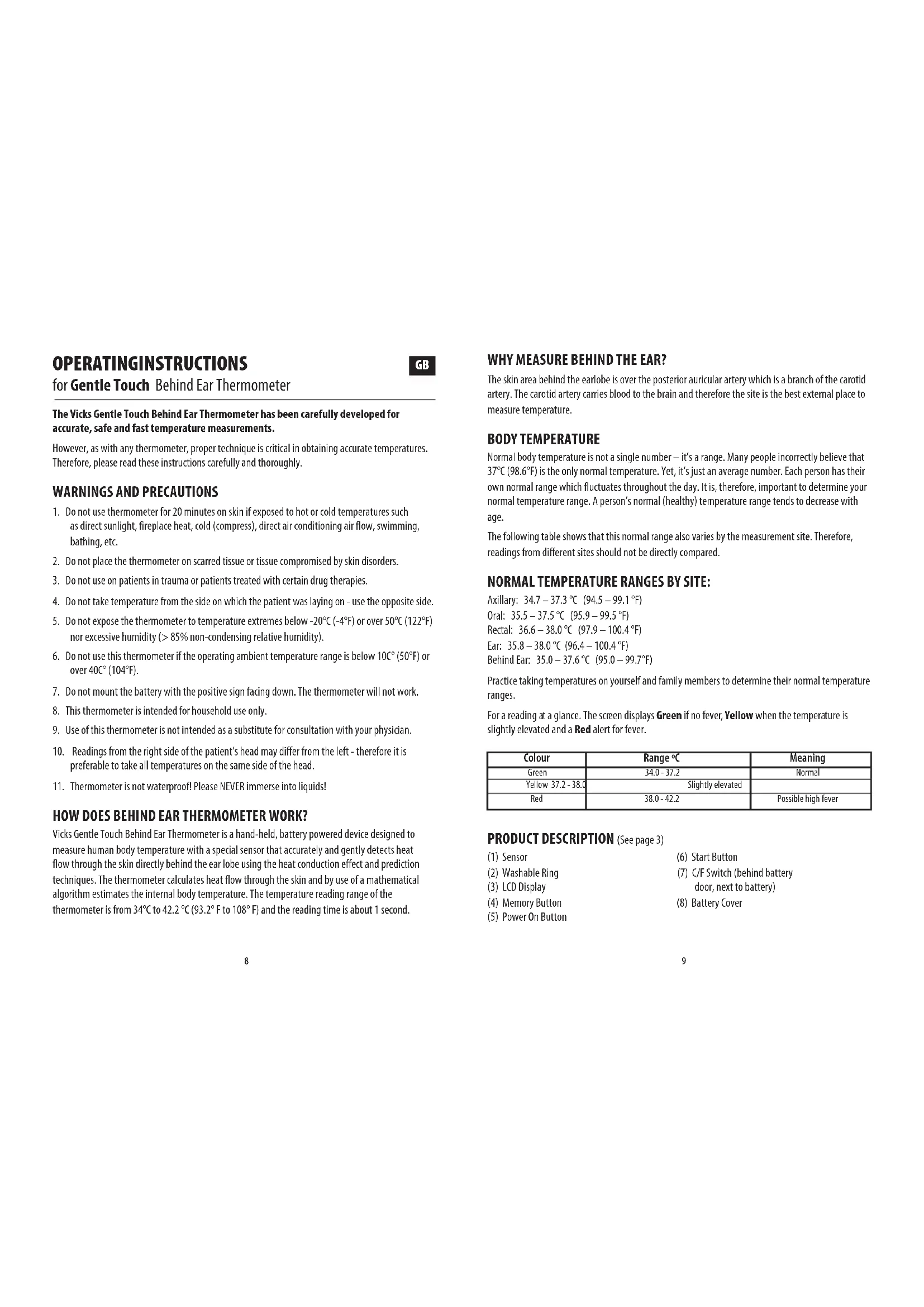
OPERATINGINSTRUCTIONS
for Gentle Touch Behind Ear Thermometer
GB
The Vicks Gentle Touch Behind Ear Thermometer has been carefully developed for accurate, safe and fast temperature measurements.
However, as with any thermometer, proper technique is critical in obtaining accurate temperatures. Therefore, please read these instructions carefully and thoroughly.
WARNINGS AND PRECAUTIONS
- Do not use thermometer for 20 minutes on skin if exposed to hot or cold temperatures such as direct sunlight, fireplace heat, cold (compress), direct air conditioning air flow, swimming, bathing, etc.
- Do not place the thermometer on scarred tissue or tissue compromised by skin disorders.
- Do not use on patients in trauma or patients treated with certain drug therapies.
- Do not take temperature from the side on which the patient was laying on - use the opposite side.
- Do not expose the thermometer to temperature extremes below -20^ ( -4^ ) or over 50^ ( 122^ ) nor excessive humidity ( >85% non-condensing relative humidity).
- Do not use this thermometer if the operating ambient temperature range is below 10^ ( 50^ ) or over 40^ ( 104^ ).
- Do not mount the battery with the positive sign facing down. The thermometer will not work.
- This thermometer is intended for household use only.
- Use of this thermometer is not intended as a substitute for consultation with your physician.
- Readings from the right side of the patient's head may differ from the left - therefore it is preferable to take all temperatures on the same side of the head.
- Thermometer is not waterproof! Please NEVER immerse into liquids!
HOW DOES BEHIND EAR THERMOMETER WORK?
Vicks Gentle Touch Behind Ear Thermometer is a hand-held, battery powered device designed to measure human body temperature with a special sensor that accurately and gently detects heat flow through the skin directly behind the ear lobe using the heat conduction effect and prediction techniques. The thermometer calculates heat flow through the skin and by use of a mathematical algorithm estimates the internal body temperature. The temperature reading range of the thermometer is from 34^ C to 42.2^ C ( 93.2^ F to 108^ F) and the reading time is about 1 second.
WHY MEASURE BEHIND THE EAR?
The skin area behind the earlobe is over the posterior auricular artery which is a branch of the carotid artery. The carotid artery carries blood to the brain and therefore the site is the best external place to measure temperature.
BODY TEMPERATURE
Normal body temperature is not a single number – it's a range. Many people incorrectly believe that 37^ C ( 98.6^ F) is the only normal temperature. Yet, it's just an average number. Each person has their own normal range which fluctuates throughout the day. It is, therefore, important to determine your normal temperature range. A person's normal (healthy) temperature range tends to decrease with age.
The following table shows that this normal range also varies by the measurement site. Therefore, readings from different sites should not be directly compared.
NORMAL TEMPERATURE RANGES BY SITE:
Axillary: 34.7 – 37.3 °C (94.5 – 99.1 °F)
Oral: 35.5 - 37.5 °C (95.9 - 99.5 °F)
Rectal: 36.6 - 38.0 °C (97.9 - 100.4 °F)
Ear: 35.8 - 38.0 °C (96.4 - 100.4 °F)
Behind Ear: 35.0 – 37.6 °C (95.0 – 99.7°F)
Practice taking temperatures on yourself and family members to determine their normal temperature ranges.
For a reading at a glance. The screen displays Green if no fever, Yellow when the temperature is slightly elevated and a Red alert for fever.
| Colour | Range °C | Meaning |
| Green | 34.0 - 37.2 | Normal |
| Yellow 37.2 - 38.0 | Slightly elevated | |
| Red | 38.0 - 42.2 | Possible high fever |
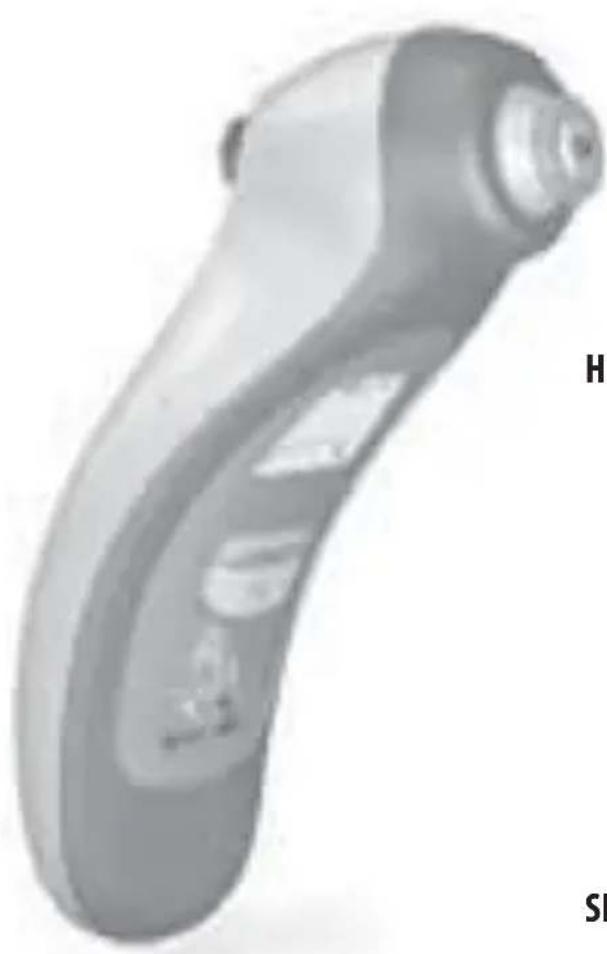
PRODUCT DESCRIPTION (See page 3)
(1) Sensor
(6) Start Button
(2) Washable Ring
(7) C/F Switch (behind battery door, next to battery)
(3) LCD Display
(4) Memory Button
(5) Power On Button
(8) Battery Cover
FIRST TIME USE
- Remove protective label from the LCD display and discard.
- Pull plastic strip from battery compartment and discard.
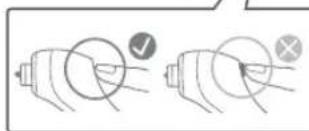
HOW TO TAKE A TEMPERATURE (See page 4)
- Press the Power Button.
- Wait for OK to appear on the LCD display.
- Place the yellow ring of the product behind the ear lobe.
- While holding thermometer still in that spot, press steadily and hold the Start Button. When the unit beeps, release Start Button. (Takes about one second.)
5.Temperaturedisplays. - Wait 10 seconds for the count-down to take additional temperatures.
- Thermometer will shut off automatically after 60 seconds.
TEMPERATURE TAKING HINTS
• External factors may influence accuracy, including when an individual has:
– been recently swimming or bathing.
– been lying on the side where the temperature is taken from. Never take temperature from the side on which the patient was laying on. Use the opposite side.
– been recently exposed to hot or cold air temperatures. Wait at least 20 minutes after the patient was moved to a room with normal operating conditions.
- Readings from the right side of the patient's head may differ from the readings taken on the left side of the head. Therefore, preferably take all temperatures on the same side of the head.
- Moving the product whilst it is taking the temperature may affect the reading.
MEMORY MODE
Vicks Gentle Touch Behind Ear Thermometer stores the last 8 temperature readings.
After turning power on, the last temperature is always briefly displayed.
- To retrieve the last 8 readings, press the "M" Button when the thermometer has
shown on the Display. The Display will show the most recent temperature with the corresponding reading number, (M:1 for the most recent). Pressing the "M" Button will show additional readings. - The Memory mode is exited either automatically if the "M" Button is no longer pushed or by pressing the Power Button.
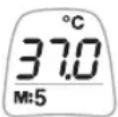
CARE AND CLEANING
To clean the sensor, please follow steps from page 5.
- Do not use abrasive cleaners.
- Never immerse this thermometer in water or any other liquid.
- Store thermometer in a dry location at room temperature free from dust and contamination and away from direct sunlight.
LOW BATTERY INDICATOR AND REPLACING BATTERIES
- When the Low Battery symbol appears on the Display, the thermometer is still capable of taking about 30 readings before the battery will be exhausted.
The thermometer takes one 3V lithium battery (CR2032).
To change the battery, please follow instructions from page 6.
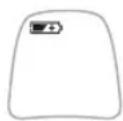
CHANGING THE TEMPERATURE SCALE
Your thermometer is set at the factory to display Celsius (°C) temperature measurements. If you wish to switch to Fahrenheit (°F) and/or back from Fahrenheit to Celsius, please see illustrations on page 7.
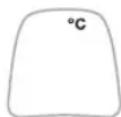
TROUBLE-SHOOTING
| LCD Display Possible Cause Solution | ||
 | ·Lowbattery· Please check if the battery has been loaded correctly. Replace the battery. | |
| ·Productdoesn't turn off | ·Internal malfunction · Remove and replace battery | |
 | ·Patient or thermometer was moved from a cold environment.·Thermometer probe was recently wet cleaned. | ·Wait at least 20 minutes before retaking temperature.·Wait at least 5 minutes after cleaning before retaking temperature. |
 | ·Patient or thermometer was moved from a warm environment.·Patient was laying on the same side where measurement was taken. | ·Wait at least 20 minutes before retaking temperature.·Measure temperature from the opposite side. |
 | ·Internal malfunction·Restartthermometer. | ·The ERR message always comes with a number. If restarting the thermometer does not solve the issue, note this number, call your authorized Kaz Service Center to inform them about the ERR. |
 | Thermometer was moved during temperature taking processThermometer was not in the correct position during the temperature taking processShort measurement timeStart button was pressed too slow | Hold thermometer still and retake measurementMake sure yellow ring of thermometer is behind ear lobe and retake measurement.Make sure that the Start Button is kept pressed until the beep sounds.Retake the temperature and ensure the start button is pressed down steadily |
PRODUCT SPECIFICATIONS
Displayed temperature range: 34-42.2 °C (93.2-108 °F)
Measurement time: 1 second
Operating ambient temperature range: 10-40 °C (50-104 °F)
Display resolution: 0.1 °C or °F
Calibration Accuracy: ± 0.1 °C (0.2 °F)
Battery life: 3 years or 500 measurements

equipment
Subject to change without notice.
This product conforms to the provisions of the EC directive 93/42/EEC (Medical Device Directive).
MEDICAL ELECTRICAL EQUIPMENT needs special precautions regarding EMC.
For detailed description of EMC requirements please contact an authorized local Service Centre (See Authorized Service Centers card).
Portable and mobile RF communications equipment can affect MEDICAL ELECTRICAL EQUIPMENT.

e do not dispose of the product in the household waste at the end of it useful
life. To protect the environment, dispose of empty batteries at appropriate collection sites according to national or local regulations.

To obtain service within the guarantee period, please call the Kaz Service Center of your country (see Guarantee Card).
THIS APPLIANCE CONFORMS TO THE FOLLOWING STANDARDS:
Standard Reference Edition Title
EN 12470-3 2000 Clinical thermometers - Part 3: Performance of compact electrical thermometers (non-predictive and predictive) with maximum device
EN 60601-1 2006 Medical electrical equipment – Part 1: General requirements for basic safety and essential performance.
EN ISO 14971 2007 Medical devices – Application of risk management to medical devices.
EN ISO 10993-1 2003 Biological evaluation of medical devices – Part 1: Evaluation and Testing.
EN 60601-1-2 2007 Medical electrical equipment – part 1-2: General requirements for basic safety and essential performance – Collateral standard: electromagnetic compatibility – Requirements and tests
EN 62304 2006 Medical device software — Software life-cycle processes
EN 980 2008 Symbols for use in labeling of medical devices
EN 1041 2008 Information supplied by the manufacturer of medical devices
ASTM 1965-03 2003 Standard specifications for Infrared Thermometers for Intermittent Determination of Patient Temperature
ASTM 1112-06 2006 Standard specifications for Electronic Thermometers for Intermittent Determination of Patient Temperature
GEBRAUCHSANWEISUNG
TEMPERATURA CORPORAL
Rectal: 36.6 a 38.0 °C (97.9 a 100.4 °F)
Oído: 35.8 a 38.0 °C (96.4 a 100.4 °F)
Detrás de la oreja: 35.0 a 37.6 °C (95.0 a 99.7°F)
TUOTTEEN TEKNISET TIEDOT
ASTM 1965-03 2003 Standard specifications for Infrared Thermometers for Intermittent Determination of Patient Temperature
ASTM 1112-06 2006 Standard specifications for Electronic Thermometers for Intermittent Determination of Patient Temperature
MODE D'EMPLOI
TEMPÉRATURE DU CORPS
Mond: 35.5 – 37.5 °C (95.9 – 99.5 °F)
Rectum: 36.6 – 38.0 °C (97.9 – 100.4 °F)
Oor: 35.8 - 38.0 °C (96.4 - 100.4 °F)
Achter oor: 35.0 – 37.6 °C (95.0 – 99.7°F)
ASTM 1965-03 2003 Standard specifications for Infrared Thermometers for Intermittent Determination of Patient Temperature
ASTM 1112-06 2006 Standard specifications for Electronic Thermometers for Intermittent Determination of Patient Temperature
INSTRUKCJA OBSŁUGI
termometru zausznego Gentle Touch
PL
TEMPERATURA CORPORAL
Rectal: 36.6 – 38.0 °C (97.9 – 100.4 °F)
In ureche: 35.8 – 38.0 °C (96.4 – 100.4 °F)
În spatele urechii: 35.0 – 37.6 °C (95.0 – 99.7°F)
SKÖTSEL- OCH RENGÖRING
Manufactured by Kaz USA, Inc. under license from The Procter and Gamble Company, Cincinnati, Ohio - USA. Vicks is a registered trademark of The Procter and Gamble Company.
Southborough, MA 01772

www.kaz-europe.com

See the instruction for use.
European Authorized representative:
Kaz Europe SA
Place Chauderon 18
CH - 1003 Lausanne
Switzerland
Ithalatçi:
Sistem Ltd. Ortaklar Cad.
Bahceler Sok No: 18/7
Mecidyeköy ist. Müsteri

- Gentle Touch Behind Ear Thermometer
- V980E
- [GB] HOW TO TAKE A TEMPERATURE
- [GB] HOW TO CLEAN
- [GB] HOW TO CHANGE THE BATTERY
- [GB] CHANGING THE TEMPERATURE SCALE
- OPERATINGINSTRUCTIONS
- for Gentle Touch Behind Ear Thermometer
- The Vicks Gentle Touch Behind Ear Thermometer has been carefully developed for accurate, safe and fast temperature measurements.
- WARNINGS AND PRECAUTIONS
- HOW DOES BEHIND EAR THERMOMETER WORK?
- WHY MEASURE BEHIND THE EAR?
- BODY TEMPERATURE
- NORMAL TEMPERATURE RANGES BY SITE:
- PRODUCT DESCRIPTION (See page 3)
- FIRST TIME USE
- HOW TO TAKE A TEMPERATURE (See page 4)
- TEMPERATURE TAKING HINTS
- MEMORY MODE
- CARE AND CLEANING
- LOW BATTERY INDICATOR AND REPLACING BATTERIES
- CHANGING THE TEMPERATURE SCALE
- PRODUCT SPECIFICATIONS
- equipment
- THIS APPLIANCE CONFORMS TO THE FOLLOWING STANDARDS:
- Standard Reference Edition Title
- GEBRAUCHSANWEISUNG
- TEMPERATURA CORPORAL
- TUOTTEEN TEKNISET TIEDOT
- MODE D'EMPLOI
- TEMPÉRATURE DU CORPS
- INSTRUKCJA OBSŁUGI
- termometru zausznego Gentle Touch
- SKÖTSEL- OCH RENGÖRING
- European Authorized representative:
Brand : Vicks
Model : Gentle Touch V980E
Category : Thermometer