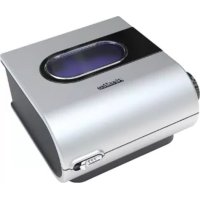
H5i - Humidifier ResMed - Free user manual and instructions
Find the device manual for free H5i ResMed in PDF.

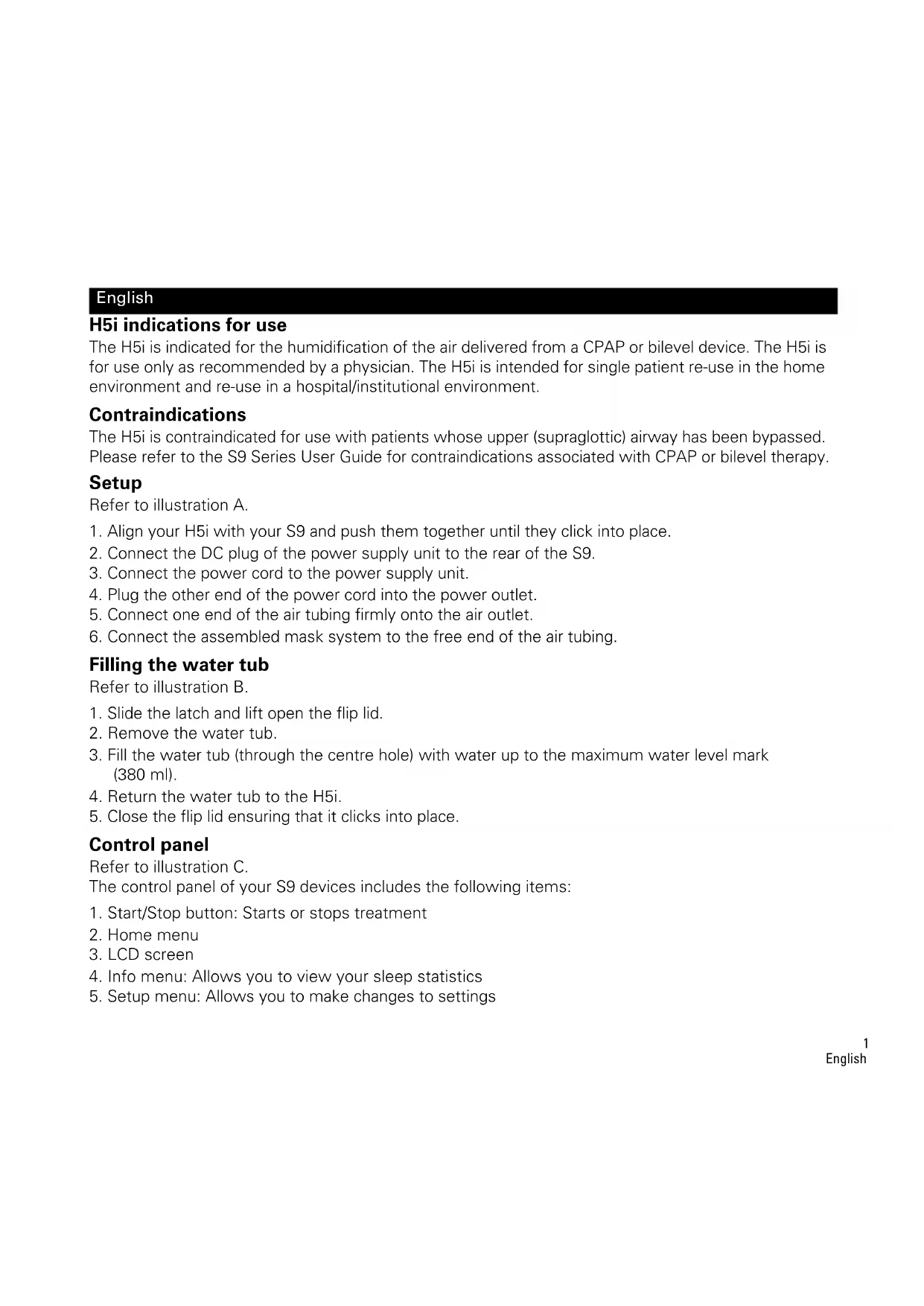


| Product Type | Heated Humidifier |
| Brand | ResMed |
| Model | H5i |
| Dimensions (Docking Station + Water Tub) | 153 x 145 x 86 mm |
| Weight (Station + Standard Empty Tub) | 0.69 kg |
| Weight (Station + Cleanable Empty Tub) | 0.79 kg |
| Water Tub Capacity (Max) | 380 ml |
| Power Supply | ResMed 90W DC Power Supply |
| Maximum Heated Plate Temp | 65 °C (cutout at 74 °C) |
| Maximum Heated Air Temp | ≤ 41 °C |
| Humidity Setting | OFF to 6 |
| Preheat | Yes (press and hold button for 3 sec) |
| Compatibility | S9 Series CPAP/VPAP devices |
| Electrical Classification | IEC 60601-1 Class II, Type BF |
| Operating Temperature | +5 °C to +35 °C |
| Operating Humidity | 10% to 95% non-condensing |
| Storage/Transport Temperature | -20 °C to +60 °C |
| Warranty | 1 year (humidifier and cleanable tub) |
| Maintenance | Regular cleaning of tub with warm water; do not use alcohol, bleach, moisturizing soaps |
| Contraindications | Tracheostomized or intubated patients |
Frequently Asked Questions - H5i ResMed
User questions about H5i ResMed
0 question about this device. Answer the ones you know or ask your own.
Ask a new question about this device
Download the instructions for your Humidifier in PDF format for free! Find your manual H5i - ResMed and take your electronic device back in hand. On this page are published all the documents necessary for the use of your device. H5i by ResMed.
USER MANUAL H5i ResMed
Manufacturer: ResMed Pty Ltd 1 Elizabeth Macarthur Drive Bella Vista NSW 2153 Australia.
See www.resmed.com for other ResMed locations worldwide. For patent information, see www.resmed.com/ip.
S9, H5i and ClimateLine are trademarks of ResMed Pty Ltd. S9 and ClimateLine are registered in U.S. Patent and Trademark
Office. © 2017 ResMed.368881/2 2017-09
C∈0123
English
H5i indications for use
The H5i is indicated for the humidification of the air delivered from a CPAP or bilevel device. The H5i is for use only as recommended by a physician. The H5i is intended for single patient re-use in the home environment and re-use in a hospital/institutional environment.
Contraindications
The H5i is contraindicated for use with patients whose upper (supraglottic) airway has been bypassed. Please refer to the S9 Series User Guide for contraindications associated with CPAP or bilevel therapy.
Setup
Refer to illustration A.
- Align your H5i with your S9 and push them together until they click into place.
- Connect the DC plug of the power supply unit to the rear of the S9.
- Connect the power cord to the power supply unit.
- Plug the other end of the power cord into the power outlet.
- Connect one end of the air tubing firmly onto the air outlet.
- Connect the assembled mask system to the free end of the air tubing.
Filling the water tub
Refer to illustration B.
- Slide the latch and lift open the flip lid.
- Remove the water tub.
- Fill the water tub (through the centre hole) with water up to the maximum water level mark (380 ml).
- Return the water tub to the H5i.
- Close the flip lid ensuring that it clicks into place.
Control panel
Refer to illustration C.
The control panel of your S9 devices includes the following items:
- Start/Stop button: Starts or stops treatment
- Home menu
- LCD screen
- Info menu: Allows you to view your sleep statistics
-
Setup menu: Allows you to make changes to settings
-
Push dial: Turning the dial allows you to scroll through the menu and change settings. Pushing the dial allows you to enter into a menu and confirm your choice.
Adjusting humidity level
Refer to illustration D.
Ranging from OFF to 6, you can adjust the humidity level at any time to find the setting that is most comfortable for you. To adjust your level of humidity:
- From your HOME screen, turn (Push Dial) until the HUMIDITY LEVEL screen is displayed in blue.
- Press . The selection is highlighted in orange.
- Turn until the humidity level that you require is displayed.
- Press to confirm your choice.
Warming the H5i
The warm-up feature is used to pre-heat the water before starting treatment.
To start warming:
- Navigate to the humidity level icon.
- Push and hold for three seconds. The Warming Up status bar is displayed. You can stop warm-up at any time by pressing for at least three seconds. You can start treatment at any time by pressing (Start/Stop).
Note: In order to assist the heater plate in cooling, your S9 device will continue to blow air for up to an hour after treatment has stopped. However, you can unplug the device from the power outlet at any time and allow the heater plate to cool without air flow.
Getting started
- Make sure your S9 and H5i are connected and the water tub is filled to the maximum water level mark.
- Adjust the humidification level if required.
- Fit your mask as described in your mask user guide.
- To start therapy, simply breathe into the mask and/or press
- Lie down and arrange the air tubing so that it is free to move if you turn in your sleep.
- To stop treatment at any time, remove your mask and/or press
Notes:
- If your clinician has enabled SmartStart your device will start automatically when you breathe into the mask and stop automatically when you remove the mask.
- Once therapy has started a treatment screen is displayed.
Cleaning and maintenance
Disassembling the H5i
Refer to illustration E.
- Slide the latch.
- Lift open the flip lid.
- Remove the water tub.
- Discard any excess water from the water tub.
- Unclip all four side latches.
- Pull apart the tub lid, plate and base.
Daily:
- Wash the disassembled tub lid, plate and base in warm water using a mild detergent.
- Rinse thoroughly in clean water and allow them to dry away from direct sunlight.
Note: The disassembled tub lid, plate and base may also be washed in a dishwasher on the delicate or glassware cycle (top shelf only).
Monthly:
- Peel the flip lid seal from the flip lid and wash it in warm water using a mild detergent.
- Wipe the exterior of the H5i with a damp cloth and mild detergent.
Reassembling the H5i:
- Place the plate back onto the base ensuring that the maximum water level mark faces up.
- Place the tub lid back onto the plate/base ensuring that the centre holes are aligned.
- Clip all four side latches.
- Fill the water tub and return the water tub to the H5i.
- Close the flip lid ensuring that it clicks into place.
Troubleshooting
If there is a problem, try the following suggestions. If the problem cannot be solved, contact your equipment supplier or ResMed. Do not attempt to open these devices.
Problem/Possible cause Solution
No display
Power is not connected. Ensure the power cable is connected and the power outlet (if available) is on.
The DC plug is partially inserted into the Fully insert the DC plug. back of the device.
Problem/Possible cause Solution
The S9 and H5i are not connected Ensure that the S9 and H5i are securely attached. correctly.
Insufficient air delivered from the device
The S9 is not working correctly. See the Troubleshooting section of the S9 Series User Guide.
Air tubing is not connected properly. Check air tubing.
Air tubing is blocked, pinched or Unblock or free the air tubing. Check the air tubing for punctured. punctures.
The H5i flip lid is not latched correctly. Close the flip lid ensuring that it clicks into place.
The H5i flip lid seal is not fitted Make sure the flip lid seal is facing the right way up and correctly. fitted securely.
Incorrect air tubing selected. If you are using the SlimLine or Standard air tubing ensure that you have the correct air tubing selected via the menu.
Displays error message: Heated tube fault, replace tube
Device has been left in a hot environment. Allow to cool before re-use. Disconnect the power cord and then reconnect it to restart the device.
There is a fault in your ClimateLine or Discontinue using your ClimateLine or ClimateLine MAX air tubing and contact your clinician/service provider. Use Standard or SlimLine tubing in the interim.
Displays error message: Humidifier fault, replace humidifier
There is a fault in your H5i heated humidifier. Discontinue using your H5i and contact your clinician/ service provider.
Device has been left in a hot environment.
Refilling the humidifier with cold water Allow the humidifier to cool before re-filling.
Filling the humidifier with ice cold water Use room temperature water. on a warm day or with hot water.
Displays error message: Tube blocked, please check your tube
Air tubing is blocked. Check your air tubing and remove any blockages.
| Problem/Possible cause | Solution |
| Displays error message: High leak, please check system setup and all connections | |
| There is excessive leak. Adjust position of mask and headgear.Air tubing is not connected properly. Connect firmly at both ends. | |
| The H5i flip lid is not latched correctly. Close the flip lid ensuring that it clicks into place. | |
| Displays error message: Please close H5i flip lid, attach tube and press any key | |
| H5i flip lid is not closed. Close the flip lid ensuring that it clicks into place.Air tubing is not connected properly. Connect firmly at both ends. | |
| Water splashing on your face from the H5i | |
| The water tub is overfilled. Check that the water level is below the maximum water level mark. | |
| Condensation is forming in the air tube and mask. | Turn the H5i or relative humidity setting down via the menu. |
| Leaking water tub | |
| The water tub may be damaged or cracked. | Contact your service provider for a replacement. |
| The cleanable water tub is not assembled correctly. | Check for damage and reassemble the cleanable water tub correctly. |
| Air feels too warm/cold in the mask | |
| The temperature of the ClimateLine or ClimateLine MAX air tubing is set too high/low. | Turn up/down the heated tubing temperature via the menu. |
| Technical specifications | |
| Maximum heater plate temperature 65°C | |
| Temperature cut-out 74°C | |
| Maximum gas temperature ≤41°C | |
| Nominal dimensions (L x W x H) Docking station and water tub: 153 mm x 145 mm x 86 mm | |
| Weight (Standard water tub) Docking station and unfilled water tub 0.69 kg | |
| Weight (Cleanable water tub) Docking station and unfilled water tub 0.79 kg | |
| Water capacity To maximum fill line 380 mL | |
| Docking station | Flame retardant engineering thermoplastic, aluminium |
Cleanable water tub Injection molded plastic, stainless steel and silicone seal
Standard water tub Injection molded plastic, aluminium and thermoplastic elastomer
Operating temperature +5^ to +35^
Operating humidity 10-95% non-condensing
Storage and transport temperature -20°C to +60°C
Storage and transport humidity 10-95% non-condensing
ClimateLine air tubing Flexible plastic and electrical components, 2m 15 mm inner diameter
ClimateLine MAX air tubing Flexible plastic and electrical components, 1.9 m, 19 mm inner diameter
Heated tubing temperature cut-out ≤ 41^
IEC 60601-1 classification Class II (double insulation), Type BF
Electromagnetic compatibility Please refer to the S9 Information Guide for details
Notes:
The manufacturer reserves the right to change these specifications without notice.
- The temperature and relative humidity settings displayed for ClimateLine or ClimateLine MAX are not measured values.
- Check with your clinician/service provider before using the SlimLine air tubing with devices other than the S9 or H5i.
Humidifier performance
The following settings have been tested at 22^ ambient temperature:
| CPAP mask pressure, cm H2O | RH output % Nominal system output AH | a, BTPSb | ||
| Setting 3 | Setting 6 | Setting 3 | Setting 6 | |
| 4 | 90 | 100 | 10 | 18 |
| 10 | 95 | 100 | 11.5 | 21 |
| 20 | 95 | 100 | 11 | 18 |
| 25 | 100 | 100 | 12 | 13.5 |
a. AH - Absolute Humidity in mg/L.
b. BTPS - Body Temperature Pressure Saturated.
Symbols
The following symbols may appear on your H5i, ClimateLine or packaging.
Caution; Follow instructions for use; Protection against insertion of fingers and against vertically dripping water; IP20 Not drip proof; Manufacturer; EC REP European Authorised Representative; Keep dry; RoHS European RoHS; LOT Batch code; REF Catalogue number; SN Serial number; Not for use on more than one patient; MAX Maximum water level; Disinfectable up to 93^ ; China pollution control logo 1; China pollution control
logo 2; Lock unlock; Remove tub to fill;

Environmental information
WEEE 2002/96/EC is a European Directive that requires the proper disposal of electrical and electronic equipment. These devices should be disposed of separately, not as unsorted municipal waste. To dispose of your device, you should use appropriate collection, reuse and recycling systems available in your region. The use of these collection, reuse and recycling systems is designed to reduce pressure on natural resources and prevent hazardous substances from damaging the environment. If you need information on these disposal systems, please contact your local waste administration. The crossed-bin symbol invites you to use these disposal systems. If you require information on collection and disposal of your ResMed device please contact your ResMed office, local distributor or go to www.resmed.com/environment.
Servicing
The H5i device is intended to provide safe and reliable operation when operated in accordance with the instructions provided by ResMed. ResMed recommends that the H5i be inspected and serviced by an authorised ResMed Service Centre if there is any sign of wear or concern with device function. Otherwise, service and inspection of the devices generally should not be required during the five year design life of the device.
Limited warranty
ResMed Pty Ltd (hereafter 'ResMed') warrants that your ResMed product shall be free from defects in material and workmanship from the date of purchase for the period specified below
Product Warranty period
- Mask systems (including mask frame, cushion, headgear and tubing) - 90 days excluding single-use devices
- Accessories - excluding single-use devices
- Flex-type finger pulse sensors
- Humidifier water tubs
- Batteries for use in ResMed internal and external battery systems 6 months
- Clip-type finger pulse sensors 1 year
- CPAP and bilevel device data modules
- Oximeters and CPAP and bilevel device oximeter adapters
- Humidifiers and humidifier cleanable water tubs
- Titration control devices
C P A P , bilevel and ventilation devices (including external power supply units - Battery accessories
- Portable diagnostic/screening devices
This warranty is only available to the initial consumer. It is not transferable.
If the product fails under conditions of normal use, ResMed will repair or replace, at its option, the defective product or any of its components.
This limited warranty does not cover: a) any damage caused as a result of improper use, abuse, modification or alteration of the product; b) repairs carried out by any service organisation that has not been expressly authorised by ResMed to perform such repairs; c) any damage or contamination due to cigarette, pipe, cigar or other smoke; and d) any damage caused by water being spilled on or into an electronic device.
Warranty is void on product sold, or resold, outside the region of original purchase.
Warranty claims on defective product must be made by the initial consumer at the point of purchase. This warranty replaces all other expressed or implied warranties, including any implied warranty of merchantability or fitness for a particular purpose. Some regions or states do not allow limitations on how long an implied warranty lasts, so the above limitation may not apply to you.
ResMed shall not be responsible for any incidental or consequential damages claimed to have resulted from the sale, installation or use of any ResMed product. Some regions or states do not allow the exclusion or limitation of incidental or consequential damages, so the above limitation may not apply to you.
This warranty gives you specific legal rights, and you may also have other rights which vary from region to region. For further information on your warranty rights, contact your local ResMed dealer or ResMed office.

WARNING
- Read the entire manual before using the device.
- Use the device only as directed by your physician or healthcare provider.
- Use the device only for the intended use as described in this manual. Advice contained in this manual should not supersede instructions given by the prescribing physician.
- If you notice any unexplained changes in the performance of the device, if it is making unusual or harsh sounds, if the device or the power supply are dropped or mishandled, if water is spilled into the enclosure, or if the enclosure is broken, discontinue use and contact your ResMed Service Center.
- Beware of electrocution. Do not immerse the device, humidifier, power supply or power cord in water. In the event of a spill, disconnect the device from the power supply and let the parts dry. Always unplug the device before cleaning and make sure that all parts are dry before plugging in the device.
- Explosion hazard—do not use in the vicinity of flammable anesthetics.
- Make sure the power cord and plug are in good condition and the equipment is not damaged.
- Keep the power cord away from hot surfaces.
- Do not operate the H5i if it is not working properly or if any part of the device or H5i has been dropped or damaged.
- Do not leave long lengths of air tubing around the top of your bed. It could twist around your head or neck while you are sleeping.
- Only ResMed air tubing and accessories should be used with the device. A different type of air tubing or accessory may alter the pressure you actually receive, reducing the effectiveness of the treatment.
- Only use the ResMed 90W power supply units.

CAUTIONS
- Do not open the device enclosure. There are no user serviceable parts inside. Repairs and servicing should only be performed by an authorised ResMed service agent.
- Do not use bleach, chlorine, alcohol, or aromatic-based solutions, moisturising or antibacterial soaps or scented oils to clean the device, humidifier or air tubing. These solutions may cause damage and reduce the life of these products.
- The H5i should only be used with tubing or accessories recommended by ResMed. Connection of other delivery tubes or accessories could result in injury, or damage to the device.
- Do not open the H5i enclosure. There are no user serviceable parts inside. Repairs and servicing should only be performed by an authorised ResMed service agent.
- Do not overfill the water tub as water may enter the device and air tubing.
-
Do not use any additives (eg, scented oils and perfumes). These may reduce the humidification output of the H5i and/or cause deterioration of the water tub materials.
-
Take care when handling the H5i as the water/water tub may be hot. Allow 10 minutes for the heater plate and any excess water to cool.
- The H5i should only be connected or disconnected when the water tub is empty.
- Make sure that the water tub is empty before transporting the H5i.
- Do not operate the H5i on an aircraft as water may enter the device and air tubing during turbulence.
- Always place the H5i on a level surface below the level of the user to prevent the mask and tubing from filling with water.
- If liquids are inadvertently spilled into or on the H5i, unplug the device from the power outlet. Disconnect the H5i from the device and allow it to drain and dry before re-using.
Deutsch
H5i Indikationen
VOORZORGSGMAATREGELEN
BnMaHne; BbInnoHnIe HNCTpyKcun no npImHeHIO; IP21 3aunTa ot npOnHKOBHnnaBceB n OT Bo3deiCTBnB BepTKKaIbHo nonaiauueB Odbi; IP20 He KaJIe3aunuHbI;
Ipon3BODntel; EC REP YnonHomOeHbI npedctabNTb B Ebponeckom Co03e; Bepey bOT Bn; Ebponecka DnpekTbRa RoHS; LOT Kod napTN; REF KataJoxhbl Homep; SN Homep cepu; IprimeHrToIbKO dIy OndHO rNaueHTa; MAX MaKcImaJIbHbI ypoBeHb BObl; De3HHFekzra Do 93oC; KtAicKn cTaHdapt RoHS lorotn1; 102 KtAicKn cTaHdapt RoHS lorotn2; 3anepeTb/OTnepeTb; ChTb 6ak dIy 3anOpHeHna;

3KoJorHuecka HOpMaun
B COOTBETCTBnC Tpe6oBaHnMaEBponeckO DnpekTtBbI WEEE 2002/96/EC, ytni3aunr 3neKtpoo6opydoBaHn DOJxHa OcyuieCTBnTbC B UcTaHOBHeHHOM nOpAKe. 3TN np6opbl cJeDyET yTNIN3OBaTb OTdJIbHO OT HeOTcopTHPOBaHHbIX 6bITOBbIX OTXODOB. Ytni3aunIO np6oPA cJeDyET npON3BOIDTB C NOJb3yeMbIMN BaWem peINOHe CNCTeMaMn c6opa, BTOpHORO mNoJb3OBAHn I nepepa6OTKn NDo6hIx OTXODOB. NcNoJb3OBAHne TaKnx CNCTeM c6opa, BTOpHORO mNoJb3OBAHn I nepepa6OTKn OTXODOB HAnpabJeHO Ha yMeHbWeHne BO3deICTBnHa I npropNbIe pecypcbI IN PpeDTBpaSeHnE 3arP3HeHn CpeDbI ONaChbIMN BeueCTBaAMn.
Ecni BbI XOTnTe nOlyuHTb INHOpMaUIO O TaKnx CnCTeMaUN, ObaTnTECb B COOTBeTCTByUoIIM OTJeIM MeCTHOaDMHNCTpaUIN. CmB0Jc NpepeepkHytBM MyCOPHBIM 6aKOM 6o3HauaET, YTO Bam npednaeraTcA yTuNl3OBaTB npi6op B COOTBeTCTBnC pInHrTaIMn CnCTeMaMNI. Ecni Bam HxJHa INHOpMaUIN O c6ope I yTuNl3aUN BaWero npi6opa qnpMb i ResMed, CBxNITcB C oΦncOM φnpMbbl, MeCThBIM NoCTaBUnKOM IIN 3aIInTe Ha caNT www.resmed.com/environment.
06cnyxmbaHne
Pnp6op H5i dOJKeH pa6oTaB 6e3OnacHO n HaedKHO npu ycIOBn 3KcNpyaTcuN B COOTBeTCTBn C nHcTpkyIaMn ResMed. ResMed peKomeHdyET npOBepaTb N o6cnykBaTb H5i B yTBepxdeHHOM fmpmR ResMed cepBnCHOM cHTpe B clyuae, eCNI NOBnICb npn3nKn n3HOca nn COMHeHne B TOM, YTO np6op pa6oTaet nCpabHo. Kpome Taknx clyuaeB, KaK npaBnIO HeT HeoXoDIMOCTN
npoBOnt b o6cnykBaHne n npOBepky pa6oTbI np6OpOB B TeueHne nAe Tn JET yCTaHOJIeHHoro cPoka INX 3KcNpyatau.
OrpaHnueHHa rapaHTna
ResMed Pty Ltd (В далбем 'ResMed') rapantnpyET,чTo данhoe n3dene ResMed He 6ydet IMeTb DepeKTOB MaTePnAna I npOn3BOcCTBa B TeueHne yKa3aHHOrO HIXKe nepNoDa HaunHa C dA tbl erO NOKyIKN.


- English
- H5i indications for use
- Contraindications
- Setup
- Filling the water tub
- Control panel
- Adjusting humidity level
- Warming the H5i
- Getting started
- Notes:
- Cleaning and maintenance
- Disassembling the H5i
- Daily:
- Monthly:
- Reassembling the H5i:
- Troubleshooting
- Problem/Possible cause Solution
- Insufficient air delivered from the device
- Displays error message: Heated tube fault, replace tube
- Displays error message: Humidifier fault, replace humidifier
- Humidifier performance
- Symbols
- Environmental information
- Servicing
- Limited warranty
- Product Warranty period
- WARNING
- CAUTIONS
- Deutsch
- H5i Indikationen
- VOORZORGSGMAATREGELEN
- 3KoJorHuecka HOpMaun
- 06cnyxmbaHne
- OrpaHnueHHa rapaHTna
Brand : ResMed
Model : H5i
Category : Humidifier