PPA30BTB - Speaker PEAQ - Free user manual and instructions
Find the device manual for free PPA30BTB PEAQ in PDF.



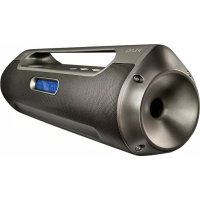
| Brand | PEAQ |
| Model | PPA30BTB |
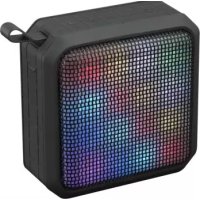
| Product Type | Portable Bluetooth speaker |
| Bluetooth Version | 2.1+EDR |
| Bluetooth Profiles | HFP (hands-free), A2DP (stereo audio), AVRCP (remote control) |
| Speaker | 1.5'' x 1 + passive bass radiator |
| Power | 5 V DC, 500 mA (via micro-USB port) |
| Power consumption | Max. 2.5 W |
| Battery | Built-in rechargeable (Li-ion), charging time approx. 2 hours |
| Bluetooth range | Approx. 10 meters (standard estimate) |
| NFC | Yes, for quick pairing |
| Auxiliary input | Yes (AUX IN, cable included) |
| Hands-free function | Yes, with built-in microphone |
| LED indicators | Blue (Bluetooth), Red (charging) |
| Water resistance | Water-resistant cover (protects the jack) |
| Included accessories | Micro-USB cable, AUX cable, 2 lanyards, user manual |
| Operating temperature | Max. 45°C |
| Care and cleaning | Soft damp cloth with mild cleaner; avoid alcohol, acetone, benzene |
| Safety | Do not expose to moisture or rain; do not open; battery not replaceable |
| Recycling | Do not dispose of with household waste; drop off at a WEEE collection point |
Frequently Asked Questions - PPA30BTB PEAQ
User questions about PPA30BTB PEAQ
0 question about this device. Answer the ones you know or ask your own.
Ask a new question about this device
Download the instructions for your Speaker in PDF format for free! Find your manual PPA30BTB - PEAQ and take your electronic device back in hand. On this page are published all the documents necessary for the use of your device. PPA30BTB by PEAQ.
USER MANUAL PPA30BTB PEAQ
Portable Bluetooth Speaker PPA30BT-B/SL
DE Bedienungsanleitung Gebruiksaanwijing
EL O8nyiec xponc Instrukcja obstugi PL
EN User Manual Instruções de'utilização PT
ES Manual de instrucciones RykoBocBoHb3ObaTeTn
FR Mode d'emploi Bruksanvisning SV
HU Kezelesi leiras Kullanim Kilavuzu TR
Manuale dell'utente
Deutsch 4 - 19
Eλληνικά 20 - 34
English 35 - 48
Espanol 49 - 64
Français 65 - 79
Magyar 80 - 93
Italiano 94 - 107
A2DP (Advanced Audio Distribution Profile)
Important safety instructions.
Read carefully and keep for future reference.
- Read this user guide carefully before first use. It contains important safety information as well as instructions for the use and care of the device. Save the guide for later reference and include it with the device when transferring it to a third party.
- To avoid dangerous situations, do not use device for any purpose other than those described in the instructions. Improper use is dangerous and voids the warranty.
This product is not intend
ed to be used by persons (including children) with reduced physical, sensory or mental abilities or lack of experience and / or lack of knowledge unless they are supervised by a person responsible for their safety or have received instructions on how to use the product.
Children should be supervised to ensure that they do not play with the product.
- Never expose rechargeable batteries to excessive heat (e.g. bright sun, fire), and never throw them into fire. The rechargeable batteries could explode.
- The rechargeable battery is permanently built into
the product and cannot be replaced.
- Never damage the rechargeable battery. Damaging the casing of the rechargeable battery might cause an explosion or a fire!
- Never short-circuit the contacts of the rechargeable battery. Do not throw the rechargeable battery or the product into fire. There is a danger of fire and explosion!
- Charge the rechargeable battery regularly, even if you are not using the product. Due to the rechargeable battery technology being used, you do not need to discharge the
rechargeable battery first.
- Never charge the rechargeable battery of the product unattended.
- Use only under normal room conditions (temperature and humidity).
The product is intended to be used in moderate climates only. Do not use in tropical or very humid climates. - Do not move the product from cold into warm environments and vice versa. Condensation can damage the product and electric components.
- The use of accessories and parts not specifically recommended by the manufacturer may cause
injuries or damages and will result in forfeiture of the warranty.
- Do not touch, press or rub the surface of the product with sharp or hard objects
- To reduce the risk of fire or electric shock, do not expose the device to rain or humidity.
- The product may not be exposed to dripping or splashing water, and liquid filled objects such as vases must not be placed on the product.
- Do not impede ventilation by covering the ventilation openings with items, such as newspapers, tablecloths, curtains, etc. Do
not insert any objects.
- No naked flame sources, such as lighted candles, should be placed on the product.
Make sure no objects or liquids penetrate through openings into the housing. - Never immerse electric parts of the product in water or other liquids while cleaning or using it. Never place the product under running water.
- Do not place the product in the vicinity of devices producing strong magnetic fields (for example motors, loudspeakers, transformers).
- Do not expose the product
to direct sunlight, humidity, dirt, hot light sources or strong magnetic fields. Do not expose the product to high temperatures and strong vibrations and avoid high mechanical stress.
- The product may not function properly or not react to the operation of any control due to electrostatic discharge. Switch off and disconnect the product; reconnect/switch on after a few seconds.
- If the product shows damages, do not use it any longer and have it repaired by a qualified technician, or contact our customer service department. Do
not disassemble the product, and do not try to repair it yourself.
Intended use
The product is intended only for sound reproduction and phone call reception via Bluetooth. Use the product only as described in this manual.
Components
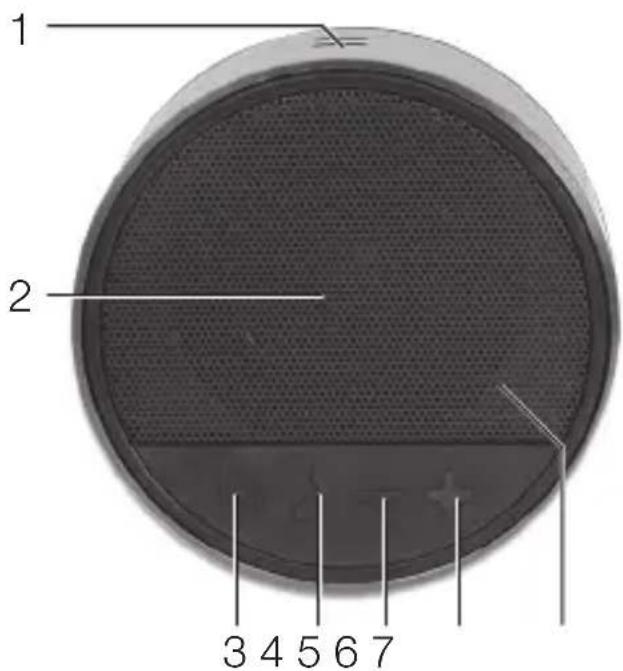
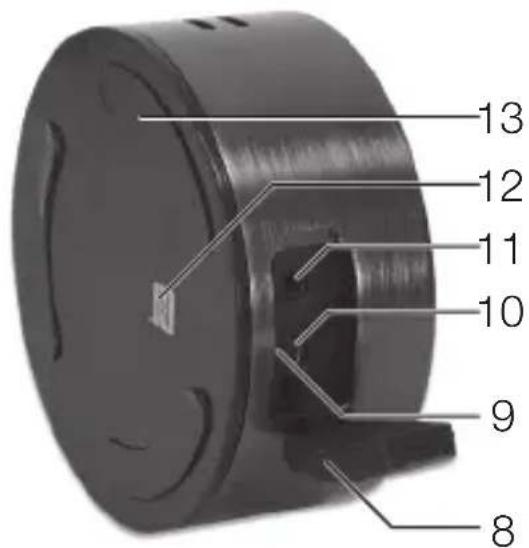
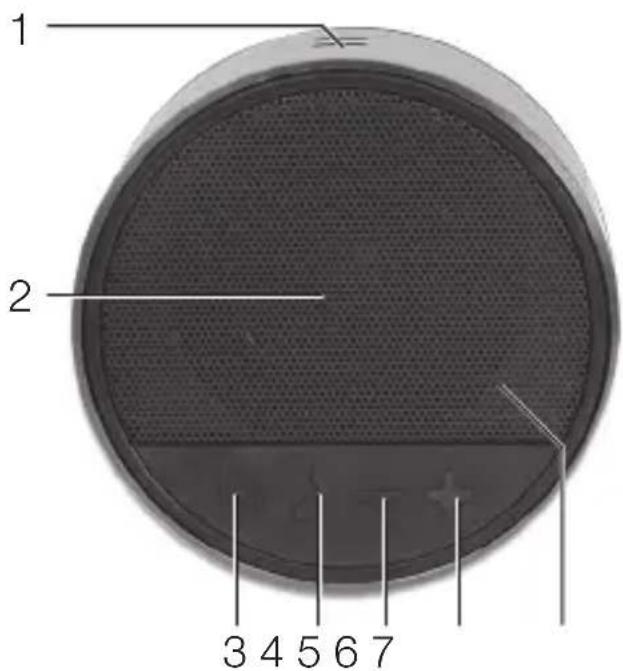
- Opening for hand strap
- Loudspeaker
- On/Off button
- Pick up call
- Volume -
- Volume +
-
Bluetooth-indicator
-
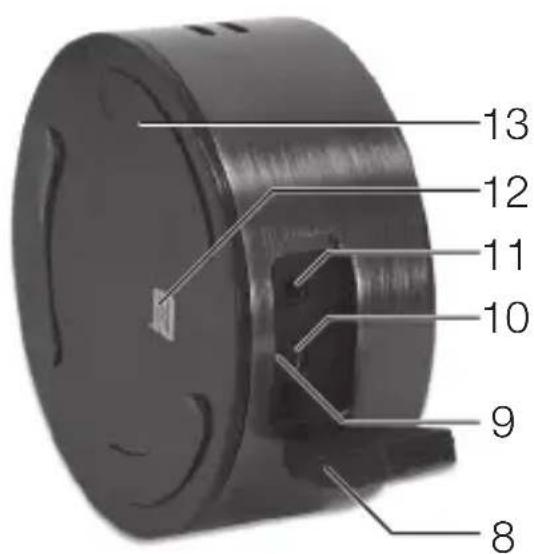
Water-resistant cover
- LED-indicator battery
- Micro-USB jack
11.AUX IN - NFC-Chip
- Anti-slip feet
Accessoires
1 x Bluetooth speaker
1 x Micro-USB-cable
1 x AUX IN cable
2 x Hand straps
1 x User manual
Compatibility
This product is compatible with Bluetooth enabled mobile phones and music devices. It features Bluetooth version 2.1+EDR. It also works with devices featuring other Bluetooth versions that support e.g.
Wireless Hands-Free communication
- HFP (Hands-free Profile)
Wireless stereo listening
A2DP (Advanced Audio Distribution Profile)
Wireless music control
AVRCP
Before first time use
- Read this user guide carefully to avoid damages or injuries due to improper use. Pay special attention to the safety instructions. Keep the instructions for future reference and include them when transferring the device to third persons.
The device must be charged before the first use. Please refer to the chapter "Charging the battery".
-
Carefully remove all packaging materials and check the device for completeness and integrity. Do not use a damaged device.
-
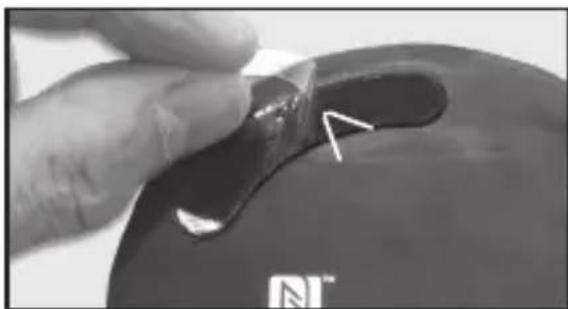
Remove the protection foil from the anti-slip feet.
-
Pair the speaker with a Bluetooth AV source or Bluetooth mobile phone first. Please refer to the chapters "Pairing".
-
The Bluetooth Speaker ID is PPA30BT.
TURNING ON/OFF
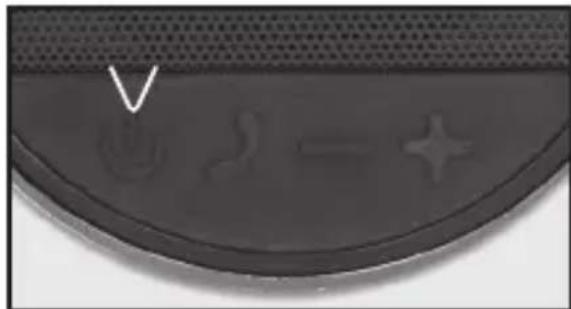
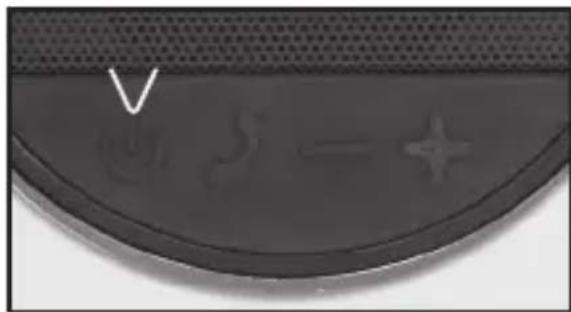
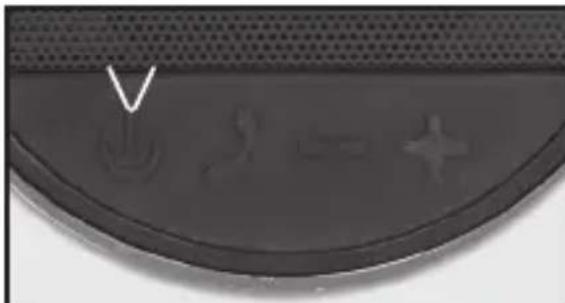
To turn on, press and hold the On-Off button for approx. 2 seconds. The LED flashes up in blue. Press the On/Off button once to turn off.
ADJUSTING THE VOLUME
Press the Volume +/- buttons to adjust the volume.
Charging the batteryOperation
- Connect the USB cable (included) to the speaker.
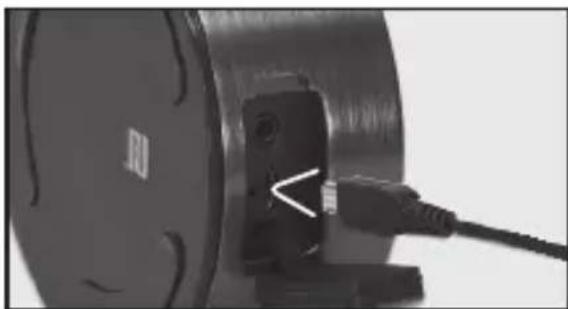
- Connect the other end of the USB cable to the USB port of the computer or a USB-charger.
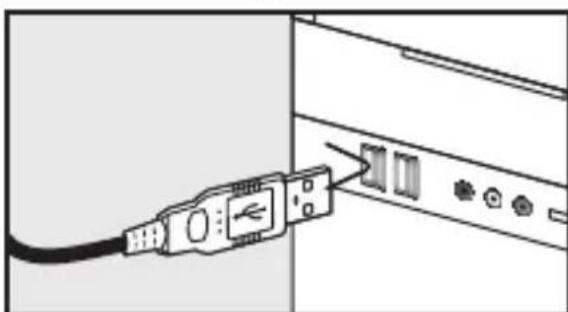
Pairing
- During the battery charging the LED lights continuously red.
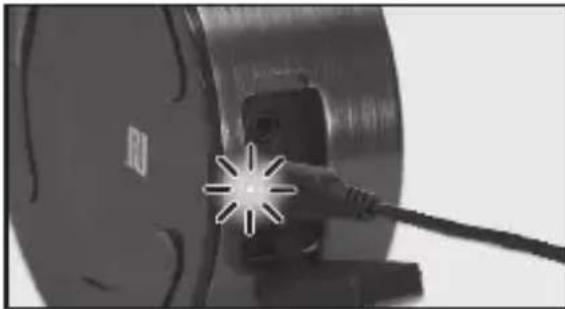
Note
LED turns on continuously:
Battery charging.
LED twinkles: The capacity of the battery is < 20% . Battery must be re-charged.
LED turns off: Battery charging complete.
The speaker can still be used during charging. It will take approx. 2 hours to fully charge the battery.
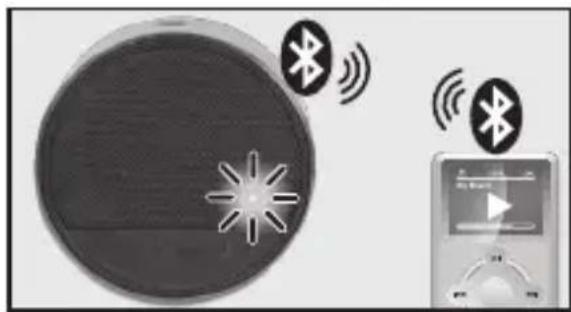
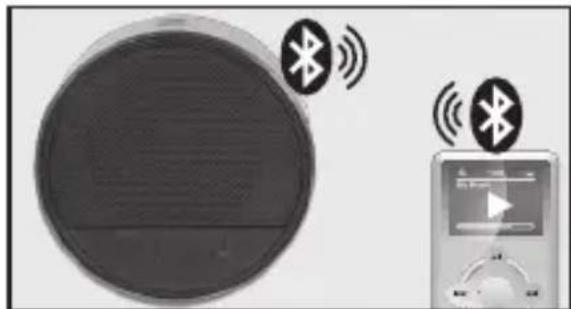
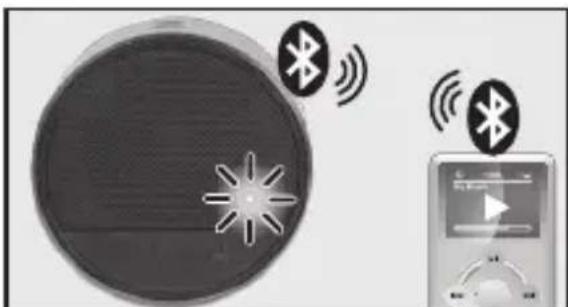
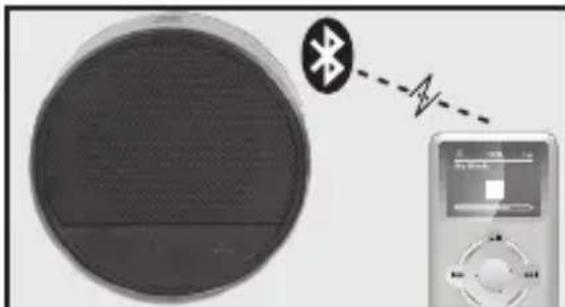
- Press On/Off button until the LED turns on blue. The speaker is ready for pairing, when the LED twinkles in red-and-blue and a sound is chimed.
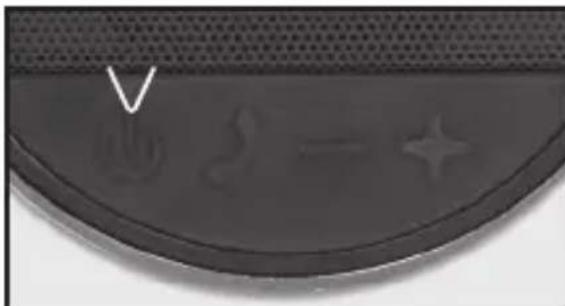
- Activate the Bluetooth function on the audio device. Connect the Bluetooth-AV-Source with the Speaker via Bluetooth pairing.
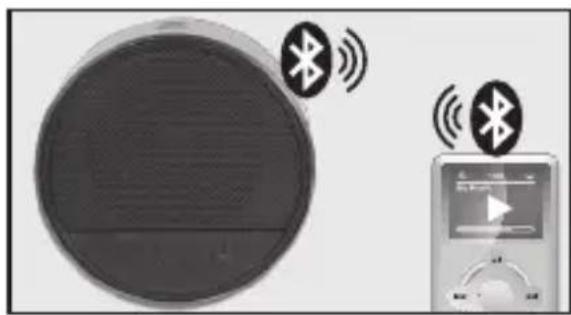
- When both devices are paired the LED turns on blue continuously.
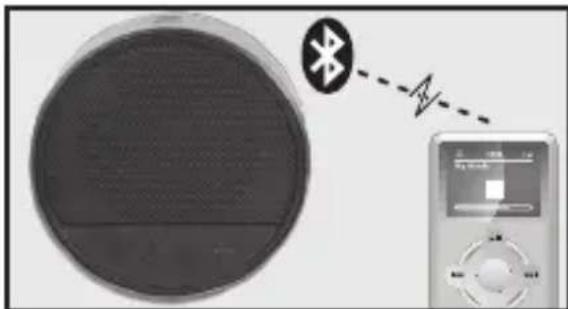
- Unpair at the Bluetooth source to disconnect. A sound indicates that Bluetooth is deactivated and the LED flashes in blue and red.
Note:
Keep the range of 1 meter when pairing. Before pairing a Bluetooth AV source, refer to the AV source user guide regarding safety instructions and use with other devices.
Pairing with NFC Music playback
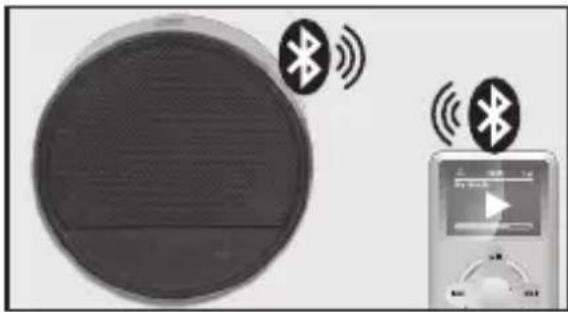
- If your playback device has an NFC chip, turn on NFC and Bluetooth on your playback device.
- Place your playback device's NFC chip near the NFC chip on the speaker. A bluetooth connection between both devices will be automatically established.
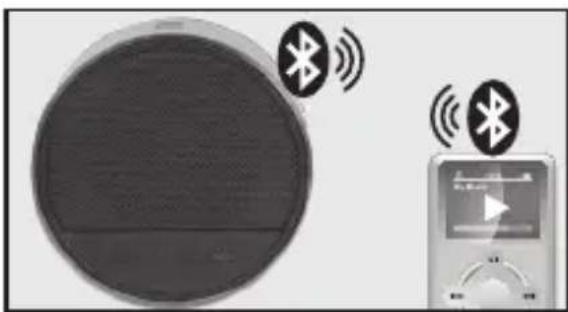
- To end the bluetooth connection, once again place your playback device's NFC chip next to the NFC chip on the speaker.
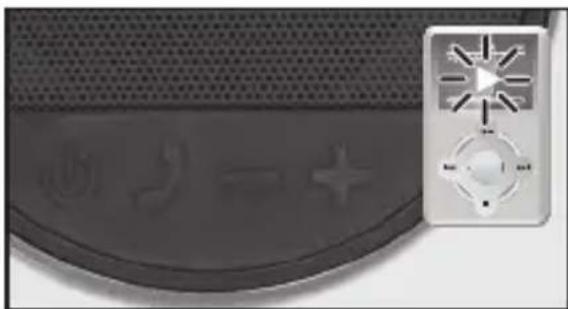
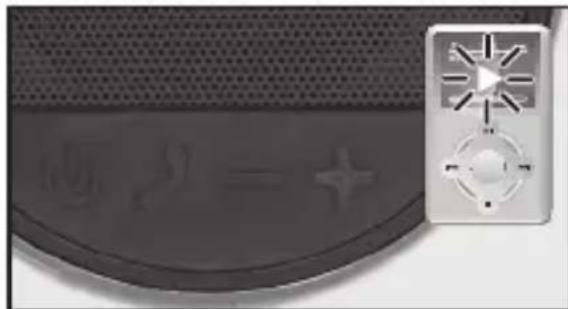
Start the music playback on the Bluetooth AV source.
Mobile phone
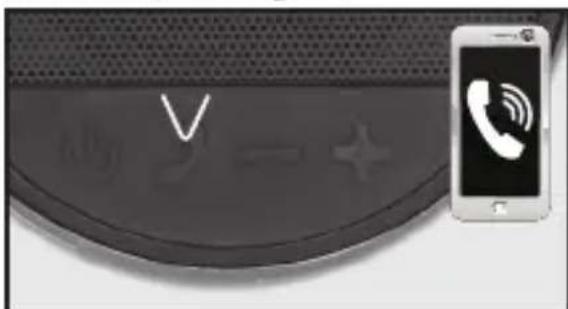
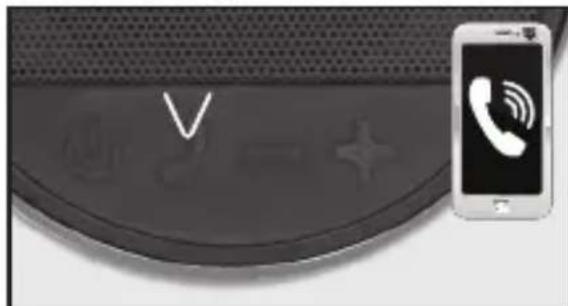
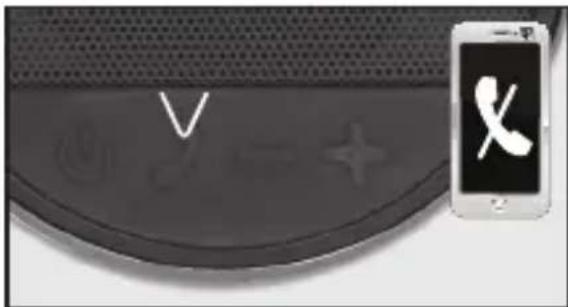
- To pick up an incoming call, press key.
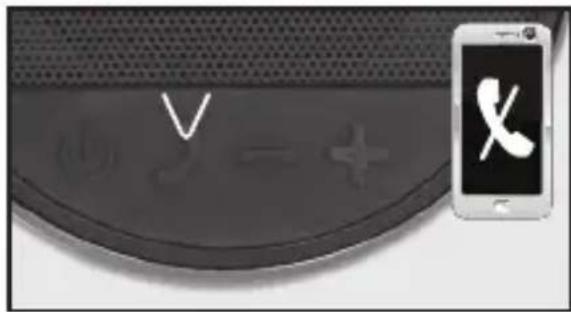
- To end a call press key or end the call on your mobile phone.
Note
Phone calls will always be the top priority. When an incoming/outgoing call is being progressed, it actively interrupts the music playback. As soon as the call has been ended, the music resumes.
External device via AUX connection
ATTENTION
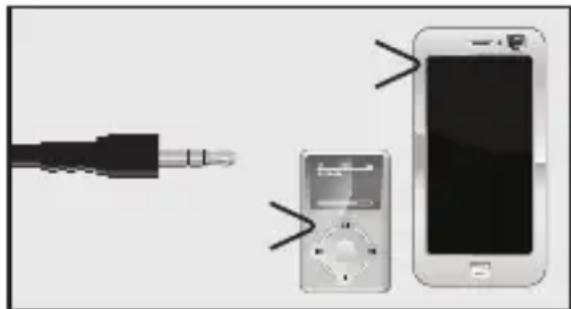
Before you connect your external player (for example an MP3 player), refer to its user guide regarding safety instructions and use with other devices.
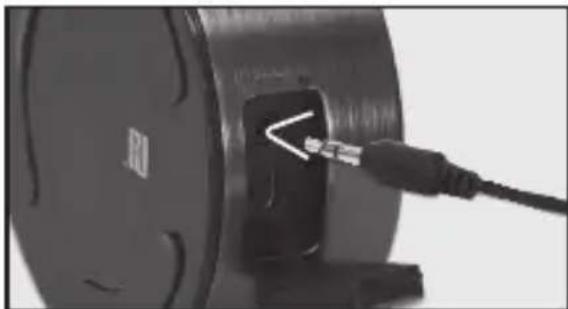
- Connect the stereo cable (included) to the AUX jack.
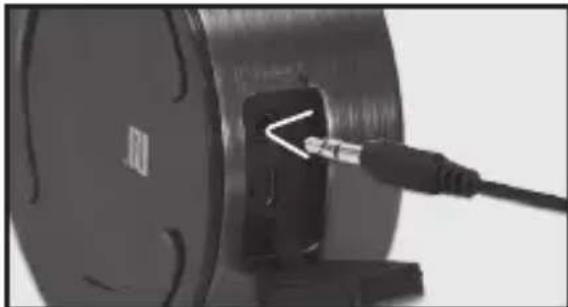
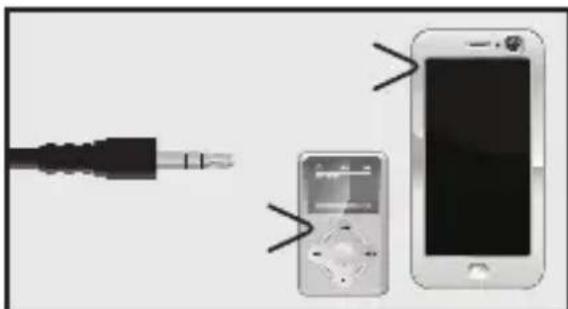
- Insert the other end of the cable into the headphone or LINEOUT jack of the external device.
Cleaning and care
Note
- Disconnect the Bluetooth connection with audio sources before connecting an external device via AUX IN.
- Switch the external player on and turn its volume to zero.
-
Turn the speaker system on and regulate the volumes of both devices.
-
Switch off the device before cleaning.
- Clean the device with a soft, damp cloth and a mild cleaning agent. Finish by wiping it with a dry cloth.
- Do not use alcohol, acetone, benzene, scouring cleansers etc. to clean the device. Do not use hard brushes or metal objects.
DisposalSpecification
Power supply : 5 V DC, 500 mA
- Speaker unit : 1.5” x 1 + 1 passive subwoofer
Power consumption : max. 2.5 W
- Operating temperature: Max. 45^
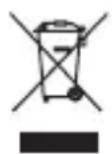
Do not dispose of this appliance as unsorted municipal waste. Return
it to a designated collection point for the recycling of WEEE. By doing so, you will help to conserve resources and protect the environment. Contact your retailer or local authorities for more information.
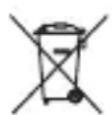
Please dispose of batteries in an environmentally friendly man
ner. Do not put batteries into the household waste. Please use the return and collection systems in your community or contact the dealer where you purchased the product.
A2DP (Advanced Audio Distribution Profile)
- De Bluetooth luidspreker ID is PPA30BT.
Gebruik
AAN/UIT ZETTEN
WłACZANIE/WYŁACZANIE (ON/OFF)
- Desligue a ligaçao Bluetooth com as fontes de audio
KOMHaTHoI Tempeatype n yCIOBnX BnaXHOCTN.
I3dJIe IODXoIIT JnI NCIOJIb3OBAHnI TOJbKO BymepeHHbIX ShIpOtax. He IcIOJIb3yIte npI6Op B TpONiKaX nI IN B Upe3Bbl- YaIHNO BlaJxHOM KJIIMaTe.
He nepemeuTe n3dJIne n3 XoJIoHOrO B TeIIOe MeCTO n o6paTHo. KoHDeHcaUra MoKet Bbl3BaTb IOBpeXdEHeNe n3dJIIna N 3JIeKTPnueCKnx DeTaJIeN.
He nCnoJb3yIte npncnocoblenia nn akceccyapbl,OTlinuHbIE OT peKOMeHDOBaHHbIX PPOIN3BOIDNTeEMnnPpOdaBaEmBMeCTEC 3TmM pnp6opom. UcTaHaBJIiBaIte pnp6Op B COOTBet-
CTBIM C DaHHbIM pyKOBOdCTBOM NO 3KcJIyatauIN.
He npikacaiTecb, He ToJkaIte Hn He Tpnte NOBepxHocTb N3dJIy KaKIMN-JIN6O OCTpbIM nIN TBepdbIMnpedMeTaMn.
-Утобы yMeHbIITb pNCK IOЖа pa nIyДapa əJIeK- TpUYeCKIM TOKOM, He NOД- BepraTe n3dJIne BO3dI- CTBIO DoJxJa IIN BlaRn.
- I3dJIe He DoJXHO NOBBePraTbCRA BO3JeICTBnIO KaIaIOUe NIIpa36pbI3rINBaIOUeICr XNkOCTN, IN HaHErO HeJIb3r CTaBVITb PpeIMeTbI, 3aONHeHHbIe XNkKOCTbIO, HApPImEep, Ba3bl.
He 6Iokpyte BeHTINJIaIIO, 3aKpbBaBBeH-
TINRAIOHHbIE OTBepCTNpa3JIuHbIMn IpEIMTa-MN, TaKIMN KaK Ra3eTbI, cKaTePtn, WToPbI N T.I. HeCTaBbTe HAnpOTNB OTBepCTN KAKNe-JIn6O OBeKTbl.
HeIb3aCTaBnTbHaI3deJIneNCTOCHNIOTKpbITOroIIaMeHn,HaNPIMep,3a-XXKeHHbIE CBeuN.
- Пюверьт, чтоы Никайе,
праздmetы илл XXИДКОCTN
не пюнікалу чeper ЗТ-
Верстя в Корпунс Изделия.
HnkOrda He norgykaite əJIekTpueckne DeTaII IN3dJIINB BODU INI dpyrIe XnIDKOCTN BO BpeM OChCTKN INI 3KcPnyatau. HnkOrda He cTAbbTe IN3dJIIne IOD CTpyHO BOnbl.
He cTaBbTe n3dJIe B6JIH-3n yCTPOIcTB, CO3daIOUx CINbHbIE MaHNITbIe IOnJ (HaNPIMep, MOTOpbl, DInHa-MIKN, TpaHCΦopMaTOpbl).
He IIOBepraTe N3dJIeNE BO3dIeCTBnIO PpMbIX Lyuei COJIHeHOrO CBeta, BlaXHoCTN, 3aPp3HeHIn, TOpRyHX NCTOCHIKOB CBeta n CnIb-HbIX MaHNTHbIX POJe. He IIOBepraTe N3dJIeNE BblCOKIM Tempeatypam IN CnIb-HbIM Bn6paZnM, N36eAte Ype3MePHOrO MexAHnueCKo-TO HApPrKeHnI.
- UcTpoIcTBo MoKet pa6oTaTb HeIpaBnIbHo IIN HepeaInpOBaTb Ha ynpabJIeHHe pa3JIuHbIMN KHOKNAMN3-3a 3JIeKTpOCTaTtueCKOTO
pa3pja. BbIKHOnTe n OTCoEHHnTe yCTPOINCTBO OTcETN;Yepe3 HeCKoJIbKO CeKHyD BKHOnTe yCTPOINCTBOB Cetb.
- Дялобого обслужиВаня образаNTecь K abTOpn3OBaHHOMy aReHtу NOобслжИВaHIO. He nbI-TaNTecb NOChHITb ИЗделne camOCToTeJIbHO. O6cLJxWBaHne Tpe6ByETcR, ecIn I3dJIe 6bIINO KaKIM-JIN6O obpa3OM NOBpeKdEHO,Ha-NpIMeR, pR NOBpeXdEHN Ishypa ПИТанЯ IIN BnIKN, pPOnITN JNKIOKcTn, NaDEHN PpeIMeTOB BHyTpB IN3dJIY, NOBpeKdEHn KOpTyCa, NOdBepraHn IN3dJIY BA3dEICTBNUO
JOXJN INBlaH, HENOpMaJIbHOJ pa6Ote INIIN Pa-DeHn N3dEJIy.
ИспOLSь3OBaHnne ПО ИЗнayeHHIO
I3dJIne IpeHa3NaYeHO TOJbKOДЯ BOCpOu3BVeDEHnA 3ByKaI npHeMa TeJeΦoHnBIX 3BOHkoNo Bluetooth. IcnoJb3yIte N3dJIne ToJbKO TaK, KaK OINcaHO B HaCTOJaEM pyKOBoDCTBe.
KOMNOHEHTbI
- OTbepctne dIpeMeIka
2.ДиHamNK - KhoNka BkJI/BbIKJI
- Ппем Звонka
- ΓροΜΚΟCTestb -
- ΓροΜΚΟCTestb +
-
ИнданkaTop Bluetooth
8.Воюзашпгай Крьшka -
CBeToIIOHbI INHnKaTOp 3apYda
10.Гнебу мкpo-USB
11.AUX IN
12.Чип NFC (блжня бec-KOHТаКТня CBЯ3b) - HeckoJIb3aIe HOxKn
Приноалесьности
1xДинамкBluetooth
1xKa6eIb c MnKpo-USB
1 x Ka6eJb AUX IN
2 x peMeIka
1xPykoBOcTBONo3KcNly-atau
COBMECTNMOCtB
IpoDyKT COBMeCTnMbI C MO6nJIbHbIMN TeJefoHaMn I My3bIKAJIbHbIMN yCTpOJCTBaMn, OChaUeHHbIMN Bluetooth. IcNoJIb3yETcR Bluetooth BepCn 2.1+EDR. OHI TAKKe MOrT nCIOJIb3OBAtbcra C yCTpOJCTBaMn, IOnIePxKIBaHOUsIMN DpyrVe BepCn Bluetooth, Haprimep:
Бесправедая rapнотура
HFP (npoΦnJIb ΓapHnIpya)
Becnpobodhoe npocnyuBaHne cTepeo3Byka
A2DP (PpOΦnIb PaCnIpeHna npeDaHa 3Byka)
Бес四项 ВODhoe ynpaBleHne My3bIKoI
AVRCP (PpOΦnIb Inc-TaHcNoHHoe ynpaBJIeHne aydno/BnDeo)
ydepxnBaTe KHONky BK/ BbIKI OKOIO 2 cekyHd. CBeToNDnHaCHET MIRaTb CINHM CBETOM. YTO6bl BbIKIIOHTb, HAXMITE KHONKy BKl/BbIKI ODNH pa3. YTO6bl OTKIIIOHTb yCTPOIcTB0, ODNH pa3 HaXMMTE Ha KHOJky Bk./OTKl. (On/Off).
PEIJIPOBKA IPOPKOCTN
- HaximaiTe Ha KhoNky BkI./OTkn. (On/Off), noka He 3aRopntc SInH CBeToND. DInHaMnK rTOB K COnpJxKeHIO, KOrda CBeTODIO Mmraet Kpac-HbIM N CINHM I pa3dAeTcY 3ByK.
- AkTINBIPyIte ФункцIO Bluetooth Ha ayDIOOyCtpoIcTBe.ПОДКЛЮЧИTe ayDINOBN3yaJIbHbI INCTOCHNKBluetooth KДиHAMIKyIpyTem conpЯженno Bluetooth.
- KOrda oBa yCTpoiCTBa 6yDyT COpJxKeHbI, CBETO- DIOd HauHET NOCTOARHHO TOpEtB CINHM.
4.ДЯ OTCOeINHeHnO T-KJIIOHTe ФyHKUHO COIppxKeHnHa Bluetooth-
NCTOCHNIke. 3ByKOBOI CnHaJI yKa3bIBaET Ha To, UTO fynKcIIy Bluteoth DeaKTINBIPOBaHa, Pn3TOM CBeTODIO MIRaET CnHIM IN KpaChbIM.
Приимechаиме:
Во Врема сорожени сокранайтеспсгониdo 1metра. Перд сорожениамудноюзуальною nctочниKaBluetooth образитеськ руковodстby по Экплuyaатацinnданною nctочникадя полу-
YeHnI INHCTpyKcI N O TexHInKe 6e3OpacHOCTN N INHOpMaCIN N O NCNoJIb3OBAHnIO CdpyrIMN yCTPOJCTBaMn.
YCTaHOBka CBra3n C NFC
-
Ecln BaJe npOnrpbBaIOuIe yCTpoiCTBO OChaIeHO uINOM NFC, BkIouHte NFC n Bluetooth Ha cBOe npOnrpbBaIOUeM yCTpoiCTBe.
-
PacnoJoxKe TcN NFC CBOEro IponrpbBaHOeTe Ro yCTpoNCTBa PAnOM C YINOM NFC DInHAMnKa. Bluetooth-coeINHeHne MExdy OboIMN yCTPOI-CTBAMn Bydt YCTaHOBNeHO aBTOMATnueCKn.
3.ДЯ 3aBepWeHnABluetooth-coeDnHeHnBAHOBBpaCNOJoxKeTeYnNFCBaJero npOirpBaIauJero yCTpoiCTBaPdOMcYHnomNFCdINHaMnKa.
BocnpoN3VeJeHne My3bIKI
BkIIOHTe BOCpOIN3VeIDeHne My3bIKn Ha ayDNOBN3yaJIbHOM nCTOuHNke Bluetooth.
Mo6nJIbHbI TeJeΦoH
- YTo6bI npHrTb BXOJa- ⅢBbI3OB, HaxMITE Ha KHOPIKy
- YTO6bI 3aBepuNTb 3BOHOK, HaxMITE Ha KHOJky IIN 3aBepuNTe 3BOHOK Ha CBOEM MOuNbHOM TeJeOHe.
Приимechanicals
TeJeFOHHbIe 3BOHKn BCeIa 6yDyT NMeTb HAnBbICShn npOpHT. Ppi npneMe BXOJaUeTo/BblIOJIHeHIn NCXoJaUeTo 3BOHka BOCpOuN3BeJeHne My3bIKn aKTINBHO npepbIBaETc. KaK TOnbKO 3BOHOK 6yDet 3aBepJSeH, My3bIKA BO306HOBNTc.
ПОДКЛЮЧЕ-
НIEВHESHHERO
yCTPOINCTBaYepe3
coeINHeHneAUX
BHIMAHHE
Ipeid noikluohnem BheHHe rno nleepa (HaNPmep, MP3- nleepa), o6paTntecb K erOpykoBOndBy IO 3KcNlyatauIN DIAI NOJUeHNAHCTpykui NOTexHnke 6e3ONaCHOCTN INHΦopMaunIO NCNOB3OBAHIO C dpyrIMN yCTPOINCTBaMn.
- ПОДКЛЮЧИТЕ CTepeо Ka-6eJIb (IIMEUSSINCS B KOMПЛeKTe NOcTaN) K pa3bemy AUX.
- BcTaBbTe DpyroN KOHeu Ka6eJ B HayuHnKu NIn pa3bEm JINHeiHO BblxOJa (LINEOUT) Ha BHeuHem yCTpoNCTBe.
YnCTka n yXoI
Приимechаиме
-
Перед Tem, Кам подкючать Всшонуство черз BXOD AUX IN, OTKЛЮЧИТе-coeINHHeNeNo Bluetooth с aydnno nctOчнКamn.
BknHHTe BHeuHnI pIeep u yCTaHOBITE erO rPOMKoCTb Ha MInHMym.
BknHouHTe cnCTeMy nnHaMnKa n OTpeRyIpyuTe rPOMKoCTb Ha obox yCTpOInCTBax. -
Pered ounstkoI OTKIOuHTe n3dJIne OT NCTOHNKa nITaHnA.
OuHCTIte n3deJIne MmKoB BlaXHO TpIPOUKO C MmKIM YnCTaUM CpeDCTBOM. 3aBePHTe yxOD, IpOTepEB n3deJIne CyXoT PpIPOUKOJ.
He nCnoJIb3yIte IJra OUHCTKn I3dJIeNcIPT, aUeTOH, 6eH3INH, abpa3NBHbIE OUHCTIteNJ T.D. He nCnoJIb3yIte JXeCTKne UeTKn IMetajllueckne npedMeTbl.
TexHnueckneXapakTepnCTnKn
- Питанne: 5В NOCTOЯнноTOka, 500 mA
Блok Дokладчк: 1,5" x 1 + 1 пасьньи саб-byфер - Notpe6lma MoHocTb: MaKcImyM 2,5 BT
- Paśobóuaj TempepaTypa: MaKc. 45 °C
YTNIN3aця
He cIeIyET BbIbpaCbI-BAtB yCTPOINCTBO BMeCTe C 6bITOBbIMN OTXoDan. BepHnte erO B
CneuHaIN3npoBaHbI NyHKT PnEma 3JIeKTPoHHoro N 3JIeKTPoO6OpUdoBAnH NaYtIN3aUIO. 3Tm Bbl nOMoXeTe COxpaHNTb PrnpoHbIpeCypcbI IN 3aHTb OkpyKaHOJUcpeNy. 3a 60JeNpO6Ho INΦopMaUneiOBpaTntEc b K BaSeMy npoDaBcy IJI MecTHbIM BlaCTaM.
IoxkaanyiCTa, ytni3npyuTe 6aTaapeKn3KOJIOrNueCKIM CNO-
cobom. He BbIbpaCbIBaIte 6aTapeiKn BMeCTe C 6bITOBbIM Mycopom. IoxKaJyIcTa, IOnb3yITeCb CNCTeMOB BO3BpaTa n c6opa, paBoTaIOUeB BaSei MeCTHOCTN, IIn O6paUaITeCb B MaRa3IN, rDe Bbl npNo6peJIu N3dJIe.
A2DP (Advanced Audio Distribution Profile)
Subsidiary of Media-Satum Group