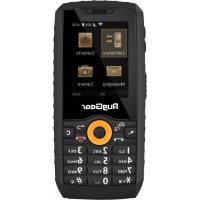
RG150 - Phone RugGear - Free user manual and instructions
Find the device manual for free RG150 RugGear in PDF.



| Product type | Rugged phone |
| Brand | RugGear |
| Model | RG150 |
| Number of SIM cards | 2 (standard format) |
| Memory card support | microSD up to 32 GB |
| Battery | Rechargeable, type specified by manufacturer |
| Charger | USB micro, charger included |
| Initial charging time | 12 hours |
| Connectors | Micro USB port, 3.5 mm headphone jack |
| Main buttons | Volume, flashlight/customizable, Menu/Home, mouse, answer, star (key lock), navigation, confirm, power, back, delete |
| Special functions | Flashlight, customizable key, mouse cursor |
| SAR (head) | 0.85 W/kg |
| SAR (body-worn) | 1.42 W/kg |
| Operating temperature | -10 °C to +55 °C |
| Standards | FCC Part 15, IC RSS, CE |
| Safety | Do not use near fuels; do not charge with damaged cable; avoid temperatures outside range |
| Warranty | See RugGear website (ruggear.com/warranty-terms) |
Frequently Asked Questions - RG150 RugGear
User questions about RG150 RugGear
0 question about this device. Answer the ones you know or ask your own.
Ask a new question about this device
Download the instructions for your Phone in PDF format for free! Find your manual RG150 - RugGear and take your electronic device back in hand. On this page are published all the documents necessary for the use of your device. RG150 by RugGear.
USER MANUAL RG150 RugGear
text_image
gear your life. RugGear 1 0.0 2 ABC 3 DEF 4 GHI 5 JKL 6 MNO 7 PQRS 8 TUV 9 WXYZ *+0 0 #Short guide
WCDMA Digital Mobile Phone
CONTENT
English 5
Deutsch 12
Dansk 17
Français 22
Nederlands 27
NORSK 32
Português 36
Русский 41
Svenska 46
Español 51
Latviski---- 56
Lietuvių 63
Eesti----70
Română----77
Български---- 84
Українська 92
Türkçe----100
Slovenščina----107
Hrvatski----114
Česky 121
Slovenčina 126
Magyar----131
Polski 136
简体中文 142
العربية 146
(c) 2019 RugGear
Version: 2019-07-25
RugGear Ltd.
Unit 1301, 13/F., Wing Tuck
Commercial Centre
Hong Kong
www.RugGear.com
OVERVIEW
text_image
1 gear your life. RugGear 2 3 4 5 6 7 8 9 10 11 12 13 14 2 ABC 3 DEF 4 GHI 5 JKL 6 MNO 7 PQRS 8 TUV 9 WXYZ *+o 0 # 7 8USB CHARGING
1
natural_image
Technical line drawing of a vehicle rearview component with a curved arrow indicating direction (no text or symbols)2
natural_image
Technical line drawing of a mechanical component with an arrow indicating upward motion (no text or symbols present)RugGear®
EN
English
Thank you for purchasing our popular RG150 essential rugged phone. This user manual is based on all the phone default settings.
Uploading, downloading or synchronizing will be charged by your SIM provider.
1. Safety information
- Do not use your phone in a gas station or near fuel or chemicals.
- Do not use a damaged power cable, charger or sockets.
- Do not touch the power cable to remove the charger.
Do not pull the cable when removing the charger. - Use only the charger supplied with the product.
- Do not use a battery that is leaking or damaged.
Detailed safety instructions and manuals can be found at www.ruggear.com/support.
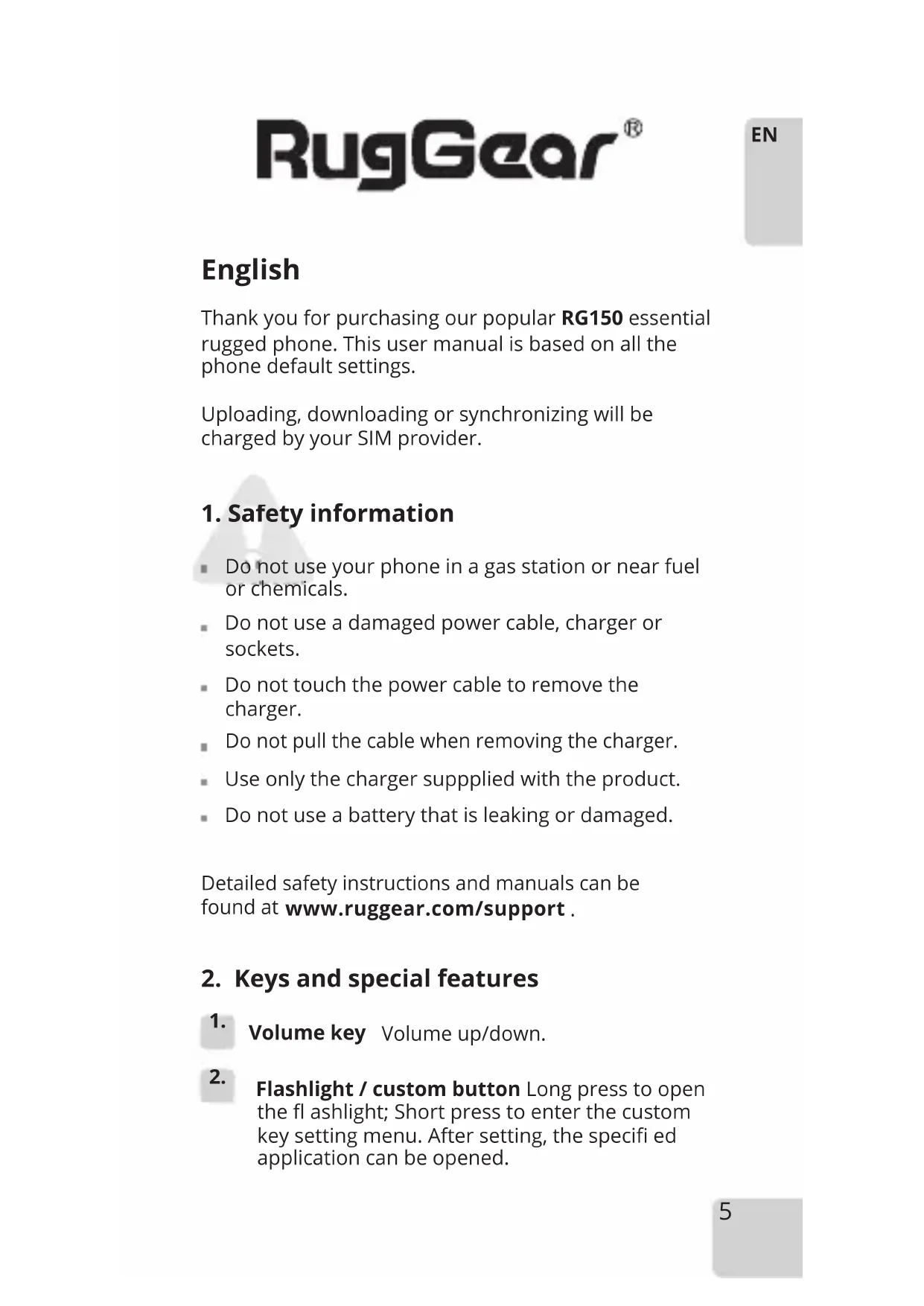
2. Keys and special features
-
Volume key Volume up/down.
-
Flashlight / custom button Long press to open the fl ashlight; Short press to enter the custom key setting menu. After setting, the specified application can be opened.
-
Menu/Home key Briefly press to open the application menu or to start the phone. Press and hold to return to the standby interface.
- Mouse cursor Press briefly to move the mouse pointer.
- Answer key Use to make a call and answer the phone.
- Star key To activate and deactivate the key lock.
- Micro USB For charging and to connect to external USB devices.
- Earphone jack To connect earphones with a 3.5 mm jack.
-
key Long press to set the device to silent mode.
- Navigation key Use to move the cursor around the screen.
- OK To confirm the selected window.
- On/Off power key Long press to power the device ON/OFF. To terminate a call and for the direct return to the home screen.
- Delete key Use to move the characters entered in a field.
- Back key Use to return to the submenu.
3. Installation of SIM/microSD card
The device is designed to fit two standard SIM cards and one microSD card.
3.1. Unfasten the screws on the battery cover and lift
it carefully to open the compartment.
3.2. Insert the microSD card and the SIM cards into the corresponding slots. The device supports up to 32Gb with a memory card.
4. Installing and uninstalling the battery
4.1. Turn off the phone.
4.2. Unfasten the battery screws on the battery cover and lift it carefully to open the compartment.
4.3. Insert the phone battery, aligning the contacts on the unit with the connectors inside the compartment.
4.4. Replace the battery cover and press it down carefully until it locks into place.
4.5. Fasten the screws on the battery cover.
Note
■ Make sure the battery cover, cover screws, earphone and USB plugs are firmly fastened to prevent water and dust from entering the phone.
- Do not remove the USB cable while copying fi les in USB mode. Exit the USB mode fi rst and then remove the USB cable to prevent losing data.
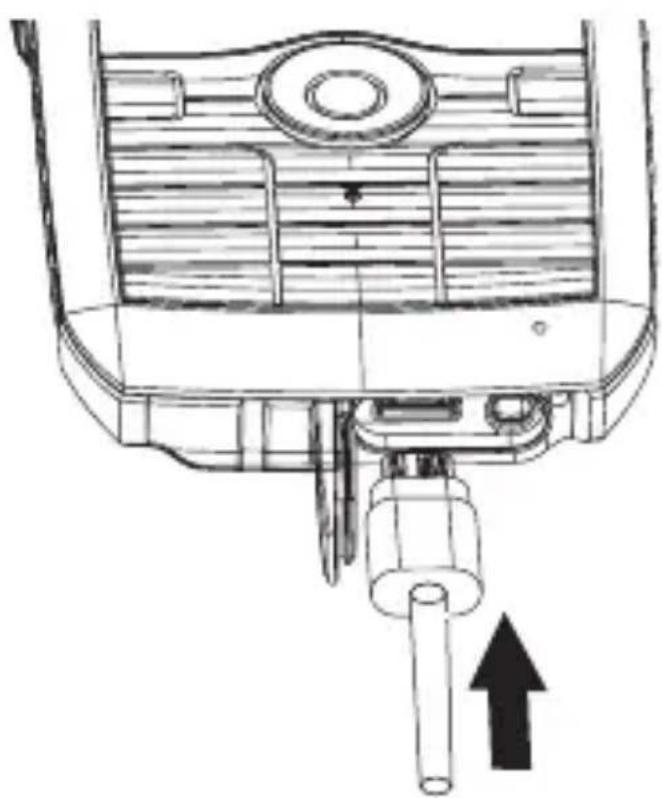
5. Charging your phone
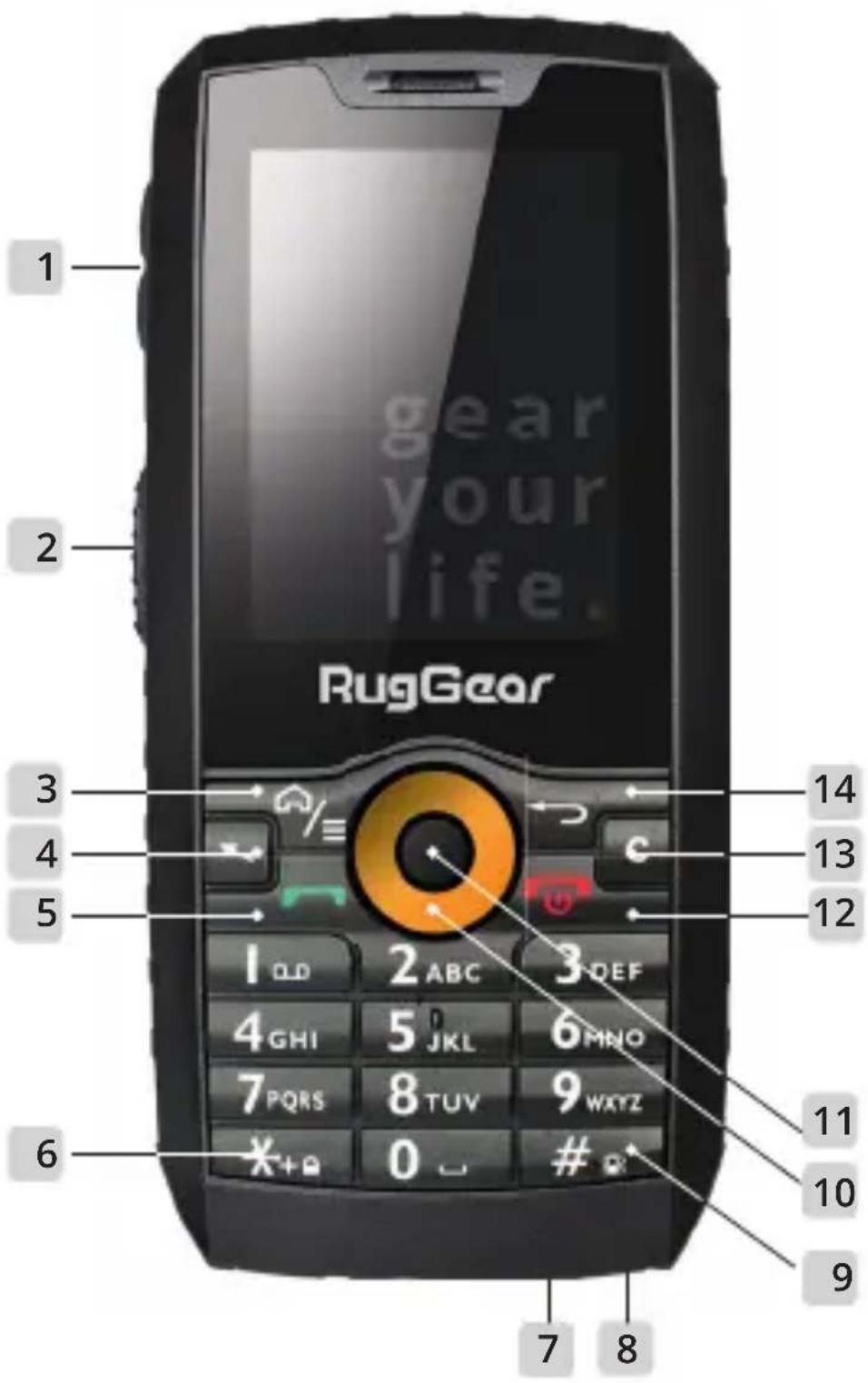
5.1. Open the rubber plug on the bottom of the phone.
5.2. Connect the USB cable to the USB port on your phone.
5.3. You must fully charge your phone for 12 hours prior to using it for the first time.
6.Caution
It is recommended to use the type of battery specified by the manufacturer. Use of a different type may cause the battery to explode.
■ Dispose of used batteries in a designated place.
- The normal operating temperature of your phone
is -10^ to 55^ .
Do not use the phone at temperatures outside the range specified.
This device contains magnets that may interfere with medical devices and equipment.
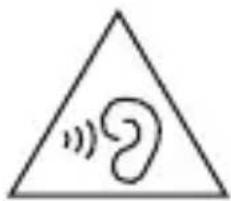
To avoid hearing impairments, you should not increase the volume and only use the device on very high volume for a restricted time.
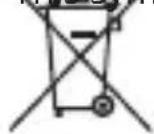
This symbol on your product, the battery and the accessories means that these products must be taken to collection points at the end of their life.
Note
The adapter must be installed near the equipment and must be easily accessible.
- The product must only be connected to USB interface version USB2.0.
- Use carefully with earphones. Excessive sound pressure from earphones and headphones can cause hearing loss.
Caution:
Risk of explosion if battery is replaced with an incorrect type. Dispose of used batteries according to the instructions.
| Frequency bands Maximum output power | |
| GSM 900 34dBm | |
| DCS 1800 30dBm | |
| WCDMA 900 24dBm | |
| WCDMA 2100 23dBm | |
| WiFi 18dBm | |
| BT 8dBm | |
text_image
Warning symbol with a sine wave inside a triangle, indicating sound or sound disturbance.7. Information concerning SAR certification (Specific Absorption Rate) CE SAR
The SAR limit for Europe is 2.0 W/kg. The device has been tested against this SAR limit. The highest SAR value reported under this standard during product certification for use in the ear is 0.85W/kg and when properly worn on the body is 1.42W/kg. This device was tested for typical body-worn operations with the back of the handset kept at 5mm from the body. The device complies with RF specifications when the device is used at 5mm from the body. The use of belt clips, holsters and similar accessories should not contain metallic components in their assembly. The use of accessories that do not satisfy these requirements may not comply with RF exposure requirements, and should be avoided.
8. FCC/IC information
This device complies with Part 15 of the FCC Rules and with Industry Canada licence-exempt RSS standard(s). Operation is subject to the following two conditions: (1) this device may not cause harmful interference, and (2) this device must accept any interference received, including interference that may cause undesired operation.
Changes or modifications made to this equipment not expressly approved by RugGear Ltd. may void the FCC authorization to operate this equipment.
This equipment has been tested and found to comply with the limits for a Class B digital device,
pursuant to Part 15 of the FCC Rules. These limits are designed to provide reasonable protection against harmful interference in a residential installation. This equipment generates, uses and can radiate radio frequency energy and, if not installed and used in accordance with the instructions, may cause harmful interference to radio communications. However, there is no guarantee that interference will not occur in a particular installation. If this equipment does cause harmful interference to radio or television reception, which can be determined by turning the equipment off and on, the user is encouraged to correct the interference by taking one or more of the following measures:
- Reorient or relocate the receiving antenna.
- Increase the separation between the equipment and receiver.
- Connect the equipment into an outlet on a circuit different from that to which the receiver is connected.
- Consult the dealer or an experienced radio/TV technician for help.
Specific Absorption Rate (SAR) information:
This mobile phone complies with government requirements for exposure to radio waves. The guidelines are based on standards that were developed by independent scientific organizations through periodic and thorough evaluation of scientific studies. The standards include a substantial safety margin designed to ensure the safety of all persons regardless of age or health.
FCC/ISED RF Exposure Information and Statement:
The SAR limit of FCC (ISED) is 1.6 W/kg averaged over one gram of tissue. Device types: One Glass (FCC ID: ZLE-RG150) has also been tested against this SAR limit. The highest SAR value reported under this standard during product certification for use in the ear is 0.97W/kg and when properly worn on the body is 1.36W/kg. This device was tested for typical body-worn operations with the back of the handset kept 10mm from the body. To maintain compliance with FCC RF exposure requirements, use accessories that maintain
a 10mm separation distance between the user's body and the back of the handset. The use of belt clips, holsters and similar accessories should not contain metallic components in their assembly. The use of accessories that do not satisfy these requirements may not comply with FCC RF exposure requirements, and should be avoided.
9. EU-Declaration of Conformity
The EU-declaration of conformity can be found on the homepage at www.ruggear.com
10. Reservation
All rights reserved. Misprints, errors and modifications excepted.
11. Warranty
European customers please check: https://ruggear.com/warranty-terms/Customers in the Americas please check: https://ruggear.com/terms-and-conditions-americas/
For FCC information, please go to www.RugGear.com under the "Support" section.
Deutsch
text_image
Warning symbol with a sine wave inside a triangle, indicating sound or audio hazard.- For European customers please check: https://ruggear.com/warranty-terms/
For Customers in Americas please check: https://ruggear.com/terms-and-conditions-americas/
text_image
Warning symbol with a sine wave inside a triangle, indicating sound or audio hazard.7. Oplysninger vedrørende SAR-certificering (Specifi c Absorption Rate)
SAR (hoved) 0.85 W/kg
SAR (krop - båret) 1.42 W/kg
8. FCC/IC-oplysninger
www.ruggear.com/support.
natural_image
Simple line drawing of a sound wave inside a triangle (no text or symbols)text_image
Warning symbol with a sine wave inside a triangle, indicating sound or audio hazard.7. Informatie over SAR-certifi cering (Specifi c Absorption Rate)
text_image
Warning symbol with a triangle containing a stylized 'e' and sound waves inside, indicating sound or hearing.www.ruggear.com/support.
text_image
Warning symbol with a sine wave inside a triangle, indicating sound or audio hazard.www.ruggear.com/support.
text_image
Warning symbol with a sine wave inside a triangle, indicating sound or hearingSV
7. Information angående SAR-certifi ering (Specifi c Absorption Rate)
text_image
Warning symbol with a triangle containing an ear and sound waves, indicating noise or sound pressure.natural_image
Simple line drawing of a sound wave inside a triangle (no text or symbols)LV
text_image
Warning symbol with a sine wave inside a triangle, indicating sound or hearingAtsargiai!
text_image
Warning symbol with a sine wave inside a triangle, indicating sound or audio hazard.Ettevaatust!
natural_image
Simple line drawing of a triangle with an ear symbol inside (no text or labels)text_image
Warning symbol with a sine wave inside a triangle, indicating sound or sound pressureВнимание:
text_image
Warning symbol with a sine wave inside a triangle, indicating sound or sound disturbance.text_image
Warning symbol with a sine wave inside a triangle, indicating sound or audio hazard.Dikkat:
text_image
Warning symbol with a sine wave inside a triangle, indicating sound or sound pressure.Opozorilo:
natural_image
Simple line drawing of a sound wave inside a triangle (no text or symbols)sukladno uputama.
7. Informacije o SAR certifikatu (Specific Absorption Rate - specifičan stupanj apsorpcije) CE SAR
text_image
Warning symbol with a sine wave inside a triangle, indicating sound or audio hazard.7. Informace o certifi kaci SAR (Specifi c Absorption Rate)
text_image
Warning symbol with a triangle containing a stylized 'e' inside, indicating sound or audio.SAR (zaodeté telo) 1,42 W/kg
www.ruggear.com/support.
text_image
Warning symbol with a sine wave inside a triangle, indicating sound or hearingtext_image
Warning symbol with a triangle containing a stylized ear icon and sound wavesPL
www.ruggear.com/support 下载。
2. 按键和特殊功能
text_image
Warning symbol with a sine wave inside a triangle, indicating sound or sound disturbance.7.SAR 认证信息(具体吸收率)
.www.ruggear.com/support
natural_image
Simple line drawing of a sound wave inside a triangle (no text or symbols)https://ruggear.com/warranty-terms
https://ruggear.com/terms-and-conditions-americas
EU Declaration of Conformity
for
Radio Equipment Directive (RED) 2014/53/EU
Power Idea Technology (Shenzhen) Co., Ltd. hereby, declare that the essential requirements set out in the Radio Equipment Directive( RED) 2014/53/EU have been fully fulfilled on our product with indication below:
Product Name: WCDMA Digital Mobile Phone
Model / Brand Name: RG150 /RugGear
- Adapter
Manufacturer : SHENZHEN HUNTKEY ELECTRIC CO., LTD.
Model No : HKC0055010-3D
Input: 100-240V\~, 50/60Hz, 0.2A
Output: 5.0Vdc, 1A
- Adapter
Manufacturer : SHENZHEN RUIDE ELECTRONIC INDUSTRIAL CO.,LTD
Model No : RD0501000-USBA-18OG
Input: 100-240V\~, 50/60Hz, 0.25A
Output: 5.0Vdc, 1A
Battery Mode : BL360CI
Manufacturer : Power Idea Technology (Shenzhen) Co., Ltd.
Output: DC 3.7V, 1800mAh
Hardware version: V1.3
USB: Shenzhen Dechangsheng Electronic Technology Co., Ltd.
Micro 5PIN/IM
The following standards have been applied for the investigation of compliance:
Draft ETSI EN 301 489-1V 2.2.0(2017-03)
Draft ETSI EN 301 489-17 V3.2.0(2017-03)
Draft ETSI EN 301 489-19 V2.1.0(2017-03)
Draft ETSI EN 301 489-52 V1.1.0(2016-11)
Final draft ETSI EN 303 345 V1.1.7 (2017-03)
Final draft ETSI EN 301 489-3 V2.1.1 (2017-03)
ETSI EN 300 328 V2.1.1(2016-11)
ETSI EN 303 413 V1.1.1(2017-06)
ETSI EN 301 511 V12.5.1 (2017-03)
ETSI EN 301 908-1 V11.1.1 (2016-07)
ETSI EN 301 908-2 V11.1.1 (2016-07)
EN 60950-1:2006+A11:2009+A1:2010+A12:2011+A2 2013
EN 50360:2001+A1:2012 EN 50566:2013
EN 50332-1:2013; EN 50332-2:2013
EN62209-1: 2006 ; EN 62209-2: 2010
EN62479:2010
EN 55032:2015/AC:2016-07 EN 55024:2010/A1:2015,
EN 55020:2007 A11:2011
EN 61000-3-2:2014, EN 61000-3-3:2013
And apply notified body assessment:
Notified Body number 0700
PHOENIX TESTLAB GmbH
Königswinkel 10
D-32825 Blomberg
Germany
Furthermore, the ISO requirement for the in-process quality control procedure as well as the manufacturing process has been reached. The technical document as well as the test reports will be kept for a period at least 10 years after the last product has been manufactured at the disposal of the relevant national authorities of any Member State for inspection.
Detail contact information for this declaration has been listed below as the window of any issues relevant for this declaration.
European Representative Manufacturer Contact
| Company:Address: | Company: Power Idea Technology (Shenzhen) Co., Ltd.Address: 4th Floor, A Section , Languang Science & technology Building , No.7Xinxi RD , Hi- Tech Industrial Park North , Nanshan District , |
| Name/Title: | ShenZhen , P.R.C. |
| Tel. No.: | Name/Title: alex.ma /manager |
| Fax No.: | Tel. No.:86-0755-86220211 |
| E-Mail: | Fax No.: 86-0755-86220211E-Mail: alex.ma@pwidea.com |
Signature
Date
Signature
Date2017-10-27
| Frequency bands Maximum | output power |
| GSM 900 34dBm | |
| DCS 1800 30dBm | |
| WCDMA 900 24dBm | |
| WCDMA 2100 23dBm | |
| WiFi 18dBm | |
| BT 8dBm |
gear your life.
RugGear Ltd.
Unit 1301, 13/F., Wing Tuck Commercial Centre,
177 Wing Lok Street Sheung Wan, Hong Kong
Hong Kong
www.RugGear.com