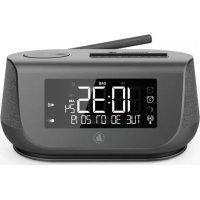
DR36SBT - Radio HAMA - Free user manual and instructions
Find the device manual for free DR36SBT HAMA in PDF.


User questions about DR36SBT HAMA
0 question about this device. Answer the ones you know or ask your own.
Ask a new question about this device
Download the instructions for your Radio in PDF format for free! Find your manual DR36SBT - HAMA and take your electronic device back in hand. On this page are published all the documents necessary for the use of your device. DR36SBT by HAMA.
USER MANUAL DR36SBT HAMA
86652 Monheim/Germany
www.hama.com
The Spotify software is subject to third party licenses found here: www.spotify.com/connect/third-party-licenses
All listed brands are trademarks of the corresponding companies. Errors and omissions excepted, and subject to technical changes. Our general terms of delivery and payment are applied.
DigitalRadio
QUICKGUIDE
DigitalRadio
KURZANLEITUNG
natural_image
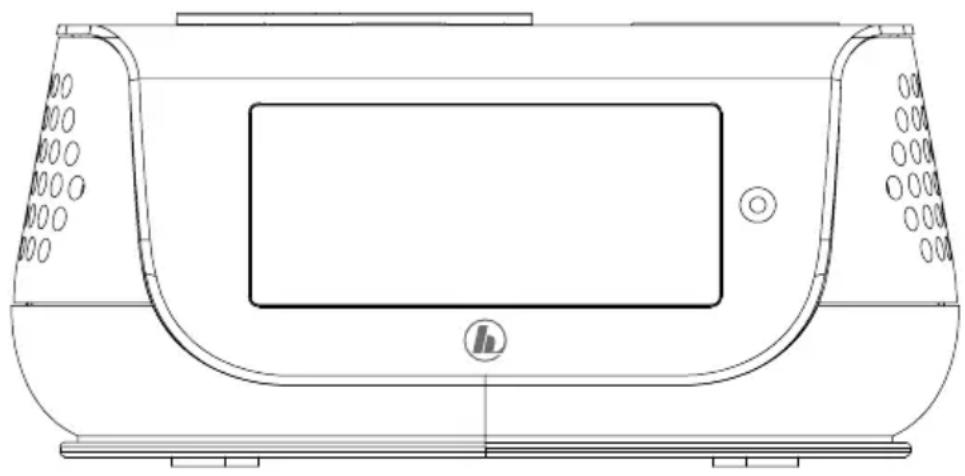
Top-down technical line drawing of a device casing with control panel and buttons (no text or symbols)QuickGuide
Kurzanleitung
Noticed'utilisation
Instruccionesbreves
Краткоеруководство
Istruzionibrevi
| AudioConnectorsAudioAnschlüsse | |
| OutputsHeadphone3.5mm | |
| SourcesQuellen | Presets Favoriten | |
| DAB/DAB+(174.928- 2 39.2MHz) | √ | 30 |
| FM(87.5- 1 08MHz) | √ | 30 |

Further information and features are available on/
- This is a quick guide to provide you with the most important basic information, such as safety warnings and how to get started using the product.
- For the sake of protecting the environment and saving valuable resources, Hama dispenses with a printed instruction manual and provides this only in the form of a PDF file available for download.
• The complete instruction manual is available at: www.hama.com -> 00054896, 00054231 -> Downloads - Save the instruction manual to your computer's hard drive for future reference, or print it out if necessary.
1. ExplanationofWarningSymbolsandNotes
Riskofelectricshock

This symbol indicates product parts energized with a dangerous voltage of sufficient magnitudetoconstitutea riskofelectricshock.
Warning

This symbol is used to indicate safety instructions to draw your attention to specific hazards and risks.
Note

This symbol is used to indicate additional information or important notes.
2.PackageContents
• DR36SBTdigitalradio
- Powersupplyunit
- QuickGuide
3.SafetyNotes
• The product is intended for private, non-commercial use only.
- Do not use the product in areas where the use of electronic devices is not permitted.
- Protect the product from dirt, moisture and overheating and use it indryroom only.
- Aswithallelectricaldevices, this devices should be kept out of thereachofchildren.
- Donotdropheproductanddonotexposeittoany majorshocks.
- Donotoperatetheproductoutsidethepowerlimitsgiven inthespecifications.
- Keep the packaging material out of thereach of children duetotherisk of suffocation.
- Disposeofpackagingmaterialimmediatelyaccordingto locallyapplicableregulations.
- Do not modify the device in any way. Doing so voids the warranty.
• Usetheproductforitsintendedpurposeonly.
- Donotusetheproductintheimmediatevicinityof heatersorotherheatsourcesorindirectsunlight.
- Donotusetheproductinmoistenvironmentsandavoid splashes.
- Use the item only in moderate climatic conditions.
Riskofelectricshock

- Donotopenthedeviceorcontinuetooperateitifit becomesdamaged.
- Do not use the product if the AC adapter, adapter cableorpowercableisdamaged.
- Donotattempttoserviceorrepairthedeviceyourself. Leaveanyserviceworktoqualifiedexperts.
4. General notesonuse
4.1 SwitchOn/ Off/ Stand by
- Press [+ / 0K / - ] (10) to switch on the radio.
- Press and hold [+ / OK / - ] (10) for about 3 seconds to
- switchofftheradio(standby).
- Tocompletelyswitchoffthedevice, disconnectitfromthe powersupply.
4.2Navigationandcontrol
• After pressing a shortcut button, navigate through the menu items.
- Select among menu items by turning [+/OK/-] (10).
- Confirm the selection by pressing [+ / OK / - ] (10).
4.3 Volume adjustment
- You can turn the volume up (right) or down (left) byturning[+/OK/-] (10)accordingly.
5. Gettingstarted
Note- O ptimisingreception

Pleasenote:
• Alwayspulltheantennaoutcompletely.
- Werecommendyouadjusttheantennavertically to ensure o ptimalreception.
- Try various different positions if necessary to get the bestreception.
5.1 Switchingon
Warning

- Only operate the product from a socket that has been approvedforthe device. Thesocketmustbeinstalled closetotheproductandmustbeeasilyaccessible.
- Disconnect the product from the powersupply using the On/Offswitch— if this is not available, unplug the power cord from the socket.
- If using a multi-socket power strip, make sure that the totalpowerconsumptionofallconnecteddevicesdoes notexceedthepowerstrip's m aximumthroughput rating.
- If you will not be using the product for a prolonged period, disconnectitfrommainspower.
- Connectthepowersupplytothemainsconnection(13) onthebackoftheradio.
- Connect the network cable to a properly installed and easily accessiblenetworksocket.
- Wait until the radio has initialised fully.
- Press the [+ / 0K / - ] button (10) to switch the radio on.
Initialsetup
Whenyouswitchtheradioonforthefirsttime,thestation search is started automatically in DAB operating mode.
Englishisthedefaultlanguagefortheradio'smenu structure.
Setupyourdesiredlanguageasdescribedin
5.2Language.
5.2Language
Atinitialstartup, the language of the radiode default to English. To changethemenulanguage of the radio, proceedings follows:
- Press[ ⚙] (6)toaccessthesettingsmenu.
- Usethenavigationbuttons(10)tonavigatetothe 'Settings'menuitem.
- Use [+/OK/-] (10) to navigate to the 'System' menu item.
- onfirm your selection by pressing [+ / 0K / - ] (10).
- Use [+/OK/-] (10) to navigate to the 'Language' menu item. Confirm your selection by pressing [+/OK/-] (10).
- Use the [+/OK/-] (10) - button to select your desired systemlanguage.
- Thelanguagesettingcurrentlyselecteddismarkedwithan asterisk(*).
Note
- You can choose from the following languages: English, Danish, French, German, Italian, Norwegian, Finnish, Swedish, Turkish, Polish, Slovak, Czech

6. Care and Maintenance
- Only clean this product with a slightly damp, lint-free clothanddonotuseaggressivecleaningagents.
- If you do not use the product for a long time, turn off the device and disconnect from the powersupply. S toreitin a c lean, dryplace out of direct sunlight.
7.WarrantyDisclaimer
Hama GmbH & Co. KG assumes no liability and provides no warrantyfordamageresultingfromimproperinstallation/mounting,improperuseoftheproductorfromfailuretoobservetheoperatinginstructionsand/orsafetynotes.
8. Service and Support
PleasecontactHamaProductConsultingifyouhaveany questionsaboutthisproduct.
Hotline:+499091502-115(German/English)
Furthersupportinformationcanbefoundhere: www.hama.com
Thecompleteinstructionmanualisavailableat: www.hama.com->00054896,00054231->Downloads
9. Recycling Information
Noteonenvironmentalprotection:
AftertheimplementationoftheEuropeanDirective 2012/19/EUand2006/66/EUinthenationallegal system,thefollowingapplies:Electricand electronicdevicesaswellasbatteriesmustnotbe disposedofwithhouseholdwaste. Consumers are o bl i g e d bylawtoreturnelectricalandelectronicdevicesaswellas batteriesattheendoftheirservicelivestothepublic collectingpointssetupforthispurposeorpointofsale. Details to this are defined by the national law of the respective country. This symbol on the product, the instructionmanualorthepackageindicatesthata p roduct issubjecttotheseregulations.Byrecycling,reusingthe materialsorotherformsofutilisingolddevices/Batteries, youare m akinganimportantcontributiontoprotectingour environment.
10. Declaration of Conformity
CE Hereby, Hama GmbH & Co KG declares that the radioequipmenttype[00054896,00054231]isin compliancewithDirective2014/53/EU. Thefulltext oftheEUdeclarationofconformityisavailableatthe followinginternetaddress: www.hama.com->00054896,00054231->Downloads.
| Frequencyband(s) | Bluetooth: 2.402–2.480GHz |
| Maximumradio-frequency powertransmitted | Bluetooth:5dBm(EIRP) |
Bluetooth:2.402–2.480GHz
Hotline:+499091502-115(Ger/Ang)
Bluetooth:2.402–2.480GHz
PutereamaximăBluetooth:5dBm(EIRP)
Manöverelementochindikeringar
| A:RadioFrontseite | ||
| 1 | 1 | [PRESET1]-knapp |
| 2 | 2 | [PRESET2]-knapp |
| 3 | [PRESET]-knapp | |
| 4 | [INFO]-knapp | |
| 5 | [SNOOZE/SLEEP]-knapp | |
| 6 | [MENU/SETTINGS]-knapp | |
| 7 | M | [MODE]-knapp |
| 8 | [ALARM]-knapp | |
| 9 | [BACK]-knapp | |
| 10 | + / OK / - [ + / OK / - ] | |
Support:+499091502-115(ty/eng)
Duhittarmersupportinformationhär:
www.hama.com
| A:RadioFrontseite | ||
| 1 | 1 | [PRESET1]-painike |
| 2 | 2 | [PRESET2]-painike |
| 3 | [PRESET]-painike | |
| 4 | [INFO]-painike | |
| 5 | [SNOOZE/SLEEP]-painike | |
| 6 | [MENU/SETTINGS]-painike | |
| 7 | M | [MODE]-painike |
| 8 | [ALARM]-painike | |
| 9 | [BACK]-painike | |
| 10 | +/OK/- | [+/OK/-] |