
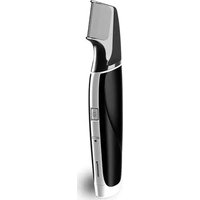
ER1421 - Beard trimmer PANASONIC - Free user manual and instructions
Find the device manual for free ER1421 PANASONIC in PDF.
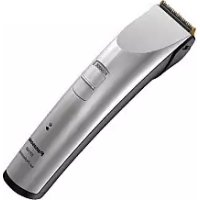



| Brand | Panasonic |
| Model | ER1421 |
| Product type | Beard trimmer |
| Power supply | AC adapter (RE9-41) and built-in Ni-MH rechargeable batteries |
| Motor voltage | 2.4 V DC |
| Charging time | 1 hour |
| Runtime | Approximately 80 minutes |
| Dimensions (L x W x H) | 6.7 cm x 2.5 cm x 9.2 cm |
| Weight | 170 g |
| Sound level | 71 dB (A) re 1 pW |
| Included accessories | Cutting combs (9/12 mm and 15/18 mm), cleaning brush, lubrication oil, AC adapter, charging stand (ER1421) |
| Usage | Dry beard and hair cutting |
| Cutting heights | 9 mm, 12 mm, 15 mm, 18 mm with accessories |
| Maintenance | Cleaning with brush, lubrication before and after each use, blade removable |
| Safety | Do not immerse in water, do not use if damaged, do not repair yourself, keep out of reach of children |
| Spare parts | Blade, cutting combs, AC adapter |
| Repairability | Have it serviced by an authorized center in case of malfunction |
| Environmental impact | Ni-MH battery to recycle, device compliant with WEEE directives |
Frequently Asked Questions - ER1421 PANASONIC
User questions about ER1421 PANASONIC
0 question about this device. Answer the ones you know or ask your own.
Ask a new question about this device
Download the instructions for your Beard trimmer in PDF format for free! Find your manual ER1421 - PANASONIC and take your electronic device back in hand. On this page are published all the documents necessary for the use of your device. ER1421 by PANASONIC.
USER MANUAL ER1421 PANASONIC
Operating Instructions
AC/Rechargeable Professional Hair Clipper
Model No. ER1421/ER1411
English 2 Dansk 32 Cesky 62
Deutsch 7 Portuguès 37 Slovensky 67
François 12 Norsk 42 Magyar 72
Italiano 17 Svenska 47 Romana 77
Before operating this unit, please read these instructions completely.
Important
Before use
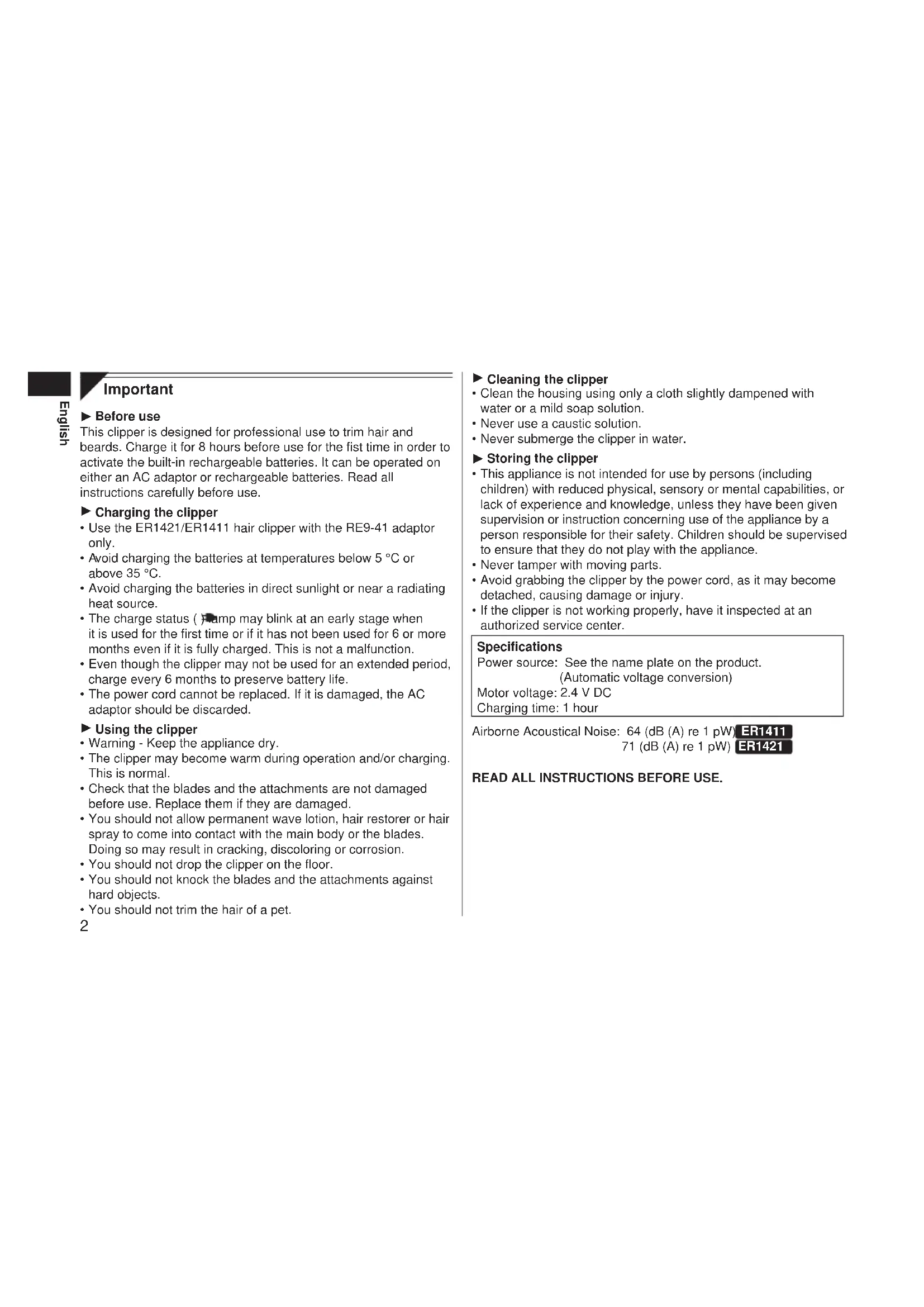
This clipper is designed for professional use to trim hair and beards. Charge it for 8 hours before use for the first time in order to activate the built-in rechargeable batteries. It can be operated on either an AC adaptor or rechargeable batteries. Read all instructions carefully before use.
Charging the clipper
- Use the ER1421/ER1411 hair clipper with the RE9-41 adaptor only.
- Avoid charging the batteries at temperatures below 5°C or above 35°C.
- Avoid charging the batteries in direct sunlight or near a radiating heat source.
- The charge status ( ) clamp may blink at an early stage when it is used for the first time or if it has not been used for 6 or more months even if it is fully charged. This is not a malfunction. Even though the clipper may not be used for an extended period, charge every 6 months to preserve battery life.
- The power cord cannot be replaced. If it is damaged, the AC adaptor should be discarded.
Using the clipper
- Warning - Keep the appliance dry.
- The clipper may become warm during operation and/or charging. This is normal.
- Check that the blades and the attachments are not damaged before use. Replace them if they are damaged.
- You should not allow permanent wave lotion, hair restorer or hair spray to come into contact with the main body or the blades. Doing so may result in cracking, discoloring or corrosion.
- You should not drop the clipper on the floor.
- You should not knock the blades and the attachments against hard objects.
- You should not trim the hair of a pet.
Cleaning the clipper
- Clean the housing using only a cloth slightly dampened with water or a mild soap solution.
- Never use a caustic solution.
- Never submerge the clipper in water.
Storing the clipper
- This appliance is not intended for use by persons (including children) with reduced physical, sensory or mental capabilities, or lack of experience and knowledge, unless they have been given supervision or instruction concerning use of the appliance by a person responsible for their safety. Children should be supervised to ensure that they do not play with the appliance.
- Never tamper with moving parts.
- Avoid grabbing the clipper by the power cord, as it may become detached, causing damage or injury.
- If the clipper is not working properly, have it inspected at an authorized service center.
Specifications
Power source: See the name plate on the product. (Automatic voltage conversion)
Motor voltage: 2.4 V DC
Charging time: 1 hour
Airborne Acoustical Noise: 64 (dB (A) re 1 pW ER1411 71 (dB (A) re 1 pW) ER1421
READ ALL INSTRUCTIONS BEFORE USE.
Parts identification
A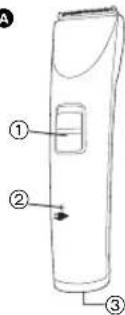
B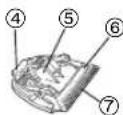
C
D
E F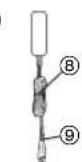
G
H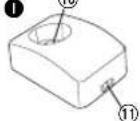
K ∴ m = 3/11
A Main body
① 0-CHARGE/1 switch
② Charge status ( ) lamp
③ Appliance socket
Blade
④ Mounting hook ⑤ Cleaning lever ⑥ Movingblade ⑦ Stationaryblade
3 mm/6 mm comb attachment 9 mm/12 mm comb attachment 15 mm/18 mm comb attachment AC adaptor (RE9-41)
(8) Power cord ⑨ Appliance plug
6 Cleaning brush Oil 1 Charging stand ER1421
Charging plug 11 Socket
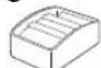
Comb attachment shelf
ER1421
K Connector ER1421
Charge
Charging the hair clipper
Charge it with
the charging and

connect the
power

C
C 1+ +
16
ai C
therefore m = 3/11

C
HC
1 16
1 1 Figure 1
. S ic
tl 21 e 0
C H A F C G /1
E
, P a C e 1 h e C : in or 06 e C or
1

pl 1 C i n +
- 1 B 1 or
0 r 1. 2. 3. 4.
C
CH 6 rc ae ·S sta at US : ¥ 本 and
OW s in re
in
to
D
a
70
0
1
61
e
outlet.
CH
12
rg
English
nI KS .1 n re EC C on C 2 31 e ry sec cond B. (1) M ax. 1h
+ U 1 ch na arg ge
vi II 01 0 vi de 9. ap or 0 XII n at e y 8 0 m in te
0
ni
n!
ut
e
S
at
te
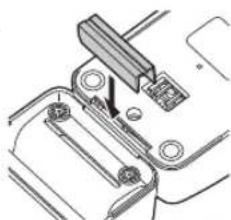
Connecting the comb attachment shelf to the charging stand ER1421
Determine the connection position for the charging stand and comb attachment shelf. Firmly insert the connector into the slot at the bottom of the charging stand.
- If the unit wobbles, then further push in the connector since it has not been firmly inserted.
Charging without the charging stand
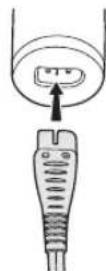
- Slide the 0-CHARGE/1 switch to "0-CHARGE", and insert the appliance plug into the clipper.
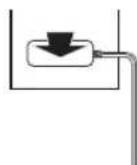
- Plug in the adaptor into a household outlet.
AC operation
If you connect the AC adaptor to the clipper in the same way as for charging, and turn on the power, you can use it even if the battery capacity is low.
If the clipper does not operate, charge the clipper for approximately 1 minute.
- Be careful not to discharge the battery completely with the power left turned on. It results in shortening the battery life.
Using the hair clipper
Using the comb attachments
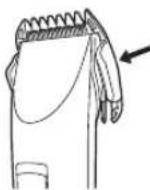
1 Select the trimming heights indicated on the insides and sides of the attachments. 2 Mount the attachment to the clipper as illustrated.
Removing the attachment from the clipper
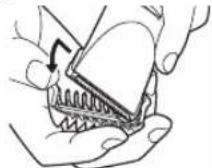
Slide one side of the attachment off the mounting in the direction indicated by the arrow.
Care
Blade maintenance
Removing and mounting the blade
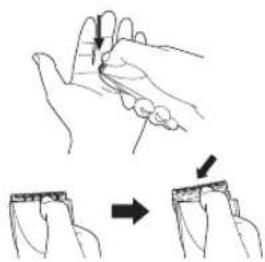
Removing the blade
- Hold the clipper with the switch facing upward and push the blade with your thumb while catching the blade in your other hand.
- Be sure to turn off the power before removing the blade.
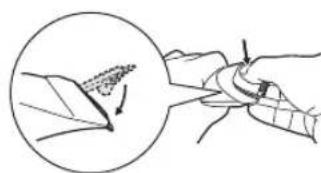
Mounting the blade
- Fit the mounting hook into the blade mounting on the clipper and push in until it clicks.
Cleaning the blade
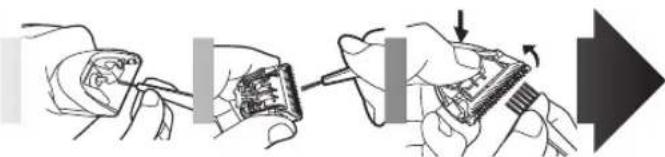
- 1. Brush off any hairs from the blade and the clipper. 2. Remove the blade and brush off the hairs from around the blade edge.
- Brush the hairs out from between the stationary blade and the moving blade while pressing down on the cleaning lever to raise the moving blade.
Lubrication
- Apply a few drops of the oil to the space between the stationary blade and moving blade.
Apply the oil to the clipper before and after each use.
- Remount the blade on the clipper.

Removing the built-in rechargeable batteries
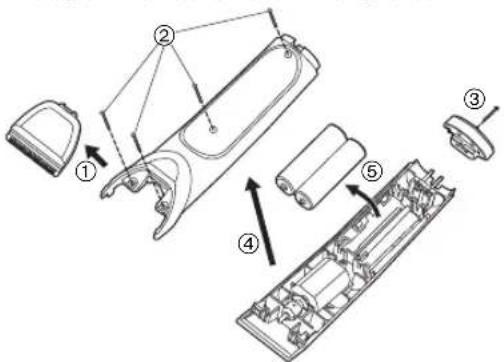
Remove the batteries as illustrated.
- Disconnect the clipper from a household outlet.
- Fully discharge the batteries.
- Be careful not to short-circuit the batteries.
WARNING - Do not attempt to replace the batteries for the purpose of reusing the clipper. This could result in the risk of fire or electric shock.
Important notice regarding environmental protection
The built-in rechargeable Nickel-Metal Hydride batteries contain substances that may be environmentally harmful. Please remove the batteries before discarding your clipper.
For environmental protection and recycling materials
This clipper contains Nickel-Metal Hydride batteries. Please make sure that the batteries are disposed of at an officially assigned location, if there is one in your country.
Please read "Information for Users on Collection and Disposal of Old Equipment and used Batteries" on page 87.
Important
Information for Users on Collection and Disposal of Old Equipment and used Batteries
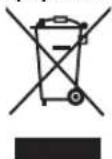
These symbols on the products, packaging, and/or accompanying documents mean that used electrical and electronic products and batteries should not be mixed with general household waste.
For proper treatment, recovery and recycling of old products and used batteries, please take them to applicable collection points, in accordance with your national legislation and the Directives 2002/96/EC and 2006/66/EC.
By disposing of these products and batteries correctly, you will help to save valuable resources and prevent any potential negative effects on human health and the environment which could otherwise arise from inappropriate waste handling.
For more information about collection and recycling of old products and batteries, please contact your local municipality, your waste disposal service or the point of sale where you purchased the items.
Penalties may be applicable for incorrect disposal of this waste, in accordance with national legislation.
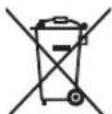
For business users in the European Union If you wish to discard electrical and electronic equipment, please contact your dealer or supplier for further information.
[Information on Disposal in other Countries outside the European Union]
These symbols are only valid in the European Union. If you wish to discard these items, please contact your local authorities or dealer and ask for the correct method of disposal.
![PANASONIC ER1421 - [Information on Disposal in other Countries outside the European Union] - 1](/content/2026/03/454744/images/6402f0357e4a43f4e98c9b8e3fbe1cf8ba2808ff34df64d7e2c006cef03d5e29.jpg)
Note for the battery symbol (bottom two symbol examples):
This symbol might be used in combination with a chemical symbol. In this case it complies with the requirement set by the Directive for the chemical involved.
German
Therefore, m = 3/11 ;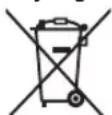
Symbols on products, packaging, and/or accompanying documents mean that used electrical/electronic products and batteries must not be mixed with ordinary household waste.
Therefore, m = 3/11 ;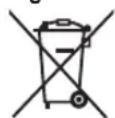

- IMPORTANT
- BEFORE USE
- CHARGING THE CLIPPER
- USING THE CLIPPER
- CLEANING THE CLIPPER
- STORING THE CLIPPER
- SPECIFICATIONS
- PARTS IDENTIFICATION
- CHARGE
- CHARGING THE HAIR CLIPPER
- CONNECTING THE COMB ATTACHMENT SHELF TO THE CHARGING STAND ER
- CHARGING WITHOUT THE CHARGING STAND
- AC OPERATION
- USING THE HAIR CLIPPER
- USING THE COMB ATTACHMENTS
- REMOVING THE ATTACHMENT FROM THE CLIPPER
- CARE
- BLADE MAINTENANCE
- REMOVING AND MOUNTING THE BLADE
- REMOVING THE BLADE
- MOUNTING THE BLADE
- CLEANING THE BLADE
- LUBRICATION
- REMOVING THE BUILT-IN RECHARGEABLE BATTERIES
- IMPORTANT NOTICE REGARDING ENVIRONMENTAL PROTECTION
- FOR ENVIRONMENTAL PROTECTION AND RECYCLING MATERIALS
- INFORMATION FOR USERS ON COLLECTION AND DISPOSAL OF OLD EQUIPMENT AND USED BATTERIES
- FOR BUSINESS USERS IN THE EUROPEAN UNION IF YOU WISH TO DISCARD ELECTRICAL AND ELECTRONIC EQUIPMENT, PLEASE CONTACT YOUR DEALER OR SUPPLIER FOR FURTHER INFORMATION
- [INFORMATION ON DISPOSAL IN OTHER COUNTRIES OUTSIDE THE EUROPEAN UNION]
- NOTE FOR THE BATTERY SYMBOL (BOTTOM TWO SYMBOL EXAMPLES)
- GERMAN
Brand : PANASONIC
Model : ER1421
Category : Beard trimmer