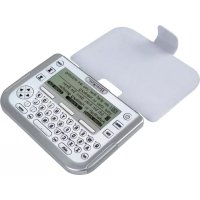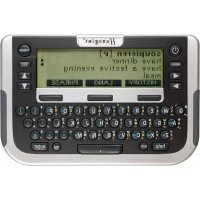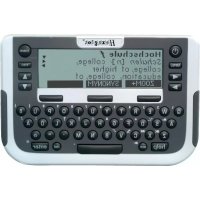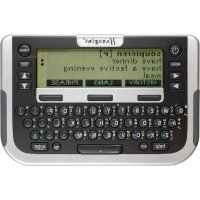
Traveller SC North - Electronic translator Hexaglot - Free user manual and instructions
Find the device manual for free Traveller SC North Hexaglot in PDF.



Frequently Asked Questions - Traveller SC North Hexaglot
User questions about Traveller SC North Hexaglot
0 question about this device. Answer the ones you know or ask your own.
Ask a new question about this device
Download the instructions for your Electronic translator in PDF format for free! Find your manual Traveller SC North - Hexaglot and take your electronic device back in hand. On this page are published all the documents necessary for the use of your device. Traveller SC North by Hexaglot.
USER MANUAL Traveller SC North Hexaglot
Hexaglot Traveller SC
Deutsch 2
Cesky 22
Eesti 40
English 59
Espanol 78
EAAWkα 98
Francais 118
Italiano 137
Magyar 156
Nederlands 175
Norsk 195
Polski 213
Portugues 232
Pycaxn 251
Suomi 271
Svenska 289
Türkce 307
325
Willkommen! 4
adv: Adverb, Umstandswort.
Hra 3: Cisine puzzle
Clem hry je co nejmene pokusz rozhtif ciseiu ma tci opst od 1 do 9. klavesami mute posunov svberovych dvecnc. Sitkulm klavy sate ve vberovem dvcj pr osnju pe smnu hodino ych nuok. Sitkulm klavy sprimenu hodinyu rukdak
18. Pokyny kudzbe
Pit t i t t t t t t t t t t t t t t t t t t t t t t t t t t t t t t t t t t t t t t t t t t t t t t t t t t t
19. Odstranénizvad
Prikud vaid pristroi Hexaglot Traveller SC neprauwe nebo ho nemizute zapnout, akki jssa batorie jest de statecn nabite, resutjte pristroi. Na zdani strane pristroi najate resevo la tachis. Zadokinla te opatme tenikym, ale na sspiaty mphdrimien (napz kancsakou spankou). Prikud to nebude ospine, yvmtte bateri a po chviil Oekani vodte do pristroi ne novela Zkontrokui ta taz, za je karta zasunuta do pristroi spravnil.
Poznianka: Pfl. resotovani pifstoe se u'deve u v. vatalskem skrovniku ve v afvlichnizn pozamnkih nesmazat, Pokud choote tyte udaje vymazat, poujke prozim priluzne finkove u vahstekem skrovniku, prapindel ve vlastrikh pozmansk.
20. Zbruks
Nabe vrybloky Hexaglot podlithaj pfnse konone krolte kuality. Fima Hexaglot zanu.cje, ze vsl phtroj narn materialov an yvntn zavady. Pukod se da duiv let po koupi objel na vism kapsimn phtroj vny uveden zavady, nabit vaml fma Hexaglot die vsl voby bezipnau opravo nebo vyniu. Zanu kla pousze pro vlas jea povodnino kononeh zakznikna. Naplat vi ppadat potkzenin roztirinych cdti, napp. pouzdra ne bo dispej, v pifada neo dbome manipulae, zavineneho potkzeni, v pifada Skod spuzo benych zolmenim, tepim, vdou a phtrodin udalostmi, neopravlnydn zasahre do phtroje a chemiyi uyv, napt yaleymi bateini Vade toho malat zalkomn zanun prava ud obchodnikov, u nihat jste phtroj kupoi, tajeou toulo zanukou omzena. Vadny phtroj nam prosim danide s krakym popesem zavady a dokladern o koup i svhe prode jioe pro dazil bi postaunen neb ov dstok h ofrankov amai bokoun a dresu
HEXAGLOT Holding GmbH, Kundensevier.
Sportale 41, D-2233 Hamburg, Niggmo
Zastani zpjt be bezpltna. Za zastani tam a zpjt nephebitame Zadinou odopovnost. Mzostn zastat vadinny pflstro za obolem spravy na vyle
uveden ouadresmu i po upyun zuo nbi doby. Po upyuni zauuni dobyse pripadne spravy plat.
A: Marksna podpalsus kir as
C. Ni misinada sugu po olpaikus/kaibir as
D. Togud nimsana sugka kaskn as jannkugus
E Semantineinovd moe saehused kndjra anouolgides
So Nt alhtveitakne tals autmaatrnt kreea kee mngslk (seiduset, on ot lernas keeklaart), st kirk siseusedtahake sit kkeka taha dega ka hibft kahvi de konal ev tsvast valnve nki.
Sona otsumine
Sonalius obides voleakse arvesse vaibut kelesuna standardanassiku kireid ng - kuvird olemas - kasutajnastiku kireid Vajaduse kom kov otang pitrate kau kusaijasnstikuga. Sestage kogu sina voi sina algus ja vajtage sis klankite Otisingul vob olka kalimvailokukule must:
Leatake taps et kskirje. Kire kuwatake ekranite.
- Lataikse rohikem kui Oks kirje. Seljuhul kuwatakse tabarnuste nineknt, milast vite kuwatase ks valida soov tud kirije.
- Sotivat karet i e tika. Kuvakata se otisa vake mla tahist kufi fahim kirei oib sabe sede si sestud otisngumos te ogikirjvarante - oien-evat selket, kae sedamre sedut sidos olvailut anoge Aivl
Markus: vöb jutud, et mimi markusina esineab tab amnusse nimwiras rohikum kui ük lord viet mone markzona kohta et ole konkrataes koeles tigat. Andemei keruka strukturi tittu on see vallimatu - tegemist et die seadime veaga. Chingumldist sisestandis pidage meles järnmiu junieid
- Diaknilsed mrgid (nagu nait g a a jne) vordusstatake os ingui tappida tafhedega: a = a. = u jne.
Tuhkud (nagunat .parking light) tuleb samuli sizestaia.
Ermarka (nait. sidakipsu nagu sana, knoehor) eide vaja siestada (seega nait. knoehor).
Kui otte siseastamset eiknud, voite vila kursor ki hividag a boh it kus teghe vea, kustadat ak skud mngid kahviga dai vil sieestada ued mngid. Et tihstada kogu siestatud mngjada j a seestada uus sana, vajtage kahvile ES C
Otsitavas mokstsvibdlaumbes 20 mark.
Tabamuste nimekijaga tostamine
Kui obssu tulumus a letakse rohlem kui uls vastus, koostab Hexagiot Traveler SC sobivatest vadustest tabamusime nemeikirja. valige klavhvidaga △ vol ▼ tabamusite nemeikirjat kajr je vujtagate selle kijru kuvanselsk klahville ernt NND kuovatsek sanafinku taliik kijr. Klahnu 10EC liute heil atagai tabamusite nemeikira j vaile sevat lukv kauvamdo mju kui
Mikus tabarnuste nimokir kustukatakse automaatseit koh e, kui sieastate ue obstava morsa aktiveente mone teise reiti vii lilata sea dmne vila.
Sportallee 41, D-22335 Hamburg, Germany
schicken. Tagasisaatmine on tasuta. Edasi-tagasi saatmise eest me ei vastuta. Parast garantiaja moedumist on teil samuti voimalik rikkis seade ulinimetatud aadressil remonti saata. Parast garantiaja moedumist on remont tasuline.
21. Kontaktinfo
Infot meie toodete ja tarvikute kohta, mis puudutavad eriti teie Hexaglot Traveller SC-d, nagu nait. varukatted voi SmartCard'd taendavate keelek kombinatsionidega, voite saada otse firmast Hexaglot Holding GmbH, Sportallee 41, 22335 Hamburg, Telefon: +49-(0)40-51456-200, faks: +49-(0)40-51456-993, e-post: info@hexaglot.de. Voi kulastage meid internetis adressil www.hexaglot.com.
22. Luhendite ninekiri
a:Adjektiv,omadussana.
adv: Adverb, märsøna.
- Precautions 61
Storing data in the device 61
Using the operating instructions 61 - Scope of delivery and product description 61
- Inserting and changing the batteries 62
Inserting/changing main batteries. 62
Important information on batteries 62 - Inserting and changing the card 62
- Changing the device cover 63
- Overview of device 63
Powering on and off 63
Keyboard 63
Display symbols 65
- Quick guide to the dictionary 65
- Program selection menu
- Settings
- Help function
- Zoom function
- Dictionary
Selecting language
Reading entries correctly
Searching for a word
Working with the hit list
Incremental suggestion list
Special entries in the hit and suggestion lists
Correcting spelling and searching for spelling variants
Searching with wildcards
Scrolling within dictionary
Following cross-reference
Re-select entries in history.
- Phrases
Search for phrases using topic selection
Find phrase with search term
Creating entries in the user dictionary/memo
Searching for and changing entries in the user dictionary/memo
Deleting entries in the user dictionary/memo
- User dictionary/memo
- Unit converter
ENGLISH
Hexaglot Traveller SC
Standard unit conversion 73
Calculating time differences 73
Converting sizes 74
- Calculator 74
Calculating with the Hexaglot Traveller SC 74
Using the calculator memory. 74
- Games 75
Game 1: snake slalom 75
Game 2: Code cracker 75
Game 3: Number sliding puzzle 75
- Taking care of your product 75
- Fault rectification 75
- Guarantee 76
- Contact Information 76
- List of Abbreviations
77
Welcome
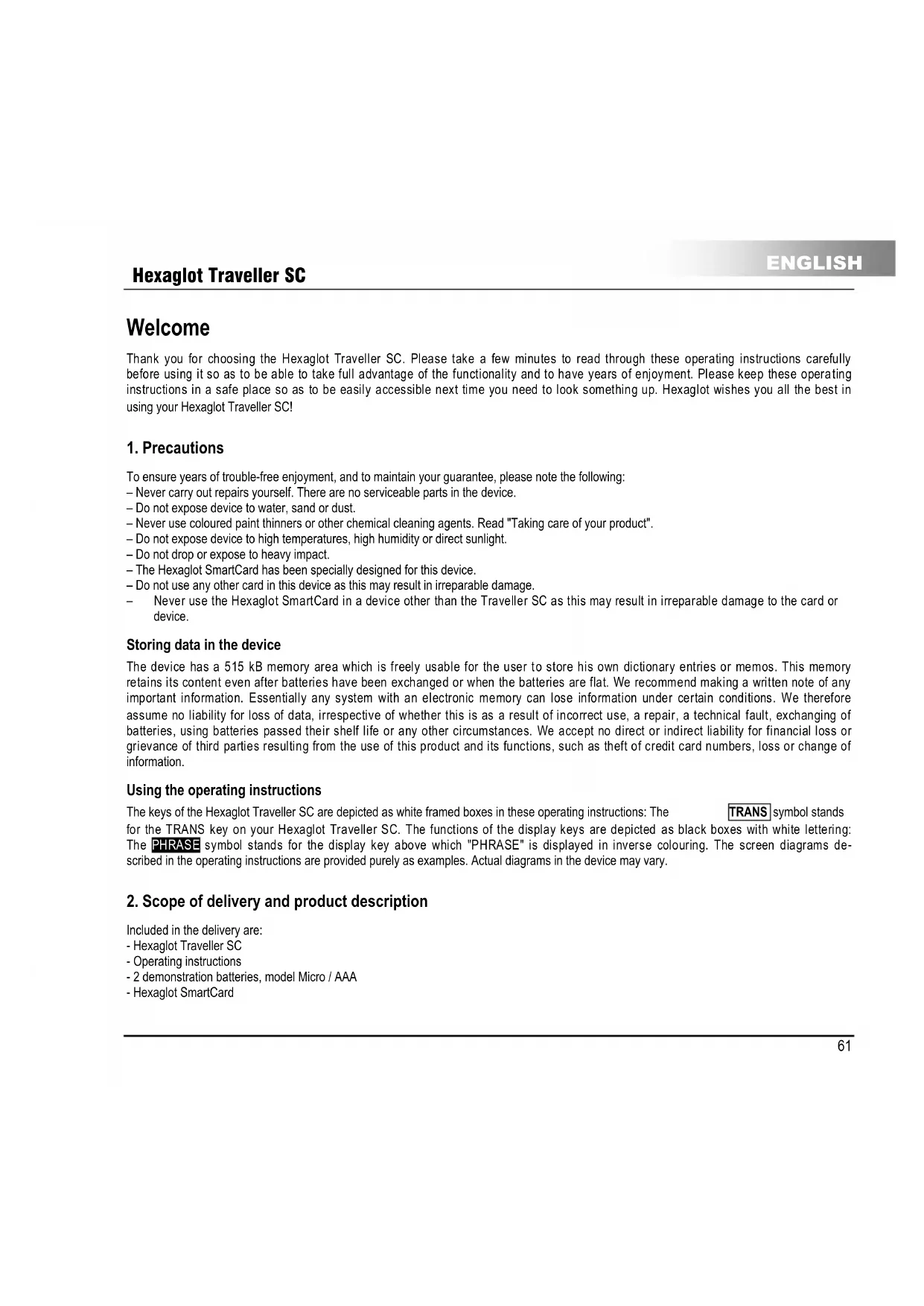
Thank you for choosing the Hexaglot Traveller SC. Please take a few minutes to read through these operating instructions carefully before using it so as to be able to take full advantage of the functionality and to have years of enjoyment. Please keep these operating instructions in a safe place so as to be easily accessible next time you need to look something up. Hexaglot wishes you all the best in using your Hexaglot Traveller SC!
1. Precautions
To ensure years of trouble-free enjoyment, and to maintain your guarantee, please note the following:
- Never carry out repairs yourself. There are no serviceable parts in the device.
- Do not expose device to water, sand or dust.
- Never use coloured paint thinners or other chemical cleaning agents. Read "Taking care of your product".
- Do not expose device to high temperatures, high humidity or direct sunlight.
- Do not drop or expose to heavy impact.
- The Hexaglot SmartCard has been specially designed for this device.
- Do not use any other card in this device as this may result in irreparable damage.
- Never use the Hexaglot SmartCard in a device other than the Traveller SC as this may result in irreparable damage to the card or device.
Storing data in the device
The device has a 515 kB memory area which is freely usable for the user to store his own dictionary entries or memos. This memory retains its content even after batteries have been exchanged or when the batteries are flat. We recommend making a written note of any important information. Essentially any system with an electronic memory can lose information under certain conditions. We therefore assume no liability for loss of data, irrespective of whether this is as a result of incorrect use, a repair, a technical fault, exchanging of batteries, using batteries passed their shelf life or any other circumstances. We accept no direct or indirect liability for financial loss or grievance of third parties resulting from the use of this product and its functions, such as theft of credit card numbers, loss or change of information.
Using the operating instructions
The keys of the Hexaglot Traveller SC are depicted as white framed boxes in these operating instructions: The TRANs symbol stands for the TRANS key on your Hexaglot Traveller SC. The functions of the display keys are depicted as black boxes with white lettering: The PHRASE symbol stands for the display key above which "PHRASE" is displayed in inverse colouring. The screen diagrams described in the operating instructions are provided purely as examples. Actual diagrams in the device may vary.
2. Scope of delivery and product description
Included in the delivery are:
- Hexaglot Traveller SC
- Operating instructions
-2 demonstration batteries, model Micro / AAA - Hexaglot SmartCard
3. Inserting and changing the batteries
Power to the device is provided by two standard batteries of type AAA (Micro, Lr03, AM4).
Inserting/changing main batteries.
First insert the batteries provided:
- The battery compartment is on the underside of the device (diag I).
- Remove the cover of the battery compartment.
- Insert the two batteries, paying careful attention to correct polarity (+/-)
- Close the battery compartment cover.
- Press the reset key at the back of the device using a straighten paper clip or something similar.
Important information on batteries
Note: Incorrect use of batteries can result in leakage or cracks and ultimately in damage to your product.
Please be aware of the following precautions:
- Make sure you always switch the device off before changing the batteries.
-Pay careful attention to correct polarity (+ / - )
- Never mix batteries of different types, or mix old with new.
- Never leave used batteries in the battery compartment as this may result in faulty operation.
- Remove the batteries if the device is not to be used for a long period.
- The batteries supplied are not rechargeable.
- Do not expose batteries to direct heat. Do not short-circuit batteries and do not attempt to take them apart.
If a battery leaks, clean the battery compartment immediately, ensuring that battery fluid does not come into contact with skin.
- You may continue to use the device with rechargeable batteries - reducing energy costs for the device significantly.
- Please note, however, that the operational life of the device is generally shorter when using rechargeable batteries.
- Suitable rechargeable batteries and battery chargers are available from specialist outlets.
Note on disposal: Please only throw discharged batteries away at collection points provided by the dealer or the local authorities. Batteries are generally discharged when the device is switched off and indicates "battery flat" or, after prolonged periods of use, "no longer work efficiently". To be on the safe side, place sticky tape over the poles of the battery or put them into individual plastic bags.
4. Inserting and changing the card
Ensure that the device is switched off before inserting, removing or changing a card. Then open the cover of the card compartment on the back of the device on the bottom left-hand side (diag II). To remove, press gently on the card, releasing the locking mechanism. Now pull the card out of the device. To insert, push the card, with contacts pointing forward and downward, into the empty card slot (diag II), until the locking mechanism grips the card and fixes it into position. Close the cover of the card compartment. The new card is now ready to use.
Note: Hexaglot SmartCards only work with the Traveller SC. Never insert a commercially available SD or MMC card into the Hexaglot Traveller SC. You may damage card, card contents and device beyond repair. Never use Hexaglot SmartCards in other card devices such as digital cameras, MP3 players etc., or in PC card readers. You may damage these devices and the Hexaglot SmartCard beyond repair. A "No card!" message is displayed on calling the dictionary function if there is no card in the device or if the card is not inserted correctly. You can use the calculator and the games without a card. Additional SmartCard accessories with other language combinations are available from Hexaglot (see contact information).
Note: You can continue using the memo function, the user dictionary, the calculator and the games without installing a card. These functions are, however, only available in the English language. You are prompted to set the user language after changing the card.
5. Changing the device cover
Please switch the device off before removing or exchanging the device cover. Open the cover of the battery compartment on the back of the device (diag. I). To remove, simply lift the cover from the retaining pins: The device may also be operated without the cover. To insert a new cover, locate the retaining holes of the cover lug at the retaining pins of the battery compartment lid (diag III). Close the battery compartment carefully. Ensure that the lug is fed cleanly through the gap between the housing and the battery compartment lid. Device covers are available as accessories from Hexaglot (see contact information).
6. Overview of device
Powering on and off
To power the Hexaglot Traveller SC on, press until the device turns on. The Hexaglot Traveller SC switches itself off automatically if no keys are pressed within a period of a few minutes. Press again to switch off the device manually.
Keyboard
The following functions are provided with the Hexaglot Traveller SC keys:
Mode keys
Use these keys to enable basic functions of the Hexaglot Traveller SC.

Keep pressed to switch the device on and off.

Displays help text for the mode currently active.

Opens a menu with further functions:
- user dictionary
- memo
- calculator
- unit converter
-games - settings

Switch to dictionary mode.
Display keys
Three large display keys are positioned below the Hexaglot Traveller SC screen. The functions currently active for these keys are displayed as text in the bottom line of the display on the black fields. Below is an overview of all possible display key functions in alphabetical order:

starts the unit converter.

unit converter: enables the input field of the source unit and scrolls to the next unit.
ENGLISH
Hexaglot Traveller SC
unit converter enables the input field of the target unit and scrolls to the next unit.
unit converter scroll to the preceding unit of the active input field - source or target unit.
unit converter starts the currency calculator.
user dictionary memo function enables capital letters for character keys.
unit converter starts the size category.
user dictionary, memo function creates a new entry in the user dictionary or memo list.
user dictionary, memo function: enables digits and symbols of the character keys (dark gray imprint above the
keys). Note: digits are automatically used instead of letters in calculator mode.
dictionary: confirms selection (language) of the dictionary.
dictionary changes to phrase mode and its functions, such as search for keyword in the phrases
starts the calculator.
scrfls up one whole page.
scrofts down one whole page.
dictionary.phrases.allows selection of the dictionary,or languages to be translated.e.g.German->English
phrases, user dictionary, memo function: starts search function within the particular area.
dictionary: shows a list of terms in the dictionary history and allows a new search for these terms.
unit converter starts the world time calculator.
dictionary. enables large font size.
dictionary: enables normal font size.
jumps back to the last level displayed - same effect as pressing the ESC key.
dictionary: allows quickly changing the direction of the current language pair when selecting dictionary.
dictionary is used as a wildcard for any character when searching
dictionary is used as a wildcard for any string of characters when searching.
Input and navigation keys
The international QWERTY keyboard arrangement is used for inputting text. All inputs in dictionary mode are in lower case. Upper case, digits and special characters may only be used when inputting your own entries in the user dictionary or memo list. The most important controls for processing the dictionary are located on the left and right and sides next to the screen.
If you want to define one of the letters a, e, i, c or n with an account, enter the required letter and then press [acc] Keep pressing the key until you find the accent symbol to be added or removed (e.g. e, e, e).
Hexaglot Traveller SC
ENGLISH
- If the cursor is at the end of the text the character last entered is deleted (left of the cursor).
- Is used to delete your own entries in the user dictionary and in the menu list.
ESC
this key is used to confirm an entry or selection.
is used to cancel an action or to jump back to the level last displayed. (the exact function of the key is defined by the mode currently active).
use these keys to scroll backwards and forwards between dictionary entries or phrases, depending on mode selected. Use these keys to move the position of the cursor when entering words. These keys can also be used in Setup to switch particular options on/off.
Use these keys to select entries from lists and scroll through the display if the display content is longer than four lines.
Display symbols
The LCD has five lines for up to 25 characters. As previously mentioned, the lowest line in the display is usually used for labelling the display key. A status bar, used to flash up various symbols, is located to the right of the normal display. Diagram IV shows the various display areas and elements:
A normal test display area
E: labelling of the display keys
The meaning of the individual status bar symbols is explained below.
Indicate that you can select and scroll up and down through the display window using these arrow keys.
Indicate that you can select and sort through dictionary entries with these arrow keys.
Showsthatthe displayed selectedentryoriginatesfromthuserdictionary.
7. Quick guide to the dictionary
To look up a word in the English-German dictionary.
Press TRANS to enable dictionary mode.
The current language and the input prompt are displayed in the top line of the screen.
Type in the search word - this is not case sensitive.
The device provides matching suggestions for your input.
- Select the required entry from the list of suggestions with and and press enter to open the dictionary entry
Use to small through longer entries.
Use and to change between the previous and subsequent entries in the dictionary.
Press TRANS to return to the input screen.
ENGLISH
Hexaglot Traveller SC
8. Program selection menu
Start the dictionary function with the TRANS key. Use the program selection menu for additional device functions and settings. Start selection by pressing MENU. A list of additional device functions is displayed. To start a function, first select it using the and keys (inverse colouring is used for function selected) and then press the enter key. The following functions are available:
- user dictionary
3.000
2.1.10
1
4 unit converter - game 1
- part 2
1.000
Tip: You can also access the additional functions in the selection menu directly by entering the relevant function number. For example, entering 日 = key E) starts the calculator, entering B = key E takes you directly to the menu with the settings.
9. Settings
Select settings from the program selection menu to customise the basic device settings. To change an option, first select it using the and keys. You can change the following settings:
Battery displays the current battery status. If the batteries are getting low, have a new set ready so as to be able to work uninterrupted
Contrast controls the brightness of the display. Use to make the display brighter and to make it darker.
Def1-Def0 define the exchange rate which can be used in currency conversion mode in addition to those already stored. A maximum of seven digits can be specified, including the decimal point. Example: One US dollar corresponds to 0.90231 EURO. To change the value of an exchange rate, you must press enter for changes to take effect. Enter 0.90231 and confirm with the print key. Use the ESC key to leave the input without changing the original value. Any changes are brought into immediate effect.
Spellcheck Specify here whether the search should continue looking for spelling variants if the search in the dictionary returns no results, i.e. no matching entries are found. For example, if the "Spellcheck" function is enabled, the entry "subway" is also returned when searching for "subway" in the English dictionary.
The key selects 0 = look for variant
The key selects 1 = do not look for variant
Pessus 1 anr h a aahar an nnnnntal hi tshd had dnaand ahanae the eanr hare The nnnnntal hi
Hexaglot Traveller SC
ENGLISH
| Form | specify here whether word forms should also be taken into account when searching. When enabled, the device traces back, e.g. in English, trace from the past form "went" to the infinitive "go". The key selects #D = include word forms when searching. The key selects D = ignore word forms when searching. |
| Language | specifies in which language messages are displayed. Use ↓ to select the required user language (country code). |
| Key tone | turns the key press tone on or off. The ↓ selects #D = key press tone on. The ↓ selects D = key press tone off. |
10. Help function
The Hexaglot Traveller SC has a context-dependent help function. Meaning that the help text displayed always relates to the device mode currently active. If you are ever at a loss anywhere, press help. Help text appears which relates to the current mode. Scroll through the help text using the and keys. Press ESC or select another mode to hide the help text Note: help is not available for the games.
11. Zoom function
In dictionary mode, the Hexaglot Traveller SC has a zoom function which increases readability by increasing the text size of the display. Press the 000M display key to enable increased text sizing and 000M to disable it. Note: With very long words, enforced line wrap may occur. separation occurs at the end of the line and is marked with the "-" separator character. separation is automatic and does not necessarily conform to syllable separation rules for any particular language. Individual characters may appear slightly distorted when enlarged. this is due to technical limitations and is not a fault.
12. Dictionary
Press TRANs to start the dictionary. The current language is displayed in the first line of the screen.
ENGLISH
Hexaglot Traveller SC
Selecting language
To change language, press TRANSL and then LANGUAGE. The dictionary selection menu is then displayed. The currently active dictionary is shown in the first line. To change the language, select the required source language in line 2 using the 串 and 串 keys.
You can also select the language by typing the initial letters of the language, e.g. key for Italian. Change to the third line with and select the target language. To directly reverse the languages of the current language pair, press the middle display key To confirm your selection and exit language selection, press Enter or Enter. To exit without changing the current language, press OK or ESC. Country codes are used to select the language.
Note: the language selected applies to the dictionary and phrases functions. This setting has no bearing on the user language. Please note that the source target selected determines the active character set. So, for example, when selecting Greek as the source language (provided the language card is present) the Greek character set is automatically enabled and Greek characters are used for input. The coloured lettering next to the keys applies.
Reading entries correctly
Besides just providing basic translations, the dictionary can also provide information on grammar and word usage. An example is shown in diagram V.
A key word in bold
E translation in normal font
Cender ofnns in holdtions
D. gender of the translation in italics and square brackets
E semantic information or explanation of term in italics and angled brackets
Searching for a word
When searching in the dictionary, all entries in the standard dictionary of the language selected and, if available, the user dictionary are included. You may also limit the search to the user dictionary if required. Type in the whole word or the beginning of a word and then press enter.
There are three possible search results:
exactly one entry is found. The entry is displayed.
more than one entry is found A list of hits is then displayed from where you can select the required entry to display.
- No matching entries were found. The next alphabetical entry to the search item is displayed or the device searches for spelling
variants of the search string entered - this depends on the setting of the SetPolicyA option in device settings.
Note: It may be the case that a keyword occurs more than once in a list of hits or that a translation is not available for a keyword in a particular language. This is unavoidable due to the complex data structures and in no way indicates a fault with the device.
Please note the following when entering a search string:
- Diacritical characters(such as e.g. u, a, a, etc.) are normalised when searching: a = a, u = u etc.
Spacess in search strings should be specified (e.g. in "parking light").
Special characters (e.g. the hyphen in "know-how") need not be specified ("know-how" is sufficient).
If you make a spilling mistake, move the cursor to the error using the 口 and 口 keys and then use the key to delete individual characters and/or enter new characters.
Hexaglot Traveller SC
ENGLISH
Working with the hit list
If more than one hit is found in a search, the Hexaglot Traveler SC generates a list of matching hits. Use the ▲ and ▼ keys to select an entry from the hit list and press Enter to display this entry. The complete dictionary entry is then displayed. Use the ESC key to return to the hit list to select and display another entry.
Note: The hit list is automatically deleted as soon as you select another mode or search string, or when the device is switched off.
Incremental suggestion list
This electronic dictionary has an incremental suggestion list to simplify the search and make it more convenient. Whilst entering the search string, the device looks up entries in the dictionary simultaneously and displays those which match the input string in a list of suggestions. Whilst entering the search string, you can change to the suggestion list at any time using the key and select an entry. Use enter to jump immediately to the required entry. Use ESC to exit the suggestion list to, for example, change the search string. You can enable/disabel the incremental suggestion list in the settings menu.
No
The suggestion list contains a maximum of the first 20 hits.
If the entry required is not in the list, refine the search string first
To speed up entry of search strings, disable the incremental suggestion list.
The incremental suggestion list does not work when using wildcards in a search.
Special entries in the hit and suggestion lists
The embedded dictionary in the Hexaglot Traveller SC has a general linguistic vocabulary. Also included is special vocabulary from the world of gastronomy, like foodstuffs, ingredients, preparation methods and the like as well as special automotive related vocabulary such as technical terms used for car parts. Entries from specialist vocabulary are easily recognisable in that they are prefixed with 出 (for restaurant) and 出 (for automobile) in the hit and suggestion lists. These entries may be accessed just like any other dictionary entries. Many word forms are recognised during the search and lead you back to the basic entry. A word form is easily recognisable in that it is prefixed with an 出 (for form). Example: the "see" entry indicates that "saw" is a word form. When calling up this entry, the entry for the key word "see" is automatically displayed. You can enable/disable the display of special entries. The German language comprises of many composites (compounded words). When searching with German as the source language, many composites are recognised and separated into their individual word components for the translation. Composite entries are easily recognisable in the list of hits or suggestions in that they are preceded with 出 .
Example: The Polizeher list entry indicates a compounded word for which translations are available for the individual components. When selecting this list entry, a list of the individual components "Polze" and "Chef" are displayed. Select the required word and press Enter. You then see the translation of that individual word. Use ESC to return to the selection list to translate the other components.
Correcting spelling and searching for spelling variants
If no hits are found during a search and no alphabetically following entry matches, the device tries to find spelling variants, or tries to correct a spelling mistake in the search string entered. So, for example, the incorrect entry of "subway" for the English word "subway" results in a suggestion list which contains, amongst others, the entry "subway". You may enable/disable this function in the settings menu.
ENGLISH
Hexaglot Traveller SC
Searching with wild cards
Wildcards allow extended searches. Add wildcard symbols in the search string in place of as many individual characters or character strings. This function is ideally suited to when you are not sure of the exact spelling of a word. This function is also very useful in solving cross-word or other word puzzles. As soon as you have entered at least one character of the search string, the wildcard symbols appear on the middle and right display keys:
represents a sequence of any number of characters. This sequence can also be empty. For example, in English, grey finds gray, greasy, gray, grey, amongst others. represents any single character. This character occurs once and only once. Example: grey finds only gray and grey
附件:
Wildcards can not be placed at the beginning of a search string.
The two wildcard symbols can not be combined with each other.
- The " wildcard may be used just once within a search string, the ? wild card several times.
- Searching with wild cards may be time-consuming.
- This is normal since complex search and compare operations need to be performed.
- Frequent searching with wildcards may therefore lead to a reduction in battery life.
- When using a wildcard symbol, the incremental search for the search string is automatically disabled.
The search results list when using wildcards is a maximum of 20 hits: refine the search if need be.
Scrolling with in dictionary
You can scroll both within an entry. If it is longer than a display page, and to the next or previous entry in the dictionary.
Scroll within entry: If an entry is longer than the multi-line display, press on once to scroll down one line or keep it pressed to continually scroll the display contents. Use to scroll backwards. Pressing and then or scrolls the entire screen contents up or down by a whole page. The and arrow symbols in the status bar indicate whether scrolling up or down is possible. Scroll within dictionary: Use and to scroll to the alphabetically previous or next dictionary entry.
Following cross-reference
The Hexaglot Traveler SC allows words within a dictionary entry to be used as cross-references. Press Enter within the entry view. The colours of the first element within the entry are inverted (apart from bold and italic lettering). Use the keys to move the marker within the entry. Press Enter again results in the word inversed being searched for in the dictionary and, if available, displayed. If more than one matching entry is found, a selection list is displayed from which the required entry can be selected. Note: if no matching entries are found, the alphabetically next word in the keyword list is suggested - a question mark (?) is displayed in front of this entry to denote a suggestion. Note: The cross-reference function does not work with entries from the user dictionary.
Re-select entities in history.
Key words for the last 50 opened dictionary entries are stored in a list by the Hexaglot Traveler SC and may be accessed from here directly, even if the device has been powered off in the interim period. The order of the keywords in the list corresponds to the order in
Hexaglot Traveller SC
ENGLISH
without opening an entry, press the left display key Esc or one of the mode keys (e.g. TRAN for the dictionary), to enable another function.
Note: entries in the process list are automatically deleted if the dictionary language is changed.
13. Phrases
The Hexaglot Traveller SC contains a multitude of phrases from a total of 30 different topics typical when communicating abroad, such as when in a hotel, airport or restaurant. Press the right display key PHRAGE to change the phrase set. If you are not yet in the start screen of dictionary mode, press TRAN first and then the right display key PHRAGE There are two different ways to search for matching phrases:
-
You can select a topic and scroll through the available phrases.
-
You can enter a search term.
Search for phrases using topic selection
The initial screen in phrases mode presents you with an overview of the available topic areas. Use and to scroll thought the whole list. Entering the initial letters is also sufficient to define a topic. After selecting the required topic, press to display the first phrase of that topic. Use the and keys to scroll to the next and previous entries. Use ESC to exit the entry and select a new topic.
Find phrase with search term
Keyword search is a very effective way of locating a phrase. To start the keyword search, press the right display key in the initial screen of the phrases made. Now enter the keyword to be located. An incremental list of keywords matching your input is displayed. Select the required keyword using and and press Enter. The phrase is displayed along with the corresponding translation. If more than one matching phrase is available for the keyword selected, scroll through the entries with and if no further phrases are available to display, a large down arrow appears. This signifies you have reached the end of the selection list. Use ESC to exit the entry and enter a new search term. If there is no phrase which contains the search term, the message Not found appears and you can enter a different search term. Note the following when searching using a keyword:
Search terms unrelated to any topic - e.g. personal pronouns like "I", "you" etc. or prepositions like "in", "at" etc. - are ignored and no search results are returned.
Searches are not case sensitive so there is no need to use upper case letters.
The incremental list is not displayed on entering the keyword if the Preview option in Settings is disabled.
14. User dictionary/memo
The user dictionary/memo function is used to record and to call up your own information such as telephone numbers and dictionary entries. In contrast to the standard dictionary in the Hexaglot Traveler SC, differentiation is not made based on language in the user dictionary. The user dictionary/memo and its functions are in the program selection menu. To create new entries in the user dictionary,
ENGLISH
Hexaglot Traveller SC
versa. Please note: - within the dictionary function, entries from the user dictionary are recognisable by the & symbol which appears in the status bar.
- entries from the user dictionary do not appear in the incremental suggestion list
- entries from the user dictionary are not fed to any language combination or direction.
- entries apply to all language combinations
Creating entries in the user dictionary memo
To create a new entry, proceed as follows:
Press NENU and select user dictionary or menu from the menu. Press enter
You are prompted to enter the name of the new entry. Note: You can then search for this name later in the user dictionary.
Enter the keyword or memo name (maximum one line). Then press Enter.
Refer to the keyboard section for entering upper case letters, digits and special characters.
- You are then prompted to enter the text relating to the entry (e.g. translation, comment, telephone number etc.). This text may be longer than one line. The name of the entry appears in the first line. Type the text on the second line.
Once you have typed the entry, press Enter to save it. To cancel the action without saving the entry, press Esc
- After saving the entry, you may continue entering another entry. To cancel the entry and return to the Program selection menu, press ESC.
Searching for and changing entries in the user dictionary/memo
There are two ways to find entries in the user dictionary/ memo: You can either select the entry from an alphabetically sorted list or search for the entry. To search for an entry, proceed as follows:
Press MENU and select asterisk binary or menu from the menu. Press enter
Press the right display key SEARCH to enter search mode.
You are prompted to enter a search word Enter the complete keyword correctly and press Enter to start the search.
- If the term searched for is available as an entry in the user dictionary/memo, a list of the matching entries is displayed. Select the required entry with ▲ and press enter to display the entry.
The entry selected is displayed. Press Esc to return to the list view. To change the keyword or input text, press Enter in the entry view. Then make your changes. Press enter again to save the changes.
To select an entry from a list, proceed as follows:
Press MENU and select user dictionary or menu from the menu Press enter
PresstherightdisplaykeySEARCHtoentersearchmode
You are prompted to enter a search word.
Do not enter a search word - simply press Enter instead. An alphabetically sorted list of all entries in the user dictionary memo is then displayed.
Use to select the required entry. Press enter to display the entry.
The selected entry is displayed. Press OK to return to the list view. To change the keyword or entry text, press on enter in the entry view. Then make your changes. Press Enter again to save the changes.
Deletengnreies in the user dictianary/memo
If you want to delete an entry, select if first from the list view, as described above under "Search entries", and then press OK Note: You can not delete the entry from the entry view always select the entry in the selection list and then press OK. You are then prompted as to whether you really want to delete the entry.
Press the key indicated to delete the selected entry.
- Press the key indicated to cancel the delete process and leave the entry in the user dictionary!demo.
Press the keyindicated to delete all entries in the user dictionary.
Note: The action of deleting one or all entries can not be undone. Once the delete operation has been confirmed, the current entry, or all the entries, are immediately removed from the user dictionary memo.
15. Unit converter
The Hexaglot Traveller SC has an easy-to-use unit converter to help you convert between many different physical units. You can also convert currencies and sizes as well as calculate time differences. Note: calculations in the currency converter depend on certain conversion factors which can be changed in the Settings menu. Check that the parameters are set correctly before converting. Press MEND and select await converter from the menu Press enter. After starting the unit converter, a list of the available unit categories is displayed. First select the category using and then press Enter. Note: Use the left display key to start the currency converter, the middle display key to start the time difference calculator and the right display key to show the sizes table. After selecting the unit category, select the next category with and press Enter. Use the middle display key to scroll the screen up one page, and the right display key to scroll down one page.
Standard unit conversion
Most units are converted based on the following method:
After selecting the unit category, the input screen of the unit converter appears. The cursor is in the Applet field. Use to move the cursor between the frames and fields at any time.
Enter the source value in the input field. The result field shows the actual conversion value based on the amount entered and units shown in the form and to fields.
- Use to select a source value from the various units in the given field, coloured inversely. The result field is refreshed on every input.
Move to the field with The unit in this field is now shown in inverse colouring. Use to select between different units for the conversion value.
The result field is refreshed on every input.
To speed up and simplify switching between units, you can also use the display keys to switch between them.
the middle display key NIF1 enables the freenfeld and scrolls to the next source unit
the right display key. JNIT2 enables the to field and scrolls to the next conversion unit.
the left display key JMT this key scrolls back to the previous unit from the currently active unit field item or task
ENGLISH
Hexaglot Traveller SC
On starting it the input screen of the world time calculator is displayed. The cursor is located in the state field. Use the
keys to move the cursor between the state 1. line (of state 1) and state 2 fields at any time. First select the required source location by scrolling through the state list, sorted according to state code, with the JNDI and JNDT display keys. Enter the initial letter to jump straight to states - example: entering Jumps straight to (D) Germany. Berlin. If the name is longer than the input field, scroll through the field content with
- Press to bring the cursor into the same field
Enter the time at the source location in the time field.
Press to enable the state 2 field. Select the required destination location by scrolling through the state list with the display keys: NINTC and NINTC. You can also jump straight to states by entering the initial letter.
The time at the destination location changes according to your input
To speed up and simplify switching between states, you can also use the display keys to switch between them:
- middle display key UNITS enables the state f field and rolls to the next state or city.
right display key 18 2 enables the state 2 field and scrolls to the next state or city.
left display key area. This key scrolls back to the previous state or city from the currently selected state field (state 0 or state 2). Note: when calculating time differences, please observe summer time settings. If a time difference crosses over into another day, a + p next day) or -(- previous day) is specified after the time calculated. The calculation is based on the 24-hour clock. Times specified are a m/p.m format in Anglo-Saxan regions must therefore be converted before hand: example 1:45 p.m. = 1:3:45.
Converting sizes
When abroad it is often practical to have an international size comparison table to hand. The most important sizes are available in the Hexaglot Traveller SC. Select the travel category in the unit converter and then the required sub-category. To display further sizes in the selected size category, press to scroll the display horizontally. Note: The size tables are intended purely as a guide. When buying clothes, always check the actual size and exact fit by trying them on.
16. Calculator
The Hexagod t raveller SC can also be used as a calclator. Press MEnu and selct calalator from the program selection list. Press to enter calclator mode. "M" appears in the upper left hand corner of the display and "0." in the lower right hand corner. In calclator mode, the secondary lettering of the keys is automatically used. The content of the calculator memory (M) is displayed in the second line. Inputs as well as the results of the calculation are displayed in the fourth line.
Calculating with the Hexaglot Traveller SC
The operation is just as with any standard calculator. Addition (+) , subtraction (-) , multiplication (×) and division (÷) are available as calculator functions.
Using the calculator memory.
Individual calculation operations in the input line have no bearing on the calculator memory. Add or subtract the value currently in the
17. Games
The Hexaglot Traveler SC has three games. The games are accessed from the program selection menu. To access the games, press on MENU select the required game with the keys and press enter to start the game. Press Esc or a mode key to end the current game.
Game 1: snake sialom
The objective of the game is to guide an increasingly longer snake through the game field avoiding collisions. Set the speed and difficulty level at the beginning of the game with the keys. Use the keys during the game to steer the snake round a course. You must feed the snake by guiding it over the grey squares. The snake increases in length by one limb every time it is fed - making it more difficult to steer. When guiding the snake on its way through the game field, you are not allowed to touch the walls or the black obstacles and the snake's head is not allowed to touch any part of the snake's body. Press to pause the game. Press again to continue the game.
Game 2: Code cracker
The object of the game is to crack a four-digit code with a maximum of eight guesses. Enter four different digits in the four input fields on the right-hand side of the screen. To correct an entry, use to move to that field and correct your input. Press enter to confirm your guess. After entering a guess, the number entered by you, along with your rating, appears on the left-hand side. The number preceding the letter A specifies how many digits are correct and are already in the correct position in the code. The number preceding the letter B specifies how many digits are present in the code but are not in the correct position. Enter your next guess. Use the combination of the results from previous guesses to work out the correct code. If you can not crack the code with eight attempts, the code is displayed and the game ended. Note: the code is always made up of four different digits. Entailing the same digit more than once results in an error message.
Game 3: Number sliding puzzle
The objective of the game is to sort the number matrix back to the original 1-9 order with as fewer goes as possible. Move the selected square with the keys. Use the key to move the numbers clockwise and space to move them anticlockwise.
18. Taking care of your product
Only use a dry cloth to wipe the Hexaglot Traveller SC. If the device is excessively dirty, use a damp, but not wet, cloth. Never dip the device in water or any other liquid. Chemical cleaning agents or any with mechanical cleaning heads are not to be used under any circumstances as they may corrode the material.
If one has to use the formula 12 for a given number of terms, one can find that an alternative is to use the formula
time. Check whether the card is correctly seated in the device. Note: information stored in the user dictionary and the memo list is not lost on resetting the device. To delete this information, use the appropriate functions in the user dictionary or memo list.
20. Guarantee
Our Hexaglot products are subject to stringent final quality inspections. Hexaglot guarantees that your device is free of material and production defects. If your hand-held device demonstrates any of the defects mentioned above within a period of two years after purchase, Hexaglot offers, at its discretion, either a free-of-charge repair or exchange. The guarantee applies only for you as original end customer. It does not apply for damage to fragile components such as the housing or the display, damage caused by improper use, culpable damage, damage caused by breakage, heat, water or acts of God, damage caused by unauthorised tampering with the device or exposure to chemicals caused by e.g. leaking batteries. You also have statutory guarantee rights vis-à-vis the dealer from whom you purchased the device; these are no limited by this guarantee. Please return the defect device to your dealer, together with a short description of the fault and the receipt, so he can pass it on to us. Alternatively, stamp it sufficiently and post to
HEXAGLOT Holding GmbH, Kundenservice,
Sportallee 41, D-22335 Hamburg, Germany
The return is free-of-charge. We accept no responsibility for deliveries to or from ourselves. After the guarantee period has elapsed, you may still return the defect product to the above address for repair. Costs are payable for out-of-guarantee repairs.
21. Contact Information
For more information on our products and Hexaglot Traveller SC accessories such as replacement covers or SmartCards with additional language combinations, please contact us directly: Hexaglot Holding GmbH, Sportallee 41, 22335 Hamburg, telephone: +49-(0)40-51456-200, fax: +49-(0)40-51456-993, e-mail info@hexaglot.de. Or visit our web site www.hexaglot.com
22. List of Abbreviations
a:Adjective
adv: Adverb
Am: American Spanish
coll: Colloquial
m:Masculine
n: Noun
p: Plural
prp: Preposition
v:Verb
adj:Adjective
AE: American English
BE: British English
f: Feminine
n: Neutral
o: Other word type
pl: Pluraleptom, only occurs in the plural
sg: Singularetantum, only occurs in the singular
Disposal of Old Electrical & Electronic Equipment (Applicable in the European Union and other European countries with separate collection systems). This symbol on the product or on ist packaging indicates that this product shall not be treated as household waste. Instead it shall be handed over to the applicable collection point for the recycling of electrical and electronic equipment. By ensuring this product is disposed of correctly, you will help prevent potential negative consequences for the environment and human health, which could otherwise be caused by inappropriate waste handling of this product. The recycling of materials will help to conserve natural resources. For more detailed information about recycling of this product, please contact your local city office, your household waste disposal service or the shop where you purchased the product.

www.hexaglot.com
© 2006, Hexaglot Holding GmbH, Hamburg, Germany
Standard dictionary: © 2005, Hexaglot Holding GmbH, Hamburg, Germany
Gastronomic dictionary: © 2005, Hexaglot Holding GmbH, Hamburg, Germany
of the gastronomic dictionary: © 2000, Joachim W. Glaeser, Hamburg, Germany
Word form recognition using technology from IntraFind Software AG, Munich, Germany device design: gahlow, Hamburg, Germany
Bienvenido! 80
4 Tomato man is already now
EAAnvink
Hexaglot Traveller SC
n 100000000000000000000000000000000000000000000000000000000000000000000000000
PpOg: O h KApst. Hexaglot SmaTc Aauuoyuiv oAakaiokn 1o Taveler SC. Mny tombeke 0r hHexaglot Traveler SC Kajla SD -hMNC kapst ta uKapopciot iE npctipin. Mnpit v npkakatne avetavolum (Bab) ny kajpa, ot npckpevo ng Kapaas ka n t ouukuiy. My gynnunatie x Hxaglot SmaTc aD AaC uouuuck c u utayknt kapvut, dncs or npckpeoc. pnuvc, ot MP3-Player k.a. h ot ovayvudac kapiwovnauu uoyovtni. Mnpit va npkakatne avetavolum BABN ny kajpa Hexaglot SmaTc Evid n uuxuvi &v cykopa, apqay (to yuva) anov bnv Duv npdyi kapxt. Mnpit aue quac v npkayanurpiot v uoyalaytn totenc kai ta tayvbiugyic npk. Mnpit ve npkapot 1o Tny Hexaglot cmpodthic SmarCard s e mtnAev ouvuauaquyu yauuuv u, aivaAaeek (Bae ts nppeepic ckiowvdu).
Yn 100423 100423
5. Aaayn Tou kaumuatos ng oukaun
PnV aepovnt n aalitto kaiuag ta ng ouaukun, paeattna t Aauayipia ng ouaukun, Mna avlloe to kaiuag ta u yauo uoudyuuyuuyuuyuuyuuyuuyuuyuuyuuyuuyuuyuuyuuyuuyuuyuuyuuyuuyuuyuuyuuyuuyuuyuuyuuyuuyuuyuuyuuyuuyuuyuuyuuyuuyuuyuuyuuyuuyuuyuuyuuyuuyuuyuuyuuyuuyuuyuuyuuyuuyuoy
6. Emoknon ouokunis
Evapn knt paaat aoupys
Tnvaovtst To Hexagot Traveler SC mnr cnuyto 0, uocnou evpyoanf noucuih To Hexagot Traveler SC atvpe vorti h aonpuu, crvy ypaia Ama bav dvi giv kawve mnpa. Eev Bkte va atvpe yopnntin crunnnr npp
PiKr poAbyio
To Hoxaglot Traveler SC 8000014000000000000000000000000000000000000
TnKpaAerupyio
MaandtoWjtpayyamnncs cBannr Atnoupyc1ou Hexagot Traveller SC.
Mto mappnauo aangaa uuyyaoaon n aeyyaoan anou
help Eupaviciin aouauai oboing yia to euyy Acmoupyia.
- Naxviδα
PUBMED
TRANS: Tupicatn AtnnnpyAd
πwkpaaq
Kaua a 1y avn t Haeagl Tavlr SC pioovn spu yia ta kpa. O Atnauyic uunv TAYKAPUeivCraovr dV Kauva oynn anen ypaun ng 08n nana nna. Eouayi unpya pin cnnmren dauv TneBauy Atnauyav Tny TaHcyu auyn ot aepnncn
TNTA Evapn taMnnpaovdu
Mnepantacovabv Evpyanonou mouuayuyk apyiv,ovba kai aaym tou my
A 1000 Nnantomac oovvEv EvpyoanmTu mllauayuyc nOovdaoc atouk a Amaay tllu Tu eT 1000
T
OMMA Maaatpontac yevabv. Evapn 1ou paonpaia vaypanoc
ETAA Aatg yannn Aanupyia ornuaaunv Evpyarinon nuv mnpuy yypapnut kpaia ypaana
AETB0C Mntatpontac yovdbv.EevbTnKnyyipicuycboc evyabw.
Aa 1
Ae 1
AaEeepaeonnnnaycKaanBwnnyAanae 1ou Aao
Aa Aaaay aany Aauayia dawarauu kai aacnauyce tou amx y. ayaoanm npou anoc
Mevor Evapnouuayonntm
AAYay taiou kana aia aia oivng pao ta hov
AAY
Aa 1
P 1
EOPGg Aek: Eepovon pao Alao tuvapvou kndge taia o aikk vdoagm on dnuy apv.
Mertanpnc paovabv. Evapn u makaypaq npaopac
DYM
Hexaglot Traveller SC
E
Covocv y Auaon
AeXpXpHaeE aev avghn n yapakpa paaalavnp an thon oys yapakpa mou cthgatc
Aek: Xpnnnncn nn n aon n naaepnnae anen enan ean aepe
TnKpa cioayyKai Kauuwoon
To TAP 1000 yoy 1y 1000 yoy 1000 yoy 1000 yoy 1000 yoy 1000 yoy 1000 yoy 1000 yoy 1000 yoy 1000 yoy 1000 yoy 1000 yoy 1000 yoy 1000 yoy 1000 yoy 1000 yoy 2QWERTY.
Oc s i cayuyts on Aouyiaou Aekn yovnae n a. Mvo dav wveck anoc kaoqupan o ao kdo ygpan
a a a a a a a a a a a a a a a a a a a a a a a a a
To dpaiaa aepnncy to drpnaaayo Tu Aaoa pao aoe & thr oov

Chv stBuch v aovnanaotndv quyy u y aonopao n oia hawk taoc yapokpac e, i, cn n
cnpnepnnne nnnnne nnnnne nnnnne nnnnne nnnnne nnnnne nnnnne nnnnne nnnnne nnnnne nnnnne nnnnne nnnnne nnnnne nnnnne nnnnne nnnnne nnnnne nnnnne nnnnne nnnnne nnnnne nnnnne nnnnne nnnnne nnnnee
tpo80rT aov toviu (x, 6, 6, 6) n yav vaiov apopot.
Napaya 8aa xavo aenmya.
Xpnducixya m daypaep npaxipuW.
- Dv Biaixn a dikic, paoi o me ou cayauo akaioukac yapaktnpuv. eva tnyu ta Tchatayayapae auokauo atosico (baf aato tv &ik).
3 Eov Baoaia oBicn taonBancn to Aoc you knou you BoVbOe TaAio vouuou Tou Coo
(aegaae aee 8ey
- Xian zuo xue yu hui xue kui xue kai xue kai xue kai xue kai xue kai xue kai xue kai xue kai xue kai xue kai xue kai xue kai xue kai xue kai xue kai xue kai xue kai xue kai xue kai xue kai xue kai xue kai xue kai xue kai xue kai xue kail
Kjepnckc tni 1k 1i 1s 1p 1000 1000 1000 1000 1000 1000

Mn 10000000000000000000000000000000000000000000000000000

Ae Aae aee ae eae ae ae ae ae ae ae ae ae ae ae ae ae ae ae ae ae ae ae ae ae ae ae ae ae ae ae ae ae ae ae ae ae ae ae ae ae ae ae ae ae ae ae ae ae ae ae ae ae ae ae ae ae ae ae ae ae ae ae ae ae ae ae ae ae ae ae ae ae ae ae ae ae ae ae ae ae ae ae ae ae ae ae ae ae ae ae ae ae aaee
Ma dana ta TAPPOCTYK KAYUUPOEN OAOAOTC KAKK KAI AADTE TDA (KANON) YETO) TUN EVOZAY
OboVnC,otepinunou to tpepyevo nocobvncivuuyehu po eaoaepic
Lipolcavvssawovng
H 1000 uuv kauuauu uuuu uuuu uuuu uuuu uuuu uuuu uuuu uuuu uuuu uuuu uuuu uuuu uuuu uuuu uuuu uuuu uuuu uuuu uuuu uuuu uuuu uuuu uuuu uuuu uuuu uuuu uuuu uuuu uuuu uuuu uuuu uuuu uuuu uuu uuuu uuuu uuuu uuuu uuuu uuuu uuuu uuuu uuuu uuuu uuuu uuuu uuuu uuuu uuuu uuuu uuuu uuuu uuuu uuuu uuuu uuuu uuuu uuuu uuuu uuuu uuuu uuuu uuuu uuuu uuuu uuuu uuuu
Hnovayxdiopopoctoqic naiapopoeaetoye wckay
A KAVWRAO TAYBO C EYEELN REYVON
BETYPOAN yO TMPO DOBYN
C Tpaun kanaanong pa
Hnuaiauauuueauuuyouuyncyouncnaaonctgno
Aiyov on uouta to fok a umopn va and n vauwot kakfowon to napbupo cikuv.
图 1
7. EuVromuS Ooynics yto Aegxio
Exayomxmu Atnto Aynn Aynn
TnrrnrrrTRANS,yaovayepyranpctnyAinoupyiaAc
Iyvuaaonn ypaun nncbvo nguovn crnn npovn kauuBwn yauo aou AkoKk n ciao aou ouavtnan
Pnepaoyrtny Atnou aonmte yupic wamptgnt ny tnck nny kegalayp
Hduuucnucducspocnuucuucuucuucuucuucuucuucuucuucuucuucuucuucuucuucuucuucuucuucuucuucuucuucuucuucuucuucuucuucuucuucuucuucuucuucuucuucuucuucuucuucuucuucuucuucuucuucuucuucuuc
Xy
Xpnoaia 10 10
Notrans,waevthepaycctoryoboviy
Yrnnnnae yra nny paaan rnyyakoraacxpaarin rcaudkauic, yra nny aahny karkukuvany, ykaaraoa ka daAec Amaepic
8. npoypaua-uovou emloyh
H AauayyAa Kaaia a to mnyo TRANS Tnpantpu AaruyyKKa puaonics nncnunng B foepne o npoypaae yau eahny. Manare MEnu va vakaiote to auov emayc Eepowceae na Aauu taanpa Aaruyyicns onnnucnFio va kaiotra pa Aauayy, cnae my apynk Pm fBnBnue ay Mnyw (in enaynu Aaruyy Cpeavitao avipapao) ka tta manyto TaMko sate. OauayrAocuacg yao an dokan
1.各年度税负明细
2 Inaiy
3. 10x10x10x10
4. Mersopontocyow
5. Naive 啦!
6 Nauviδ 2
7.104
- Pseudotic
IouuH: Mnpocie cieyovac to aioaoyo vaepo Aaoayic vac va pice tnc empoerEe Cnauayic n o yoe cmoAynC, x. Evap) eeyuyc; pa 10 kip (TALKpO 10u utaioydr) taemc to kippe (TALKpO 10c o8 nyic atccubia cto paueo 10 puiBticiC.
9. Publuc
Ennpe Ppaieae aoe to npopaae paov cravy vao paoepaocn cpond pcuiic ncoonc rvo oWtacmu
| Def1-Def3 | ||
| ΔapbHuet | Me du to ta kabiqia kabiqia, cov tepi tauta uva(ng) aoyc yphc, pao atu vamuyh avadn tao ado, kaza (kaz) kaidy hcydny, pax daxyuyi, ny, daxyuyi evpoyanvyn n Aotayyia «Aotayyian. kaza (kaz) ny, daxyuyi, ny, daxyuyi to ta kabiqia CboAkyo ydo = Avaf(ng) ckiyayiv. To ta kabiqia CboAkyo ydo = Mm avaf(ng) kabiqiyav. Me to ta kabiqia duu kabiqia, cov bale va cappovce, me tny eayuyh evoc apou avaf(ng), kaza antac Aotayyauu To pax (kaz) kaidy (ny, daxyuyi, ny, daxyuyi To ta kabiqia CboAkyo ydo = Eepavonl trpaoavu. To ta kabiqia CboAkyo ydo = Mm avaf(ng) trpaoavu. Mpaepi | |
| Meppi | Edu kabogia, cov kaza tvv avaf(ng) tptene va Angobov unovn kai o papcctuvw Aotayyauy dviv evpoyanvyn n ouxayun pucpacte tvx, mmy ayvukyui yhuataur To pax (kaz) ny, daxyuyi, ny, daxyuyi To ta kabiqia CboAkyo ydo = Ayakayusng, tvv avaf(ng) n To ta kabiqia CboAkyo ydo = Ayakayusng, tvv avaf(ng) n To pax (kaz) ny, daxyuyi, ny, daxyuyi To pax (kaz) ny, daxyuyi To pax (kaz) ny, daxyuyi To pax (kaz) ny, daxyuyi To pax (kaz) ny, daxyuyi To pax (kaz) ny, daxyuyi To pax (kaz) ny, daxyuyi To pax (kaz) ny, daxyuyi To ppax (kaz) ny, daxyuyi To ppax (kaz) ny, daxyuyi To ppax (kaz) ny, daxyuyi To ppax (kaz) ny, daxyuyi To ppax (kaz) ny, daxyuyi To ppax (kaz) ny, daxyuyi To ppax (kaz) ny, dax yuyi To ppax (kaz) ny, dax yuyi To ppax (kaz) ny, dax yuyi To ppax (kaz) ny, dax yuyi To ppax (kaz) ny, dax yuyi To ppax (kaz) ny, dax yuyi To ppax (kaz) ny, dax yuyi To ppax (kaz) To ppax (kaz) ny, dax yuyi To ppax (kaz) ny, dax yuyi To ppax (kaz) ny, dax yuyi To ppax (kaz) ny, dax yuyi To ppax (kaz) ny, dax yuyi To ppax (kaz) ny, dax yuyi To ppax (kaz) ny, dlvy To ppax (kaz) ny, dlvy To ppax (kaz) ny, dlvy To ppax (kaz) ny, dlvy To ppax (kaz) ny, dlvy To ppax (kaz) ny, dlvy To ppax (kaz) ny, dlvy To ppax (kaz) ny, dlvy To ppax (kaz) ny, dlvy To ppaux (kaz) ny, dlvy To ppaux (kaz) ny, dlvy To ppaux (kaz) ny, dlvy To ppaux (kaz) ny, dlvy To ppaux (kaz) ny, dlvy To ppaux (kaz) ny, dlvy To ppaux (kaz) ny, dlvy To ppaux (kaz) ny, dlvy To ppaux (kaz) To ppaux (kaz) ny, dlvy To ppaux (kaz) ny, dlvy To ppaux (kaz) ny, dlvy To ppaux (kaz) ny, dlvy To ppaux (kaz) ny, dlvy To ppaux (kaz) ny, dlvy To ppaux (kaz) ny, dlvy To ppaux (kaz) ny, dlvy To ppaux( kaz) ny, dlvy To ppaux( kaz) ny, dlvy To ppaux( kaz) ny, dlvy To ppaux( kaz) ny, dlvy To ppaux( kaz) ny, dlvy To ppaux( kaz) ny, dlvy To ppaux( kaz) ny, dlvy To ppaux( kaz) ny, dlvy To ppaux( kaz) ny, To ppaux( kaz) ny, dlvy To ppaux( kaz) ny, dlvy To ppaux( kaz) ny, dlvy To ppaux( kaz) ny, dlvy To ppaux( kaz) ny, dlvy To ppaux( kaz) ny, dlvy To ppaux( kaz) ny, dlvy To ppaux( kaz) ny, dlvy To ppaux (kaz) ny, dlvy To ppaux( kaz) ny, dlvy To ppaux( kaz) ny, dlvy To ppaux( kaz) ny, dlvy To ppaux( kaz) ny, dlvy To ppaux( kaz) ny, dlvy To ppaux( kaz) ny, dlvy To ppaux( kaz) ny, To ppaux( kaz) ny, dlvy |
10. Aermoupyka Bontheis
O Hexagot Traveler SC 8601a Aiauupyia Bonncou to aon to ouwuyiva. An onuauo at mrova apovicn to kuoio tonoc, to ano taoipao ay npaoa quan Auaupvya n croskng. Te pnnn ta oae kuoio anio de yuvpiie i va kooe, mntne to hoe Eepavicca tor ao uauuowb obov ng vny iv daxen Auaupvya tou aoc ovappeoi. Kuvniin nn anr ouauuowb obov ce na Tnnpa Ta va anpamndv va cupvivn n ouauuowb obov, mntne to
11. Aymopyia (ou)
To Hexaglot Traveler SC do Aefydi Befte yia Acrnupya (pui, n oia ducuow my avvum yovovnac my evovnou
Pnane 1000000000000000000000000000000000000000000
Y
O 10 a yuuea cAe npaoi va yuyauoovayakcna Odyuyauocyivtoa oTolc n yuyuohkai yagapaaatotn
Iiny yuyuuyuyun amnwnm npnt opj ouyovx opakpocv apovovn kappacopapayouau. Au 0eyyta oynkka k aev
12. Actio
Tia vayepytoanrte to Actio nntre TRANH TnapovnKaoBwn yAooC npovcck an ty pnnnypnn
Emloynt kareoovns ywoos
Tia va aAALAEY KAY KATBOW YIAGAC, TANrE TRAN SAI AVUVEGIA IYIy OABV npavapai 10 yauo-CTAUY AIKAO.
Iy TAYAAYOUIAONKAVIOCA TO EVOY ACTO. Ra va aALAEY TAY KATBOW YIAGAC, CNTACTO rnv yauoay 2u .
Iy YAIYAKOYTAU OITRAE.
EVAALAAJNJAPOEVA vAnLgA TIN YIAYOA TANpokaloyvao, o avaYOA opxdo apuyo, x.
TAYAOKA. NAYAe ME TO ATN TY PINT YIAYAOU KAM ENADK TAYAODA OROYA. Ra va anpocd taqdy AOTN
aykO katoBVn YIAYAOAC, TANrTO paeAo TANKO PO. Ra va cipbaonrery TAY ENAOA OAC KAI YA vByte aTO NY CMAOY
yauoac nonti. Ta VBye aTo To TaepbAp auro uuaicva oAalaTyr TAPovarri KATBOW YIAGAC, TANrE
TEN ESCI TA YIAYTNOYAWUAC, qypanpOAto aO BcBvCtQvauoQaTOn AAYWvATRnTNCKOBXyAc.
T 1000000000000000000000000000000000000000000000000000000000000000000000000000000000
Iowth aoyywn ton katoepohay
To Ako kco tio tio aopocicu opoia vao pao yaoopoe cxye hae yaoaonk kai yao nau kauav. Hekovv Vdovo TAO TAO
A Myaueyov yopn
B:MacopaenjKannovivyypn
C:Trpogeepic yto yoeetw ouoaeu u (yovnnaypaep)
D. 无氧呼吸消耗的总能量是无氧呼吸消耗总能量的3倍
E Inmuohoytac Aopopocn H aenhygic opvus Aynypaen kai cay
EAAnvins
Hexaglot Traveller SC
Awa omn pao h
Kovovs oavfimn oia Aikai kaiyovvouu uouyn a kaiyaypncitou kavoovku Aikai ngm EAYuyvns Kauoovng yauoos kai uunaygow ka kaiyogayoc n 0Aekx yonm Mnpge cien v a npipoe m v ouc/mon uvo ot Aikai yom.
Pakayoyan adokkwn n Aikai n vapn n kai maripnt ester
Ynyogov sp tio n Aikai npnv ovovn
-
- 0 0000000000000000000000000000000000000000000000000000000
- 2460000000000000000000000000000000000000000000000000000000000000000000000
Mnepi va tva Ea Aua vaaepaetepes amia gopcs an Aia aotaeqatwn iv ynu npucpe paoana yea Aua aoe uovxipvym yauo. Aut eiv oavmogkto Nuyu Tu wntnnkaw
Bauuv Tuv beopuuv kai dev eyanai oe kaonayegaluy n Aoutouyia ts oukeuris.
Nooepic rncnokc unosieic viy katoanion ng aooyanin
- 20034001000000000000000000000000000000000
Kya (x y p a) wyyAauy, pank ng light) fo toe you towow.
Iqba (x y, pia tnaa dmca nno hwo) d v np tio va mApaoAoyuon (opa x y, noohoe).
Ie pnnn n aovn AaoC any nAopokoyon, npocpe n p tonfoaav mApovv 1 va paovovte so y Opa o anio tou kovte to AaoC kai vdo aypOte taq poovuovvoc npocnpocpc p to thnpo deke kai va TApOayotveovcx opoxepnnc. Fio va oypoae EAOkpennv Kauanipnny Kauanipnny PauKooovpy Aekn a Vouu manr ESC.
Oapocupagmuayamtpy20yapaxpacc
Eepaiae a my Aioa oorohopuun
Eev any avan npeauo aon vna Aana, to 1 Hacagl Travller SC onn Acuavu au Tnpouauv. EmeAe Aovue y ton Bekiauuv Tnpauv n pia kaoqupny an ny Aotra aon Aucayuauu kai nanrntte y va uapovianr daun n kaoquypyn. Na uovb tv npaaqivcui n mnp; kaoquypyn tau Aokai nn diov. Me ta npepa ESC tnnpae an ny Aona amont Auaatuw kai propae v enAetne pia aan kaoquypyn kai va nv supoviat.
Yn 1 H A a aacaaauauauauauauauauauauauauauauauauauauauauauauauauauauauauauauauauauauauauauuuuuuuuuuuuuuuuuuuuuuuuuuuuuuuuuuuuuuuuuuuuuuuuuuuuuuuuuuuuuuuuuuuuuuuuuuuuuuuuuuuuuuuuuuuuuuuuuuuuuuuuuuuuuuuuuuuuuuuuuuuuuuuuuuuuuuuuuuuuuuuuuuuuuuuuuuuuuuuuuuuuuuuuuuuuuuuuuuuuuuuuuuuUU
TnpAAnAn Aior T Bovuv amor Lacopatuv
Tia va yiveta n oavytnan oynn ta cokan kai durn, to nyekopovdn auro Aotko bafu: ma trapalAnyn Aotn Tbeav anAotauay. Kato ta yapda ng tao daou evoc opau vaytny, yevicn taunoypa vaytny aotcuynn arAotkai kai na otanyka kanaaynny Auyana apovcovnto at pa Ia rna Taeynr avtanev. Kato tn yapda ng tao daou evoc opau oavytny bafu: ta 10000000000000000000000000000000
Hexaglot Traveller SC
EAAmyká
H Hia ng taayyovatot Aocuyuoy tpyo to pug 20 atonAouto oavzpo.
Eev nemBumn xaxupon nn bipn aovagoc tncn oanr oop aovnn
- 14 va uahnnt my taon n aodou tue apuvovacmng, eevpeytoaiee Tnv maaan Aana thoway atotaaoyu.
H tpaan an nana aenrnnnnae annnne ennnnne eannnne ennnnne
EioKcKaTgupocGtAolAotAotaojouwKoany mBoovAiota aonlaojouw
To AdjAou Tnau Pauayovn an Haxagot Travwiter SC Bafuiv Azyo yvko kipoyou. Etnpaoaue aepiyoc evia
AdjAoyae je apoa yc vayovacn amtcpapoe, ouanrnnk, an np Taepaae K, aoMou, ppaovac, kck, kce cdo i adi
AdjAoyae ato avy ouyu auonovn omuc yxovk oya onyokai ta uauuvniy. Avayuayee Cto Auyuae a to adi
AdjAoyae aty Nana aonadakayuun n thavnu an tao kaiutuv an to apnyk ydaay (amccatnato) kai (amcc Aunavvnd.
Mnappite va bpntic ntc kanyoxynpncn koc kai to dAma Aguae a to Acta. Kaio nvi aywnm yawavovcna ToAe, nppec
Tc fioa Aigic to oyovn en baoy kangayomn. Avayuayee Jua papa ApdNk to anyie (omuc mop). Nappeyaa: H
Kanayopn Akiota 1000 uromukwa do to sida viva papa Aikc. Eton ovoznaivc nnv kanyogpnn an h na gauvovn
auyusn n kanyoxynpncn ts Aikc jBnTu. Mnpate v evpyanrntne koi va otvepyanrntne ny Evdclg nnv kauvovn
Kanayoxynpncn H yqayvivny yuatao aia Aia to ta Aia Dabce (owfctA), Dz. Dziv YIeHn n e aonm yngn VVY
yayovn ac yuiao ayn, avyyuovcNva ToAic OvivteCAc, o amoe cogovkyovn e ta peuysuvv daovhto aortaleov
tv avvion ant Aki, Avayuayegic n ic kanyoxynpncs auv ovivetv Aigw vtn Aia one Anayeyov nmpedauv vtn to aekouba
a
Avom on xepoxrptc mavrtip
H ovavn y oopnncn pnnnng (ovvovnns nwns Wildcar - Avovnne) npnpeonr er a deocupnuyn ovovny. Z
aunivny tnv npnnn anpnuine v naepnncn rnv opnuyn ng ynpnuyn 1ypuynnnpnncn n cnpuyn 4nuyn. Aunivny nnv npnuyn nnu 1nuynn 2nuyn 2nuyn 2nuyn 2nuyn 2nuyn 2nuyn 2nuyn 2nuyn 2nuyn 2nuyn 2nuyn 2nuyn 2nuyn 2nuyn 2nuyn 2nuyn 2nuyn 2nuyn 2nuyn 2nuyn 2nuyn 2nuyn 2nuyn 2nuyn 2nuyn 2nuYN 2nuyn 2nuyn 2nuyn 2nuyn 2nuyn 2nuyn 2nuyn 2nuyn 2nuyn 2nuyn 2nuyn 2nuyn 2nuyn 2nuyn 2nuyn 2nuyn 2nuyn 2nuyn 2nuyn 2nuyn 2nuyn 2nuyn 2nuyn 2nuyn 2nuN
EAAnvika
Hexaglot Traveller SC
Modulac
Ojepnagc paaavp &y npov var nroBtoov anv npm kton oou aovnng
Ta 2o aepopnnaa npaa mavapb ay taoovv ouwouuov u toc
Oyopnnpa pmaavp * npaa w ygnanyonBicipopa, vua a pmaavnp 7 mAsCgocp uaoanov ap aovhman
Havoatpanu xapnepc paaavpupnpa va diopnoe npao ypo
Aunai gauoayka. don sperei vaekxboov xpvabopox xipoejov aovfomng kao oepnnc
H aovn aoepn m xapacnncpnaevnpauee n 1
- Mtn ypan cvc dupuau pohavrip amvpeytoe aunapua n mpaMn avaan en eoc opou
H H h a a a a a a a a a a a a a a a a a a a a a a a a a a a a a a a a a a a a a a a a a
QuaAopzrpohrto Aoe
Mnptata va quanqyepne tae ma qana kaoqayqn an oav aun kai yqauan mto pa aoua obovyc, koiu kai va quanqyepne taev eonmty n ty npoyuaen kaoqayqn ono Aekia.
Aa aana aana aana aanaan anan anan anan anan anan anan anan anan anan anan anan anan anan anan anan anan anan anan anan anan anan anan anan anan anan anan anan anan anan anan anan anan anan anan anan anan anan anan anan anan anan anan anan anan anan anan anan anan anan anan
AaAaAanrro Aae: Xnnaeoadrta Ta aaaa yva KnrBcra aagaa kanaaaypnuva Aauaataa Taa
Anokouia kafengs ootapwong ovopopun
To Hexaglot Traveler SC pruppi va xynpuaanrata: Aucjmu aotmu kauagapnnc voc Aucjku yia dianuipuan ovapauu. Ti auov tv Ayo o tane n rnpalv kauagapnnc nere To pana o angic (aoac o and au c ivon n thayya uep) papakpcv ovmpa o ppa o mny npauagapnnm Mnpa pa va pnuoivnnae to papakpcvmu daonnvkauagapnnc mu ta TpA
Eavamnnae to aovnns no Aokn n avniopn npnpnayn Aynk cypavct - cd uapcy.
Haaaepn aaeepn eepn aeepn aeepn aeepn aeepn aeepn aeepn aeepn aeepn aeepn aeepn aeepn aeepn aeepn aeepn aeepn aeepn aeepn aeepn aeepn aeepn aeepn aeepn aeepn aeepn aeepn aeepn aeepn aeepn aeepn aeepn aeepn aeepn aeepn ae
Xphon ng vwng to u tmokoynt.
O1 1234567890123456789012345678901234567890123456789012345678901234567890123456789012345678901234567890123456789
17. naxviδα
To Haxaglot Traveler SC 8086: pia monyivda. To manyivda biipovkran o to npoypuimcnyu vua. rva bpnu ta manyivdo mnyydo apyn MENUS cAeMa pa Tnaypca Ta manyivd tou CmBpuinr kau mannye anan yva (a)
10xv161:Φ56x
Iyoacouyayaoivoe aoyyae vyaouyac yepaikc oto tdo yayao yucip cauyapoue xiaotou Iinyayouyauo aupreie vayuayae nayopka kai 8abg oukakac me taTtckn Kana
In dappoyouyauo ayoyaoivoe yao yao kai 8abg oukakac me taTtckn Vaidet
Ote poyovnac mvo aotu yepaayaa. Kafeopa uoyao nayepaayao kai xen yivora duokaoAte po ve oyryd.
Kaiocovicipt aoe aotu yayaoavvovmpntue vovakayantote auocuyag uoyao uoyao paoaiaia hao kato npocu oyeo okepao okepao okepao okepao okepao okepao okepao okepao okepao okepao okepao okepao okepao okepao okepao okepao okepao okepao okepao okepao okepao okepao okepao okepao okepao okep ao
Tnvi2:Imoipoo
Iayocou mayviou civai va oanrata viva npnagno kio aoku npnnnncic to ovana. Eoyane Tnepa dappao 1npia o anaopa mela cndyngs o aod pucns o anovc. Fio va apdneae jia npnyey nanyvaaer ta tao 1000000000000000000000000000000000000000000000000000000000000000
Ngiivie:NgAerknng apuiv
Iagc taayyao civva tayuyae to taCApBvauo to 1 fuc to 9 pc dao to duovat Avynpc spnntoe. Mc to
18. Oenwies owthponns
Fiioov Kabiopou To Hxagotl ravlr SC xpyo aonr opo 0vva aoyov movk anounnne je uan to ouunu. Ie pinnmnn Tn ouuknclivn oau Aapuyv, ygnurtononr nve movk cappuc vpu, oye tmoa pnyv. Nyn bae tne on ouunu npdo de vpo n ot dnu uyp. sav eupov at kiaio ygntpocn vxyngkok kabopatka k kabopata k jypanwnk kappai kabiopou, oet auptopov va atoppopov ta uak.
19. Emisopwn bKaBns
Eo To Hxagot Traveler SC 6v Anuaycui oan h ovovip, npolou ou aunapic iive axa vepic, Koe pia cnaovopn yaukei, Iy Tio nuaeupn oaukucqBge peit to mKpae tveovopn CnTne paoeku o anrpo pa e Aaal Oguyn oavkyeo (x, xu.
YnDy:Me I nIe 1000000000000000000000000000000000000000000000000000000000000000000000000
20. Eymunon
Ta paoivna aie Hxagot uanvnae n ao anrno 1yga taoaacn H xagot ayuaai a n oukunacn eav yba BalaC uau kai npayuync. Hxagot npaxpiau ta dnnr rnrnnn rnrnnn rnrnnn rnrnnn rnrnnn rnrnnn rnrnnn rnrnnn rnrnnn rnrnnn rnrnnn rnrnnn rnrnnn rnrnnn rnrnnn rnrnnn rnrnnn rnrnnn rnrnnn rnrnnn rnrnnn rnrnnn rnrnnn rnrnnn rnrnnn rnrnn nraaee
HEXAGLOT Holding GmbH Eumpanen kAnv.
Sportale 41,0-22335 Hamburg, Fpouvio
Baa oae enepeepd eapviv. Tn n v anan A kai n v tnpopoe bcv avauapovoue m u cboyn. Mtn n AIn ng cywnangc yte n duan a na va pao ctAe n Caaatpanaon dnaueur yea eanepuon any npoanepepcie daocuvon. Mtn n AIn ng cywnangn or ene peiicctc gnuovon Kauvivka.
21. Npopoopoeiemonovias
Pepoqic y and to povna k aevnAoxk ta ckiy 10 Hexaglot Traveler SC, atus y. axMxxtk kaxtdo h kpc, SmanCands pa tnnKov ouvuaoyc y Aunuiv. Aupbivc otatBoc o an my tiopia Hexaglot Holding GmbH, Sportallae 41, 22335 AuApOyto. Tyn. +49 (0)40-51456-993. E Mail info(hexaglot.de Hcmzounnci puc on dui Buvor) puc ot Internet wee hexaglot.com.
22. Nepixoyoeva dnuonouo
A. Entero
Adc Emoyan
Am: Aspandwa notwad
007: 988480001
at Apoed
at Cuaonw
g r
pnp
adj.
AE Ayhed Aucnck
A normal to start geodesic
15. Unit calculation
NEDERLANDS
Hexaglot Traveller SC
BE: British English, Brits Engels.
m = 311 ;
Hexaglot Traveler SC
NORSK
Flyt markeringen mad tif het 7. Enhaten i date het vis n inverter. Med kan du vege metrom forskelega enheter for omnagningsvorden.
Fetot Rassatf auaalansed hwer nntading
For a gjane veikling melom enheter enda raskens og komfortabeltkan du ags bruke displaytasten.
- midente displaylast EN41 Ahtvener felt Fra og blr ill neste utgangenher.
- hvee dovayet 2114 Aivener felt 70 go blr 1 nse oonngnngenb
- vanstre displayast ENH Donne tasst blir dct aktuel aktive enhehht (Fae der Tb bakoover t forge hnet.
m: (maskulinum), hankjonn
n: (nomen), substantiv
p: (plural), flertall
prp: preposisjon
v:verb
adj: adjektiv
AE: American English, amerikansk engelsk
BE: British English, britisk engelsk
f: (femininum), hunkjönn
n: (neutrum), intetkjorn
o: (other), annen ordtype
pl: (pluralantum), forekomm er kun i flertall
sg: (singularetantum), forekomm er kun i entall
Kaaanam) Vaaanana Wrye Kaaanana, aonmnyane 20aana cyry mepnne
Sloanik potenentra ybor (kunun k gnyko) sloanka.
Sportallee 41, D-22335 Hamburg, Germany
adv: Adverb, Umstandswort, adverbio.
Am: American, amerikanisches Spanish, Espanhol americano.
coll: colloquial, umgangssprachlich, colloquial.
m:Maskulinum, mannlich, masculino.
n: Nomen, Hauptwort, substantivo.
BnHnHnHn HnHnHn HnHnHn HnHnHn HnHnHn HnHnHn HnHnHn HnHnHn HnHnHn HnHnHn HnHnHn HnHnHn HnHnHn HnHnHn HnHnHn HnHnHn HnHnHn HnHn HnHn HnHn HnHn HnHn HnHn HnHn HnHn HnHn HnHn HnHn HnHn HnHn HnHn HnHn HnHn HnHn HnHn HnHn HnHn HnHn HnHn HnHn HnHn HnHn
#
Bw hokote Taekn oonbtaa bts 6000000000000000000000000000000000000000000000000000000000000000000000000
5. 3ameha kpbisikn yctpoctba
Pae T 10K:CHRbHn NnHbMbK, bKbNtH, nKaayctAytO BATEH HTOPOB KpUyBaTAPeHOrO OTCnHa Ha ZADHr CTPOE yCTPOA (Pc. I).YTOBb CHRb KpUy, HIOBxOAO CHRb 8C yApEeKoAeK CTPOeHrO HIOBt POBt Bn 63 KpUyDn Dn YCTAOHOB HIOB xOAO BOPK EoepKOpHrO OTOB pTe NmH KpUyHrO HApEeK Dn KpUyHrO OTOCa (Pc. II).OCTOPHO ABOPTBE BATAPeHrO OTOK CNOHTpe npSt 3A hkytpnBn BDOopn PnHnpe HApEeK HApEeK HApEeK HApEeK HApEeK HApEeK HApEeK HApEeK HApEeK HApEeK HApEeK HApEeK HApEeK HApEeK HApEeK HApEeK HApEeK HApEeK HApEeK HApEeK HApEe
6.Obopyctpojctba
KNOVNEW NIOVNOVNEW
PnTTOHbBnHnHnHnHnHnHnHnHnHnHnHnHnHnHnHnHnHnHnHnHnHnHnHnHnHnHnHnHnHnHnHnHnHnHnHnHnHnHnHnHnHnHnHnHnHnHnHnHnHnHn HxGtOe 100000000000000000000000000000000000000000000000000000
Knemar type
Knaa Kapaaer o npesogwaa Hexagot Traveler SC konaneeet cagyuee cyuuer.
Kssnnn pnnncs
Prcn
Hexaglot Traveller SC
MENU
0tpuTcG Cpynsey
C10000 no 00000
3
KunayyotiTop
Noop 0e Huy w
WpW
Hactoal
2K2A2TCTC0000GTOO
Knaaannn nnnnne
KoeepTopeewu 3nepnH 3anyoae1 noep to p aot
PONCHBE
Cnoagnnonoatae fyhneae saaetnx Aanmnyt harncane cnpnnoh 6y
2018
Koepop qnnn nneepenr 3anyocn tateropno paeepn oepn
HDL
Cnagaa nonwaaataa 4ywnnnae aenrnnnne nannnne ennnnne nnnnne nnnnne
图
Ctoaepn 1000000000000000000000000000000000000000000000000000000000000000000
图
Ctoaepnepaeaaeaeep (hnpaaenenepeea) ctoaae.
EPAKEH
Cnagap: npae xqanr a paoa paan h kero ykupn, npanep, noonck knoo 0 craa a paan
A
anyone near your top.
ETPAHLLA
Pnepnctnnt H0 0ny CTpnnuy
TAPALAT
PpoHCTaagT HgOgHy CTpAnuHy
#
CtOaep, 124.300000000000000000000000000000000000000000000000000000
TDD
Bpaepnher, cnoaapb nonwosrtae, dyuepe aeeetot Janyoxat fynupeo nnonca a cootertctyouoe oactte.
Hexaglot Traveller SC
#
MACLUTAGE
WOLUTS
五
Cnssap. Aenaeepyret Gaaanepaepnep
Caoap. Aarantepyertopaaaahpaaepup
Eosapata nocqepnoo ootpaekhyo 0actb-takra koo fyueyka kapan hakatm ktaaun ESC
CnagpI npuuppeo nnoaaeet Gucptpoe HneHHe Hnnpaehnnepeaa Teryyauapnau
Caaagap. Pnnnne eeyntttaeennrno hana
Cnssap. Pnnnoae cyneT 1aenrre Taae ae ene eee
Kraaannn aagaae hauaraym
K32SHAHU 18706003TCTCA 0AAGTGTG9Hb H C 00GGTTOCTBAM C H5KGYHgPODHHM CTGHQAD TO B P2S880 U6HHR TK HC TO Bux K32SHAHU 2003706003TCTCA 0AAGTGTG9Hb H C 00GGTTOCTBAM C H5KGYHgPODHHM CTGHQAD TO B P2S880 U6HHR TK HC TO Bux
B002a1b08 6000000000000000000000000000000000000000000000000000
BaeHueopraHuy npaaeHHnDn ppaanHNO nppaanHNO npaaepn HnnpaaeO nppaaeO

EcmBbHnTe cpaTbYapnoHe H aOyH bOyH a e, i CnH n aaeTpte ChnHa Hykyo bOyH a noToH HnAeHtTO HnAeHre 3y TaHnBu HcktoHp zA, YTOB aOpBaHt pyrO hK yapaoe (harpHep, e. e. d) HnCoo TCTCTKHO, YTOB aOpBaT pApHnHd
Pnpoaegaaatx npanyox
Cnyknt dya ydaehn hahaaec Eae Hbtyr noctcnae bactn hakoe a cctb octabea, hakatno 30n khnokn Ccnkyoohk hcn (cpaaot cctaee) Eceh taekn Hakohter khoke Tcyadetner CnoondHm BdeHHM CHGt (Ctcae ot cctae) Cnyknt dya ydaehn co5c tebnk bacnr c 2002 p10000386

Knaaua aayrnnn noanepnne 800la nnae
Ceyrrn 1 nppeepner ppee eae n 4 aee aee aee aee aee aee aee aee aee aee aee aee aee aee aee aee aee aee aee aee aee aee aee aee aee aee aee aee aee aee aee aee aee aee aee
E 8 aae 0ctn To yuupr poe hnn Hknaa Hkno npohmuyhntn 6nepd n Hs32d 3anHg Cnagae nhtyauo hnr Hn Hn Hn Hn Hn Hn Hn Hn Hn Hn Hn Hn Hn Hn Hn Hn Hn Hn Hn Hn Hn Hn Hn Hn Hn Hn Hn Hn Hn Hn Hn Hn Hn Hn Hn Hn Hn Hn Hn Hn Hn Hn Hn Hn Hn Hn Hn Hn Hn Hn H

T 138H K100000Bb Bn HcBtBbBbBbBbBbBbBbBbBbBbBbBbBbBbBbBbBbBbBbBbBbBbBbBbBbBbBbBbBbBbBbBbBbBbBbBbBbBbBbBbBbBbBbBbBbBbBbBbBbBbB
WnKnAto pRnue CmBsonu
HxHcHCTaHnHcHn HcHn HcHn paonanat nntwO CTPOAHHK KOTOPB AeHApHT do 25 ChEHO. CaHaH HeHRe CpKa dHcHnns MocNtJyTc B OCHAnR, kK yKr OTHCAtBaTOB Bauu, du HApHnK TAnAaBc HcHnTe. Cnpaa oT OToBpaAaeBorO KaekpeoOgckhnn HAcOHTC tAY CHC pOe, KOTOPB HOYI BACXbAaBtPaBnHHe OHsEe.
Ha pcyhne IVHIO6paahpuhae anenentu 0ctactnoTOOpaahn
A. Hopesunny yacto 0100 paaehn Tcctca
B. 14 / 15
Pyocanth
Hexaglot Traveller SC
SHANGHONGOTADIBHIXGHNBOZCCTYCHOCTPOMOCHRONTHERHO
102363G7,HTO 2THHMMKJGGMHNH 0HOXHO BHSHTH HCOOTSECTSHNHO TPOCTH4TSHH 2HOOQKHSH H2
H216304T, 70 2189 5122 1111 1111 1111 1111 1111 1111
102
7. Kopotkoe BBeDeHneK cNoB0aHaHIO cNoBaap
Caa aenrnnnne ene nne ene ne eae
Hxhertn hnnay (TRANS) 0104 kthnnnnoa 00000000000000000000000000000000000000000000000000
Bae gme wondoe cnoa, npn 100 co 6kdaan hncncae co ctopeyne nnpononohoe syhwh hcbat
- -yctpoctno npaoaht ha Baa zanpocnqxuaue OTBNTW
Buloeepuhyxohy23aHbMnOHTKcNpQoKoKHHkOT860npnHOHooHJUABH 1 H HKOHNsnt,HTO5
Monoty nneae
- 1
HaxnntnKnaaay [TRANS] 4to56028epaTHbCR K O TOO aooHHO HA 3epaHc C 2anpocm HsBQdAHHX
YJH2A 100TOO, XK HACTPOHTbXK DZIIOIIOIIOIIOIIOIIOIIOIIOIIOIIOIIOIIOIIOIIOIIOIIOIIOIIOIIOIIOIIOIIOIIOIIOIIOIIOIIOIIOIIOIIOIIOIIOIIOIIOIIOIIOIIOIIOIIOIIOIIOIIOIIOIIOIIOIIO
8. Menho abdopa nporpamm
FyHnue 0eapaaanpaauhaaTc npne nnoouu knaaun TR ANS pny nae FyHnue Hnctpnn yctpacta a anpaauhaa Tc nepe 1000060 pa npopaaen. Haxnre [MENU, Ytboa zanycttni meo uobopa. Paoarccn cnpck pnynnn FyHnue ypcia CTA. TnTO, Ytboa anhannapaaon tkaayoo-50 FoHnue, HeoKoepn O Chaana eBpaat se npne npnoouknaa
Babpnt hckno cnaoyuane y
- Cnoasp no aioeae
2.3a - KNO80PTOP 02HHH12 HHHHPOHH
- Wap!
- Wpae2
- 1983
1.扣税说明
Co: B HkHb. bBpa Bn 30x TAKAE hAe AaBnBnBnBnBnBnBnBnBnBnBnBnBnBnBnBnBnBnBnBnBnBnBnBnBnBnBnBnBnBnBnBnBnBnBnBnBnBnBnBnBnBnBnBnBnBnBnBnBnBnB n B
9. Hactpoikn
Bbepn 100000000000000000000000000000000000000000000000000000
Sanaepa 106paKaAe Taayue CoctoHne Bataepn Pn Caaux Bataepx npntotto HooK konnoaep 5anaepn nraTTO.400b Ee Caoenr pabonB 82 octanm.
Kohpact PerynpyE rpoctu HooPaxeknHa hdoetn. Pn noouu Kaasau HooPaxkHe KooHO cdaaBoeceatbny, npn noouu 80ae TnnHae.
Kypc baht1-Kypcaatot3 3de Bw hokte bactn Kpyb npoeohtaa ktoptbe ydynto haohbaatcc aepkne Hkoheptopa TaondonatnoHnuey coaeahnhnnn Maacnaeatae kote hctte ctae upp. kotoptbe Bu Hoxkete aactn.-7,aknoar zanry. Hanpepe Oqm dapp Cua coaetctcyer 0.90231 Eap. 4 to be hokhtn Hactpcky kpc naopchtaa aalot, hakhtte chanae bnet. Noto seaeate 0.90231 H noepdante BaBaa nag HakaTkn Knaaun Hnne 4pea Knaay ESC Bu Hokke tno nnhyt Hactpckny. Hn Hsckn Cstpe ZhaeHNn NnNnHnr Cpdy CTaDg DCTeSHn
Koppempepa 3dacb Bn onepaetane Hbe05xdae nT aonbaatneHcBt bapaaam Hmamcaan np Hnydahn anone, toctb ece h coteape nBe Hauo hndao hao xanh. Hanpene, yOer thn Haiden e ane aeieoe ctoape np aoe o ceaa "taokn snae . Subway", kord aekwka Hpyeju
KHOOKH 656340 HCKHTBABHHTHNAHCNHA.
Pnpaaepnnae npnnn nnnnne nnnnne nnnnne nnnnne nnnnne nnnnne nnnnne nnnnne nnnnne nnnnne nnnnne nnnnne nnnnne nnnnne nnnnne nnnnne nnnnne nnnnne nnnnne nnnnne nnnnne nnnnne nnnnne nnnnne nnnnne nnnnnee nnnnne nnnnne nnnnne nnnnne nnnnne nnnnne nnnnne nnnnne nnnnne nnnnne nnnnne nnnnne nnnnne nnnnne nnnnne nnnnne nnnnne nnnnne nnnnne nnnnne nnnnne nnnnne nnnnne nannnee
Kho knoi 10000000000000000000000000000000000000000000000000000000
000 3104 dyuuee Bn oepaetre, hoeoohne n npn noxue yhnttaa Taonco fopoei otaa. Ectn 37a dyuae aeknoea, ycptaeacto buaact, Hanpncp, a anrnnkcn knae aencto fopoei maoaa npoueae aepem, ean" HnHnHnHa. go".
Khenkiy aabpa 10 yertnaaer nno hokk oopn otosa. Khenkiy aabpa 10 = no yertnaaer nno hokk oopn otosa.
RnK: YCTAHOHMOH, HA KAKOH HOH bdyT OTOPAK ATOO BDOBHN H A KHPaHE DCHTER KHOTKANH
3ayk kaihui: B Khoaat hsiu Kaovt ahychT-koai CnHai nHakatni Kauhui. Khoiok 1 au6pa 0 = 3ayk kuaaue uaooh. Khoiok 1 au6pa 0 = 3ayk kuaaue uaooh.
Noe 100, 84 Gth Cgtaa Hcog hccqnnnne Hhnnnne Bnnoote nnoyny, Ampaaee, aepoeae pyor peo
Pyocanth
Hexaglot Traveller SC
10.Фнхиnomош noIbsoaTeNo
Kapaaan neepaenn KHexagot Travefor SC Hmstkntekctyauhy yuueo noou noaaateno. 30 oohn a, Tto Bu 86e da noayte nooyh te xact nnoy, kotoep cootehtctayr Toxuyuuy yctahaoenany pepeynny ycpocactta. EcnBaa kaoa- 10 hecte noaogbToTc noou, haoane NoTg NoTg TcXtck noou npaa, haoane ESc Hnnnnaa npaa ppoee
11.
B peoere paoa Taepn aepn Haeagot Tavell SC Heeet Fyueu yeaen Hekopae, noocpctaeon yeanenr hte toe ope 0pe1cTaeHoe, obeae nai Bae vnae Oto Opaekae Hno Ha zhe ae. Haeene tkaeau pcrnn Aaa 1254
1900, 4000 Bae uohn, Htio cooTeetCTaeHNO ktaaay WAAIITAS. TTOb buaKHTNb yeaHHeHne TectOgOr npodctaneHer.
Prrnneanee
Pn nnnn nn nnnn nn nnnn nn nnnn nn nnnn nn nnnn nn nnnn nn nnnn nn nnnn nn nnnn nn nnnn nn nnnn nn nnnn nn nnnn nn nnnn nn nnnn nn nnnn nn nnnn nn nnnn nn nnnn nn nnnn nn nnnn nn nnnn nn nnnn nn nnnn nn nnnn nnnn nn nnnn nn nnnn nn nnnn nn nnnn nn nnnn nn nnnn nn nnnn nn nnnn nn nnnn nn nnnn nn nnnn nn nnnn nn nnnn nn nnnn nn nnnn nn nnnn nn nnnn nn nnnn nn nnnn nn nnnn nn nnnn nn nnnn nn nnnn nn nnn
B y 10013H0010PpOCTAeEHHKTEKOTZQeTHeHJHnOyRT KAtaBcR HOKAKBHnHnH 30, qDHO, ITOHO nCnP ASrERTCNTHOHIOHnHnHnOg
12. Cnoabps
Haeane TRANS. 106w aen haoa, cnoep B npoe Ctope H epae prnne oopaxe Teyuee Hanpanene
Bibapn kmpaane nepeo
TTO TTOI HENHANPAHNEEPEA, HAKHTTE TRANAS aTaTH HAI dKONIEe NAOEROTc HHO BLOPO CNOaepBnBnoepCtOgOeKTHKUeyHnOeepBnOeepBnOeepBnOeepBnOeepBnOeepBnOeepBnOeepBnOeepBnOeepBnOeepBnOeepBnOeepBnOeepBnOeepBnOeepBnOeepBnOeepBnOeepBnOeepBnOeep
PnHnHnHn Hnpanen Hnpanen Hnpanen Hnpanen Hnpanen Hnpanen Hnpanen Hnpanen Hnpanen Hnpanen Hnpanen Hnpanen Hnpanen Hnpanen Hnpanen Hnpanen Hnpanen Hnpanen Hnpanen Hnpanen Hnpanen Hnpanen Hnpanen Hnpanen Hnpanen Hnpaner Hnpanen Hnpanen Hnpanen Hnpanen Hnpanen Hnpanen Hnpanen Hnpanen Hnpanen Hnpanen Hnpanen Hnpanen Hnpanen Hnpanen Hnpanen Hnpanen Hnpanen Hnpanen Hnpanen Hnpanen Hnpanen Hnpanen Hnpanen Hnpanen Hnpanem Hnpanen Hnpanen Hnpanen Hnpanen Hnpanen Hnpanen Hnpanen Hnpanen Hnpanen Hnpanen Hnpanen Hnpanen Hnpanen Hnpanen Hnpanen Hnpanen Hnpanen Hnpanen Hnpanen Hnpanen Hnpanen Hnpanen Hnpanen Hnpanen Hnpan
Hexaglot Traveller SC
1
A K1000000000000000000000000000000000000000000000
B: npaa020000001upktoa
C. 06000000000000000000000000000000000000000000
D. CDDHNNH pOgA 19peo0e tyPCNn #
E. Cemantinneosn nepoepnepnepnepnepnepnepnepnepnepnepnepnepnepnepnepnepnepnepnepnepnepnepnepnepnepnepnepnepnepnepnepnepnepnepnepnepnepnepnepnepnepnepnepnepnepnepnepnepnepnep
Haime cnoso
Pn no nke c0a e co aeg y hntbtaekct t aonh c t aepn rto c0a aep aea baa pahno H anapnne npee bao h aanoh. hneae npae kce a cdoane pene aenr B. Cytayae hoe bxdkgehtte B, be geote goparantentn hnc kto tko h ctoaepn nono aesstia. Hafepe h Kkaeeae type cco so hnnnna ooc a h knei tefert. Bozai aeip npaae nptt aety ta 106 noe
Haaahar 1
HaHnE HnEHNnE 10008 10008 10008 10008 10008 10008 10008 10008 10008 10008 10008 10008 10008 10008 10008 10008 10008 10
He HADHOOIOIOIOIOIOIOIOIOIOIOIOIOIOIOIOIOIOIOIOIOIOIOIOIOIOIOIOIOIOIOIOIOIOIOIOIOIOIOIOIOIOIOIOIOIOIOIOIOIOIOIOIOIOIOIOIOIOIOIOIOIOIOIOIOIOIOIOIOIOIOIOIOIOIOIOIOIOIOOO
Pnnaa:Ba036xho, yto hnoe 0000 nnoesrTcB nohoe paoytao noohoe hnoo bao pa3, ho Taokb axo000k Taoh aepnH, HIOIgTO C00A BnppeaeHHJXuepeepaaHET.3To Haeboho 0000 102dctba cnoohn 0000 tpytypdaanm H aepnEco 0000 DnyuHNOHpHooHcyptOCTBa. Pnno 8oo 9nno 9nno 9nno 9nno 9nno 9nno 9nno 9nno 9nno 9nno 9nno
- 3nponyora (panepopng light) 20
CnHnnn (Hanpanep, kao de pnc a cnoae Knoe-hoe) He daonnnaa nucnnc (Taeaa opaas, gao hoo hoo).
Etn Bny doryctne onehyk. Bny kaoote nagcctcn npocp np naooua konokx. H xecty onnntin H ydaanb
Ogtaa Hcnnnntn Hsnaaer Defet HHTNNTB GCTH NHOA 1700 CTtbp Tcog 86 86dhhncc CTOO H 86cTH H000 CTOO HAKANTEESC.
AHOHNOHTNHOOTC0eepx2p 20
Pa6oratb co cmncm peynrtao nomnckx
Eon 90 apenra nonka hao hao gao hao puyta Ta, kaoan Hnnepaq Hxagot Travler SC coa aet cncoe peyntat no daaepy tata n oae Bua 6pmae knoan Bnanae 3n cnaea paoyntatae n hao nane T 4o 1000000000000000000000000000000000000000000000000000
Pnane 1000000000000000000000000000000000000000000000000000000000
Teyuonnncnpeponenpeynntaromowck
TTOG COTATN NNNK KENI PNOH HNDH, 201 TOT IOTPONHNR GTOEPAH HET TETYAMN CMOK PDEAIGKHEE DEYBTAHTN NO HCKA. BO EPOPE BAO NOHNTAR DNOCA, 210 NTHOHRE TYDQSTDPBOEHN KHCNTAR CTOAEG, 24 TEACNHO, KO TO PVE COOTSECTAYTOK HOCCOY NHONTHK, 257YT OTOX PABTCHCR CNCHNE P62009KHN R62yCTBATO NNOCA. BO EPOER 8802A NOHERTRI INGNC AHRIO. F 1300000000000000000000000000000000000000000000000000000
#
Hexaglot Traveller SC
CnwoK npao noaeh syntatos nomora moet codepk taakcmnlo napae 20 poyntatos.
EcoHyohd 2anon HOT CNOO, yOHTe OHpya noHNs 13noN
231T010V7015y89BH4HbCKOCTbPnB86020860XPOHTHRdRIOHOHOKD, HHOKDOHOHKOHTYcTHCOK, PpO20TKOHH 002v301000000
Teyuyu oncoepaepnepyepnnoe H cyuueepyepnpnne C mononoeae 23
Cneqanbme zamncn cmckax peynatato n npednoekew peyntatao nowka.
062aansaaas 2hne HnHnns
3aouy 2xk* mout Gntnncnssaaan pa a aannnaaag 7 hckotbpoa oohnoh no htnn no hka
10 100000000000000000000000000000000000000000000000
310 HOHHTNNOOCC.TAKKANOTHRTOCOTOHNOOAC
- -
- 1
CnHcKpOpyTnAonNtncsKcHcNbBnBnBnBnBnBnBnBnBnBnBnBnBnBnBnBnBnBnBnBnBnBnBnBnBnBnBnBnBnBnBnBnBnBnBnBnBnBnBnBnBnBnBnBnBnBnBnBnBnBnB
PnHn HnHn HnHn HnHn HnHn HnHn HnHn HnHn HnHn HnHn HnHn HnHn HnHn HnHn HnHn HnHn HnHn HnHn HnHn HnHn HnHn HnHn HnHn HnHn HnHn HnHn
Prrnneaae eaeeppeeppeeppeeppeeppeeppeeppeeppeeppeeppeeppeeppeeppeeppeeppeeppeeppeeppeeppeeppeeppeeppeeppeeppeeppeeppeeppeeppeeppeeppeeppeeppeeppeeppeeppeeppeeppeeppeeppeeppeeppeeppeeppe
Cneposartccwnne
E KAPANHNO neepnepnne Hxagotravetor SC moxo Taeknncnnae cnoaa eynr hnr naoaapnokn kannk. 2013 30 nohnnn nienen Tnpaal aeeennn (Ta mKTHNnne Hnne nnnnae, bnydnnnns nyneyphnupnemn enyn kyn Cbmyttnnnnnn Hnne Npckn DnBn BmNnne nepeanpnyhty 370 86294000000000000000
Pnncne nontoporo haoahtn 800e e cnoape hannetcr nooc buaanehno cr00 - H ecim taee cnoo meetcr - Oho otoepaantcr ha ducieae. Ecm hnaedcr hceokotuo noxoxuueae zanrnnc, noanoeirnxcnck. H kotoporo Bw cnoote sboptbnykhyo anh. Obpaente anhaneae. Ecm nokoedraanr anh. He bydnt haidena, ycpctrotnp rpeonr Baa cnoyeo ne no anqamty cnoe a cnoone knoaux cnoe zanrnnn - npesr aenrnnn 8yatr tctorh hak onpoc (7).
Pnneepnncnne Pnnnne nnnnne nnnnne nnnnne nnnnne nnnnne nnnnne nnnnne nnnnne nnnnne nnnnne nnnnne nnnnne nnnnne nnnnne nnnnne nnnnne nnnnne nnnnne nnnnne nnnnne nnnnne nnnnne nnnnne nnnnne nnnnne
Bub6op mocnepx npocmot pemux 3an vcei
Ctap 1000000000000000000000000000000000000000000000000000
HNO2H 10000000
Bnnoote aepnt Tery Taacno no cpcctao 900a Hana hux yk 86 ha233
Nocte torg. kai Bu otternhykyo tery, Haidte tter, TtoB nocte pnt npae 8pokashts 30r
Kcnnnae Hm. nepaHIO CNOyOuH MCH COOTBCTTBAHHO 1002yue3A
1p03 1nay ES Bu noe moyny nane h aepn Hnyr teey.
Towck wipamwn npn nowou knoeoro cnoa
3K0K1HbHn CNO COBHO Dn HAO KIOOHN BAPAKHIN R989 TCR NOKC C 2AHTN HIOH NIOO HOTTO HAYAT NOKC C 2AHTN OBOH HAKAMTE A CTAPTOAO HOOPOKCHN EPOHNA BAPAKHIN PRAUYO KIOAHN JONKAN TLOE BHKOTEN CHIKOO HAI KIOH NAOH NOIOTC TCR NOK CND KIOOADKUZA TAAHNNO OIOK HAI BOPET HNYOH TANHOO HOOO HAI KIOH NAOH NOIOTC TCR NOK CND TCOYKAUZA BAPAKHIN HFO NAPDDO ECNI KIOA PAHOH BY TANHOH OIOY HAI KIOH NAOH NOIOTC TCR NOK CND TCOYKAUZA BAPAKHIN BDO KIOA NTPOCTATTA BCA ZAMHI KNKAN EOCN APYNHE NOO KIOA DHO AOKA HAI KIOH NAOH NOIOTC TCR NOK CND TCOYKAUZA BDO KIOA NTPOCTATTA BCA ZAMHI KNKAN EOCN APYNHE NOO KIOA DHO AOKA HAI KIOH NAOH NOIOTC TCR NOK CND TCOYKAUZA BDO KIOA NTPOCTATTA BCA ZAMHI KNKAN EOCN APYNHE NOO KIOA DHO AOKA HAI KIOH NaoH NoOHTN BAOH ANPASAHNHOH ANOHA OEOO OTOO BDO CPYDTH BO POCTHTH KOJA OHKA HAKAS KIAHAY ESC BHKOTEN NOOHTY ZAMHI H AEOCT HOOE OTOO DTO NOOA KIOA HET NOEAK HApAKAHN KOTOPA OOCN ATHO HOOE OTOO DTO NOOA KCIOTAO OTOO OTOO DTO NOOA KCIOTAO OTOO OTOO DTO NOOA KCIOTAO OTOO OTOO DTO NOOA KCIOTAO OTOO OTOO DTO NOOA KCIOTAO OTOO OTOO DTO NOOA KCIOTAO OTOO OTOO DTO NOOA KCIOTAO OTOO OTOO DTO NOOA KCIOTAO OTOO OCHO HAI YIKAR NDR TOHO NKAE QKO-0006 C1060
T 1
y
HaHncaHHe c0ctpoHn Hn nponHO 8yau H yHT Taetor no stoby Ht HooBdoactn nCAtc C 6oNue Oyau
-
on 1000
14. Cnoabpb nonbjoaBarena/amaTeKa
Ctoaepnnoeae aen ennnnne nnnnne nnnnne nnnnne nnnnne nnnnne nnnnne nnnnne nnnnne nnnnne nnnnne nnnnne nnnnne nnnnne nnnnne nnnnne nnnnne nnnnne nnnnne nnnnne nnnnne nnnnne nnnnne nnnnne nnnnne nnnnne
Hexaglot Traveller SC
#
Kapaae Hepaagnue Hxaglot Traveler SC paonanaat nae 512 kB. Pannr hnoaayr cak aanenn a C0aep noh 200000, Ta n Aae 10ctb Bac Gooenco 300 300 To, 8000t Octaror Cmuae Hao nnnn 12496000000000000000
Noxanyicta, opa tere ane
Bpaaeene cnoaep Bpa cnoaae aanon Hs cnoaaep noaeeaae no chnnoy y, Ktoptno noaemcr b starychoh cpo he hnae n
Taeon 2008-01-03 00:00:00 10:00:00 10:00:00
- 38HCHN#2C10B2A94 NOTJIOSSTETR HIG CBOI3HICU C KOHOHAIHARHRIHAIHAIHAIHAIHAIHAIHAIHAIHAIHAIHAIHAIHAIHAIHAIHAIHAIHAIHAIHAIHAIHAIHAIHAIHAIHAIHAIHAIHAIHAIHAIHAIHAIHAIHAIHAIHAIHAIHAIHAIHAIHAIHAIHAIHAIHAIHAIHAIHAIHAIH
- 3anohdctaynta4oxkowfshauet
CoaIy mooyo samwoc nchape mo Iowateen/ameTke
TTOO 100000000000000000000000000000000000000
Hao xue to MENJi hui Gao pnto Ciao apn nonjoe aenme nte Jia mee Haoxue taanber
Pn aonr 100000000000000000000000000000000000000000000000000000000000000000000000000
- Yaaahn aan aagaa 6nnae 6yxa, yepn cnyoohx hanae onhcahe paoa naaanypa.
- NoBHTCAIpaCgactHOTGcAeHRCKHOaHcT(Hapneppepepepepepepepepepepepepepepepepepepepepepepepepepepepepepepepepepepepepepepepepepepepepepepepepepepepepepepepepepepepepepepepepepepepepepepepepepepepepepepepepepepepepepepepepepepepepepepepepepepepe
TCTCTHOTAHHACOCTOKIIMARANOMATCRAPPOCCTPOE.8eepTe TCTCTGTOPTORCTPOE
Koja Da Bokonhne 800 kndcta, Kaohnre [entert] ytoBb coxahnhnt jamH. Hau atanen Kt aasum ESc] Bu hoxkote npapbaht npaooc. Ho cpaarhae hoby zambl.
Itoe coopanehnaa Bn. Bb 86kote haoatb 90aepit bho yoo 3anieh. 1050f npapr 8000, hokohnt EESC, a stos cy4y 8B 803aepn 8600 nubopa npoaraa
HaHnVcHemHt 3aAncs cnsape non 20 sate n3 aer
210nNOKCAHNCBCHCnBnOoBtBnATBnYBCACbIeBOO8HOCTBbMHOKHTBEuBpAtyJANHC HCOCTAEGHO B aOHnTHOBnIOE PcHcKHeHbNHOHbNHOHbNHOHbNHOHbNHOHbNHOHbNHOHbNHO
Hua HAI HAI HAI HAI HAI HAI HAI HAI HAI HAI HAI HAI HAI HAI HAI HAI HAI HAI HAI HAI HAI HAI HAI HAI HAI HAI HAI HAI HAI HAI HAI HAI HAI HAI HAI HAI HAI HAI HAI HAI HAI HAI HAI HAI HAI HAI HAI HAI HAI HAI HAH
Haeepnnpaaykntaaay pncnne TNOX 4 noact a peonno
- 108HOTOR 23000C BECTHM KMOHOO CT000. TIOHOCTWQ AABGNTB HKOHOO KTOHOO CTOOO M DTH HAATA TOMCA HAOHAI
EeHmnoon nohre cncpe nnonanrane Bnanyere onco k nooppreeaene Bucnp
HNOHOHNOHNOHNOHNOHNOHNOHNOHNOHNOHNOHNOHNOHNOHNOHNOHNOHNOHNOHNOHNOHNOHNOHNOHNOHNOHNOHNOHNOHNOHNOHNOHNOHNOHNOHNOHNOHNOHNOHNOHNOHNOHNOHNOHNOHNOHNOHNOHNOHNOHNOH
Buaa aaeaae aeaeaeaeaeaeaeaeaeaeaeaeaeaeaeaeaeaeaeaeaeaeaeaeaeaeaeaeaeaeaeaeaeaeaeaeaeaeaeaeaeaeaeaeaeaeaeaeaeaeaeaeaeaeaeaeaeaeaeae
TTOO 10000000000000000000000000000000000
Haeae TMEU 10 Gepa Caaepnnae Haaan
Haaeepnpaeyno knaay pncnto 100 nonactg a peae no
Process
Hexaglot Traveller SC
I 10033aTnA aH Hnnn nnnn nnnn nnnn nn nnnn nnnn nnnn nnnn nnnn nnnn nnnn nnnn nnnn nnnn nnnn nnnn nnnn nnnn nnnn nnnn nnnn nnnn nnnn nnnn nnnn nnnn nnnn nnnn nnnn nnnn nnnn nnnn nnnn nnnn nnnn nnnn nnnn nnnn nn
Bc0eMxOHOHnHOHnHOHnBOoF. 1000000000000000000000000000000000000000000000000
KXH101H 1000000000000000000000000000000000000000000000000000
Nnno nepaeactne a noe Eaepe a 10ne npacetana. Knoa
Hexaglot Traveller SC
1
nppaa kaaa aen nnnn eanrnnnne ane nnnn nnnn nnnn nnnn nnnn nnnn nnnn nnnn nnnn nnnn nnnn nnnn nnnn nnnn nnnn nnnn nnnn nnnn nnnn nnnn nnnn nnnn nnnn nnnn nnnn nnnn nnnn nnnn nnnn nnnn nnnn nnnn nnnn nannn nannn nannn nannn nannn nannn nannn nannn nannn nannn nannn nannn nannn nannn nannn nannn nannn nannn nannn nannn
- 10892323232323232323232323232323232323232323232323232323232323232323232323232323232323232323232323
Ipeecvet spememnoro cma
Koeepoepoe hnoe aepnno kapea Hno npeepnna Kneagofr. Taeveler SC Bu cokote he Tohko oopnpaetntHp eepenho 0cndhny dyadn npdoanm tcn paaedn taakn noynt nekdo bocanhtcta cnapn hpa:
Pnane aopna oonae TONa 0aao kooeepropa HApoe Oo eepenH. Kypoc npohodtna n en Pcnene Ta. Hknpnnn
Bb5p3e Chnna Hxnnn Hxnnn nppehctnna nannn nn nnnn 11111111111111111111111111111111111111111111
Haae 10nepaeactbkypcop a none Sp
- 8002196 8 no 8 p 800400000000000000000000
- Hanae 2. Buaaepn tae kao aee yceaa c npy, npcttckaaan aan anan anan anan anan anan anan anan anan anan anan anan anan anan anan anan anan anan anan anan anan anan anan anan anan anan anan anan anan anan anan anan anan anan anan anan anan anan anan anan anan anan anan anan anan anan anan anan anan anan anan anann
YzDANHpEeepnuee eaepeepnneepnneepnneepnneepnneepnneepnneepnneepnneepnneepnneepnneepnneepnneepnneepnneepnneepnneepnneepnneepnneepnneepnneepnneepnneepnneepnneepnneepnneepnneepnneepnneepnneepnne
Cp 100000000000000000000000000000000000000000000000000
n paa kaaa aan mnnnnae Aarneepnne nne Cnpaa 2 n npaeonctbtaeet K cndykaes tcpae Hm
- nnnnnae nnne aenne ennnnne ne eannne ennnne ennnne ennnne ennnne ennnne ennnne ennnne ennnne ennnne ennnne ennnne ennnne ennnne ennnne ennnne ennnne ennnne ennnne ennnne ennnne ennnne ennnne ennnne ennnne ennnne ennnne ennnne ennnne ennnne ennnne ennnne ennnne ennnne ennnnee ennnne ennnne ennnne ennnne ennnne ennnne ennnne ennnne ennnne ennnne ennnne ennnne enennnne enannnne enannnne enannnne enannnne enannnne enannnne enannnne enannnne enannnne enannnne enannnne enannnne enannnne enannnne enannnne enannnne enannnne enannnne enannnne enannnne enannnne enannnne enannnne enannnne enannnne en annnee
PnepnepnepnepnepnepnepnepnepnepnepnepnepnepnepnepnepnepnepnepnepnepnepnepnepnepnepnepnepnepnepnepnepnepnepnepnepnepnepnepnepnepnepnepnepnepnepnepnepnepnEPNEPNEPNEPNEPNEPNEPNEPNEPNEPNEPNEPNEPNEPNEPNEPNEPNEPNEPNEPNEPNEPNEPNEPNEPNEPNEPNEPNEPNEPNEPNEPNEPNEPNEPNEPNEPNEPNEPNEPNEPNEPNEPNEPNEPNEPNEPNEPNEPNEPNEP
PepecyT paMepeo odengu
B0 apes nytaeactra OHy ydoHn HbHn ng pyoCpaahtethy hTaHmuy C kMdyNapnoHN paepaepn 00kqB B KAPAAHpeaepeae Hxagfot Tlaveer SC Bu HaupeTe cnae aae Hxuehme kdyNapnoHne paoepu oepku D2rA To rto sbepte Me bOeepope eepnHn Hxuehme kryepn Hxuehme n aonr Hxuehme npaeepn 1000000000000000000000000000000000000000000000
PMMMAMME: DAnHHa a TaHnauX pAeepoe 00rT BuTo Tnauo pImeep H eop hTaHae. ToKytan oAeky, oErdA HeOxdoHa e epoeprtb.
#
Hexaglot Traveller SC
16. Kanbyrstop
Kapnepnnne nepeaek Hxagotl Traveler SC 60008bultane hnoonaaan kana kayytniop. Haxnntte MEnuH aueepae a
keau nporpa Kauytnaynp. Haxnntte nnto 100e npn e p aekn kauytna topa Ha qnncn cspny cspny ca nae noar Tc
JM Cnch crpna .B pekne kauytna oip aaoa ane aeclanrnnn coatcttqy danyd gononttne hcpnck
etn.Bo tpoi ctpno nnoe toncopekne nae nri kauytna topa (M). B vteepn t cpoea o toop akacnol dae ene aed
Cunrata ha kapmamom nepoogwe Hexaglot Traveller SC
C019y6H2H 10000000000000000000000000000000000000000000000000000000000000000
mmonosamne narnnkanwynntop
3aHnE a naHT h khtyIytopa Hn Hnne Tc 8 cTPOe 0o02 oT pOuHbX apHnHtNcoHx deCTB. TaYue 0C10 0 CPOe 0aa 0a Klytopa 0oo 0pMa 0 (M) + naHbH bnuoc (M-) c naHbH, nH npHbH, coOpHnHO naHbH aauHnHe (MR). B epKnTc POKe cnaa noanr c HnO, a paoen cnpaa - TaYue e copKnHO naHbH. TnOb cTepe tbc opopoe nannn Hnne (MC).
17. Wpbl
E KapesenHH nopeo Hxagot Traveler SC actepno tprnpy. Pny haoqra a hao bupopa nporpaae. 3aanyca nhy knapochechana MEnuK hnaiae T Aboepte knaasmy npy Hknapoe tterf. Ppy kooho oohert. hakaa ESC
Wpa 1: "3veins"
Lbtphtp - 563c0tJH00aHH npOeCTH noctoHH yaaTHHauayoc a 3aehy yepees hrpoae note. B haate hrpw HONKHN B Myxotetahn cpoacn H CTENBc Hcnoohmhr. B o apner hpr Wpyaprrn e 3aehn ho Knaanam pnt OTOBbBnOe bne 10nepn. Ppaoppepepepepepepepepepepepepepepepepepepepepepepepepepepepepepepepepepepepepepepepepepepepepepepepepepepepepepepepepepepepepepepepepepepepepepepepepepepepe pe
Wp2BnOomKko
Lgtpn 10000000000000000000000000000000000000000000000000000000000000000000000000000
Hexaglot Traveller SC
1
Hn Hn COTB NNTNCHK TNC BOKI KINBOI KINBOI KINBOI KINBOI KINBOI KINBOI KINBOI KINBOI KINBOI KINBOI KINBOI KINBOI KINBOI KINBOI KINBOI KINBOI KINBOI KINBOI KINBOI KINBOI KINBOI KINBOI KINBOI KINBOI KINBOI KIN
Wpa 3: Lwbpposawrpa-nnoo nowka
L 100000000000000000000000000000000000000000000000000000000000000000000
18. YKazahnno yXoYd
Hn Hn Hn Hn Hn Hn Hn Hn Hn Hn Hn Hn Hn Hn Hn Hn Hn Hn Hn Hn Hn Hn Hn Hn Hn Hn Hn Hn Hn Hn Hn Hn Hn Hn Hn Hn Hn Hn Hn Hn Hn Hn Hn Hn Hn Hn Hn Hn Hn Hn Hn
19.Yctpaehne HncnpaHocte
Echtn Bau kappannn Hpeepn Hxagolit Traveler SC HapnnbHb np aao tna Hm Bn Hkokhtte 0to hcknht. XoTHBapen Eup 3apKHH, nppege dt oobc HcctnnBb bocp cypoacta Ha Jzadnn ctopoe ycpoactba ectb konka cbpca (Reat). Oct toponko Hndaae H na Knoy Toaenn. Ho He octtae npdAon (Haeparop, CKPEN) Echtn Hkokhts HnOan cOpca n pneceot nooohetunu lypoIytaTtua, HnHHeo no doKaDa, actae Taee by cytpoacto Hooae bapatam. Pnppeptbe taekos, nppepaHn OH ycpoactoe YCTaHOHKnKKaT
Pn 106800000000000000000000000000000000000000000000000000000000000000000000
20. Fatapantna
PpOyKu KxHnHHexagot noepraTc TpOpya KaonHemTeHHoHy HxHPOeKaekBa KaonHae Hexagot rapAnhpyet, 10a a BauHcy TpOHTAETBt Hn np OoOCTBeHHx HdeEgTo HpaKa a HApTaPe. KaonHae Hexagot rapAnhpyet CeNaTHaBpeHn HbOHnnpOyta, cHa a TeHHNpOByHn co Dn hnoynH, a BaueHyc pOCTeTne noreTce tBuoynnmnyhty depeTb RappHe He b3atctctaa paocpOCTpAHTOc ToIbHo Ha Bac, kK a npaoohanlho oynaxaee. Chn he paocpOCTpAehto np nopeooHckkckc dantareh, hapnep, kopyca Hn Hcnnn, np Hn paoaunn nn Ocbiykaam, hnhnncn np nopeooHcknnp nopeooHcknnp, bauHHnnpnoepHH, hnoHHnnpnoepHH, hnoHHnnpnoepHH, hnoHHnnpnoepHH, hnoHHnnpnoepHH, hnoHHnnpnoepHH, hnoHHnnpnoepHH, hnoHHnnpnoepHH, hnoHHnnpnoepHH, hnoHHnnpnoepHH, hnoHHnnpnoepHH, hnoHHnnpnoepHH, hno HHnnpnoepHH, hnoHHnnpnoepHH, hnoHHnnpnoepHH, hnoHHnnpnoepHH, hnoHHnnpnoepHH, hnoHHnnpnoepHH, hnoHHnnpnoepHH, hnoHHnnpnoepHH, hnoHHnnpnoepHH, hnoHHnnpnoepHH, hnoHHnnpnoepHH, hnoHHNpNOeHH, noNoHcyHcKoDcTHeM, Hapnep, oCteTane npopkeKoBcTHeM, npopkeKoBcTHeM, npopkeKoBcTHeM, npopkeKoBcTHeM, npopkeKoBcTHeM, npopkeKoBcTHeM, npopkeKoBcTHeM, npopkeKoBcTHeM, npopkeKoBcTHeM, npopkeKoBcTHeM, nOthoueKe K npOtpaY, yK npOtpaY Bu NpOtpaY cOtpaY oonCahnnnn nepeTae T HnrntauH a Karannnn HkpOtpaY Bu Noayna YpOtpaY cOtpaY nepeTae T HnrntauH a Karannnn HkpOtpaY Bu Noayna YpOtpaY cOtpaY nepeTae T HnrntauH a Karannnn HkpOtpaY Bu Noayna YpOtpaY cOtpaY nepeTae T HnrntauH a Karannnn HkpOtpaY Bu Noayna YpOtpa Y cOtpaY nepeTae T HnrntauH a Karannnn HkpOtpaY Bu Noayna YpOtpa Y cOtpaY nepeTae T HnrntauH a Karannnn HkpOtpaY Bu Noayna YpOtpa Y cOtpaY nepeTae T HnrntauH a Karannnn HkpOtpaY Bu Noayna YoPta Tc HnrntauH a Karannnn HkpOtpaY Bu Noayna YoPta Tc HnrntauH a Karannnn HkpOtpaY Bu Noayna YoPta Tc HnrntauH a Karannnn HkpOtpaY Bu Noayna YoPta Tc HnrntauH a Karannnn HkpOtpaY Bu Noayna YoPta Tc HnrntAUH a Karannnn HkpOtpaY Bu Noayna YoPta Tc HnrntAUH a Karannnn HkpOtpaY Bu Noayna YoPta Tc HnrntAUH a Karannnn HkpOtpaY Bu Noayna YoPta Tc HnrntAUH a Karannnn HkpOtpaY Bu Noayna YoPta Tc HnrntAUH a Karanenn HkpOtpaY Bu Noayna YoPta Tc HnrntAUH a Karanenn HkpOtpaY Bu Noayna YoPta Tc HnrntAUH a Karanenn HkpOtpaY Bu Noayna YoPta Tc HnrntAUH a Karanenn HkpOtpaY Bu Noayna YoPta Tc HnrntAUH a Karanenn HkpOTPaY Bu Noayna YoPta Tc HnrntAUH a Karanenn HkpOTPaY Bu Noayna YoPta Tc HnrntAUH a Karanenn HkpOTPaY Bu Noayna YoPta Tc HnrntAUH a Karanenn HkpOTPaY Bu Noayna YoPta Tc HnrntAUH a Karanenn HkpOTPaY BuNoayna YoPta Tc HnrntAUH a Karanenn HkpOTPaY Bu Noayna YoPta Tc HnrntAUH a Karanenn HkpOTPaY Bu Noayna YoPta Tc HnrntAUH a Karanenn HkpOTPaY Bu Noayna YoPta Tc HnrntAUH a Karanenn HkpOTPaY Bu Noayna YoPTA Tc HnrntAUH a Karanenn HkpOTPaY Bu Noayna YoPTA Tc HnrntAUH a Karanenn HkpOTPaY Bu Noayna YoPTA Tc HnrntAUH a Karanenn HkpOTPaY Bu Noayna YoPTA Tc HnrntAUH a Karanenn HkpOTPaY Bu Noayna YoPTA Tc HNRNTAUH a Karanenn HkpOTPaY Bu Noayna YoPTA Tc HNRNTAUH a Karanenn HkpOTPaY Bu Noayna YoPTA Tc HNRNTAUH a Karanenn HkpOTPaY Bu Noayna YoPTA Tc HNRNTAUH a Karanenn HkpOTPaY Bu Noayna YoPTA Tc HNRNTAUH aKaranenn HkpOTPaY Bu Noayna YoPTA Tc HNRNTAUH a Karanenn HkpOTPaY Bu Noayna YoPTA Tc HNRNTAUH a Karanenn HkpOTPaY Bu Noayna YoPTA Tc HNRNTAUH a Karanenn HkpOTPaY Bu Noayna YoPTA Tc HNRNTAUH a Karanenn HkopOTpaY Bu Noayna YoPTA Tc HNRNTAUH a Karanenn HkopOTpaY Bu Noayna YoPTA Tc HNRNTAUH a Karanenn HkopOTpaY Bu Noayna YoPTA Tc HNRNTAUH a Karanenn HkopOTpaY Bu Noayna YoPTA Tc HNRNTAUH a Karanenn HkopOTpaY Bu Noayna YoPT A
HEXAGLOT Holding GmbH, KundesService,
Prcn
Hexaglot Traveller SC
21. KOHTAKTHH HHPOMBUN
WippoaHnO e HauHx npoyetax n npnhadexnoctK, a TaKHe HfOpaeHnK, KAcAeYcB Baaero KApKaHHo npaeogHa HeXaglot Traveler SC, Happe, e Zanachx HpkaKxHn WnRcNtKaprt C dpyrnnk Ka6hnaenm Hb0, BnKeTne nnyHm, 60paHnHnnpn eKsKaHnepo, Hxaglot Holding GmbH, Sportable 41, 223.35 Hamburg, Tetepon +49-0 (040-51456-993, E-Mail info@hexaglot.de). Wn no camme kac a Htepehne wne hexaglot.com.
22. Cnwock coqpaee H
Adactc nannnnnne
A
Am American, aegusandrol uonhoad.
coef cogeal paoeepnai
m:Maikunuro, yyo
At AOTAN, 2014 cygactnurDunne.
Praa aaeaaee 4070
P
1
A
AE: American English as universal and universal.
Nach ctaeapractpoeepoeepoepoeepoeepoeepoeepoeepoeepoeepoeepoeepoeepoeepoeepoeepoeepoeepoeepoeepoeepoeepoeepoeepoeepoeepoeepoeepoeepoeepoeepoeepoeepoeepoeepoeepoeepoeepoeepoeepoeepoeepoeepoeepoeepoe
Hexaglot Traveller SC
Tervetuloa! 273
B. may contain protein kinase
HEXAGLOT Holding GmbH, Kundenservice, Sportallee 41, D-22335 Hamburg, Germany
Standard enhancement and/or
adv: Adverb, adverbialt.
Am: American, amerikansk spanska.
coll: colloquial, slang.
m:Maskulinum, mannlich.
n: Nomen, nominativ.
p: Plural, flertal.
prp: Praposition, preposition.
v:Verb,verb.
Am: American, American Japan yobas.
AE: American English, American Ingolge
BE: British English, Britany hghzns.
Fermiium.
A:Aluminum,metal
:other, tiger sandal find
pE Pluratantem, asece cojutia fulanum.
2g: Singaanr, aaeaeke de dunan

C
www.hexaglot.com
©2006 Hexaglot Holding GmbH Hamburg, Amlanya
Standart sozuk © 2005, Hexagof Holding GmbH, Hamburg, Amlanya
Gastronomia 2015, Hexagiot Holding GmbH, Hamburg, Amlana
4
1
.1
y
a
+
2
4
3
A
5
5
6
m = 311 ;
7
8
2x7 9
10
10
11
12
2020 2020
2
,
120
()
11
Hexaglot Traveller SC
399
1
309
1
340
1
340
m - 1 0 ;
340
341
341
jai jai
31
16
341
SC 1
342
342
17
342
y,y:1
342
:户2
342
3
343
18
343
19
37
20
344
21
22
144
a a a a a a a a a a a a a a a a a a a a a a a a a a a a a a a a a a a a a a a a a a a a a a a a a a a a a a
23
.1
a 1
1
y 1
1
Smae
y 1
SnrCard
()
14
y j 3 1 2 4 5 6 7 8 9 0 1 1 2 3 4 5 6 7 8 9 0 1 1 2 3 4 5 6 7 8 9 0 1 1 2 3 4 5 6 7 8 9 0 1 1 2 3 4 5 6 7 8 9 0
:
TRANS 1234567890123456789012345678901234567890123456789012345678901234567890123456789012345678901234567890123456789
gaii 2
jzjj 1
SC 1
1
MICROVAA 2
Cjep jn 2eSmartCard
(1)(2)(3)
AA/Micro LR03,AM4)
4
jpa 1
(1)
2yj
2
j 1
C
y
22
1
124
1
1
1
j 1
y
A
(1)
.4
j 1 j 1 j 1 j 1 j 1 j 1 j 1 j 1 j 1 j 1 j 1 j 1 j 1 j 1 j 1 j 1 j 1 j 1 j 1 j 1 j 1 j 1 j 1 j 1 j 1 j 1 j 1 j 1 j 1 j 1 j 1 j 1 j 1 j 1 j
joliloljol
.5
m = 311
1
7
2
1
-
1yjyjyjyjyjyjyjyjyjyjyjyjyjyjyjyjyjyjyjyjyjyj
JANNNN NNNN NNNN NNNN
a 1
j 1
1
6 2
3
A
15
2 6
3.7
m = 311 ;
()
1.9
y
A 1
Hexaglot Traveller SC
2.1.1
Dn-0d3
图
a
j 1
Sulun
.10
y
5.4.11
Aa a a a a a a a a a a a a a a a a a a a a a a a a a a a a a a a a
y
m = 311
Caaaahgaaeaaeaaee
J 1000000000000000000000000000000000000000000000000000000000000000000000000000000000000
a aaaee
g 253 j k 10000000000000000000000000000000000000000000000000000000000000000000000000
m = 311
1
enter jie lai. jy y jai yjy, MNU 1e
A
enter 2014-03-05 17:00:00
enter 213456789012345678901234567890123456789012345678901234567890123456789012345678901234567890123456789012345678901
1
1
6d j 1
j
y
15
1 1 1 1 1 1 1 1 1 1 1 1 1 1 1 1 1 1 1 1 1 1 1 1 1 1 1 1 1 1 1 1 1 1 1 1 1 1 1 1 1 1
1