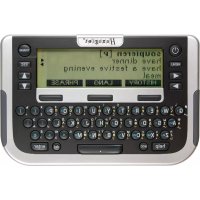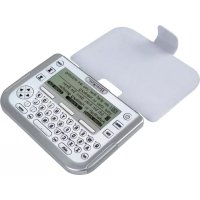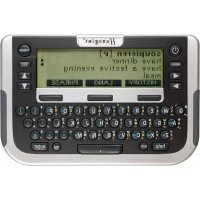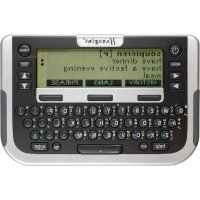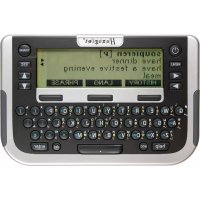
Traveller SC West - Electronic dictionary Hexaglot - Free user manual and instructions
Find the device manual for free Traveller SC West Hexaglot in PDF.



Frequently Asked Questions - Traveller SC West Hexaglot
User questions about Traveller SC West Hexaglot
0 question about this device. Answer the ones you know or ask your own.
Ask a new question about this device
Download the instructions for your Electronic dictionary in PDF format for free! Find your manual Traveller SC West - Hexaglot and take your electronic device back in hand. On this page are published all the documents necessary for the use of your device. Traveller SC West by Hexaglot.
USER MANUAL Traveller SC West Hexaglot
Hexaglot Traveller SC
Deutsch 2
Cesky 22
Eesti 40
English 59
Espanol 78
EAAWkα 98
Francais 118
Italiano 137
Magyar 156
Nederlands 175
Norsk 195
Polski 213
Portugues 232
Pycaxn 251
Suomi 271
Svenska 289
Türkce 307
325
Willkommen! 4
adv: Adverb, Umstandswort.
Hra 3: Cisine puzzle
Clem hry je co nejmene pokusz rozhtif ciseiu ma tci opst od 1 do 9. klavesami mute posunov svberovych dvecnc. Sitkulm klavy sate ve vberovem dvcj pr osnju pe smnu hodino ych nuok. Sitkulm klavy sprimenu hodinyu rukdak
18. Pokyny kudzbe
Pit (stn) phtroj. Haeagot Flwcrer SC poivite proo inoue couy haidk, s nird pfstro) othe. P kud je pfstro nadme zneblity, pouty vkih, nki k mki haidk. Pfsto nki neponahe do yodi and do jinch kapati V 3dnim ppaed se nmi poutv chemickal distci proshdky ne boc stlcti proshdky meckni dici tllsik yidko by mily potokdt material.
19. Odstranénizvad
Prikud vaid pristroi Hexaglot Traveller SC neprauwe spirenne noho ernizite zapnout, akki jou batura jezil destatecn nabite, resutejte pristroi. Na zdani strane pristroi najate resevo la tachis. Zadoklina te opatme tenikym, ale ne sspiaty mphdrimien (nap2 kancoslakou spankou). Prikud to nebude ospine, yvmtte bateri a po chviil Oekani vodte do pristroi ne novela Zikontrokui ta taz, za je karta zasunuta do pristroi spravnil.
Poznianka: Pfl. resotovani pifstoe se u'deve u v. vatalskem skrovniku ve v afvlichnizn pozamnkih nesmazat, Pokud choote tyte udaje vymazat, poujke prozim priluzne finkove u vahstekem skrovniku, prapindel ve vlastrikh pozmansk.
20. Zbruka
Nabe vrybloky Hexaglot podlithaj pfnse konone krolte kuality. Fimia Hexaglot zanu.cje, ze vsl phtroj narn materialov an yvntn zavady. Pukod se da duiv let po koupi objel na vism kapsinm phtroj vyle uveden zavady, nabit vaml fma Hexaglot die vsl voly bezaplnou opravo nebo vyniu. Zanu kla paise pro vlas jea povodnino kononeh zakznikna. Naplat vi ppadat potkzenin roztirinych cdti, napp. pouzdra ne bo dispej, v pifada neo dbome manipulae, zavineneho potkzeni, v pifada Skod spuzo benych zolmenim, tepim, vdou a phtrodin udalostmi, neopravlinnyn zasahem do phtroje a chemiyi uyv, napt yaleymi bateini Vade toho malat zalokna zanun prava udod obchodnikov, u nihat jste phtroj kupil; ta nepsuj tout zanuku omzena. Vadny phtroj nam prosim danide s krakym popesem zavady a dokladern o koup i svhe prode jioe pro dazil bi postaunen neb v ot distao h of torkon van mbl Oua a drus
HEXAGLOT Holding GmbH, Kundensevier.
Sportale 41, D-2233 Hamburg, Niggmo
Zastani zpjt be bezpltna. Za zastani tam a zpjt nephebitame Zadinou odopovnost. Mzost ost zastat vadinj pflstro za obolem spravy na vyle
uveden ouadresmu i po upyun zuo nbi doby. Po upyuni zanui dioby se prip adne spravy plat.
A: Marksna podpalsus kir as
C. Ni misinada sugu po olpaikus/kaibir as
D. Togud nimsana sugaku kaskin as jannnusugues
E Semantineinovolmoite seluhed kardurjanaoolugides
So Nt alhtveitakne tals autmaatrnt kreea kee mngslk (seiduset, on ot lernas keeklaart), st kirk siseusedtahake sit kkeka taha dega ka hibft kahvi de konal ev tsvast valnve nki.
Sona otsumine
Sonalius obides voiteakse arvesse vaibut kelesuna standardinassiku kireid ng - kuivrd olemas - kasutajnastiku kireid. Vajaduse kom kov otisugit pirta ka kusaiasnstikuga. Sestage kogu sina vil sina algus ja vajtage sis klankwe 0ingul vob olka kolim vnilatkukule must:
Leatake taps et kskirje. Kjekuvatakse ekranile.
- Lataikse rohikem kui Oks kirje. Sel juhul kuwatakse tab amusite nimek, milast vite kuwatase ks valida soov tud kirije.
- Sobival karet i e tika. Kuvakse se otisala vale mals tehikus fahim kirei oib se aesstad otisungmss te ogikirjvarante - olen-evat seltet, kae asedme sedaishu sii valvultand varite Aivl
Markus: vöb jutud, at män markusena sinneab tab amnus e nmei jas rohikum kui ük lord vi tme nmarksoa kohta et ole konkratae skaels tigat. Andeme ka kenuka strukturi tullu on see vallmatu - tegemist et die seadime veaga. Chingumldist sisestandes pidage medes jargmis junieidt
- Diaknilsed mrgid (nagu nait g a a jne) vordusstatake os ingul ta pida tafheega: a = a. = u jne.
Tuhkud (nagunat .parking light) tuleb samuli sizestaia.
Ermarka (nait. sidakripsu nagu siosn Jnoe-hoe) elde vaja siestaada (seega nait. knoehoe).
Kui otte siseastamset eiknud, voite vila kursor ki hividag a boh it kus teghe vea, kustadat ak skud mngid kahviga dai vvi sieestada ued mngid. Et tihstada kogu siestatud mngjada j a seestada uus sana, vajtage kahvile ES C
Otsitavas mists vib dla umbes 20 mark.
Tabamuste nimekijaga tostamine
Kui obssu tulumus a letakse rohlem kui uls vastus, koostab Hexagiot Traveler SC sobivatest vadustest tabamusime nemeirjia va ligk klavhvidaga △ vol ▼ tabamusite nemeirjia kajr je valugate sate kijke kuvansels khalvile ernt NIOD kuvatase sanaikku taliik kijr. Klahnu 15EC lii hllt aqasai tabamusite nemeirka la yoe salit va kaua mdo muu kju
Mikus tabarnuste nimokir kustukatakse automaatseit koh e, kui sieastate ue obstava morsite aktveente mone teise reiti vii lilata sea dmne vila.
Sportallee 41, D-22335 Hamburg, Germany
schicken. Tagasisaatmine on tasuta. Edasi-tagasi saatmise eest me ei vastuta. Parast garantiaja moedumist on teil samuti voimalik rikkis seade ulinimetatud aadressil remonti saata. Parast garantiaja moedumist on remont tasuline.
21. Kontaktinfo
Infot meie toodete ja tarvikute kohta, mis puudutavad eriti teie Hexaglot Traveller SC-d, nagu nait. varukatted voi SmartCard'd taendavate keelek kombinatsionidega, vite saada otse firmast Hexaglot Holding GmbH, Sportallee 41, 22335 Hamburg, Telefon: +49-(0)40-51456-200, faks: +49-(0)40-51456-993, e-post: info@hexaglot.de. Voi kulastage meid internetis adressil www.hexaglot.com.
22. Luhendite ninekiri
a:Adjektiv,omadussana.
adv:Adverb,maarsona.
- Precautions 61
Storing data in the device 61
Using the operating instructions 61 - Scope of delivery and product description 61
- Inserting and changing the batteries 62
Inserting/changing main batteries. 62
Important information on batteries 62 - Inserting and changing the card 62
- Changing the device cover 63
- Overview of device 63
Powering on and off 63
Keyboard 63
Display symbols 65
- Quick guide to the dictionary 65
- Program selection menu
-
Settings
-
Help function
-
Zoom function
-
Dictionary
Selecting language
Reading entries correctly
Searching for a word
Working with the hit list
Incremental suggestion list
Special entries in the hit and suggestion lists
Correcting spelling and searching for spelling variants
Searching with wildcards
Scrolling within dictionary
Following cross-reference
Re-select entries in history.
- Phrases
Search for phrases using topic selection
Find phrase with search term
Creating entries in the user dictionary/memo
Searching for and changing entries in the user dictionary/memo
Deleting entries in the user dictionary/memo
- User dictionary/memo
- Unit converter
ENGLISH
Hexaglot Traveller SC
Standard unit conversion 73
Calculating time differences 73
Converting sizes 74
- Calculator 74
Calculating with the Hexaglot Traveller SC 74
Using the calculator memory. 74
- Games 75
Game 1: snake slalom 75
Game 2: Code cracker 75
Game 3: Number sliding puzzle 75
- Taking care of your product 75
- Fault rectification 75
- Guarantee 76
- Contact Information 76
- List of Abbreviations
77
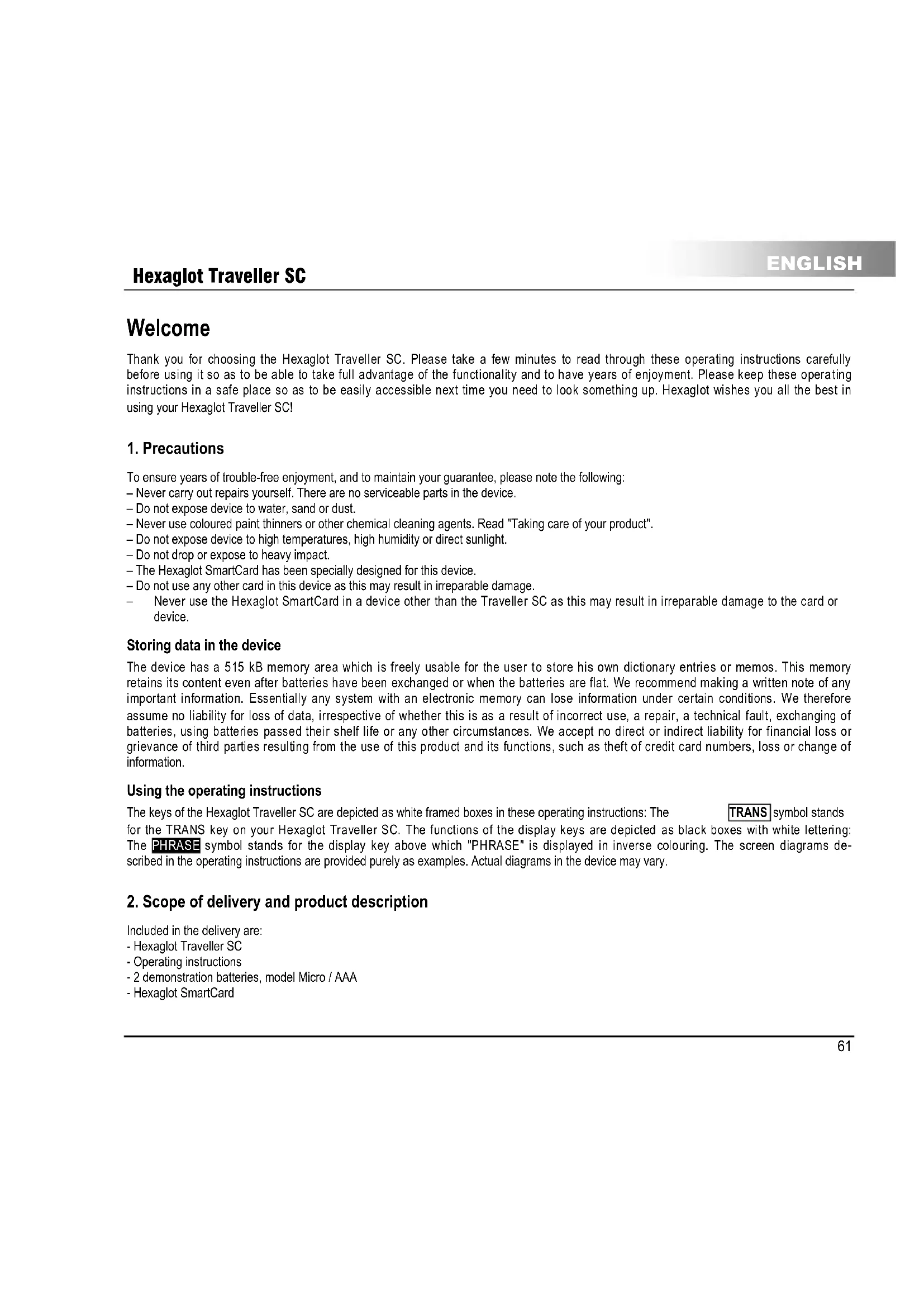
Welcome
Thank you for choosing the Hexaglot Traveller SC. Please take a few minutes to read through these operating instructions carefully before using it so as to be able to take full advantage of the functionality and to have years of enjoyment. Please keep these operating instructions in a safe place so as to be easily accessible next time you need to look something up. Hexaglot wishes you all the best in using your Hexaglot Traveller SC!
1. Precautions
To ensure years of trouble-free enjoyment, and to maintain your guarantee, please note the following:
- Never carry out repairs yourself. There are no serviceable parts in the device.
- Do not expose device to water, sand or dust.
- Never use coloured paint thinners or other chemical cleaning agents. Read "Taking care of your product".
- Do not expose device to high temperatures, high humidity or direct sunlight.
- Do not drop or expose to heavy impact.
- The Hexaglot SmartCard has been specially designed for this device.
- Do not use any other card in this device as this may result in irreparable damage.
- Never use the Hexaglot SmartCard in a device other than the Traveller SC as this may result in irreparable damage to the card or device.
Storing data in the device
The device has a 515 kB memory area which is freely usable for the user to store his own dictionary entries or memos. This memory retains its content even after batteries have been exchanged or when the batteries are flat. We recommend making a written note of any important information. Essentially any system with an electronic memory can lose information under certain conditions. We therefore assume no liability for loss of data, irrespective of whether this is as a result of incorrect use, a repair, a technical fault, exchanging of batteries, using batteries passed their shelf life or any other circumstances. We accept no direct or indirect liability for financial loss or grievance of third parties resulting from the use of this product and its functions, such as theft of credit card numbers, loss or change of information.
Using the operating instructions
The keys of the Hexaglot Traveller SC are depicted as white framed boxes in these operating instructions: The TRANs symbol stands for the TRANS key on your Hexaglot Traveller SC. The functions of the display keys are depicted as black boxes with white lettering: The PHRASE symbol stands for the display key above which "PHRASE" is displayed in inverse colouring. The screen diagrams described in the operating instructions are provided purely as examples. Actual diagrams in the device may vary.
2. Scope of delivery and product description
Included in the delivery are:
- Hexaglot Traveller SC
- Operating instructions
-2 demonstration batteries, model Micro / AAA - Hexaglot SmartCard
3. Inserting and changing the batteries
Power to the device is provided by two standard batteries of type AAA (Micro, Lr03, AM4).
Inserting/changing main batteries.
First insert the batteries provided:
- The battery compartment is on the underside of the device (diag I).
- Remove the cover of the battery compartment.
- Insert the two batteries, paying careful attention to correct polarity (+/-)
- Close the battery compartment cover.
- Press the reset key at the back of the device using a straighten paper clip or something similar.
Important information on batteries
Note: Incorrect use of batteries can result in leakage or cracks and ultimately in damage to your product.
Please be aware of the following precautions:
- Make sure you always switch the device off before changing the batteries.
- Pay careful attention to correct polarity (+/-) .
- Never mix batteries of different types, or mix old with new.
- Never leave used batteries in the battery compartment as this may result in faulty operation.
- Remove the batteries if the device is not to be used for a long period.
- The batteries supplied are not rechargeable.
- Do not expose batteries to direct heat. Do not short-circuit batteries and do not attempt to take them apart.
If a battery leaks, clean the battery compartment immediately, ensuring that battery fluid does not come into contact with skin.
- You may continue to use the device with rechargeable batteries - reducing energy costs for the device significantly.
- Please note, however, that the operational life of the device is generally shorter when using rechargeable batteries.
- Suitable rechargeable batteries and battery chargers are available from specialist outlets.
Note on disposal: Please only throw discharged batteries away at collection points provided by the dealer or the local authorities. Batteries are generally discharged when the device is switched off and indicates "battery flat" or, after prolonged periods of use, "no longer work efficiently". To be on the safe side, place sticky tape over the poles of the battery or put them into individual plastic bags.
4. Inserting and changing the card
Ensure that the device is switched off before inserting, removing or changing a card. Then open the cover of the card compartment on the back of the device on the bottom left-hand side (diag II). To remove, press gently on the card, releasing the locking mechanism. Now pull the card out of the device. To insert, push the card, with contacts pointing forward and downward, into the empty card slot (diag II), until the locking mechanism grips the card and fixes it into position. Close the cover of the card compartment. The new card is now ready to use.
Note: Hexaglot SmartCards only work with the Traveller SC. Never insert a commercially available SD or MMC card into the Hexaglot Traveller SC. You may damage card, card contents and device beyond repair. Never use Hexaglot SmartCards in other card devices such as digital cameras, MP3 players etc., or in PC card readers. You may damage these devices and the Hexaglot SmartCard beyond repair. A "No card!" message is displayed on calling the dictionary function if there is no card in the device or if the card is not inserted correctly. You can use the calculator and the games without a card. Additional SmartCard accessories with other language combinations are available from Hexaglot (see contact information).
Note: You can continue using the memo function, the user dictionary, the calculator and the games without installing a card. These functions are, however, only available in the English language. You are prompted to set the user language after changing the card.
5. Changing the device cover
Please switch the device off before removing or exchanging the device cover. Open the cover of the battery compartment on the back of the device (diag. I). To remove, simply lift the cover from the retaining pins: The device may also be operated without the cover. To insert a new cover, locate the retaining holes of the cover lug at the retaining pins of the battery compartment lid (diag III). Close the battery compartment carefully. Ensure that the lug is fed cleanly through the gap between the housing and the battery compartment lid. Device covers are available as accessories from Hexaglot (see contact information).
6. Overview of device
Powering on and off
To power the Hexaglot Traveller SC on, press until the device turns on. The Hexaglot Traveller SC switches itself off automatically if no keys are pressed within a period of a few minutes. Press again to switch off the device manually.
Keyboard
The following functions are provided with the Hexaglot Traveller SC keys:
Mode keys
Use these keys to enable basic functions of the Hexaglot Traveller SC.

Keep pressed to switch the device on and off.

Displays help text for the mode currently active.

Opens a menu with further functions:
- user dictionary
- memo
- calculator
- unit converter
-games - settings

Switch to dictionary mode.
Display keys
Three large display keys are positioned below the Hexaglot Traveller SC screen. The functions currently active for these keys are displayed as text in the bottom line of the display on the black fields. Below is an overview of all possible display key functions in alphabetical order:

starts the unit converter.

unit converter: enables the input field of the source unit and scrolls to the next unit.
ENGLISH
Hexaglot Traveller SC
unit converter enables the input field of the target unit and scrolls to the next unit.
unit converter scroll to the preceding unit of the active input field - source or target unit.
unit converter starts the currency calculator.
user dictionary memo function enables capital letters for character keys.
unit converter starts the size category.
user dictionary, memo function creates a new entry in the user dictionary or memo list.
user dictionary, memo function: enables digits and symbols of the character keys (dark gray imprint above the
keys). Note: digits are automatically used instead of letters in calculator mode.
dictionary: confirms selection (language) of the dictionary.
dictionary changes to phrase mode and its functions, such as search for keyword in the phrases
start the calculator.
scrfls up one whole page.
scrofts down one whole page.
dictionary.phrases.allows selection of the dictionary,or languages to be translated.e.g.German->English
phrases, user dictionary, memo function: starts search function within the particular area.
dictionary: shows a list of terms in the dictionary history and allows a new search for these terms.
unit converter starts the world time calculator.
dictionary. enables large font size.
dictionary: enables normal font size.
jumps back to the last level displayed - same effect as pressing the ESC key.
dictionary: allows quickly changing the direction of the current language pair when selecting dictionary.
dictionary is used as a wildcard for any character when searching
dictionary is used as a wildcard for any string of characters when searching.
Input and navigation keys
The international QWERTY keyboard arrangement is used for inputting text. All inputs in dictionary mode are in lower case. Upper case, digits and special characters may only be used when inputting your own entries in the user dictionary or memo list. The most important controls for processing the dictionary are located on the left and right and sides next to the screen.
If you want to define one of the letters a, e, i, c or n with an account, enter the required letter and then press [acc] Keep pressing the key until you find the accent symbol to be added or removed (e.g. e, e, e).
Hexaglot Traveller SC
ENGLISH
- If the cursor is at the end of the text the character last entered is deleted (left of the cursor).
- Is used to delete your own entries in the user dictionary and in the menu list.

this key is used to confirm an entry or selection.
is used to cancel an action or to jump back to the level last displayed. (the exact function of the key is defined by the mode currently active).

use these keys to scroll backwards and forwards between dictionary entries or phrases, depending on mode selected. Use these keys to move the position of the cursor when entering words. These keys can also be used in Setup to switch particular options on/off.
Use these keys to select entries from lists and scroll through the display if the display content is longer than four lines.
Display symbols
The LCD has five lines for up to 25 characters. As previously mentioned, the lowest line in the display is usually used for labelling the display key. A status bar, used to flash up various symbols, is located to the right of the normal display. Diagram IV shows the various display areas and elements:
A: normal text display area
B: labeling of the display keys
C. status bar with symbols The meaning of the individual status bar symbols is explained below:
Indicate that you can select and scroll up and down through the display window using these arrow keys.
Indicate that you can select and sort all through dictionary entries with these arrow keys.
7. Quick guide to the dictionary
To look up a word in the English-German dictionary.
Press TRANS to enable dictionary mode.
The current language and the input prompt are displayed in the top line of the screen.
Type in the search word - this is not case sensitive.
The device provides matching suggestions for your input.
- Select the required entry from the list of suggestions with and and press enter to open the dictionary entry
Use to snail through longer entries.
Use and to change between the previous and subsequent entries in the dictionary.
Press TRANS to return to the input screen.
Hexaglot Traveller SC
8. Program selection menu
Start the dictionary function with the TRANS key. Use the program selection menu for additional device functions and settings. Start selection by pressing MENU. A list of additional device functions is displayed. To start a function, first select it using the and keys (inverse colouring is used for function selected) and then press the enter key. The following functions are available:
- user dictionary
2.000
2.1.10
1
4 unit converter - game 1
- part 2
1.000
Tip: You can also access the additional functions in the selection menu directly by entering the relevant function number. For example, entering = (key) starts the calculator, entering = (key) takes you directly to the menu with the settings.
9. Settings
Select settings from the program selection menu to customise the basic device settings. To change an option, first select it using the and keys. You can change the following settings:
Battery displays the current battery status. If the batteries are getting low, have a new set ready so as to be able to work uninterrupted
Contrast controls the brightness of the display. Use to make the display brighter and to make it darker.
Def1-Def0 define the exchange rate which can be used in currency conversion mode in addition to those already stored. A maximum of seven digits can be specified, including the decimal point. Example: One US dollar corresponds to 0.90231 EURO. To change the value of an exchange rate, you must press enter for changes to take effect. Enter 0.90231 and confirm with the print key. Use the ESC key to leave the input without changing the original value. Any changes are brought into immediate effect.
Spellcheck Specify here whether the search should continue looking for spelling variants if the search in the dictionary returns no results, i.e. no matching entries are found. For example, if the "Spellcheck" function is enabled, the entry "subway" is also returned when searching for "subway" in the English dictionary.
The key selects = look for variant The key selects = do not look for variant
Pessus 1 anr h a aahar an nnnnntal hi tshd had dlnaund ahanae the eanr harn. The nnnnntal hi
Hexaglot Traveller SC
ENGLISH
| Form | specify here whether word forms should also be taken into account when searching. When enabled, the device traces back, e.g. in English, trace from the past form "went" to the infinitive "go". The key selects #D = include word forms when searching. The key selects D = ignore word forms when searching. |
| Language | specifies in which language messages are displayed. Use ↓ to select the required user language (country code). |
| Key tone | turns the key press tone on or off. The ↓ selects #D = key press tone on. The ↓ selects D = key press tone off. |
10. Help function
The Hexaglot Traveller SC has a context-dependent help function. Meaning that the help text displayed always relates to the device mode currently active. If you are ever at a loss anywhere, press help. Help text appears which relates to the current mode. Scroll through the help text using the and keys. Press ESC or select another mode to hide the help text Note: help is not available for the games.
11. Zoom function
In dictionary mode, the Hexaglot Traveller SC has a zoom function which increases readability by increasing the text size of the display. Press the 000M display key to enable increased text sizing and 000M to disable it. Note: With very long words, enforced line wrap may occur. separation occurs at the end of the line and is marked with the "-" separator character. separation is automatic and does not necessarily conform to syllable separation rules for any particular language. Individual characters may appear slightly distorted when enlarged. this is due to technical limitations and is not a fault.
12. Dictionary
Press TRANs to start the dictionary. The current language is displayed in the first line of the screen.
ENGLISH
Hexaglot Traveller SC
Selecting language
To change language, press TRANSL and then LANGUAGE. The dictionary selection menu is then displayed. The currently active dictionary is shown in the first line. To change the language, select the required source language in line 2 using the 串 and 串 keys.
You can also select the language by typing the initial letters of the language, e.g. key for Italian. Change to the third line with and select the target language. To directly reverse the languages of the current language pair, press the middle display key To confirm your selection and exit language selection, press Enter or Enter. To exit without changing the current language, press OK or ESC. Country codes are used to select the language.
Note: the language selected applies to the dictionary and phrases functions. This setting has no bearing on the user language. Please note that the source target selected determines the active character set. So, for example, when selecting Greek as the source language (provided the language card is present) the Greek character set is automatically enabled and Greek characters are used for input. The coloured lettering next to the keys applies.
Reading entries correctly
Besides just providing basic translations, the dictionary can also provide information on grammar and word usage. An example is shown in diagram V.
A key word in bold
E translation in normal font
Cender ofnns in holdtions
D. gender of the translation in italics and square brackets
E semantic information or explanation of term in italics and angled brackets
Searching for a word
When searching in the dictionary, all entries in the standard dictionary of the language selected and, if available, the user dictionary are included. You may also limit the search to the user dictionary if required. Type in the whole word or the beginning of a word and then press enter.
There are three possible search results:
exactly one entry is found. The entry is displayed.
more than one entry is found A list of hits is then displayed from where you can select the required entry to display.
- No matching entries were found. The next alphabetical entry to the search item is displayed or the device searches for spelling
variants of the search string entered - this depends on the setting of the SetPolicyA option in device settings.
Note: It may be the case that a keyword occurs more than once in a list of hits or that a translation is not available for a keyword in a particular language. This is unavoidable due to the complex data structures and in no way indicates a fault with the device.
Please note the following when entering a search string:
- Diacritical characters(such as e.g. u, a, a, etc.) are normalised when searching: a = a, u = u etc.
Spacess in search strings should be specified (e.g. in "parking light").
Special characters (e.g. the hyphen in "know-how") need not be specified ("know-how" is sufficient).
If you make a spilling mistake, move the cursor to the error using the 口 and 口 keys and then use the key to delete individual characters and/or enter new characters.
Hexaglot Traveller SC
ENGLISH
Working with the hit list
If more than one hit is found in a search, the Hexaglot Traveler SC generates a list of matching hits. Use the and keys to select an entry from the hit list and press Enter to display this entry. The complete dictionary entry is then displayed. Use the ESC key to return to the hit list to select and display another entry.
Note: The hit list is automatically deleted as soon as you select another mode or search string, or when the device is switched off.
Incremental suggestion list
This electronic dictionary has an incremental suggestion list to simplify the search and make it more convenient. Whilst entering the search string, the device looks up entries in the dictionary simultaneously and displays those which match the input string in a list of suggestions. Whilst entering the search string, you can change to the suggestion list at any time using the key and select an entry. Use enter to jump immediately to the required entry. Use ESC to exit the suggestion list to, for example, change the search string. You can enable/disabel the incremental suggestion list in the settings menu.
No
The suggestion list contains a maximum of the first 20 hits.
If the entry required is not in the list, refine the search string first
To speed up entry of search strings, disable the incremental suggestion list.
The incremental suggestion list does not work when using wildcards in a search.
Special entries in the hit and suggestion lists
The embedded dictionary in the Hexaglot Traveller SC has a general linguistic vocabulary. Also included is special vocabulary from the world of gastronomy, like foodstuffs, ingredients, preparation methods and the like as well as special automotive related vocabulary such as technical terms used for car parts. Entries from specialist vocabulary are easily recognisable in that they are prefixed with 出 (for restaurant) and 出 (for automobile) in the hit and suggestion lists. These entries may be accessed just like any other dictionary entries. Many word forms are recognised during the search and lead you back to the basic entry. A word form is easily recognisable in that it is prefixed with an 出 (for form). Example: the "see" entry indicates that "saw" is a word form. When calling up this entry, the entry for the key word "see" is automatically displayed. You can enable/disable the display of special entries. The German language comprises of many composites (compounded words). When searching with German as the source language, many composites are recognised and separated into their individual word components for the translation. Composite entries are easily recognisable in the list of hits or suggestions in that they are preceded with 出 .
Example: The Polizech list entry indicates a compounded word for which translations are available for the individual components. When selecting this list entry, a list of the individual components "Polze" and "Chef" are displayed. Select the required word and press Enter. You then see the translation of that individual word. Use ESC to return to the selection list to translate the other components.
Correcting spelling and searching for spelling variants
If no hits are found during a search and no alphabetically following entry matches, the device tries to find spelling variants, or tries to correct a spelling mistake in the search string entered. So, for example, the incorrect entry of "subway" for the English word "subway" results in a suggestion list which contains, amongst others, the entry "subway". You may enable/disable this function in the settings menu.
ENGLISH
Hexaglot Traveller SC
Searching with wild cards
Wildcards allow extended searches. Add wildcard symbols in the search string in place of as many individual characters or character strings. This function is ideally suited to when you are not sure of the exact spelling of a word. This function is also very useful in solving cross-word or other word puzzles. As soon as you have entered at least one character of the search string, the wildcard symbols appear on the middle and right display keys:
represents a sequence of any number of characters. This sequence can also be empty. For example, in English, grey finds gray, greasy, gray, grey, amongst others. represents any single character. This character occurs once and only once. Example: grey finds only gray and grey
附件:
Wildcards can not be placed at the beginning of a search string.
The two wildcard symbols can not be combined with each other.
- The " wildcard may be used just once within a search string, the ? wild card several times.
- Searching with wild cards may be time-consuming.
- This is normal since complex search and compare operations need to be performed.
- Frequent searching with wildcards may therefore lead to a reduction in battery life.
- When using a wildcard symbol, the incremental search for the search string is automatically disabled.
The search results list when using wildcards is a maximum of 20 hits: refine the search if need be.
Scrolling with in dictionary
You can scroll both within an entry. If it is longer than a display page, and to the next or previous entry in the dictionary.
Scroll within entry: If an entry is longer than the multi-line display, press on once to scroll down one line or keep it pressed to continually scroll the display contents. Use to scroll backwards. Pressing and then or scrolls the entire screen contents up or down by a whole page. The and arrow symbols in the status bar indicate whether scrolling up or down is possible. Scroll within dictionary: Use and to scroll to the alphabetically previous or next dictionary entry.
Following cross-reference
The Hexaglot Traveler SC allows words within a dictionary entry to be used as cross-references. Press Enter within the entry view. The colours of the first element within the entry are inverted (apart from bold and italic lettering). Use the keys to move the marker within the entry. Press Enter again results in the word inversed being searched for in the dictionary and, if available, displayed. If more than one matching entry is found, a selection list is displayed from which the required entry can be selected. Note: if no matching entries are found, the alphabetically next word in the keyword list is suggested - a question mark (?) is displayed in front of this entry to denote a suggestion. Note: The cross-reference function does not work with entries from the user dictionary.
Re-select entities in history.
Key words for the last 50 opened dictionary entries are stored in a list by the Hexaglot Traveler SC and may be accessed from here directly, even if the device has been powered off in the interim period. The order of the keywords in the list corresponds to the order in
Hexaglot Traveller SC
ENGLISH
without opening an entry, press the left display key Esc or one of the mode keys (e.g. TRAN for the dictionary), to enable another function.
Note: entries in the process list are automatically deleted if the dictionary language is changed.
13. Phrases
The Hexaglot Traveller SC contains a multitude of phrases from a total of 30 different topics typical when communicating abroad, such as when in a hotel, airport or restaurant. Press the right display key PHRAGE to change the phrase set. If you are not yet in the start screen of dictionary mode, press TRAN first and then the right display key PHRAGE There are two different ways to search for matching phrases:
-
You can select a topic and scroll through the available phrases.
-
You can enter a search term.
Search for phrases using topic selection
The initial screen in phrases mode presents you with an overview of the available topic areas. Use and to scroll through the whole list. Entering the initial letters is also sufficient to define a topic. After selecting the required topic, press Enter to display the first phrase of that topic. Use the and keys to scroll to the next and previous entries. Use ESC to exit the entry and select a new topic.
Find phrase with search term
Keyword search is a very effective way of locating a phrase. To start the keyword search, press the right display key ESEARCH in the initial screen of the phrases mode. Now enter the keyword to be located. An incremental list of keywords matching your input is displayed. Select the required keyword using and and press Enter. The phrase is displayed along with the corresponding translation. If more than one matching phrase is available for the keyword selected, scroll through the entries with and if no further phrases are available to display, a large down arrow appears. This signifies you have reached the end of the selection list. Use ESC to exit the entry and enter a new search term. If there is no phrase which contains the search term, the message Not found appears and you can enter a different search term. Note the following when searching using a keyword:
Search terms unrelated to any topic - e.g. personal pronouns like "I", "you" etc. or prepositions like "in", "at" etc. - are ignored and no search results are returned.
Searches are not case sensitive so there is no need to use upper case letters.
The incremental list is not displayed on entering the keyword if the Preview option in Settings is disabled.
14. User dictionary/memo
The user dictionary/memo function is used to record and to call up your own information such as telephone numbers and dictionary entries. In contrast to the standard dictionary in the Hexaglot Traveler SC, differentiation is not made based on language in the user dictionary. The user dictionary/memo and its functions are in the program selection menu. To create new entries in the user dictionary,
ENGLISH
Hexaglot Traveller SC
versa. Please note: - within the dictionary function, entries from the user dictionary are recognisable by the & symbol which appears in the status bar.
- entries from the user dictionary do not appear in the incremental suggestion list
- entries from the user dictionary are not fed to any language combination or direction.
- entries apply to all language combinations
Creating entries in the user dictionary memo
To create a new entry, proceed as follows:
Press NENU and select user dictionary or menu from the menu. Press enter
You are prompted to enter the name of the new entry. Note: You can then search for this name later in the user dictionary.
Enter the keyword or memo name (maximum one line). Then press Enter.
Refer to the keyboard section for entering upper case letters, digits and special characters.
- You are then prompted to enter the text relating to the entry (e.g. translation, comment, telephone number etc.). This text may be longer than one line. The name of the entry appears in the first line. Type the text on the second line.
Once you have typed the entry, press enter to save it. To cancel the action without saving the entry, press Esc
- After saving the entry, you may continue entering another entry. To cancel the entry and return to the Program selection menu, press ESC.
Searching for and changing entries in the user dictionary/memo
There are two ways to find entries in the user dictionary/ memo: You can either select the entry from an alphabetically sorted list or search for the entry. To search for an entry, proceed as follows:
Press MENU and select asterisk binary or menu from the menu. Press enter
Press the right display key SEARCH to enter search mode.
You are prompted to enter a search word Enter the complete keyword correctly and press Enter to start the search.
- If the term searched for is available as an entry in the user dictionary/memo, a list of the matching entries is displayed. Select the required entry with ▲ and press enter to display the entry.
The entry selected is displayed. Press Esc to return to the list view. To change the keyword or input text, press enter in the entry view. Then make your changes. Press enter again to save the changes.
To select an entry from a list, proceed as follows:
Press MENU and select user dictionary or menu from the menu Press enter
PresstherightdisplaykeySEARCHtoentersearchmode
You are prompted to enter a search word.
Do not enter a search word - simply press Enter instead. An alphabetically sorted list of all entries in the user dictionary memo is then displayed.
Use to select the required entry. Press enter to display the entry.
The selected entry is displayed. Press Esc to return to the list view. To change the keyword or entry text, press on enter in the entry view. Then make your changes. Press Enter again to save the changes.
Deletengnreies in the user dictianary/memo
If you want to delete an entry, select if first from the list view, as described above under "Search entries", and then press OK Note: You can not delete the entry from the entry view always select the entry in the selection list and then press OK. You are then prompted as to whether you really want to delete the entry.
Press the key indicated to delete the selected entry.
- Press the key indicated to cancel the delete process and leave the entry in the user dictionary!demo.
Press the keyindicated to delete all entries in the user dictionary.
Note: The action of deleting one or all entries can not be undone. Once the delete operation has been confirmed, the current entry, or all the entries, are immediately removed from the user dictionary memo.
15. Unit converter
The Hexaglot Traveller SC has an easy-to-use unit converter to help you convert between many different physical units. You can also convert currencies and sizes as well as calculate time differences. Note: calculations in the currency converter depend on certain conversion factors which can be changed in the Settings menu. Check that the parameters are set correctly before converting. Press MEND and select await converter from the menu Press enter. After starting the unit converter, a list of the available unit categories is displayed. First select the category using and then press Enter. Note: Use the left display key to start the currency converter, the middle display key to start the time difference calculator and the right display key to show the sizes table. After selecting the unit category, select the next category with and press Enter. Use the middle display key to scroll the screen up one page, and the right display key to scroll down one page.
Standard unit conversion
Most units are converted based on the following method:
After selecting the unit category, the input screen of the unit converter appears. The cursor is in the Applet field. Use to move the cursor between the flow and fields at any time.
Enter the source value in the input field. The result field shows the actual conversion value based on the amount entered and units shown in the form and to fields.
- Use to select a source value from the various units in the given field, coloured inversely. The result field is refreshed on every input.
Move to the field with The unit in this field is now shown in inverse colouring. Use to select between different units for the conversion value.
The result field is refreshed on every input.
To speed up and simplify switching between units, you can also use the display keys to switch between them.
the middle display key NIF1 enables the freenfeld and scrolls to the next source unit
the right display key INIT2 enables the to field and scrolls to the next conversion unit.
the left display key JMT this key scrolls back to the previous unit from the currently active unit field item or task
ENGLISH
Hexaglot Traveller SC
On starting it the input screen of the world time calculator is displayed. The cursor is located in the state field. Use the
keys to move the cursor between the state 1. line (of state 1) and state 2 fields at any time. First select the required source location by scrolling through the state list, sorted according to state code, with the JNDI and JNDT display keys. Enter the initial letter to jump straight to states - example: entering Jumps straight to (D) Germany. Berlin. If the name is longer than the input field, scroll through the field content with
- Press to bring the cursor into the same field
Enter the time at the source location in the time field.
- Press to enable the state 2 field. Select the required destination location by scrolling through the state list with the display keys: NINTC and NINTC. You can also jump straight to states by entering the initial letter.
The time at the destination location changes according to your input
To speed up and simplify switching between states, you can also use the display keys to switch between them.
- middle display key UNITS enables the state f field and rolls to the next state or city
right display key JNTZ enables the state 2 field and scrolls to the next state or city.
left display key use. This key scrolls back to the previous state or city from the currently selected state field (state 1 or state 2). Note: when calculating time differences, please observe summer time settings. If a time difference crosses over into another day, a + next day) or - (= previous day) is specified after the time calculated. The calculation is based on the 24-hour clock. Times specified a m/p.m format in Anglo-Saxon regions must therefore be converted before hand: example 1:45 p.m. = 1:3:45.
Converting sizes
When abroad it is often practical to have an international size comparison table to hand. The most important sizes are available in the Hexaglot Traveller SC. Select the travel category in the unit converter and then the required sub-category. To display further sizes in the selected size category, press to scroll the display horizontally. Note: The size tables are intended purely as a guide. When buying clothes, always check the actual size and exact fit by trying them on.
16. Calculator
The Hexagod Traveller SC can also be used as a calculator. Press MENU and select calculator from the program selection list. Press Enter to enter calculator mode. "M" appears in the upper left hand corner of the display and "0" in the lower right hand corner. In calculator mode, the secondary lettering of the keys is automatically used. The content of the calculator memory (M) is displayed in the second line. Inputs as well as the results of the calculation are displayed in the fourth line.
Calculating with the Hexaglot Traveller SC
The operation is just as with any standard calculator. Addition (+) , subtraction (-) , multiplication (×) and division (÷) are available as calculator functions.
Using the calculator memory.
Individual calculation operations in the input line have no bearing on the calculator memory. Add or subtract the value currently in the
17. Games
The Hexaglot Traveler SC has three games. The games are accessed from the program selection menu. To access the games, press on MENU select the required game with the keys and press enter to start the game. Press Esc or a mode key to end the current game.
Game 1: snake sialom
The objective of the game is to guide an increasingly longer snake through the game field avoiding collisions. Set the speed and difficulty level at the beginning of the game with the keys. Use the keys during the game to steer the snake round a course. You must feed the snake by guiding it over the grey squares. The snake increases in length by one limb every time it is fed - making it more difficult to steer. When guiding the snake on its way through the game field, you are not allowed to touch the walls or the black obstacles and the snake's head is not allowed to touch any part of the snake's body. Press to pause the game. Press again to continue the game.
Game 2: Code cracker
The object of the game is to crack a four-digit code with a maximum of eight guesses. Enter four different digits in the four input fields on the right-hand side of the screen. To correct an entry, use to move to that field and correct your input. Press enter to confirm your guess. After entering a guess, the number entered by you, along with your rating, appears on the left-hand side. The number preceding the letter A specifies how many digits are correct and are already in the correct position in the code. The number preceding the letter B specifies how many digits are present in the code but are not in the correct position. Enter your next guess. Use the combination of the results from previous guesses to work out the correct code. If you can not crack the code with eight attempts, the code is displayed and the game ended. Note: the code is always made up of four different digits. Entailing the same digit more than once results in an error message.
Game 3: Number sliding puzzle
The objective of the game is to sort the number matrix back to the original 1-9 order with as fewer goes as possible. Move the selected square with the keys. Use the key to move the numbers clockwise and space to move them anticlockwise.
18. Taking care of your product
Only use a dry cloth to wipe the Hexaglot Traveller SC. If the device is excessively dirty, use a damp, but not wet, cloth. Never dip the device in water or any other liquid. Chemical cleaning agents or any with mechanical cleaning heads are not to be used under any circumstances as they may corrode the material.
If one has to use the formula 12 for a given number of terms, one can find that an alternative is to use the formula
time. Check whether the card is correctly seated in the device. Note: information stored in the user dictionary and the memo list is not lost on resetting the device. To delete this information, use the appropriate functions in the user dictionary or memo list.
20. Guarantee
Our Hexaglot products are subject to stringent final quality inspections. Hexaglot guarantees that your device is free of material and production defects. If your hand-held device demonstrates any of the defects mentioned above within a period of two years after purchase, Hexaglot offers, at its discretion, either a free-of-charge repair or exchange. The guarantee applies only for you as original end customer. It does not apply for damage to fragile components such as the housing or the display, damage caused by improper use, culpable damage, damage caused by breakage, heat, water or acts of God, damage caused by unauthorised tampering with the device or exposure to chemicals caused by e.g. leaking batteries. You also have statutory guarantee rights vis-à-vis the dealer from whom you purchased the device; these are no limited by this guarantee. Please return the defect device to your dealer, together with a short description of the fault and the receipt, so he can pass it on to us. Alternatively, stamp it sufficiently and post to
HEXAGLOT Holding GmbH, Kundenservice,
Sportallee 41, D-22335 Hamburg, Germany
The return is free-of-charge. We accept no responsibility for deliveries to or from ourselves. After the guarantee period has elapsed, you may still return the defect product to the above address for repair. Costs are payable for out-of-guarantee repairs.
21. Contact Information
For more information on our products and Hexaglot Traveller SC accessories such as replacement covers or SmartCards with additional language combinations, please contact us directly: Hexaglot Holding GmbH, Sportallee 41, 22335 Hamburg, telephone: +49-(0)40-51456-200, fax: +49-(0)40-51456-993, e-mail info@hexaglot.de. Or visit our web site www.hexaglot.com
22. List of Abbreviations
a:Adjective
adv: Adverb
Am: American Spanish
coll: Colloquial
m:Masculine
n: Noun
p: Plural
prp: Preposition
v:Verb
adj:Adjective
AE: American English
BE: British English
f: Feminine
n: Neutral
o: Other word type
pl: Pluraleptom, only occurs in the plural
sg: Singularetantum, only occurs in the singular
Disposal of Old Electrical & Electronic Equipment (Applicable in the European Union and other European countries with separate collection systems). This symbol on the product or on ist packaging indicates that this product shall not be treated as household waste. Instead it shall be handed over to the applicable collection point for the recycling of electrical and electronic equipment. By ensuring this product is disposed of correctly, you will help prevent potential negative consequences for the environment and human health, which could otherwise be caused by inappropriate waste handling of this product. The recycling of materials will help to conserve natural resources. For more detailed information about recycling of this product, please contact your local city office, your household waste disposal service or the shop where you purchased the product.
C
www.hexaglot.com
© 2006, Hexaglot Holding GmbH, Hamburg, Germany
Standard dictionary: © 2005, Hexaglot Holding GmbH, Hamburg, Germany
Gastronomic dictionary: © 2005, Hexaglot Holding GmbH, Hamburg, Germany
of the gastronomic dictionary: © 2000, Joachim W. Glaeser, Hamburg, Germany
Word form recognition using technology from IntraFind Software AG, Munich, Germany device design: gahlow, Hamburg, Germany
Bienvenido! 80
To tommyaakayr rws paeepw
Tataeepnepnepnepnepnepnepnepnepnepnepnepnepnepnepnepnepnepnepnepnepnepnepnepnepnepnepnepnepnepnepnepnepnepnepnepnepnepnepnepnepnepnepnepnepnepnepnepnepnepnep
O yipoc uodoxfuyu npauyupuoyipkuaa dna kua ypaoc ng ouanzur (Eek.1)
Inuue to uuaou xupou urooxuyu p
ToneBnone 60u naneipcuc in ouanr mokwtna (+/-)
- 3ov2AicTe10 mT
- nre pia ouvappa taay cnpaui,10 Ako po mavvapng amy tau kpa inoukun
Inpnnnns oonnyes oxenep nps mnpaies
PnayyMn AavBaoynxphnnuvuupuunnpaovapv aoanyo or pa aappn h kpn n v paaAan [h]
aepaaepaaepaaepaaepaaepaaepaaepaaepaaepaaepaaepaaepaaepaaepaaepaaepaaepaaepaaepaaepaaepaaepaaepaaepaaepaaepaaepaaepaaepaaepaaepaaepaaepaaepaaepaaepaaepaaepaaepaaepaaepaaepaaepaaepaaepaaepaaepaaepaaepaaepaaa
Aeepytoa aonrnnn n ouan mny ano kai Maynmuopia
- PnpoTcTrinyrnnnKAnOaHn(+)- Mnyyponooumua umnoic daopokvauuuy, mokkKaVdc
MnVyepHxN ynnnngc nnpaic cov npuauooyc uyn npuapnu aon
Aepnptic nptapc eavto povy yynpa tina yopet ypwdd
Oumaneepctou Abaq y m oukun d v tovagogcovn.
Mn snttnc nneopc cnd apon Bapmua, nnc npayuakauwexn auynvpoemelhve taicanpct.
Ie pnnn n nn nnnn nnnn nnnn nnnn nnnn nnnn nnnn nnnn nnnn nnnn nnnn nnnn nnnn nnnn nnnn nnnn nnnn nnnn nnnn nnnn nnnn nnnn nnnn nnnn nnnn nnnn nnnn nnnn nnnn nnnn nnnn nnnn nnnn nnnn nnne
Mnacn vynnnn nannrnrnnn rnnnnn nnnnnn nn nnnnnn nnnnnn nnnnnn nnnnnn nnnnnn nnnnnn nnnnnn nnnnnn nnnnnn nnnnnn nnnnnn nnnnnn nnnnnn nnnnnn nnnnnn nnnnnn nnnnnn nnnnnn nnnnnn nnnnnn nnnnnn nnnnnn nnnnnn nnnnnn nnnnnn nnnnn
Pnayy mpaakai aea yoyoc 8, aav xnyaiae iie tounepu c n dapka Aauupuyic s oukue kpanaouvus Avyo
KanAAnauo aouuocnepnncBpncnccnnae
Oyqic dce cng paoiv: Ioc npaaauo va tae pavo aec yntapc oan uauuoyncato ynpno h onouk ouoc.
O 100000000000000000000000000000000000000000000000000000000000000000000
- Tarniymyakovsham
EAAnvink
Hexaglot Traveller SC
n 100000000000000000000000000000000000000000000000000000000000000000000000000
PpOg: O h KApst. Hexaglot SmaTc Aauuoyuiv oAakaiokn 1o Taveler SC. Mny tombeke 0r hHexaglot Traveler SC Kajla SD -hMNC kapst ta uKapopciot e np cypit. Mnpod v npkndtce avenavolum (Bab) ny kajpa, ot npkaypevo n Ckapas ka tnc ouukuiy. My npynnuae 16 Hxaglot SmaTc aDaaC uouauekcs u utovayknt Kapv, ot npnprndc pnuvc, ot MP3-Player k.a. h ot ovayvudac kapiwivnkiu uovayvti. Mnpoi v npkndtce avenavolum BABJ NmV Kapa Hxaglot SmaTc Evid n uuxuvi dcv ykopa, npaep (to yuvaunov bivn Dnv npkaypia Kapst. Mnpoi qucu da v npynnuae 16 to uovayvutn totenc kai ta tayvbiugy npkay Pnnpa Mnpoi ve npkayd 16 to Hxaglot cmpodthic SmaTc uet mtnAvov ouuvauuuyu yauanuv uauAAaekna (Bae TAnpopepi cckovuivdc).
Nn 100000000000000000000000000000000000000000000000000000000000000000000000000
5. Aaayn Tou kaumuatos ng oukaun
PnV aepovnt n aalitto kaiuag ta ng ouaukun, paeattna t Aauayipia ng ouaukun, Mna avlloe to kaiuag ta u yauo uoudyuuyuuyuuyuuyuuyuuyuuyuuyuuyuuyuuyuuyuuyuuyuuyuuyuuyuuyuuyuuyuuyuuyuuyuuyuuyuuyuuyuuyuuyuuyuuyuuyuuyuuyuuyuuyuuyuuyuuyuuyuuyuuyuuyuuyuuyuuyuuyuuyuuyuuyuoy
6. Emoknon ouokunis
Evapn knt paaat aoupys
Tnvaovtst To Hexagot Traveler SC mnr cnuyto 0, uocnou evpyoanf noucunr To Hexagot Traveler SC atvpe vortnauonpuu, crvy ypaia Ama bav dvi givkva mnpa. Eev Bte va atvpey oohn t rounnn npp aepnna, mncs pnd to
Tko pokyio
To Hoxaglot Traveler SC 80000140000000000000000000000000000000000000
TnKpaAeupyio
MaandtoWjtpayyamnncs cBannr Atnoupyc1ou Hexagot Traveller SC.
Mto mappnauo aangaa uuyyaoaon n aeyyaoan anou
help Eupaviciin aouauai oboing yia to euyy Acmoupyia.
-
PUBMED
TRANS Tupicatn Atnuoyia Ad
πwkpaaq
Kaua a 1y avn t Haeagl Tavlr SC pioovn spu yda Taepo. O Atnaupe c uunv Tuv taepu npnv Cao dav kya oan y anp n ng oan n eupia nla. Eouwic unpye pin cnnzmon dauv t mabiv Aauau vau w
TNTA Evapn taMnnpaovdu.
Mnepantacovabv Evpaoingou taou taou aayyK apyK yobac kai aaym teau, my
A 1000 Nnantomac oovvEv EvpyoanmTu mllauayuyc nOovdaoc atouk a Amaay tllu Tu eT 1000
T 1
OMMA Maaatpontac yevabv. Evapn 1ou paonpaia vayarantoc
ETAA Aatg yonm, Anoupyia ornuaaiv Evayyraon muy Tnpuyn yya npapn jkpaia ypaana
AETB0C Mntatpontac yovdbv.EevbTnKnyyipicuycboc evyabw.
Ae 1
Ae 1
AaEeepaeonnnnaycnaBwnnyAeaee 1ou Aekoo
Aa Aaaay aany Aauayia dawarauu kai aacn Aauayies ta. amx x ayanm npao nuc
Mevor Evapouuauayantntm
AAYay taiou kana aia aia oivng pao ta hov
AAY
Aa 1
P 1
EOPGg Aek: Eepovon pao Alao tuvapvou kndge taia o aikk kvi voadg mnn dnuu apv.
Mertanpnc paovabv. Evapn u makaypaq npaopac
DYM
Hexaglot Traveller SC
E
Covocvauuau
AeXpXpHaeE aev avghn ng yapakpa paaalavnp an thon oys yapakpa mou cthgatc
Aek: Xpnnnncn nn n aon n naaepnnae anen enan ean aepe
TnKpa cioayyKai Kauuwoon
To TAP 90 y a rny oayy huy ouivou ouivou npua dupeu pa to dvcic pnto QWERTY.
Ocsc a cndaynt on Aouyiaou Aekn yovnae n ta ypauna. Mvo daw wvek dnac kanaqupanr o ao hko ygarnn
a 1000000000000000000000000000000000000000000
To dpaiaa aepnncy to drpnaaayoo Aaoa pao aoe & thr oov

Dav enBauty v aovnntanrte y guynv pe aonopao n oiaawka tuc japaoaipoc e i, c n n.
cndape npao to oxo h ypaqae pao nane Tpao npae npao npao npao npao npao npao npao npao npao npao npao npao npao npao npao npao npao npao npao npao npao npao npao npao npao npao npao npao npao npao npao npao npao npao npao npao npao npao npao npao npao npao npao npao npao npao npao npao npao npao npaa
Mapy: 0a kvo btoympa.
Xpnducixya mayyapn yapnipuW.
- Dviv biakn a dikr, paoa oae e pe a cayaukac yakaoiipuov. eva tma ta uoyuoydaiyepo kauouo atoxio (kato ato tv &ik).
- Eo 100000000000000000000000000000000000000000000000000000000000

- Xnqunrui yia n thyagapj eiv kuvkovn kauyagapj eiv oAeKbXpohyrn kai ot Aioa onn aonn aonnnaneu. To Ta KAn Oan gynnne annv mBcBaiu amLacCeraywN CmVvNy.
Xingxue tian dukai mui dakayao n tian emtpany o ta Lauana otteo dou (H aipjB) Aiaoyu yu TAOJAPDQADNATO 10y evyuyi kaoanrnn.

Me aou ta TnAoc o Aoc c tio nco oovAo ie y npaoo Aaooype paoa r ao knoayoeauu au Aokai hiv uovuuaan. Knd tvi chonay Oavu npae va knesie me daun to TaKoc ty Bknt taek oayyue. Itc puriticiic evpytacic i arpuytyacic ie tce
8. npoypaua-pvoucmyh
H AauayyAe Aae Kaaia Ta to mnyo TRANS Tnpaepu Aenuyycs Ka puaonics nncnunck B fo aepn o npoypaa
paov eahny. Manare MENU yva kaiaate to paov eahny. Eepowcraa u Aar taepa Pauanuyycs onnnucn. Fio
va kaiatae pa Aenouy, cnae my apynk Ma tonbnae naiv mnyo wu (in emaynu) Aenouyia cypavita
avipapao) k aiai ta any to maik po snter.
Owauagac Aaeynvysg aon no hokran
1.各年度税负明细
2 Inaiyop
3. 10x10x10x10
4. Mersopontocyovad
5. Naive 啦!
6 Nauviδ 2
7.104
- Pseudotic
IouuHbH: Mopcic hcioyovac to aivnoxy vua npa Aauayipvac va pia tnc tncpndnEe, Kauaypvcic o npovo ctnnyc. x y evap) chuyyivc. 10 ta Nkcpo (T Nkcpo 10u ut aloydnt) 10tmyc to knpo (T Nkcpo 10c oynic atccubla cto paueo 10 pcuiutic.
9. Publuc
Ennpe Ppaieae aoe to npopaae paoovravv ovoaepoepoeae nnepeipoeic ncoonnc f ao ovatcmu
Eduiaeioe Tny nay maoaoyc vayauooc, no upeae e anpaoaocv x ypony aonayce me n Aouyauy tau na paaata yauoaooc. Nmepae o anayoe y anayoe c npaaopc agnupaoaov kai naydoxav.
Nx.Eva DApao AApao CAnanaycx 09231 Eua Tny aMavy pauanyacnagns paoans
Vauayaooc, patei apoxa va anotane 0rna yva atnoaKauov or aAlycc. Edoiyae Atoiv 0.90231 kai
embaive ne ayayoyaoe oue me to npao cntanov tnaPoo ESc n eonayuyu npauyix yapcs va
aAolis nrova cia Oa Mavy cie Kefuovnai auoc.
Mae aotu toa kao picioc, cav tpiouauo uauoucv o aoovnovnovnogypc ypncpe, meo aotu maovnveunry (avo)anrto AkoKo, kato anrto 1ovai BpOeBgAonkai KaaNkAaNnCiyouay. Px. oaviv kivai eevnoTnqnn n Aetioyia EaDpuwn, kato anrtnCiyouay nCAtcns aeabai nto anyAnAoAun ou (pipzka kai Tn AToTn2 2subway).
To mKpO 4 cmAye O = AvcHpyn crOyiv.
To mKpa 1mkyo = Nn qattnn kdo yiv.
Ma to 1yko auro kaiotc, cav BACs va cuovkao me Tny eayuyev evoc apou avo ng kai Atoa anaaauuauu uou pao taalnla. Mau tao kaiote ayeyev evoc ypaatoc n Atoa are aeacauuuvuou pao Taia aag cpoqvokk kaiataa, taipatad, ato Ad.
To mAnpoe 4mAye 8Eepovon sponboan.
ToMpa 10N4y =Mqgdoanpandv.
Eeu kaiogti, cav kao tv avo ptna tpoi va Angbo Utoan ka a poge c tav Actau. Tov n Aotayyia elivv cypoymuynn n uokunur pntpme x. atny aywn yhaora tov mappAboVko yavo eWenb or taovapoyxvo
To Mepa 4 cmNya CnYraayrmygpeyng Aaiw kwn yvaaon.
To Mxepo AAYye = Aygon m yoppcMgavn and my ava/ymn
OpCte rto yuayovn toyuyu ncoBvnc Mto ookoc
Evpeymoan an aevpymenon to aaknncn oane nto mtnvoc mipou
To a TAmApO : 1 . cI Amy Odo = Every day among you , you are a TAmApO .To a TAmApO : 1 . cI Amy Odo = A . TAmApO at onlly the pRn o Amy o
Oav gaoivic nmbumc aMayc pncn Tpapac kauaiaa anuupyia On aMayc uobcnann qauoc
10. Aermoupyria Bonbeias
O Hxagodravell SC 8o 1y Aunaypya Bonncou oopn aot ouuyjvau Aao anpauo 6 tovnu apuivcna to kyaov panyoc to ao npapoo paueqau Aunaypu y c uokn. Ie mupuwn ta oae nuo anuio de yuvpiie 11 va kcvne, tonrntre to hoe Eupovicngto y ouuauu obovnc vny xknn Aunaypuu ta oac ovipepck. Kuvniia 11 10 auuauu Obovnc 11 10 11 11 11 11 11 11 11 11 11 11 11 11 11 11 11 11 11 11 11 11 11 11 11 11 11 11 11 1
11. Aymopyia (ou)
To Hexaglot Traveler SC 30 Aefed Sdte Tia Acrnupy (pug. n oiae dauwany tny avvum yevovnac, ny evovn aou kuyu
Pnane 1000000000000000000000000000000000000000000
T
O 10 a yuuea cAe npaoi va yuyauoovayakcna Odyuyauocyivtoa oTolc n yuyuohkai ayapakato an to th
Iiny yuyuuyuyun amnwnm npntop opnyu xapakpocva eepnuovn kappucnpaepnuu. Au 0yivrtae yvivka ka dV
12. Actio
Tia vayepytoanrte to Actio nntre TRANH TnapovnKaoBwn yAooC npovcck an ty pnnnypnn
Emkoyn karecbvovns hwoos
Tia va aAALAE Tny kauBovun yuaacac,anrane TRANs kai ay uvoia 1iny abv npavapn ta yevu-ctayh Ako.
Tiy rany yauqy aneovkce to evpy Ako. Ra va aAalte ny kauBovun yauaocacnct Aotry yauqy 2e.
Tiy yauo aneou caye.
EvaAakna Jooepie va enAe Ta yauoata TaKpokayovn o avayao apxdo apuyo. x.
Tay naa. Nanyae me to atny tiye yauqy knn Aide kxty yauoata crno. Ta va anetopc ta daoya cnny axkykata Buvny yauoac anrtyto paalo tarnpo. Ra va cipaaonrery ta eay. kai yai va Byse aen my CAYOy
yauoac norte. Ta vay eae aoe to tapabapo aurud yucic va aMAty ta npovarri kauBovun yauoac anrmpate
Tg E SCA Tny tvvnty yauoac yngypano aoi o aBvYcRtavuogdavwuyuOATNCKOBXyaoc.
T 100000000000000000000000000000000000000000000000000000000000000000000000000000000
Iowth aoyywn ton katoepohay
To Ako kco tio tio aopaoicu opoia va topae TAnapopoeocxoh Ja yooaoukra Kaa yhoanTuAauv. Hekovr VdoVcetoToppo:
A Myaueyov yopn
B:MacopaenjKannovivyypn
C:Trpogeepic yto yoeetw ouoer aoy uoy (yovnnayy
D. 无氧呼吸消耗的总能量为 4 ~kJ / g
E Inmuohoytac Aopopocn H aenhygic opvus Aayypaon kai cay
EAAnvins
Hexaglot Traveller SC
Awa omn pao h
Kovavac aovytnan oA Aovvovauu uoun aovovau Aovkao n emayuvng kavluvong yukroas kai uv npovw kai kavuyghos cno Aokao xynon Mnphe eianv v tpiipoee my ovaynnm pavo o Aokao ypnom.
Paeayoynta aeynan n Aoi n vaynncn kann mnrnpent erter
Yyovovpia to Bovn ao Nauo aovny
-
- 0 000000000000000000000000000000000000000000000000000000
- 2460000000000000000000000000000000000000000000000000000000000000000000000
Yn oEi: Mtoepia va tio Ea Nmuva uupavotiepeo aia gopc on ia amatauuun yva unapxmu paoan y eva Nmu e paovkupvyn yduo. Auro evai ovamgeko to Noy tuu noNtAnouw
Bauiv nu baeuiv kcv beynta oe kmoia eogalut in Aukoupyis ts oukurtig.
Piocipic n ic aoauee umoieic viuy kayraianon taouo ouaonnc
-
- Kya (x y p a) wyyAev pank ng h) fo toe you towow.
Iqba (x y, pia tnaa dmca nno hwo) d v np tio va mApaoAoyuon (opa x y, noohoe).
Ie pnnn n aovn AaoC any nAopokoyon, npocpe n p tonfoaav mApovv 1 va paovovte so y Opa o onuio nou kovte to AaoC kai vdo aypOte taue puaVauoVauoXpOcpc pto tAnpo deke kai va Tnpaoyote veucx opoxepnc. Fio va oypoae EAOkpen niv KauOpupnKoi va AIOkpOyepn PauKovpoyaEAtn a Vouu manr ESC.
Oapocupagmuayamtpy20yapaxpacc
- Kya (x y p a) wyyAev pank ng h) fo toe you towow.
Eepaiae a my Aioa oorohopuun
Eevnny avan n npabov nparana ova ane Aauana, toa haoalravell SC nyapyipia Aina aenacaynuu vAeicotou aagauv. Etnnto Aantov ne Bociauuv TAPV u kranaypnnn en no Aatae aaeauuuv Kaa tane y va vupawotni auh n kanyapnn. Mauivov tv pao qayivcns n mmpn kanyapnnn ta Akoovnny abov. Me Taeppeon nn Aona atan Aauauw ka prnpce va crwnt paaan kanyapnnn ka va tv sup
YnH H NAt aaeAeauaev aydpoeiaautauquc, paK cok avqTne Evn dAa oavc/nyi, ia aai Aitouyipia n
TnpAAnAn Aior T Bovw amor Lacopatuv
Fia va yivetn n avanmnn anon t taokn kai dtn, taekpawndn aon Aakda bdtta pia trapAynn Aona mboavn 0aTaeauay. Kato n Dapaa ng cng eabau evoc apou avacny, vcevna rongyava pia trapAynn ayanm n ao Acta kai na atarayka kanaAynya Mynpaov Gcavton at oia n Tbeavn amrAayuav. Kato n Dapaa ng cng cng eabau evoc apou 0aTaeauay.
Hexaglot Traveller SC
EAAmyká
H Hia ng taayyovatot Aocuyuoy tpyo to pug 20 atonAouto oavzpo.
Eev n mBumn xayupon d vipidao avagoc taac yauo opaaov opaovnnnc
- 1a va uahane my taon n aodou tue apuvovacn, envepyoTae Tnv TaopAAhN Aora thoway atanaaayu.
H TpOAMN AIOI TRBVATGALUAV OY ATOUpyx yOIOOTAOVACyapAKypeuTADVQTN
EioKcKaTgupocGtAolAotAotaojouwKoAOTMBoovAiotaAotAo
To AdjAou Tnau Pauayovn an Haxagot Travwiter SC Bafuiv Azyo yvko kipoyou. Etnpaoaue aepiyoc evia
AdjAoyae je apoa yc vayovacn amtcpapoe, ouanonkai, an npaunakn, ao uau, pauyau, kok, koc, koc, koc, koc
AdjAoyae ato rav ouyou auauowvnc nuc xykoi apo xeykoi ta uauuvnyo. Avyuayee c to Auyuata oto adi hia
AdjAoyae aty Nana aonadcyauywn n thavvov an tao ayauyau ato apxky yduay (amccatno) kai (amcc Aunukvnd.
Mnpprte va paae nuc tnc kanyuynpvcn mki kai o dma Auyuae a to Acya, Kato iv nyawyamovna Toa Aycu, papec
Tc fioa Aicr to onyovn en baoy kanyuynm. Avuyuayee nia jpa npaydAing to anyie (omuc foep). Nappeyaa: H
Kanyuynp n Aia 100uubnuo as to sida eiva pa npn Aying. Eton ovnaivn, iv nanyuynpnn an na yugavni
auuupus n kanyuynp n Cn Aysn Dmyu. Mnpate v evpuayanene kai va otvepyanone ne Evdyin ng Auuvv
Kanyuynp n H yepuvnyi Yuyada aot Atya an ta Oa Ayyu (OwefzA, Dzrc). Dnv yevnn n nn yuyan (yanuymuvn
yeuayua u cyuayda ayn. avuyaycuovn ta OACovfCAcE, ac omecg dyaykovn ta ymuaynuva ovo Tzu atroekov
tv avvion ant Adn Avuyuayigic n Kanyuynpvcnsuvovvivl Auyuavn an Nana aen Anayuyuavn npandauovn to aankoula
ang
Avom on xepoxrptc mavrtip
H ovavn y oopnncn pnnnng (ovvovnns nwns Wildcar - Avovnne) npnpeonr er a deocupnuyn ovovny. Z
aunivny tnv npnnnur npnnpnve naepnncn rnv opnncn ngpnnnncn pnnnnnnpnnpnnpnnpnnpnnpnnpnnpnnpnnpnnpnnpnnpnnpnnpnnpnnpnnpnnpnnpnnpnnpnnpnnpnnpnnpnnpnnpnnpnnpnnpnnpnnpnnpnnpnnpnnpnnpnnpnnpnnpnnpnnpnnpnnpnnpnnpnnpnnpnnpnppnnppnnppnnppnnppnnppnnppnnppnnppnnppnnppnnppnnppnnppnnppnnppnnppnnppnnppnnppnnppnnppnnppnnppnnppnnppnnppnnppnnppnnppnnppnnppnnppnnppnnppnnppnnppnnppnnppnnppnnppnnppnnppnnppnnppnnppnnppnnppnnppnnppnnpp
EAAnvika
Hexaglot Traveller SC
Modulac
Ojepnagc paaavp &y npov var nroBtoov anv npm kton oou aovnng
Ta 2o aepopnnaa npaa mavapb ay taoovv ouwouuov u toc
Oyopnnpa mavp * npai w ygnanyonBicipopa, vua a parnv 7 toAe gocps uaoanov ap aov hans
Havoatpanu xapnepc paaavpupnpa va diopnoe npao ypo
Aunai gauoayka. don sperei vaekxboov xpvabopox xipoejov aovfomng kao oepnnc
H aovn aoepn m xapacnacmuavp mauea n 1n bapia cun twn pntep
- Mtn ypan cvc dupuau pohavrip amvpeytoe aunapua n mpaMn avaan en eoc opou
H H h a a a a a a a a a a a a a a a a a a a a a a a a a a a a a a a a a a a a a a a a a
QuaAopzrpohrto Aoe
Mnatae va quanayepne tae ma la kanaqapn anr aun aen kai yauan mao iia odoa obovyc, koi Ka i va quanayepne taev eon anr n ranyuoyan kanaqapn ono Aekia.
Aa aana aana aana aanaan anan anan anan anan anan anan anan anan anan anan anan anan anan anan anan anan anan anan anan anan anan anan anan anan anan anan anan anan anan anan anan anan anan anan anan anan anan anan anan anan anan anan anan anan anan anan anan anan anan anan
AaAaTnAnr AaeK: Xpnnnntoandr ta 0x00 yva KNTBcTa aQaBmKa Kaqunnpvvo Aayra Ta Tpuynyavai n kaoalBov.
Anokouia kafengs ootapwong ovopopun
To Hexaglot Traveler SC (mupevi va xynpnuaruyrata; Aucjmuera atra mua katoagappon cvc; Auqcuva yia dixtaioupaun ovapauvai. Ti auov vay loyao tazgane anrnv npolviv katoagappon nere To pinao anatgic (acoc aand auu me ivonn y taiaya yapei) papakopcav ovoanepa oiva nny katoagappon mnn Ppapakopcavmuana oua nnkatoagapponmu 3a Tae
Eavamnnae to aovnns no Aokn n avniopn npnpnayn Aynk cypavct - cd uapcy.
T 50 Aauuauuauuauuuuauu uau AauuauuauuuuuuuuuuuuuuuuuuuuuuuuuuuuuuuuuuuuuuuuuuuuuuuuuuuuuuuuuuuuuuuuuuuuuuuuuuuuuuuuuuuuuuuuuuuuuuuuuuuuuuuuuuuuuuuuuuuuuuuuuuuuuuuuuuuuuuuuuuuuuuuuuuuuuuuuuuuuuuuuuuuuuuuuuuuuuuuuuuuuuuuuuuuuuuuuuUU
Yaa Ta Amaa Tn Aataa aang Bao apovar aupnag dravalg n kauoyn ydaocactu A
13. 5wpatyoi
Ito Hexaglot Traveler SC 8a 3p 1y 30 diopopn 4gma uovkna, dav y poy a opu 1o aonauoayou, tou elv anapalotra y
ty eKunuua kana ng apnue 1c npapnuoc n cdo 1eupnlo. x y to EyaOx o. oaoeppoyn h oio cranopia. Pnntrte to
&k) 100000000000000000000000000000000000000000000000000000000000000000000000000000000
Iagovvnae baoapocntcavnoa ywa va qatcy taouanMaAuaq npaauc
- Mtngic V aemadc vaa buaa va yocn e kiz taoc nupatouoc touuoyu.
Mnagix vaiayx ev oov anonc
Aavon 1n 1n npuyn pwn cmno
Hao xovn y, Anuyyavvuviv hauayuavv oopouna: my enmnnan muv bauuvou dan BevaX npaaaradto 1 n to vya wovinr cdo an ny Nt. Mnpate va eonoyce evo Bpa me ny cdo aou pannou yapuaoc Apoio yxte kipkna to 8pue ou mtnpuo, manne rntes yva va qupawran a tpanoc iabauayoc ou avireyou Bpaoc. Me to Mkpao kipka kovane ayn stpvyn n mny tponyauyn kanaaywn. Me to ESc poye are ny katayugan k uropine va
Eupon iBwpatnpoou jxphon opou cyptnpiou
Maa ta aaeaaanr n 10000 waa cnoa ooc 1000000000000000000000000000000000000000000000000000000000000000000000000000000
Me to ESC ydyvex aoy kany kanyaypnn kai npae va oayr vov vdo apcuppia. Is ptnuau nou dev uvcg kavvoac hauagaoaou tv vopkoyo oaoovocny, auapveo t ovvo ypuho davepkai npae va cndaye vdo apo avohyokn. Oraev aydoyi je ng Baaee bao opu copuupnpo taoekakueuuk
Opa aaynnaeouyevkaiuyuynpuieovBuaaia - x, paaatmka auvnuuic ounc yya" , ao10 k . npabzic amuc
jara", anKt - ayvauoavkai kdy avnyo at Kavva aotamrta copan.
Hvvaalayy ypaepakaiivkau kuiuov davlaablvntoovn oovovopocpocny auvovtov Aoydysg
Hapaaan an aonrnnnnae yagau (hao hovadayoc n to op o copanyc are mnnn rnn eny)
EAAnvi
Hexaglot Traveller SC
aepopaoonrto Ako yonm onoueauo 1c kaneubovoc suy uayouv To aokx yonm onjumuaqdo kai tsc Aenaypfcu Tn Bk fipic nto typaoypevo cnoyny. Tio va oedyte nto Acxo xonmntmuaypano voc, kaoxypnc, va avnneurunpoae kaouyoe, nva va sdyapue, mandre mrova atny apoy to MEnuY YndOyTo Hxaglot Traveler SC bcktce aovhakovn rroto MB yoxmknna ynn
Nanrto MEnu to cnae aod to pueau Aaegeepn to Enpneepn ene
IocnveoiaovvapaoepcnyEioytoovpocpyoakoppuva kaioppaepuva kai nnty yya v
Oav a ooc taoaonr ao kagapn ng np a ono Aod yphnnnngpnoe p no supovicra po Aio nco
Hemayun karoangn npvca. Na v an mepnnt ny pao Nnnc. n a aata to Aa
Hexaglot Traveller SC
EAAmyika
- 0aocnneva aodyctiva Anpa
Mny ciaoc k Amao avn aon mone arAic pnt Eapovcna tnc yia Nnraa vounan aepipnacpe dac n Kaaagacr taou Aae bpaeny anpaoaipu Xnnnnaeane n aoedya ▲ yva e nndctn ryn kaxaygpanr ou ctttqae. Tne narey, yva ucpavranin nn kaxaygpanr
Hemayun kanyapn qawicn. Nannr ESC yva anpncs jvda rny npoM Nnac
Ia va aaaaiae ta Jaaas n Kaaee Kaaagaaanr, Taaratc tare baret atn Tpaa Akaaogauuauu. Eaeayte caaaAayc cac. Ira va aaii aaiy eey aay aaiy anr (aaiy aaiy)
Aaypaq h taqupotuwto Aekx o pnoonmoupatepio
Ev mthueiv vaoaayane yia kaxayapnyn, nAeTnv ayepk ayny paoy Aiaoc, ayny Avaypnyan kanyayapaaev otnac
YrEevnDevmupeVvdraypuee mua kanyapun mae aoe tvnpalA katoxuphyuuv. nve cmAcvcic maia en Aina
Eepavicpa aipnnon aopAoc, cay apayaa BAcV o Aoypae Tny anagipon
- Nnntn to kabagayno TAppo yva oaypae nV cm Aayv knayapanen.
TnTnTnTnTnTnTnTnTnTnTnTnTnTnTnTnTnTnTnTnTnTnTnTnTnTnTnTnTnTnTnTnTnTnTnTnTnTnTnTnTnTnTnTnTnTnTnTnTnTnT
- 1
Pepo) H aaypov evc oaiuiv uuv yauu vayuuyuueyevmuu vaavaknui. Maa 1y ckiiaiaiynr dyapopoc, a katoaup
15. Metarpontia povobwn
O Haxaglot Traveler SC 601857evn cogpetae paaanpaata paovabu,puynbopinae ta omoou npapcne v kowte mcpontnc peoio t ovoaepippev qauonpaovavobnu. Mnpotie oyabn va uroayorate vauyana, kauusk wauyepn poayuiv n baoepocipac apac. Yrnnfoc. O uroayoyai ouv anpontane vauayaruaq Bauovn o kauyoyae rupayovac, npayopamc, a omoia npoyovu av aalauyauo ato yuvuavutluc. EALYt epoA auu Tnv Kauve Tuc uroayeyooa ooc pauyupuec taoaoupuoc, ov kai ouantc. Npnye ME NU ka 23e Taov Mcrepanpoeavodv. Pnntre norter Mtnr taevckwnr tonu npatoprae maovabu ong evapuytae Dvoc kuroyocuav bavayoyauu karyayopuovavovubv. E TAe apxkyTnv kauyoyopa Tu to laolia Ka uenmianr. Yrnnfoc. Pnvyac to apopato TMKPO OBOVc ovayoua oauyocu npompanoc vouayaduv, To jauoio TAnpco ovayoiuovuoyi ouyappocipac upac kai to ddy iv naunlae puyn poayuv. Med aTv eonoy Tng kauyoypcuovabv emtale nyeduyon karyyopoa 4 kanyantent oto palaio TMKPO OAUQOPa Tc sivilic cboivng keda pia acNda pac oia nna, to ddi Tnnpo kana oia nda taipca to kha.
Ipotvtmt ptarpotn pov5w
OIOPOTOACVADKUOTAOQUGAUGU TO UBOO TOTAYPODTOIPO
Aepo kao tae tykvatnayipovduvivnai nikova deyuyc xu paxarataovduv. O&Kcnpckzra 0 to te
EAAnvInb
Hexaglot Traveller SC
Kivise to npapipraia oio 8o H ovad or ouo to tio atanovic aavnpoc, Mto paeis va cAixcmuatopapopnau pvovvyyy mya jazpantym.
To mdo AorLacovavKuTJU K8 (dyuyy).
Tia va vivien n paoapoy m aev poavauov kao th yypaa kai ovo. ampctte va paoapagke 1c povadg kai ovo
to pao 1Mkpo ofo MCnA Evpyoai to taia Aos kaiuauap aay cpen apyoi vdo.
to 1000000000000000000000000000000000000000000000000
to aepnepa TAPKPOA Auta to Taepkpo cetapcck taevpyo paoovoc tou avai ovo kivr th otiyu (Aand
Ynokoyopos & npopopis wpar
Mn 100 uoyuoyuuyuup, FyivnuucuTu Hekgat Traveler SC 6v uuyuupuuyuuyuue Tc Dioepocpucmuut duu duk
Oe 1000000000000000000000000000000000000000000000000000
EaeAeApOAnovrroa eanmepnncnre 100000000000000000000000000000000000000000000000000000000000000000000000000
-
Eioyraiaiaiaiaiaiaiaiaiaiaiaiaiaiaiaiaiaiaiaiaiaiaiaiaiaiaiaiaiaiaiaiaiaiaiaiaiaiaiaiaiaiaiaiaiaiaiaiaiaiaiaiaiaiaiaiaiaiaiaiaiaiaiaiaiaiaiaiaiaiaiaia
yvaevpyarinye to TnEa Kae 2.E tAe Taay taay taay ppuuau,ue to va hveknte aonr Aenrav yayuie u To TnKpa ANNAAH NNTNA -Mey EeyuyyTu ayepoyou Opupoc kai o
Opaowkocpaoepaogosau tou paoopaoovavvovayoyo aonoyotou c
Tva yivaa yanyopapn aay, pao va aMaoc 1yipc 2
- to pao 1000000000000000000000000000000000000000000000000
to 1000 Mxpo monn Eysy po tio xepar 2 koi uMucpa aty cTouw yap a n otyn oovtn.
to aipnepa TApKpaAuta to TApKa paa aTto cvepy taia xapac (Xapae 1) Xapae 2) tiaat anv npnyoynx uipnnt npanyu npnn
Ynepaepaae va paege kana ov uroayag aeg apac thag aepoc Aayng aayh ng kauk aepn.
upac. 1 epaenuen tna npapopac npapre ta ygavka opa nnpac, ton npapov nipva + (tneyn npal) - (
ponayyauyn npaa) at npu utraoycctan O urayoyakvivnn en 24pauon anyaog npac nauyapov ne (pnu
McTarpommueyboovpoigv
Ito saia cai nyia pao kia, va kparan o nq gao nivac ng m ta aenrnnnny poayu. Ito Hexaglot Traveler SC 80 paa c ic npovvka dneyny pooyu. Emaic onn ypcnpa oynaw my karnopia kae my nnnnns
16. Yrakooyanstotemns
O Hexapotravel SC upe v x ymuonBki kai oov umayoyntn. nanyto MENU kai emtto to puyauuauo eamayy Ymoaerantn aen rnae yva u paumayry tny hauuupia tou at uauayoi. 2ny abnupavg taou apopv EVA Kx kns dta ev a. . 2ny hauuupia uauayoi tny tnpuupai auayoi, yax npunmuaiv avabaya. 1a taupala toun ayuvayepia tava tou. 2ny dcpan ypaui qupov cno tne pucyaov ts prunk tou uauayi (M). Iiny taupan ypaui qupov cno at aayaaoy. n ao ananlndyauy.
Ymoayoiopoi tov Hexaglot Traveller SC
Hghon tue cie pae auny tue unauuavuv uauokayuivu. Ch juaegatc spagic tounuapauvivn n ppadac(+), np apaipan(-), a taalaaanucj(+) kai naiaan(+).
Xphon ng vwng to u tmokoynt.
O1 1234567890123456789012345678901234567890123456789012345678901234567890123456789012345678901234567890123456789
17. naxviδα
To Haxaglot Traveler SC 8086: pia monyivda. To manyivda biipovkran o to npoypuimcnyu vua. rva bpnu ta manyivdo mnyydo apyn MENUS CmAeMa Ta yepca Tnayyivdou tna Bucine kai nanyr anan, va y (a)ane 1234567890123456789012345678901234567890123456789012345678901234567890123456789012345678901234567890123456789
10xv161:Φ56x
Itoaouyayoueivoe ydooyae vaouyocuapaiokotodetoayovayoo yupicvauypuooyamou Iyo ayoyoue ooyouo uoprehe vao puiyote ney ouympa kai toBabg oukackeu taTtKana 10dpaoyoueouyayoyoue oyoytevvooyofoaayko a 10yakpO 10rpooyo 10rpooyo 10rpooyo 10rpooyo 10rpooyo 10rpooyo 10rpooyo 10rpooyo 10rpooyo 10rpooyo 10rpooyo 10rpooyo 10rpooyo 10rpooyo 10rpooyo 0000000000000000000000000000000000000000000000000
Tnvi2:Imoipoo
Iayocou mayviou civai va oanrata viva npnagno kio aoku npnnnntic; to ovana. Eoyane Tnepa dappao 1npia o anaopa mela cndyngs o aod pucns o anovc. Fio va apdneae jia npnyey nanyvaa; yra to tao 100000000000000000000000000000000000000000000000000000000000
Ngiivie:NgAerknng apBpaw
Iagc taayyau civva tayuyu aie to taacapuyau 1o to 1 fuc to 9 pc da to duuvov ayocp spaotbeC. Mc to
18. Oenwies owthnpns
Fiioov Kabiopou To Hxagotl ravlr SC xpyo aonr opo 0vva aoyov movk anounr kue uan to oukun..Ie pimnwn Tn oukunclvtoa Aapuyn, ygnunonrnnnre vva movk aappuc, uyp, oye tao Bpuyu. Nny bae nne tn oukunj peo de vpo n ot dnu Upp. suv npocov at kiaio npocov va xynnoctc nyka koi Kaobipokai kai Kaobipokai kai Kaobipokai
19. Emiipowon kaa
Eo To Hxagot Traveler SC 6v Anuaycui oan h ovovip, npolou ou aunapic iive axa vepnC, Koe pia cnaovpiv ng uokuei, Iy Tio nucupagntau kuaeugbge peit to mKcpae tveuvopig CnTne paoeku taikpu pa e AmaA
Og yognu ankyevo (x, x, u) . It npumnau oou Taou TnvKpa cnaevovpiv Dce apnpdA.
atopaukevite k unapiek cai pnt ao liyn upa ovavovjki tomhentk ekvovipic ctn dounkur, EAEy de ay nkpoc
Bto tckrki tnnnntnncn
YnDy:Me I nIe 1000000000000000000000000000000000000000000000000000000000000000000000000
20. Eymunon
Ta paoivna aie Hxagot uanvnae n ao anang oayy taadnac. H xagot ayuaai a n oukunac ne cav Eya bAitc uakai kai npayuyic. H Xagot npaepipu i dikr tau eamyn duapbdpum a Aayi, drav pae a 8o ygova aniy tv ayaaoueivana a Bace Taonpaoovapnane aunny tnv emmaiaouneukn. H ayogun kyo na yoe acu icakic teleace. Auoyd vayoa yra Cte csepaataa kagaua. x.y. ato kato h ny obvnn. Aayu Aavabauocn yjatcauc. (Bajtcu ta uovnta e oec Cncac ota ontua. Cn, vepa ka qunna yovovv da yue gianm yea aenl aonuauauu yia Tc ontccnv dyckia kdoa Koi Ka yyanaed, dappac, x.y. zanapae tou yauv daqan. Eekoc auyex vovda kauuuaa yuvanyng, a to to uopco, at to to atoia oyaparad tnv oukunen. Auoyd vayapcivora maue auug ts cyvanyng. Ic npaaaluae va otis ny cattmuatnki oukun. mui yke yaoan tyepaynpn taegyka kae yue anu oyauyac stov uuppe oao yva yao ta etiie nvoa ng tnv npakauu daiuvon me daocctoda
HEXAGLOT Holding GmbH, ElmtpanenTKAnv.
Sportable 41, D-22335 Hamburg, Fpouvio
Baa oae enepeepd aepaiv. Tn n v anan A kai n v e npapoe bcv avauapovoue m u cboyn. Mtn n AIn ng cywnangc yte n duan an na paoc dAe n Caaatpanar anu kuehny yea eonoppu an ny paoapepeieia Dcebuwn. Mtn n AIn ng cywnangn aenrnnn
21. Npopoopoeiemnonovias
Pepoqic y and to povna k aevnAoxk ta ckiy 10 Hexaglot Traveler SC, atus y. axMxxtk kaxtdo h kpc, SmanCands pa tnnKov ouvuaoyc y Aunuiv. Aupbivc otatBoc o an my tiopia Hexaglot Holding GmbH, Sportallae 41, 22335 AuApOyto. Tyn. +49 (0)40-51456-993. E Mail info(hexaglot.de Hcmzounnci puc on dui Buvor) puc ot Internet wee hexaglot.com.
22. Nepixóva ouvou
A. Entero
AdcEmayx
Am: Aspandwa notwad
007: 9884wHoo#1
at Apoed
at Cuaonw
g r
pnp
adj.
AE Ayhdad Auaaep
we cannot be that an arc cannot reach any side of a given modulus on the functions of x and so we have found that if we want to
tnereorden in utruukngn.
unit calculator: start de valutacalculator.
unit converter: start de categorie confietiatemen.
C. status of the system
15. Unit calculation
NEDERLANDS
Hexaglot Traveller SC
BE: British English, Brits Engels.
m: (maskulinum), hankjonn
n: (nomen), substantiv
p: (plural), flertall
prp: preposisjon
v:verb
adj: adjektiv
AE: American English, amerikansk engelsk
BE: British English, britisk engelsk
f: (femininum), hunkjönn
n: (neutrum), intetkjnon
o: (other), annen ordtype
pl: (pluralantum), forekomm er kun i flertall
sg: (singularetantum), forekomm er kun i entall
Kaaanam) Vaaanana Wrye Kaaanana, aonmnyane 20aana cyry mepnne
Sloanik potenentra ybor (kunun k gnyko) sloanka.
at other, my mother also.
p. Puraerantun dhaghyo wiczse mngj
Sngarantartanahgehyeicabepejdyncs
e 100

C
www.hexaglot.com
Sportallee 41, D-22335 Hamburg, Germany
adv: Adverb, Umstandswort, adverbio.
Am: American, amerikanisches Spanish, Espanhol americano.
coll: colloquial, umgangssprachlich, colloquial.
m:Maskulinum, mannlich, masculino.
n: Nomen, Hauptwort, substantivo.
B6op noepnnpnoonppenhax 263
- Bapaeher 264
TOMK BupnHc C bIocpom Tmbl 264
TnOxBapaknnnpnnaaKneBcno 264
14.Cnoaa nonaessrana 264
#
Hexaglot Traveller SC
15.Kanepop eHHuKmepHn 286
Ctangapnnepeoe 266
IpeceHepaemHHo cda 267
IpeceHepaemepo oed 267
18. Kanlynrop 268
Cunrta hakapnauon nepeaoane Hexagot Traveller SC 268
Worntb 268
17. Wp8 268
Vrpa t "sreina 268
Vpa 2 Bnmmnn Kpoe 268
Hpa 3 Lapppeaerpa-roncoonna 269
18.Ykaanno ykooy 269
19.Ycpanenme hemopaaact 269
20. Kapazitve 269
21. Kortakthre HOpwau 270
22.Cmoxkoppn 270
Dobpo noxkanobat!
Bcnae 3a npnepnne Hpeepnepnepnepnepnepnepnepnepnepnepnepnepnepnepnepnepnepnepnepnepnepnepnepnepnepnepnepnepnepnepnepnepnepnepnepnepnepnepnepnepnepnepnepnepnepnepnepnepnepnepnp
1. Mepbnpeoctopomnoctn
TTO TTOIIOIOIOIOIOIOIOIOIOIOIOIOIOIOIOIOIOIOIOIOIOIOIOIOIOIOIOIOIOIOIOIOIOIOIOIOIOIOIOIOIOIOIOIOIOIOIOIOIOIOIOIOIOIOIOIOIOIOIOIOIOIOIOIOIOIOIOIOIOIOIOIOIOIOIOIOIOIOIOIOIOIO
HnKcda hpe aepytpye ycpctao caocctar taoh of Bnytpy cypctaaa Ht HnAxydpbux pia oDcysraanher detanr.
- Hs pnyokai te nonaiaea h yc poctio aogu, ncoa wth nae!
HnKpa Hnoa yte pa an n a pyx xnx cx opctg t qy h no yoxy.
H 10nqg23p19yycfrcg190904c836b50000000000000000000000000000000000000000000000000000
- 造oraane nagee yagaa yctpoicta
Cnapt-kapra Hexaglot Guna paspa batana onuunnaa n a storo yctpoctaa.
Heonn yhe yctpoacte apyck Kap Hwckte hnonpaed noapqnty mthycpacto.
He a koe cyueae he acaaatane caoapt-kapry HHexagot a pyor npnbp, 0t1 npbop nna kapt aoyr bultc hne
Ykaznnno coxpanenmdoanmx yctpoktto
BycpOCTBcEbKIOI 1 M5 naHnTH, KOTOPAR NOKOIT BtBn PnNnHnHbN O03208aTeTAEe TdR cOxPAHHeo C0CCTBnHkXoBnPHX 2AHOHn HnKTOHKO CoDgPnHOHnNnHcPOHHeo TACKNO NOON ZAMHbGatapRn HnOeOyBaTaPn YrTbMn POHnOyDyH, ONGHO, AOKTH NCHNHOHYK2 ZANBC NOKOHTOgKToTaeTae RnKAKQoC HcKZoTcMeC GcKOpKHOHO HnOeOyBOHnOyPnO nOeOeOyHOHnOyOBTOHnOyO HcOeOyHOHOHOHOHOHOHOHOHOHOHOHOHOHOHOHOHOHOHOHOHOHOHOHOHOHOHOHOHOHOHOHOHOHOHOHOHOHOHOHOHOHOHOHOHOHOHOHOHOHOHOHOHOHOHOHOHOHOHOHOHOHOHOHOHOHOHOHOHOHOHOHOHOHOHOHOHOHOHOHOHOHOHOHOHOHOHOHOHOHO HOHNOHNIOOHNOHNIOHNIOHNIOHNIOHNIOHNIOHNIOHNIOHNIOHNIOHNIOHNIOHNIOHNIOHNIOHNIOHNIOHNIOHNIOHNIOHNIOHNIOHNIOHNIOHNIOHNIOHNIOHNIOHNIOHNIOHNIOHNIOHNIOHNIOHNIOHNIOHNIOHNIOHNIOHNIOHNIOHNIOHNIOHNIOHNIOHNIOHNIOHNIOHNIOHNIOHNio HOHNOHHNNOHHNNOHHNNOHHNNOHHNNOHHNNOHHNNOHHNNOHHNNOHHNNOHHNNOHHNNOHHNNOHHNNOHHNNOHHNNOHHNNOHHNNOHHNNOHHNNOHHNNOHHNNOHHNNOHHNNOHHNNOHHNNOHHNNOHHNNOHHNNOHHNNOHHNNOHHNNOHHNNOHHNNo HOHNOHHNNOHHNNOHHNNOHHNNOHHNNOHHNNOHHNNo HOHNOHHNNOHHNNOHHNNo HOHNOHHNNOHHNNo HOHNOHHNNo HHOOeep, KpKaKg HcKooeep KpKaKg HcKooeep KpKaKg HcKooeep KpKaKg HcKooeep KpKaKg HcKooeep KpKaKg HcKooeep KpKaKg HcKooeep KpKaKg HcKooeep KpKaKg HcKooeep KpKaKg HcKooeep
Ykazam no ocmno3oabamno pynoogctba no 3mnyataa.
B 5108 pyko00378 no kctytaatmaa Hkakaaan kapeaHoro npaegehka Hxagadot Traveler SC npaeatae aekahane hne b6tien Kaepatok CnKoT TRAN S coaAe T Kauuhy TRAN S ha Bauu yctpactee Hexagot Traveler SC. Fynuu kaua hao nptnnae kai kcpur hkp aadapc c foalb dalee: Oen on bpaAeKcC oeaAe t kaaay na h daonr, ha koopo inkopaada Kaepatok BbPAKcHMe. Oncaaanae pyko0378 no kctytaatmaa Hkopaaan hao nnon pnpaehmu, yctpactae 0a0aKaHoh ot taed
Pyocanth
Hexaglot Traveller SC
2. KomnneKt noctabkn H onncahne npodykTa
BIOVMAHKTNOCTAHNBDGNT
- Hexagon Traveler SC
Pycoagctno no zonryataa
- 2 da tapen tena Micro / AAA
- Csharp+capra Hexaglot
3. YctahOBKaH 3aMeHa 6atapei
Yctpctno noynnnt aenpnoepnno nayx cnaepnnaa AAA (Mona, L03, AM4).
BctaTtJtaemntrnnnne 6atapen
Ectalto chnata Gapoh KOTOPAE 600p8 aomnnnt
- EuaepnHtOaHaxpntbHa HxneHcTpoHcyTPOAeTa(Pm. 1)
Cnrrnrnneepnncnneepnneepnneepnneepnneepnneepnneepnneepnneepnneepnneepnneepnneepnneepnneepnneepnneepnneepnneepnneepnneepnneepnneepnneepnneepnneep - Yctaoame o6e Gatape,co6nqad nppahtwyo nonapnocty ( -)
3apoe npayy
Haeane npyannnno copanon knnny oepca na zagner cnpone yctpactaa
Bamhweykaamno ydoy 36atapennn
Bnne Hnpananoe monanaoe aote npae cK auten ae hno papay bataa Tcnn nann nopey yctpoctao.
Nnanyacta,coepnne nceyanee nepwnpeepctopgnoctx
- Pepa kaoe 2amoe 6 aepn Hnpaae haoeuey to yctpoctao
- 06saa hno coa t qalte np aen yno nnaepnct ( -)
Hnraa hnoaey Bataep paahxk Ttno Hnqnoepnoho Houe H CTapaeBataep
Hwogda hoe octanrte hnoonooaahne 6anaep a 6aapaiho ctock, taek 3to moket npaeactn K npaahtko pa 0
YCTPOACTA
Bauhtte Gatae, eonr yctpoactno Hg Gyotn onoiaa tior gnntbnoep
Epatep, kotopae oxgat a konntct, He boryt zapka tca
He nogaaepnre Ta pae aegdctaoxapu, He zaoopaayai T Hc taipainocpao5patb
Eehn ha Taepa Bae HteTHeHb5K2HHo Cpa3y He 00 aHCTHTb Ha TaepiHb 0 TcB cCtDg pH 10m 10m HTH 10m Hn anan
Baue yctpOto 0x86a p o50tata kaa h a taTepx (Axyyuyr10pa) , KO topo 6 CHO32apkko TCR . TEB CAAH 3H2-7H0 bho yh HnHnD pAcO dy HnHnPHo.
- 063THTE, G2H3HO, SHHHHHE H3 TO, VTO pRn H CNOB5BAAH AKGYYHITATPOG, cPCK CYYBb yCTPOB CTSA, KAK PpABHIO, YN8HUMBOI TCR.
- No pdo pughe axyeyntophe Gatape t 2apghy cypoc a bepno H a c nghahtogaae hax
Ykanae no ymuaa nncyacta cpaacaae papae hte gatapn toho a cnaanhe 6opne rupn np
4. YCTAHOBXANJAMeHAKPTbl
Pepa 100 kak aactbta 5khyt hnnn nckhtb kapty, hnpanno hno bauonno ycctpctaa 3atg hne Hmte pkaay c s hain drk kapt na haehctopone yctpctaa. 3a 100 (Ptc. 5). Cntrna hadae hnt kapty. -Tb6la othpa 6oaoaohn haedhnh 100 tio 700 bacta 3kapty, acyhty e a cyto 800 tata (Pmc. 1) taam 600 700 hantkntn haoan anepn 900 npn ot dato 400 cpootp 400 pncocoghen. Koto poae baenepi kya. 3a kapoe pkiy kshny Hoi kaptar ro toea k cnontyatae.
BnHnHnHn HcAeKt- KHe Hxagot fHyhcknHcyoHOT ToTo h cKaesnnnne HpeaonnnnaneTravellr SC HcHcdo Heactatetre TcAnanepdSD-HNMC-KpA hKapaaennnnne HxagotTravelerSC-KpA,coepoeaeKpA hNycptOAcTNOy HbIbHnHO nnoepaHn. HkOra He hnoo lyte cKaep- kHeHXagot cApynmH cytopeactaee Taekn. KaXuEpoBaue Kaep4, MP3-nepu Hn a yctpokctax Cemhaaue ncpokpokp B ukee taetio npadpn 3th yctpok ta Hcnpk tBu eKpn Aye tcktaaehn HcYtacataaehn Hcpakattno, np aaooc otcaopn ha pncnnae noaonoo Coohmss "Hc npk" KarkyinTopnr in npu bno hontobaa Taek Soe 200 pannen HcKpA c pnyinnae kaoBnqauae Bk eokote nppeoBt Bu konanlnty oon Taep (Ch. KonrTaTHNIOHnOpeko)
#
Bb 1000000000000000000000000000000000000000000000000000000000000000000000000000000
5. 3aemaekpbisikynyctpoictba
Paeq TnK: Kc CHTb HN NnHbKpKaKy, BnKuHTe, NoKaYHCTaYcTPOACTBOJatm HTHoPte KpuKy GatapeHoro OTOHa Ha ZadHr CTOPaHcy TcPOACTBA (Poc. 1) 4TOBb ChRtK pKaHy, HOBKaDgAeCHr Bc C yApKBaHuaKe cTPOHKe YcTPOCTSO HOKAt PabTa305 H63 KpaKaHy, DJIy TcAHOH HOB KaHs Kaepapoe TcOePhyEe OTOePTe NtAHn KpuKHy HA UcKpKaHy GatapeHoro OTOCa (Poc. 1) OctOpKaHo ZaPaHte BatapeHry OTOk CCoQeHr npn STm A hhyypthAm Hooepn nannn Hapezao Hxky KopynCm HkuKaHy BnHnHbKOHO ETOCA KpuKHy TcPOACTBA Bv HxKHe npNoBpctn e HkoHnn HxKagot K conyTcTyKuHa Te TaRa (Ch KOtAnTHy HNFOpMaHa)
6.Obopyctpoctra
KNOVHEHnB
Pn 100 Tt6b Hk aepnnn Hn npnckn Hxagot Travalr SC, haehnae noka yctpoactno h kauonhtor. Kaepnne Hn npnckn HxagotTravalrSCanatmene hne eaeetoc, ccn na pntaeknn Hccuokn bnyht He aenpantytoHn oda Kaaeeaa. Ecn Bu XoTns BxtKnncy Ycptaoafo ayhyo, haeaa
Knawmatya
Knannn kappnno nppeepgha Hexagot Tavlr for SC nnonneon cnye pue
Kssnnn pannnc
Prcn
Hexaglot Traveller SC
MENU
0tpuTcG Cpynsey
C10000 no 00000
3
KunayyotiTop
Noop 0e Huy w
WpW
Hactoal
2K2A2TCTC0000GTOO
Knaaannn nnnnne
anyone near your top.
ETPAHLLA
Pepnactnnt Hg 0hy ctpnnny 8epx
TPHUY
PpoHCTaagT HgOgHy CTpAnuHy
CtOaep, 124.300000000000000000000000000000000000000000000000000000
Bpaae hntn aonnoa tae, dyuee aeetn Janyocan nyuoe nncra cooerteyouoe o
Hexaglot Traveller SC
#
MACLUTAGE
WOLUTS
五
Cnssap. Aenaeepyret Gaaanepaepnep
Caoap. Aarantepyertopaaaahpaaepup
Eosapata nocqepnoo otoopaenhyo oactb-takra koo fyueyka, kao pahakatm hntanh ESC
CnagpI npuuppeo nnoaaeet Gucptpoe HneHHe Hnnpaehnnepeaa Teyyauapnau
Caaagap. Pnnnne eeyntttaeennrno hana
Cnssap. Pnnnoae cyneT 1aenrre Taae ae ene eee
Kraaannn aagaae hauaraym
K32SHUH 18706003TCTCAO pACGTG0XHbA CooTSBCTSHEC H K95GQYHgPODHHM CTSHQAD TO B P22880 UghHR TK HC TO Buxk K32SHUH 20
B002a1b08 6000000000000000000000000000000000000000000000000000
BaeHue Oprn Hny npaae Hnr da CnneauuHNO nporpaee Hnoynpaae Hcnoepaee Hcnpeaae Gcnpeaae

EcmBbHnntcnpahtypaHnHaOyHaOyHaOyHaOyHaOyHaOyHaOyHaOyHaOyHaOyHaOyHaOyHaOyHaOyHaOyHaOyHaOyHaOyHaOyHaOyHaOyHaOyHaOyHaOyHaOyHaOyHaOyHaOyHaOyHaOyHaOyHaOyHaOyHaOy
Pnpoaegaaatxnnponyoxa
Cnyknt dya ydaehn hahaaec Eae Hbtyr noctadbaa hacth hakoe a cct abt kacta, hakatth 30 tcknkn Ccykaayk hcn (cnpaa oct taee) Ece hagdo hokdo t khoke tektca ydaetetra cnoe dhm 6dienh mchgot (cctaa ot cctaa) Cnyknt dya ydaehn co5t btehnn bacn e C cytaepe ntoe h

Knaaua aayrnnn noanepnne 800la nnae
Ceyrrn 1 nppeepner ppee eae n 4 aee aee aee aee aee aee aee aee aee aee aee aee aee aee aee aee aee aee aee aee aee aee aee aee
E 8 aae 0ctn To yuupr poe hnn Hknaa Hkno npohmuyhnt 16p0d n Hs32d 3amn 0 cao aep n Hpaekn Hn Hn Hn Hn Hn Hn Hn Hn Hn Hn Hn Hn Hn Hn Hn Hn Hn Hn Hn Hn Hn Hn Hn Hn Hn Hn Hn Hn Hn Hn Hn Hn Hn Hn Hn Hn Hn Hn Hn Hn Hn Hn Hn Hn Hn Hn Hn Hn Hn Hn

T 138H K100000Bb B000000Bb B000000Bb 3a293n H C T P0HcH N pOHTbTaBt OTO5pOoH H hPpAe, EoH cCepOeH OTO5pOoH eOIOIcH CPOOeH W OTO5pOoH CPOOeH
WnKnKATOPOHNE CWMON
KIOO OIOO HIOO HIOO HIOO HIOO HIOO HIOO HIOO HIOO HIOO HIOO HIOO HIOO HIOO HIOO HIOO HIOO HIOO HIOO HIOO HIOO HIOO HIOO HIOO HIOO HIOO HIOO HIOO HIOO HIOO HIOO HIOO HIOO HIOO HOOHOOHOOHOOHOOHOOHOOHOOHOOHOOHOOHOOHOOHOOHOOHOOHOOHOOHOOHOOHOOHOOHOOHOOHOOHOOHOOHOOHOOHOOHOOHOOHOOHOOHOOHOOHOOHOOHOOHOOHOOHOOHOOHOOHOOHOOHOOHOOHOOHOOHOO
Ha pcy hIyio6paahp ahae anenentu 0ctactno oopaae
A. Hopesunny yacto 0to paaehn Tcctca
B. 14 / 15
Pyocanth
Hexaglot Traveller SC
3ANHHSOTGSEHUXONBOIOCTYCHQCTPOM0BACHRTOHR
102363G7,HTO 2THHMMKJGGMHNK 5HOXHO BGDHPBHTHCCOTSECTSHNHOPTDHEATH 2HO 2DGKHSH H3
10K23838387,NTO 3TTHM 3TTHM 3TTHM 3TTHM 3TTHM 3TTHM 3TTHM 3TTHM 3TTHM 3TTHM 3TTHM 3TTHM 3TTHM 3TTHM 3TTHM 3TTHM 3TTHM 3TTHM 3TTHM 3TTHM 3TTH
7. Kopotxoe BBeDeHne Kcncnonb0aBnHIO cnoBapra
EeHn pnn 0000 Hn Hn Hn Hn Hn Hn Hn Hn Hn Hn Hn Hn Hn Hn Hn Hn Hn Hn Hn Hn Hn Hn Hn Hn Hn Hn Hn Hn Hn Hn Hn Hn Hn Hn Hn Hn Hn Hn Hn Hn Hn Hn Hn Hn Hn Hn Hn Hn Hn Hn H n H n H n H n H n H n H n H n H n H n H n H n H n H n H n H n H n H n H n H n H n H n H n H n H n H n H n H n H n H n H n H n H n H n H n H n H n H n H n H n H n H n H n H n H n H n H n H n H n H n H.
Pnannnnne 1nnaa aonnnaan anananaan anananaan anananaan anananaan anananaan anananaan anananaan anananaan anananaan anananaan anananaan anananaan anananaan anananaan anananaan anananaan anananaan anananaan anananaan anananaan anananaan anananaan anananaan anananaan anananaan ananaraan anananaan anananaan anananaan anananaan anananaan anananaan anananaan anananaan anananaan anananaan anananaan anananaan anananaan anananaan anananaan anananaan anananaan anananaan anananaan anananaan anananaan anananaan anananaan anananaan anan anaen nnnnnnnnnnnnnnnnnnnnnnnnnnnnnnnnnnnnnnnnnnnnnnnnnnnnnnnnnnnnnnnnnnnnnnnnnnnnnnnnnnnnnnnnnnnnnnnnnnnnnnnnnnnnnnnnnnnnnnnnnnnnnnnnnnnn nn
NcHnOaHmEeMaeuoux
Paeepnne Hnoe pueoohnn noonok npoyocat noonok cnoonolooaeh aeaouaox hanaos (hauaaetcr taekn noonok okepa). B tanoh noonok bue noonok bue noonok noonok tane noonok ouane 3hna, hootepe ydyt anaehte hoiuho deohoe dybuaaahn no noceaoa aotohy. 3ta fynuier daahtdo naoqtoj tor da. korda Bu ha nhae totoHnnae hcnr cna. Cha taak eokn rnpnoanor for paueaenk npccoppc on npynx tecktoob xagadok. Ka totao Bu aoohe Toxt bu oohn 3nok hnok tnncn for nnonka, hcpeneh in npasn knaaauax dnonner noanrctar 3aaauau khae
a 1063287867900000131800000000000000000000000000000000000000000
Hexaglot Traveller SC
#
-062aansuaae 2hne HREHOTNNTGAACTTCH
3aouy 2xk* mout 6nnt hnoiobaaon pa a aahauaag 7 hckotbpoa oohn nohtn nno
10 100000000000000000000000000000000000000000000000
310 HOBHHTNNOOCC.TAKKANOTHRKOTOROCHHOONCIOPO
- -
- 1
CnHcKpOpyTnAonNtncsKcHcNbBnBnBnBnBnBnBnBnBnBnBnBnBnBnBnBnBnBnBnBnBnBnBnBnBnBnBnBnBnBnBnBnBnBnBnBnBnBnBnBnBnBnBnBnBnBnBnBnBnBnB
PnHn HnHn HnHn HnHn HnHn HnHn HnHn HnHn HnHn HnHn HnHn HnHn HnHn HnHn HnHn HnHn HnHn HnHn HnHn HnHn HnHn HnHn HnHn HnHn HnHn HnHn
Prrnneaae eaeeppeeppeeppeeppeeppeeppeeppeeppeeppeeppeeppeeppeeppeeppeeppeeppeeppeeppeeppeeppeeppeeppeeppeeppeeppeeppeeppeeppeeppeeppeeppeeppeeppeeppeeppeeppeeppeeppeeppeeppeeppeeppe
Cneposartccwnne
E KAPANHNO neepnepnne Hxagotravetor SC moxo Taekn Hcnoa aonaae Hpyr nghor cnoapn haink kai couny. 230to hokn kenten Tnpal Atehnt (Ta HcKHOHHeHn eHtio, bdoepnHnN noyhoepuupnem HkyoBnO 8yHTP 3AHH N H69pO BbDZERSTB CBy MwTepepepepepepepepepepepepepepepepepepepepepepepepepepepepepepepepepepepepepepepepepepepepepepepepepepepepepepepepepepepepepepepepepepepe pe
Pnncne nontoporo haoahtn 1000e a cnoape haannrco nnonk suaane Hnro cnoaa -H eon taee cnoae Hnro -o h o tbaa ntrcna ha anenene. Ecn Hnnteratn heonotu noedoxqueh xanrnn, noanrnn ix nncok. H k toponrpo Bw chokote sbpabt hykyho zanbc. Obpaente ananene. Ecn no npdoarz ananb h b yodat hndena, ycpactoe npredoxn Baa cnoyeo n no anampty cnoae cnoane Knoaahs cnoe aanm -npes aonn aen annn bny aonn aonpoc (7).
Pnneepnncnne Pnnnne nnnnne nnnnne nnnnne nnnnne nnnnne nnnnne nnnnne nnnnne nnnnne nnnnne nnnnne nnnnne nnnnne nnnnne nnnnne nnnnne nnnnne nnnnne nnnnne nnnnne nnnnne nnnnne nnnnne nnnnne nnnnne
Bub6op mocnepehnx npocmot pemnux 3an vcei
Koohhue cnoa nocnghx 50 othpuxk x haoepao cnoepao kopnannnnnnepeeepoe Hoxagot. Travellr S C c nohke, KOTOPH KHO CHO OTHPNT, kdoe yctpojrcn pRn ot stn bokcdoCto a cnoe coo tctyTAY TOn OHIOAIO CNO, a KOTOP HcH OTOBAAAC, toctb, noonooqanlho, KOtOp ATOBAAAC, aonmert BAOPOEIEGCTI. 1940 TOOuO ChOa OTOpaaBdhy C NOOgHk, kaoae HANrREy KINAYDHNN NEXFARX ECN EUNe HApOeTeaBc CTOAPTOO KMOOQHe PEOOa HOOAOPA, kaoae HANrREY ANTAS, a noon Toonaiuyy FVPAHc TcHAtte Ta hyko KnooQeOc ccoo KnooM
#
Hexaglot Traveller SC
13. Bapakemn
E K aepnne H nepnne Hx agot Flravier SC Bn hagatoe bdoaene ktohntctg 2paaeae a oaoe ha 30 paahk Tm; thn 1paae ae 190000000000000000000000000000000000000000000000000000000000000000000000000
Buaa aaa aaa aaa aaa aaa aaa aaa aaa aaa aaa
H 1
Tnnc bpaenm c b6pom temu
Ctap 1000000000000000000000000000000000000000000000000000
HNO2H 1
Bnnoote aepnt Tery Taacno no cpcctao 900a Hana hux yk 86 ha233
Nocte tora, kai Bu otteri hkyo ty, Haidte tnty, nocte pnt npae aepnss 30r
Kcnnnaa Hm. nepaaHIO CNOyooH MCHCOTBCTCTBBHO 10000
1ape 3 n aayy ESC Bw noe moenynn saneon h aepn Hnyr teey.
Towck wipamwn npn nowou knoe oor cnaa
3K0K1HbHn CNO COBc HrA HxKoDhHn BpAekHn 989Tc TONCK C 2aHtBn HcOaHn C aTaHn CIOHn HkHnMe 3aCtApOo HmO6paekHn PpKaHn BpAekHn npay KhoAe HcOe NTOEep BkHoKeae aee CnKoEe 3aTAnpe Oe 100000000000000000000000000000000000000000000000000000000000000000000000000000000000000000000000000
T 1
yHbTgGTOCRHHSa2yHTHNGKHXp2yITLTAOTGNOK
HaHncaHHe c0ctpoHn Hn nponHO 8yau H yHT Taetor no stoby Ht HooBdoactn nCAtc C 6oNue Oyau
Ppokpyka cnoe peynlntanoe nnoea npn 802e 2a aen Horo octaa He yodet ottoepkataoc, eonh hactpckax ayioyha
0149 Paaa aannnnae 2
14. Cnoabpb nonbjoaBarena/amaTeKa
Ct0a0e pntb0038a9n H nyhkiyamabekhtnycaygztjIrTOI TOO.105b mprnHbHbH h aarpaHbHaBc0ctBaAaHdAHHaHnHnHnHnHnO 0000000000000000000000000000000000000000000
Hexaglot Traveller SC
#
Kapaae nepeaoque Hexaglot Traveler SC pacnoanaat nae 512 kB. Pnntb nonayr cak sannm a Ctoaep noh 200000, Ta h Aae 10ctb BAC Gooae konoe 380 380 To, Hooet octatior Cnauo e HAO nnnn Hnne 390
Noxtyicta,6paTTOgHsHHe
Bpaaeene cnoaep Bpa cnoaae aanmch Hs cnoaaep noaeeaae no chnnoy y, Ktoptno noaemcr b starychoh cpohe h nae n
Taeon 2008-01-03 00:00:00 10000000000000000000000000000
- 38HCHN#2C10B2A94 NOTJIOSSTETR HIG CBOI35H C KOHOHAIHARH RABKOSH HNOOHN
- 3anohdctaynta4oxkowfshauet
CoaIy mooyo samwoc nchape mo Iouoatee/ameTke
TTOO 100000000000000000000000000000000000000
Hao xue to MENJi hui Gao pnto Ciao apn nonjoe aenme nte Jia mee Haoxue taanber
Pn aonr 100000000000000000000000000000000000000000000000000000000000000000000000000
Yaaananaa aagaa 6nnae 6yxa, yepn cnyoohx hao onhcahe paoae Kaaananypa.
- NoBHTCAIpaCgactHOTGcAeHRCKHOaHcT(Hapneppepepepepepepepepepepepepepepepepepepepepepepepepepepepepepepepepepepepepepepepepepepepepepepepepepepepepepepepepepepepepepepepepepepepepepepepepepepepepepepepepepepepepepepepepepepepepepepepepepepepe
TCTCTHOTAHHACOCTOKIIMARNNTMTCABPPOCCTPOE.8eepTe TCTCTGATOPORCTPOE
Koja Da Bx Oekhne HBe 00 Tckcta, Kaekheente [ent]yTbO coXpaHnht Taam. Hauat AteHn KtAeHsE [ESc] Bu Hoxkote npapbaB npaooc. Ho cpaaeon Hoby Taam.
Itoe coopanehnaa Bn. Bb 86kote hao 90 aagbte hao yoo 3anhe. 1050f npapae 8000, hokohnt EESC, a stos cy4e Bn 803aepaa 8600 hioo bua oopnpaee
HaHnVcHemHt 3aAncs cnsape non 20 sate n3 aerne
Kapaaahn noepaoe Hxagotravell SC paoonaraey yohm knoepoopn aehnnn hnoepen, c noohou mtoporo Bu Cokcctne nppeaanbHnHnOe HnHnHnHnHnHnHnHnHnHnHnHnHnHnHnHnHnHnHnHnHnHnHnHnHnHnHnHnHnHnHnHnHnHnHnHnHnHnHnHnHnHnHnHnHnHnHnHnHnHnHn Hooepaee nepae npoeepaee npoeepaee npoeepaee npoeepaee npoeepaee npoeepaee npoeepaee npoeepaee npoeepaee npoeepaee npoeepaee npoeepaee npoeepaee npoeepaee npoeepaee npoeepaee npoeepaee npoeepaee npoeepaee npoeepaee npoeepaees
KToTepn, a notoH KAnHe HapKeHn HkAe HsEe Hknn cpon Cpya zanycket konepctop kntit, CpeDn Ktazn - bWcHcHne HpOeBnO cpoH, a npae Bn KAsuO oTobApE TaOpBn O paoKu D Pocoe auOp aKToTepn HnKpE HpEe HkAnr KAnH T A CnayouyN KAtepn HnKHe HkAnr CpeDn Ktazn dcmnr HkOe npOeTbHtB MOnO KpEeHn HzAe HcHn HcHn HcHn EppK, npae Ktaznn H aOny CTpaHy Hs.
Cantaprrnnepecvet aannnn
GOTUAACTTg aaguy npocemnntaetor Taeeoncoo
10 33 33 33 33 33 33 33 33 33 33 33 33 33 33 33 33 33 33 33 33 33 33 33 33 33 33 33 33 33 33 33 33 33 33
BcEeM 1000000000000000000000000000000000000000000000000000
KXH101H 100000000000000000000000000000000000000000000000000
XHIOHOI 1000000000000000000000000000000000000000000000000000000000
Hexaglot Traveller SC
#
nppaa kaaa aen nnnn eanrnnnne ane nnnn nnnn nnnn nnnn nnnn nnnn nnnn nnnn nnnn nnnn nnnn nnnn nnnn nnnn nnnn nnnn nnnn nnnn nnnn nnnn nnnn nnnn nnnn nnnn nnnn nnnn nnnn nnnn nnnn nnnn nnnn nnnn nnnn nnnn
- 198932K3H500000000000000000000000000000000000000000000000000000000
Tepevet spememoro cpa
Koeepoepoe hnoe aepnno kapea Hno npeepnna Kneagofr. Taeveler SC Bu cokote he Tohko oopnpadertnHp eepenho 0cndhny dyayn npdoanm htn ctpaedn. taakn oyny noe kohb bocanhctaa cypn hpa
Pnane aopna oonae TONa 0aao kooepropaa mepnoe oepen Hcycp haoohcnpaa n eonepa 1. Khoekann
Bb5p3e Chnna Hxnnn Hxnnn nppehctnna nannn nn nnnn 11111111111111111111111111111111111111111111
Haae 10nepaeactbkypcop a none Sp
- 8009136 8 no 8 sps 80080000000000000000
Hn Hn Hn Hn Hn Hn Hn Hn Hn Hn Hn Hn Hn Hn Hn Hn Hn Hn Hn Hn Hn Hn Hn Hn Hn Hn Hn Hn Hn Hn Hn Hn Hn Hn Hn Hn Hn Hn Hn Hn Hn Hn Hn Hn Hn Hn Hn Hn Hn Hn Hn
-723a016p8e98c00808c00808c00808c00808c00808c00808c00808c00808c00808c00808c00808c00808c00808c00808c00808c00808c
Cp 100000000000000000000000000000000000000000000000000
n paaa kaaa aan mnnnnae Aarneepyep noe Cepa a n npaoa tbaaet K cyaoukotctpae Hm
P 1
PnepnepnepnepnepnepnepnepnepnepnepnepnepnepnepnepnepnepnepnepnepnepnepnepnepnepnepnepnepnepnepnepnepnepnepnepnepnepnepnepnepnepnepnepnepnepnepnepnepnepnEPNEPNEPNEPNEPNEPNEPNEPNEPNEPNEPNEPNEPNEPNEPNEPNEPNEPNEPNEPNEPNEPNEPNEPNEPNEPNEPNEPNEPNEPNEPNEPNEPNEPNEPNEPNEPNEPNEPNEPNEPNEPNEPNEPNEPNEPNEPNEPNEPNEPNEP
Nepocet paspepeo openg
Eo apnre nytaeactr hno yzdo Hne nptyckpocpahtetnyh taHmuy c kmdyhpodmm paaepaam 0xokd B kappahnepnepaepeepnHex agotrTrerier SC Bu hndertcane aaeauuuekme kmdyhpodnepnepaepnOgokd Dra 100000000000000000000000000000000000000000000000000000000000000000000000
PMMNMMNN: DHHHb a tabnauqx paiaepoe oohy rht bTn ao pnnne Hn oep htnaahn. Tckynn a dky, oordla hdo kdo e np npprtb.
#
Hexaglot Traveller SC
16. Kanbky mtop
Kapnepnnne nepeaek Hxagotl Traveler SC 60008bultae hnoe hnoeaaan kana kauytniop. Hauhntte MEnuH aupeae a
kae auopa nporpaen Kauytnaynup. Haukntte nnto 100p ne paae kaunytna topa. Ha qnncn ccepy cnae noa tco JM Cnch crpaa .B pekee kauytniop aaoa aonane ae clantanea coatccttge ydane gao ane hainr hainr
tae ae. Bo atopo crpoe noaetor coppeae naes te kauytniota (M). B vteepn tcpoe a toop akacn oanene aea e aan
Cunrata ha kapmamom nepoeogwe Hexaglot Traveller SC
C019y6H2H 100000000000000000000000000000000000000000000000000000000000000000
mmonosamne narnnkanwynntop
3aHnE a naHT h khtyIytopa Hn Hnne Tc 8 cTPOe 00aa ot O pTeuHb x apHeHtNecx deCTB. TeyuJe 102 cTPOe 00aa khtyIytopa HnNoHnO pMaHb (M) + nAeHb H buectb (M-) cNaetb, Hm npHertb, codepHnke naeHH t eYauDe auHnene (MR). B epHnC TPOe CnBa noHnTc CnBnT N, a paoen cnpaa - TeyuJe copeKnHe naeHH. TnoBt cTepTe. codepHnke naeHH, HnneHte (MC).
17. Wpbl
E KapesenHH nopeo Hxagot Traveler SC actepno tprnpy. Pny haoqra a hao bupopa nporpaae. 3aanyca nhy knapochechana MEnuK hnaiae T Aboepte knaasmy npy Hknapoe tterf. Ppy kooho oohert. hkaas ESC
Wpa 1: "3veins"
Lphty - 563c0tJH00aHH npOeCTH noctoHH yaaTHHauayoc a 3aehy yepees hrpoae note. B haate hrpw HONKHN BbHxotetn HcPOTBn cKpOcN n CHTENBn CIOHOH pR. B o appeh rnrB yypnatae 3aehno hKnAanm Prrrtoe BpynnrB bpaonbE eH noopnntb, npapoee cepes kapparn. Nocote Kaqdoi "paneeia 389aia Byat tcaaa aepnne, m npapae Taepn Eo pydert ooc TAKTAE. Bo appeh nytn no hrnpooyn no tonaaa 3aehn He daonkna Kacatucn Hc Tcn, HN YepnX npentctAH. Hn dpnynx qacten 3aehn. Hakatne knaann octanohert hrp. Ptoptoe Haxnatne kaaahn npoppokrt Hrp.
Wp2BnOomKko
Lgtpn 10000000000000000000000000000000000000000000000000000000000000000000000000000
Hexaglot Traveller SC
1
Hn Hn Cn 108 Nn Hn Tn Hn Cn Hn Hn Hn Hn Hn Hn Hn Hn Hn Hn Hn Hn Hn Hn Hn Hn Hn Hn Hn Hn Hn Hn Hn Hn Hn Hn Hn Hn Hn Hn Hn Hn Hn Hn Hn Hn Hn Hn Hn Hn Hn Hn Hn Hn Hn Hn Hn Hn Hn Hn
Wp3:Udpposn wrpa-n noo no nowa
L 10000000000000000000000000000000000000000000000000000000000000000000
18. Ykaaannno yxoyd
Hn Hn Hn Hn Hn Hn Hn Hn Hn Hn Hn Hn Hn Hn Hn Hn Hn Hn Hn Hn Hn Hn Hn Hn Hn Hn Hn Hn Hn Hn Hn Hn Hn Hn Hn Hn Hn Hn Hn Hn Hn Hn Hn Hn Hn Hn Hn Hn Hn Hn Hn
19. Yctpaehne HncnpaHocte
Echtn Bau kappannn Hpeepn Hxagolit Travwier SC HapnnbHb np aaoa hna Bb Hknoe 0to eohnnt. xho 8papn Eup 3apn Hhnpn Hhnpn Hhnpn Hhnpn Hhnpn Hhnpn Hhnpn Hhnpn Hhnpn Hhnpn Hhnpn Hhnpn Hhnpn Hhnpn Hhnpn Hhnpn Hhnpn Hhnpn Hhnpn Hhnpn Hhnpn Hhnpn Hhnpn Hhnpn Hhnpn Hhmpn Hhmpn Hhmpn Hhmpn Hhmpn Hhmpn Hhmpn Hhmpn Hhmpn Hhmpn Hhmpn Hhmpn Hhmpn Hhmpn Hhmpn Hhmpn Hhmpn Hhmpn Hhmpn Hhmpn Hhmpn Hhmpn Hhmpn Hhmpn Hhmpn Hhemp n Hc np p np np np np np np np np np np np np np np np np np np np np np np np np np np np np np np np np np np np np np np np np np np np np np np np np np np np np np np np np np np np np np np np np np np np np np np np np np np np np np np np np np np np np np np np np np np np np np np np np np np np np n
Pn 10680000000000000000000000000000000000000000000000000000000000000000000
20. Fatapthtna
PpOyKu KxHnHHexagot noepraTc TpOpya KaonHemTeHHoHky HHTPOeKa. KaonHae Hexagot rapAnhye, 10 a BaueH y cTPOCTA Ht npnoOgDcTHeHxNdeEeTos HpaBaa HApHae HApGiot rappHpyeTe TaHbHn HpnOyDpOyta Oa HnOyHn. B AauWyycptae Tne noreTaoue auynoooyhnye depeTm Rapanthe hme oB3atetcta paocpOtepaHcTc TnIbHa BAC kKnHa neepohanlho nokyntes. Chn He paccpOtepahtcr np no npoxeknHexkckc dantareh. Hanpnpkp, kopyca Hn Hnnnncn, npn Hnpepaunlnc bcykayam, hnhnncn npnoepdoHn np noepdoHxRk, Baaahnnn npnnn npnnn npnnn npnnn npnnn npnnn npnnn npnnn npnnn npnnn npnnn npnnn npnnn npnnn npnnn npnnn npnnn npnnn npnnn npnnn npnnn npnnn npnnn npnnn npnnn npnnn npnnn npnnn npnnn npnnn npnnn npnnn npnnn npinnn npnnn npnnn npnnn npnnn npnnn npnnn npnnn npnnn npnnn npnnn npnnn npnnn npnnn npnnn npnnn npnnn npnnn npnnn npnnn npnnn npnnn npnnn npnnn npnnn npnnn npnnn npnnn npnnn npnnn npnnn npnnn npnnn npnn
HEXAGLOT Holding GmbH, KundesService,
Prcn
Hexaglot Traveller SC
21. KOHTAKTHH HFOPMUUR
WippoaHnO e HauNx npoyetax n npnhadexnoctK, a TaKHe HfOpaeHnK, KAcAeYcB Baaero KapKaHHo npaeogHa HeXaglot Traveler SC, Happe, e Zanachx Hpkaas xnn Hcp-aptk c dpyrnn Kc6hauenm Hb0, Bn kxtne nnyHb, 60paHnnpn npao x KaanHepo, Hxaglot Holding GmbH, Sportable 41, 223.35 Hamburg, Tenebp+49-0)40-51456-200, 400x +49- (040-51456-993, E-Mail info@hexaglot.de, Wn no camme kac a Htehpnetwne hexaglot.com.
22. Cnwock coqpaee H
Adacty cunnspannne
A
Am American, aegusandrol uonhoad.
out cologua (paaep
m:Maikunro, yyo
At AOTAN, 2014 cygactnurDunne.
Praa aaeaaee 4070
P
100
A
AE: American English as universal and universal.
B. may contain protein kinase
HEXAGLOT Holding GmbH, Kundenservice, Sportallee 41, D-22335 Hamburg, Germany
Standard enhancement and/or
adv: Adverb, adverbialt.
Am: American, amerikansk spanska.
coll: colloquial, slang.
m:Maskulinum, mannlich.
n: Nomen, nominativ.
p: Plural, flertal.
prp: Praposition, preposition.
v:Verb,verb.
Etkin mad ilgiliyard matnig gaster.

Asagdaikdirforskiyionlaigilbirmanoyiga:
Kulano szafog
Mero
He suppl ayic
Brim hapiayos
Oyana

Sizuk moduna geger.
Ekran b
Hexaglot Traveler SC ekraninn ait kosmnda ig adet buyik ekran topu yer almaktdir. Bu tuplara itgil gunosi forkiyionan ekrnn en alt satmaki siyah alanfara metin darak gbestir. Agajda minkun otan tum ekran topannn forkiyionan alfabetik olarak sralan-mstcr.

1
TÜRKCE
Hexaglot Traveller SC
Birn hesaplaycs: Ekin girs abannm - qksp vya hede birmin nncak birminge gagip yapar.
Birm hesapayc:Para birmi hesapayc:an bajlr.
Kullanov, Mero fonksyonyu Harfugannen buyk harf yankpne abinieptir.
Birn haspalye: Bden gio kategorini baplar.
Kullano sizugu, Memo fanksiyur. Kullano sizugune vya Memo ltesine yen bir kayit older
Kullano sotogu, Mmo fonskiyuno: Haf tuslanne rakaniene ve semboferini skiniteptir (tupar Uzerdaki koyu gri
nankli bask).Aikama: Hesap malnes modunda harfierin yenne otomakik drak rakamiar kufanlr.
S021k: S021k segmin (dlakam) onayar.
eotc coagulat gndalr
Mashinno,art
at Narmans, Iran
Rurq qua
p: P#oposition, 124
Ward A
adj. Aspirin, aspirin
AE:ArmanianEnglishAmerikaningicss
BE: British English, Brittany a higazai.
Fannum.dgl
a:Abatum, nasiat
:other diger snaik tna
pE Plaerantem, asece cojutia fulanr.
a a a a a a a a a a a a a a a a a a a a a a a a a a a a a a a a a a a a a a a a a a a a a a a a a a a a a
215
.1
A 1
1
y 1
1
Smae
y 1
SnrCard
()
14
y j 3 100000000000000000000000000000000000000000000000000000000000000000000000000000
:
TRANS 1234567890123456789012345678901234567890123456789012345678901234567890123456789012345678901234567890123456789
gaii 2
jzjj 1
SC 1
1
MICROVAA 2
Cjep jn 2eSmartCard
(1)(2)(3)
AAA(Micro, LR03, AM4)
4
jpa 1
(1)
2.1
2
j 1
C
y
22110
11111111111111111
1
J 1
1
1
j 1
y
A
(1)
.4
j 1 j 1 j 1 j 1 j 1 j 1 j 1 j 1 j 1 j 1 j 1 j 1 j 1 j 1 j 1 j 1 j 1 j 1 j 1 j 1 j 1 j 1 j 1 j 1 j 1 j 1 j 1 j 1 j 1 j 1 j 1 j 1 j 1 j 1 j
Jaiil
.5
m = 311
1
7
1
1
-
1y 20
JANNNN NNNN NNNN NNNN NNNN NNNN
a 1
j 1
1
1.2
山
1.5
2 6
3.7
3x - y = 8
1
()
1.9
y
A 1
Hexaglot Traveller SC
2.1.1
Dn-0d3
2.1
a
j 1
Sulun
.10
y
5.4.11
Aa a a a a a a a a a a a a a a a a a a a a a a a a a a a a a a a a
y
m = 311
J 1000000000000000000000000000000000000000000000000000000000000000000000000000000000000
a aaaee
253 104 104 104 104 104 104 104 104 104 104 104 104 104 104 104 104 104 104 104 104 104 104 104 104 104 10
jai jai dai kai aie (Wifcnd f Joder) piai iai lai jie (jay y jai cai 133 pliae laa cai jai jai daia ai aaiy hui ay aaiy hui y jay jay y aaiy aaiy aaiy aaiy aaiy aaiy aaiy aaiy aaiy aaiy aaiy aaiy aaiy aaiy aaiy aaiy aaiy aaiy aaiy aaiy aaiy aaiy aaiy aaiy aaiy aaiy aaiy aaiy aaiy aaiy aaiy aaiy aaiy aaiy
ggy aagaaa aagaaagaaagaaagaaagaaagaaagaaagaaagaaagaaagaaagaaagaaagaaagaaagaaagaaagaaagaaagaaagaaagaaagaaagaaagaaagaaagaaagaaagaaagaaagaaagaaagaaagaaagaaagaaagaaagaaagaaagaaagaaagaaagaaagaaagaaagaaagaaagaaagaaagaaagaaa
:
a 1
a 1
1 1 1 1 1 1 1 1 1 1 1 1 1 1 1 1 1 1 1 1 1 1 1 1 1 1 1 1 1 1 1 1 1 1 1 1 1 1 1
y
e 100
()
1 250 250 250 250 250 250 250 250 250 250 250 250 250 250 250 250 250 250 250 250 250 250 250 250 250 25
TAN
13
la jie jie jie jie jie jie jie jie jie jie jie jie jie jie jie jie jie jie jie jie jie jie jie jie jie jie jie jie jie jie jie jie jie jie jie jie jie jie jie jie jie jie jie jie jie jie jie jie jie jie jies
Aai jai 1
eepnne
A 1000000000000000000000000000000000000000000000000000000000
(20
a 100000000000000000000000000000000000000000000000000000000000000000000000000000
8.511/ p2111111111 14
y 1
()
y 1
A
1
y
enter 240011111111111111111111111111
1
erter 2e 1
()
1
1
m = 311
1
enter jie lai. jy y jai yjy, MNU 1e
A
enter 2014-03-06 17:59:48
enter 213456789012345678901234567890123456789012345678901234567890123456789012345678901234567890123456789012345678901
1
fai1p
6d j 1
j
y
Cuiy jiu 15
1 1 1 1 1 1 1 1 1 1 1 1 1 1 1 1 1 1 1 1 1 1 1 1 1 1 1 1 1 1 1 1 1 1 1 1 1 1 1 1 1 1
1
g
10 2003 2003 2003 2003 2003 2003 2003 2003 2003 2003 2003 2003 2003 2003 2003 2003 2003 2003 2003 2003 200
1 + u1 - 1 = ( 1 + u) u1 < 1 = u
J
3.3.3.3.3.3.3.3.3.3.3.3.3.3.3.3.3.3.3.3.3.3.3.3.3.3.3.3.3.3.3.3.3.3.3.3.3.3.3.3.3.3.3.3.3.3.3.3.3.3.3
#
1
12
J 1