 ManualGo.com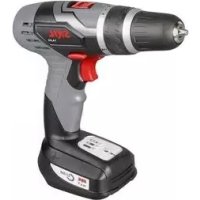
2421 - Screwdriver SKIL - Free user manual and instructions
Find the device manual for free 2421 SKIL in PDF.



Frequently Asked Questions - 2421 SKIL
Download the instructions for your Screwdriver in PDF format for free! Find your manual 2421 - SKIL and take your electronic device back in hand. On this page are published all the documents necessary for the use of your device. 2421 by SKIL.
USER MANUAL 2421 SKIL
Cordless drill/driver 2421 INTRODUCTION
- This tool is intended for drilling in wood, metal, ceramic and plastic; tools with electronic speed control and left/ right rotation are also suitable for screwdriving and thread cutting
- This tool is not intended for professional use
- The light of this power tool is intended to illuminate the power tool΄s direct area of working operation and is not suitable for household room illumination
- Read and save this instruction manual 3 TECHNICAL DATA 1 Max. torque for hard screwdriving application according to ISO 5393 : 36 Nm TOOL ELEMENTS 2 A Switch for on/o and speed control B Green charging light C Ring for torque control D Lock-position (clutch) E Switch for changing direction of rotation F Gear selector G Battery level indicator H Spot light J Ventilation slots K Charger SAFETY
GENERAL SAFETY INSTRUCTIONS
WARNING! Read all safety warnings and all instructions. Failure to follow the warnings and instructions may result in electric shock, fire and/or serious injury. Save all warnings and instructions for future reference. The term “power tool” in the warnings refers to your mains- operated (corded) power tool or battery-operated (cordless) power tool.
a) Keep work area clean and well lit. Cluttered or dark areas invite accidents. b) Do not operate power tools in explosive atmospheres, such as in the presence of flammable liquids, gases or dust. Power tools create sparks which may ignite the dust or fumes. c) Keep children and bystanders away while operating a power tool. Distractions can cause you to lose control.
2) ELECTRICAL SAFETY
a) Power tool plugs must match the outlet. Never modify the plug in any way. Do not use any adapter plugs with earthed (grounded) power tools. Unmodied plugs and matching outlets will reduce risk of electric shock. b) Avoid body contact with earthed or grounded surfaces such as pipes, radiators, ranges and refrigerators. There is an increased risk of electric shock if your body is earthed or grounded. c) Do not expose power tools to rain or wet conditions. Water entering a power tool will increase the risk of electric shock. d) Do not abuse the cord. Never use the cord for carrying, pulling or unplugging the power tool. Keep cord away from heat, oil, sharp edges or moving parts. Damaged or entangled cords increase the risk of electric shock. e) When operating a power tool outdoors, use an extension cord suitable for outdoor use. Use of a cord suitable for outdoor use reduces the risk of electric shock. f) If operating a power tool in a damp location is unavoidable, use an earth leakage circuit breaker. Use of an earth leakage circuit breaker reduces the risk of electric shock.
a) Stay alert, watch what you are doing and use common sense when operating a power tool. Do not use a power tool while you are tired or under the influence of drugs, alcohol or medication. A moment of inattention while operating power tools may result in serious personal injury. b) Use personal protective equipment. Always wear eye protection. Protective equipment such as dust mask, non-skid safety shoes, hard hat, or hearing protection used for appropriate conditions will reduce personal injuries. c) Prevent unintentional starting. Ensure the switch is in the off-position before connecting to power source and/or battery pack, picking up or carrying the tool. Carrying power tools with your nger on the switch or energising power tools that have the switch on invites accidents. d) Remove any adjusting key or wrench before turning the power tool on. A wrench or a key left attached to a rotating part of the power tool may result in personal injury. e) Do not overreach. Keep proper footing and balance at all times. This enables better control of the power tool in unexpected situations. f) Dress properly. Do not wear loose clothing or jewelry. Keep your hair, clothing and gloves away from moving parts. Loose clothes, jewelry or long hair can be caught in moving parts. g) If devices are provided for the connection of dust extraction and collection facilities, ensure these are connected and properly used. Use of dust collection can reduce dust-related hazards.
4) POWER TOOL USE AND CARE
a) Do not force the power tool. Use the correct power tool for your application. The correct power tool will do the job better and safer at the rate for which it was designed. b) Do not use the power tool if the switch does not turn it on and off. Any power tool that cannot be controlled with the switch is dangerous and must be repaired. c) Disconnect the plug from the power source and/or the battery pack from the power tool before making any adjustments, changing accessories, or storing power tools. Such preventive safety measures reduce the risk of starting the power tool accidentally.7
Store idle power tools out of the reach of children and do not allow persons unfamiliar with the power tool or these instructions to operate the power tool. Power tools are dangerous in the hands of untrained users. e) Maintain power tools. Check for misalignment or binding of moving parts, breakage of parts and any other condition that may affect the power tool’s operation. If damaged, have the power tool repaired before use. Many accidents are caused by poorly maintained power tools. f) Keep cutting tools sharp and clean. Properly maintained cutting tools with sharp cutting edges are less likely to bind and are easier to control. g) Use the power tool, accessories and tool bits etc., in accordance with these instructions, taking into account the working conditions and the work to be performed. Use of the power tool for operations dierent from those intended could result in a hazardous situation.
5) BATTERY TOOL USE AND CARE
a) Recharge only with the charger specified by the manufacturer. A charger that is suitable for one type of battery pack may create a risk of re when used with another battery pack. b) Use power tools only with specifically designated battery packs. Use of any other battery packs may create a risk of injury and re. c) When battery pack is not in use, keep it away from other metal objects like paper clips, coins, keys, nails, screws, or other small metal objects that can make a connection from one terminal to another. Shorting the battery terminals together may cause burns or a re. d) Under abusive conditions, liquid may be ejected from the battery; avoid contact. If contact accidentally occurs, flush with water. If liquid contacts eyes, additionally seek medical help. Liquid ejected from the battery may cause irritation or burns.
a) Have your power tool serviced by a qualified repair person using only identical replacement parts. This will ensure that the safety of the power tool is maintained.
- Avoid damage that can be caused by screws, nails and other elements in your workpiece; remove them before you start working
- Always check that the supply voltage is the same as the voltage indicated on the nameplate of the charger
- In case of electrical or mechanical malfunction, immediately switch o the tool or unplug charger from power source
- SKIL can assure awless functioning of the tool only when original accessories are used
- Use only accessories with an allowable speed matching at least the highest no-load speed of the tool
- The tool/charger is not intended for use by persons (including children) with reduced physical, sensory or mental capabilities, or lack of experience and knowledge, unless they have been given supervision or instruction concerning use of the tool/charger by a person responsible for their safety
- Ensure that children do not play with the tool/charger
- Secure the workpiece (a workpiece clamped with clamping devices or in a vice is held more securely than by hand)
- Hold the power tool only by the insulated gripping surfaces when performing an operation where the accessory may contact hidden wiring or its own power cord (contact with a “live” wire will also make exposed metal parts of the power tool “live” and shock the operator)
- Use suitable detectors to find hidden utility lines or call the local utility company for assistance (contact with electric lines can lead to re or electrical shock; damaging a gas line can result in an explosion; penetrating a water pipe will cause property damage or an electrical shock)
- Do not work materials containing asbestos (asbestos is considered carcinogenic)
- Dust from material such as paint containing lead, some wood species, minerals and metal may be harmful (contact with or inhalation of the dust may cause allergic reactions and/or respiratory diseases to the operator or bystanders); wear a dust mask and work with a dust extraction device when connectable
- Certain kinds of dust are classied as carcinogenic (such as oak and beech dust) especially in conjunction with additives for wood conditioning; wear a dust mask and work with a dust extraction device when connectable
- Follow the dust-related national requirements for the materials you want to work with
- Ensure that switch E 2 is in the middle (locking) position before making any adjustments or changing accessories as well as when carrying or storing the tool CHARGING/BATTERIES
- Charge battery only with the charger that is supplied with the tool
- Do not touch the contacts in the charger
- Do not expose tool/charger/battery to rain
- Do not charge battery in damp or wet environments
- Store tool/charger/battery in locations where temperature will not exceed 50°C or drop below 0°C
- Do not use charger when damaged; take it to one of the ocially registered SKIL Service Stations for a safety check
- Do not use charger when cord or plug is damaged; cord or plug should be replaced immediately at one of the ocially registered SKIL Service Stations
- Do not use battery when damaged; it should be replaced immediately
- Do not disassemble charger or battery
- Do not attempt to recharge non-rechargeable batteries with the charger
- If you anticipate long periods of non-use for the tool, it is best to unplug the charger from its power source
EXPLANATION OF SYMBOLS ON CHARGER/BATTERY
3 Read the instruction manual before use 4 Only use the charger indoors 5 Double insulation (no earth wire required) 6 Batteries may explode when disposed of in fire, so do not burn battery for any reason 7 Store tool/charger/battery in locations where temperature will not exceed 50°C8 8 Do not dispose of the charger together with household waste material 9 Do not dispose of the battery together with household waste material WHEN CONNECTING NEW 3-PIN PLUG (U.K. ONLY):
- Do not connect the blue (= neutral) or brown (= live) wire in the cord of the charger to the earth terminal of the plug
If for any reason the old plug is cut o the cord of the charger, it must be disposed of safely and not left unattended USE
- Combined switch A 2 for on/o and speed control Control the speed steplessly from zero to maximum by putting less or more pressure on the trigger
- Charging battery 0 - connect charger to power source as illustrated - green light B will turn on indicating that the charger is ready for operation - insert battery into charger as illustrated
the battery can also remain in the tool while charging; in that case the tool cannot be switched on - green light B will blink indicating that the battery is being charged - after approximately 1 hour the battery is fully charged and green light B stays on after blinking ! remove battery from charger after charging period has ended thereby lengthening the service life of the battery IMPORTANT: - if green light B does not blink after inserting a battery, this may mean:
1) that the battery is too cold or too hot (charger only
charges batteries when its temperature is between 0°C and 45°C)
2) that the battery should be replaced
- the lithium-ion battery can be charged at any time (interrupting the charging procedure does not damage the battery) - the lithium-ion battery does not have to be empty before charging (no “memory-eect” as with nickel-cadmium batteries) - while charging, the charger and the battery may become warm to touch; this is normal and does not indicate a problem - ensure that the outside surface of the battery is clean and dry before inserting into charger - do not charge at temperatures below 0°C and over 45°C; this will seriously damage the battery as well as the charger - do not remove battery from tool while it is running - if you anticipate long periods of non-use for the tool, it is best to unplug the charger from its power source - when the lithium-ion battery is empty, the tool is switched o automatically - a signicantly reduced working period after charging indicates that the battery is worn out and should be replaced
- Changing direction of rotation ! - when not properly set in left/right position, switch A 2 cannot be activated ! change direction of rotation only when tool is at a complete standstill
- Changing drill bits @ - insert the bit as deep as possible in the chuck - use screw bits in combination with a bitholder ! do not use bits with a damaged shank ! only use sharp bits
- Torque control (VariTorque) # - output torque will increase as clutch ring C is rotated from 1 to 15; position D will lock up the clutch to permit drilling or driving heavy duty work - when turning in a screw, rst try VariTorque position 1 and increase until the desired depth has been reached
- Mechanical gear selection $ - set selector F to desired speed ! actuate the gear selector while tool is running slowly HIGH POWER (HIGH POWER) - high torque - for screwdriving and drilling large diameters - for tapping thread HIGH SPEED (HIGH SPEED) - lower torque - for drilling small diameters
- Battery level indicator % - shows how much energy the battery has left - indicator G automatically lights on when activating switch A 2
1) the load is too high
2) the battery temperature is not within the allowable
operating temperature range of -10 to +60°C
3) the lithium-ion battery is nearly empty (to protect
against deep discharge) - in either case the 3 LED-lights of battery level indicator G will ash rapidly ! do not continue to press the on/off switch after the tool is switched off automatically; battery may be damaged
- Automatic spindle-lock - when switch A 2 is not pressed, the spindle is locked - allows you to use the tool as a screwdriver (even when the battery is empty)
- Holding and guiding the tool & ! while working, always hold the tool at the grey-coloured grip area(s) - keep ventilation slots J 2 uncovered - do not apply too much pressure on the tool; let the tool do the work for you APPLICATION ADVICE
- When drilling ferrous metals - pre-drill a smaller hole, when a large hole is required - lubricate drill bit occasionally with oil
- When turning in a screw at/near the cross cut end or an edge of wood, pre-drill a hole in order to avoid cracking of the wood
- For an optimal use of the tool a steady pressure on the screw is required, especially while removing
- When screwdriving in hard wood one should pre-drill a hole9 MAINTENANCE / SERVICE
- This tool is not intended for professional use
- Keep tool and charger clean - clean charging contacts in charger with alcohol or contact cleaner ! unplug charger from power source before cleaning
- If the tool/charger should fail despite the care taken in manufacturing and testing procedures, repair should be carried out by an after-sales service centre for SKIL power tools - send the tool or charger undismantled together with proof of purchase to your dealer or the nearest SKIL service station (addresses as well as the service diagram of the tool are listed on www.skil.com) - in case of a defective charger send both charger and battery to your dealer or the SKIL service station ENVIRONMENT
- Do not dispose of electric tools, accessories and packaging together with household waste material (only for EU countries) - in observance of European Directive 2002/96/EC on waste of electric and electronic equipment and its implementation in accordance with national law, electric tools that have reached the end of their life must be collected separately and returned to an environmentally compatible recycling facility - symbol 8 will remind you of this when the need for disposing occurs
- The battery must be kept separate from the natural environment and should not be disposed of as normal domestic waste (symbol 9 will remind you of this when the need for disposing occurs) ! prior to disposal protect battery terminals with heavy tape to prevent short-circuit
DECLARATION OF CONFORMITY
- We declare under our sole responsibility that the product described under “Technical data” is in conformity with the following standards or standardization documents: EN 60335, EN 61000, EN 60745, EN 55014, in accordance with the provisions of the directives 2006/95/EC, 2004/108/EC, 2006/42/EC, 2011/65/EU, 2009/125/EC (EU regulation 1194/2012)
- Measured in accordance with EN 60745 the sound pressure level of this tool is 74 dB(A) and the sound power level 85 dB(A) (standard deviation: 3 dB), and the vibration ✱ (hand-arm method; uncertainty K = 1.5 m/s²) ✱ when drilling in metal <2.5 m/s² ✱ when screwdriving <2.5 m/s²
- The vibration emission level has been measured in accordance with a standardised test given in EN 60745; it may be used to compare one tool with another and as a preliminary assessment of exposure to vibration when using the tool for the applications mentioned - using the tool for dierent applications, or with dierent or poorly maintained accessories, may signicantly increase the exposure level - the times when the tool is switched o or when it is running but not actually doing the job, may signicantly reduce the exposure level ! protect yourself against the effects of vibration by maintaining the tool and its accessories, keeping your hands warm, and organizing your work patterns