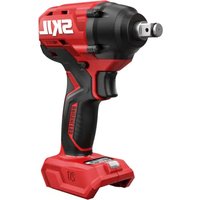
2832 AR - Screwdriver SKIL - Free user manual and instructions
Find the device manual for free 2832 AR SKIL in PDF.



| Technical Specifications | SKIL 2832 AR cordless screwdriver, maximum torque of 30 Nm, variable speed up to 1300 rpm, 2 Ah lithium-ion battery. |
|---|---|
| Usage | Ideal for screwing and unscrewing in wood, metal, and plastics, suitable for home DIY projects. |
| Maintenance and Repair | Regularly check the battery condition, clean contacts, and store in a dry place. Replace the battery if the lifespan is reduced. |
| Safety | Wear safety glasses during use, do not overload the screwdriver, keep out of reach of children. |
| General Information | Lightweight for easy handling, ergonomic design, 2-year warranty, included accessories: charger and screwdriver bits. |
Frequently Asked Questions - 2832 AR SKIL
User questions about 2832 AR SKIL
0 question about this device. Answer the ones you know or ask your own.
Ask a new question about this device
Download the instructions for your Screwdriver in PDF format for free! Find your manual 2832 AR - SKIL and take your electronic device back in hand. On this page are published all the documents necessary for the use of your device. 2832 AR by SKIL.
USER MANUAL 2832 AR SKIL
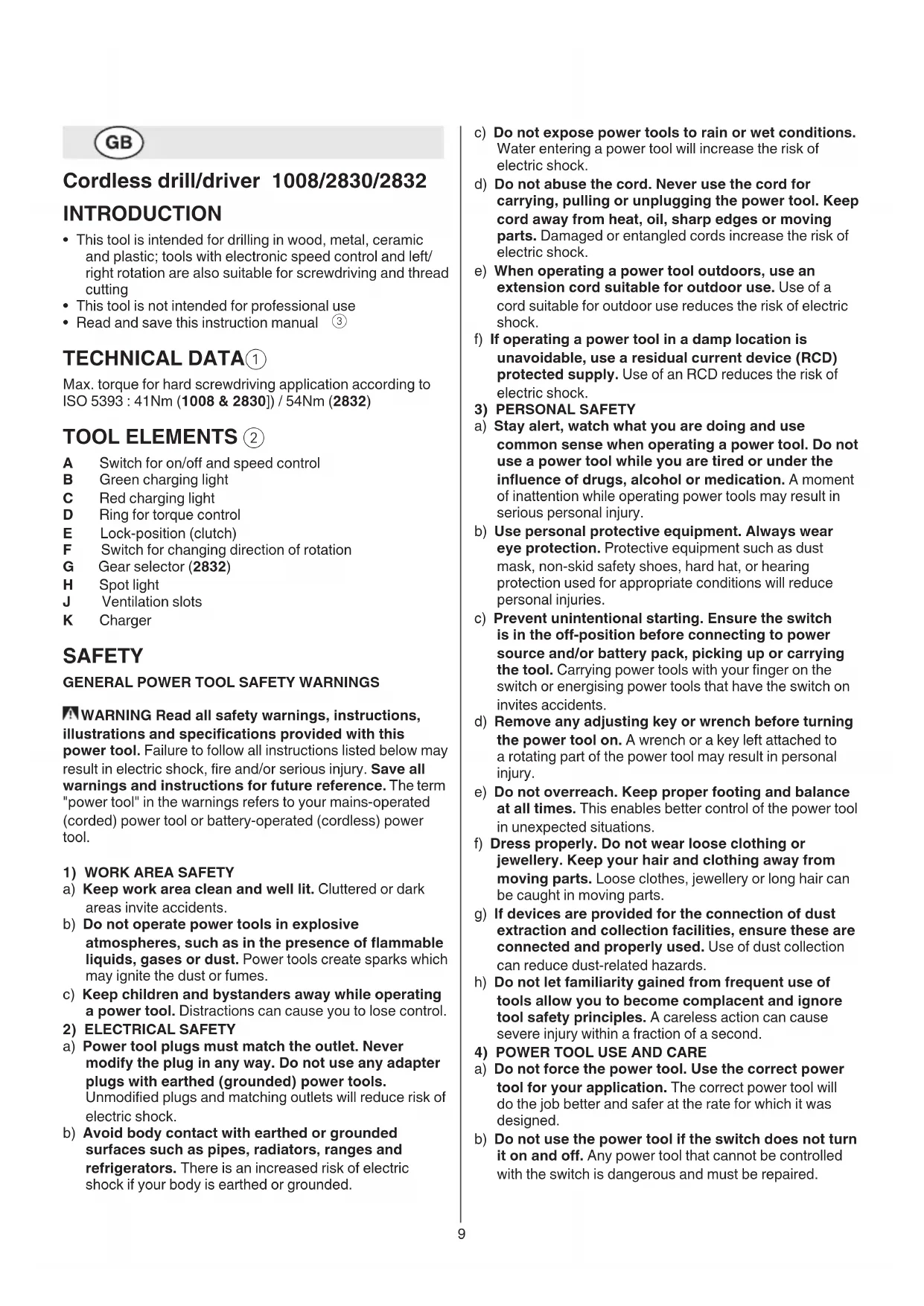
Cordless drill/driver 1008/2830/2832
INTRODUCTION
- This tool is intended for drilling in wood, metal, ceramic and plastic; tools with electronic speed control and left/right rotation are also suitable for screwdriving and thread cutting
- This tool is not intended for professional use
- Read and save this instruction manual ③
TECHNICAL DATA①
Max. torque for hard screwdriving application according to ISO 5393:41Nm (1008 & 2830)/54Nm (2832)
TOOLELEMENTS ②
A Switch for on/off and speed control
B Green charging light
C Red charging light
D Ring for torque control
E Lock-position (clutch)
F Switch for changing direction of rotation
G Gear selector (2832)
H Spot light
J Ventilation slots
K Charger
SAFETY
GENERAL POWER TOOL SAFETY WARNINGS
WARNING Read all safety warnings, instructions, illustrations and specifications provided with this power tool. Failure to follow all instructions listed below may result in electric shock, fire and/or serious injury. Save all warnings and instructions for future reference. The term "power tool" in the warnings refers to your mains-operated (corded) power tool or battery-operated (cordless) power tool.
1) WORK AREA SAFETY
2) ELECTRICAL SAFETY
a) Keep work area clean and well lit. Cluttered or dark areas invite accidents.
b) Do not operate power tools in explosive atmospheres, such as in the presence of flammable liquids, gases or dust. Power tools create sparks which may ignite the dust or fumes.
c) Keep children and bystanders away while operating a power tool. Distractions can cause you to lose control.
a) Power tool plugs must match the outlet. Never modify the plug in any way. Do not use any adapter plugs with earthed (grounded) power tools. Unmodified plugs and matching outlets will reduce risk of electric shock.
b) Avoid body contact with earthed or grounded surfaces such as pipes, radiators, ranges and refrigerators. There is an increased risk of electric shock if your body is earthed or grounded.
3) PERSONAL SAFETY
4) POWER TOOL USE AND CARE
c) Do not expose power tools to rain or wet conditions. Water entering a power tool will increase the risk of electric shock.
d) Do not abuse the cord. Never use the cord for carrying, pulling or unplugging the power tool. Keep cord away from heat, oil, sharp edges or moving parts. Damaged or entangled cords increase the risk of electric shock.
e) When operating a power tool outdoors, use an extension cord suitable for outdoor use. Use of a cord suitable for outdoor use reduces the risk of electric shock.
f) If operating a power tool in a damp location is unavoidable, use a residual current device (RCD) protected supply. Use of an RCD reduces the risk of electric shock.
a) Stay alert, watch what you are doing and use common sense when operating a power tool. Do not use a power tool while you are tired or under the influence of drugs, alcohol or medication. A moment of inattention while operating power tools may result in serious personal injury.
b) Use personal protective equipment. Always wear eye protection. Protective equipment such as dust mask, non-skid safety shoes, hard hat, or hearing protection used for appropriate conditions will reduce personal injuries.
c) Prevent unintentional starting. Ensure the switch is in the off-position before connecting to power source and/or battery pack, picking up or carrying the tool. Carrying power tools with your finger on the switch or energising power tools that have the switch on invites accidents.
d) Remove any adjusting key or wrench before turning the power tool on. A wrench or a key left attached to a rotating part of the power tool may result in personal injury.
e) Do not overreach. Keep proper footing and balance at all times. This enables better control of the power tool in unexpected situations.
f) Dress properly. Do not wear loose clothing or jewellery. Keep your hair and clothing away from moving parts. Loose clothes, jewellery or long hair can be caught in moving parts.
g) If devices are provided for the connection of dust extraction and collection facilities, ensure these are connected and properly used. Use of dust collection can reduce dust-related hazards.
h) Do not let familiarity gained from frequent use of tools allow you to become complacent and ignore tool safety principles. A careless action can cause severe injury within a fraction of a second.
a) Do not force the power tool. Use the correct power tool for your application. The correct power tool will do the job better and safer at the rate for which it was designed.
b) Do not use the power tool if the switch does not turn it on and off. Any power tool that cannot be controlled with the switch is dangerous and must be repaired.
c) Disconnect the plug from the power source and/ or remove the battery pack, if detachable, from the power tool before making any adjustments, changing accessories, or storing power tools. Such preventive safety measures reduce the risk of starting the power tool accidentally.
d) Store idle power tools out of the reach of children and do not allow persons unfamiliar with the power tool or these instructions to operate the power tool. Power tools are dangerous in the hands of untrained users.
e) Maintain power tools and accessories. Check for misalignment or binding of moving parts, breakage of parts and any other condition that may affect the power tool's operation. If damaged, have the power tool repaired before use. Many accidents are caused by poorly maintained power tools.
f) Keep cutting tools sharp and clean. Properly maintained cutting tools with sharp cutting edges are less likely to bind and are easier to control.
g) Use the power tool, accessories and tool bits etc., in accordance with these instructions, taking into account the working conditions and the work to be performed. Use of the power tool for operations different from those intended could result in a hazardous situation.
h) Keep handles and grasping surfaces dry, clean and free from oil and grease. Slippery handles and grasping surfaces do not allow for safe handling and control of the tool in unexpected situations.
5) BATTERY TOOL USE AND CARE
a) Recharge only with the charger specified by the manufacturer. A charger that is suitable for one type of battery pack may create a risk of fire when used with another battery pack.
b) Use power tools only with specifically designated battery packs. Use of any other battery packs may create a risk of injury and fire.
c) When battery pack is not in use, keep it away from other metal objects like paper clips, coins, keys, nails, screws, or other small metal objects that can make a connection from one terminal to another. Shorting the battery terminals together may cause burns or a fire.
d) Under abusive conditions, liquid may be ejected from the battery; avoid contact. If contact accidentally occurs, flush with water. If liquid contacts eyes, additionally seek medical help. Liquid ejected from the battery may cause irritation or burns.
e) Do not use a battery pack or tool that is damaged or modified. Damaged or modified batteries may exhibit unpredictable behaviour resulting in fire, explosion or risk of injury.
f) Do not expose a battery pack or tool to fire or excessive temperature. Exposure to fire or temperature above 130^ may cause explosion.
g) Follow all charging instructions and do not charge the battery pack or tool outside the temperature range specified in the instructions. Charging improperly or at temperatures outside the specified range may damage the battery and increase the risk of fire.
6) SERVICE
a) Have your power tool serviced by a qualified repair person using only identical replacement parts. This will ensure that the safety of the power tool is maintained.
b) Never service damaged battery packs. Service of battery packs should only be performed by the manufacturer or authorized service providers.
SAFETY INSTRUCTIONS FOR CORDLESS DRILL/ DRIVERS
GENERAL
- Dust from material such as paint containing lead, some wood species, minerals and metal may be harmful (contact with or inhalation of the dust may cause allergic reactions and/or respiratory diseases to the operator or bystanders); wear a dust mask and work with a dust extraction device when connectable
- Certain kinds of dust are classified as carcinogenic (such as oak and beech dust) especially in conjunction with additives for wood conditioning; wear a dust mask and work with a dust extraction device when connectable
- Follow the dust-related national requirements for the materials you want to work with
- Do not work materials containing asbestos (asbestos is considered carcinogenic)
- Ensure that switch F ② is in the middle (locking) position before making any adjustments or changing accessories as well as when carrying or storing the tool
ACCESSIONS
- SKIL can assure flawless functioning of the tool only when original accessories are used
- Use only accessories with an allowable speed matching at least the highest no-load speed of the tool
BEFORE USE
- Avoid damage that can be caused by screws, nails and other elements in your workpiece; remove them before you start working
- Always check that the supply voltage is the same as the voltage indicated on the nameplate of the charger
- Secure the workpiece (a workpiece clamped with clamping devices or in a vice is held more securely than by hand)
- Use suitable detectors to find hidden utility lines or call the local utility company for assistance (contact with electric lines can lead to fire or electrical shock; damaging a gas line can result in an explosion; penetrating a water pipe will cause property damage or an electrical shock)
DURING USE
- Hold power tool by insulated gripping surfaces, when performing an operation where the cutting accessory or fastener may contact hidden wiring (cutting accessory and fasteners contacting a "live" wire may make exposed metal parts of the power tool "live" and could give the operator an electric shock)
- In case of electrical or mechanical malfunction, immediately switch off the tool or unplug charger from power source
CHARGING/BATTERIES
This charger can be used by children aged 8 and
above and by persons who have physical, sensory or mental limitations or a lack of experience or knowledge if a person responsible for their safety supervises them or has instructed them in the safe operation of the charger and they understand the associated dangers (otherwise, there is a danger of operating errors and injuries)
Supervise children (this will ensure that children do not play with the charger)
- Cleaning and user maintenance of the battery charger shall not be made by children without supervision
- Only use SKIL charger 2610Z08495 or 2610Z08496 and SKIL battery pack 2610Z08494 with this tool
- Charge battery only with the charger that is supplied with the tool
- Do not touch the contacts in the charger
- Do not expose tool/charger/battery to rain
- Do not charge battery in damp or wet environments
- Do not use charger when damaged; take it to one of the officially registered SKIL Service Stations for a safety check
- Do not use charger when cord or plug is damaged; cord or plug should be replaced immediately at one of the officially registered SKIL Service Stations
- Do not use battery when damaged; it should be replaced immediately
- Do not disassemble charger or battery
- Do not attempt to recharge non-rechargeable batteries with the charger
- Permitted ambient temperature (tool/charger/battery):
- when charging 0 +45^ - during operation -20 +50^ - during storage -20 +50^
EXPLANATION OF SYMBOLS ON TOOL/CHARGER/BATTERY
③ Read the instruction manual before use
④ Only use the charger indoors
Double insulation (no earth wire required)
⑥ Batteries may explode when disposed of in fire, so do not burn battery for any reason
⑦ Store tool/charger/battery in locations where temperature will not exceed 50^
Do not dispose of electric tools and batteries together with household waste material
USE
Combined switch for on/off and speed control A ② Control the speed steplessly from zero to maximum by putting less or more pressure on the trigger
- Charging battery ⑨
!remove battery from tool
-
connect charger to power source as illustrated 9a
-green light B will turn on indicating that the charger is ready for operation ⑨ a
-insert battery into charger as illustrated 9b
-red light C will turn on indicating that the battery is being charged 9c -
after approximately 3 hours (2610Z08495) / 5 hours (2610Z08496) the battery is fully charged and green light B turns on ⑨ d
!remove battery from charger after charging period has ended thereby lengthening the service life of the battery
IMPORTANT:
-if red light C does not turn on after inserting a battery, this may mean that the battery is too cold or too hot (charger only charges batteries when its temperature is between 0^ and 45^ )
-the lithium-ion battery can be charged at any time (interrupting the charging procedure does not damage the battery)
-the lithium-ion battery does not have to be empty before charging (no "memory-effect" as with nickel-cadmium batteries)
-while charging, the charger and the battery may become warm to touch; this is normal and does not indicate a problem
-ensure that the outside surface of the battery is clean and dry before inserting into charger
-do not remove battery from tool while it is running
-if you anticipate long periods of non-use for the tool, it is best to unplug the charger from its power source
-when the lithium-ion battery is empty, the tool is switched off automatically
-a significantly reduced working period after charging indicates that the battery is worn out and should be replaced
- Changing direction of rotation 10
-when not properly set in left/right position, switch A② cannot be activated
!change direction of rotation only when tool is at a complete standstill
- Changing bits ⑪
!do not use bits with a damaged shank
Torque control (VariTorque) 12
-output torque will increase as clutch ring D is rotated from 1 to 19; position E will lock up the clutch to permit drilling or driving heavy duty work
-when turning in a screw, first try VariTorque position 1 and increase until the desired depth has been reached
- Mechanical gear selection (2832)
-set selector G to desired speed
!actuate the gear selector while tool is running slowly
LOW
-low speed
-high torque
-for screwdriving and drilling large diameters
-for tapping thread
HIGH
-high speed
-lower torque
-for drilling small diameters
Battery protection
Switches off the tool or prevents the tool from being switched on, when
-the load is too high
the battery temperature is not within the allowable operating temperature range of -20 to +50^
-the lithium-ion battery is nearly empty (to protect against deep discharge)
!do not continue to press the on/off switch after the tool is switched off automatically; battery may be damaged
- Spot light H ⑭
Spot light H automatically lights on when activating switch A ② - Holding and guiding the tool 15
!while working, always hold the tool at the greycoloured grip area(s)
-keep ventilation slots J ② uncovered
-do not apply too much pressure on the tool; let the tool do the work for you
APPLICATION ADVICE
Use the appropriate bits 16!only use sharp bits
- When drilling ferrous metals
-pre-drill a smaller hole, when a large hole is required -lubricate drill bit occasionally with oil
- When turning in a screw at/near the cross cut end or an edge of wood, pre-drill a hole in order to avoid cracking of the wood
- For an optimal use of the tool a steady pressure on the screw is required, especially while removing
- When screwdriving in hard wood one should pre-drill a hole
- Splinterfree drilling in wood ⑦
- Dustfree drilling in walls 18
- Drilling in tiles without skidding 19
For more tips see www.skil.com
MAINTENANCE / SERVICE
- This tool is not intended for professional use
- Keep tool and charger clean
-clean charging contacts in charger with alcohol or contact cleaner!unplug charger from power source before cleaning
-
If the tool/charger should fail despite the care taken in manufacturing and testing procedures, repair should be carried out by an after-sales service centre for SKIL power tools
-
send the tool or charger undismantled together with proof of purchase to your dealer or the nearest SKIL service station (addresses as well as the service diagram of the tool are listed on www.skil.com)
- in case of a defective charger send both charger and battery to your dealer or the SKIL service station
ENVIRONMENT
- Do not dispose of electric tools, batteries, accessories and packaging together with household waste material (only for EU countries)
-in observance of European Directive 2012/19/EC on waste of electric and electronic equipment and its implementation in accordance with national law, electric tools that have reached the end of their life must be collected separately and returned to an environmentally compatible recycling facility
-symbol ⑧ will remind you of this when the need for disposing occurs
!prior to disposal protect battery terminals with heavy tape to prevent short-circuit
NOISE/VIBRATION
- Measured in accordance with EN 60745 the sound pressure level of this tool is 76 (1008 & 2830) / <70 (2832) dB(A) and the sound power level 87 (1008 & 2830) dB(A) (standard deviation: 3 dB), and the vibration < 2.5m/s^2 (triax vector sum; uncertainty K = 1.5m/s^2 )
- The vibration emission level has been measured in accordance with a standardised test given in EN 60745; it may be used to compare one tool with another and as a preliminary assessment of exposure to vibration when using the tool for the applications mentioned
-using the tool for different applications, or with different or poorly maintained accessories, may significantly increase the exposure level
-the times when the tool is switched off or when it is running but not actually doing the job, may significantly reduce the exposure level
!protect yourself against the effects of vibration by maintaining the tool and its accessories, keeping your hands warm, and organizing your work patterns
F
Perceuse/visseuse 1008/2830/2832 sans fil
INTRODUCTION
1) SIKKERHET PÅ ARBEIDSPLASSEN
2) ELEKTRISK SIKKERHET
VEDLIKEHOLD / SERVICE
MANUTENÇÂO / SERVICO
sahip olmayan kisiler
tarafindan ancak detetim
altinda veya Şarj cihazınin
güvenli kullanı hakkında
aydinlatildikları ve bu
kullanıma®,®,®,®,®,®,®,®,®,®,®,®,®,®,®,®,®,®,®,®,®,®,®,®,®,®,®,®,®,®,®,®,®,®,®,®,®,®,®,®,®,®,®,®,®,®,®,®,®,®,®,®,®,®,®,®,®,®,®,®,®,®,®,®,®,®,®,®,®,®,®,®,®,®,®,®,®,®,®,®,®,®,®,®,®,®,®,®,®,®,®,®,®,®,®,®,®,®,®,®,®.
kavradikları takdirde
kullanı bilir (aksi takdirde hatali
kullanım ve yaralanma sehlikesi
vardır)
EJEMHTH IHCTPYMEHTA②
A BmHKaH DJIe Bn/BNKJ Ta peyIIOBAAHH WBNIKOCTI
B 3eJenH iHnKaTOp 3apAHorO npncToIO
C YepBoHn iHdkaTOp 3apAnHO npncTpoH
D Kilbue dI pyreYIOBaHHM MOpENTy 6eptaHH
E ΦiKcObaHe nOIOxHHe (MyΦTN)
F BmHKaHn3miHn HanpMy o6epTaHH
G Iepemnkauch WbNIOKcTi (2832)
H NiicbiKa
J BeHTnIauiHi OTBOpN
K 3apAHHn npncTpi
BE3NEKA
3AΓΑЛbHI BKA3IBHи 3 TEXHIKи БE3NEHINOBODKEHHI 3 EJEHTPOIHCTPYMEHTAMN
NONEPEDHEHHIpoHHTaIE BCI Bha3iBHN 3TexhiK6e3neHn, IHcTpYHci, IIOCTpaui Ta cNeuHiaui, HadaH3 cHm eHtPOIHcTpymeHOM. HeBHKoHaHHYycix noDaHnx HnKHe IHcTpYHci MoKe np3BeCTn Do ypaKeHHN eJcTKpUHm CTPyMOM, NOHexi /a60 cepNo3HOITpABMN. DObpe 36epiraTe ha MaibTyHc zu nonepedHeHHI bKa3iBHN. Pid NOHRTTAM "eJeKTponpnilad" B cHX nonepedKeHHx MaETbcra Ha yBa3i eJeKTponpnilad, 1O npauoe BiD MepeKi (3 eJeKTpokaBelem) a6o BiD akymlyaTOhoI baTaPeI (6e3 eJeKTpokaBeIo).
1)BE3NEHA HA POBOOYMICLI
a) PpMaIte cBc oPo6Oe Micce B YnCTOTi Ta np6paTe Noro. Be3naI a6o noraHe OCBITJeHHHa po6OChy MlCi MoHcyTb Pn3BOdHTn Do HeuacHnx BnPaNkB.
b) He npaioTe 3 npnaIadom y cepeObni, de icHyEc He6e3neHa Bn6byu BnacIIOH npncyTHocTi ropUChx piDn, ra3iB a6o nny. EJeKtponpnuIaN MOHyTb npoJkyBaTu iCKpn, BiJ RAHX MoKe 3aImMaTnCn PnI a6o napn.
c)Пдчac npaOBAHH3 npHJaOM He nipnychaTe do po6oHoro Micza diTe Ta iHxN IIOeB. BmOKeTe BtpaTHTN KOHTpOJIb NaI npHJaOM, RaIIO BaIaYBaRa 6yde BiDBepyTa.
2) EJEKTPNHA B63NEHA
a) ⅢTencelb npnilady noBHeH nacyBaTH Do po3eTHN. He do3BOJRAETBCA zO-He6ydb MInrN B wTeNCeli. Ira po60TN 3 npniladamn, zO MaOTb 3axNChe 3a3emJIeHH, He BHKOpNCTOByte aanTepn. BHKOpNCtAHn opirHaJIbHO r O Tencelra Ta HaleKHOi po3eTKI 3MeHwye pN3NK yapay eJeKTPnuHMM CTpyMOM.
b) YHnHaTe KOHTaHTy cacteT iJa i3 3a3eMLeHmN NOBepXHAMN, AKNap., Tpy6amN, 6aTapeA M N OaJIeHHa, neaMn Ta XoIOAnlbHNkAmn. KoIb BaWe TINO 3a3eMJIHe, icHyc 36iNbueHa He6e3neKa ydApy eJIeKTPuHIM CTpyMOM.
c) 3axuatae npnaad BiD douy Ta BOIOn. IonaaHn BOIN B eJeKtpoiHCTpyMeHT 36iNbUye pN3NK yIapy eJeKtpuHm CTpyMOM.
d) He BnKOpNCTOByTe Ka6eIb IJIЯ nepeHeceHn npHaay, iDbiWyBaHHa 6o BNTaRyBaHHa WTeNCeIa 3 po3eTN. 3axuauTe Ka6eIb BiJ Kapn, oJIi, roCtpx HpaIB Ta DeTale NpHaay, zo pyXaOTbcr. PoIkwOJHcHm a6o 3akpyeHn Ka6eJIb 36ilb7yEc pN3NK yApdy eJeKTPnuHm CTrpyMOM.
e)ДЯЗOBHixpo6ITO6OB'3HOBOBnHOpNCTOByTe JHWe TaHn NOOBHyBa, 0o DOnyuEHN dIa 3OBHixpo6IT.BnKOpNCTaHHNoDObKyBaHa, 0o PO3paXOBaHn Ha 3OBHHiPo6OTn, 3MeHUe pN3NK ydApy eJIeKTPnHm CTpyMOM.
f) Ano He MoKHa 3ano6irTu BnHOpncTahHIO eJeHTponpnaJy y BOJoromy cepeobu, BnHOpncTOByTe npncptiN 3axnCTy BiD BnTOHy B 3eMJIb. BnKOpncTaHHa 3pncptoi 3axnCTy BiD BnTOky B 3eMJIIO 3MeHUnyepn3NK yApPy eJeHTpnuHMM CTpyMOM.
3) B63NEHA JIODEI
a) BybTe yBaHmM, cIkyTe 3a Tm, uO Bn po6Te, Ta po3cyIINBO NOBdTecr nI qac po6ToN 3 eIeHTponpnaIam. He KopncTyItec npIaNOM, Anu Bu CTomJIeHi a6o 3haxODntecr nI d IieH HApOTnHIB, CNPTnx HanoiB a6o liK. MItb HeyBaXHoCTi pni KopNCyBaHHi npIaNOM MoHe npI3BOHTn Do cepNo3Hx TpaBM.
b) BДЯгаTe OcO6NcTe 3axnCHe CnpoJKeHHa Ta o6OB'3HOBO BДяGaTe 3axnCHi OHyJIApH. BДяганнЯ OcO6NcTOrO 3axnCHOrO CnpoJKeHHa, RaHap., -ВЗалжнocTi BiD BVdu pObi - 3axnCHOI MaCKn, CpeuB3yTT, lo He KOB3aE TbCB, KaCKn a60 HabyuHnKIB,3MeHwye Pn3nCK TpaBM.
c) YHnHaTe HeHaBMnCHOrO BMnHaHH. Nepw HIX BMnHaTN eEeKtpOpnHlad B eEeKtpompeHy a6o BCTpOMJrTH anMyIaTOpHy 6aTaPeIO, 6paTH Noro B pyKn a60 nepeHoCHTN, BneBHiTbcra B TOMy, 10 eEeKtpOpnHlad BmKHyTn. TpMaHH naJIbca Ha BMnKaYi Ni dac nepHeceHH eEeKtpOpnHady a6o BCTpOMJHH B Po3eTKy yBIMKHyTORo npHaMy MoHe npN3BOuNTn Do TpaBM.
d) Ipepe THM, RA BMHNATN npHnla, npn6epiB HalaorOJyBaJIbHI iHCTpyMeHTN Ta raHOBn KIOU. 3HaxoJKeHHaHaIOrOJyBaJIbHOrO iHCTpyMeHTa a60 KIOUca B DeTAli, 1O o6ePTaEeTbcR, MoKe npn3BOIDNTI DO TpaBM.
e) He nepeoiciHouTe ce6e. 36epiraTe ctiHe noloxenHa Ta 3aBHN 36epiraTe pIBHObary. Lcdo3BOJntb Bam kpaue 36epiratN KOHTpoJIb HaI npuiAOM y HecnOdiBaHx CNTyaicix.
f) BdraTe npdaTnH oJr. He BdraTe npocToPn OaT Ta npKpacn. He ndTabnaTe BOLOccn OaTdo DeTale, 0p yxaOTbc. IpocToPn OJra, npKpacn Ta DObre BOLOCC MoKyb nonaTaN B deTani, 0p pyxaOTbc.
g) RaHIO icHyc MOHJIHBiCtb MOHTyBaTHn HNOBicMOHTyBaJIbHi a6o NINOYIOBNIOBaJIbHi npHCTpoI, nepeKHOHaITeCra, 06 BOHN 6yJN Do6pe
niEHaHITa npabNbHO BnHopncTOByBaIHC. BnKOpNCtAHn HINIOIDCMOKTyBaJIbHOrO pInCTPO MOHe 3MeHUnTI He6e3neKn, 3ymOBJIeHI nIOM.
h) Do6pe 3HaHH eJeHTpoiHCTpyMeHTIB, OTPMaHe B pe3yIbTaTI qACTORO IX BNHOpNCTAHH, He NOBHHo npn3BOJNTu DO CAMOBNEBHeHOCTI iRhopyBaHH npnHcuiB TexHIKI 6e3neKn. Heo6epeKHa dI MoKe B OdHy MNTb pN3BecTn Do BAHKOI TpaBMn.
4) INPABINbHE IOBOJHKeHHRA TAKOPNCTYBAHH EJEKTPONPNIAAMN
a) He nepeBaHTaJyIe npJaD. BnHOpNCTOByIte TaHn npJa, 0c cneiaIbHo npHaueHn dIa neBHOi po6oTn. 3 npHaTHm npJaDom Bn 3 MeHIM pN3NKOM OTpMaTe KpaJI pe3yJIbTaTn po6oTn, RaKIO 6yDeTe npauOBaTH B 3a3HaueHomy diAna3OHi notyHKHOCTI.
b) He KopncTyIeTcA npnlaDom 3 noWhoJHHeHMMBmKauem. PpnaIa, JnH He MoHa yBIMKHyTu a6o BmKHyTu, E He6e3neuHm i NOro Tpe6a BiDpemOHTyBaTu.
c) Npeed TmM, RaK peryIIOBAtu 0o-He6yDb Ha npHnadi, MiHrTn npHnadJa a6o XOBaTH npHnad, BHTaRHiTb wTeNceJI b3 po3eTN Ta/a6o BHTaRHiTb anMyJITopHy 6aTaPeO, RaHTo BOHa 3Himaetcb. Li nonepeDkyBaJIbHI 3axOJN 3TexHIn 6e3neKn 3MeHsuOTb pIHNK HeHaBMCHOrO 3aNyCKy npHnady.
d) 36epiraIte eIeHTponpnilaHn, IHHMn Bn camHe HOpncTyecb, daJIeHO bID dITEH. He do3BOJnTe HOpncTyBaTcH eIeHTponpnilaDm Oco6am, 0o He 3Haomi 3 Noro pOboTOO a6o He uHTaNI ci Bha3IBHn. Y pa3i 3actocyBaHHN HeDCBIDueHmN Oco6amn npnilaHn Hecytb BC6i He6e3neKy.
e) CtapaHNO dOrJaAaTe 3a eJeKtpoHcTpyMeHTamn i npHaadm. NepeBipTe, uO6 pyxomi Detani npHa dy 6e3dorAHNO npauIOBaHn Ta He 3aIaHn, He 6yHn noJamaHmN a6o HactInbHN NowHOJHeHMn, uO6 ue MorNo BnHnHyTu Ha yHnCioHyBaHH npHa dy. NooHDKeHi Detani Tpe6a BiDpemOHtBuATn B ABTOpH3OBaHni MaCtePHi, nepu HIX HmM MoHNa 3HOBy KOpNCTyBaTHcR. BeNka KInbKicTB HeueacHX BnAdKn CnpuHReTbcr NoraHm DOrJaDM 3a eJeKTPoPnuJaAMn.
f) Tpmaite piaalbhi iHCTpymEnTdo6pe HaroctpeHNMaB uHcToTi. CtapaHHo dOrJMyTi pi3aJIbHI iHCTpymEnTn 3 roCTpM piaJIbHM KpaEM MeHwe 3acTprOHTb Ta ix IeIe BecTI.
g) BnHOpNCTOByIte eJeKTPoPnpUaIaI, npUaIaIdo Hnx,po6Oci IHcTpymeHTn T.i. BiIOBiIHO do uix Bka3IBox.Bepitbdo yBaRn npu cboMuy yMOBN po6OTn Ta CneuΦiHy BnHOhyBaHOI po6OTn. BnKOpNCTaHHNeJeleKTPoPnpUaIaIbIra pO6iT, IJI RAHX BOHN He nepeIbauYeHi, MoKe npu3BOIHTn Do He6e3neuHx cnTuayi.
h) TpmaTe pyKoTHn i NOBepxHi 3axBaTy cyXmHn i HCTHMn, cIiDkyIte, 06 Ha Hnx He 6yIo OJNB a6o rYcTOrO MaTnla. CIn3bKi pyKoTHn i NOBepxHi 3aXBaTy yHEMOJIINBIOHtB 6e3neUHe NOBOJKeHHr 3 eJeHTpoIHCTpyMeHTOM Ta IHO RO KOHTPOJIOBAHHra B HeoichiYBaHNxCITyaIax.
5) INPABINbHE NOBOJHENHRA TAKOPNCTYBAHH EJEKTPONPHIAADAMU,IO NPAUOTb HA AkyMylrTOPHNX BATAPERX
a) 3apAHyTe anMyIaTOpHi 6aTapei IInwe B 3apAHyBaIbHnx PnCTpOx, peHOMeHDoBaHx BnROTOBIOBaUcEm. BnKOpNCTaHHra3apAkyBaIbHOrO npICPTPOI nla aKmyJIaTOpHnx 6aTapei, nla kNX BiH He nepeE6aueHm, MoKe Ipn3BODHTn Do nokHeKi.
b) BnKOpHCTOByIe B eIeHTponpHaJadax IInwe peKOMeHDoBahi aKymyIaTOpHi 6aTaapei. BnKOpHCTaHHI INxN aKymyIaTOpHIX 6aTaapeM oKe npIN3BOIDHT Do TpaBM Ta NOkeHi.
c) He 36epiraTe aHymyIaTOpHy 6aTaapeo, hHOIO Bn came He KopncTyecb, nopAid i3 KaHcJIepcbHMM cKpinKaHH, KIOUaMn, rBi3dAmn, rBHTaMn Ta IHsHmN HeBeHNHMM MeTaJIeBHMn ppeMeTAMn, Hki MOxHyb CnpuHHNTn NepemHaHHaKOHTaKTiB. KopOTke 3aMnKaHH mIX KOHTaHTamn aKymyIaTOpHOI 6aTaapei MoKe CnpuHHrTo ONIKn a6O nOKeHy.
d) Пи НрразиьнOMу BИнОпсТаHHI 3
aKymЛЯТОРHOI 6aTapei MoHe NOTeHTn pIDHа.
YHnHaJIte HOrTaKTy 3 HeI. Пи BUNaIbObOMy
KOHTaKTI nPOMnIte BiINOBiDHe MlcSe BODIO. RaHIO
pIDHа NotpanHla B Oci, DoDAtHOBO 3BepHITbcra
do LiHapA. AkymЛЯTOpHa pIDHа MoHe cPnUHNaTn
noJpa3NeHnHa ShkpN a6o onIK.
e) He BnHOpNCToBMyTe NOnHoJKeHi a6o MoNphiIOBaHI aHyMylrTopu a6o eJeKTPoIHCTpyMeHTn. NOnHoJKeHi a6o MoNphiIOBaHI aKymJIaTOpu NOBeCTnC HcOChyBaHO, 10 MoKHe np3BecTN Do NoKeXi, Bb6yXy a6o pN3HUY TpaBMn.
f) He niДаВaTe aHymyIaTOp a6o eJIeHTpoIHCTpyMeHT iI BorHIO a6O BnCOHIX TempeaTyp. BorOBb a6O TempeaTpN BuIci 3a 130^ MOKHyTb npu3BecTu DO Bn6yxy.
g) BnHOHyIe Bci BHa3iBHN i3 3apJHAnHH i He 3apJHJaIte aHymyIaTOp a6o eIeHTpoIHcTpymeHT 3a Tempeatyp, 0o BHXOaTb 3a BHa3aHI B IHCTpyuHcii MeHi. HenpaBnIbHe 3apJHaHH a6o 3apJHaHH 3a Tempeatyp, 0o BHXOaTb 3a BHa3aHI MeKl, MoHe noIshKOaNTu 6aTaapeo i nIDBnIHTn pN3NK 3aMaHH.
6) CEPBIC
a) BiДаВаite cBи npHJa Ha peMOHT nIwe KBaIiΦIOBAHm ΦaxIBcAЯ Ta InIe 3 BHKOpNCTaHHaM opHrHaJIbHNx 3aNuaCTH. Lc e 3a6e3neuTb 6e3neuHicTb npHaNy Ha doBriYac.
b) Hikoln He 06cnyroByte noxhoJHeHi anymyIaTOpn. O6cnyroByBaTH aKMyJIaTOpn Do3BOJIAETbcA LiWe BnO6HHy a6o ABTopn3OBaHm CepBicHM oprahi3auiM.
BHA3IBHNIO B3NEUДIЯДРИБ/BHKNTHN3 AkyMylrTOPHM XINBJIeHHAM
3AΓΑJIbHE
-ПИЛ BiДТанх MaTepiajIIB,ЯС CBINHQUOByTpmyIOy aфap6a,Дeяki npoDiNepeBa,МиepaII N MeTAl, MOHe 6TyN WkIDJIbIM (HOHTAHT i3 TAKIM NIOLO mIo HOrO BdIXaHHMO He CTATn pInuHNOBHNKHeH B OnepaTopa a6o oci6,Ю npe6yBaIOt b nopyu, anepriHnx peakui i/a6o pecnipaTopHx 3axBOpUBoAhb); hadraTe pecnipatop i npaOToTe 3 nIOBuaJauOChm npucTroEm niD yBimHHeHn IHcTpymenta
-ДякИВидпилуКласиФИЮТСЯКHAнцeрогенHi (HapnKlaI,dy6OBn a60 6yKOBn nI),OC6LNoB
B cNoIyueHHI 3 do6aBkamn dI KOnuioBaHHaDepeBHN; HndraTe pecnipatop i npauoTe 3HIOBuaJIOHM npcTpoem niD yBIMHeHHaIHCTpyMeHTA
CiiyTe iHCTpyiAm no po6oTI 3 MaTePiaIaMn, npOduyUOuHMN nII
He 06po6IaIe MaTepiA, IIO MiCTb ac6ecT (ac6ecTBbaHaaetbcra KaHcepeoReHHM)
IpekoHaTeCb 6iyHeB BmKau F ② B cepedhbyo nIOJKeHHi (6IOkyBaHHa) nepe6ydb- kHMn HalaKaMn YN 3aMiHaMn npila,TOJI KOJIIN Bn Tpmae TaO NOklaHInHCTpyMeHT
AHCECYAPN
SKIL rapaHTye HaiiHy po6Oy IHCTpymeHa TIlbKn npn BHKOPNCtAHHi BiINOBiHOro npna
BnKOpncToBynte Inne npnaIaI, npnycTIma WbNdkicTho6epTaHHraKOHO KMIHIMyM BiINOBiJaE HauBnuiWbNdkOCTi IHCTpyMeHTa 6e3 HaBaHTaKeHHA
NEPEBVKOPNCTAHHJM
He donyckaIte nookdoKeHb, kI MOkytb Hahectn wypynu, uBXn iHni eJeMeHTN BaWOMy Bnp6y; BuJaJIb ix nepeD NOaTKOM pO6OTn
- O6ob'3KOBO nepekoHaTecb, 10 Hanpyra cTpMy Biinobidae Hanpy3i, Bka3aHi Ha fipMOBOMy wTemneI iHCTpymeHTA
3aφiKcγIe o6pO6JIoBaNHy deTalb (o6pO6JIIOBaHa DeTaJIb, 3aΦiKcOBaHa 3a DOnOMOrO 3aTnCKHnx npncTroob a6o JeuaT, 3aKpInIHOETbcra Kpaue, HIX BpyHy)
BnKOpNCTOByIte npndaTHi noWkyOBI npnaIaI nIra 3haxoJHHeHH 3axOBAHnx B 6ydIbI ty6 Ta Ka6eJIb a60 3BepHITbc4 3a donomoroB MicueBe niInpneMCTBO eJeHTpo-, ra30-Ta BOJOnocTayHn (3aenIeHH eJeKTpOpiBOdKn MOHe pIn3BODHTn Do IooKeHi Ta ydpA eJeKTpUHm CTpyMOM; 3aeyIeHHra3OBoI Tpy6 MoKe pIn3BODHTn Do BV6Byx; saeyIeHHBaONpOBoDHOI Tpy6 MoKe 3aBdaTn IHKoY MaTePiaJIbHm UIHHOCTM A60 np3BODHTn Do ydpA eJeKTpUHm CTpyMOM)
ПИД.YAÇ BИKHOPNCTAHHA
- Ppn po6oTax, KOJI np6OuH iHCTpymeHT a60 rBnHT MoJHe 3aueHNTn 3axOBaHy eJeKTPoPnPOBOyDy, TpImaIte eJeKTPoIHCTpymeHT 3a i3OJIbOBAHi pyHOARTH (3aueJIeHHN IPOBOkH, UO 3HaXODITbcr NiD HAnpyRO, MOKe 3apJdKyBaTN TaKoK i MeTaJIeBi YactINH eJeKTPoIHCTpymeHTa TpIn3BOHnDo ydApY eJeKTPnuHm CTpyMOM)
- Y BnnaKHy eJeKtpnHoi QmexaHiHOI HecnpaBHOCTi HeraHIO BmHKHiTb IHcTpMyeHT a6o BiKlOuHt b 3apAHDn npncptpi Bid eJeKtpociti
3APRAHHAHAHYMAJTOP
-ДiTЯМВIHOMBID8pOKIB TaOCO6am3OBMeJKeHIMN Φi3nUHMN,CEHCOPHNMa Ta PO3yMOBIMM MoJIINBOCTaMn a6o HeOCTaTHIM DOCBiDom Ta 3HaHHaMn D03BOJaETbCn KOpNCYBaTnCSaN M3apArdHm PrnCTpoeem IInsePiHaIaDM a6o RaHIO BOHn OTPMaJIH
BIDNOBIDHIBKa3iBKnIooD 6e3neuHOro BnKOpNCTaHHa 2b0rO 3apArdHOro npncTpoHO i po3ymiOtB,ky He6e3neHy BIn Hece (B IHOMy BnPaAdKy MOxJIVe HEnpaBnIbHe BnKOpNCTaHHa Ta He6e3peKa OdePkaHHa TpaBM)
-ДиВITbCЯ3aДITbMn(iTn He NOBHHI rpaTnCЯ 3ЗapArdHm npNcTpoEМ)
-ДiTЯМДОЗВОЛЯЕТБСАОчицатиЗapяднИ ппст piТа ВиконуВатуй ORO ТхниЧeобсclуroyывань Лше пДНагладOM
BnKOpNCToByIteIaIyOIOInCTpyMeNTaTilbKn 3apAHNipncTpIe SKIL2610Z08495 a6o2610Z08496 Ta aKyMylrTop SKIL 2610Z08494
3apdKaTe akyMylTop TilbKn 3apdHnM npncTpoem, KHM KOMNLeKTyEcIHCptpMeHT
He TopkaTecb KIem 3apdHoro npicTpOra
He niBepraTe iHcTpymeHT/3apAHN npncTpii/ akymyIaTOp dio
He 3apJkaIte aKymyIaTOp y BOIorHX abO BORHX npMiuEHHx
He BnKOpNCToBMyTe NoIkoJKeHi 3apAHH npncTpi -BiHecitb IX do cepTnphiKOBaHOr SKIL cepBicHOr OeHTpy dIy 6e3neuHoi NOHHK
He BnKOpncToBnyTe 3apAaHm npucTpii KOIN NOsKOJKeHi dpIT a6o BnIHa; BOHN MaOTb 6yTN HeaHOn 3amHehi B SKIL cepBic ueHTpi
He BnKOpNCToBMyTe NOxKOJaKeHn aKymyJATOP; HeraHbIeJEdHaNte NOro BiD iHCTpyMeHTa
He po36npaTe aKymyIaTOp 3apAHN npncTpii camocTiHo
He HamaraTecb 3apJkaTH aKymJIaTOPn, 1o He nIiJaTb NOBTOH 3apJdci, 3apJHm PnCTpOEM do cboTo IHCTpyMeHTa
-ДоЗвoleHa TemперatypedoBkiIJIЯ (IHCTpyMeHT/ 3apdHn npncTpri/AkymyJIaTOp): -iD yac 3aprdKHeHH 0...+45°C -iD yac po6Otn -20...+50°C -iD yac 36epirAHHH -20...+50°C
IORCHEHHA DO YMOBHNX IO3HAUHb HA IHCTPYMEHTI/3APRAHOMY IPNCTPOI/AKYMJIATOPI
③Перд ВИКОРИСТАHHМ npOHnTaITe iHCTpyKciIO i3 3aTocyBaHH
BnKOpNCToByTe 3apAHHn npncTpii TiIbKn y npmiueHHi
⑤ Pódbiina 30jia (3a3eMIOUOHy npoBID He nOtpi6eH)
⑥ Пи влuyehhi y BOROH b6aTaPei Bn6yxaIOb, Tomy B JHOdHOMy pa3i He cnaIIOte 6aTaPei
⑦ 36epiraTe iHCTpyMeHT/3apRdHn npncTpi/ aKymyIaTOP npi TeMnepaTypi He 6ilbui 50^
8 He BnHJaTe eIeHTpOIHcTpymEnT Ta 6aTapei pa3om 3i 3BnHaHm CmTTAM
BVKOPNCTAHH
HOM6IHOBAHN NepemHKaY DnB MKNKaHHBMMKahHH Ta KepyBaHHo 0eptamn A ② IJIaBHO Kepye OepeTAMn BiJ Hyln DO MaKcMaJIbHNX B 3aJIeHHOCTi BiD CNJH HATNCKaHHHa nepemHKaY
- 3apdKaHHaKMyIITopa ⑨
INBIMaMeTe aHymyIaTOp 3 iNCTpyMeNTa
-πiδεηHaTe 3apdHn npicTpio Do ΜHepeNa HNBLeHHRAK NOKa3aHO Ha MaIIOHky 9a
-3aropntbca 3eIeHa lamnoHa B, ykaayoun Ha Te, 103apndn npncptpi E roTOBn do pobotn 9a
-BCTaBTe 6aTapeo Do 3apAnHO npHcTPOIO, RA NOKa3aHO Ha iNIOCTpaui ⑨
-3aropntbca YepBOHa IamnoHc C, yka3youHn Ha Te, 0aKymyIaTOp 3apndKaetbcra
- npn6n3no uepe3 3 roDHH (2610Z08495) / 5 roDHH (2610Z08496) anymyIaTOp 6ye neOBHicTIO 3apJxHeo i 3eJeHn iNDKATop B 3aropaeTbcra d !BID'edHaIte anymyIaTOp Bd 3apJHOrO npncTpO nicna 3aHueHHNepiody 3apJxHaHH, ce noobHNb TepMin po6ooyi eHcNlyatauii anymyIaTopa
BAHJIINBO:
-якшуерьогалamnoчkaC He 3aropntbca nicla BCTaBJIeHn6BaTapei, ue MoKe O3HaauTu nIo aKymyIaTOp 3aHaITo XoIoDnHi a60 3aHaITo rapuHn (3apAHH npIcTpiM MoKe npaOBATu TIlbKn 3a TempepaTyPi aKymyIaTopa BiD 0^ do 45^)
-litii-ioHHy 6bTaapeIO MOKHa 3apJHaTn 6yDb-KoJI (pepepHbaHH npocecy 3apJKaHH He noiKoJHyE 6bTaapeIO)
-ЛITIEBO-IOHHN aKymJrTOp He O6OB'3HOBO NOBHCIOPO3PraHnpeep 3apRdHaHHM(B HbOMy BiCyTHIN"eFekT nAm'rTI", kNn npoRbJIeTbcry HikeleBOKaDMIEBHX aKymJrTOpax)
-πiDac 3apAHHH, 3apHn npncpti Ta aKymyIaTOp MOKyb CTaN TeNIMn Ha DoTNK; ue HopMaIbHo I He CBIDHTb IpO BUNHKHeHHr HecnpaBHOCTe npHaLy
-NepekoHaITeCb, 0a aKymyIaTOp YHTcN Ta cyxHn Ipeed TmM NK nD'EdHaTN NOro Do 3apAHO npictpo
-He BID'eHnyTe aKymyIaTOp NiI Yac po6oTI nICTpyMeNTa
-RAHIO Bn He 6yTeKOpNCTyBaTncb IHCTpyMeHTOM DOBmYac,TO BiD'EdHaNe 3apAHyn npNCptiB iD JHepeNa eIeKtpoEneprii
-ICTpymEnT aBOMaTHUHO BIMNKaETbCRA, KOJIJIITIOHnHa 6atapeer NOBHCtH Oo3pRJKeHa
-3HaHNo 3MeHSeHn Yac pO6To nicIaJxHaHH BKa3yE Ha Te, 0o 6aTape 3HOseHa i Notpe6yE 3aMHN
3MiHa Hanpmy o6epTaHH 10
- npn HnoBni yCTaHOUsI NOIOKeHHA IIB/npaB nycOBn BnHIOUcaTeIb A ② He npaioe !mHaIte Hanpam ObeptanHra TIlbHn npn NobHi 3ynHci iNcTpymenta
- 3amihahacdoK ⑪
!He BnHOpNCToBvYTe HacaADN 3 NOxHOJHeHNM CTOB6ypom
- PeryIIOBaHHa MOMeHTy o6epTaHHa (VariTorque) 12
-BnxiHm MOMENT o6epTaHHa Bye 3pocTaTN, kHcKpyTnKylaOK D Bi1 1do 19; noLoKeHHa E
3a6IOKye KyaOH, 0o Do3BOJNTb CBePdNTH a60 Tyro 3aRbHNyBaTN
-KOJIIN BRBHNyTe cAmOpIcNoaTky cnpo6yIte nepuJy No3nIIO VARITorque 1,NotIM NoHHaIe HapooYBaTHN, NOKI Notpi6Ha rInbHbA BkpyUBAHH He 6yde DOcRHyTa
MexahiHne nepemHKaHHaBnKoCTi (2832)
-MexaHnueh peyKTop ⑬(2832)
-IOCTaBeTe IpeBKnUoyBaTeJG Ha JeHaHaTa ckOpOCT!3aJeNcTBaIte IpeBKnUoyBaTeJra npedabKnTe, KOrato HnctpyMeHTbT pa60TH 6aBHOOW
-HNCKA CHOPOCT
-TOJAM B'bpTAA, MOMENT
-KaTo OTBepTka 3a npo6nBaHe Ha roIeMn DnaMeTpN
-3a Hapra3BaHe Ha pe36aHIGH
-BVCOKA CHOPOCT
-NO-MaJIbK BbPTRAI, MOMENT
-3a npobuBaHe Ha MaIkn DnAmEtprn
- 3aunetaHa6atepna
N3KJIIOUBA INHCTpymeHTa NIN He N03BOJRA BKJIIOUBAHe HA INHCTpymeHTa, KORATO
-HaTobapBaHeTo e npeKaJIeHO TOnJaMO
-Temnepaotypata Ha 6aTepeyrae E n3BbH dOnyucTmna pa6oTeH Temnepaotypen Dnana30n OT-20 do +50°C
-JIHTNEBO-IOHHaTa 6aTePnE nOuTn H3TOUeHa (3a 3aunTa cpeuy dJbI6OK pa3pRd)
Icneq aBtOMaTHHOTo N3KJIIOUyBaHe Ha HHCTpyMeHTa He IpoObJIHaBaYte Da HATNCHaTe CnycbHa, NOHeXe MOHe Da ce NOBpeHn ahMyJlAToPbT
- PpOKeKTop H 14
PpOHeKToptH CBeTba aBtOMaTHUHO, KOraTO ce 3aJeIcTBa KJIIOuA ②
-ДьржанинacOчВанHaИнСТpyмЕТа 15
!no Bpeme Ha pa6oTa, BnHaRn DpbHKe Tyepea 3a ouBeTeHaTAte) B CnBO 3OHa(II) 3a XBaUaHe
-OCTabaTe BEHTnlaUHnHTe OTbOpn J② HEnokpntu -He npIraTte TBbpDe rOJMa HAtnck Bbpxy
eNEKTPoHnCTpyMeHTa; HeKa ToI Da CBbpun pa6oTaTa BmecTOBAC
YKA3AHN3A PABOTA
- N3noJI3BaIte noxDoxoIu 6nt
In3noJ3BaIte cAmO ocTpN 6HT - Ppi npo6nBaHe Ha CBETHm MeTaJIH
-ako BV Tp6Ba roJAM OTBOP, pIbPBO npo6nTe MaJIbK -OT BpeMe Ha BpeMe Cma3BaIe CBpeJaTa C MaUNHHO MacJIO
-ПинЗаванHaBNHTB6IIN3OCTdoPb6aHaIbpeH DeTaII NpBO npO6nIteOTBOp,3aJaN36eHete OTKbpTBAHeHaIbPBOTO
3a ONTImaHa pa60Ta Ha eNeKTpOnHcTpymeHTa e Heo6XoDnM NOCTOReH HATNcK Bbpxy BnHTa, BHJIOUHTeJIHO pnp pa3BnuBaHe
-ПиЗавианeHaBHTOBeВTBbpoДbpBOпbpO np6nTeOTbO - PpO6nBaHcBDbPBO 6e3 OTKbPTBaHcHa pTb6yTe 17
-Be3npaxoBO npo6nBaHe BCTeHn 18
-ПрбиBaHe Ha KepaMHn ПLOHn 6e3 ПьзraHc CBpeINoTo 19 - 3a noBeepe noJIe3Hn yKa3aHnB. www.skil.com
IODAPbJHKA/CEPBn3
To3n HNCTpymEnHe e npedHa3HaueH 3a npocecnoHaHa ynoTpe6a
- PoiIbprkaIte eIeKTpOIHCTpyMeHTa 3apHOTO yctpoiCTBO YIcTNI
-NOUCTeTe KOHTaKTtHe Ha 3apAaHOTo ycTPOIcTBO C aIKOXOI INI INpeNapaT 3a NOUCTBaHe Ha KOHTaKTI!InpeDNIOuHCTBaHe H3HIOUeTe 3apAHOTo ycTPOIcTBO OTO 3axpaHbauata MpeHa
AHO BbPnEHN Pneu3HOTnpoN3BOcTBO HBNMaTeJHO 3nNTBaHe Bb3HnKHe NOBpea, INCHTpymeHTa/ 3aprHTo yCtPOiCTBO Da ce 3aHece 3a peMOHT B OTopn3napcBn3 3a eJeKtpOnHcTpymeHTn Ha SKIL
-3aHecTe INHCTpyMeHTA INI 3apAINHO yCTPOINCTBO B Hepa3rIO6eHN Bn 3aeIDHO C DOKa3aTEJCTBO 3a IOKyNkata My B TbpROBcHnO oEHT, OTKbDeTO CTe rO 3aKyniIN, INI B NaH-6In3KNr cepBN3 Ha SKIL (adpcnte, KaTOn n CXemTa 3a cepBN3HO 06CnyXBaHe Ha eJeKTPoINHCTpyMeHTa, MOHete da Hamepnte Ha aDpec www.skil.com)
-B CnyaHa DeeEHTHO 3apAHO yCTPOIcTBO n3npaTeHaKHO 3apAHO TO yCTPOIcTBO,Taha n 6aTePnraHa Baunn nn OToPn3npanna cepBnHa SKIL
ОПАЗВАЕ HA OKOLHATA CРEDA
He n3xbpIte eIeHTpoyeIte,6aTePnnpncnoc6JIeHnraTnOnaKOBKeIte 3aEEDHO C 6ntobnOTnaDbu (cAmO 3a cTpaHn ot EC)
-cb6pa3Ho DnpeKTHBaTa Ha EC 2012/19/EG OTHOCHO3HOCEH N eEeKTPnueckn H eEeKtpoHHu ypeH NOTpa3RABaHeTo B HauNoHaJIHOTo 3aKHOdaTeJICTBO H3HOceHHTe eEeKTPoYpeDN CJeDBA da Ce cB6npaT OTdEnHO I Da ce npedaBt 3a peuKnIpaHe Cnpope H3NCKBaHnraTa 3a ONa3BaHe Ha OKJHaTa CpeDa
-3a TOBA yKa3Ba CnMBOJbT ⑧ TORaba KOraTO Tp6Ba Da 6bDat yHnOKeHH
Inpei Da n3XBpInte 6aTePnIa, 3auNTeTe n3BODnte i c de6eIa IeneHka, 3a da Hama ONaCHOCT OT Bb3HNKBaHe Ha KbcO CbeINHeHne
UYM/BNBPACIN
-ИзмеренВсбтВETСВЕcEN60745нвOTOHa 3ByKOBO HaJIraHHe HaTO3n INHCTpyMeHT e 76 (1008 & 2830)/<70(2832)dB(A)aHbOTOHa 3ByKOBA MOUHOCT e87(1008&2830)dB(A)(CTaHdapTHOOTKIOHEHne:3 dB),aBn6paunTe ca < 2,5M / c^2 (BeHTOPHaTa cyMa nTo TpIte HAnpaBHeH; HeOppeJeHocT K=1,5M/c²)
HIBOTO Ha npedeaeneHTe Bn6paun e n3mpeHo B CbOTBeTCTBne cbc TAndapTN3npaHnre TcT, ONpeJeHe B EN 60745; To moKe da ce n3noJ3Ba 3a cpaBHeHne Ha eIN HnCTpyMeHc Dpyr N KaTo npEbnapTeHa OceHka Ha NODlaRaHEo Ha Bn6paun npn n3noJ3BaHeTo Ha INCTpyMeHt a nocOeHte npnIOxHn
-ИЗПОЛЗВАБЕТОHaИНСТPyМЕNTa3a pa3ДИЧИOTe3NпиLOJOSEHЯИN CДуГИ,ИИ NLOISO NOДьрЖAHAnAHCCECOAPIMOKe 3HaUHTeIHO da NOBUN HNBOTOHaKOETOCTeNOJIOJOKEHIN
-ηπeHODIte OT BpeMe, KOraTO HnCTpyMeHTa e N3KHOueH NII CbOTBETHO BHLIOueH, HO C HrO He Ce pa60Tu B MOMeHaTAMorat 3HaunTeJIHO Da HamaJIAT HNBOTO Ha KOeTO CTe NOJIOKeHN
!InpeNa3BaIte ce ot efeHTnte OT Bn6paunnte, KaTO NOdIbPHaTe HHCTpyMeHtA n AHCceCoapnte My, Na3nte PbUeTe cN TOJI N OprAHn3npaTe BaWNTe MoJEN Ha pa6Ota
SK
APKALPOŠANA / APKOPE
-
Sis darbariks nav paredzets profesionai lietosanai
Uzturiet tiru instrumentu un uzlades ierici -
notiriet uzlades icerices kontaktspailes ar spirtu viali
- specialokontaktu tirišanas lidzekli -!pirms uzlades icerices tirišanas atvienojiet to n
- elektrotikla
Ja, neraugoties uz augsto izgatavošanas kvalati un rupigo pecražošanas parbaudi, instruments vai uzlades ierie tomér sabojajas, tas janogada remontam firmas SKIL pilnvarota elektroinstrumentu remonta darbnica
- nogadajiet instrumentu vai uzlades ierici neizjaukta
veida kopā ar iegades dokumentiem tuvakajā
tirdzniecibas vieta vai firmas SKIL pilvarotā
peciegades apkalposanas un remonta iestāde
(adreses un instrumenta apkalposanas shema ir
sniegta interneta vietne www.skil.com)
defektiva lidetaja gadijumā nosutiet gan lidetaju, gan akumulatoru savam izplatitajam vai SKIL apkopes centram
APKÄRTEJAS VIDES AIZSARDZIBA
- Neizmetiet elektroiekartas, baterijas, piederumus un iesainojuma materialus sadzives atkritumos (tikai ES valstim)
TECHNINIAI DUOMENYS ①
- PoinheHe Ha aKymyIaTopcKa 6aTepeJa 9
I3BaTe je 6aTepejata OJ MaunHaTa
-ПОЛнанOT npиклучete Га Мржен HaNoH KaKoHa nIyctpaunjata 9a
Ke ce 3anaHn 3eHaTa lamnueKa B noKaKybajKn deKa nolHaOT e NOrTOBEN 3a pa60Ta9a
-6atepnjata CTabeTe ja BO NOJHaOT KaKo Ha NlycTpaunjata 9b
-UPBHeHata lamnUHa C ce naHkoja nokaKyBa deKa 6aTepnjata ce noHN
- no okony 3 yaca (2610Z08495) / 5 yaca (2610Z08496)
6aTepejatae eIenocho HanoJIHeTa n 3eJIeHaTa CBETnka B ce BknyyBa 9d
IOTHANO 6aTepujata Ke ce HanoJn Tpe6a da ce H3BaAn Od nonHaOT, co wTo ce npOdoJyBa BeKoT ha TpaeHe Ha 6aTepujata
BAHKHO:
-ako qpBeHaTa JAMnUkA C He ce naHn OTKaHO Ke ce BMeTHe 6aTePnJaTAtoA 3Haun DeKa 6aTePnJaTae npemHory cTydeHa HnnpemHORY BpeLa (noHaOT noHNcMo 6aTePnKOra HnBHaTa TempePaTypa e Mery 0^ C n 45^ C
-JIHTNym-jOHcKaTa 6aTepejata MoKe Da ce NOJIHN BO KOe 6nIO BpeMe (PpeKHyBaHbETo Ha IpoueCOT Ha NJIHeBe He ja OWTeTyBa 6aTepejata)
-JIHTNym-JOHCKaTa 6aTePnJa He Mopa Da 6nKe npa3Ha npei Da ce NoHn (Hema ,eΦeHT Bp3 DOJIroTpaJHoCTa, KaKo Kaj HKeJI-KaDMnMycMChnte 6aTePn)
-ПИ ПОЛНЕБЕ ПОЛHAЧOT И 6aTeРиJAТСЕ 3aRpeBaAT; TOA e HOPMaJIHо И He npeTCTaByBa HnKaHOB npo6JIeM
-HaBOpEshHTe NOBpHnHn Ha 6aTepnjata Tpe6a da 6nDat cybN u nCTn, Ppe Da ce cTaBn 6aTepnjata BO NOLHaOH
-6aTepejuata He Cmee Da Ce BaDn BO TeKOT Ha pa6oTaTaHa anapaTOT
-ДOKOLky He ro KopncTe Te ypeoT NOdoIro BpeMe, N3BleYeTe Ro MpeJHnOT npHKlyuOK Ha NOJHaOT Od npHKLyuHHnUcaTa
-anaTOT CE NCKJnyyBa ABTOMATCHKORA Ke CE NCnpa3HN JNTnym-JOHcKaTa 6aTepeNja
-3HaunTeHn HaMaJIeHNOT nepnoHa paBoTa no NOHeBeTo nocOyBa DeKa 6aTePnJaTa e cTapa N Tpe6a da ce 3aMeHn
- PpomeHa Ha hacoKaTa Ha potaunja 10
-ako leBaTa/decHaTnO3nJHa He IerHaT KaHO wTO Tpe6a, npeHHyBaOH A ② Hema Da MoHe da CTapTyBa!MeHyBajTe ja HacOHata Ha potaunjata camo hora aIaTOT ce Haora BO ueNoCHO MnpyBaHe
- PpomeHa ha byprnnte 11
!He ynoTppe6yBaJte 6bprnnc o owTeHa dpka
- KoHTpoJa Ha BpTeKHHOT MOMENT (VariTorque) 12
-и3JIe3HnOT 6bPT Ke ce 3roJeMyBa aKo npCTeHOT Ha aHTNbATOpOT D ce BpTN oD 1 KOH 19; no3nJjata E Ke FO 3aHlyu aHTNbATOpOT 3a da ce OBO3MOHN dUnpeHe nn H3BpUyBaHBe TeuKn pa60Tu
- npn 3aBpyBaHbe Ha Hekoja 3aBpTka HajnpBO 3anOHTe co noIooKbata 1(VariTorque) n noToa IonoIke 3roIeMyBaJTe Do DOCTNHyBaHe Ha cKaHaTa Dla6oHnHa
- N360bHaMaexaHnK3aIyEnHK ⑬ (2832)
-NoodeceTe ro npkeHHyBaOT G Ha Do3BoJeHaTa 6p3nHa!Bhnyute Ro n36Opot Ha 6p3Hn DoEHa aIaT0 pa60tn 6abHo
LOW
-NOHncka 6p3nHa
-TOJEM MOMENT HA BpTeHe
-3a 3aBpTyBaHbe N dyuHHe Ha OTBOpN CO rOJIem DnJaMeTap
-3a Bn6paunckn HaBoj
HIGH
-ПОВИСКОКА 6рзИнэ
-HN3OK BPTINMB MOMENT
-3a DnyuHBe OTBOpN CoMaJdJaMeTap
3awtnta Ha 6atepnjata
NcknyBa MaunHaTa Nn CnpeyBa MaunHaTa da ce Bknyu, Kora
-ONTOBAPyBaHbeTo e npereOJeMo BvCoHa
-TemnepaTpaHa 6aTepujata He e BO O3BOJeHNOONcer 3a TemnepaTpyoD-20do +50^ C
-JIHTyM-JOHCKATA 6aTePnja e cHOpo npa3Ha (3a da ja 3aHTTN oD ueLoCHO npa3Hehe)
He npoDOnHyBaJTe da npHTnCHaTe Ha npeKnHyBaOTo 3a BkNpyBaHBe/ncNpyBaHc OTHaHO aIaNtOT He ce NCHyH aBTOMaTcH; 6aTepnjata He ce OWTeH
CBeTJHO H 14 CBeTNkata H ce BkJIyUyBa aBtOMaTcKn KOra Ke ro aHTNBpuTe npeKNHyBaOT A ②
-ДржeheиHacoCyBaHbeHa aIaTOT 15!doena pa6OTnTe,ceHorawdpKeTe ro aIaTOT 3a MeCTOTO (MeCTATA) Hoe (HON) ce O3HaueHN Co cNbA 6oja -OTBOpHTe 3aJaedeHe J②dpKeTe rN OTBOpeHN -He npITnCKajTe npemHory co aIaTOT;do3BOJeTe ToJ cam da pa6Otn
COBETN3A INPIMEHA
- KopncTeTe COoDBeTHN 6yprn 16!ynotpe6ybajte cmo octpn 6yprn
-Придунчehbe BO MeTal -HajnpBO ИЗdUnyTe NOMaJa DUnHa, KOra caKaTe Da ИЗdUnYnTe NOrOJIeMa DUnHa -БурriJaTa NOДMaChyBajTe ja co MacNo OJ BpeMe Ha ВpeMe - PnHABpTyBaHe Ha TpaΦOBITE Ha KpaEBITe Ha dpBOTO, npBO Tpe6a Da ce N3dyuyn MaJa DyNk 3a Da ce N36erHe pa3JIncTyBaHe Ha dpBOTO
3a onTImaJIHa yIOTpe6a Ha anapaTOT noTppe6eH e NOCToJah npHTUCOK Ha 3aBpTKaTa, OcO6eHO BO TEKOT Ha ODBPtyBaHbETo - Pn 3aBpTyBaHBe Ha 3aBpTkata BO TbpDnBO npTeXoJHo Tpe6a Da ce N3dynuyn Dynka
- DnyuHeHa npBo 6e3 pa3nncTyBaHe 17
- DnyuHe He Ha npBO 6e3 npaunHa 18
- DnyuheHe Ha NIOUChN 6e3 IIN3raHe 19
- Mhory dpyru coBET moKeTe da HajDeTe Ha www.skil.com
OДРЖУBAHБE/CEPBИСЧАПБ
- Oboj aIaT He e HameHet 3a npofoecnoHaHa ynoTppe6a
- Cekoraaw OdpKByajTe ro YnCT anapaTOn nNoHaCy -NCnCTeTe rN KOHTaKTtHe Ha NoHaOT nHn Co aIKOXoI nn Co YnCTaTc 3a KOHTaKTn !InpeD YnCTeBeTo Ha NoHaOT Tpe6a Da ce H3BLeue HerOBnT MpeHn PnHnUyOH
- DOKOLKY aIaTOT/NOJIHaOH T N OIKpaj BHNMaTeHNOtpa6oTeHe N KOHTpOJa HeKOraW OTKaHe, NonpaBkataMopa da ja I3BpUn HeKoj OblaCTeH SKIL cepBnC 3a eJIeKTPuHn aIaTn
IcnpaTeTe ro aJatOT nIN NOHaOT HepacHlonen, 3aeDHO CO CmETKONOTBpdaT, DO BAHNOT IpOdaBaHn Haj6nCnOT SKIL cepBnc (aDpeCNTe ce HaBeDeHn Ha www.skil.com)
- aKo noJhaOT ce pacnne, nCnpaTeTe rN NOJHaOT N 6atepnjata Ha 3actanHHKOT INI BO cepBnC Ha SKIL
3AHTNTA HA JHBOTHATA CPEINHA
He ce ocno6odybajte od eIeHTnHn aIaTH, 6aTeepn, ypeH nHn am6aIaHa npEky HNBHO pPnaBe BO DOMAuHTo rY6pe (cAmO 3a 3emjnte Ha EY)
-cnopeEbpocnKaTa DnpeKtnBa 2012/19/EC 3a ocNo6OyBaHbe OJ eNEKtpuHa N eNEKtpoHcKa onPema HJe3Ha HmNleMeHTaCnJa BO COrLaCHOCT CO HaOnHaJIHnTe 3aKOH, eNEKtpuHnTe aIaN KOI
TO DOCTHHaIe KpaJOT Ha CBOJOT JKNBOTeH BEK Mopa Da 6nDat CObpaHn NocE6Ho N Da 6nDat BpATEH BO COOdBETeH Objekt 3a peuNKInpaHe
-CHM60JOT ⑧ Ke Be NOTcETyBa Ha Oba Kora Ke Dojde Bpeme aIaTOT da ro φpJInte
Inpe da ce pfnn anymylatopchata 6atepnja BO OTnad,3aWTNTTE rH HeJ3HHTe NOOBN
БУАВА / ВИБРАЦИN
- Mepeno BO corlaacnoCT co EN 60745 HNBOTo Ha 3ByeH npntncok e 76 (1008 & 2830) / <70 (2832) dB(A) a HNBOTo Ha 3BvHa MOKHOCT 87 (1008 & 2830) dB(A) (ctaHdapnHO OTcTaNyBaHe: 3 dB), n Bn6paunja < 2,5M/ c² (BeNTOPcN 36np Ha Tpnte NOKa3aTei; HecnryphocT K = 1.5 M / c²)
HnBoto Ha emtnupaHe Ha Bn6paunu Koe e HabeedeHo Ha 3aAnHnot DeJ HA OBA yNaTCTBO e N3MepeHO BO corlaacHOCT co cTaHdapUIN3npauHnot Tect JaDeH BO EN 60745; MoKe da ce KopncTu 3a da ce cnopeDu eJeH aIat Co npyr, I KaKo npBnUHa OceHka 3a N3IoKeHocTa Ha Bn6paunu Kora ce KopncTu aIaTOT 3a CnOmeHaTHTe npimEni
-KopnCTeHbTo Ha aIaTOT 3a pa3HN npImMeHN, INIc Opa3JIuHNI INI HEnpaBUNHO CyBaHN DeIOBN, MOKe Da IOBeDe Do 3HaujHO 3rOJeMyBaHe Ha HNBOTO Ha N3LOXHeHOCT
-KORA aIaTOT e NCKlyueH HIN KORA aIaTOT e BKNyueH HO He BpHn HeKaBa pa6ToA, MoKe da Dojde 3HaHTeJIHO HaMaIyBaHe HA HIBOTO a I3NoKHeOCT
!3aHTTeCe oD efeHTHe Ha Bn6paunTe npEny OdpHcyBaBe Ha aIaNToN HerOBnTe DeIOBn, ODPHyBaBe Ha TOnJIHHaTa BO BaUnTe paue, n OprAHn3HpAbe Ha BaWata pa6ota
AL
Trapano/vidator 1008/2830/2832 me bateri
HYRJE
Kjo vegel ehte projektuar per shpim n dru, metal, ceramike dhe plastike; veglat me kontroll automatik te shpejtese ihe rrotullim majtas/djathas jan po ashtu t pershtatshme per vidhosje dhe prerje me filetim
Kjo vegel nuk ehte projektuar per perdorim profesonal
- Lexoni dre ruani kete manual te perdorimit ③
TÉDHÉNAT TEKNIKE ①
Forca maksimale errotullimit per veprime vidhosjeje teforta sipas ISO 5393:41Nm (1008 & 2830)]/54Nm (2832)
ELEMENTETVEGEL ②
A Celesi per ndeze/fikje dhe kontrli i shpejtesise
B Drita jeshile e karikimit
C Drita e kuqe e karikimit
D Unaza per kontroll e force s rrotullimit
E Pozizioni i bllokimit (freksioni)
F Celesi per ndryshimin e drejtimit ose t rrotullimit
G Zgjedhja e marsheve (2832)
H Drita ndriquese
J Te carateajrosjes
K Karikuesi
SIGURIA
PARALAJMERIME TEPERGJITHSHME TESIGURISE PPER PAJISJET ELEKTRIKE
PARALAJMERIM Lexoni te gjitha paralajmerimet e sigurise, udhezimet, ilustrimet dhe specifikimet e paraqitura me kete vegel pune. Mosrespektimi i te gjitha udhezimeve te renditurme poshte mund te rezultojne goditje elektrike, zjarr dhe/ose demtime te renda. Ruani te gjitha paralajmerimet dhe udhezimet per reference ne t e ardhmen. Termi "pajisje elektrike" ne paralajmerime i referohet pajisjes elektrike qe perdoret nga priza (me kabll) ose pajisjes elektrike me bateri (pa kabll).
1) SIGURIA E ZONÉS SE PUNÉS
2) SIGURIA ELEKTRIKE
Lg 1 g0g0g0g0g0g0g0g0g0g0g0g0g0g0g0g0g0g0g0g0g0g0g0g0g0g0g0g0g0g0g0g0g0g0
1 1
L
jL 1
H L
gA 1
10
yj yj sjiwsLc wss (slo) j1, jj1 aoo o0o o0o o0
a2g2moJ ① a2g-gsLo
Lai Lai gai jjai jai jai jai jai jai
sL sLa
11 1solaiw wuio siaowj
yol syl as wg jalio Lai ggi yj
3^ = 12( a^2 + 1 - 2b^2)
( 1,2,3,4,5) ( 8,9)
- 0.0000 < < 4
1
9 25 15 20
- 12 < 3 < 0
1
2g 1
-0000
-
25JgGcIjdfJLgOgOgOgOgOgOgOg
①
A 1
aagj 1 j 1 aas jg c j j j j j j j j j
JolS
1
L 150aLiWi j1jAai ciwi aoi iaoi ai oai
VariTorque) jgliss
1g 19LiD
55 120 120 120 120 120 120 120
1jg 0sJ Lioi J VariTorque I iag Jai jn
algds
()
10g20g2G
1 1
LOW
192
xL,yL
aJbJbSgLgWg
15gj18gj
wosawaswgs
glo yL gLo yL 1, gLo afo 1, gLo afo 1, gLo afo 1, gLo afo 1, gLo afo 1, gLo afo 1, gLo afo 1, gLo afo 1, gLo afo 1, gLo afo 1, gLo afo 1, gLo afo 1, gLo afo 1, gLo afo 1, gLo afo 0, gLo afo 0, gLo afo 0, gLo afo 0, gLo afo 0, gLo afo 0, gLo afo 0, gLo afo 0, gLo afo 0, gLo afo 0, gLo afo 0, gLo afo 0, gLo afo 0, gLo afo 0, gLo afo 0,
Lg 1000000000000000000000000000000000000000000000000000000000000000000000000
45 gJg jLwA Js2gS 1 Lg jyj yj yj yj yj yj yj yj yj yj yj yj yj yj yj yj yj yj yj yj yj yj yj yj yj yj yj yj yj yj yj yj yj yj yj yj yj yj yj yj yj yj yj yj yj yj yj yj yj yj yj
sLgJgJgJgJgJgJgJgJgJg
g SKIL 17. Z-A291 L 17. Z-A290 JLJI JI JI JI JI JI JI JI JI JI JI JI JI JI JI JI JI JI JI JI JI JI JI JI JI JI JI JI JI JI JI JI JI JI JI JI JI JI JI JI JI JI JI JI JI JI JI JI JI JI JI JJJJJJJJJJJJJJJJJJJJJJJJJJJJJJJJJJJJJJJJJJJJJJJJJJJJJJJJJJJJJJJJJJJJJJJJJJJJJJJJJJJJJJJJJJJJJJJJJJJJJJJJJJJJJJJJJJJJJJJJJJJJJJJJJJJJJJJJJJJJJJJJJJJJJJJJJJJJJJJJJJJJJJJJJJJJJJJJJJJJJJJJJJJJJJJJJJJJJJJJJJJjj JJJJJJJJJJJJJJJJJJJJJJJJJJJJJJJJJJJJJJJJJJJJJJJJJJJJJJJJJ
jgl j 1 aaiwli ygbl yg l 4 5 6 7 8 9
Jg L g Jn Jn Jn Jn Jn Jn Jn Jn Jn Jn Jn Jn Jn Jn Jn Jn Jn Jn Jn Jn Jn Jn Jn Jn Jn Jn Jn Jn Jn Jn Jn Jn Jn Jn Jn Jn Jn Jn Jn Jn Jn Jn Jn Jn Jn Jn Jn Jn Jn Jn J n Jn Jn Jn Jn Jn Jn Jn Jn Jn Jn Jn Jn Jn Jn Jn Jn Jn Jn Jn Jn Jn Jn Jn Jn Jn Jn Jn Jn Jn Jn Jn Jn Jn Jn Jn Jn
Lgaiis puii jy 100 yj 100 yj 100 yj 100 yj 100 yj 100 yj 100 yj 100 yj 100 yj 100 yj 100 yj 100 yj 100 yj 100 yj 100 yj 100 yj 100 yj 10
1 1 1 1 1 1 1 1 1 1 1 1 1 1 1 1 1 1 1 1 1 1 1 1 1 1 1 1 1 1 1 1 1 1 1 1 1 1 1 1 1 1 1 1 1 1 1 1 1
10 100000000000000000000000000000000000000000000000000000000000000
a 1
sio gao aas as yu bgy uay uuy uuy uuy uuy uuy uuy uuy uuy uuy uuy uuy uuy uuy uuy uuy uuy uuy uuy uuy uuy uuy uuy uuy uuy uuy uuy uuy uuy uuy uuy uuy uuy uuy uuy uuy uuy uuy uuy uuy uuy uuy uuy uuy uuy uuy uuy uuy uuy uuy uuy uyy
aagg aaiyaaaii yaiyaiyaiyaiyaiyaiyaiyaiyaiyaiyaiyaiyaiyaiyaiyaiyaiyaiyaiyaiyaiyaiyaiyaiyaiyaiyaiyaiyaiyaiyaiyaiyaiyaiyaiyaiyaiyaiyaiyaiyaiyaiyaiyaiyaiyaiyaiyaiyaiyaiyai
aJ 1000000000000000000000000000000000000000000000000000000000000000
J 1 1 1 1 1 1 1 1 1 1 1 1 1 1 1 1 1 1 1 1 1 1 1 1 1 1 1 1 1 1 1 1 1 1 1 1 1 1 1 1 1 1 1 1 1 1 1
j 1 j 1 j 1 j 1 j 1 j 1 j 1 j 1 j 1 j 1 j 1 j 1 j 1 j 1 j 1 j 1 j 1 j 1 j 1 j 1 j 1 j 1 j 1 j 1 j 1 j 1 j 1 j 1 j 1 j 1 j 1 j 1 j 1 j 1 j
| FA |
g 1s21 J 1000000000000000000000000000000000000000
aLLJauo Juaa
JyJ1J
abwIgJbI Iaipn J
JIaIgogg LogA J
gI aiaia Iaiaagai giaiaiaia
2gogggey ggyggyggyggyggyggyggyggyggyggyggyggyggyggyggyggyggyggyggyggyggyggyggyggyggyggyggyggyggyggyggyggyggyggyggyggyggyggyggy
()LJbJLb21pLpC 1gjJJLjLb81pga21 jBj BgjBjLgj
SKIL Lbdojog f11. Z-A91g f11. Z-A90 SKIL yLw paas
a1a2 + a1a3 = 0
121 202y jLJU 21 aJU
LJI 8gI I J001
a a a a a a a a a a a a a a a a a a a
J 1
(2) · = 14 ( 2) ^2 - ( 2) ^2
aill
j 1
j 1000000000000000000000000000000000000000000
jss jss gglgaggagagagagagagagagagagagagagagagagagagagagagagagagagagagagagagagagagagagagagagagagagagagagagagagagagag
A
(2)
Jg 1
(2) a1 + a2 + a_3 = 10
j000)Jab81gcl 88
g 1
aJz aJz aJz aJz aJz aJz aJz aJz aJz aJz
.
(1) = , =
i
jololalilalililililililililililililililil
Iaa Juaaieill aou1 gssjogiaeaal 5jwJaeer cJbJI
LsI/1yLwUuLlAaBdAolwUo
olc loglo
L
a 100000000000000000000000000000000000000000000000
jglg jol g/og oolw1o1g 0g
Koi Uo Juaa Jaae plaaa Jao gJiau Glaa
j,jaiyoo aiee gaii
a: 1 a 1 a 1 a 1 a 1 a 1 a 1 a 1 a 1 a 1 a 1 a 1 a 1 a 1 a 1 a 1 a 1 a 1 a 1 a 1 a 1 a 1 a 1 a 1 a 1 a 1 a 1 a 1 a 1 a 1 a 1 a 1 a 1 a 1 a
JUU JUUUUUUUUUUUUUUUUUUUUUUUUUUUUUUUUUUUUUUUUUUUUUUUUUUUUUUUUUUUUUUUUUUUUUUUUUUUUUUUUUUUUUUUUUUUUUUUUUUUUUUUUUUUUUUUUUUUUUUUUUUUUUUUUUUUUUUUUUUUUUUUUUUUUUUUUUUUUUUUUUUUUUUUUUUUUUUUUUUuuuuuuuuuuuuuuuuuuuuuuuuuuuuuuuuuuuuuuuuuuuuuuuuuuuuuuuuuuuuuuuuuuuuuuuuuuuuuuuuuuuuuuuuuuuuuuuuuuuuuuuuuuuuuuuuuuuuuuuuuuuuuuuuuuuuuuuuuuuuuuuuuuuuuuuuuuuuuuuuuuuuuuuuuuuuuuuuuuuuuuuuuuuuuuuuuuuuuuuu uu
S OBC = S COD + S_ BOC
·oLo
( d + b) + a = 0
gJUeJgJ(JAL)ySglgF F 1
10111111
111
.
:Jg0g 1
p
g j 1
JooJI Joo Jooog 1oJooji jill aeball
aalb1 pa8x1 aagj Ic Lg! JLiulI Lgai j 10X1 aigj j Jo Liis
L
·
( x - 1) ( y - 2) = 0
·山
Jg 1
jaii iig jy jieh lbs a liig aia gS aoa g
(a1yg5 a00g)LcIol
aLglllgljy jaglgalglgglgglgglgglgglgglgglgglgglgglgglgglgglgglgglgglgglgglgglgglgglgglgglgglgglgglgglgglgglgglgglgglgglgglgglgglgglgglgglgglgglgglgglgglgglgglgglgglgglggl
g 11 11 11 11 11 11 11 11 11 11 11 11 11 11 11 11 11 11 11 11 11
clg 1 g 1 1 1 1 1 1 1 1 1 1 1 1 1 1 1 1 1 1 1 1 1 1 1 1 1 1
aai g aagaao 1000 1000 1000 1000 1000 1000 1000 1000
Jolj 10000000000000000000000000000000000000000000000000
aIgSlll plalil g aIoloo 12
aIgSlll laii iiaii poiai! jaoj y bai 8
aIgSlll aaiwog Lio jao Jao Jaoi Jaoi Jaoi Jaoi Jaoi Jaoi Jaoi Jaoi Jaoi Jaoi Jaoi Jaoi Jaoi Jaoi Jaoi Jaoi Jaoi Jaoi Jaoi Jaoi Jaoi Jaoi Jaoi Jaoi Jaoi Jaoi Jaoi Jaoi Jaoi Jaoi Jaoi Jaoi Jaoi Jaoi
J 100000000000000000000000000000000000000000000000000000000000
jglc1 c1s 10 Lg jy a yjy gll oal y jc 1
cls 1g 2510000000000000000000000000000000000000000000000000000000000000000000000000000000000000000000000000000
Cjll Jo LogLg LgaiBtg JwOJ ChWg jaiI aI 10
Ssillg plssuWb aJJI cW OJ
Aegil
aJbJgolssuuiy jI Jn nn nnnn nn nnnn