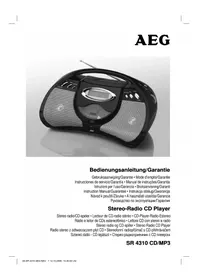
SR 4310 CDMP3 - Cd player/recorder AEG - Free user manual and instructions
Find the device manual for free SR 4310 CDMP3 AEG in PDF.

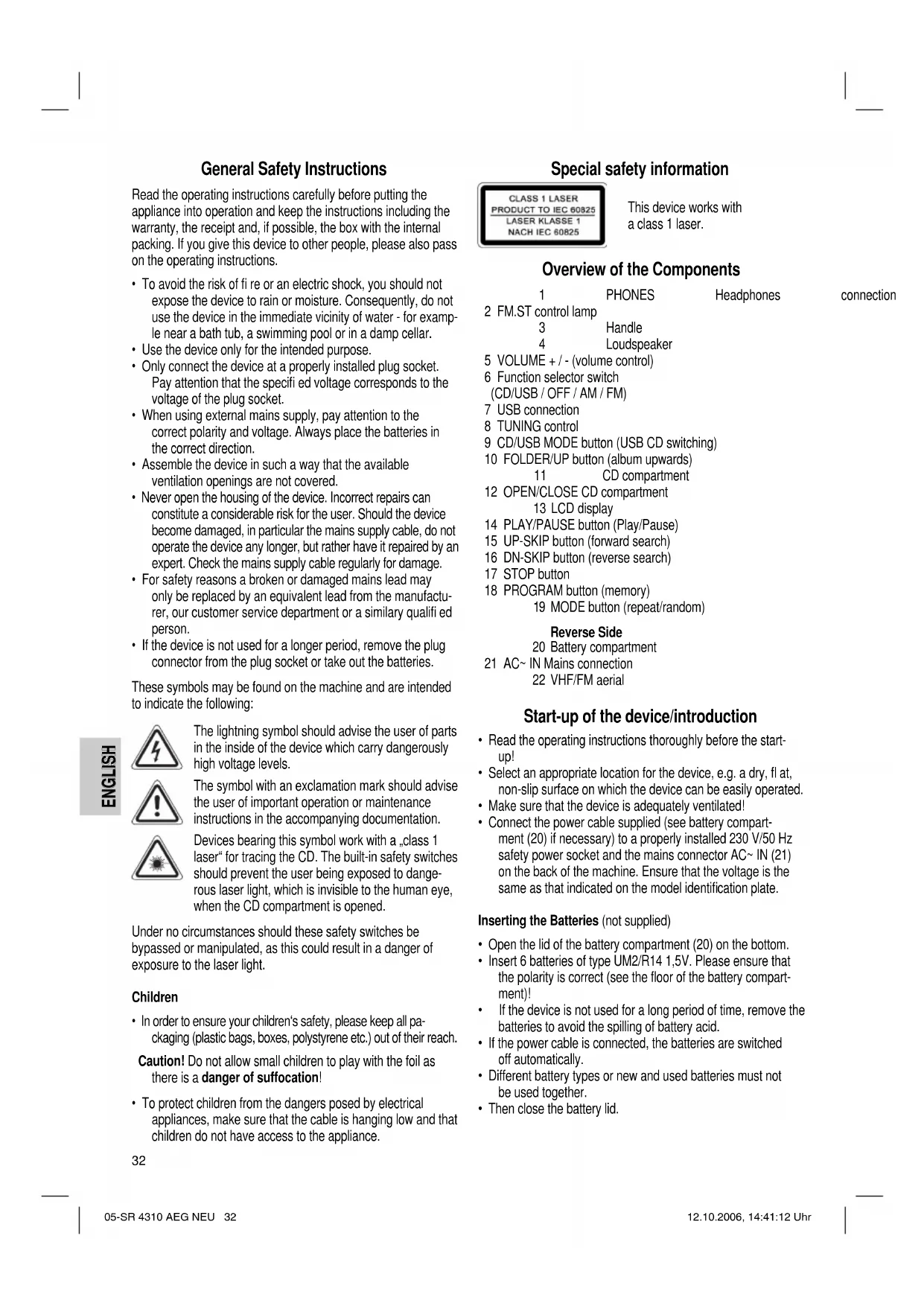


| Product type | CD player/recorder |
| Brand | AEG |
| Model | SR 4310 CDMP3 |
| Power supply | Mains 230 V, 50 Hz or batteries 6 x 1.5 V (type UM2/R14) |
| Power consumption | 11 W |
| Protection class | II |
| Radio bands | FM: 88 – 108 MHz, AM: 540 – 1600 kHz |
| Disc formats | Audio CD, CD-R, CD-RW, MP3 |
| Headphone jack | Yes, 3.5 mm stereo jack |
| USB port | Yes, for playing audio files |
| Playback functions | Play, pause, stop, skip, search, repeat (1 track, album, all), random, programming |
| FM antenna | Telescopic |
| AM antenna | Built-in |
| Number of batteries | 6 batteries UM2/R14 (not included) |
| Warranty | 24 months |
| Maintenance and cleaning | Wipe with a slightly damp cloth, disconnect before cleaning |
| Safety | Class 1 laser, do not open, avoid humidity |
| Included accessories | Mains cable, user manual |
Frequently Asked Questions - SR 4310 CDMP3 AEG
User questions about SR 4310 CDMP3 AEG
0 question about this device. Answer the ones you know or ask your own.
Ask a new question about this device
Download the instructions for your Cd player/recorder in PDF format for free! Find your manual SR 4310 CDMP3 - AEG and take your electronic device back in hand. On this page are published all the documents necessary for the use of your device. SR 4310 CDMP3 by AEG.
USER MANUAL SR 4310 CDMP3 AEG
Overview of the Components.. 3
8 Instruction Manual. Page 32
Technical Data.. 35
11 Guarantee
FRANÇAIS
JEZYK POLSKI
Sommaire
D-47906 Kempen/Germany

CLASS1 LASER PRODUCT TO IEC 60825 LASER KLASSE 1 NACH IEC 60825
CD/USB MODE (9) (Conector USB-CD)
General Safety Instructions
Read the operating instructions carefully before putting the appliance into operation and keep the instructions including the warranty, the receipt and, if possible, the box with the internal packing. If you give this device to other people, please also pass on the operating instructions.
- To avoid the risk of fire or an electric shock, you should not expose the device to rain or moisture. Consequently, do not use the device in the immediate vicinity of water - for example near a bath tub, a swimming pool or in a damp cellar.
- Use the device only for the intended purpose.
- Only connect the device at a properly installed plug socket. Pay attention that the specified voltage corresponds to the voltage of the plug socket.
- When using external mains supply, pay attention to the correct polarity and voltage. Always place the batteries in the correct direction.
- Assemble the device in such a way that the available ventilation openings are not covered.
- Never open the housing of the device. Incorrect repairs can constitute a considerable risk for the user. Should the device become damaged, in particular the mains supply cable, do not operate the device any longer, but rather have it repaired by an expert. Check the mains supply cable regularly for damage.
- For safety reasons a broken or damaged mains lead may only be replaced by an equivalent lead from the manufacturer, our customer service department or a similary qualified person.
- If the device is not used for a longer period, remove the plug connector from the plug socket or take out the batteries.
These symbols may be found on the machine and are intended to indicate the following:
The lightning symbol should advise the user of parts in the inside of the device which carry dangerously high voltage levels.
The symbol with an exclamation mark should advise the user of important operation or maintenance instructions in the accompanying documentation.
Devices bearing this symbol work with a .class 1 laser for tracing the CD. The built-in safety switches should prevent the user being exposed to dangerous laser light, which is invisible to the human eye, when the CD compartment is opened.
Under no circumstances should these safety switches be bypassed or manipulated, as this could result in a danger of exposure to the laser light.
Children
- In order to ensure your children's safety, please keep all packaging (plastic bags, boxes, polystyrene etc.) out of their reach.
Caution! Do not allow small children to play with the foil as there is a danger of suffocation!
- To protect children from the dangers posed by electrical appliances, make sure that the cable is hanging low and that children do not have access to the appliance.
Special safety information
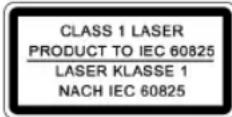
This device works with a class 1 laser.
Overview of the Components
| 1 | PHONES | Headphones | connection | |
| 2 FM.ST control lamp | ||||
| 3 | Handle | |||
| 4 | Loudspeaker | |||
| 5 | VOLUME + / - (volume control) | |||
| 6 | Function selector switch(CD/USB/OFF/AM/FM) | |||
| 7 | USB connection | |||
| 8 | TUNING control | |||
| 9 | CD/USB MODE button (USB CD switching) | |||
| 10 | FOLDER/UP button (album upwards) | |||
| 11 | CD compartment | |||
| 12 | OPEN/CLOSE CD compartment | |||
| 13 LCD display | ||||
| 14 | PLAY/PAUSE button (Play/Pause) | |||
| 15 | UP-SKIP button (forward search) | |||
| 16 | DN-SKIP button (reverse search) | |||
| 17 | STOP button | |||
| 18 | PROGRAM button (memory) | |||
| 19 MODE button (repeat/random) | ||||
Reverse Side
20 Battery compartment
21 AC~ IN Mains connection
22 VHF/FM aerial
Start-up of the device/introduction
- Read the operating instructions thoroughly before the start-up!
- Select an appropriate location for the device, e.g. a dry, flat, non-slip surface on which the device can be easily operated.
- Make sure that the device is adequately ventilated!
- Connect the power cable supplied (see battery compartment (20) if necessary) to a properly installed 230V / 50Hz safety power socket and the mains connector AC~ IN (21) on the back of the machine. Ensure that the voltage is the same as that indicated on the model identification plate.
Inserting the Batteries (not supplied)
- Open the lid of the battery compartment (20) on the bottom.
- Insert 6 batteries of type UM2/R14 1,5V. Please ensure that the polarity is correct (see the floor of the battery compartment)!
- If the device is not used for a long period of time, remove the batteries to avoid the spilling of battery acid.
- If the power cable is connected, the batteries are switched off automatically.
- Different battery types or new and used batteries must not be used together.
- Then close the battery lid.
Warning: batteries are not to be disposed of together with domestic wastes. Dispose of the used batteries at the relevant collection bin or at your dealer's.
Never throw batteries into the fire.
Transport Safety Device, CD Compartment
- Please open the CD compartment (11) by folding open the CD compartment OPEN/CLOSE (12) lid to the front.
- Before operating the machine for the first time, remove the transport safety device from the CD player if it is still in place.
Headphone Socket (1)
Please use headphones with a 3.5mm stereo jack plug; these should be inserted into the PHONES socket. The loudspeakers are then switched off.
Volume
The desired volume can be sent using the VOLUME regulator (5).
USB Connexion (7)
This device has been developed in accordance with the latest technical developments in the USB fi eld. Unfortunately the large number of different types of USB storage media on offer today makes it impossible to guarantee full compatibility with all USB storage media.
- Turn the function selector switch (6) to the CD/USB position.
- Connect a USB storage medium.
- Use the CD/USB MODE button (9) to select the USB mode. The device is now in USB mode. After a few seconds the total number of songs/tracks is shown in the display (13).
- Press PLAY/PAUSE (14) to play back the music data.
- For operating instructions please see the section "Playing CDs/MP3s".
- If the USB connection is no longer required, press the CD/USB MODE button (9) until USB disappears from the display. The device is now in CD mode.
Important: Before you remove the USB storage medium turn the function selector switch (6) to the OFF position.
Listening to the Radio
- Turn the function selector switch (6) to the AM or FM position.
VHF = FM, Medium wave = AM (mono)
- Tune in the desired station with the station adjustment knob TUNING (8).
- The FM.ST control lamp (2) only lights up when you have selected FM stereo and the station is being received in stereo quality. If reception is too weak and there is noise on the station being received, this lamp will flicker.
-
For VHF/FM mode pull out the telescopic antenna (22) and turn it to improve reception.
-
An aerial is integrated into the device for the reception of AM stations. The machine can be aligned to the station by turning it. In this frequency band programs are transmitted in "mono" only.
Playing CDs/MP3
This is how you play a CD
- Turn the function selector switch (6) to the "CD/USB" position.
- Open the CD tray (11) by folding the lid of the CD compartment OPEN/CLOSE (12) up.
- Insert a CD with the printed side facing forwards and close the CD deck.
- If the display shows USB, press the CD/USB MODE button (9); the display then reads "compact disc". The device is now in CD mode.
- After a few seconds the total number of songs/tracks is shown in the display (13).
- Press the PLAY/PAUSE button (14) in order to play the CD. The CD will play from the first title. The track currently being played, or MP3 are shown in the display (13).
- In order to remove a CD, please press the STOP button (17), open the CD compartment OPEN/CLOSE (12) and lift the CD out carefully.
Always keep the CD deck closed.
Note: If a disc is incorrectly inserted - or no disc has been inserted - the symbol ,-- " and the word ,no" appear in the display.
Note:Playback of CDs produced by the user cannot be guaranteed due to the large variety of software and CD media available.
Description of the CD buttons
PLAY/PAUSE (14)
You can briefly interrupt and resume playback using this button. The symbol fl ashes in the display. Pressing again continues playback.
CD/USB MODE (9) (USB CD switching)
- Press the CD/USB MODE button until USB is shown on the display. The device is now in USB mode.
- Press the CD/USB MODE button again until USB disappears from the display. The display reads "compact disc". The device is now in CD mode.
UP-SKIP/DN-SKIP (15/16)
With an audio CD or a CD in MP3 format playing:
With UP-SKIP (15) you can jump to the next or previous track etc.
- If the button is kept pressed down, the machine starts to search through the tracks.
- If the button is kept pressed down in stop mode the machine quickly plays through the songs until the desired track is reached. When the PLAY/PAUSE (14) button is pressed the track begins to play back.
The DN-SKIP button (16) can be used as follows:
Press once = This starts the current track again from the beginning.
Press twice = This jumps back to the previous track.
Press three times = This plays the song before etc. If the button is kept pressed down, the machine starts to search through the tracks. If the button is kept pressed down in stop mode the machine quickly plays through the songs until the desired track is reached. When the PLAY/PAUSE (14) button is pressed the track begins to play back.
STOP (17)
The CD stops.
MODE (19)
Press once = (the REP. emits a fixed light) the current track is repeated continuously.
Press twice = (the REP emits a fixed light) the whole CD is played continuously.
Press three times = the display (13) contains the word RANDOM and the track number that is to be played first. All tracks are played back in random order.
Press four times = all functions are cancelled. The normal play mode is resumed.
Only for CDs in MP3 format
Press once = the current track is repeated continuously (REP. appears in the display).
Press twice = the selected folder of the MP3 CD is repeated continuously (REP. ALBUM appears in the display). Use the FOLDER UP button (10) to select individual folders.
Press three times = the whole CD is played continuously (appears in the display).
Press four times = the display (13) contains the word RANDOM, MP3 and the track number that is to be played first. All tracks are played back in random order.
Press five times = the function is deactivated and the CD is played in the normal mode.
FOLDER-UP (10)
Press this button during playback to change to a higher folder. The display, e.g. ALBUM 001, fl ashes briefly. Then the CD begins to play back automatically. If the button is pressed in stop mode the display also fl ashes. Then start playback with the PLAY/PAUSE button (14).
Programmed Play
This can be used to program any desired sequence of tracks.
- Press the STOP key (17).
- Press the PROGRAM key (18). The number .P01" (storage location) and the symbol PROG. fl ash in the display (13). Use the UP/DN-SKIP buttons (15/16) to select the desired track and then press the PROGRAM button (18) again. The display changes to memory slot P02.
- Select the next track with the UP/DN-SKIP key and press the PROGRAM key again. Repeat the procedure until all the desired tracks are selected.
- Press the PLAY/PAUSE key (14). The playback starts. The selected track numbers are shown in the display in the correct order and the symbol or MP3 and PROG light up. Press this button to pause briefly the playback.
- Press once the STOP key (17) to stop the playback while retaining the program.
- To resume the playback of the program press first the PROGRAM key (18) once and then the PLAY/PAUSE key (14).
- To delete the program, press the STOP key (17) twice. The PROG. control lamp goes out.
The device stops automatically once the entire sequence of programmed tracks is completed. The programmed order of tracks remains in the memory until you change to a different mode, remove the CD from the CD compartment or switch off the device.
It is also possible to combine the programmed tracks with the REPEAT function. After you have programmed and started the device, please press the MODE button (19) up to three times and then you can use the functions as described under "MODE".
Playing back Music in MP3 Format
With this device it is possible to play back pieces of music in MP3 format. The device also supports all standard CD types: CD, CD-RW, CD-R.
This machine of is able to play MP3 CDs. Up to 200 tracks can be compressed and stored on these CDs. Your machine detects an MP3 CD automatically (the total number of tracks and MP3s appears in the display). If you would like to play one of these CDs, proceed as described under „Playing CDs/MP3". Tracks can be programmed as described under „Playing Back Programmed Tracks".
Please note:
There are a number of different recording and compression methods, as well as quality differences between CDs and self-recorded CDs.
Furthermore, the music industry does not adhere to fixed standards (copy protection).
For these reasons it is possible that in rare cases there are problems with the playback of CDs and MP3 CDs. This is not a malfunction of the device.
Cleaning and Maintenance
Always remove the mains plug before cleaning the machine.
- Any marks on the surface can be wiped off with a slightly damp cloth without any additives.
Technical Data
Model: SR 4310 CD/MP3
Power supply: 230 V, 50 Hz
Battery operation: 6x 1,5 V UM2/R 14
Power consumption: 11 W
Protection class: II
Radio section:
Frequency ranges: VHF / FM 88 ~ 108,0 MHz MW / AM 540 ~ 1600 kHz
This device has been tested according to all relevant current CE guidelines, such as electromagnetic compatibility and low voltage directives, and has been constructed in accordance with the latest safety regulations.
Subject to technical changes without prior notice!
Guarantee
The device supplied by our Company is covered by a 24 month guarantee starting on the date of purchase (receipt).
During the life of the guarantee any fault of the device or its accessories ascribable to material or manufacturing defects will be eliminated free of charge by repairing or, at our discretion, by replacing it. The guarantee services do not entail an extension of the life of the guarantee nor do they give rise to any right to a new guarantee!
Proof of the guarantee is provided by the proof of purchase. Without proof of purchase no free replacement or repair will be carried out.
If you wish to make a claim under the guarantee please return the entire machine in the original packaging to your dealer together with the receipt.
Defects to consumables or parts subject to wearing as well as cleaning, maintenance or the replacement of said parts are not covered by the guarantee and hence are to be paid!
The guarantee lapses in case of unauthorized tampering.
After the expiry of the guarantee
After the expiry of the guarantee repairs can be carried by the competent dealer or repair service against the payment of the ensuing costs.

Meaning of the "Dustbin" Symbol
Protect our environment: do not dispose of electrical equipment in the domestic waste.
Please return any electrical equipment that you will no longer use to the collection points provided for their disposal.
This helps avoid the potential effects of incorrect disposal on the environment and human health.
This will contribute to the recycling and other forms of reutilisation of electrical and electronic equipment.
Information concerning where the equipment can be disposed of can be obtained from your local authority.
9 Khonka CD/USB MODE
(inepeknouene USB-CD)
10 KhoNka FOLDER/UP (aIb6om Bnepe)
11 OtceK CD
12 OTeK CD OPEN/CLOSE
13 Duscnpne Ha KnuKnx KpncTaIIax
14 Khoŋka PLAY/PAUSE (Bocnpoun3BeJeHne/Play3a)
15 Khonka UP-SKIP (nonck Bnpe)
16 Khoonga DN-SKIP (nonck Ha3a)
17 Khonka STOP
18 KhoNka PROGRAM (namr)
19 KhoNka MODE (noBTop/Bocnpn3BeDeHne B cnyuHOM npAKe)
O6paTHa CTOpHa
20 Otcek 6aTaapeek
21 He3do nooknlouehencetnAC\~IN
22 AHTehHa UKW/FM
Ioprotobka K BkJIOeHHo/BVeJeHne
- Pnepd BkHoueHem TuaTeNbHO npOHTaIte pyKOBOCTBO nolb3OBaTeMa!
Подберпг ДЯ Yстанови ИЗДELIN NODXODUEE MeCTO,TaKOBbIM RAJIITCBy CyXaI,ПLOCKAИ HeCKOJIb3KaI NOBepxHOCTb,C XOPOUIM DoCTyNOM. - Obecneue Te Doctatochnyu BeHTnIaIciuH u3dEIna!
BCTabTe pa3bem npnnaeMOro ceteBO rHypa (CMOTPNOTcK6bataeek (20) B rHe3do cTeN AC~ IN (21) Ha 3aJHei CTEHKe N3dEInrA, a WTeNCeB b 3a3EmEnHyO pO3eTky 230 B / 50 T, yCTaHOBNEHHyB COOTBeTCTBmC npeINcaHHMn. PpOKHTpONHyTe, COOTBeTCTByET IIN HAnPRAKeHMe BAWe CTeH AnPRAKeHIO NITaHn N3dEInr, Yka3aHHoe HA TINOBoI Ta6NIuKe.
BctablenHe 6ataeek (6ataepKn He KOMJIeKTyHOTcR)
- OtkpoTe KpbIbIKy OTCeKa 6aTaapeek (20) Ha HnKHei CTopoHc H3dEINIA.
BCTaBbTe BOTcEK 6BaTapeek TnHa UM2/R141,5V. CNeIte 3a npabNtBHO nOJIrpHocTbIO (CMOTPN DHO OTcKa)! - Ecnn H3dJIe NIOIroe Bpem He 3KcNpyATnpyETcR, peKOMeHnyETcBbHyTb 6aTapeKIn, YTO6bl IpeD0TBpaNTb INX «BbITEKaHHe".
KakToIbKOpa3bEmCteBOrO uHypa6ydtBCTaBHe Hn3dJIeHne,NTaHHeOTbatapeekabTOMaTHueCKN OTKIIIOUaETcR.
HnB KOem cnyae He MeaJTe HOBle 6atapeKu Co cTapbIMn, a TaKKe C 6atapeKAMn DpyrNx TINOB.
3aKpOTe oTceK.
BHHMaHHe He BbIbpaCbIbAaTe 6aTapeKn B DOMaUHm MycOp. PoKaanyIcTa cdaIte OtraBoTaHHBe 6aTapeKn Ha CneuHaBbIyNHTPiHema NINBTOPROByIO TOky.
HnBkoemcnyae He6pocaTe 6atapeKnB oroHb.
TpaHcnpTHa ynakOBka CD nneepa
- OTKpoIte oTceK CD IINCKa (11), oTKHHyB KpbliuKy OPEN/ CLOSE (12) BBepx.
- PpeB KlnHoueHEm ydaHnTe Hn npOnrpbBaTeIaTpaHCnOpTHyO yNaKOBky,ecnTaKOBaHMeETcA.
THe3IIO NOIDHIOUeHnHayuHnKOB (1)
Длп росушьанья 3ыкозаи ceaseл поьзутесь CTepeо hayshikamm co CTepeo-Bilnochok 3,5 MM, KOTOPA BCTaBnaTeC B rHe3do PHONES. Диhamнkn npn 3tOM OTKJIQUHcTcR.
PerynipobKa rpoMkoCTn
Pn nmooun peryntopa VOLUME / Ppomkoctb (5) yctaHOBHTe HeoOxOdmyIO rpmKoCTb.
Pazbem USB (7)
JaHHoe H3dJIeHcKHOCTpyuHOBaHO C yUeTOM NocJeHNX texHuecknx IOCTNXKeHm B O6NaCTn IpePaHn DaHbIX uepe3 USB nopt. OHaKO 6oJbWoE KOINueCTBO BHeuHnx 3aONMaHoux yctpoiCtB USB pa3NHyOH KOHCTpykUn, KOTOpOE ceroJHn PpeJnaraetcT ToproBNe, He rapaHTnpyIOT, K COKaJIeHIO, IN NOHOr CoBMecTHMOCTn Dpyr C DpyROM.
- YCTAHOBNTe fYHKUHOHaJIbHbI nepeKlnOaTeJIb (6) B NOLOXKeHMe CD/USB.
-
BCTaBtBe BTHe3do USB BHeUHHe 3aONMHaOuIee yCTpoCTBO.
-
BbI6epnte npn nmoU KhoNk CD/USB MODE (9) peKm USB.Tenepb ceHTp pa6oTaETBpeKmE USB.Ypees Heckolbo CekyHd Ha dncnnee (13) noBNTcYncNo neceHa dncke.
- HaxMMte KhoNky PLAY/PAUSE (14), YTO6bI BKNIOHcHTb YTeHHe My3bIkaJIbHbIX DaHHbIX.
- KaY npaBnTb n3dennm OnncAo B rnaBe Bocpn03BeDHeHne DnCKOB CD/MP3
- Ecnn pa3bem USB 60nbhe He nCnoB3yeTcH,HaKMMTe KhoNky CD/USB MODE (9),coo6uene USB Ha dncnnee DOJHKHO uChesHyTb.Tenepb H3dEne pa6oTaet B peKmme CD.
BaxHo: nepei TEM KaK BbHytb 3rHe3da USB MyIbTHmEHaJIbHyIO NaMAtb, nepeKlOChTe FyHKUHOHaJIbHbI nepeKlOcAteNb (6) B noLoXeHne OFF.
PpocnyuBbHne paHonepepa
$$ Y K B = F M, \text {c p e d n i n e} B O N H b l = A M (M O H O) $$
- PpeBnHbTe FyHKUHOHaJIbHbI nepeKIOuHaTeIb (6) B nOLOXHe AM nn FM.
- HactpoTeCb Ha HyxHyIpaIIOCTaHUNIO npn NOMOUPeryIaTopa "TUNING" (8).
- KoHTpOJIbHaJIaMnOuKa"FM.ST"(2)CBETTcA TOnbKO B TOM Cnyuae, ecnBbIbpaH dIaIaIaOH YKB cTepeo I npHHMaemar paIIOCTaHcIIra TpaHCINpyET B peKIMe "CTepeo".EcIn pIeM IIIOXoi nC nomExamH, IaMnOuKa 6ydet MIRAtb.
4.BpeKMe YKB/FM BbTAHTE TeLEeCKOnHuecKyo aHTEHy (22) INBpaaaiTe ee, yTO6bI yNyuUHtB npHem.
5.Длгпиема радионедач Bдиалаоно CB (AM)Вцentр BCtpoeha anteHha.BpauaЯ nINn N3MeHra ee noLoKeHne HactpoItecb Ha padnoctanuHb. B 3tOM danaiaOHe padinonepedaun TpahcInpyiOTca TOlbko B peKIMe "MOHO".
PpOHRpbBaHne CD/MP3
Tak npOnrpBbAeTc KOMnKaT-ндс
- PepeBInbTe ΦyHKUHOHaJIbHbI nepeKlIOHaTeIb (6) B nolooHe He CD/USB".
- OTKpoTe OTEcK CD IINsKa (11), OTKHHyB BBepx KpbIshKy OPEN/CLOSE (12).
3.BCTaBtBe H Hero CD DnCK, 3TNKETKO BBePx, 3aTeM 3aKpOte OTCek CD DnCKa. - OTKpoTe oTceK CD nCka (11), oTKnHyB BBepx KpbIuKy OPEN/CLOSE (12).Tenebp ceHTp paObaTeB pexHMe CD.
- Ypees HeckoBko CekyHn Ha DnCnIee (13) NoRbntc HnCNo ncehen Ha DnCke.
- HAnMnTe KhoNkY "PLAY/PAUSE" (14), 70ToBb CstapTOBaTb BOCnpOn3BeDeHne. BocnpOn3BeDeHne NaHHeTc N nepBOI neCHn DnCKa. BocnpOn3BoDImaH DoPoxKa n Coo6UeHne MP3 6ydyr OTo6paKaTaC h DaCnPeee (13).
- TtO6bI BbITaUHTb CD INCK, HAnKMITE KHOKNY STOP (17), OTKPOTe OTcEK CD INcKa OPEN/CLOSE (12) n octopoKHO CHIMNTe ero.
ДерхитЕ Кршку OTсЕКа CD NOCTОПно 3AkpoTоI.
PpmeaHHe:ecnDnCKBCTaBnEH HAObOpNIMBOO6He BCTaBnE,TO6yETMnATbCOo6eHHe,--"HaDnCnnee NOBtbcraNO" (HE).
PpmeHHe: Bocpon3BedeHne cAmOeIbHbIX CD nCKOB He rapaHTnpyETc, no pNHHe MHORoo6pa3n nporpaMMHO 0ecneueHn, pImeHemoro IIN Hx H3ROTobHn.
OncaHne yHKnK HONOK CD npeepa
PLAY/PAUSE (14)
Bocnpoun3BeHHe moKHO npepBaTb Ha KopoTKe Bpema H BKIOHTb OAnTb. Ha DnCnEe Mnaet CmBON ▶. NOBTOPHoe HaxaTHe KNOpKn IpOdoJIKNHT BOCpOun3BeHHe.
CD/USB MODE (9) (IpepeKIOueHne USB-CD)
HaKIMaTe KONky CD/USB MODE do tex nop, noka Ha DnCTTHe He NORBtC H COO6eHne USB.Tenepb ceHTp pa6oTaet B peKHMe USB.
HaKMnTe KhoNky CD/USB MODE eue pa3, yTo6bI NotuHTb coo6eHne USB. Ha dncnnee noRBNTCa coo6eHne ,compact disc". Tenepb ueHp paOtaet B peKmE CD.
UP-SKIP/DN-SKIP (15/16)
BoBpMaBOcnpOn3BeDeneHn Dncka B foPmATE Audio-CD nIN MP3:
Pnnoomou KhoNk UP-SKIP (15) MoKHO nepenpbirHyb Ha cnedyuoyu nn npdebyuyo dopokky.
- EcnI depKxab KhoNky HaaKaToi, To BkIoHcTcpeKIM nonCKa.
- Ecn depKaTb KOnKy HaKaToB BpeKmE Stopp, CTapTyETcBbCTpbN NcK Heo6xOJIMoDopOKn. Ecn HKaTa b KOnKy PLAY/PAUSE (14), To cTapTyETcBbIbpaHHaDopOKKa.
Khonnka DN-SKIP (16) Imeet cneyuoune yHn:
1xpa3HaKaTb=Bocppon3BeDeHne TekyueJdoPoxKn Chayana.
2x paaHaKaTb = CkaQK nppeBdyueydoopokke.
3 x paa haKaTb = CkaQK K cIeIyIOuei IopOKke n.T.D. EcnI depKaTb KHOKNy HauKaToI, TO BKNIOHTcpeXIM NOnCKA. EcnI depKaTb KHOKNy HaKaToI B peXIMe Stopp, CTapTyETCBbICTpbI NOnCK Heo6xOINMOJ IopOKKn.EcnI HaKaTb KHOKNy PLAY/PAUSE (14),TO CTapTyETCBbl6paHnHa IopOKKa.
STOP (17)
KOMnKT-DINCK OCTaHOBNTCR.
MODE (19)
1x pa3 haKaTb = (REP. cBeITcH HenpepbIBHO) BOCPON3BODIma Ha daHHb MOMHT neCHy 6yET HENpepbIBHO NOBTOpTaCra.
2x p3a HaaKaTb = (CETHTcH enpepbIBHO) BeCb KOMnAKT-DAck 6ydt H enpepbIBHO NOBTOPAbC.
3x pa3a HauKaTb = Ha nCnIe (13) NOBHTc COo6UHeHr RANDOM HOMep 3aHcN, KOtOpA8yDet BOCpOu3BOuNTbcr nepBo. Bce 3aHcN 6yDyT BOCpOu3BOuNTbcr OHa 3a DpyroB B CnyauHOM NopRKe.
4x pa3a HaKaTb = BCE cyHKun BkyKIOuOATcBocpon3BeDeHne npoDIOJKNtcbB HOpMaJIbHOM peXnme.
Tolbko Dn CD dckob c 3a ncbbo B opmae MP3
1x pa3 HaaTb = TEkyuaa Iopokka 6ydet NoCToHHO NOBTOPAc (Ha DCnCIIee NOBHTcR REP.).
2x pa3a haKaTb = Bb6paHHa nnKa CD dNcKa c 3aHncBIO BΦoMaTE MP3 6yDenTOCtOHHO BOCpON3BOuNTbcra (Ha DnCnIe NORBHTCR REP. ALBUM). Pn NOMOnu KNOpFN FOLDER UP (10) DeNaETcRa Bb6op nnKn.
3x paa HkaTb = Becb CD- Dnck 6yJeT NOCTOHHO NOBTOPABCr (Ha DnCnnee NoBHTCA REP.
4x p3a haKaTb = Ha dncnnee (13) noBHTc coo6eHne RANDOM, MP3 n Hmep 3aHcN, KOTOPa 6ydt BocnpOn3BOuNTbcn nepBoi. Bce 3aHcN 6yDyT BOCpOn3BOUHTbcn OHa 3a DpyroB CUYaHOM nopAKe.
5x p3a hKaTb = DeakTNBnpyeTcN BOCpOn3BeDeHne CDnCKa nepeIeT B HopMaJIbHbI peKIM.
FOLDER-UP (10)
HaKMITE 3Tu KHONKY BO BpEM BAocPOn3BedeHnRA, YTO6bI nepeTn Ha Ody NaKy BbIe. Coo6uHHe, K npMepy ALBUM 001, Mraet HeKOTOpoe BpEM. Pocne 3TOro aBtOMaTHueckn CTapTyETc BocPOn3BedeHne CD-DnCka. Ecn depKaTb 3Tu KHONKY HaxatoB pEHHMe Stopp, To Ha DnCJIeE TaKHe 6yDeT MIRATb COo6uHHe. Pocne 3TOrO CTApTyTe BocPOn3BedeHne npn NOMOUs KNOHKn PLAY/PAUSE (14).
IporpamnpoBaHne npraKa BocnpOn3BeDeHHA
IOnyccaetcHIO6oNopRdoKBOCpOu3BeDeHnNEcH.
- HaxMMTe KhoNky STOP (17).
- HaKMITE KhoNkY PROGRAM (18). Ha dinCnlee (13) haHnet MHaTb P01 (Homep RneKni namrTH) H aDInncb PROG. PnI NOMOUs KhoNOK UP/DN-SKIP (15/16) BbIepeNTe HxHyNo neCHIO H aHMITE NOBTOPO H KOHky PROGRAM (18). POKa3aHnI DaCnEnerpeNdYHa CNeDuOyU RoeyKy nAMrTH P02.
3.Пипимоши КногOK UP/DN-SKIP Bыберпс Сдуюуп пechи и НжмITE NOBTOPO KногКУ PROGRAM. Повторг Te 3у пpoeуpy Do tex nop, noka He Bыберпс ВCE ПECHI. - HAnMInTe KHOHky PLAY/PAUSE (14).HaunHaetcBOCnpon3BeHeHne.HaIinCIIe 6yUyt NORBnHTcHomepaBbIpaHHbIX DOpOKeB INOPRKe BOCnpon3BeHeHnCBETtbcra COo6uHHe▶,MP3nnn PROG.HaJxAB 3TyKHOJMOxHO IpePBAtb IporpyMMy BOCnpon3BeHeHn HAKOPTKOE BpEMr.
-
OndokpatHoe HaKaTne KhoNtK STOP (17) octaHaBnBaET Bocnpoun3BeHeHne, npoPamMa Jke coxpaHReTcA.
-
Дяг Новогостара порогамь на чаши одн раз на Конky PROGRAM (18), a за tem Конky PLAY/ PAUSE (14).
- Tto6bI notywnTb nporpamMy haxmnte 2 pasa KhoNky STOP (17). KoHTpoJIbHaJ lamNoHka PROG. notyxHet.
Iocne BOCPON3BedeHn BCex neceH nporpaMa aBTOMaTneCKn OCTaHOBNTc. 3aIporpAMMnpoBaHHbI nopAOK BOCPON3BedeHn XpaHITcB NamrN n CTpaETcToIbKO B TOM Cnyae,ecmMy3bKaJIbHbI CEHTp ByET nepeKIOUeH B DpyroI pEXMM, KOMNAKT-DINCK bEyET BbHyT I3 OTCEKA Hn CEHTp ByIKIOUeH.
HMeetcB03MOxHocTb KOM6HHNPOBaTb 3anporpamMnpoBaHHBe necn C cyHKuNei REPEAT. Nocne nporpamMnpoBaHHn CTapTa nporpaMMbl HaKMITE KHOIKY MODE (19),do 3 pa3, H BCE cyHUN MOxHo npmHeHTb Ha nporpamMy, KaK 3to OncaHo B pa3dene "MODE".
BocnpoH3BeDeHHe My3bIKu BΦopMaTe MP3
HMeetcB03MOXHOCTb BOCPON3BOOHTb 3ByKO3aHNC, CEnaHHBe B oopMaTe MP3. Kpome 3TOrO pIeep uHTaET noTHBce pacnpoctpaehHHBe BNdbI DnCKOB: CD, CD-RW, CD-R.
PIIeep BOCpOIN3BOJNT CD-DIckn C 3aIINCAIMN B fOpMaTe MP3. Ha nIOo6HbI dNcKe MOHHO 3aNcAcbT Do 200 dopOKeK. Ieep pacno3Haet 3OT fOpMaT aBtOMaTneCKn (Ha DCnIeep NOBHTcO 6uuey uCNO 3aNcEi N MP3). DnBocPOn3BeDEHn3 3aNcEi B 3OM fOpMaTe noCTynaiTe kak 3TO OINCAHO B rnaBe "BocPOn3BeDEHnE CD-DIckOB/ MP3". PporpAMMPOBaHnE nopAka BOCpOIN3BeDEHnR MoNGHO pON3BeDIne No npOeDpye, ONCaHOB rnaBe "PporpAMMPOBaHnE nopAka BOCpOIN3BeDEHnR".
PonanyuCTa yUTHe:
CyueCTBye60JIbIoe pa3Hoo6pa3ne nporpaMM nIaKOMPpeccn H 3aIIN cAHHbIX, aTAKKe pa3JIuYBa KaueCTBeNcytbix N3aIncAHbIX CD IINCKOB.
KpOme 3ToR My3bIaJIbHaI pPOMbiUJIeHHOCtB He npIepKINBaETC yTBepJXeHHbIX CTaHdApTOB (3aUNTa OT KONIPOBAHIA).
No 30n npuHHe, B peKHX CnyaX, MOrY T Bo3HNKHyTb np6Nembl CteHEm CD NcKOB N dNcKOB C 3aNcBHO B opMaTe MP3. 3To npOnCxOHT He no npuHHe HncnpabHObCTbIO DaHOrO n3dEINr.
UncTka n yxOa
-ПередчисковынмайтБИКуирэтК.
- PAnHa ChapyKn KOpnyCa MoKnHO ydaIHTb CJIeRka BnaXHNo TpAknKo, 63 npImeHeHnMoUoxCpeDCTB.
TexHnueckne daHHbIe
Moelb: SR 4310 CD/MP3
3JIeKtpoNTaHHe: 230B,50Tc
Питунoe ot 6atapeeK: 6x1,5VUM2/R14
Iotpe6JREMaM MOUHOCb: 11 BaTT
Klacc 3aunTbI: II
PaoHOpnpHMeHHK:
ДианазоньчacOT:YKB/FM88\~108,0MHz CB/AM540\~1600kHz
3To H3dJIeHHe npoJIO BCE HeoXOaIMbIe n AKTyAJIbHbIe npOBepKn, npEtnncAHHbIe IInpeKTHBOI CE, K npIM. Ha 3NEKTPOMaHRHTHYO COBMecTHMOCTb N COOTBETCTBNE Tpe6oBaHmK Hn3KOBoTbTHOI TEXHKe, OHO 6blIO TaKHe CKOHCTpyuPobAoHO IN NOcTpoEO H yUeTOM NocJeHNx Tpe6oBaHm IO TEXHKe 6e3OnaNCHOTN.
MblocTbAeem3a coboi npaboHa TeXnueckne HmMeHHeHnI
TapaHTnHoe 063aTeJbCTBO
TapaHTnHbI cpoK Ha TeppntOpn PoCsncko Fepaunu yCTaHaBnBaetcnoHOMOHyBMn PpeCTaBtEnrMaM.
KaccobbyuekRbIeTcrapaTHmHbIM TaHOHom. Be3 Hero HeBO3MOKeH 6ecJIaTHbI peMOHT HIN 3ameHa N3dEInr.
B cnyae BO3HKNHOBHNNI npITeH3n no rapaHTN, npeDbBNTe H3dJIne B NOHOBKOMNKeTauHH, C opHnHaNBHO yNaHOBKO IN KACCObbIM YekOM TropBOB TOUKe, PpOdaBWeI 3To H3dJIne.
DepeKtby 3HaWbAebMbx PnHnAdIeXHOCTe Hn TpyuNXcB DeTanei, a TaKHe YNCTKa, TexOcnyXBaHne Hn 3aMeHa TpyuNXC DeTanei He nonaJIoT nD rapaHTIO, Hn OToTMy npoBOdARTCa 3a OTdEnbHyO ONlary!
RapaHTN TepReTc npB BCKpbITn H3dJIIN NOCTOPOHHIMNIuamH.
Pocne rapaHTM
Iocne OKOHaHn cpoKa rapaHTn, peMOHT n3denn npOn3BODITcra 3a OnPnTy, COOTBetCTByUOUMM MaCTepCKMN nnnyHKtAmCepBnCHOr O6cLyKuBaHN.
GARANTIE-KARTE
Garantiebewijs · Carte de garantie
- FRANÇAIS
- JEZYK POLSKI
- Sommaire
- CD/USB MODE (9) (Conector USB-CD)
- General Safety Instructions
- Children
- Special safety information
- Overview of the Components
- Reverse Side
- Start-up of the device/introduction
- Inserting the Batteries (not supplied)
- Transport Safety Device, CD Compartment
- Headphone Socket (1)
- Volume
- USB Connexion (7)
- Listening to the Radio
- Playing CDs/MP3
- This is how you play a CD
- Description of the CD buttons
- PLAY/PAUSE (14)
- CD/USB MODE (9) (USB CD switching)
- UP-SKIP/DN-SKIP (15/16)
- STOP (17)
- MODE (19)
- Only for CDs in MP3 format
- FOLDER-UP (10)
- Programmed Play
- Playing back Music in MP3 Format
- Please note:
- Cleaning and Maintenance
- Technical Data
- Guarantee
- After the expiry of the guarantee
- Meaning of the "Dustbin" Symbol
- Ioprotobka K BkJIOeHHo/BVeJeHne
- BctablenHe 6ataeek (6ataepKn He KOMJIeKTyHOTcR)
- TpaHcnpTHa ynakOBka CD nneepa
- THe3IIO NOIDHIOUeHnHayuHnKOB (1)
- PerynipobKa rpoMkoCTn
- Pazbem USB (7)
- PpocnyuBbHne paHonepepa
- PpOHRpbBaHne CD/MP3
- Tak npOnrpBbAeTc KOMnKaT-ндс
- OncaHne yHKnK HONOK CD npeepa
- CD/USB MODE (9) (IpepeKIOueHne USB-CD)
- Tolbko Dn CD dckob c 3a ncbbo B opmae MP3
- IporpamnpoBaHne npraKa BocnpOn3BeDeHHA
- BocnpoH3BeDeHHe My3bIKu BΦopMaTe MP3
- PonanyuCTa yUTHe:
- UncTka n yxOa
- TexHnueckne daHHbIe
- TapaHTnHoe 063aTeJbCTBO
- Pocne rapaHTM
- GARANTIE-KARTE
Brand : AEG
Model : SR 4310 CDMP3
Category : Cd player/recorder