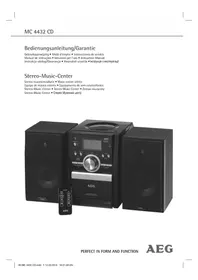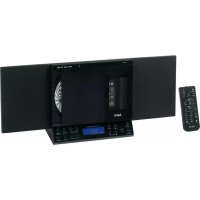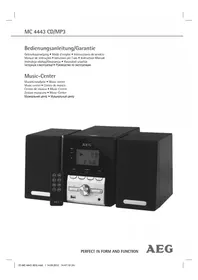
MC 4443 CD - Cd player/recorder AEG - Free user manual and instructions
Find the device manual for free MC 4443 CD AEG in PDF.



User questions about MC 4443 CD AEG
0 question about this device. Answer the ones you know or ask your own.
Ask a new question about this device
Download the instructions for your Cd player/recorder in PDF format for free! Find your manual MC 4443 CD - AEG and take your electronic device back in hand. On this page are published all the documents necessary for the use of your device. MC 4443 CD by AEG.
USER MANUAL MC 4443 CD AEG
Overview of the Components.. Page 3
Instruction Manual.. Page 41
Technical Data.. 46
Jezyk polski
Spis tres'ci
D-47906 Kempen/Germany
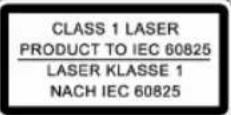
CLASS 1 LASER PRODUCT TO IEC 60825 LASER KLASSE 1 NACH IEC 60825
$$ A M = \text {v o r m i d d a g}; P M = \text {n a m i d d a g}. $$
OPMERKING:
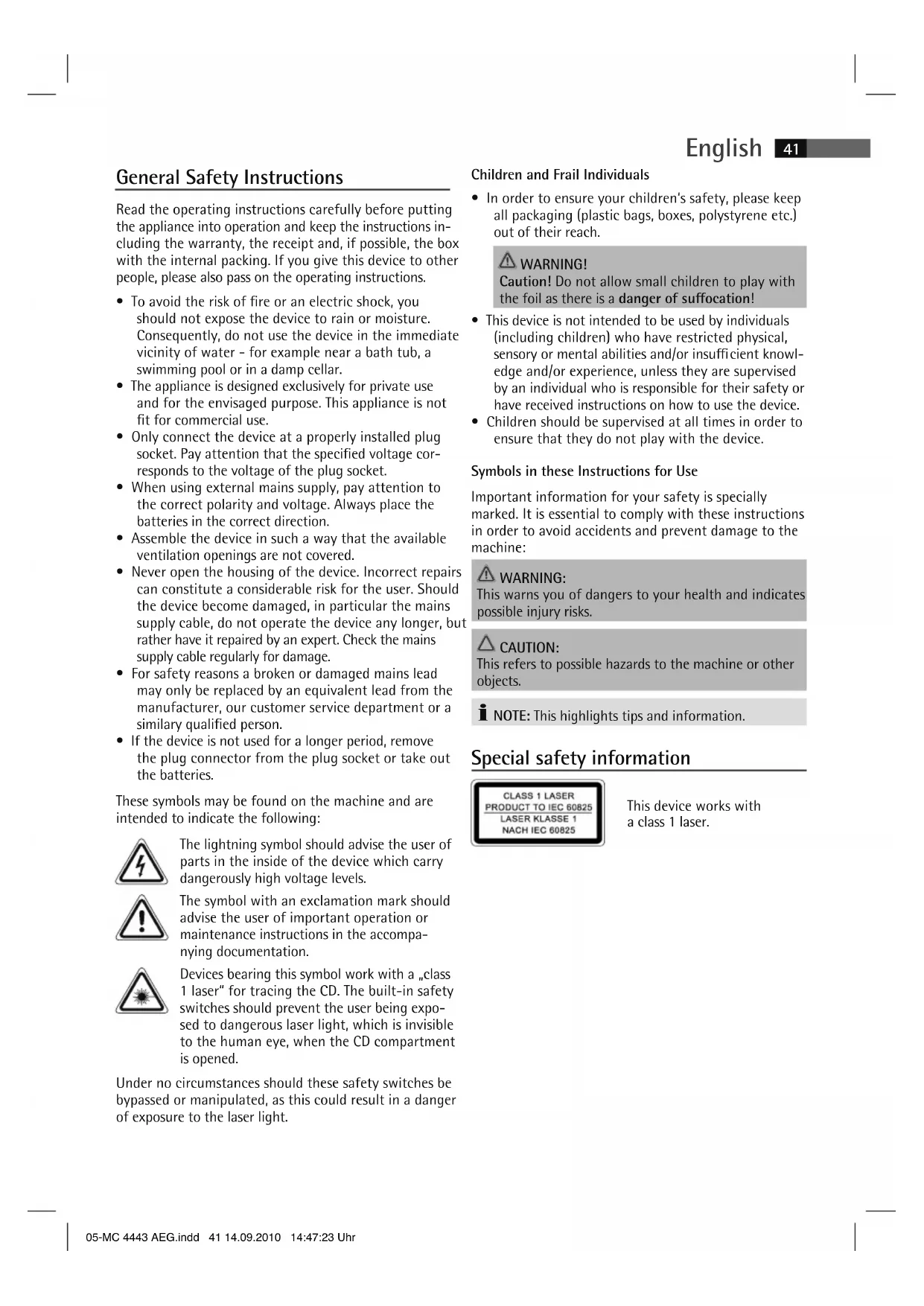
General Safety Instructions
Read the operating instructions carefully before putting the appliance into operation and keep the instructions including the warranty, the receipt and, if possible, the box with the internal packing. If you give this device to other people, please also pass on the operating instructions.
- To avoid the risk of fire or an electric shock, you should not expose the device to rain or moisture. Consequently, do not use the device in the immediate vicinity of water - for example near a bath tub, a swimming pool or in a damp cellar.
- The appliance is designed exclusively for private use and for the envisaged purpose. This appliance is not fit for commercial use.
- Only connect the device at a properly installed plug socket. Pay attention that the specified voltage corresponds to the voltage of the plug socket.
- When using external mains supply, pay attention to the correct polarity and voltage. Always place the batteries in the correct direction.
- Assemble the device in such a way that the available ventilation openings are not covered.
- Never open the housing of the device. Incorrect repairs can constitute a considerable risk for the user. Should the device become damaged, in particular the mains supply cable, do not operate the device any longer, but rather have it repaired by an expert. Check the mains supply cable regularly for damage.
- For safety reasons a broken or damaged mains lead may only be replaced by an equivalent lead from the manufacturer, our customer service department or a similar qualified person.
- If the device is not used for a longer period, remove the plug connector from the plug socket or take out the batteries.
These symbols may be found on the machine and are intended to indicate the following:
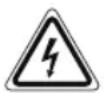
The lightning symbol should advise the user of parts in the inside of the device which carry dangerously high voltage levels.

The symbol with an exclamation mark should advise the user of important operation or maintenance instructions in the accompanying documentation.
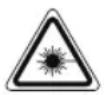
Devices bearing this symbol work with a "class 1 laser" for tracing the CD. The built-in safety switches should prevent the user being exposed to dangerous laser light, which is invisible to the human eye, when the CD compartment is opened.
Under no circumstances should these safety switches be bypassed or manipulated, as this could result in a danger of exposure to the laser light.
Children and Frail Individuals
In order to ensure your children's safety, please keep all packaging (plastic bags, boxes, polystyrene etc.) out of their reach.
WARNING!
Caution! Do not allow small children to play with the foil as there is a danger of suffocation!
- This device is not intended to be used by individuals (including children) who have restricted physical, sensory or mental abilities and/or insufficient knowledge and/or experience, unless they are supervised by an individual who is responsible for their safety or have received instructions on how to use the device.
Children should be supervised at all times in order to ensure that they do not play with the device.
Symbols in these Instructions for Use
Important information for your safety is specially marked. It is essential to comply with these instructions in order to avoid accidents and prevent damage to the machine:
WARNING:
This warns you of dangers to your health and indicates possible injury risks.
CAUTION:
This refers to possible hazards to the machine or other objects.
i NOTE: This highlights tips and information.
Special safety information
CLASS1LASER
PRODUCT TO IEC 60825
LASER KLASSE 1
NACHIEC60825
This device works with
a class 1 laser.
42 English
Overview of the Components
1 CD compartment
2 LCD display
3 ▲ OPEN CD compartment
4 VOLUME (volume control)
5 ALBUM button
6 II PLAY/PAUSE button
7 STOP button
8 FUNCTION Function selector switch
(OFF / CD/MP3 / RADIO)
9 AUX IN connection
10 TUNING control
11 USB connection
12 BAND Band selection switch (AM / FM / FM ST.)
13 SKIP+ button (reverse search)
14 SKIP- button (forward search)
15 MODE button (repeat/random)
16 IR Sensor for the remote control
17 FM ST. control lamp
18 POWER control lamp
Reverse Side
19 TIME SET button (time)
20 HOUR button (hours)
21 MINUTE button (minutes)
22 SPEAKERS R/L Loudspeaker connections
23 AC Mains connection
24 Power switch
25 FM ANT. throw-out aerial
26 Battery compartment (Power reserve)
Remote Control
1 II button (Play/Pause)
2 PROG button (memory)
3▶1/1按钮
(reverse search/forward search)
4 ALBUM button (up album)
5+10 button
6 MODE button (repeat/random)
7 STOP button
Intended Use
This device is used for:
The reception of radio programmes
- Playing back audio/MP3 CDs
Sound playback from external audio sources.
It is intended exclusively for this purpose and may only be used as such. It may only be used in the manner described in these instructions for use. The device must not be used for commercial purposes.
Any other use of this device is considered to be contrary to the intended use and may result in damage to materials or even personal injury.
The firm ETV - Elektro-Technische Vertriebsgesellschaft mbH does not accept any liability for damage caused as a result of the use of this device contrary to its intended use.
Start-up of the device/Introduction
- Read the operating instructions thoroughly before the start-up!
- Select an appropriate location for the device, e.g. a dry, flat, non-slip surface on which the device can be easily operated.
- Make sure that the device is adequately ventilated!
- Connect the loudspeakers to the back of the music centre to the sockets market „Speaker R and L" (22).
- Remove the protective film from the display if it is still present.
Power Supply
- Insert the plug into a properly installed 230V,50Hz power socket.
- Please ensure that the mains voltage corresponds to the information on the type plate.
- Turn the device on by moving the power switch (24) to ON.
Setting the Time (in standby mode (OFF))
- Keep the TIME SET button (19) pressed down.
- Press the HOUR button (20) in order to set the hours. Keep the button pressed down until the desired hour is reached.
- Press the MINUTE button (21) in order to set the minutes. Keep the button pressed down until the desired minutes are reached.
The time is stored automatically.
i NOTE:
The time is a 12 hour display.
AM = in the morning; PM = in the afternoon/evening.
i NOTE:
Storage/display of the time is lost as soon as the electricity supply is interrupted. If you would like to have the time displayed even when the power is disconnected, insert a button cell of type CR 2025 with the correct polarity in the battery compartment (26) (battery not supplied). Open the lid of the battery compartment on the back by turning in the direction of EN.
Inserting the Batteries
NOTE:
The lithium cell in the battery compartment of the remote control has been secured for transport with a foil. This prolongs the lifetime of the battery. Before initial use please remove this foil so that the remote control is ready for operation.
The battery of the remote control is a long-life lithium cell. If the range of the remote control is reduced during use, please proceed as follows:
- Open the battery compartment on the back of the remote control.
- Replace the cell by a battery of the same type (CR 2025). Ensure correct polarity.
- Then close the battery lid.
If the remote control is not used for a prolonged period, remove the batteries in order to prevent battery acid leaking.
CAUTION:
Batteries are not to be disposed of together with domestic wastes. Dispose of the used batteries at the relevant collection bin or at your dealer's.
WARNING:
- Do not expose the batteries to high temperatures or direct sunlight. Never throw batteries into the fire. There is a danger of explosion!
- Keep batteries away from children. They are not a toy!
- Do not open the batteries by force.
- Avoid contact with metallic objects. (Rings, nails, screws et cetera.) There is a danger of short-circuiting!
- As a result of a short-circuit batteries may heat up considerably or even catch fire. This may result in burns.
- For your own safety the battery poles should be covered with adhesive strips during transport.
- If a battery leaks do not rub the liquid into your eyes or mucous membranes. If hands come into contact with the liquid they should be washed thoroughly and eyes rinsed out with clear water; if symptoms persist please consult a doctor.
CD deck transport protection
- Please open the CD compartment (1) by pressing the OPEN (open) button (3).
- Remove the transport protection from the CD player if present before use.
General Operation
NOTE:
Some keys are to be found both on the device itself and on the remote control. Keys with the same designation have the same function.
Volume
The desired volume can be sent using the VOLUME regulator (4).
Switch-off
The machine is switched off when the function selector switch (8) is turned to the OFF position. Turn the power switch (24) to the OFF position. Unplug the device.
AUX IN socket
To connect analogue replay devices. Via this socket you can also hear the sound of other playback devices such as MP3 players, CD players etc. through the loudspeakers.
- Please connect the external device with a 3.5mm stereo jack plug to the AUX IN socket (9).
- Turn the function selector switch (8) to CD/MP3 or RADIO. The device switches automatically to AUX IN operation. The radio or CD sound is switched off.
- Through the loudspeakers you can hear the playback of the sound from the external device; with the VOLUME control (4) you can change the volume. The CD buttons do not have any function.
- For the remaining procedure please see the operating instructions of the external sound source.
NOTE:
Adjust the volume of the external device to a comfortable level.
USB Connexion (11)
This device has been developed in accordance with the latest technical developments in the USB field. Unfortunately the large number of different types of USB storage media on offer today makes it impossible to guarantee full compatibility with all USB storage media. For this reason there may be problems in rare cases with playing back from USB storage media. This is not a malfunction of the device.
- Turn the function selector switch (8) to the CD/MP3 position.
- Insert a USB storage medium directly into the corresponding connection.
- Keep the II PLAY/PAUSE button (6) pressed down in order to select USB mode. USB appears in the display.
- After a few seconds the total number of tracks appears briefly and then playback begins. The current song and the letters MP3 and USB appear in the display.
For operating instructions please see the section "Playing CDs/MP3s".
NOTE:
If there is no CD in the CD compartment at the same time, the USB connection is automatically selected.
CAUTION:
Before you remove the USB storage medium turn the function selector switch (8) to the RADIO position.
44 English
Listening to the Radio
- Turn the function selector switch (8) to the RADIO position.
- Use the band selector switch (12) to select the desired frequency band.
$$ \begin{array}{c} \text {V H F (S t e r e o)} = \text {F M S T . , V H F} = \text {F M}, \ \text {M e d i u m w a v e} = \text {A M (M o n o)} \end{array} $$
- Tune in the desired station with the station adjustment knob TUNING (10).
- The FM.ST control lamp (17) only lights up when you have selected FM stereo and the station is being received in stereo quality. If reception is too weak and there is noise on the station being received, this lamp will flicker.
- Try to improve reception by turning and bending or twisting and altering the length of the antenna (25). Where reception is bad we recommend switching to FM.
- An aerial is integrated into the device for the reception of AM stations. The machine can be aligned to the station by turning it. In this frequency band programs are transmitted in "mono" only.
Playing CDs/MP3
This is how you play a CD
- Turn the function selector switch (8) to the "CD/MP3" position.
- In order to open the CD compartment (1), press the OPEN button (3).
- Insert an audio CD with the printed side facing upwards on to the central cone so that the CD clicks into place and then close the lid of the CD compartment.
- After a few seconds the total number of songs/tracks is shown in the display.
- The CD will play from the first title. The track currently being played, or MP3 are shown in the display.
- In order to remove a CD, please press the STOP button (7/7), open the CD compartment and lift the CD out carefully.
Always keep the CD deck closed.
I NOTE:
- In the case of CDs in MP3 format that contain folders, when the device changes to a different folder 001 appears for the first track of the new folder.
- If a disc is incorrectly inserted - or no disc has been inserted - the symbol _ - - - and the word _ NO (no disc) appear in the display.
- Playback of CDs produced by the user cannot be guaranteed due to the large variety of software and CD media available.
Description of the CD buttons
II PLAY/PAUSE (6/1)
Pressing briefly:
You can briefly interrupt and resume playback using this button. The symbol flashes in the display. Pressing again continues playback.
Pressing for a longer time:
This selects the USB connexion.
SKIP+>I/SKIP-(13/14/3)
With an audio CD or a CD in MP3 format playing:
With /SKIP + you can jump to the next or previous track etc.
- If the button is kept pressed down, the machine starts to search through the tracks.
The 1 / - button can be used as follows:
Press once = This starts the current track again from the beginning.
Press twice = This jumps back to the previous track.
Press three times = This plays the song before etc. If the button is kept pressed down, the machine starts to search through the tracks.
STOP (7/7)
The CD stops.
MODE (15/6)
With an audio CD or a CD in MP3 format playing:
Press once = (the REP emits a fixed light) the current track is repeated continuously.
Press twice = (the REP ALL emits a fixed light) the whole CD is played continuously.
Press three times = the display contains the word RAND and the track number that is to be played first. All tracks are played back in random order.
Press four times = all functions are cancelled. The normal play mode is resumed.
Only for CDs in MP3 format
Press once = the current track is repeated continuously (REP appears in the display).
Press twice = the selected folder of the MP3 CD is repeated continuously REP ALBUM appears in the display). With the ALBUM button (5/4) you can select the individual folders.
Press three times = the whole CD is played continuously (AEP appears in the display).
Press four times = the display contains the word RAND, MP3 and the track number that is to be played first. All tracks are played back in random order.
Press five times = the function is deactivated and the CD is played in the normal mode.
ALBUM (5/4)
Press this key repeatedly during playback in order to move up one folder. If this button is pressed in stop mode the display also appears briefly. Then start playback with the II PLAY/PAUSE button (6/1).
+10 (5 on the remote control)
Press this button to jump forwards 10 tracks at a time (provided that there are more than 10 tracks stored on the CD).
Programmed Play
This can be used to program any desired sequence of tracks.
- Press the STOP key (7/7).
- Press the PROG key (2 on the remote control). The word PROG flashes in the display and "P01" (memory preset) appears. Use the SKIP + I/IKIP- buttons (13/14/3) to select the desired track and then press the PROG button again. The display changes to memory slot P02.
NOTE:
- In the case of CDs in MP3 format, press the AL-BUM button (5/4) in order to change the folder.
-
In the case of CDs in MP3 format that contain folders, when the device changes to a different folder 001 appears for the first track of the new folder.
-
Select the next track with the SKIP+ I/ SKIPkey and press the PROG key again. Repeat the procedure until all the desired tracks are selected.
- Press the II PLAY/PAUSE key (6/1). The playback starts. The selected track numbers are shown in the display in the correct order and the symbol or MP3 and PROG light up. Press this button to pause briefly the playback.
- Press once the STOP key to stop the playback while retaining the program.
- To play the programme back again, press the▶II PLAY/PAUSE button.
- To delete the program, press the STOP key twice. The PROG control lamp goes out.
The device stops automatically once the entire sequence of programmed tracks is completed. The abbreviation PROG goes off and the programmed order of tracks is deleted from the memory.
It is also possible to combine the programmed tracks with the REPEAT function. After you have programmed and started the device, please press the MODE button (15/6) up to three times and then you can use the functions as described under MODE".
Playing back Music in MP3 Format
With this device it is possible to play back pieces of music in MP3 format. The device also supports all standard CD types: CD, CD-RW, CD-R.
This machine of is able to play MP3 CDs. Up to 200 tracks can be compressed and stored on these CDs. Your machine detects an MP3 CD automatically (the total number of tracks and MP3s appears in the display). If you would like to play one of these CDs, proceed as described under "Playing CDs/MP3". Tracks can be programmed as described under "Playing Back Programmed Tracks".
Please note:
There are a number of different recording and compression methods, as well as quality differences between CDs and self-recorded CDs.
Furthermore, the music industry does not adhere to fixed standards (copy protection).
For these reasons it is possible that in rare cases there are problems with the playback of CDs and MP3 CDs. This is not a malfunction of the device.
Cleaning and Maintenance
Always remove the mains plug before cleaning the machine.
- Any marks on the surface can be wiped off with a slightly damp cloth without any additives.
Troubleshooting
| Symptoms Course Solution | ||
| CD can not be played back. | CD is not inserted or inserted incorrectly. | Ensure that the disc is inserted with the label facing upwards. |
| CD jumps during playback. | Check the disc for fingerprints, dirt or scratches. | Check the disc for fingerprints, dirt or scratches. |
| The device cannot be operated. | The device is blo-cked, i.e. "stuck". | Remove the mains plug for approximately 5 seconds. Then turn the device on again. |
English
Technical Data
Model: MC 4443 CD/MP3
Power supply: 220-240 V~ 50 Hz
Power consumption: 12,5 W
Protection class: II
Net weight: 2,52 kg
Radio section:
Frequency ranges: VHF / FM 88 ~ 108,0 MHz
...MW/AM 540 1600kHz
This device has been tested according to all relevant current CE guidelines, such as electromagnetic compatibility and low voltage directives, and has been constructed in accordance with the latest safety regulations.
Subject to technical changes without prior notice!
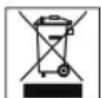
Meaning of the "Dustbin" Symbol
Protect our environment: do not dispose of electrical equipment in the domestic waste.
Please return any electrical equipment that you will no longer use to the collection points provided for their disposal.
This helps avoid the potential effects of incorrect disposal on the environment and human health.
This will contribute to the recycling and other forms of reutilisation of electrical and electronic equipment.
Information concerning where the equipment can be disposed of can be obtained from your local authority.
Język polski
CLASS1 LASER PRODUCT TO IEC 60825 LASER KLASSE 1 NACH IEC 60825
TpBaJIe HAHcKByBaHHA:
Bn6epitb USB npot.
My3nHa iHcyptir He MaE cHnHX CTaHdaptTb (3axnCT BiKoJIIOBAHH).
3 nix niCTab B OKpemnx BnnaKax MOkyTB BnHnKHyTN npo6IeMn 3 nporpaBaHHm KOMnakT DnckiB CDs i MP3. Lc He e He donlikom npnnaNy.
OuHsEHHaI TexHiue O6cIyroByBaHHa
Ipeed ouHHeHHm npnnaDy BnTnHiB BuNky 3 po3eTKn enektpnHOi MepeKi.
-ПлЯМнHa nobepxHi npnnaMy MOKHa BndaJIHTN 3JneKb BOIOrOHO TKAHHIO,6e3doJaTKOBHX MNoUChX 3acO6IB.
YcyHeHH HeoJIkIB
| СимптOMи ПДстави Рішени | ||
| Компakt ДИССК CD небпогра委书记. | Компakt ДИССК CD небпог? �бпог? �бпог? �бпог? �бпог? �бпог? �бпог? �бпог? �бпог? �бпог? �бпог? �бпог? �бпог? �бпог? �бпог? �бпог? �бпог? �бпог? �бпог? �бпог? �бпог? �спог? �спог? �спог? �спог? �спог? �спог? �спог? �спог? �спог? �спог? �спог? �спог? �спог? �спог? �спог? �спог? �спог? �спог? �спог? �спог? �cngу�ьаг. Пристрий не 畴агу? �pearyes ha komанdi обслuy�овва纳. | Очирать ДИСС M'Яков Ткашино, posnochnoю Зереди. Виим'tь Вилику Мерекhofo kaşello Na 5 секун.Увimknihь Прострийnotim Знoby. |
Texhichi napametpn
MoeB: MC 4443 CD/MP3
IopanHHJXuBHeHH: 220-240 B~50 T
CnoxmbHHnOtuykHocTi: 12,5BT
Tpyna eIeKtpo6e3neuHocti: II
Bara HeTTo: 2,52 K
Paiio6nok:
ДIANAOHЯCTOT: YKX/ΦM88~108,0MgC X/AM540~1600K
Ley npnad 6yno nepebipeho 3riDNo BCix BiNobiHnx, akTyalbHnx dIneKTHB CE, HanpknlaD zoOe eNEkTporMaHITHOI cyMICHOCTa Hn3bKOBoNTHOI dIneKTHBN, Ta 36ydoHaO 3 a HOBITIMN NOJXeHHM NTEXHIK 63neKn.
3aIIIaEMO 3a co6oH npaBo HaTexHiH 3MiH!
66 Pycckn
Oboune yka3aHnno TExHnke 6e3oNaCHOCTN
Ipeed hauaIOM 3KcNpyatauIN npbOpa BHNMaTeIbHO npo- nHTaIe npnaraemyIO HNCTpykuHIO NO 3KcNpyatauIN n CoXpaH NTee B HAdEHHOM MecTe, BMeCTe C rapaHTnHbIM TALOHOM, KACCOBIM YekOM N, NO BO3MOxHOCHTN, KAPTOHNO Kopo6KOc C yNAKOBOHbIM MaTePnaIOM. Ecn daete KOMy-n6o nonoB- 3OBaTbCpnpobom, O83aTeIbHo daIte BnpduAuy daHHyo IHCTpykuHIO NO 3KcNpyatauIN.
YTO6bI PNEoTbpaTbPNCB Bo3HKnHOBeHHN NOKapa NIN NopaaKeHHN 3JKeTPOTOKOM, 3aNepeaETc 3KcNllyaTnpoBaTb 3JKeTPOnpbOpbl NOd DOXkDem NIN BO BnAkhBix MecTx. 3aPeuTaCBAIOUaTb 3JKeTPOnpbOpbl B HenocpeiCTBeHHO 6bn30CTN K BOe (HaNPm.: B BaHHoKOMHate, 6accHe, BnaXHOM NoDbaJe).
PnIb3yItec npnbopom Tolbko qacThbIM o6pa30m nnoHa- 3haeHIO. Pnpob He npedHa3haeH dJI KOMMepueckoro HcNoJIb3OBAHIA.
BkIIOUaHte 3eKtponp6OpbToNkoBpo3EtKN,yCTaHOBJIeHHBe B COOTBETCTBN CO BCEMN IpEINMCAHnIM.CJeIHTe 3a TEM, YTO6bHa HAnPRAKeHHe CETn COBnAaNo C HanPRAKeHHeM NITAHn 3eKtponp6Opa.
Ecnncnbl3yETcBHeuHn6IOKnTaHn,OBpaNTe BHMaHHe Haero BbXoHDHe HApRKeHne nNoJrPoHocb, npaBnblHo BCTaBnTe 6atapeKn.
- YctahabnBaIte 3eKtpponp6OpbI TaK, Tc06bl He 3aKpbBaJIINCb IMeIOUneCBAHINIAUHOHHBIE OTBepCTN.
HnB Koem cnyae He BCKpbBaIte 3eKtpOnpnpOp. HenpoceccnoHaIbHi peMOHT npedctabIaer 60JIbWyo onaChOCTd nIa Notpe6ntTEn. Ecn 3eKtpOnpnpOp BIIwEi H3 CTPO, B OOC6eHHoCTn I3 3a DePekTa CetEBORO LiHypa, 60JIbWe erO He BKNIOuATb, a 3daTb Ha peMOHT KBANPHUPOBAHOMy CneuaAInCTy. PeryIrpHO npOBepnTe cTeBOH WHyp Ha OTCyTCTBNE NOBpeKJdeHn.
YTO6bI npeoTbpaTb HeCuaCTbHcnya,Onyccaetc3aMeHATb DeEeKTHb CTeBOH uHyp TOLbKO Ha paBHO3HaHbHn Ha 3ABOe-HrTOBOTene,HaWem CepBnCHOM cHTpeHnOBpAIBuNCb KBAInΦuNPOBaHHOMy CneuaHnCTy.
Ecnn 3neKtpnpbOp dnoIroe Bpem He nCNoJIb3yeTcA, OTKIOHOTe eO OTe CEN N BBInBe 6aTapeKn.
Tn HAKNeM MOrTy HaxOAnTbCn Ha KOpNcE N O6paAoiT BaWe BnMaHHe Na CneDyUoUee:

CIMBOJ "MOHIN"yka3bIbAeHT HaTO, YTO BHYTpN 3JIeKTPoPnIP6opa HMeHOTc DeTajIN HAXOJaUneCe NOI ONaCHbIM, BBICOKHM HAnpJKeHEM.

CIMBOI"BOCKNlCuTeNbHb3HaK"O6paauaETBaWe BHNMaHHe Ha BaXhBle PnIMeuaHnBCoPBOIDTeNbHbIX DOKyMeHTax NIO NIOb30BaHIOuTexOCMOTpy 3NeKTponpnbopa.

3JIeKTPnpn6Opblc 3TMM CmMBOLOM OChauneHbIa3epom Knaacca 1, KOtobn HcnoNb3yETcraIINCHTbIBAHNOMKOMnAKT-DnCKa.BoBpemrOTKpbIBAHNOTCEKaKOMnAKT-DnCKa,BCTPOEHbIE npedoxpaHNTbHbIe yCTPOINCTBa npedOTbPAaOTnopaHne ONACHORo,HeBNIMORo IyNEOBueeCKOrO rna3a,lyuHa na3epaHa nOTpe6nteJI.
3anpeaetcraOTKIOHcyt bnn MaHnnyIINPOBaTb 3TN npeoXpa Hntelhble BIKIOUATeIN pnp IIO6bIX OCTOATEBCTBax, HAue BO3NHKNET ONACHOCTb nonadaHnno NDy na3epa.
TeTNJIHuaHyHdaIOuHnecraBnpncMoTpe
-13 coo6paKeHn 6e3oNaCHOCTn DnI DeTe HcOCTaBnIte JEXKaTb yNAKOBY (NJACTNKOBBe MEuKn, KApTOH, NeHOnnact n T.D.) 6e3 npncmToPa.
NPEyPENKHEHNEI
He no3B0JIeTeIETAMHpTaBcNOnn3TnEHOBOI nEko. Onachocb ydyu7a!
3TOT np6op He npedhaHaeH dIy nonb3ObaHna Iuamn (BkIOUaIaTei) C orpaHueHHbIMN fN3HcECKMn, CEHCOPHbIMN IIN yMCTBeHHbIMN cNOcO6HOCTaMn IIN Iuamn, HneMOUIMN OblraN /nnn Heo6xOdMbIX 3HaHn. NckIO-ueHme COCTaBIAOT CNyuaN, KOrDa OHn HaxOaTc NOd npICMTpOM Iuca, OTBETCTBEHHORO 3a IN6 Be30NaCHOCTb, IINKOrda OT 3TOrO Iuca nOlyeHbI yKa3aHnR NO nOlb3OBAHIO np6Opom.
Heo6xOIMO npncMatpmba3aJeTbMn, yTo6bIy6eHITbcB TOM,TO OH He HrpaOT C np6opom.
Cnmbonbl npHMeHReMbIe B DaHHOM pyKOBOcTBe NOJIb30BaTeNA
BaxhIe peKOMHeHdaunn IIN O6ecneueHHaBaeu 6e3oNaCHO CTN 063NaHcHbI NOOCoEHHomy.ObraTeJIbHO CNeDuYte 3TNIM peKOMHeHaUNM, YTObI PpeOTBpaTNTb HeCCHaTHb CUYau NII NIOLOMKy H3dEHN:
PENEYTNPEKDEHNE:
PpeDyIpyEeJaet 06 OaChOCTn DJIa 3doPoBBa H BO3MOxHOM PNCKe IOnyuHeHr TpaBmbl.
BHIMAHHE:
Yka3bIbaet Ha BO3MOKHyIO anachOCTb IaI N3dEINr IN dpyrnx OKpyKaIOxN INpeDMeTOB.
I I PIMMEUAHNE: Daet coBebi NnHOpMaunHO.
CneuHbIe yka3aHnno 6e3oNaCHOCTn
HnHoe n3dne OchaueHo na3epHBIM MOyEm KnaCca 1.
O63op DeTanei npn6opa
1OTcek CD
2Диспл徳нHaЖИДКИХКИСТАЛnx
3 ▲ OPEN (otKpbItb) CD-dnckbooD
- VOLUME (pernylntop rpoMKoctn)
5 Khonka ALBUM
6 KhoNka
II PLAY/PAUSE
(Bocnpon3BedeHne/Phay3a)
7 KhoIIka
STOP
2 KhoNka PROG (HaKoNtTeB)
3 KhoHKn
1/14
(Nonck Ha3aI/BnpeI)
4 Khonka ALBUM (alb6om Bnepe)
5 KhoNka +10
6 KhoIka MODE (noBTOp/BOcnpoN3BeDeHne B cnuyaHOM npraKe)
7 Khonka STOP
HcnoJb3ObaHne no Ha3HaueHnIO
3TOT npn60p npedna3haueH dIa
- PnEMa paAnOpporpaMM
Bocnpo3BeHnaydnoKOMNaKTndCKOB,KOMNaKTndCKOB BΦopMaTe MP3,paHIOB 3aONMHaOuix yCTpoNCTB
Bocnpom3BeDHeO T BHeUHINX NCTOCHNKOB 3Byka.
OH npedHa3NaeH NCKIQUHTeBHO DnE 3To CEIN H MOKeT HcNtB30BaTbC TOnBKO DnE 3ToO. OH MOKeT HcNtB3OBaTBcH ToBko TaKIM O6pa3OM, KAK 3To YKa3aHO B DaHHO INHCTpyKlMn NO O6ctyKInBAHIO.
BbI He Imeete npaba nCOnIb3ObaTb npH6Op BnPOMsIIeHHbIX ueJRX.
Pycckn
IIOOoe Dpyroe npimeHHeNE CHTaETCR NCNOJIb3OBaHnEM He NO HA3HaueHHIO MOKeT HAnecTH MaTePnaIbHbY uJep6 Nn DaKe TeneChbIE NOBpeKdEHHa.
(peHHM pe3epBa/CTeHd6aI(OFF))
- Hαχmnteι έρχιντε έχατοῦ κθόκγ TIME SET (19).
HaKMMTe KhoNky HOUR (20), YTObI yCTaHOBnTb NOKa3aHmY qacOB. DepeKHTe ee HaxaToI Do yCTaHOBJIeHnHyKHBIX NOKa3aHmI. - YTO6bI yCTaHOBnTb NOKa3aHnH MInHy T HAnKMnTe KHOKny MINUTE (21). DepeKeTe ee HaKaToI Do yCTaHOBnEHn HxKHbIX nOKa3aHn.
- YCTaHOBJIeHHe BpEMr 3aONMHaEcTc aBTOMaTueCckn.
I PIMMEAHHE:
BpemnokaaBaetcna 12-acaobm HndkaTope.
AM=0noIpydH;PM=noIpydH
I PIPIMEYAHHE:
PamrB/Noka3aHne yacOB 6ydet NotepHa kak TOnbKO npepBcTcR NOdaa 3eKTPo3Heprn. Ecn BxOHTe H6NDoTaN POKa3aTeIN BpemeHN n pnppeBaHOM NIOBDOe NITAHNA, BLOXnTE BOTCEK dIb6atapen (26), CO6NDoA NOIrpHOCTb, 6atapeKy Tnna CR 2025 (B KOMNKeTne NoCTaBKn 6atapeKa OTCYCTByET). OTkpOte KpbIuKy OTceKa 6atapeKn Ha o6paTHOH CTOpOHe NOBOPOTOM B HApBaBHeHH ONEN.
BctablenHe 6aTapeek
I IPIPMEUAHNE:
HINHEBBI 3IeMeHT B 6aTapeHOM OTcKe NyIbTa
HCTaHUNHOHORO ynpabEnHn npu TpaHCnOpTnPOBe
3aunue Hn IeHKo. 3To ydInnHer cPOK cnYk6bl 6aTApEN.
Pepe nepBbIM npimeHeHem ydaJIte, noKaanyIcTa, 3Ty
PiEHKy, YTO6bI NOrTOBbIb NpblK paBoTe.
B 6aTapee nyIbTa DnCTaHIOOHHO ynpaBHeHn npmHeHdoJIROBeuHbI NITHeBbI 3eMeHNT. EcIn B npOecCeNCIOIb3OBaHHN DAIBHOCTb DeIECTBn NyIbTa yMeHbShaETCA,DeIECTByTe CNeDyUOUM 06pa3OM:
- OTKpoTe 6aTapeHbI OTcEK Ha o6paTHoI CTOpOHe nyIbTa DnCTaHUNHOYOrO YnpaBHeHH.
3aMeHHTe 3IeMeHt6aTapeKoTakoroKe Tnna (CR 2025). O6paauTe BHMaHHe Ha npaBbHyIO NOAHOCTb.
3akpoTe oTcK.
EcnnnybT dInTeJIbHOe Bpemr He 6ydet HcNoIb3ObaTbca, ydaJIte, noKaJyIcTa, batapeKy, YTO6bl N36ExKaTb "BbITEKAHNA" KNCOTbl.

BHIMAHNE:
He BbIbpaCbIbAaTe 6atapeKnB DOMaHm Mycop. POnkanynta CdaTne OtpabotAHhle 6atapeKnHa CneuaJIbHbIyNHT npHema NIN B TOPROByTOUky.

IPEyIPEXHEHNE:
He noDBepraTe 6atape Bo3DeIeCTBIO BbICOKnx TemnepaTp ININ npMbIX cOnHeuHbIX lyuei. He 6pocai Te Hx B orOHB.CyueCTByET OAnchocTb B3pbiba!
XpaHnTe 6batae B HeoctyHOM dIaIeTeMecTe.3To He nRpyuKn!
He OTKpbBaIte 6batape C pImMeHHeM cNbl.
H36eata KOHTaKaTc a MetaIInueckmN npEIMetamn (KoIbua, rBO3dN, BnHTbI nT.I.). Bo3MOxHO KOpOTKoe 3aMbIkaHne.
BpeynbTaTe KopoTKo 3ambKaHn6aTapeM0rY Tepereptbcnn daKe 3aropetbcn. PeynbTaTOM MoKET 6bTb OxKor.
ДяBaew6e3oNaChOCTN KIeMMb6aTapeH BO BpeM TpaHCnOpTnPoBKn DOJHKb6bTb 3akneHb CkOTHE.
EcnH36atapeKn npo30uHa yteKa, He doynckaTe nopaAHHXnKDcoCTn B rna3a HnHa cNt3HCTbe 0bOIOUKn. PnKoHTaKe C XnDKOCTbHO CneJyET IpOMbTb pyKn, INa3a YnCTOn BODo, a PnPnpOJKNTEbHbIX 6oJAX O6paTntbcra K bpaY.
TpaHcnpTnHa ynakOBka CD npeepa
- OTKpoIte, noKanyIcTa, CD-DnCKOBoD (1), HαKαB Ha KλaBnUy ▲OPEN (OtKpbIb) (3).
- PpeB BKIOUeHEm ydAnIte n3 npOnrPbIbATEI rpaHCnOPTHyO ynaKOBky,ecn TaKOBa HMeETc.
06ee 06cnyKbaHne
I PIMMEUAHNE:
HeKOTOpBle KnaBnBn Bb MoKeTe HaHTN KaH YaCTPOIcTBe, TAK H Na NytBte DnCTaHOnHO YnpaBHeHH. OINHaKOBbIE KNaBnBn BbInONHrO T OHy N Ty Ke FyHKUHO.
PerynnpobKa rpoMkoCTn
Pn nomou nperylntop a VOLUME / PpOMKocTb (4) yctaHOBHTe HEO6xOdmyo rpmOKocTb.
BbIKJIOeHHe
UTo6b ByIKIOuHb 3JeKTPoPnIbOp nepeDbHbTe
fYHKNUOHaJIbHbI nepeKIOUaTeIb (8) B noIOJKeHne OFF.
YCTaHOBtE BIKIOUaTeIb cTeN (24) B no3NIcH OFF.
TPOBIIeTc nOKa3AHue YacOB. B 3aKIOUeHIn BBHbTe
WTeNCeIb N3 po3ETKn.
Tne3do AUX IN
Yepe3 3to rhe3do Bbl moKeTe npocnyuBaTaB yepe3 nnHaMnK dpyrHe BOCpOn3BODaUne np6OpOby, TaKne KaK MP3-nIeHep, CD-nIeHep nT.d.
- PoiKJIIOHHTe BHeUHee yCTpOcTBo K rHe3dy AUX IN (9) pRn NOMOUI COeHNHTeBHOrO CTpeo-Ka6eIra C 3,5 MM BINOUOKO.
- YCTAHOBHTe FyHKIOHOHaBHyI nepeKIOUaTeHb (8) Ha CD/ MP3 ININ RADIO.IpN6Op ABTOMaTHueCKn peKIOUaETcB B pexHM AUX IN.PaINO ININ 3ByK CD BbIKIOUaETcH.
- Yepez DnHaMnK Bb CblIe 3ByKOBoB OBCpnO3BeDeHne H3 nepepepnHoro yCTpOCTBa, npn NOMoU peryIaTopa rPOMKocTH VOLUME (4) Bb MoXe T3MeHHTb rPOMKocTb. KhoNk CD He pa60TaHOT.
- NopraDOK daJIbHeNIX DeIcTBn npOHTaIe B HcTpyKuIN NO 3KcIIpyataun BHeUHero nCTouHnKa 3Byka.
I INPIMEYAHNE:
Otperynpyte rpoMKocb BHeuHero npmbopa do COOTBETCTByoUe BaWemy cyxyrpoMkoctn.
Pazbem USB (11)
JaHHoe n3dene CkOHCTpynpoBaHO C yyeTOM NocneHnX TexHueckNX DOCTNKeHn B ObIaCTn Npepaun DaHHbIX uepe3 USB npT. OHaKo 60nbOe KOINcE7BO BHeuHx 3aONMHaIOUx yCtpoiCTB USB pa3NJuHoi KOHcTpkyuNN, KOTOpOE cerOJn PpeIraaeTc TPOBNe, He rapaHTpuyot, K CoKaJIeHHo, Hx NOnHoi COBMeCTHMOCTo Dpyr C dpYrom. ITO npuHHe, B peKHX CnyaX, MOrYT NOBHTc npOBeMebl C BOCPOn3BeDEHnEM C MyIbTmMEJnaJIbHO nAmrTn, IMeOJeu Pa3bEm USB. 3To npOxCODHT He no npuHHe HeNCnPabHO CTbO DAHHoro n3denn.
1.ПepeBnHbTeФyHKUHOHaJIbHbI nepeKIOuAteIb (8)В noJIoXeHne CD/MP3.
2. PoiKIOHHTe USB-yCTPOINCTBO xpaHHeHH INHOpMaUN HENOCpeCTBeHNBO COOTBETCTBYOUIN NOPT.
- TRObI BbIbpaTb MoIyc USB,ДeprKHe NaKaToI KHOIIky II PLAY/PAUSE(6).Ha IucnIee NoRbIaTeCra NOKa3AHne USB.
- Yepe3 HeckoIbKO cekyHNeHaDoIro NoBnIeTcN Ko3aHHe O6UeRO KOnuYeCTBa 3aInCeH, 3aTeM HaUnHaETcBOcPOn3BeDeHne. Ha DcNlnee NOBnIeTcB OcPOn3BODIMaI PeCHr, NOKa3aHHe MP3 n USB.
Kak ynpabnIb n3dJIeHem ONcHo B rnaBe ,BocpnOn3BeDeHne DnCKOB CD/MP3".
I PIMMEUAHNE:
EcnnB3TO BpemB OTCKeIe C,I HeT DnCKa,TO aBTOMaTHueckn Bb6npaetcnoKInouHe USB.
BHIMAHHE:
IpeepTeKakBbHbTn3rHe3daUSB MybTmEHaNaBHyIO nAMrTb,nepeKIOUHTe yHKUHOHaBbN nepeKIOUaTeB (8) B NOLOKeHHe RADI.
PpocnyuBbHne paHonepepa
- NpeBnHbTe FyHKUHOHaIbHbI NpeKIOuAteIb (8) B noJIOKeHne RADIO.
- BbIepeTe npn nOmoUnepeKIOuATEaENaNA3oHOB paHIO (12) HkyHHyO cactOtY dNana3oHa.
$$ \begin{array}{r l} \mathsf {Y K B} (\text {c t e p e o}) & = \mathsf {F M S T .}, \mathsf {Y K B} = \mathsf {F M}, \ \mathsf {c p e d n h e} \mathsf {B O N H b i} & = \mathsf {A M (M O H O)} \end{array} $$
- HactpoTeCb Ha hyxHyIO paAnocTaHcIIO npn IOMOupeyIaTopa "TUNING" (10).
- KOnTpOJIbHaJIaMNoUka"FM.ST" (17) CBeTHTcR ToIbKO B TOM CnUyae, ecIn BbIbpaH dIana3OH YKB Ctepeo I npHIMaEmar paHIOCTaHUN TpaHCnIPyET B pexHmE "CTepeo". EcIn npHem nIoxoN c NOMExAMN, IaMNoUka 6yJeT MIRATb.
5.Полробугп Te nobopauaBaHem.HaMaTbIbAHm Ип pa3MaTbIbAHm aHTeHHb (25)уLyuINt b npHem.B cIyae ILOXOrO npHema peKOMeHyETcR nepeKlIOuHTbcr Ha peKHM FM.
6.Дпяnpиема paDNHonepeaB Dnana3OHe CB (AM) B cHTp BCTpoHa aHTeHa. BpauaH INN 3MeHra ee NIOKeHne HAcTpoTeCb Ha paDIOCTaHcHIO. B 3OTM Dnana3OHe paDIOpeaHn TpaHCInpyIOTc TOnbKO B peKIMe "MOHO".
Празгравиме CD/MP3
Tak npOnrpBbAeTc KOMnKT-DnCK
- YctahOBITE cyHKnHOHaJIbHbI nepeKIOuATEIb (8) B noJnoKeHe CD/MP3.
- HaKMITEHa KlaBnuy ▲ OPEN (3), yTo6bI oTKpbITb CD-DCNCKOBOD (1).
3.BCTaBbTe BOTcK,Ha CEHTpnpyIOUIN LIMN,KOMNaKT-DnCK C 3aINCbHO,3TNKETKO BBepx N 3aKpoIe KpbIuKy OTceKa. - Yepe3 HeckoIbKO cekyHd Ha dncnnee nOaBntcra HcNo neceH ha daNcke.
-
Bocnpoun3BedeHne Haunetc n nepBoN neChn dncKa. Bocnpoun3BOdIma Iopoxka H coo6eHne MP3 6ydt OTo6paKaTbCnHa nucnnee.
-
TTo6bI BbTaunltc CD nck, haxMnTe KhoNky STOP (7/7), otKpOte oTcek CD nCKa n octopoXHO CHmnte ero.
ДерхитЕ крblшky OTecka CD noctoTЯнho 3aKpbToI.
I PnIMeUAHNE:
-Пи NOЛьзOBAHIN CDВ Форmate MP3с pa3IMnHbIMN
Фаиламн,при Сме He OДНOrO FOaINa Ha ДPyroI
ПОЯВЛЯETСС 001,чTO OЗнЧаeT NepByIO NeCHIO HOBOrO
FOaINa.
EcnN DnCK BCTaBnEH HAObOpOT NIN BOO6Je HE BCTaBnEH, TO 6yDen MInraTb COo6JeHne ,-- " Ha DnCnnee NOBtbcrNO" (Het).
Bocpon3BeHHe cAmOeJIbHbIX CD nCKOB He rapaHTnpyETc, no pUnHHe MHOr0o6pa3n npOrpamMHO o6ecneHn, npImeHemoro dN IN 3rTOBHeHn.
Onncanhe yHkun KhoNOK CD npeepa
▶II PLAY/PAUSE(6/1)
Kopotkoe Haxatne:
Bocnpo3BeDeHne MOKHO npepBaTb Ha KOPOTKe BpEmn BkHouTh oNtB. Ha dncnnee Mmraet CmBOnI ▷. Nobtophoe Haxatne KHONNIPOJOLNH TBOcnpo3BeDeHne.
DJIIORe HaKATHe:
BbIePHTe USB npT.
SKIP+ SKIP- (13/14/3)
Bo BpemBocnpOn3BeDeHnA DnCKa B FopMaTe Audio-CD nnn MP3:
Pn nomou KhoNkI >I/SKIP + MoKHO nepeepbHyTb Ha cnedyuoynnnpdbdyuyo dopokky.
- EcnI depKAtb KhoNky HaKaToi, To BkIoHHTcpeKM NOnCKa.
KhonnkaI/SKIP-IMeETcneyHouneΦyHKUIN:
1 x pa3 haKaTb = BocnpoN3BeDeHne Tekyuei dopoxknc chayana.
2xpa3HaKaTaB = CkaUOK K npdeIduyuei dopoKke.
3xpa3HaKaTb = CkaQK CJIeIyUoiEiDopOKe H.T.D.EcnI depKaTb KHOJky HaKaToI, To BKNIOHTcpeXIM NOIcKa.
STOP (7/7)
KOMnakT-ДИСК OCTaHOBITcA.
MODE (15/6)
Bo Bpemr Bocnpn3BedeHnA DnCKa B φopMaTe Audio-CD nIIMP3:
1x pa3 haKaTb = (REP CBeNTcH HeNpepbIbHO) BocnpOn3- BOIMMa Ha daHHbMOMeHT neChra 6ydet HnpepbIBHO NOBTOpTaCra.
2x pa3 HaxKaTb = ( ATREBetntcHenpepbIBHO) BeCb KOMnakT-DnCK 6yDet HENpepbIBHO NOBTOpTaCB.
3x pa3 haKaTb = Ha dncnnee noBntc coo6eHne RAND n HOMep 3aIncn, KOtopa8 6yDet Bocnpo- n3BOOHTbcr nepBoi. Bce 3aIncn 6yUyT BOCpON3BOOHTbcr OHa 3a DpyroB B cnyuHOM nopAKe.
4x pa3 haKaTb = BCE cyHKnBvIKIOUaOTc.Bocnpo3-BeDeHHe npOJXHTbC B HopMaJIbHOMpeKIme.
TOnbKO DnCD NcKOB C 3aNcBIO B φOpMaTe MP3
1x pa3 haKaTb = TeKyUaJdoPoxKa 6yIeT NoCTOAnHNoBTOpTaBC (Ha DnCnJIeE NoHBITcR REP).
2x pa3 haKaTb = BbIbpaHna PaNka CD nCkca 3aNcBIO BΦopMaTe MP3 6yDet NoCToHnBO CnPON3BOuNTbcr (Ha DnCnlee NOBHTCR REP ALBUM). KnaBnwei ALBUM (5/4) BbMoKeTe BbIbpaTb OTdEhBhie pa3dEbl.
3x pa3 haKaTb = BeEc CD-ДиСК 6уДeТ NOCTOЯнHO NOBTOpTaTbCn (Ha DiCnIeE NoHBrTcR REP ALL).
4x pa3 haxaTB = Ha dncnnee noBHTc8 coo6eHHe RAND, MP3 n Homep 3aIncn, KOtopa 6ydet BocnpOn3BOOHTbcr nepBoi. Bce 3aIncn 6ydyT BOCnpOn3BOOHTbcr OHa 3a DpyroB CnyuahHom npRdKe.
5x pa3 haxkaTb = DeakTNBnpyetcH BOCnpOn3BeJeHne CD- DnCKa NepeuTeB HopMaJIbHbI peKHM.
ALBUM (5/4)
HaKMnTe 3Ty KONky BO BpEMRA BOCPOn3BedeHn, YTO6bl nepeTn Ha Ody nanky BbIe. Coo6uHne, K npMepy ALBUM 001, Miraet HeKOTOpoe BpEMr. Pocne 3tOro aBTOMaTHueckn CTapTyETcR BOCPOn3BedeHne CD-dNcKa. Ecnn DePkaTb 3Ty KONky HaxatoB peKmme Stopp, To Ha dncnnee TaKe 6ydet Mrratb COO6uHne. Pocne 3tOro cTApTuTE BOCPOn3BedeHne npn NOMOu KNONKn II PLAY/PAUSE (6/1).
+10(KHonka5HaIy)
HaKImaIte Ha 3Tu KHOnKy, YTObIc KaKdbIM HauKaTneM nepeCKaKbBaTb BnepeI Ha 10 3arOIOBkoB (ecIn Ha KOMNaKTdNcKeHMeetc6 0onee 10 3arOIOBkoB).
Прорразимповане поядka BOCРон3Вe-деня
Ionyckaetra IIO6oB noPraDOK BOCnpoN3BeHnI necen.
- HακMnte KhONky STOP (7/7).
- HAnMMTe KHOJIky PROG (KHOJIka 2 Ha Iy).Ha HnHn-KaTope MnaeT HaIncb PROG n 6yDet yKa3aHo ,P01" (MeCTO 3aIncn). PpN pOMoU N KHOJOK SKIP+ I/SKIP-(13/14/3) Bbl6epnte HxHyIO neCHIO HaKMITE NOBtopHO KHOJky PROG. IokaAHHa DInCnpe JnepeJdyT Ha cIeDyUOuOraeKy naMrtn P02.
I IPIMHMEUAHNE:
Ecn CD B fopMaTe MP3,To nIcMeHbI paHaHaKMnTE KhoNky ALBUM (5/4).
- Pn nIb30BaHm CD B φopMaTe MP3 c pa3nHbIMn ΦaJIaMn, pnp CmHe OndHO rHa Na dpyroN NOBHTcR 001, YTO cHaaueT nepByIO neCHIO HOBOrO FaiJa.
- Пи помоши КногOK SKIP+ >I/14 SKIP- Вьберпс Сдуюцупессю И НжмITE NOВTOPHO KHONKY PROG. Повторге 3уnpоeуpydo tex nop,пoka He Вьберпс BCEпechи.
- Haxmte KhoNky II PLAY/PAUSE (6/1). Haunhaetc Bocnpoun3BeHeHne. Ha dncnnee nokakctc npBbB bbl 6paHHbH omep 3aorObKa nOKa3aHne MP3 u PROG. Hkaab 3ty KhoNky MoKHO nppeBaTb nporpyMMy Bocnpoun3BeHeHna KopoTKe BpeMra.
- OdnokpatHoe HaKaTne KhoNk ■ STOP ocTaHaBnBaet Bocnpo3BeHeHne, npOprpMaJ He coxpaHReTc.
- Дяноюгозусякпрогамьнхмite конky PLAY/PAUSE.
- Trobl noTyuHb nporpamMy hKmTe 2 pa3a KhoNky STOP.KoHTpObnHa nAmNoUka PROG noTyxHET.
Pn60p octaHbnaeTcABTomatueckn, nocne toro, kak BCE 3anprpamnpoBaHbte 3arolOBKn 6bln BOCnpou3BeHebl. Ko3Hne PROG nCye3aet n 3anporpaMnpoBaHHa nocneobataIbHOCTb CTnpaETc Hn NaMTN.
HMeETcB03MOxHcOCTbKOM6HNpOBAt 3aNPoPamMnPOBaHn HbIe necn C yHKuNei REPEAT. Iocne nporpaMMNPOBaHn i cTapTa nporpAMMbHaXmTe KOnKy MODE (15/6),do 3 pa3, INBCEΦyHcIN MOnKHO pIMeHt b Ha npoPamMy, KaK 3TO onncAo B pa3dene "MODE".
Bocnpon3BeDHeHne My3bHn B φopMaTe MP3
HMeetc BO3MOXHOCTb BOCPON3BOJNTb 3ByKO3aNCH, CdeIaHHbIe B FOpMaTe MP3. KpOME 3TOrO pIeep YHTaET NOHTBCEpacnpoctpaHeHHbIe BNDbI DNCKOB: CD, CD-RW, CD-R.
Плесь ВOCрпоиЗБОДТ CD-ДИСКС 3ансЯМВ Б ФОмATE MP3.Ha NOIO6HbI DINGE MOXHO 3aNcAte Do 200 DopoOxKe. Плесь PACNo3HaET 3OT ФОмAT ABTomatUeCkN (Ha DInCnlee NOBtca O6Uee YnCNO 3aNceи n MP3).ДЯ ВOCрпоиЗБeDEH N3aNCEe B 3TOM ФОмATE NOCTyNAITE KAK 3TO ONuCAHO B rIabe "BOcPOn3BeDEHne CD-DINCKOB/MP3".ПоррамMpoBaHne NOpRJaBOcPOn3BeDEHNE MOXHO POn3BeDHTe NO npOueDype, ONiCaHoi B rIabe "ПоррамMpoBaHne NOpRJaBOcPOn3BeDEHnI".
Ponanynta yuHTte:
CuyectByet 60nbwoe pa3Hoo6pa3ne nporpamM DnI KOMPecCnn H3aNCH daHHbIX, a TaKHe pa3NJuR B KaueCTBe NcyctbIX n 3anncahbbix CD dNCKOB.
Kpome 3Toro My3bikabHn IpombIeHHoCTb He npndepkNBA-ETcYTBepXeHHbIX CTaHapTOB (3aunTA O KONnpOBaHnA).
IIO 3TO npHHe, B peKnx CnyaX, MOrY Bo3HKnHyb npo6JIeMb c TeHnEM CD nCKOB n nCKOB C 3aIncbO B oOpMaTe MP3. 3TO npONCXODHT He no npHHe HcnpaBHO tdoHHoro N3dEINIA.
UHCTKa n yXoJ
-Пеледнистков Вьиммайтевлик уз розетки.
- PnTHa CHAPyKn KOpnyCa MoXHo ydAnITb CnErKa BnAkhHO TpAknO, 6e3 npImHeHn MOUxN CpeDCTB.
YcTpaHHe HEnCnPaBHOCTe
Iotpe6nreMaMoHoctb: 12,5BaT
Klacc 3aunbl:
Bec HETTO: 2,52 K
PainopnemnK: