Roadmate 230 - Microwave Oven DOMETIC - Free user manual and instructions
Find the device manual for free Roadmate 230 DOMETIC in PDF.



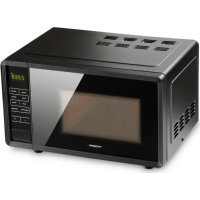
| Product type | Microwave oven |
| Brand | Dometic |
| Model | Roadmate 230 |
| Power consumption | 230 V~, 50 Hz |
| Output power | 600 W |
| Operating frequency | 2450 MHz |
| External dimensions (H x W x D) | 271 x 457 x 360 mm |
| Internal dimensions (H x W x D) | 210 x 315 x 329 mm |
| Capacity | Approximately 21 liters |
| Power supply | Requires a Dometic SinePower MSI924M inverter (ref. 9102600099) |
| Cooking function | Microwave with power levels 600 W, 500 W, 400 W |
| Defrost function | Defrost by weight (100 g, 150 g, 200 g, 300 g, 400 g) |
| Timer | Up to 15 minutes for 600/500 W, 30 minutes for 400 W |
| Child safety | Present, adjustable via the STOP/CLEAR key |
| Door lock | Yes |
| Grounding | Mandatory (protective conductor) |
| Control type | Touch panel with numeric keys and POWER, DEFROST, START, STOP/CLEAR keys |
| Display | Digital |
| Included accessories | Glass turntable, turntable support |
| Compatibility | Use in motorhome or boat with suitable inverter |
| Maintenance | Clean interior with damp cloth, clean glass, remove odors with lemon |
| Warranty | According to manufacturer's conditions (see manual) |
Frequently Asked Questions - Roadmate 230 DOMETIC
User questions about Roadmate 230 DOMETIC
0 question about this device. Answer the ones you know or ask your own.
Ask a new question about this device
Download the instructions for your Microwave Oven in PDF format for free! Find your manual Roadmate 230 - DOMETIC and take your electronic device back in hand. On this page are published all the documents necessary for the use of your device. Roadmate 230 by DOMETIC.
USER MANUAL Roadmate 230 DOMETIC
Domatic Roadmate 230
Please read this instruction manual carefully before first use, and store it in a safe place. If you pass on the product to another person, hand over this instruction manual along with it.
Contents
1 Explanation of symbols 5
2 Safety instructions 5
3 Grounding instructions 8
4 Installation 9
5 Part names. 10
6 Control panel 10
7 Microwave cooking principles 11
8 Utensils guide 11
9 How to set the oven controls 12
10 Radio interference 13
11 Cleaning and care 14
12 Troubleshooting 15
13 Warranty 15
14 Disposal 15
15 Technical data 16
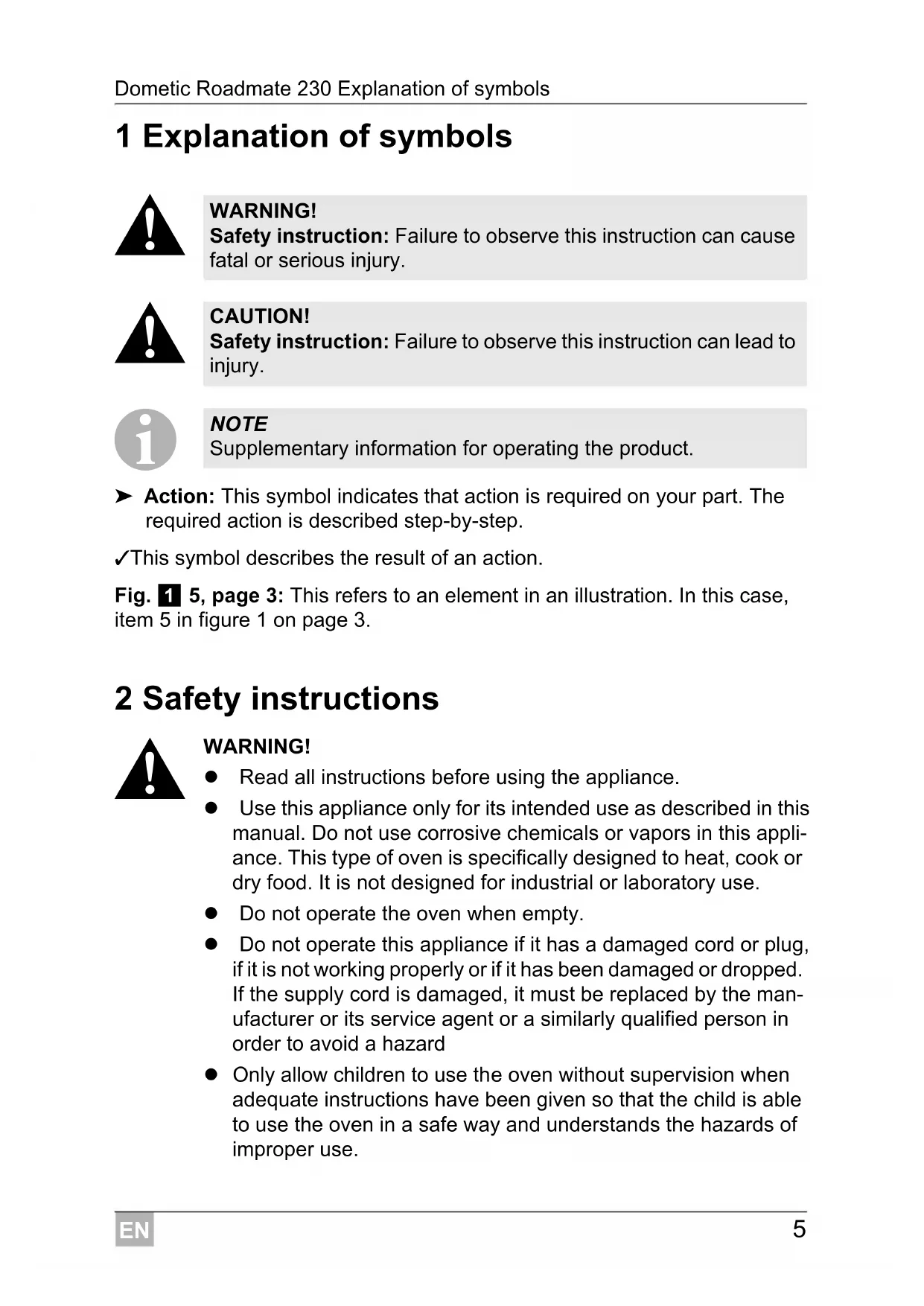
1 Explanation of symbols

WARNING!
Safety instruction: Failure to observe this instruction can cause fatal or serious injury.

CAUTION!
Safety instruction: Failure to observe this instruction can lead to injury.

NOTE
Supplementary information for operating the product.
Action: This symbol indicates that action is required on your part. The required action is described step-by-step.
This symbol describes the result of an action.
Fig. 1 5, page 3: This refers to an element in an illustration. In this case, item 5 in figure 1 on page 3.
2 Safety instructions

WARNING!
- Read all instructions before using the appliance.
- Use this appliance only for its intended use as described in this manual. Do not use corrosive chemicals or vapors in this appliance. This type of oven is specifically designed to heat, cook or dry food. It is not designed for industrial or laboratory use.
- Do not operate the oven when empty.
- Do not operate this appliance if it has a damaged cord or plug, if it is not working properly or if it has been damaged or dropped. If the supply cord is damaged, it must be replaced by the manufacturer or its service agent or a similarly qualified person in order to avoid a hazard
- Only allow children to use the oven without supervision when adequate instructions have been given so that the child is able to use the oven in a safe way and understands the hazards of improper use.
To reduce the risk of fire in the oven cavity:
- When heating food in plastic or paper container, check the oven frequently to the possibility of ignition.
- Remove wire twist-ties from paper or plastic bags before placing bag in oven.
- If smoke is observed, switch off or unplug the appliance and keep the door closed in order to stifle any flames.
- Do not use the cavity for storage purposes. Do not leave paper products, cooking utensils or food in the cavity when not in use.
- Liquid or other food must not be heated in sealed containers since they are liable to explode.
- Microwave heating of beverage can result in delayed eruptive boiling, therefore care has to be taken when handle the container.
- Do not fry food in the oven. Hot oil can damage oven parts and utensils and even result in skin burns.
- Eggs in their shell and whole hard-boiled eggs should not be heated in microwave ovens since they may explode even after microwave heating has ended.
- Pierce foods with heavy skins such as potatoes, whole squashes, apples and chestnuts before cooking.
- The contents of feeding bottles and baby jars should be stirred or shaken and the temperature should be checked before serving in order to avoid burns.
- Cooking utensils may become hot because of heat transferred from the heated food. Potholders may be needed to handle the utensil.
- Utensils should be checked to ensure that they are suitable for use in microwave oven.
It is hazardous for anyone other than a trained person to carry out any service or repair operation which involves the removal of any cover which gives protection against exposure to microwave energy.
- This product is a Group 2 Class B ISM equipment. The definition of Group 2 which contains all ISM (Industrial, Scientific and Medical) equipment in which radio-frequency energy is intentionally generated and/or used in the form of electromagnetic radiation. For Class B equipment is equipment suitable for use in domestic establishments and in establishments directly connected to a low voltage power supply network which supplies buildings used for domestic purpose.
- This appliance is not intended for use by persons (including children) with reduced physical, sensory or mental capabilities, or lack of experience and knowledge, unless they have been given supervision or instruction concerning use of the appliance by a person responsible for their safety.
Children should be supervised to ensure that they do not play with the appliance.

CAUTION!
- Do not attempt to operate this oven with the door open since open door operation can result in harmful exposure to microwave energy. It is important not to defeat or tamper with the safety interlocks.
- Do not place any object between the oven front face and the door or allow soil or cleaner residue to accumulate on sealing surfaces.
-
Do not operate the oven if it is damaged. It is particularly important that the oven door close properly and that there is no damage to the
-
Door (bent),
- Hinges and latches (broken or loosened),
-
Door seals and sealing surfaces.
-
The oven should not be repaired by anyone except properly qualified service personnel.
3 Grounding instructions

WARNING! Danger of electrocution
Improper use of the grounding plug can result in a risk of electric shock and cause fatal or serious injury.

NOTE
- If you have any questions about the grounding or electrical instructions, consult a qualified electrician or service person.
- Neither the manufacturer nor the dealer can accept any liability for damage to the oven or personal injury resulting from failure to observe the electrical connection procedures.
This appliance must be grounded. This oven is equipped with a cord having a grounding wire with a grounding plug. In the event of an electrical short circuit, grounding reduces risk of electric shock by providing an escape wire for the electric current. Using a high voltage is dangerous and may result in a fire or other accident causing oven damage.
The wires in this cable main are colored in accordance with the following code:
- Green and Yellow = EARTH
Blue = NEUTRAL - Brown = LIVE
4 Installation

NOTE
- In order to take the microwave oven in operation, you must connect it to the power supply via the Domatic sine wave inverter MSI924M (item no. 9102600099) (see also operating manual of the inverter).
-
In addition, you can switch the microwave oven on and off by the remote control MCR9M (item no. 9102600098) (see also the operating manual of the remote control).
-
Make sure that all the packing materials are removed from the inside of the door.
- Check the oven for any damage, such as misaligned or bent door, damaged door seals and sealing surface, broken or loose door hinges and latches and dents inside the cavity or on the door. If there is any damage, do not operate the oven and contact qualified service personnel.
- This microwave oven must be placed on a flat, stable surface to hold its weight and the heaviest food likely to be cooked in the oven.
- Do not place the oven where heat, moisture, or high humidity are generated, or near combustible materials.
- For correct operation, the oven must have sufficient airflow. Allow 20cm of space above the oven, 10cm at back and 5cm at both sides. Do not cover or block any openings on the appliance. Do not remove feet.
- Do not operate the oven without glass tray, roller support, and shaft in their proper positions.
- Make sure that the power supply cord is undamaged and does not run under the oven or over any hot or sharp surface.
- The socket must be readily accessible so that it can be easily unplugged in an emergency.
- Do not use the oven outdoors.
Connect the 230V mains cable with the 230V output of the inverter.
Turn on the inverter.
5 P a r t n a m e
No. in
fig. 1,
page 3
Explanation
1 Door Safety Lock System
2 Oven Window
3 Cavity Floor
4 Door Button
5 Control Panel
6 Control panel

NOTE
Turn on the microwave oven by switching on the inverter or press the "Push" button on the remote control. If applicable and after pressing the "Push" button on the remote control the microwave oven will be in standby mode for 30 minutes whereas you will need to press the "Push" button again to extend the standby mode for an additional 30 minutes.
fig. 2, page 3
Explanation
POWER Press to set cooking program.
DEFROST Press to defrost food.
DISPLAY Cooking time, power and present time are displayed.
Number Buttons
Press to enter cooking time.
10 sec/30 sec/1 min
START Press to start the cooking or defrosting program.
STOP/CLEAR Press to stop the current cooking or defrosting program.
It is also used to set child lock.
7 Microwave cooking principles
- Arrange food carefully. Place thickest areas towards outside of dish.
- Watch cooking time. Cook for the shortest amount of time indicated and add more as needed. Food severely overcooked can smoke or ignite.
- Cover foods while cooking. Covers prevent spattering and help foods to cook evenly.
- Turn foods over once during microwave cooking to speed cooking of such foods as chicken and hamburgers. Large items like roasts must be turned over at least once.
- Rearrange foods such as meatballs halfway through cooking both from top to bottom and from the center of the dish to the outside.
8 Utensils guide
- The ideal material for a microwave utensil is transparent to microwaves, it allows energy to pass through the container and heat the food.
- Microwaves cannot penetrate metal, so metal utensils or dishes with metallic trim should not be used.
- Do not use recycled paper products when microwave cooking, as they may contain small metal fragments which may cause sparks and/or fires.
- Round /oval dishes rather than square/oblong ones are recommend, as food in corners tends to overcook.
- Narrow strips of aluminum foil may be used to prevent overcooking of exposed areas. Do not use use too much and keep a distance of 1 inch (2.54 cm) between foil and cavity.
The list below is a general guide to help you select the correct utensils:
Cookware Microwave
Heat-Resistant Glass Yes
Heat-Resistant Ceramics Yes
Microwave-Safe Plastic Dish Yes
Kitchen Paper Yes
Metal Tray No
Metal Rack
No
Aluminum Foil & Foil Containers
No
9 How to set the oven controls
When the oven is plugged in, "0" appears on the display with beeps.
During cooking or defrosting program, press STOP/CLEAR to pause the current program.
Press START to resume the current program, or press STOP/CLEAR once more to reset the current program.
- The end is indicated with beeps, this will sound every two minutes until you press any button or open the door.
9.1 Microwave cooking

NOTE
If you select the power level "600 W" or "500 W", the maximum cooking time you can set is 15 minutes. If you select the power level "400 W", the maximum cooking time you can set is 30 minutes.
Place the food into the oven and close the door.
Press the POWER button to select the wanted power level ("600 W" → "500 W" → "400 W").
Press the pre-defined number buttons to enter the wanted cookingtime.
Press the START button.
9.2 Defrosting
Place the food into the oven and close the door.
Press the DEFROST button to select the correct weight of the food as follows:
Press DEFROST pad Weight
once 100g
twice 150g
3 times 200 g
4 times 300 g
5 times 400g
Press the START button to start the selected defrost program.
10 Radio interference
Operation of the microwave oven can cause interference to your radio, TV, or similar equipment.
When there is interference, it may be reduced or eliminated by taking the following measures:
Clean door and sealing surface of the oven.
Reorient the receiving antenna of radio or television.
Relocate the microwave oven with respect to the receiver.
Move the microwave oven away from the receiver.
11 Cleaning and care
- Turn off the oven and disconnect it before cleaning.
- Keep the inside of the oven clean. When food splatters or spilled liquids adhere to oven walls, wipe it off with a damp cloth. Mild detergent may be used if the oven gets very dirty. Avoid the use of spray and other harsh cleaners as they may stain, streak or dull the door surface.
- The outside surfaces should be cleaned with a damp cloth. To prevent damage to the operating parts inside the oven, water must not seep into the ventilation openings.
- Wipe the door and window on the sides, the door seals and adjacent parts frequently with a damp cloth to remove any spills or spatters. Do not use abrasive cleaner.
- The control panel must not become wet. Clean it with a soft, damp cloth. Leave oven door open to prevent the oven from accidentally turning on.
- If steam accumulates inside or around the outside of the oven door, wipe it off with a soft cloth. This may occur when the microwave oven is operated under high humidity condition and is normal.
- It is occasionally necessary to remove the glass tray for cleaning. Wash the tray in warm sudsy water or in a dishwasher.
- The oven floor should be cleaned regularly to avoid excessive noise. Simply wipe the bottom surface of the oven with mild detergent.
- Remove odors from your oven by combining a cup of water with the juice and skin of one lemon in a deep microwaveable bowl and microwave for 5 minutes. Wipe thoroughly and dry with a soft cloth.
- When it becomes necessary to replace the oven light, please consult a dealer to have it replaced.
- The oven should be cleaned regularly and any food deposits should be removed. Failure to maintain the oven in a clean condition can lead to deterioration of the surface which could adversely affect the life of the appliance.
12 Troubleshooting
| Fault Remedy | |
| The oven fails to operate. | Check to ensure that the oven is plugged in securely. If it is not, disconnect it, wait 10 seconds, and plug it in again securely. |
| Check for a blown circuit fuse or a tripped main circuit breaker. If these seem to be operating properly, test the outlet with another appliance. | |
| Check to ensure that the control panel is programmed correctly and the timer is set. | |
| Check to ensure that the door is securely closed engaging the door safety lock system. Otherwise, the microwave energy will not flow into the oven. | |
13 Warranty
The statutory warranty period applies. If the product is defective, please contact the manufacturer's branch in your country (see the back of the instruction manual for the addresses) or your retailer.
For repair and guarantee processing, please include the following documents when you send in the device:
A copy of the receipt with purchasing date
A reason for the claim or description of the fault
14 Disposal
Place the packaging material in the appropriate recycling waste bins wherever possible.
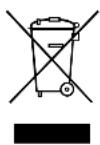
If you wish to finally dispose of the product, ask your local recycling centre or specialist dealer for details about how to do this in accordance with the applicable disposal regulations.
15 Technical data
| Dometic Roadmate 230 | |
| Power Consumption: 230 V~, 50 Hz | |
| Output: 600 W | |
| Operation Frequency: 2450 MHz | |
| Outside Dimensions H x W x D: | 271 × 457 × 360 mm |
| Oven Cavity Dimensions H x W x D: | 210 × 315 × 329 mm |
| Oven Capacity: 20 Litres | |
| Net Weight: Approx.12.9 kg |
3eIeHbIIN XeIITbI 3AUHTbI IN PPOBOD
CINHn = HnyeBOI npoBOI
KopnueBbI = ΦA3A
4 MoHTaJx

YKA3AHNE
- Д�� ТОВ, чтобы МИКРОВЛНовую песь можно былно ВБЕСТИВ работу, Вначаile Heo6xODIMO yCTaHOBITb эЛeКТрОПИТа-Hие черз ИНВертOP Dometic SinePower MSI924M (apT. №9102600099) (см. тохе Инструкцино по Экплuyaатаци ИНВертopa).
-
Пechь можно Такке BKЛючаТь И ВыКЛючаТь пльТOM ДИСТанционно упраВленья MCR9M (apT. № 9102600098) (сm. Такке Инструкцию по заclnyатуции пльТа ДИСТанционно-horo упраВленья).
-
Y6eIntecb B TOM, YTO C BHyTpeHHei CTOpOHbI DBePcbl YdaJIeH BeCb yna-KoBOuHbIMaTePnA1.
- Правеловская Илп дформьоганая Дерца, Равжdenы eулOTHeHЯ DBePbI yNlOTHЯUOx NOBepxHocTe, O6OpBaHHie IIN Ocna-6JIeHHbie DBePbI 7apHnрI n KICATOpbl IMrTInHb BHyTpI NOIOCTNII Na DBePce. Pn OhapyKeHn HeCnpaBHOCTe He BBOdITe NeYb Bpa60Tu n obpatntecb K KBaIIuФицpoBaHHomy cepBnCHomy nepcoHaJy.
- Пechь HeobxOДIMO yCTaHOBITb Ha POBHOe, npoHoe OCHOBaHne, KOTOpbIe B COCTOHN BbIDepXINBaTb ee CO6CTBeHHbI BEc N BEc HAn6OJIb-WeTo BO3MOxHOrO KOJIuYeCTBa npoDyKTOB NITaHnI.
He yctaHaBnBaIte neyb B6n3n nCTOuHnKOB TeNla, BnaRn, BbcOKoB BnaJxHOCTN BO3dyxa nnB6n3n rOpUox MaTePnaIOB.
Дянадлесашерьпechи ТрсуETСЯ DOCTaTOHbI NOBOD BO3-уха.ОТставытесгдпсгв20смнадпechью,10сmсзаднeс STOPOHbI 5cKaжdoiбOKOBОCTOPOHbI. He nepekepbiaTe n He 6JOKpyte OTBepTn npnbopa.3anpeuaetcJa demOHtnpoBaTb HOKKN.
He nCnoJb3yIte np6op 6e3 CTeKJIaHHoYaShKn, POINKObIX DePkaTeIeN I Bana B npaBnIbHOM NIOJOKeHN. - Y6eIITecbTOM, yTO cTeBOJ Ka6eJIb He IMeET NOBpeXdHn H He npoxoIIT IOI NeYbIO IIN Uepe3 TOpAyne NOBepXHOCTN IIN OCTpbIE KpOMKn.
- Po3eTka DoJxHa 6bITb JERKO DOCTyHNo, YTO6bl B 3KCTpeHHOM Clyuae BnIKy MoXHO 6blIO 6bICTpo BBITaHyTb n3 po3eTKn cetn 230 B.
He 3Kcnpnyatnpynte neyb noD OTkpblIM He6om.
CoeHHTe coeHHTeIbHbI Ka6eIb 230 B c BbIXoDm 230 B nHBepTopa.
BknHouHTe nHBepTop.
5 Haimenobahne detaJe
No Ha
Pnc. 1, PocnHeHne
CTp. 3
1БLOKINPOBka DBeRpuI
2 Okoiko
3ДнokamepbI
4 Khonka DBepcbl
5 Panaenb ynpabneHnra
6 Панель управленья

YKA3AHNE
POWER HaxaTb, yTo6bI Bbl6paTb npOrpamMy npiroTOBneHnra.
DEFROST Haxatb, yTo6bI pa3MOp03ntb pNueBbI npOdyKtbl.
DISPLAY Ioka3bBaetBpeMa npiroTOBHeHnA,MoUHOCTb N TeKyuuee BpeMa.
LHpObIe KhoNKn HaKaTb, YTo6bl BbI6paTb BpeM npiroTOBHeHna.
10c/30c/1MnH
START HaKaTb, YTo6bl Bbl6paTb npoRpaMMy npiroTOBHeHnI pa3MopaxKuBaHnI.
STOP/CLEAR HaxaTb, yTo6bl octaHOBNTb npOrpaMMy npiroTOBneHnI pa3MopaxKBAHnI.
EIO TaKKe HAcTpAnBaETc8bNoKIpOBKa OT DeTeN.
7 Пи��овленье пиши
TuaTeNbHO pa3MeCTnTe nIeBbIe npOdykTbI. PacnoJaAte Hau6oJeToJCTbIe qAcTn HapyKy.
- YuHTbIbAaTe BpEm npiroTOBJIeHn. TOTOBte 6JIIOda MmHImaJIbHOe yKa3aHHoe BpEm, a 3aTeM, B CJIyae Heo6XODIMOCtN, pOJaBeaIteero. IpeKapEnHbIe npOdykTbI MOrY qADITb INI BOCnJaMeHHTbcra.
- Пп пи��товлени накpoіte пишебіе прodyкъ крьшко. КрьшknпpeДOTВрацAJT pa36рьИЗнванe и обесneчINBAJOТ paBHomepHyTO TePMOO6pa60TKy.
Bo Bpem npiroTOBHeHn Odn pa3 nepeBepHnte TaKne npOyKtbl, KaK cnIPT nn ram6yprepb. KpyHbIe KcCKn npOyKTOB, HAnpIMep, Mca dJa JkapKOrO, Heo6xOdIMO nepeBepHyTb KaK MnHmym Odn pa3.
Takne npodykTBi, KaK MЯchblcE φpNKaJeIbKN, NO NCTeueHn NOJOBHbI BpeMeHn NepemecNTe CBepxu Bn3 n OT cHTpa - Hapyxy.
8 HnΦopMaçnO kxHNoN Pocyde
- Ιдeальный матерпал дя мкроболноь Neуnpolyckaet мкроболноь И3nyueHne, Блардя чму ЗнepгИЯ IMeET BO3MOxHOCt b npOHnKHyTb CKB03b EmKOCTb И HarpeTb edy.
MnKpOBoJHOBoe n3nyeHne He B COCToHnn npOHnKaTb uepe3 MeTaJI, NOaTOMy He peKOMeHdyETcNcNoJb3OBaTb MeTaJIInueckyIO NocUdY ININ NOcyDy C MeTaJIInueckm Kpaem.
He nCnoJb3yIte dIJI nprirotOBJIeHnB neu npOdyKTbIB ynaKOBKe n3 6ymarN, n3rOToBJIeHHo N3 BTOpUHOrO cbIp8a, T. K. OHa MOxET COdepeXaTb MeJIbuaIWe MeTaJIInueckne cpaarmEHTbI, KOToPbIE MOryt Bbl3-BaTb o6pa3OBAHHe nCKp I/IIIN NOxap. - Пocуда кругно/OBaJIbHон ФорMbI NOДхОДИТ ЛчSe, чм посуда КВа-драTHо/прODолговатон ФорMbI, T. K.[eDA B yrgnx nocydI может пергеватья.
- Y3Kne NOLOCKN aJIHOMHHeBOJ FOJbR N MOryT nCNoJb3OBaTbcra dIJI npEdoTbpaueHnA nepepeBa OTKpbItbIX yuaCTKO. He nCnoJb3yIte cNIuKOM MHoro aJIHOMHHeBOJ FOJbR N oBeceHuBaIte paCCTOarHne He MeHee 2,5 cm MeJdy FOJbRoN n CTeHKoN KamepbI.
Hnke npBedeH cncok noxoadauei nocydbI:
Dometic Roadmate 230
230 V\~, 50 Hz
271 × 457 × 360 ~mm
210 × 315 × 329 ~mm
20
Pred uvedenim zariadenia do prevadzky si prosim pozorne precitajearto navod a odlozte si ho. V priade odovzdania vyrobku d'alsiemu pouzivatei'ovi mu odovzdajte ajarto navod.
Obsah
1 Vysvetlenie symbolov 190
2 Bezpečnostné poukyny 190
3 Informáce o uzemnení 193
4 Instalacia 194
5 Označenie dielov 195
6 Ovladacie pole 195
7 Varenie jegal 196
8 Informáce týkajúce sa riadu na varenie 196
9Nastavenie mikrovlnneho reguladora 197
10 Radove ruosenie 198
11 Cistenie a udrzba. 199
12 Odstrańovanie poruch 200
13 Zaruka 200
14 Likvidácia 200
15 Technické udaje. 201
1 Vysvetlenie symbolov

VYSTRAHA!
BezpečnostnéPokyn: Nerešpektovanie može viest' k smrti alebo k t'ažkému zraneniu.

UPOZORNENIE!
BezpečnostnéPokyn: Nerešpektovanie moze viest' k zraneniam.

POZNÁMKA
Doplnujuce informacia k obsluhe vyrobku.
kuchynsky papier Ano
kovové misy Nie
Dometic Australia Pty. Ltd.
1 John Duncan Court
Varsity Lakes QLD 4227
+61755076000
+61755076001
Mail: sales@dometic-waeco.com.au
AUSTRIA
Dometic Austria GmbH
Domatic Plc. Sales Office
Kérékgyarto u.5.
H-1147 Budapest
+3614684400
+3614684401
Domatic Italy S.r.l.
Via Virgilio, 3
I-47100 Forli
+390543754901
+390543756631
Mail: info@dometic.it
NORWAY
Dometic Norway AS
Skolmar 24
N-3232 Sandefjord
+4733428450
+4733428459
Mail: firmapost@waeco.no
POLAND
Dometic Poland Sp. z o.o.
Ul. Puławska 435A
02-801 Warszawa
Poland
+48224143200
+48224143201
Mail: info@dometic.pl
RUSSIA
Dometic RUS LLC
Komsomolskaya square 6-1
107140 Moscow
Russia
+74957807939
+74959165653
Mail: info@dometic.ru
SLOVAKIA
Domatic Slovakia s.r.o.
Tehelna 8
SK-98601 Filakovo
+421474319107
+421474319166
Mail: info@dometic.sk
SPAIN
Dometic Spain S.L.
Avda. Sierra del Guadarrama, 16
E-28691 Villanueva de la Canada
Madrid
+34 902 111 042
+34900100245
Mail: info@dometic.es
SWEDEN
Dometic Scandinavia AB
Gustaf Melins gata 7
Domatic Switzerland AG
Riedackerstrasse 7a
CH-8153 Rümlang (Zürich)
+41448187171
+41448187191
Mail: info@dometic-waeco.ch
TAIWAN
WAECO Impex Ltd.
Taipei Office
2 FL-3 · No. 56 Tunhua South Rd, Sec 2
Taipei 106, Taiwan
+886227014090
+886227060119
Mail: marketing@dometic-waeco.com.tw
UNITED KINGDOM
Dometic UK Ltd.
Dometic House The Brewery
Blandford St. Mary
Dorset DT11 9LS
+448446260133
+448446260143
Mail: sales@dometic.co.uk
UNITED ARAB STATES
Dometic Middle East FZCO
P.O.Box 17860
S-D 6, Jebel Ali Freezone
Dubai, United Arab Emirates
+97148833858
+97148833868
Mail: info@dometic.ae
UNITED STATES OF AMERICA
Dometic Marine Division
2000 N. Andrews Ave. Extension
Pompano Beach, FL 33069 USA
+19549732477
+19549794414
Mail: marinesales@dometicusa.com