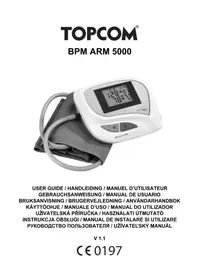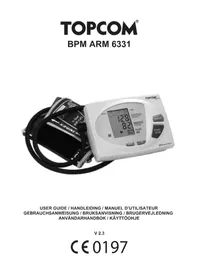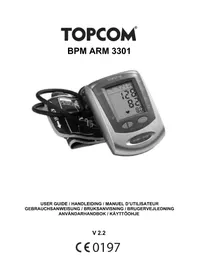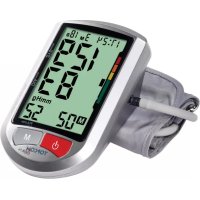
BPM ARM 5500 XLD - Blood pressure monitor TOPCOM - Free user manual and instructions
Find the device manual for free BPM ARM 5500 XLD TOPCOM in PDF.



User questions about BPM ARM 5500 XLD TOPCOM
0 question about this device. Answer the ones you know or ask your own.
Ask a new question about this device
Download the instructions for your Blood pressure monitor in PDF format for free! Find your manual BPM ARM 5500 XLD - TOPCOM and take your electronic device back in hand. On this page are published all the documents necessary for the use of your device. BPM ARM 5500 XLD by TOPCOM.
USER MANUAL BPM ARM 5500 XLD TOPCOM
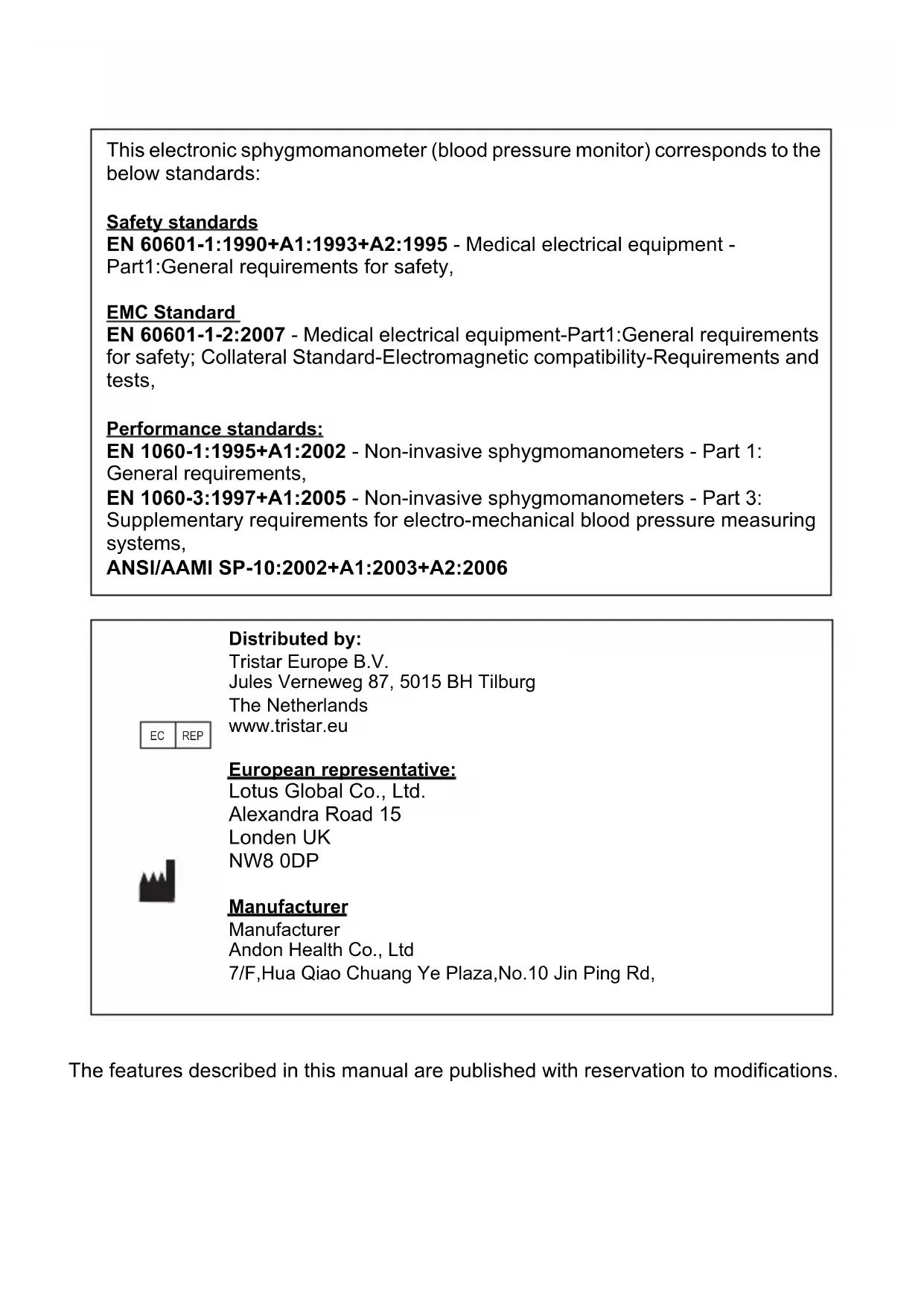
This electronic sphygmomanometer (blood pressure monitor) corresponds to the below standards:
Safety standards
EN 60601-1:1990+A1:1993+A2:1995 - Medical electrical equipment -
Part1:General requirements for safety,
EMC Standard
EN 60601-1-2:2007 - Medical electrical equipment-Part1:General requirements for safety; Collateral Standard-Electromagnetic compatibility-Requirements and tests,
Performance standards:
EN 1060-1:1995+A1:2002 - Non-invasive sphygmomanometers - Part 1:
General requirements,
EN 1060-3:1997+A1:2005 - Non-invasive sphygmomanometers - Part 3:
Supplementary requirements for electro-mechanical blood pressure measuring systems,
ANSI/AAMI SP-10:2002+A1:2003+A2:2006
REP
Distributed by:
Tristar Europe B.V.
Jules Verneweg 87, 5015 BH Tilburg
The Netherlands
www.tristar.eu

European representative:
Lotus Global Co., Ltd.
Alexandra Road 15
Londen UK
NW8 0DP
Manufacturer
Manufacturer
Andon Health Co., Ltd
7/F,Hua Qiao Chuang Ye Plaza,No.10 Jin Ping Rd,
The features described in this manual are published with reservation to modifications.
1 Introduction
Congratulations with your purchase of the Topcom BPM Arm 5500 XLD. This fully automatic, Arm mounted blood pressure monitor is both easy to use and ideally suited for daily measurements. The large display includes systolic, diastolic and pulse, all clearly shown at the completion of each reading.
In addition, you can store up to 30 measurements per Memory Zone, ideal for users who want to monitor and track their blood pressure on a regular basis. The BPM Arm 5500 XLD is compact and portable, making it ideal for home use and travel.
2 W a r n i n g s

CAUTION
This warning points out a potentially hazardous situation. Injuries and/or material damage may result if the hazardous situation cannot be avoided.

This symbol points out information that makes it easier to use the equipment.
3 Safety instructions


Please read this manual carefully before use. For specific information on your own blood pressure, contact your physician. Put the user guide away in a safe place for future reference.
- This product is for household use only. It is not intended as a substitute for consultation with your doctor.
- For users diagnosed with common arrhythmia (atrial or ventricular premature beats or atrial fibrillation), diabetes, poor circulation of blood, kidney problems, or for users suffered from stroke, or for unconscious users, the device might not be suitable for use. Consult your doctor in case of any doubt.
- The unit should not be operated by children to avoid hazardous situations.
- The unit contains high-precision assemblies. Therefore, avoid extreme temperatures, humidity and direct sunlight. Avoid dropping or strongly shocking the main unit, and protect it from dust.
- Leaking batteries can damage the unit. Remove the batteries when the unit is not used for a long time.
- Do not press the start/stop button when one cuff is not placed around the arm.
- Do not disassemble the main unit or cuff.
- If the unit is stored in a cold place, allow it to acclimatize at room temperature before use.
- Clean the blood pressure monitor body and the cuff carefully with a slightly damp, soft cloth. Do not press. Do not bend the preformed cuff inside out. Do not wash the
cuff or use chemical cleaner on it. Never use thinner, alcohol or petrol (gasoline) as cleaner.
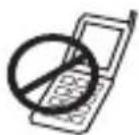
To avoid inaccurate results caused by electromagnetic interference between electrical and electronic equipments, do not use the device near a cell phone or microwave oven.
4 Blood pressure
4.1 What is blood pressure?
Blood pressure is the pressure exerted on the artery tube while blood flows through the arteries. The pressure measured when the heart contracts and sends blood out of the heart is systolic (highest). The pressure measured when the heart dilates with blood flowing back into the heart is called diastolic (lowest) blood pressure.
4.2 Why measure your blood pressure?
Among the various health problems afflicting modern people, problems associated with high blood pressure are by far the most common. High blood pressure's dangerously strong correlation with cardiovascular diseases and high morbidity has made measuring blood pressures a necessity of identifying those at risk.
4.3 Blood pressure standard
The World Health Organization (WHO) and National High Blood Pressure Education Program has developed a Blood pressure standard, according to which areas of low and high-risk blood pressure are identified. This standard however, is a general guideline as individual's blood pressure varies among different people and different groups...etc.
The WHO classification indicator 12n your BPM Arm 5500 XLD will indicate the blood pressure class together with the result.
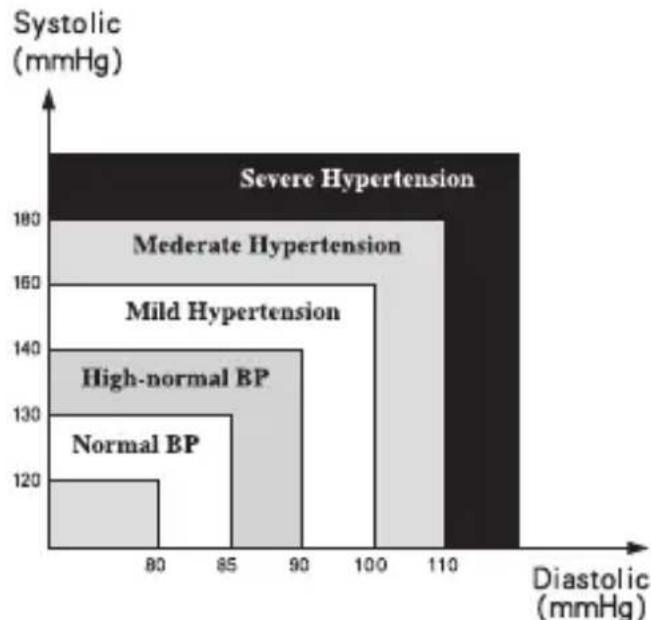
| 654321 | Blood pressure classification | Systolic (mmHg) | Diastolic (mmHg) | Color indication |
| Stage 3 Hypertension >180 | >110 Red | |||
| Stage 2 Hypertension 160- | 179 100-109 Orange | |||
| Stage 1 Hypertension 140- | 159 90-99 Yellow | |||
| High - Normal 130-139 85- | 89 Green | |||
| Normal 120-129 80-84 Green | ||||
| Optimal <120 <80 Green |
It is important that you consult your physician regularly. Your physician will tell you your normal blood pressure range as well as the point at which you will be considered at risk.
4.4 Blood pressure fluctuation
Blood pressure fluctuates all the time!
You should not be worried if you encountered two or three measurements at high levels.
Blood pressure changes over the month and even throughout the day depending on circumstances (state of mind, temperature, ...)
5 Battery installation
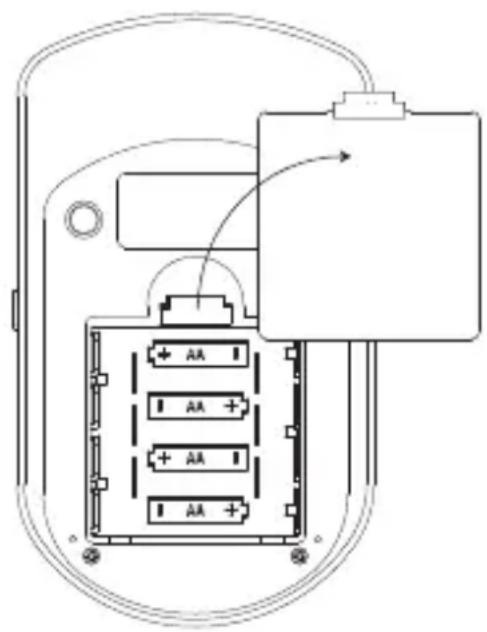
- Open the battery compartment by pulling the cover away on the bottom of the unit.
- Insert 4 AA non - rechargeable batteries. Follow the polarity as indicated in the battery compartment.

Do not short-circuit & dispose of in fire. Remove the battery if this device is not going to be used for a long period.
When the batteries are low, is displayed. Low batteries must be replaced.
6 Power adapter
The BPM Arm 5500 XLD can operate on batteries or on the enclosed adapter (DC 6V).
- Connect the power adapter jack with the power adapter connector on the right side of the unit 4
- Plug the power adapter into the wall socket.
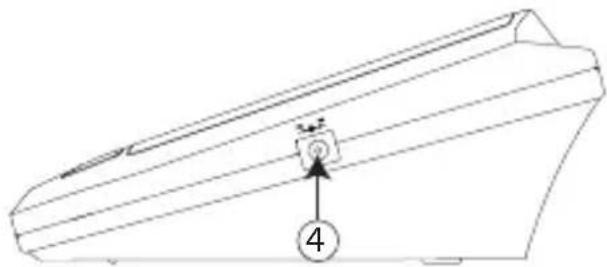

Only use the enclosed power adapter
7 Buttons
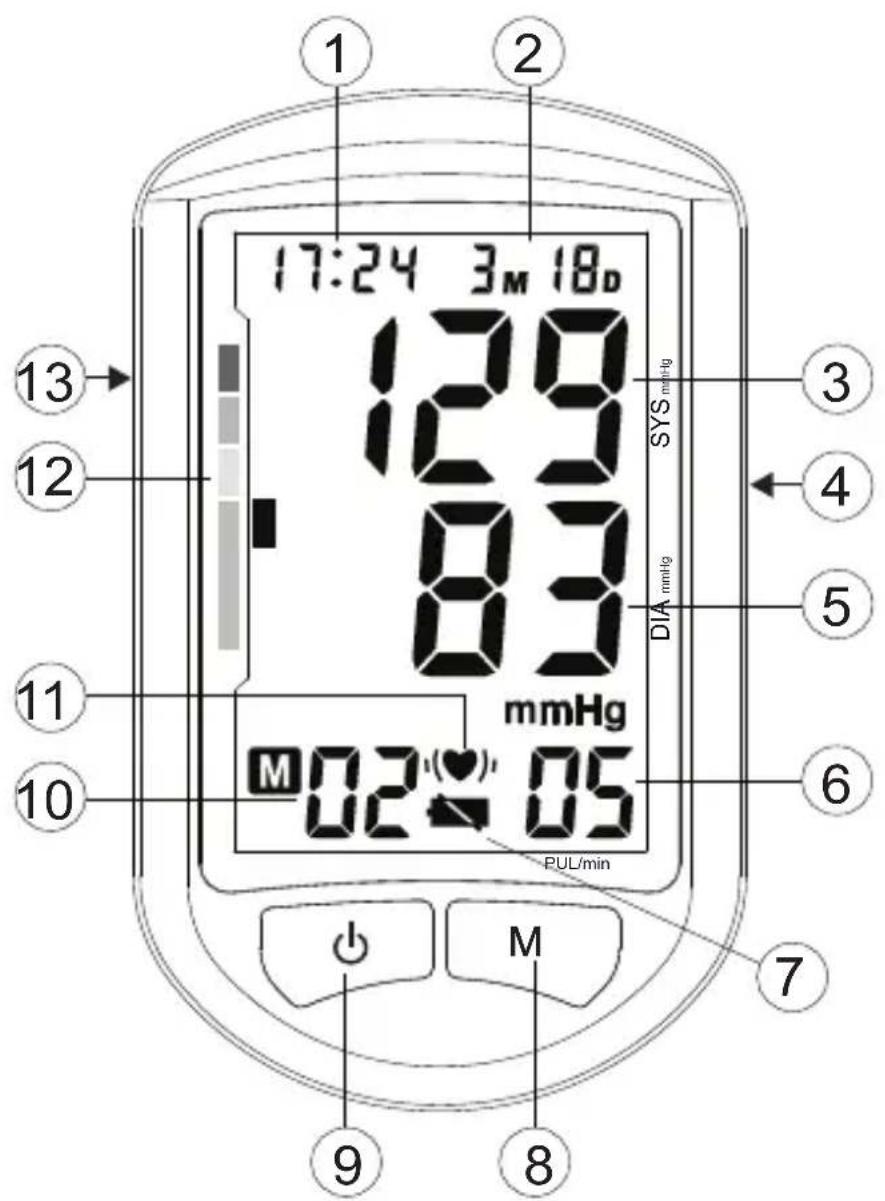
- Time
- Date
- Systolic pressure
- Power adapter connector
- Diastolic pressure
- Heart rate
-
Battery low icon
-
Memory button
- Start/stop button
- Memory location
- Irregular heartbeat icon
- WHO classification indication
- Arm cuff connector
8 Applying the cuff

- Remove all watches, jewelry, etc. prior to attaching the cuff. Clothing sleeves should be rolled up.
- Press your brachial artery by two fingers approximately 2,5 cm above the elbow on the inside of your left arm to determine where your strongest pulse is.
- Slide the end of arm cuff furthest from the tube through the metal ring to a loop. The smooth cloth should be on the inside of the cuff. The Velcro will be on the outside of the cuff.
- Put the left arm through the cuff loop. The bottom of the cuff should be approx. 1,5 cm above the elbow. The cuff tube should lie over the brachial artery on the inside of the arm.
- Pull the cuff so that the top and bottom edges are tightened around your arm.
- When the cuff is positioned properly, press the Velcro firmly against the pile side of the cuff. The metal ring will not touch your skin.
- Relax your entire body, especially the area between your elbow and fingers. Place your elbow on a table so that the cuff is at the same level as your heart. Avoid leaning back while the measurements being taken.
9 Measurement
9.1 Important tips
- This monitor automatically switches off 1 minute after the last key operation.
- To interrupt the measurement, simply press any key. The cuff will deflate immediately after a key is pressed.
- Do not measure your blood pressure immediately after consuming a large meal. To obtain more accurate readings, please wait one hour before measuring.
- Do not smoke or drink alcohol before measuring your blood pressure.
- You should not be physically tired or exhausted while taking a measurement.
- It is important that you relax during measurement. Try to take 15-minutes rest before a reading.
- Do not take measurements if you are under stress or under tension.
- Take your blood pressure at normal body temperature. If you are feeling cold or hot, wait a while before taking a measurement.
- If the monitor is stored at very low temperature (near freezing), have it placed at a warm location for at least one hour before using it.
- Wait about 5 minutes before taking the next pressure measurement.
- During the measurement, do not talk or move your arm or hand muscles.
9.2 Procedure
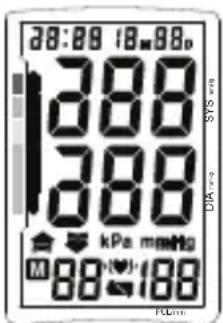
- Press the start/stop button to act gate the device. All segments will be displayed.
- Once the actual Memory zone is displayed (U1-3), press the memory button Mo8elect the desired memory zone.
- If no button is pressed within 5 seconds, the measurement will start automatically.
- The display will show the last measurement result before inflating the cuff to the level that is right for you.
- When the right level is reached, the cuff will deflate. This monitor will re-inflate automatically to approximately 220mmHg if the system detects that your body needs more pressure to measure your blood pressure.
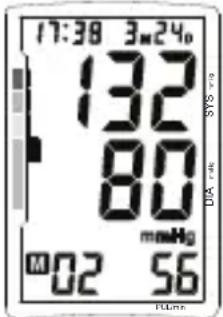
- When the measurement is completed, systolic, diastolic and pulse will be shown simultaneously on the LCD screen.
- The blood pressure classification indicator will be displayed.
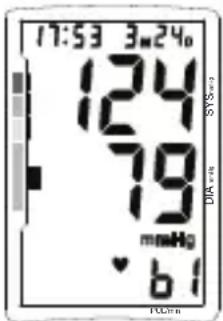
- When an irregular heartbeat is detected, ' ' is displayed.
- When a mistake was detected during measurement an error 'Er' message is displayed (see "11 Troubleshoot").
- Press the start/stop button to turn the unit off.
10 Memory
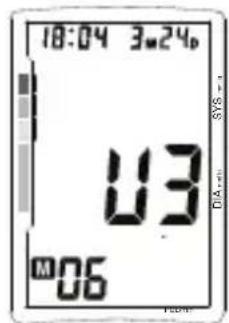
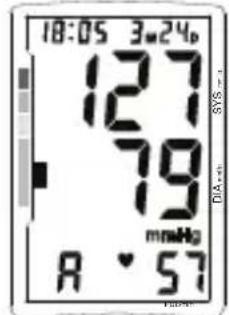
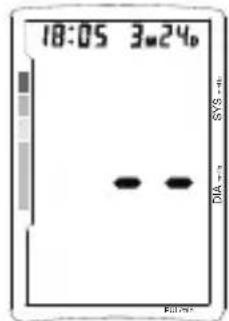
The BPM Arm 5500 XLD has 3 Memory zones. Each can store up to 30 measurements including the date and time. The result will be stored automatically in the selected Memory Zone after the measurement.
Select the desired Memory Zone before measurement after pressing the start/stop button
To recall measurement results: When the clock is displayed,
- Press the memory button to prevent memory mode.
- Press the start/stop button select the desired memory zone. The number of stored measurement results is display.
- Press the memory button. The average of all results in the selected memory zone will be displayed for 3 seconds before displaying the last measurement result.
- Press the memory button repeatedly for prior values stored.
- After the oldest record is displayed, the unit will switch back to normal time.
To erase all data from one memory zone:
- Press the memory button to prevent memory mode.
- Press the start/stop button to select the desired memory zone.
- When the last measurements result is displayed, press and hold the memory button Mf08 seconds to erase all records from the selected memory zone.
10.1 Time adjustment

To adjust the date an time:
- Press the start/stop and mory button simultaneously. The month will blink on the display.
- Press the memory button successively to change the month.
- Press the start/stop button to confirm the month. The day will blink on the display.
- Change the day, hours and minutes as described above, using the memory button Mto change and the start/stop button to 9 nfirm every setting.
After setting the minutes, the device is ready to use.
11 Troubleshoot
| Error message on display | Reason Solution | |
| 7 | Batteries low Change the batteries | |
| Er0 Pressure system is unstable before measurement. | Don't move and try again. | |
| Er1 Systolic pressure detect fail | ||
| Er2 Diastolic pressure detect fail | ||
| Er3 Pneumatic system blocked or cuff is too tight during inflation | Place the cuff correctly and try again. | |
| Er4 Pneumatic system leakage or cuff is too loose during inflation | ||
| Er5 Inflation above 300mmHg | Measure again after 5 minutes. If the monitor is still abnormal, please contact the local distributor or the factory. | |
| Er6 Over 3 minutes while pressure above 15 mmHg | ||
| Er7 EEPROM accessing error | ||
| Er8 Device parameter check error | ||
| Er9 MCU self-verify error | ||
| ErA Span error: pressure sensor parameter error | ||
12 Technical specifications
| Model No. | KD-5031 |
| Measurement | Oscillometric |
| Inflation | Automatic inflation with pump |
| Memory capacity | 3 Memory zones for each 30 memories with date and time |
| Range | Pressure: 0 ~ 295 mmHg |
| Pulse rate: 40 ~ 180 beats/min | |
| Accuracy | Pressure: within ± 3 mmHg |
| Pulse rate: within ± 5% of reading | |
| Power Supply | 4 X "AA" Alkaline batteries (6 V) or 6V DC power adapter |
| Auto Power Off | 1 minute after last key operation |
| Operating Temperature | +5°C to +40°C |
| Operation Humidity | < 85% RH |
| Storage Temperature | -20°C to +55°C |
| Storage Humidity | < 95% RH |
| Weight (exclude batteries) | Approximately 300g (without batteries) |
| External Dimensions | 165(L) x 96(W) x 65(H) mm |
| Cuff size | 520mm x 140mm |
| Limited patient | Over 18 years old |
| Classification | • Internally powered equipment • Class II • Classification of type BF • IPX0 • Not suitable for use in presence of flammable anaesthetic mixture with air or with oxygen or nitrous oxide • Continuous operation with short-time loading |
*Specifications are subject to change without notice.
13 Disposal of the device
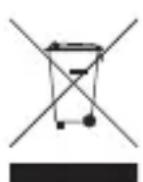
At the end of the product lifecycle, you should not throw this product into the normal household garbage but bring the product to a collection point for the recycling of electrical and electronic equipments. The symbol on the product, user guide and/or box indicate this.
Some of the product materials can be re-used if you bring them to a recycling
point. By re-using some parts or raw materials from used products you make an important contribution to the protection of the environment. Please contact your local authorities in case you need more information on the collection points in your area.
14 Topcom Warranty
14.1 Warranty period
The Topcom units have a 24-month warranty period. The warranty period starts on the day the new unit is purchased. There is no warranty on standard or rechargeable batteries (AA/AAA type).
Consumables or defects causing a negligible effect on operation or value of the equipment are not covered.
The warranty has to be proven by presentation of the original or copy of the purchase receipt, on which the date of purchase and the unit-model are indicated.
14.2 Warranty exclusions
Damage or defects caused by incorrect treatment or operation and damage resulting from use of non-original parts or accessories are not covered by the warranty.
The warranty does not cover damage caused by outside factors, such as lightning, water and fire, nor any damage caused during transportation.
No warranty can be claimed if the serial number on the units has been changed, removed or rendered illegible.
Any warranty claims will be invalid if the unit has been repaired, altered or modified by the buyer.