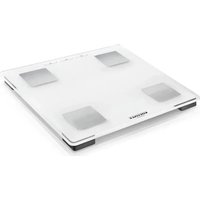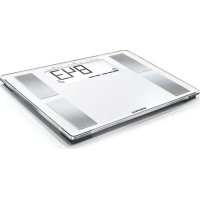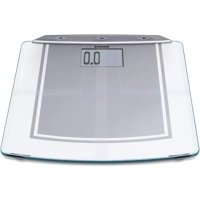
Body Balance Slim FT4 - Scale SOEHNLE - Free user manual and instructions
Find the device manual for free Body Balance Slim FT4 SOEHNLE in PDF.



| Product type | Impedance scale |
| Brand | Soehnle |
| Model | Body Balance Slim FT4 |
| Maximum capacity | 150 kg |
| Accuracy | 100 g |
| Display | Large LCD screen |
| Power supply | 4 AA batteries 1.5 V |
| Main functions | Weighing, body fat analysis, body water analysis, energy expenditure, BMI, trend curve, personal recommendation |
| Number of user profiles | 8 |
| Units of measurement | kg / lb / st, cm / in |
| Height range | 100 - 250 cm |
| Age range | 10 - 99 years |
| Activity levels | 5 levels (sedentary to very active) |
| Measurement method | Bioelectrical impedance analysis (barefoot) |
| Platform material | Safety glass, stainless steel electrodes |
| Cleaning | Damp cloth, no solvents or abrasives |
| Safety | Do not use with medical implants (pacemaker). Use on a stable, flat floor. |
| Warranty | 3 years |
Frequently Asked Questions - Body Balance Slim FT4 SOEHNLE
User questions about Body Balance Slim FT4 SOEHNLE
0 question about this device. Answer the ones you know or ask your own.
Ask a new question about this device
Download the instructions for your Scale in PDF format for free! Find your manual Body Balance Slim FT4 - SOEHNLE and take your electronic device back in hand. On this page are published all the documents necessary for the use of your device. Body Balance Slim FT4 by SOEHNLE.
USER MANUAL Body Balance Slim FT4 SOEHNLE
Body Balance Slim Design FT 4
text_image
WEIGHT FAT WATER KCAL SIABEDIENUNGSANLEITUNG
OPERATING INSTRUCTIONS
MODE D' EMPLOI
INSTRUZIONI PER L'USO
GEBRUIKSAANWIJZING
natural_image
Digital energy balance meter with digital display showing 0.0, no text or symbols on the device itselfDeutsch 3
English 25
Français 47
Italiano 69
Nederlands 91
Español 113
Poertuguês 135
Dansk 157
Svenska 179
Suomi 201
Magyar 223
Polsku 245
Česky 267
natural_image
Simple line drawing of a cylindrical container with a square lid and two circular ports (no text or symbols)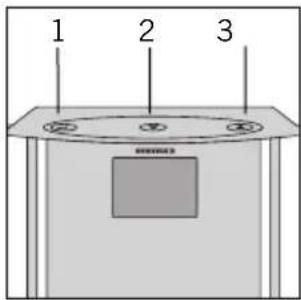
text_image
1 2 3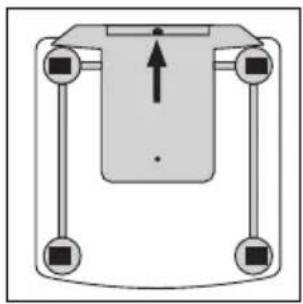
natural_image
Pure mechanical diagram showing a central component with four arms and a central arrow, no text or symbols present.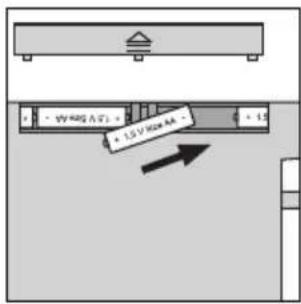
text_image
• 1.5 V BOX AA • 1.5 V BOX AA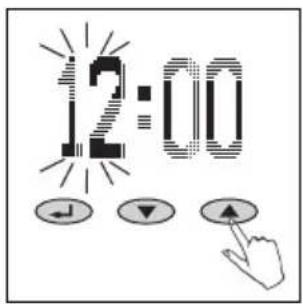
text_image
12:00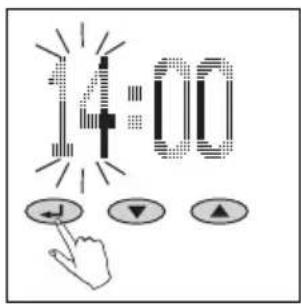
text_image
14:00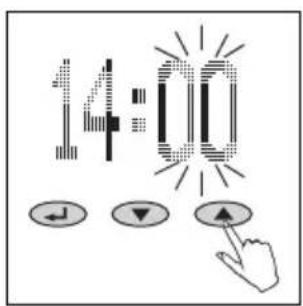
text_image
14:00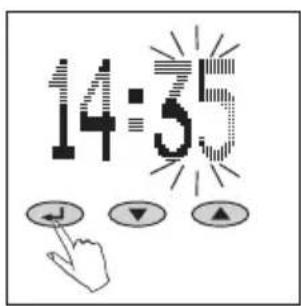
text_image
14:5Bedienelemente
natural_image
Simple diagram of a horizontal bar on a gray base, no text or symbols present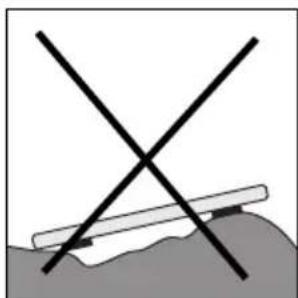
natural_image
Simple line drawing of a cross over a shaded ground surface with a diagonal line crossing through it (no text or symbols)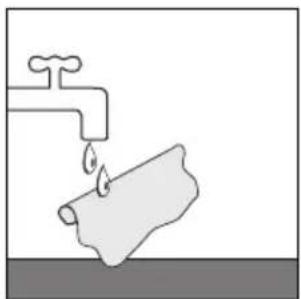
natural_image
Simple line drawing of a faucet with a pipe and water drop (no text or symbols)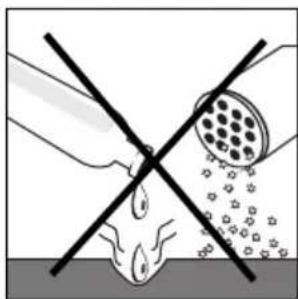
natural_image
Diagram showing a cross-shaped object with liquid and particles, intersected by two diagonal lines (no text or symbols)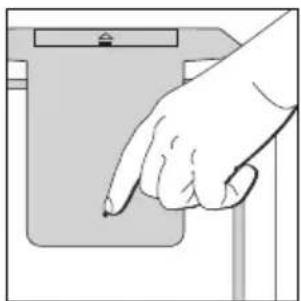
natural_image
Hand pointing at a device component (no text or symbols visible)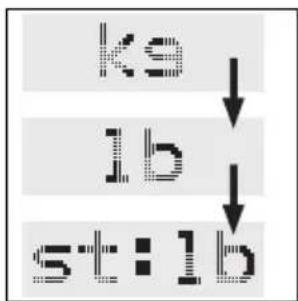
flowchart
graph TD
    A["ks"] --> B["lb"]
    B --> C["st:lb"]
2.
text_image
NEW ↓ ▼ ▲3.
text_image
P4 ↓ ▼ ▲4.
text_image
HT HgGm5.
text_image
R Z6.
text_image
FCT J ▼ ▲Dateneingabe
text_image
OVER- LOAD3.
text_image
ERROR4.
natural_image
Simple geometric L-shape with no text or symbols4.
text_image
HRepeat Entry of Personal Data (TEACH) 33
Recall of Analysis Value (STATE) 34
Changing Personal Data (SET) 35
Delete Personal Data (DEL) 36
Trend Curve 37
Individual Recommendation 38
Important Information 42
Factors Influencing Maesurement Readings 43
Technical Specifications 43
Disposal of Old Electrical and Electronic
Equipment 44
Messages 44
Disposal of Spent Batteries 44
Consumer service 45
Compliance Declaration 45
Warranty 45
Thank you for purchasing the Soehnle Body Analysis Scale.
This brand-name product will aid you in the evaluation of your body condition.
Please read this user manual prior to operating your body analysis scale and familiarize yourself with the device.
Please retain these user instructions so as to have this information on hand whenever it is needed.
Important information
Whether you would like to reduce your body weight because you are overweight or increase it if you are underweight, please contact a physician. Every treatment and diet programs require the advice of a physician.
Recommendations for fitness programs or diets based on calculated values should be obtained from a physician or other qualified person.
SOEHNLE is not liable for any damages or losses caused by the use of Body Balance or for Third Party claims.
This product is intended only for private use by the consumer. It is not suitable for professional operation in hospitals or medical institutions.
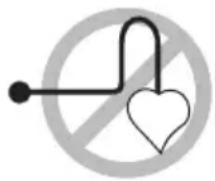
It is not suitable for persons with electronic implants (pace maker, etc.)
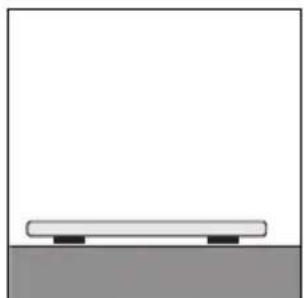
Only operate this body analysis scale on sturdy, level surfaces (tile, hardwood floor, etc.).
Carpets could cause erroneous measurements.
Weight is not everything - it all depends on the right body analyses
In the past, a person's absolute weight was the determining factor for evaluating one's body. But today, we know that it's all about the "composition". Evolution formed mankind as a living creature, which had to be very active while sustaining itself on a sparse diet.
"Modern" men and women, however, do the exact opposite: Sparse activity and a plentiful diet, often a "bad" diet. The consequences are known to all of us. Many diseases of civilization could be avoided if only we could program ourselves to maintain a healthy lifestyle.
Usually, we weigh too much because we have too much body fat! This means: If you want to loose weight, increase your muscle mass. During times when food is sparse (= diet), the human body reacts with an "emergency program":
Before using up its fat reserves, it uses muscle mass. And vice versa, when normal nutrition is resumed, it first adds further fat reserves, which results in the much feared "yoyo" effect.
With simultaneous muscle and fitness training you will be able to balance your weight, body fat and muscle mass.
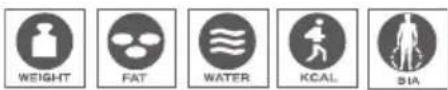
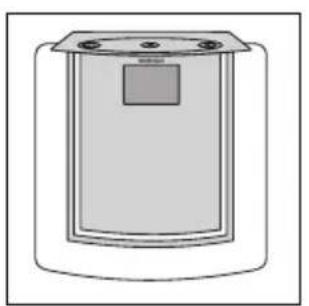
The Body Balance will be a decisive contribution to your health. This electronic body analysis scale features the following functions:
The Body Balance will determine your condition in regard to body fat and body water content, energy consumption and weight based on your personal data and the recommendations of health and body composition experts.
An individual evaluation of the analysis results with personal recommendations will be performed.
Display of a trend curve of body fat or body water content, energy consumption or weight, in daily, weekly or monthly steps and the respective average range.
Memory slots for 8 persons and automatic recognition of persons.
natural_image
Simple line drawing of a cylindrical container with a square top and side handles (no text or symbols)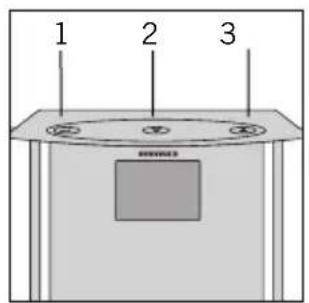
text_image
1 2 3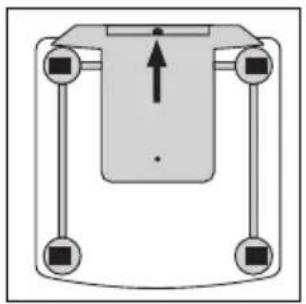
natural_image
Pure diagram of a mechanical or electrical component with four vertical supports and a central downward arrow (no text or symbols)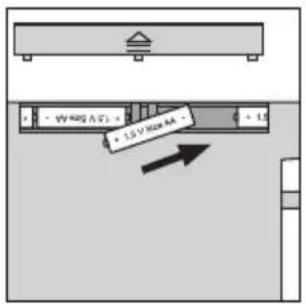
text_image
3.5 V Max 8A + 1.5 V Max 8A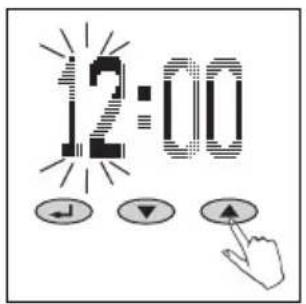
text_image
12:00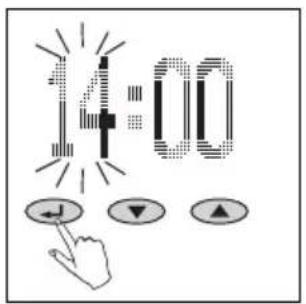
text_image
14:00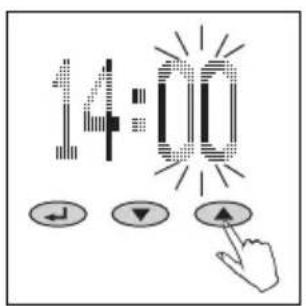
text_image
14:00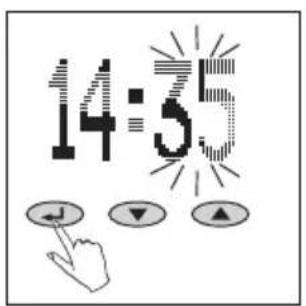
text_image
14:55Operating Elements
- Confirm ( )
- Minus (▼)
- Plus (▲)
Preparation
- Insert batteries.
The time settings mode will open automatically. - Time: SET hours (▼ = minus, ▲ = plus) and confirm ().
- Time: SET minutes (▼ = minus, ▲ = plus) and confirm ( ).
Note:
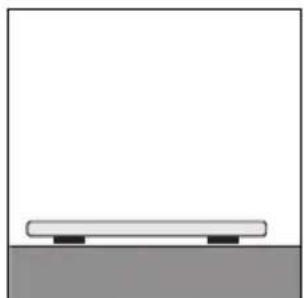
Immediately after inserting the batteries and setting the time (while "0.0" is still being displayed), place the body analysis scale on a level surface and wait until the scale powers down automatically. Then begin with data entry. Otherwise, it might be possible that the weight of the scale would erroneously be added to the initial weighting process. The same might occur if the scale is held in the hand prior to the weighing process.
- For all measurements: place scale level on a hard surface (not carpet).
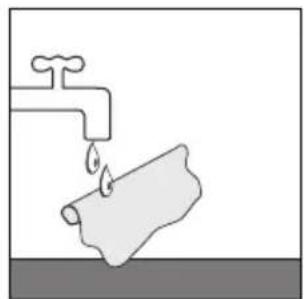
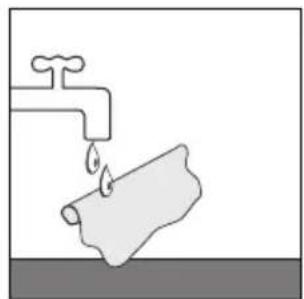
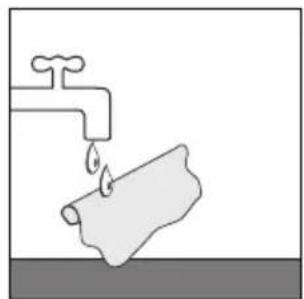
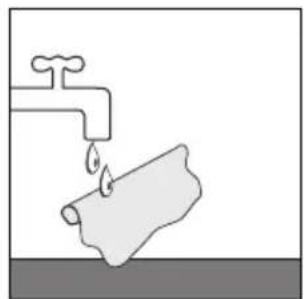
- Cleaning and care: clean only using slightly damp cloth. Do not use solvents or abrasives. Never submerge scale in water.
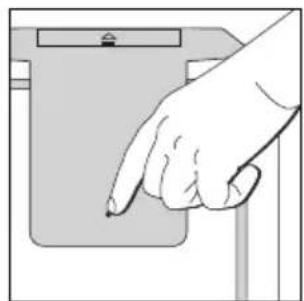
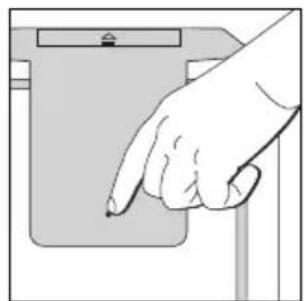
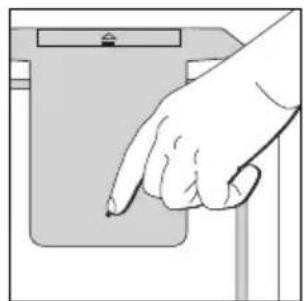
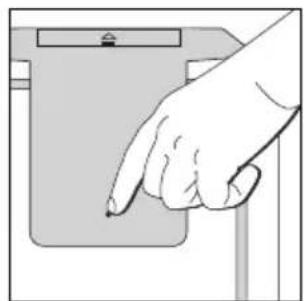
- A country-specific option to switch from kg/cm to lb/in or st/in is possible by pushing the key on the bottom of the scale.
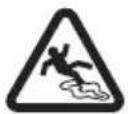
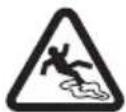
Attention! Slipping hazard if surface is wet.
natural_image
Simple diagram of a horizontal bar on a gray base, no text or symbols present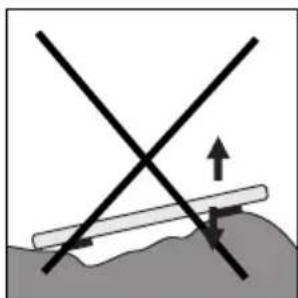
natural_image
Diagram showing two intersecting lines with an upward arrow and directional arrows, no text or symbols present.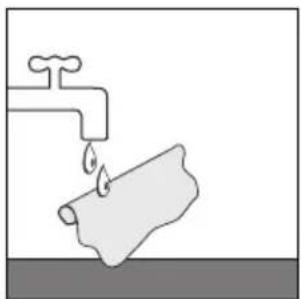
natural_image
Simple line drawing of a faucet with a pipe and water drop (no text or symbols)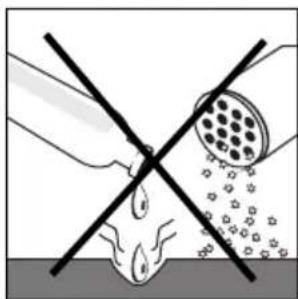
natural_image
Diagram showing a hand holding a tool intersecting with a droplet on a surface, with no text or symbols present.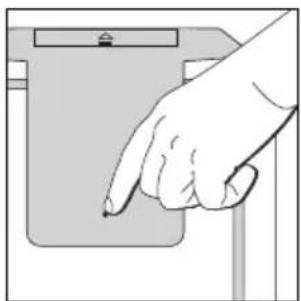
natural_image
Hand pointing at a device component (no text or symbols visible)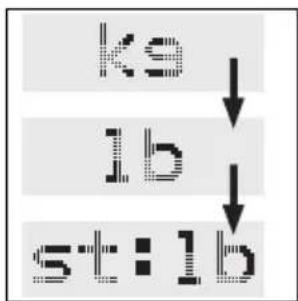
flowchart
graph TD
    A["ks"] --> B["lb"]
    B --> C["st:lb"]
2.
text_image
NEW ↓ ▼ ▲3.
text_image
P4 ↓ ▼ ▲4.
text_image
HT H ←→ ▼ ▲5.
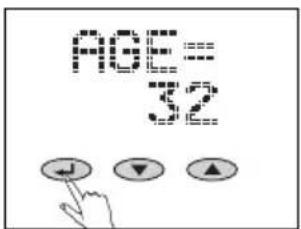
text_image
F F26.
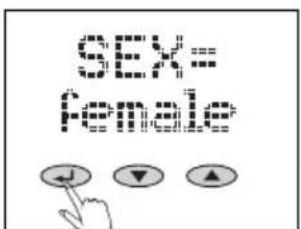
text_image
Scanned image showing a pixelated text input and three control buttons with directional arrows below, likely from a software interface.7.
text_image
FCT J ▼ ▲Teaching
It is necessary to enter personal data for each corresponding person and to step on the scale with bare feet immediately after data entry to ensure correct functionality of this body analysis scale.
- Place scale on a table for programming.
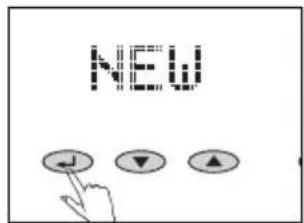
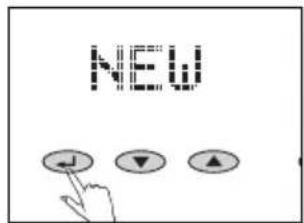
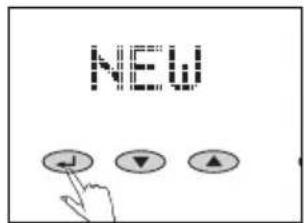
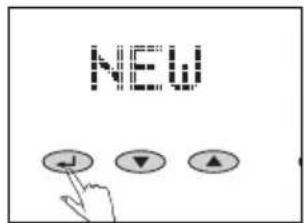
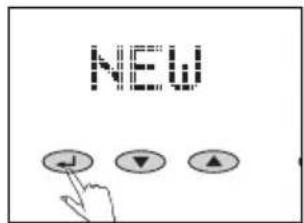
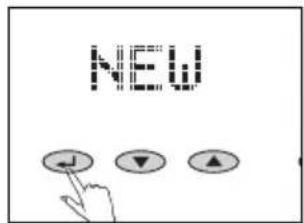
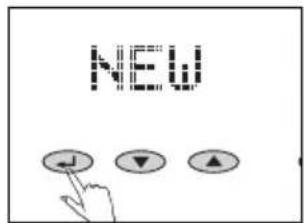
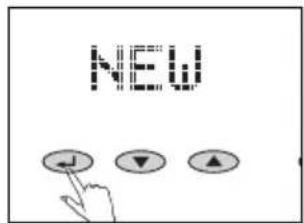
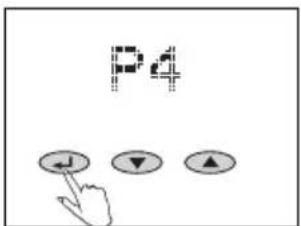
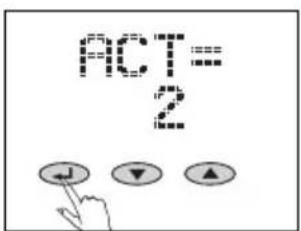
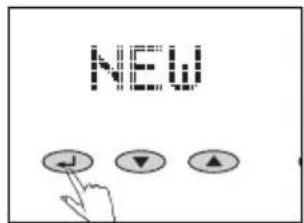
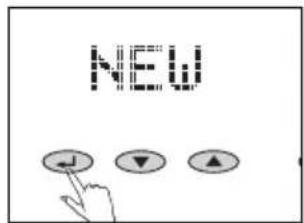
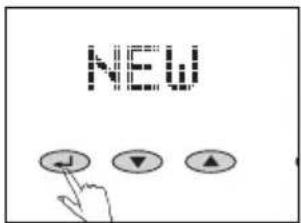
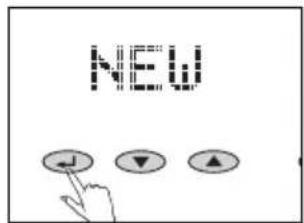
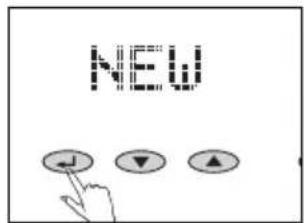
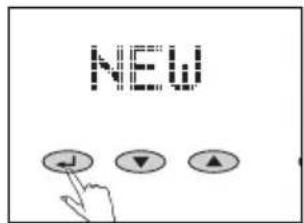
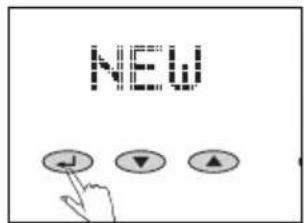
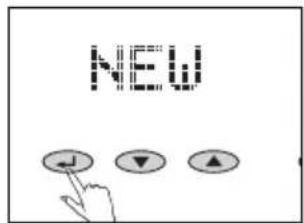
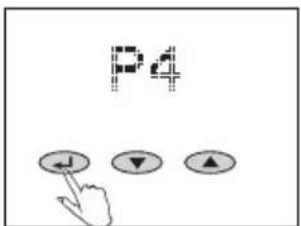
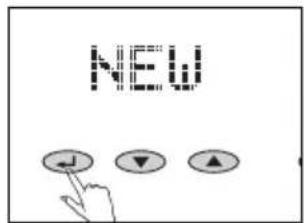
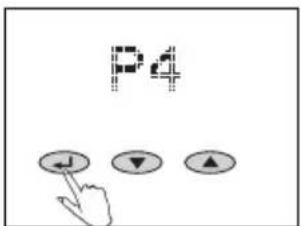
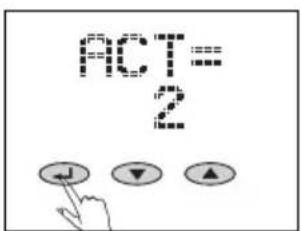
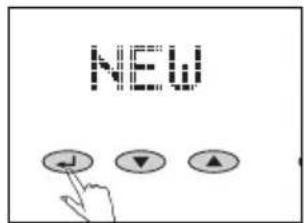
- Start data entry ( ) and select "NEW" using keys "▼" and "▲". Confirm using ( ).
-
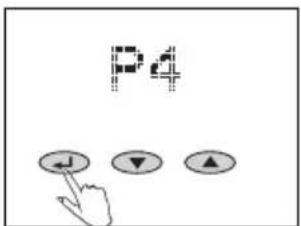
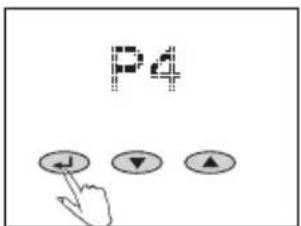
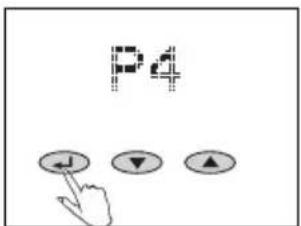
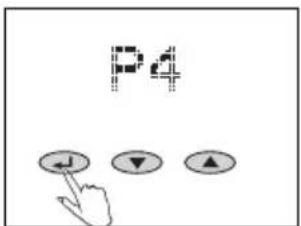
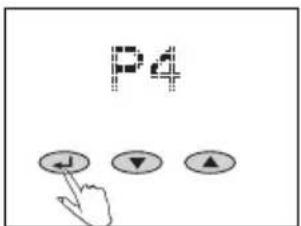
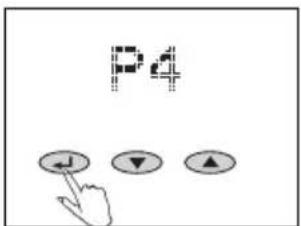
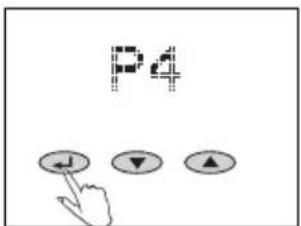
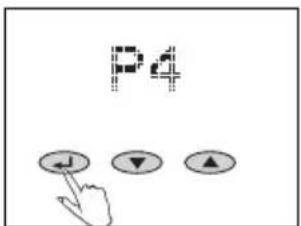
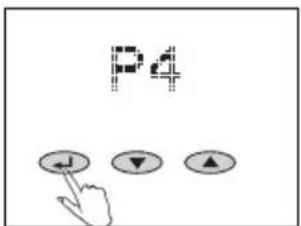
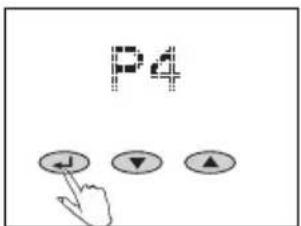
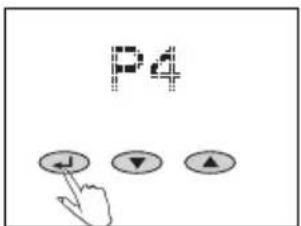
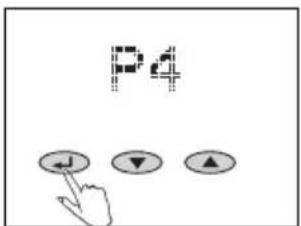
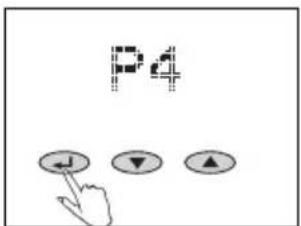
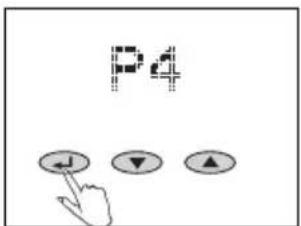
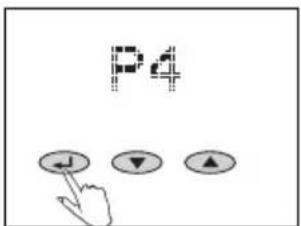
Memory location (P1 ... P8) select (▼= minus, ▲ = plus) and confirm ( ).
-
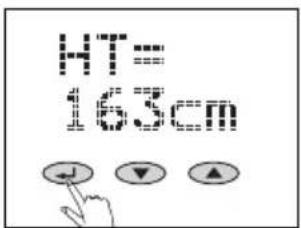
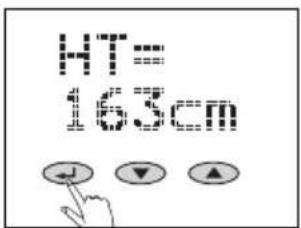
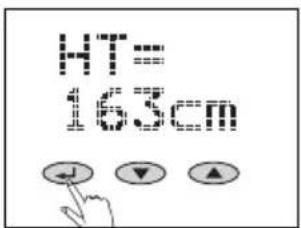
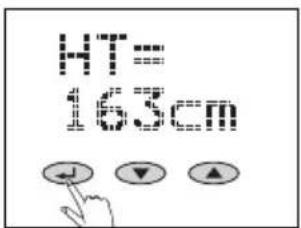
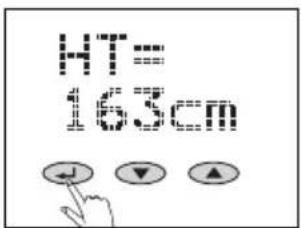
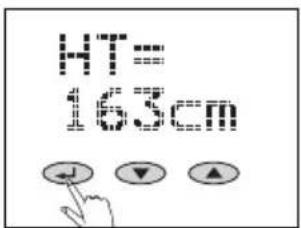
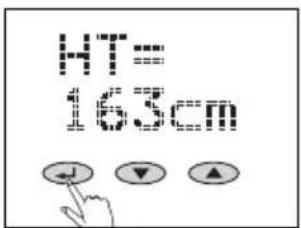
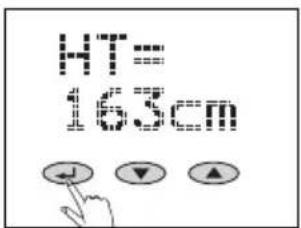
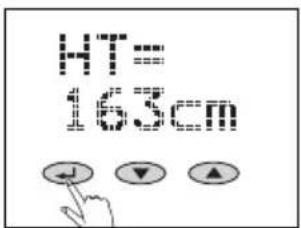
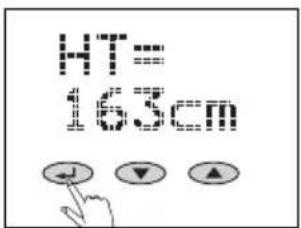
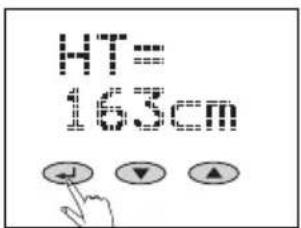
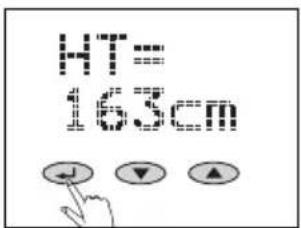
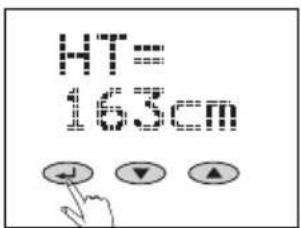
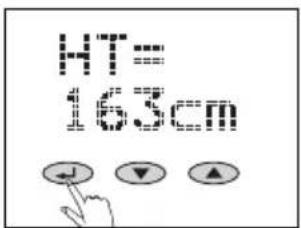
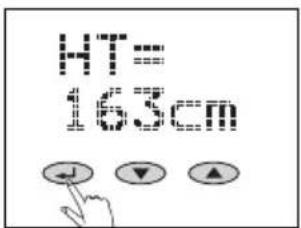
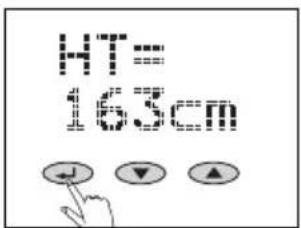
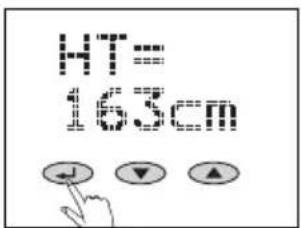
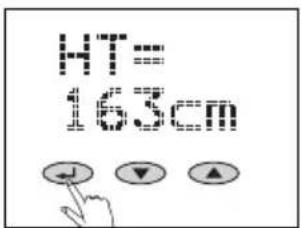
Enter your height (▼= minus, ▲ = plus) and confirm ( ).
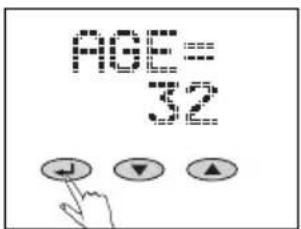
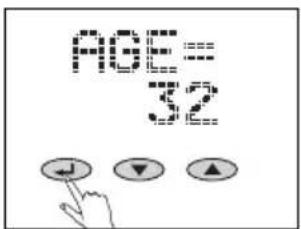
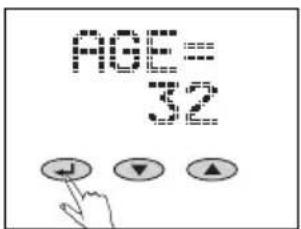
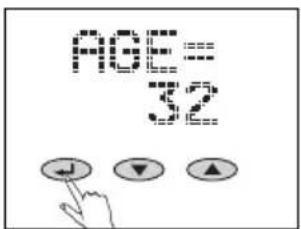
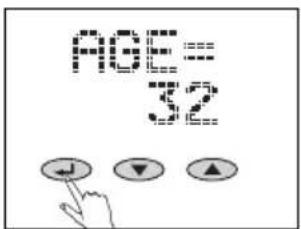
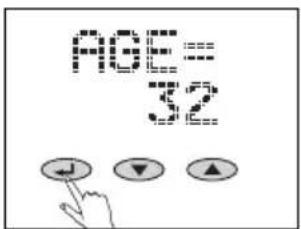
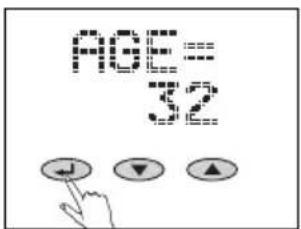
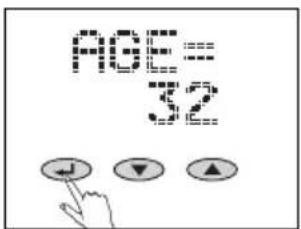
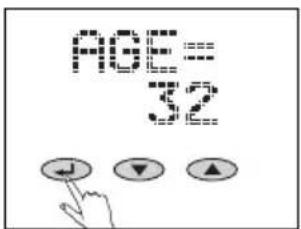
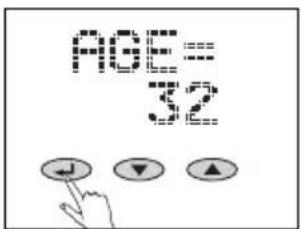
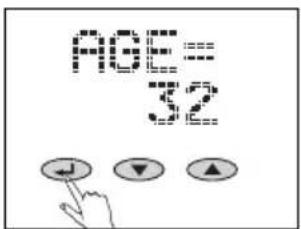
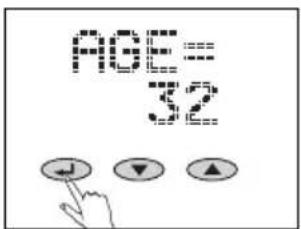
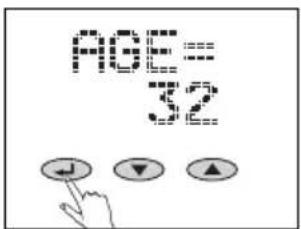
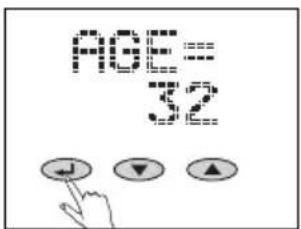
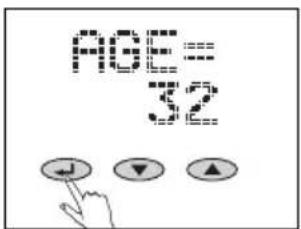
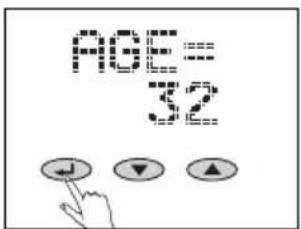
- Enter your age (▼= minus, ▲ = plus) and confirm ( ).
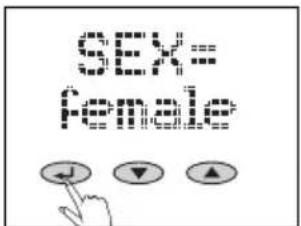
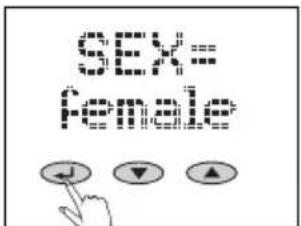
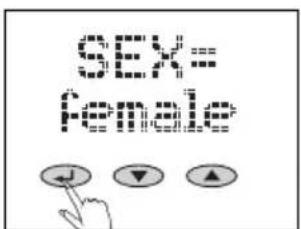
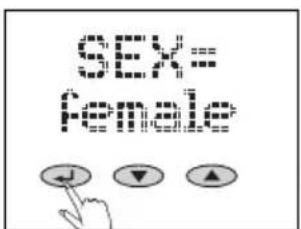
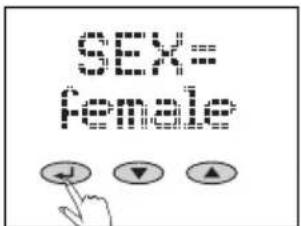
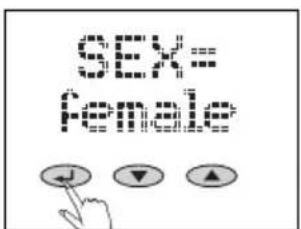
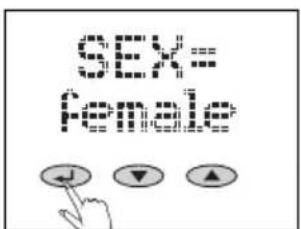
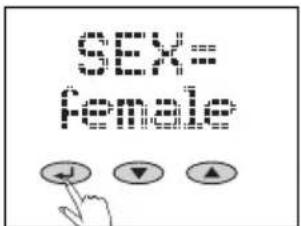
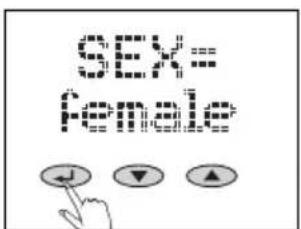
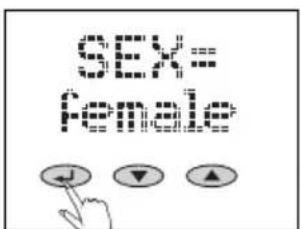
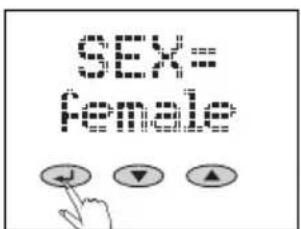
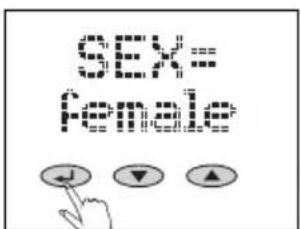
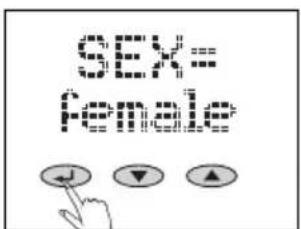
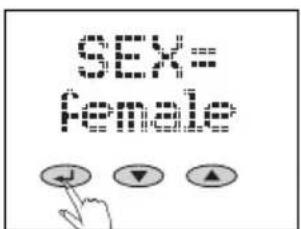
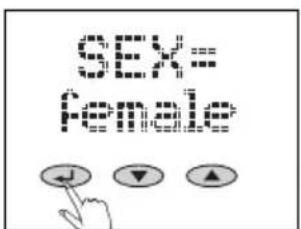
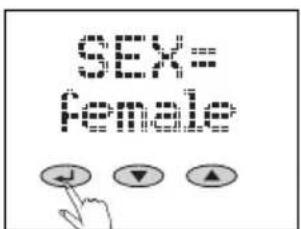
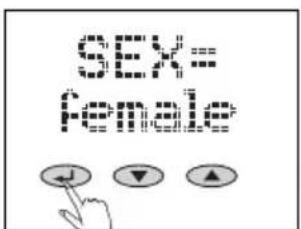
- Input your gender (▼ = male, ▲ = female) and confirm ( ).
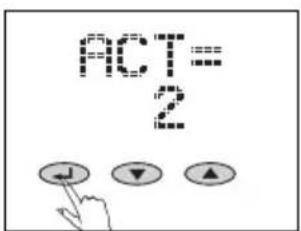
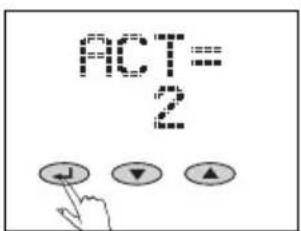
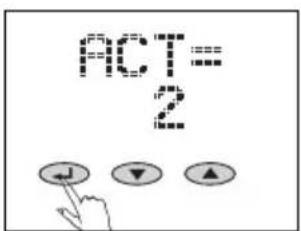
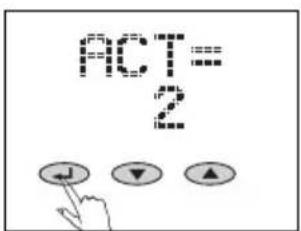
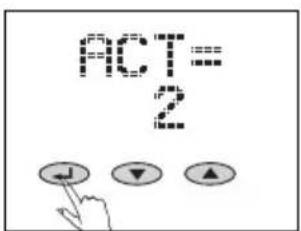
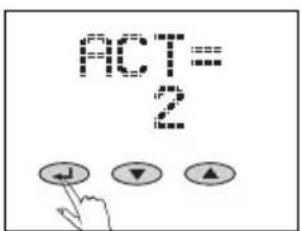
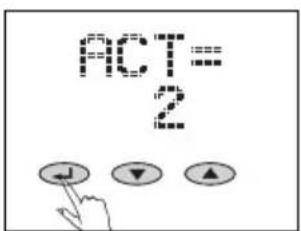
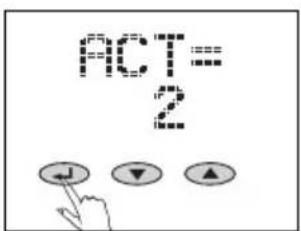
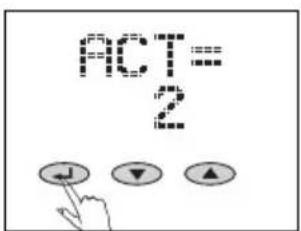
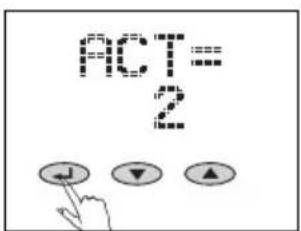
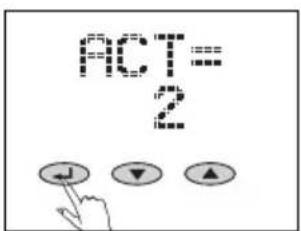
- Select desired value for the degree of activity ( = minus, = plus). This value is essential to determine energy requirement.
Activity level
| 1 Little physical activity | Stand or move for max. 2 hours/day | |
| 2 | Mild activity, either sitting or standing | |
| 3 | Work in house and garden, chiefly standing up, occasionally seated | |
| 4 | Athletes and persons with a lot of physical activity | Min. 5 h/week of intensive training |
| 5 | Competitive athlete, worker with heavy physical activity | Min.10 h/week of intensive training |
-
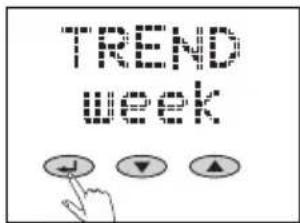
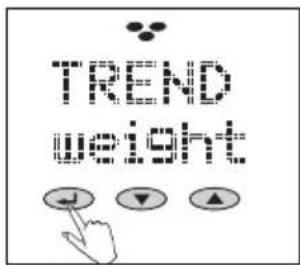
Enter desired time period for trend display (day, week, months) (▼ = minus, ▲ = plus) and confirm ( ). We recommend to initially use a daily trend curve. Otherwise, the initial measurement value won't be displayed in the trend curve until one week or one month has passed.
-
Set desired body value (body weight, body fat/body water content, energy consumption) to be displayed as a trend curve ( = minus , = plus ) and confirm using ( ).
-
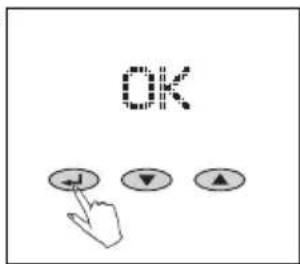
Confirm "OK" using (←).
Following this, immediately place the body analysis scale on the floor, wait until the screen displays "0.0" and then step on the scale with bare feet.
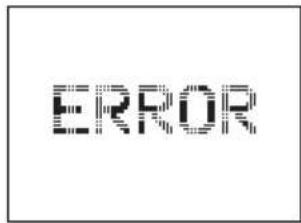
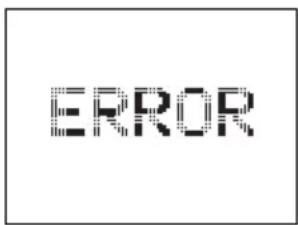
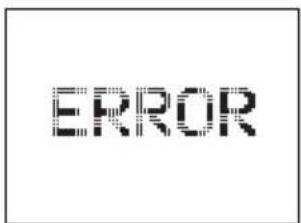
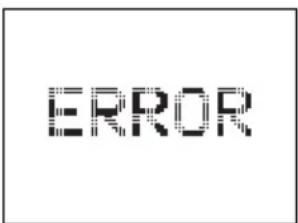
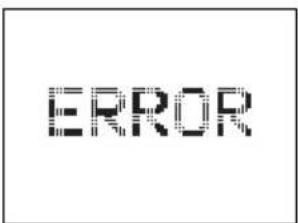
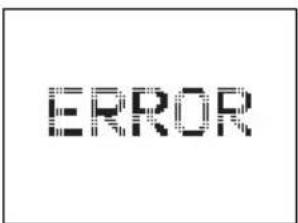
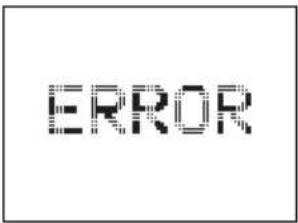
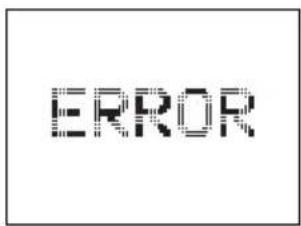
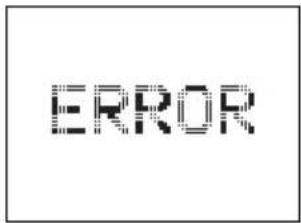
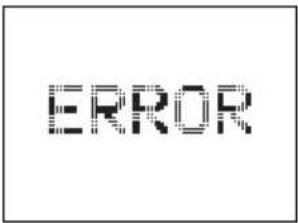
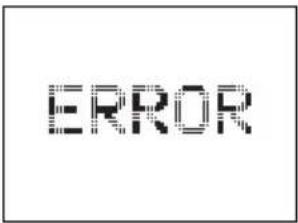
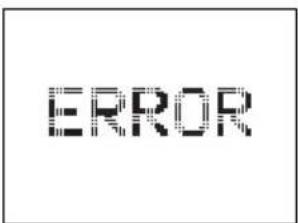
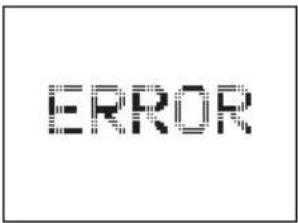
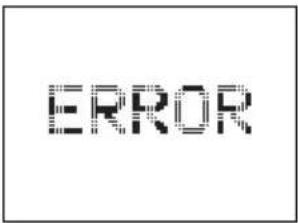
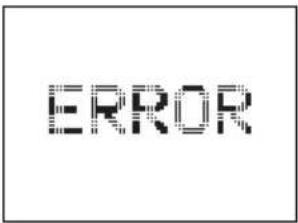
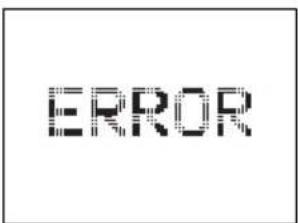
The initial measurement is indispensable and serves to store the data and to automatically recognize persons at a later time. If no person steps on the scale, the screen will display "ERROR" and data entry must be repeated.
The first body analysis is performed after a person steps on the scale.
This scale is equipped with a Time-Out mode. It will automatically switch off after approx. 40 seconds if no keys are pressed.
The data will remain stored even if the batteries are replaced.
8.
text_image
T1 T29.
text_image
TREND WEIGHT10.
text_image
OK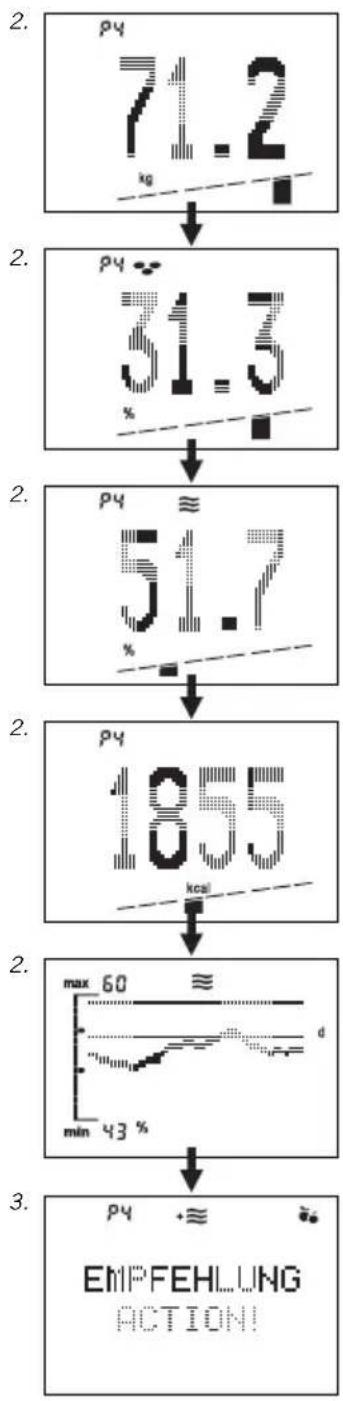
flowchart
graph TD
    A["7.2 kg"] --> B["31.5 %"]
    B --> C["51.7 %"]
    C --> D["1055 kcal"]
    D --> E["max 60 min 43 %"]
    E --> F["EMPFEHLUNG ACTION!"]
Body Analysis
For most precise results, please step on the scale while unclothed.
- Step on scale. The weight and – for the duration of the analysis (5 to 10 seconds) - a moving bar indicator will be displayed. Please stand still until the analysis is complete.
- After automatic recognition of persons, the body weight, body fat content ( ) body water content ( ) and energy consumption (kcal) is displayed along with the corresponding status bar. The respective person's average range of values is located in the median 3 segments of the bar indicator.Interpretation of measurement values: see page 38.
- Following this, the trend curve will be displayed as selected during data entry.
- Next, your personal action recommendations are displayed.
Meaning of symbols:
- ≈ You should drink more fluids
- Muscle growth training is recommended!
Change of diet is recommended! Your analysis values are ok!
- Step away from the scale. After display of your memory slot, the scale will switch off automatically.
In rare cases it is not possible to automatically allocate the analysis results. If this occurs, the scale will alternately display the memory slots of persons coming closest to the analysis result. Since weight measurement is already completed, you may now step off the scale and use the key "▼" (for the first memory slot displayed) or "▲" (for the second memory slot displayed) to select your individual memory slot. Following this, body weight, body fat and body water content, as well as energy consumption is displayed.
In case of weight differences of more than +/- 3 kg compared to the last measurement (e.g. after a vacation), the user will not be recognized or will be allocated to a wrong memory slot. In this case, proceed as described in "Repeat Entry of Personal Data (TEACH)".
Note that you will only obtain a weight reading – and no body monitoring data – if you step on the scale with your shoes or socks on!
Repeat Entry of Personal Data (TEACH)
If the user cannot be recognized automatically or if the user is allocated to a wrong memory slot, please proceed as follows:
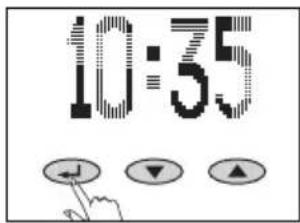
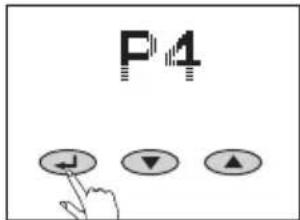
- Start data entry ( ).
- Select corresponding memory slot (P1... P8) using keys ▼/▲ and confirm using ( ).
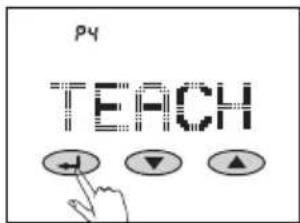
- Select "TEACH" using ▼/▲ keys and confirm using ( ).
Now, immediately place the body analysis scale on the floor, wait until the screen displays "0.0" and then step on the scale with bare feet.
The body analysis is performed after the person steps on the scale. The user is again allocated to his or her previous memory slot and will again be recognized automatically.
1.
text_image
10:552.
text_image
P43.
text_image
py TEACH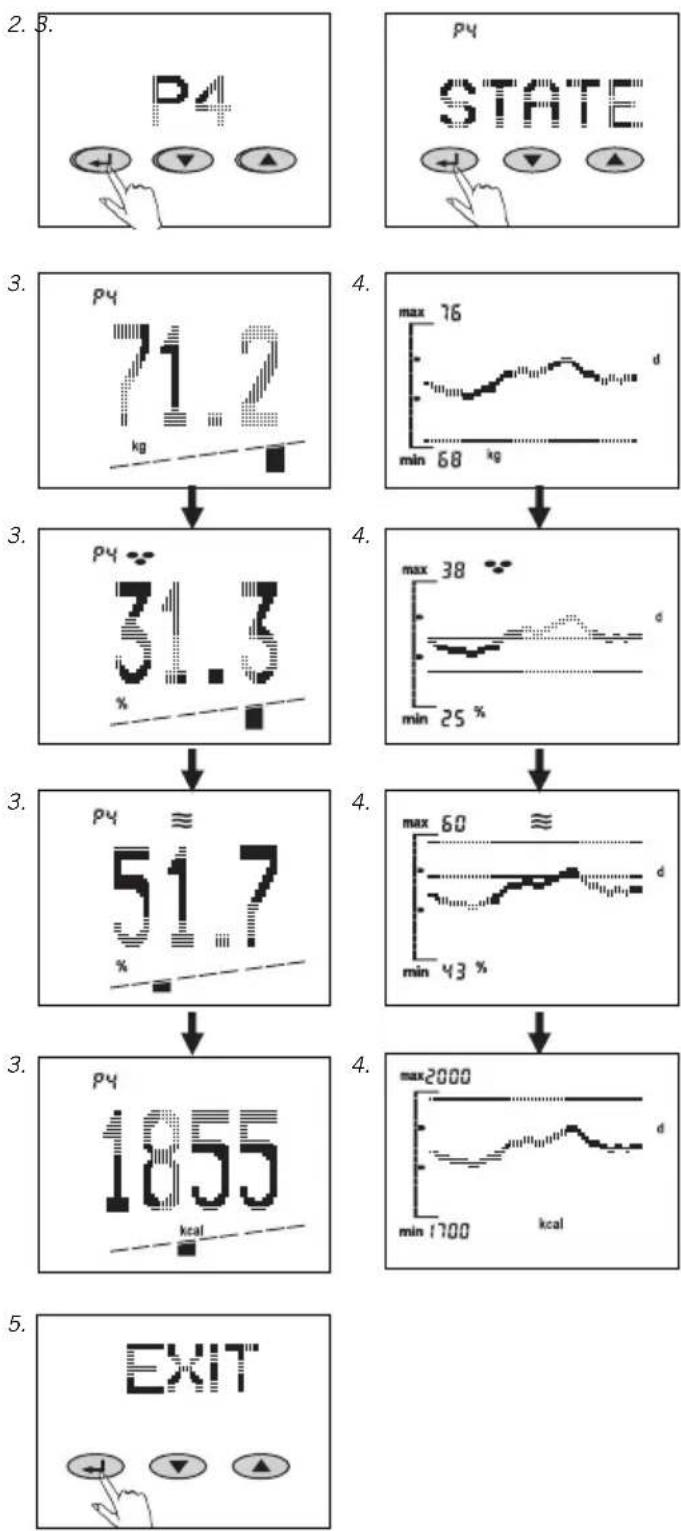
Recall of Analysis Value (STATE)
If required, the last analysis values of recognized persons can be recalled.
- Start recall ( ).
- Select memory slot (P1 ... P8) using keys ▼/▲ and confirm using ( ).
-
Confirm "STATE" using ( ). You can now select previous analysis values using the keys ▼/▲.
-
Push the key "once more to recall the trend curves. Use ▼/▲ keys to alternate between individual trend curves. Push the key "one more time to recall the personal action recommendations of your last analysis.
-
Repeat use of the key " will allow the user to select various levels of the display menu.
Use "EXIT" or "OFF" and confirm using key " " to enter the respective next level.
The display will shut down if no keys are pushed for one minute.
Changing Personal Data (SET)
For example:
- If the age of a child increases by 1 (birthday),
- The body height changes (children in a growing period),
- The activity level increases, or
-
The trend display is to be changed. Please proceed as follows:
-
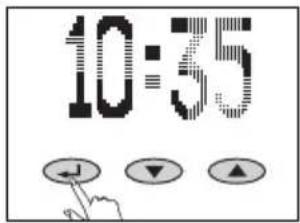
Start data entry ( ):
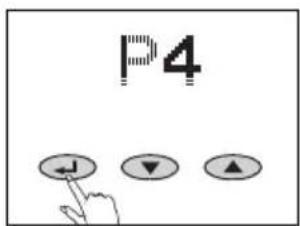
- Select memory slot (P1 ... P8) using keys ▼/▲ and confirm using ( ).
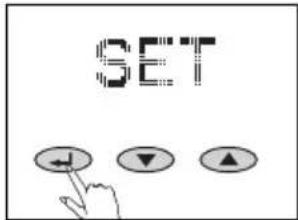
- Select "Set" using keys ▼/▲ and confirm using ( ).
It is now possible to change the desired data as described in "Data Entry".
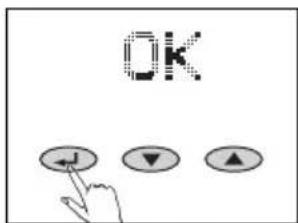
- After confirming with "OK", your new data is stored. Starting with the next analysis, the changed data will be used.
1.
text_image
10:352.

text_image
P4 ↓ ▼ ▲3.
text_image
SET +↓ ↓ ▲4.
text_image
OK ↓ ▼ ▲1.
text_image
10:352.
text_image
P4 ↓ ▼ ▲3.
text_image
DEL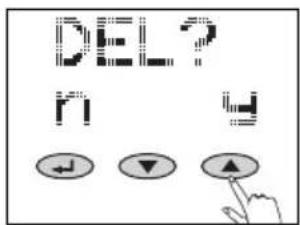
text_image
DEL? M MDelete Personal Data (DEL)
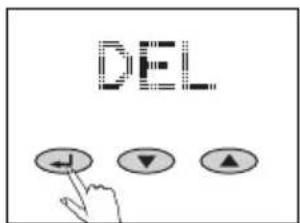
If the data of one person – combined with the trend curves – is to be deleted completely, please proceed as follows:
- Start data entry ( ).
-
Select memory slot (P1 ... P8) using keys ▼/▲ and confirm using ( ).
-
Select "DEL" using keys ▼/▲ and confirm using ( ). A security question will appear. Push the key "▲" to delete all data of this person.
The memory slot can be re-programmed.
Use the key "▼" to exit the deletion process, the data will remain stored.
Trend Curve
Please weigh yourself regularly so that the trend curve will be display a precise trend.
The trend curve can display up to 60 values, subject to a corresponding number of measurements.
In case of several measurements daily, one single median value is stored. The weekly median value is determined based on 7 daily values.
The monthly median value is determined based on 30 daily values.
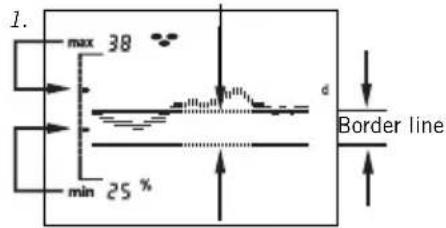
The value displayed after "max" and "min" is the maximum or minimum value of the curve – rounded up or down to the next whole number.
- The calculated average range for the respective person will be displayed in the trend curve in the area between the boundary lines.
- If a boundary line of the average value is positioned outside of the display range – in relation to the trend curve – the corresponding boundary line is displayed on the edge of the screen.
-
- If only one line is displayed on the top or bottom, this means that the total curve is above or below the average range.
Normal range
text_image
1. max 38 min 25 % d Border line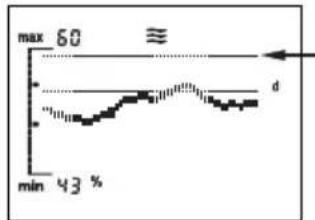
line
| Time | Value | |------|-------| | min | 43 % | | d | Max |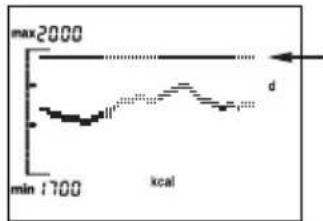
line
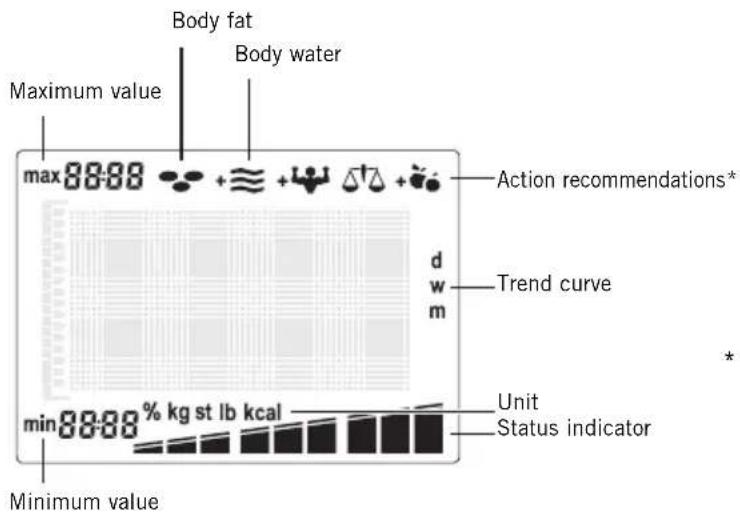
| Time | Energy Level | |------|--------------| | min | 1700 | | max | 2000 |The display symbols of your analysis scale
text_image
Body fat Body water Maximum value max 88:88 Action recommendations* d Trend curve w m min 88:88 % kg st lb kcal Unit Status indicator Minimum value* Meaning of symbols for action recommendations:
+ ≡ You should drink more fluids!
+ Muscle growth training is recommended!
Diet change is recommended!
Your analysis values are ok!
BMI
Difference compared with your individual standard value
Body Weight
Whilst the body weight is shown in the display in kg, one of the 9 segments is shown in the bar below it. Here the position of the active segment indicates the assessment of the body weight mentioned on the basis of the BMI figure. The BMI (Body Mass Index) is a measure for the health risk resulting from overweight or underweight.
On the basis of categorisation of the BMI, doctors distinguish between "underweight", "normal weight", "overweight" and "obese".
$$ \mathrm{BMI} = \frac {\text { body weight (kg) }}{\text { height (m) } ^ {2}} $$
Proportion of Body Fat
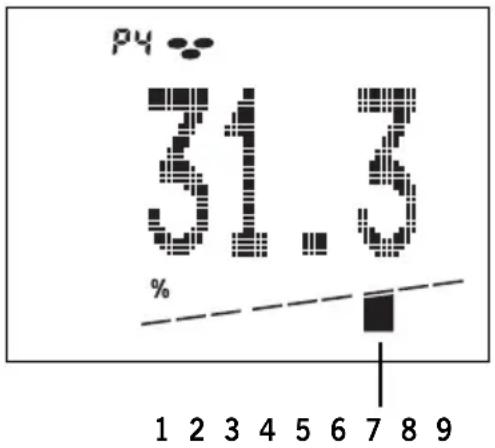
Whilst the proportion of body fat in % is shown in the display, one of the 9 segments appears in the bar below it. Too much body fat is unhealthy and does not look nice. What is more important is that a high proportion of body fat is also usually associated with a raised proportion of fat in the blood and this increases greatly the risk of various illnesses such as for instance diabetes, heart disease, high blood pressure etc. But a very low proportion of body fat is equally unhealthy.
Apart from the fatty tissue under the skin, the body also stores important fat deposits for the protection of the internal organs and to ensure important metabolic functions. If this essential fat reserve is compromised, this can lead to metabolic disturbance.
So for instance in women with body fat figures of under 10%, menstruation may cease. In addition, the risk of osteoporosis increases. The normal proportion of body fat is dependent on age and above all on sex.
In women the normal figure is about 10% higher than in men. With increasing age the body loses muscle mass and so the proportion of body fat increases.
bar
| Category | Value (%) | |---|---| | 1 | 1 | | 2 | 2 | | 3 | 3 | | 4 | 4 | | 5 | 5 | | 6 | 6 | | 7 | 7 | | 8 | 8 | | 9 | 9 |Difference compared with your individual standard value
| 1 < - 12 % very low proportion of fat | |||
| 2 - 12 % low proportion of fat | |||
| 3 | - | 7 % | |
| 4 - 3 % normal proportion of fat | |||
| 5 | 0 % | ||
| 6 | + | 3 % | |
| 7 + 7 % high proportion of fat | |||
| 8 | + | 1 | 2 % |
| 9 > + 12 % very high proportion of fat | |||
Example:
Actual body fat proportion calculated = 31.3 % of total weight.
This value is about 7 % above the calculated individual standard value.
bar
| Category | Value (%) | |---|---| | 1 | 1 | | 2 | 2 | | 3 | 3 | | 4 | 4 | | 5 | 5 | | 6 | 6 | | 7 | 7 | | 8 | 8 | | 9 | 9 |Difference compared with your individual standard value
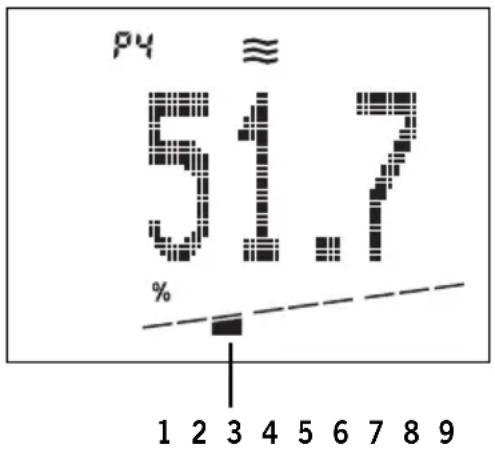
1 < - 6 % very low proportion of water
2 - 6 % low proportion of water
3 - 4 %
4 - 2 % normal proportion of water
5 0 %
6 + 2 %
7 + 4 % high proportion of water
8 + 6 %
9 > + 6 %
Example:
Calculated actual proportion of water in the body = 51.7 % of total weight.
This value is about 4 % below the calculated individual standard value.
Proportion of Body Water
Whilst the proportion of water in the body in % is shown in the display, one of the 9 segments appears in the bar below it.
The figure shown in this analysis reflects the "total body water" (TBW). The body of an adult is composed of about 60% water. Here there is of course a certain range, with older people showing a lower proportion of water than younger people and men showing a higher proportion than women.
The distinction between men and women is a result of the higher mass of body fat in women. Since the majority of the body's water is to be found in the fat-free mass (73% of the FFM is water) and since the water content in the fat is very low by its nature (about 10% of the fatty tissue is water), the proportion of body fat automatically decreases with an increasing proportion of water in the body.
Energy Consumption
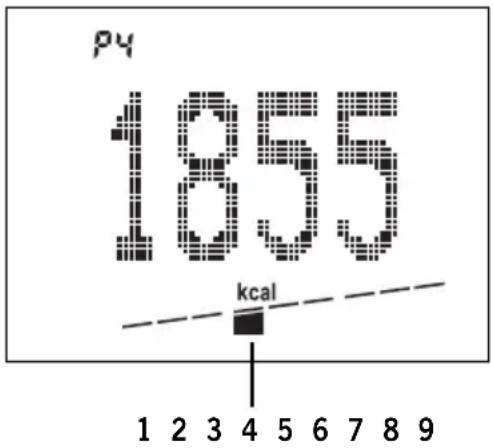
While energy consumption is shown in the display in kcal, one of the 9 segments appears in the graphics panel below.
Energy consumption is calculated from the personal data – corrected by a factor for the relevant activity type - and the distribution of body mass measured.
Basic rate
+ performance rate
= energy consumption.
If you take in fewer kilocalories than your individual energy consumption, then your body will react by losing weight. Your weight will increase if you take in more calories.
other
| Parameter | Value | | :--- | :--- | | Temperature (p4) | 1855 | | kcal | - | | 1 | - | | 2 | - | | 3 | - | | 4 | - | | 5 | - | | 6 | - | | 7 | - | | 8 | - | | 9 | - |Difference compared with your individual standard value
| 1 < - 15 % very low energy consumption | ||||
| 2 - 15 % low energy consumption | ||||
| 3 | - | 1 | 0 | % |
| 4 - 5 % normal energy consumption | ||||
| 5 | 0 % | |||
| 6 | + | 5 % | ||
| 7 + 10 % high energy consumption | ||||
| 8 | + | 1 | 5 | % |
| 9 | > | + | 1 | 5 % |
Example:
Energy consumption measured = 1,855 kcal.
This value is 5% below the calculated normal level of energy consumption.
Important Information
How to measure correctly?
The measurement process should be performed unclothed, if possible, and barefoot. It is recommended to perform the measurements under similar conditions and at the same time of day (e.g. in the morning, sober).
How often should measurements be performed with Soehnle body analysis scales?
Actually, that is up to you. However, we recommend always measuring at the same time under the same conditions, once a day. The daily routine, eating and drinking habits, but also your lifestyle, influence the water content of your body. When using body analysis scales, this can affect deviations in the display. The scale stores the median value.
Is it possible to recognize a change in the percentage of body mass contents on the first day?
It is possible for the body analysis scale to display deviating values. This is caused by the changing water content of your body throughout the day and the fact that your body's own values change depending on stress.
Will stored trend curves be lost if the data of one memory slot is changed?
No. Only, if the data is deleted.
Can external influences impact the measurement values?
Extreme electromagnetic influences, e.g. operating a radio transmitter in the immediate proximity of the device, can influence the measurement results.
After removal of the influence, the product will be fully functional again.
However, it might be necessary to switch the device off and back on.
How are trend curves created?
Daily trend curve (day) means: The daily median values of the last 60 days will be displayed. The last value will always be added to the right side.
Weekly curves (week) means: A weekly median value will be determined based on 7 daily median values. Therefore, the first weekly median value can be displayed only after one week*.
The last 60 weekly median values will be displayed.
Monthly curve (monthly) means:
A monthly median value will be determined based on 30 daily median values.
Therefore, the first monthly median value can be displayed only after one month*. Up to 60 monthly median values can be displayed.
* We therefore recommend to select a daily trend initially.
Factors Influencing Maasurement Readings
Analysis is based on the measurement of the body's electrical resistance. Eating and drinking habits during the course of the day and individual lifestyle affect the water balance. This is noticeable by the fluctuations in the display.
In order to ensure that the results of analysis are a accurate and consistent as possible, keep the measurement conditions constant, as only in this way will you be able to observe changes over an extended period.
Other factors can affect water balance:
After a bath, the body fat reading may be too low and the body water reading too high.
After a meal, readings can be higher.
Women may experience fluctuations due to the menstrual cycle.
Due to loss of water caused by illness or after physical activity (sport). After taking exercise, wait for 6 to 8 hours before carrying out the next measurement.
Varying or implausible results can occur in the case of:
Persons with a high temperature, symptoms of oedema or osteoporosis.
Persons undergoing dialysis treatment.
Persons taking cardiovascular medicine.
Pregnant women.
If the analysis is performed while wearing wet socks.
Technical Specifications
Load capacity x graduation = max. 150 kg x 100 g
Display resolution:
Body fat content: 0.1%
Body water content: 0.1%
Energy consumption: 1 kcal
Body height: 100-250 cm
Age: 10-99 years
8 memory slots for individual persons
Large LCD screen
Batteries requirements: 4 x 1.5 V AA
Batteries included.
1.
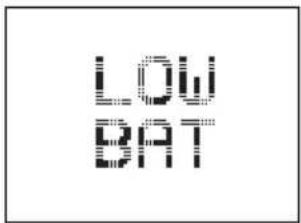
text_image
LOW BAT2.
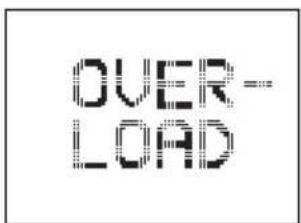
text_image
OVER- LOAD3.
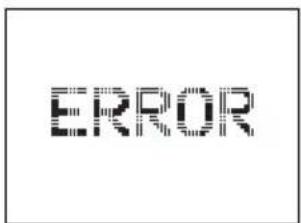
text_image
ERROR4.
natural_image
Simple black L-shaped arrow symbol on white background (no text or labels)4.
text_image
HMessages
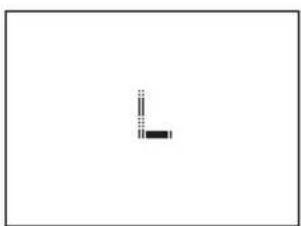
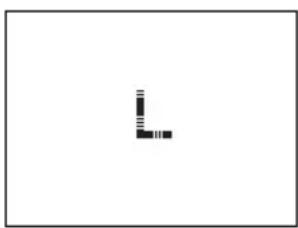
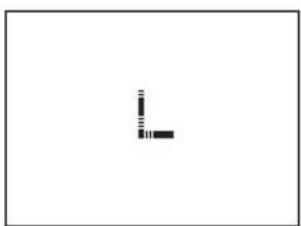
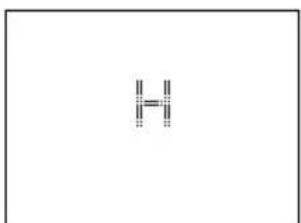
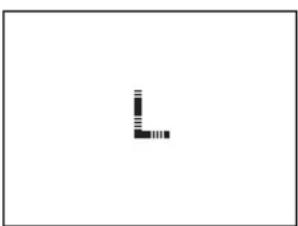
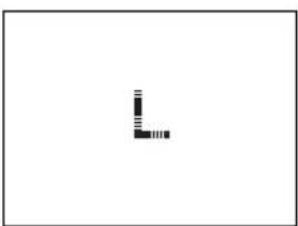
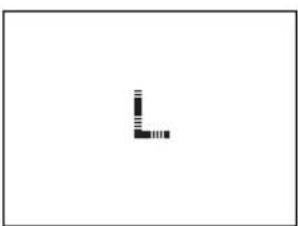
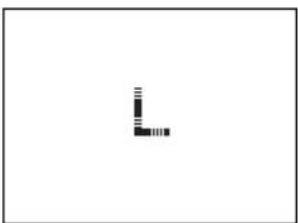
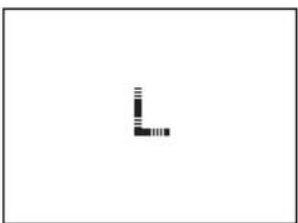
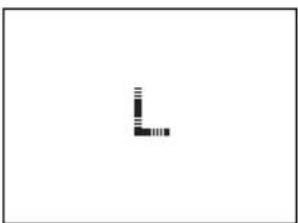
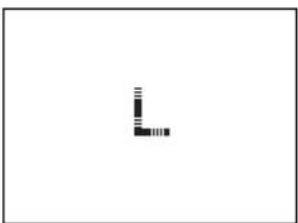
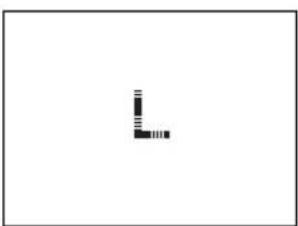
- Batteries spent. Insert new battery.
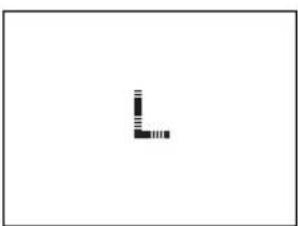
- Overload: From 150 kg.
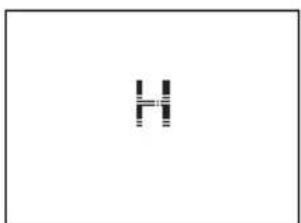
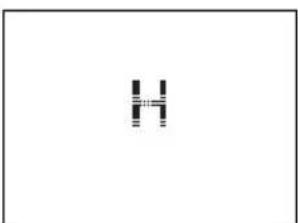
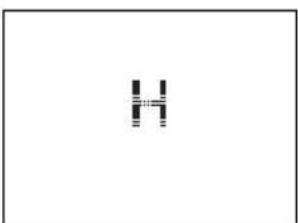
- Implausible analysis result – check individual programming.
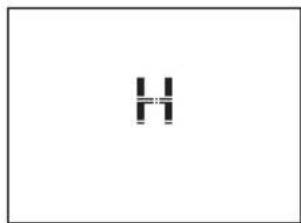
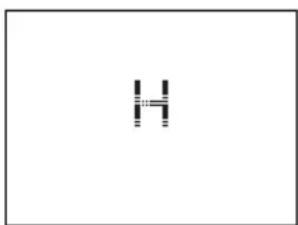
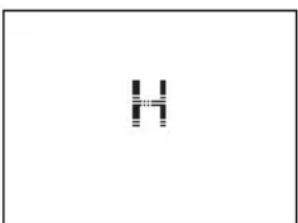
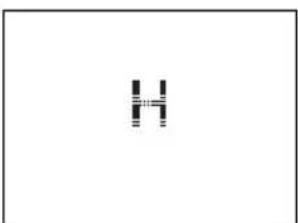
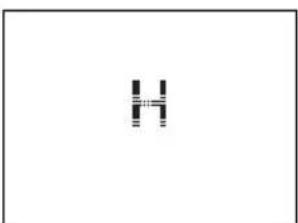
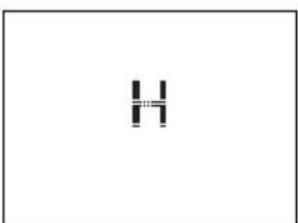
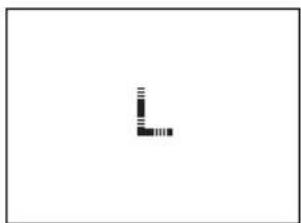
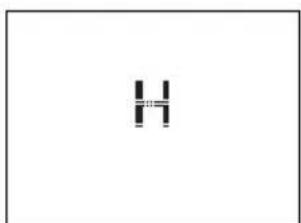
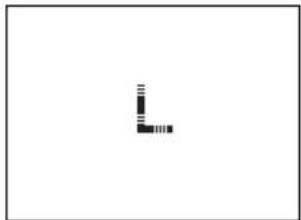
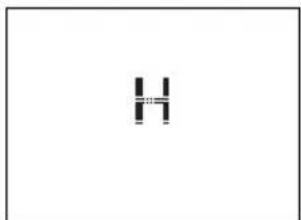
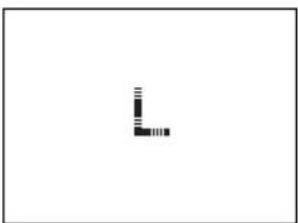
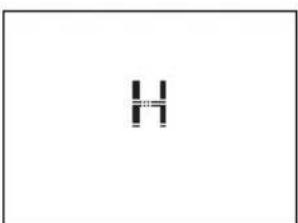
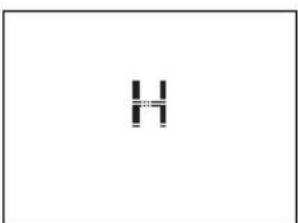
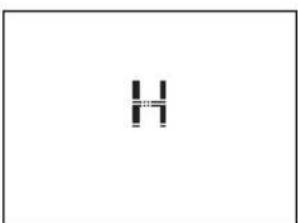
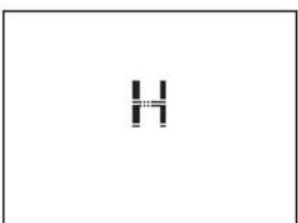
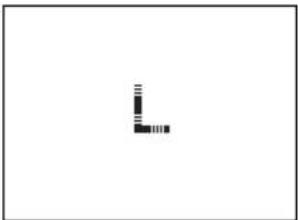
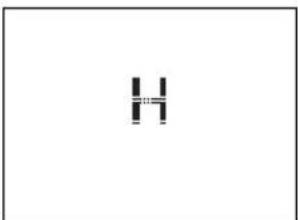
- Bad foot-contact: Clean scale or feet or check for sufficient skin moisture. If skin is too dry – moisten feet or carry out measurement after taking a bath or shower.
Disposal of Spent Batteries
Batteries must not be disposed of as normal household waste. Note that you are legally obliged to dispose of used batteries in a correct way. You can return spent batteries either to public collection points in your town or to any outlet selling batteries of the same kind.
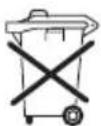
Pb = Battery contains lead
Cd = Battery contains cadmium
Hg = Battery contains mercury
Disposal of Old Electrical and Electronic Equipment
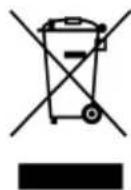
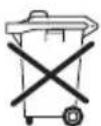
This symbol on the product or on its packaging indicates that this product shall not
be treated as household waste. Instead it shall be handed over to the applicable collection point for the recycling of electrical and electronic equipment. For more detailed information about recycling contact your local city office, your household waste disposal service or the shop where you purchased the product.
If you have questions or comments, the following points of contact are available:
Consumer service
Ph: (08 00) 5 34 34 34
Monday to Thursday
09:00 to 12:15 and 13:00 to 16.00.
Friday
from 09:00 to 12:15 and 13:00 to 15:00.
Compliance Declaration
CE Soehnle hereby declares that the Body Balance device complies with the basic requirements and the other relevant terms of Directive 2004/108/EC.
This device is screened in accordance with the applicable EC Directive 2004/108/EC. Note: the display value may be affected by extreme electromagnetic influences, e.g. when a radio is operated in the immediate vicinity of the device.
The product can be used for its intended purpose again when the interference disappears (a reset may be required)
Warranty
SOEHNLE guarantees that all defects due to materials or manufacturing faults will be remedied by replacement or repair, free of charge, for a period of 3 years from the date of purchase. Please keep your purchase receipt and the guarantee card in a safe place.
If you have any complaints, please return the scale to your dealer with the guarantee card and receipt.
GARANTEE CARD
If you have any complaints, please return the scale to your dealer with the guarantee card and your receipt.
Sender
Reason for complaint
Français
Introduction 48
Recommendations importantes 48
natural_image
Simple line drawing of a cylindrical container with a square top and two circular handles (no text or symbols)
text_image
1 2 3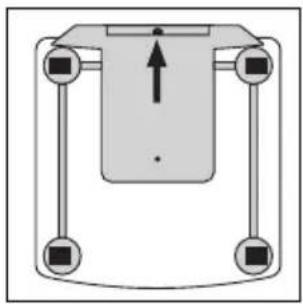
natural_image
Pure mechanical diagram showing a central component with four arms and a central arrow, no text or symbols present.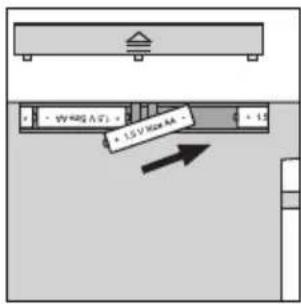
text_image
3V 400A (7) = 1.5 V Max AA = 1.5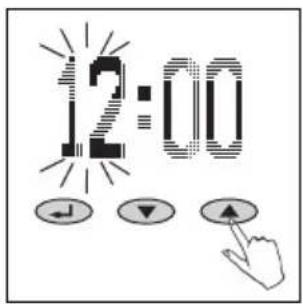
text_image
12:00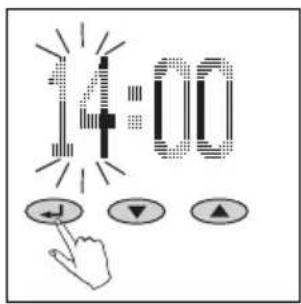
text_image
14:00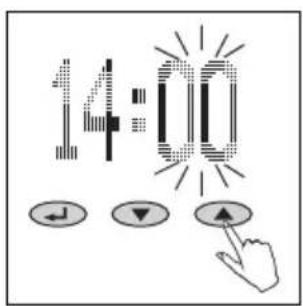
text_image
14:00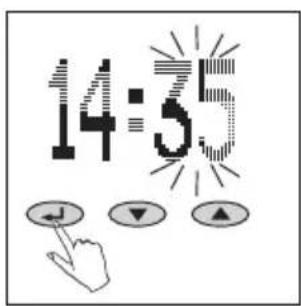
text_image
14:5natural_image
Simple diagram of a horizontal bar on a gray base, no text or symbols present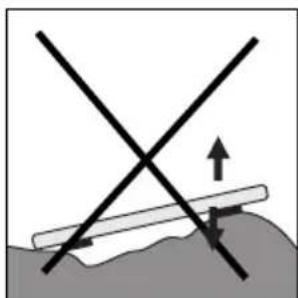
natural_image
Diagram showing two intersecting lines with an upward arrow and directional arrows, no text or symbols present.5
natural_image
Simple line drawing of a faucet with a pipe and water drop (no text or symbols)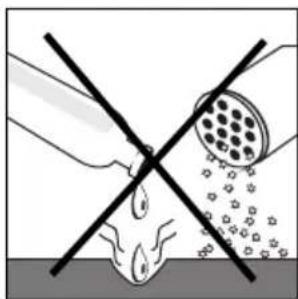
natural_image
Diagram showing a hand holding a tool intersecting with a circular object, no text or symbols present6
natural_image
Hand pointing at a device component (no text or symbols visible)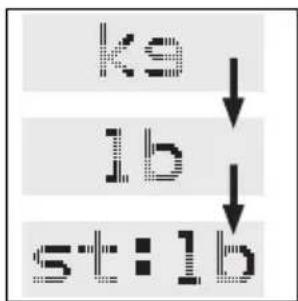
flowchart
graph TD
    A["ks"] --> B["lb"]
    B --> C["st:lb"]
2.
text_image
NEW ↓ ▼ ▲3.
text_image
P4 ← ↓ ▼ ▲4.
text_image
HT HgGn5.
text_image
R Z6.
line
| min | kcal | | --- | --- | | 1700 | max2000 | | (end) | d (estimated from curve) |text_image
OVER- LOAD3.
text_image
ERROR4.
natural_image
Simple black L-shaped line drawing on white background (no text or symbols)4.
text_image
HMessages
natural_image
Simple line drawing of a cylindrical container with a square lid and two circular tops (no text or symbols)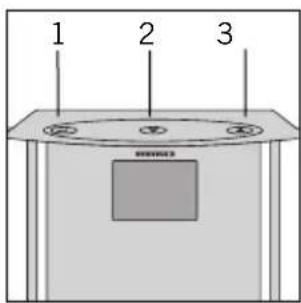
text_image
1 2 3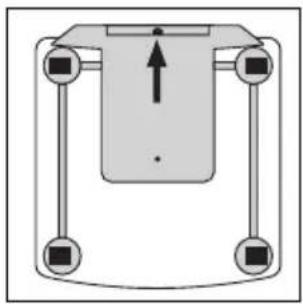
natural_image
Pure mechanical diagram showing a central component with four arms and a central arrow, no text or symbols present.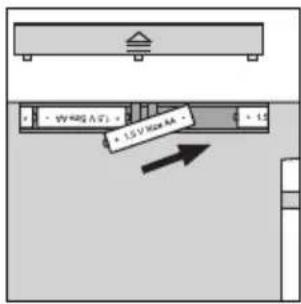
text_image
3V 400A (7) - 1.5 V Max AA - 1.5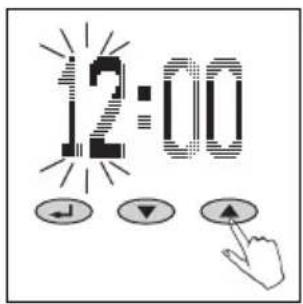
text_image
12:00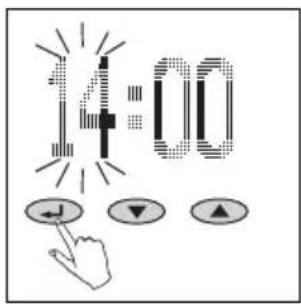
text_image
14:00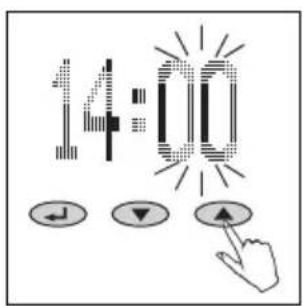
text_image
14:00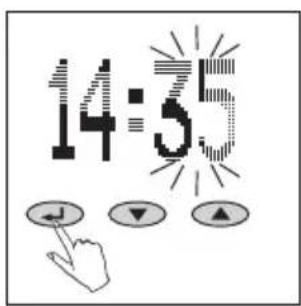
text_image
14:5Elementi di comando
natural_image
Simple diagram of a horizontal bar on a gray base, no text or symbols present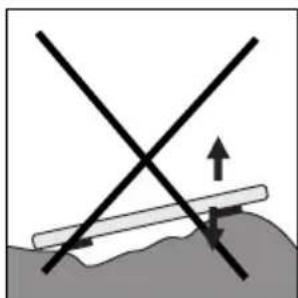
natural_image
Diagram showing two intersecting lines with an upward arrow and directional arrows, no text or symbols present.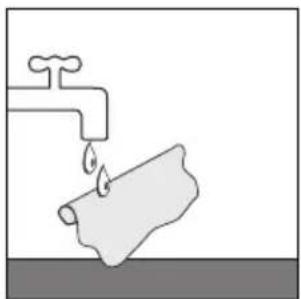
natural_image
Simple line drawing of a faucet with a pipe and water drop (no text or symbols)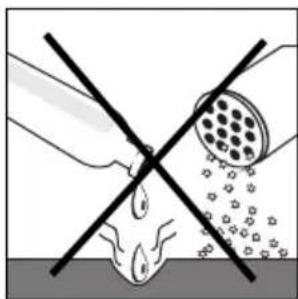
natural_image
Diagram showing a hand holding a tool intersecting with a circular object, no text or symbols present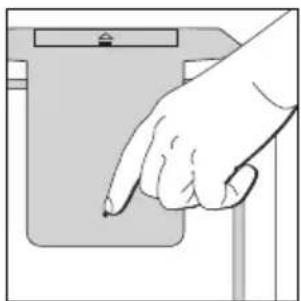
natural_image
Hand pointing at a device component (no text or symbols visible)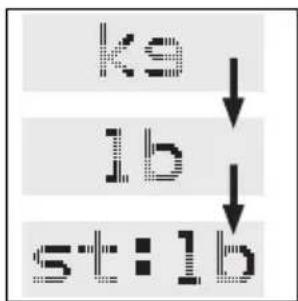
flowchart
graph TD
    A["ks"] --> B["lb"]
    B --> C["st:lb"]
2.
text_image
NEW ↓ ▼ ▲3.
text_image
P4 ↓ ▼ ▲4.
text_image
H E G5.
text_image
F F26.
text_image
Scanned image showing a pixelated text input and three control buttons with directional arrows below, likely from a software interface.7.
text_image
RCT J ▼ ▲Immissione dati
line
| min | kcal | | --- | --- | | 1700 | max2000 | | (end) | d (estimated from curve) |other
| Parameter | Value | | :--- | :--- | | Temperature | 1855 | | kcal | (labeled point) | | Label | 1 | | Label | 2 | | Label | 3 | | Label | 4 | | Label | 5 | | Label | 6 | | Label | 7 | | Label | 8 | | Label | 9 |text_image
OVER- LOAD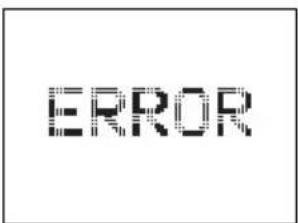
text_image
ERROR
natural_image
Simple black right-angle symbol on white background (no text or labels)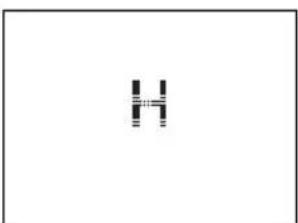
natural_image
Simple black-and-white abstract shape resembling a stylized letter 'H' (no text or symbols)Avvisi
natural_image
Simple line drawing of a cylindrical container with a square top and two circular handles (no text or symbols)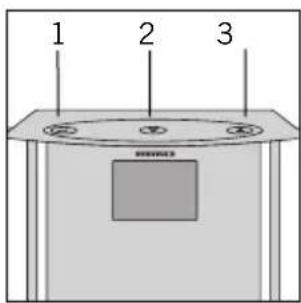
text_image
1 2 3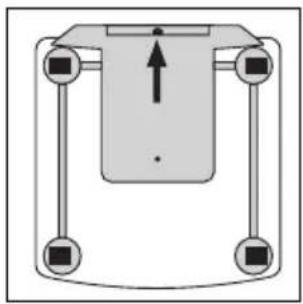
natural_image
Pure mechanical diagram showing a central component with four arms and a central arrow, no text or symbols present.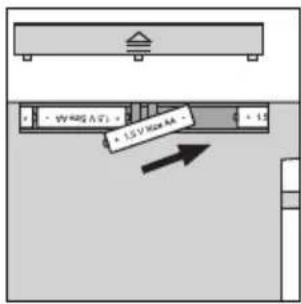
text_image
3V 400A (T) - 1.5 V Max AA - 1.5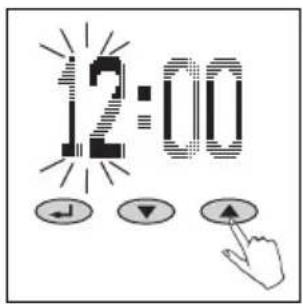
text_image
12:00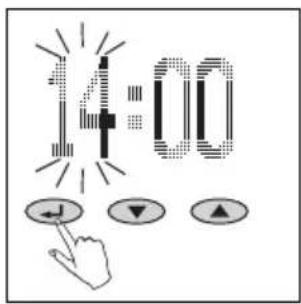
text_image
14:00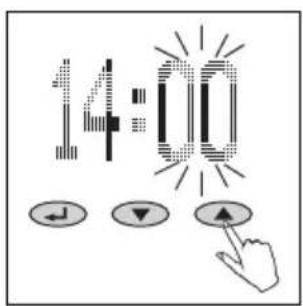
text_image
14:00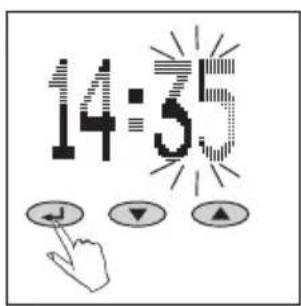
text_image
14:55Bedieningselementen
- Bevestigen ( )
- Min (▼)
- Plus (▲)
Voorbereiding
natural_image
Simple diagram of a horizontal bar on a gray base, no text or symbols present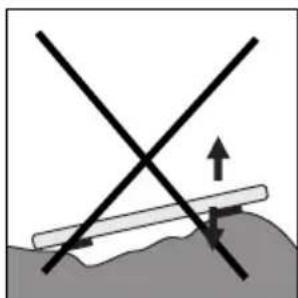
natural_image
Diagram showing two intersecting lines with an upward arrow and directional arrows, no text or symbols present.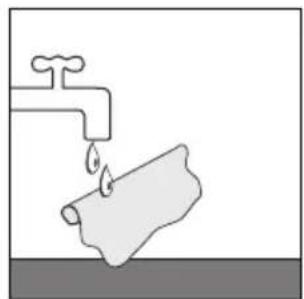
natural_image
Simple line drawing of a faucet with a pipe and water drop (no text or symbols)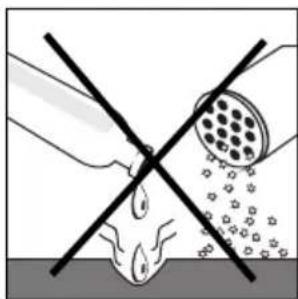
natural_image
Diagram showing a pipe with a cross-shaped barrier and a circular object above it, with no visible text or symbols.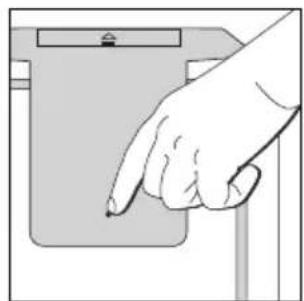
natural_image
Hand pointing at a device component (no text or symbols visible)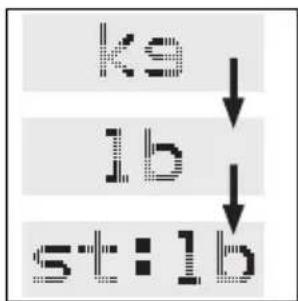
flowchart
graph TD
    A["ks"] --> B["lb"]
    B --> C["st:lb"]
2.
text_image
NEW ↓ ▼ ▲3.
text_image
P4 ↓ ▼ ▲4.
text_image
HT TEN5.
text_image
F F26.
text_image
Scanned image showing a pixelated text input and three control buttons with directional arrows below, likely from a software interface.7.
text_image
RCT J ▼ ▲Gegevensinvoer
line
| min | kcal | | --- | --- | | 1700 | max2000 | | (end) | d (estimated from curve) |bar
| Position | Value | |---|---| | 1 | 71.2 | | 2 | 71.2 | | 3 | 71.2 | | 4 | 71.2 | | 5 | 71.2 | | 6 | 71.2 | | 7 | 71.2 | | 8 | 71.2 | | 9 | 71.2 |text_image
OVER- LOAD3.
text_image
ERROR4.
natural_image
Simple black L-shaped diagram on white background (no text or symbols)4.
natural_image
Simple geometric shape resembling a letter 'H' with vertical and horizontal lines, no text or symbols present.Meldingen
natural_image
Simple line drawing of a cylindrical container with a square lid and two circular tops (no text or symbols)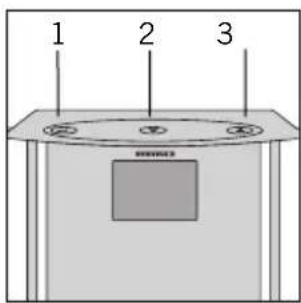
text_image
1 2 3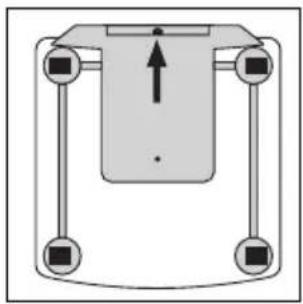
natural_image
Pure mechanical diagram showing a central component with four arms and a central arrow, no text or symbols present.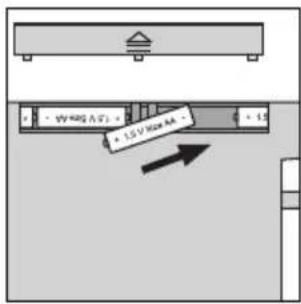
text_image
1.5 V/Max 4A - 1.5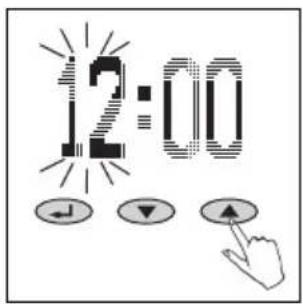
text_image
12:00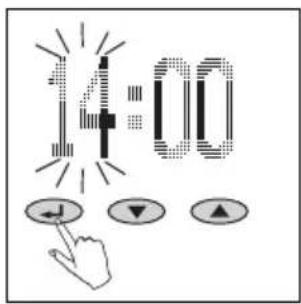
text_image
14:00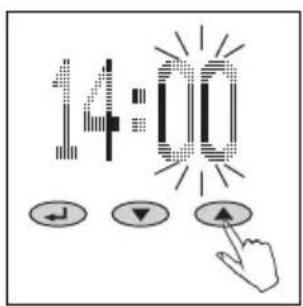
text_image
14:00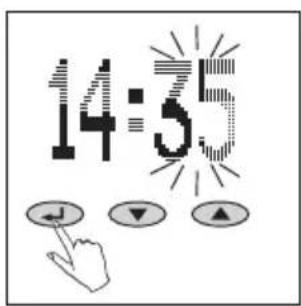
text_image
14:55natural_image
Simple diagram of a horizontal bar on a gray base, no text or symbols present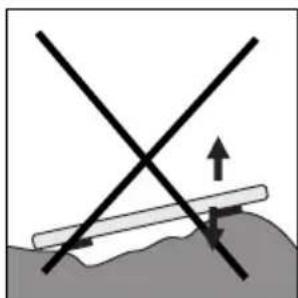
natural_image
Diagram showing two intersecting lines with an upward arrow and directional arrows, no text or symbols present.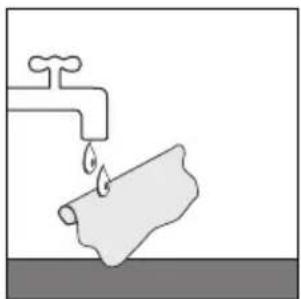
natural_image
Simple line drawing of a faucet with a pipe and water drop (no text or symbols)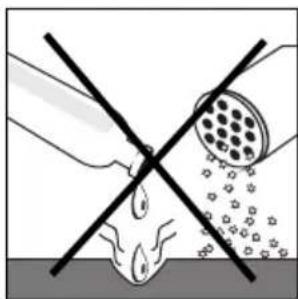
natural_image
Diagram showing a hand holding a tool intersecting with a circular object, no text or symbols present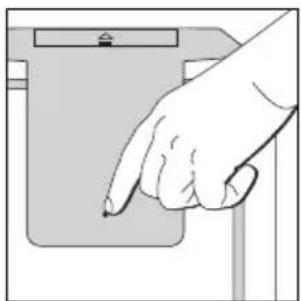
natural_image
Hand pointing at a device component (no text or symbols visible)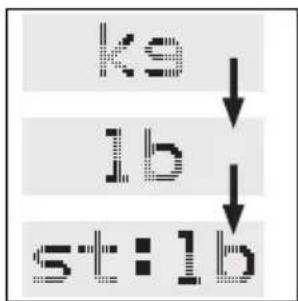
flowchart
graph TD
    A["ks"] --> B["lb"]
    B --> C["st:lb"]
2.
text_image
NEW ↓ ▼ ▲3.
text_image
P4 ↓ ▼ ▲4.
text_image
HT TEN5.
text_image
R F ↓ ▼ ▲6.
text_image
FCT J V ▲Entrada de datos
Curva semanal (week) significa:
text_image
OVER- LOAD3.
text_image
ERROR4.
natural_image
Simple black right-angle symbol on white background (no text or labels)4.
natural_image
Simple black-and-white abstract shape resembling a stylized letter or symbol (no text or symbols present)Avisos
natural_image
Simple line drawing of a cylindrical container with a square lid and two circular ports (no text or symbols)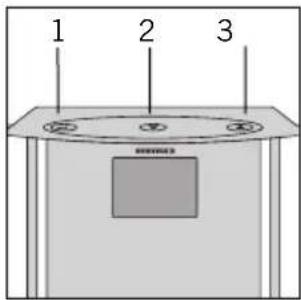
text_image
1 2 3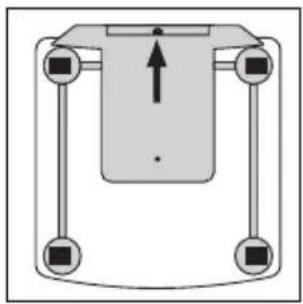
natural_image
Pure mechanical diagram showing a central component with four arms and a vertical load arrow, no text or symbols present.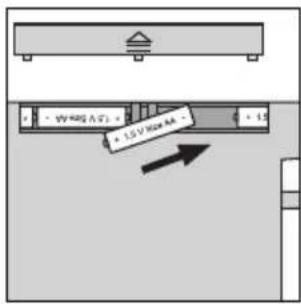
text_image
3V 400A (7) - 1.5 V Max AA - 1.5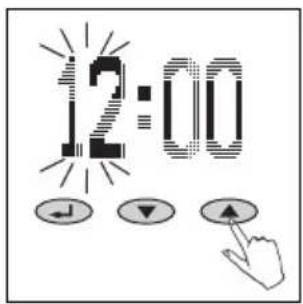
text_image
12:00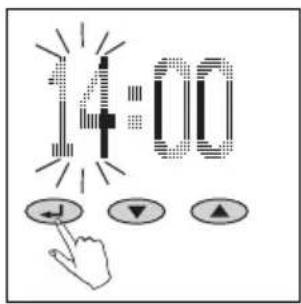
text_image
14:00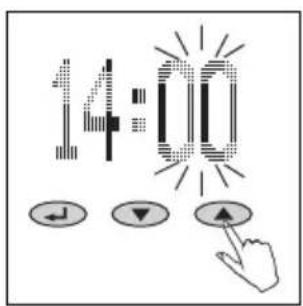
text_image
14:00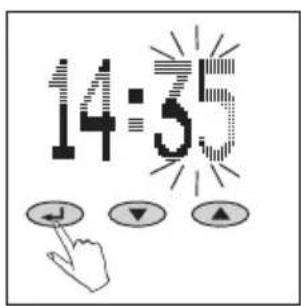
text_image
14:55Elementos de comando
- Confirmar ( )
- Menos (▼)
- Mais (▲)
Preparação
natural_image
Simple diagram of a horizontal bar on a gray base, no text or symbols present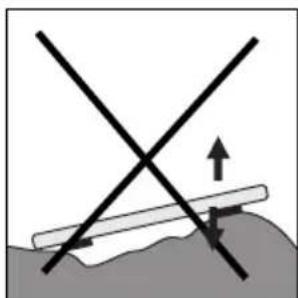
natural_image
Diagram showing two intersecting lines with an upward arrow and directional arrows, no text or symbols present.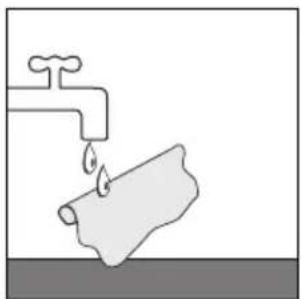
natural_image
Simple line drawing of a faucet with a pipe and water drop (no text or symbols)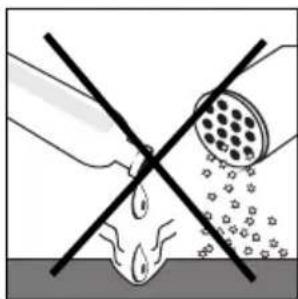
natural_image
Diagram showing a hand holding a tool intersecting with a circular object, no text or symbols present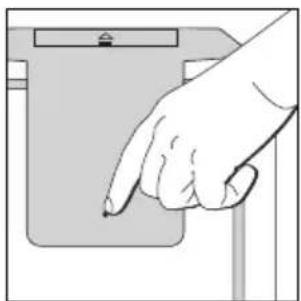
natural_image
Hand pointing at a device component (no text or symbols visible)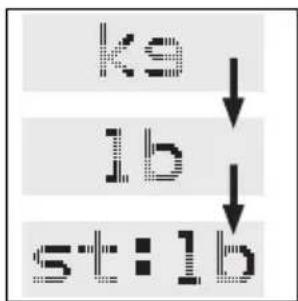
flowchart
graph TD
    A["ks"] --> B["lb"]
    B --> C["st:lb"]
2.
text_image
NEW ↓ ▼ ▲3.
text_image
P4 ↓ ▼ ▲4.
text_image
HT TEN5.
text_image
F F26.
text_image
Scanned image showing a pixelated text and three control buttons with directional arrows below, likely from a software interface.7.
text_image
PCT J ▼ ▲Introdução de dados
other
| Parameter | Value | | :--- | :--- | | Temperature | 1855 | | kcal | (labeled point) | | Label | 1 | | Label | 2 | | Label | 3 | | Label | 4 | | Label | 5 | | Label | 6 | | Label | 7 | | Label | 8 | | Label | 9 |Curva semanal (week) significa:
text_image
OVER- LOAD3.
text_image
ERROR4.
natural_image
Simple black L-shaped line drawing on white background (no text or symbols)4.
natural_image
Simple black-and-white abstract shape resembling a stylized letter 'H' (no text or symbols)Avisos
natural_image
Simple line drawing of a cylindrical container with a square lid and two circular tops (no text or symbols)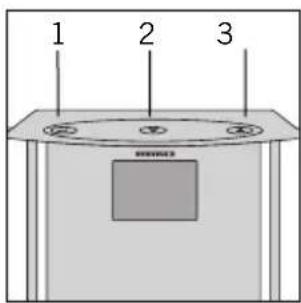
text_image
1 2 3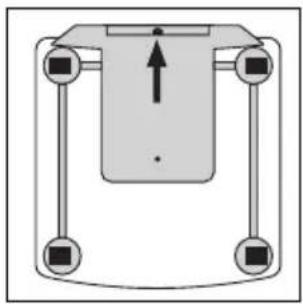
natural_image
Pure diagram of a mechanical or electrical component with four vertical arms and a central rectangular block, no text or symbols present.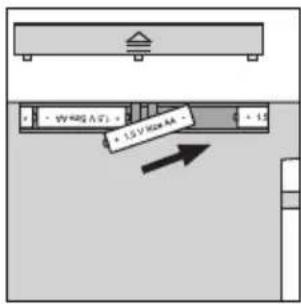
text_image
1.5 V / Max 4A - 1.5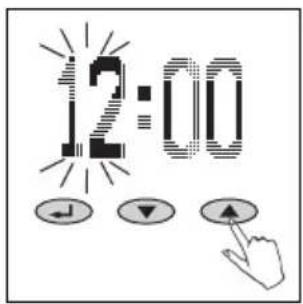
text_image
12:00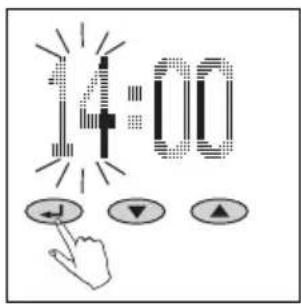
text_image
14:00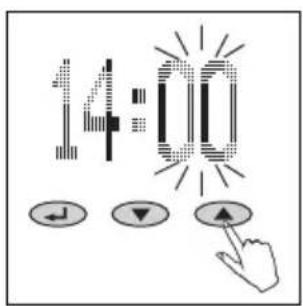
text_image
14:00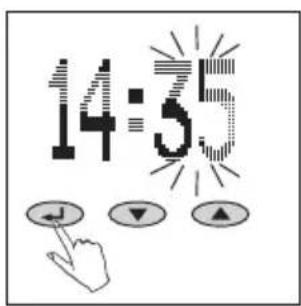
text_image
14:55Betjeningselementer
natural_image
Simple diagram of a horizontal bar on a gray base, no text or symbols present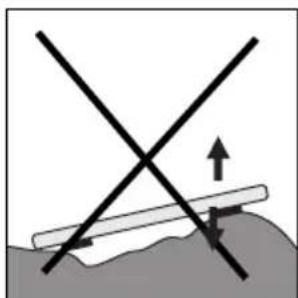
natural_image
Diagram showing two intersecting lines with an upward arrow and directional arrows, no text or symbols present.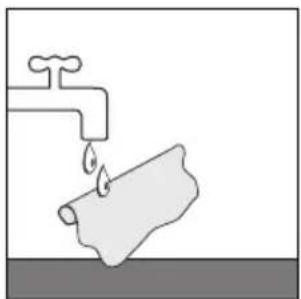
natural_image
Simple line drawing of a faucet with a pipe and water drop (no text or symbols)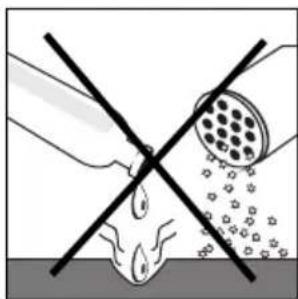
natural_image
Diagram showing a hand holding a tool intersecting with a circular object, no text or symbols present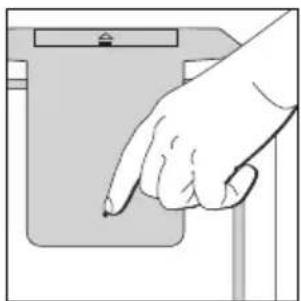
natural_image
Hand pointing at a device component (no text or symbols visible)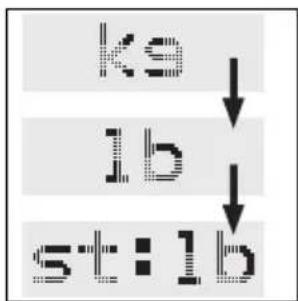
flowchart
graph TD
    A["ks"] --> B["lb"]
    B --> C["st:lb"]
2.
text_image
NEW ↓ ▼ ▲3.
text_image
P4 ↓ ▼ ▲4.
text_image
HT TEN5.
text_image
F12 ↓ ▼ ▲6.
text_image
Scanned image showing a pixelated text and three control buttons with directional arrows below, likely from a software interface.7.
text_image
RCT J ▼ ▲Datainlæsning
bar
| Position | Value | |---|---| | 1 | 71.2 | | 2 | 71.2 | | 3 | 71.2 | | 4 | 71.2 | | 5 | 71.2 | | 6 | 71.2 | | 7 | 71.2 | | 8 | 71.2 | | 9 | 71.2 |text_image
OVER- LOAD3.
text_image
ERROR4.
natural_image
Simple black right-angle symbol on white background (no text or labels)4.
natural_image
Simple black-and-white geometric shape resembling a stylized letter 'H' (no text or symbols)Meddelelser
natural_image
Simple line drawing of a cylindrical container with a square lid and two circular tops (no text or symbols)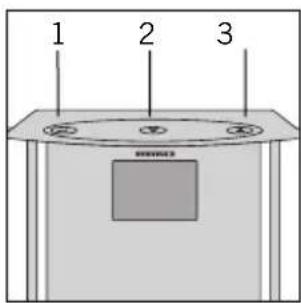
text_image
1 2 3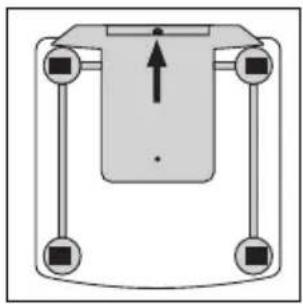
natural_image
Pure mechanical diagram showing a central component with four arms and a vertical load arrow, no text or symbols present.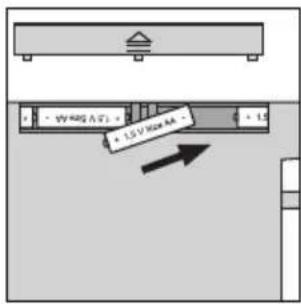
text_image
1.5 V Dia AA - 1.5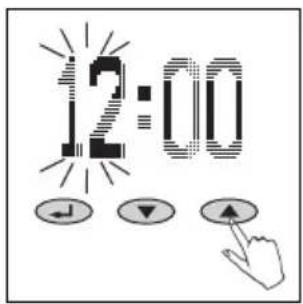
text_image
12:00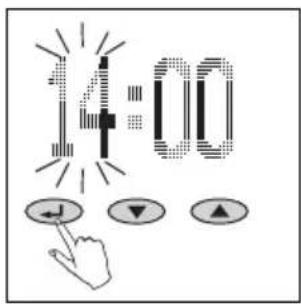
text_image
14:00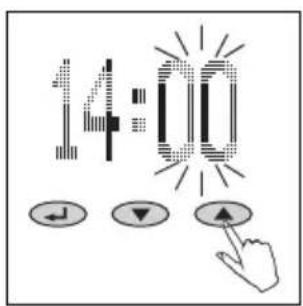
text_image
14:00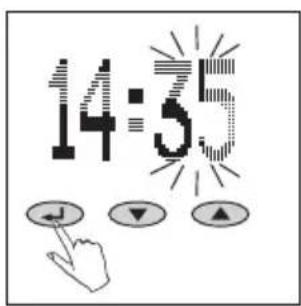
text_image
14:55Manöverelement
- Bekräfta ( )
- Minus (▼)
- Plus (▲)
Förberedelse
natural_image
Simple diagram of a horizontal bar on a gray base, no text or symbols present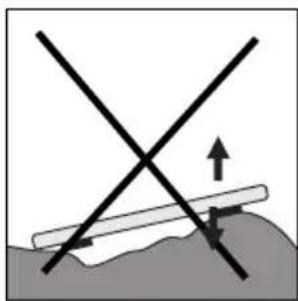
natural_image
Diagram showing intersecting lines and a horizontal bar on a surface, with an upward arrow indicating direction (no text or symbols)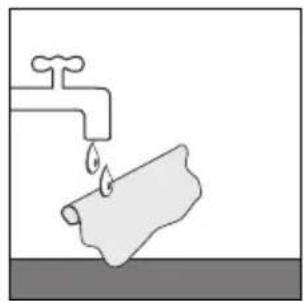
natural_image
Simple line drawing of a faucet with a pipe and water drop (no text or symbols)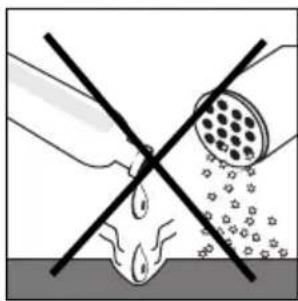
natural_image
Diagram showing a hand holding a tool intersecting with a droplet on a surface, with no text or symbols present.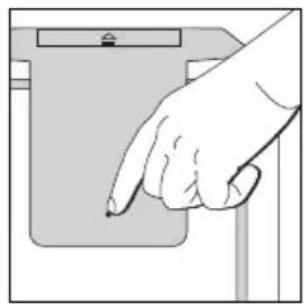
natural_image
Hand pointing at a device component (no text or symbols visible)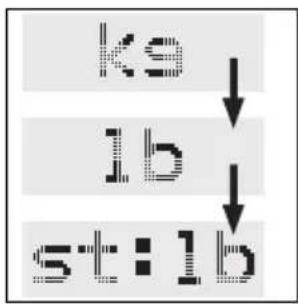
flowchart
graph TD
    A["ks"] --> B["lb"]
    B --> C["st:lb"]
2.
text_image
NEW ↓ ▼ ▲3.
text_image
P4 ← ↓ ▼ ↑4.
text_image
HT TEN5.
text_image
R S6.
text_image
FCT J ▼ ▲Inskrivning av data
bar
| Position | Value | |---|---| | 1 | 71.2 | | 2 | 71.2 | | 3 | 71.2 | | 4 | 71.2 | | 5 | 71.2 | | 6 | 71.2 | | 7 | 71.2 | | 8 | 71.2 | | 9 | 71.2 |text_image
OVER- LOAD3.
text_image
ERROR4.
natural_image
Simple black L-shaped line drawing on white background (no text or symbols)4.
natural_image
Simple geometric shape resembling a stylized letter 'H' with no text or symbolsMeddelanden
natural_image
Simple line drawing of a cylindrical container with a square top and side handles (no text or symbols)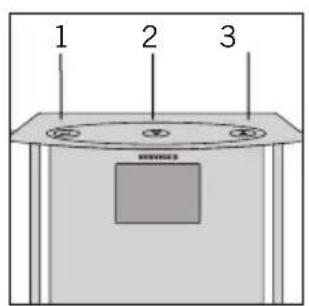
text_image
1 2 3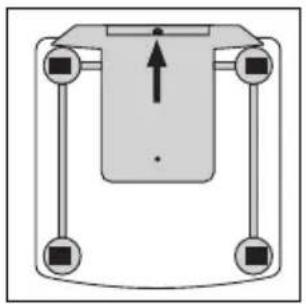
natural_image
Pure diagram of a mechanical or electrical component with four vertical arms and a central upward arrow (no text or symbols)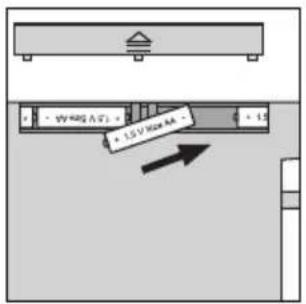
text_image
1.5 V Max 4A 2.5 V Max 4A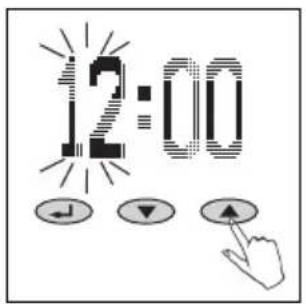
text_image
12:00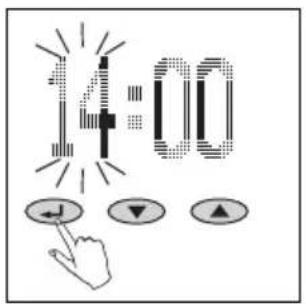
text_image
14:00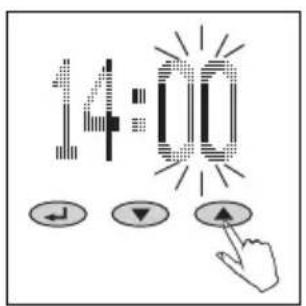
text_image
14:00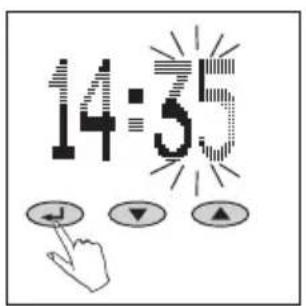
text_image
14:55Hallintaelementit
- Vahvistus ( )
- Miinus (▼)
- Plus (▲)
Valmistelu
natural_image
Simple diagram of a horizontal bar on a gray base, no text or symbols present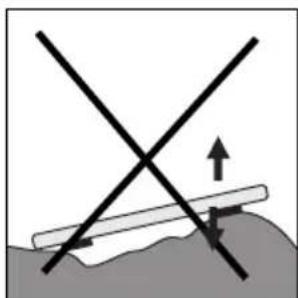
natural_image
Diagram showing two intersecting lines with an upward arrow and directional arrows, no text or symbols present.5
natural_image
Simple line drawing of a faucet with a pipe and water drop (no text or symbols)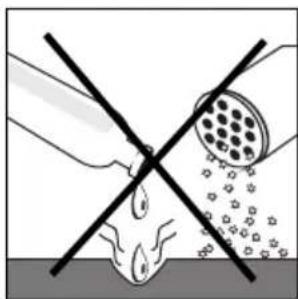
natural_image
Diagram showing a hand holding a tool intersecting with a circular object, no text or symbols present6
natural_image
Hand pointing at a device component (no text or symbols visible)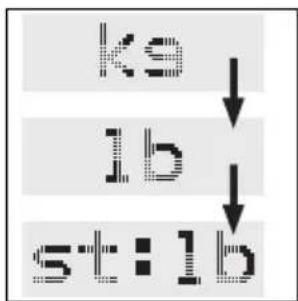
flowchart
graph TD
    A["ks"] --> B["lb"]
    B --> C["st:lb"]
2.
text_image
NEW ↓ ▼ ▲3.
text_image
P4 ← ↓ ▼ ↑4.
text_image
HT TEN5.
text_image
F2 ↓ ▼ ▲6.
text_image
Scanned image showing a pixelated text and three control buttons with directional arrows below, likely from a software interface.7.
text_image
RCT ↓ ▼ ▲Tiedonsyöttö
text_image
OVER- LOAD3.
text_image
ERROR4.
natural_image
Simple black L-shaped line drawing on white background (no text or symbols)4.
text_image
HIlmoitukset
natural_image
Simple line drawing of a cylindrical container with a square top and two circular handles (no text or symbols)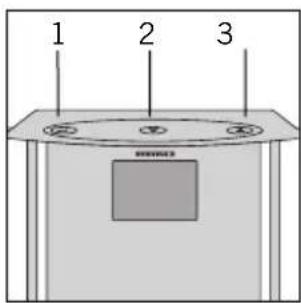
text_image
1 2 3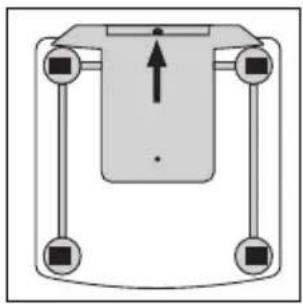
natural_image
Pure mechanical diagram showing a central component with four arms and a vertical load arrow, no text or symbols present.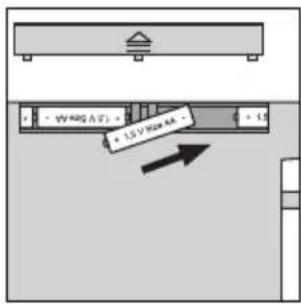
text_image
1.5 V / 100 mA - 1.5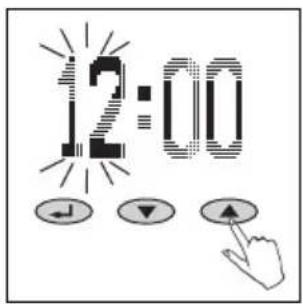
text_image
12:00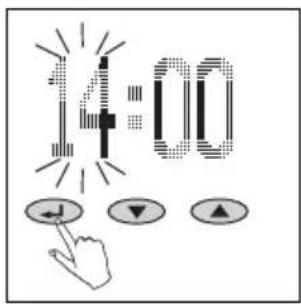
text_image
14:00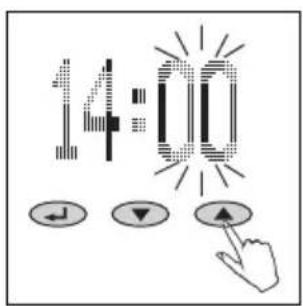
text_image
14:00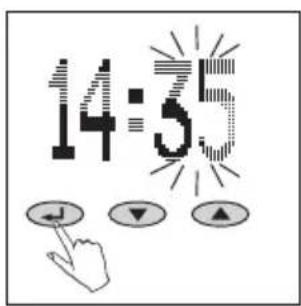
text_image
14:5Kezelőelemek
natural_image
Simple diagram of a horizontal bar on a gray base, no text or symbols present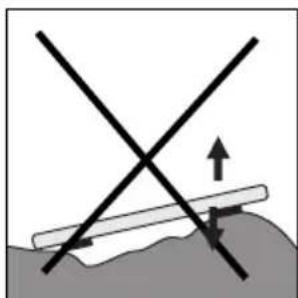
natural_image
Diagram showing two intersecting lines with an upward arrow and directional arrows, no text or symbols present.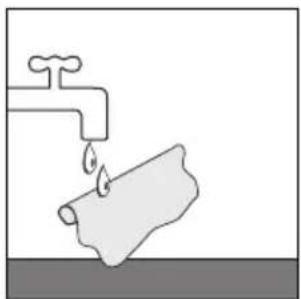
natural_image
Simple line drawing of a faucet with a pipe and water drop (no text or symbols)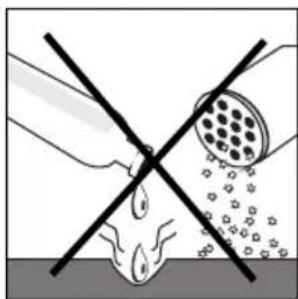
natural_image
Diagram showing a hand holding a tool intersecting with a circular object, no text or symbols present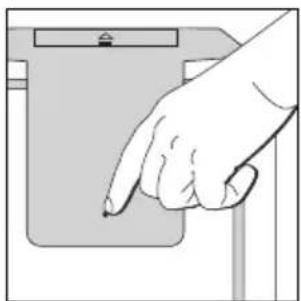
natural_image
Hand pointing at a device component (no text or symbols visible)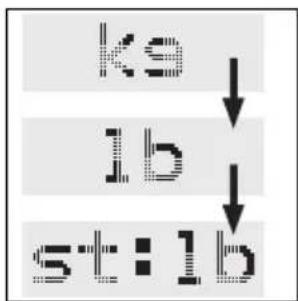
flowchart
graph TD
    A["ks"] --> B["lb"]
    B --> C["st:lb"]
2.
text_image
NEW ↓ ↓ ↑3.
text_image
P4 ↓ ▼ ▲4.
text_image
HT TEN5.
text_image
F F26.
text_image
Scanned image showing a pixelated text input and three control buttons with directional arrows below, likely from a software interface.7.
text_image
FCT J ▼ ▲Adatok bevitele
line
| Time (min) | Value | | ---------- | ----- | | 0 | 58 | | 1 | 76 | | 2 | 76 | | 3 | 76 | | 4 | 76 | | 5 | 76 | | 6 | 76 | | 7 | 76 | | 8 | 76 | | 9 | 76 | | 10 | 76 | | 11 | 76 | | 12 | 76 | | 13 | 76 | | 14 | 76 | | 15 | 76 | | 16 | 76 | | 17 | 76 | | 18 | 76 | | 19 | 76 | | 20 | 76 | | 21 | 76 | | 22 | 76 | | 23 | 76 | | 24 | 76 | | 25 | 76 | | 26 | 76 | | 27 | 76 | | 28 | 76 | | 29 | 76 | | 30 | 76 | | 31 | 76 | | 32 | 76 | | 33 | 76 | | 34 | 76 | | 35 | 76 | | 36 | 76 | | 37 | 76 | | 38 | 76 | | 39 | 76 | | 40 | 76 | | 41 | 76 | | 42 | 76 | | 43 | 76 | | 44 | 76 | | 45 | 76 | | 46 | 76 | | 47 | 76 | | 48 | 76 | | 49 | 76 | | 50 | 76 | | 51 | 76 | | 52 | 76 | | 53 | 76 | | 54 | 76 | | 55 | 76 | | 56 | 76 | | 57 | 76 | | 58 | 76 | | 59 | 76 | | 60 | 76 | | 61 | 76 | | 62 | 76 | | 63 | 76 | | 64 | 76 | | 65 | 76 | | 66 | 76 | | 67 | 76 | | 68 | 76 | | 69 | 76 | | 70 | 76 | | 71 | 76 | | 72 | 76 | | 73 | 76 | | 74 | 76 | | 75 | 76 | | 76 | 76 | | 77 | 76 | | 78 | 76 | | 79 | 76 | | 80 | 76 | | 81 | 76 | | 82 | 76 | | 83 | 76 | | 84 | 76 | | 85 | 76 | | 86 | 76 | | 87 | 76 | | 88 | 76 | | 89 | 76 | | 90 | 76 | | 91 | 76 | | 92 | 76 | | 93 | 76 | | 94 | 76 | | 95 | 76 | | 96 | 76 | | 97 | 76 | | 98 | 76 | | 99 | 76 | | max | max | | min | min | | - | - | | - | - | | - | - | | - | - | | - | - | | - | - | | - | - | | - | - | | - | - | | - | - | | - | - | | - | - | | - | - | | - | - | | - | - | | | - | - | | | - | - | | | - | - | | | - | - | | | - | - | | | - | - | | | - | - | | | - | - | | | - | - | | | - | - | | | - | - | | | - | - | | | - = Peak| | max | max | | min | min | | - | min | | - | min | | - | min | | - | min | | - | min | | - | min | | - | min | | - | min | | - | min | | - | min | | - | min | | | - = Peak| | max | max | | min | min | | - | min | | - | min | | - | min | | - | min | | - | min | | - = Peak| | max | max | | min | min | | - | min | | - | min | | - | min | | - | min | | - = Peak| | max | max | | min | min | | - | min | | - | min | | - | min | | - = Peak| | max | max | | min | min | | - | min | | - | min | | - = Peak| | max | max | | min | min | | - | min | | - | min | | - = Peak| | max | max | | min | min | | - | min | | - | min | | - = Peak| | max | max | | | min | min | | | - | min | | | - = Peak| | max | max | | max | max | | max | max | | max | max | | max | max | | max | max | | max | max | | max = Peak| | max | max | | max = Peak| | max = Peak| | max = Peak| | max = Peak| | max = Peak| | max = Peak| | max = Peak| | max = Peak| | max = Peak| | max = Peak| | max = Peak| | max = Peak| | max = Peak| | max = Peak| | max = Peak| | max = Peak| | max = Peak| | max < Peak| | max < Peak| | max < Peak| | max < Peak| | max < Peak| | max < Peak| | max < Peak| | max < Peak| | max < Peak| | max < Peak| | max < Peak| | max < Peak| | max < Peak| | max < Peak| | max < Peak| | max < Peak| | max < Peak| | peak < Peak> | peak < Peak> | peak < Peak> | peak < Peak> | peak < Peak> | peak < Peak> | peak < Peak> | peak < Peak> | peak < Peak> | peak < Peak> | peak < Peak> | peak < Peak> | peak < Peak> | peak < Peak> | peak < Peak> | peak < Peak> | peak < Peak> | peak > Peak> | peak < Peak> | peak < Peak> | peak < Peak> | peak < Peak> | peak < Peak> | peak < Peak> | peak < Peak> | peak < Peak> | peak < Peak> | peak < Peak> | peak < Peak> | peak < Peak> | peak < Peak> | peak < Peak> | peak < Peak> | peak < Peak> | peaking end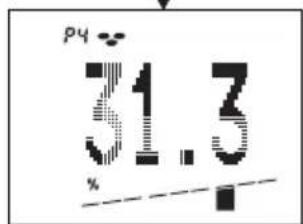
text_image
p4 31.3 %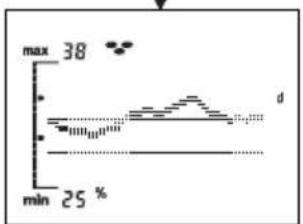
line
| Time | Value | |------|-------| | min | 25 % | | max | 38 % |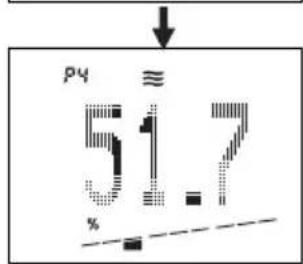
text_image
py ≈ 51.7 %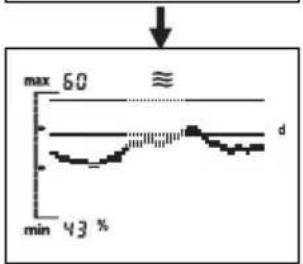
line
| Time | Value | |------|-------| | min | 43 % | | max | 60 % |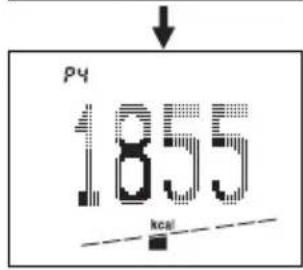
text_image
p4 1855 kcal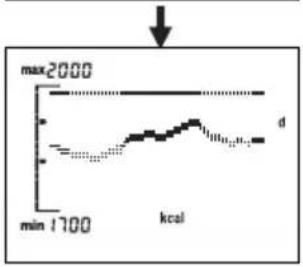
line
| Time | Value | | -------- | ----- | | min | 1700 | | kcal | max2000 |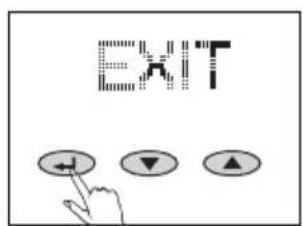
text_image
EXITline
| min | kcal | | --- | --- | | 1700 | max2000 |bar
| Position | Value | |---|---| | 1 | 71.2 | | 2 | 71.2 | | 3 | 71.2 | | 4 | 71.2 | | 5 | 71.2 | | 6 | 71.2 | | 7 | 71.2 | | 8 | 71.2 | | 9 | 71.2 |other
| Parameter | Value | | :--- | :--- | | Temperature | 1855 | | kcal | (labeled point) | | Label | 1 | | Label | 2 | | Label | 3 | | Label | 4 | | Label | 5 | | Label | 6 | | Label | 7 | | Label | 8 | | Label | 9 |text_image
OVER- LOAD3.
text_image
ERROR4.
natural_image
Simple black L-shaped line drawing on white background (no text or symbols)4.
natural_image
Simple geometric shape resembling a stylized letter 'H' with no text or symbolsJelzések
natural_image
Simple line drawing of a cylindrical container with a square top and two circular handles (no text or symbols)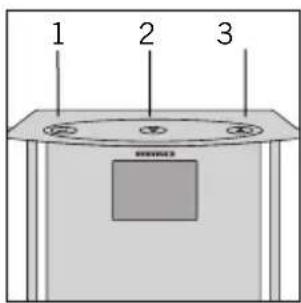
text_image
1 2 3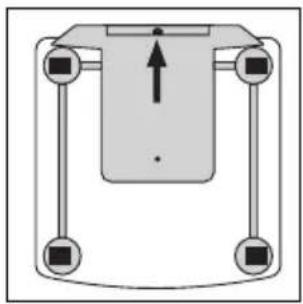
natural_image
Pure mechanical diagram showing a central component with four vertical supports and an upward arrow, no text or symbols present.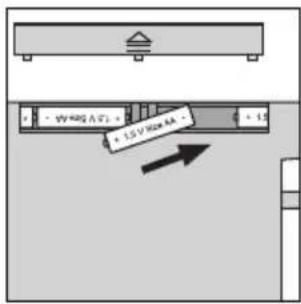
text_image
1.5 V/Max 4A - 1.5 V/Max 4A -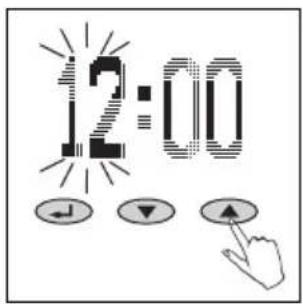
text_image
12:00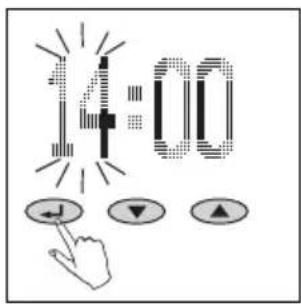
text_image
14:00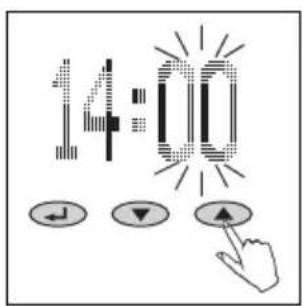
text_image
14:00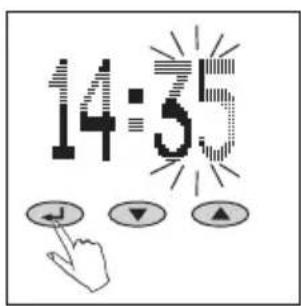
text_image
14:55Elementy sterujące
natural_image
Simple diagram of a horizontal bar on a gray base, no text or symbols present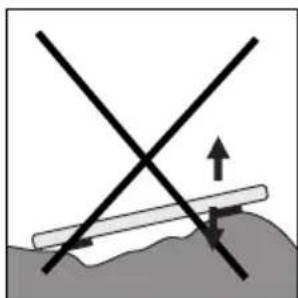
natural_image
Diagram showing two intersecting lines with an upward arrow and directional arrows, no text or symbols present.5
natural_image
Simple line drawing of a faucet with a pipe and water drop (no text or symbols)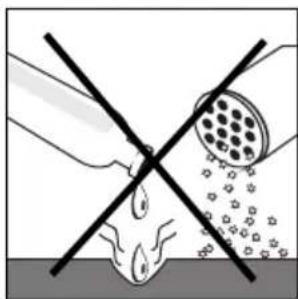
natural_image
Diagram showing a hand holding a tool intersecting with a circular object, no text or symbols present6
natural_image
Hand pointing at a device component (no text or symbols visible)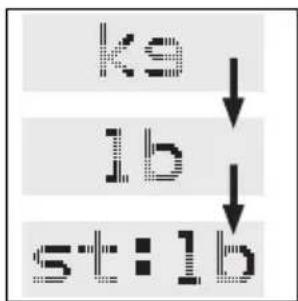
flowchart
graph TD
    A["ks"] --> B["lb"]
    B --> C["st:lb"]
2.
text_image
NEW ↓ ▼ ▲3.
text_image
P 4 ↓ ▼ ▲4.
text_image
HT TEN5.

text_image
R Z6.
text_image
Scanned image showing a pixelated text and three control buttons with directional arrows below, likely from a software interface.7.
text_image
FCT J ▼ ▲Wprowadzanie danych
line
| min | kcal | | --- | --- | | 1700 | max2000 |text_image
OVER- LOAD3.
text_image
ERROR4.
natural_image
Simple black L-shaped line drawing on white background (no text or symbols)4.
natural_image
Simple geometric shape resembling a stylized letter 'H' with no text or symbolsKumunikaty
natural_image
Simple line drawing of a cylindrical container with a square top and side handles (no text or symbols)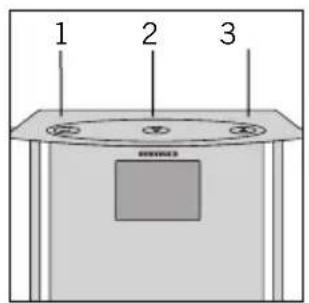
text_image
1 2 3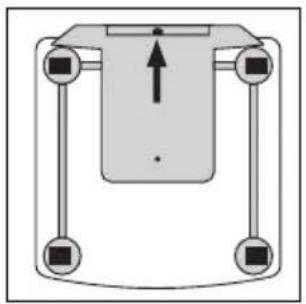
natural_image
Pure diagram of a mechanical or electrical component with four vertical supports and a central downward arrow (no text or symbols)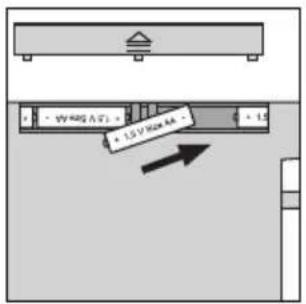
text_image
1.5 V Road AA 2.5 V Road AA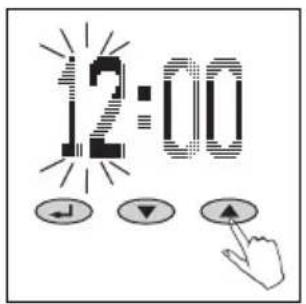
text_image
12:00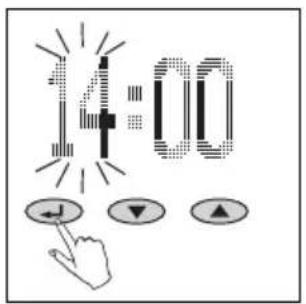
text_image
14:00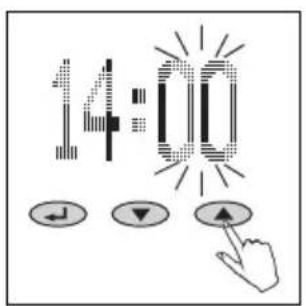
text_image
14:00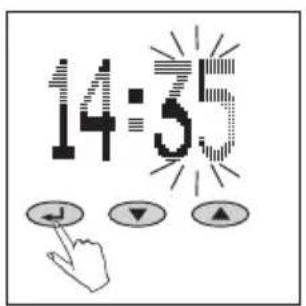
text_image
14:55Ovládací prvky
- Potvrdit ()
- Minus (▼)
- Plus (▲)
Příprava
natural_image
Simple diagram of a horizontal bar on a gray base, no text or symbols present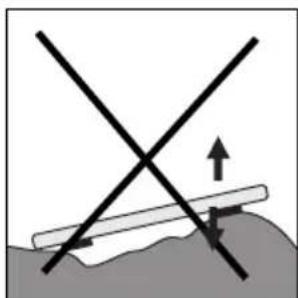
natural_image
Diagram showing two intersecting lines with an upward arrow and directional arrows, no text or symbols present.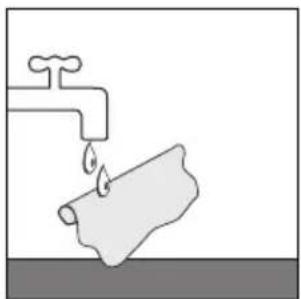
natural_image
Simple line drawing of a faucet with a pipe and water drop (no text or symbols)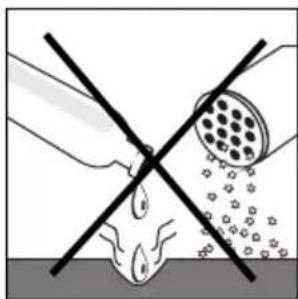
natural_image
Diagram showing a hand holding a tool intersecting with a circular object, no text or symbols present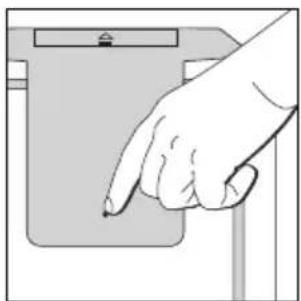
natural_image
Hand pointing at a device component (no text or symbols visible)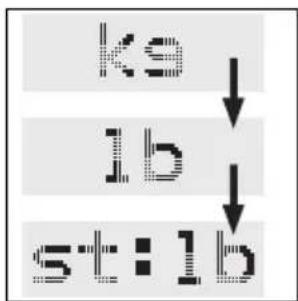
flowchart
graph TD
    A["ks"] --> B["lb"]
    B --> C["st:lb"]
2.
text_image
NEW ↓ ▼ ▲3.
text_image
P4 ↓ ▼ ▲4.
text_image
HT TEN5.
text_image
F F26.
text_image
Scanned image showing a pixelated text input and three control buttons with directional arrows below, likely from a software interface.7.
text_image
RCT J ▼ ▲Zadávání údajů
flowchart
graph TD
    A["pyridine structure with 71.2 kg mass"] --> B["pyridine content at 51.5% yield"]
    B --> C["pyridine mass at 51.7% yield"]
    C --> D["pyridine mass at 1855 kcal"]
    D --> E["max 60 min: max 60, min: min 43%"]
    E --> F["EMPF EHLUNG ACTION!"]
Tělesná analýza
line
| min | kcal | | --- | --- | | 1700 | max2000 |text_image
OVER- LOAD3.
text_image
ERROR4.
natural_image
Simple black L-shaped arrow symbol on white background (no text or labels)4.
natural_image
Simple geometric shape resembling a stylized letter 'H' with no text or symbolsHlášení
natural_image
Simple line drawing of a cylindrical container with a square lid and two circular tops (no text or symbols)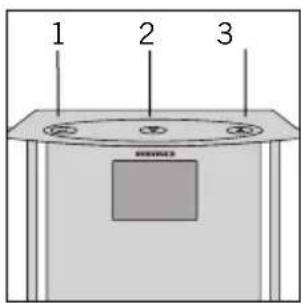
text_image
1 2 3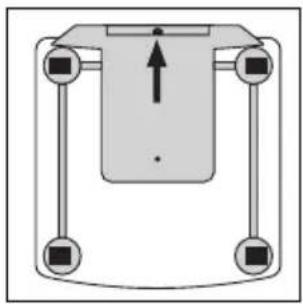
natural_image
Pure mechanical diagram showing a central component with four arms and a central arrow, no text or symbols present.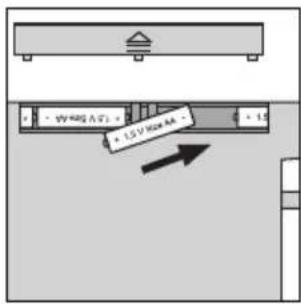
text_image
1.5 V / Max 4A - 1.5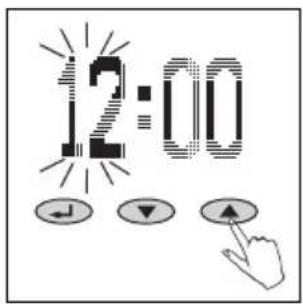
text_image
12:00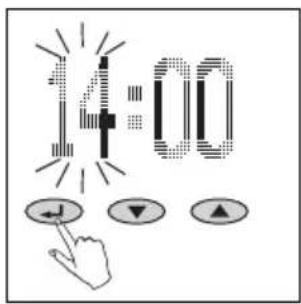
text_image
14:00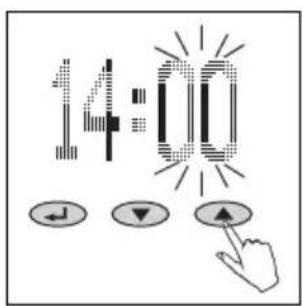
text_image
14:00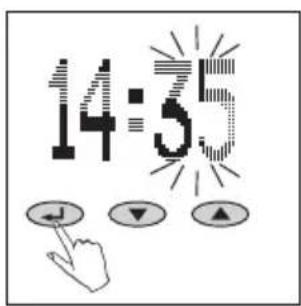
text_image
14:5Элементы управления
natural_image
Simple diagram of a horizontal bar on a gray base, no text or symbols present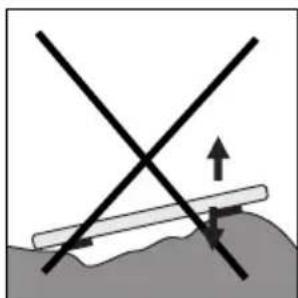
natural_image
Diagram showing two intersecting lines with an upward arrow and directional arrows, no text or symbols present.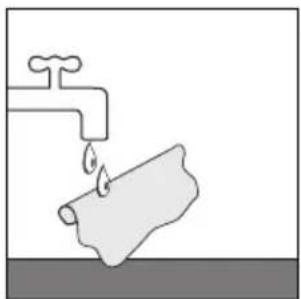
natural_image
Simple line drawing of a faucet with a pipe and water drop (no text or symbols)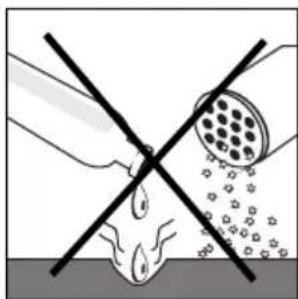
natural_image
Diagram showing a hand holding a tool intersecting with a circular object, no text or symbols present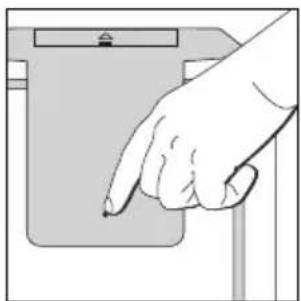
natural_image
Hand pointing at a device component (no text or symbols visible)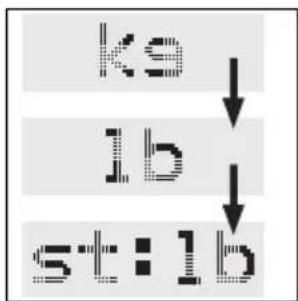
flowchart
graph TD
    A["ks"] --> B["lb"]
    B --> C["st:lb"]
2.
text_image
NEW ↓ ▼ ▲3.
text_image
P4 ← ↓ ▼ ▲4.
text_image
HT Tg5.
text_image
F12 ↓ ▼ ▲6.
text_image
Scanned image showing a pixelated text and three control buttons with directional arrows below, likely from a software interface.7.

text_image
RCT J ▼ ▲Ввод данных
line
| min | kcal | | --- | --- | | 1700 | max2000 |text_image
OVER- LOAD3.
text_image
ERROR4.
natural_image
Simple black L-shaped line drawing on white background (no text or symbols)4.
natural_image
Simple black-and-white abstract shape resembling a stylized letter 'H' (no text or symbols)Сообщения
natural_image
Simple line drawing of a cylindrical container with a square top and side handles (no text or symbols)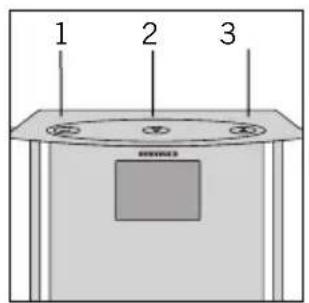
text_image
1 2 3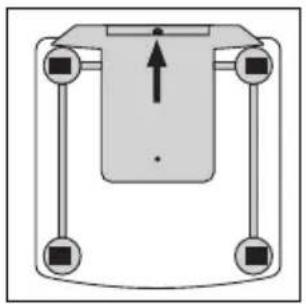
natural_image
Pure mechanical diagram showing a central component with four vertical supports and a central upward arrow, no text or symbols present.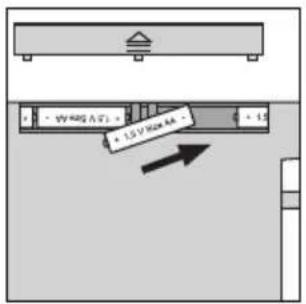
text_image
1.5 V Road AA 2.5 V Road AA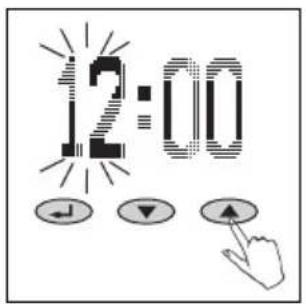
text_image
12:00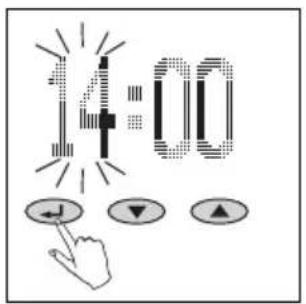
text_image
14:00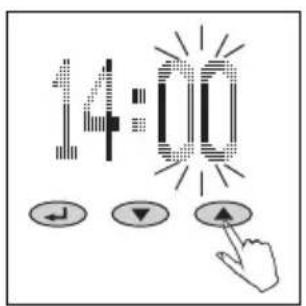
text_image
14:00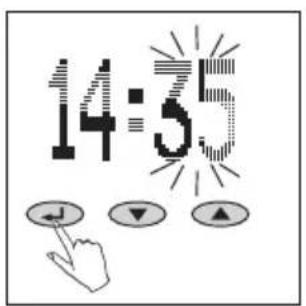
text_image
14:55Kullanım elemanları
- Onaylamak ()
- Eksi (▼)
- Arti (▲)
Hazırlık
natural_image
Simple diagram of a horizontal bar on a gray base, no text or symbols present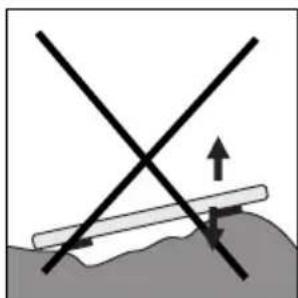
natural_image
Diagram showing two intersecting lines with an upward arrow and directional arrows, no text or symbols present.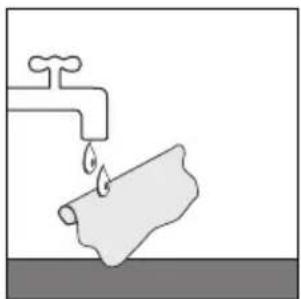
natural_image
Simple line drawing of a faucet with a pipe and water drop (no text or symbols)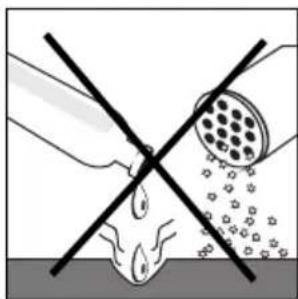
natural_image
Diagram showing a hand holding a tool intersecting with a circular object, no text or symbols present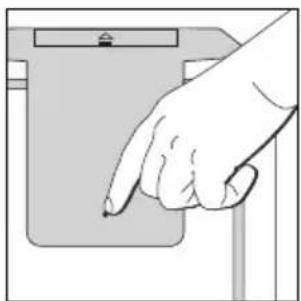
natural_image
Hand pointing at a device component (no text or symbols visible)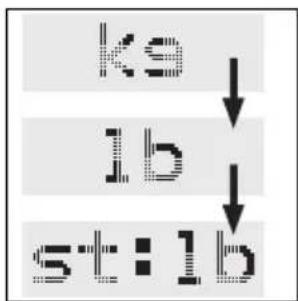
flowchart
graph TD
    A["ks"] --> B["lb"]
    B --> C["st:lb"]
2.
text_image
NEW ↓ ▼ ▲3.
text_image
P4 ↓ ▼ ▲4.
text_image
HT TEN5.
text_image
F2 F36.
text_image
Scanned image showing a pixelated text input and three control buttons below, likely from a software interface or document.7.
text_image
PCT J ▼ ▲Veri girişi
line
| min | kcal | | --- | --- | | 1700 | max2000 |other
| Parameter | Value | | :--- | :--- | | Temperature (p4) | 1855 | | kcal | (calculated as -0.027) | | Label | 1 2 3 4 5 6 7 8 9 | | Color: Black square - Dashed line - Labels: 1, 2, 3, 4, 5, 6, 7, 8, 9text_image
OVER- LOAD3.
text_image
ERROR4.
natural_image
Simple black L-shaped line drawing on white background (no text or symbols)4.
natural_image
Simple black letter 'H' on white background, no additional text or symbolsMesajlar
natural_image
Simple line drawing of a cylindrical container with a square top and side handles (no text or symbols)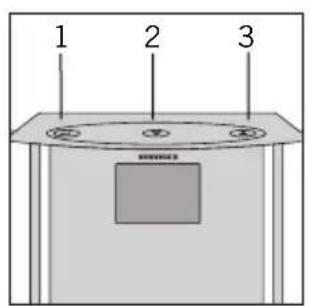
text_image
1 2 3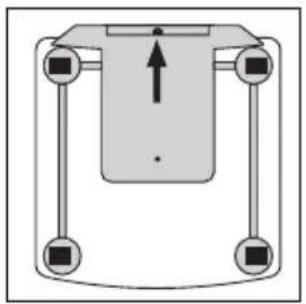
natural_image
Pure mechanical diagram showing a central component with four arms and a central arrow, no text or symbols present.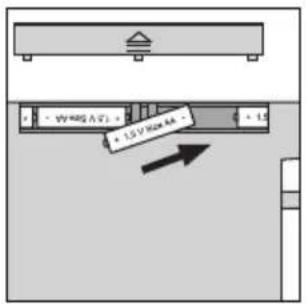
text_image
1.5 V/Box 4 2.5 V/Box 4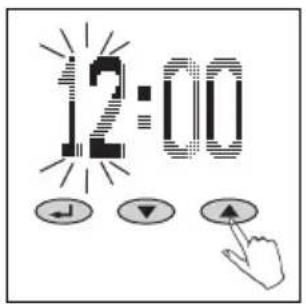
text_image
12:00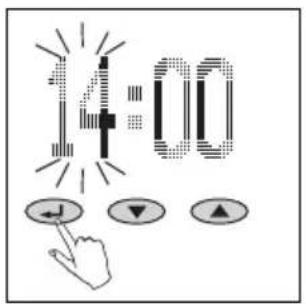
text_image
14:00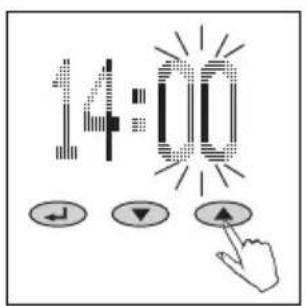
text_image
14:00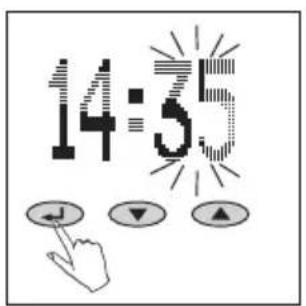
text_image
14:55Στοιχεία χειρισμού
natural_image
Simple diagram of a horizontal bar on a gray base, no text or symbols present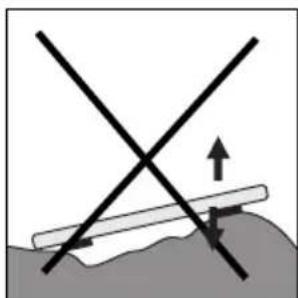
natural_image
Diagram showing two intersecting lines with an upward arrow and directional arrows, no text or symbols present.5
natural_image
Simple line drawing of a faucet with a pipe and water drop (no text or symbols)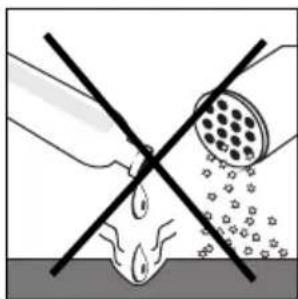
natural_image
Diagram showing a hand holding a tool intersecting with a circular object, no text or symbols present6
natural_image
Hand pointing at a device component (no text or symbols visible)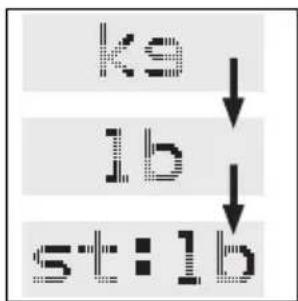
flowchart
graph TD
    A["ks"] --> B["lb"]
    B --> C["st:lb"]
2.
text_image
NEW ↓ ▼ ▲3.
text_image
P4 ↓ ▼ ▲4.
text_image
HT TEN5.
text_image
F12 ↓ ▼ ▲6.
text_image
Scanned image showing a pixelated text input and three control buttons with directional arrows below, likely from a software interface.7.
text_image
FCT J ▼ ▲Εισαγωγή δεδομένων
text_image
Digital logic diagram showing a sequence of symbols and a hand cursor clicking three buttons labeled with check, down, and up arrows.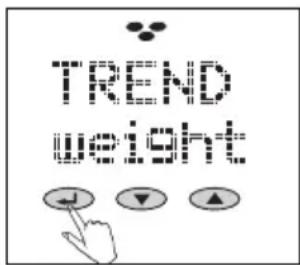
text_image
TREAD KEY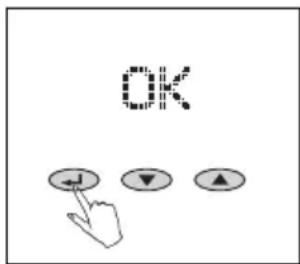
text_image
OK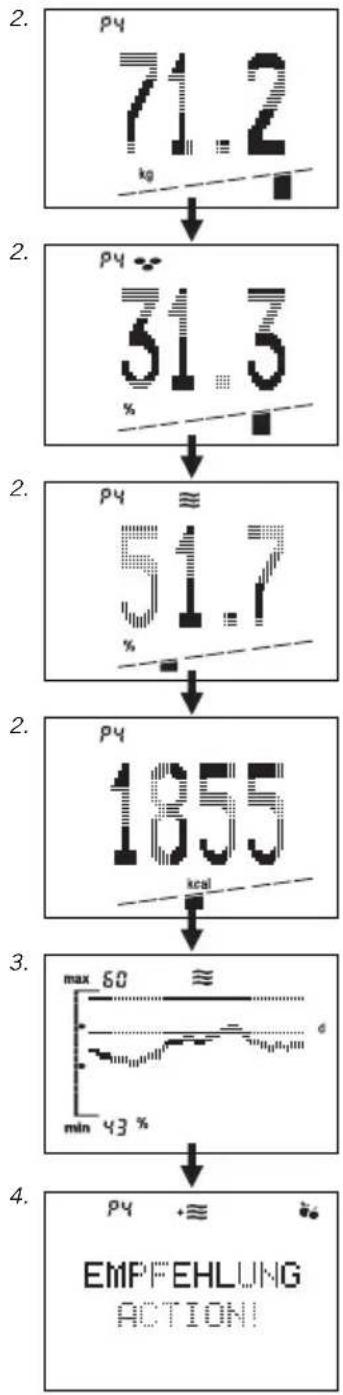
flowchart
graph TD
    A["pyridine structure"] --> B["pyridine content: 71.2 kg"]
    B --> C["pyridine content: 51.5 %"]
    C --> D["pyridine content: 51.7 %"]
    D --> E["pyridine content: 1855 kcal"]
    E --> F["max 60 min 43 %"]
    F --> G["EMPF EHLUNG ACTION!"]
Λιπομέτρηση
text_image
OVER- LOAD3.
text_image
ERROR4.
natural_image
Simple black L-shaped line drawing on white background (no text or symbols)4.
natural_image
Simple geometric shape resembling a stylized letter 'H' with no text or symbolsΜηνύματα
natural_image
Simple line drawing of a rectangular container with a lid and square opening (no text or symbols)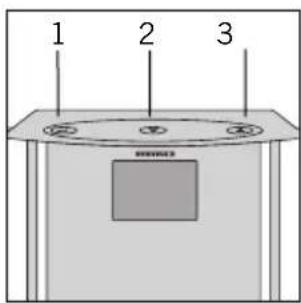
text_image
1 2 3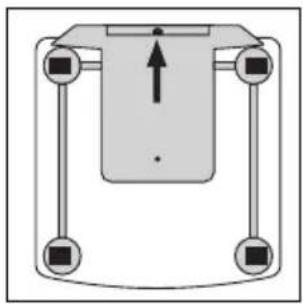
natural_image
Pure mechanical diagram showing a central component with four arms and a vertical load arrow, no text or symbols present.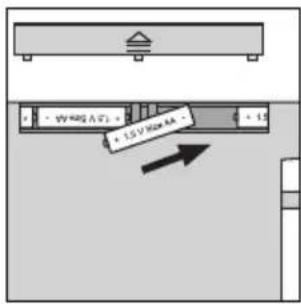
text_image
3V 400A (T) - 1.5 V Max AA - 1.5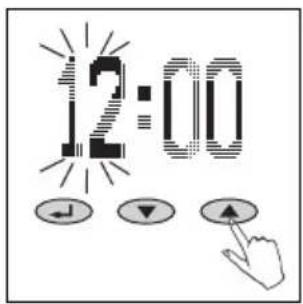
text_image
12:00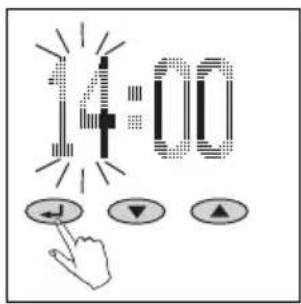
text_image
14:00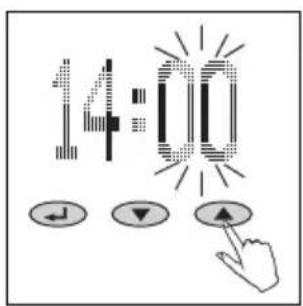
text_image
14:00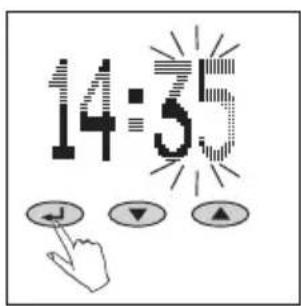
text_image
14:55Upravljani elementi
- Potrditev ()
- Minus (▼)
- Plus (▲)
Priprava
- Vstavite baterije. Samodejno se bo vklopl modul za nastavitev časa.
- Ura: Nastavite uro (▼ = minus, ▲ = plus) in potrdite ( ).
- Ura: Nastavite minute (▼ = minus, ▲ = plus) in potrdite ( ).
Opozorilo:
natural_image
Simple diagram of a horizontal bar on a gray base, no text or symbols present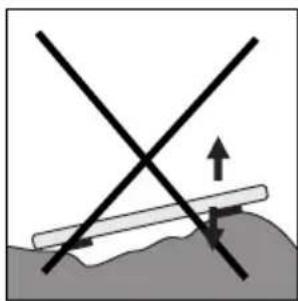
natural_image
Diagram showing intersecting lines and arrows over a textured surface (no text or symbols)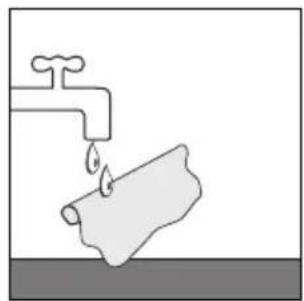
natural_image
Simple line drawing of a faucet with a pipe and water drop (no text or symbols)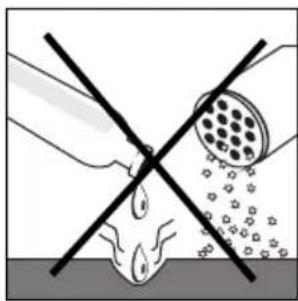
natural_image
Diagram showing a hand holding a tool intersecting with a droplet on a surface, with no text or symbols present.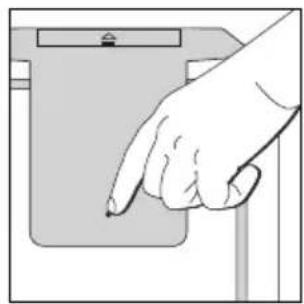
natural_image
Hand pointing at a device component (no text or symbols visible)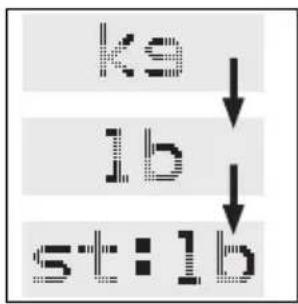
flowchart
graph TD
    A["ks"] --> B["lb"]
    B --> C["st:lb"]
2.
text_image
NEW ↓ ▼ ▲3.
text_image
P4 ↓ ▼ ▲4.
text_image
HT Tg5.
text_image
P12 ↓ ▼ ▲6.
text_image
Diagram showing a numeric keypad with three function buttons: J, ▼, and ▲, connected by a finger to control the keyboard.7.
text_image
RCT J ▼ ▲Vpis podatkov
other
| Parameter | Value | | :--- | :--- | | Temperature | 1855 | | kcal | (labeled point) | | Label | 1 | | Label | 2 | | Label | 3 | | Label | 4 | | Label | 5 | | Label | 6 | | Label | 7 | | Label | 8 | | Label | 9 |text_image
OVER- LOAD3.
text_image
ERROR4.
natural_image
Simple black L-shaped line drawing on white background (no text or symbols)4.
natural_image
Simple geometric shape resembling a stylized letter 'H' with no text or symbolsJavljanje
natural_image
Simple line drawing of a cylindrical container with a square top and two circular handles (no text or symbols)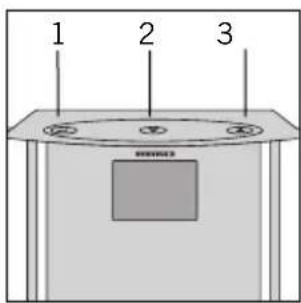
text_image
1 2 3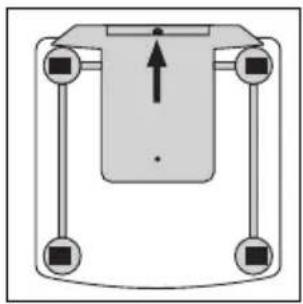
natural_image
Pure mechanical diagram showing a central component with four arms and a central arrow, no text or symbols present.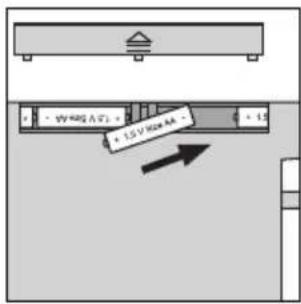
text_image
3V 400A (T) - 1.5 V Max AA - 1.5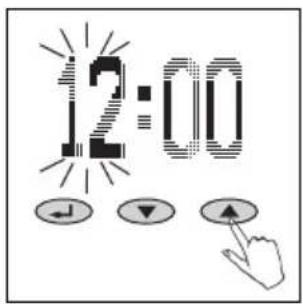
text_image
12:00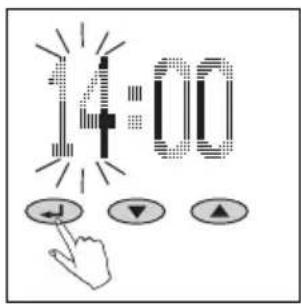
text_image
14:00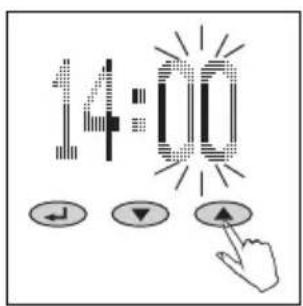
text_image
14:00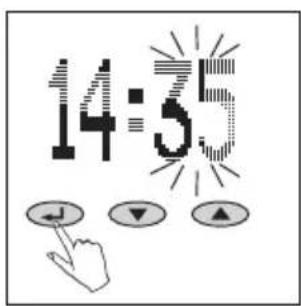
text_image
14:5Elementi za rukovanje
- Potvrdivanje ()
- Minus (▼)
- Plus (▲)
Priprema
- Umetnite baterije. Automatski ćete doći u režim rada za podešavanje vremena.
- Vrijeme: podesite sate (▼= minus, ▲= plus) i potvrdite ( ).
-
Vrijeme: podesite minute (▼= minus, ▲= plus) i potvrdite ( ). Napomena: Nakon umetanja baterija i podešavanja vremena, vagu za tjelesnu analizu odmah stavite (još dok je prikazano 0.0) na ravnu podlogu, i pričekajte dok se vaga sama ne isključi. Tek nakon toga započnite s unošenjem podataka. Inače se može dogoditi da težina same vage kod prvog vaganja greškom bude uzeta u obzir. Isto to se može dogoditi i kod normalnog rada, ako se vaga prije vaganja uzme u ruke.
-
Kod svih mjerenja vaga mora stajati na ravnoj i čvrstoj podlozi (ne na tepihu).
- Čišćenje i održavanje: Čistite samo s malo navlaženom krpom. Nemojte upotrebljavati otapala ili ribajuća sredstva. Vagu nemojte uranjati u vodu.
- Mogućnost prilagodbe pojedinim zemljama sa kg/cm na lb/in ili st/in pritiskom na tipku na poledini vage.
Pozor! Opasnost od sklizanja na mokroj podlozi.
natural_image
Simple diagram of a horizontal bar on a gray base, no text or symbols present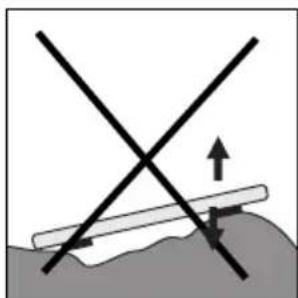
natural_image
Diagram showing two intersecting lines with an upward arrow and directional arrows, no text or symbols present.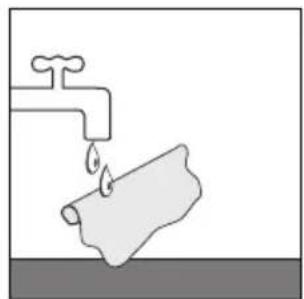
natural_image
Simple line drawing of a faucet with a pipe and water drop (no text or symbols)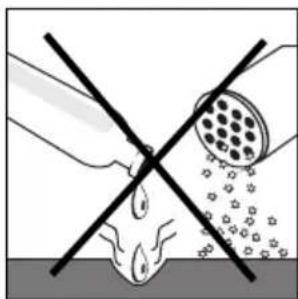
natural_image
Diagram showing a pipe with a cross-shaped barrier and a circular object above it, no text or symbols present.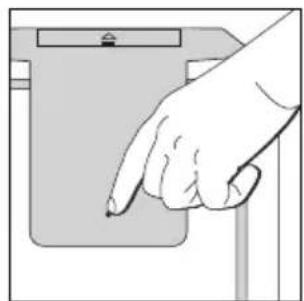
natural_image
Hand pointing at a device component (no text or symbols visible)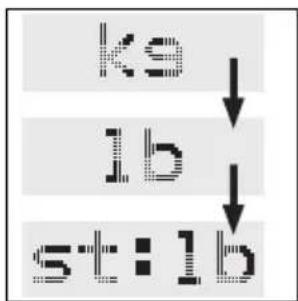
flowchart
graph TD
    A["ks"] --> B["lb"]
    B --> C["st:lb"]
2.
text_image
NEW ↓ ▼ ▲3.
text_image
P4 ↓ ▼ ▲4.
text_image
HT Tg5.
text_image
R E6.
text_image
Scanned image showing a pixelated text 'f' with three circular buttons below, one pointing at a finger to its right.7.
text_image
RCT J ▼ ▲Unos podakata
Za pravilno funktioniranje vage za tjelesnu analizu neophodno je unošenje osobnih podataka za pojedine osobe, i nakon toga odmah treba stati na vagu neobuven.
- Vagu postavite na stol prije podešavanja.
- Započnite s unosom podataka ( ) i pritiskom na tipke ▼/▲ odaberite "NEW" i potvrdite ( ).
-
Odaberite pretinac za podatke (P1 ... P8) (▼ = minus, ▲ = plus) i potvrdite ( ):
-
Unesite tjelesnu visinu (▼ = minus, ▲ = plus) i potvrdite ( ).
- Unesite starosnu dob (▼ = minus, ▲ = plus) i potvrdite ( ).
- Odaberite spol (▼ = 🥘 muški [male], ▲ = 🥘 ženski [female]) i potvrdite (:)
- Podesite željenu vrijednost stupnja aktivnosti (▼ = minus, ▲ = plus). Ta je vrijednost potrebna za utvrđivanje utroška energije.
Aktivinosti
| 1 | minimalno tjelesno kretanje | maksimalnlo 2 sata/dnevnog stajanja ili kre-tanja |
| 2 | lagana, aktivna, sjedeća ili stojeća aktivnost | |
| 3 | Rad u kući i vrtu, uglavnom stoje-čki, samo povremeno sjedeći | |
| 4 | Sportaši i ljudi koji se puno kreću | najmanje 5 sati/tjedno intenzivan trening |
| 5 | Teški fizički radnici, vrhunski sportaši | najmanje 10 sati/tjedno intenzivan trening |
text_image
OVER- LOAD3.
text_image
ERROR4.
natural_image
Simple black L-shaped line drawing on white background (no text or symbols)4.
natural_image
Simple black-and-white geometric shape resembling a stylized letter 'H' (no text or symbols)Poruke
- Baterija istrošena.
- Prevelika težina: preko 150 kg.
- Nerealni rezultati analize - provjerite programiranje osobnih podataka.
- Loš kontakt nogama: Operite vagu ili noge ili pri- pazite na dovoljnu vlažnost kože. Ako vam je koža presuha – navlažite noge ili mjerenje obavite nakon tuširanja ili kupanja.
Odlaganje batterija
Baterije se ne ubrajaju u kućni otpad. Kao korisnik, zakonski ste obavezni deponirati upotrijebljene baterije. Stare baterije možete odlagati na sakupljališta u vašem susjedstvu, ili na bilo koje mjesto gdje se baterije otkupljuju.
Pb = sadrži olovo
Cd = sadrži kadmij
Hg = sadrži živu
56377 Nassau/Germany
www.soehnle.com