
URC-6410 - Universal remote ONE FOR ALL - Free user manual and instructions
Find the device manual for free URC-6410 ONE FOR ALL in PDF.



| Product type | Universal remote |
| Brand | ONE FOR ALL |
| Model | URC-6410 |
| Dimensions (approx.) | 20 x 5 x 2 cm |
| Weight (approx.) | 100 g (with batteries) |
| Power supply | 2 AAA batteries (not included) |
| Compatibility | TV, DVD, satellite brands, etc. |
| Setup methods | SimpleSet, Auto Search, Copy (learning) |
| Region selection | France (F), Germany, Spain, etc. |
| Number of manual pages | 114 pages |
| Learning function | Copy functions from original remote |
| Delete copied function | Yes, via COPY button |
| Maintenance and cleaning | Clean with a dry, soft cloth. Do not use solvents. |
| Safety | Do not expose to humidity or extreme temperatures. |
| Spare parts and repairability | User-replaceable batteries. No spare parts available. |
| Warranty | 1 year (depending on country) |
Frequently Asked Questions - URC-6410 ONE FOR ALL
User questions about URC-6410 ONE FOR ALL
0 question about this device. Answer the ones you know or ask your own.
Ask a new question about this device
Download the instructions for your Universal remote in PDF format for free! Find your manual URC-6410 - ONE FOR ALL and take your electronic device back in hand. On this page are published all the documents necessary for the use of your device. URC-6410 by ONE FOR ALL.
USER MANUAL URC-6410 ONE FOR ALL
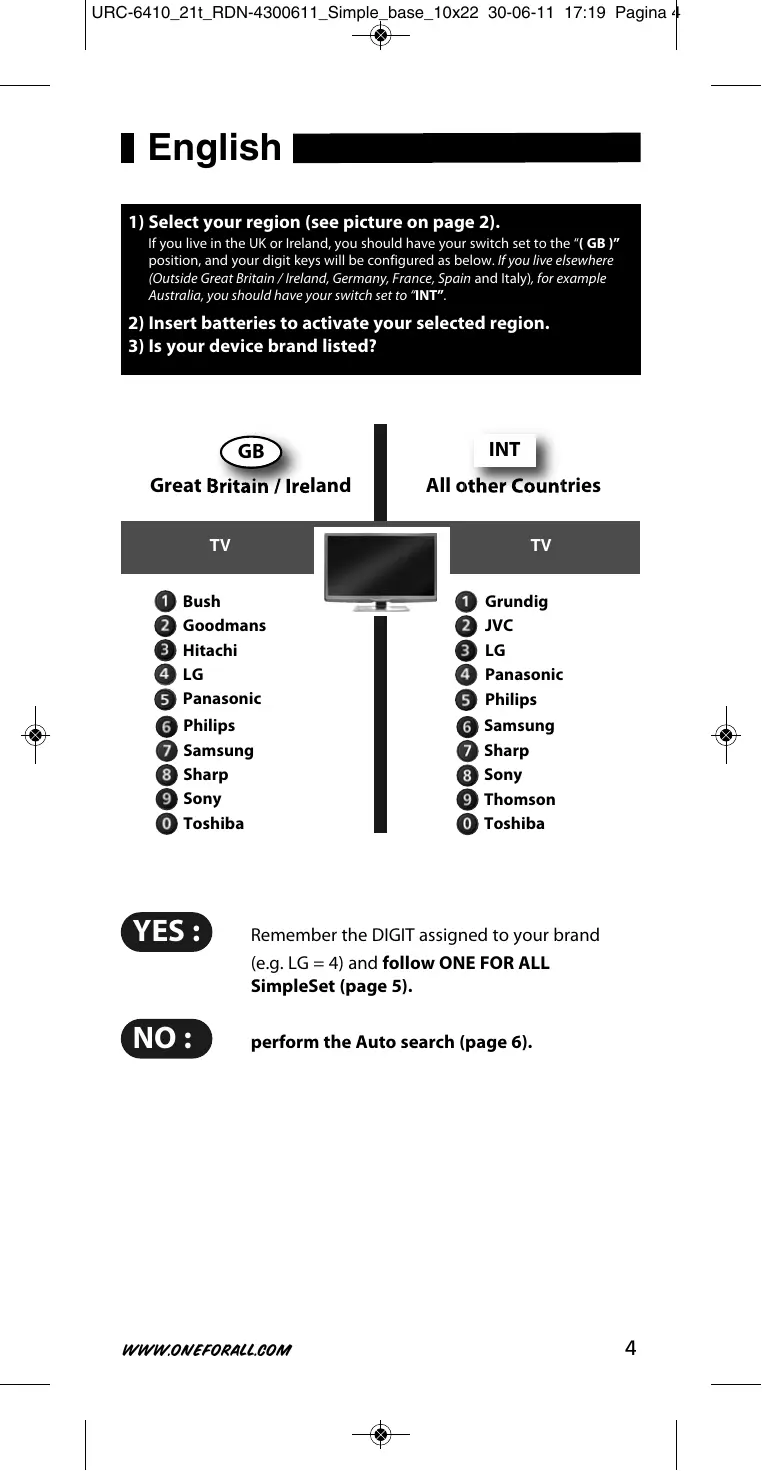
Is your device brand listed? (see page 4).
Deutsch
1) Select your region (see picture on page 2).
If you live in the UK or Ireland, you should have your switch set to the "GB" position, and your digit keys will be configured as below. If you live elsewhere (Outside Great Britain / Ireland, Germany, France, Spain and Italy), for example Australia, you should have your switch set to "INT".
2) Insert batteries to activate your selected region.
3) Is your device brand listed?
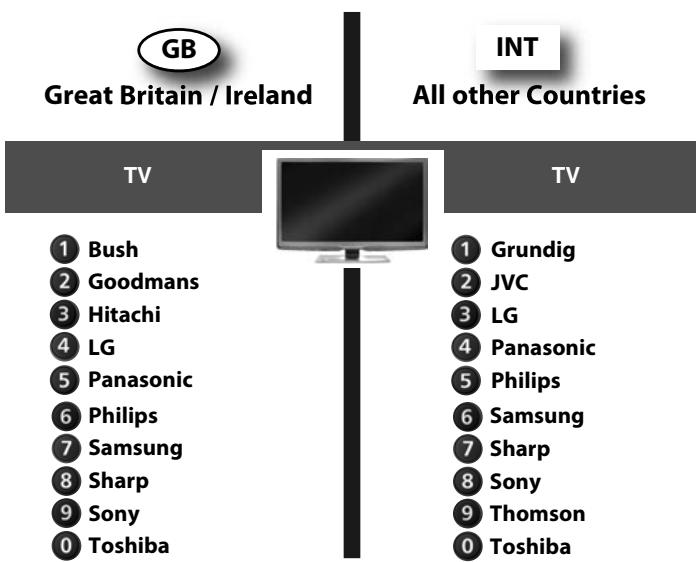

Remember the DIGIT assigned to your brand (e.g. LG = 4) and follow ONE FOR ALL SimpleSet (page 5).

perform the Auto search (page 6).
ONE FOR ALL SimpleSet
Allows you to set up most popular device brands within a few minutes. Simply find the DIGIT KEY assigned to your brand (page 4) and follow steps A-B.


Make sure your device is switched ON (not on standby).
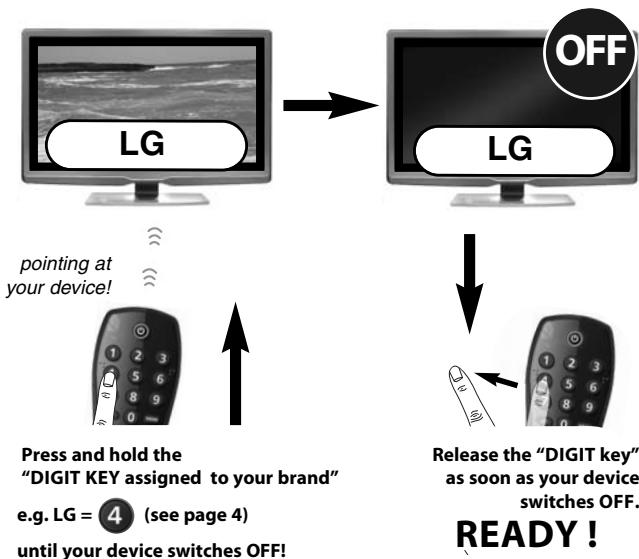
(This may take up to 40 seconds)
Your particular device does NOT switch OFF?
Follow the Auto search procedure on page 6.
Your particular device does NOT switch back ON?
Switch your device back ON manually (or using the original remote) and repeat SimpleSet making sure to release the "DIGIT KEY assigned to your brand" as soon as your device switches OFF.
Your ONE FOR ALL is not working properly?
There may be a better configuration for your device brand. Please repeat SimpleSet. If still not successful please follow the Auto search procedure.
Auto search
Is the way to set up all brands not covered by SimpleSet



Make sure your device is switched ON (not on standby).

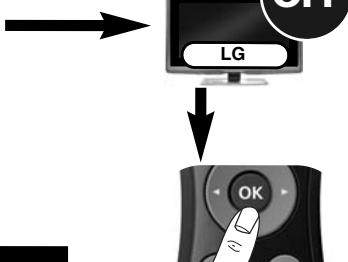
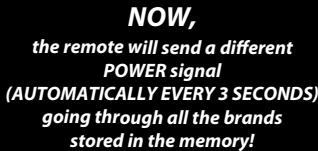
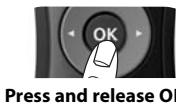
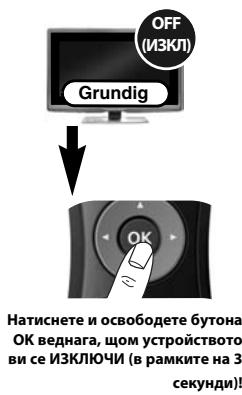
Press and release OK as soon as your device switches OFF (within 3 seconds)!
READY!
Your device switched OFF but it does not switch back ON?
You may have pressed the OK key (to save your settings) too late.
1) Switch your device back ON manually (or using the original remote).
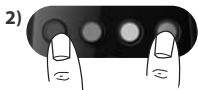
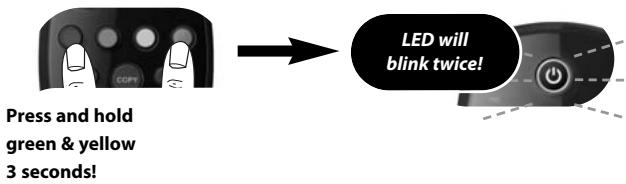
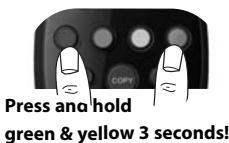
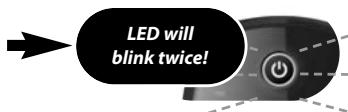
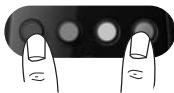
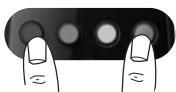
Press and hold "green & yellow" for 3 seconds. LED will blink twice (Main TV Control = press and hold red & blue for 3 sec.).
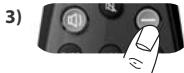
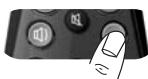
Point the ONE FOR ALL at your device and press CH(repeatedly) until your device switches OFF.
Press and release OK as soon as your device switches OFF.
If this is not successful you may want to repeat Auto Search and make sure to press OK as soon as your device switches OFF to save your settings!
Your ONE FOR ALL is not working properly?
There may be a better configuration for your device brand. Please repeat the Auto Search procedure!
Auto Search not successful?
Perform the COPY feature.
Learning (COPY)
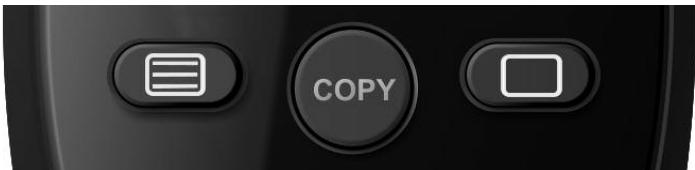
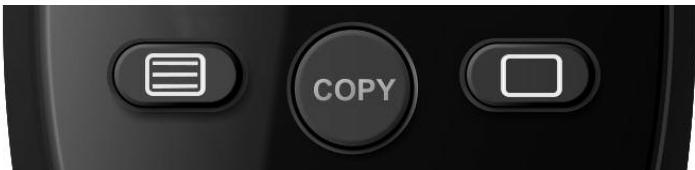
The Learning feature allows you to Learn (Copy) one or more functions from your (working) original TV and/or Digital TV Receiver remote control onto your ONE FOR ALL remote.
Example: How to learn (copy) the "I/II (mono/stereo)" function from your original remote onto the "red key" on your ONE FOR ALL remote control.

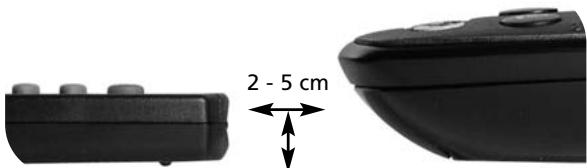
Align both remotes also in height
Place both remote controls on a flat surface. Make sure that the ends you normally point at your device are facing each other.

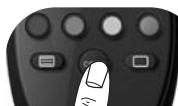
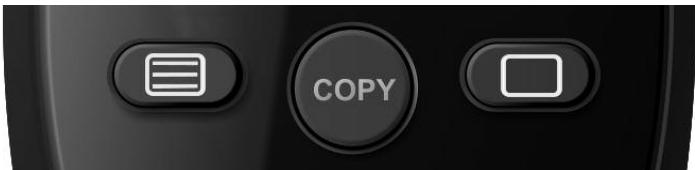
Press and hold COPY 3 seconds!
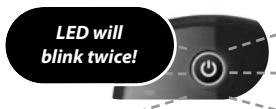

First;
Press the "red" key.
Both LED's will flash rapidly!
2-5cm
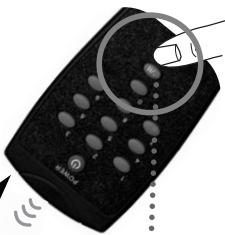
then;
Press & briefly hold the "I/II (mono/streo)" key.
Both LED's will light up twice to confirm successful COPYING.

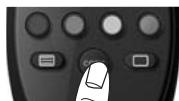
Press and hold COPY 3 seconds to exit the COPY feature!
READY!
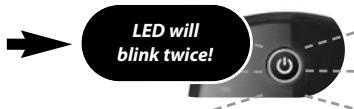
LED will blink twice!
Delete a COPIED function:
1) Press and hold COPY for 3 seconds until both LED's blink twice.
2) Press the corresponding key (e.g. red key) you wish to delete for 3 seconds until both LED's blink twice.
3) Press and hold COPY for 3 seconds. Both LED's will blink twice.
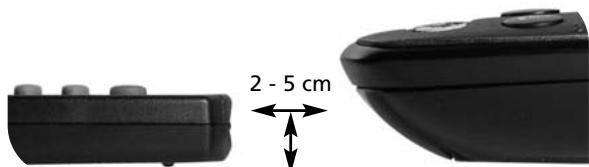
Align both remotes also in height
IyIbT ONE FOR ALL He pa6oTaet HaJIeJkaUIM 6pa30m?
Bo3mOxH0 ec7b 6oJIe noIxDxOJa7a NaCTpoIka dIy MapKn BaIeO yCTpoIcTba. IOBTOPHe NaCTpoIky SimpleSet.
Baue ycmpoicmBo BbIKIOUeHO, Ho He BKIOUaE, Ch Chouu:
Bo3MOxHOb, bblnauu knabuuy OK (dna coxpanenu hacmpoek) cnukom no3HO.
1) BkIIOHTye UcTPOCTBO CHOBA BpyHyIO (IIIN pni nOMoIoOpnIHaNbHOro nyIbTa D).
2)
Hajmnte u ydepxnuBaute "KpaChyu CnHoo" KnaBun B Teuehe 3 cekyH. INdNkatop mHrHet DbaXdbI.
3)
Hapabte npbT ONE FOR ALL Ha yctpoCTBO n Haxmite CH-(MHOROkpaTHo) Do BbIKIOUeHINy yctpoCTBa.

4)
HaxMMTE n OTyCTMe OK cpa3y noCe BbIKIOUeHINy yctpoCTBa.
Ecnu 3mo He homozno, moxho noobmopumb abmonouck, He 3abbya haxbam OK cpa3y nocne BblKIIIOUcEHnY ycmpoucmba dny coxpanenur Hacmpoek!
IyIbM ONE FOR ALL He pa6obaem Hadlexauzum 6pa30m?
Bo3moxho ecmb 6oee nodxodua hacmpouka dna Mapku bauezo ycmpoucmba.
Iopmopume npoueodypaemonoucka!
Aemonouck bvinolnhumb he ydaioocb?
BbInolHume yHKcuio KONIPOBAHnA.
06yuèHne (KÖPNIPOBAHNE)
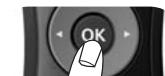
HaTnCHeTe N OcBo6oDeTe 6yToHa OK.

Yepeme ce, ye ycmpoucmbomo e bKJIoueNo (ON,a He e pekum Ha zomobHocm).
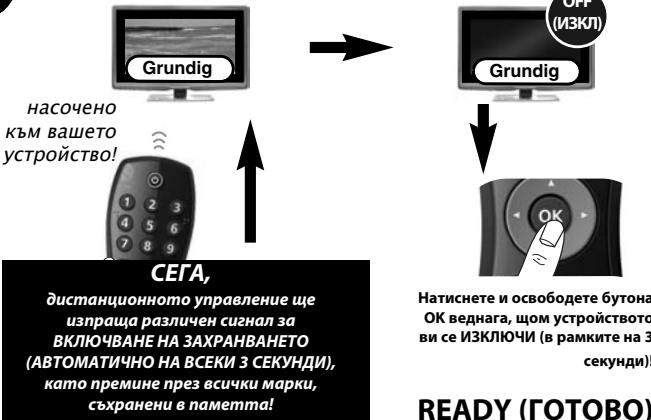
READY (FOTOBO)
Ycmpoucmbomo bu ce u3kIIOUHO (OFF), Hn He ce 6KIOU8a omHOBO (ON)?
Mоже да сreme hamuchалу symona OK (за да сьханше hampoikume cu) npekaneho Kбсн.
1) BkIIOUeTe OTHOBO (ON) yCTpoiCtBOTO cn pTuHO (nIIN KATO n3non3BaTe opunHauHOTo dncTaHUnHO ynpaBLeHne).
2)
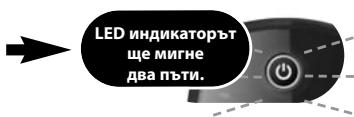
HaTnchTe n 3aDpbKTe "UeRbeHnI n CnHnI 6yToH" 3a 3 cekyHn. LED nHnIkaTOpbT Iue MmHre DBa TbTN.
3)
Hacouete nuctaunohoto ONE FOR ALL KbM BaWeto yctpoCTBO nHaTNCHTe CH-(nKoIO nTn),DOKATO yctpoCTBOTO BN ce NkIouN (OFF).

4)
HaTnchete nOCb6oDeTe 6yToHa OK BeHara,OM yCTpoiCTBTO Bn ce N3KlOuN (OFF).
Ako hacmpj.Kamae heynceuHa, noobmope npoedypama 3a aBmamuHOn mbycene u He nponyckaumde da Hamucheme OK beDha2a, uom ycmpoucmbomo bu ce uKluOu (OFF), 3a da cbxpanume hacmpoukume cu!
Bauemo ONE FOR ALL ycmpoucmbo He pa60u u3npa8no?
Moje da uma no-dobpa konfuzupaun 3a bawama mapka ycmpoucmeo. MoJI, nobopeme npoueypama 3a abmamumuHNo mtpcehe!
Ppoueypama 3a abmomamuuno mbpcehe e heycneuna?
I3n6heme fynKuura COPY (konupahe).
06yuHne (COPY)
Функцята за обчени вдаба Вьзмохно distractа заучite (konnapate) edha нл поеве Функши OT baweto (pabotequ) opnirnHaNo yctpoiCTBO 3a ДИСТАЦИОНно управlenhoe на TeleБиЗор НДИСТАЦИОНно yctpoiCTBO ONE FOR ALL.
LED INHANKATOPbI 费MNTHE DBA PBTHI.
ИЗТРИВАЕ на KOПИРАHA Функцян:
1) HATINCHETe n 3aIpbjxTe 6byToHa COPY 3a 3cekyHn,doKaTO LED INHnkaTOpbT MmHHe Dba Tn.
2) HATNCHETe CbOTBeTHnIe 6yToH (HaNP. UepBHeHHIe 6yToH), YNrAto FoYHKnIe XeJIaTe Da n3TrpneTe, 3a 3 cekyniD, DOKaTO LED uHnIkaTOPbT MmHRe DBa NtN.
3) Hatnche 3a4pbkTe 6yToHa COPY 3a 3 cekyn. LED nHdkaTopbT ue mnrHe Dba Tn.
UEI Electronics Private Ltd offers you, the customer, ONE YEAR WARRANTY for your Remote.
The Remote is warranted against manufacturing defects arising from faulty design, poor workmanship and materials for a period of One year ("the period") from the date of its original purchase by you, on the following terms and conditions.
To obtain warranty service, please call us at the numbers applicable to your local area mentioned on the Customer Service Page of the User Manual or available on www.oneferral.co.in
This warranty will be valid only when the original invoice/ purchase receipt (indicating date of purchase, product description, dealer's name etc.) is presented with the defective Remote. Universal reserves the right to refuse free-of-charge warranty replacement if the above document cannot be presented or if the information contained in it is incomplete, illegible or incorrect. This Warranty does not apply if the type, serial number on the Remote has been altered, deleted, removed or otherwise made illegible. Universal's liability, under this warranty, shall be strictly limited to the first/original sale by the dealer/retailer to you (the first user), and will not apply or extend to any secondary or subsequent sale/transfer of the Remote by you.
You shall be liable for all expenses incurred in delivering the defective Remote to us at the applicable addresses, however, we shall bear the cost of delivery to you for the replacement Remote. While Universal shall make all efforts to replace the defective Remote at the earliest, it is made expressly clear that Universal is under no obligation to do so in a specified period of time. Universal reserves the right to retain the defective Remote, at its own discretion. Please note that the replacement of the Remote, shall not extend the warranty period beyond one year from the original purchase. No fresh warranty shall apply to the replacement Remote.
This Warranty covers only manufacturing defects in the Remote which occur under conditions of normal operation of the Remote and in consonance with their proper and prescribed use. This Warranty does not cover the damage resulting from adaptations, adjustments, modifications made to the Remote or normal wear and tear, misuse, reckless use, damages caused due to natural disasters, Acts of God. This Warranty does not extend to accessories or products used with the Remote, batteries, broken or marred cabinets, cartons, carrying cases or any other item used in connection with the Remote. This Warranty does not apply if the Remote has been tampered with, altered, serviced by any agency, person not authorized by Universal. It is your responsibility to check and verify from Universal, the authenticity of the authorization, which any servicing agency may represent to you.
This Warranty is in lieu of all implied conditions and warranties under applicable law and is confined to replacement of the defective Remote and does not cover any special, consequential, incidental or resulting liability, damage, loss arising from such defects. This warranty, in no event, shall extend to the payment of any monetary consideration or compensation whatsoever. This Warranty does not affect your statutory rights under applicable Indian laws. This Warranty is valid only within the territory of India. In the event of a dispute arising in relation to or connected with this Warranty, the decision of Universal shall be final and binding.
For more information, write to:
UEI Electronics Private Ltd
5th Floor, East Wing
Khanija Bhavan
49 Race course Road
Bangalore 560 001
Dansk
Universal Electronics Inc./ONE FOR ALL GARantorhermed eron der for opindelige kaber, at detteprodukt kaber fremwickmeielle eletriske feil ved normal og korrekt drugien for anen periode af 1) fr a dean prindelirekcbskado. Produxtes attusb u/b, hix det het var sit vare defteknd for paritgeriden p et 1) ar. Denne garanti omfart kie emballage, etui, batterier, odgelste/ksemmede kabinetrer er ane ehender, der er benytet samm med produktet. Erstaningspligten geldan kunder den overfen anforfe hoford. Ospar the feij denl for paritgeriden, bedes De ventiglin rine ot s npmaemert neamt under "Kundeservice" 1) manueln. Bereark nveilst, at vik slav have Deeks notabat for konne fasll, hovrvidt De er berettigt to tarservice. Hvis du har kabettie de product me ed metl der like ranther enthrv, ferroenting er chane s husk, at du mulqis hav tegale rettigheder under din nationale lovignings bestemlemser osal af forbrugervaser. De nenger paivkrirke disse tretigherd.
Norsk
Universal Electronics BV
Europe & International
P.O.Box 3332
7500 DH, Enschede
The Netherlands
English
UNIVERSAL ELECTRONICS INC./ONE FOR ALL warrants to the original purchaser that this product will be free from defects in materials and workmanship under normal and correct use for a period of one (1) year from the date of original purchase. This product will be replaced free of charge if it has been proven to be defective within the one (1) year warranty period. This warranty does not cover cartons, carrying cases, batteries, broken or marred cabinets or any other item used in connection with the product. Any further obligation than listed above is excluded. To obtain warranty service during the warranty period, please call us at the number mentioned on the Customer Service page. Please notice that we need your purchase receipt so that we may establish your eligibility for service. If you have bought this product for purposes which are not related to your trade, business or profession, please remind that you may have legal rights under your national legislation governing the sale of consumer goods. This guarantee does not affect those rights.
Deutsch
Universal Electronics BV
Europe & International
P.O.Box 3332
7500 DH, Enschede
The Netherlands
C E
URC-6410
708294
RDN-4300611