
RS990 GPS - Caméra auto Navitel - Free user manual and instructions
Find the device manual for free RS990 GPS Navitel in PDF.


| Product Type | Dashcam (Car Camera) |
| Brand | Navitel |
| Model | RS990 GPS |
| Main Camera Sensor | Sony IMX678 STARVIS2 |
| Rear Camera Sensor | GC2053 |
| Front Video Resolution | 2160p (4K) / 1440p (2K) / 1080p (Full HD) |
| Rear Video Resolution | 1080p (Full HD) |
| Front View Angle | 160° |
| Rear View Angle | 120° |
| Processor | NT98529 |
| Display | 3" IPS, 480 x 854 pixels |
| Recording Format | MOV |
| MicroSD Capacity | Up to 512 GB (Class U3 or higher) |
| Battery | 3.7 V, 500 mAh |
| Power Input | 5 V, 2 A via USB-C |
| Wi-Fi | 802.11 b/g/n |
| GPS | Built-in GPS with camera and speed alerts |
| G-sensor | Yes, adjustable sensitivity |
| ADAS Features | Distance control, lane departure warning, forward movement start alert, rear-end collision warning, blind spot detection |
| Connectivity | USB-C (charging & data), rear camera port (2.5 mm micro-jack), Wi-Fi |
| Package Contents | DVR, car charger 12/24 V, rear camera, USB-C to USB-A cable, rear camera video cable, user manual, warranty card, gift voucher, electrostatic film (2 pcs) |
| Maintenance & Cleaning | Keep lens clean; use soft, dry cloth; no chemicals; turn off before cleaning |
| Safety Precautions | Use only original charger; avoid extreme temperatures (0-35°C operating, 5-45°C storage); keep away from fire; do not disassemble |
| Operating Temperature | 0 to +35°C |
| Storage Temperature | +5 to +45°C |
Frequently Asked Questions - RS990 GPS Navitel
User questions about RS990 GPS Navitel
0 question about this device. Answer the ones you know or ask your own.
Ask a new question about this device
Download the instructions for your Caméra auto in PDF format for free! Find your manual RS990 GPS - Navitel and take your electronic device back in hand. On this page are published all the documents necessary for the use of your device. RS990 GPS by Navitel.
USER MANUAL RS990 GPS Navitel
natural_image
Two Navitel GPS R0990 camera units shown from front and side views (no visible text or symbols on body)NAVITEL RS990 GPS
Advanced smart dashcam
Úvod
Vážený zákazníku!
Vnější vzhled
Google Play

App Store AppGallery

natural_image
Traffic sign indicating a car ahead, with red and green colors on a black road (no text or symbols)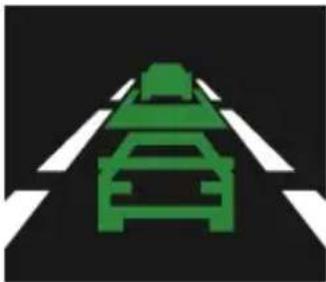
natural_image
Green traffic sign on a black road with white crosswalk markings (no text or symbols)natural_image
Traffic intersection sign with red pedestrian crossing and green car silhouette (no text or symbols)natural_image
Technical line drawing of a microwave oven and its internal structure (no text or symbols)- Port pro video kabel
Einführung
Google Play

App Store AppGallery

Digitaler Tachometer & Kameras Info
DE
- Kamerasymbole [4],
natural_image
Traffic sign indicating a car ahead on a road, with no visible text or symbols- Spurhalteassistent
natural_image
Green traffic sign on a black road with white crosswalk markings (no text or symbols)natural_image
Traffic sign indicating a pedestrian crossing a car, with no text or symbols present.natural_image
Technical line drawing of a mechanical device with cross-sectional view and labeled component (no text or symbols present)- Videokabelanschluss
Sissejuhatus
Lugupeetud klient!
Täname, et ostsite NAVITEL® toote.
Seadme skeem
- Esiklaasi kinnitus
- Objektiiv
- Reset-nupp
- MicroSD kaardi ava
- Ekraan
- Menüü nupp
-
Üles nupp
-
Allapoole nupp
- On/Off/OK nupp
- LED indikaatorid
- USB-Cava
- Tagakaamera port (CAM-IN)
- Mikrofon
Pakendi sisu
• DVR NAVITEL RS990 GPS
• Autolaadija 12/24 V
• Tahavaatekaamera
• USB-C - USB-A kaabel
• Tagakaamera videokaabel
- Kasutusjuhend
• Garantiikaart
• Vautšer
• Elektrostaatiline kile - 2 tk.
Spetsifikatsioonid
| Peakaamera | Kaamera sensor SONY | IMX678 STARVIS2 |
| Video eraldusvõime | 2160p (4K), 1440p (2K), 1080p (Full HD) | |
| Vaatenurk 160° | ||
| Objektiiv 7-kihiline | ||
| Tagumine kaamera | Kaamera sensor GC2053 | |
| Video eraldusvõime | 1080p (Full HD) | |
| Vaatenurk 120° | ||
| Protsessor NT98529 | ||
| Kuvar 3", 480 x 854 IPS | ||
| Salvestusvorming MOV | ||
| MicroSD kaardi maht Max. 512 GB | ||
| Laadimisport USB-C | ||
Google Play

App Store AppGallery

natural_image
Traffic sign indicating a car ahead on a road, with no visible text or symbols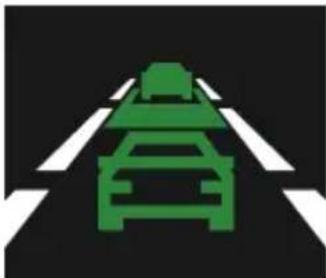
natural_image
Green traffic sign on a black road with white crosshairs (no text or symbols)natural_image
Traffic sign indicating a pedestrian crossing a car, with no text or symbols present.natural_image
Technical line drawing of a portable radio receiver with a close-up view showing internal components (no text or symbols)- Videokaabli port
Introduction
Dear Customer!
Thank you for purchasing this NAVITEL® product.
NAVITEL RS990 GPS is a multifunctional high-definition DVR with many functions and features that are described in this User Manual. Please read the manual carefully before using the device and keep it for future reference.
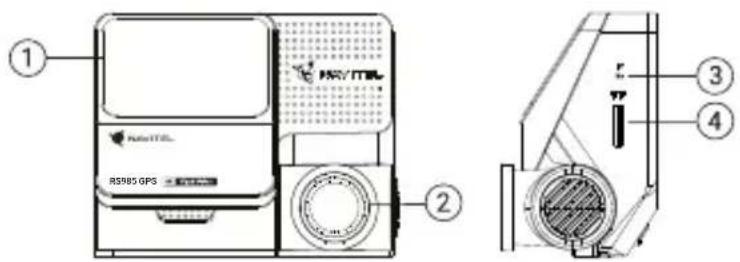
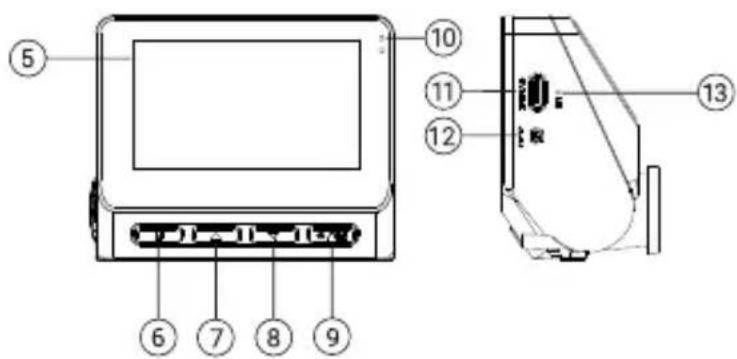
Device layout
- Windscreen mount
- Lens
- Reset button
- MicroSD slot
- Display
- Menu button
-
Up button
-
Down button
- Power/OK button
- LED indicators
- USB-C port
- Rear camera port (CAM-IN)
- Microphone
Package contents
• DVR NAVITEL RS990 GPS
• Car charger 12/24 V
- Rear camera
- USB-C - USB-A cable
• Video cable for the rear camera
- User manual
- Warranty card
- Gift voucher
• Electrostatic film - 2 pcs.
Specifications
| Main camera | Camera sensor SONY | MX678 STARVIS2 |
| Video resolution | 2160p (4K), 1440p (2K), 1080p (Full HD) | |
| View angle 160° | ||
| Lens 7 layers | ||
| Rear camera | Camera sensor GC2053 | |
| Video resolution | 1080p (Full HD) | |
| View angle 120° | ||
| Processor NT98529 | ||
| Display 3", 480 x 854 IPS | ||
| Recording format MOV | ||
| MicroSD card capacity Max. 512 GB | ||
| Charging port USB-C | ||
| CAM-IN micro-jack (2.5 mm) | |
| Battery 3.7 V, 500 mAh | |
| Power 5 V, 2 A | |
| Wi-Fi | 802.11 b/g/n |
| GPS-alert | cameras / warnings / speed |
| G-sensor | Yes |
| Driver assistants | distance control / marking intersection control / movement start control / danger of rear-end collision and lateral blind spot control |
| Language* | French, Spanish, German, Polish, Slovak, English, Russian, Italian, Czech, Hungarian |
Note: contents, appearance, and technical specifications that do not change the overall functionality of the device may be changed by the manufacturer without prior notice.
*New language packs can be added in the future firmware updates.
NAVITEL s.r.o. hereby declares that the device NAVITEL RS990 GPS is compatible with the European directive RED 2014/53/EU. The full text of Declaration of conformity is available at the following internet address: https://www.navitel.com/declaration_of_conformity
Installation
- Put the microSD card (sold separately) into the DVR. Use a high-speed SD card (Class U3 or above); capacity should be up to 512 Gb.

• To avoid malfunctions of the DVR and / or SD-card, don't insert and remove SD-card during DVR operation.
- Before using a microSD card, please format it inside the DVR to avoid data errors. For formatting the SD-card in Menu mode select Format SD-card and confirm it.
- Secure the device on the windshield using the mount.
- Connect the car charger to the cigarette lighter socket.
- Connect the car charger to the DVR input (USB-C).
- Turn the power on; the DVR will start up and begin recording automatically.
- Adjust the DVR position.
Precautions
- The built-in battery is designed only for recording an emergency event in parking mode and turning off the device correctly when the power is turned off; for the full operation of the device in any mode, a constant power connection is required.
• Use only the original charger adapter. Using another adapter may negatively affect the device's battery. Use accessories only approved by manufacturer.
• Permissible ambient temperature in operating mode: 0 to +35 °C. Storage temperature: +5 to +45 °C. Relative humidity: 5% to 90% without condensation (25 °C). - Put the device away from fire sources to avoid explosion or fire.
- Do not expose the device to physical impacts.
- Avoid contacting the device with sources of electromagnetic radiation.
- Keep the lens clean. Do not use chemicals or detergents to clean the product; always turn off the device before cleaning.
- Strictly follow the laws and regulatory acts of the region where the device is used. This device can not be used for illegal purposes.
- Do not disassemble or repair device by yourself. In case of device failure, contact the service center.
Buttons
| Button Functions | |
 | Press the button shortly to turn the device on.Press and hold the button for 2 seconds to turn the device off.In Record mode (STBY), press the button to start recording; press again to stop recording.In Menu, press the button to select a menu item. |
 | In Record mode (STBY) press the button to enter Menu mode.In Menu press the button to switch to the next Menu category. |
 | In Menu, press to select the previous menu item.In Record mode press and hold the button for 2 seconds to take a picture. |
 | In Menu, press to select the next menu item.In Record mode press and hold the button for 2 seconds to switch between main and rear cameras. |
| Reset If the device is not responding, press the button to reset. | |
For the convenience of working with the DVR's video files and embedded data, use Navitel DVR Player.
Download available at: https://www.navitel.com/downloads/navitel-dvr-player
Device functions
| Format SD-card | Formatting a microSD card in the DVR is necessary for the correct operation of the device. Before using a microSD card or in case of data error, please format the microSD card. For formatting the SD-card in Menu mode select Format SD-card and confirm it. |
| Record | Connect the device to an external power supply and it will start recording automatically. Press the OK button to stop recording. Press the OK button again to record another video. Each video will be saved automatically. |
| Antiflicker | Adjusts your shutter speed to minimize the impact of flickering from artificial light sources. You can choose the current frequency in the Menu. |
| Loop recording | This feature allows you to save a video as a set of files given in the duration menu. If the memory card runs out of space, the unprotected files will be overwritten in the order in which they were created. |
| Power Off Choose the period of inactivity after which the device will turn off automatically. | |
| Stamp You can add date and speed stamps to the recorded videos. | |
| G-sensor | In case of a road incident, the DVR will automatically lock the current video. Protected files can not be deleted or overwritten. You can adjust sensitivity of a G-sensor in Menu. |
| GPS location | Device supports built-in GPS chipset and GPS antenna, it can show longitude, latitude and other information on your current location. |
| Select a view mode | Allows you to switch the camera view modes: front only; back only; split screen; back over front (picture-in-picture). |
| USB-connection | When connecting the device to a PC using a USB cable, two connection options will appear:1) Mass Storage: play, copy and delete files.2) Record: standard mode. |
| Parking mode* | Parking mode - impact control is based on the operation of the G-sensor: when it is triggered, an emergency file is written. |
| Advanced driver-assistance systems (ADAS) | The system monitors dangerous approach to an object, controls lane departure, warns about the beginning of movement of an object a head and detects the appearance of pedestrians in front of the car. You can adjust the sensitivity of the alerts in the menu. |
| Mobile App support | You can watch and share videos and photos taken by DVR via the Navitel DVR Center application on your smartphone. Downloadable app connects your phone with the DVR through Wi-Fi network. |

Note: *the mode is available only when the DVR is connected to a permanent power supply through a device that prevents excessive battery discharge - NAVITEL SMART BOX MAX.
Navitel DVR Center app installation
- Download and install Navitel DVR Center to your cell phone or tablet, follow your mobile device instructions. You can download application by scan QR code in DVR's Menu (App QR Code) with your cell phone.Choose Wifi in Settings menu, press On.
- Turn on a Wi-Fi in DVR's Menu (Wi-Fi) and in your mobile device settings.
- Run the app. Choose your DVR in the list. The DVR's information is in DVR's Menu (Wi-Fi Navitel).
- Connect your mobile device to the DVR through Wi-Fi. If necessary use the password. You can change it in DVR's Menu (Wi-Fi password).
-
Using the Navitel DVR Center you can:
-
update DVR's firmware;
• control DVR functions in Settings menu: configure parking mode, impact sensor, video mode and format your SD card; - save, view, delete and send videos and photos as well as watch DVR's video in real time on the mobile device screen.

Google Play

App Store AppGallery


Digital Speed & Camera Info
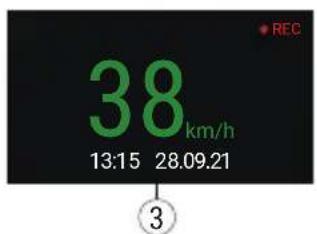
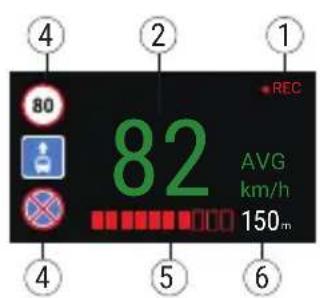
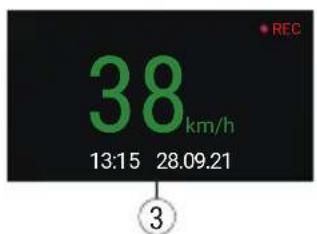
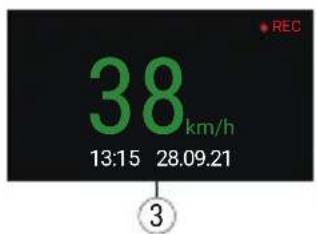
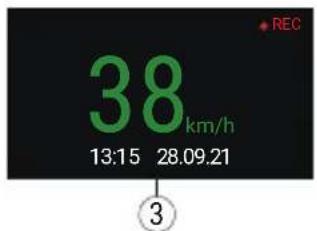
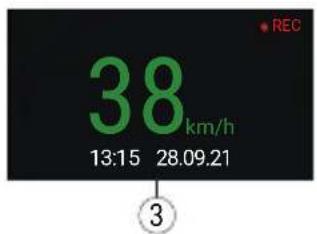
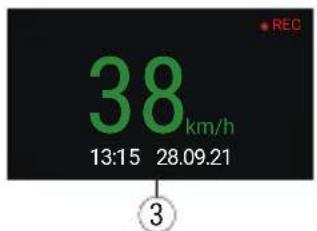
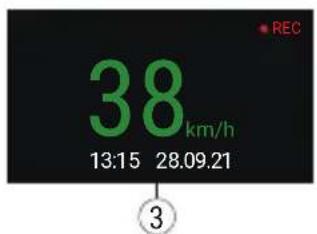
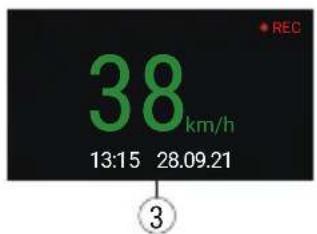
The Digital speed feature is used to display time and vehicle speed calculated with the help of GPS signal and time. In this mode, the current speed [2] and time [3] are constantly displayed.
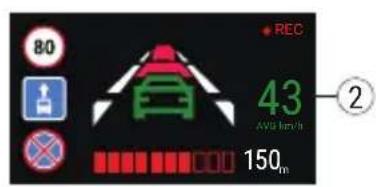
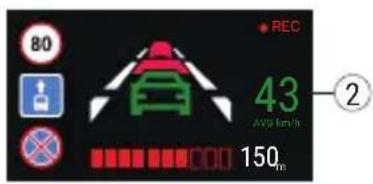
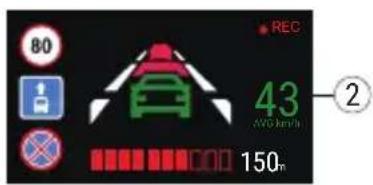
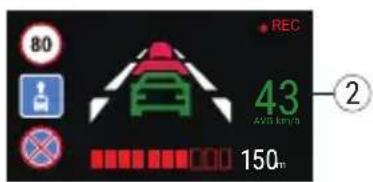
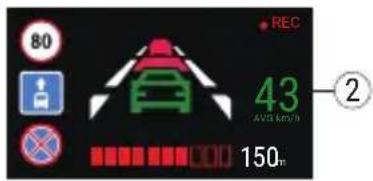
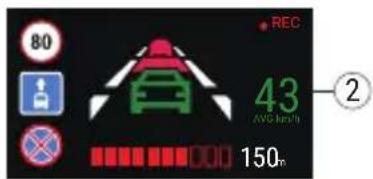
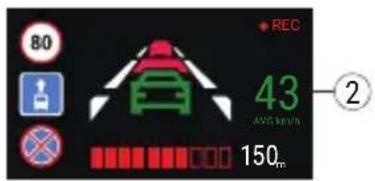
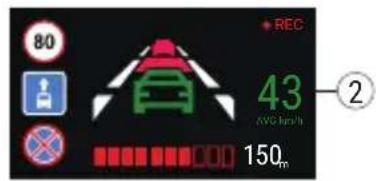
The Camera info feature notifies the driver about cameras and warnings (hereinafter – Cameras) along the way. When you turn on the Camera info, the current speed and time are displayed. With the approach to the nearest camera the following information is displayed:
- current speed [2],
- camera icon [4],
• dynamic progress bar indicating approach to the nearest camera [5],
• distance to the camera [6].
All information is displayed on a black screen.
In Record mode (REC), ●REC is displayed [1].
If the vehicle is still, 0 is displayed.
If there is no GPS-signal, -- - is displayed.
Note. A weak GPS signal may be caused by bad weather conditions and other external factors. Please consult your vehicle speedometer.
Advanced driver-assistance systems (ADAS)
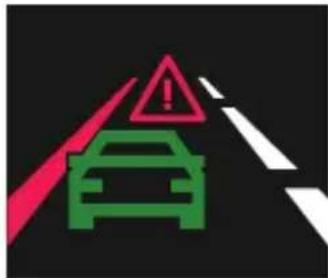
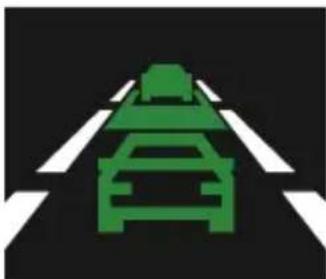
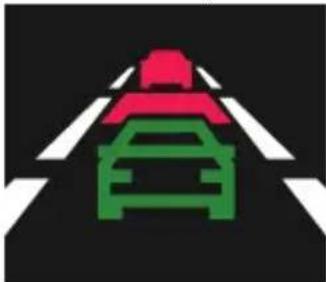
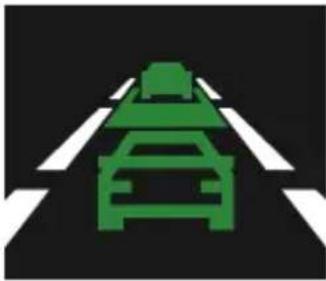
When the advanced driver assistance system is activated, the following functions are available:
natural_image
Traffic sign indicating a car ahead, with no visible text or symbols- tracking dangerous proximity to an object
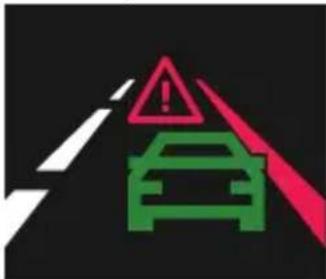
- lane departure control
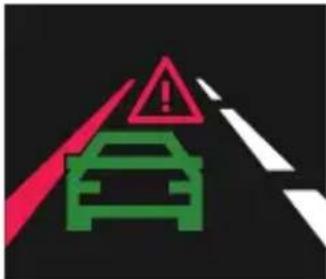
natural_image
Green traffic sign on a black road with white crosswalk markings (no text or symbols)- warning about the beginning of movement of an object ahead
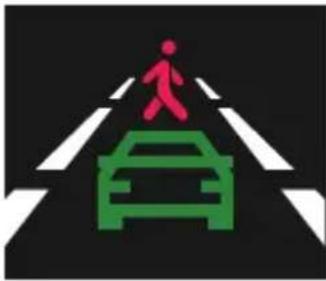
natural_image
Traffic sign indicating a pedestrian crossing with a car silhouette (no text or symbols)- message about pedestrians appearing in front of a car
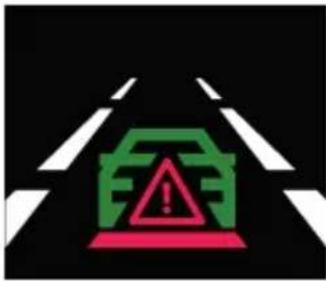
- danger of rear-end collision
Rear camera
With the help of rear camera you can get a high-resolution image behind your car for safe parking or recording while driving. Modern double recording technology allows saving recordings both in front and behind the car for fixing any unforeseen situation.
EN
Rear camera installation
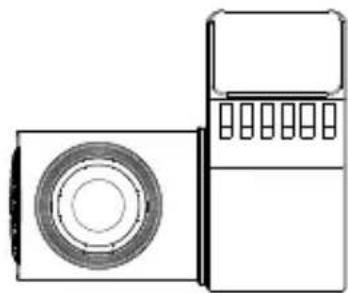
Install the camera on the rear window with a sticker, put the wire through the cabin, connect the wire to the rear camera port.
Note: It is strongly recommended that works on installing the camera should be done by qualified personnel with the necessary skills. Cable routing may require special tools or attachments. Make sure these works are safe.

The camera is not waterproof.
natural_image
Line drawing of a two-port device with a circular vent and control panel (no text or symbols)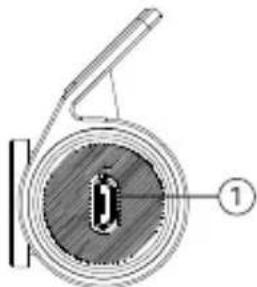
natural_image
Cross-sectional diagram of a mechanical component with labeled parts (no text or symbols present)- Video cable port
Bevezető
Tisztelt Vásárlónk!
Google Play

App Store AppGallery

natural_image
Traffic sign indicating a car ahead on a road (no text or symbols)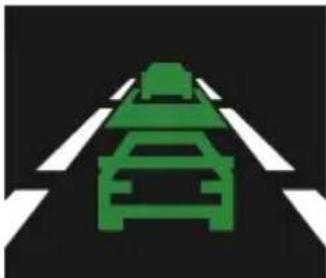
natural_image
Green traffic sign on a black road with white crosswalk markings (no text or symbols)natural_image
Traffic sign indicating a pedestrian crossing a car (no text or symbols)natural_image
Technical line drawing of a mechanical device with cross-sectional view and labeled component (no text or symbols present)- Videó kábel port
Ivadas
Gerbiamas kliente!
Dėkojame, kad jsigijote šj NAVITEL® gamini.
Jrenginio vaizdas
Google Play

App Store AppGallery

natural_image
Traffic sign indicating a car ahead on a road (no text or symbols)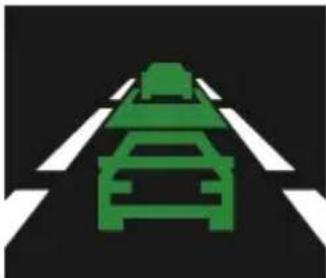
natural_image
Green traffic sign on a black road with white crosswalk markings (no text or symbols)natural_image
Traffic sign showing a pedestrian crossing a car with a red human figure (no text or symbols)natural_image
Line drawing of a vintage typewriter with front panel and side panel (no text or symbols)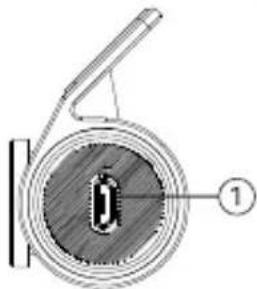
natural_image
Cross-sectional diagram of a mechanical component with labeled part (1), no readable text or symbols presentĀrējais izskats
Google Play

App Store AppGallery

natural_image
Traffic sign indicating a car ahead on a road, with no visible text or symbols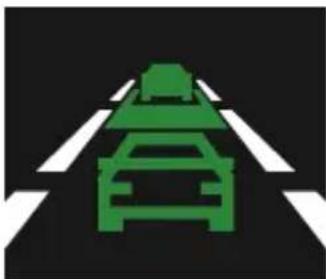
natural_image
Green road sign with a car silhouette on a black road (no text or symbols)natural_image
Traffic sign showing a pedestrian crossing a car with a green car silhouette (no text or symbols)- aizmugures sadursmes briesmas
Aizmugures kamera
natural_image
Line drawing of a two-port device with a circular vent and control panel (no text or symbols)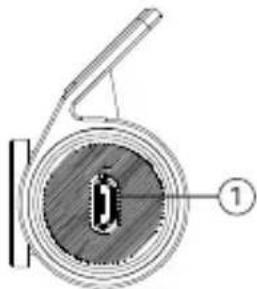
natural_image
Cross-sectional diagram of a mechanical component with labeled part (1), showing internal structure without any text or symbols.- Video kabeli ports
Wstęp
Drogi Kliencie!
Wygląd zewnętrzny
Google Play

App Store AppGallery

natural_image
Traffic sign indicating a car ahead, with no visible text or symbols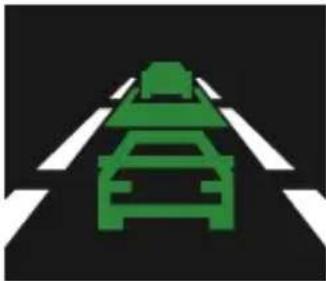
natural_image
Green traffic sign on black road with white crosswalk markings (no text or symbols)natural_image
Traffic sign showing a pedestrian crossing a car with a green car silhouette (no text or symbols)natural_image
Line drawing of a vintage air conditioner unit with front panel and side panel (no text or symbols)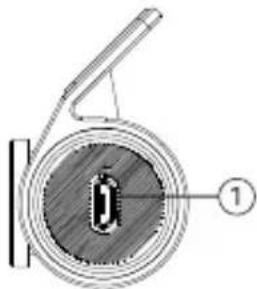
natural_image
Cross-sectional diagram of a mechanical component with labeled parts (no text or symbols present)- Port kamery tylnej
Introducere
Stimate Client!
Google Play

App Store AppGallery

natural_image
Traffic sign indicating a red car on a black road with white stripes (no text or symbols)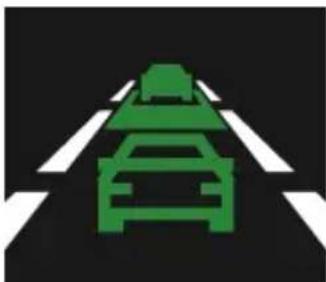
natural_image
Green traffic sign on a black road with white crosshairs (no text or symbols)natural_image
Traffic intersection sign with red pedestrian crossing and green car silhouette (no text or symbols)natural_image
Line drawing of a two-port device with a circular vent and control panel (no text or symbols)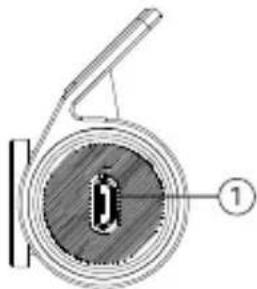
natural_image
Cross-sectional diagram of a mechanical component with labeled parts (no text or symbols present)Внешний вид
Google Play

App Store AppGallery

natural_image
Traffic sign indicating a car ahead on a road, with no visible text or symbols.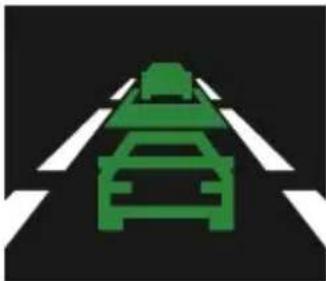
natural_image
Green traffic sign on a black road with white crosswalk markings (no text or symbols)natural_image
Traffic sign indicating a pedestrian crossing a car, with no text or symbols present.natural_image
Line drawing of a two-port device with a circular vent and control panel (no text or symbols)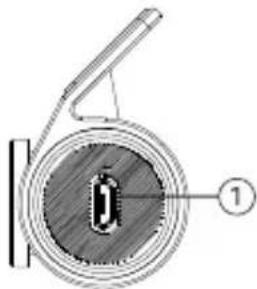
natural_image
Cross-sectional diagram of a mechanical component with labeled parts (no text or symbols present)Vonkajší vzhľad
- Držiak na čelné sklo
- Šošovka
- Tlačidlo reset
- Slot pre MicroSD kartu
- Displej
- Tlačidlo ponuky
-
Tlačidlo hore
-
Tlačidlo dole
- Tlačidlo napájania/OK
- LED indikátory
- USB-C port
- Port pre zadnú kameru (CAM-IN)
- Mikrofón
Obsah balenia
• DVR NAVITEL RS990 GPS
• Nabíjačka do auta 12/24V
- Zadná kamera
- USB-C - USB-A kábel
• Video kábel pre zadnú kameru
• Užívatelská príručka
• Záručný list
• Darčekový poukaz
• Elektrostatická fólia - 2 ks.
Špecifikácia
| Hlavná kamera | Snímač kamery SONY | IMX678 STARVIS2 |
| Rozlíšenie videa | 2160p (4K), 1440p (2K), 1080p (Full HD) | |
| Uhol pohladu 160° | ||
| Šošovka 7-vrstvová šošovka | ||
| Zadná kamera | Snímač kamery GC2053 | |
| Rozlíšenie videa | 1080p (Full HD) | |
| Uhol pohladu 120° | ||
| Procesor NT98529 | ||
| Displej 3", 480 x 854 IPS | ||
| Formát záznamu MOV | ||
| Kapacita microSD karty Max. 512 GB | ||
| Nabijací port USB-C | ||
| CAM-IN micro-jack (2.5 mm) | |
| Batérie 3.7 V, 500 mAh | |
| Napájanie 5 V, 2 A | |
| Wi-Fi | 802.11 b/g/n |
| GPS výstraha | kamery / varovanie / rýchlost' |
| G-senzor | Áno |
| Asistenti vodiča | kontrola vzdialenosti / kontrola značenia križovatky / kontrola štartu pohybu / kontrola nebezpečenstva nárazu zozadu a mítveho uhla |
| Jazyk* | francúzština, španielčina, nemčina, polština, slovenčina, angličtina, ruština, taliančina, slovenčina, maďarčina |
Google Play

App Store AppGallery

natural_image
Traffic sign indicating a car ahead, with no visible text or symbols on the road surface.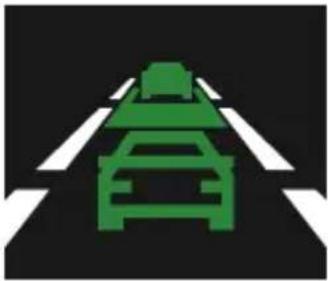
natural_image
Green traffic sign on a black road with white crosshairs (no text or symbols)natural_image
Traffic intersection sign with red pedestrian crossing through the center and green car silhouette (no text or symbols)- nebezpečenstvo nárazu zozadu

NAVITEL
NAVITEL RS990 GPS
Zadná kamera
natural_image
Technical line drawing of a portable radio receiver with a close-up view showing internal components (no text or symbols)- Port pre video kábel
Введення
Шановний покупець!
Google Play

App Store AppGallery

UA
natural_image
Traffic sign indicating a car ahead on a road, with no visible text or symbols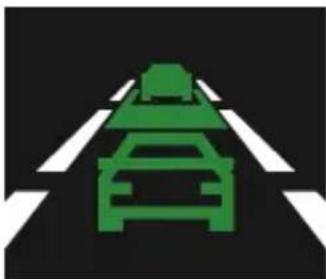
natural_image
Green traffic sign on a black road with white crosshairs (no text or symbols)natural_image
Traffic sign showing a pedestrian crossing a car with a green car silhouette (no text or symbols)natural_image
Line drawing of a washing machine with a circular vent and front panel (no text or symbols)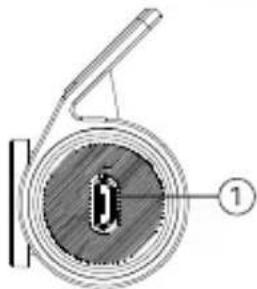
natural_image
Cross-sectional diagram of a mechanical component with labeled part (1), no readable text or symbols present


- NAVITEL RS990 GPS
- Úvod
- Vnější vzhled
- Einführung
- Digitaler Tachometer & Kameras Info
- DE
- Sissejuhatus
- Seadme skeem
- Pakendi sisu
- Introduction
- Device layout
- Package contents
- Installation
- Precautions
- Navitel DVR Center app installation
- Digital Speed & Camera Info
- Advanced driver-assistance systems (ADAS)
- Rear camera
- EN
- Rear camera installation
- Bevezető
- Ivadas
- Jrenginio vaizdas
- Ārējais izskats
- Aizmugures kamera
- Wstęp
- Wygląd zewnętrzny
- Introducere
- Внешний вид
- Vonkajší vzhľad
- Obsah balenia
- Zadná kamera
- Введення
Brand : Navitel
Model : RS990 GPS
Category : Caméra auto