
RС2 DUAL - Caméra auto Navitel - Free user manual and instructions
Find the device manual for free RС2 DUAL Navitel in PDF.


| Product Type | Dash Cam |
| Brand | Navitel |
| Model | RC2 DUAL |
| Display | 2" TFT, 320×240 pixels |
| Processor | AC5401 |
| Camera Sensor | GC2053 (night vision) |
| Video Resolution | 1920×1080 @ 30 fps |
| Recording Format | MOV (H.264) |
| Image Resolution | 12 MP (photo) |
| View Angle | 140° |
| Lens | 4-layer glass |
| Rear Camera | Yes, HD (included) |
| Storage Support | microSD up to 64 GB (Class 10 or above) |
| USB Connector | micro-USB 2.0 |
| Battery | 100 mAh, 3.7 V |
| Power Input | 5 V, 1 A |
| Microphone / Speaker | Yes |
| G-Sensor | Yes |
| Parking Monitor | Yes (vibration detection) |
| Loop Recording | Yes |
| Motion Detection | Yes |
| Languages | English, Czech, German, Estonian, Hungarian, Latvian, Lithuanian, Polish, Romanian, Russian, Slovak, Ukrainian |
| Operating Temperature | 0°C to +35°C |
| Storage Temperature | +5°C to +45°C |
Frequently Asked Questions - RС2 DUAL Navitel
User questions about RС2 DUAL Navitel
0 question about this device. Answer the ones you know or ask your own.
Ask a new question about this device
Download the instructions for your Caméra auto in PDF format for free! Find your manual RС2 DUAL - Navitel and take your electronic device back in hand. On this page are published all the documents necessary for the use of your device. RС2 DUAL by Navitel.
USER MANUAL RС2 DUAL Navitel
natural_image
Black Navitel Dual camera with visible lens and external sensor (no text or symbols on body)NAVITEL RC2 DUAL
Dash Cam
Introduction
EN
Dear Customer!
Thank you for purchasing this NAVITEL® product.
NAVITEL RC2 DUAL is a multifunctional high-definition dash cam with many functions and features that are described in this User Manual. Please read the manual carefully before using the device and keep it for future reference.
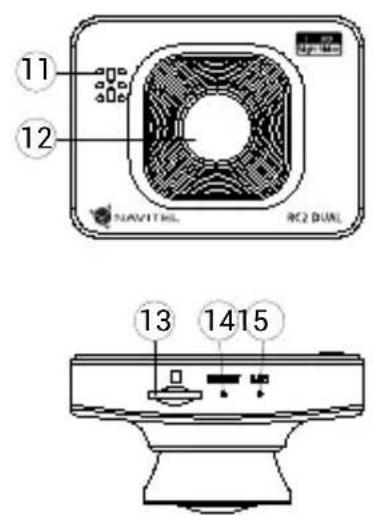
Device layout
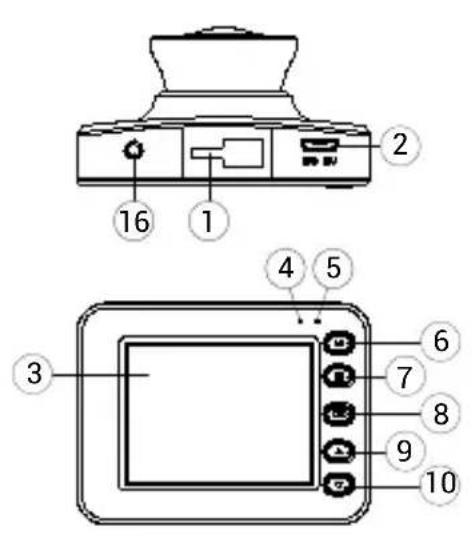
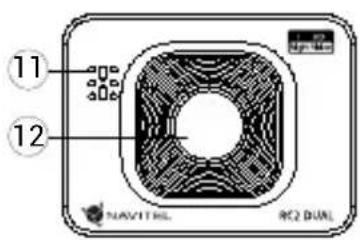
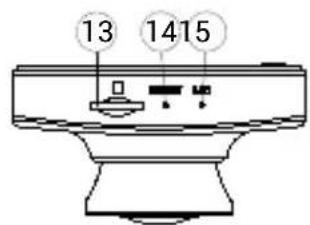
- Mount
- Micro-USB port
- Display
- LED indicator (record)
- LED indicator (charge)
- Mode
- Menu
- OK
- Up
- Down
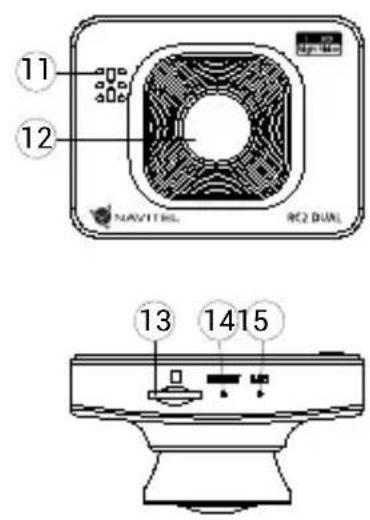
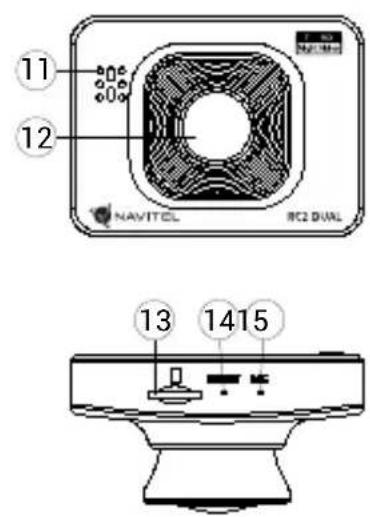
- Speaker
- Lens
- microSD slot
- Reset
- Microphone
- Rear camera port
EN Specifications
| Processor AC5401 | |
| Display 2", 320×240, TFT | |
| Camera sensor GC2053 (night vision) | |
| Recording format MOV (H.264) | |
| Video resolution 1920×1080, 30 fps | |
| Image format | JPG |
| Image resolution 12 MP | |
| View angle 140° | |
| Lens 4-layer glass | |
| Rear camera Yes, HD | |
| Storage microSD card | |
| microSD card capacity Max. 64 GB | |
| USB micro-USB 2.0 | |
| Battery 100 mAh, 3.7 V | |
| Power 5 V, 1 A | |
| Microphone / speaker | Yes |
| Language | Czech,Deutsch,Estonian,English,Hungarian,Latvian,Lithuanian,Polish,Romanian,Russian,Slovak,Ukrainian |
Note: the specifications may change due to upgrades.
Installation
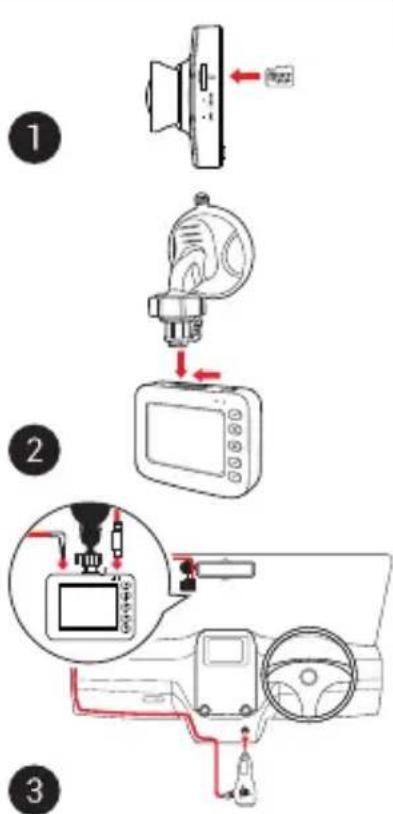
- Put the microSD card into the dash cam. Use a high-speed SD card (Class10 or above); capacity should be within 8-64 GB.

- To avoid malfunctions of the dash cam and / or SD-card, don't insert and remove SD-card during dash cam operation.
-
Before using a microSD card, please format it inside the dash cam to avoid data errors. For formatting the SD-card in Menu mode select Format SD-card and confirm it.
-
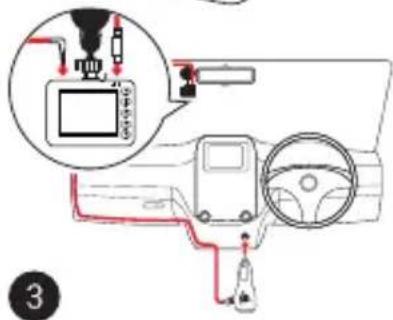
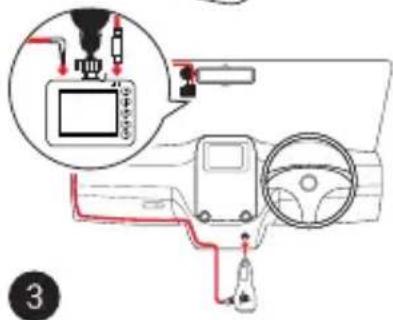
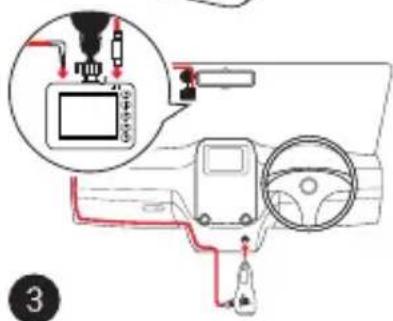
Secure the device on the windshield with the holder.
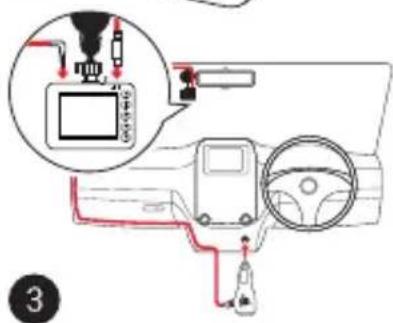
- Connect the car charger to the cigarette lighter socket.
- Connect the car charger to the dash cam (micro-USB).
- Adjust the camera position.
- Turn the power on; check whether the device is installed correctly. If the device is installed correctly, the indicator will glow red; the device will start up and begin recording (indicated by flashing blue light).
Precautions
- Use only the original charger adapter. Using another adapter may negatively affect the device's battery. Use accessories only approved by manufacturer.
- Permissible ambient temperature in operating mode: 0 to +35 °C. Storage temperature: +5 to +45 °C. Relative humidity: 5% to 90% without condensation (25 °C).
- Put the device away from fire sources to avoid explosion or fire.
- Do not expose the device to physical impacts.
- Avoid contacting the device with sources of electromagnetic radiation.
- Keep the lens clean. Do not use chemicals or detergents to clean the product; always turn off the device before cleaning.
- Strictly follow the laws and regulatory acts of the region where the device is used. This device can not be used for illegal purposes.
- Do not disassemble or repair device by yourself. In case of device failure, contact the service center.
flowchart
graph TD
    A["1: Speaker"] --> B["2: Sensor"]
    B --> C["3: Camera Mode"]
    style A fill:#f9f,stroke:#333
    style B fill:#ccf,stroke:#333
    style C fill:#cfc,stroke:#333
EN Buttons
| Button Functions | |
 | In Record mode (STBY), press to switch between Record, Capture and Playback modes.In Record mode (REC), press to lock a file (protected file cannot be deleted or overwritten).In Menu press to choose the next menu section. |
 | Press to enter Menu mode.In Menu press to choose the next menu section. |
 | Press and hold for 3 seconds to turn the device on / off.In Record mode (STBY), press to start recording.In Record mode (REC), press shortly to stop recording.In Capture mode, press to take a picture.In Playback mode, press to select a file, or pause / resume video.In Menu, press to select a menu item. |
 | In Record mode (STBY / REC), press “Up” to switch between the full screen modes of the main or rear camera.In Record mode (STBY / REC), press Down to turn the microphone on / off.In Playback mode, press to select the previous / next file.In Menu, press to select the previous / next menu item. |
| Reset If the device is not responding, press to reset. | |
Note:
- Specifications, functions, layout and package contents of the device may be modified by the manufacturer without preliminary notification.
- The built-in battery is designed only for recording an emergency event in parking mode and turning off the device correctly when the power is turned off; for the full operation of the device in any mode, a constant power connection is required.
Device functions
| Format SD-card | Formatting a microSD card in the DVR is necessary for the correct operation of the device. Before using a microSD card or in case of data error, please format the microSD card. For formatting the SD-card in Menu mode select Format SD-card and confirm it. |
| Record | Connect the device to an external power supply and it will start recording automatically (indicated by the flashing blue light). Press the OK button to stop recording. Press OK again to record another video. Each video will be saved automatically. |
| Capture | In Record mode (STBY), press the Mode button to enter Capture mode, press the OK button to take a photo (it will be saved automatically). |
| Playback | In Record mode (STBY), press the Mode button twice to enter Playback mode; press the Up and Down buttons to select a file; press the OK button to play a file. During playback, press OK to pause/unpause; press the Up and Down buttons to fast forward / rewind. |
| Loop recording | This feature allows you to save a video as a set of files given in the duration menu. If the memory card runs out of space, the unprotected files will be overwritten in the order in which they were created. |
| Interval record | Recording parameters: 100 ms - recording at 10 frames per second (fps), 200 ms - 5 fps recording, 500 ms - 2 fps recording. Only fast playback of a recording is available (30 fps). Normal playback is not possible. |
| Motion detection | When an object is moving the device will automatically start recording. If the object does not move for more than 20 seconds, recording stops. |
| Record audio Record | video with or without sound. |
| Lock file | In Record mode (REC), press Mode to protect the current recording. A key symbol will appear at the bottom of the screen. Press again to remove protection. In Playback mode, select a file, press Menu and select Protect, then Lock Current or Lock All. Protected files cannot be deleted or overwritten. Select Unlock Current / Unlock All to remove protection. |
| Stamp This function adds date stamp to the record. | |
| G-sensor If the vehicle is hit by something, the DVR will automatically lock the current video. | |
| Parking monitor | In shutdown state, if vibration is detected, the device will turn on automatically and start recording. The file will be protected (locked). |
| Battery | Red indicator lights up when the device is plugged into an external power supply; as the battery is charging, the red light becomes green. |
| LCD OFF | The device can automatically shut off the screen to reduce power consumption; time interval can be set in the LCD OFF menu. |
| USB-connection * | When connecting the device to a PC using a USB cable, two connection options will appear:1) Mass Storage: play, copy and delete files.2) Record: standard mode. |
* This function is available only in firmware version 20200506_AC54 and higher.

NAVITEL
NAVITEL RC2 DUAL
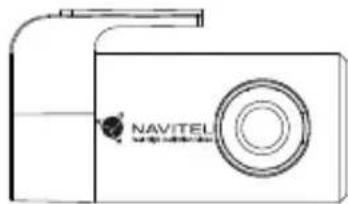
Rear camera
With the help of rear camera you can get a high-resolution image behind your car for safe parking or recording while driving. Modern double recording technology allows saving recordings both in front and behind the car for fixing any unforeseen situation.
Rear camera installation
- Install the camera on the rear window inside the car and adjust the shooting angle.
- Put the wire through the cabin.
- Connect the wire to the rear camera port.
Note. It is strongly recommended that works on installing the camera should be done by qualified personnel with the necessary skills. Cable routing may require special tools or attachments. Make sure these works are safe.
NAVITEL s.r.o. hereby declares that the device NAVITEL RC2 DUAL is compatible with the European directive EMC 2014/30/EU.
The full text of Declaration of conformity is available at the following internet address:
www.navitel.cz/en/declaration_of_conformity/rc2dual
natural_image
Line drawing of a Navitel brand camera module (no text or symbols on body)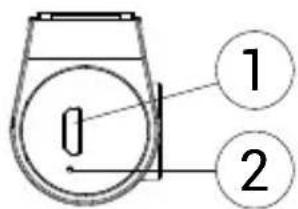
- Video cable port
- LED indicator (work)
Úvod
CZ
Vážený zákazníku!
Tlačítka
natural_image
Line drawing of a Navitel camera module (no text or symbols on body)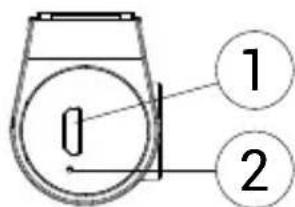
natural_image
Line drawing of a Navitel camera module (no text or symbols on body)DE
Nupud
natural_image
Line drawing of a Navitel camera module (no text or symbols on body)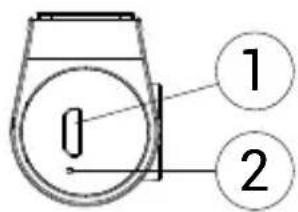
natural_image
Line drawing of a Navitel brand camera module (no text or symbols on body)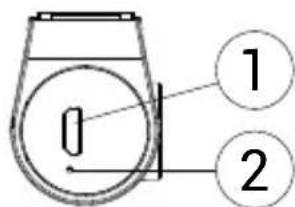
Mygtukai
natural_image
Line drawing of a Navitel camera module (no text or symbols on body)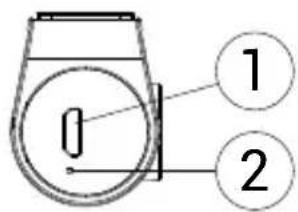
natural_image
Line drawing of a Navitel camera module (no text or symbols on body)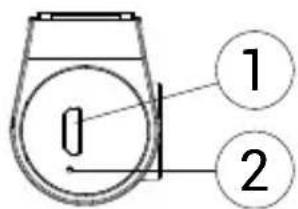
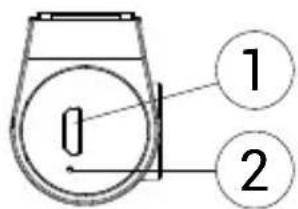
- Video kabeli ports
- LED indikators (darba)
Wstęp
Drogi kliencie!
Przyciski
natural_image
Line drawing of a Navitel camera module (no text or symbols on body)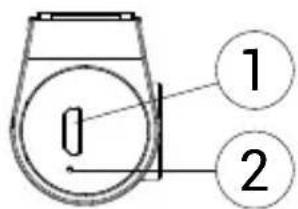
- Port dla kabla wideo
- Dioda LED (pracy)
Introducere
Dragă client!
natural_image
Line drawing of a Navitel camera module (no text or symbols on body)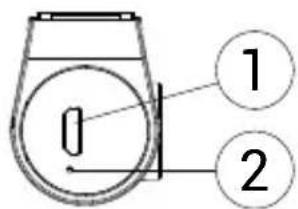
Кнопки
natural_image
Line drawing of a Navitel camera module (no text or symbols on body)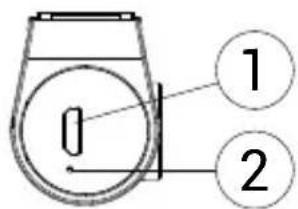
Tlačidlá
natural_image
Line drawing of a Navitel camera module (no text or symbols on body)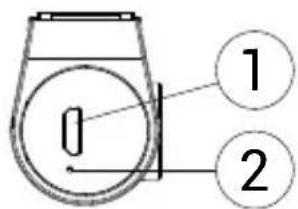
Кнопки
natural_image
Line drawing of a Navitel camera module (no text or symbols on body)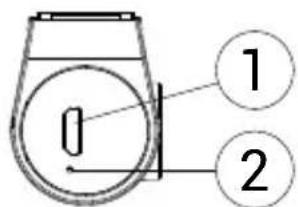
natural_image
Green globe with orbiting rings, no text or symbols presentNAVITEL


Brand : Navitel
Model : RС2 DUAL
Category : Caméra auto