
SS-7660 - Coffee machine Sogo - Free user manual and instructions
Find the device manual for free SS-7660 Sogo in PDF.
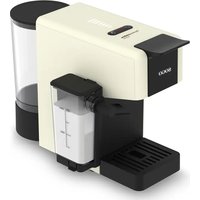


| Product type | Capsule coffee machine |
| Brand | Sogo |
| Model | SS-7660 |
| Power supply | 220-240 V ~ 50 Hz |
| Power | 1400 W |
| Standby consumption | < 0.5 W |
| Off consumption | < 0.3 W |
| Automatic shutdown | After 9 minutes of inactivity |
| Water tank capacity | 1 L (estimated) |
| Milk container capacity | 200 ml (max) |
| Compatible capsule types | Nespresso®, Dolce Gusto®, ground coffee (with pod adapter) |
| Main functions | Espresso, latte, milk froth, hot water |
| Volume adjustment | Selectable according to capsule bars or to taste |
| Milk volume programming | Yes (by holding the Latte button) |
| Cleaning of removable parts | Dishwasher or warm soapy water |
| Recommended descaling | Every 3 to 4 months |
| Safety | Automatic shutdown, overheat protection, grounding |
| Maintenance | Rinse the water tank regularly, clean the latte system after each use |
| Customer service | www.sogosat.com, sogosat@sogosat.com, 0034 902 222 161 |
| Country of manufacture | China |
Frequently Asked Questions - SS-7660 Sogo
User questions about SS-7660 Sogo
0 question about this device. Answer the ones you know or ask your own.
Ask a new question about this device
Download the instructions for your Coffee machine in PDF format for free! Find your manual SS-7660 - Sogo and take your electronic device back in hand. On this page are published all the documents necessary for the use of your device. SS-7660 by Sogo.
USER MANUAL SS-7660 Sogo

Download your manual
Download your manual
ESPRESSO COFFEE MAKER 4 in 1
MACHINE A CAFE ESPRESSO 4 en 1
CAFFETTIERA ESPRESSO 4 in 1
ESPRESSO KÁVOVAR 4 v 1
ESPRESSO-KAFFE-MAGER 4 i 1
APARAT ZA PRIPRAVO KAVE ESPRESSO 4 v 1
APARAT ZA ESPRESSO KAVU 4u1
ESPRESSO COFFEE MAKER 4 w 1
Declaration of conformity, Responsibility of Electronic products disposal, Importers Details and After-sales service on the last pages.
5. INSTRUCTIONS FOR USE
START-UP
STANDBY MODE
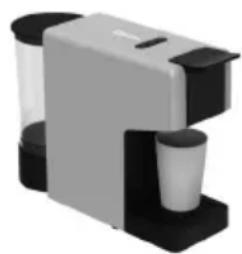
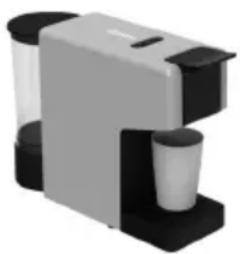
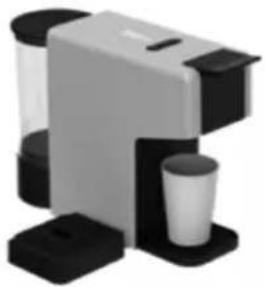
Place the cup under the coffee dispenser for a classic espresso
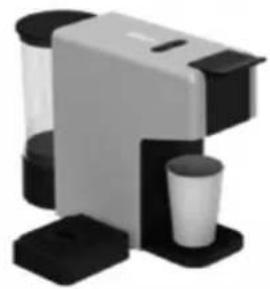
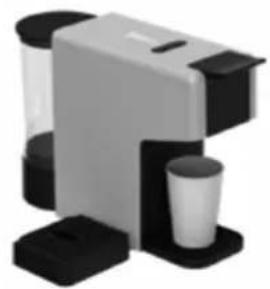
Remove the drip tray to use cups of different sizes for a long coffee.
COFFEE PREPARATION
| Quantity programmable | |||
| Min | Default | Max | |
| Latte | 5 sec | 20 sec | 60 sec |
• Always read the instruction book carefully before using. - This manual can be downloaded from our web page www.sogo.es - Keep these instructions for future reference.

Safety instructions for the user
GENERAL PRECAUTIONS
General precautions during the use of electrical equipment
- Do not use the appliance for any other purpose than described in this manual.
- Do not use or store the appliance outdoors. • Always place the appliance on a flat and even surface.
- This product is intended for indoor, non-industrial, non-commercial and only for household use. Do not use the item outdoors or for any other purpose. Misuse or improper handling may cause problems in the appliance and cause injury to the user.
- The unit must be used only for the intended purposes. No liability is accepted for damages arising from improper use or wrong handling.
- Ensure that the voltage indicated on the nameplate matches the mains voltage before plugging in the appliance.
- Always remove the plug from the power socket when the appliance is not in use. Do not leave the appliance unattended when switched on.
- Close supervision is necessary when any appliance is being used by or near children.
- Before cleaning or storing your appliance, always unplug the appliance from the power supply and let it cool down.
- The device is not completely disconnected from the power source, even after it has been turned off. To disconnect it completely, disconnect it from the mains plug.
- The appliances are not intended to be operated by means of an external timer or separate remote-control system.
- This appliance is intended to be used in household and similar applications such as staff kitchen areas in shops, offices and other working environments;
- farm houses; by clients in hotels, motels and other residential type environments; bed and breakfast type environments.

Restrictions on use to avoid personal injury
Do not let the appliance operate unattended.
- Do not place or operate this appliance near water sources.
- Do not place or operate the appliance and its power cord on or near hot surfaces (e.g., stove plates) or open flames.
- Do not leave the power cord hanging from sharp edges and keep away from hot objects and flames. Do not wind the cord around the appliance and do not bend it.
Never use accessories that are not recommended by the manufacturer.
The use of accessories not recommended or sold by the appliance manufacturer may result in fire, electric shock or injury to persons.
When you want to remove the plug from the wall contact, please do this at the plug itself and not by pulling on the cable or the appliance itself.
To avoid electric shock, make sure your hands are dry before plugging or unplugging.
Do not use the device with wet hands, on damp floors or when the atmosphere is humid, there is a risk of electric shock.
While using the appliance, make sure that the power cord must not be caught or crushed.
Do not let the motor unit, cord or plug get wet to protect against risk of electric shock.
- Be careful when handling electrical appliances, as the surface of the heating element retains residual heat after use. Any misuse may cause potential injury to the user and may damage the appliance.
- Do not touch the outer surface of the appliance as it can become very hot during operation. Instead, use the handle or mitts.
- Never immerse the appliance or the plug in water or any other liquid. If the appliance falls into water, disconnect it from the mains supply immediately and take it to an authorized service agent for repair before reusing.
- Do not use the appliance if it has fallen on the floor, if there are visible signs of damage, or if it has a leak.
- Do not use the appliance if the cable or plug is damaged. If the cord is damaged, it must be replaced only by the manufacturer, its service agent, or similarly qualified persons to avoid hazard.
- In case of appliance malfunction or if it has been damaged in any manner, return the appliance to the nearest authorized service facility for examination, repair, or adjustment.
- In case of hardware problems, do not attempt to repair the product yourself. Repairs should only be carried out by qualified technicians.

Restrictions on use when used with children and elders
- The appliance is not to be used by persons (including children) with reduced physical, sensory, or mental capabilities, or lack of experience and knowledge, unless they have been given
supervision or instruction.
- Children should be supervised to ensure that they do not play with the appliance. Children shall not play with the appliance.
- This appliance can be used by children aged from 8 years and above and persons with reduced physical, sensory, or mental capabilities or lack of experience and knowledge if they have been given supervision or instruction concerning use of the appliance in a safe way and understand the hazards involved.
- Cleaning and user maintenance shall not be made by children unless they are older than 8 and supervised.
- Keep the appliance and its cord out of reach of children less than 8 years.

Instructions to follow when using the appliance
- The appliance has been incorporated with a grounded plug. Please ensure the wall outlet in your house is well earthed.
- Be careful not to get burned by the steam.
- Do not touch the hot surface of the appliance (such as the steam wand and the brewing filter while in use). Use handles or knobs.
- Do not let the coffee maker operate without water.
- Do not remove the metal funnel when the appliance is brewing coffee or when steam and hot water escape from the metal funnel. Ensure to release the pressure in the water tank before removing the metal funnel.
- Relieve pressure through the steam wand before removing the tank cover or metal funnel.
- WARNING: The filling aperture must not be opened during use. • WARNING: Potential injury from misuse.

WARNING: High risk of burns! Do not touch the hot parts of the coffee maker.
- The coffee maker shall not be placed in a closed cabinet.
- Do not touch or move the coffee maker while in use.
- Never use the coffee maker in environments with high temperature, high magnetic fields, or humidity. Do not place the coffee maker on hot surfaces, near fire, or next to another electrical appliance, such as on top of a refrigerator, to avoid damage.
- When the appliance prompts trouble, never operate the appliance. Do not place foreign objects into the brewer.
- Never use detergent or hot water for cleaning the brewing component, to avoid the running component lacking lubricant oil and the component becoming distorted due to high temperature. • To avoid a circuit overload when using this product, do not operate
another high-wattage product on the same electrical circuit.
- A short power supply cord is provided with this product. An extension cord is not recommended for use with this product, but if one must be used:
- The marked electrical rating of the cord must be at least as great as that of the product.
- Arrange the extension cord so that it does not hang where it can be tripped over or pulled unintentionally.
CLEANING AND MAINTENANCE
Kindly refer to the cleaning and maintenance section for details on how to clean surfaces which come in contact with food.
3. TECHNICAL SPECIFICATIONS
| Voltage Frequency Power | |
| AC220-240W 50Hz 1400W |
This product complies with EU regulation 2023/826 under directive 2009/125/EC on the Eco design requirements.
Power consumption in off mode: <0.3W
Power consumption in standby mode: <0.5W
Time after which the product enters into off mode: 9 min.
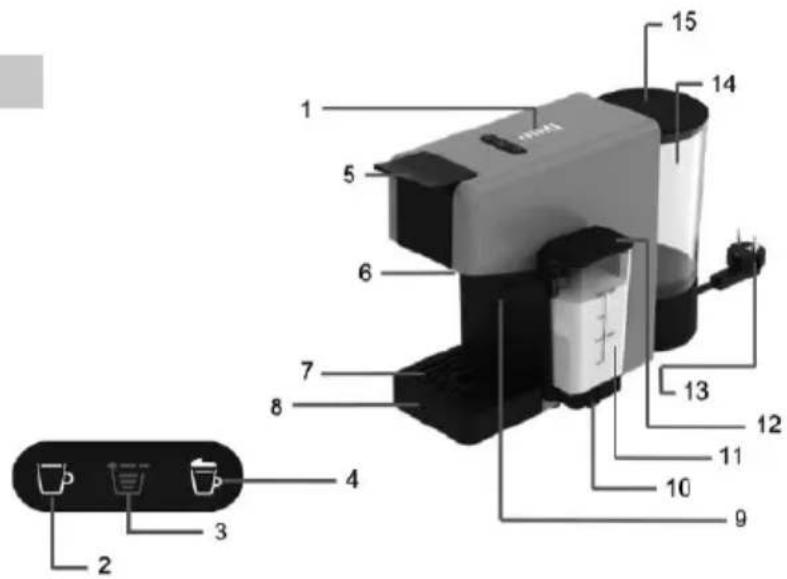
4. PARTS DESCRIPTION
- Volume light
- Coffee button
- Volume Selector Button
- Latte Button
- Capsule loader lever
- Coffee dispensing unit
- Drip tray grill
- Drip tray
- Milk spout
- Milk container support
- Milk container
- Refill lid
- Power supply cable
- Water tank
- Water tank cover
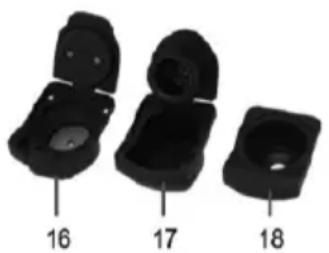
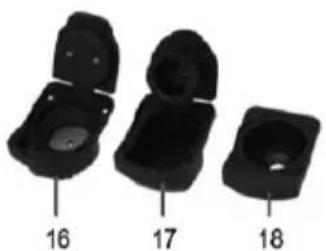
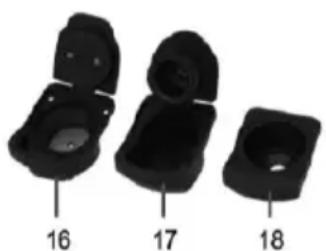
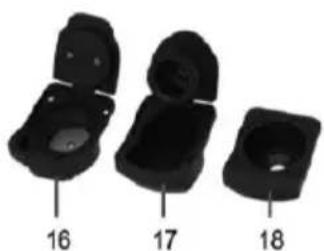
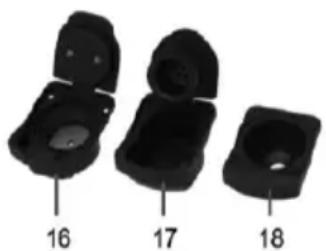
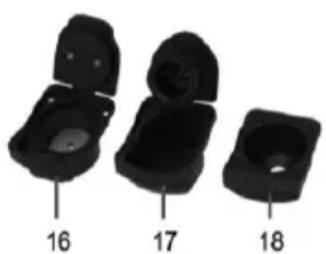
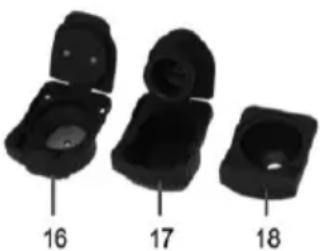
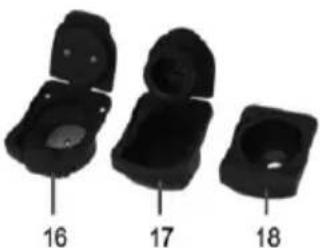
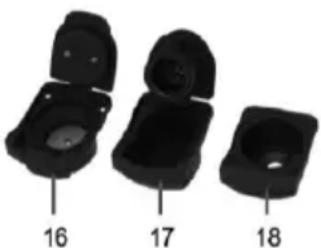
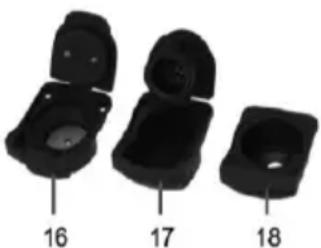
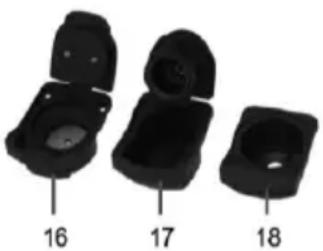
- Ground coffee holder
- Nespresso®* capsule holder
- Dolce Gusto®* capsule holder
- Coffee pod holder
5. INSTRUCTIONS FOR USE
STARTING UP
Before using for the first time
Caution: Improper handling of electrical equipment is dangerous and can be lethal. Please pay attention to the safety precautions in this manual, in particular the following:
- Danger of scalding: beware of hot water!
- Do not operate the machine with an empty water tank or water below the MINIMUM level.
- Do not open the locking handle when the machine is brewing. Always pull the power plug out before cleaning the machine.
- Only use the machine in a dry room.
- Thoroughly rinse out the water tank with fresh water before using for the first time. Clean the Capsule coffee machine using a damp cloth only.
Tip: Keep the packaging for transporting the machine (e.g. for removals, servicing, etc.).
Note: You may find a little water remaining in the machine. In order to ensure that this machine works perfectly, it was tested with water before leaving the factory.
HOW TO USE
Starting the machine:
NOTE: Place the coffee machine on a flat and stable surface, far from water and heat sources. Do not connect the machine to the mains supply. Machine damages due to non-observance of these indications are not covered by warranty.
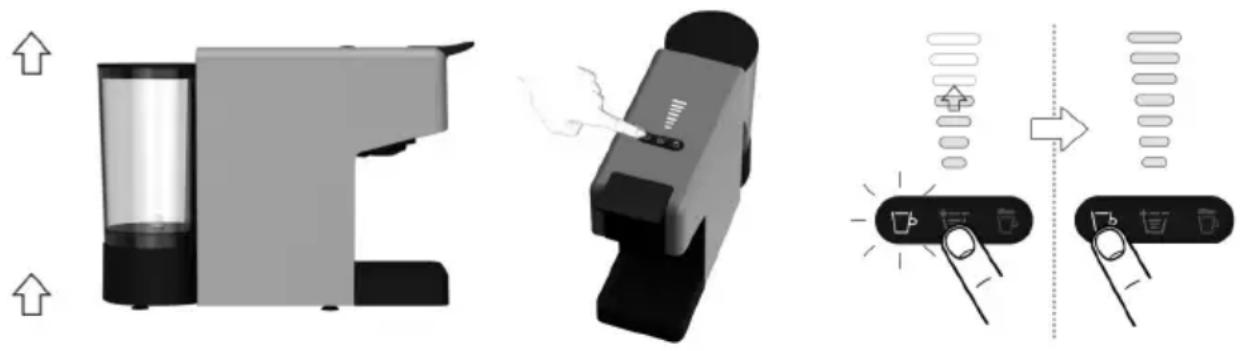
1- Lift and remove the water tank itself. 2- Rinse off the tank. 3- Fill the water tank up to the MAX level indicated, using only fresh drinking water. Fit the tank back into place, then close by using the cover. NOTE: Hot water and other liquids can damage the tank and the machine. Do not operate the machine without water: make sure that there is enough water in the tank.
4- Plug in the coffee machine plug into power outlet.
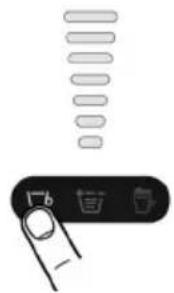
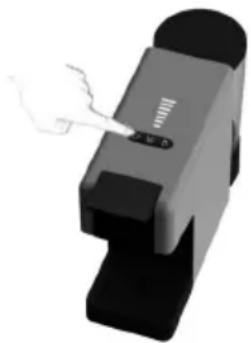
5- By pressing any buttons, the coffee machine starts heating. The button lights will start blinking.
6- The machine will be ready for use when the button lights up to a steady light.
7- At first power-on, supply at least 500ml of water without placing a capsule, and place a container under the coffee dispensing unit.
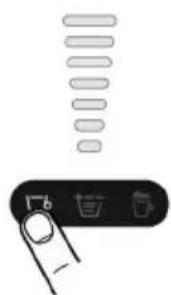
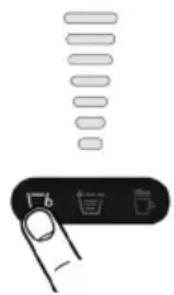
8- Coffee volume can be selected with the help of the volume selector button. Press the coffee button to extract the coffee. Once coffee extraction finishes, the machine stops working. To prepare another cup of coffee, press the coffee button again.
STAND-BY MODE
Automatic power off:
- To ensure energy conservation, the machine automatically enters the power off position after 9 minutes of not being used.
Manual power off
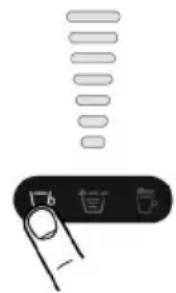
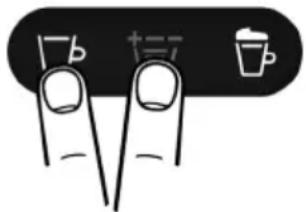
- To turn off the machine manually, press simultaneously the “Espresso and Cappuccino” buttons for at least 1 second, then release the buttons. All indicator lights turn off, indicating that the machine is switched off.
Power on
- The machine can be reactivated by pressing any button again.
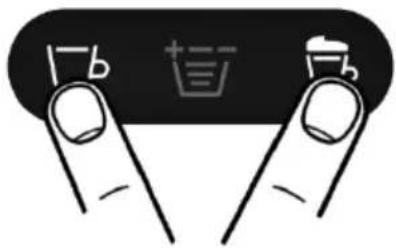
COFFEE DISPENSING
To prepare the coffee, make sure that the Power/Volume buttons light up with a steady white light. Never put fingers or objects in the capsule-holder. Only compatible capsules must be introduced in the capsule-holder. Single-dose capsules are prepared to dispense one coffee/product. DO NOT use the capsules more than once. Inserting two or more capsules can cause the machine to malfunction. To always have a coffee at the perfect temperature, it is recommended to preheat the cup with hot water. Position the cup under the dispensing spout without inserting the capsule. Press one of the switch-on/supply buttons to supply hot water enough to pre-heat the cup. If power supply is interrupted during the coffee supply cycle, restore power supply and restart the coffee extraction procedure.
If water finishes in the tank during the extraction cycle, please press the power button to stop the machine. Then proceed as follows:
1- Fill the water tank up to the MAX level indicated.
2- Press the power-on/supply button previously selected. The button will start flashing and the coffee extraction procedure will restart.
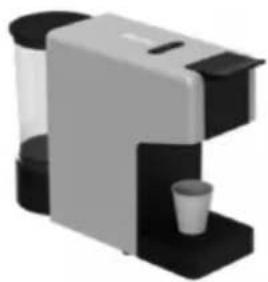
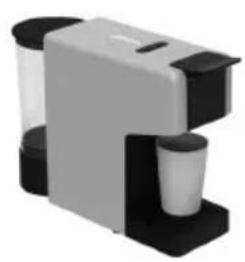
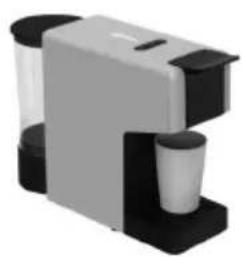
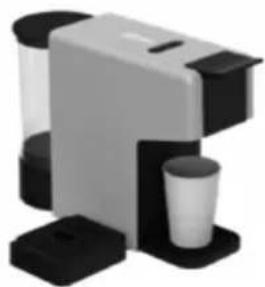
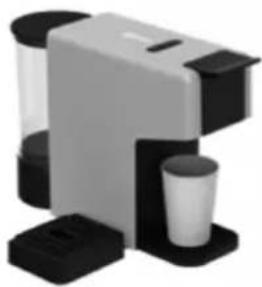
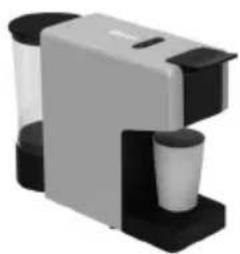
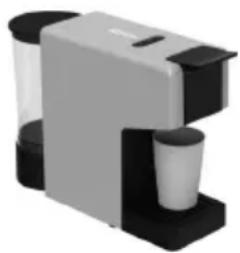
Place the cup under the coffee dispenser for a classic espresso.
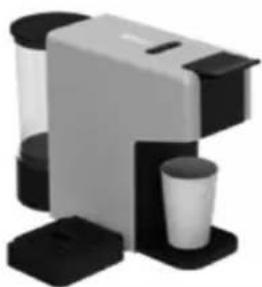
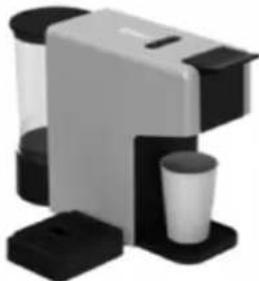
Remove the drip tray to use cups of different sizes for a long coffee.
4. COFFEE PREPARATION
How to prepare an espresso coffee
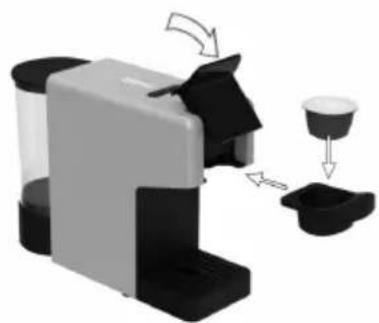
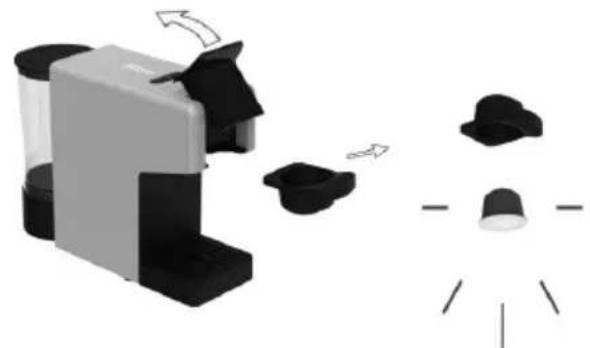
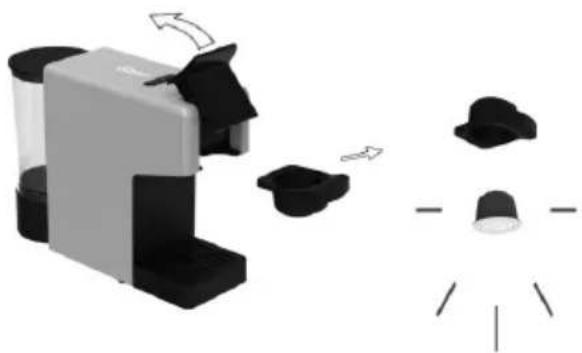
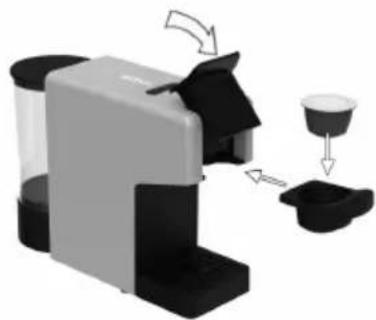
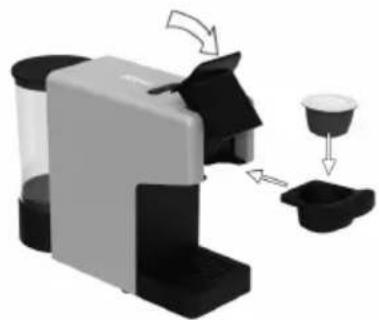
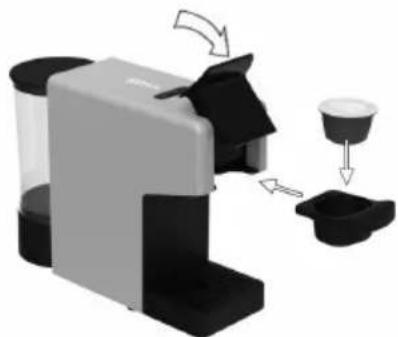
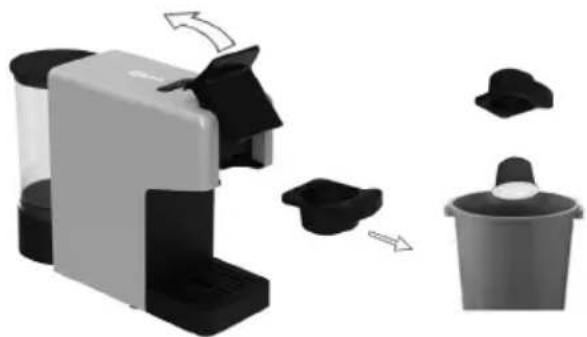
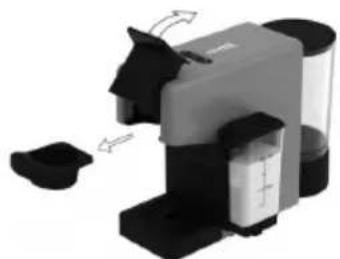
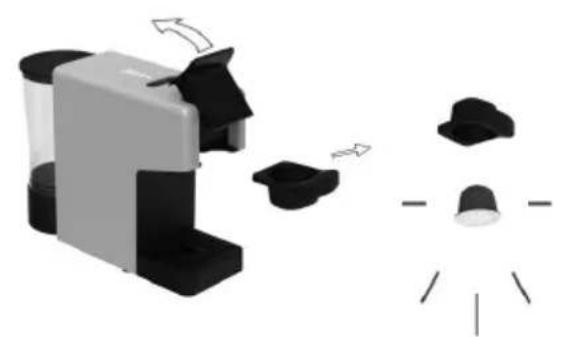
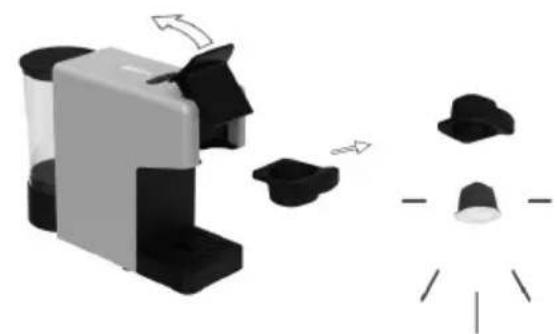
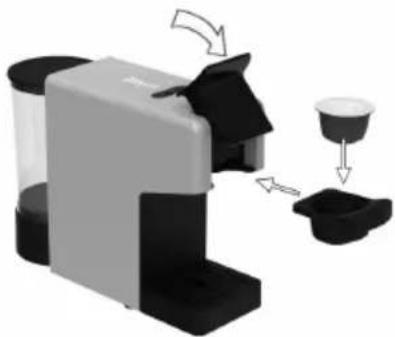
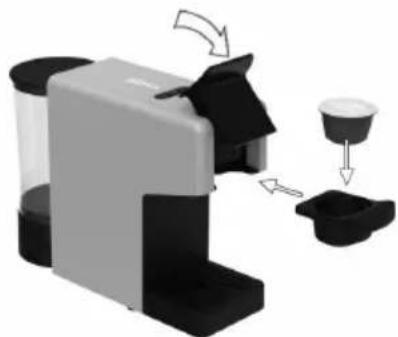
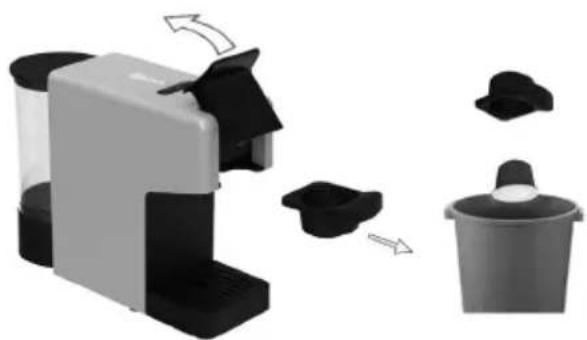
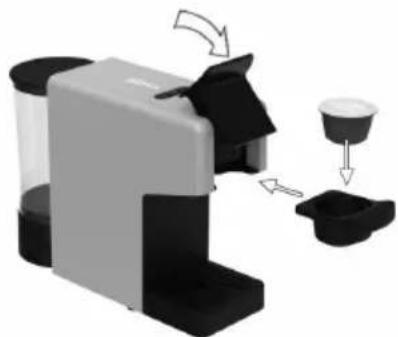
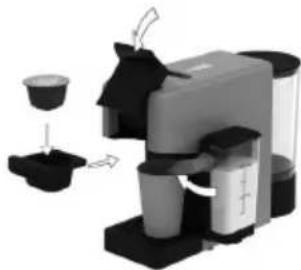
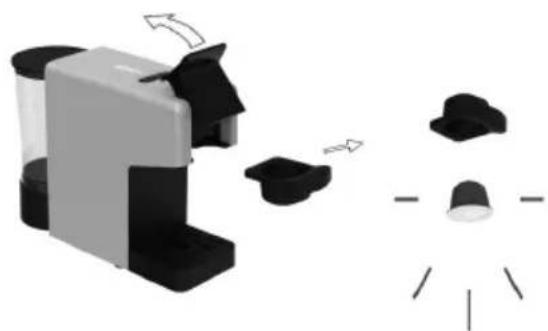
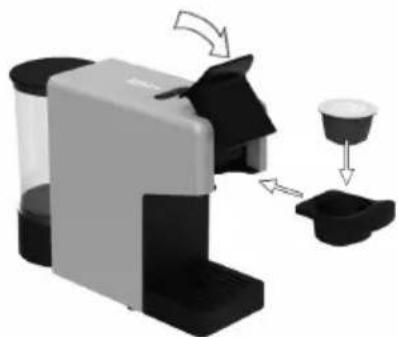
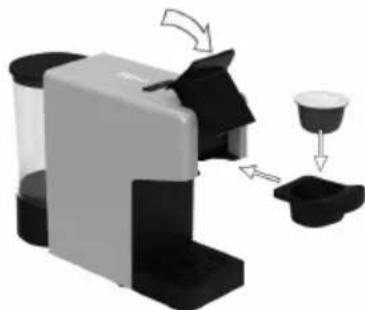
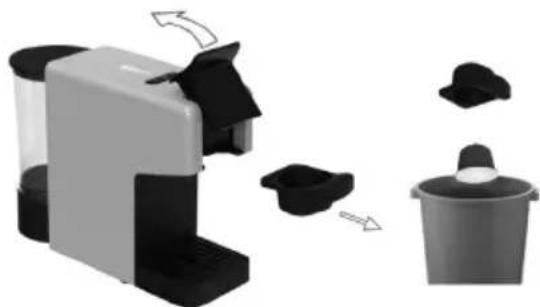
1) Open the locking handle and pull out the capsule holder.
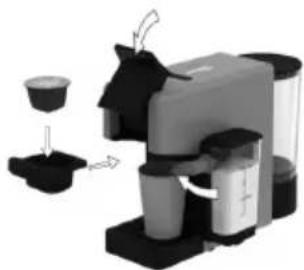
2) Insert the capsule in the capsule holder and insert it back into the machine. Close the locking handle.
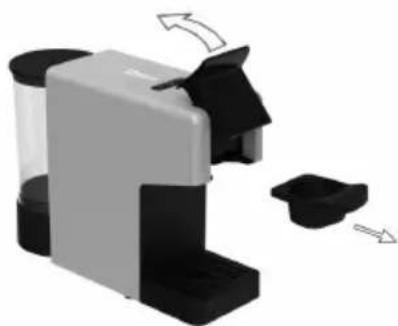
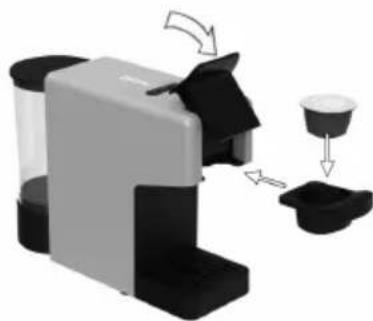
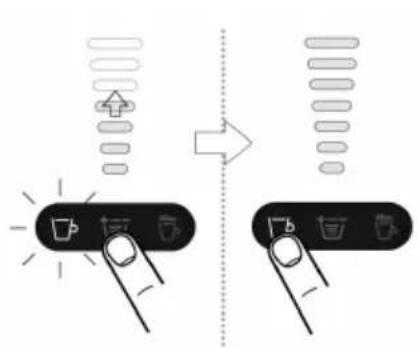
3) The indicator light starts blinking while the machine is heating.
Once the indicator light is steady, it means the machine is ready to be used.
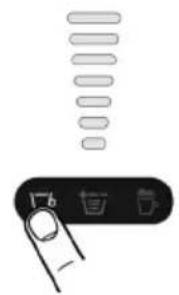
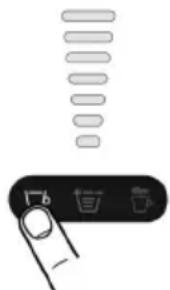
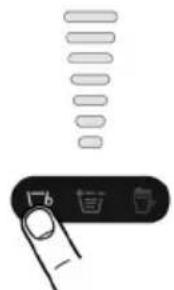
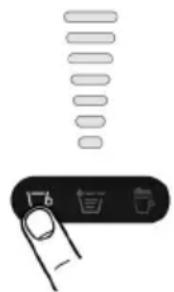
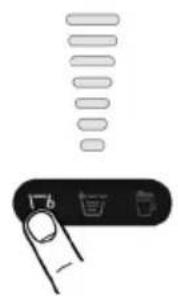
Use the volume selector to set the volume display in accordance with the number of bars shown on the capsule or select the amount of bars to your own taste.
4) By pressing the Coffee button, beverage preparation starts. Wait until it stops.
(Extraction can be stopped at any time manually by pressing the start button.)
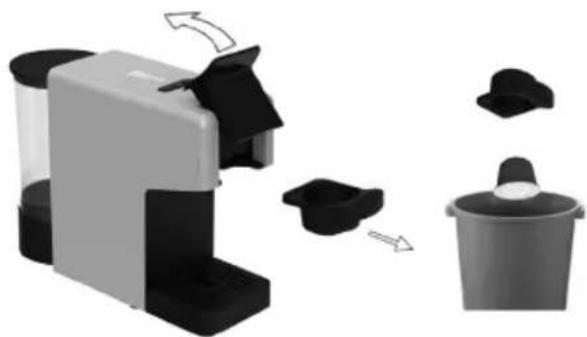
5) When the machine stops preparing coffee, after a few seconds, open the locking handle. Do not open the lever too early.
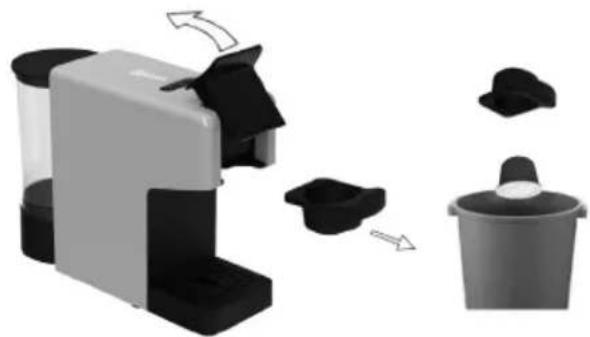
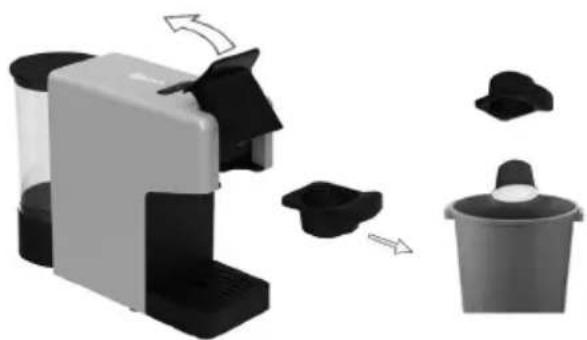
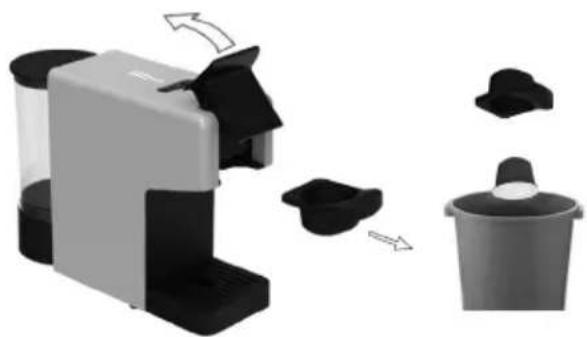
Pull out the capsule holder and remove the used capsule. Dispose of the capsule properly.
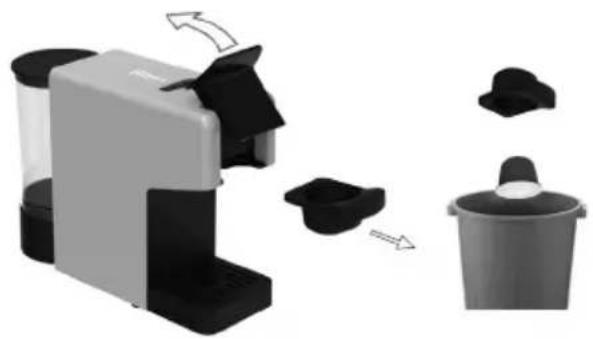
6) Rinse both sides of the capsule holder with water and dry. Insert the capsule holder into the machine. Enjoy your hot coffee.
HOW TO PREPARE A LATTE COFFEE
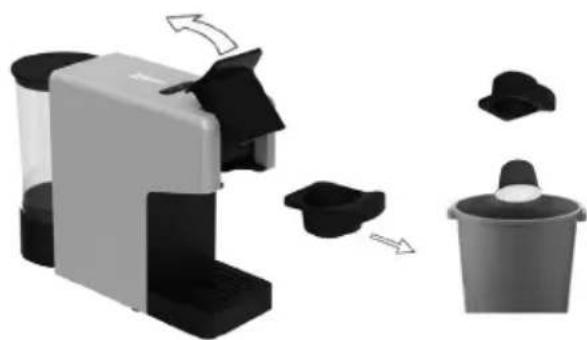
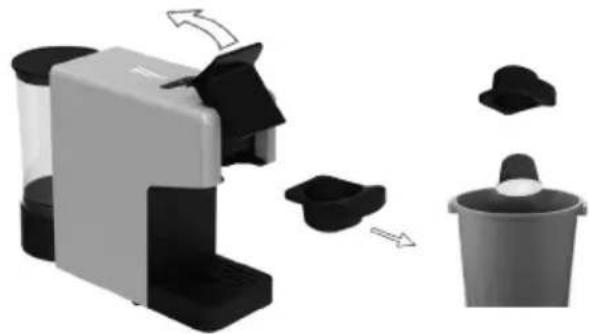
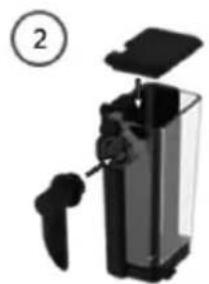
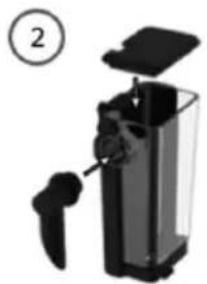
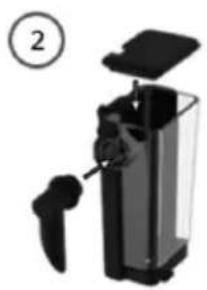
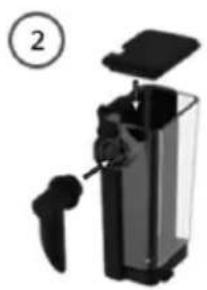
Assembling / Disassembling the Rapid Latte Cup System
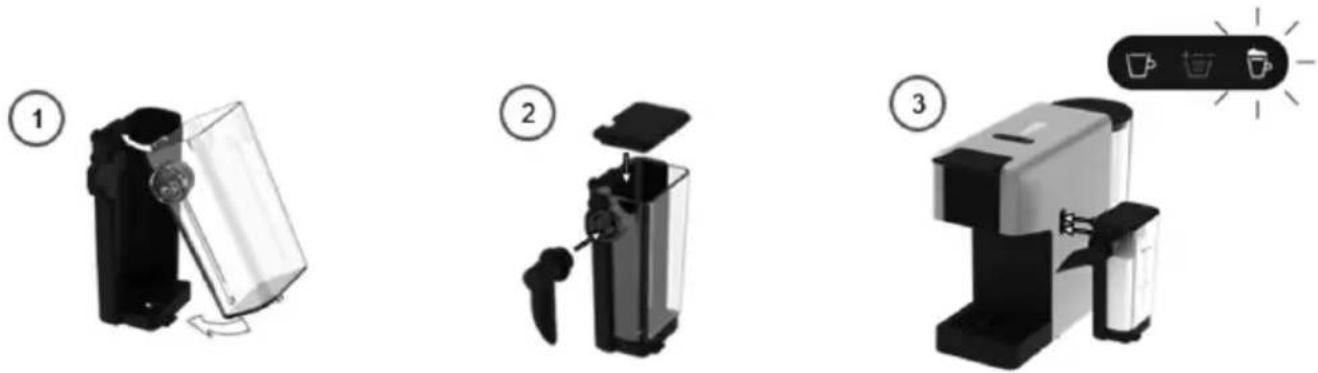
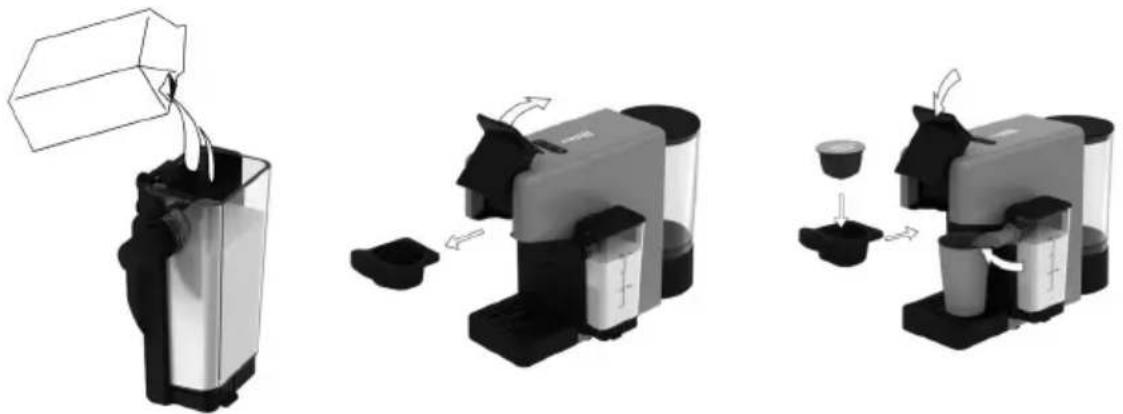
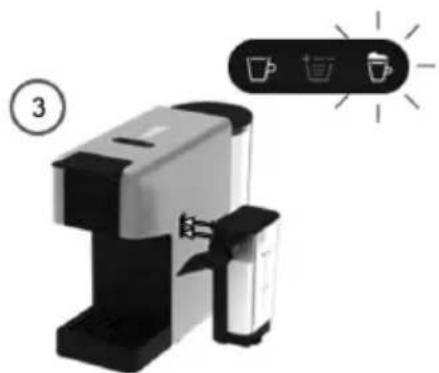
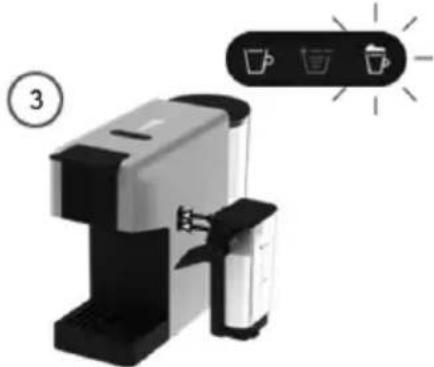
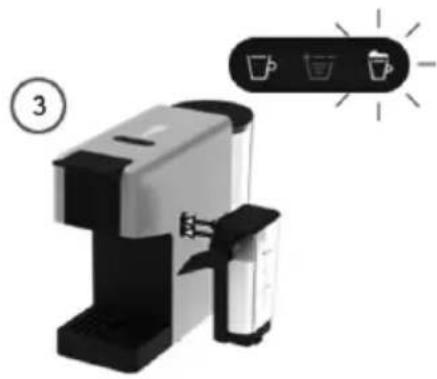
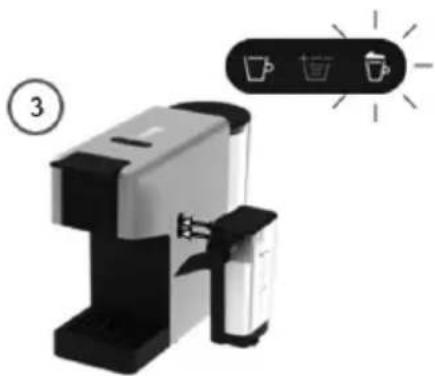
1) Fill the milk container up to the MAX indicator (200 ml) (Min. 100 ml). Place the lid and connect the Latte Cup System to the machine. The Latte light starts blinking while the machine starts heating. Once the indicator light is steady white, the machine is ready to be used.
NOTE: The machine will use all the milk quantity in the milk jug and will stop automatically when empty! For perfect milk froth, use skimmed or semi-skimmed cow's milk at refrigerator temperature (about 4°C). You can use soy, almond, or oat drink for your preparations. In such case, it is required to clean the Rapid Cappuccino System after each use in the dishwasher.
Warning: Plant-based beverages contain allergens (gluten, almond, soy) and should be handled carefully by persons suffering from food allergies. The volume of froth depends on the nature of the beverage used and its temperature.
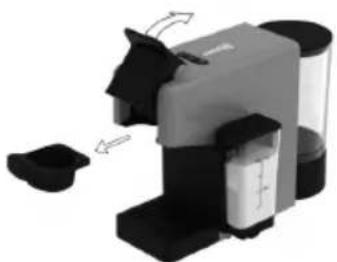
2) Open the locking handle and pull out the capsule holder.
3) Insert the capsule in the capsule holder and insert it back into the machine. Close the locking handle.
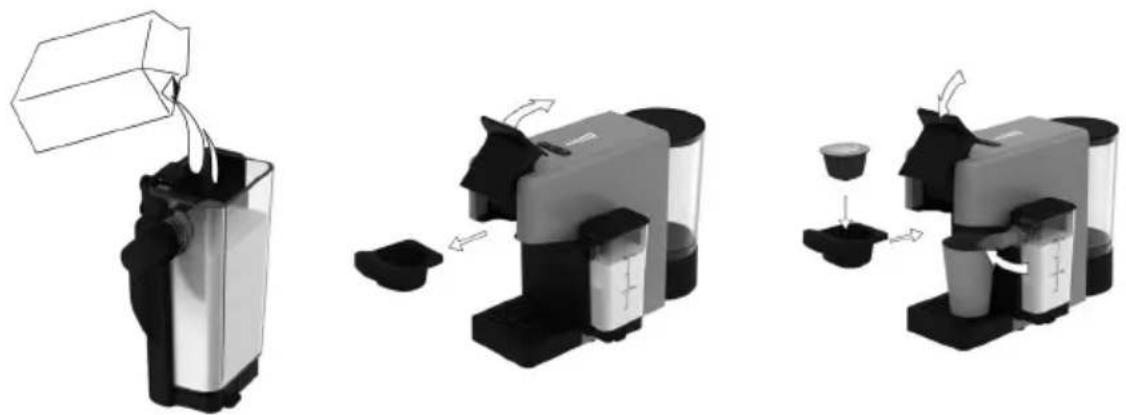
4) Press the Latte button (20 sec). 5) Use the volume selector to set the volume display in accordance with the number of bars shown on the capsule, or select the amount of bars to your own taste, then press the Coffee button. 6) When the machine stops brewing, open the locking handle. Pull out the capsule holder and remove the used capsule. Dispose of the capsule properly.
NOTE: The preparation starts after approximately 15 seconds of blinking lights.
You don't have to wait for the milk to finish; you can press the coffee button directly. After the milk extraction finishes, coffee extraction will start.
7) When milk needs to be added, remove the milk container lid and fill the milk container up. Do not exceed the MAX level. Repeat operations 2~6.
Be careful: When pouring the milk into the milk container, pay attention that it does not spill out of it. If necessary, clean well with a cloth. Do not place the milk pack on the milk container because the container could unhook from the machine.
8) After a period of non-use of maximum 30 minutes after your milk coffee preparation, disassemble the milk jug referring to section "Assembling / Disassembling the Rapid Latte Cup System", and clean all 4 dismantled components in the dishwasher or by hand wash. Then dry all parts with a clean towel, cloth, or paper and reassemble.
![graph TD A["Device Icon"] --> B["Device Icon"] style A fill:#f9f,stroke:#333 style B fill:#bbf,stroke:#333](/content/2026/04/731057/images/65c631e76807a05d915f07d4f9cbc002231045192085ae1bc0583f7774ec31fb.jpg)
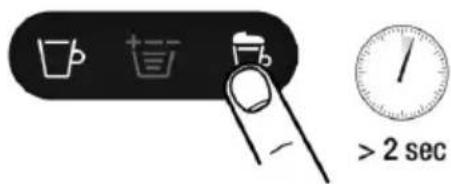
PROGRAMMING LATTE QUANTITY
NOTE: We recommend you keep factory settings for Latte to ensure the best in-cup results for each of our coffee varieties.
Follow steps 1~3 of the section "Preparing Latte"
Touch and hold the Latte button for at least 2 seconds to enter programming mode. Brewing starts and the button blinks rapidly.
Release the button when the desired volume is reached. The Latte volume is now stored for future Latte preparations.
| Quantity programmable | |||
| Min | Default | Max | |
| Latte | 5 sec | 20 sec | 60 sec |
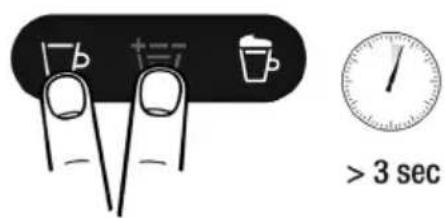
RESTORING QUANTITY TO DEFAULT SETTINGS
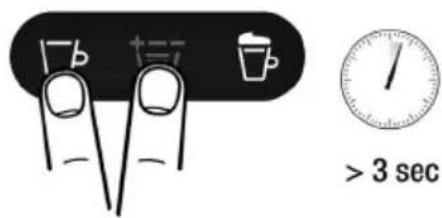
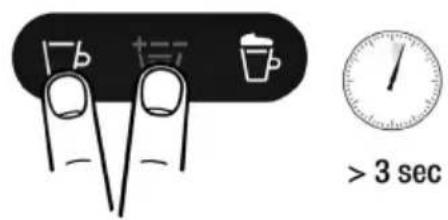
NOTE: This procedure resets coffee volumes and power-off timing to the default values.
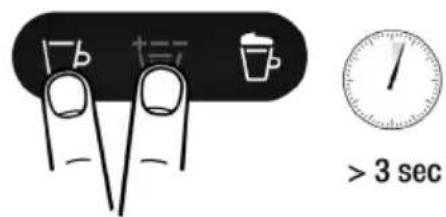
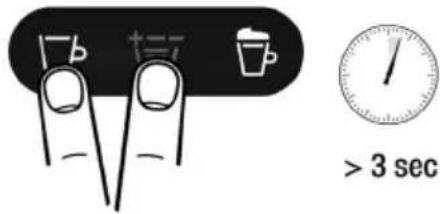
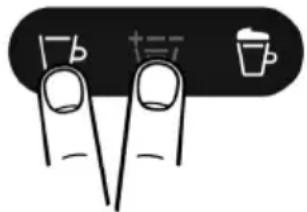
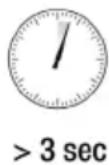
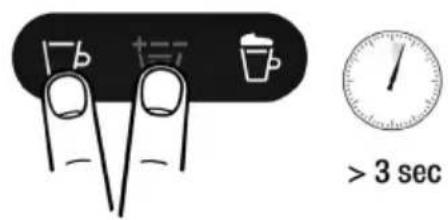
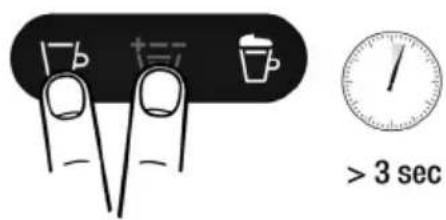
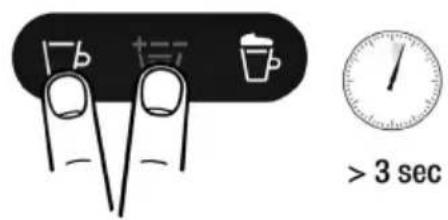
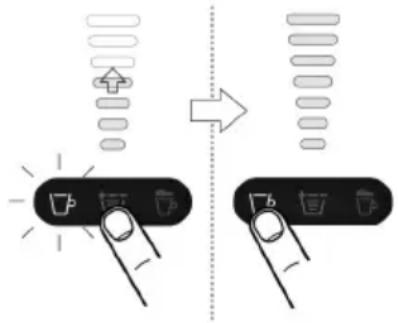
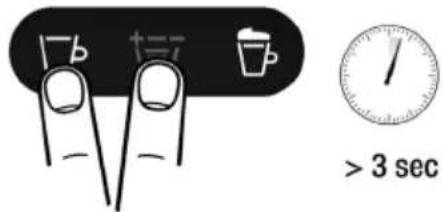
Touch and hold the Espresso and volume buttons for at least 3 seconds to enter the restoring quantity mode. Then release the buttons. All buttons blink 3 times: all volumes are reset to default settings.
6. MAINTENANCE AND CLEANING
Never use solvents, alcohol, or other aggressive substances, or ovens for drying the coffee machine components. Wash machine components (excluding electric components) with cold or lukewarm water and non-abrasive cloths or sponges. All removable components can be cleaned in a dishwasher. Do not leave water in the tank and water circuit for more than 3 days. If this happens, drain the tank and circuit, rinse them, and refill with fresh water, then run a delivery without a capsule before making any coffee or other beverage.
CLEANING THE RAPID LATTE CUP SYSTEM
Place the 4 dismantled components in the upper tray of your dishwasher and run a program at high temperature (50°C / 60°C), or soak all components in hot drinking water with a mild/soft detergent for at least 30 minutes and rinse thoroughly with hot drinking water.
COFFEE DISPENSER CLEANING
To clean the dispenser, perform a weekly coffee brewing procedure without inserting a capsule.
CLEANING THE CAPSULE COLLECTING DRAWER AND THE DRIP TRAY
The used capsule collecting drawer and the drip tray should be emptied and cleaned after making coffee 4 to 5 times, or every two to three days.
NOTE: Remove the drip tray and take off the drip tray grill. Rinse with water.
- Limescale normally builds up with extended use of the appliance; the machine needs descaling every 3-4 months and/or whenever a reduction in water flow is noticed
In the event of any operational conflict, this use and maintenance manual shall prevail on any indication specified on accessories and/or components sold separately. For descaling can be used a descaling product for coffee machines of non-toxic and/or harmful type, commercially available.
Caution: Do not drink the descaling solution and products- dispensed until the completion of the cycle.
Never use vinegar as a descaling solution.
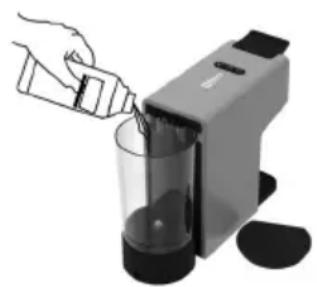
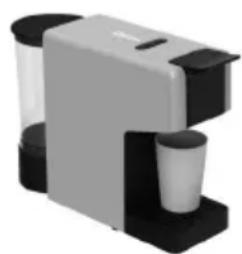
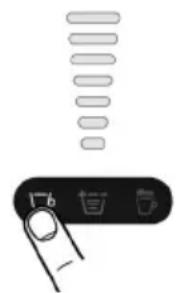
1- Remove and empty the water tank 2- Refill the tank with a descaling solution and water as specified on the package of the descaling product. Refit the tank. 3- Place a suitable container under the spout. 4- Repeatedly press the volume selector button to 7th gear, then press the coffee button, and then supply two cups (approximately 150 ml each) of water. 5- Allow the descaling solution to work for about 15-20 minute. 6- Switch-on the machine pressing any button, Repeatedly press the volume selector button to 7th gear, then press the coffee button preparation will stop automatically. 7- Repeat the step 6 until the water tank is completely empty. 8- Remove the tank and rinse it with fresh drinking water. Fill it completely. 9- Place a suitable container under the dispenser. Press Coffee button, then supply the full content of the tank. 10- When the water is finished, refill the tank and repeat the steps 6. When finished, the 5nd of the descaling cycle is completed.

IMPORTANT:
START-UP
STANDBY MODE
Automatic shut-off:
Place the cup under the coffee dispenser for a classic espresso
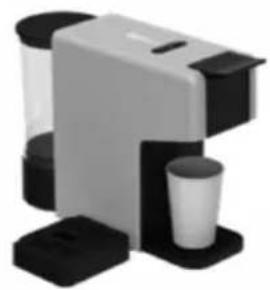
Remove the drip tray to use cups of different sizes for a long coffee
COFFEE PREPARATION
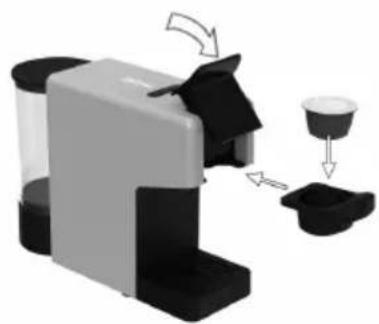
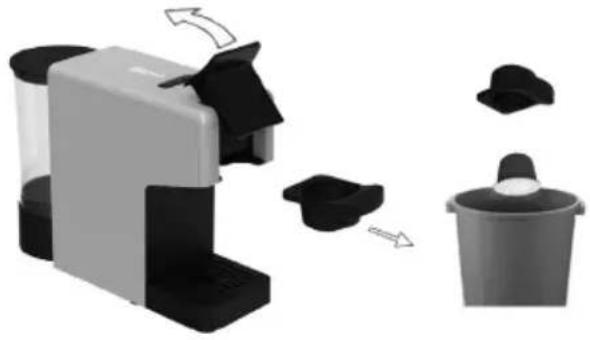
2
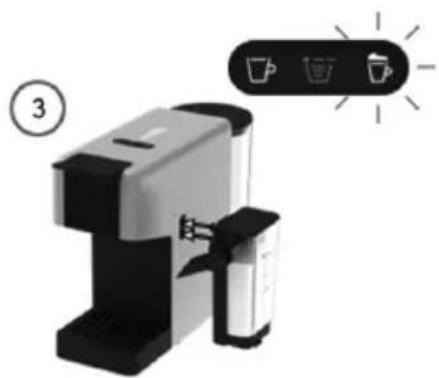
2) Open locking handle and pull out the capsule holder.
3) Insert the capsule in the capsule holder and insert back in the machine. Close the locking handle.
| Quantity programmable | |||
| Min | Default | Max | |
| Latte | 5 sec | 20 sec | 60 sec |
STANDBY MODE
Place the cup under the coffee dispenser for a classic espresso
Remove the drip tray to use cups of different sizes for a long coffee
COFFEE PREPARATION
2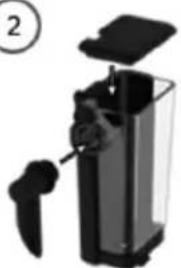
③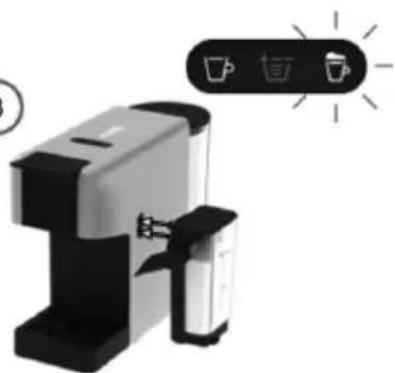
| Quantity programmable | |||
| Min | Default | Max | |
| Latte | 5 sec | 20 sec | 60 sec |
RESTORE FACTORY DEFAULT VOLUMES
START-UP
STANDBY MODE
Place the cup under the coffee dispenser for a classic espresso
Remove the drip tray to use cups of different sizes for a long coffee
COFFEE PREPARATION
| Quantity programmable | |||
| Min | Default | Max | |
| Latte | 5 sec | 20 sec | 60 sec |
3 sec
5. INSTRUCTIONS FOR USE

START-UP
STAND-BY MODE
Place the cup under the coffee dispenser for a classic espresso
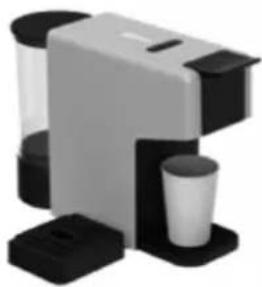
Remove the drip tray to use cups of different sizes for a long coffee
| Quantity programmable | |||
| Min | Default | Max | |
| Latte | 5 sec | 20 sec | 60 sec |
5. INSTRUCTIONS FOR USE
START-UP
STAND-BY MODE
Place the cup under the coffee dispenser for a classic espresso
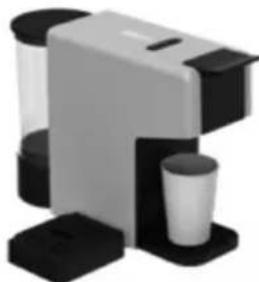
Remove the drip tray to use cups of different sizes for a long coffee
PREPARING COFFEE
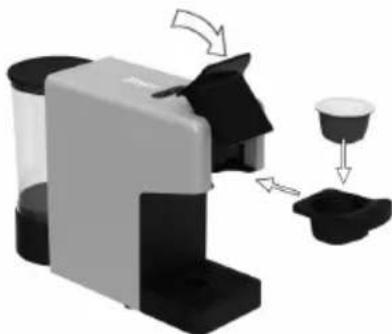
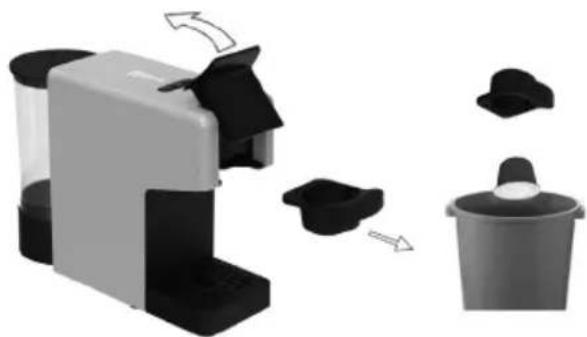
2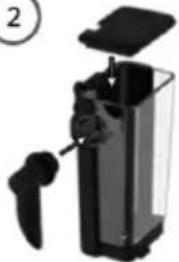
3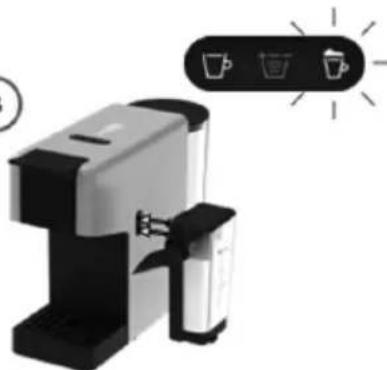
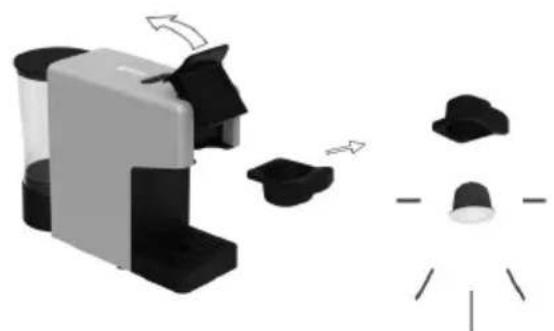
PROGRAMMING THE LATTE QUANTITY
| Quantity programmable | |||
| Min | Default | Max | |
| Latte | 5 sec | 20 sec | 60 sec |
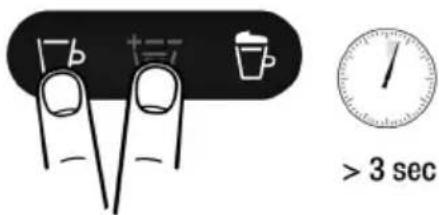
RESTORING THE DEFAULT QUANTITIES
5. INSTRUCTIONS FOR USE
START-UP
STAND-BY MODE
Automatic shut-off:
Place the cup under the coffee dispenser for a classic espresso
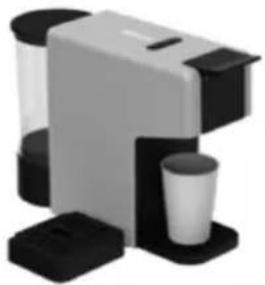
Remove the drip tray to use cups of different sizes for a long coffee
PREPARING COFFEE
How to make an espresso coffee
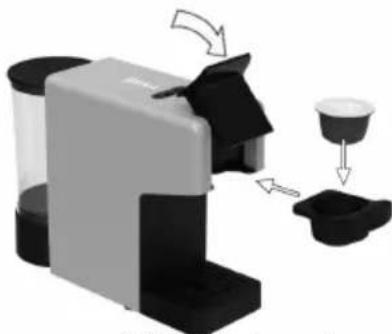
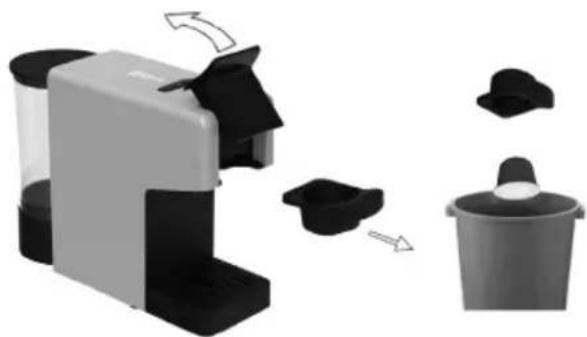
2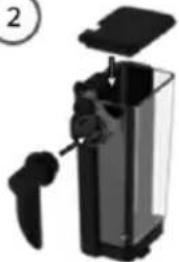
3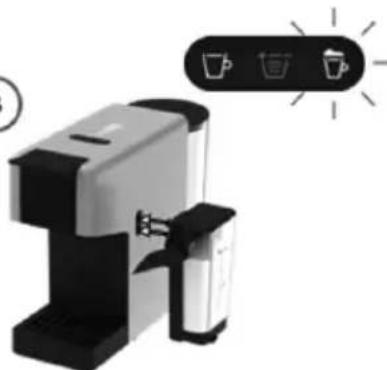
PROGRAMMING THE LATTE AMOUNT
| Quantity programmable | |||
| Min | Default | Max | |
| Latte | 5 sec | 20 sec | 60 sec |
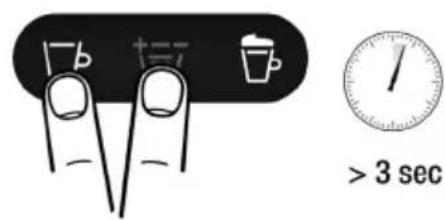
RESTORING THE AMOUNT TO DEFAULT SETTINGS
5. INSTRUCTIONS FOR USE
STARTING OPERATION
Before first use
STAND-BY MODE
Automatic shut-off:
Place the cup under the coffee dispenser for a classic espresso
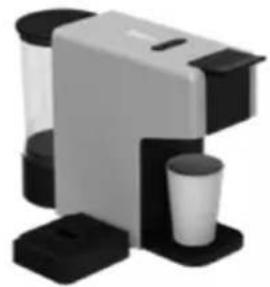
Remove the drip tray to use cups of different sizes for a long coffee
COFFEE PREPARATION
How to prepare an espresso coffee
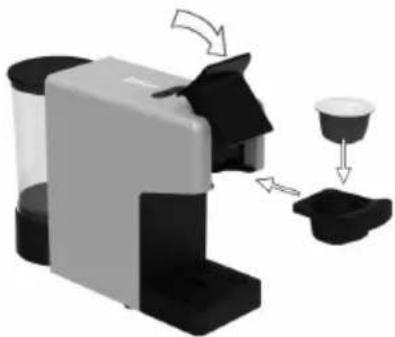
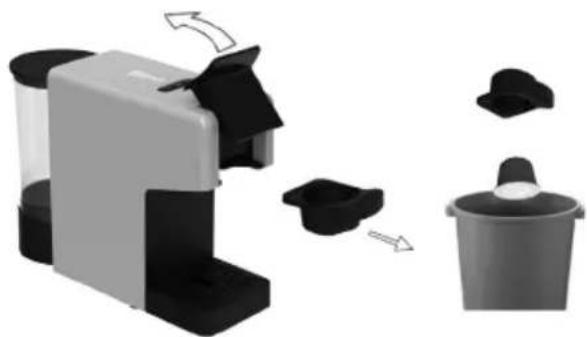
6) Rinse both sides of the capsule holder with water and dry it. Insert the capsule holder into the machine. Enjoy your hot coffee.
HOW TO PREPARE A LATTE COFFEE Assembly / disassembly of the Rapid Latte cup system
1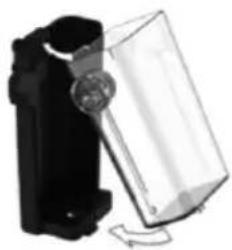
2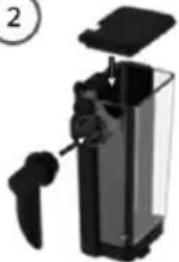
3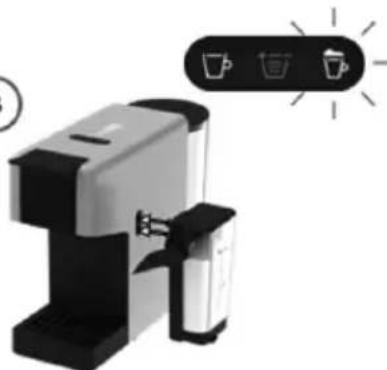
4) Press the Latte button. (20 s)
PROGRAMMING THE LATTE QUANTITY
| Quantity programmable | |||
| Min | Default | Max | |
| Latte | 5 sec | 20 sec | 60 sec |
5. INSTRUCTIONS FOR USE
STARTING
Before first use
Caution: Improper handling of electrical equipment can be dangerous and fatal. Pay attention to the safety instructions in this manual, especially the following:
READY STATUS
Place the cup under the coffee dispenser for a classic espresso
Remove the drip tray to use cups of different sizes for a long coffee
PREPARING ESPRESSO
How to prepare espresso coffee
1) Open the locking handle and pull out the capsule holder.
3) The light indicator starts blinking while the device heats up. When the indicator lights up continuously, the device is ready. Use the quantity selection button to set the amount according to the number of lines on the capsule or to your own taste.
6) Rinse both sides of the capsule holder with water and dry. Put it back into the device. Enjoy your hot coffee.
HOW TO PREPARE LATTE COFFEE Assembling / disassembling the Rapid Latte Cup system
①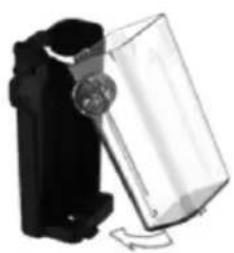
2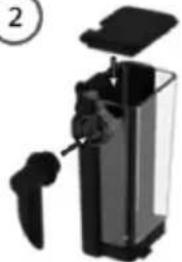
3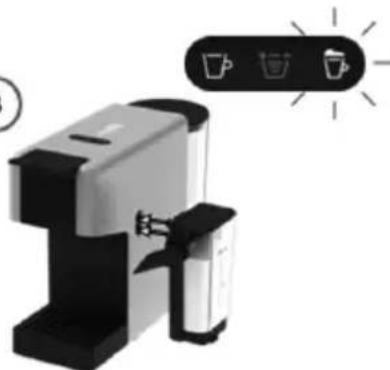
1) Fill the milk container up to the MAX mark (200 ml), minimum 100 ml. Put on the lid and connect the Latte system to the machine. The latte light starts blinking while the device heats up. When the indicator lights up steady white, the device is ready for use.
4) Press the latte button (20 seconds).
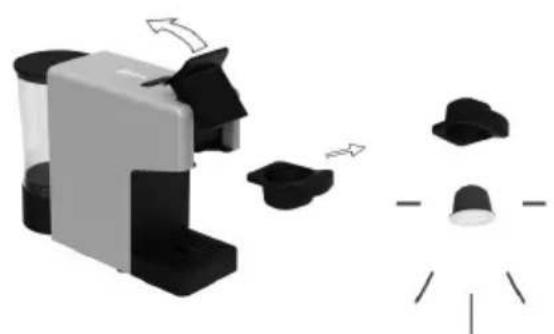
PROGRAMMING THE QUANTITY FOR LATTE
| Quantity programmable | |||
| Min | Default | Max | |
| Latte | 5 sec | 20 sec | 60 sec |
2- Fill the tank with descaling solution and water, according to the instructions on the product packaging. Replace the tank. 3- Place a suitable container under the outlet. 4- Press the quantity button repeatedly up to level 7, then press the coffee button and dispense two cups (about 150 ml each). 5- Leave the solution to act for 15–20 minutes. 6- Turn on the appliance by pressing any button. Select level 7 again and press the coffee button — the brewing will stop automatically. 7- Repeat step 6 until the tank is completely empty. 8- Remove the tank, rinse it with fresh drinking water, and refill it. 9- Place the tank under the outlet. Press the coffee button and dispense the entire contents of the tank. 10- After the water is used up, refill the tank and repeat the steps in point 6. When this procedure is complete, the descaling cycle is finished.

5. INSTRUCTIONS FOR USE
STARTING UP
STANDBY MODE
Place the cup under the coffee dispenser for a classic espresso
Remove the drip tray to use cups of different sizes for a long coffee
PREPARING COFFEE
PROGRAMMING THE LATTE QUANTITY
| Quantity programmable | |||
| Min | Default | Max | |
| Latte | 5 sec | 20 sec | 60 sec |
RESTORING THE DEFAULT QUANTITIES
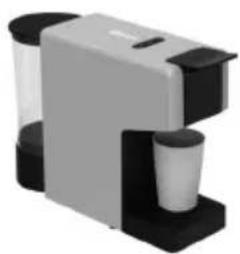
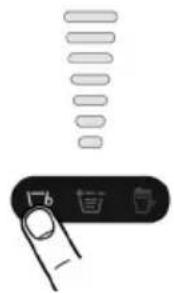
STARTING UP
STANDBY MODE
Automatic opening:
Place the cup under the coffee dispenser for a classic espresso
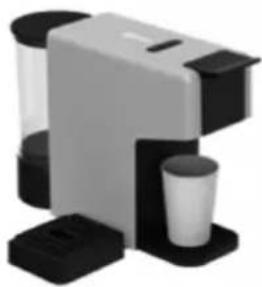
Remove the drip tray to use cups of different sizes for a long coffee
PREPARING THE COFFEE

SETTING THE AMOUNT OF LATTE
| Quantity programmable | |||
| Min | Default | Max | |
| Latte | 5 sec | 20 sec | 60 sec |
RESTORING THE AMOUNT TO DEFAULT SETTINGS
FIRST START-UP
STANDBY MODE
Place the cup under the coffee dispenser for a classic espresso.
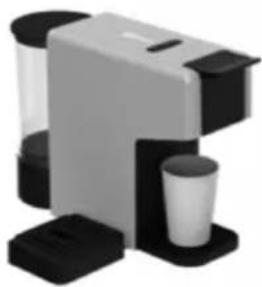
Remove the drip tray to use cups of different sizes for a long coffee.
PREPARING THE COFFEE
②
3 sec
5. INSTRUCTIONS FOR USE
START-UP
STANDBY MODE
Automatic shutdown:
Place the cup under the coffee dispenser for a classic espresso.
Remove the drip tray to use cups of different sizes for a long coffee.
2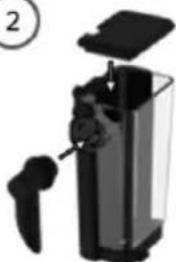
3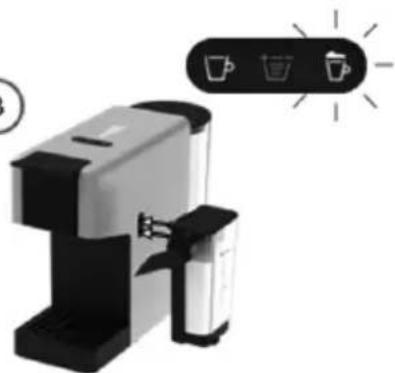
| Quantity programmable | |||
| Min | Default | Max | |
| Latte | 5 sec | 20 sec | 60 sec |
DECLARATION OF CONFORMITY
DECLARATION OF CONFORMITY
This device complies with EU Low Voltage Directive 2014/35/EC.
Electromagnetic Compatibility Directive 2014/30/EU. Directive 2015/863/EU on the restriction of the use of certain hazardous substances in electrical and electronic equipment.
Directive 2009/125/EC on the eco-design requirements applicable to energy-related products.

This symbol on the product or on the packaging indicates that this product cannot be disposed of as normal rubbish or household waste. All electrical and electronic equipment and battery-operated units must be recycled in a proper manner and according to local municipal laws. You can recycle them by taking them to government-authorized disposal centers or specialized bins, which you can find in any nearby big supermarkets, electronics or electro-domestic products stores, or malls that have these types of facilities available.
Designed by: SOGO based on European quality standards. Imported by: Sanysan Appliances S.L, NIF: B98753056, C/ Barcas 2, 2, 46002 Valencia, Spain. Product manufactured in CHINA. After-sales service: www.sogosat.com sogosat@sogosat.com / 0034 902 222 161

- INSTRUCTIONS FOR USE
- START-UP
- STANDBY MODE
- COFFEE PREPARATION
- SAFETY INSTRUCTIONS FOR THE USER
- GENERAL PRECAUTIONS
- GENERAL PRECAUTIONS DURING THE USE OF ELECTRICAL EQUIPMENT
- RESTRICTIONS ON USE TO AVOID PERSONAL INJURY
- RESTRICTIONS ON USE WHEN USED WITH CHILDREN AND ELDERS
- INSTRUCTIONS TO FOLLOW WHEN USING THE APPLIANCE
- WARNING: HIGH RISK OF BURNS! DO NOT TOUCH THE HOT PARTS OF THE COFFEE MAKER
- CLEANING AND MAINTENANCE
- TECHNICAL SPECIFICATIONS
- PARTS DESCRIPTION
- STARTING UP
- BEFORE USING FOR THE FIRST TIME
- HOW TO USE
- STAND-BY MODE
- AUTOMATIC POWER OFF
- MANUAL POWER OFF
- POWER ON
- COFFEE DISPENSING
- HOW TO PREPARE AN ESPRESSO COFFEE
- HOW TO PREPARE A LATTE COFFEE
- PROGRAMMING LATTE QUANTITY
- RESTORING QUANTITY TO DEFAULT SETTINGS
- MAINTENANCE AND CLEANING
- CLEANING THE RAPID LATTE CUP SYSTEM
- COFFEE DISPENSER CLEANING
- CLEANING THE CAPSULE COLLECTING DRAWER AND THE DRIP TRAY
- IMPORTANT
- AUTOMATIC SHUT-OFF
- RESTORE FACTORY DEFAULT VOLUMES
- PREPARING COFFEE
- PROGRAMMING THE LATTE QUANTITY
- RESTORING THE DEFAULT QUANTITIES
- HOW TO MAKE AN ESPRESSO COFFEE
- PROGRAMMING THE LATTE AMOUNT
- RESTORING THE AMOUNT TO DEFAULT SETTINGS
- STARTING OPERATION
- HOW TO PREPARE A LATTE COFFEE ASSEMBLY / DISASSEMBLY OF THE RAPID LATTE CUP SYSTEM
- STARTING
- BEFORE FIRST USE
- READY STATUS
- PREPARING ESPRESSO
- HOW TO PREPARE ESPRESSO COFFEE
- HOW TO PREPARE LATTE COFFEE ASSEMBLING / DISASSEMBLING THE RAPID LATTE CUP SYSTEM
- PROGRAMMING THE QUANTITY FOR LATTE
- AUTOMATIC OPENING
- PREPARING THE COFFEE
- SETTING THE AMOUNT OF LATTE
- FIRST START-UP
- AUTOMATIC SHUTDOWN
- DECLARATION OF CONFORMITY
Brand : Sogo
Model : SS-7660
Category : Coffee machine