DPI4431X - Cooker DE DIETRICH - Free user manual and instructions
Find the device manual for free DPI4431X DE DIETRICH in PDF.


| Product type | Induction hob |
| Brand | De Dietrich |
| Model | DPI4431X |
| Recessed dimensions (W x D) | 650 x 515 mm |
| Number of cooking zones | 4 zones (including a Horizone zone) |
| Maximum total power | 7.4 kW (adjustable to 3.6 kW) |
| Electrical supply | 220-240 V ~ 50/60 Hz, 32 A |
| Cooking functions | Cooking assistant (recipes, sous-vide, boiling, grilling, blanching), connected probe, keep warm, simmering, searing, boost, timer, lock, recall, elapsed time, switch, ICS |
| Control type | Touch keyboard with numeric keypad and display |
| Connectivity | Bluetooth wireless probe (range 2 m), Autolink with hood |
| Safety | Child safety (lock), automatic shut-off (Auto-Stop), pan detection, overflow protection, temperature limiter, residual heat (H) |
| Surface material | Glass ceramic |
| Cleaning and maintenance | Clean with a sanitary sponge and special glass scraper; do not use abrasive products; probe cleanable with water (not dishwasher safe) |
| Included accessories | Connected temperature probe, probe holder, sealing gasket |
| Repairability and spare parts | De Dietrich After-Sales Service, parts available through qualified after-sales service |
| Country of manufacture | France (label Origine France Garantie) |
| Product dimensions (W x D x H) | 650 x 515 x 64 mm (flush mount) |
| Weight | Approximately 12 kg (estimate) |
Frequently Asked Questions - DPI4431X DE DIETRICH
User questions about DPI4431X DE DIETRICH
0 question about this device. Answer the ones you know or ask your own.
Ask a new question about this device
Download the instructions for your Cooker in PDF format for free! Find your manual DPI4431X - DE DIETRICH and take your electronic device back in hand. On this page are published all the documents necessary for the use of your device. DPI4431X by DE DIETRICH.
USER MANUAL DPI4431X DE DIETRICH
natural_image
Illustration of a computer monitor with an open lock icon and magnified view (no text or symbols)fig 1.
natural_image
Diagram of a device with a magnified circular component and a small lock, no visible text or symbolsfig 2.
natural_image
Diagram of a server rack with heat exchangers and cooling fans, showing no text or symbolsnatural_image
Line drawing of hands using a tool to cut or mark a curved object, no text or symbols present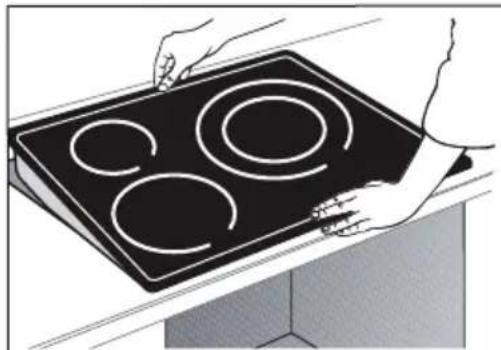
natural_image
Illustration of hands holding a black electric stove with four circular cutouts (no text or symbols)
Important
natural_image
Simple line drawing of a 3D mechanical part or bracket (no text or symbols)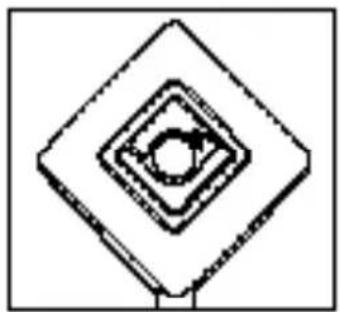
natural_image
Pure geometric diagram of concentric diamond shapes with a central circle, no text or symbols present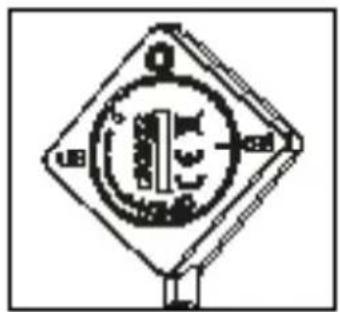
natural_image
Pure electrical circuit symbol diagram without any text or labels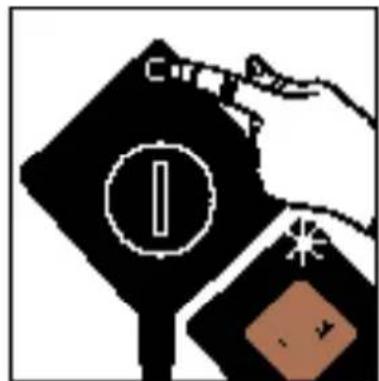
natural_image
Abstract geometric design with a brown diamond shape and a green starburst (no text or symbols)natural_image
Simple black diamond-shaped icon with a blue star-like symbol on top (no text or symbols)Lexique clavier

: Paramètres
: Validation / ok
: Retour arrière

: Navigation (haut / bas menus)
: On / Off

natural_image
Line drawing of four different cooking pots arranged vertically (no text or symbols)Poêle
natural_image
Abstract geometric pattern with white diamond shapes on black background (no text or symbols)
natural_image
Simple white diamond-shaped symbol on black background (no text or numbers)natural_image
Abstract black-and-white graphic with geometric shapes and no readable text or symbols
natural_image
Two white diamond-shaped icons on a black background, no text or symbols present.natural_image
Simple white diamond-shaped symbol on black background (no text or numbers)Accès direct :
| Symbol | Value | Size | T2 System III Trache II System IF System II Tuguen/PI System/PI System II Inversal or System II Tunguen/PI System II Inversal or System II Tunguen/PI System II Inversal or System II Tunguen/PI System II Inversal or System II Tunguen/PI System II Inversal or System II Tunguen/PI System II Inversal or System II Tunguen/PI System II Inversal or System II Tunguen/PI System II Inversal or System II Tunguen/PI System II Inversal or Systems I Tunguen/PI System II Tunguen/PI System II Tunguen/PI System II Tunguen/PI System II Tunguen/PI System II Tunguen/PI System II Tunguen/PI System II Tunguen/PI System II Tunguen/PI System II Tunguen/PI System II Tunguen/PI System II Tunguen/PI System II Tunguen/PI System II Tunguen/PI System II Tunguen/PI System II TUGU-0000000000000000000000000000000000000000000000000000000000000000000000000000000000000000000000000000 | |||||||
| Model identification | 3. Inversal of the model, the information is not available for an information in the version of the model. The model is available for an information in the version of the model. The model is available for an information in the version of the model. The model is available for an information in the version of the model. The model is available for an information in the version of the model. The model is available for an information in the version of the model. The model is available for an information in the version of the model. The model is available for an information in the version of the model. The model is available from the model. The model is available from the model. The model is available from the model. The model is available from the model. The model is available from the model. The model is available from the model. The model is available from the model. The model is available from the model. The model is available from the model. The model is available from the model. The model is available from the model. The model is available from the model. The model is available from the model. | |||||||||
| Rating plate | 4. Rating plate is available for an information in the version of the model. The rating plate is not available for an information in the version of the model. The rating plate is available from the model. The rating plate is available from the model. The rating plate is available from the model. The rating plate is available from the model. The rating plate is available from the model. The rating plate is available from the model. The rating plate is available from the model. The rating plate is available from the model. The rating plate is available from the model. The rating plate is available from the model. The rating plate is available from the model. The rating plate is available from both the model and the model. The rating plate is available from the model. The rating plate is available from the model. The rating plate is available from the model. The rating plate is available from the model. The rating plate is available from the model. The rating plate is available from the model. The rating plate is available from the model. The rating plate is available from the model. The rating plate is available from the model. The rating plate is available from the model. The rating plate is available from all the model and the model. The rating plate is available from the model. The rating plate is available from the model. The rating plate is available from the model. The rating plate is available from the model. The rating plate is available from the model. The rating plate is available from the model. The rating plate is available from the model. The rating plate is available from the model. The rating plate is available from the model. The rating plate is available from the model. The rating plate in the model is available from the model. The rating plate is available from the model. The rating plate is available from the model. The rating plate is available from the model. The rating plate is available from the model. The rating plate is available from the model. The rating plate is available from the model. The rating plate is available from the model. The rating plate is available from the model. The rating plate is available from the model. The rating plate is available from the model. The rating plate in the model 1000-00000000000000000000000000000000000000000000000000000000000000000000000000000000000000000000000000 | |||||||||
| Total power | 6 | 7. Power output is available for an information in the version of the model. The power output is not available for an information in the version of the model. The power output is available from the model. The power output is available from the model. The power output is available from the model. The power output is available from the model. The power output is available from the model. The power output is available from the model. The power output is available from the model. The power output is available from the model. The power output is available from the model. The power output is available from the model. The power output is available from the model. The power output is available from all the model and the model. The power output is available from the model. The power output is available from the model. The power output is available from the model. The power output is available from the model. The power output is available from the model. The power output is available from the model. The power output is available from the model. The power output is available from the model. The power output is available from the model. The power output is available from the model. The power output is available from other models. The power output is available from the model. The power output is available from the model. The power output is available from the model. The power output is available from the model. The power output is available from the model. The power output is available from the model. The power output is available from the model. The power output is available from the model. The power output is available from the model. The power output is available from the model. The power output is available from the model, the power output is available from the model. The power output is available from the model. The power output is available from the model. The power output is available from the model. The power output is available from the model. The power output is available from the model. The power output is available from the model. The power output is available from the model. The power output is available from the model. The power output is available from the model. The power output is available from the model. The P value is available from the model. The P value is available from the model. The P value is available from the model. The P value is available from the model. The P value is available from the model. The P value is available from the model. The P value is available from the model. The P value is available from the model. The P value is available from the model. The P value is available from the model. The P value is available from the model. The P valueis available from the model. The P value is available from the model. The P value is available from the model. The P value is available from the model. The P value is available from the model. The P value is available from the model. The P value is available from the model. The P value is available from the model. The P value is available from the model. The P value is available from the model. The P value is available from the model. The P value isavailable from the model. The P value is available from the model. The P value is available from the model. The P value is available from the model. The P value is available from the model. The P value is available from the model. The P value is available from the model. The P value is available from the model. The P value is available from the model. The P value is available from the model. The P value is available from the model. The P value is availablefrom the model. The P value is available from the model. The P value is available from the model. The P value is available from the model. The P value is available from the model. The P value is available from the model. The P value is available from the model. The P value is available from the model. The P value is available from the model. The P value is available from the model. The P value is available from the model. The P value is available fromthe model. The P value is available from the model. The P value is available from the model. The P value is available from the model. The P value is available from the model. The P value is available from the model. The P value is available from the model. The P value is available from the model. The P value is available from the model. The P value is available from the model. The P value is available from the model. The P value is available from themodel. The P value is available from the model. The P value is available from the model. The P value is available from the model. The P value is available from the model. The P value is available from the model. The P value is available from the model. The P value is available from the model. The P value is available from the model. The P value is available from the model. The P value is available from the model. The P value is available from the model, the P value is available from the model. The P value is available from the model. The P value is available from the model. The P value is available from the model. The P value is available from the model. The P value is available from the model. The P value is available from the model. The P value is available from the model. The P value is available from the model. The P value is available from the model. The P value is available from the model. TheP value is available from the model. The P value is available from the model. The P value is available from the model. The P value is available from the model. The P value is available from the model. The P value is available from the model. The P value is available from the model. The P value is available from the model. The P value is available from the model. The P value is available from the model. The P value is available from the model. The Pvalue is available from the model. The P value is available from the model. The P value is available from the model. The P value is available from the model. The P value is available from the model. The P value is available from the model. The P value is available from the model. The P value is available from the model. The P value is available from the model. The P value is available from the model. The P value is available from the model. The P valuei available from the model. The P valuei available from the model. The P valuei available from the model. The P valuei available from the model. The P valuei available from the model. The P valuei available from the model. The P valuei available from the model. The P valuei available from the model. The P valuei available from the model. The P valuei available from the model. The P valuei available from the model. The P valuei Available from the model. The P valuei Available from the model. The P valuei Available from the model. The P valuei Available from the model. The P valuei Available from the model. The P valuei Available from the model. The P valuei Available from the model. The P valuei Available from the model. The P valuei Available from the model. The P valuei Available from the model. The P valuei Available from the model. The P valuei Availablefrom the model. The P valuei Available from the model. The P valuei Available from the model. The P valuei Available from the model. The P valuei Available from the model. The P valuei Available from the model. The P valuei Available from the model. The P valuei Available from the model. The P valuei Available from the model. The P valuei Available from the model. The P valuei Available from the model. The P valuei Available fromthe model. The P valuei Available from the model. The P valuei Available from the model. The P valuei Available from the model. The P valuei Available from the model. The P valuei Available from the model. The P valuei Available from the model. The P valuei Available from the model. The P valuei Available from the model. The P valuei Available from the model. The P valuei Available from the model. The P valuei Available from themodel. The P valuei Available from the model. The P valuei Available from the model. The P valuei Available from the model. The P valuei Available from the model. The P valuei Available from the model. The P valuei Available from the model. The P valuei Available from the model. The P valuei Available from the model. The P valuei Available from the model. The P valuei Available from the model. The P valuei Available from the model, the P valuei Available from the model. The P valuei Available from the model. The P valuei Available from the model. The P valuei Available from the model. The P valuei Available from the model. The P valuei Available from the model. The P valuei Available from the model. The P valuei Available from the model. The P valuei Available from the model. The P valuei Available from the model. The P valuei Available from the model. TheP valuei Available from the model. The P valuei Available from the model. The P valuei Available from the model. The P valuei Available from the model. The P valuei Available from the model. The P valuei Available from the model. The P valuei Available from the model. The P valuei Available from the model. The P valuei Available from the model. The P valuei Available from the model. The P valuei Available from the model. The Pvaluei Available from the model. The P valuei Available from the model. The P valuei Available from the model. The P valuei Available from the model. The P valuei Available from the model. The P valuei Available from the model. The P valuei Available from the model. The P valuei Available from the model. The P valuei Available from the model. The P valuei Available from the model. The P valuei Available from the model. The P valueii Available from the model. The P valuei Available from the model. The P valuei Available from the model. The P valuei Available from the model. The P valuei Available from the model. The P valuei Available from the model. The P valuei Available from the model. The P valuei Available from the model. The P valuei Available from the model. The P valuei Available from the model. The P valuei Available from the model. The P valuei Valuei Available from the model. The P valuei Available from the model. The P valuei Available from the model. The P valuei Available from the model. The P valuei Available from the model. The P valuei Available from the model. The P valuei Available from the model. The P valuei Available from the model. The P valuei Available from the model. The P valuei Available from the model. The P valuei Available from the model. The P valuej Valuei Available from the model. The P valuei Available from the model. The P valuei Available from the model. The P valuei Available from the model. The P valuei Available from the model. The P valuei Available from the model. The P valuei Available from the model. The P valuei Available from the model. The P valuei Available from the model. The P valuei Available from the model. The P valuei Available from the model. The Pvaluej Valuei Available from the model. The P valuei Valuei Available from the model. The P valuei Valuei Available from the model. The P valuei Valuei Available from the model. The P valuei Valuei Available from the model. The P valuei Valuei Available from the model. The P valuei Valuei Available from the model. The P valuei Valuei Available from the model. The P valuei Valuei Available from the model. The P valuei Valuei Available from the model. The P valueiValuei Available from the model. The P valuei Valuei Available from the model. The P valuei Valuei Available from the model. The P valuei Valuei Available from the model. The P valuei Valuei Available from the model. The P valuei Valuei Available from the model. The P valuei Valuei Available from the model. The P valuei Valuei Available from the model. The P valuei Valuei Available from the model. The P valuei Valuej Valuei Available from the model. The P valuei Valuei Available from the model. The P valuei Valuei Available from the model. The P valuei Valuei Available from the model. The P valuei Valuei Available from the model. The P valuei Valuei Available from the model. The P valuei Valuei Available from the model. The P valuei Valuei Available from the model. The P valuei Valuei Available from the model. The P valuej Valuei Available from the model. The P valuei Valuei Available from the model. The P valuei Valuei Available from the model. The P valuei Valuei Available from the model. The P valuei Valuei Available from the model. The P valuei Valuei Available from the model. The P valuei Valuei Available from the model. The P valuei Valuei Available from the model. The P valuei Valuei Available from the model. The P valueij Valuei Available from the model. The P valuei Valuei Available from the model. The P valuei Valuei Available from the model. The P valuei Valuei Available from the model. The P valuei Valuei Available from the model. The P valuei Valuei Available from the model. The P valuei Valuei Available from the model. The P valuei Valuei Available from the model. The P valuei Valuei Available from the model. The P valuei-Valuei Valuei Available from the model. The P valuei Valuei Available from the model. The P valuei Valuei Available from the model. The P valuei Valuei Available from the model. The P valuei Valuei Available from the model. The P valuei Valuei Available from the model. The P valuei Valuei Available from the model. The P valuei Valuei Available from the model. The P valuei Valuei Available from the model. The P valuejValuei Valuei Available from the model. The P valuejValuei Valuei Available from the model. The P valuejValuei Valuei Available from the model. The P valuejValuei Valuei Available from the model. The P valuejValuei Valuei Available from the model. The P valuejValuei Valuei Available from the model. The P valuejValuei Valuei Available from the model. The P valuejValuei Valuei Available from the model. | ||||||||
RELATIONS CONSOMMATEURS FRANCE
You have just purchased a De Dietrich product. This choice reflects your high standards and taste for the French way of life.
Resulting from over 300 years' know-how, the De Dietrich creations embody the fusion between design, authenticity and technology at the service of culinary arts. Our appliances are manufactured using noble materials and offer an irreproachable quality of finish.
We are certain this high-quality product will enable cooking enthusiasts to express all their talents.
The De Dietrich Customer Service Department is at your disposal for all your questions and suggestions to always better meet your expectations.
We are honoured to be your new partner in the kitchen and thank you for your trust.

BVCert.6011825
With its factories based in France, in Orléans and Vendôme, De Dietrich cultivates a constant search for excellence, perpetuating exceptional know-how in the design of perfectly finished products.
Many of our electrical appliances are certified by the “Origine France Garantie” label, an acknowledgement which certifies they are manufactured in France.
This label both ensures the quality and durability of our appliances, as well as their traceability, thus offering a clear and objective indication of their provenance.
www.de-dietrich.com
De Dietrich
CRÉATEUR D'ÉMOTIONS DEPUIS 1684
IMPORTANT SAFETY ADVICE AND PRECAUTIONS......4
• 1 ENVIRONMENT ....8
• 2 INSTALLATION ....9
Unpacking 9
Fitting 9
Electric connection....11
• 3 PRESENTATION OF YOUR APPLIANCE ....12
Control panel glossary 13
Display glossary....14
• 4 USING THE OVEN....15
Settings management....16
Setting the power 16
Choice of cookware....16
Cooking ring selection....16
Powering On/Off....17
Adjusting the power....17
Horizone (depending on model)....18
Adjusting the timer 18
Locking the controls 19
SWITCH function....19
ICS FUNCTION....20
RECALL function....20
ELAPSED TIME function....20
Cooking assistant function....21
Favourites function....27
Sensor....28
Safety and recommendations ....34
• 5 CARE....35
• 6 TROUBLESHOOTING AND SOLUTIONS......36
• 7 ECO DESIGN TABLE ....37
IMPORTANT SAFETY ADVICE AND PRECAUTIONS
IMPORTANT SAFETY INSTRUCTIONS - READ CAREFULLY AND KEEP FOR FUTURE USE.
This user guide is available for download on the brand's website.
Your appliance complies with applicable European Directives and regulations.
This appliance may be used by children aged 8 years and older, and by persons with impaired physical, sensory or mental capacities, or without experience or knowledge, if they are correctly supervised or have received prior instructions on how to use the appliance safely and have understood the risks involved.
Children must not be allowed to play with the appliance.
Cleaning and maintenance operations must not be carried out by children without supervision.
Children under 8 years of age should not be allowed near the appliance, unless they are constantly supervised.
Your hob is equipped with a child safety device that locks its operation after use or during cooking (See "Child Safety use" section).

The appliance and its accessible parts become hot during use.
Precautions must be taken to avoid touching the heating elements.
Metal objects such as knives, forks, spoons and lids must not be placed on the cooking surface as they may become hot.

CAUTION: cooking must be monitored. Short cooking requires
constant surveillance.
Danger of fire: do not store objects in the cooking zones.
Leaving oil or fat to cook unattended on a hob can be dangerous and lead to fire. NEVER attempt to extinguish a fire with water. Instead, switch off the appliance and cover the flame with a lid or a fire blanket.
IMPORTANT SAFETY ADVICE AND PRECAUTIONS
If the surface is cracked, turn off the appliance to avoid the risk of electric shock.
Do not use your hob until you have replaced the glass top.
These hobs must be connected to the mains via an all-pole cut-off device that complies with current installation regulations. A disconnection device must be incorporated into the fixed wiring. Your hob is designed to work at a frequency of 50Hz or 60Hz (50Hz/60Hz), without you having to do anything.
The appliance must be connected via a standardised power supply cable with the suitable number of conductors for the type of connection wanted (see installation chapter)
If the power cable is damaged, it should be replaced by the manufacturer, its after-sales service department or a similarly qualified person, so as to avoid danger.
Ensure that the power cables of any electrical appliances plugged in close to the hob are not in contact with the cooking zones.
WARNING : In order to avoid interference between your cooking hob and a heart pacemaker, the pacemaker must be designed and programmed in compliance with the regulations that apply to it. Ask the pacemaker manufacturer or your GP.
Only use hob protectors designed by the manufacturer of the cooking appliance or listed as suitable in the user guide, or included with the appliance. The use of unsuitable protectors could cause accidents.
Avoid hard shocks from cookware: although the vitroceramic glass worktop is very sturdy, it is not unbreakable.
Do not place any hot lids flat on your cooking hob. A suction effect may damage the vitroceramic surface. Avoid dragging cookware across the surface, which could damage the decorative finish on the vitroceramic top in the long term.
Never use aluminium foil for cooking. Never place items wrapped in aluminium foil or packaged in aluminium dishes on your cooking hob. The aluminium will melt and permanently damage your appliance.
IMPORTANT SAFETY ADVICE AND PRECAUTIONS
Do not store cleaning products or flammable products in the cabinet underneath the hob.
Never use a steam cleaner to clean your cooking hob.
The appliance is not designed to be switched on using an external timer or separate remote control system.
After use, turn the control knob to switch off the hob and do not rely on the pan sensor.
IMPORTANT SAFETY ADVICE AND PRECAUTIONS
SENSOR
The sensor is fitted with a CR2032 battery (only use the specified battery). To unscrew the cover, use a coin to line up the line with the open padlock.
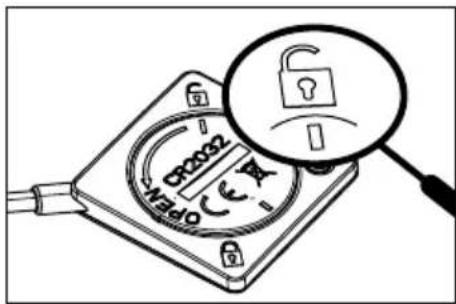
fig 1.
To put the cover back on, insert it by lining up the line with the open padlock (fig 1.), then turn it with a coin to line up the second line with the closed padlock (fig 2.)
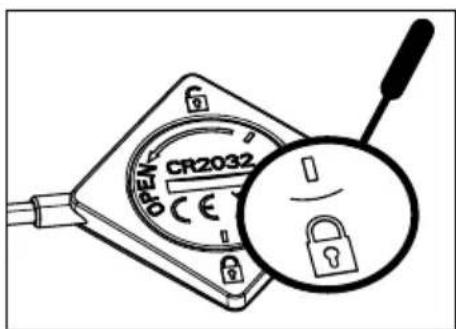
fig 2.
Replace the battery when it is worn out or if it leaks.
The battery must be removed from the appliance before disposing of the appliance. The battery must be disposed of in battery containers or taken back to your shop (in compliance with regulations in force).
- Different types of batteries or new and used batteries must not be mixed together.
- If the appliance has to be stored without being used for a long period, remove the batteries beforehand.
- The supply terminals must not be short-circuited.
- Do not recharge non-rechargeable batteries.
- The sensor is not designed to go in an oven.
We, Brandt France, declare the appliance equipped with the sensor function complies to directive 2014/53/EU. The full EU declaration of compliance is available on the following website: www.dedietrich-electromenager.com
PROTECTING THE ENVIRONMENT
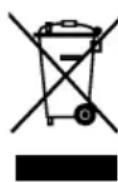
This symbol indicates that this appliance must not be treated as household waste.
Your appliance contains a large amount of recyclable
material. This logo indicates that used appliances must be taken to a special waste collection point. Contact your local authority or retailer for details of your nearest used equipment collection points. Recycling of appliances organised by your manufacturer is carried out under the best conditions, in accordance with the European regulation on waste disposal of electronic and electrical equipment.
Some of the packaging material used for this appliance can also be recycled. Recycle and contribute towards protecting the environment by disposing of packaging in local waste containers designed for this purpose. We thank you for your help in protecting the environment.
Advice on how to save energy
Cooking with the correctly sized lid saves energy. If you use a glass lid, you can control your cooking perfectly.
.2 INSTALLATION
UNPACKING
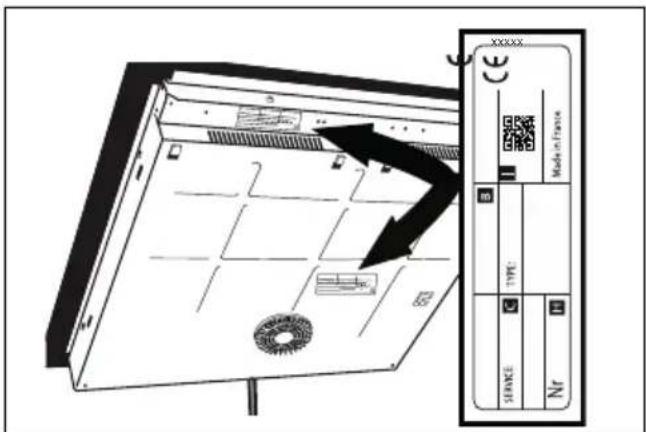
Remove all the protective elements from the hob, the sensor and the sensor stand. Your sensor is delivered with a battery which you need to install. To insert the battery, unscrew the cover on the back of the sensor using a coin. Insert the battery following the polarity (+ upwards), then screw the cover back on. Check and respect the appliance's characteristics that appear on the nameplate. Note the service and standard references shown on this plate in the boxes below for future reference.
| Service: | Type: |
FITTING THE HOB
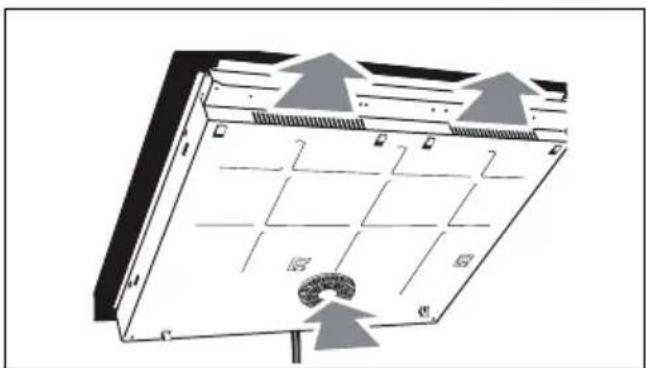
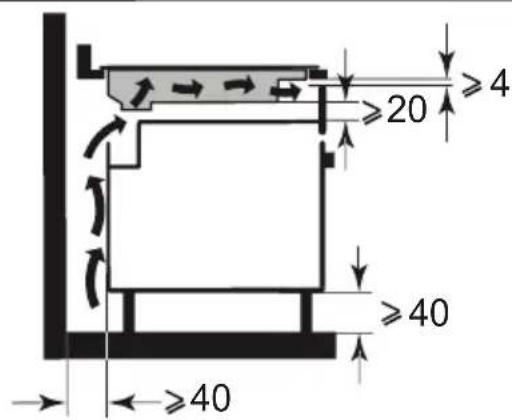
Check that the air intakes and outlets are unobstructed.
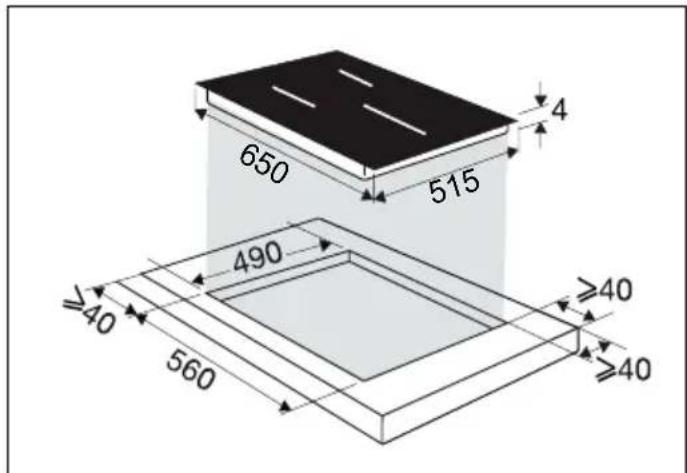
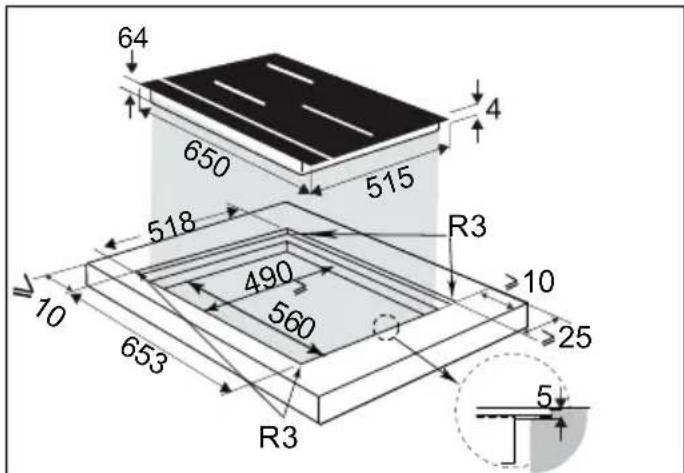
Comply with the information concerning the fitting dimensions (in millimetres) of the work top destined to receive the hob. Check that air can flow correctly between the front and back of your hob.
natural_image
Diagram of a server rack with grid layout and directional arrows indicating airflow or movement (no text or symbols)Fitting into the worktop
Fitting flush with the worktop
.2 INSTALLATION
If installing the hob above a drawer,
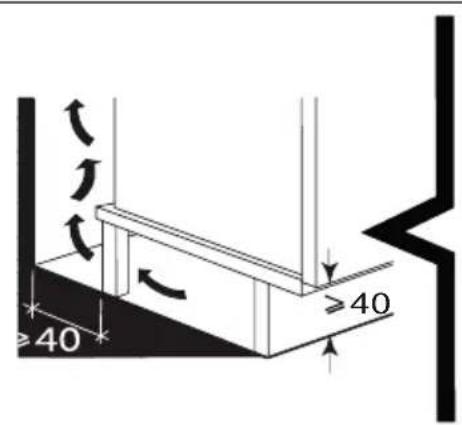
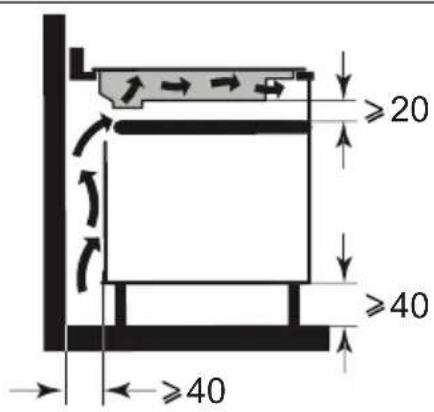
or above a built-in oven, comply with the dimensions provided on the illustrations to ensure a sufficient outlet air flow.
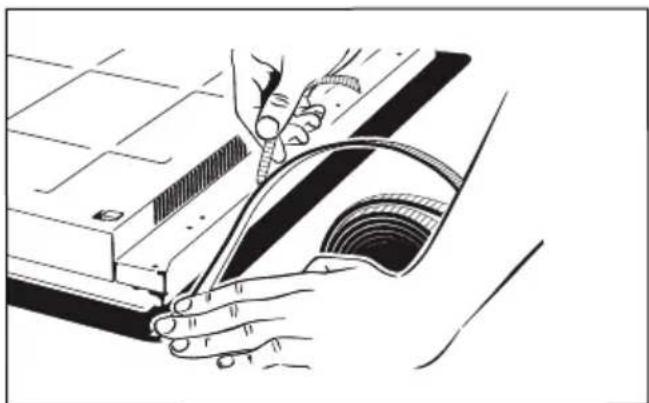
Apply a seal all around the edge of the hob before fitting it.
natural_image
Technical illustration of a mechanical assembly with hands operating a tool (no text or symbols visible)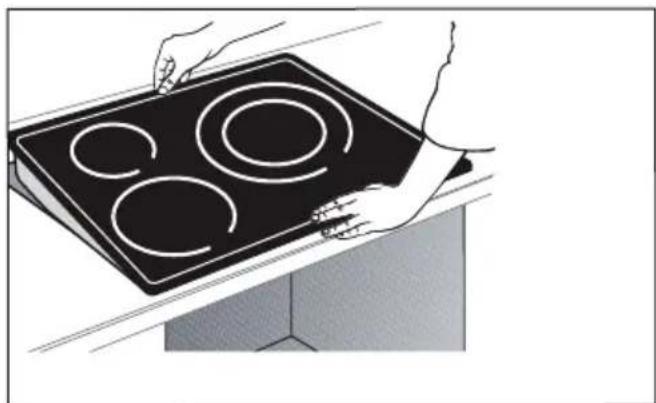
natural_image
Illustration of hands holding a black electric stove with four circular cutouts (no text or symbols)
Important
If your hob is located above your oven, the hob's thermal safety devices can impede the simultaneous use of the hob and the oven's pyrolysis programme, display code "F7" in the control zones. In such circumstances we recommend that you increase the hob's ventilation by creating an opening in the side of the cabinet (8cm x 5cm).
ELECTRIC CONNECTIONS
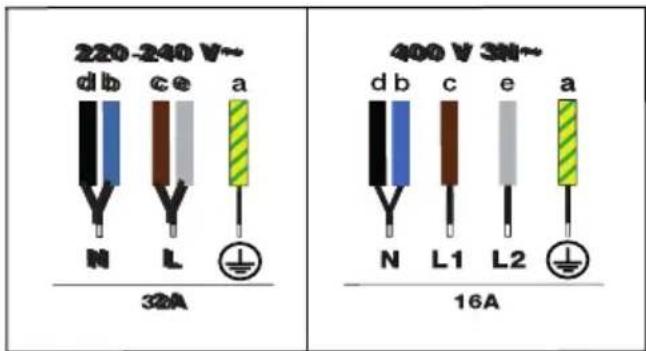
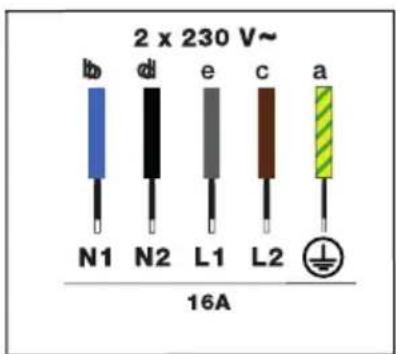
These hobs must be connected to the mains via an all-pole cut-off device that complies with current installation regulations. A disconnection device must be incorporated into the fixed wiring.
Identify the cable for your hob:
a) green-yellow
b) blue
c) brown
d) black
e) grey
When power is first supplied to your hob, or after an extended power outage, an indicator light will appear on the control panel. Wait approximately 30 seconds or press any touchkey on the control panel to make the information disappear and use your hob (this display is normal and is reserved for use by After-Sales Service, where applicable). In all cases, it should be disregarded.
.3 PRESENTATION OF YOUR APPLIANCE
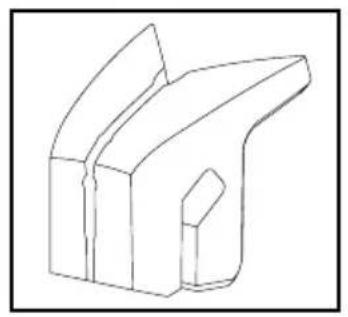
This hob is supplied with a connected temperature sensor and specific stand that can be easily positioned on any type of cookware. This sensor can be used on any cooking ring, but only on one at a time.
natural_image
Technical line drawing of a mechanical bracket component (no text or symbols)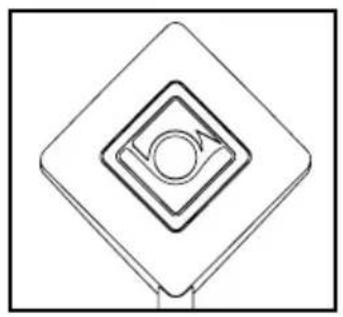
natural_image
Pure geometric diagram of concentric squares with a central circle, no text or symbols present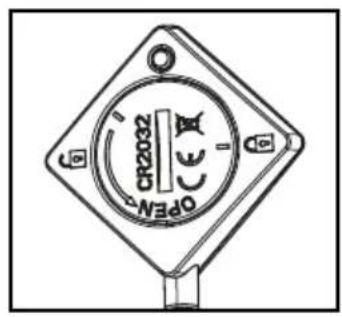
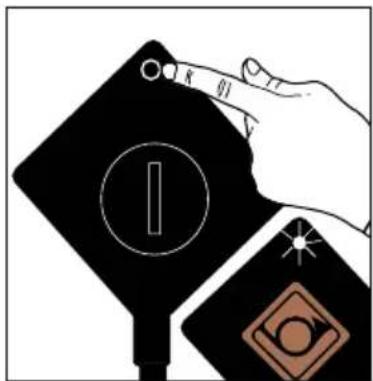
1 - Press and hold to switch your sensor on, it flashes white.
natural_image
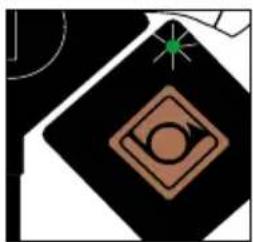
Abstract geometric design with a diamond shape, circular motif, and starburst (no text or symbols)2 -The sensor flashes green.

natural_image
Abstract geometric symbol with a diamond, circle, and star (no text or symbols)3 -The sensor flashes blue. It communicates with your hob, you can now select a cooking function.
The sensor's LED flashes bluish white: the sensor is switching on
The sensor's LED flashes green: connecting
The sensor's LED is blue: the sensor is connected
The sensor's LED flashes red: Battery too low / loss of communication / sensor off
.3 PRESENTATION OF YOUR APPLIANCE

Control panel glossary


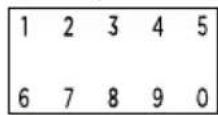

Direct access


Functions


: Parameters
: Validation / ok
: Back
: Navigation (top / bottom menus)
: On / Off
: Locking / Clean Lock:
Choice of cooking ring
: Horizone (depending on model)
: Power / time setting
: Power / Time selection numeric keypad
ner
eep warm
mmer
ear
post
vitch function
S function
recall function
apsed time function
poking assistant
ensor
vourites
.3 PRESENTATION OF YOUR APPLIANCE
Display glossary
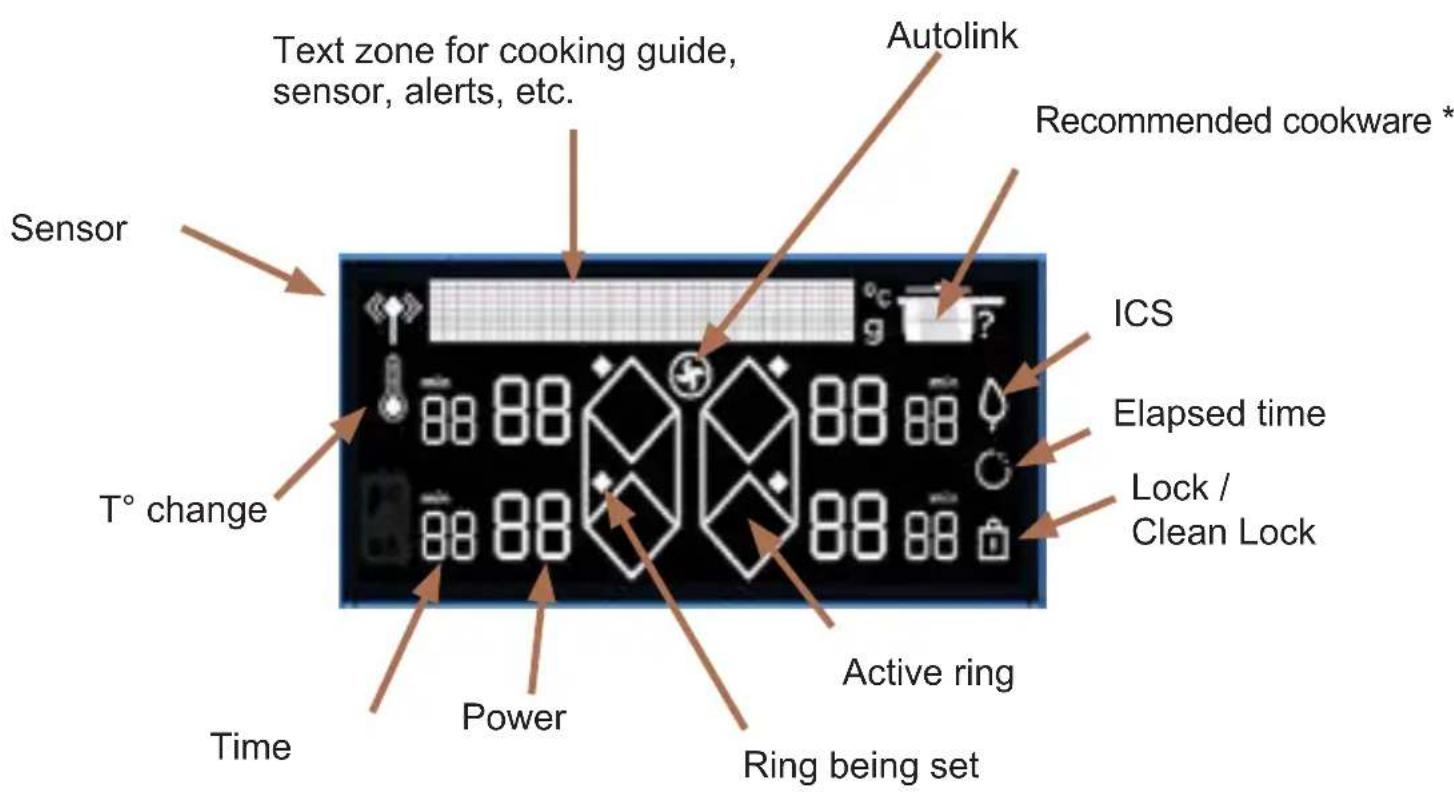
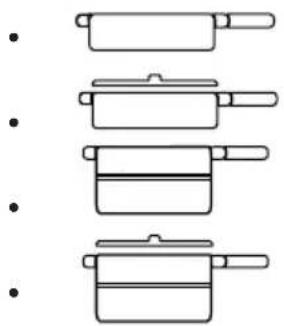
Recommended cookware:
natural_image
Illustration of four cooking pot containers arranged vertically (no text or symbols)Frying pan
Frying pan with lid
Pan
Pan with lid
When switching your hob on for the first time, you can personalise different functions.

Settings management
Press the ⚙key to access the settings:
• Language (French by default)
- Brightness (5 levels possible)
• Power limitation (4 power levels available, see Power management chapter)
- Autolink: The hob autonomously communicates its power levels to the hood, which automatically adjusts its speed and switches the light on or off. There is no need to adjust the settings on the hood. The hood automatically remains at speed 1 for about 2 minutes after the hob is switched off before also switching off. The function is deactivated by default, you can activate it by selecting ON in the menu using the “top and bottom keys (insert symbol)
- Demo mode (On / Off) By default, the appliance is set to normal heating mode. If it is activated in DEMO mode (ON position), your appliance will not heat up. You can exit the demo mode by pressing and holding the settings key.
- Maintenance. • Maintenance: “Access the Maintenance menu if a problem occurs. If you contact the After-Sales Service, you may be asked to provide the codes products displayed in the diagnostic. The “Reinitialise” option enables you to reset your appliance to factory settings.
The \ and keys enable you to navigate through the menu.
Press the ←key to go back to the previous menu without changes.
Press the OK key to go back to the previous menu without changes.
Press OK to confirm your choice.
4.1 POWER MANAGEMENT
The total power of your hob must be consistent with the power of your electrical installation.
By default, the hob's power is set to its highest level.
Make sure the value of the circuit breaker in your electrical installation is correctly calibrated (see table below).
| Hob power (kW) | Fuses / Circuit breaker (A) |
| 7.4 32 | |
| 5.7 25 | |
| 4.6 20 | |
| 3.6 16 |
⚠️ Make sure the selected power level is compatible with the electric panel's breakers.
4.2 CHOOSING YOUR COOKWARE
Most cookware is compatible with induction. Only glass, terracotta, aluminium without a special base, copper and some non-magnetic stainless steels do not work with induction cooking.
We suggest that you choose cookware with a thick, flat bottom. The heat will be better distributed and cooking will be more uniform. Never leave an empty pan to heat unattended.
Avoid putting cookware on the control panel or display.
4.3 COOKING RING SELECTION
You have several cooking rings available. Select the one most suited to the size of the pan. If the base of the cookware is too small, the power indicator will start to flash and the cooking ring will not work, even if the cookware's material is recommended for induction. Avoid using pans which are smaller in diameter than the cooking ring (see table).
| Burner diameter (cm) | Maximum power of cooking ring (Watts) | Diameter of bottom of cookware (cm) |
| 16 2400 10 | 18 | |
| 18 2800 11 | 22 | |
| 23 3700 12 | 24 | |
| 28 3700 / 46 | 00 (*) 15 - 32 | |
| Horizone 3700 | / 4600 (*) 18 - Oval - fish dish | |
| 30 5500 15 | 32 | |
| 1/2 zone 2800 | 11 - 22 | |
(*) depending on model
When several cooking rings are used at the same time, the hob manages the power distribution, so as not to exceed its total power.
When you use maximum power (Boost) on several cooking rings at the same time, position pans to achieve the best positioning and avoid the configurations below:
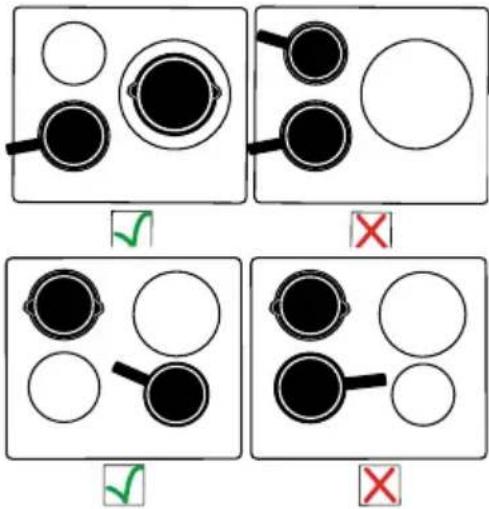
4.4 Ⓐ SWITCHING ON/OFF
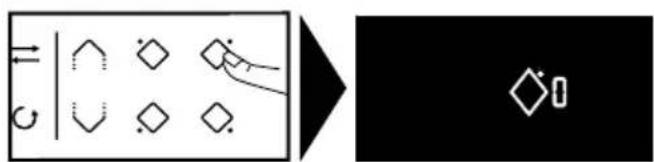
Press the On / Off key. A "0" displays in each zone available for 8 seconds. The hob automatically detects your pans. When a pan is detected, the "0" flashes with a dot over the ring detected. You can then adjust the power. If you do not select a power level, the cooking ring will automatically switch itself off.
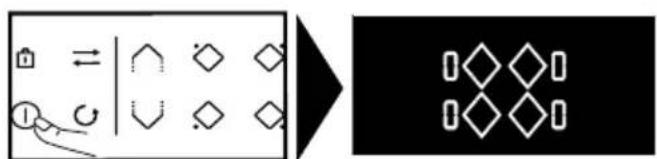
flowchart
graph LR
    A["Rectangular Box"] --> B["Diagonal Symbol"]
    B --> C["Hexagon"]
    C --> D["Diamond"]
    D --> E["Circle"]
    style A fill:#f9f,stroke:#333
    style B fill:#ccf,stroke:#333
    style C fill:#cfc,stroke:#333
    style D fill:#fcc,stroke:#333
    style E fill:#cff,stroke:#333
If no pan is detected, select your cooking ring.
flowchart
graph LR
    A["Rectangle with arrows and symbols"] --> B["Transformation arrow pointing to diamond symbol"]
Switching off a ring / the hob
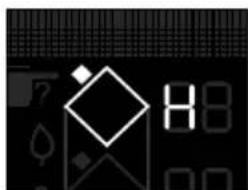
Press and hold the key for the ring ◇, a long beep sounds and the display switches off or the "H" symbol (residual heat) appears.
Press the On / Off key to switch the hob off completely.
4.5 SETTING THE POWER
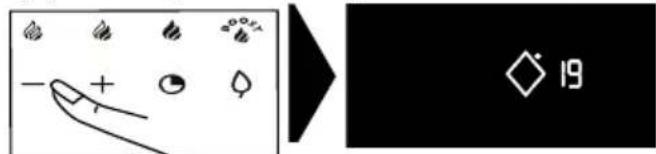
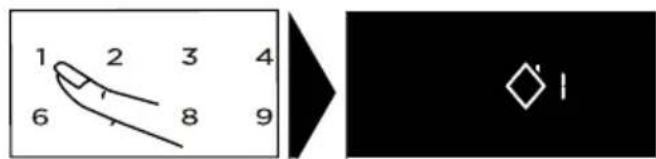
Press the + or - keys or use the numeric keypad to set your power level between 1 and 19. In this case you can enter the number corresponding the desired power setting directly. Pressing the "0" key switches the hob off.
When switching on, you can go directly to maximum power (apart from boost) by pressing the "-" key for the zone,
or use the numeric keypad.
Direct access:
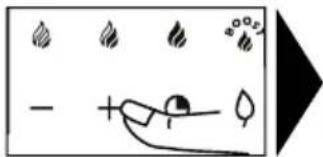
There are four touchkeys available that provide direct access to pre-set power levels:
= level 2 - Keep warm
= level 10 - Simmer
= level 19 - Sear
= maximum power setting.

All these power values apart from BOOST can be modified. Proceed as follows:
The hob must be switched on.

- Select for or by pressing and holding it.
- Set the new power level by pressing the + or - key.
After a few moments, a beep confirms your action.
Note: Power levels must be between
1 and 3 for
4 and 11 for
12 and 19 for

4.6 HORIZONE (DEPENDING ON MODEL)
The Horizone ring can be used as 2 separate zones or as 1 full zone. To select the full zone,
press the key.
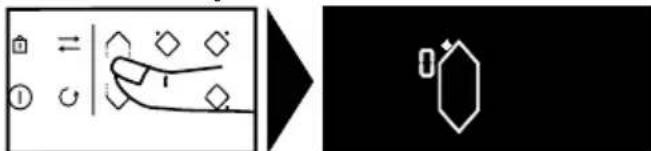
The power and timer are adjusted as for a normal cooking ring.
4.7 SETTING THE TIMER
Each cooking ring has a dedicated timer. This can be set once the relevant cooking ring is on. To activate or adjust the timer, press the timer key ⏻.
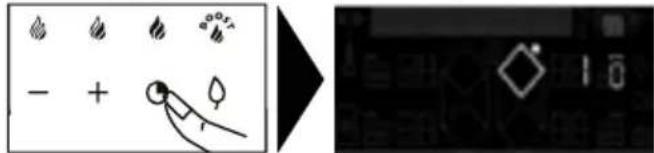
then the + or - keys
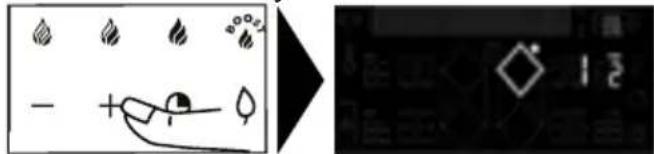
or use the numeric keypad.
In this case you can enter the figures for the desired time directly, one after the other. Pressing the "0" key switches off the timer.
To make setting a very long time easier, you can go straight to 8 hours by pressing the - key from the start. Press - again to reduce the time hour by hour up to 2 hours and 99 minutes.
At the end of cooking, the display indicates 0 and a warning beep sounds. To cancel the timer, press any key for the cooking ring being used. Otherwise, the beeps will stop after a few seconds. To stop the timer during cooking, press the + and – keys at the same time or return to 0 using the – key or enter "0" on the numeric keypad.
Independent timer
With this function, you can time an event without cooking.
- Select a free ring.
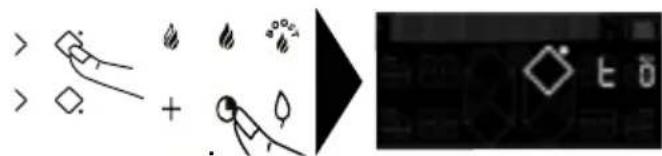
Press the ⓚkey.
- Set the time with the + or - keys. A "t" flashes on the display.
- When you have set the time, the "t" becomes fixed and the timer starts.
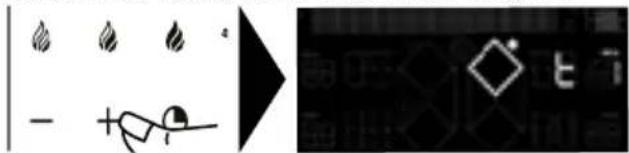
You can stop the timer by pressing and holding down the cooking ring selection key.
4.8 LOCKING THE CONTROLS
Child safety lock
Your hob has a child safety device which locks the controls when the hob is not in use or during cooking (to maintain the current settings). For safety reasons, only the stop and ring selection keys are still active, allowing the hob or a cooking ring to be switched off.
Locking
Press the ☐ key (padlock) until the lock symbol ☐ appears in the display and a beep confirms the operation.
Table locked in operation
The display for active cooking rings alternately shows the power and the lock symbol. When you press the power or timer controls for the operating rings, the 🔒 symbol starts to flash.
Unlocking
Press the 🔒 key until the lock symbol 🔒 disappears from the display and a beep confirms your operation.
CLEAN LOCK function
This function allows you to temporarily lock your hob while cleaning it.
To activate Clean lock :
Press the key briefly. A beep sounds and the symbol flashes on the display.
After a predefined time, the lock will automatically disengage. A double beep sounds. You can stop Clean Lock at any time by pressing and holding the touchkey.
4.9 SWITCH FUNCTION
This function allows a pan to be moved from one ring to another while retaining the original settings
(power and time).
Press the key briefly
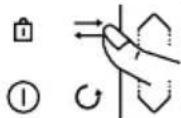
the === symbols scroll along the text line. Select the ring to which you wish to move the pan. The settings will be transferred to the selected zone and you can now move the pan to the new ring.
4.10 PCS FUNCTION
Intelligent Cooking System
This function optimises the choice of cooking zone for the diameter of cookware used.
Proceed as follows:
Place the pan on a cooking ring (e.g.: 28 cm dia.).
Select Boost power and possibly a cooking time.
Press . The symbol appears in the display.
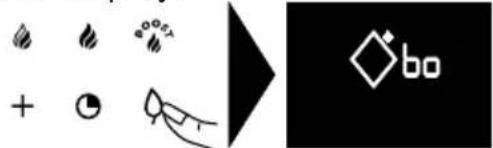
- either the zone chosen is the best one for the pan and disappears, leaving the initial cooking parameters in the display. - or the selected ring is not the best one for the pan and the display then indicates which ring should be used and the settings are transferred to it automatically
NOTE: The hob must be cold to use this function.
4.11 CRECALL FUNCTION
This function lets you display the last "power and timer" settings for all the rings which were switched off less than 3 minutes previously.
To use this function, the hob must be unlocked. Press the On / Off key then briefly press the key.
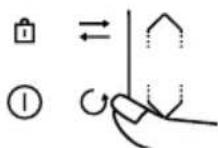
When the hob is on, the function shown the power and timer settings for the ring(s) that have been switched off for less than 30 seconds.
4.12 CELAPSED TIME FUNCTION
This function displays the time since the power setting was last changed for a selected cooking ring. To use this function, press the key.
The time elapsed flashes on the timer display for the chosen ring. If you want cooking to end within a specified time, press the key then, within 5 seconds, press + on the timer to increase it to the desired cooking time. The elapsed time is displayed fixed for 3 seconds and then the remaining time is displayed. A beep sounds to confirm your choice.
This function is available with or without the timer function.
Note: if a time is displayed on the timer, wait for 5 seconds before modifying the cooking time.
4.13 COOKING ASSISTANT FUNCTION
Under this function are gathered: Recipes / Vacuum Cook / Boil / Grill / Blanch. This cooking mode selects for you the suitable cooking parameters based on the food to be prepared. The hob must be switched on, press CAI to access the different functions. When using your hob in Recipe mode, we recommend you use the recommended utensils according to the recipe.
Recipe selection
To obtain optimal cooking results, you need to use stainless steel cookware for all recipes, excluding the crepe and pancake recipes which were optimised for utensils with applied bottoms.
We offer you a selection of food items for which the hob recommends and automatically sets a power level and cooking time according to the type and desired quantity.
| Ingredients Type | |
| Meat | |
| Beef | Thin / Medium / Thick |
| Burger patties | Fresh / Frozen |
| Lamb | Cutlets |
| Pork | Medium ribs / Thick ribs |
| Duck | Duck breast / Aiguillettes |
| Poultry | White meat / Legs |
| Seafood | |
| Fillets | |
| Fish steaks | |
| Fish fillet | |
| Whole fish | Small / Round < 350g / Flat > 350g |
| Crabs | Poach / Poach ECO* |
| Shrimps | Grill / Poach / Poach ECO* |
| Mussels / Cockles | |
| Scallops | |
| Vegetables | |
| Tomatoes | |
| Courgettes | |
| Aubergines | |
| Peppers | |
| Onions | |
| Mushrooms Sliced / Whole | |
| Blanched potatoes | |
| Spinach |
| Ingredients Type Quantity | |
| Desserts | |
| Melted chocolate | |
| Crêpes | |
| Pancakes | |
| Brioche / Pain perdu | |
| Caramel | |
| Eggs | |
| Fried | 2 / 4 |
| Omelette | 2 / 4 / 6 |
| Scrambled | 2 / 4 / 6 |
| Hard boiled | 2 / 4 / 6 |
| Soft boiled | 2 / 4 / 6 |
| Boiled | 2 / 4 / 6 |
| Quail |
| Pasta / Rice | ||
| Fresh pasta | 100 / 150 / 200 / 300 / 400g | |
| Dried pasta Penne 100 / | 150 / 200 / 300 / 400g | |
| Penne ECO* 100 / 150 / 200 / 300 / 400g | ||
| Spaghetti 100 / 150 / 200 / 300 / 400g | ||
| Spaghetti ECO* 100 / 150 / 200 / 300 / 400g | ||
| Tagliatelle 100 / 150 / 200 / 300 / 400g | ||
| Tagliatelle ECO* 100 / 150 / 200 / 300 / 400g | ||
| Pasta shells 100 / 150 / 200 / 300 / 400g | ||
| Pasta shells ECO* 100 / 150 / 200 / 300 / 400g | ||
| Rice White 100 / 150 / 200 / 300 / 400g | ||
| Whole wheat | 100 / 150 / 200 / 300 / 400g | |
| Black | 100 / 150 / 200 / 300 / 400g | |
The ECO recipes refer to passive cooking, which makes it possible to save energy by using residual heat. Thanks to a lid, heat remains concentrated inside the pan after stopping the hob, which makes it possible to continue cooking for a time predetermined by the ECO function.
- The vacuum function enables you to cook food at low temperatures in vacuum-sealed bags while preserving the culinary and nutritional properties. The water temperature must be at ambient temperature at the start of cooking or the final result will be distorted.
- The Boil function enables you to boil water and keep it boiling without overflowing to cook pasta, for example. Place your pan on a cooking ring.
Set the quantity of water required (from 0.5 to 6 litres) using the the ∧ /∨ keys The hob proposes the most suitable ring.
Confirm by pressing OK
Cooking starts.
A beep sounds when the water is boiling and a message on the display prompts you to add the ingredients. When it is done, press OK to confirm.
The time and power display. You can however adjust them at your convenience.
A beep sounds out when cooking is finished.
NOTE: The water temperature must be at ambient temperature at the start of cooking or the final result will be distorted.
Do not use a cast iron pan or a lid with this function. You can also use this function to cook any food that needs to be cooked in boiling water.
- The Grill function This function enables you to use the De Dietrich grill accessory on the twin cooking ring to grill food while avoiding overcooking and using excess fat. The grill accessory is not provided with the hob and is available from your retailer.
- The Blanch function enables you to cook vegetables in boiling water for a few minutes, then immerse them in ice-cold water to interrupt cooking (start with cold water).
This preserves the vivid colour of vegetables as well as their texture.
Select the quantity of water in which to immerse the vegetables.
Place your pan with the ingredients on a cooking ring.
Recipe example for a Beef cut:
» Select the "Recipes" menu with the √
^ keys
» Press the OK key to confirm the "Recipes" selection
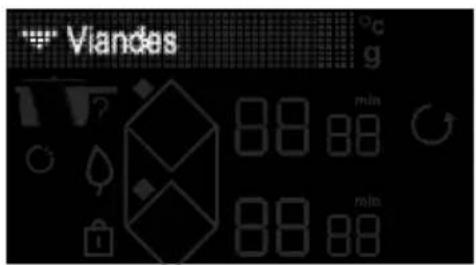

» Select the "Meat" menu with the √ ∧ keys
» Press the OK key to confirm the "Meat" selection
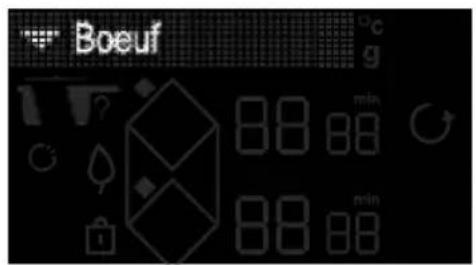

» Select the "Beef" menu with the √ ∧ keys
» Press the OK key to confirm the "Beef" selection
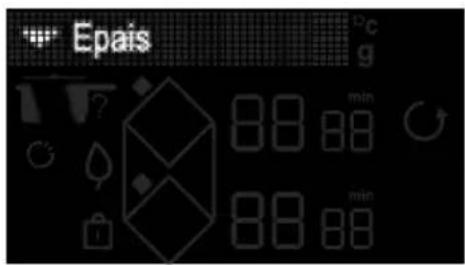

» Select the thickness of your Beef cut with the √ keys
» Press the key to confirm the thickness
» Select the doneness with the √ keys
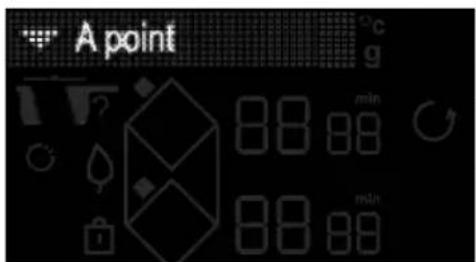

» Press the OK key to confirm the doneness
Your hob is equipped with a sensor, an optional step offers you to initiate some cooking programmes with the sensor.
» If you want to cook with the sensor, select the latter with the √ keys
» Press the key to confirm your selection OK
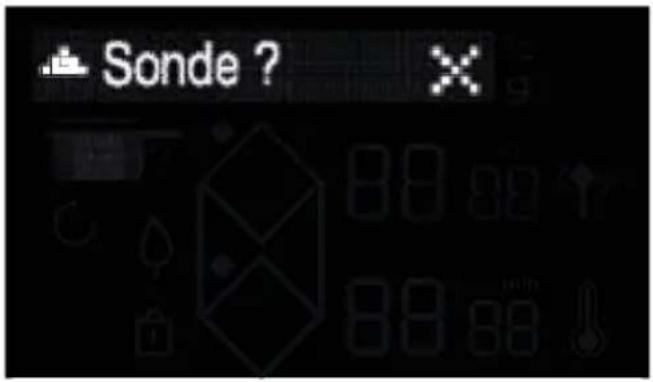
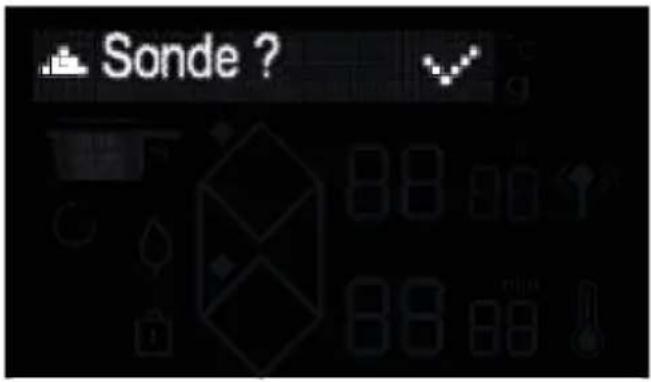
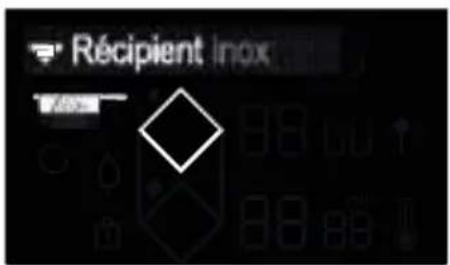
» The hob's display recommends the best cookware for an optimal result, as well as the suitable ring to cook your food on.
» Once you have placed the utensil on the ring, confirm with the key OK
» An empty preheating phase initiates.
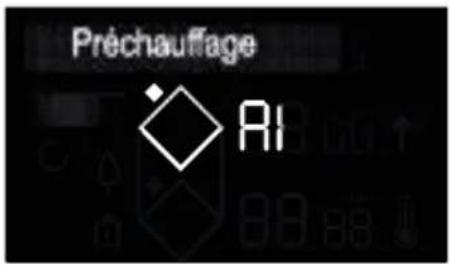
or with the sensor
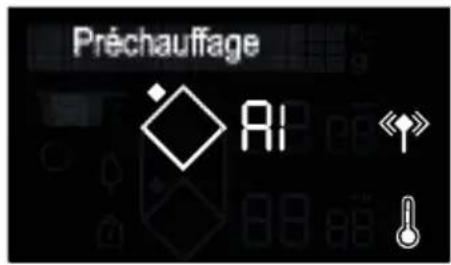
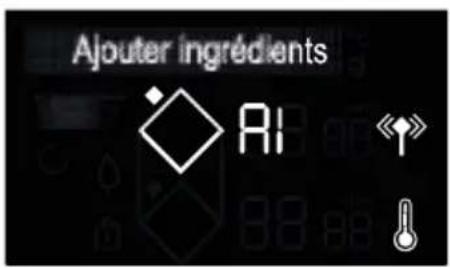
» Once preheated, the hob's display prompts you to place your beef cut.
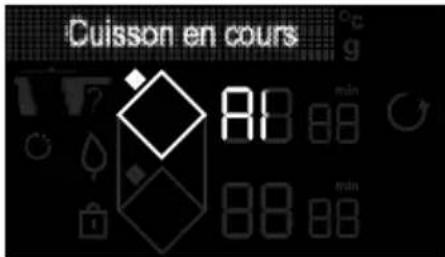
» After placing the ingredient, press the OKkey » The cooking time for the first side of the beef cut starts to count down.
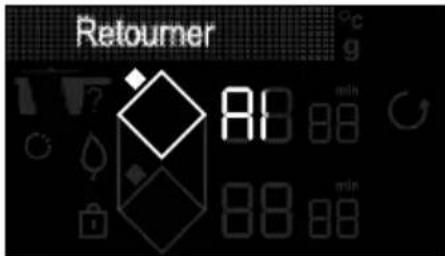
» Once this time is up, the display prompts you to turn the meat over. » After turning it over, press the keyOK » The second cooking phase starts.
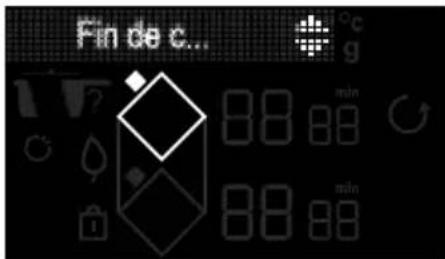
» Once cooked, the hob emits several beeps. »Press to extend the cooking time.
Note: Before the cooking ends, if "min" flashes, you can add the cooking time by pressing when + or -.
4.14 FAVOURITES FUNCTION
The "FAVOURITES" function lets you save 5 Cooking assistant functions that you use frequently. At the end of a Cooking assistant function, before stopping your appliance, you can add the recipe conducted to your favourites by selecting the option with the scroll keys and confirm with OK
Your cooking assistant function and any changes you make to it will then be saved in your favourites.
You can view your favourites by pressing the “star” key and scrolling with the “top/bottom” keys.
NB: If the 5 favourites are already used, any new memorisation will replace the first one."
4.15 SENSOR
To operate the sensor, you need to switch it on (press the button on the case
for several seconds); switch on the hob, press 🎨, the 🔊 symbol flashes in the display to search for the sensor.
When the latter is connected, the symbol becomes fixed and the sensor flashes blue at regular intervals.
The sensor cannot be used if a cooking assistant function is already running You can access 3 modes:
- Manual
Use this mode to select the desired temperature
The cooking start temperature as well as the requested setpoint display on the ring used. Once the setpoint reached, beeps are emitted and the temperature is maintained. To stop cooking, press and hold the key for the ring.
- Programme (Melt / Vacuum cook / Sear / Reheat / Boil / Simmer / Fry)
- Display T°
The sensor can also be used with certain recipes (Cooking Guide Chapter).
Positioning of the sensor
The sensor is not designed to go in an oven
There are 3 recommended positions:
- Vertical
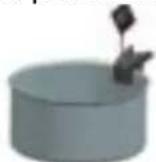
- intermediate (adjustable)
- slanted
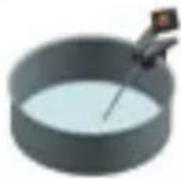
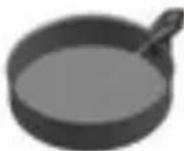
It is not recommended to use the sensor in its stand. In a solid food item, the sensor must be inserted into the thickest part of the food. The sensor tip must be halfway into the food. When setting the temperature, the hob automatically adjusts the necessary power which may cause a difference in boiling.
For all functions, except the melting function:
The sensor must be at least 1 cm away from the base of the pan.
the sensor must be immersed by at least 1 cm into the food to be cooked.
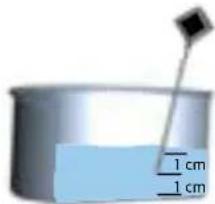
If this is not possible, adapt the diameter of the pan and the burner to the quantity to be cooked.
It is recommended to regularly stir the contents of your cookware during cooking.
The Sensor gives you access to 8 cooking functions which can be adjusted to the closest degree.
Manual mode
This function allows you to cook food by directly selecting the required temperature using the keys. The temperature can be adjusted between 40 and 180°C.
Melt
This function allows you to melt food at temperature that can be adjusted between 40 and 70^ . The setpoint temperature is 50^ . During this type of cooking, the sensor must be vertical and the tip of the sensor must touch the base of the pan. Mix well during cooking to homogenise the mix. During this type of cooking, the sensor must touch the base of the pan. This function is available only on the 16 cm, 21 cm or 1/2 Horizone burners on your hob.
Vacuum cooking
This function allows you to cook food at a temperature that can be adjusted between 45 and 85°C. The setpoint temperature is 60°C.
Warm
This function allows you to warm food at a temperature that can be adjusted between 65 and 80°C. The setpoint temperature is 70°C.
Sear
This function allows you to warm food at a temperature that can be adjusted between 40 and 85°C. The setpoint temperature is 60°C.
A beep sounds when the setpoint temperature is reached, the symbol flashes. A turn over beep at +10°C compared to the lowest starting T°.
Boil
This function allows you to boil water at a temperature of 100^ C. You can partially cover your pan with a lid; we recommend you do this from the start of cooking.
This function is not intended to boil milk. In this case, use the slow cooking function.
Simmer
This function allows you to cook food at a temperature that can be adjusted between 80 and 90°C. The setpoint temperature is 80°C.
When setting the temperature, there may be a variation in boiling.
Fry
This function allows you to fry at a temperature that can be adjusted between 130 and 190°C. The setpoint temperature is 180°C.
Warning:
Timer:
You can set a timer in sensor mode. In this case, the time displays permanently (1-99 minutes).
If you want to modify the time again, press the Ⓞ key
The timer starts to run once the setpoint temperature is reached
The sensor can only be used on one ring at a time.
- At the end, remember to switch off the sensor by pressing and holding the button on the sensor; the LED light switches to red for a few seconds.
- The sensor turns off automatically 1 minute after switching off the hob.
- To avoid damaging your sensor, do not put the electronic case of the sensor directly above the cooking fumes.
- The boiling temperature of water may vary depending on the altitude and atmospheric conditions of your geographical situation.
- A loss of communication may be caused by a weak battery.
Technical information regarding the sensor:
| Parameter Specification Notes | ||
| Voltage 2.5 - 3V CR2032 battery | ||
| Autonomy 300 hours | with new battery | |
| LED colour | White greenBlueRed | OnConnectingConnectedOff |
| Operating temperature | 0 - 85°C | Sensor's box |
| Temperature measurement range | 5° - 180°C | |
| Working frequency | 2402 - 2480 MHz | |
| Reach of the sensor | 2 metres | |
| Maximum power | < 10 mW | |
| Function | Basic ingredient or dish | Quantity (g) Temperature (°C) Time Tips | ||
| Manual | White meat | 150g chicken fillets | 80°C | 8 to 12 min |
| Red meat | 150 to 200g 35 to 45°C (blue) | 30s to 2 min/side (depending on thickness) | Leave the meat to rest for 5 min after cooking | |
| 150 to 200g 50 to 55°C (rare) | 1 min to 3 min/side (depending on thickness) | Leave the meat to rest for 5 min after cooking | ||
| 150 to 200g 60 to 65°C (medium) | 1 min 30 to 4 min (depending on thickness) | Leave the meat to rest for 5 min after cooking | ||
| 150 to 200g | 70 to 75°C (well done) | 2 min to 8 min/side (depending on thickness) | ||
| Frozen fries 200g / 1.5l oil | 160°C180° | 11 min2 min 30s | ||
| Béchamel sauces 500 | 85 to 87°C Boil for 1 minute | Stir constantly during cooking to avoid sticking to the bottom of the pan | ||
| Chocolate cream 1300 | 87 to 92°C 8 to 10 min | Stir constantly during cooking to avoid sticking to the bottom of the pan | ||
| Caramel | “dry” (100g) | up to 150°C (colouration) | 3 to 5 min(power level 10) | |
| Caramel | with water (100g sugar/60 ml water) | up to 145°C | 8 to 12 min(power level 10) | |
| Fruit jellies | 400 - 1000 | 105 - 110 | depending on quantity | |
| Melt | Dark chocolate | 100 - 500 | 50 - 55 | 5 to 10 min |
| Milk chocolate | 45 -50 | |||
| White chocolate | 45 - 50 | |||
| Butter | 50 - 500 | 40 - 50 | 5 to 20 min | |
| Clarified butter | 50 - 500 | 40 - 50 | 5 to 20 min | |
| Fondue cheese | 200 - 1500 | 40 - 50 | 10 to 25 min | |
| Warm | Purée | 200 - 800 | 65 - 75 | Depending on quantity |
| Soup | 200 - 2000 | 65 - 75 | 2 min 30 to 15 min | |
| Jars / preserves | 300 - 1000 | 65 - 75 | 4 min to 10 min | |
| Small pots | 125 - 300 | 60 - 70 | Depending on quantity |
Cooking instructions:
| Function | Basic ingredient or dish | Quantity (g) Temperature (°C) Time Tips | |||
| Slimmer | Stew 1000 - 4000 70 - 80 | 2h30 to 3h00 | Adjust the cooking container to the quantity to cook. Add the peeled potatoes before the last 1/2 hour of cooking | ||
| Veal blanquette 1000 | 4000 70 - 80 2h00 to 3h00 | Adjust the cookware to the quantity to be cooked. | |||
| Bourguignon 1000 - 4000 | 70 - 80 2h00 to 4h00 | Adjust the cookware to the quantity to be cooked. | |||
| Casserole 1000 - 4000 | 70 - 80 2h00 to 4h00 | Adjust the cookware to the quantity to be cooked. | |||
| Basque-style chicken | 1000 - 4000 70 - 80 1h15 to 1h30 | Adjust the cookware to the quantity to be cooked. | |||
| Jam 1000 - 4000 105 | 20 min to 1 hour depending on the fruit, check the texture | The gelling temperature of jam is 105°C (sugar thermometer). This temperature can be decreased to around 90°C by adding pectin (15g for 1kg of fruits) | |||
| Tomato sauce 1000 - 4000 | 70 - 80 40 min | Be careful of the acidity of the tomatoes during cooking. Add a pinch of powdered sugar to fresh tomato sauce during cooking. | |||
| Expert vacuum cooking | Fish 250-300g salmon | 45-50 | 20 min | Between 3L and 5L of water. Be careful when seasoning as vacuum cooking tends to intensify the power of salt. | |
| Fish | white fish 250-300 g | 56°C | 15 min | ||
| Vegetables | 200-300g green vegetables | 85°C | 30-75 min | ||
| Vegetables | 150g root vegetables | 85°C | 60 - 80min | ||
| White meat | 150g chicken fillets | 64°C | 25 min | ||
| White meat | chicken thighs 200 g | 68°C | 120 min | ||
| Red meat | beef fillet 150 to 300 g | 56.5°C water both | 30 min for 2.5 cm thickness / 2h for 5 cm thickness / up to 4h. | ||
| Perfect eggs | 50g / 1l water | 64° | 45 min | ||
| Boil | Rice | 100-500 (dry) = 300 to 1500 ml salted water | 90-100 | 12 to 20 minutes depending on the rice | "Creole" rice: bring the water to the boil. Pour in the rice(rinsed with cold water beforehand), cover and leave to cook on gentle heat(warning: some types of rice require a longer cooking time such as Venere rice) |
| Pasta | 100 - 500 (dry) = 1l to 5 l salted water | 90-100 | 10 to 12 min cooking | Bring the wafer to the boil. Pour in the pasta and simmer.Check the cooking depending on the type of pasta used. |
Cooking instructions:
| Function | Basic ingredient or dish | Quantity (g) Temperature (°C) Time Tips | ||
| Sear Salmon | 120 52 14 to 16 min | Sensor in the middleCook skin side down, without turning over and with lid | ||
| Beef (rare)Tournedos style 3 cm | 160 52 12 min Turnover beep halfway through cooking | |||
| Beef (medium)Tournedos style 3 cm | 180 57 14 min Turnover beep halfway through cooking | |||
| Beef (well done)Tournedos style 3 cm | 160 68 13 min Turnover beep halfway through cooking | |||
| Duck breast skin side down | 300 63 22 to 25 min | Adjust the cookware to the quantity to be cooked.Cook with a lid | ||
| Poultry breast 130 105 | 24 to 30 min Sensor in the middleCook without a lid and with turn over beep | |||
| Fry | Chips | 200 | 180 | 10 to 15 min |
4.16 SAFETY PRECAUTIONS AND RECOMMENDATIONS
Residual heat
After intensive use, the cooking ring you have just used may remain hot for several minutes, A "H" symbol is displayed during this time.
Avoid touching the areas concerned.
Temperature limiter
Each cooking ring is fitted with a safety sensor that continuously monitors the temperature of the bottom of the pan. In the event that an empty pan is left on a zone that is switched on, the sensor automatically adapts the power delivered by the hob and limits the risk of damaging the cookware or the hob.
displayed on the control panel and a beep sounds for about 2 minutes. To stop it, simply press any of the control keys.

Sounds similar to the ticking of lock may be heard.
These sounds occur when the hob is in operation and disappear or decrease according to the heating configuration. There may also be whistling sounds depending on the model and quality of your cookware. Such noises are a normal part of induction technology and do not indicate a fault.

We do not recommend using hob protection mechanisms.
Spillage protection
The hob may be switched off in the following three cases:
Spillage covering the control keys.
Damp towel placed over the touch controls.
Metal object placed on the control keys.
Remove the object or clean and dry the control keys to restart cooking.
In these cases, the symbol is displayed accompanied by an audible signal.
"Auto-Stop" System
If you forget to switch off a pan, your hob has an "Auto-Stop" safety function that automatically switches off the forgotten cooking ring after a pre-set time (between 1 and 10 hours based on the power level setting). If the safety system is triggered, the cooking ring is shown as switched off with "AS"
Looking after the hob
For light soiling, use a kitchen sponge. Use hot water to wet the area to be cleaned and then wipe dry.
For burnt-on food deposits, sugary spills, melted plastic, use a scouring sponge and/or a special glass cleaning scraper. Use hot water to wet the area to be cleaned, use a special glass cleaning scraper to remove the dirt, finish off with a scouring sponge and then wipe dry.
For rings and hard water residue, apply warm white vinegar to the stain, let stand, then wipe with a soft cloth.
For shiny metal streaks and weekly maintenance, use a special vitroceramic glass product. Apply the special product (which contains silicon and preferably has a protective effect) to the vitroceramic glass.
Important note: do not use abrasive powders or scourers. Use cleaning creams and special gentle washing up sponges.
Looking after the sensor
- Clean the sensor before using for the first time
- Only use neutral products, no abrasive products, scouring pads, solvents or metal objects.
- Do not wash the sensor in the dishwasher.
- The sensor's stand can be washed in the dishwasher.
6 TROUBLESHOOTING AND SOLUTIONS
When using for the first time
You notice that an illuminated display appears. This is normal. It will disappear after 30 seconds.
The circuit breaker trips/blows a fuse or only one side of the hob works. The hook-up of your hob is faulty. Verify its compliance (see connexion chapter).
The hob produces an odour during the first cooking sessions. The appliance is new. Heat each zone for half an hour with a pan full of water.
When powering on
The hob does not work and the lights on the panel stay off.
There is no power to the hob. The electrical supply or the connection are faulty. Inspect the fuses and the circuit-breaker.
The hob does not work and another message is displayed. The electronic circuit is faulty. Call the After-Sales service.
The hob does not work, the "bloc" information is displayed. Unlock the child safety lock.
Fault code F9 : voltage less than 170 V.
Fault code F0 : temperature less than 5°C.
During use
The hob does not work, the screen displays—and a beep sounds.
There was a spillage or an object is obstructing the control panel. Clean or remove the object and resume cooking.
Code F7 is displayed.
The electronic circuits have overheated (See "Fitting" chapter).
While a heating area is on, the control panel's illuminated symbols continue to flash.
The pan being used is not suitable.
The pans make a noise and the hob emits a clicking noise during cooking (see the “safety and recommendations” tip). This is normal. With certain types of pan, heat passing from the hob to the pan causes this clicking.
The ventilation continues to operate after the hob is switched off.
This is normal. It cools the electronics.
In the event of a persistent fault,
switch off your hob for 1 minute. If the problem persists, contact the After-Sales Service.
| Symbol | Value | Unit | PF: Systemes CS, Znolo DA, Sertel DE, Sembel ES, Sistemi IT, Sistemi NL, SembelPL, Oracaseo PT, Gensio SK, Systel SV, Systel. PF: Venter DC, mabelo DA, Venter DE, Weit EL, Kapteding up EN, Valer EL, Valer F, Inserle NL, Margey PL, Marky PL, Vast DC, Hodmela DV, Vest. PF: Ixetil DS, Jedalda DA, Enered DE, Enered EL, Bovido EN, Ustel ES, Sinadot ES, Usta de resura NL, Tembel PL, siedelia PT, Ustelde SK, Jedalda SV, Eulet | |||||||||||
| Model identification | PF: Identification of modeli CS, Identifikation modela DA, Modellantization DE, Akadikermag ES, Tocentemercanlus EN, Indemantization ES, Identificacion rial imdaten IF, Identificacion del modela HL, identificat non lat. estale PL, Densifizion nadeu PT, Identificacion de nadeu DR, Identificacion modula SV, Indemantization | |||||||||||||
| Rating plate | PF: Paper inscriptifique CS, Venter illetk DA, Typedite DE, Typerschel EL, Hovidno ogronow EN, Ratingplata CS, Place de conserhola IT, Eschelta signetica NL, Identificazione PL, Tablocha zeneronera PT, Placa crenzka SK, Typeschel SK, Mabelol | |||||||||||||
| Type of hole | Induction ** | PF: Type de isolates CS: Tap reni doily DK, Kogogelakopoe SE, Art der Kathmeda EL, Tanou, cerles EN, Type of bed RS, Type di placa de correa IT, Tostologia di piano codara NL, Specinapalam PL, Tap plte gossie PT, Tap di placa SK, Tap semipriste TV SP, Tap per NR | ** PF: Indulcier CS: Indulcier DA, Indulcier DE, Indulcier EL, Entwuro EN, Indulcier ES, Indulcier IT, Indulcier NL, Indulcie PL, Ustelg PT, Indulcie PD, Indulcie SK, Indulcier SV, Indulcier. | |||||||||||
| Total power | 7400 | 7400 | 7400 | 1400 | Vr | PF: Prossorco totale CS: colkylyptun DA total effect DE, Secundierung FL, nevelizig, orgic EN total power FL: patencia totale RT, total sertrape PL, collarica net. PT: potenza total SK, colkylyptun SV total effen. | ||||||||
| Number of cooking zones and/or areas | 3 | 4 | 4 | 4 | PF: Nambe de zones of area de conson CS, Pofol versich pina anato ploch DA, Anafed ahogawen opide emalate DC, asfuh der Kachonen undirke Kaftifler EL, Raffing, Quinnanari Hapeng prospigono, ES hanger of cooking zones and/or area ES, Rabinen de prelattima de la khorre pre lava de cocon TA, Nurna de la rina area borka NL, Aardi kountas enel. Peltan PL, Lutea pol terdavare piaspach PT, hoklen de zone incasa de coconra SK, Pofol incena alveira pht na wavena na wavena SV, Alda kountar schistet condien. | |||||||||
| Heading technology (industrie cooking zones and cooking areas, radiant cooking zones, serial places) | Induction ** | PF: Technologie de chazogen (cursis e in de conson par induction cornea convexitivene, pesans elichiptic ES, ochologs ultras indetris vino zin y a rene platy, salani erne atse, jonei plats) DA: Sprummetekology (Indutismetekgazugor og angaramile, valloggagazone, mesoegapalada) DC: Heutschland (Indutismetken and konfischer), Stellungsberchen, Kohpladen) D, Topvole/Quinong (sinan####), Gom, Korn, Hampg, Vampanpaling, Gom, parapalaring, fin amangliab, armangliab, minere, parapartning, EInbetragrothology (induction cooking zones and cooking areas, modern cooking zones, solid platin) EG: Tecnologia de calrettemet (Pico) and zone de conson par induction, torso de cosce por radication, placar meccuta IT: Tecnologia di risandramento tra di cultura e di curta e i radina, zone di caroli sald, guale medica HE, Vanverungtechnologie Industria industrias en angolgavden, karassnisch en halopennkosten, vandro kountas/PT: Technologie propria (industria poli lab dianos prima, pinnamvarenza poli poli PV). Tristecia de assicamento (jana e i classa de coconra maculica, cune di coconra radine, piacus solida) DK: Technologie abses (proble zin y pinto na wavena, salani zin y na wavena, javan paeta) SV/Varmestern (indutismeter nch -smalen, smlamperter, tastekohalat). | ||||||||||||
| For circular cooking zones or area: diameter of useful surface area per ceramic heated cooking zone, rounded to the nearest 5 mm | 1 | 15 | 15 | 15 | cm | PF: Pour les zones de circles circularea: clamide de la surface dite par zone de conson devirque, emeral ze 1mm leklos prochen OSU kralotych varisch un reten platz, plade adrije platz porra, acretivih dinectiva diolus diolus varisch por rauquatu na reglott bil un un rade kapponee etor omelate da rama on anhangi webdamerim pr. apaprtimnagasse, shafenirn naestea 5 arcct, the befebrigerage. PF: Provenorvalter: Chemisternar der wathener /Delfefiche for pele-assetech kralothea uichowes and Cram genes ES, Farsenzel, Duret, Impeditici, Acupitini, Kardina, mehanee, and diperati kapitilum (Guramportiplum, injurey Acupitini per impregna p 5 mm) DN for cicer cooking zones in area: diomen of radial axis pro dielectric heated cooking zone, novedo he fermed Tave. 15: Parac ou carse de coconra virale, dieleni di superfiore di radio fuses di colora baza di colora cerasi. Per le zone in area 8888888888888888888888888888888888888888888888888888888888888888888888888888888888888888888888888888 | ||||||||
| 2 | 23 | 23 | 23 | cm | ||||||||||
| 3 | 23 | cm | ||||||||||||
| 4 | cm | |||||||||||||
| 5 | cm | |||||||||||||
| For non-crossover cooking zones or areas: length and width of useful surface area per electrical heated cooking zone or area, rounded to the nearest 5 mm | 6 | LxW | 45x23 | 45x23 | 45x23 | cm | PF: Pour les zones de circles circularea: clamide de la surface dite par zone su area de conson electrical, amelate 3 mm plus plazches CS Urolabischswirich por redo pocht delta a delta abelige plazojyjous phosidios. Dargion plazo pad. lengge sp. plazo plazo plazo plazo plazo plazo plazo plazo plazo plazo plazo plazo plazo plazo plazo plazo plazo plazo plazo plazo plazo plazo plazo plazo plazo plazo plazo plazo plazo plazo plazo plazo plazo plazo plazo plazo plazo plazo plazo plazo plazo plazo plazo plazo plazo plazo plazo plazo plazo plazo plaz. | |||||||
| 7 | LxW | 45x23 | cm | |||||||||||
| 8 | LxW | cm | ||||||||||||
| Energy consumption per cooking zone or area calculated per kg | 1 | EC(000) cooling | 175.1 | 175.1 | 174.1 | Wh/kg | PF: Consumption of energy per case su site de coconmacable packing CS: Spalita energie na envizi nu belu plazo phosidios na DG: Engförläger pr. Angoume eller -emidle borspar pr. kg DE: Engapowermoste konsfonds ## se ha penig fi plazo ciasone, and duene crissi pi##### pi##### pi##### pi##### pi##### pi##### pi##### pi##### pi##### pi##### pi##### pi##### pi##### pi##### pi##### pi##### pi##### pi##### pi##### pi##### pi##### pi##### pi##### pi##### pi##### pi##### pi##### pi##### pi##### pi##### pi##### pi##### pi##### pi##### pi##### pi##### pi##### pi##### pi##### pi##### pi##### pi##### pi##### pi##### pi##### pi##### pi##### pi##### pi##### pi##### pi###### pi##### pi##### pi##### pi##### pi##### pi##### pi##### pi##### pi##### pi##### pi##### pi##### pi##### pi##### pi##### pi##### pi##### pi##### pi##### pi##### pi##### pi##### pi##### pi##### pi##### pi##### pi##### pi##### pi##### pi##### pi##### pi##### pi##### pi##### pi##### pi##### pi##### pi##### pi##### pi##### pi##### pi##### pi##### pi##### pi##### pi##### pi##### pi##### pi##### pi####### pi##### pi##### pi##### pi##### pi##### pi##### pi##### pi##### pi##### pi##### pi##### pi##### pi##### pi##### pi##### pi##### pi##### pi##### pi##### pi##### pi##### pi##### pi##### pi##### pi##### pi##### pi##### pi##### pi##### pi##### pi##### pi##### pi##### pi##### pi##### pi##### pi##### pi##### pi##### pi##### pi##### pi##### pi##### pi##### pi##### pi##### pi##### pi##### pi##### pi#### pi##### pi##### pi##### pi##### pi##### pi##### pi##### pi##### pi##### pi##### pi##### pi##### pi##### pi##### pi##### pi##### pi##### pi##### pi##### pi##### pi##### pi##### pi##### pi##### pi##### pi##### pi##### pi##### pi##### pi##### pi##### pi##### pi##### pi##### pi##### pi##### pi##### pi##### pi##### pi##### pi##### pi##### pi##### pi##### pi##### pi##### pi##### pi##### pi##### pi######## pi##### pi##### pi##### pi##### pi##### pi##### pi##### pi##### pi##### pi##### pi##### pi##### pi##### pi##### pi##### pi##### pi##### pi##### pi##### pi##### pi##### pi##### pi##### pi##### pi##### pi##### pi##### pi##### pi##### pi##### pi##### pi##### pi##### pi##### pi##### pi##### pi##### pi##### pi##### pi##### pi##### pi##### pi##### pi##### pi##### pi##### pi##### pi##### pi##### pi###### pi##### pi##### pi##### pi##### pi##### pi##### pi##### pi##### pi##### pi##### pi##### pi##### pi##### pi##### pi##### pi##### pi##### pi##### pi##### pi##### pi##### pi##### pi##### pi##### pi##### pi##### pi##### pi##### pi##### pi##### pi##### pi##### pi##### pi##### pi##### pi##### pi##### pi##### pi##### pi##### pi##### pi##### pi##### pi##### pi##### pi##### pi##### pi##### pi#####pi##### pi##### pi##### pi##### pi##### pi##### pi##### pi##### pi##### pi##### pi##### pi##### pi##### pi##### pi##### pi##### pi##### pi##### pi##### pi##### pi##### pi##### pi##### pi##### pi##### pi##### pi##### pi##### pi##### pi##### pi##### pi##### pi##### pi##### pi##### pi##### pi##### pi##### pi##### pi##### pi##### pi##### pi##### pi##### pi##### pi##### pi##### pi##### pi##### pi##### Pi##### pi##### pi##### pi##### pi##### pi##### pi##### pi##### pi##### pi##### pi##### pi##### pi##### pi##### pi##### pi##### pi##### pi##### pi##### pi##### pi##### pi##### pi##### pi##### pi##### pi##### pi##### pi##### pi##### pi##### pi##### pi##### pi##### pi##### pi##### pi##### pi##### pi##### pi##### pi##### pi##### pi##### pi##### pi##### pi##### pi##### pi##### pi##### pi##### pi##### PI##### pi##### pi##### pi##### pi##### pi##### pi##### pi##### pi##### pi##### pi##### pi##### pi##### pi##### pi##### pi##### pi##### pi##### pi##### pi##### pi##### pi##### pi##### pi##### pi##### pi##### pi##### pi##### pi##### pi##### pi##### pi##### pi##### pi##### pi##### pi##### pi##### pi##### pi##### pi##### pi##### pi##### pi##### pi##### pi##### pi##### pi##### pi##### pi##### pi##### p##### pi##### pi##### pi##### pi##### pi##### pi##### pi##### pi##### pi##### pi##### pi##### pi##### pi##### pi##### pi##### pi##### pi##### pi##### pi##### pi##### pi##### pi##### pi##### pi##### pi##### pi##### pi##### pi##### pi##### pi##### pi##### pi##### pi##### pi##### pi##### pi##### pi##### pi##### pi##### pi##### pi##### pi##### pi##### pi##### pi##### pi##### pi##### pi##### pi##### gi##### pi##### pi##### pi##### pi##### pi##### pi##### pi##### pi##### pi##### pi##### pi##### pi##### pi##### pi##### pi##### pi##### pi##### pi##### pi##### pi##### pi##### pi##### pi##### pi##### pi##### pi##### pi##### pi##### pi##### pi##### pi##### pi##### pi##### pi##### pi##### pi##### pi##### pi##### pi##### pi##### pi##### pi##### pi##### pi##### pi##### pi##### pi##### pi##### pi##### si##### pi##### pi##### pi##### pi##### pi##### pi##### pi##### pi##### pi##### pi##### pi##### pi##### pi##### pi##### pi##### pi##### pi##### pi##### pi##### pi##### pi##### pi##### pi##### pi##### pi##### pi##### pi##### pi##### pi##### pi##### pi##### pi##### pi##### pi##### pi##### pi##### pi##### pi##### pi##### pi##### pi##### pi##### pi##### pi##### pi##### pi##### pi##### pi##### pi##### ci##### pi##### pi##### pi##### pi##### pi##### pi##### pi##### pi##### pi##### pi##### pi##### pi##### pi##### pi##### pi##### pi##### pi##### pi##### pi##### pi##### pi##### pi##### pi##### pi##### pi##### pi##### pi##### pi##### pi##### pi##### pi##### pi##### pi##### pi##### pi##### pi##### pi##### pi##### pi##### pi##### pi##### pi##### pi##### pi##### pi##### pi##### pi##### pi##### pi##### ti##### pi##### pi##### pi##### pi##### pi##### pi##### pi##### pi##### pi##### pi##### pi##### pi##### pi##### pi##### pi##### pi##### pi##### pi##### pi##### pi##### pi##### pi##### pi##### pi##### pi##### pi##### pi##### pi##### pi##### pi##### pi##### pi##### pi##### pi##### pi##### pi##### pi##### pi##### pi##### pi##### pi##### pi##### pi##### pi##### pi##### pi##### pi##### pi##### pi##### ni##### pi##### pi##### pi##### pi##### pi##### pi##### pi##### pi##### pi##### pi##### pi##### pi##### pi##### pi##### pi##### pi##### pi##### pi##### pi##### pi##### pi##### pi##### pi##### pi##### pi##### pi##### pi##### pi##### pi##### pi##### pi##### pi##### pi##### pi##### pi##### pi##### pi##### pi##### pi##### pi##### pi##### pi##### pi##### pi##### pi##### pi##### pi##### pi##### pi##### ai##### pi##### pi##### pi##### pi##### pi##### pi##### pi##### pi##### pi##### pi##### pi##### pi##### pi##### pi##### pi##### pi##### pi##### pi##### pi##### pi##### pi##### pi##### pi##### pi##### pi##### pi##### pi##### pi##### pi##### pi##### pi##### pi##### pi##### pi##### pi##### pi##### pi##### pi##### pi##### pi##### pi##### pi##### pi##### pi##### pi##### pi##### pi##### pi##### pi##### yi##### pi##### pi##### pi##### pi##### pi##### pi##### pi##### pi##### pi##### pi##### pi##### pi##### pi##### pi##### pi##### pi##### pi##### pi##### pi##### pi##### pi##### pi##### pi##### pi##### pi##### pi##### pi##### pi##### pi##### pi##### pi##### pi##### pi##### pi##### pi##### pi##### pi##### pi##### pi##### pi##### pi##### pi##### pi##### pi##### pi##### pi##### pi##### pi##### pi##### pig#### | PF: Construction of energy de la plaque de conson, caudable par kgy CS: Spalita energie varista density phosidios na DG: Karpendem interditum gnevezho portogat pr. kg DE: Engapowermoste konsfonds ## se ha penig fi un area de conson de conson de conson de conson de conson de conson de conson de conson de conson de conson de conson de conson de conson de conson de conson de conson de conson de conson de conson de conson de conson de conson de conson de conson de conson de conson de conson de conson de conson de conson de conson de conson de conson de conson desiesses vi#es #### #### #### #### #### #### #### #### #### #### #### #### #### #### #### #### #### #### #### #### #### #### #### #### #### #### #### #### #### #### #### #### #### #### #### #### #### #### #### #### #### #### #### #### #### #### #### #### #### #### #### #### #### #### #### #### #### #### #### #### #### #### #### #### #### #### #### #### #### #### #### #### #### #### #### #### #### #### #### #### #### #### #### #### #### #### #### #### #### #### #### #### #### #### #### #### #### #### #### #### nigro## #### #### #### #### #### #### #### #### #### #### #### #### #### #### #### #### #### #### #### #### #### #### #### #### #### #### #### #### #### #### #### #### #### #### #### #### #### #### #### #### #### #### #### #### #### #### #### #### #### #### #### #### #### #### #### #### #### #### #### #### #### #### #### #### #### #### #### #### #### #### #### #### #### #### #### #### #### #### #### #### #### #### #### #### #### #### #### #### #### #### #### #### #### #### #### #### #### #### ####### #### #### #### #### #### #### #### #### #### #### #### #### #### #### #### #### #### #### #### #### #### #### #### #### #### #### #### #### #### #### #### #### #### #### #### #### #### #### #### #### #### #### #### #### #### #### #### #### #### #### #### #### #### #### #### #### #### #### #### #### #### #### #### #### #### #### #### #### #### #### #### #### #### #### #### #### #### #### #### #### #### #### #### #### #### #### #### #### #### #### #### #### #### #### #### #### #### #### #### ## #### #### #### #### #### #### #### #### #### #### #### #### #### #### #### #### #### #### #### #### #### #### #### #### #### #### #### #### #### #### #### #### #### #### #### #### #### #### #### #### #### #### #### #### #### #### #### #### #### #### #### #### #### #### #### #### #### #### #### #### #### #### #### #### #### #### #### #### #### #### #### #### #### #### #### #### #### #### #### #### #### #### #### #### #### #### #### #### #### #### #### #### #### #### #### #### #### #### #### nit #### #### #### #### #### #### #### #### #### #### #### nigro## #### #### #### #### #### nigro## #### #### #### nigro## #### #### nigro## #### #### nigro## #### #### nigro## #### #### nigro## #### #### nigro## #### #### nigro## #### #### nigro## #### #### nigro## #### #### nigro## #### #### nigro## #### #### nigro## #### #### nigro## #### #### nigro## #### #### nigro## #### #### nigro## #### #### nigro## #### #### nigro## #### #### nigro## #### #### nigro## #### #### nigro# ### #### #### #### #### #### #### nigro## #### #### nigro## #### #### nigro## #### #### nigro## #### #### nigro## #### #### nigro## #### #### nigro## #### #### nigro## #### #### nigro## #### #### nigro## #### #### nigro## #### #### nigro## #### #### nigro## #### #### nigro## #### #### nigro## #### #### nigro## #### #### nigro## #### #### nigro## #### #### nigro## #### #### nigra## #### #### nigro## #### #### nigro## #### #### nigro## #### nigro## #### nigro## #### nigro## #### nigro## #### nigro## #### nigro## #### nigro## #### nigro## #### nigro## #### nigro## #### nigro## #### nigro## #### nigro## #### nigro## #### nigro## #### nigro## #### nigro## #### nigro## #### nigro## #### nigro## #### nigro## #### nigro## #### nigro## #### nigro## #### nigro# ### #### #### #### #### #### #### #### #### #### #### #### #### #### #### #### #### #### #### #### #### #### #### #### #### #### #### #### #### #### #### #### #### #### #### #### #### #### #### #### #### #### #### #### #### #### #### #### #### #### #### #### #### #### #### #### #### #### #### #### #### #### #### #### #### #### #### #### #### #### #### #### #### #### #### #### #### #### #### #### #### #### #### #### #### #### #### #### #### #### #### #### #### #### #### #### #### #### #### #### musical | ||||||

VÁŽENÁ ZÁKAZNICE, VÁŽENÝ ZÁKAZNÍKU
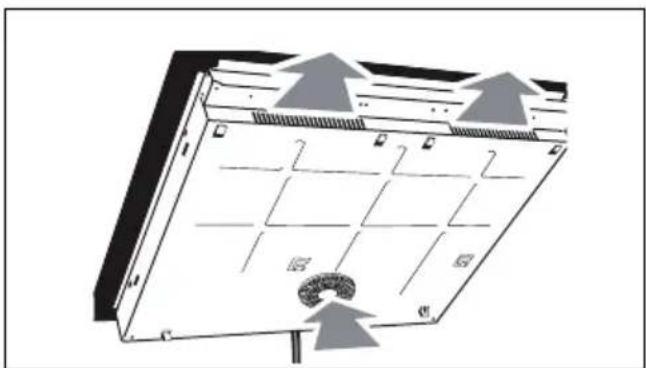
natural_image
Diagram of a server rack with labeled components and directional arrows indicating airflow or movement (no text or symbols present)natural_image
Illustration of hands using a tool to cut or mark a curved mechanical component (no text or symbols visible)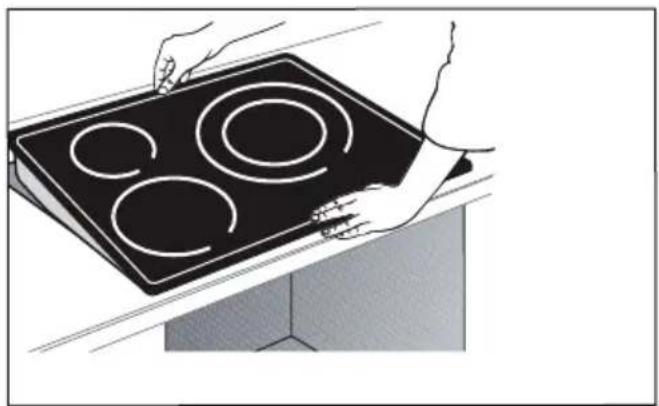
natural_image
Illustration of hands holding a four-circular induction cooktop on a kitchen appliance (no text or symbols)
Důležité upozornění
3 POPIS VAŠEHO PŘÍSTROJE
natural_image
Pure 3D geometric shape resembling a stylized letter or symbol (no text or symbols present)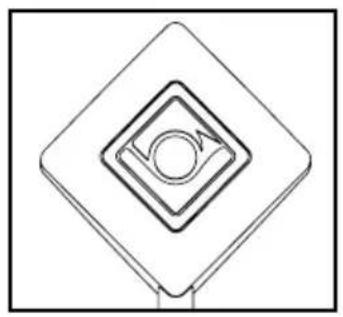
natural_image
Pure geometric diagram of concentric diamond shapes with a central circle and arrow, no text or symbols present.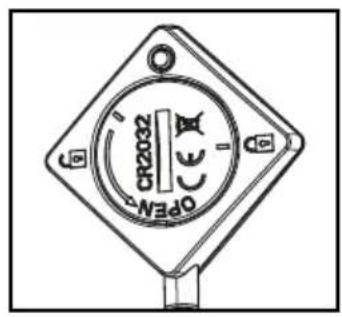
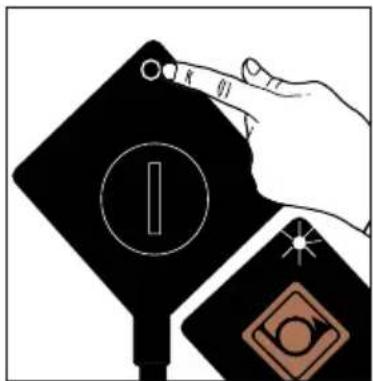
natural_image
Abstract geometric design with a diamond shape, circular element, and starburst (no text or symbols)natural_image
Abstract geometric symbol with a star, diamond, and circle on a black background (no text or symbols)3 POPIS VAŠEHO PŘÍSTROJE

Legenda tlačítek



Minutka
Přímý přístup


3 POPIS VAŠEHO PŘÍSTROJE
Legenda displeje
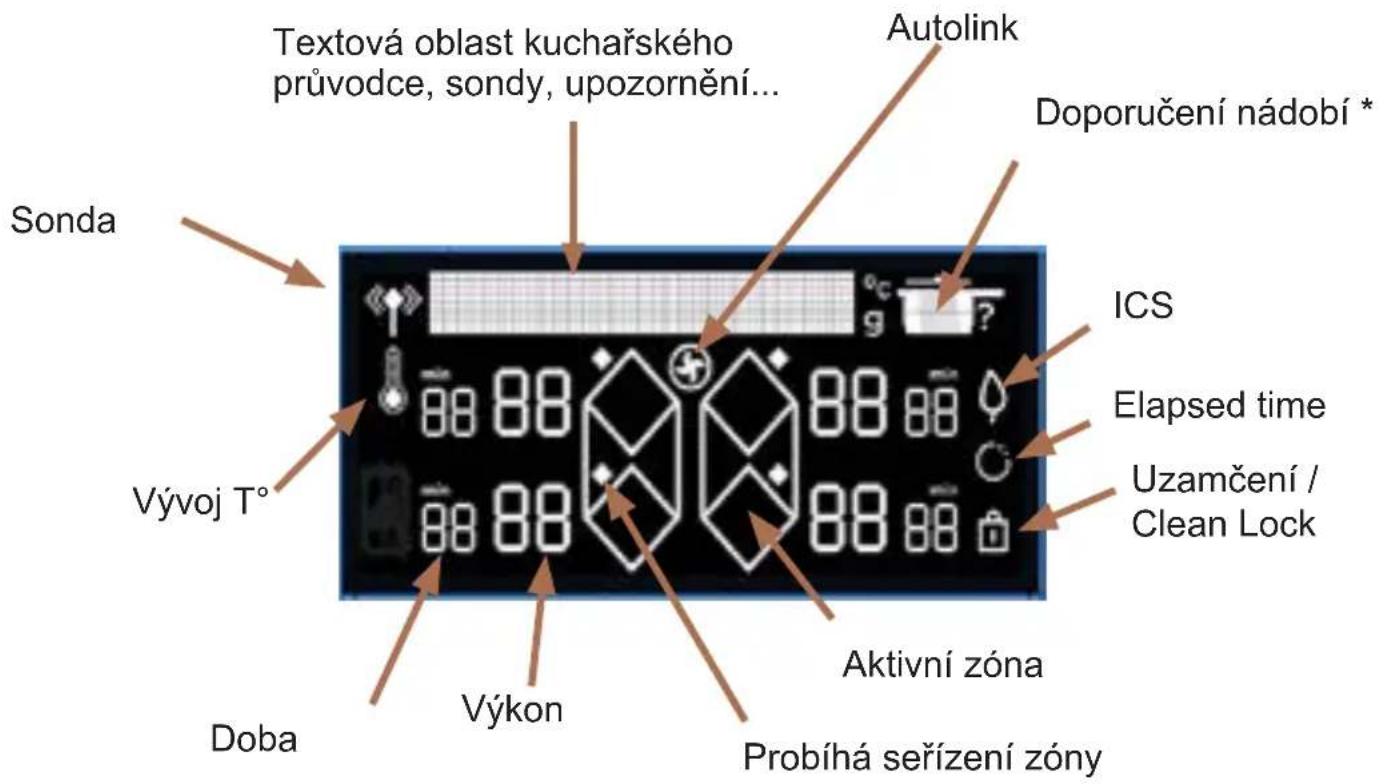
natural_image
Illustration of four cooking pot containers arranged vertically (no text or symbols)Pánev
Pánev s pokličkou
Hrnec
Hrnec s pokličkou
4.4 ⑰ZAPNUTÍ - VYPNUTÍ
flowchart
graph LR
    A["Hand gesture: 30°"] --> B["Geometric shapes: diamond, circle, arrow"]
    B --> C["Final geometric shape: octagon with arrow"]
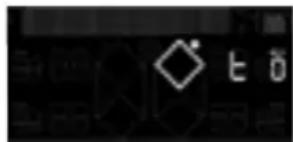
Stiskněte tlačítko
fig 1.
natural_image
Diagram of a server rack with grid layout and directional arrows indicating airflow or movement (no text or symbols)natural_image
Illustration of hands using a tool to cut or mark a curved object, no text or symbols present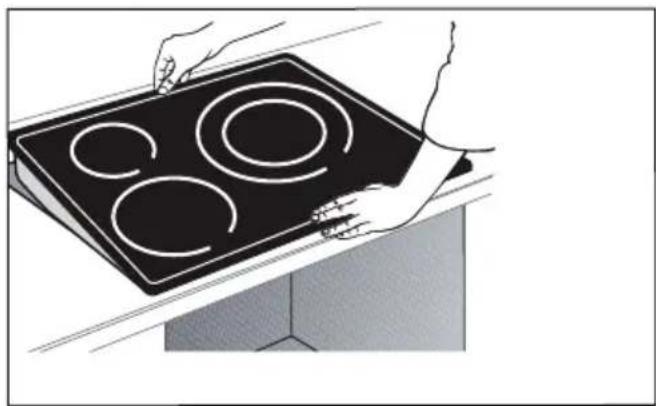
natural_image
Illustration of hands holding a black electric stove with four circular cutouts (no text or symbols)
Vigtigt
natural_image
Pure 3D geometric shape resembling a stylized letter or symbol (no text or symbols present)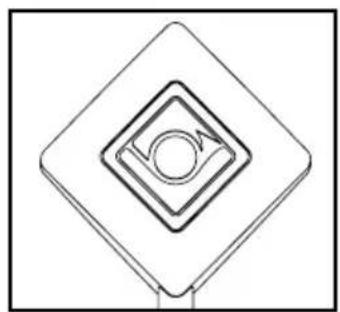
natural_image
Pure geometric diagram of concentric squares with a central circle and arrow, no text or symbols present
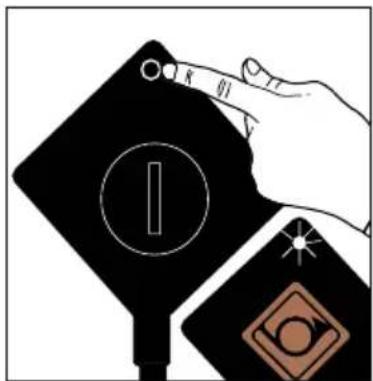
natural_image
Abstract geometric design with a diamond shape, starburst, and partial circular elements (no text or symbols)2 - Sonden blinker grønt.
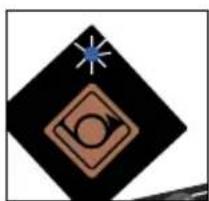
natural_image
Abstract geometric symbol with a star, diamond, and circular element (no text or symbols)Forklaring til tastatur


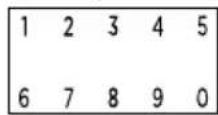

Direkte adgang


Funktioner


CAI

Forklaring til display
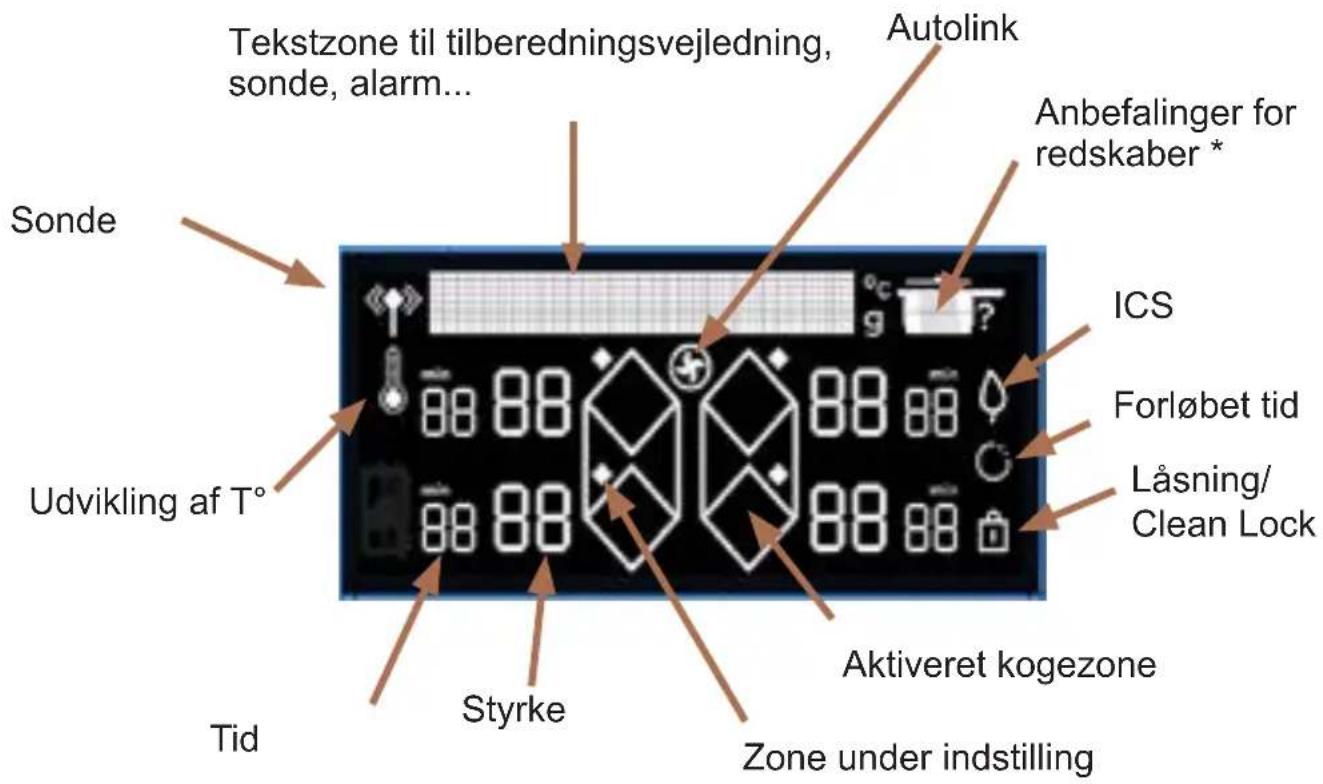
natural_image
Four identical line drawings of cooking pots arranged vertically (no text or symbols)Stegepande
Stegepande med låg
Gryde
Gryde med låg
4.4 ITÆND - SLUK
Tryk på tasten
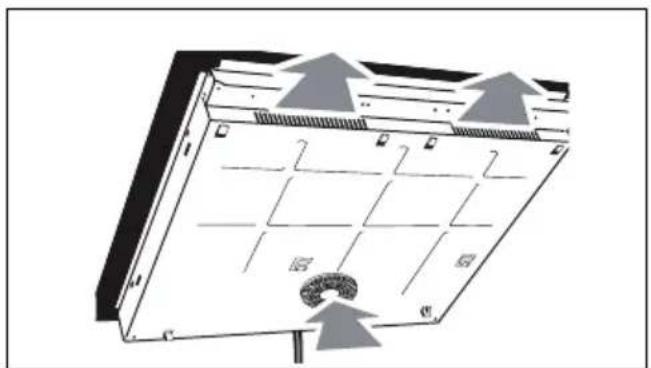
natural_image
Diagram of a solar panel with grid layout and directional arrows indicating airflow or movement (no text or symbols)Bündiger Einbau
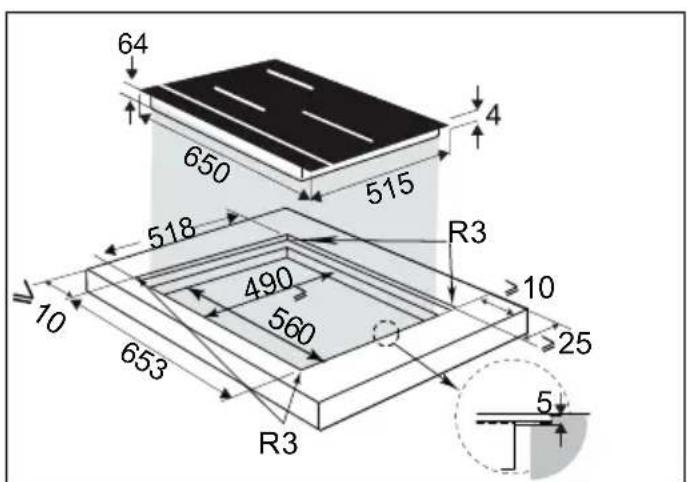
.2 INSTALLATION
natural_image
Technical illustration of a mechanical assembly with hands operating a tool (no text or symbols visible)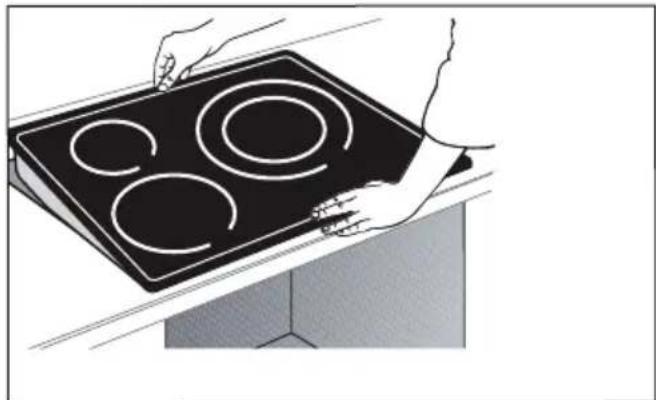
natural_image
Illustration of hands holding a black electric stove with four circular cutouts (no text or symbols)
Wichtig
natural_image
Technical line drawing of a mechanical component (no text or symbols)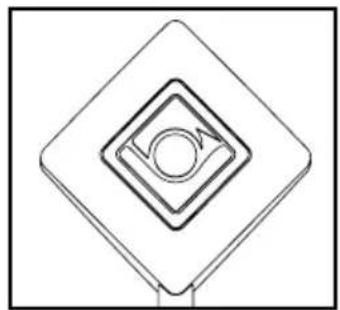
natural_image
Pure geometric diagram of concentric squares with a central circle, no text or symbols present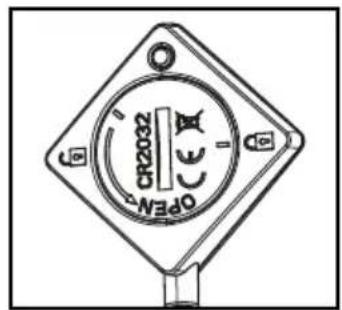
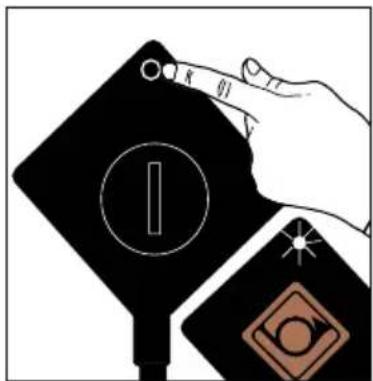
natural_image
Abstract geometric design with a diamond shape, starburst, and partial circular elements (no text or symbols)natural_image
Abstract geometric symbol with diamond, circle, and star (no text or symbols)Glossar Tasten



Zeitschaltuhr
Direktzugang


: Warmhalten

Funktionen


: Funktion Switch

: Funktion ICS
: Funktion Recall
: Funktion Elapsed time
natural_image
Illustration of four cooking pot containers arranged vertically (no text or symbols)Pfanne
Pfanne mit Deckel
Topf
Topf mit Deckel
flowchart
graph LR
    A["Directional Arrow"] --> B["Geometric Shape"]
    B --> C["Geometric Shape with Diamond"]
    C --> D["Hand Clicking Point"]
    D --> E["Geometric Shape with Diamond"]
    E --> F["Black Diagram with Diamond"]
natural_image
Abstract black-and-white graphic with four white diamond shapes arranged in a cross pattern, flanked by two flame-like symbols below (no text or symbols)fig 1.
natural_image
Diagram of a server rack with grid layout and directional arrows indicating airflow or movement (no text or symbols)natural_image
Illustration of hands using a tool to cut or mark a curved mechanical component (no text or symbols visible)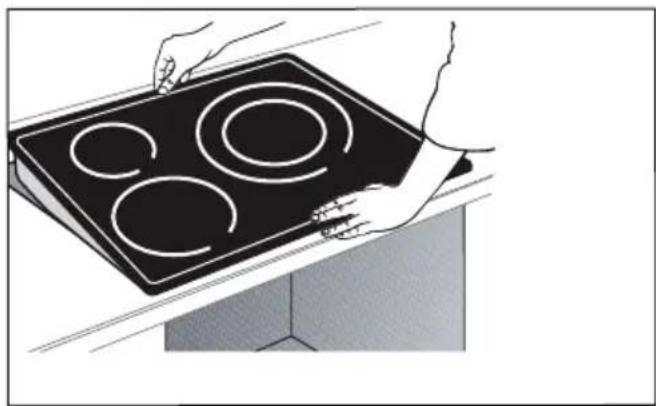
natural_image
Illustration of hands holding a black electric stove with four circular cutouts (no text or symbols)
Importante
natural_image
Pure 3D geometric shape resembling a stylized letter or symbol (no text or symbols present)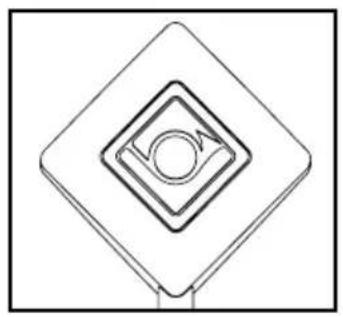
natural_image
Pure geometric diagram of concentric diamond shapes with a central circle and arrow, no text or symbols present.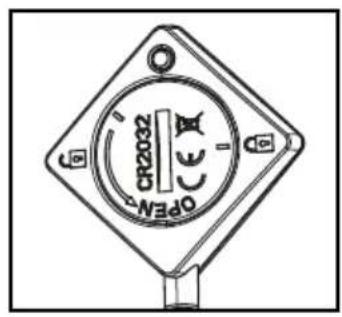
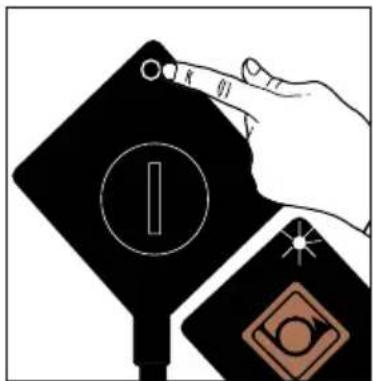
natural_image
Abstract geometric design with a diamond shape, circular element, and star (no text or symbols)natural_image
Abstract geometric symbol with a star, diamond, and circle on a black background (no text or symbols)Teclado


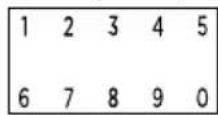

Temporizador
Acceso directo


Mantener caliente
Cocer a fuego lento
Dorar
Boost
Funciones


Función Switch
Función ICS
Función Recall
Función Elapsed time
natural_image
Illustration of four cooking pots arranged vertically (no text or symbols)Sartén
Sartén con tapa
Cacerola
Cacerola con tapa
4.4 ⒽENCENDIDO / APAGADO
flowchart
graph LR
    A["Rectangular Box"] --> B["Arrow pointing to a hexagon with dots"]
    B --> C["Hexagon with dots and an arrow pointing to another hexagon"]
    C --> D["Black Rectangle with diamond shape"]
Parar zona / placa

natural_image
Simple line drawing of a stylized object resembling a rocket or capsule (no text or symbols)natural_image
Pure electrical circuit lines without any symbols
Pulse la tecla
εικ. 1.
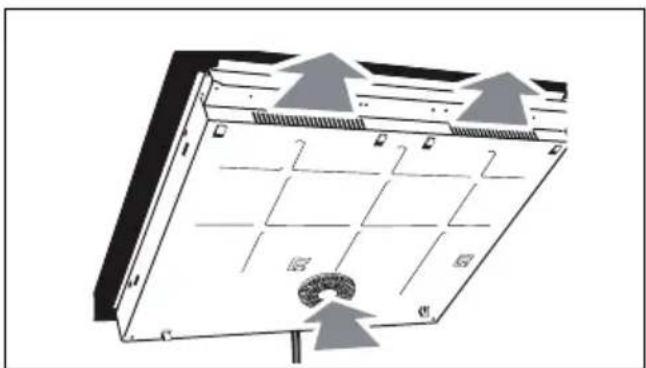
natural_image
Diagram of a server rack with labeled components and directional arrows indicating airflow or movement (no text or symbols present)natural_image
Illustration of hands using a tool to cut or mark a curved mechanical component (no text or symbols visible)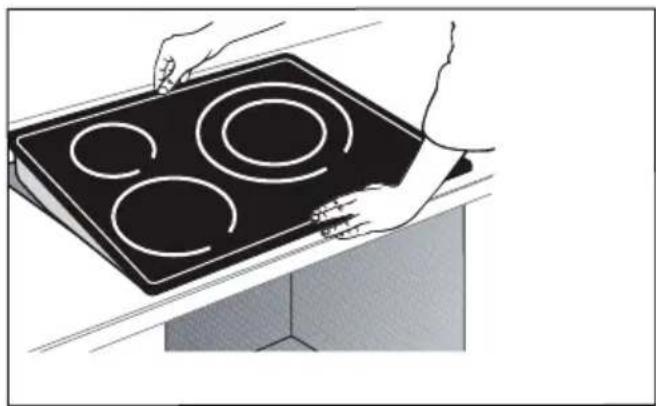
natural_image
Illustration of hands holding a black electric stove with four circular cutouts (no text or symbols)
Προσοχή
natural_image
Pure 3D geometric shape resembling a stylized letter or symbol (no text or symbols present)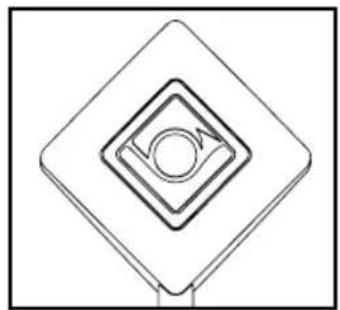
natural_image
Pure geometric diagram of concentric diamond shapes with a central circle and arrow, no text or symbols present.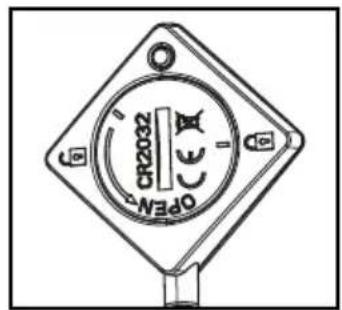
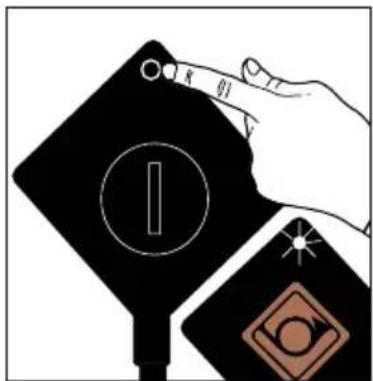
natural_image
Abstract geometric design with a diamond shape, circular element, and star (no text or symbols)natural_image
Abstract geometric symbol with a star, diamond, and circle on a black background (no text or symbols)Περιγραφή πλήκτρων

natural_image
Illustration of four cooking pots arranged vertically (no text or symbols)Τηγάνι
Τηγάνι με καπάκι
Κατσαρόλα
Κατσαρόλα με καπάκι
flowchart
graph LR
    A["Rectangle with arrows and symbols"] --> B["Black rectangle with diamond shape"]
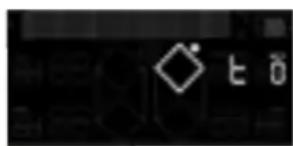
kuva 1
natural_image
Diagram of a server rack with heat exchangers and cooling fans, showing no text or symbolsnatural_image
Technical illustration of a mechanical assembly with hands operating a tool (no text or symbols visible)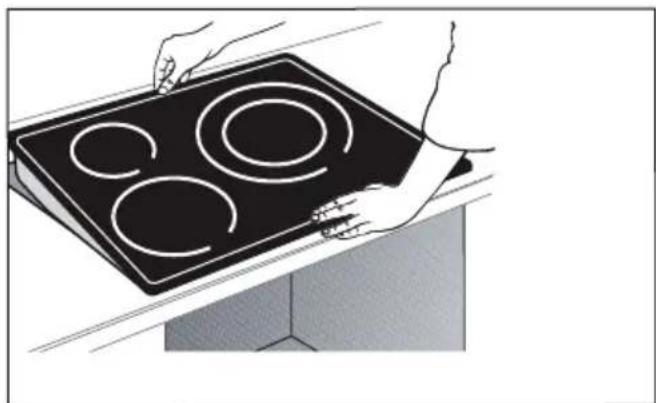
natural_image
Illustration of hands holding a black electric stove with four circular cutouts (no text or symbols)
Tärkeää
natural_image
Pure 3D geometric shape resembling a stylized letter or symbol (no text or symbols present)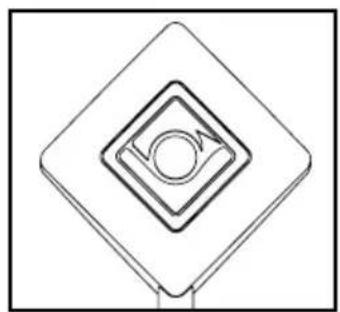
natural_image
Pure geometric diagram of concentric diamond shapes with a central circle and arrow, no text or symbols present.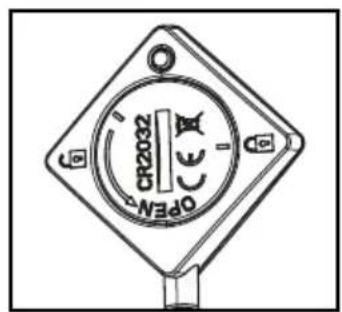
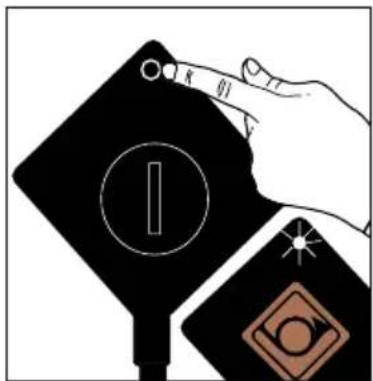
natural_image
Abstract geometric design with a diamond shape, starburst, and circular symbol (no text or symbols)natural_image
Abstract geometric symbol with diamond, circle, and star (no text or symbols)natural_image
Line drawing of four different cooking pots arranged vertically (no text or symbols)Paistinpannu
4.4 ⓀKÄYNNISTYS - SAMMUTUS
flowchart
graph LR
    A["Rectangular Box"] --> B["Arrow pointing to diamond shape"]
    B --> C["Arrow pointing to diamond shape"]
    C --> D["Arrow pointing to diamond shape"]
    D --> E["Arrow pointing to diamond shape"]
    E --> F["Arrow pointing to diamond shape"]
    F --> G["Arrow pointing to diamond shape"]
natural_image
Pure electrical circuit lines without any symbols
Paina painiketta
- ábra.
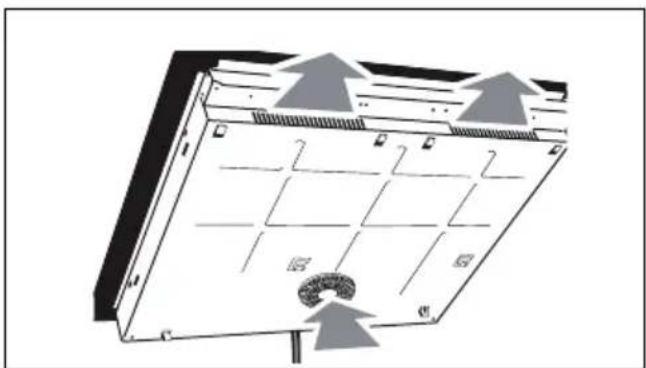
natural_image
Diagram of a server rack with labeled components and directional arrows indicating airflow or movement (no text or symbols present)natural_image
Line drawing of hands using a tool to cut or mark a curved object, no text or symbols present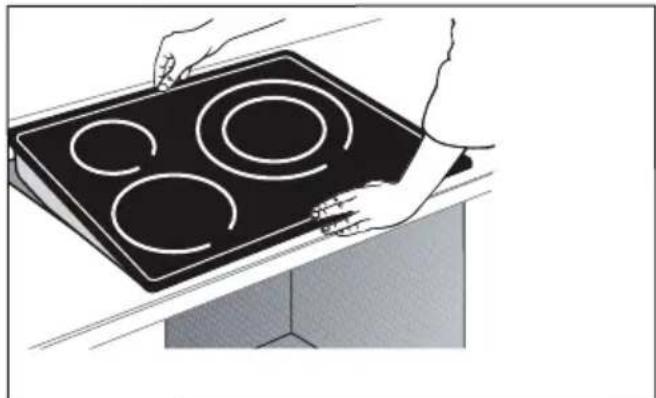
natural_image
Illustration of hands holding a black electric stove with four circular cutouts (no text or symbols)
Fontos
natural_image
Technical line drawing of a mechanical bracket component (no text or symbols)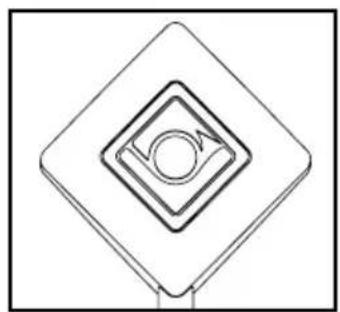
natural_image
Pure geometric diagram of concentric squares with a central circle and arrow, no text or symbols present.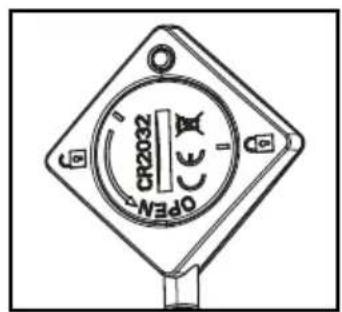
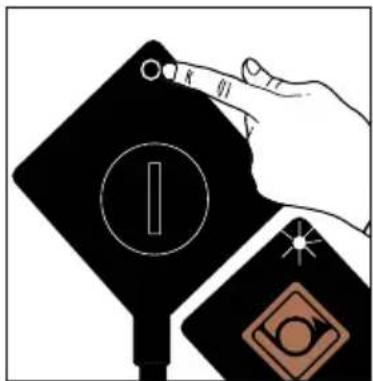
natural_image
Abstract geometric design with a diamond shape, star, and circular element (no text or symbols)natural_image
Abstract geometric symbol with a star, diamond, and circle on black background (no text or symbols)CAI
CAI
CAI
CAI
CAI
CAI
CAI
CAI
CAI
CAI
CAI
CAI
C
C
C
C
←
←
←
←
←








Kijelző szójegyzék
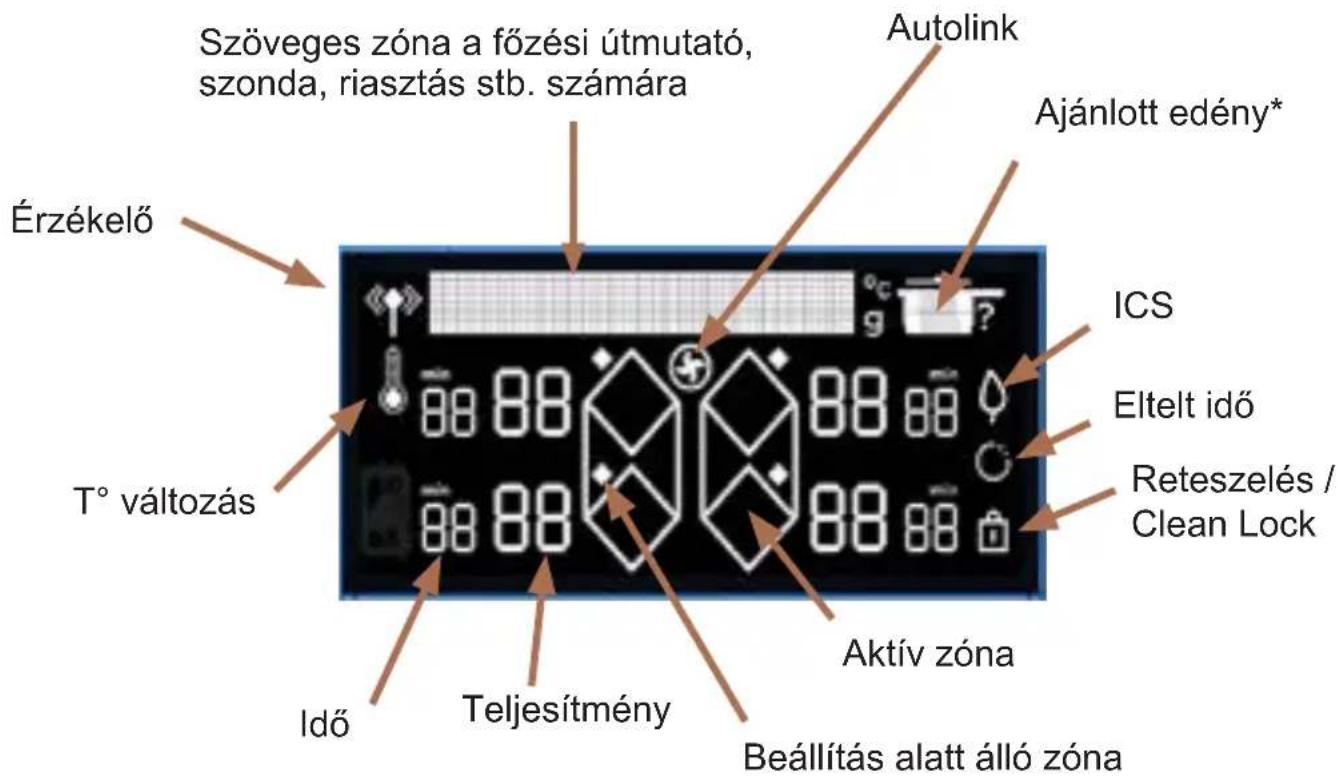
natural_image
Illustration of four cooking pot containers arranged vertically (no text or symbols)Serpenyő
Serpenyő fedővel
Lábas
Lábas fedővel
4.4 BEKAPCSOLÁS – KIKAPCSOLÁS
Nyomja meg a gombot
fig 2.
natural_image
Diagram of a server rack with grid layout and directional arrows indicating movement (no text or symbols)Incasso a filo
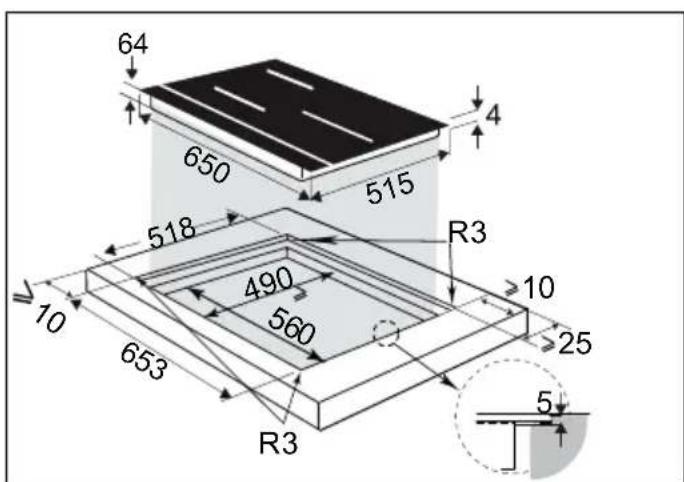
.2 INSTALLAZIONE
natural_image
Line drawing of hands using a tool to cut or mark a curved object on a mechanical component (no text or symbols)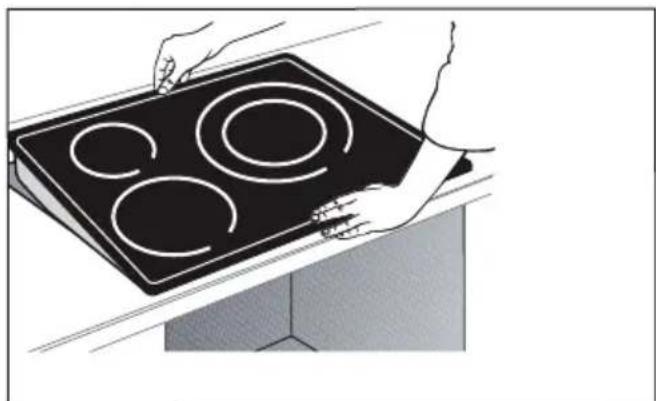
natural_image
Illustration of hands holding a black electric stove with four circular cutouts (no text or symbols)
Importante
natural_image
Pure 3D geometric shape resembling a stylized letter or symbol (no text or symbols present)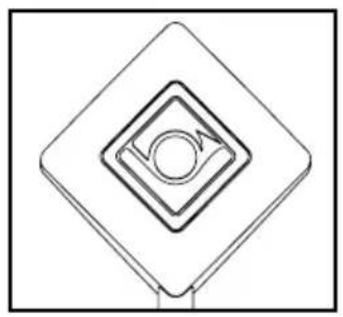
natural_image
Pure geometric diagram of concentric diamond shapes with a central circle and arrow, no text or symbols present.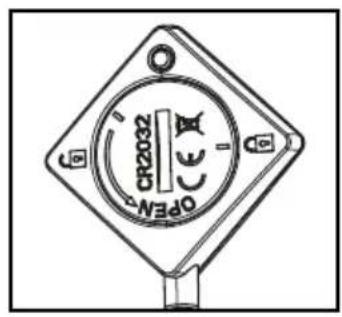
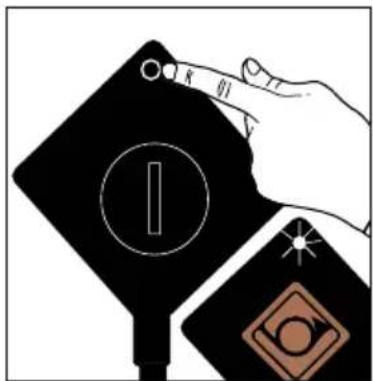
natural_image
Abstract geometric design with a diamond shape, starburst, and partial circular elements (no text or symbols)2 - La sonda lampeggia in verde.
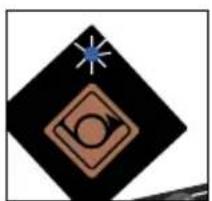
natural_image
Abstract geometric symbol with diamond, circle, and star (no text or symbols)Simboli tastiera


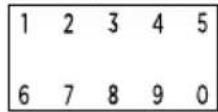

: Parametri
: Conferma/ok
: Tornare indietro
natural_image
Illustration of four different cooking pots arranged vertically (no text or symbols)Padella
4.4 ①ACCENSIONE - SPEGNIMENTO
flowchart
graph LR
    A["Rectangular Box with symbols: house, arrow, circle, etc."] --> B["Grid of symbols: up, down, left, right, etc."]
    B --> C["Arrow pointing inward toward the grid"]
    style A fill:#f9f,stroke:#333
    style B fill:#ccf,stroke:#333
    style C fill:#cfc,stroke:#333
flowchart
graph LR
    A["Rectangular Box"] --> B["Arrow pointing to a hexagon with dots"]
    B --> C["Arrow pointing to a pentagon with dots"]
    C --> D["Arrow pointing to a diamond shape with dots"]
    D --> E["Arrow pointing to a diamond shape with dots"]
    E --> F["Arrow pointing to a diamond shape with dots"]
Premere il tasto
fig 1.
natural_image
Diagram of a server rack with grid layout and directional arrows indicating airflow or movement (no text or symbols)natural_image
Line drawing of hands using a tool to cut or mark a curved object, no text or symbols present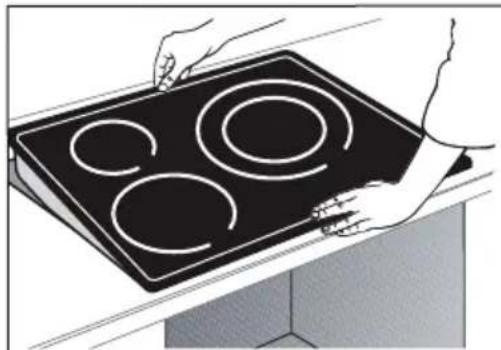
natural_image
Illustration of hands holding a black electric stove with four circular cutouts (no text or symbols)
Belangrijk
natural_image
Pure 3D geometric shape resembling a stylized letter or symbol (no text or symbols present)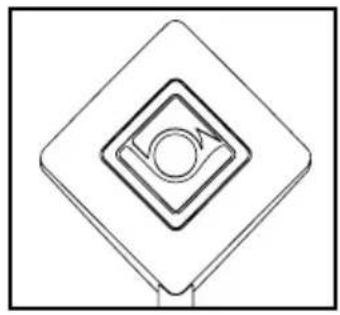
natural_image
Pure geometric diagram of concentric diamond shapes with a central circle, no text or symbols present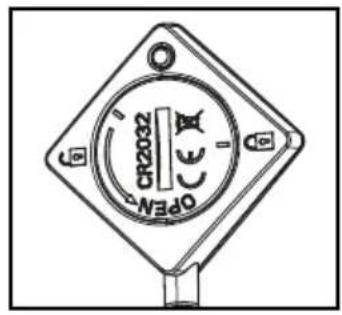
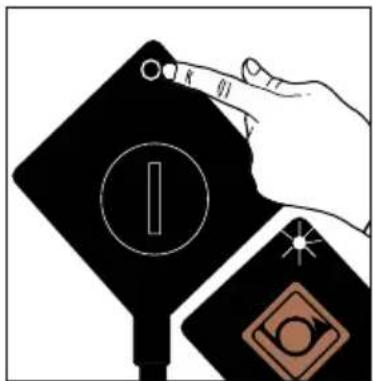
natural_image
Abstract geometric design with a diamond shape, circular motif, and starburst (no text or symbols)natural_image
Abstract geometric symbol with diamond, circle, and star (no text or symbols)natural_image
Illustration of four cooking pot containers arranged vertically (no text or symbols)Koekenpan
4.4 INSCHAKELING - UITSCHAKELING
flowchart
graph LR
    A["Rectangle with arrows and symbols"] --> B["Black Box with diamond shape"]

natural_image
Simple line drawing of a hexagonal shape with a small protrusion on top, set against a black background (no text or symbols)natural_image
Pure electrical circuit lines without any symbolsnatural_image
Two identical black-and-white photos of a frying pan with liquid, one being stirred and the other empty (no text or symbols visible)natural_image
Diagram of a server rack with ventilation grilles and airflow arrows (no text or symbols)Nedfelt i benkeplate
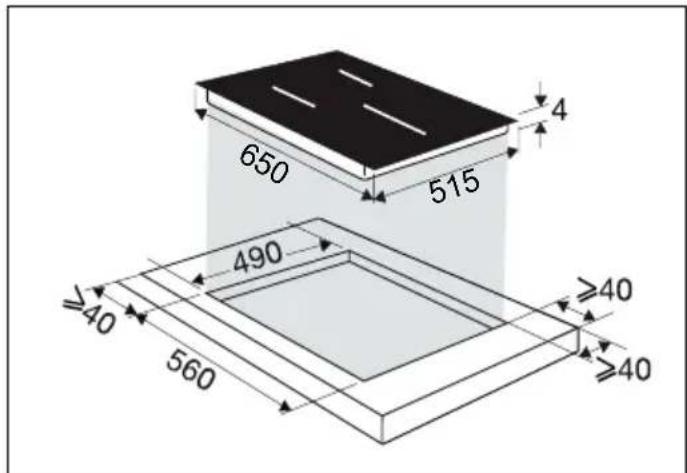
natural_image
Illustration of hands using a tool to cut or mark a curved mechanical component (no text or symbols visible)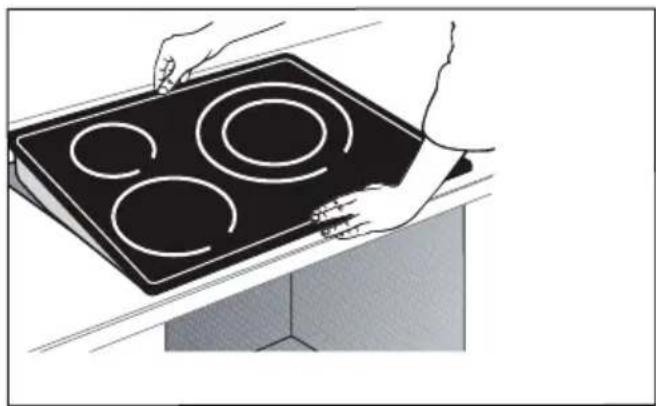
natural_image
Illustration of hands holding a black electric stove with four circular cutouts (no text or symbols)
Viktig
natural_image
Pure 3D geometric shape resembling a stylized letter or symbol (no text or symbols present)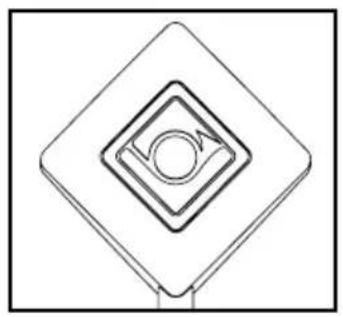
natural_image
Pure geometric diagram of concentric diamond shapes with a central circle and arrow, no text or symbols present.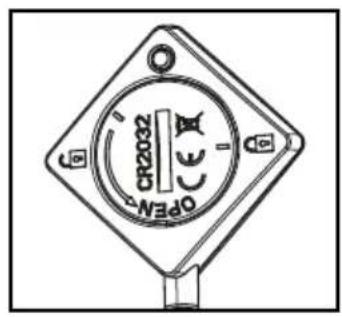
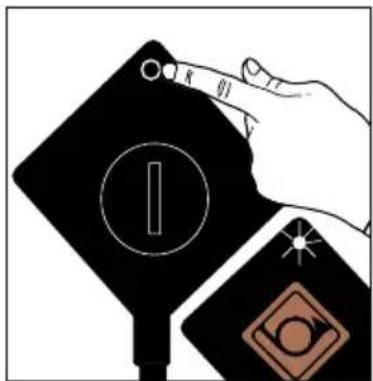
natural_image
Abstract geometric design with a diamond shape, circular element, and starburst (no text or symbols)2 - Steketermometeret blinker grønt.
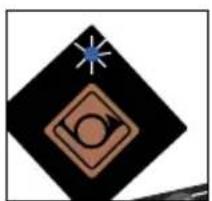
natural_image
Abstract geometric symbol with a blue star, black diamond, and brown circle on black background (no text or symbols)3 - Steketermometeret blinker blått. Termometeret kommuniserer med platetoppen, og du kan velge en steke-/kokemodus.
Forklaring på symbolene



Minuttnedtelling
Direkte tilgang


Hold varm
Småkoke
Frese
Boost
Funksjoner


Funksjon Switch
Funksjon ICS
Funksjon Recall
natural_image
Illustration of four cooking pot containers arranged vertically (no text or symbols)Stekepanne
Stekepanne med lokk
Kjele
Kjele med lokk
4.4 ⒿSTART - STOPP
Trykk på av/på-tasten ① Tallet "0" vises på hver kokeplate i 8 sekunder. Koketoppen registrerer kokekarene automatisk. Når kokekaret er registrert, blinker "0" med et punktum på den registrerte kokeplaten. Da kan du innstille styrken. Hvis du ikke innstiller styrken, slås kokeplaten automatisk av.
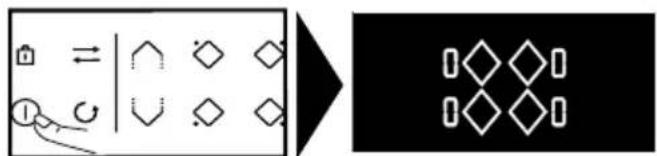
flowchart
graph LR
    A["Rectangular Box"] --> B["Diagonal Symbol"]
    B --> C["Grid of Diamond symbols"]
    D["Icon: Left Hand"] --> E["Arrow pointing to Right"]
    style A fill:#f9f,stroke:#333
    style B fill:#ccf,stroke:#333
    style C fill:#cfc,stroke:#333
    style D fill:#fcc,stroke:#333
    style E fill:#cff,stroke:#333
flowchart
graph TD
    A["tasten"] --> B["Reaction Step"]
    B --> C["Product: Hexagon with ◆, ◇, ◊ symbols"]
    C --> D["Final Product: Pentahedral Shape with arrow"]
4.13 MATLAGINGSASSISTENT
Her finner du valgene nedenfor:
rys. 1
natural_image
Diagram of a server rack with grid layout and directional arrows indicating airflow or ventilation (no text or symbols)natural_image
Illustration of hands using a tool to cut or mark a curved object, no text or symbols present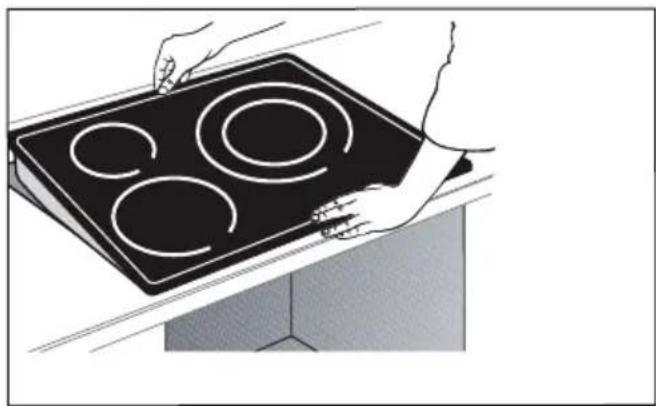
natural_image
Illustration of hands holding a black electric stove with four circular cutouts (no text or symbols)
Ważne
natural_image
Pure 3D geometric shape resembling a stylized letter or symbol (no text or symbols present)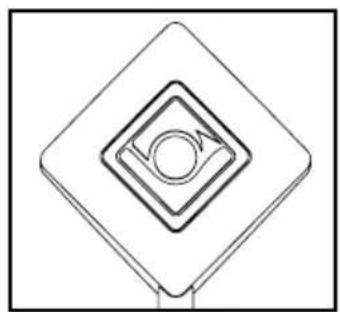
natural_image
Pure geometric diagram of concentric squares with a central circle and arrow, no text or symbols present.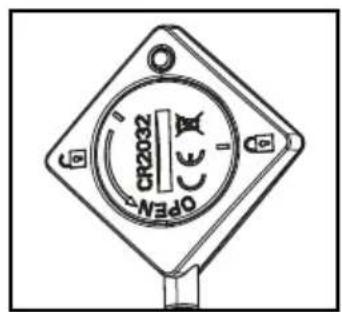

natural_image
Abstract geometric design with a diamond shape, circular symbol, and starburst (no text or symbols)2 - Sonda miga na zielono.
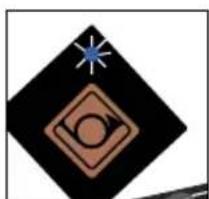
natural_image
Abstract geometric symbol with a star, diamond, and circular elements (no text or symbols)natural_image
Line drawing of four cooking pots arranged vertically (no text or symbols)Patelnia
Patelnia z pokrywką
Garnek
Garnek z pokrywką
4.4 ① WŁĄCZANIE / WYŁĄCZANIE
flowchart
graph LR
    A["House Icon"] --> B["Longleftrightarrow Symbol"]
    C["Icon"] --> D["Circular Arrow"]
    B --> E["Hexagon Shape"]
    B --> F["Diamond Shape"]
    B --> G["Diamond Shape"]
    B --> H["Diamond Shape"]
    B --> I["Diamond Shape"]
    E --> J["Hexagon Shape"]
    F --> K["Diamond Shape"]
    G --> L["Diamond Shape"]
    H --> M["Diamond Shape"]
    I --> N["Diamond Shape"]
flowchart
graph LR
    A["Rectangle with arrows and symbols"] --> B["Transformation"]
    B --> C["Diamond symbol"]
natural_image
Pure electrical circuit lines without any symbolsfig 1.
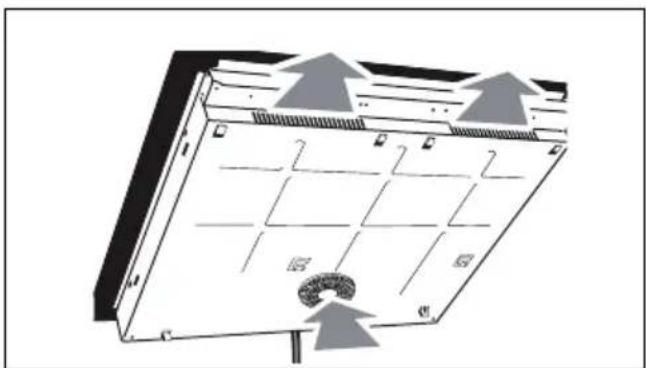
natural_image
Diagram of a server rack with labeled components and directional arrows indicating airflow or movement (no text or symbols present)Encastre nivelado
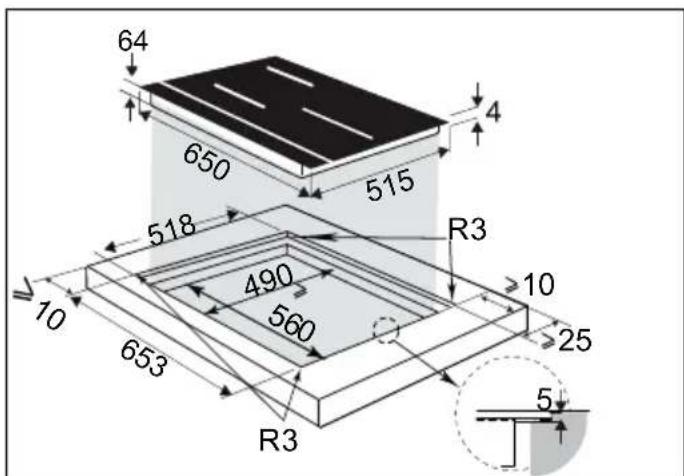
.2 INSTALAÇÃO
natural_image
Illustration of hands using a tool to cut or mark a curved mechanical component (no text or symbols visible)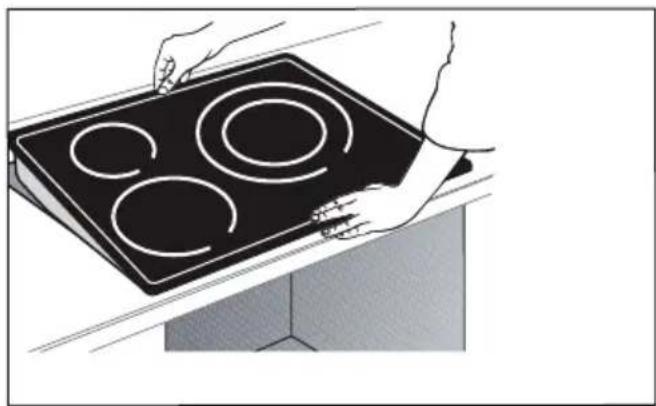
natural_image
Illustration of hands holding a black electric stove with four circular cutouts (no text or symbols)
Importante
natural_image
Technical line drawing of a mechanical component (no text or symbols)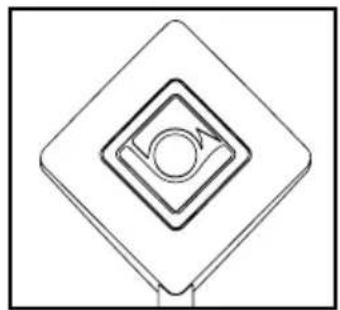
natural_image
Pure geometric diagram of concentric squares with a central circle, no text or symbols present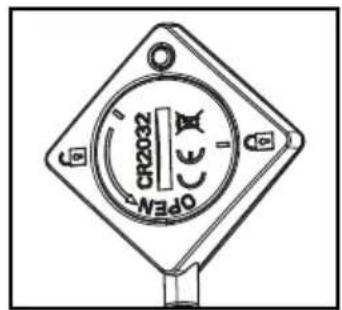
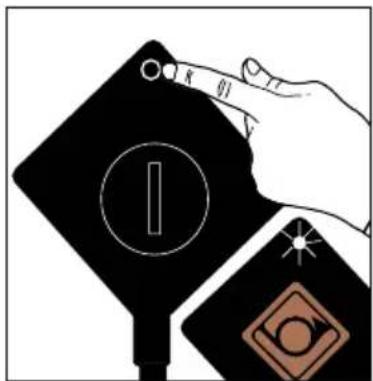
natural_image
Abstract geometric design with a diamond shape, circular element, and star (no text or symbols)2 - A sonda pisca a verde.
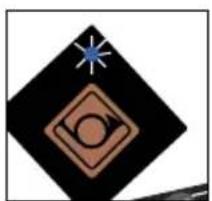
natural_image
Abstract geometric symbol with a blue star, black diamond, and brown circle on a black background (no text or symbols)Léxico do teclado


Temporizador
Acesso direto


Manter ao quente
Lume brando
Lume forte
Boost
Funções


Função Switch
Função ICS
Função Recall
Função Elapsed Time
natural_image
Illustration of four cooking pot containers arranged vertically (no text or symbols)Frigideira
4.4 ⒶLIGAR - DESLIGAR
flowchart
graph LR
    A["Rectangular Box"] --> B["Arrow pointing to diamond shape"]
    B --> C["Black Rectangle with diamond symbol"]
natural_image
Pure electrical circuit lines without any symbolsnatural_image
Pure electrical circuit lines without any symbolsou utilize o teclado numérico.
- Pressione o botão
| Symbol | Value | Unit | PR: Symbol CS: Znolu DA, Fustei DE; Smetel EL; Stadikia DH; Smetel ES; Smetel IT; Smetel NL; Smetel PL; Omacasen PT; Smetel SK; Smetel SV; Symbol. PR: Volor CA; mawala DA; Vertil CE; Wetl ED; Kaffreding kyl; EN; Vartel ES; Vastel W; Vastel H; Vastet K; Vastet L; Warlok P; Vastel K; Warlok P; Vastel ID; Skadalda SV; Vastel. PR: Uster CA; Jardouk DA; Ewsted ED; Kwidlo ED; Kwidlo ED; Kwidlo ED; Kwidlo ED; Kwidlo ED; Kwidlo ED; Kwidlo ED; Kwidlo ED; Kwidlo ED; Kwidlo ED; Kwidlo ED; Kwidlo ED; Kwidlo ED; Kwidlo ED; Kwidlo ED; Kwidlo ED; Kwidlo ED; Kwidlo ED; Kwidlo ED; Kwidlo ED; Kwidlakar; Kwidlakar; Kwidlakar; Kwidlakar; Kwidlakar; Kwidlakar; Kwidlakar; Kwidlakar; Kwidlakar; Kwidlakar; Kwidlakar; Kwidlakar; Kwidlakar; Kwidlakar; Kwidlakar; Kwidlakar; Kwidlakar; Kwidla; Kwidlakar; Kwidlakar; Kwidlakar; Kwidlakar; Kwidlakar; Kwidlakar; Kwidlakar; Kwidlakar; Kwidlakar; Kwidlakar; Kwidlakar; Kwidlakar; Kwidlakar; Kwidlakar; Kwidlakar; Kwidlakar; Kwidls; Kwidlakar; Kwidlakar; Kwidlakar; Kwidlakar; Kwidlakar; Kwidlakar; Kwidlakar; Kwidlakar; Kwidlakar; Kwidlakar; Kwidlakar; Kwidlakar; Kwidlakar; Kwidlakar; Kwidlakar; Kwidlakar; Kwidly; Kwidlakar; Kwidlakar; Kwidlakar; Kwidlakar; Kwidlakar; Kwidlakar; Kwidlakar; Kwidlakar; Kwidlakar; Kwidlakar; Kwidlakar; Kwidlakar; Kwidlakar; Kwidlakar; Kwidlakar; Kwidlakar; Kwidt; Kwidlakar; Kwidlakar; Kwidlakar; Kwidlakar; Kwidlakar; Kwidlakar; Kwidlakar; Kwidlakar; Kwidlakar; Kwidlakar; Kwidlakar; Kwidlakar; Kwidlakar; Kwidlakar; Kwidlakar; Kwidlakar; Kwid l; Kwidlakar; Kwidlakar; Kwidlakar; Kwidlakar; Kwidlakar; Kwidlakar; Kwidlakar; Kwidlakar; Kwidlakar; Kwidlakar; Kwidlakar; Kwidlakar; Kwidlakar; Kwidlakar; Kwidlakar; Kwidlakar; Kwid 1; Kwidlakar; Kwidlakar; Kwidlakar; Kwidlakar; Kwidlakar; Kwidlakar; Kwidlakar; Kwidlakar; Kwidlakar; Kwidlakar; Kwidlakar; Kwidlakar; Kwidlakar; Kwidlakar; Kwidlakar; Kwidlakar; Kwid1; Kwidlakar; Kwidlakar; Kwidlakar; Kwidlakar; Kwidlakar; Kwidlakar; Kwidlakar; Kwidlakar; Kwidlakar; Kwidlakar; Kwidlakar; Kwidlakar; Kwidlakar; Kwidlakar; Kwidlakar; Kwidlakar; Kwide; Kwidlakar; Kwidlakar; Kwidlakar; Kwidlakar; Kwidlakar; Kwidlakar; Kwidlakar; Kwidlakar; Kwidlakar; Kwidlakar; Kwidlakar; Kwidlakar; Kwidlakar; Kwidlakar; Kwidlakar; Kwidlakar; Kwidllakar; Kwidlakar; Kwidlakar; Kwidlakar; Kwidlakar; Kwidlakar; Kwidlakar; Kwidlakar; Kwidlakar; Kwidlakar; Kwidlakar; Kwidlakar; Kwidlakar; Kwidlakar; Kwidlakar; Kwidlakar; Kwidlakar;Kwidlakar; Kwidlakar; Kwidlakar; Kwidlakar; Kwidlakar; Kwidlakar; Kwidlakar; Kwidlakar; Kwidlakar; Kwidlakar; Kwidlakar; Kwidlakar; Kwidlakar; Kwidlakar; Kwidlakar; Kwidlakar; Kwidlakur; Kwidlakar; Kwidlakar; Kwidlakar; Kwidlakar; Kwidlakar; Kwidlakar; Kwidlakar; Kwidlakar; Kwidlakar; Kwidlakar; Kwidlakar; Kwidlakar; Kwidlakar; Kwidlakar; Kwidlakar; Kwidlakar; Kwidlcukr; Kwidlakar; Kwidlakar; Kwidlakar; Kwidlakar; Kwidlakar; Kwidlakar; Kwidlakar; Kwidlakar; Kwidlakar; Kwidlakar; Kwidlakar; Kwidlakar; Kwidlakar; Kwidlakar; Kwidlakar; Kwidlakar; Kwidlkukr; Kwidlakar; Kwidlakar; Kwidlakar; Kwidlakar; Kwidlakar; Kwidlakar; Kwidlakar; Kwidlakar; Kwidlakar; Kwidlakar; Kwidlakar; Kwidlakar; Kwidlakar; Kwidlakar; Kwidlakar; Kwidlakar;Kwidlcukr; Kwidlakar; Kwidlakar; Kwidlakar; Kwidlakar; Kwidlakar; Kwidlakar; Kwidlakar; Kwidlakar; Kwidlakar; Kwidlakar; Kwidlakar; Kwidlakar; Kwidlakar; Kwidlakar; Kwidlakar; Kwidlakur; Kwidlcukr; Kwidlakar; Kwidlakar; Kwidlakar; Kwidlakar; Kwidlakar; Kwidlakar; Kwidlakar; Kwidlakar; Kwidlakar; Kwidlakar; Kwidlakar; Kwidlakar; Kwidlakar; Kwidlakar; Kwidlakur; Kwidlcukr; Kwidlcukr; Kwidlcukr; Kwidlcukr; Kwidlcukr; Kwidlcukr; Kwidlcukr; Kwidlcukr; Kwidlcukr; Kwidlcukr; Kwidlcukr; Kwidlcukr; Kwidlcukr; Kwidlcukr; Kwidlcukr; Kwidlcukr; Kwidlcukr; Kwidlakur; Kwidlcukr; Kwidlcukr; Kwidlcukr; Kwidlcukr; Kwidlcukr; Kwidlcukr; Kwidlcukr; Kwidlcukr; Kwidlcukr; Kwidlcukr; Kwidlcukr; Kwidlcukr; Kwidlcukr; Kwidlcukr; Kwidlcukr; Kwidlakur; Kwidlakur; Kwidlcukr; Kwidlcukr; Kwidlcukr; Kwidlcukr; Kwidlcukr; Kwidlcukr; Kwidlcukr; Kwidlcukr; Kwidlcukr; Kwidlcukr; Kwidlcukr; Kwidlcukr; Kwidlcukr; Kwidlcukr; Kwidlcukr; Kwidlsukr; Kwidlcukr; Kwidlcukr; Kwidlcukr; Kwidlcukr; Kwidlcukr; Kwidlcukr; Kwidlcukr; Kwidlcukr; Kwidlcukr; Kwidlcukr; Kwidlcukr; Kwidlcukr; Kwidlcukr; Kwidlcukr; Kwidlcukr; Kwidlcukr;Kwidlcukr; Kwidlcukr; Kwidlcukr; Kwidlcukr; Kwidlcukr; Kwidlcukr; Kwidlcukr; Kwidlcukr; Kwidlcukr; Kwidlcukr; Kwidlcukr; Kwidlcukr; Kwidlcukr; Kwidlcukr; Kwidlcukr; Kwidlcukr; Kwidlcukcr; Kwidlcukr; Kwidlcukr; Kwidlcukr; Kwidlcukr; Kwidlcukr; Kwidlcukr; Kwidlcukr; Kwidlcukr; Kwidlcukr; Kwidlcukr; Kwidlcukr; Kwidlcukr; Kwidlcukr; Kwidlcukr; Kwidlcukr; Kwidlcukr; Kwidlsukr; Kwidlsukr; Kwidlsukr; Kwidlsukr; Kwidlsukr; Kwidlsukr; Kwidlsukr; Kwidlsukr; Kwidlsukr; Kwidlsukr; Kwidlsukr; Kwidlsukr; Kwidlsukr; Kwidlsukr; Kwidlsukr; Kwidlsukr; Kwidlsukr;Kwidlsukr; Kwidlsukr; Kwidlsukr; Kwidlsukr; Kwidlsukr; Kwidlsukr; Kwidlsukr; Kwidlsukr; Kwidlsukr; Kwidlsukr; Kwidlsukr; Kwidlsukr; Kwidlsukr; Kwidlsukr; Kwidlsukr; Kwidlsukr; Kwidlsuker; Kwidlsukr; Kwidlsukr; Kwidlsukr; Kwidlsukr; Kwidlsukr; Kwidlsukr; Kwidlsukr; Kwidlsukr; Kwidlsukr; Kwidlsukr; Kwidlsukr; Kwidlsukr; Kwidlsukr; Kwidlsukr; Kwidlsukr; Kwidlsukr; Kwidlukr; Kwidlsukr; Kwidlsukr; Kwidlsukr; Kwidlsukr; Kwidlsukr; Kwidlsukr; Kwidlsukr; Kwidlsukr; Kwidlsukr; Kwidlsukr; Kwidlsukr; Kwidlsukr; Kwidlsukr; Kwidlsukr; Kwidlsukr; Kwidlsukr; B, Kwidlsukr; B, Kwidlsukr; B, Kwidlsukr; B, Kwidlsukr; B, Kwidlsukr; B, Kwidlsukr; B, Kwidlsukr; B, Kwidlsukr; B, Kwidlsukr; B, Kwidlsukr; B, Kwidlsukr; B, Kwidlsukr; B, Kwidlsulr; B, Kwidlsukr; B, Kwidlsukr; B, Kwidlsukr; B, Kwidlsukr; B, Kwidlsukr; B, Kwidlsukr; B, Kwidlsukr; B, Kwidlsukr; B, Kwidlsukr; B, Kwidlsukr; B, Kwidlsukr; B, Kwidlsukr; B,Kwidlsukr; B,Kwidlsukr; B,Kwidlsukr; B,Kwidlsukr; B,Kwidlsukr; B,Kwidlsukr; B,Kwidlsukr; B,Kwidlsukr; B,Kwidlsukr; B,Kwidlsukr; B,Kwidlsukr; B,Kwidlsukr; B,Kwidlsukr; B,Kwidlsukr; B,Kwidlukr; B,Kwidlsukr; B,Kwidlsukr; B,Kwidlsukr; B,Kwidlsukr; B,Kwidlsukr; B,Kwidlsukr; B,Kwidlsukr; B,Kwidlsukr; B,Kwidlsukr; B,Kwidlsukr; B,Kwidlsukr; B,Kwidlsukr; B,Kwidlsukr; B,Kwidlsuker; B,Kwidlsukr; B,Kwidlsukr; B,Kwidlsukr; B,Kwidlsukr; B,Kwidlsukr; B,Kwidlsukr; B,Kwidlsukr; B,Kwidlsukr; B,Kwidlsukr; B,Kwidlsukr; B,Kwidlsukr; B,Kwidlsukr; B,Kwidlsukr; B,Kwidlsukr;B,Kwidlsukr; B,Kwidlsukr; B,Kwidlsukr; B,Kwidlsukr; B,Kwidlsukr; B,Kwidlsukr; B,Kwidlsukr; B,Kwidlsukr; B,Kwidlsukr; B,Kwidlsukr; B,Kwidlsukr; B,Kwidlsukr; B,Kwidlsukr; B,Kwidlsukr; B,Knonkukr; B,Knonkukr; B,Knonkukr; B,Knonkukr; B,Knonkukr; B,Knonkukr; B,Knonkukr; B,Knonkukr; B,Knonkukr; B,Knonkukr; B,Knonkukr; B,Knonkukr; B,Knonkukr; B,Knonkukr; B,Knonkukcr; B,Knonkukcr; B,Knonkukcr; B,Knonkukcr; B,Knonkukcr; B,Knonkukcr; B,Knonkukcr; B,Knonkukcr; B,Knonkukcr; B,Knonkukcr; B,Knonkukcr; B,Knonkukcr; B,Knonkukcr; B,Knonkukcr; B,Knonkukcr;B,Knonkukcr; B,Knonkukcr; B,Knonkukcr; B,Knonkukcr; B,Knonkukcr; B,Knonkukcr; B,Knonkukcr; B,Knonkukcr; B,Knonkukcr; B,Knonkukcr; B,Knonkukcr; B,Knonkukcr; B,Knonkukcr; B,Knonkukcr; B,KNonkukcr; B,Knonkukcr; B,Knonkukcr; B,Knonkukcr; B,Knonkukcr; B,Knonkukcr; B,Knonkukcr; B,Knonkukcr; B,Knonkukcr; B,Knonkukcr; B,Knonkukcr; B,Knonkukcr; B,Knonkukcr; B,Knonkukcr; B,Knonkulcr; B,Knonkulcr; B,Knonkulcr; B,Knonkulcr; B,Knonkulcr; B,Knonkulcr; B,Knonkulcr; B,Knonkulcr; B,Knonkulcr; B,Knonkulcr; B,Knonkulcr; B,Knonkulcr; B,Knonkulcr; B,Knonkulcr; B,Knonkulcr | |||||||||||||||||||||||||||||||||||||||||||||||||||||||||||||||||||||||||||||||||||||||||||||||||
| Model identification | LAVOL | LAVOL | LAVOL | LAVOL | LAVOL | LAVOL | LAVOL | LAVOL | LAVOL | LAVOL | LAVOL | LAVOL | LAVOL | LAVOL | LAVOL | LAVOL | LAVOL | LAVOL | LAVOL | LAVOL | LAVOL | LAVOL | LAVOL | LAVOL | LAVOL | LAVO | LAVO | LAVO | LAVO | LAVO | LAVO | LAVO | LAVO | LAVO | LAVO | LAVO | LAVO | LAVO | LAVO | LAVO | LAVO | LAVO | LAVO | LAVO | LAVO | LAVO | LAVO | LAVO | LAVO | LAVO | LAV0 | LAVO | LAVO | LAVO | LAVO | LAVO | LAVO | LAVO | LAVO | LAVO | LAVO | LAVO | LAVO | LAVO | LAVO | LAVO | LAVO | LAVO | LAVO | LAVO | LAVO | LAVO | LAVO | LAVO | LAVO | LAV | ||||||||||||||||||||||||
| Rating plate | ||||||||||||||||||||||||||||||||||||||||||||||||||||||||||||||||||||||||||||||||||||||||||||||||||||
| Type of hole | TAP, Type of hole CS: Tap nari diile DIA: Gusselodon DIA: Ait der Kathedon DIA: Teneri diile DIA: Ait der Kathedon DIA: Teneri diile DIA: Teneri diile DIA: Teneri diile DIA: Teneri diile DIA: Teneri diile DIA: Teneri diile DIA: Teneri diile DIA: Teneri diile DIA: Teneri diile DIA: Teneri diile DIA: Teneri diile DIA: Teneri diile DIA: Teneri diile DIA: | |||||||||||||||||||||||||||||||||||||||||||||||||||||||||||||||||||||||||||||||||||||||||||||||||||
| Total power | ||||||||||||||||||||||||||||||||||||||||||||||||||||||||||||||||||||||||||||||||||||||||||||||||||||
| Number of cooking zones and/or areas | ||||||||||||||||||||||||||||||||||||||||||||||||||||||||||||||||||||||||||||||||||||||||||||||||||||

flowchart
graph TD
    A[" "] --> B["RU"]
    C[" "] --> D[" "]
    E[" "] --> F[" "]
Рис. 1.
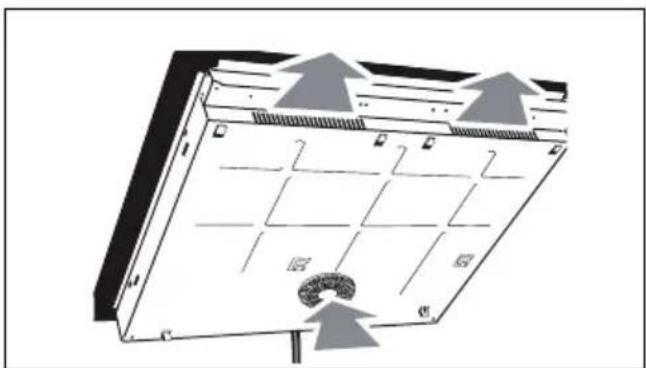
natural_image
Diagram of a server rack with labeled components and directional arrows indicating airflow or movement (no text or symbols present)Установка заподлицо
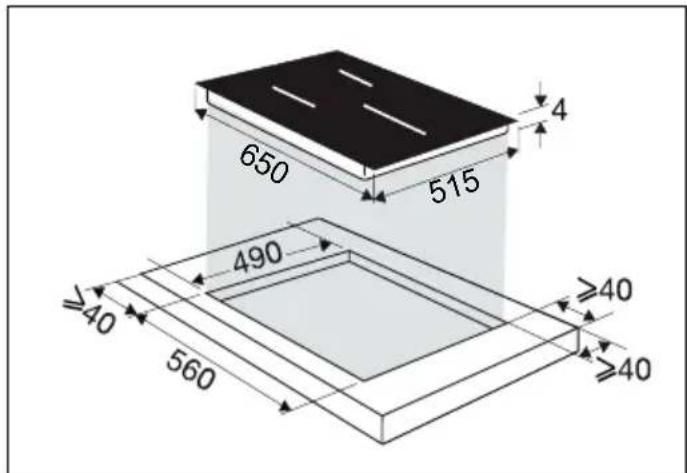
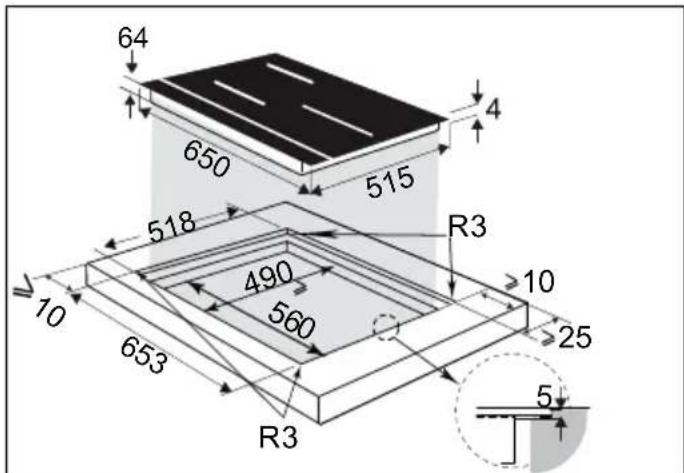
.2 УСТАНОВКА
natural_image
Illustration of hands using a tool to cut or mark a curved object, no text or symbols present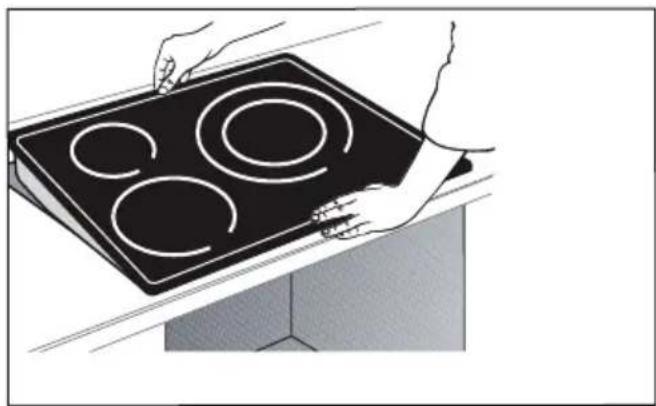
natural_image
Illustration of hands holding a black electric stove with four circular cutouts (no text or symbols)
Важно!
natural_image
Line drawing of a 3D mechanical part with no text or symbols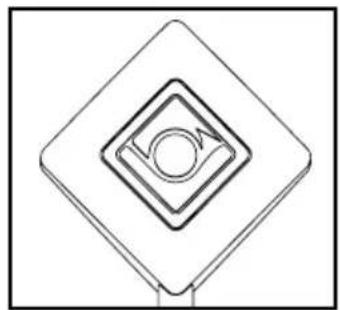
natural_image
Pure geometric diagram of concentric diamond shapes with a central circle and arrow, no text or symbols present.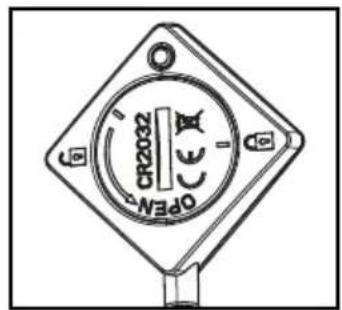
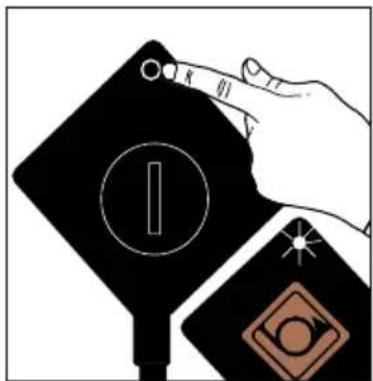
natural_image
Abstract geometric design with a diamond shape, circular motif, and starburst (no text or symbols)natural_image
Abstract geometric symbol with diamond, circle, and star (no text or symbols)natural_image
Line drawing of four different cooking pots arranged vertically (no text or symbols)Сковорода
Сковорода с крышкой
Кастрюля
Кастрюля с крышкой
4.4 Ⓙ ВКЛЮЧЕНИЕ И ВЫКЛЮЧЕНИЕ
natural_image
Abstract black-and-white graphic with four white diamond shapes and two flame-like symbols at the bottom (no text or symbols)Нажмите кнопку
| Symbol | Value | ||||||||||||||||||||||||||||||||||||||||||||||||||||||||||||||||||||||||||||||||||||||||||||||||||||||||
| Model identification | CZ57035900 00 ML | ||||||||||||||||||||||||||||||||||||||||||||||||||||||||||||||||||||||||||||||||||||||||||||||||||||||||
| Rating plate | |||||||||||||||||||||||||||||||||||||||||||||||||||||||||||||||||||||||||||||||||||||||||||||||||||||||||
| Type of hola | |||||||||||||||||||||||||||||||||||||||||||||||||||||||||||||||||||||||||||||||||||||||||||||||||||||||||
| Total power | |||||||||||||||||||||||||||||||||||||||||||||||||||||||||||||||||||||||||||||||||||||||||||||||||||||||||
| Number of cooking zones and/or areas | |||||||||||||||||||||||||||||||||||||||||||||||||||||||||||||||||||||||||||||||||||||||||||||||||||||||||
| Heating technology (inductive cooking zones and cooking areas, radiant cooking zones, solid planes) | |||||||||||||||||||||||||||||||||||||||||||||||||||||||||||||||||||||||||||||||||||||||||||||||||||||||||
| For circular cooking zones or areas: diameter of useful surface area per electric heated cooking zone, rounded to the nearest 5 min | 1 | d | 16 | 16 | 18 | ||||||||||||||||||||||||||||||||||||||||||||||||||||||||||||||||||||||||||||||||||||||||||||||||||||
| 2 | β | 23 | 23 | 23 | |||||||||||||||||||||||||||||||||||||||||||||||||||||||||||||||||||||||||||||||||||||||||||||||||||||
| 3 | d | 24 | |||||||||||||||||||||||||||||||||||||||||||||||||||||||||||||||||||||||||||||||||||||||||||||||||||||||

flowchart
graph TD
    A[" "] --> B["SK"]
    C[" "] --> D[" "]
    E[" "] --> F[" "]
    G[" "] --> H[" "]
VÁŽENÁ ZÁKAZNÍČKA,
obr. 1.
natural_image
Diagram of a mechanical or electrical component with grid layout and directional arrows indicating flow or movement (no text or symbols)natural_image
Illustration of hands using a tool to cut or mark a curved mechanical component (no text or symbols visible)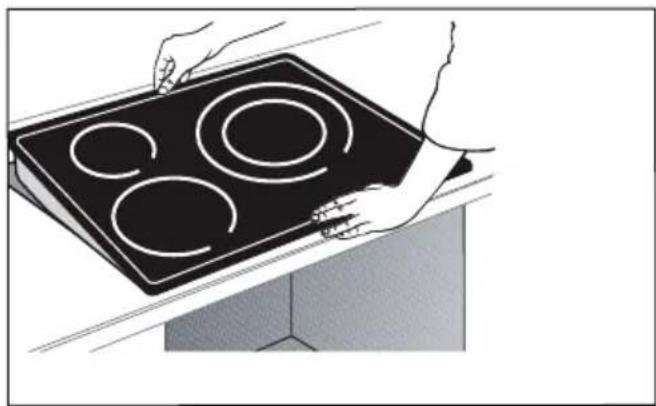
natural_image
Illustration of hands holding a black electric stove with four circular cutouts (no text or symbols)
Dôležité
natural_image
Technical line drawing of a mechanical bracket component (no text or symbols)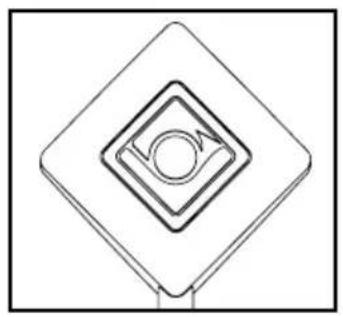
natural_image
Pure geometric diagram of concentric diamond shapes with a central circle and arrow, no text or symbols present.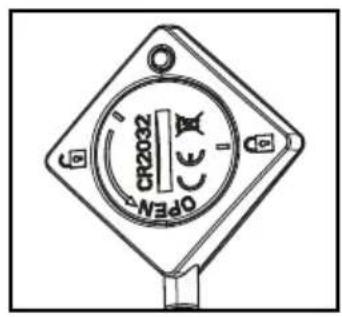
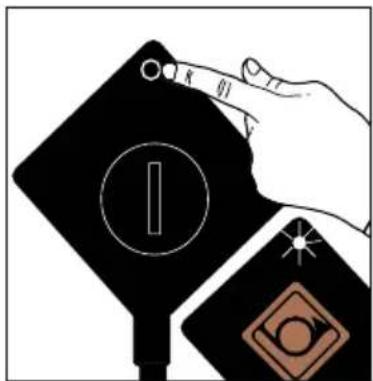
natural_image
Abstract geometric design with a diamond shape, circular element, and starburst (no text or symbols)2 -Sonda bliká zelenou farbou.
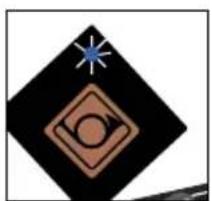
natural_image
Abstract geometric symbol with a diamond, circle, and star (no text or symbols)natural_image
Illustration of four cooking pot containers arranged vertically (no text or symbols)Panvica
Panvica s pokrievkou
Hrniec
Hrniec s pokrievkou
4.4 ISPUSTENIE - ZASTAVENIE
flowchart
graph LR
    A["Rectangular Box"] --> B["Arrow pointing inward"]
    B --> C["Hexagon with dashed lines"]
    B --> D["Diamond with solid lines"]
    B --> E["Diamond with solid lines"]
    F["Black Rectangle"] --> G["Diamond symbol"]
INNEHÅLLSFÖRTECKNING
SV
SÄKERHET OCH VIKTIGA FÖRSIKTIGHETSÅTGÄRDER......4
• 1 MILJÖ....8
- 2 INSTALLATION....9
Uppackning 9
Inbyggnad 9
Elanslutning....11
• 3 PRESENTATION AV APPARATEN ....12
Manöverpanelens funktioner ....13
Displayens funktioner....14
• 4 ANVÄNDA APPARATEN....15
Fig. 1.
Fig. 2.
natural_image
Diagram of a server rack with ventilation grilles and airflow arrows (no text or symbols)natural_image
Line drawing of hands using a tool to cut or mark a curved object, no text or symbols present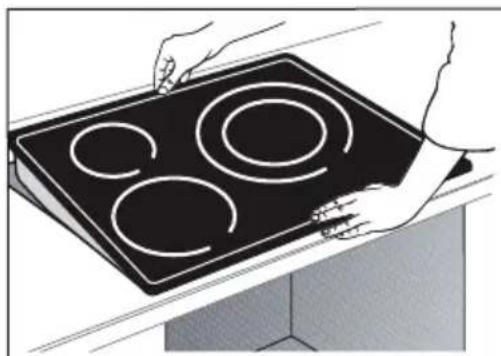
natural_image
Illustration of hands holding a black electric stove with four circular cutouts (no text or symbols)
Viktigt
natural_image
Pure 3D geometric shape resembling a stylized letter or symbol (no text or symbols present)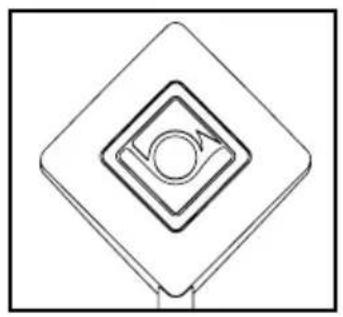
natural_image
Pure geometric diagram of concentric diamond shapes with a central circle and arrow, no text or symbols present.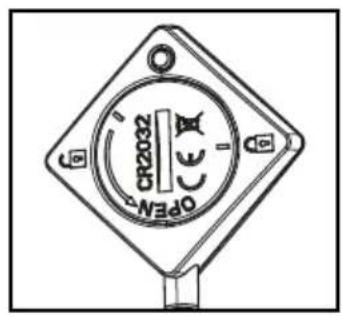
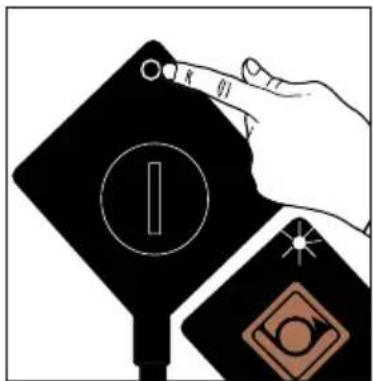
natural_image
Abstract geometric design with a diamond shape, circular element, and star (no text or symbols)2 – Givaren blinkar grönt.
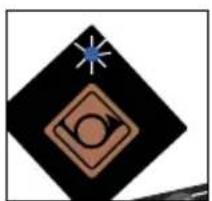
natural_image
Abstract geometric symbol with a blue star, black diamond, and brown circle on white background (no text or symbols)natural_image
Illustration of four cooking pot containers arranged vertically (no text or symbols)Stekpanna
Stekpanna med lock
Kastrull
Kastrull med lock
4.4 START/STOPP
flowchart
graph LR
    A["Rectangular Box"] --> B["Arrow pointing to diamond shape"]
    B --> C["Arrow pointing to diamond shape"]
    C --> D["Arrow pointing to diamond shape"]
    D --> E["Arrow pointing to diamond shape"]
    E --> F["Arrow pointing to diamond shape"]
natural_image
Pure electrical circuit lines without any symbols
Рис. 1.
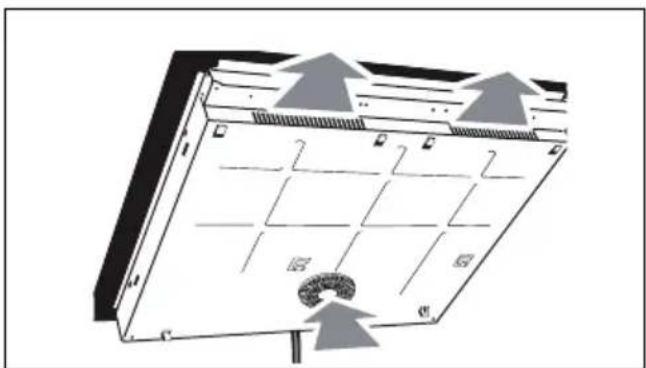
natural_image
Diagram of a mechanical or electrical component with grid layout and directional arrows, no readable text or symbols present.Убудовування
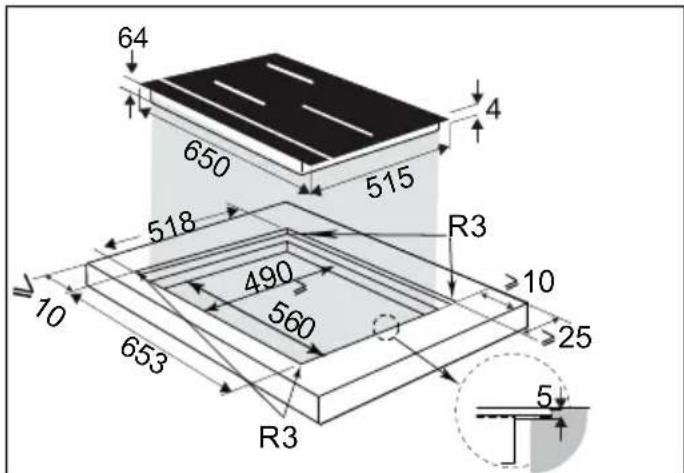
.2 УСТАНОВЛЕННЯ
natural_image
Illustration of hands using a tool to cut or mark a curved object, no text or symbols present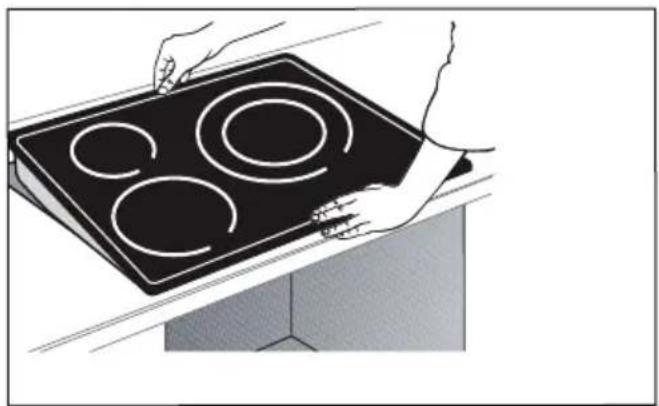
natural_image
Illustration of hands holding a four-circled electrical stove with three ovens (no text or symbols)
Важливо!
natural_image
Pure 3D geometric shape resembling a stylized letter or symbol (no text or symbols present)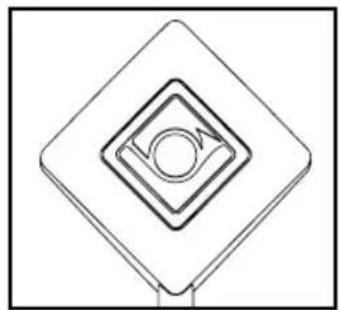
natural_image
Pure geometric diagram of concentric diamond shapes with a central circle and arrow, no text or symbols present.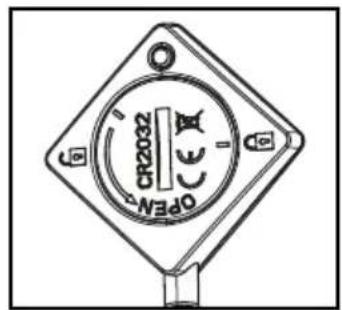
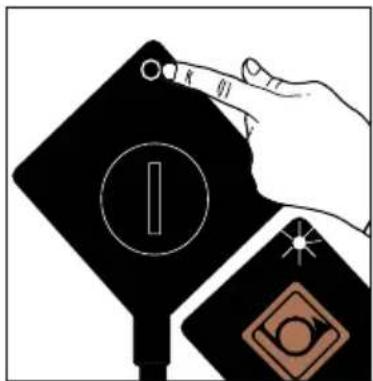
natural_image
Abstract geometric design with a diamond shape, circular motif, and starburst (no text or symbols)natural_image
Abstract geometric symbol with diamond, circle, and star (no text or symbols)natural_image
Line drawing of four different cooking pots arranged vertically (no text or symbols)Сковорідка
flowchart
graph LR
    A["Rectangular Box with symbols: house, arrow, circle, etc."] --> B["Grid of symbols: up, down, left, right, etc."]
    B --> C["Arrow pointing inward toward the grid"]
    style A fill:#f9f,stroke:#333
    style B fill:#ccf,stroke:#333
    style C fill:#cfc,stroke:#333
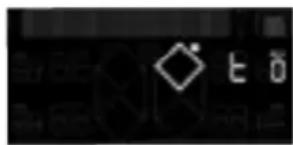
Натисніть кнопку
.הכלההוּרָהוּרָהוּרָהוּרָהוּרָהוּרָהוּרָהוּרָהוּרָהוּרָהוּרָהוּרָהוּרָהוּרָהוּרָה
| :JO | :JU |
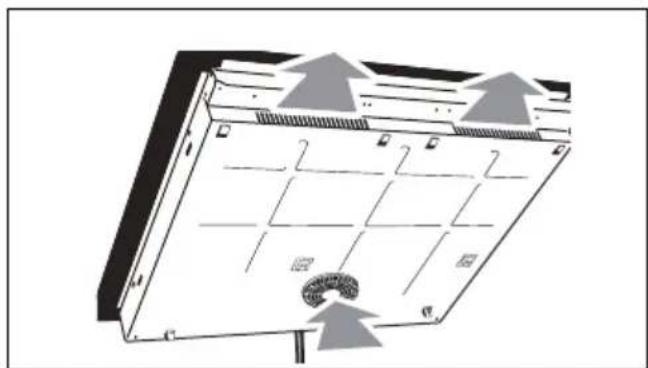
natural_image
Diagram of a solar panel with grid layout and airflow arrows, no text or symbols presentתְּבָר
natural_image
Illustration of hands holding a black electric stove with four circular cutouts (no text or symbols)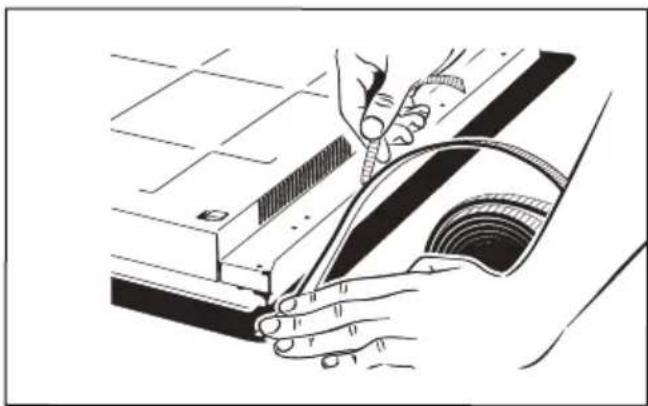
natural_image
Illustration of hands using a tool to cut or mark a component, no text or symbols presentבִרָה

natural_image
Pure geometric diagram of concentric squares with a central circle and arrow, no text or symbols present.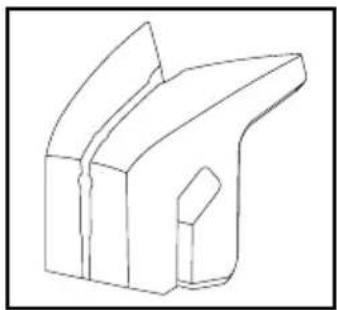
natural_image
Pure 3D geometric shape resembling a stylized letter or symbol (no text or symbols present)natural_image
Illustration of a hand interacting with a black device with circular and diamond symbols (no text or labels)natural_image
Abstract geometric design with a central diamond shape and a green starburst (no text or symbols)natural_image
Abstract geometric symbol with diamond, circle, and star on black background (no text or symbols)תְרָה בַלְאָה אַעֹן
natural_image
Simple white diamond symbol on black background, no text or labels present: כְרִי אַעָה
הכלה - כרְבָר ⑭.4
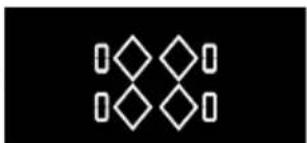
natural_image
Abstract geometric pattern with white diamond shapes on black background (no text or symbols)
natural_image
Simple white diamond-shaped symbol on black background, no text or labels presentתְרָה / בַעֹלָה
natural_image
Pure electrical circuit lines without any symbols- 1x + 1y7n 7y 1y 1x7l