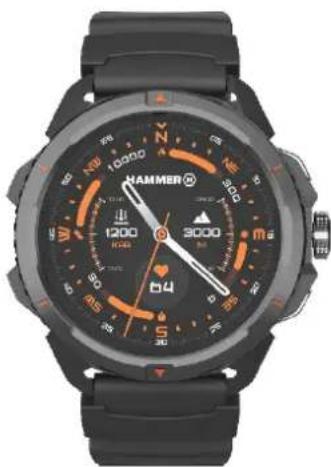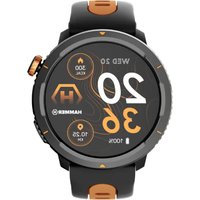
Watch 2 Lite - Smartwatch Hammer - Free user manual and instructions
Find the device manual for free Watch 2 Lite Hammer in PDF.


User questions about Watch 2 Lite Hammer
0 question about this device. Answer the ones you know or ask your own.
Ask a new question about this device
Download the instructions for your Smartwatch in PDF format for free! Find your manual Watch 2 Lite - Hammer and take your electronic device back in hand. On this page are published all the documents necessary for the use of your device. Watch 2 Lite by Hammer.
USER MANUAL Watch 2 Lite Hammer
natural_image
Black and orange HAMMER 3000 wristwatch with cardinal and intercardinal markings (no readable text beyond brand and numbers)natural_image
Hand pointing at a green circular button with blue border (no text or symbols)5.2 Przesunięcie
natural_image
Hand pressing a green button with a blue circular arrow above it (no text or symbols)https://hammerphones.com/support-hammer-watch-2/
natural_image
Simple line drawing of a trash bin with two crossed lines indicating no waste or prohibition (no text or symbols)natural_image
Simple line drawing of a trash bin with two crossed lines indicating no waste or prohibition (no text or symbols)
https://hammerphones.com/support-hammer-watch-2
https://www.hammerphones.com/support-warranty
© 2024 Hammer. All rights reserved. EN
USER MANUAL
Hammer Watch 2
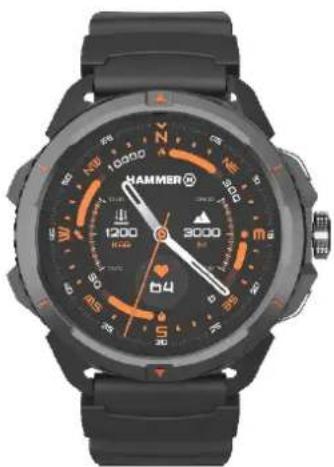
natural_image
Black and white smartwatch with visible cardinal directions and a needle pointing at 3000 degrees (no readable text or symbols beyond brand markings)We create for you.
Thank you for choosing a Hammer product. This product has been designed especially for you. We are doing our best to make its use pleasurable and comfortable. We made sure that elegance, functionality and convenience of use were combined with an affordable price.
For the sake of your safety, please read this manual carefully.
Manufacturer:
mPTech Sp. z o.o.
Nowogrodzka 31
00-511 Warsaw, Poland
Designed in Poland
Made in China
Equipment delivery location:
mPTech Sp. z o. o.
ul. Krakowska 119
50-428 Wrocław, Polska
Helpline: (+48 71) 71 77 400
www.myphone-mobile.com
1. Table of contents
1. Table of contents......21
© 2024 Hammer. All rights reserved. EN
- Safety of use....23
- Technical Specification....24
3.1 Technical data....24
3.2 Package content ...... 24
- Arrangement of the smartwatch elements ...... 25
4.1 Design of the watch 25
- Using the touch screen 25
5.1 Touch....26
5.2 Swipe....26
- Charging the battery 26
- Watch operation....27
7.1 Switching the smartwatch on/off....27
7.2 Smartphone connection....27
7.3 Changing the watch face 28
7.4 Main Desktop 28
7.5 Measuring pulse 29
7.6 Receiving calls/SMS 29
- Troubleshooting .... 30
- Maintenance of the device .... 31
- Surroundings security 31
- Correct disposal of used equipment....32
- Correct disposal of used battery 32
- The use of the manual 33
13.1 Consents....33
13.2 Appearance....33
13.3 Trademarks....33
-
The maximum radio frequency power 33
-
Declaration of conformity with European Union Directives 34
IMPORTANT!
Hammer Watch 2 is not a medical device and therefore cannot replace any medical diagnosis or proper treatment.
2. Safety of use
—DO NOT RISK—
All wireless devices may cause interference to other devices. Do not switch on the device when the use of mobile phones is prohibited (planes, hospitals) or if it might cause interference or danger.
—QUALIFIED SERVICE—
Only qualified personnel or an authorized service center may install or repair this product. Repairing the device by an unqualified or unauthorized service technician may result in damage to the device and void the warranty.
—OPERATION—
The device may be operated by mentally or psychologically disabled people (including children) only under the supervision of persons responsible for their safety or after they have been properly trained and understood how to use the device safely. This device is not a toy.
—WATER AND OTHER LIQUIDS—
The device has resistance certificate 5ATM. It means that the device is dust-proof and waterproof when all of the seals are intact. We also advise not to expose the watch to water or other fluids for no good reason. Water and other fluids do not have a positive effect on phone electronic components. If wet, wipe and dry the device as soon as possible. Make sure it is dry before connecting the charging cradle to the charging socket of your watch. Plugging the cable into a wet or damp outlet exposes it to slow corrosion and may cause problems with charging the smartwatch. If the following rules are not obeyed and a case of improper use is observed all the complaints concerning the device not being water- or dustproof will not be taken into consideration.
—BATTERY AND ACCESSORIES—
The battery can only be replaced by an authorised service centre. Installing an incorrect battery type can cause an explosion. Avoid
© 2024 Hammer. All rights reserved. EN
exposing the battery to very high/low temperatures (below 0^ C/ 32^ F and over 40^ C/ 104^ F). Extreme temperatures may influence capacity and battery life. Avoid contact with liquids and metal objects as it may cause partial or complete battery damage. Excessive charging the battery can cause damage, therefore do not charge the battery longer than 12 hours (1 day an absolute max.) Please dispose of battery according to the instructions. In case of the charger wire damage, it should be replaced with a new one. Use the original manufacturer's accessories only.
3. Technical Specification
3.1 Technical data
| Model | Hammer Watch 2 |
| Display | 1.5” 466×466 px |
| Connectivity | Bluetooth 5.3 |
| Resistance | 5ATM (50 m), swimming support |
| Battery | 530 mAh |
| Size | 50.68 x 53.56 mm (without strap) |
| Weight | 31.5 g (without strap); 68 g (with strap) |
| Additional functions | Notifications, Activity, Steps, Heart rate, Exercise, Exercise history, Saturation measurement, Breath measurement, Sleep measurement, Menstrual cycle, Alarm, Minuteman, Stopwatch, Messenger, Weather, Music control, World time, Camera remote, Flashlight, Find my phone, Compass, Barometer |
| Compatibility | Android, iOS |
| Application | Hammer App |
3.2 Package content
- Smartwatch Hammer Watch 2
- USB cable
- User manual
© 2024 Hammer. All rights reserved. EN
- Additional strap
⚠️ If any of the above items is missing or damaged, please contact your dealer.
We advise to keep the container in case of any complaints.
The appearance of the product (shape and colours) and menu may differ from the pictures and illustrations in this manual.
4. Arrangement of the smartwatch elements
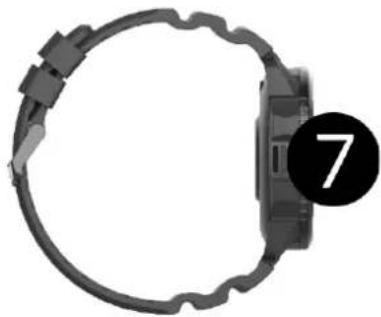
4.1 Design of the watch
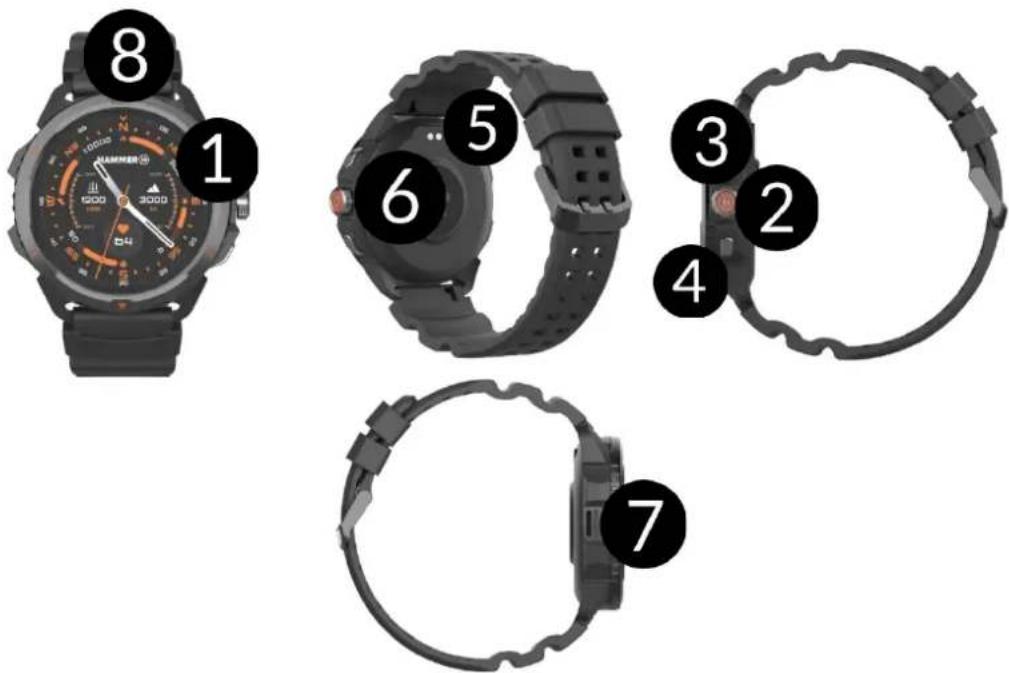
-
Screen
-
Main button/Knob
-
Button 1
-
Button 2
-
Charging ports
-
Sensor set
-
Mic / Speaker
-
Flashlight
5. Using the touch screen
The touch screen will be turned off after some time of inactivity. To turn on the screen press the main button on the smartwatch.
© 2024 Hammer. All rights reserved. EN
A touch screen of the device lets you easily select items or perform operations. The touchscreen can be controlled by the following
actions.
5.1 Touch
Touch once to start an option, start an application, select or launch menu.

natural_image
Hand cursor clicking a green circular button with a purple ring (no text or symbols)5.2 Swipe
Quickly swipe up, downwards (back to desktop), left or right (changes icon screens) to move the list or screen.
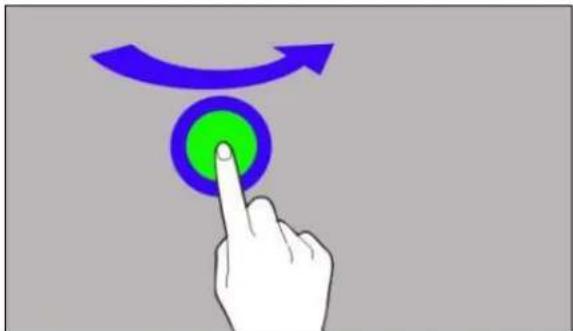
natural_image
Hand pressing a button with a blue circular icon and curved arrow above it (no text or symbols)6. Charging the battery
Slide the USB end of the charger into the adapter and connect the other end to the charging sockets on the back of the watch. The cable automatically engages in the correct position thanks to a bipolar magnetic tip. When charging starts, the battery icon of the charging screen will change to an animated (main screen), large animated icon in the middle of the screen (device off).
Charge the battery before the first use. The battery should be charged using the USB cable and charger base provided. Use only chargers and cables approved by the manufacturer. Using incompatible chargers or cables can cause explosion of the battery or damage to your device.
⚠️If there is a problem with the battery or if it needs to be replaced, the device should be delivered to the manufacturer's service centre.
© 2024 Hammer. All rights reserved. EN
When the battery is fully discharged, the device may not turn on, even if it is plugged and being charged.
⚠️Improper connection of the USB plug may damage the device, cable and/or charger. All damages resulting from improper handling are not covered by the warranty.
The device can heat up during charging. It is a regular occurrence and should not affect the stability or performance of the device.
When the icon's animation stops, the battery is fully charged or the power of the source (portable charger, laptop) is depleted and the process can be completed.
⚠️If the device does not charge properly deliver it, with the USB cable included, to a service center of the manufacturer.
7. Watch operation
7.1 Switching the smartwatch on/off
To turn on the device, press and hold the main button on your watch for about 3 seconds.
To turn off the device, press and hold the main button until the message to turn off or restart the device appears. Then select „Turn off”.
7.2 Smartphone connection
To connect Hammer Watch 2 with a smartphone you need to download a corresponding app. You can download it by scanning the QR code below.
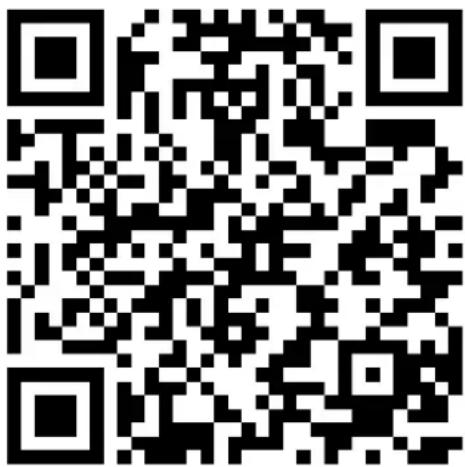
https://hammerphones.com/support-hammer-watch-2/
After installing and launching the application, go to the “Device” tab and press “Connect”. Then add a device by selecting from the list of searched devices. Select the device that corresponds to the MAC number (you can find it by going to the watch settings in the device information. After clicking on the name of the watch, the application will ask you to enter the number that will appear on the watch. After entering the number, the watch will automatically pair. For proper operation, complete all the required data at setup. All activity data will appear in the smartphone app. Depending on the terrain and weather conditions, it may take longer for the GPS signal to be detected. We recommend that the user does not move while receiving the signal
7.3 Changing the watch face
You can change the appearance of the watch display in the smartwatch. To do this, you need to hold your finger on the active main screen of the watch until the option to select dials appears. Move left or right. To confirm the selected dial, press on it.
7.4 Main Desktop
The smartwatch's main desktop can be activated by clicking the smartwatch's main button. On the dashboard, in addition to the
© 2024 Hammer. All rights reserved. EN
time and date, as well as icons symbolizing the number of steps, the calorie burn counter, the result of the last workout, heart rate measurement, the status of the connection to the phone and the battery charge status are displayed. Swiping the screen with your finger to the right or left takes you sequentially to step information, pulse measurement, workout, sleep measurement, weather. Swiping the screen with your finger from bottom to top takes you to the watch's pop-up menu. Swiping the screen with your finger from top to bottom takes you to messages. Swiping the screen with a finger from right to left, we go to recently opened applications. By clicking the smartwatch button again, we go to the main menu of the watch.
7.5 Measuring pulse
The watch has built-in function for measuring pulse. To start pulse measurement, swipe 2 times on the screen to the left to enter the measurement option. The measurement will start automatically. This should be indicated by an animated icon at the top of the screen.
7.6 Receiving calls/SMS
The watch has the function of answering and disconnecting calls and reading SMS, for this purpose:
- make sure the watch is paired with your phone using the appropriate app.
- Enable permissions to receive notifications in the watch app (Go to Device -> Notification settings -> Enable options for Calls/SMS).
- In the Bluetooth settings on the phone, connect to a device named „HW2“, during the process of pairing the watch with the app. During this process, the phone may ask for permission to pair with „HW2“ to ensure that the watch can correctly receive notifications and make calls. You should accept the request to pair with „HW2“.
© 2024 Hammer. All rights reserved. EN
If notifications will not work check whether the permissions are enabled in the phone settings, to do this, hold down the icon of the watch application on the phone until a message appears, select „About the application” -> „Permissions” -> allow for „SMS and Phone”.
When someone calls us, the watch vibrates, displaying the name of the contact if it is stored in the phone, or the phone number if it is not stored. In addition, a red handset icon will appear, which we can use to reject the call, or a green handset icon, which we can use to answer the call.
The watch has a built-in microphone and speaker, so that when you receive a call on the watch, you can talk through it. To do this, answer the call on the watch, then click the speaker icon, so it will be possible to hear the recipient from the watch's speaker.
In the case of an SMS, the watch will vibrate and show us a message notification.
To read the message, click on the notification box that appears on the watch or go to the notification center. To do this swipe down when on the home screen.
8. Troubleshooting
In case of problems with the device, please refer to the following tips.
| Watch doesn't turn on | Charge the battery. The device can be switched on when the battery power level is at least several percent. |
| The watch does not charge | Check that the watch's charging sockets are correctly positioned on the charging ports |
| I cannot connect my watch to my smartphone | Check if you have the latest version of the application required to connect yourwatch to your phone and active Bluetooth. |
| If the problem persists, contact service center. | |
9. Maintenance of the device
To extend the service life of the device:
- Avoid contact with liquids; it can cause damage to electronic components of the device.
- Avoid very high temperatures for it can shorten the life of device electronic components, melt the plastic parts and destroy the battery.
- Do not try to disassemble the device. Tampering with the device in an unprofessional manner may cause serious damage to the device or destroy it completely.
- For cleaning use only a dry cloth. Never use any agent with a high concentration of acids or alkalis.
- Use the original accessories only. Violation of this rule may result in an invalidation of the warranty.
natural_image
Abstract black circular arrow symbol on white background (no text or symbols)The packaging of the device can be recycled in accordance with local regulations.

Symbol for cardboard.
10. Surroundings security
Turn off the device in areas where its use is forbidden or when it may cause interference or danger.
| Attention | Statement |
| The manufacturer is not responsible for any consequences caused by improper usage of the device and not obeying the above instructions. | The software version can be upgraded without earlier notice. |
11. Correct disposal of used equipment
natural_image
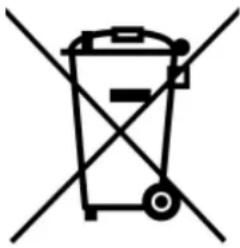
Simple line drawing of a trash bin with no text or symbolsThe device is marked with a crossed-out garbage bin, in accordance with the European Directive 2012/19/EU on used electrical and electronic Equipment (Waste Electrical and Electronic equipment - WEEE). Products marked with this symbol should not be disposed of or dumped with
other household waste after a period of use. The user is obliged to get rid of used electrical and electronic equipment by delivering it to designated recycling point in which dangerous waste are being recycled. Collecting this type of waste in designated locations, and the actual process of their recovery contribute to the protection of natural resources. Proper disposal of used electrical and electronic equipment is beneficial to human health and environment. To obtain information on where and how to dispose of used electrical and electronic equipment in an environmentally friendly manner user should contact their local government office, the waste collection point, or point of sale, where the equipment was purchased.
12. Correct disposal of used battery
natural_image
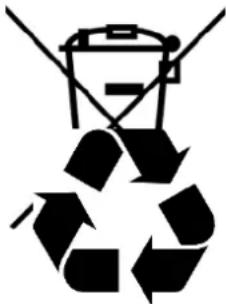
Recycling symbol with a battery icon above it, no text or numbers presentAccording to the EU directive 2006/66/EC with changes contained in EU directive 2013/56/UE on the disposal of batteries, this product is marked with crossed-out garbage bin symbol. The symbol indicates that the batteries used in this product should not be
© 2024 Hammer. All rights reserved. EN
disposed with regular household waste, but treated according to the legal directives and local regulations. It is not allowed to dispose of batteries and accumulators with unsorted municipal waste. Users of accumulators must use the available collection points of these items, which allows them to return, recycle and dispose of the accumulators. Within the EU, the collection and recycling of batteries and accumulators is a subject to separate procedures. To learn more about existing procedures of recycling of accumulators please contact your local office or an institution for waste disposal or landfill.
13. The use of the manual
13.1 Consents
Without prior written consent of the manufacturer, no part of this manual may be photocopied, reproduced, translated or transmitted in any form or by any means, electronic or mechanical, including photocopying, recording or storing in any systems of storing and sharing information.
13.2 Appearance
The device and screen shots contained in this user manual may differ from the actual product. Accessories attached to the set may differ from the illustrations included in manual.
13.3 Trademarks
All brand names and product names are trademarks or registered trademarks of their respective companies.
- The maximum radio frequency power
| Frequency Range | Bluetooth |
| Transmit Power | 8 dBm EIRP |
© 2024 Hammer. All rights reserved. EN
15. Declaration of conformity with European Union Directives
mPTech Ltd. hereby declares that Hammer Watch 2 device is compliant with Directive 2014/53/EU. The full text of the EU Declaration of Conformity is available at the following
Internet address:
https://hammerphones.com/support-hammer-watch-2
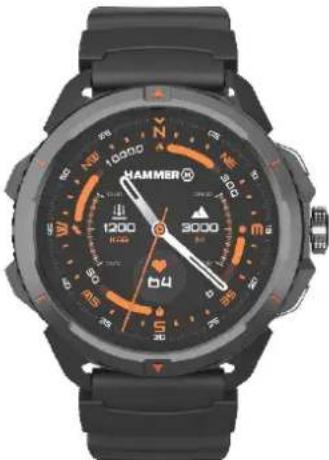
UŽIVATELSKÁ PŘÍRUČKA
Hammer Watch 2
natural_image
Black and white smartwatch with visible brand logo, number 10000, and directional compass (no readable text beyond branding)Vytvořeno pro Vás.
Equipment delivery location:
mPTech Sp. z o.o.
Nowogrodzka 31
00-511 Warsaw, Poland
Navrženo v Polsku
Vyrobeno v Číně
1. Obsah
natural_image
Hand pressing a green button with a blue curved arrow above it (no text or symbols)6. Nabíjení baterie
https://hammerphones.com/support-hammer-watch-2/
natural_image
Simple line drawing of a trash bin with two crossed lines indicating no waste or restriction (no text or symbols)natural_image
Simple line drawing of a trash bin with two crossed lines indicating no waste or prohibition (no text or symbols)natural_image
Black and orange HAMMER 3000 wristwatch with cardinal and intercardinal markings (no readable text beyond brand and numbers)Vytvorené pre Vás.
00-511 Warsaw, Poland
Navrhnuté v Pol'sku
Vyrobené v Číne
1. Obsah
-
Obsah 49
-
Safety of use....51
natural_image
Hand pressing a green button with a blue curved arrow above it (no text or symbols)https://hammerphones.com/support-hammer-watch-2/
natural_image
Symbol of a trash bin crossed out by two diagonal lines (no text or labels)natural_image
Two black-and-white symbols: a trash can crossed out by a cross and a recycling cycle (no text or labels)https://hammerphones.com/support-hammer-watch-2
HASZNÁLATI ÚTMUTATÓ
Hammer Watch 2

natural_image
Black and orange HAMMER 3000 wristwatch with cardinal and intercardinal markings (no readable text beyond brand and numbers)Önnek készült.
00-511 Warsaw, Poland
natural_image
Hand cursor clicking a green circular button with a blue ring (no text or symbols)5.2 Lapozás
natural_image
Hand pressing a button with a blue curved arrow above it, symbolizing navigation or action (no text or symbols present)https://hammerphones.com/support-hammer-watch-2/
natural_image
Simple line drawing of a trash bin with two crossed lines indicating no waste or restriction (no text or symbols)natural_image
Two black-and-white symbols: a trash can with crossed lines and a recycling cycle (no text or labels)https://hammerphones.com/support-hammer-watch-2
BEDIENUNGSANLEITUNG
Hammer Watch 2
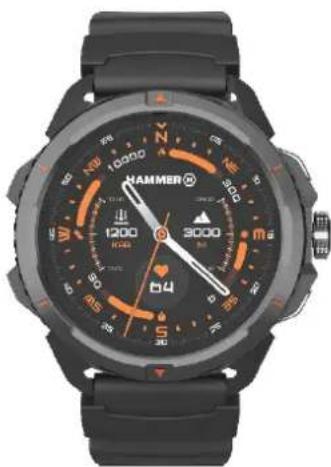
natural_image
Black and white smartwatch with orange and black dials, no visible text or symbols on the face or background.natural_image
Hand pressing a green circular button with blue border (no text or symbols)5.2 Wischen
natural_image
Hand pressing a button with a green circular icon and blue curved arrow above it (no text or symbols)6. Laden des Akkus
https://hammerphones.com/support-hammer-watch-2/
natural_image
Symbol of a trash bin with crossed lines indicating no waste or restriction (no text or labels)natural_image
Simple line drawing of a trash bin with two crossed lines indicating no waste or discharge (no text or symbols)
https://hammerphones.com/support-hammer-watch-2
MANUALE UTENTE
Hammer Watch 2
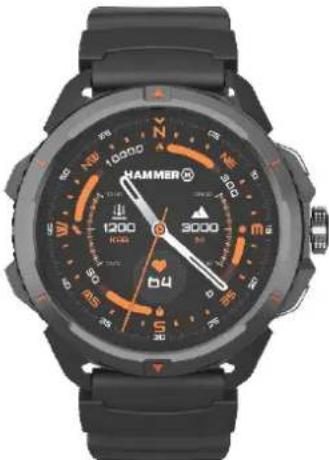
natural_image
Black and white smartwatch with visible brand logo, number 10000, and directional compass (no readable text beyond branding)Creiamo per te.
natural_image
Hand pressing a button with a blue curved arrow above it, symbolizing navigation or action (no text or symbols present)https://hammerphones.com/support-hammer-watch-2/
natural_image
Symbol of a trash bin with crossed lines indicating no waste or restriction, and a solid black rectangle below (no text or labels)natural_image
Simple line drawing of a trash bin with diagonal lines crossing it, no text or symbols present.
https://hammerphones.com/support-hammer-watch-2
MANUAL DE USUARIO
Hammer Watch 2
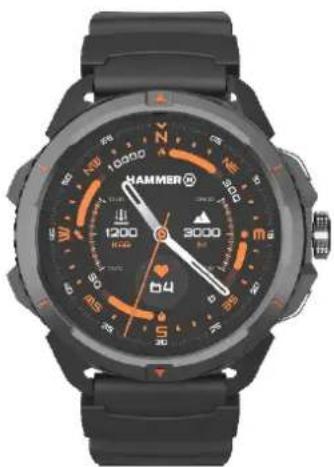
natural_image
Black and white smartwatch with visible cardinal directions and a needle pointing at 3000 degrees (no readable text or symbols beyond brand markings)Creamos para ti.
natural_image
Hand pointing at a green circular button with blue border (no text or symbols)5.2 Deslizar
natural_image
Hand pressing a button with a blue curved arrow above it, symbolizing navigation or action (no text or symbols present)https://hammerphones.com/support-hammer-watch-2/
7.4 Pantalla principal
natural_image
Simple line drawing of a trash bin with two crossed lines indicating no waste or exclusion (no text or symbols)natural_image
Simple line drawing of a trash bin with two crossed lines indicating no waste or prohibition (no text or symbols)https://hammerphones.com/support-hammer-watch-2
GUIA DO UTILIZADOR
Hammer Watch 2
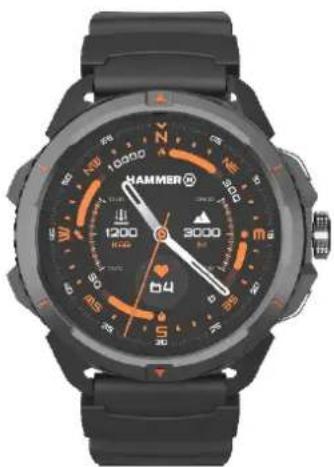
natural_image
Black and white smartwatch with visible cardinal directions and a needle pointing at 3000 degrees (no readable text or symbols beyond brand markings)Criamos para si.
natural_image
Hand pressing a button with a blue curved arrow above it, symbolizing navigation or press function (no text or symbols present)https://hammerphones.com/support-hammer-watch-2/
natural_image
Simple line drawing of a trash bin with two crossed lines indicating no waste or prohibition (no text or symbols)natural_image
Simple line drawing of a trash bin with two crossed lines indicating no waste or restriction (no text or symbols)https://hammerphones.com/support-hammer-watch-2
MODE D'EMPLOI
Hammer Watch 2
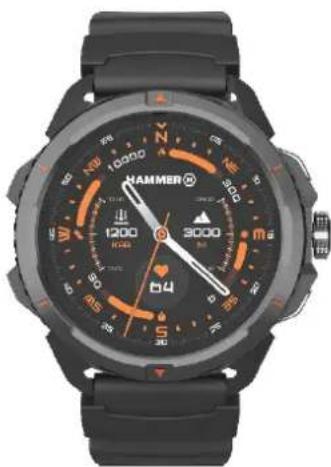
natural_image
Black and white smartwatch with orange and black dials, no visible text or symbols on the face or background.—SERVICE PROFESSIONNEL—
natural_image
Hand pointing at a green circular button with blue border (no text or symbols)5.2 Déplacer
natural_image
Hand pressing a green circular button with a blue curved arrow above it (no text or symbols)https://hammerphones.com/support-hammer-watch-2/
natural_image
Simple line drawing of a trash bin with two crossed lines indicating no waste or prohibition (no text or symbols)natural_image
Simple line drawing of a trash bin with two crossed lines indicating no waste or prohibition (no text or symbols)
https://hammerphones.com/support-hammer-watch-2
KASUTUSJUHEND
Hammer Watch 2
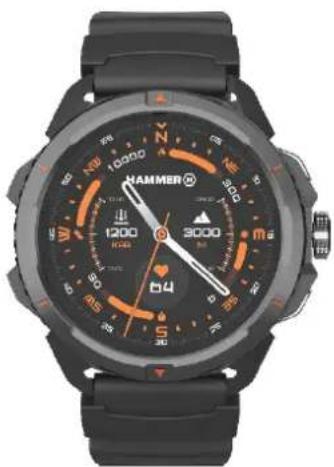
natural_image
Black and orange HAMMER wristwatch with cardinal and intercardinal markings (no readable text or symbols beyond brand name)www.myphone-mobile.com
1. Sisukord
natural_image
Close-up of a smartwatch with numbered labels (5, 6, 7) indicating key points or sections (no text beyond labels)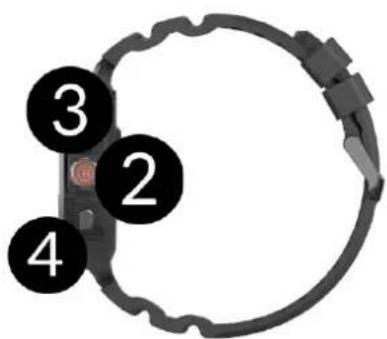
natural_image
Close-up of a black wristwatch with a circular badge labeled '7' (no text or symbols on the device itself)natural_image
Hand pointing at a green circular button with blue border (no text or symbols)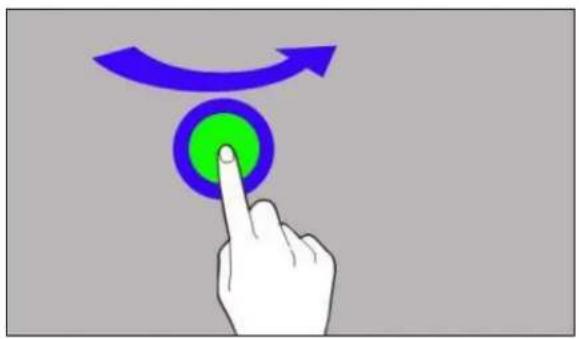
natural_image
Hand pressing a green button with a blue circular arrow above it (no text or symbols)6. Aku laadimine
https://hammerphones.com/support-hammer-watch-2/
natural_image
Simple line drawing of a trash bin with two crossed lines indicating no waste or prohibition (no text or symbols)
natural_image
Simple line drawing of a trash bin with crossed lines indicating no waste or prohibition (no text or symbols)
https://hammerphones.com/support-hammer-watch-2
Naudojimo instrukcija
Hammer Watch 2
natural_image
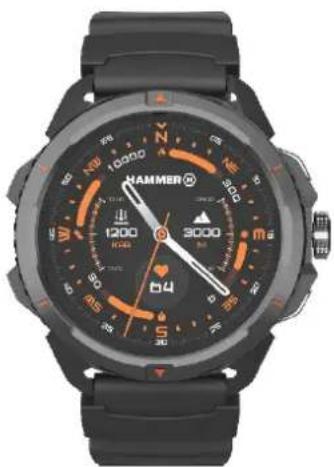
Black and orange HAMMER wristwatch with cardinal and intercardinal markings (no readable text or symbols beyond brand name)Kuriame Jums.
natural_image
Hand pointing at a green circular button with blue border (no text or symbols)5.2 Paslinkimas
natural_image
Hand pressing a green button with a blue curved arrow above it (no text or symbols)https://hammerphones.com/support-hammer-watch-2/
natural_image
Simple line drawing of a trash bin with two crossed lines indicating no waste or prohibition (no text or symbols)https://hammerphones.com/support-hammer-watch-2
natural_image
Black and orange HAMMER wristwatch with cardinal and intercardinal markings (no readable text or symbols beyond brand name)Mês radâm Jums.
natural_image
Hand pointing at a green circular button with blue border (no text or symbols)5.2 Vilkšana
natural_image
Hand pressing a green circular button with a blue curved arrow above it (no text or symbols)6. Akumulatora uzlāde
https://hammerphones.com/support-hammer-watch-2/
natural_image
Simple line drawing of a trash bin with no text or symbolsnatural_image
Simple line drawing of a trash bin with diagonal lines crossing it, no text or symbols present.
https://hammerphones.com/support-hammer-watch-2
natural_image
Black and orange HAMMER 3000 wristwatch with cardinal and intercardinal markings (no readable text beyond brand and numbers)www.myphone-mobile.com
1. Съдържание
natural_image
Hand cursor clicking a green circular button with purple ring (no text or symbols)5.2 Плъзгане
natural_image
Hand pressing a button with a blue curved arrow above it, symbolizing navigation or press function (no text or symbols present)https://hammerphones.com/support-hammer-watch-2/
natural_image
Simple line drawing of a trash bin with two crossed lines indicating no waste or restriction (no text or symbols)https://hammerphones.com/support-hammer-watch-2
ΕΓΧΕΙΡΙΔΙΟ ΧΡΗΣΤΗ
Hammer Watch 2