
PerfectView RVS 764X - Rear Camera DOMETIC - Free user manual and instructions
Find the device manual for free PerfectView RVS 764X DOMETIC in PDF.


User questions about PerfectView RVS 764X DOMETIC
0 question about this device. Answer the ones you know or ask your own.
Ask a new question about this device
Download the instructions for your Rear Camera in PDF format for free! Find your manual PerfectView RVS 764X - DOMETIC and take your electronic device back in hand. On this page are published all the documents necessary for the use of your device. PerfectView RVS 764X by DOMETIC.
USER MANUAL PerfectView RVS 764X DOMETIC
Please read this instruction manual carefully before installation and first use, and store it in a safe place. If you pass on the product to another person, hand over this instruction manual along with it.
Table of contents
1 Explanation of symbols 10
2 Safety and installation instructions 10
3 Scope of delivery 13
4 Accessories 13
5 Intended use 13
6 Technical description 14
7 Notes on the electrical connection 14
8Fitting the camera 17
9 Cleaning and caring for the camera 22
10 Warranty 22
11 Disposal. 23
12 Technical data 23
1 Explanation of symbols

WARNING!
Safety instruction: Failure to observe this instruction can cause fatal or serious injury.

CAUTION!
Safety instruction: Failure to observe this instruction can lead to injury.

NOTICE!
Failure to observe this instruction can cause material damage and impair the function of the product.

NOTE
Supplementary information for operating the product.
2 Safety and installation instructions
Please observe the safety instructions and stipulations issued by the vehicle manufacturer and service workshops.
The manufacturer accepts no liability for damage in the following cases:
- Faulty assembly or connection
- Damage to the product resulting from mechanical influences and excess voltage
- Alterations to the product without express permission from the manufacturer
- Use for purposes other than those described in the operating manual
Therefore, please observe the following instructions:
- To prevent the risk of short circuits, always disconnect the negative terminal of the vehicle's electrical system before working on it.
If the vehicle has an additional battery, its negative terminal should also be disconnected.
-
Inadequate supply cable connections could result in short circuits, causing:
-
Cable fires
- The airbag being triggered
- Damage to electronic control equipment
-
Electrical malfunctions (indicators, brake light, horn, ignition, lights)
-
When working on the following cables, only use insulated cable terminals, plugs and flat sockets:
-
30 (direct supply from positive battery terminal)
- 15 (connected positive terminal, behind the battery)
- 31 (return cable from the battery, earth)
- 58 (reversing light)
Do not use porcelain wire connectors.
- Use a crimping tool (fig. 1 10, page 2) to connect the cables.
-
Screw the cable when connecting cable 31 (earth)
-
Screw on the cable using a cable terminal and serrated washer to one of the vehicle's earth bolts or
- Screw the cable to the bodywork using a cable terminal and a self-tapping screw
Make sure there is a good earth connection.
If you disconnect the negative terminal of the battery, all data stored in the volatile memories will be lost.
-
The following data must be reset, depending on the vehicle equipment options:
-
R a d i o c o d e
- Vehicle clock
- T i m e r
- On-board computer
- Seat position
You can find instructions for making these settings in the operating manual.
Observe the following installation instructions:
- Secure the parts of the camera installed in the vehicle in such a way that they cannot become loose under any circumstances (sudden braking, accidents) and cause injuries to the occupants of the vehicle.
- Secure any parts of the system concealed by the bodywork in such a manner that they cannot be come loose or damage other parts or cables, or impair vehicle functions (steering, pedals, etc).
- To prevent damage when drilling, make sure there is sufficient space on the other side for the drill head to come out (fig. 2, page 3).
- Deburr all drill holes and treat them with a rust-protection agent.
- Always follow the safety instructions of the vehicle manufacturer. Some work (e.g. on retention systems such as the AIRBAG etc.) may only be performed by qualified specialists.
Observe the following instructions when working with electrical parts:
- When testing the voltage in electrical cables, only use a diode test lamp (fig. 1 8, page 2) or a voltmeter (fig. 1 9, page 2).
Test lamps with a bulb (fig. 12, page 2) consume voltages which are too high and can damage the vehicle's electronic system.
-
When making electrical connections, ensure that:
-
they are not kinked or twisted
- they do not rub on edges
- they are not laid in sharp-edged ducts without protection (fig. 3, page 3).
Insulate all connections.
- Secure the cables against mechanical wear by using cable binders or insulating tape, for example on existing cables.
The camera is watertight. However, the seals on the camera cannot withstand a high-pressure cleaner (fig. 4, page 3). Therefore, you should observe the following instructions when handling the camera:
- Do not open the camera, as this impairs the leak tightness and the function of the camera (fig. 5, page 3).
- Do not pull at the cables, as this impairs the tightness and the function of the camera (fig. 6, page 3).
The camera is not suitable for use under water (fig. 7, page 3)!
3 S C O P E O F D
No. fig.8, page 4
Quantity Designation Ref. no.
11 Camera 9600000041
21 Camera bracket
31 Adapter box 9102200154
-1 Fastening material
- 1 Installation and operating manual
4 A c c e s s o r i
Available as accessories (not included in the scope of delivery):
Designation Ref. no.
Connection cable 9102200030
5 Intended use
The heavy-duty CAM604 colour camera with traffic surveillance feature (ref. no. 9600000041) is intended primarily for use in vehicles. It can be used in reversing video systems to observe the space around the vehicle from the driver's seat when manoeuvring or parking, for example.

WARNING!
Reversing video systems are designed merely as an additional aid for reversing, however this does not relieve you of the duty to take proper care when reversing.
6 Technical description
The colour camera with integrated microphone is encased in an aluminium housing and transmits image and sound to a monitor via a cable. The infrared LEDs improve night vision.
The camera can switch between long-distance and close area. The long-distance mode shows the space behind the vehicle as if you were looking through a rear window. The close area mode switches on when you engage the reverse gear and shows the space directly behind the vehicle.

NOTE
The cameras is equipped with a reverse display at the factory. Any monitor that is connected therefore needs a normal picture function.
The camera consists of the following elements:
| No. in fig. 9, page 4 Designation | |
| 1 6-pin connection cable | |
| 2 L e n s | |
| 3 Microphone | |
| 4 Infrared LEDs |
7 Notes on the electrical connection
7.1 Laying cables

NOTICE! Beware of damage
- When drilling holes, check beforehand that there is sufficient space on the other side for the drill head to come out.
- Cables and connections that are not properly installed will cause malfunctions or damage to components. Correct installation of cables and connections ensures lasting and trouble-free operation of the retrofitted components.
- The cables may not be exposed for long periods to solvents such as benzene, since solvents can damage the cable.
Therefore, please observe the following instructions:
- As far as possible, use original ducts for laying the cables, or other suitable options such as panelling edges, ventilation grilles or dummy plugs. If no openings are available, you must drill holes for the cables. Check beforehand that there is sufficient space on the other side for the drill head to emerge.
- Wherever possible, lay cables inside the vehicle, as they are better protected there than outside. If you do need to lay a cable outside the vehicle, ensure that it is well fastened (use additional cable ties, insulating tape etc.).
- To prevent damage to the cables when laying them, ensure that they are far enough away from hot or moving vehicle components (exhaust pipes, drive shafts, light systems, fans, heaters, etc.). Use corrugated piping or other protective materials to protect against mechanical wear.
- Screw on the plug connections for the connecting cables to protect them against water penetration (fig. 10, page 4).
-
When laying the cables, make sure:
-
they are not kinked or twisted
-thydo not rub on edges
they are not laid in sharp-edged ducts without protection (fig. 3, page 3).
- Attach the cables securely in the vehicles to prevent tripping hazards. This can be performed by using cable binders, insulating tape or gluing in place with adhesives.
- Protect every through-hole made in the bodywork against water penetration, e.g. by using a cable with a sealant and by spraying the cable and the cable sleeve with sealant.

NOTE
Only start sealing through-holes when you have completed all installation work on the camera and have laid the required cable lengths.
7.2 Using branch connectors
To prevent loose connections in the branch connectors, it is important to ensure that the cable cross sections fit into the branch connectors.
To use the branch connectors, proceed as follows:
Insert the cable to be tapped in the front groove of the branch connector (fig. 11 A, page 5)
Insert the end of the new cable up to approx. 3/4 of the way into the rear groove (fig. 11B, page 5)
Use a pair of combination pliers to close the connector by pressing the metal pin in. This creates an electrical connection (fig. 11 C, page 5).
Press down the safety cap until it snaps into place.
Check that the connection is secure by gently tugging the cable (fig. 11 D, page 5).
7.3 Creating clean soldering joints
Proceed as follows to solder a cable to the original cables:
Strip approx 10mm of insulation from the end of the original cable (fig. 12 A, page 5).
Strip approx 15mm of insulation from the end of the cable to be connected (fig. 12 B, page 5).
Wind the cable to be connected around the original cable and solder the two cables together (fig. 12 C, page 5).
Insulate the two cables with insulating tape (fig. 12 D, page 5).
Proceed as follows to solder two cables together:
Strip the two cables (fig. 13 A, page 5).
Place a shrink sleeve with a length of approx. 20~mm over the cable (fig. 13 B, page 5).
Twist the cables together and solder them (fig. 13 C, page 5).
Place a shrink sleeve over the soldered point and heat it briefly (fig. 13 D, page 5)
8 Fitting the camera
8.1 Tools required
For installation and assembly, you will need the following tools:
- Drill bit set (fig. 1, page 2)
Electric drill (fig. 1 2, page 2) - Screwdriver (fig. 1 3, page 2)
- Set of ring or open-ended spanners (fig. 1 4, page 2)
- Measuring ruler (fig. 1 5, page 2)
Hammer (fig. 1 6, page 2) - Centre punch (fig. 17, page 2)
To establish and test the electrical connection, the following tools are required:
- Diode test lamp (fig. 1 8, page 2) or voltmeter (fig. 1 9, page 2)
Crimping tool (fig. 1 10, page 2)
Insulating tape (fig. 11, page 2) - Cable bushing sleeves (optional)
To fasten the cables you may require additional cable binders.
8.2 Fitting the camera

CAUTION!
Select a location for the camera and attach it firmly enough so that it cannot under any circumstances fall off and injure bystanders (e.g. by being knocked off by branches brushing over the roof of the vehicle).

NOTE
If installing the camera alters the vehicle height or the length specified in the vehicle documents, your vehicle must be inspected by the appropriate authorities.
This authority must note any such changes your vehicle documents.
Observe the following installation instructions:
- To provide a suitable viewing angle, the camera must be attached at a height of at least 2m Ensure that you have a firm place from which to work when mounting the camera.
- Make sure that the installation location of the camera is sufficiently firm (e.g. to prevent the camera from being knocked down by branches that may brush the roof of the vehicle).
- Mount the camera horizontally and in the middle of the rear of the vehicle (fig. 14, page 6).
-
The most secure type of attachment is with screws fitted through the body. Please observe the following instructions:
-
There must be sufficient space behind the chosen installation location to be able to carry out the mounting procedure.
- Suitable measures must be taken to prevent water penetrating through any holes made (e.g. by using screws and sealant and/or spraying the outer attachment parts with sealant).
-
The location on the body where you wish to attach the camera must be rigid enough to allow the camera to be tightly fastened.
-
Check beforehand that there is sufficient space on the other side for the drill head to come out (fig. 2, page 3).
- If you are not sure about the location you have chosen, ask your vehicle manufacturer or dealer.

NOTE
We recommend greasing the threads of the bolts to prevent corrosion.
To perform the installation, proceed as follows:
Hold the camera holder at the chosen location and mark at least two different points for the drill holes (fig. 15, page 6).
Using a hammer and centre punch, gently pre-punch the previously marked points to prevent the drill head from slipping off.
If you want to screw on the camera with self-tapping screws (fig. 16, page 6):

NOTICE!
Self-tapping screws may only be fastened to steel metal with a minimum thickness of 1.5 mm .
Drill the holes, with a of 6mm , at each of the markings.
Deburr all drill holes and apply rust-protection.
Screw on the camera bracket using 6 × 20 ~mm self-tapping screws.
If you would like to attach the camera with threaded screws fitted through the construction (fig. 17, page 6):

NOTICE!
Ensure that nuts cannot be pulled through the body shell when they are tightened.
Use larger washers or metal plates if necessary.
Drill the holes, with a of 6.5mm , at each of the markings.
Deburr all drill holes and apply rust-protection.
Screw on the camera bracket using M6 x 20 self-tapping screws. Depending on the thickness of the construction, you may require longer threaded screws.
Creating a through-hole for the camera connection cable (fig. 18, page 7)

NOTE
If possible, use available openings, such as ventilation grilles, to feed the connection cables through. If there are no existing ducts, you must drill a hole of 16 mm.

NOTICE! Beware of damage
Check beforehand that there is sufficient space on the other side for the drill head to come out.
Drill a hole of 16mm near the camera.
Deburr all drill holes that have been made in the sheet metal and apply rust-protection.
Place a cable sleeve in all sharp edged ducts.
Fastening the camera
Push the camera into the bracket (fig. 19, page 7).

NOTICE!
Only use the screws supplied to mount the camera in the camera holder. Longer screws will damage the camera.
Secure the camera loosely with the four M4 x 6 screws in the two other fixing holes (fig. 19, page 7).
The camera is now centred.
Align the camera so that the lens is at an angle of approx. 25^ ± 5^ to the vertical axis of the vehicle (fig. 21, page 8).

NOTE
Do not tighten the four M4 x 6 screws until you have aligned the camera (see chapter "Checking the function and setting the camera" on page 22).
To do this you must first install and connect a monitor.
8.3 Connecting the camera

NOTE
- Lay the camera cable so that, should you need to remove the camera, you can access the plug connection between the camera and the extension cable easily. This facilitates the disassembly considerably.
- To minimise corrosion in the plug, apply a small amount of grease, such as pin grease, in one of the plugs.
Guide the camera cable into the vehicle interior.
Insert the plug of the camera cable into the socket of the extension cable (not included in scope of delivery, fig. 22 1, page 8).
Screw on the plug connection of the connecting cables to protect against water penetration (fig. 10, page 4).
8.4 Connecting the connection box (fig. 22, page 8)
The control box is supplied ready for installation.
Fasten the control box at a suitable point.

NOTE
Connect the camera input for close-up (reversing camera) with the "C1" connection and the camera input for the long-distance with the "C2" connection.
Connect the control box electrically as follows:
- Connect the camera inputs on the monitor to the "C1" and "C2" connections.
- Connect the system cable from the camera to the "CAM" connection.
The camera is switched on and off in reverse gear or using the camera selection button on the monitor.
8.5 Checking the function and setting the camera
Check the function of the camera after you have connected it to a monitor.
You can switch between the close-up and long-distance range of the camera by switching between the camera inputs on the display device.
Align the camera using the image on the monitor to help you:
The monitor image of the close-up should show the rear or the bumper of the vehicle at the bottom edge of the screen. The middle of the bumper should be in the middle of the screen (fig. 21, page 8).
Tighten the two fastening screws of the camera.
Settings for contrast and brightness can be made on the monitor.
9 Cleaning and caring for the camera

NOTICE!
Do not use sharp or hard objects or cleaning agents for cleaning as these may damage the product.
Occasionally clean the product with a damp cloth.
10 Warranty
The statutory warranty period applies. If the product is defective, please contact the manufacturer's branch in your country (see the back of the instruction manual for the addresses) or your retailer.
For repair and guarantee processing, please include the following documents when you send in the device:
A copy of the receipt with purchasing date
- A reason for the claim or description of the fault
11 Disposal
Place the packaging material in the appropriate recycling waste bins wherever possible.
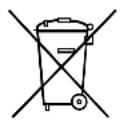
If you wish to finally dispose of the product, ask your local recycling centre or specialist dealer for details about how to do this in accordance with the applicable disposal regulations.
12 Technical data
| PerfectView CAM604 | |
| Ref. no.: 9600000041 | |
| Image sensor: 1/4" Color CMOS | Sensor approx. 5000000 Pixel, 2592(H) x 1944(V) |
| TV system: PAL | |
| Sensitivity: < 1 lux or | 0 lux with LED |
| Viewing angle: Close-up: 63° H, | 52°V, 83°D Long-distance: 140°H, 94°V, 153°D |
| Microphone sensitivity: Approx. 42 dB | |
| Storage temperature: | -40 °C to +80 °C |
| Operating temperature: | -30 °C bis +70 °C |
| Operating voltage: | 10-16 V= |
| Consumption: | max. 6 W |
| Dimensions W x H x D (with bracket): | 83 x 70 x 57 mm |
| Weight: | Approx. 300 g |
| Certifications: | E13 |
Cable de raccordement 9102200030
5 U S a g e c o n
6 Description technique
I3roTOBHTeH He HecET HnKaKoI OTBeTCTBeHHOCTN 3a yUepe6 B cNeDyUOuX cnUyax:
He INCIOJIb3yIte KJEMMOBbie KOJODKN.
-Дя coeHHeHЯ ka6eNe nCnoIb3yIte o6xIMHbIe KIeU (pnc. 1 10, ctp. 2).
- Ппвntite ka6eь ри coeHneHnx K npoBody 31 (kopnyc)
- C NOMOUI KABENHORO 3axima n 3y6yatoN npyXHHoI ShaBbIK BnHTy dnn CoeINHeHNA KOpnyCOM, IMeIOUeMycsHa aBTOMO6nne nn
- c nOMOJIbIO Ka6eIbHOrO 3aXIMa N CaMOHaPe3aIOUSeIro BnHTa K IINCTy Ky3OBA.
OBeCneuBaIte xopoOoee coeINHeHne c Kopnycom!
Pn OTCoeHHeHn KneMMbI OTPuataTeBHO NOIOca aKKymyTOpHO 6aTaPeN Bce 3aONMHaIOUe yCTpoCTBa 3NeKTPoHnKn CnCTeM KOMopTa TepaOT COxpaHeHHbI B HNX DaHHbIe.
B 3aBnCmOCTn OT OChaIeHnA BToM06nI, Bam npIeTcra 3aHOBO HaCTpOnTb cnEduoune daHHbIe:
-KoIpaIIOnpneMHnKa
- Yacbl aBTOMO6nna
- T\aɪm e p
- BopTOBOKOMNbIOTep
-Полженье сиданш
Yka3aHnI NO HacTpoiKe npBedeHb B COOTBeTCTByIOUeN HcTpkyuNn N O KcnpnyatauN.
Pn moTaxe co6IIOaIte cneDyUoIe yKa3aHnI:
KpeHnTe yCTaHOBneHHbIe B aBTOMO6nIe DeTaN KaMepb TaK, YTObI OHN Hn npKaKnx ycNoBnIX (pe3KOM TOPMOxEHn, abapN) He MOII NTCoEINHHTbcR, Tem CaMbIM npNBODK TpaBMam naccxNpOB.
KpeHNTe cKpbTbIe, yCTaHaBnBaEmbIe nO dO6uNKBoJ DeTaNN CnCTembl TaK, YTO6bI OHN He MOrnn OTCoEINHITbcra NII NIOBpeDInb IpyrHe DeTaNN IN PPOBOda HApUHTb cyHKcIMn ABTomO6nJIa (pyneBOe ynpabNeHne, neDaNN T. n.).
- Bo n36exaHne noBpeXeHn npn CBepeHn cNeIte 3a DOCTaTOHybIM CBO6oHNbIM pOcTpaHCTBOM IIN BbIXOda CBepna (pnc. 2, cTp. 3).
3aunctte BCE OTBepCTnI cMaXbTe INx aHTNKOPpO3IOHHbIM CpeDCTBOM.
- Bcerda co6nIouaIte yka3aHnI N3rTOBNTeIa ABtOMo6nIa NO TexHnke 6e3ONaChocTn.
HeKoTOpbIe pa6OtBi (Ha npimep, Ha cncTeMax 6e3OnaChOCTN, B T. Y. Ha HauyBbIX noDyUkax 6e3OnaChOCTn) pa3pe7aetc BblONHrTb TOlbKO ObyeHHOMy nepcoHany.
Pn pa6otax Ha 3neKtpnuecko cnCTe me co6IpaTe cpeyUOme yka3aHna:
No Ha pnc. 9, ctp. 4 HauMeHoBaHne
16-KoHT. NITaIOUIN Ka6eNB
2O6beKTHB
3 Minkpoqoh
4 INHpaKpaChbIe CBeToIOIObI
7 Yka3aHnI NO npncOeDnHeHnIO KJIeKTPnueckoCetN
7.1 Празадka ka6eile

BHIMAHHE! Onachoctb nobpexdeHn!
- Пи С蜱ерпени OTверстий прдварпельно убадитесь ВTom,чTo ИмeeТся ДocTaTOUHO CBO6OДHOrO поctpaHCTBa ДЯ BbIXODa С蜱рna.
- HenpaBnIbHa npOKnIaKa n CoeHHeHn Ka6eNe BedyT K NoCToHnBIM BbIXOaM n3 CTPO nII NIOBpeXdEHNm DeTaJe. PpaBnIbHa npOKnIaKa n CoeHHeHn Ka6eNe - OCHOHoe ycNoBne dNITeNbHO, 6ecpe6oHoi pa6OtBi DOONHHTeNbHO yCTaHOBneHHbIX KOMNOHETOB.
Ka6eHn He DoJXHb IaNTbHoe BpeM HaXoIITbcB KOHTaKTe C pactBOpHTeMaN, HapPmep, 6eH3uHOM, T. K. pactBOpHTeN IOBpeXdaIOT Ka6eHn.
Io3tomyco6nOdaIte cneDyIOUne yKa3aHnra:
- Дя вьда сешипеловix kaбенинспь3уITE, NO BO3MOXHOCTN,ОригиHaNBы BвОды ИПДугпЕ CBВОЗнБIE OTВерстЯ, Hanpimep, КразOBшИВКИ, ВENTINЯшоНныpeшETKN ИПЗаIGNYшК. EsnckBO3HBe OTBерстЯOTCYTCTBYIOT, HeobxODIMO npocBepNTb ДЯ кадOrO ka6eЯ похODJIneOTBерстЯ. ПрдвapintelbHo пpoBepbTe, IMeETcЯДocTaTOUHO CBO6OdHOrOMecTa Дя ВblxOda CBepna.
- Πο BO3MOXHOCHTN, Bcerda npoknaDbBaIte Ka6eIN BHyTpIn aBTOMO6nIa, T. K. TaM OHN 3aUHSeHbI NyUWe, Yem ChapyKn.
Ecn, tem He MeHee, Bbl npoknaBbAeTe Ka6en ChapyN aBTOMo6nIa, To oecneuBaIte HndexHoe KpeIeHne (c NOMOsbIO DOONHTeNbHbIX Ka6ebhbx CTJxek, n30JeHTbI NT. I.).
Bo n36exaHne noBpeXeHn Ka6ene Bcerda co6nIaIte npn Ix npoknaKe DOCTaTOUHOe paCCTOAHne Do TropaHX N IOdBHXbIX y3IOB aBTOMo6nIIA (BbIXNoHNbIX Tpy6, npINBOdHbIX BaNOB, reHepaTopa, HarpeBaTeNei, BeHTnIaTOpOB nT. n.).ДЯ MEXaHnueCKo 3aunTBi NCnONb3yInTe roΦpnpOBaHHbIe Tpy6Kn nPi aHaIOnrNHyIe 3aunTHbIe MaTePnAbl.
CbHNTte 1TeKepehhe coeHNHeHncoeHNHTebhIX Ka6eNeJ 3aHTbI OT nonadHnBODbl.(pnc.10, cTp.4).
-При поркадke ka6eNei сеДиTe 3a Tem,чTo6bl OHI
-He nepere6aIncbH He cKpyuBaIncb,
-He TepINcB O KpOMKn,
- He npoknaIbIbIc6e3 3aIITbIYepe3 BBOIbI, IMeIOUHe OCTpbIe KpOMKn (pnc. 3, ctp. 3).
Haedxho KpeHnTe Ka6enn B aBTOMo6nne, YTO6bl PpeDtBpaTNTb 3aNyTBBaHne (onacnoctb naeHna). HaedxHoe KpeHnHe moXHo o6ecneHTb, nCNoIb3y Ka6enhble cT8Kn, n3OJeHTy nII NKei.
3aunuTe noDxOJIM o6pa3OM kaxdoe OTBepCTne B hapxHoN O6nIOBKe OT nopaHnRA BObl, HApPImep, PyTeM yCTaHOBKn Ka6eJIc rEpMeTNIKOM N HaHeceHnR rEpMeTnKa Ha Ka6eIb I npoxoHyIO BtynKy.

YKA3AHNE
HaunhaIte repMeTn3aunIO OTBepCTn TOlbKO nocne TORO, KaK Bce pa60tI NO HAcTPOKe KaMepbI 3aKOHueHbI IN OnpedeHbI DnINHbI coeDInHnteNbHbIX Ka6enei.
7.2Испобзованке седнHTeелова
Bo n36exaHne pnoXoro KOHTaTa B OTbOaX CneIte 3a TeM, YTO6bl NonepeuHbIe CeueHnKa6eNei COOTBETCTBOBaIIi COeINHITeIam OTbOa.
ДяИСПОЛБ3OBaHЯ COeINHTeNeI OTbOda CO6IJaTe CneDyIouNIM NOPRAOK DeiCTBn:
Ynoxnte Ka6enb, OT KOtOporo DoJXeH 6bItb BbINOnHeH OTBOd, B nepeHIO KaHaBky CoednHTeTЯ OTBoDa (pnc. 11 A, ctp. 5).
YIIOXITe HOBbI Ka6eIb KOHcOM np6n3nteHbHO Ha 3/4 B 3aHIO KoHaBky (pnc. 11 B, ctp. 5).
3akpoIte coeHHTeN b N BdaBHTe NaCCaTnxaMn MeTaIIuYeCKyIO nepembUky B COeHNHTeN TaK, yTO6bl yCTaHOBNOCb 3JIeKTpNUyeCKoe COeHNHeHne (pnc. 11 C, ctp. 5).
Прижмпг Te 3auntHyIO KpbIshky n 3aФнКсИpyuTe ee Ha coeINHITeNe.
Поверпге крелене coeHHnteЯ,notaHyB 3a Ka6eNB (pnc.11 D,ctp.5).
7.3Правильhoe BbvINHHeHne NaHbIX COeINHeHn
Pn npnnaBaan Ka6eN K opnHaHbHm npOBaM c6nOaTe cpeyUoNn NopdOK DeiCTBn:
CnHmTe 10 MM n3OJauu c opnHaJIbHoTo npoBoDa (pnc. 12 A, ctrp. 5).
CHIMTE 15 MM N30JIcH c npcoeHNHeMoTo Ka6eIa (pnc. 12 B, ctp. 5).
HamotaTe npincoeHnembI Ka6enb BOKpyr opnHnHaHbHO rpoBoda n cnaTte o6a Ka6eIra (pnc. 12 C, ctp. 5).
3aun3o npyte ka6e nn n3oentOn (pnc. 12 D, ctp. 5).
Дя coeHHeHЯ DByx Ka6enei pyr c pyrom co6nOaIte cneyOuNIO npraDOK DeiCTBNI:
CHINMTe n3oJIaIIO c o6Onx Ka6eIeN (pnc. 13 A, ctrp. 5).
HaIeHbTe TepMoycaIOHyB KEm6pIK dINHOJ OKO NO 20 MM Ha ODN H Ka6eNB (pnc.13 B, ctp.5).
Ckpyntte o6a ka6eIyI c dpYrom n cnaIte nx (pnc. 13 C, ctrp. 5).
CmecTe TepMoycaDoHybKeM6pNK B ToUky cnaKn N cnerKa HarpeIte ero (pnc. 13 D, ctp. 5).
8 Mo H T a K a
8.1 Tpe6yeMbI INHCTpyMeHT
EcnBbIXOTHTe npNBHTb KaMepy camohape3aIOUIMN BnHTamn (pnc. 16, ctp. 6)

BHIMAHHE!
Kpenenne camaHape3aOuIMN BnHTamn pa3peWaeTcBbINONHrToNbKO BCTaNbHbIX NICTax TOnUHHoH He MeHee 1,5 MM.
PocBepnTe B paHee pa3MeueHHbIX ToUkax No OJHOMy OTBepCTNIO 6 MM.
3aunctte BCE OTBepCTnI cMaXbTe INx aHTNKoppo3IOHHbIM CpeDCTBOM.
ПрИВИNTIte DepeXaTeIb KaMepbl CamOHaPe3aIOUIMN BnHTaMn 6x20 MM.
EcnBbIXOTHTe 3aKpeNITb Kamepy uypynamn Upe3 Ky3OB (pnc.17, ctp.6)

BHIMAHHE!
Y6eNTecb B TOM, YTO npu 3aTnBAHn raKn He npoabNBAOTcyepe3 Ky3OB.
Ipn Heo6xOaIMocTn, nCpONb3yIte 6OJIbUne IOnknaHbIe 7aJ6bl nnI
IIpaCTINbI.
PocBepnTe B paHee pa3MeueHHbIX TOckax IIO OJHOMy OTBepCTNIO 6,5 MM.
3aunctte BCE OTBepCTnI cMaXbTe INx aHTNKoppo3IOHHbIM cpeIDCTBOM.
ПиВИNTIteДeржATEnb KaMEpbI WypynamM M6x20. B3aBnCIMOCTN OT TOJIshHbI Ky3OBA,MOrT NOTpe6oBaTbc8 6Oonee dINHHbI Wypynbl.
BbInoJIHnTb OTBepCTHe IJIyIITaIOUeTo Ka6eJy KamepbI (pnc. 18, ctp. 7)

YKA3AHNE
Дп BA Oda coeHntbHbIX Ka6eNe IcNoIb3yIte, NO BO3MOXHOCTN, IMeIOUneCRAckBO3HbIe OTBepCTnIa, HApPIMeP, BeHTINrAUNOHbIe peWeTKn. EcII NCKBO3HbIe OTBepCTnIa OTCyTCTByIOT, Heo6xOdIMO npocBepNTb OTBepCTne 016 MM.

BHIMAHNE! Onachoctb nobpexdeHnA!
IpeBapntbNo npOBepbTe, IMeETcN IOCTaTOUHO CBO6OHoro MeCTa IIN BIXOda CBepna.
Посверпг Te B6n3n Kaemрbl OTbepctne 16 MM.
3aunCTIe BCE OTBepCTnB NICTe IN CMAXbTe INx aHTNKOPPO3IOHHbIM cpeDCTBOM.
Bo BCE oTBepcTnC ocTpblM Kpaamu yCTaHOBnTe npoxoHbIe BTyJIKN.
KpenneHne kamepbI
BcTaBbTe KaMepy B DepeXaTeIb (pnc. 19, ctp. 7).

BHIMAHHE!
ДпmaMOHTaJa KaMepbI B DepeXaTeNe HcNoJIb3yIte TOnbKO BVHTbl, BXODaJIneB O6bem NocTaBKn. Boone DnHHbIe BVHTbl NOBpeJdaIOT KaMepy.
3aKpeNITe KaMepy HEnnOTHo YeTbIPbMa BnHTaMn M4x6B DByx dpynx KpeNX HBIX OTBepCTnX (pnc.19, ctp.7).
Tenepb kamepa pacnoonxeha no uehtpy.
PacnoonoxnTe Kaempy TaK, yTo6bI 06bekTINB 06pa3OBbIBaN yron OKono 25^± 5^ OTHOCHTeNbHO BepTNKaHbHOJ OCN ABTomO6nna (pnc. 21, ctp. 8).

YKA3AHNE
YeTbIpe BnHTa M4 x 6 3aTЯrNBaTb TOnbKO nocNe TOrO, KaK Bbl BbIBepnIN Kamepy (cM. III. «Проверka pa60tBI n peYIpNpOBKa KamepbI» Ha cTp. 194).
Hó dπra 3TOrO BNaayane MoXeT NOtpe6oBaTbCRA yCTaHOBnTb MOHITOp n npincoeDHHt b erO K 6optTOBn 3IneKTPnuyeckOcETn.
8.3Подкlioочи Камерbl

YKA3AHNE
-ПрokнадыВаite Ka6eNB KaMepb TaK,чTO npN BO3MOxHNO Heo6xOIMOM demoHTaxe KaMepb 6bIIO NeTko DOCTyNHbIM WTeKepeHoe coeINHeHne MeJy KaMepo N yDnHInTeNbHbIM Ka6eNeM. 3TO 3HaunTeNbHO6nEryaet demoHTax.
-ДяУMeHbWeHnKoppO3nI Do6aBbTe HeMHOrO KOHCnCTeHTHOm Cma3Kn,HaPpIMep,Cma3Kn IЯ NOJIocOB aKKyMnyTOpHbIX 6aTapei, BODIN N3 WTeKePoB.
BBeInTe Ka6eInb KamepbI BHytpb aBTOMO6nna.
BCTaBbTe 1TKepe Ka6eIg KaMepb B rHe3do yAnHHTeHbHO Ka6eIg (He BXoDnT B o6bem NoCTaBKn, pnc. 22 1, cTp. 8).
CBrHTTEIeTeKeHoe CoeINHeHne IaNTbI OT NpHaHnBODbl.(PNC.10, cTp.4).
8.4 Ппсоевенец KMMytaцноного 6лoka (pnc. 22,ст.8)
KOMmyTaunOHbI 6nOK nONHOCTbIO rOTOB KMOHTaJy.
3aKpeHnTe KOMMyTaUHOHHbI 6NOK B NOxOJMeM MeCTe.

YKA3AHNE
CoeHnTe BxOda KaMepb Inn6nHexero 063opa (KaMepb 3aHero BVda) c pa3beMOM «Cl», a BxOД KaMepb Inn DaIbHero 063opa - c pa3beMOM «C2».
ПисоeINHITe KOMMyTaUHOHHbI 6nOK KэneKtpnueCKoCetN CnedyUIM o6pa30M:
-ПриносоeДинITE ВхОды сигнана Камерbl Ha MOHITope K pa3beMaM «C1» И «C2».
-ПрпсоeДинTe систeMHьй Ka6eNB KaMepebl Ka pa3bemy «CAM».
Kamepa BKNIOUaETcra N BbIKIOUaETcra BKNIOUeHHeM nepeDaun 3aHrO XoJa nn KHOKNOKBbOpa KaMepbl Ha MOHHTope.
8.5 Поберка pa60ыи рулровka kaMEpbi
HaCtpoiKn KOHTpaCTHOCTN I apKOCTN BblBbIOnHReTe Ha MoHTope.
9 yxod n ouhctka kamepbI

BHIMAHNE!
He nCnoIb3OBAt b Ia OUHCTKn OCTpbie Hn TBePdbie PpeDMeTb nn Nn YnCTA.
Ie cpeCTBa, T. K. 3TO MOKeT npNBecTN K NOBpeXdEHnM pOdyKTa.
Dometic Australia Pty. Ltd.
1 John Duncan Court
Varsity Lakes QLD 4227
1800212121
+61755076001
Mail: sales@dometic-waeco.com.au
AUSTRIA
Dometic Austria GmbH
Neudorferstraße 108
A-2353 Guntramsdorf
+432236908070
+43223690807060
Mail: info@dometic.at
BENELUX
Domatic Branch Office Belgium
Zincstraal 3
B-1500 Halle
+3223598040
+3223598050
Mail: info@dometic.be
BRAZIL
Dometic DO Brasil LTDA
Avenida Paulista 1754, conj. 111
SP 01310-920 Sao Paulo
+551132513352
+551132513362
Dometic Group Asia Pacific
Suites 2207-11 - 22/F - Tower 1
The Gateway 25 Canton Road
Tsim Sha Tsui·Kowloon
+85224611386
+85224665553
Mail: info@waeco.com.hk
HUNGARY
Dometic Zrt. Sales Office
Kerekgyarto u.5.
H-1147 Budapest
+3614684400
+3614684401
Domatic Italy S.r.l.
Via Virgilio, 3
F47122 Fori (FC)
+390543754901
390543754983
Mail: vendite@dometic.it
IAPAN
Dometic KK
Maekawa-Shibaura,Bldg.2
2-13-9 Shibaura Minato-ku
Tokyo 108-0023
+81354453333
+81354453339
Mail: info@dometic.jp
MEXICO
Domatic Mx, S. de R. L. de C. V.
Circuito Médicos No. 6 Local 1
Colonia Ciudad Satélite
CP 53100 Naucalpan de Juarez
Estado de Mexico
+52553744108
+525553934683
Mail: info@dometic.com.mx
NETHERLANDS
Dometic Benelux B.V.
Ecustreaat 3
NL-4879 NP Etten-Leur
+31765029000
+31765029019
Mail: info@dometic.nl
NEW ZEALAND
Dometic New Zealand Ltd.
Unite E, The Gat
373 Neilson Street
Penrose 1, Auckland
+6496221490
+6496221573
Mail: customerservices@dometic.co.nz
NORWAY
Dometic Norway AS
Osteroyveien 46
N-3232 Sandefjord
+4733428450
+4733428459
Mail: firmapost@dometic.no
POLAND
Dometic Poland Sp. z o.o.
Ul. Puławska 435A
PL02-801 Warszawa
+48224143200
+48224143201
Mail: info@dometic.pl
PORTUGAL
Dometic Spain, S.L.
Komsomolskaya square 6-1
RU-107140 Moscow
+74957807939
+74959165653
Mail: info@dometic.ru
SINGAPORE
Dometic Pte Ltd
18 Boon Lay Way 06-140 Trade Hub 21
Singapore 609966
+6567953177
+6568626620
Mail: dometic@dometic.com.sg
SLOVAKIA
Domatic Slovakia s.r.o. Sales Office Bratislava
Nádražná 34/4
900 28 Ivanka pri Dunaji
/+421245529680
Mail: bratislava@dometic.com
SOUTH AFRICA
Domicic (Pty) Ltd.
Regional Office
South Africa & Sub-Saharan Africa
2 Avalon Road
West Lake View Ext 11
Modderfontein 1645
Johannesburg
+27114504978
+27114504976
Mail: info@dometic.co.za
SPAIN
Domatic Spain S.L.
Avda. Sierra del Guadarrama, 16
E-28691 Villanueva de la Canada
Madrid
+34902111042
+34900100245
Mail: info@dometic.es
SWEDEN
Dometic Scandinavia AB
Gustaf Melins gata 7
S-42131 Västra Frolunda
+46317341100
+46317341101
Mail: info@dometicgroup.se
SWITZERLAND
Dometic Switzerland AG
Riedackerstrasse 7a
CH-8153 Rumiang
+41448187171
+41448187191
Mail: info@dometic.ch
UNITED ARAB EMIR
Dometic Middle East FZCO
P.O.Box17860
S-D 6, Jebel Ali Freezone
Dubai
+97148833858
+97148833868
Mail: info@dometic.ac
UNITED KINGDOM
Dometic UK Ltd.
Dometic House, The Brewery
Blandford St. Mary
DorsetDT19LS
+443446260133
+443446260143
Mail: customerservices@dometic.co.uk
USA
Dometic RV Division
1120 North Main Street
Elkhart, IN 46515
+1574-264-2131


