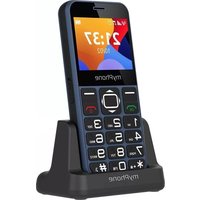
HALO 3 - Smartphone myPhone - Free user manual and instructions
Find the device manual for free HALO 3 myPhone in PDF.



| Product Type | Smartphone |
| Brand | myPhone |
| Model | HALO 3 |
| Screen Size | 2.31 inches |
| Screen Resolution | 320 x 240 pixels |
| Battery Capacity | 1000 mAh |
| Memory Card Support | microSD up to 32 GB |
| Main Functions | Calls, SMS, FM radio, flashlight, camera, SOS function |
| Connectivity | USB-C port |
| Power Supply | USB charger (1.5 W – 5 W) |
| Speaker | Built-in speaker for calls and ringtones |
| Charging Dock | Connectors for charging dock (optional) |
| Care and Cleaning | Dry cloth, avoid acidic or alkaline products |
| Safety | Turn off at gas stations; do not use while driving; avoid water and extreme temperatures |
| Repairability | Repair by authorized service only |
| Manufacturer | mPTech Sp. z o.o., Warsaw, Poland |
Frequently Asked Questions - HALO 3 myPhone
User questions about HALO 3 myPhone
0 question about this device. Answer the ones you know or ask your own.
Ask a new question about this device
Download the instructions for your Smartphone in PDF format for free! Find your manual HALO 3 - myPhone and take your electronic device back in hand. On this page are published all the documents necessary for the use of your device. HALO 3 by myPhone.
USER MANUAL HALO 3 myPhone
www.myphone.pl/qr/myphone-halo-3
—POŁĄCZENIA ALARMOWE—
text_image
Yellow triangular warning sign with a black-and-white icon of an ear and sound wavesnatural_image
Yellow triangular warning sign with a black sun and eye symbol (no text)text_image
Diagram of a red My phone with numbered parts for identification and assembly, highlighting key components like keypad, screen, and printer.natural_image
Simple line drawing of a trash bin with crossed lines indicating no waste or discharge (no text or symbols)natural_image
Simple line drawing of a trash bin with two crossed lines indicating no text or symbols (no text or labels)https://www.myphone.pl/support-warranty/
Table of contents 20
Safety....21
Package content myPhone Halo 3....23
Technical specification 24
Phone, its functions and buttons 25
Turning the phone on/off....28
Inserting SIM card(s), memory card and battery....28
Charging the battery 28
Emergency change of language 29
Factory settings 29
Battery management 29
Troubleshooting 29
Device maintenance 30
Correct disposal of electrical and electronic equipment .....30
Correct disposal of used batteries 31
| CAUTION | Statement |
| The manufacturer is not responsible for any consequences caused by improper usage of the phone and not obeying the above instructions. | The software version can be upgraded without earlier notice. The representative retains the right to determine the correct interpretation of the above instructions. |
Without prior written consent of the manufacturer, no part of this manual may be photocopied, reproduced, translated or transmitted in any form or by any means, electronic or mechanical, including photocopying, recording or storing in any systems of storing and sharing information.
Please read the precautions and phone user's manual before use. The descriptions contained in this manual are based on the default settings of the phone. The newest version of the manual can be found on our company website:
www.myphone.pl/qr/myphone-halo-3
Depending on the installed version of the software, applications, service provider, SIM card or country, some of the descriptions in this manual may not match your phone.
Safety
—PETROL STATIONS—
Do not use your mobile phone while refuelling at a petrol station or in the vicinity of chemicals.
CAUTION! In places where there is a risk of explosion (i.e. Petrol stations, chemical factories etc.), it is advisable to turn off the phone. Please refer to regulations governing the use of GSM equipment in these places.
—ALARM CALLS—
Making alarm calls may not be possible in some areas or circumstances. It is recommended to find an alternative way to notify emergency services if you are going to undeveloped or remote areas.
—QUALIFIED SERVICE—
Only qualified personnel or an authorized service center may install or repair this product. Repairing by an unauthorized or unqualified service may cause device damage and warranty loss.
—CHILDREN AND PHYSICALLY OR MENTALLY DISABLED PEOPLE—
This device should not be operated by people (including children) with limited physical or mental abilities, as well as by people with no earlier experience in operation of electronic equipment. They may use the device only under supervision of people responsible for their safety. This device is not a toy. Memory card and SIM card are small enough to be swallowed by a child and cause choking. Keep the device and its accessories out of reach of children.
—ROAD SAFETY—
Do not use this device while driving any kind of vehicle.
—WATER AND OTHER LIQUIDS—
Protect the device from water and other liquids. It can influence work and the life span of electronic components. Avoid using the device in environments with high humidity like kitchens, bathrooms or during rainy weather. Particles of water can cause the liquefaction of moisture in the device, and this may have a negative impact on the work of electronic components.
—BATTERY AND ACCESSORIES—
Avoid exposing the battery to very high/low temperatures (below 0^ C/ 32^ F and over 40^ C/ 104^ F). Extreme temperatures may influence capacity and battery life. Avoid contact with liquids and metal objects as it may cause partial or complete battery damage. The battery should be used only according to its purpose. Do not destroy, impair or throw the battery into flames - it is dangerous
and may cause fire. Worn-out or impaired battery should be placed in a dedicated container. Excessive charging the battery can cause damage. Therefore a single battery charge should not last longer than 1 day. Installing an incorrect battery type can cause an explosion. Never open the battery. Please dispose of battery according to the instructions. Disconnect an unused charger from power grid. In case of the charger wire damage, it should not be repaired but replaced with a new one. Use only the original manufacturer's accessories.
text_image
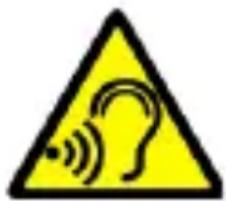
Warning sign with yellow triangle and black outline depicting a human ear with sound waves—HEARING—
To avoid hearing damage, do not use the device at high volume levels for a long period of time, do not put operating device directly to the ear.

natural_image
Yellow triangular warning sign with black sun and eye symbol (no text)—EYESIGHT—
To avoid eyesight damage do not look closely onto the diode during its work. A strong bean of light may
cause permanent eye damage!
Producent:
mPTech Sp. z o.o.
00-511 Warsaw, Poland
www.mptech.eu
Package content myPhone Halo 3
We advise to keep the container in case of any complaints. Keep the container out of reach of children.
For environmental reasons, this package does not include a
charger. This device can be powered by most USB power adapters and a cable with a USB Type-C plug.
Technical specification
Loudspeaker mode; Torch; Photo camera; FM radio, SOS
function
Display: 2.31" 320x240
Battery capacity: 1000 mAh
Dimensions: 126.3 x 58.3 x 14.5 mm
Weight: 86 g
Memory cards support: up to 32 GB
Power supply technical specifications:
The power delivered by the charger must be between min 1,5 Watts required by the radio equipment, and max 5 Watts in order to achieve the maximum charging speed.
Phone, its functions and buttons
text_image
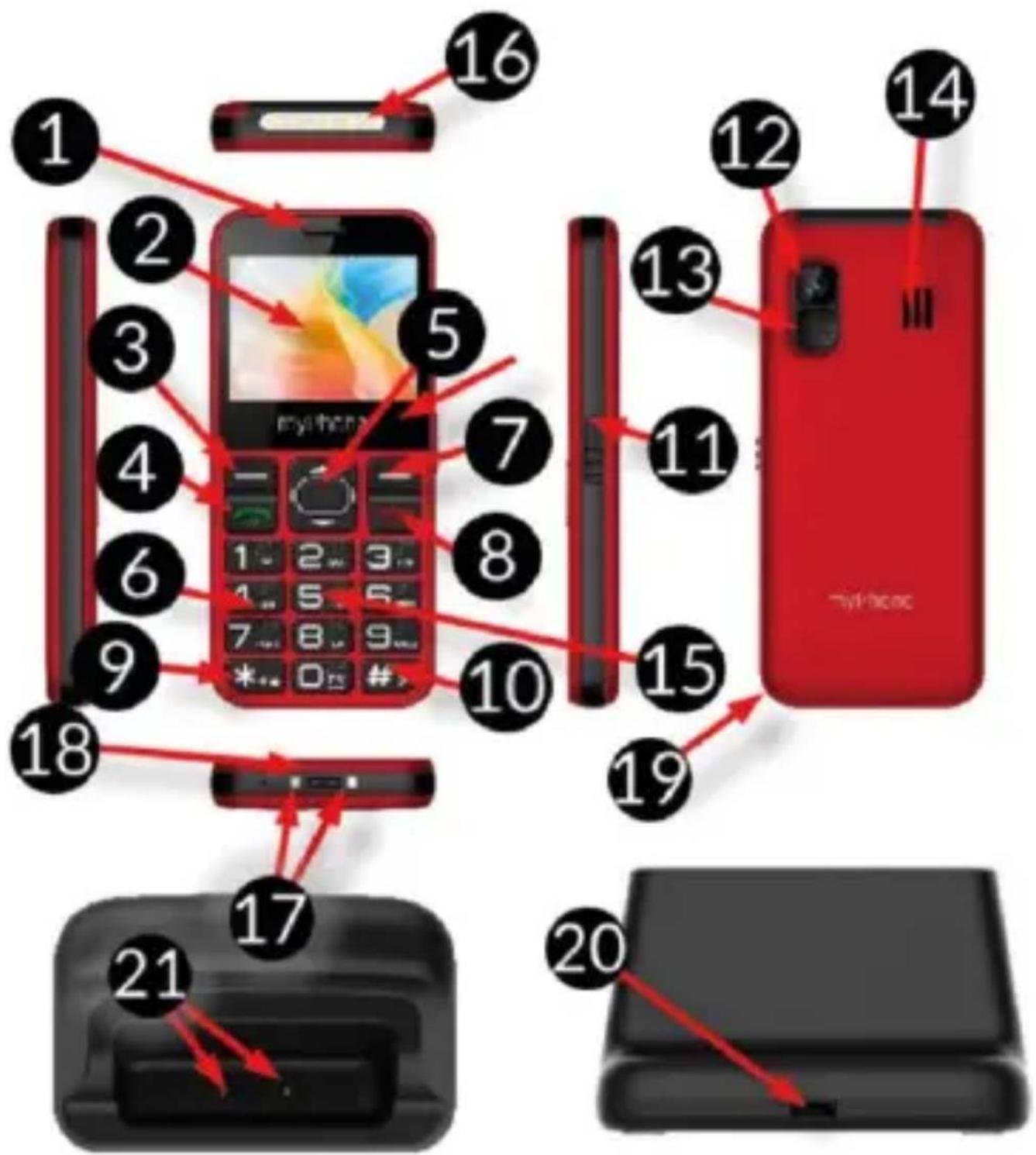
Diagram of a red My phone with numbered parts for identification and assembly, highlighting key components like keypad, screen, and printer.| 1 | Speaker | A speaker used in phone conversations. |
| 2 | Display | LCD display. |
| 3 | button | While on the main screen enables entering the Menu, and confirms choice while in the Menu. |
| 4 | button | Allows you to receive an incoming call or look through the list of calls. |
| 5/6 | Navigation button Up / Down | While in Menu enables navigating around it. On the main screen launches shortcuts to selected functions. |
| 7 | button | Press to enter the phonebook. While in the Menu you can exit or opt out. |
| 8 | button | Allows you to reject an incoming call. While in the Menu allows you to return to the main screen. When held for a long time, it turns off the phone or, if it is switched off, turns it on. |
| 9 | <*>button | Pressed after button Menu allows to lock or unlock the phone. Decreases volume in multimedia apps. When writing an SMS, it displays symbols for insertion into the content. |
| 10 | <#>button | Switches between audio modes and character input modes for texting, increases the volume in multimediaapplications. |
| 11 | Torch On / Off | Allows you to turn on or off the flashlight diode at any time. |
| 12 | Camera | Camera lens. |
| 13 | SOS button | Press and hold to activate an alarm and/or auto-dial of predefined numbers. |
| 14 | External speaker | Loudspeaker for system sounds, ringtones, music. |
| 15 | Phone keypad | Buttons for dialing a phone number on the main screen and entering letters or numbers in the SMS writing mode. |
| 16 | LED | Diode is used as a torch. |
| 17 | Contacts | Allow you to connect your phone to the charging base. |
| 18 | USB-C port | When connected enables recharging the battery. You can transfer data (photos, videos, music) when you connect it to your computer. |
| 19 | Gap | Allows to take off a cover of the phone. |
| 20 | Base USB-C socket | When connected enables recharging the battery of the connected phone |
| 21 | Base connectors | Connects the phone to the charging base and charges the battery |
Turning the phone on/off
To turn the phone on/off press and hold Red handset until the phone switches on. If directly after turning the phone on you will see the PIN code request, (in form of “****”) type the code and press button Menu.
Inserting SIM card(s), memory card and battery
If the phone is switched on - switch it off. Remove the back cover of the phone - use your fingernail to raise it using the gap in the case and remove the battery. Insert the SIM card(s) - place the SIM card(s) with its (their) golden contacts facing down as the recess is embossed.
Insert the memory card - to open the cover of the card reader slide it gently up. Insert the microSD memory card with its gold contacts facing down, the way in which the slot is made. Close the flip by sliding it delicately downwards. Insert the battery so that its gold contacts touch the tripple connector in the phone bay.
Put on and gently press down the cover until you hear the click of the latches. Make sure the cover is well attached.
Charging the battery
Connect the USB-C charger to the charger connector on your phone, then connect the charger into the power grid.
*CAUTION: Improper connection of the charger can cause serious damage to the phone. Damages caused by an improper use of the phone are not covered by the warranty.
During charging, the battery icon in the upper right corner of the screen should be animated. When charged, the battery icon will no longer be animated and then disconnect the charger from the wall outlet. Unplug the cable from the socket on the phone.
Emergency change of language
To restore the factory settings, enter, starting from the phone Menu: [Menu]
Factory settings
To restore the factory settings, select in the phone Menu: [Settings] > [Restore Settings]. The code for resetting to factory settings is: 1122.
Battery management
This feature is available when you start your phone for the first time or later under path [Menu]>[Settings]>[Battery management]
Battery management modes allow you to extend battery life by changing its charging settings.
Description of battery condition modes:
- Normal mode - charges the battery normally to 100%.
- Economy mode - charges the battery to 80%
Troubleshooting
| Komunikat | Possible solution |
| Insert SIM card | Make sure that the SIM card is installed correctly. |
| Input PIN | If the SIM card is secured with the PIN code you have to enter the PIN when turning the phone on and press. |
| No one can call me | The phone has to be on and within GSM network reach. |
| Network fail | In areas where signal or reception is weak, calls may not be possible. Also receiving calls may not be possible. Move to another location and try again. |
| Poor sound quality during conversation | Make sure that the speaker and microphone are not covered. |
| I cannot hear the caller./ The caller cannot hear me | The mic. should be close to mouth.Check if the built-in mic. is not covered.When a headset is un use, check if it has been connected correctly.Check if the built-in speaker isn’t covered. |
| The connection cannot be established | Check if the typed-in phone number is correct. Check if the phone number entered to the [Contacts] is correct. Enter the correct phone number if necessary. |
Device maintenance
Follow the instructions below.
- For cleaning use only a dry cloth. Never use any agent with a high concentration of acids or alkalis.
- Use the original accessories only. Violation of this rule may result in an invalidation of the warranty.
Correct disposal of electrical and electronic equipment
natural_image
Simple line drawing of a trash bin with crossed lines indicating no waste or restriction (no text or symbols)
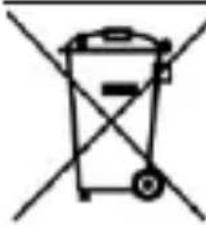
The device is marked with a crossed-out garbage bin, in accordance with the European Directive 2012/19/EU on used electrical and electronic Equipment (Waste Electrical and Electronic equipment - WEEE). Products marked with this symbol should not
be disposed of or dumped with other household waste after a period of use. The user is obliged to get rid of used electrical and electronic equipment by delivering it to designated recycling point in which dangerous waste are being recycled. Collecting this type of waste in designated locations, and the actual process of their recovery contribute to the protection of natural resources. Proper disposal of used electrical and electronic equipment is beneficial to human health and environment. To obtain information on where and how to dispose of used electrical and electronic equipment in an environmentally friendly manner user should contact their local government office, the waste collection point, or point of sale, where the equipment was purchased.
Correct disposal of used batteries
natural_image
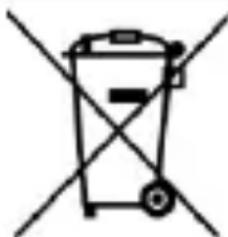
Simple line drawing of a trash bin with no text or symbolsAccording to the EU directive 2006/66/EC with changes contained in EU directive 2013/56/UE on the disposal of batteries, this product is marked with crossed-out garbage bin symbol. The symbol indicates that the batteries used in this product should not be disposed with regular household waste, but treated according to the legal directives and local regulations. It is not allowed to dispose of batteries and accumulators with unsorted municipal waste. Users of batteries and accumulators must use the available collection points of these items, which allows them to return, recycle and disposal. Within the EU, the collection and recycling of batteries and accumulators is a subject to separate procedures. To learn more about existing procedures of recycling of batteries and accumulators please contact your local office or an institution for waste disposal or landfill.
www.myphone.pl/qr/myphone-halo-3
text_image
Yellow triangular warning sign with a black circle containing a sound wave and an ear symbol—SLUCH—
natural_image
Yellow triangular warning sign with sun and eye symbol (no text)-ZRAK-
text_image
Diagram of a red My phone with numbered parts for identification and assembly, highlighting key components like keypad, screen, and front panel.natural_image
Simple line drawing of a trash bin with crossed lines indicating no waste or discharge (no text or symbols)natural_image
Simple line drawing of a trash bin with two crossed lines indicating no waste or discharge (no text or symbols)www.myphone.pl/qr/myphone-halo-3
text_image
Yellow triangular warning sign with a black-and-white icon of a human ear and sound waves—SLUCH—
natural_image
Yellow triangular warning sign with sun and eye symbol (no text)—ZRAK—
text_image
Diagram of a red My phone with numbered parts for identification and assembly reference.natural_image
Simple line drawing of a trash bin with crossed lines indicating no waste or discharge (no text or symbols)natural_image
Simple line drawing of a trash bin with crossed lines indicating no waste or prohibition (no text or symbols)www.myphone.pl/qr/myphone-halo-3
text_image
Yellow triangular warning sign with a black outline depicting a human ear and sound waves—HALLÁS—
natural_image
Yellow triangular warning sign with sun and eye symbol (no text)—LÁTÁS—
text_image
Diagram of a red My phone with numbered parts for identification and assembly reference.natural_image
Simple line drawing of a trash bin with crossed lines indicating no waste or discharge (no text or symbols)natural_image
Simple line drawing of a trash bin with no text or symbolswww.myphone.pl/qr/myphone-halo-3
text_image
Yellow triangular warning sign with a black circular icon depicting a human ear and sound wavesacceso.
-UDITO-
natural_image
Yellow triangular warning sign with sun and eye symbol (no text)—VISTA—
natural_image
Simple line drawing of a trash bin with crossed lines indicating no waste or discharge (no text or symbols)natural_image
Simple line drawing of a trash bin with diagonal lines indicating no waste or plastic discharge (no text or symbols)www.myphone.pl/qr/myphone-halo-3
text_image
Yellow triangular warning sign with a black-and-white icon of an ear and sound waves—GEHÖR—
natural_image
Yellow triangular warning sign with sun and eye symbol (no text)text_image
Diagram of a red My phone with numbered parts for identification and assembly reference.3
natural_image
Simple line drawing of a trash bin with crossed lines indicating no waste or discharge (no text or symbols)natural_image
Simple line drawing of a trash bin with no text or symbolswww.myphone.pl/qr/myphone-halo-3
text_image
Yellow triangular warning sign with a yellow circle containing a sound wave and the word 'A' inside, indicating hearing or noise.-OÍDO-
natural_image
Yellow triangular warning sign with black sun and eye symbol (no text)—VISTA—
text_image
Diagram of a red My phone with numbered parts for identification and assembly, highlighting key components like keypad, screen, and front panel.natural_image
Simple line drawing of a trash bin with crossed lines indicating no waste or discharge (no text or symbols)natural_image
Simple line drawing of a trash bin with crossed lines indicating no waste or discharge (no text or symbols)www.myphone.pl/qr/myphone-halo-3
—SERVICE PROFESSIONNEL—
text_image
Yellow triangular warning sign with a black-and-white icon depicting an ear and sound waves—SONS—
natural_image
Yellow triangular warning sign with an eye and sun symbol (no text)Dimensions: 126.3 x 58.3 x 14.5 mm
Poids: 86 g
text_image
Diagram of a red My phone with numbered parts for identification and assembly reference.natural_image
Simple line drawing of a trash bin with crossed lines indicating no waste or discharge (no text or symbols)natural_image
Simple line drawing of a trash bin with two crossed lines indicating no waste or discharge (no text or symbols)www.myphone.pl/qr/myphone-halo-3
text_image
Yellow triangular warning sign with a white ear and sound waves symbolouvido.
—AUDIÇÃO—
natural_image
Yellow triangular warning sign with black sun and eye symbol (no text)—VISÃO—
text_image
Diagram of a red My phone with numbered parts for identification and assembly, highlighting key components like keypad, screen, and front panel.natural_image
Simple line drawing of a trash bin with crossed lines and a blank rectangular base (no text or symbols)natural_image
Simple line drawing of a trash bin with no text or symbolswww.myphone.pl/qr/myphone-halo-3
text_image
Yellow triangular warning sign with a black speech bubble and sound waves symbol—KUULMINE—
natural_image
Yellow triangular warning sign with sun and eye symbol (no text)—NÄGEMINE—
text_image
Diagram of a red My phone with numbered parts for identification and assembly reference.natural_image
Simple line drawing of a trash bin with crossed lines indicating no waste or discharge (no text or symbols)natural_image
Simple line drawing of a trash bin with no text or symbolswww.myphone.pl/qr/myphone-halo-3
—PAGALBOS SKAMBUČIAI—
text_image
Yellow triangular warning sign with a black circular icon depicting a human ear and sound waves—KLAUSA—
natural_image
Yellow triangular warning sign with a sun and eye symbol (no text)text_image
Diagram of a red My phone with numbered parts for identification and assembly reference.natural_image
Simple line drawing of a trash bin with crossed lines indicating no waste or discharge (no text or symbols)natural_image
Simple line drawing of a trash bin with two crossed lines indicating no waste or prohibition (no text or symbols)www.myphone.pl/qr/myphone-halo-3
text_image
Warning sign with yellow triangle and ear icon, indicating sound or hearing hazard—DZIRDE—
natural_image
Yellow triangular warning sign with sun and eye symbol (no text)—REDZE—
text_image
Diagram of a red My phone with numbered parts for identification and assembly reference.natural_image
Simple line drawing of a trash bin with crossed lines indicating no waste or plastic (no text or symbols)natural_image
Simple line drawing of a trash bin with no text or symbolswww.myphone.pl/qr/myphone-halo-3
text_image
Warning sign with yellow triangle and black outline depicting a human ear with sound wavesnatural_image
Yellow triangular warning sign with sun and eye symbol (no text)text_image
Diagram of a red My phone with numbered parts for identification and assembly reference.natural_image
Simple line drawing of a trash bin with crossed lines indicating no waste or discharge (no text or symbols)natural_image
Simple line drawing of a trash bin with two crossed lines indicating no waste or prohibition (no text or symbols)www.myphone.pl/qr/myphone-halo-3
text_image
Warning sign with yellow triangle and black outline depicting a human ear with sound waves-СЛУХ-
natural_image
Yellow triangular warning sign with a black sun and eye symbol (no text)text_image
Diagram of a red My phone with numbered parts for identification and assembly, highlighting key components like keypad, screen, and front panel.natural_image
Simple line drawing of a trash bin with two crossed lines indicating no text or symbols (no text or labels)natural_image
Simple line drawing of a trash bin with crossed lines indicating no waste or discharge (no text or symbols)www.myphone.pl/qr/myphone-halo-3
text_image
Warning sign with yellow triangle and black outline depicting a human ear with sound wavesnatural_image
Yellow triangular warning sign with a stylized eye and sun symbol (no text)00-511 Warsaw, Poland
Website: www.mptech.eu
text_image
Diagram of a red My phone with numbered parts for identification and assembly reference.natural_image
Simple line drawing of a trash bin with two crossed lines indicating no waste or prohibition (no text or symbols)
natural_image
Simple line drawing of a trash bin with two crossed lines indicating no waste or restriction (no text or symbols)www.myphone.pl/qr/myphone-halo-3
text_image
Yellow triangular warning sign with a black-and-white icon of an ear and sound waves—HXOΣ—
natural_image
Yellow triangular warning sign with an eye and sun symbol (no text)—ΟΡΑΣΗ—
text_image
Diagram of a red My phone with numbered parts for identification and assembly reference.natural_image
Simple line drawing of a trash bin with two crossed x-axes (no text or symbols)natural_image
Simple line drawing of a trash bin with crossed lines indicating no waste or restriction (no text or symbols)www.myphone.pl/qr/myphone-halo-3
text_image
Warning sign with yellow triangle and black outline depicting a human ear with sound waves—SLUŠANJE—
natural_image
Yellow triangular warning sign with a stylized eye and sun symbol (no text)-VID-
00-511 Warsaw, Poland
www.myphone.pl
Sadržaj pakiranja
Savjetuje vam da zadržite pakiranje za slučaj pritužbi. Pakiranje držite izvan dohvata djece.
Iz ekoloških razloga, ovo pakiranje ne sadrži punjač. Ovaj uređaj može se napajati pomoću većine USB punjača i kabela s USB-C priključkom.
Tehničke specifikacije
text_image
Diagram of a red My phone with numbered parts for identification and assembly reference.natural_image
Simple line drawing of a trash bin with crossed lines indicating no waste or discharge (no text or symbols)Uređaj je označen prekriženom kantom za smeće sukladno Europskoj Direktivi 2012/19/EU o iskorištenoj električkoj i elektroničkoj opremi (upotrijebljena električka i elektronička oprema – WEEE). Proizvodi označeni ovim simbolom se ne smiju
natural_image
Simple line drawing of a trash bin with crossed lines indicating no waste or discharge (no text or symbols)Sukladno EU direktivi 2006/66/EC s promjenama sadržanim u direktivi 2013/56/UE o zbrinjavanju baterija ovaj proizvod je označen prekriženim simbolom kante za smeće. Simbol označava da se baterije korištene u ovom proizvodu ne smiju zbrinjavati s normalnim kućanskim smećem, nego ih treba tretirati sukladno zakonskim odredbama i lokalnim propisima. Nije dozvoljeno zbrinjavati baterije i akumulatore zajedno s nesortiranim gradskim otpadom. Korisnici baterija i akumulatora moraju koristiti sabirna mjesta za te proizvode gdje je omogućen njihov povrat, recikliranje i zbrinjavanje. U EU skupljanje i recikliranje baterija i akumulatora je predmet posebnih postupaka. Kako biste doznali više o postojećim postupcima za recikliranje baterija i akumulatora, obratite se lokalnoj upravi ili instituciji za zbrinjavanje otpada.