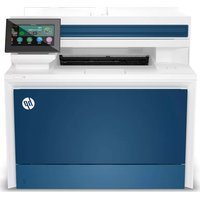
Color LaserJet Pro MFP 4302dw - Printer HP - Free user manual and instructions
Find the device manual for free Color LaserJet Pro MFP 4302dw HP in PDF.


| Product type | Color laser multifunction printer |
| Dimensions (W x D x H) | 420 x 480 x 450 mm |
| Weight | 22 kg |
| Power | 110-240 V AC, 50/60 Hz |
| Main functions | Print, copy, scan, fax |
| Connectivity | Wi-Fi, Ethernet, USB, fax |
| Touchscreen | Yes, control panel |
| Paper capacity | Tray 1: 100 sheets, Tray 2: 250 sheets |
| Automatic document feeder (ADF) | Yes |
| Duplex printing | Automatic |
| Print speed | Up to 28 ppm (black and color) |
| Print resolution | 600 x 600 dpi |
| Maintenance and cleaning | Clean the exterior regularly, replace toner cartridges |
| Security | Access control, secure connection |
| Spare parts and repairability | Toner cartridges, maintenance kit |
| General information | Brand: HP, Model: Color LaserJet Pro MFP 4302dw |
Frequently Asked Questions - Color LaserJet Pro MFP 4302dw HP
User questions about Color LaserJet Pro MFP 4302dw HP
0 question about this device. Answer the ones you know or ask your own.
Ask a new question about this device
Download the instructions for your Printer in PDF format for free! Find your manual Color LaserJet Pro MFP 4302dw - HP and take your electronic device back in hand. On this page are published all the documents necessary for the use of your device. Color LaserJet Pro MFP 4302dw by HP.
USER MANUAL Color LaserJet Pro MFP 4302dw HP
HP Color LaserJet Pro
MFP 4302dw, fdn, fdw series
2
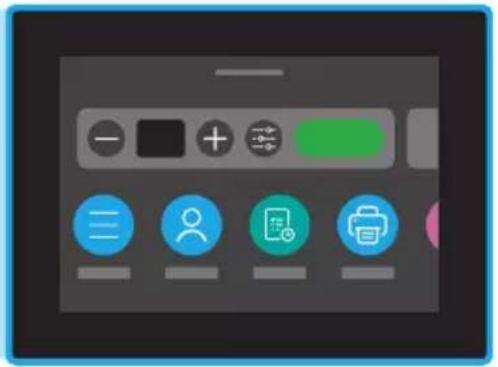
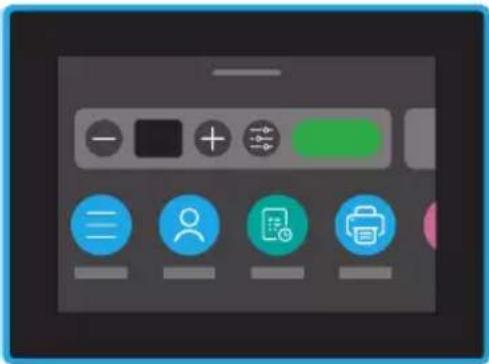
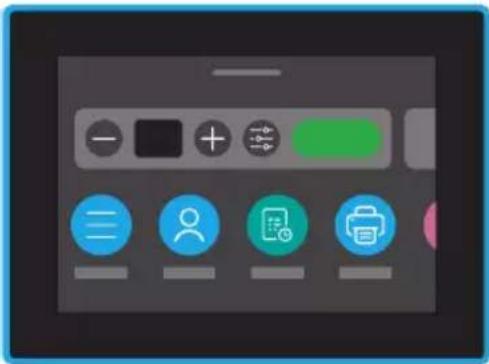
Control panel
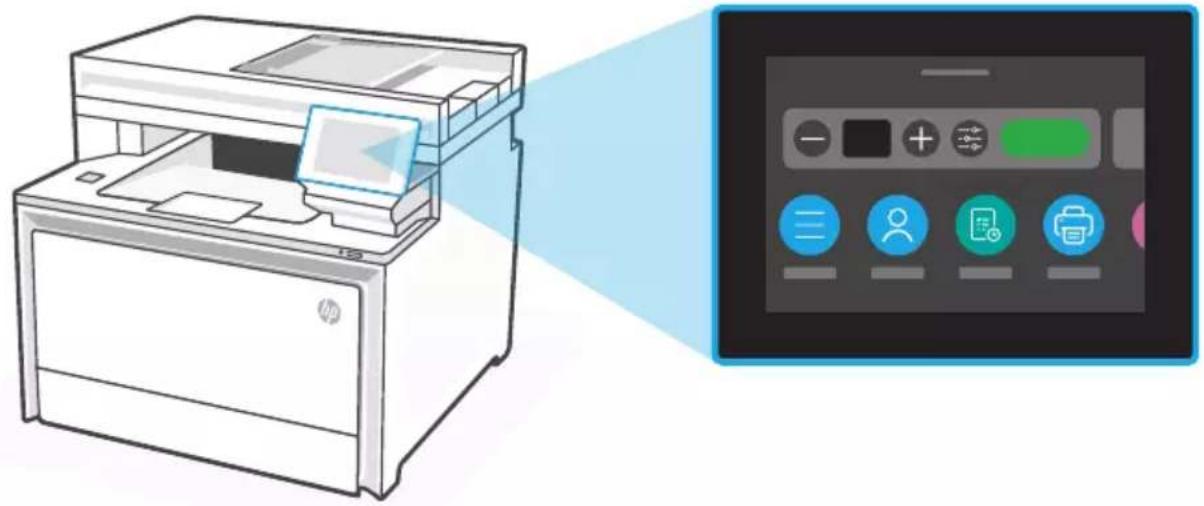
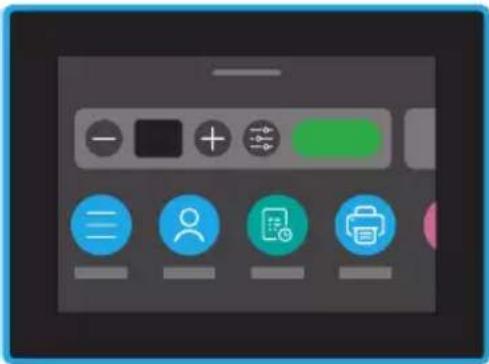
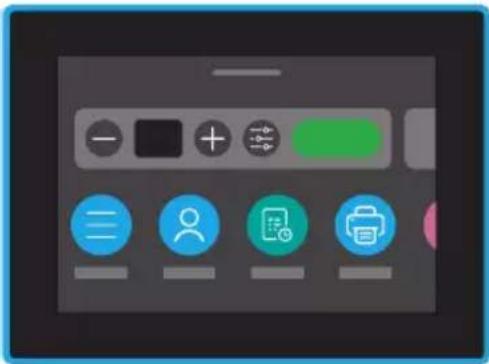
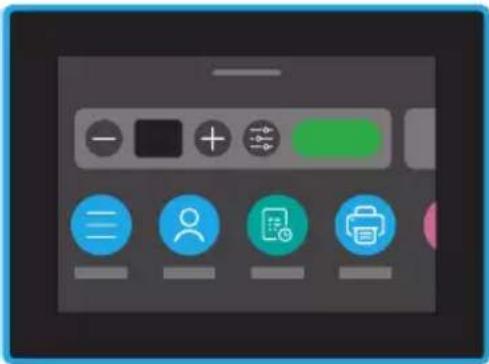
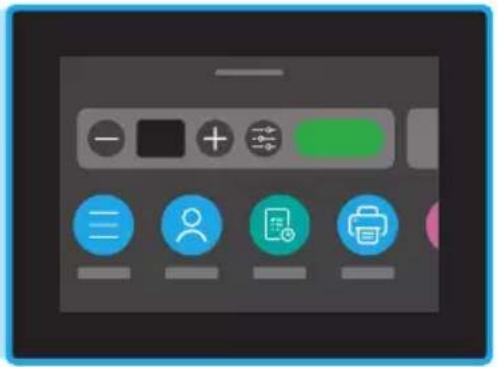
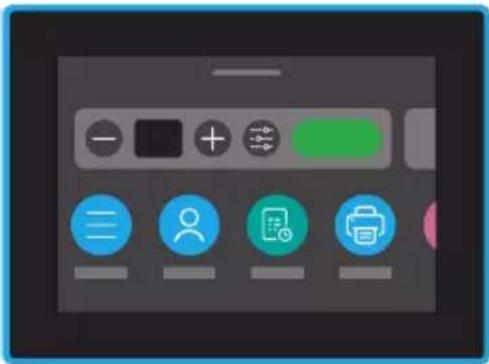
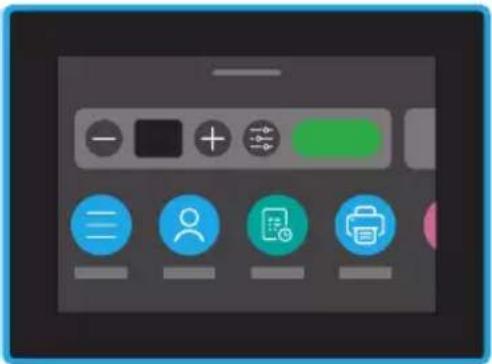
Dashboard
Open the Dashboard by touching or swiping at the top of the display to access printer tasks and status.

Menu
View all printer capabilities.

Sign In/Sign Out
Provides Access Control to the printer.

Job


Scan

Copy

Fax

USB

Help

Paper
Help with paper loading
If loading legal paper, squeeze the latch behind the front of the tray and pull forward. Tray 2 will extend from the front of the printer approximately 2 inches (51 mm). For more printer specific help information, visit hp.com/support/colorljmfp4301-4303.
Printer features
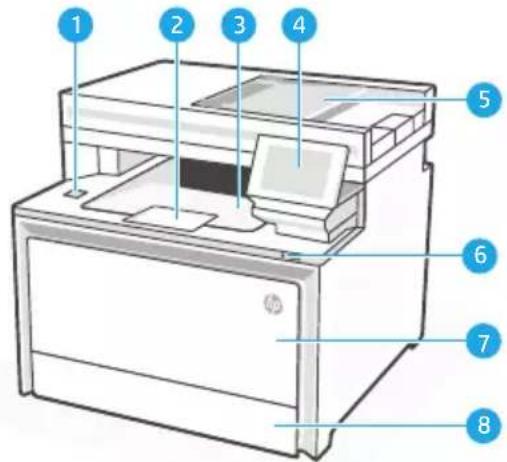
Front
Walk-up USB port (wireless models only)1
2 Output tray extender
3 Output tray
4 Control panel
5 Automatic document feeder
6 Power button
7 Tray 1/Toner access door
Tray 28
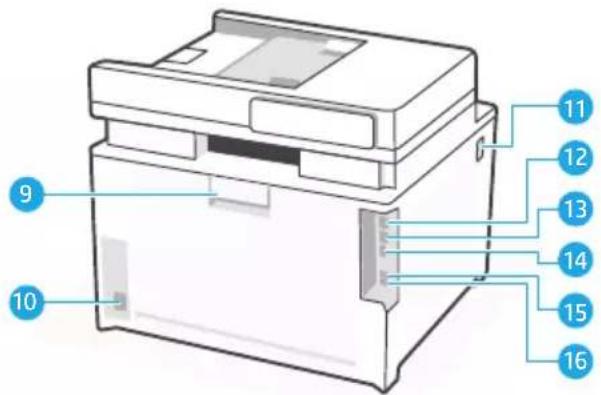
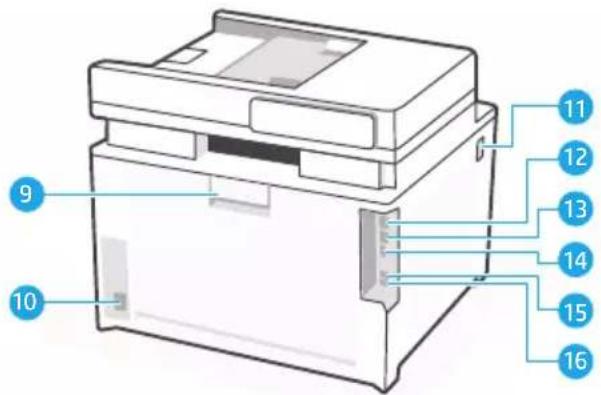
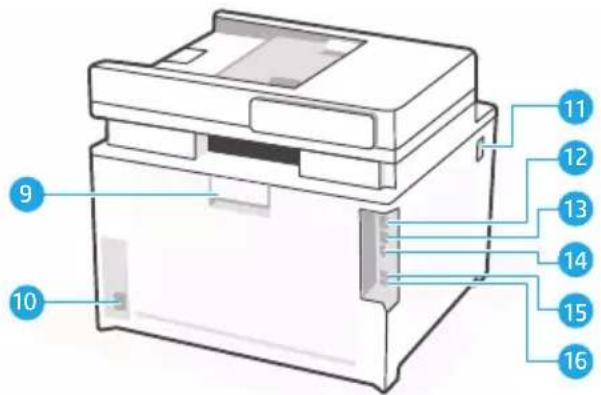
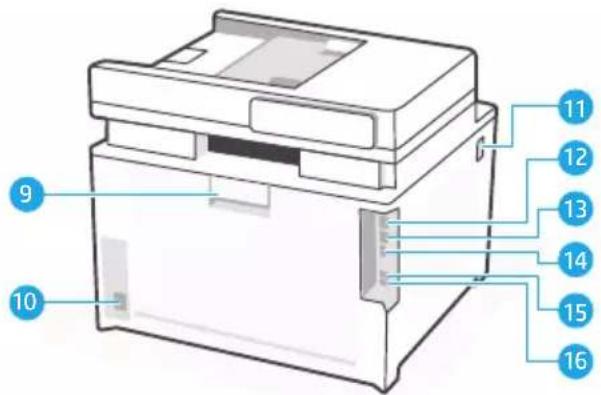
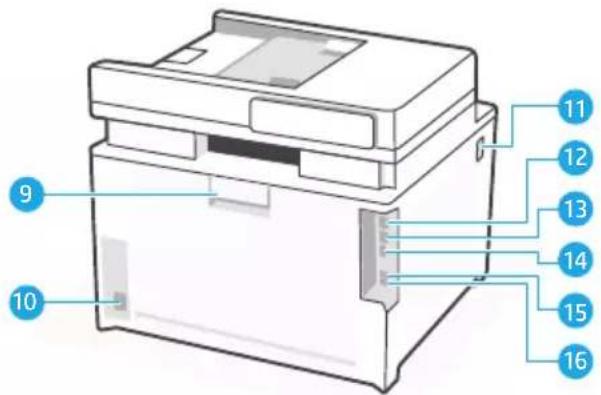
Back
Rear door9 Power connection10 Access toner cartridges11 USB port for computer connection12 Ethernet port13 USB port for Job Storage14 Fax port: Fax "line in"*15 Fax port: Telephone "line out"*16
* Fax models only
During Setup: Help and tips for Wi-Fi and connectivity
If the software is unable to find your printer during setup, check the following conditions to resolve the issue.
Potential Issue Solution
| Printer Wi-Fi setup mode timed out Check the control panel, and restart wireless setup mode, if prompted. | |
| Computer too far from printer Move your computer closer to the printer. Your computer might be out of range of the printer's Wi-Fi signal. | |
| Computer connected to a Virtual Private Network (VPN) or remote work network | Disconnect from a VPN before installing HP printer software. Connect to the VPN again after finishing printer setup.Note: Consider your location and the security of the Wi-Fi network before disconnecting from a VPN. |
| Wi-Fi turned off on computer (computer connected by Ethernet) | If your computer is connected by Ethernet, turn on the computer's Wi-Fi while setting up the printer. You don't need to disconnect the Ethernet cable from the printer. |
Post-Setup: Help and tips for Wi-Fi and connectivity
If you completed setup, but have issues with maintaining a Wi-Fi connection, check the wireless status and restart setup mode to try connecting again.
Potential Issue Solution
Printer won't reconnect or maintain a connection to network (Post-setup)
- On the control panel, select Menu > Information > Connectivity > Wi-Fi. if the printer is listed as "Not Connected", proceed to Step 2.
- Go back to the Home screen. Select Menu > Settings > Network > Restore Network Settings.
- Wait for one minute. Open the printer software and try connecting again.

Help and Support
For printer troubleshooting and videos, visit the HP support site.
https://www.hp.com/support/colorljmfp4301-4303
Panneau de commande
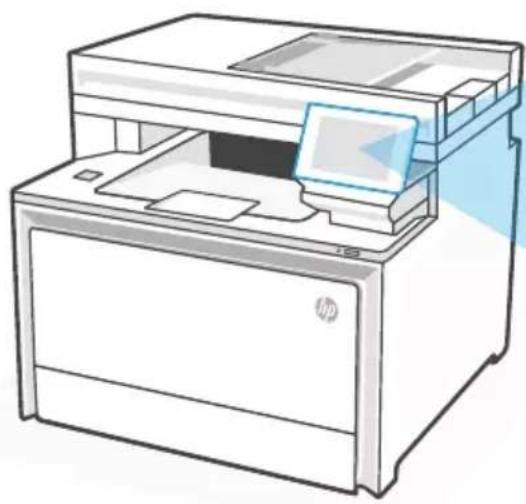
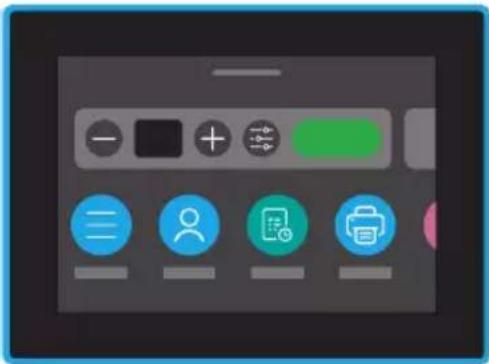
Tableau de bord
Avant
Dashboard
Vorne
Hinten
Hintere Klappe9
Netzanschluss10
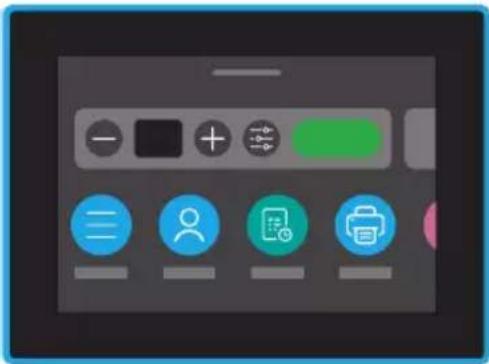
Dashboard
Parte anteriore
Porta USB walk-up (solo modelli wireless)1
Parte posteriore
Sportello posteriore9
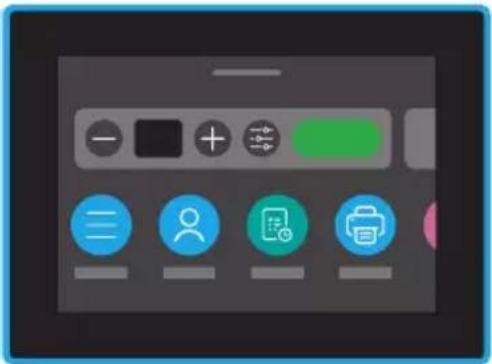
Panel
Parte delantera
Табло за управление
Отпред
Отзад
Задна вратичка9
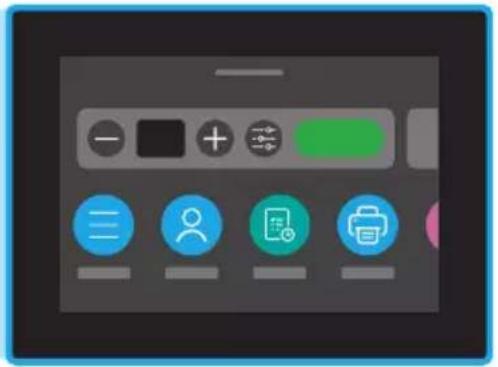
Escriptori digital
Part davantera
Part posterior
Porta posterior9

Upravljačka ploča
Prednja strana
1 USB priključak za izravan rad – walk-up (samo za bežične modele)
2 Produžetak izlazne ladice
3 Izlazna ladica
4 Upravljačka ploča
5 Uređaj za automatsko umetanje papira
6 Gumb za uključivanje
7 Ladica 1 / vrata za pristup toneru
Ladica 28
Stražnja strana
Stražnja vrata9

Řídicí panel
Přední strana
Zadní strana
Dashboard
Forside
Forrige
Bagdæksel9
Strømtislutning10
Dashboard
Voorkant
Tonercartridge to e gang 11
Töölaud
Esiosa
Koontinäyttö
Etuosa
USB-portti (vain langattomissa malleissa)1
Takaosa
Takaluukku9
Πίνακας εργαλείων
Μπροστινό μέρος
Irányítópult
Elülső nézet

Priekšpuse
Ataskaitų sritis
Priekis
Dashbord
Forside
USB-port (bare trådløse modeller)1
2 Utskuff-forlenger
3 Utskuff
4 Kontrollpanel
5 Automatisk dokumentmater
6 Av/på-knapp
7 Skuff 1/Tonertilgangsdeksel
Skuff 28
Bakside
Bakre deksel9
Strømtilkobling10
Tilgang til tonerkassetter11
Tablica rozdzielcza
Przód
Painel
Parte frontal
Porta USB portátil (apenas modelos sem fio)1

Tabloul de bord
Partea frontală
Port walk-up USB (doar modelele wireless)1
2 Extensie tavă de ieşire
3 Tavă de ieşire
4 Panoul de control
5 Alimentatorul automat de documente
6 Buton de alimentare
7 Tava 1/uşă de acces la toner
Tava 28
Partea din spate
Uşa din spate9
Riadiaci panel
Predná časť
Zadná časť
Nadzorna plošča
Spredaj
Kontrollpanel
Framsida
Manuell USB-port (endast trådlösa modeller)1
Baksida
Bakre lucka9
Nätanslutning10

בְרָהוּוֹת
תְרָה וּוֹת
https://www.hp.com/support/
colorljmfp4301-4303
© Copyright 2022 HP Development Company, L.P.
Reproduction, adaptation or translation without prior written permission is prohibited, except as allowed under the copyright laws.
The information contained herein is subject to change without notice.
The only warranties for HP products and services are set forth in the express warranty statements accompanying such products and services. Nothing herein should be construed as constituting an additional warranty. HP shall not be liable for technical or editorial errors or omissions contained herein.
4RA83-90011
- HP COLOR LASERJET PRO
- CONTROL PANEL
- DASHBOARD
- MENU
- SIGN IN/SIGN OUT
- HELP WITH PAPER LOADING
- PRINTER FEATURES
- FRONT
- BACK
- DURING SETUP: HELP AND TIPS FOR WI-FI AND CONNECTIVITY
- POST-SETUP: HELP AND TIPS FOR WI-FI AND CONNECTIVITY
- POTENTIAL ISSUE SOLUTION
- HELP AND SUPPORT
- PANNEAU DE COMMANDE
- TABLEAU DE BORD
- AVANT
- VORNE
- HINTEN
- PARTE ANTERIORE
- PARTE POSTERIORE
- PANEL
- PARTE DELANTERA
- ТАБЛО ЗА УПРАВЛЕНИЕ
- ОТПРЕД
- ОТЗАД
- ESCRIPTORI DIGITAL
- PART DAVANTERA
- PART POSTERIOR
- UPRAVLJAČKA PLOČA
- PREDNJA STRANA
- STRAŽNJA STRANA
- ŘÍDICÍ PANEL
- PŘEDNÍ STRANA
- ZADNÍ STRANA
- FORSIDE
- FORRIGE
- VOORKANT
- TÖÖLAUD
- ESIOSA
- KOONTINÄYTTÖ
- ETUOSA
- TAKAOSA
- ΠΊΝΑΚΑΣ ΕΡΓΑΛΕΊΩΝ
- ΜΠΡΟΣΤΙΝΌ ΜΈΡΟΣ
- IRÁNYÍTÓPULT
- ELÜLSŐ NÉZET
- PRIEKŠPUSE
- ATASKAITŲ SRITIS
- PRIEKIS
- DASHBORD
- BAKSIDE
- TABLICA ROZDZIELCZA
- PRZÓD
- PAINEL
- PARTE FRONTAL
- TABLOUL DE BORD
- PARTEA FRONTALĂ
- PARTEA DIN SPATE
- RIADIACI PANEL
- PREDNÁ ČASŤ
- ZADNÁ ČASŤ
- NADZORNA PLOŠČA
- SPREDAJ
- KONTROLLPANEL
- FRAMSIDA
- BAKSIDA
- בְרָהוּוֹת
Brand : HP
Model : Color LaserJet Pro MFP 4302dw
Category : Printer