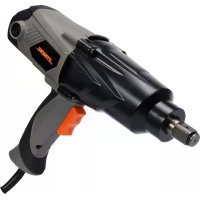
57097 - Screwdriver Sthor - Free user manual and instructions
Find the device manual for free 57097 Sthor in PDF.



| Product type | Impact wrench |
| Brand | Sthor |
| Model | 57097 |
| Rated voltage | 230-240 V~ |
| Rated frequency | 50 Hz |
| Rated power | 1100 W |
| Rotation speed | 2200 min⁻¹ |
| Maximum torque | 800 Nm |
| Impact frequency | 4000 min⁻¹ |
| Drive size | 3/4" (19 mm) |
| Electrical protection class | II |
| Protection rating (IP) | IP20 |
| Weight | 4.1 kg |
| Sound pressure level | 89.0 dB(A) ± 3.0 |
| Sound power level | 100.0 dB(A) ± 3.0 |
| Vibration (impact screwing) | 10.04 m/s² ± 1.5 |
| Power supply | Mains |
| Additional handle | Yes, removable |
| Functions | Screwing and unscrewing with forward/reverse |
| Safety | Torque limiter, overload protection |
| Maintenance and cleaning | Clean with compressed air, brush or dry cloth; do not use chemical products |
| Repairability | Entrust to authorized after-sales service; use original spare parts |
Frequently Asked Questions - 57097 Sthor
User questions about 57097 Sthor
0 question about this device. Answer the ones you know or ask your own.
Ask a new question about this device
Download the instructions for your Screwdriver in PDF format for free! Find your manual 57097 - Sthor and take your electronic device back in hand. On this page are published all the documents necessary for the use of your device. 57097 by Sthor.
USER MANUAL 57097 Sthor
PL ELEKTRYCZNY KLUCZ UDAROWY
EN ELECTRIC IMPACT WRENCH
DE ELEKTRO-SCHLAGSCHRAUBER
RU ЭЛЕКТРИЧЕСКИЙ ГАЙКОВЕРТ
UA ЭЛЕКТРИЧНИЙ ГАЙКОВЕРТ
LT ELEKTRINIS SMÜGINIS VERŽLIASUKIS
LV ELEKTRISKÂ TRIECIENATSLÇGA
CZ ELEKTRICKÝ RÁZOVÝ UTAHOVÁK
SK ELEKTRICKÝ RÁZOVÝ UŤAHOVÁK
HU ELEKTROMOS ÜTVECSAVAROZÓ
RO CHEIE ELECTRICĂ
ES LLAVE DE IMPACTO ELÉCTRICA
FR CLE A CHOCS ELECTRIQUE
IT AVVITATORE ELETTRICO AD IMPULSO
NL ELEKTRISCHE SLAGMOERSLEUTEL
GR HΛΕΚΤΡΙΚΟ ΚΛΕΙΔΙ ΣΥΣΦΙΞΗΣ
natural_image
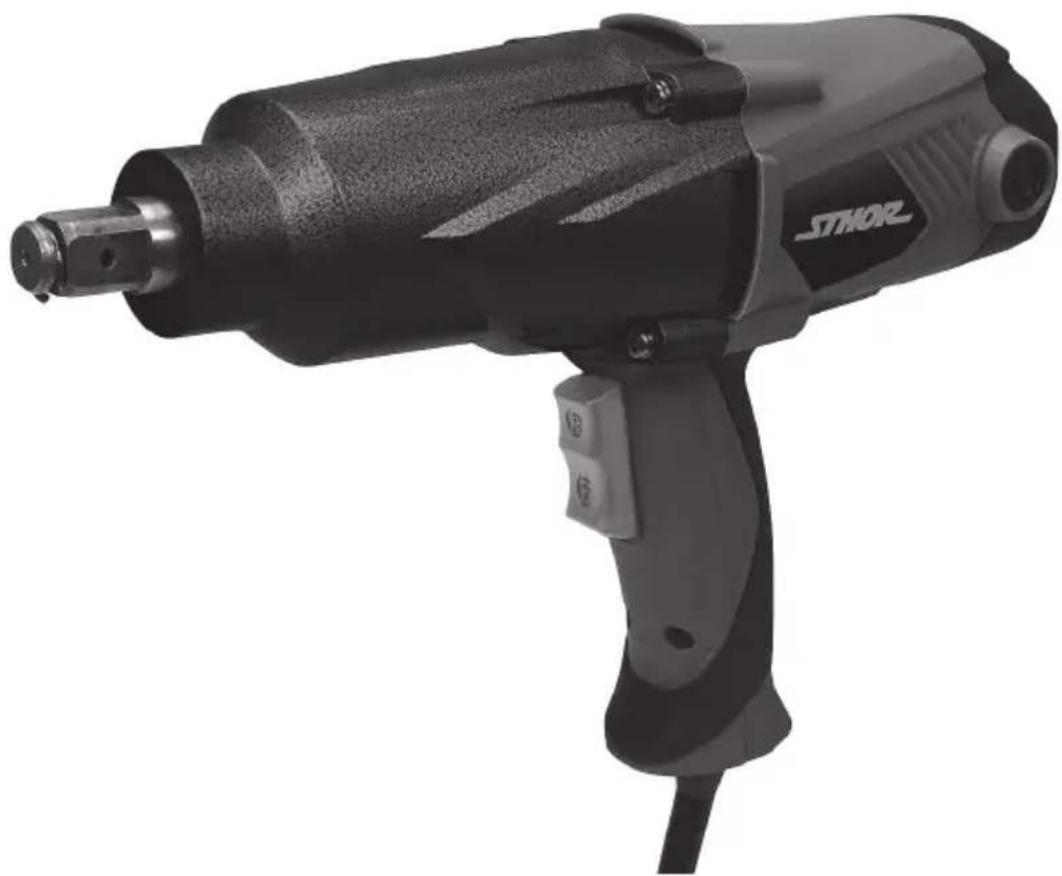
Black and white photo of a STHOR electric drill with handle and control buttons (no visible text or symbols on body)CE
PL EN DE RU UA LT LV CZ SK HU RO ES FR IT NL GR
natural_image
Close-up of a mechanical component being held, showing a cylindrical part inserted into a housing (left) and a separate cylindrical component with a labeled section (right), both without any visible text or symbols.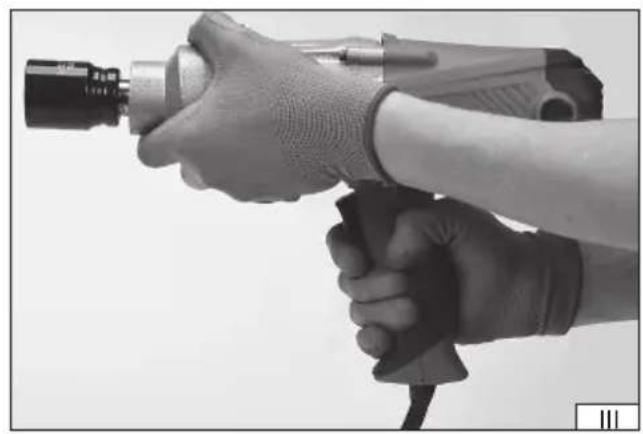
natural_image
Close-up of hands holding a handheld electric drill bit, no visible text or symbols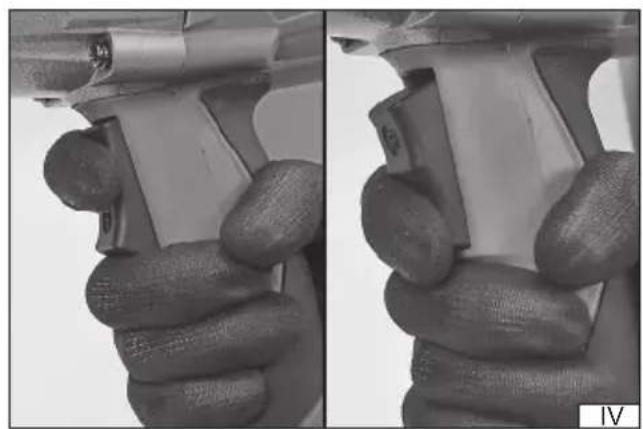
natural_image
Close-up of hands holding a mechanical component, showing a hand holding a tool with a small inset view (no text or symbols visible)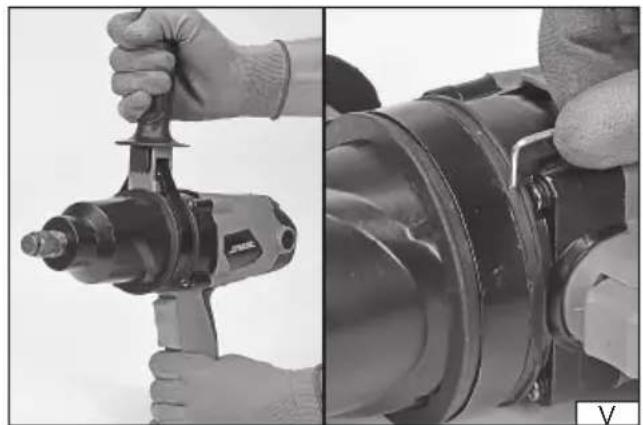
natural_image
Close-up of hands operating a drill press and inspecting a mechanical component (no visible text or symbols)Read the operating instruction
Wear protective goggles
Wear hearing protectors
Second class of electrical safety
This symbol indicates that waste electrical and electronic equipment (including batteries and storage cells) cannot be disposed of with other types of waste. Waste equipment should be collected and handed over separately to a collection point for recycling and recovery, in order to reduce the amount of waste and the use of natural resources. Uncontrolled release of hazardous components contained in electrical and electronic equipment may pose a risk to human health and have adverse effects for the environment. The household plays an important role in contributing to reuse and recovery, including recycling of waste equipment. For more information about the appropriate recycling methods, contact your local authority or retailer.
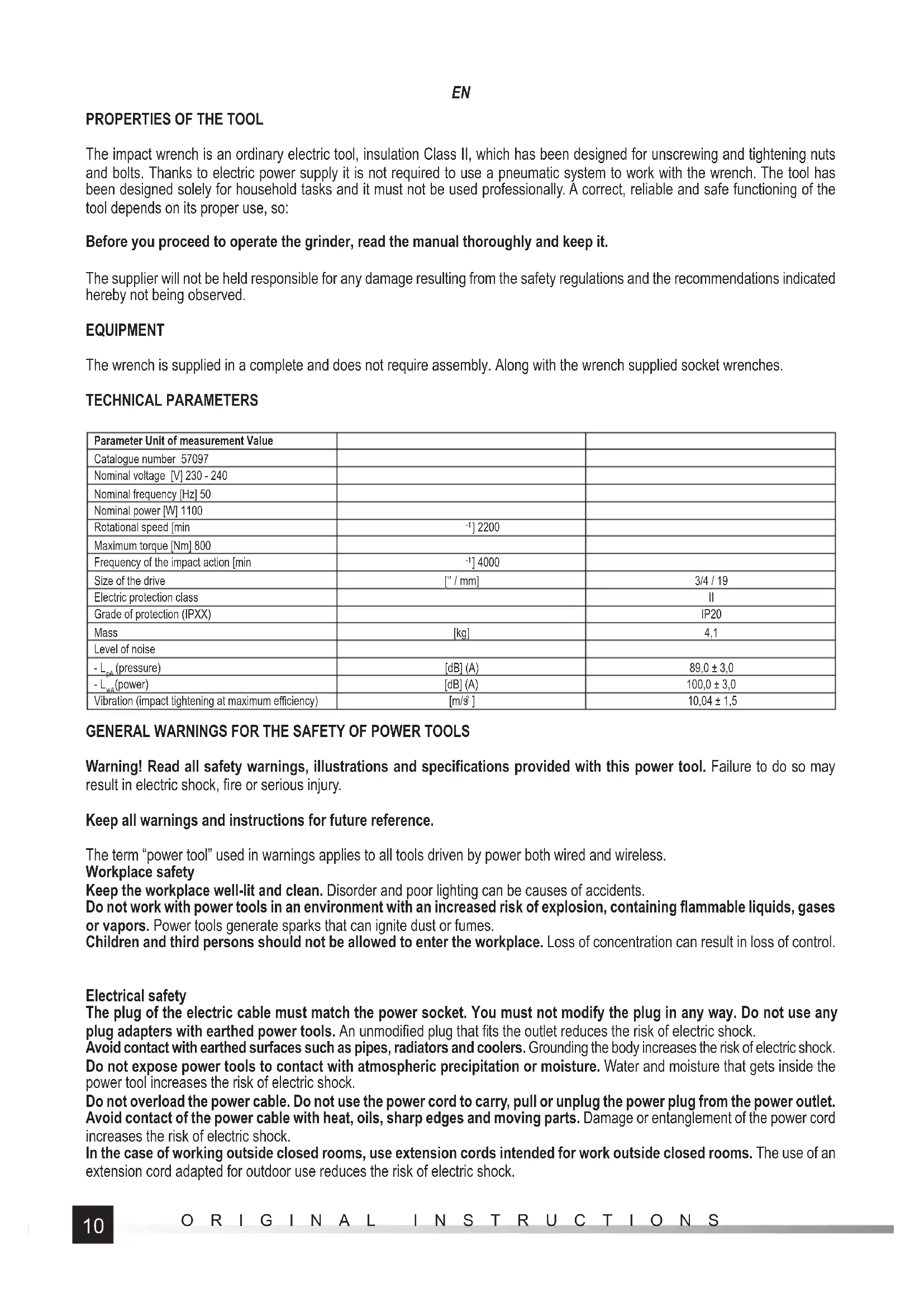
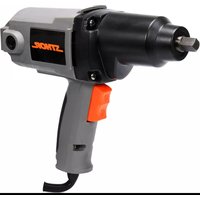
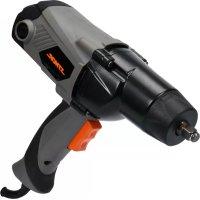
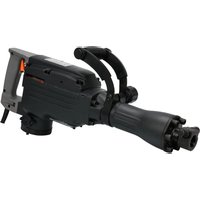
The impact wrench is an ordinary electric tool, insulation Class II, which has been designed for unscrewing and tightening nuts and bolts. Thanks to electric power supply it is not required to use a pneumatic system to work with the wrench. The tool has been designed solely for household tasks and it must not be used professionally. A correct, reliable and safe functioning of the tool depends on its proper use, so:
Before you proceed to operate the grinder, read the manual thoroughly and keep it.
The supplier will not be held responsible for any damage resulting from the safety regulations and the recommendations indicated hereby not being observed.
EQUIPMENT
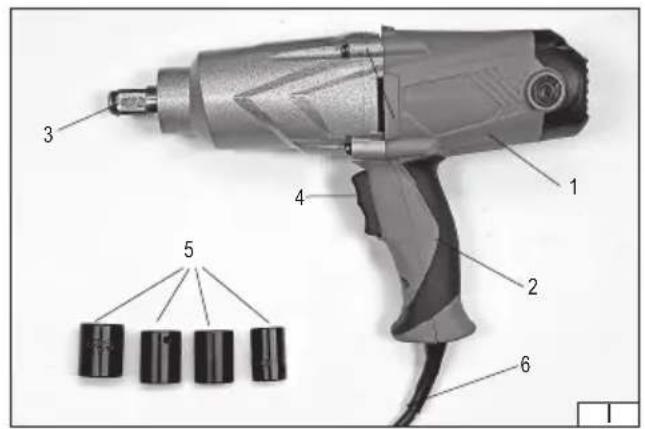
The wrench is supplied in a complete and does not require assembly. Along with the wrench supplied socket wrenches.
TECHNICAL PARAMETERS
| Parameter Unit of measurement Value | ||
| Catalogue number 57097 | ||
| Nominal voltage [V] 230 - 240 | ||
| Nominal frequency [Hz] 50 | ||
| Nominal power [W] 1100 | ||
| Rotational speed [min] | -1] 2200 | |
| Maximum torque [Nm] 800 | ||
| Frequency of the impact action [min] | -1] 4000 | |
| Size of the drive | [1/ mm] | 3/4 / 19 |
| Electric protection class | II | |
| Grade of protection (IPXX) | IP20 | |
| Mass | [kg] | 4,1 |
| Level of noise | ||
| - L_pa (pressure) | [dB] (A) | 89,0 ± 3,0 |
| - L_wa (power) | [dB] (A) | 100,0 ± 3,0 |
| Vibration (impact tightening at maximum efficiency) | [m/s2] | 10,04 ± 1,5 |
GENERAL WARNINGS FOR THE SAFETY OF POWER TOOLS
Warning! Read all safety warnings, illustrations and specifications provided with this power tool. Failure to do so may result in electric shock, fire or serious injury.
Keep all warnings and instructions for future reference.
The term "power tool" used in warnings applies to all tools driven by power both wired and wireless.
Workplace safety
Keep the workplace well-lit and clean. Disorder and poor lighting can be causes of accidents.
Do not work with power tools in an environment with an increased risk of explosion, containing flammable liquids, gases or vapors. Power tools generate sparks that can ignite dust or fumes.
Children and third persons should not be allowed to enter the workplace. Loss of concentration can result in loss of control.
Electrical safety
The plug of the electric cable must match the power socket. You must not modify the plug in any way. Do not use any plug adapters with earthed power tools. An unmodified plug that fits the outlet reduces the risk of electric shock.
Avoid contact with earthed surfaces such as pipes, radiators and coolers. Grounding the body increases the risk of electric shock.
Do not expose power tools to contact with atmospheric precipitation or moisture. Water and moisture that gets inside the power tool increases the risk of electric shock.
Do not overload the power cable. Do not use the power cord to carry, pull or unplug the power plug from the power outlet. Avoid contact of the power cable with heat, oils, sharp edges and moving parts. Damage or entanglement of the power cord increases the risk of electric shock.
In the case of working outside closed rooms, use extension cords intended for work outside closed rooms. The use of an extension cord adapted for outdoor use reduces the risk of electric shock.
EN
When using a power tool in a humid environment is unavoidable as a protection against supply voltage use a residual current device (RCD). The use of RCD reduces the risk of electric shock.
Personal safety
Stay alert, pay attention to what you do and keep common sense while working with the power tool. Do not use a power tool when you are tired or under the influence of alcohol or medication. Even a moment of inattention while working can lead to serious personal injury.
Use personal protective equipment. Always wear eye protection. The use of personal protective equipment such as dust masks, anti-slip safety shoes, helmets and hearing protection reduce the risk of serious personal injury.
Prevent accidental operation. Make sure that the electric switch is in the “off” position before connecting to the power supply and / or battery, lifting or moving the power tool. Moving the power tool with the finger on the switch or powering the power tool, when the switch is in the “on” position can lead to serious injuries.
Before turning on the power tool remove any keys and other tools that were used to adjust it. The key left on the rotating parts of the power tool can lead to serious injuries.
Do not reach and do not lean too far. Keep the right attitude and balance all the time. This will allow easier control over the power tool in case of unexpected work situations.
Dress accordingly. Do not wear loose clothing or jewelry. Keep your hair and clothing away from moving parts of the power tool. Loose clothing, jewelry or long hair can be caught by moving parts.
If the devices are fitted for the connection of dust extraction or dust collection, make sure that they are connected and used properly. The use of dust extraction reduces the risk of dust hazards.
Do not let the experience acquired from frequent use of the tool resulted in carelessness and ignoring safety rules.
Carefree action can cause serious injuries in a fraction of a second.
Use and care of the power tool
Do not overload the power tool. Use the power tool appropriate for the selected application. The right power tool will provide a better and safer job if used according to the designed load.
Do not use the power tool, if the electric switch does not allow switching on and off. Power tool, which cannot be controlled by means of a power switch is dangerous and must be returned for repair.
Disconnect the plug from the power socket and / or remove the battery if it is detachable from the power tool before adjusting, changing accessories or storing the tool. Such preventive measures will allow you to avoid accidentally turning on the power tool.
Keep the tool out of the reach of children, do not let people who do not know how to operate the power tool or these instructions use a power tool. Power tools are dangerous in the hands of untrained users.
Maintain power tools and accessories. Check the tool for mismatches or jams of moving parts, damage to parts and any other conditions that may affect the operation of the power tool. Damage must be repaired before using the power tool. Many accidents are caused by incorrectly maintained tools.
Keep cutting tools sharp and clean. Properly maintained cutting tools with sharp edges are less prone to jamming and are easier to control when working.
Use power tools, accessories and inserted tools etc. in accordance with these instructions, taking into account the type and conditions of work. The use of tools for work other than designed is likely to result in a dangerous situation.
Handles and gripping surfaces must be dry, clean and free from oil and grease. Slippery handles and gripping surfaces do not allow for safe operation and control of the tool in dangerous situations.
Repairs
Repair the power tool only in authorized facilities using only original spare parts. This ensures proper operation safety of the power tool.
SCREWDRIVERS SAFETY WARNINGS
Hold the power tool by insulated gripping surfaces, when performing an operation where the fastener may contact hidden wiring or its own cord. Fastener contacting a “live” wire may make exposed metal parts of the power tool “live” and could give the operator an electric shock.
ADDITIONAL SAFETY INSTRUCTIONS
While using the tool, it is required to observe at all times the recommendations indicated in the manual as well as other safety recommendations.
The tool must not be exposed to precipitations.
Make always sure the power supply voltage corresponds to the value indicated in the rating plate of the tool.
Before you proceed to operate the tool, make sure the wrench sockets to be used are not damaged. In case any damage has been detected, the sockets must be immediately replaced.
Socket head wrenches and other inserted tools must be adequate for operation with pneumatic tools. The sockets and other inserted tools must be in good working order, clean and undamaged, and their sizes must be appropriate for the size of the drive.
EN
It is prohibited to modify the wrench sockets or the drive.
During work it is always required to wear protective goggles, and it is recommended to wear gloves and protective clothes.
During work the wrench must be always held with both hands.
ATTENTION! Installation of accessories may be realises only when the power supply voltage is off. Remove the plug of the power supply cord of the tool from the mains socket!
Installation of equipment
The wrench is equipped with an auxiliary handle, which increases the work safety. The handle should be mounted by tightening the clamping ring of the handle on the wrench housing. Set the handle in the position that ensures maximum work safety, i.e. that the main and the additional handle formed the angle of 180 degrees. This will allow you effectively counteract the return response of the wrench.
Then, by tightening the grip of the handle, mount it tightly and firmly to the wrench body and stabilize the handle by tightening the two screws in the wrench clamping ring(V).
During tightening or unscrewing the screws, there can be created forces, that will try to turn the wrench body contrary to the revs of an inserted tool (e.g., wrench socket). The additional handle helps to counteract these forces and makes the work safer.
Attention! It is forbidden to operate without installed auxiliary handle.
Work with impact socket head wrenches
Before you start turning bolts or nuts with a socket head wrench, place the bolt or nut manually on the thread (at least two turns).
Make sure the size of the socket head wrench has been selected correctly in relation to the element to be tightened or undone.
Incorrect size may be a cause of damage both to the wrench and the nut or the bolt.
Tightening and undoing bolts and nuts
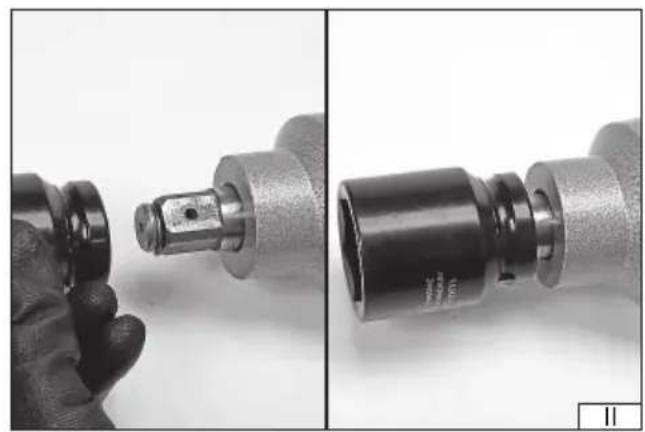
Install an adequate socket head impact wrench on the drive (II)
Connect the tool to the mains.
Grab the tool with both hands. (III)
Place the socket head wrench on the nut or bolt head.
Press the switch and hold it in the position which corresponds to the required direction of rotation. (IV)
In case an element is to be tightened, press and hold the switch at the position F, while in case of undoing elements hold it in the position R.
In case an element is to be tightened, once the maximum torque has been reached the overload coupling will be activated and the drive power transmission system will be turned off. Then release the switch and wait until the rotation of the motor has stopped.
In case elements are to be undone, make sure the torque at which the nut was tightened does not exceed the maximum torque for the wrench. In such case the overload coupling will also be activated, and it may turn out to be impossible to undo the nut.
Once the element has been undone, release the switch of the tool and wait until the rotation of the motor has stopped.
Once work has been concluded disconnect the tool from the mains and realise maintenance activities.
Additional information
The declared total value of vibrations may be used at the preliminary evaluation of exposition.
Attention! Emission of vibrations during work with the tool may differ from the declared value, depending on how the tool is used.
Attention! It is required to determine the safety measures to protect the operator, which are based upon evaluation of exposition under real conditions of operation (including all the stages of the working cycle, e.g. when the tool is off or idling, as well as when the tool is on).
MAINTENANCE AND OVERHAUL
ATTENTION! Before any adjustment, technical service or maintenance operations unplug the tool. Once the operations have been finished, the technical conditions of the tool must be assessed by means of external evaluation and inspection of the following elements: body and handle, conductor with a plug and deflection, functioning of the electric switch, patency of ventilation slots, sparking of brushes, noise level of functioning of bearings and gears, start-up and smoothness of operation. During the guarantee period, the user cannot dismantle the electric tools or change any sub-assemblies or elements, since it will cancel any guarantee rights. All irregularities detected at overhaul or during functioning of the tools are a signal to have the tool repaired at a service shop. Once the functioning has been concluded, the casing, ventilation slots, switches, additional handle and protections must be cleansed with a stream of air (at a pressure not exceeding 0.3 MPa), with a brush or a cloth without any chemical substances or cleaning liquids. Tools and handles must be cleansed with a clean cloth.
DE
CHARAKTERISTIK DES ERZEUGNISSES
PRODUKTA RAKSTUROJUMS
DECLARATION OF CONFORMITY
1124/57097/EC/2024
We declare and guarantee with full responsibility that the following products:
Electric impact wrench 230 - 240 V\~; 50 Hz; 1100 W; 2200 min ^-1 ; 19 mm; item no. 57097
meet requirements of the following European Standards / Technical Specifications:
EN 62841-1:2015 + A11:2022
EN 62841-2-2:2014
EN IEC 55014-1:2021
EN IEC 55014-2:2021
EN IEC 61000-3-2:2019 + A1:2021
EN 61000-3-3:2013 + A1:2019
and fulfill requirements of the following European Directives:
2006/42/EC Machinery and safety elements
2014/30/EU Electromagnetic compatibility (EMC) Directive
2011/65/EU Restriction of the Use of Certain Hazardous Substances
Serial number: concern all serials numbers of item(s) mentioned in this declaration
The person authorized to compile the technical file:
Agnieszka Rędziak
(Place and date of issue)
V-CE PREZES ZARZADU
JAN SZMIDT
(Name and signature of authorized person)
TOYA S.A.
- EQUIPMENT
- TECHNICAL PARAMETERS
- GENERAL WARNINGS FOR THE SAFETY OF POWER TOOLS
- Workplace safety
- Electrical safety
- EN
- Personal safety
- Use and care of the power tool
- Repairs
- SCREWDRIVERS SAFETY WARNINGS
- ADDITIONAL SAFETY INSTRUCTIONS
- Installation of equipment
- Tightening and undoing bolts and nuts
- Additional information
- MAINTENANCE AND OVERHAUL
- DE
- CHARAKTERISTIK DES ERZEUGNISSES
- PRODUKTA RAKSTUROJUMS
- DECLARATION OF CONFORMITY
Brand : Sthor
Model : 57097
Category : Screwdriver