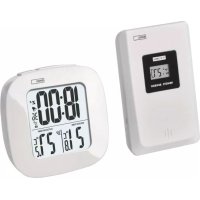
E0127 - Environment thermometer Emos - Free user manual and instructions
Find the device manual for free E0127 Emos in PDF.



| Product type | Environmental thermometer with radio-controlled clock and indoor/outdoor temperature display |
| Brand | Emos |
| Model | E0127 |
| Thermometer power supply | 2 AAA 1.5 V batteries (alkaline recommended) |
| Outdoor sensor power supply | 2 AAA 1.5 V batteries (alkaline recommended) |
| Indoor temperature measurement range | 0 °C to +50 °C |
| Outdoor temperature measurement range | -20 °C to +60 °C |
| Temperature display resolution | 0.1 °C |
| Temperature measurement accuracy | ±1.5 °C |
| Temperature units | °C / °F (selectable) |
| Outdoor sensor range | 30 m in open air |
| Sensor transmission frequency | 433 MHz, max. 0.1 mW e.r.p. power |
| Maximum number of sensors | 1 |
| Clock | DCF radio-controlled (manual setting possible) |
| Functions | Time display, alarm, snooze function, max/min temperature memory, backlight (10 seconds) |
| Maintenance and cleaning | Soft slightly damp cloth; do not use solvents or abrasive cleaners |
| Safety | Do not expose to water, direct fire, extreme temperatures; keep out of reach of children |
| Reparability | Do not repair yourself; contact the dealer in case of defect |
| General information | Compliant with Directive 2014/53/EU; declaration available at http://www.emos.eu/download |
Frequently Asked Questions - E0127 Emos
User questions about E0127 Emos
0 question about this device. Answer the ones you know or ask your own.
Ask a new question about this device
Download the instructions for your Environment thermometer in PDF format for free! Find your manual E0127 - Emos and take your electronic device back in hand. On this page are published all the documents necessary for the use of your device. E0127 by Emos.
USER MANUAL E0127 Emos
natural_image
Technical line drawing of a device casing with internal compartments and mounting points (no text or symbols)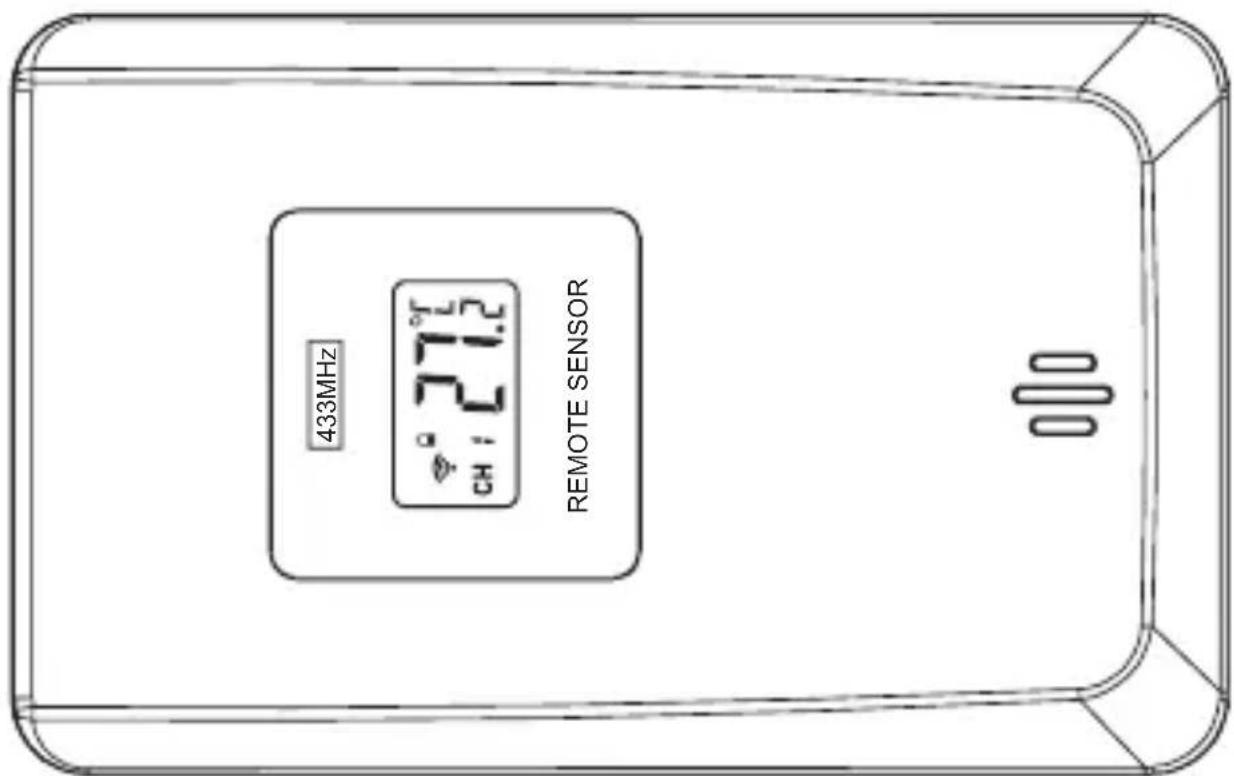
text_image
433MHz ° 27.2 CH : 21.2 REMOTE SENSORGB | Wireless Thermometer
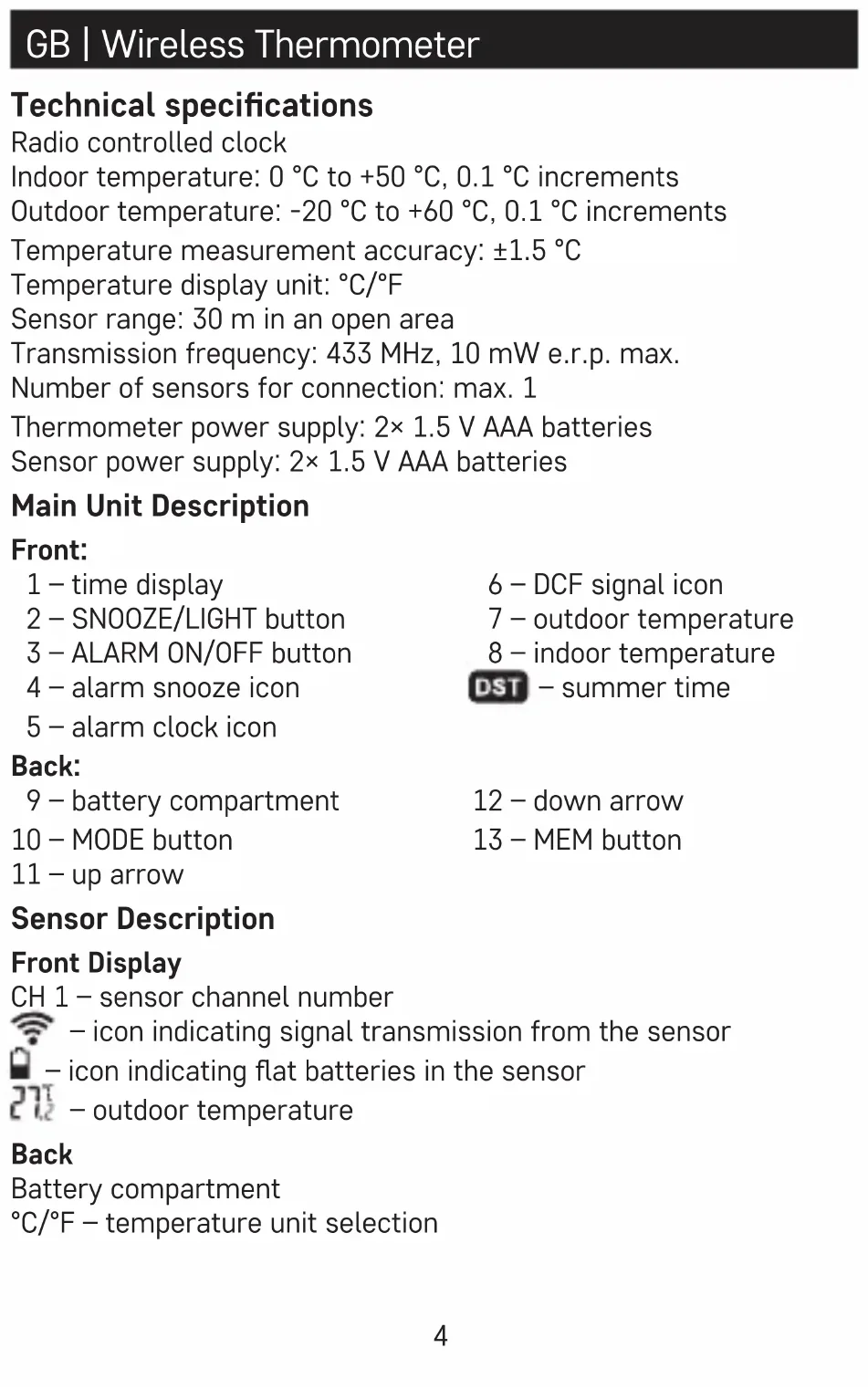
Technical specifications
Radio controlled clock
Indoor temperature: 0 °C to +50 °C, 0.1 °C increments
Outdoor temperature: -20 °C to +60 °C, 0.1 °C increments
Temperature measurement accuracy: ±1.5 °C
Temperature display unit: °C/°F
Sensor range: 30 m in an open area
Transmission frequency: 433 MHz, 10 mW e.r.p. max.
Number of sensors for connection: max. 1
Thermometer power supply: 2× 1.5 V AAA batteries
Sensor power supply: 2× 1.5 V AAA batteries
Main Unit Description
Front:
1 - time display
2 - SNOOZE/LIGHT button
3 - ALARM ON/OFF button
4 - alarm snooze icon
5 - alarm clock icon
6 - DCF signal icon
7 – outdoor temperature
8 – indoor temperature
DST – summer time
Back:
9 – battery compartment
10 - MODE button
11-up arrow
12 - down arrow
13 - MEM button
Sensor Description
Front Display
CH 1 - sensor channel number

- icon indicating signal transmission from the sensor

- icon indicating flat batteries in the sensor

- outdoor temperature
Back
Battery compartment
°C/°F – temperature unit selection
Button Functions
| Mode Standard mode Time settings mode Settings mode | ||||||
| Thermometer button | Button press | Button hold | Button press | Button hold | Button press | Button hold |
| Mode | Show alarm time, date | Time settings | Confirm settings | |||
| ▲ | Switch °C/°F temperature units | Search for sensor signal | 1 step forward | Faster setting | 1 step forward | Faster setting |
| ▼ | Switch °C/°F temperature units | DCF reception on/off | 1 step back | Faster setting | 1 step back | Faster setting |
| MEM | Show max/min temperature | Erase measured max/min values | ||||
| ALARM ON/OFF | Activate/deactivate alarm | Alarm settings | Confirm settings | |||
| SNOOZE/LIGHT | Display backlight | |||||
Operating Instructions
- Place the two units next to each other.
- Insert batteries first into the main unit and then into the wireless sensor.
- Make sure to insert the batteries with the correct polarity. Use alkaline batteries only, not rechargeable accumulators.
- Wait until the thermometer automatically searches and loads the signal from the wireless outdoor sensor.
- It will then display outdoor temperature along with icon. The sensor is automatically set to channel no.1 (CH 1) permanently.
-
We recommend placing the sensor on the north side of the house. The range of the sensor may decrease substantially in areas with large number of obstacles.
-
The sensor is resistant to dripping water; however, it should not be exposed to sustained rain.
- Do not place the sensor on metal objects as this will reduce the transmission range.
- Replace sensor batteries when the low battery icon is shown on the display of the sensor.
- If the thermometer display is difficult to read/weakly backlit, replace batteries in the thermometer.
Radio Controlled Clock (DCF)
The radio signal propagates via radio waves (77.5 kHz) from a site near Frankfurt on the Main in Germany within a range of 1 500 km. This radio time signal automatically takes into account summer and winter time, leap years and date changes.
After registering the wireless sensor, the thermometer will automatically begin searching for DCF signal.
The 📋 icon will be flashing. During the search, no other items on the display will be updated and the buttons will be disabled (except SNOOZE/LIGHT). Once the signal is detected, the icon will stop flashing and the display will show the current time along with 📋 icon.
During summer time, the DST n will be displayed below it.
If DCF signal is not detected, the 📋 icon will not be displayed.
Long press the button to search for DCF signal again. Long press the button to cancel the search for DCF signal.
DCF signal will be synchronised daily every hour between 1 and 5 a.m. Note: If the thermometer detects the DCF signal but the current time on the display is incorrect (e.g. shifted ±1hour), make sure to always correctly set the time zone for the country where you are using the thermometer; see Manual Setting of Time and Date.
In standard conditions (at safe distance from sources of interference, such as TV sets, computer monitors), the reception of time signal takes several minutes.
If the clock does not detect the signal, follow these steps:
-
Move the thermometer to another location and try to detect the DCF signal again.
-
Check the distance of the thermometer from sources of interference (computer monitors or television sets). It should be at least 1.5 to 2 m during the reception of the signal.
- When receiving DCF signal, do not put the thermometer in the proximity of metal doors, window frames and other metal structures or objects (washing machines, dryers, refrigerators etc.).
- In reinforced concrete structures (cellars, high-rise buildings etc.), the DCF signal reception is weaker, depending on the conditions. In extreme cases, place the thermometer close to a window in the direction of the transmitter.
Reception of the DCF 77 radio signal is affected by the following factors:
- thick walls and insulation, basements and cellars,
- inadequate local geographical conditions (these are difficult to assess in advance),
- atmospheric disturbances, thunderstorms, electrical appliances with no interference elimination, television sets and computers located near the DCF receiver.
Manual Setting of Time and Date
- Long press the MODE button on the back of the thermometer.
- Use the arrow keys ▲/▼ to set the time format (12/24 h), hours, minutes, year, month, day, time zone.
- Press the MODE button to move between the values.
- Hold the up or down arrow to set values faster.
Switching °C/°F Temperature Units
Repeatedly pressing the ▲ buttons will switch between °C or °F temperature units.
Display Mode
Repeatedly pressing the MODE button will display: current time – alarm time – date.
Alarm Settings
Long pressing the ALARM ON/OFF button and using the buttons will set the alarm time.
Move between values using the ALARM ON/OFF button.
Press the ALARM ON/OFF button to set hour and minute. The 🔔 icon indicates that the alarm is active.
To deactivate the alarm, press ALARM ON/OFF again; the bell icon will disappear.
Snooze and Display Backlight Functions
Press the SNOOZE/LIGHT button when the alarm rings to postpone the alarm by about 5 minutes. The display will show the „Zz“ icon. To cancel the snooze function, press any button other than SNOOZE/LIGHT. If you do not want to use the snooze function, press any button other than SNOOZE/LIGHT when the alarm is ringing; the alarm will trigger again the next day.
If you do not press any button while the alarm is ringing, the alarm will be active for 2 minutes and will then trigger the next day.
Press the SNOOZE/LIGHT button while in standard mode to activate display backlight for 10 seconds.
Memory for Measured Values
Pressing the MEM button repeatedly will display the maximum and minimum readings of outdoor and indoor temperature.
To erase the memory, long press the MEM button while in the max/min value display mode.
Care and maintenance
The product is designed to provide trouble-free service for many years if used appropriately. Here is some advice for proper operation:
- Read the manual carefully before using this product.
- Do not expose the product to direct sunlight, extreme cold and moisture, and sudden changes in temperature (this may compromise detection accuracy).
- Do not place the product in locations prone to vibration and shocks – these may cause damage.
- Do not expose the product to excessive force, impacts, dust, high temperatures, rain or humidity -these may cause malfunction, shorter battery life, damage to batteries and deformation of plastic parts.
-
Do not place any open flame sources on the product, e.g. a lit candle, etc.
-
Do not place the product in places with inadequate air flow.
- Do not insert any objects in the product vents.
- To clean the product, use a slightly moistened soft cloth. Do not use solvents or cleaning agents – they could scratch the plastic parts and cause corrosion of the electric circuits.
- The product may not be exposed to dripping or splashing water. Do not immerse it in water or other liquids.
- In the event of damage or defect of the product, do not perform any repairs yourself. Have it repaired in the shop where you bought it.
- Remove dead batteries – they could leak and damage the product. Use only new batteries of the recommended type and make sure polarity is correct when replacing them.
- This device is not intended for use by persons (including children) whose physical, sensory or mental disability or lack of experience and expertise prevents safe use, unless they are supervised or instructed in the use of the appliance by a person responsible for their safety. It is necessary to supervise children to ensure they do not play with the appliance.
Note
- The manufacturer reserves the right to change specifications of the product.
- The manufacturer and supplier are not responsible for malfunction where interference occurs.
- This product is not intended for medical or commercial purposes.
- The product contains small parts, which is why it should be placed out of the reach of children.
- No part of the manual may be reproduced without written permission from the manufacturer.
Hereby, EMOS spol. s r.o. declares that the radio equipment type E0127 is in compliance with Directive 2014/53/EU. The full text of the EU declaration of conformity is available at the following internet address: http://www.emos.eu/download.
Izbira enote temperature °C/°F
Z večkratnim pritiskom na tipki ▲ nastavite prikaz enote temperature °C ali °F.