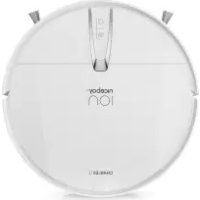
ION Charles i9 - Robot vacuum Niceboy - Free user manual and instructions
Find the device manual for free ION Charles i9 Niceboy in PDF.



| Product type | Robot vacuum cleaner |
| Brand / Model | Niceboy ION Charles i9 |
| Dimensions | 346 x 340 x 99 mm |
| Weight | 3.1 kg |
| Battery | Lithium-ion 5000 mAh, 14.4 V |
| Power | 40 W |
| Dust container capacity | 350 ml |
| Water tank capacity | 450 ml |
| Filter | HEPA high efficiency |
| Connectivity | WiFi via Niceboy ION app |
| Navigation | Radar laser, infrared sensors, cliff sensors |
| Main functions | Scheduled cleaning, automatic return, mapping, vacuuming and mopping |
| Main brush | Single roller |
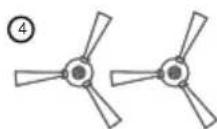
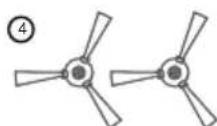
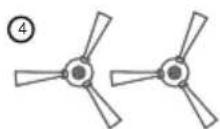
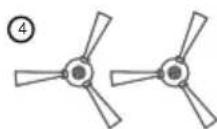
| Side brushes | 2 (one pair) |
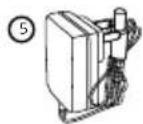
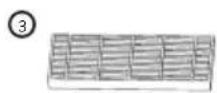
| Included accessories | Charging base, adapter, 2 HEPA filters, 2 side brushes, water tank, 2 cloths, cleaning brush |
| Safety | Cliff sensors, bumper, obstacle detection |
| Maintenance | Regular cleaning of brushes, filters, sensors; firmware update via app |
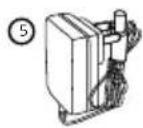
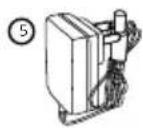
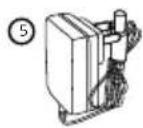
| Power supply | 100-240 V (adapter), output 24 V / 1 A |
| Laser type | Class 1, safe for eyes |
Frequently Asked Questions - ION Charles i9 Niceboy
User questions about ION Charles i9 Niceboy
0 question about this device. Answer the ones you know or ask your own.
Ask a new question about this device
Download the instructions for your Robot vacuum in PDF format for free! Find your manual ION Charles i9 - Niceboy and take your electronic device back in hand. On this page are published all the documents necessary for the use of your device. ION Charles i9 by Niceboy.
USER MANUAL ION Charles i9 Niceboy
User Manual / Robotic Vacuum

text_image
CZ SK EN DE HU HR PL SL RO RU FRObsah
natural_image
Line drawing of a minimalist living room interior with sofa, coffee table, and wall (no text or symbols)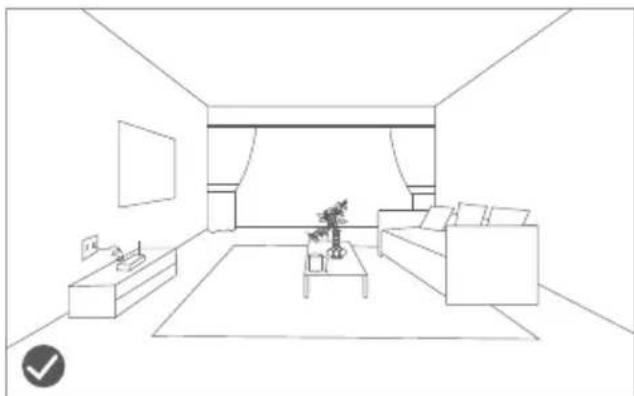
natural_image
Line drawing of a modern living room interior with sofa, coffee table, and TV (no text or symbols)natural_image
Line drawing of a wooden balcony railing with a robotic vacuum cleaner nearby (no text or symbols)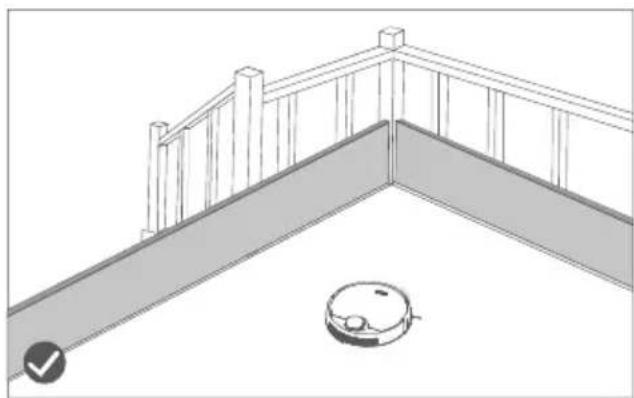
natural_image
Line drawing of a balcony railing with a robotic vacuum cleaner at the base (no text or symbols)3. Informace k produktu
text_image
Diagram of a robotic vacuum cleaner with labeled parts including sensor, battery, and control panel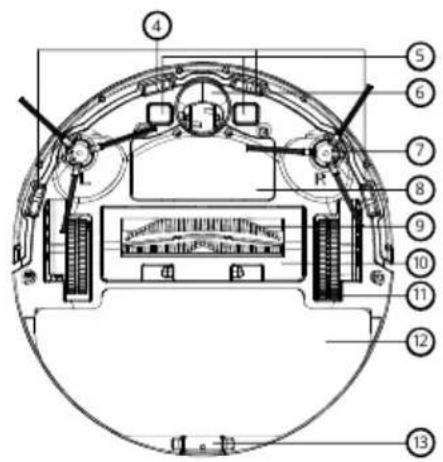
text_image
Technical diagram of a mechanical or electronic component with numbered parts labeled 4 through 13.text_image
Technical diagram of a robotic vacuum cleaner with numbered parts labeled 14 through 21text_image
Technical diagram of a mechanical component with numbered parts labeled 34 and 35-
Sací otvor
-
Spona
text_image
Technical diagram of a mechanical component with numbered parts labeled 36, 37, and 38text_image
Technical diagram of a mechanical component with numbered parts labeled 1, 2, and 3.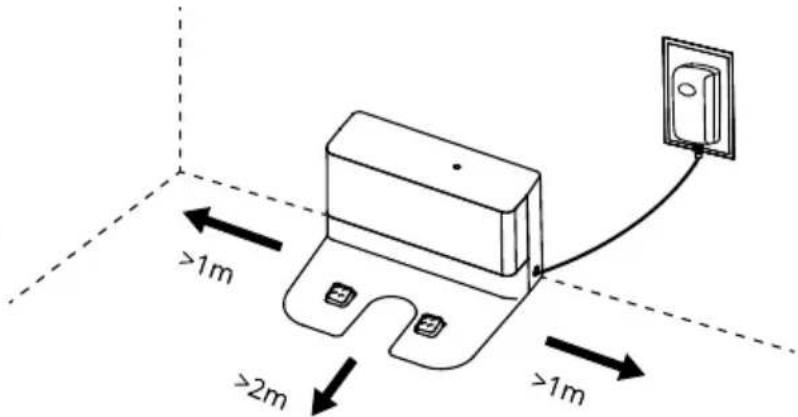
text_image
>1m >2m >1mnatural_image
Line drawing of a robotic vacuum cleaner with attached electrical outlet (no text or symbols)natural_image
Line drawing of a hand inserting a device into a device housing (no text or symbols)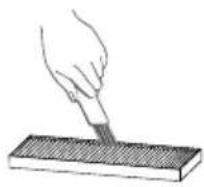
natural_image
Line drawing of a hand pouring liquid into a container with a handle (no text or symbols)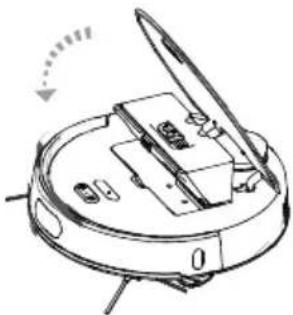
natural_image
Diagram of a robotic arm with a handle and control panel, showing no text or symbolstext_image
Technical diagram of a robotic vacuum cleaner with numbered parts for identificationtext_image
Labeled diagram of a robotic vacuum cleaner with numbered parts for identificationnatural_image
Technical line drawings of two mechanical components with gear-like structures (no text or symbols)natural_image
Diagram of a robotic device with hands operating the internal components (no text or symbols visible)natural_image
Simple line drawing of a device with a handle and base, no text or symbols presentnatural_image
Cross-sectional diagram of a mechanical or electrical component with no visible text or symbolsnatural_image
Line drawing of a robotic vacuum cleaner (no text or symbols)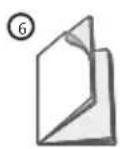
INFORMACE PRO UŽIVATELE K LIKVIDACI ELEKTRICKÝCH A ELEKTRONICKÝCH ZAŘÍZENÍ (DOMÁCNOSTI)
natural_image
Symbol of a trash bin crossed with a diagonal line, no text or numbers presentnatural_image
Line drawing of a minimalist living room interior with sofa, coffee table, and wall (no text or symbols)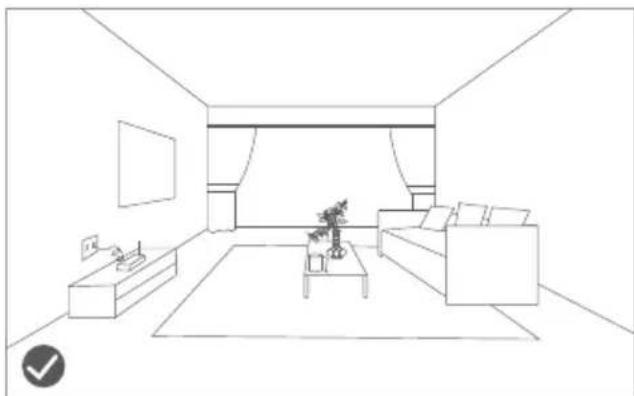
natural_image
Line drawing of a modern living room interior with sofa, coffee table, and TV (no text or symbols)natural_image
Line drawing of a wooden balcony railing with a robotic vacuum cleaner nearby (no text or symbols)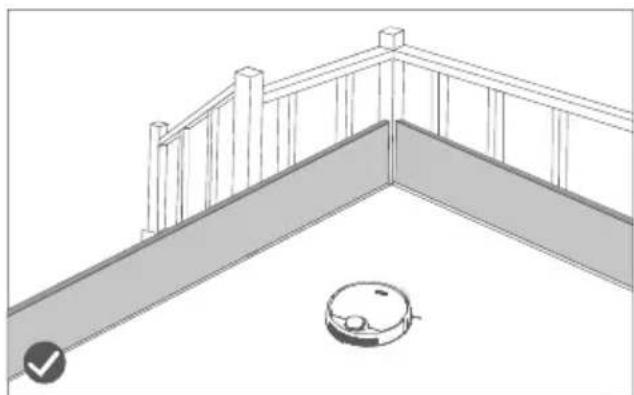
natural_image
Line drawing of a balcony railing with a robotic vacuum cleaner at the base (no text or symbols)text_image
Diagram of a robotic vacuum cleaner with labeled parts including sensor, battery, and control panel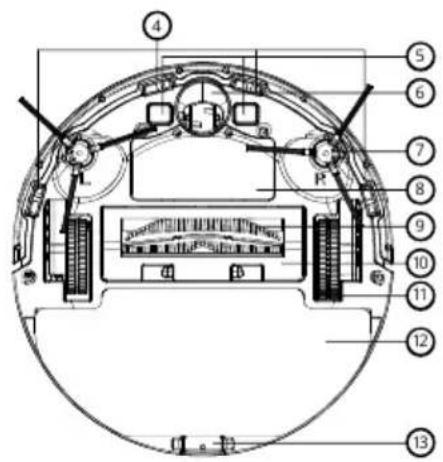
text_image
Technical diagram of a mechanical or electronic component with numbered parts labeled 4 through 13.text_image
Technical diagram of a robotic vacuum cleaner with numbered parts for identification- Snímač vyrovnávania
- Infračervené senzory
- Snímač kolízie
- Infračervený senzor
text_image
Technical diagram of a mechanical component with numbered parts labeled 34 and 35text_image
Technical diagram of a mechanical component with numbered parts labeled 36, 37, and 38text_image
Technical diagram of a mechanical component with numbered parts labeled 1, 2, and 3.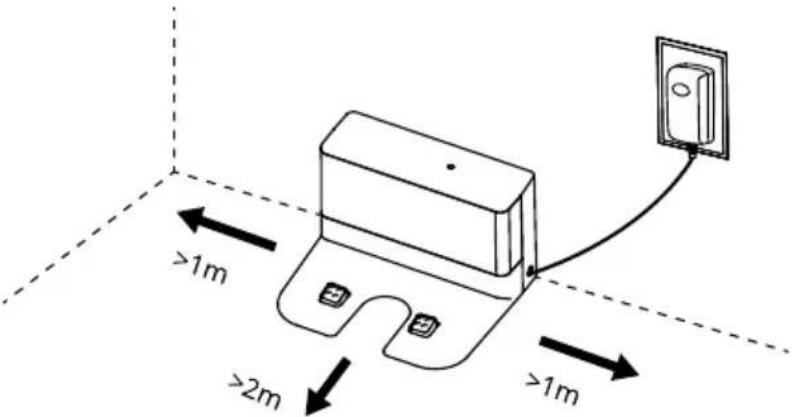
text_image
>1m >2m >1mnatural_image
Line drawing of a robotic vacuum cleaner with a mounted sensor and wiring, no text or symbols presentnatural_image
Line drawing of a hand inserting a device into a device housing (no text or symbols)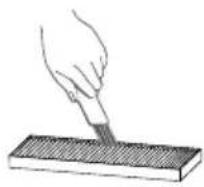
natural_image
Line drawing of a hand pouring liquid into a container with a handle (no text or symbols)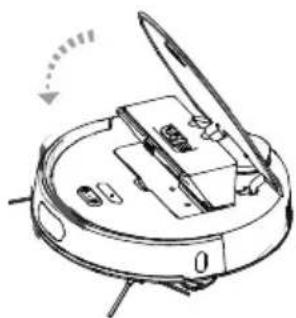
natural_image
Diagram of a robotic device with open lid and internal components, no visible text or symbolstext_image
Technical diagram of a robotic vacuum cleaner with numbered parts for identificationtext_image
Labeled diagram of a robotic vacuum cleaner with numbered parts for identification- Kryt valcovej kefy
- Spona
- Valcová kefa
- Otvor na valcovú kefu
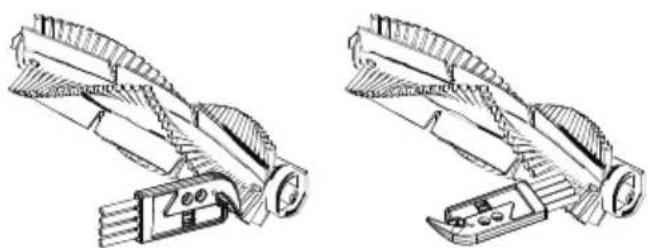
natural_image
Technical line drawings of two mechanical components with gear-like structures (no text or symbols)natural_image
Diagram of a robotic device with hands operating the internal components (no text or symbols visible)natural_image
Simple line drawing of a device with a handle and base, no text or symbols present- V prípade odpojenia napájania utrite nabíjací stojan a nabíjaciu elektródu mäkkou suchou handričkou.
- Nabíjací stojan a nabíjaciu elektródu pravidelne utierajte, aby ste predišli problémom s nabíjaním prístroja na nabíjacom stojane.
6. Údržba
natural_image
Cross-sectional diagram of a mechanical or electrical component with no visible text or symbolsnatural_image
Line drawing of a robotic vacuum cleaner (no text or symbols)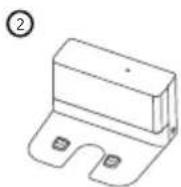
INFORMÁCIE PRE POUŽÍVATELOV K LIKVIDÁCII ELEKTRICKÝCH A ELEKTRONICKÝCH ZARIADENÍ (DOMÁCNOSTI)
natural_image
Symbol of a trash bin crossed with no text or numbers, representing waste sorting or disposal (no text present)- ......Safety Instructions
1.1..... Service restrictions
1.2..... Battery and charging
-
......Precautions
-
......Product Introduction
3.1..... Cleaner Part Diagram
3.2..... Docking station
3.3..... Specifications
- .....Operation Instructions
4.1..... On/Off
4.2..... Charging
4.3..... Dust box
4.4..... Water tank
4.5..... Single suction & Roller brush
-
......APP Connection
-
......Maintenance
6.1..... Cleaning of rolling brush
6.2..... Clean of side brush
6.3..... Battery
6.4..... Charging stand and charging electrode
6.5..... Universal wheel
6.6..... Upgrade the firmware
-
.....Trouble Shooting
-
......FAQ
-
......Packing List
1. Safety Instructions
Please follow the following safety precautions before using the product:
- Please read this manual carefully before using the product and use the product according to the instructions in this manual.
- Any operation inconsistent with this manual may lead to the damage of the product and personal injury.
1.1. Service restrictions
1.1.1. This product can only be dismantled by authorized technician. Such behavior without permission is not suggested.
1.1.2. Only the power adapter provided by the factory can be used with this product. The use of adapter of other specification may cause damage to the product.
1.1.3. Don't touch the cord, charging base and power adapter with a wet hand.
1.1.4. Keep the opening and running parts free of curtains, hair, clothes or fingers.
1.1.5. Don't put the cleaner around burning objects, including cigarette, lighter or anything that is likely to cause fire.
1.1.6. Don't use the cleaner to pick up combustible material, including gasoline or toner from printer, copier and mixer. Don't use it with inflammable around.
1.1.7. Please clean the product after charging, and turn off the product switch before cleaning.
1.1.8. Do not over-bend wires or place heavy or sharp objects on the machine.
1.1.9. This product is an indoor household appliance, please Don't use it outdoors.
1.1.10. The cleaner can't be used by children of 8 years and below or persons with mental disorder, unless they have been given supervision or instruction concerning the use of this appliance. Don't let your children ride on or play with the cleaner.
1.1.11. Do not use this product on wet or watery ground.
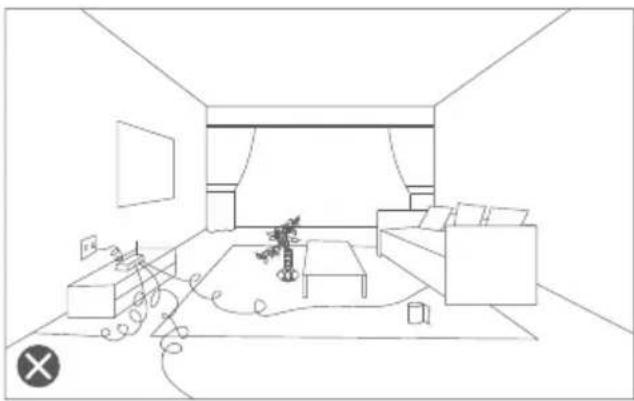
1.1.12. Possible problems in product cleaning shall be eliminated as soon as possible. Please clear up any power cord or small object on the floor before using the cleaner in case they hinder the cleaning. Fold over the fringed them of carpet and prevent curtain or tablecloth from touching the floor.
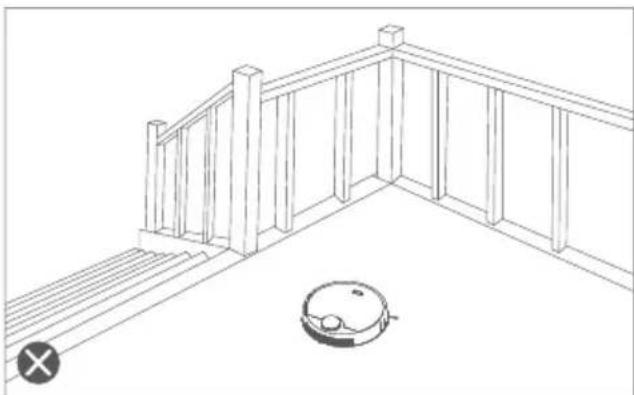
1.1.13. If the room to be cleaned contains a staircase or any suspended structure, please test first whether the robot will detect it and not fall off the edge. If a physical barrier is needed for protection, make sure the facility does not cause such injury as tripping
1.1.14. When the product is not used for a long time, the machine shall be charged every three months to avoid battery failure due to low power for a long time.
1.1.15. Don't use it without dust collector and filters in place.
1.1.16. Make sure the power adapter is connected to the socket or charging base when charging.
1.1.17. Avoid any cold or heat. Operate the robot between 0^ C to 40^ C.
1.1.18. Before discarding the product, disconnect the cleaner from charging base, turn off power and remove the battery.
1.1.19. Make sure the product is not powered on when removing the battery.
1.1.20. Please remove and discard the battery in accordance with local laws and regulations before discarding the product.
1.1.21. Do not use the product with a damaged power cord or power socket.
1.1.22. Do not use the product when the product cannot work normally due to falling, damage, outdoor use or water ingress.
1. Safety Instructions
1.2. Battery and charging
1.2.1. Do not use any battery, charging stand or charger from third-party.
1.2.2. Please make sure that the voltage used is correct.
1.2.3. Do not disassemble, repair or modify the battery or the charging stand.
1.2.4. Do not place the charging stand and the main machine close to the heat source, such as heating radiators, induction cookers, ovens, etc.
1.2.5. Do not wipe anywhere of the product with a damp cloth or any liquid.
1.2.6. Do not discard used batteries at will and please give the professional recycling agency for treatment.
1.2.7. If the power cord is damaged or broken, please stop using it immediately, and contact us in time to select the proper channel to purchase the genuine power cord for replacement.
1.2.8. Please make sure that the main machine is turned off for transport and it is recommended to pack with the original box.
1.2.9. If the product is not used for a long time, please turn off the power after fully charged, turn off the main machine, st or e in a cool dry place, and charge it at least every 3 months to avoid damage to the battery.
2. Precautions
Please clean up small objects, fragile articles, cables, curtain ropes, etc. scattered on the ground before use to prevent entanglement or damage of the property.
natural_image
Line drawing of a minimalist living room interior with sofa, coffee table, and wall (no text or symbols)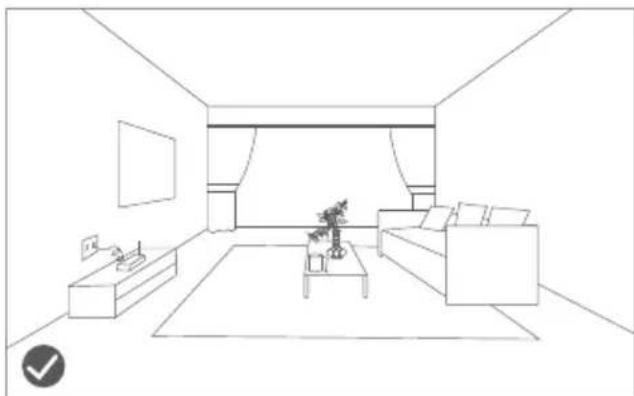
natural_image
Line drawing of a modern living room interior with sofa, coffee table, and TV (no text or symbols)The users with a duplex structure such as stairs etc. in their homes shall specially note that it is strictly forbidden to use the product in the fenceless suspending environment, which is higher than that of the family activities.
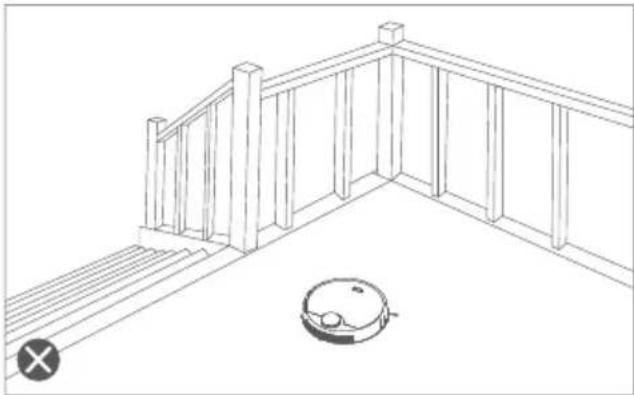
natural_image
Line drawing of a wooden balcony with railings and a small robotic vacuum cleaner (no text or symbols)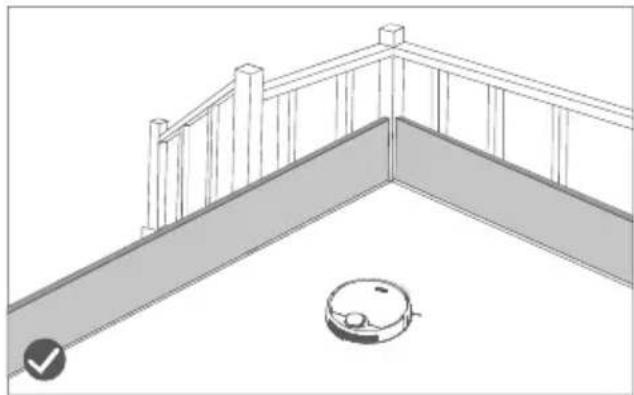
natural_image
Line drawing of a balcony with railings and a robotic vacuum cleaner (no text or symbols)3. Product introduction
3.1. Cleaner Part Diagram
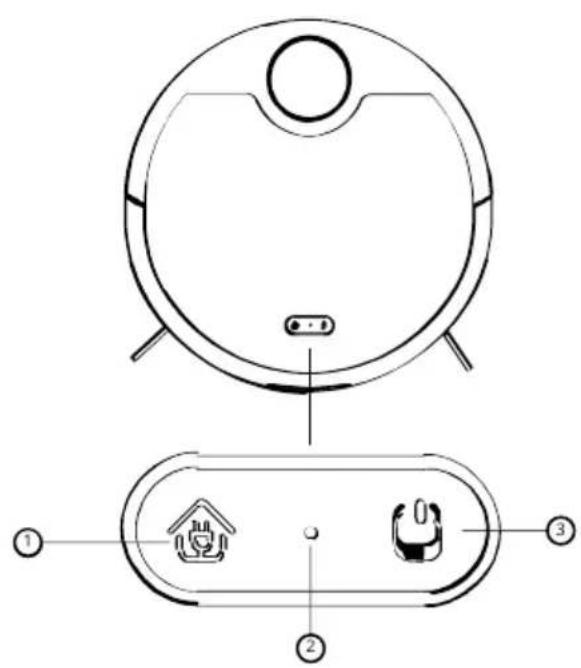
text_image
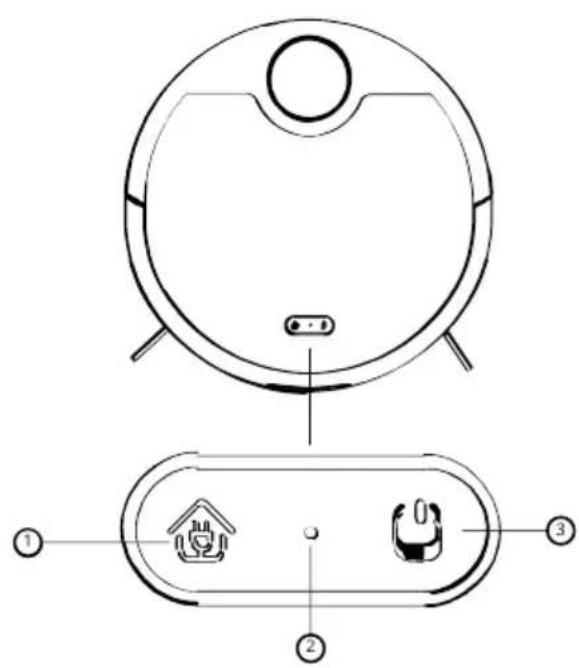
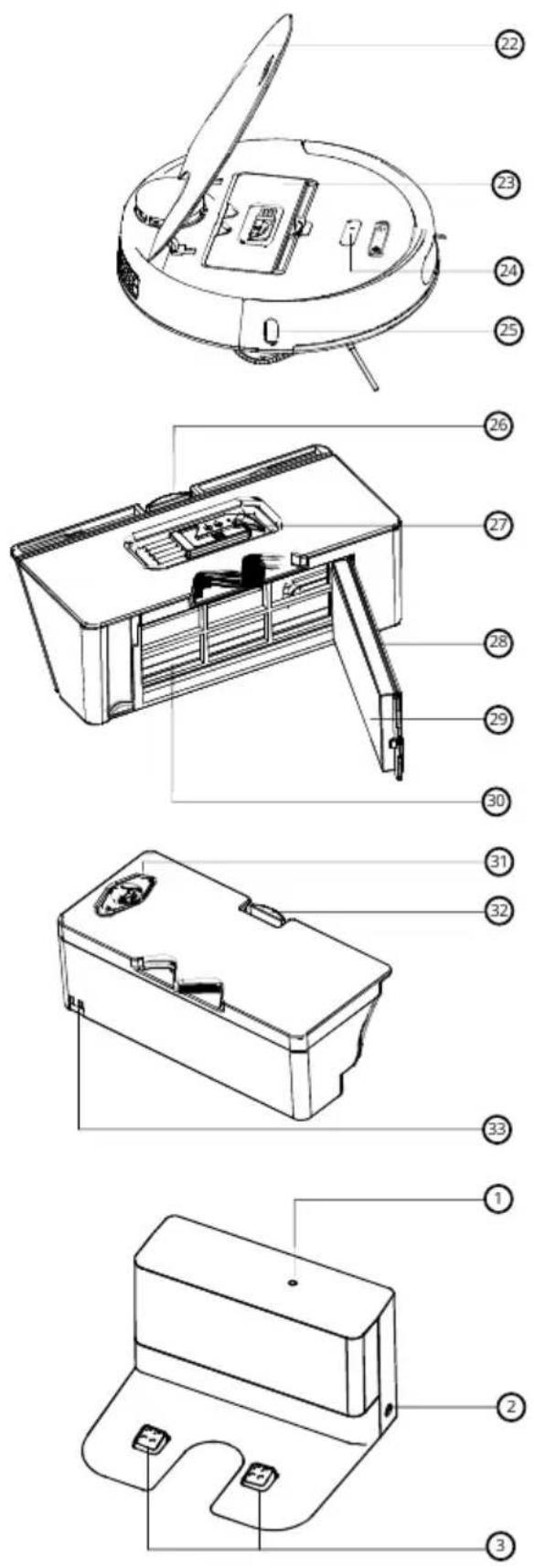
Diagram of a robotic vacuum cleaner with labeled parts including sensor, battery, and control panel1. Recharge switch
Short press: recharge/pause Long press: timing cleaning
2. Wifi Indication light
Slow flash: waiting for connection Normally on: WiFi is connected Quick flash: WiFi connection failed
3. Power switch:
Short press: Sweep/pause Long press: On/off Color of the power indication light: White: Power > 20 % Red: Power < 20 % Light flashing: Charging Red quick flashing: Faulty
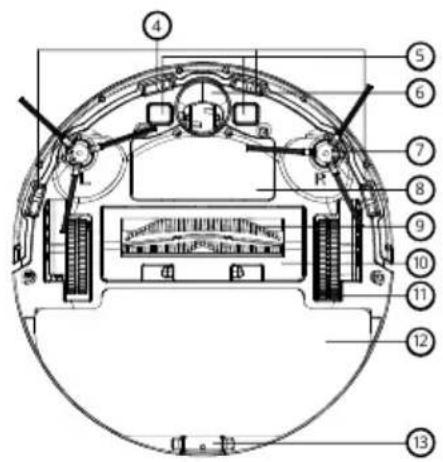
text_image
Technical diagram of a mechanical or electronic component with numbered parts labeled 4 through 13.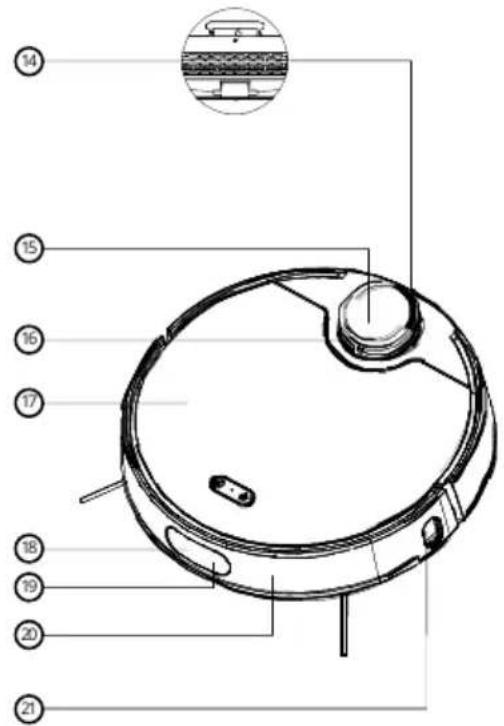
text_image
Technical diagram of a robotic vacuum cleaner with numbered parts labeled 14 to 21-
Anti-drop sensor
-
Charging pole piece
-
Universal wheel
-
Side brush
-
Battery cover
-
Rolling brush
-
Rolling brush cover
-
Driving wheel
-
Mop component
-
Mop buckle
-
Exhaust pot
-
Laser radar
-
Radar collision sensor
-
Surface lid
-
Alignment sensor
-
Collision buffer
-
Collision sensor
-
Infrared sensor
3. Product introduction
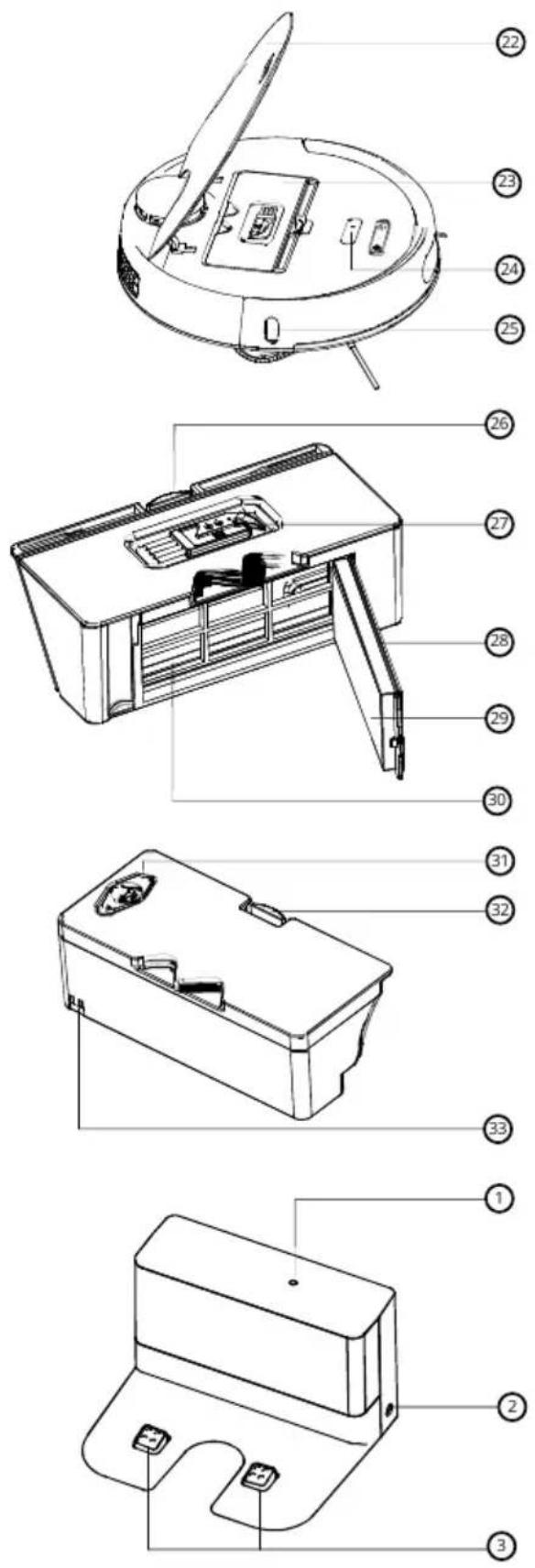
-
Machine cover
-
Dust box
-
Reset button
-
Wall sensor
-
Dust box buckle
-
Cleaning brush
-
Filter bracket
-
High efficiency filter
-
Primary filter
-
Sealing plug
-
Water tank buckle
-
Charged pole piece
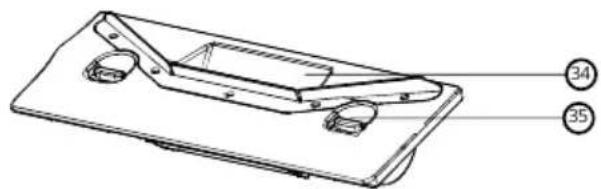
natural_image
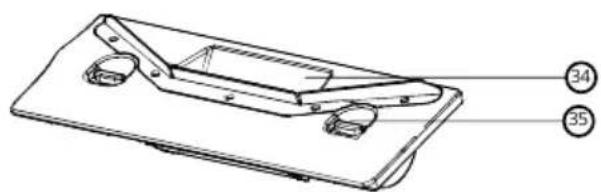
Technical line drawing of a mechanical component with labeled parts (34 and 35), no readable text or symbols beyond labels-
Suction port
-
Buckle
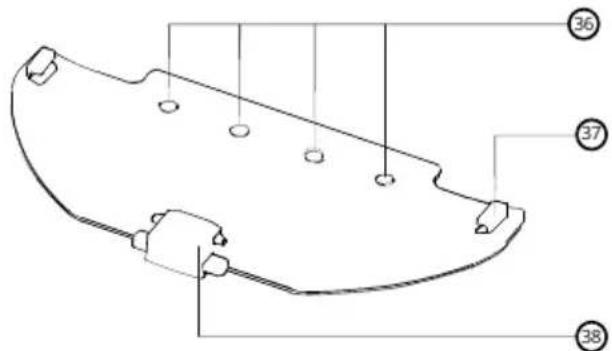
text_image
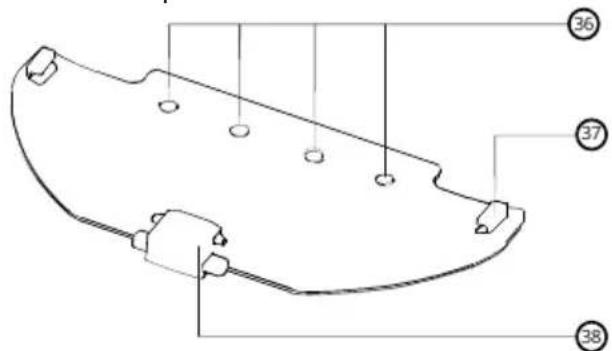
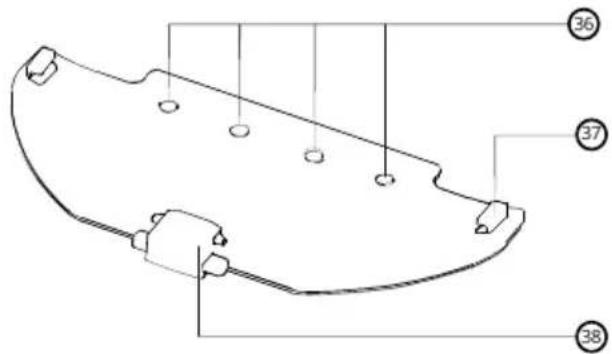
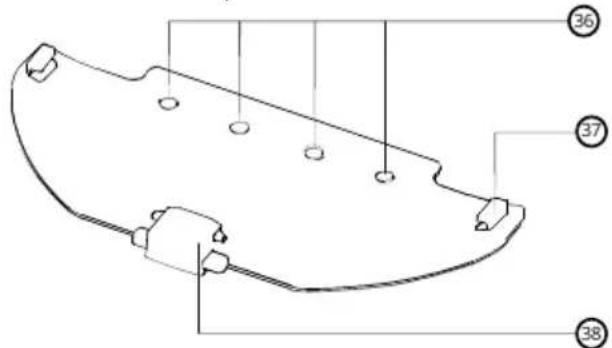
Technical diagram of a mechanical component with numbered parts labeled 36, 37, and 38-
Water inlet for mop
-
Fixed buckle
-
Mop buckle
3.3. Docking station
-
Signal indication light
-
Power interface
-
Charging pole piece
3. Product introduction
3.2. Specification
Measurements L346*W340*H99mm
Battery 3.1±0.1KG
Host Weight WiFi connection
Connection Method Lithium battery,5000mAh
Rated Voltage 14.4V
Rated Power 40W
Water Tank Capacity 450ml
Dust Box Capacity 350ml
Rated input 100-240V 50/60Hz
Rated output 24.0V/1.0A
4. Operation Instructions
4.1. On/Off
4.1.1 In case the main machine is being charged on the charging stand, it will automatically turn on.
4.1.2 During its charging, the machine cannot be turned off.
4.1.3 Long press the power switch, the power indication light will light up and the machine turns on. Meanwhile, there will be a voice prompt after completion of turning on.
4.1.4 In case the main machine is static, long press the power switch to turn it off.
4.2. Charging
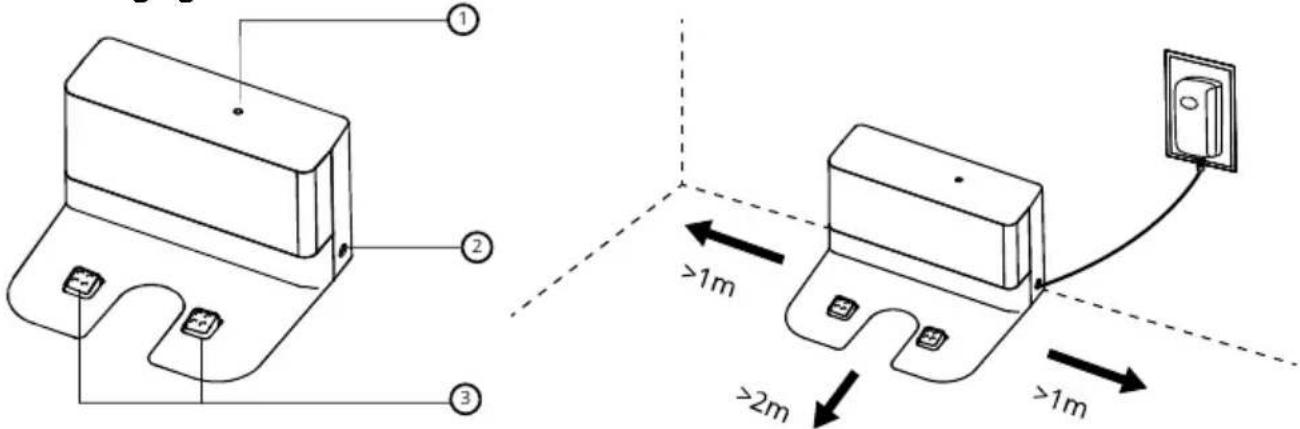
text_image
Technical diagram showing two electrical components with labeled parts and distance annotations in meters-
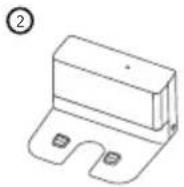
Take the charging stand out from the package.
-
Signal indication light
-
Power interface
-
Charging terminal
Please make sure that no obstacles in the space of 1 m on both sides and 2m in front of the charging stand.
- Charge the robot vacuum cleaner on the charging stand
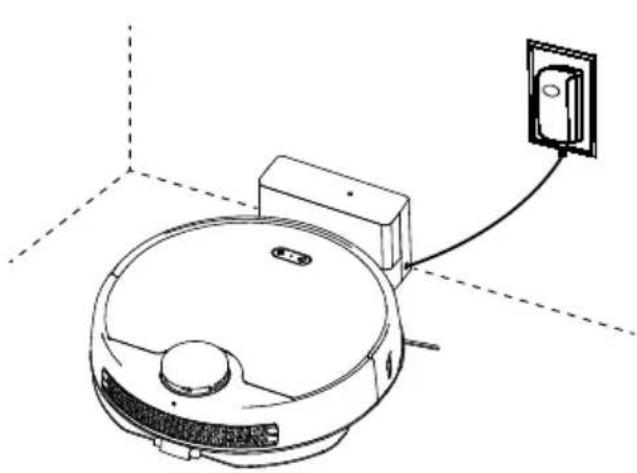
natural_image
Line drawing of a robotic vacuum cleaner with a wall-mounted switch connected to its side panel (no text or symbols)2.1 After cleaning, the machine will automatically return to the charging stand for charging. If it cannot return to the charging stand, try to remove the obstacles around the charging stand or take the cleaner back to the charging stand for charging.
2.2 During the cleaning, if the battery of the machine is lower than 20%, it will automatically return to the charging stand for charging. After the battery is fully charged, it will automatically return to the breakpoint to continue cleaning.
2.3 If the machine is turned off automatically due to low power, you can manually take it back to the charging stand for charging. Make sure the charging electrode is in good contact and check whether the charging indication light is on.
During the charging of the robot vacuum cleaner on the charging stand, it will automatically turn on.
4. Operation Instructions
4.3. Dust box
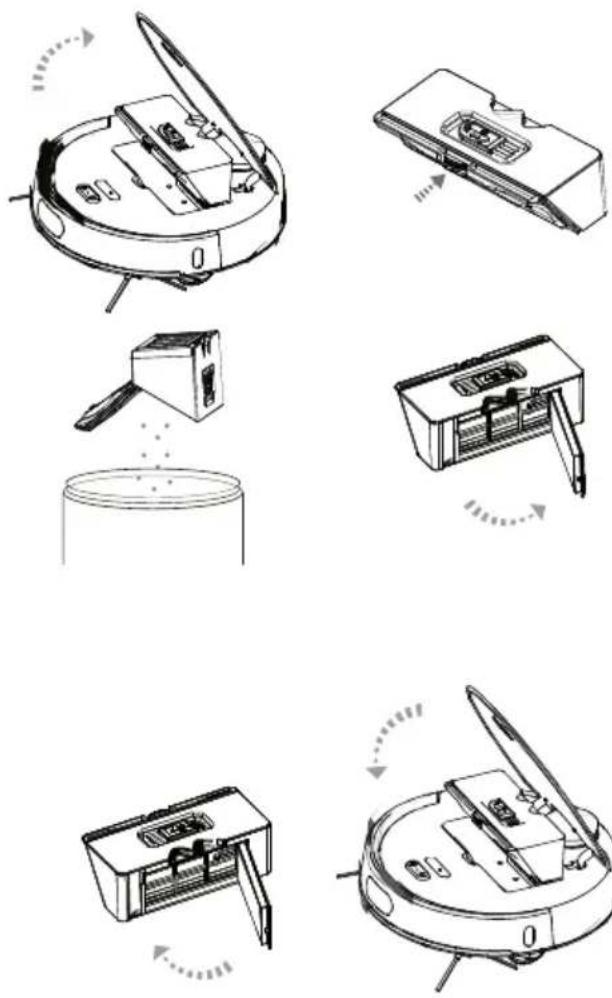
4.4. Water tank
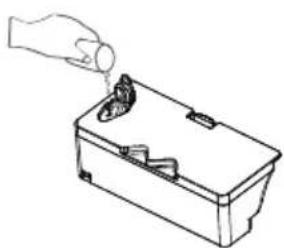
natural_image
Line drawing of a hand pouring liquid into a container with a handle (no text or symbols)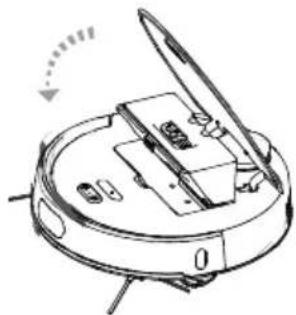
natural_image
Diagram of a robotic arm with labeled parts and motion arrow (no text or symbols)How to use the dust box and HEPA filter
- Take out the dust box
Attentions: Do not break off the snap lock of dust box in case of fracture.
-
Open the lid and empty the dust.
-
Open the filter holder on the dust box and takr out the HEPA filter.
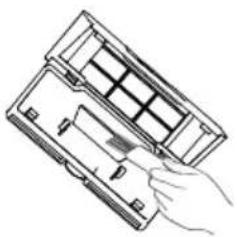
natural_image
Line drawing of a hand inserting a device into a device housing (no text or symbols)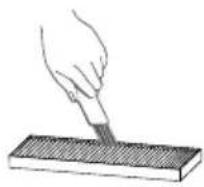
-
Always clean the dust box and filter with a cleaning brush, and wash the dust box and primary filter with water.
-
Assemble the dust box and filter into the robot after completely dried.
-
Take out the dust box firstly.
-
Open the seal button of the water tank, and inject cleaning water, and cover the sealing lid and assemble the tank into robot.
-
Push the mopping assembly horizontally into the robot after matching the right snap joint position.
Notes:
- Take out the water tank before irrigation and do not irrigate the whole appliance.
- Plug off and dry the robot before assembling the water tank and mop.
- Do not break off the buckle of water tank in case of fracture.
4. Operation Instructions
4.5. Single suction & Roller brush
Press the buckle on the roller brush cover, then remove the roller brush cover and brush. Push the single suction assembly into the groove after matching the buckle position.
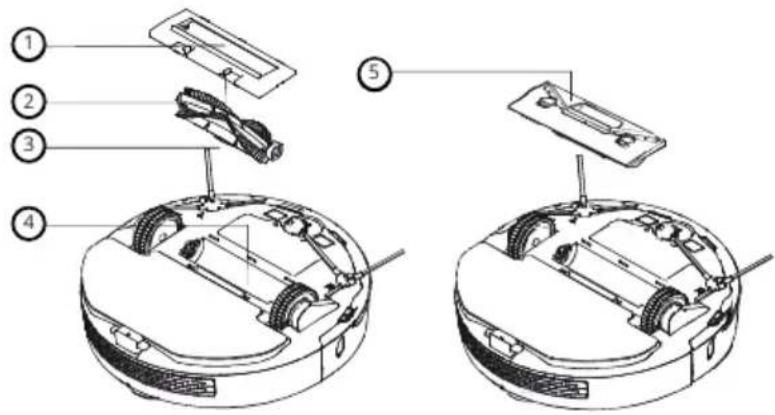
text_image
Technical diagram of a robotic vacuum cleaner with numbered parts for identification- Roller brush cover
- Buckle
- Roller brush
- Roller brush groove
- Single suction assembly
5. APP Connection
1 Download the app by scanning the QR code with your mobile phone or search for "Niceboy ION" on the mobile app market and download the app. Before using this feature, make sure your mobile phone is connected to Wi-Fi.
2 Open the "Niceboy ION" app and create a new account or use your existing account.
3 Switch on the robot vacuum cleaner and wait for the voice prompt "Hello, I'm reporting for duty". Then press both buttons on the top of the device at the same time for approximately 3 seconds until you hear the voice prompt "WiFi has been reset". The LEDs will then flash in a slow intermittent light.
4 Open the "Niceboy ION" app and click "+" to add the device. Click on "Small home appliances" and select "Niceboy ION Charles 19".
5 Select your WiFi and enter your password, then click "Next".
6 In the upper right corner, switch the setting from "EZ MODE" to "AP MODE" and check "Confirm that the indicator flashes slowly, then click "Next".
7. In the next step, connect to the vacuum cleaners WIFI hotspot. Go to your phone's WIFI settings and connect to the device named "SmartLifeXXXX". Once connected to the hotspot, return to the app to begin pairing with the vacuum cleaner. Once the vacuum and mobile app are connected, a voice prompt will say "I'm in the process of gathering all the user's information." and after successful pairing, "I have successfully connected to the network. What's next?".
In case the router configuration or the password is changed, or the mobile phone cannot be connected to the device due to other reasons, reset the WiFi of the machine for pairing.
Reset method:
After turning on the machine, press both the power key and the recharge key s simultaneously for 3 seconds until you hear the voice prompt and the WiFi indication light slowly flashes, which indicate that the WiFi reset is successful.
To take full advantage of all the features of the Charles i9 robotic vacuum cleaner, it is necessary to use the Niceboy ION application. Vacuum cleaner functions are limited without application.
6. Maintenance
6.1. Cleaning of the rolling brush
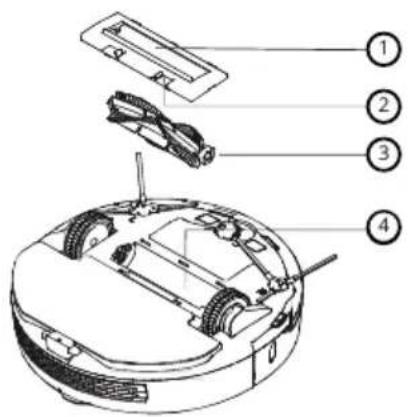
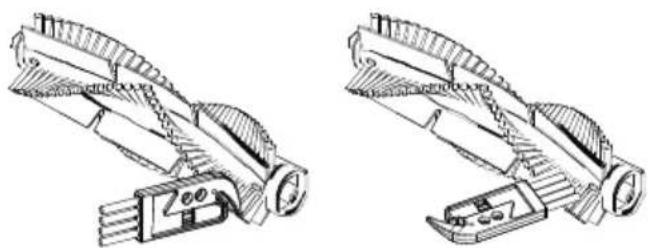
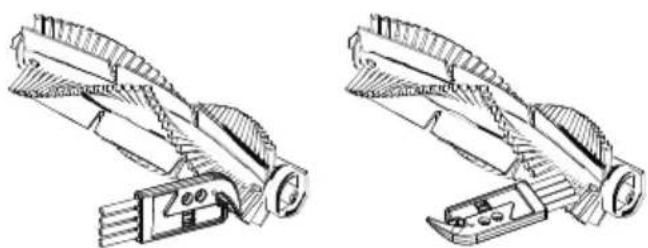
Turn the machine and press the buckle on the rolling brush cover from both ends to remove the rolling brush.
text_image
Labeled diagram of a robotic vacuum cleaner with numbered parts for identification- Rolling brush cover
- Buckle
- Rolling brush
- Rolling brush slot
natural_image
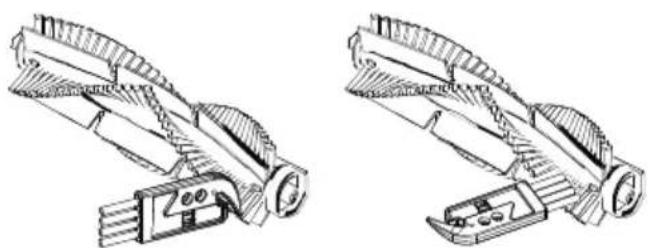
Technical line drawings of two mechanical components with gear-like structures (no text or symbols)Clean the windings on the rolling brush with the matching cleaning brush. After cleaning, install the rolling brush and fasten the cover.
6.2. Cleaning of the side brush
natural_image
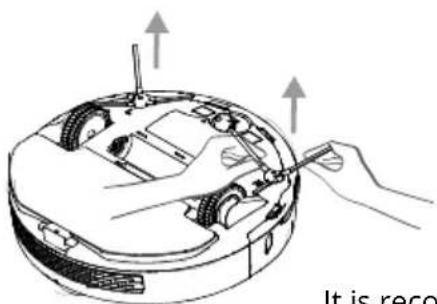
Diagram of a robotic device with hands and tools, no visible text or symbols- Turn the machine, lift the left and right brushes up and pull them out.
- Clean the windings on the left and right brushes and their bearings.
- Align the side brush with its bearing on the machine and press firmly to install the left and right brushes.
It is recommended to clean the side brush regularly; If the side brush is damaged, please pull out the damaged side brush directly, and align the new side brush with its bearing and press firmly.
6.3. Battery
- The high-performance lithium-ion battery pack is built in the machine. And the battery has no memory effect and it is no need to worry about repeated charging/discharging.
- In order to maintain the best performance, keep the machine charging on the charging stand if it is not in use.
- After the machine is fully charged, please turn it off if it is not in use. Charging for a long time may damage the battery.
natural_image
Line drawing of a hand holding a small object next to a rectangular device (no text or symbols)6.4. Charging stand and charging electrode
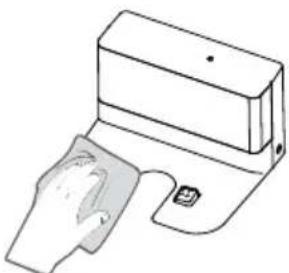
- Please wipe the charging stand and charging electrode with a soft dry cloth in the condition of disconnected power.
- Please wipe the charging stand and charging electrode regularly to avoid problems with charging of the machine on the charging stand.
6. Maintenance
6.5. Universal wheel
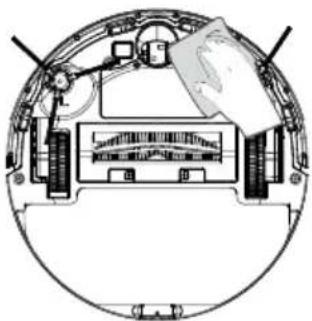
natural_image
Cross-sectional diagram of a mechanical or electrical component with no visible text or symbols- Clean the hair and dust on the wheel and bearings.
- Assemble the universal wheel again after dried completely
6.6. Upgrade the firmware
- Please check and update the firmware through the Settings of APP.
- Make sure the robot is charging and battery is higher than 60% when you upgrade the APP, please refer to the procedure in the APP operation instruction.
7. Trouble-shooting
If the machine is faulty during operation, the power switch quickly flashes in red color. Please refer to the following voice prompts or APP prompt to solve the abnormal problem.
| Voice prompt Trouble-shooting | |
| The dust box appears to be missing. | Re-install the dust box or pause the cleaning task of the machine. |
| The radar on top appears to be obscured. Please clean it and try again. | Please check and remove foreign objects around the Lidar or move it to other place to restart |
| The wheels are not on the ground. I need a new position so I can continue cleaning. | Move the machine to other place to restart cleaning. |
| The crash sensor is not fully functional. Will you please wipe it down? | Please check and clean the anti-drop sensor and try again. |
| The collision sensor is dirty. Will you please wipe it? | Please check and clean the anti-collision sensor and try again. |
| My wall sensor on the right side is dirty. Will you wipe it, please? | Please check and clean the wall sensor and try again. |
| The radar on top appears to be obscured. Please clean it and try again. | Please check and clean the foreign objects around the radar cover and try again. |
| The bumper needs cleaning. Can you help me? | Please check if the bumper or anti-collision sensor is stuck. |
| Please clean the dust box. | Please clean the dust box or replace it with a new one. |
| My main brush seems to be stuck. Can you help me, please? | Please check if the main brush is entangled and clean it. |
| Unfortunately, my center wheel is stuck. Can you please help me? | Please check if the main wheel is entangled and clean it. |
| The side brush seems to be stuck. Can you please help me? | Please check if the side brush is entangled and clean it. |
| I need to rest. | Please take the host back to the charging stand |
| Recharge failed. Please return me to the charging station. | Please check if the charging stand is charged and clean |
| The battery seems overheated. Please turn me off so I can rest. | Please try to restart the machine. |
| Unknown area. I can't clean up. | Please make sure the machine is connected to the network properly and try to relocate. |
8. FAQ
| It cannot be turned on. | The battery is low, please charge it before use. The ambient temperature is over low or over high, please use it in the range of 0°C-40°C. |
| It cannot be charged. | The charging stand is not powered, please make sure the power is connected successfully. Poor contact of the charging electrode, please clean the charging stand electrode and the machine electrode. |
| The machine cannot be returned for charging. | Make sure there is enough space around the charging stand. And make sure that the recognition area on surface of the charging stand is free of dust and dirt. |
| The device cannot be found in the mobile. | Please reconnect WiFi and ensure that the network connection to the machine is successful. |
| The machine is offline. | Please ensure that the network connection of the machine is successful. And make sure the machine is always within the WiFi signal coverage. |
| The mobile and the device cannot be paired. | Make sure the machine and the charging stand are within the WiFi signal coverage and the signal is good. Please try resetting WiFi before pairing. |
| There is an abnormal voice during cleaning. | Please check and clean the foreign matters on rolling brush, side brush, drive wheel and the universal wheel, and clean the machine chassis and anti-collision strip. |
| Cleaning is not effective. | Please check and clean the dust box and filter. Please replace the filter if it is blocked. Check and clean the rolling brush if it is entangled. |
| Timed cleaning doesn't work. | Timed cleaning cannot be triggered if the battery is low. Please confirm that the machine is connected to the network, otherwise, the timing cleaning task cannot be synchronized. |
| Whether it needs to be charged for 24 hours for the initial use. | The built-in high-performance lithium-ion battery has no memory effect, and it can be used after being fully charged and there is no need for charging for 24 hours. |
| Whether the power of the charging stand is needed to be cut off after charging is completed. | In daily use, the standby power consumption is very low, so no need to power off and shut down, and maintaining the charging state is beneficial to the best performance of the battery. If it is not used for a long time, please cut off the power of the charging stand and shut it down for storage. It is recommended to charge once a month to avoid damage to the battery due to over-discharge. |
| Whether the laser emitted by the laser radar is harmful to the human. | The machine adopts advanced and safe laser radar, which meets the CLASS I laser standard and eye safety level. |
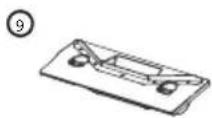
9. Packing list
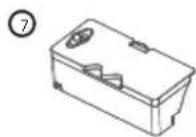
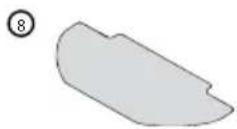
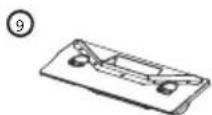
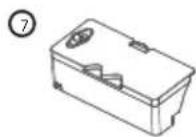
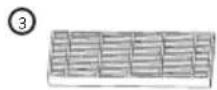
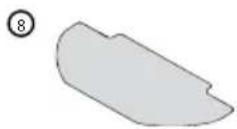
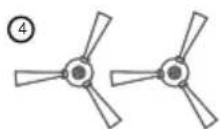
The following product and accessories will be found after opening the package, please check it carefully. (The following pictures are for your reference, and they are subject to the actual product received)
| Number Description Quantity | |
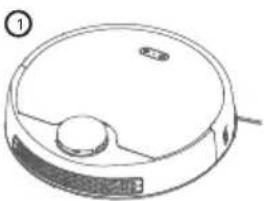
| 1 Main machine (includes battery) 1 | |
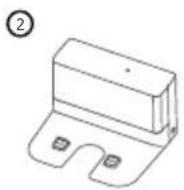
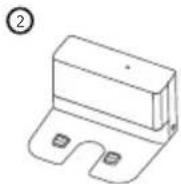
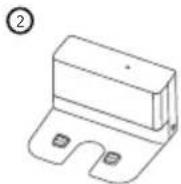
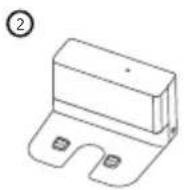
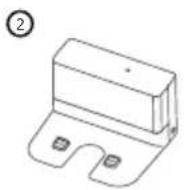
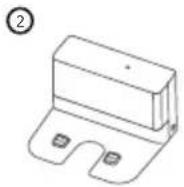
| 2 Charging base 1 | |
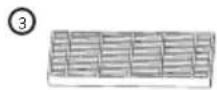
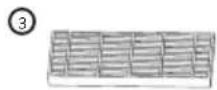
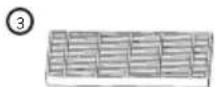
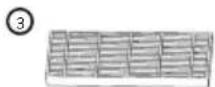
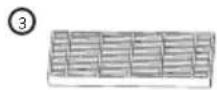
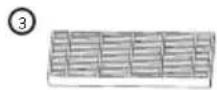
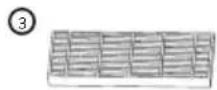
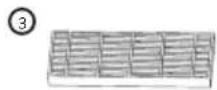
| 3High efficiency filter 2 | |
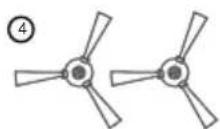
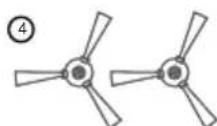
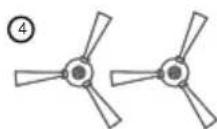
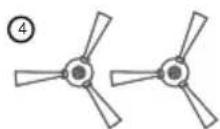
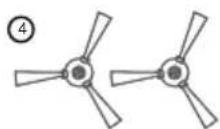
| 4Side brush 2 pairs | |
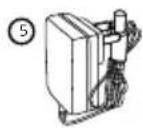
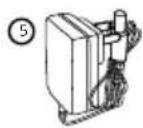
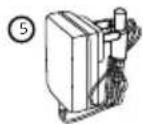
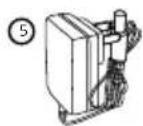
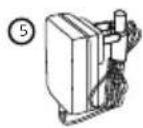
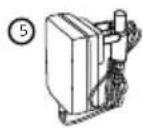
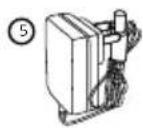
| 5Power adapter 1 | |
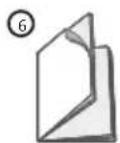
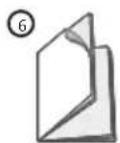
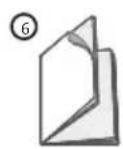
| 6Instruction manual 1 | |
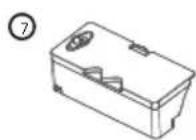
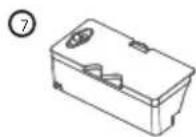
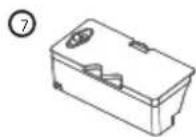
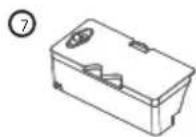
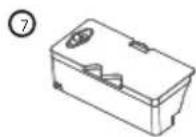
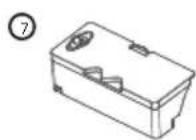
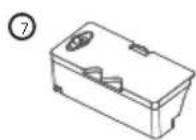
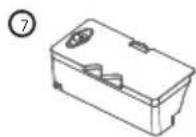
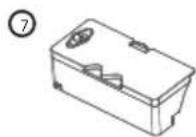
| 7Water tank 1 | |
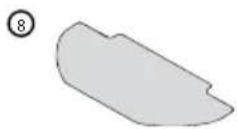
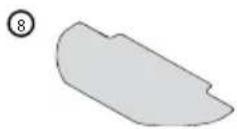
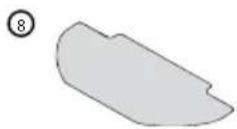
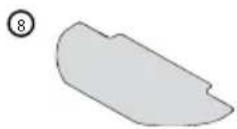
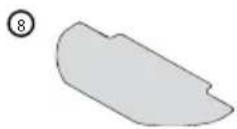
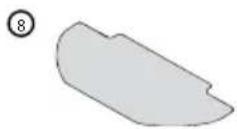
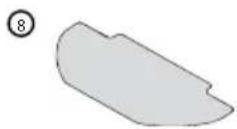
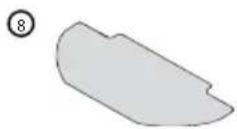
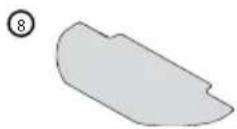
| 8 Mop 2 | |
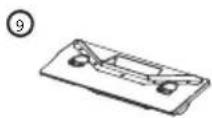
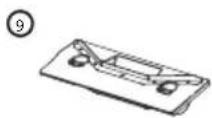
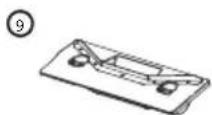
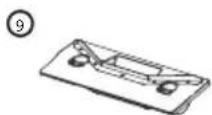
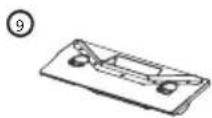
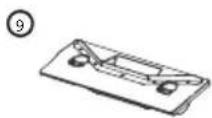
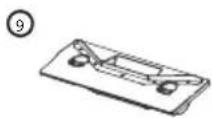
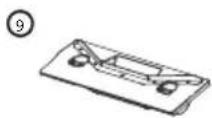
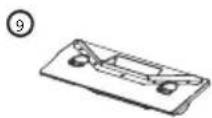
| 9Single suction port component 1 |
natural_image
Line drawing of a robotic vacuum cleaner (no text or symbols)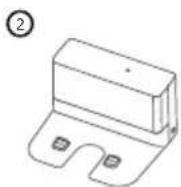
USER INFORMATION FOR DISPOSING ELECTRICAL AND ELECTRONIC DEVICES (HOME USE)
natural_image
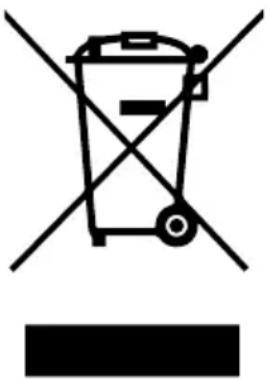
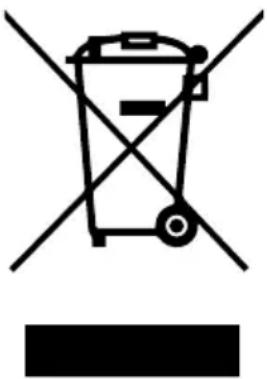
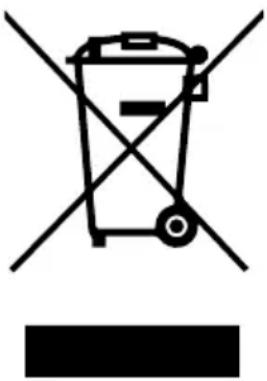
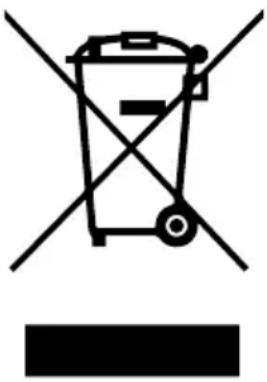
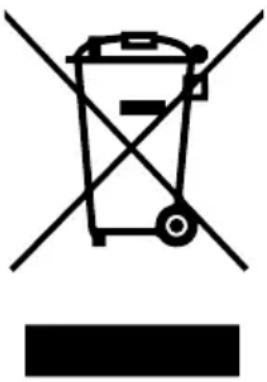
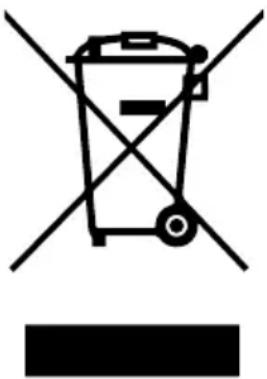
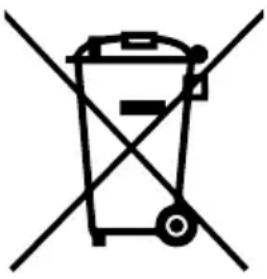
Symbol of a trash bin crossed with no text or numbers, representing waste sorting or disposal (no text present)This symbol located on a product or in the product's original documentation means that the used electrical or electronic products may not be disposed together with the communal waste. In order to dispose of these products correctly, take them to a designated collection site, where they will be accepted for free. By disposing of a product in this way, you are helping to protect precious natural resources and helping to prevent any potential negative impacts on the environment and human health, which could be the result of incorrect waste disposal. You may receive more detailed information from your local authority or nearest collection site. According to national regulations, fines may also be given out to anyone who disposes of this type of waste incorrectly. User information for disposing electrical and electronic devices.
(Business and corporate use)
In order to correctly dispose of electrical and electronic devices for business and corporate use, refer to the product's manufacturer or importer. They will provide you with information regarding all disposal methods and, according to the date stated on the electrical or electronic device on the market, they will tell you who is responsible for financing the disposal of this electrical or electronic device. Information regarding disposal processes in other countries outside the EU. The symbol displayed above is only valid for countries within the European Union. For the correct disposal of electrical and electronic devices, request the relevant information from your local authorities or the device seller.
Inhalt
natural_image
Line drawing of a modern living room with sofa, coffee table, and wall (no text or symbols)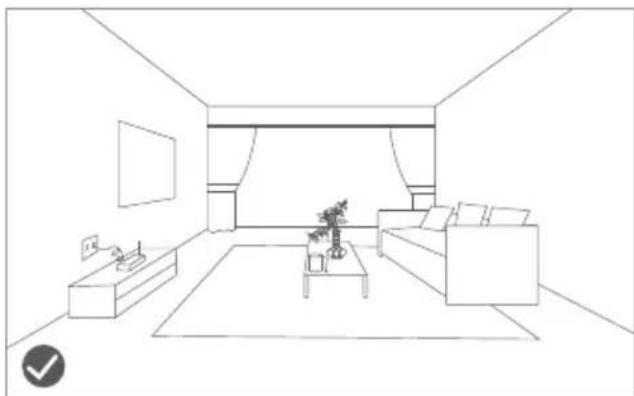
natural_image
Line drawing of a modern living room interior with sofa, coffee table, and TV (no text or symbols)natural_image
Line drawing of a wooden balcony railing with a robotic vacuum cleaner nearby (no text or symbols)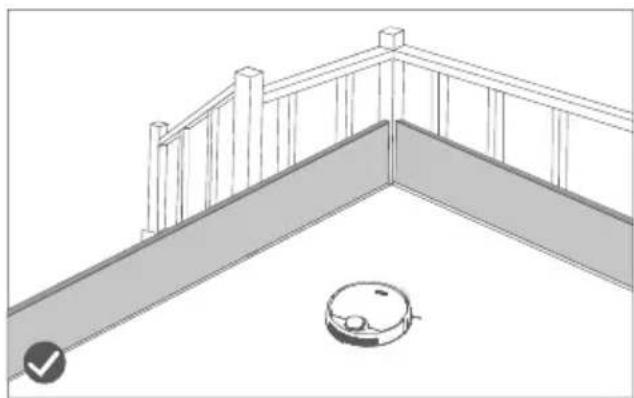
natural_image
Line drawing of a balcony railing with a robotic vacuum cleaner at the base (no text or symbols)text_image
Diagram of a robotic vacuum cleaner with labeled parts including sensor, battery, and control panel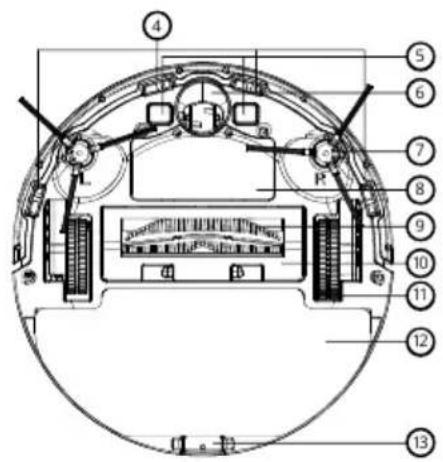
text_image
Technical diagram of a mechanical or electronic component with numbered parts labeled 4 through 13.text_image
Technical diagram of a robotic vacuum cleaner with numbered parts for identificationtext_image
Technical diagram of a mechanical component with numbered parts labeled 34 and 35text_image
Technical diagram of a mechanical component with numbered parts labeled 36, 37, and 38Akku Lithium-Akku, 5000 mAH
natural_image
Line drawing of a robotic vacuum cleaner with a wall-mounted electrical outlet connected to its side (no text or symbols)natural_image
Line drawing of a hand pouring liquid into a small container with a handle (no text or symbols)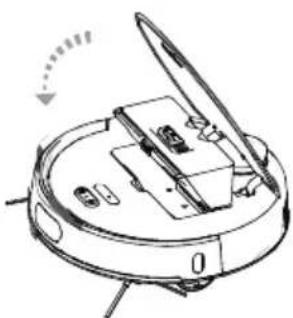
natural_image
Technical line drawing of a mechanical device with open lid and internal components (no text or symbols)natural_image
Line drawing of a hand inserting a grid into a device (no text or symbols)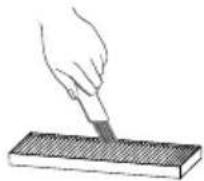
text_image
Labeled diagram of a robotic vacuum cleaner showing internal components and parts with numbered annotationstext_image
Labeled diagram of a robotic vacuum cleaner with numbered parts for identificationnatural_image
Technical line drawing of two mechanical components with no visible text or symbolsnatural_image
Diagram of a robotic vacuum cleaner with hand operating the housing (no text or symbols)natural_image
Line drawing of a device with a paper clip and a rectangular block (no text or symbols)natural_image
Cross-sectional diagram of a mechanical or electrical component with no visible text or symbolsnatural_image
Line drawing of a robotic vacuum cleaner (no text or symbols)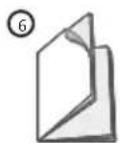
VERBRAUCHERINFORMATIONEN ZUR ENTSORGUNG ELEKTRISCHER UND ELEKTRONISCHER GERÄTE (HAUSHALTE)
natural_image
Symbol of a trash bin crossed with no text or numbers, representing waste sorting or disposal (no text present)natural_image
Line drawing of a minimalist living room interior with sofa, coffee table, and wall (no text or symbols)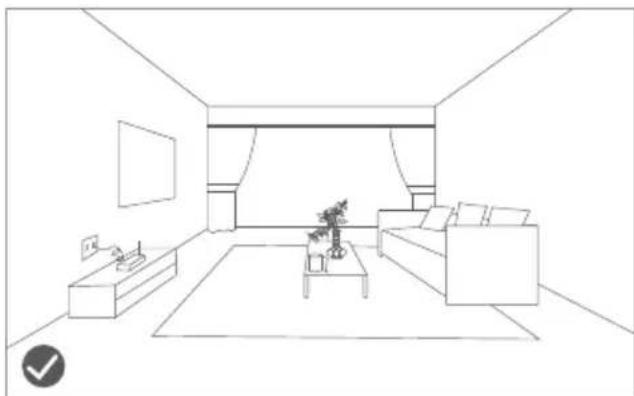
natural_image
Line drawing of a modern living room interior with sofa, coffee table, and TV (no text or symbols)natural_image
Line drawing of a wooden balcony railing with a robotic vacuum cleaner nearby (no text or symbols)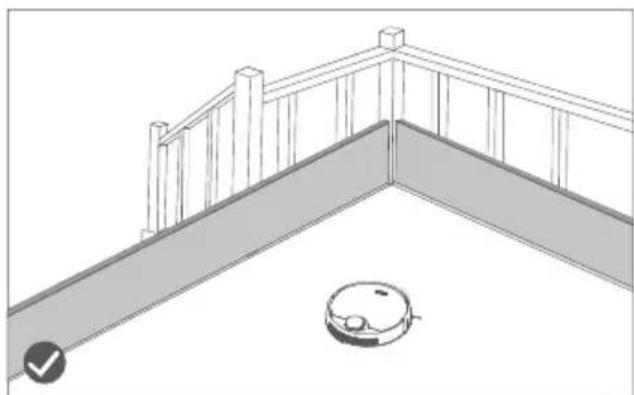
natural_image
Line drawing of a balcony railing with a robotic vacuum cleaner at the base (no text or symbols)text_image
Diagram of a robotic vacuum cleaner with labeled parts including sensor, battery, and control panel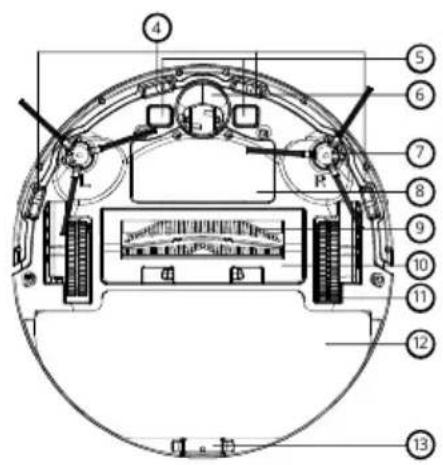
text_image
Technical diagram of a mechanical device with numbered components and labeled partstext_image
Technical diagram of a robotic vacuum cleaner with numbered parts labeled 14 through 21text_image
Technical diagram of a mechanical component with numbered parts labeled 34 and 35-
Szívónyílás
-
Csat

text_image
Technical diagram of a mechanical component with numbered parts labeled 36, 37, and 38text_image
Technical diagram showing two mechanical components with numbered parts and distance annotations in metersnatural_image
Line drawing of a robotic vacuum cleaner with a wall-mounted electrical outlet connected to its side (no text or symbols)natural_image
Line drawing of a hand pouring liquid into a small container with a handle (no text or symbols)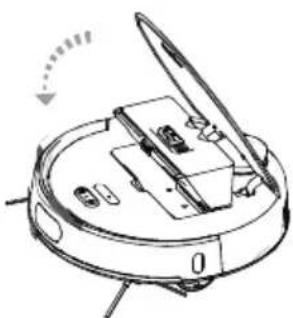
natural_image
Technical line drawing of a mechanical device with no visible text or symbolsnatural_image
Line drawing of a hand inserting a grid into a device (no text or symbols)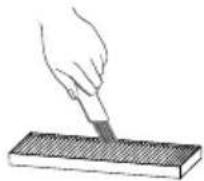
text_image
Labeled diagram of a robotic vacuum cleaner showing internal components and parts with numbered annotations- Hengerkefe burkolat
- Csat
- Hengerkefe
- Hengerkefe horony
- Hengerkefe burkolat
text_image
Labeled diagram of a robotic vacuum cleaner with numbered parts for identification- Hengerkefe burkolat
- Csat
- Hengerkefe
- Hengerkefe nyílás
natural_image
Technical line drawings of mechanical components, no text or symbols presentnatural_image
Diagram of a robotic vacuum cleaner with hand tool and mechanical components (no text or symbols)natural_image
Simple line drawing of a device with a paper clip and a rectangular block (no text or symbols)natural_image
Cross-sectional diagram of a mechanical or electrical component with no visible text or symbolsnatural_image
Line drawing of a robotic vacuum cleaner (no text or symbols)
ELEKTROMOS ÉS ELEKTRONIKUS (HÁZTARTÁSI) KÉSZÜLÉKEK MEGSEMMISÍTÉSÉRE VONATKOZÓ FELHASZNÁLÓI TÁJÉKOZTATÓ
natural_image
Symbol of a trash bin crossed with no text or numbers, representing waste sorting or disposal (no text present)natural_image
Line drawing of a minimalist living room interior with sofa, coffee table, and wall (no text or symbols)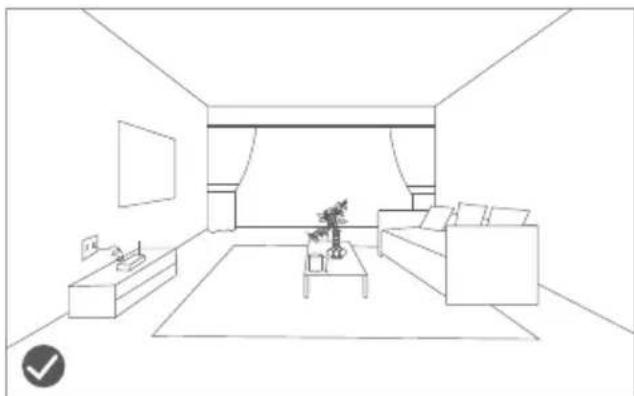
natural_image
Line drawing of a modern living room interior with sofa, coffee table, and TV (no text or symbols)Korisnici koji imaju povišenu konstrukciju u kući, poput stepenica i sl., trebaju imati na umu da je strogo zabranjeno korištenje proizvoda na površini bez ograda iz koje bi usisavač mogao pasti.
natural_image
Line drawing of a wooden balcony with railings and a small robotic vacuum cleaner (no text or symbols)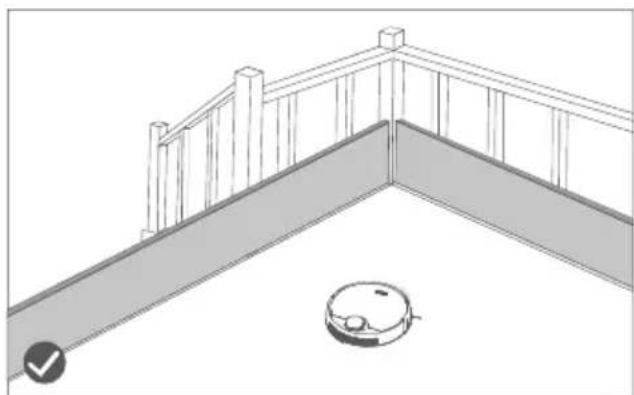
natural_image
Line drawing of a balcony railing with a robotic vacuum cleaner at the base (no text or symbols)3. Informacije o proizvodu
3.1. Shema robotskog usisivača
text_image
Diagram of a robotic vacuum cleaner with labeled parts including sensor, battery, and control panel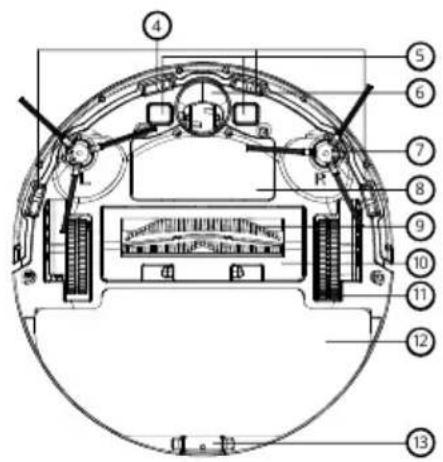
text_image
Technical diagram of a mechanical or electronic component with numbered parts labeled 4 through 13.- Osjetilo protiv padanja
- Elektrode za punjenje
- Centralni kotač
- Bočna četka
- Poklopac aku-baterije
- Valjkasta četka
- Čišćenje valjkaste četke
- Pomični kotač
- Mop
-
Kopča krpe
-
Ispušni ventil
- Laserski radar
- Radarsko osjetilo kolizije (sudara s nekom čvrstom preprekom)
text_image
Technical diagram of a robotic vacuum cleaner with numbered parts labeled 14 to 21- Štitnik uređaja
- Osjetilo balansiranja
- Infracrveni senzori
- Osjetilo kolizije (sudara)
- Infracrveno osjetilo
3. Informacije o proizvodu
-
Štitnik uređaja
-
Spremnik za prašinu
-
Gumbi za resetiranje
-
Osjetilo zida
-
Kopča spremnika za prašinu
-
Četka za čišćenje
-
Držač filtra
-
Filtar visoke učinkovitosti (HEPA)
-
Primarni filtar
-
Zatvarač za brtvljenje
-
Kopča spremnika s vodom
-
Konektori za punjenje
text_image
Technical diagram of a mechanical component with numbered parts labeled 34 and 35-
Usisni otvor
-
Zakačka
text_image
Technical diagram of a curved mechanical component with numbered parts labeled 36, 37, and 38.text_image
Technical diagram showing two electrical components with labeled dimensions and connections, including a wall-mounted switch.1. Izvadite bazu za punjenje iz ambalaže.
natural_image
Line drawing of a robotic vacuum cleaner with a mounted device and wiring, no text or symbols presentnatural_image
Line drawing of a hand inserting a device into a rectangular panel (no text or symbols)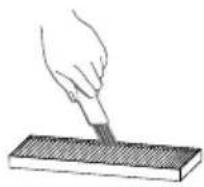
-
Spremnik za prašinu i filtar uvijek čistite četkom za čišćenje, a poslije spremnik za prašinu i primarni filtar operite vodom.
-
Ne postavljajte spremnik za prašinu i filtar u uređaj sve dok se potpuno ne osuše.
natural_image
Line drawing of a hand pouring liquid into a container with a handle (no text or symbols)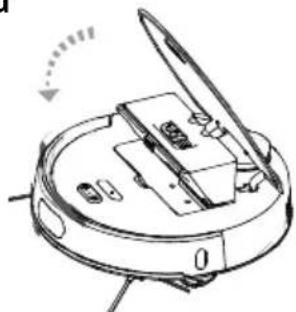
natural_image
Technical line drawing of a mechanical device with no visible text or symbols-
Prvo uklonite spremnik za prašinu.
-
Pritisnite hermetički otvor i otvorite spremnik za vodu te ga napunite vodom. Zatim zatvorite i stavite spremnik u uređaj.
-
Učvrstite mop za čišćenje na donji dio uređaja.
Napomene:
text_image
Technical diagram of a robotic vacuum cleaner with numbered parts for identification- Čišćenje valjkaste četke
- Zakačka
- Valjkasta četka
- Utor valjkaste četke
- Čišćenje valjkaste četke
text_image
Labeled diagram of a robotic vacuum cleaner with numbered parts for identification- Čišćenje valjkaste četke
- Zakačka
- Valjkasta četka
- Otvor za valjkastu četku
natural_image
Technical line drawings of two mechanical components with no visible text or symbolsnatural_image
Diagram of a robotic vacuum cleaner with hand tool, showing internal components and motion arrows (no text or symbols)natural_image
Line drawing of a medical device with a hand placed on it (no text or symbols)- Ako je napajanje isključeno, obrišite bazu i elektrode za punjenje mekom, suhom krpom.
- Redovito brišite bazu i elektrode za punjenje kako biste izbjegli probleme pri punjenju uređaja na bazi za punjenje.
6. Održavanje
natural_image
Cross-sectional diagram of a mechanical or electrical component with no visible text or symbols- Očistite dlake, kosu i prašinu na kotačima i ležajevima.
- Nakon što se dobro osuši, centralni kotač ponovo sastavite.
6.6. Aktualizacija ugrađene programske opreme (firmware)
-
- Provjerite i ažurirajte ugrađenu programsku opremu (firmware) kroz postavke Niceboy ION.
- Prilikom aktualizacije provjerite puni li se uređaj i da li je stanje napunjenosti baterije više od 60 %, pogledajte postupak u uputama za uporabu Niceboy ION.
7. Rješavanje problema
natural_image
Line drawing of a robotic vacuum cleaner (no text or symbols)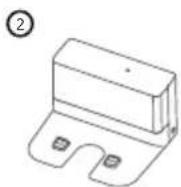
INFORMACIJE ZA KORISNIKA O NAČINU ZBRINJAVANJA ELEKTRIČNIH I ELEKTRONSKIH UREĐAJA (DOMĆINSTVA)
natural_image
Symbol of a trash bin crossed with no text or numbers, representing environmental restriction (no text present)Simbol naveden na proizvodu ili u popratnoj dokumentaciji znači da je zabranjeno odlagati električne ili elektroničke proizvode zajedno s komunalnim otpadom. Pobrinite se za pravilnu likvidaciju otpada: dotrajali proizvod predajte besplatno u ovlašteni centar za skupljanje otpada. Propisnom likvidacijom dotrajalog proizvoda ćete doprinijeti očuvanju skupocjenih prirodnih izvora te prevenciji negativnih utjecaja na okoliš i ljudsko zdravlje zbog nepravilne likvidacije otpada. Za više informacija obratite se nadležnom lokalnom uredu ili mjestu zbrinjavanja. Nepravilno zbrinjavanje ove vrste otpada kažnjava se sukladno nacionalnim propisima.
Informacije za korisnika o načinu zbrinjavanja električnih i elektronskih uređaja (Poslovna uporaba)
Vezano za pravilno zbrinjavanje dotrajale električne/elektronske opreme za poslovnu upotrebu i upotrebu u tvorničkim pogonima obratite se proizvođaču ili uvozniku ovog proizvoda. Proizvođač će Vam pružiti informacije o načinu zbrinjavanja proizvoda i obavijestit će vas o tome tko je dužan osigurati zbrinjavanje ovog električnog uređaja ovisno o datumu uvođenja proizvoda na tržište. Informacije o zbrinjavanju dotrajalog proizvoda u ostalim zemljama (izvan EU). Gore navedeni simbol važi samo u Europskoj uniji. Za više informacija o pravilnom zbrinjavanju električnih i elektronskih uređaja se obratite prodavatelju ili dobavljaču.
Spis treści
natural_image
Line drawing of a minimalist living room interior with sofa, coffee table, and wall (no text or symbols)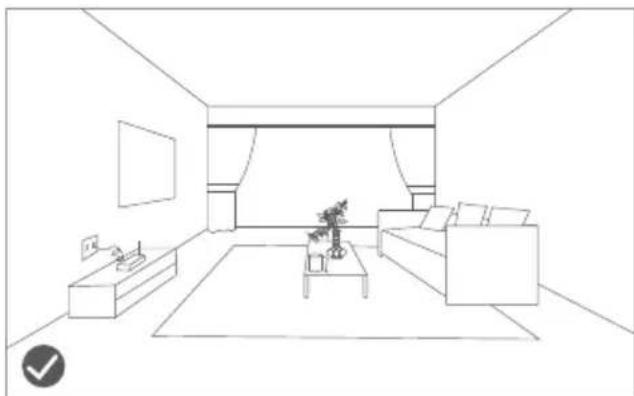
natural_image
Line drawing of a modern living room interior with sofa, coffee table, and TV (no text or symbols)natural_image
Line drawing of a wooden balcony railing with a robotic vacuum cleaner nearby (no text or symbols)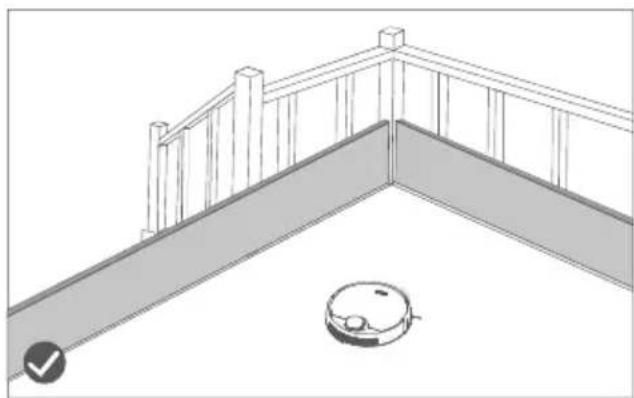
natural_image
Line drawing of a balcony railing with a robotic vacuum cleaner at the base (no text or symbols)text_image
Diagram of a robotic vacuum cleaner with labeled parts including sensor, battery, and control panel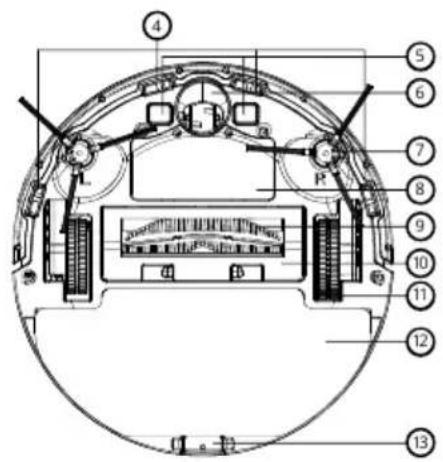
text_image
Technical diagram of a mechanical or electronic component with numbered parts labeled 4 through 13.text_image
Technical diagram of a robotic vacuum cleaner with numbered parts labeled 14 through 21text_image
Technical diagram of a mechanical component with numbered parts labeled 34 and 35- Otwór ssący
- Zaczep
text_image
Technical diagram of a mechanical component with numbered parts labeled 36, 37, and 38text_image
Technical diagram of a mechanical component with numbered parts labeled 1, 2, and 3.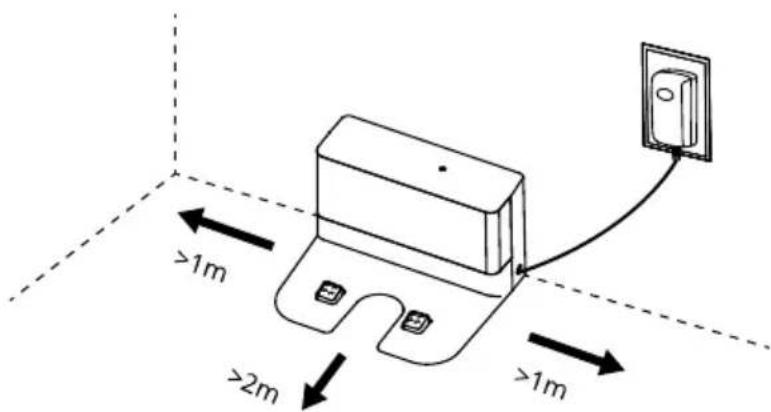
text_image
>1m >2m >1mnatural_image
Line drawing of a robotic vacuum cleaner with a mounted device and wiring, no text or symbols presentnatural_image
Line drawing of a hand inserting a device into a device housing (no text or symbols)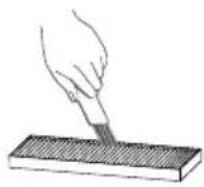
natural_image
Line drawing of a hand pouring liquid into a container with a handle (no text or symbols)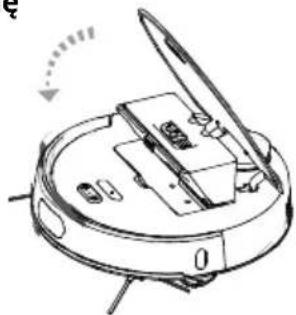
natural_image
Diagram of a robotic vacuum cleaner with open lid and internal components (no text or symbols)text_image
Technical diagram of a robotic vacuum cleaner with numbered parts for identificationtext_image
Labeled diagram of a robotic vacuum cleaner with numbered parts for identificationnatural_image
Technical line drawings of two mechanical components with gear-like structures (no text or symbols)natural_image
Line drawing of a robotic vacuum cleaner with hands adjusting the component (no text or symbols)natural_image
Line drawing of a device with a rectangular base and a separate flat object (no text or symbols)natural_image
Cross-sectional diagram of a mechanical or electronic component with no visible text or symbolsnatural_image
Line drawing of a robotic vacuum cleaner (no text or symbols)
INFORMACJE DLA UŻYTKOWNIKÓW DOTYCZĄCA UTYLIZACJI SPRZĘTU ELEKTRYCZNEGO I ELEKTRONICZNEGO (GOSPODARSTWA DOMOWE)
natural_image
Symbol of a trash bin crossed with a diagonal line, no text or numbers presentnatural_image
Line drawing of a minimalist living room interior with sofa, coffee table, and wall (no text or symbols)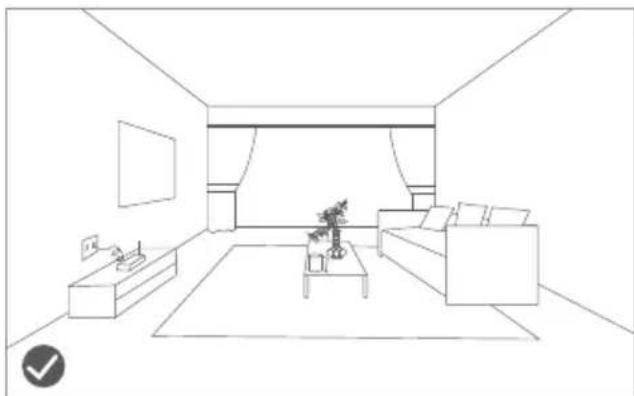
natural_image
Line drawing of a modern living room interior with sofa, coffee table, and TV (no text or symbols)natural_image
Line drawing of a wooden balcony railing with a robotic vacuum cleaner nearby (no text or symbols)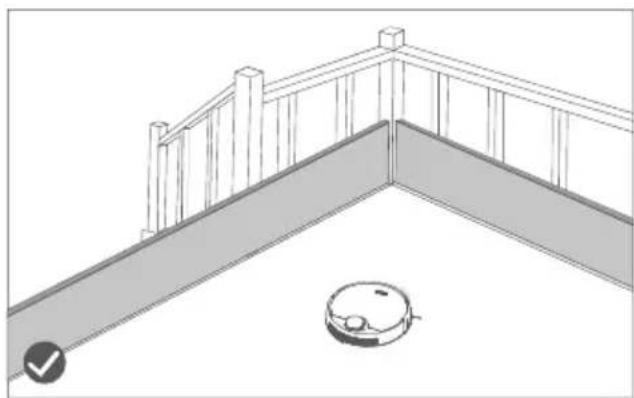
natural_image
Line drawing of a balcony railing with a robotic vacuum cleaner at the base (no text or symbols)text_image
Diagram of a robotic vacuum cleaner with labeled parts including sensor, battery, and control panel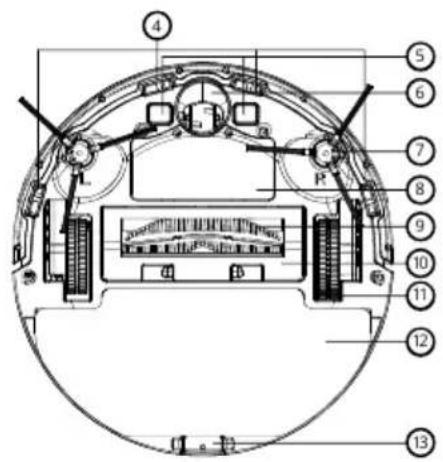
text_image
Technical diagram of a mechanical or electronic component with numbered parts labeled 4 through 13.- Senzor proti padcu
- Polnilna kontakta
- Univerzalno kolesce
- Stranska krtača
- Pokrov za baterije
- Valjasta krtača
- Pokrov valjaste krtače
- Pomično kolesce
- Čistilna krtača
-
Zatič krpe
-
Izpušni ventil
- Laserski radar
- Radarski senzor trka
- Pokrov aparata
text_image
Technical diagram of a robotic vacuum cleaner with numbered parts for identificationtext_image
Technical diagram of a mechanical component with numbered parts labeled 34 and 35text_image
Technical diagram of a mechanical component with numbered parts labeled 36, 37, and 38text_image
N2.1016878 ① ② ③ >1m >2m >1mnatural_image
Line drawing of a robotic vacuum cleaner with attached electrical outlet (no text or symbols)natural_image
Line drawing of a hand inserting a component into a device housing (no text or symbols)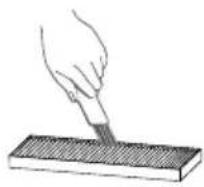
-
Posodo za prah in filter vedno čistite s čistilno krtačo, posodo za prah in primarni filter pa pomijte z vodo.
-
Posodo za prah in filter namestite v robot šele, ko sta povsem suha.
natural_image
Line drawing of a hand pouring liquid into a container with a handle (no text or symbols)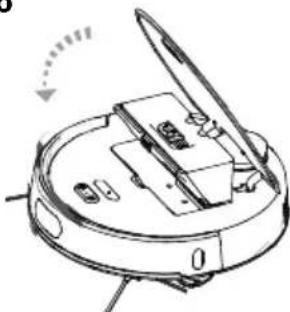
natural_image
Technical line drawing of a mechanical device with no visible text or symbolstext_image
Technical diagram of a robotic vacuum cleaner with numbered parts for identification- Pokrov valjaste krtače
- Zatič
- Valjasta krtača
- Utor valjaste krtače
- Pokrov valjaste krtače
text_image
Labeled diagram of a robotic vacuum cleaner with numbered parts for identificationnatural_image
Technical line drawing of a mechanical component with no visible text or symbols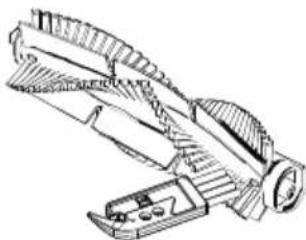
natural_image
Technical line drawing of a mechanical tool or bracket assembly (no text or symbols)natural_image
Diagram of a robotic device with hands and tools, no visible text or symbols- Obrnite aparat, dvignite levo in desno krtačo in ju izvlecite.
- Očistite navoje na levi in desni krtači ter njuna ležaja.
- Poravnajte stransko krtačo z njenim ležajem na aparatu in s čvrstim pritiskom namestite levo in desno krtačo.
natural_image
Simple line drawing of a device with a rectangular block and a separate paper clip (no text or symbols)natural_image
Cross-sectional diagram of a mechanical or electrical component with no visible text or symbols- Očistite lase in prah na kolescu in ležajih.
- Ko se povsem posuši, sredinsko kolo ponovno sestavite.
natural_image
Line drawing of a robotic vacuum cleaner (no text or symbols)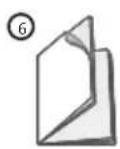
INFORMACIJE ZA UPORABNIKE GLEDE ODSTRANJEVANJA ELEKTRIČNE IN ELEKTRONSKE OPREME (GOSPODINJSTVA)
natural_image
Symbol of a trash bin crossed with two diagonal lines, representing no waste or discharge (no text or labels)
natural_image
Line drawing of a minimalist living room interior with sofa, coffee table, and wall (no text or symbols)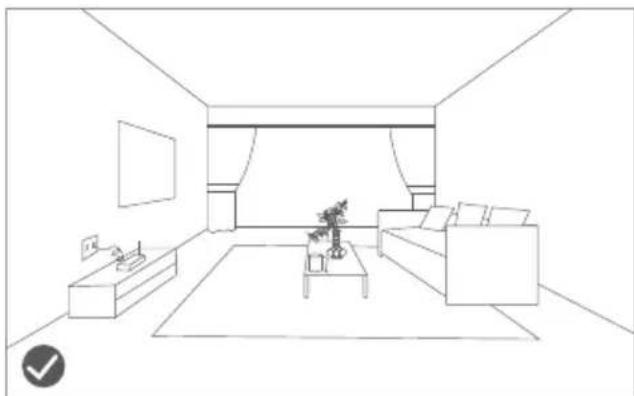
natural_image
Line drawing of a modern living room interior with sofa, coffee table, and TV (no text or symbols)natural_image
Line drawing of a wooden balcony railing with a robotic vacuum cleaner nearby (no text or symbols)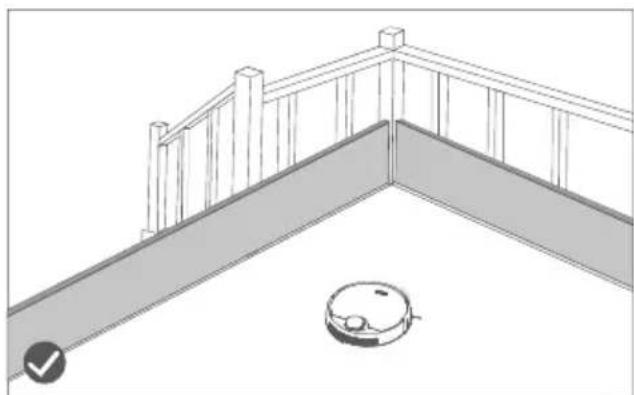
natural_image
Line drawing of a balcony railing with a robotic vacuum cleaner at the base (no text or symbols)text_image
Diagram of a robotic vacuum cleaner with labeled parts including sensor, battery, and control panel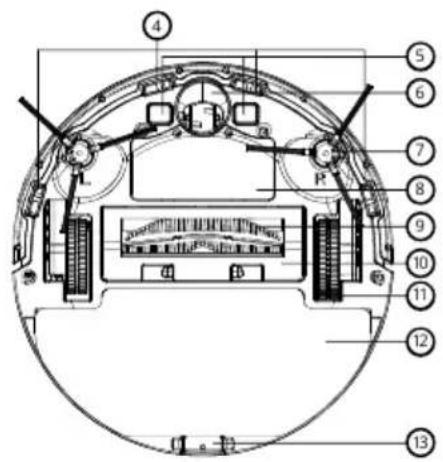
text_image
Technical diagram of a mechanical or electronic component with numbered parts labeled 4 through 13.text_image
Technical diagram of a robotic vacuum cleaner with numbered parts labeled 14 to 21text_image
Technical diagram of a mechanical component with numbered parts labeled 36, 37, and 38text_image
NEA Healthcare ① ② ③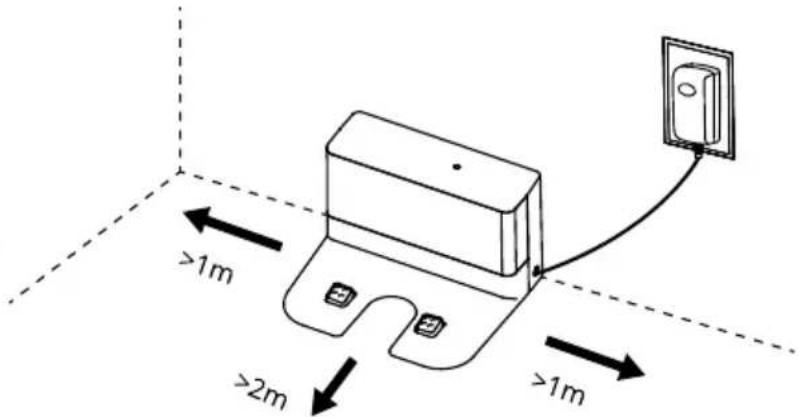
text_image
>1m >2m >1mnatural_image
Line drawing of a robotic vacuum cleaner with attached electrical outlet (no text or symbols)natural_image
Line drawing of a hand inserting a device into a device housing (no text or symbols)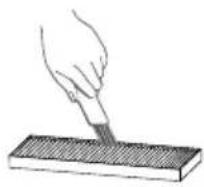
natural_image
Line drawing of a hand pouring liquid into a container with a handle (no text or symbols)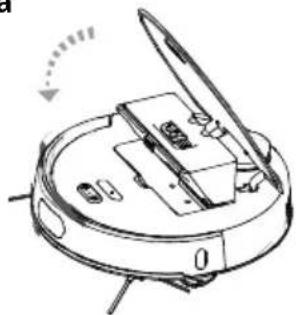
natural_image
Diagram of a robotic vacuum cleaner with open lid and internal components (no text or symbols)text_image
Technical diagram of a robotic vacuum cleaner with numbered parts for identificationtext_image
Labeled diagram of a robotic vacuum cleaner with numbered parts for identificationnatural_image
Technical line drawing of a mechanical clamp or bracket assembly (no text or symbols)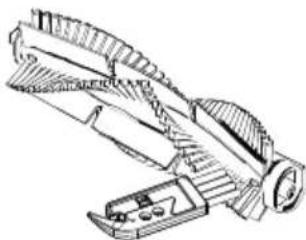
natural_image
Technical line drawing of a mechanical tool or bracket assembly (no text or symbols)natural_image
Diagram of a robotic device with hands operating the internal components (no text or symbols visible)natural_image
Line drawing of a device with a rectangular block and a separate paper clip (no text or symbols)natural_image
Cross-sectional diagram of a mechanical or electrical component with no visible text or symbolsnatural_image
Line drawing of a robotic vacuum cleaner (no text or symbols)
INFORMATII PENTRU UTILIZATORI PRIVIND ELIMINAREA ECHIPAMENTELOR ELECTRICE ŞI ELECTRONICE (PERSOANE FIZICE)

natural_image
Symbol of a trash bin crossed with two diagonal lines, no text or numbers presentnatural_image
Line drawing of a minimalist living room interior with sofa, coffee table, and wall (no text or symbols)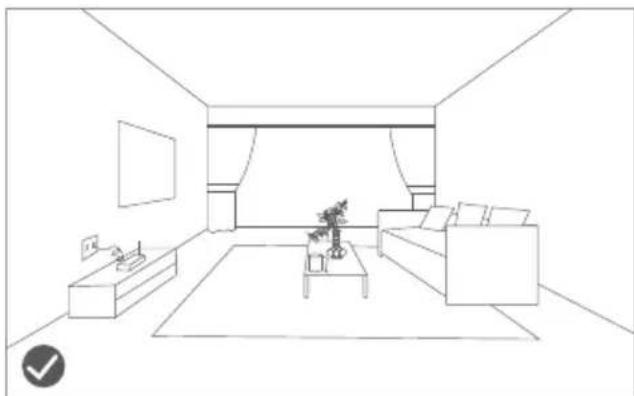
natural_image
Line drawing of a modern living room interior with sofa, coffee table, and TV (no text or symbols)natural_image
Line drawing of a wooden deck with railings and a small robotic vacuum cleaner (no text or symbols)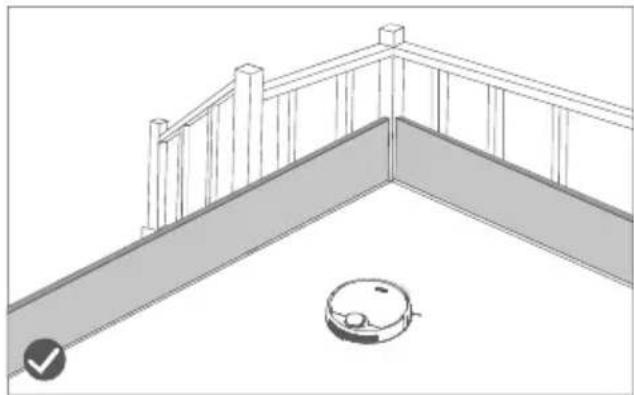
natural_image
Line drawing of a robotic vacuum cleaner on a balcony with railing (no text or symbols)text_image
Diagram of a robotic vacuum cleaner with labeled parts including sensor, device, and control panel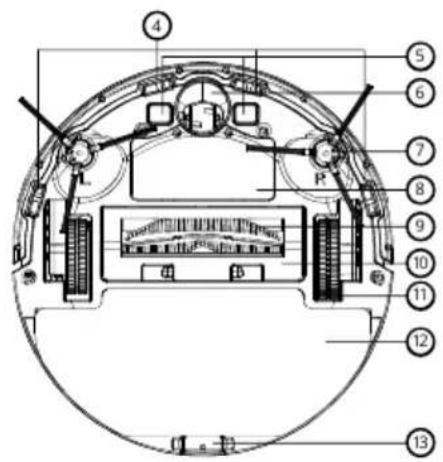
text_image
Technical diagram of a mechanical device with numbered components and labeled partstext_image
Technical diagram of a circular device with numbered parts, likely a cleaning or assembly steptext_image
Technical diagram of a mechanical component with numbered parts labeled 34 and 35text_image
Technical diagram of a mechanical component with numbered parts labeled 36, 37, and 38text_image
Technical diagram of a mechanical component with numbered parts labeled 1, 2, and 3.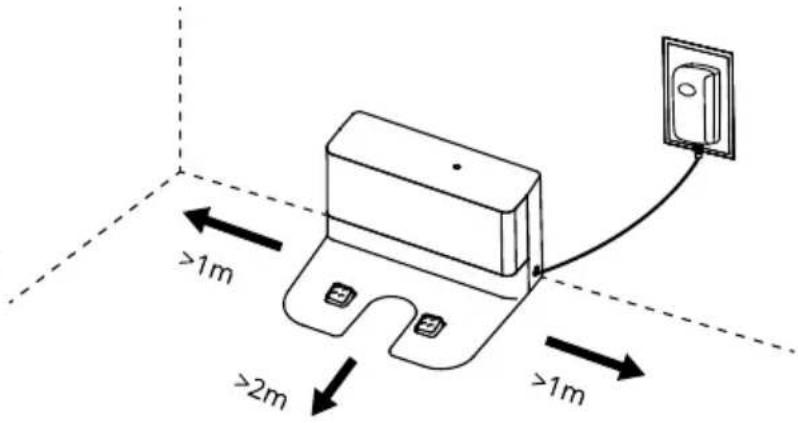
text_image
>1m >2m >1mnatural_image
Line drawing of a robotic vacuum cleaner with a wall-mounted electrical outlet connected to its side (no text or symbols)natural_image
Line drawing of a hand inserting a component into a device housing (no text or symbols)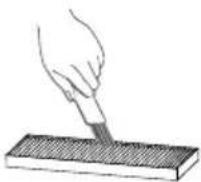
text_image
Technical diagram of a robotic vacuum cleaner with numbered parts for identificationtext_image
Labeled diagram of a robotic vacuum cleaner with numbered parts for identificationnatural_image
Technical line drawing of two mechanical components with gear-like surfaces (no text or symbols)natural_image
Line drawing of a device with a paper clip and a rectangular block (no text or symbols)natural_image
Cross-sectional diagram of a mechanical or electrical component with no visible text or symbolsnatural_image
Line drawing of a robotic vacuum cleaner (no text or symbols)
natural_image
Symbol of a trash bin crossed with two diagonal lines, representing no waste or discharge (no text or labels)
natural_image
Line drawing of a minimalist living room interior with sofa, coffee table, and wall (no text or symbols)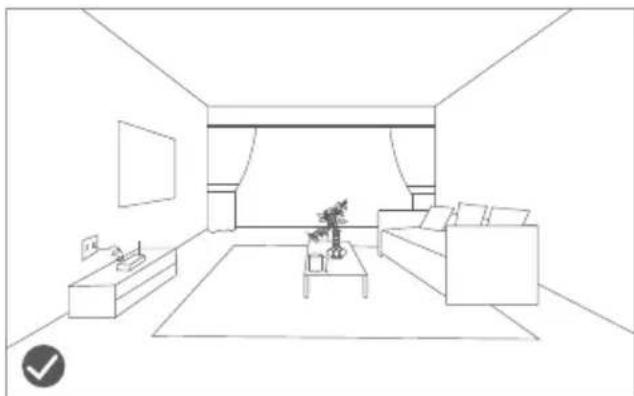
natural_image
Line drawing of a modern living room interior with sofa, coffee table, and TV (no text or symbols)natural_image
Line drawing of a wooden balcony railing with a robotic vacuum cleaner nearby (no text or symbols)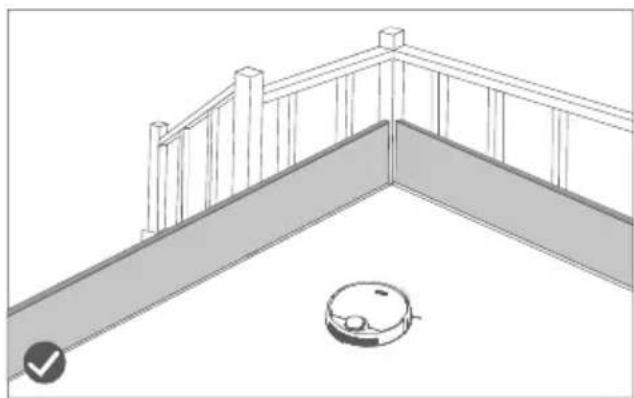
natural_image
Line drawing of a balcony railing with a robotic vacuum cleaner at the base (no text or symbols)text_image
Diagram of a robotic vacuum cleaner with labeled parts including sensor, battery, and control panel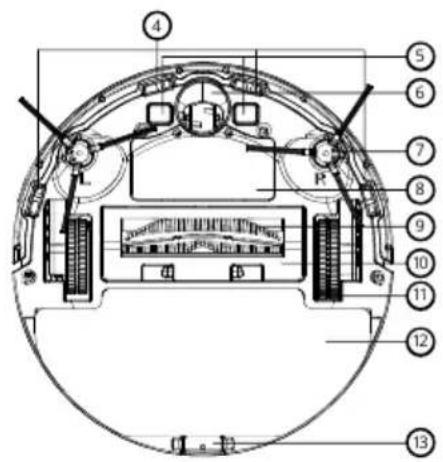
text_image
Technical diagram of a mechanical or electrical component with numbered parts labeled 4 through 13.text_image
Technical diagram of a robotic vacuum cleaner with numbered parts labeled 14 through 21natural_image
Technical line drawing of a mechanical component with labeled parts (34 and 35), no readable text or symbols beyond labelstext_image
Technical diagram of a mechanical component with numbered parts labeled 36, 37, and 38text_image
Technical diagram showing two mechanical components with labeled parts and distance measurements (≥1m)natural_image
Line drawing of a robotic vacuum cleaner with a wall-mounted electrical outlet connected to its side (no text or symbols)natural_image
Line drawing of a hand inserting a device into a device housing (no text or symbols)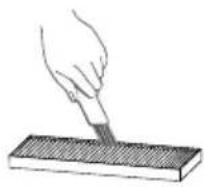
natural_image
Line drawing of a hand pouring liquid into a container with a handle (no text or symbols)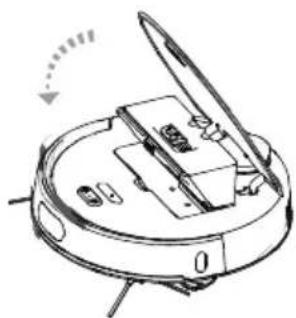
natural_image
Diagram of a robotic device with labeled parts and directional arrow (no text or symbols)text_image
Labeled diagram of a robotic vacuum cleaner showing internal components and parts with numbered annotationstext_image
Labeled diagram of a robotic vacuum cleaner with numbered parts for identificationnatural_image
Technical line drawings of two mechanical components with gear-like structures (no text or symbols)natural_image
Diagram of a robotic device with hands operating the internal components (no text or symbols visible)natural_image
Line drawing of a device with a paper clip and a rectangular base (no text or symbols)natural_image
Cross-sectional diagram of a mechanical or electrical component with no visible text or symbolsnatural_image
Line drawing of a robotic vacuum cleaner (no text or symbols)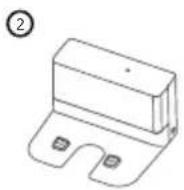
natural_image
Symbol of a trash bin crossed with no text or numbers, representing waste sorting or disposal (no text present)Praha 4 140 00, Czech Republic, ID: 294 16 876
Made in China.