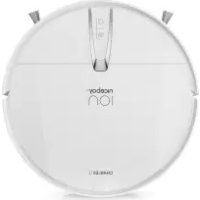
ION Charles i3 - Robot vacuum Niceboy - Free user manual and instructions
Find the device manual for free ION Charles i3 Niceboy in PDF.



| Product Type | Robot Vacuum Cleaner |
| Brand | Niceboy |
| Model | ION Charles i3 |
| Dimensions (diameter x height) | 320 mm x 78 mm |
| Net Weight | 2 kg |
| Power Supply | Lithium-ion battery 7.4 V / 2600 mAh |
| Power | 15 W |
| Dustbin Capacity | 600 ml |
| Full Charge Time | 7 hours |
| Battery Life | Up to 80 minutes |
| Cleaning Modes | Automatic, spot cleaning, edge cleaning |
| Charging Type | Manual (power adapter) |
| Remote Control | Infrared remote control (batteries not included) |
| Filter | Washable HEPA filter + fine cotton filter |
| Side Brushes | 2 pairs of interchangeable side brushes |
| Sensors | Front infrared, anti-drop, IR bumper |
| Noise Level | Not specified (estimated: about 55-60 dB) |
| Operating Temperature | 0 °C to 40 °C |
| Maintenance | Cleaning dustbin, washable HEPA filter, side brushes, sensors |
| Safety | Anti-drop sensors, automatic stop on obstacle |
| Package Contents | Main unit, adapter, remote control, side brushes (2 pairs), HEPA filter, manual |
Frequently Asked Questions - ION Charles i3 Niceboy
User questions about ION Charles i3 Niceboy
0 question about this device. Answer the ones you know or ask your own.
Ask a new question about this device
Download the instructions for your Robot vacuum in PDF format for free! Find your manual ION Charles i3 - Niceboy and take your electronic device back in hand. On this page are published all the documents necessary for the use of your device. ION Charles i3 by Niceboy.
USER MANUAL ION Charles i3 Niceboy
User Manual / Robotic Vacuum

text_image
CZ SK EN DE HU HR PL SL RO RU FRObsah
text_image
Safety warning illustration showing a circular device with warning symbol and a plug, plus a cross mark indicating failure.natural_image
Diagram of a robotic vacuum cleaner inside a meshed area with a warning symbol (no text or labels)natural_image
Technical diagram of a circular mechanical component with a cross-sectional view showing a fastening detail (no text or symbols present)natural_image
Line drawing of a robotic vacuum cleaner on a staircase with railings (no text or symbols)text_image
Technical diagram of a circular mechanical component with numbered parts labeled 1 through 5.text_image
Technical diagram of a circular device with numbered components for identificationtext_image
Technical diagram of a vacuum cleaner with numbered parts for identificationtext_image
Exploded view diagram of a device's internal components with numbered labelsnatural_image
Line drawing of a hand holding a device connected to a circular device with wires and power outlet (no text or symbols)4.1. Nabíjení
natural_image
Line drawing showing a hand inserting a plastic bag into a cylindrical device (no text or symbols)natural_image
Illustration showing a device being processed with a tool, resulting in a lid and granular surface (no text or symbols)flowchart
graph LR
    A["Raw Material Inspection"] --> B["Process Step"]
    B --> C["Revised Material Collection"]
    C --> D["Final Product Inspection"]
text_image
Diagram illustrating a water supply system with an open tank, faucet, and battery pack, alongside its corresponding sunlight source.natural_image
Illustration of a hand holding a small object with three connected arms, next to a separate abstract diagram (no text or symbols)natural_image
Top-down schematic of a circular mechanical or robotic device with internal components and a magnified inset showing a hand holding a small object (no text or symbols present)natural_image
Line drawing of a hand cleaning a circular appliance with a tool (no text or symbols)natural_image
Illustration of a hand inserting a device into a circular component with labeled ports and connectors (no text or symbols present)natural_image
Technical line drawing of a circular mechanical component with a central pin and base (no text or symbols)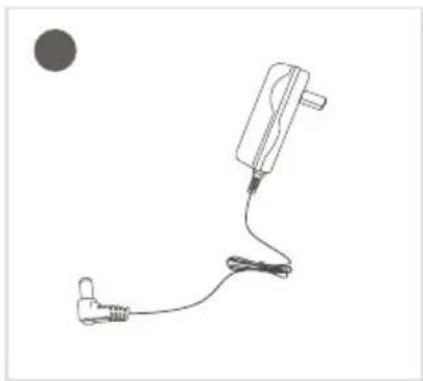
natural_image
Simple line drawing of a medical device with a connector and cable, no text or symbols present
text_image
User Manual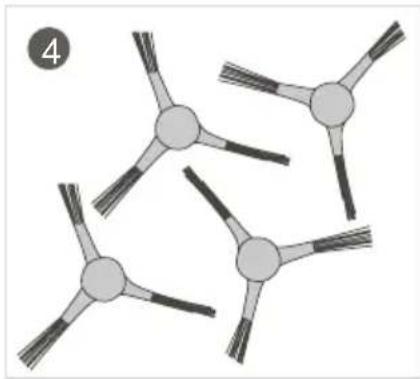
natural_image
Abstract diagram of interconnected nodes with radiating lines, no text or symbols present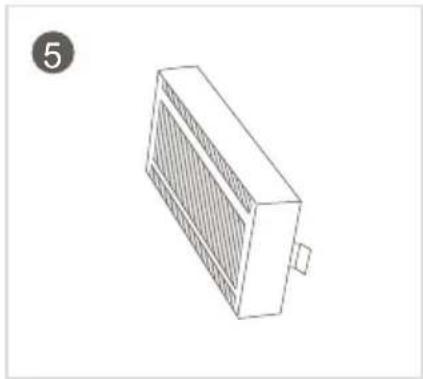
natural_image
Isometric line drawing of a rectangular electronic device with a grid pattern and a small protrusion, labeled with number 5 in the top-left corner (no text or symbols on the device itself)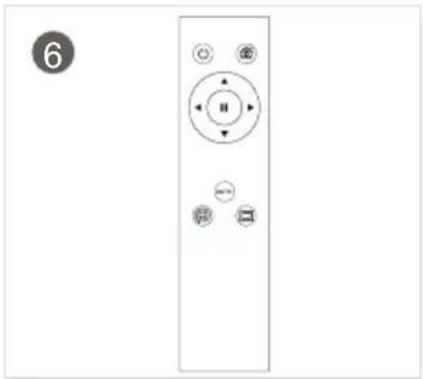
natural_image
Front view of a remote control panel with buttons and indicator lights (no text or symbols)INFORMACE PRO UŽIVATELE K LIKVIDACI ELEKTRICKÝCH A ELEKTRONICKÝCH ZAŘÍZENÍ (DOMÁCNOSTI)
natural_image
Symbol of a trash bin crossed with a diagonal line, no text or numbers presenttext_image
Safety warning illustration showing a circular device with a warning symbol and a plug, accompanied by a cross mark indicating failure.natural_image
Line drawing of a robotic vacuum cleaner inside a meshed area with a checkmark and 'X' symbol (no text or symbols on the main subject)natural_image
Technical diagram of a circular mechanical component with a cross-sectional view and a checkmark indicator (no text or symbols)natural_image
Line drawing of a staircase with a circular vacuum cleaner above it, no text or symbols presenttext_image
Technical diagram of a circular mechanical component with numbered parts labeled 1 through 5.text_image
Technical diagram of a circular device with numbered components for identificationtext_image
Technical diagram of a vacuum cleaner with numbered parts for identificationtext_image
Exploded view diagram of a device's internal components with numbered labelsnatural_image
Line drawing of a hand holding a device connected to a circular device with wires and power outlet (no text or symbols)4.1. Nabíjanie
natural_image
Line drawing showing a hand inserting a plastic bag into a cylindrical device (no text or symbols)text_image
Diagram illustrating a device's internal processing and assembly process, showing transformation from a device into a container with an arrow indicating the process.flowchart
graph LR
    A["Raw Material Inspection"] --> B["Process Step"]
    B --> C["Revised Material Collection"]
    C --> D["Final Product Inspection"]
text_image
Diagram illustrating a water supply system with faucet, water container, and solar panel componentsnatural_image
Illustration of a hand holding a small object with three arms, next to a separate diagram showing two arms with segmented bodies (no text or symbols)Vyčistite bočnú kefu: Vyberte bočnú kefu a utrite ju čistou handričkou.

natural_image
Top-down schematic of a circular mechanical or robotic device with internal components and a magnified inset showing a hand holding a small object (no text or symbols present)natural_image
Line drawing of a hand cleaning a circular appliance with a tool (no text or symbols)natural_image
Illustration of a hand inserting a device into a computer case (no text or symbols visible)natural_image
Top-down schematic of a circular mechanical component with a central handle and mounting points (no text or symbols)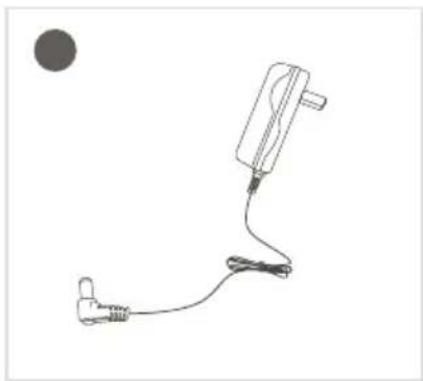
natural_image
Simple line drawing of a medical device with a connector and cable, no text or symbols present
text_image
User Manual
natural_image
Diagram of three connected circular structures with radiating lines, no text or symbols present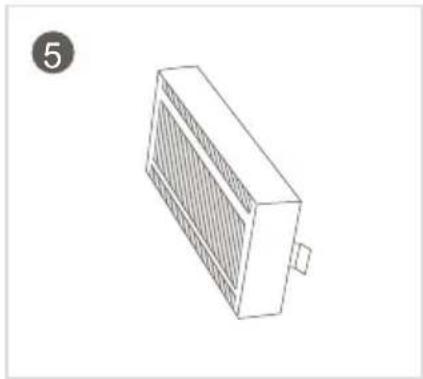
natural_image
Isometric line drawing of a rectangular electronic device with a grid pattern and a small protrusion, labeled with number 5 in the top-left corner (no text or symbols on the device itself)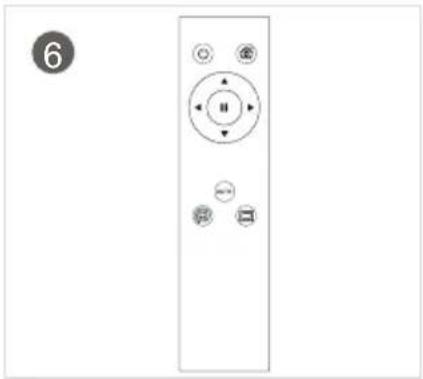
natural_image
Front view of a remote control panel with buttons and indicator lights (no text or symbols)INFORMÁCIE PRE POUŽÍVATELOV K LIKVIDÁCII ELEKTRICKÝCH A ELEKTRONICKÝCH ZARIADENÍ (DOMÁCNOSTI)
natural_image
Symbol of a trash bin crossed with no text or numbers, representing waste sorting or disposal (no text present)- ......Safety Instructions
- ......Precautions
- ......Product Introduction
3.1. ..... Cleaner Part Diagram
3.2. ..... Dust collector and remote controller diagram
3.3. ..... Specifications
- .....Operation Instructions
4.1. ..... Charging method
4.2. ..... Turn on machine
4.3. ..... Remote controller
- ......Maintenance
5.1. ..... Dust collector and filter screen cleaning
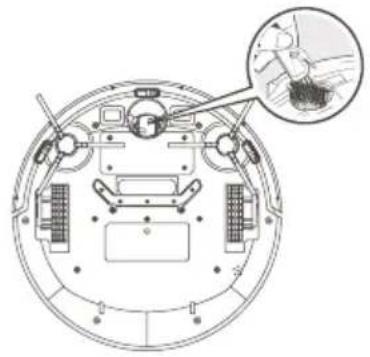
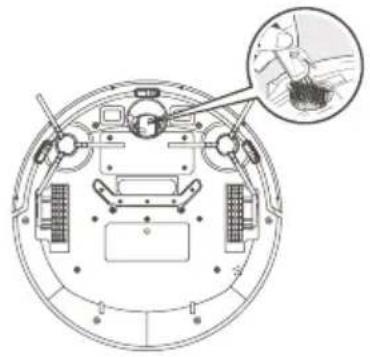
5.2. .... Clean the side brush and universal wheel
5.3. ..... Clean the cliff sensor
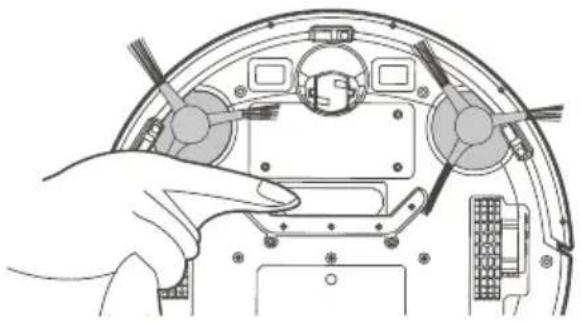
5.4. ..... Clean the suction port
5.5. ..... Clean the sensor window
-
.....Trouble Shooting
-
......Packing List
1. Safety Instructions
Please follow the following safety precautions before using the product:
- Please read this manual carefully before using the product and use the product according to the instructions in this manual.
-
Any operation inconsistent with this manual may lead to the damage of the product and personal injury.
-
This product can only be dismantled by authorized technician. Such behavior without permission is not suggested.
- Only the power adapter provided by the factory can be used with this product. The use of adapter of other specification may cause damage to the product.
- Don't touch the cord, charging base and power adapter with a wet hand.
- Keep the opening and running parts free of curtains, hair, clothes or fingers.
- Don't put the cleaner around burning objects, including cigarette, lighter or anything that is likely to cause fire.
- Don't use the cleaner to pick up combustible material, including gasoline or toner from printer, copier and mixer. Don't use it with inflammable around.
- Please clean the product after charging, and turn off the product switch before cleaning.
- Do not over-bend wires or place heavy or sharp objects on the machine.
- This product is an indoor household appliance, please don't use it outdoors.
- The cleaner can't be used by children of 8 years and below or persons with mental disorder, unless they have been given supervision or instruction concerning the use of this appliance. Don't let your children ride on or play with the cleaner.
- Do not use this product on wet or watery ground.
- Possible problems in product cleaning shall be eliminated as soon as possible. Please clear up any power cord or small object on the floor before using the cleaner in case they hinder the cleaning. Fold over the fringed hem of the carpet and prevent curtain or tablecloth from touching the floor.
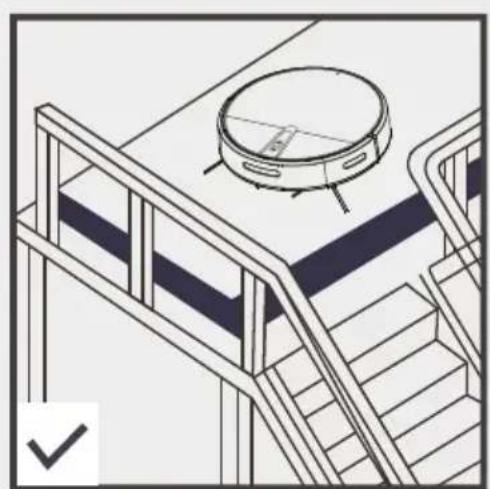
- If the room to be cleaned contains a staircase or any suspended structure, please test first whether the robot will detect it and not fall off the edge. If a physical barrier is needed for protection, make sure the facility does not cause such injury as tripping
- When the product is not used for a long time, the machine shall be charged every three months to avoid battery failure due to low power for a long time.
- Don't use it without dust collector and filters in place.
- Make sure the power adapter is connected to the socket or charging base when charging.
- Avoid any cold or heat. Operate the robot between 0 - 40°C.
- Before discarding the product, disconnect the cleaner from charging base, turn off power and remove the battery.
- Make sure the product is not powered on when removing the battery.
- Please remove and discard the battery in accordance with local laws and regulations before discarding the product.
- Do not use the product with a damaged power cord or power socket.
- Do not use the product when the product cannot work normally due to falling, damage, outdoor use or water ingress.
2. Precautions
Please read the following guidelines before using the Cleaner.
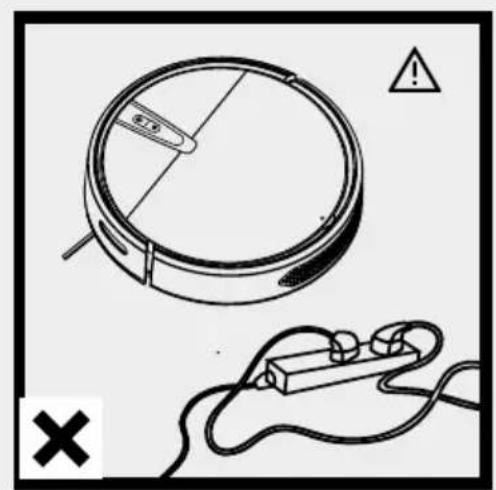
text_image
Safety warning illustration showing a circular device with a warning symbol and a plug, accompanied by a cross mark indicating failure.The power cord and other sundries scattered on the ground may entangle or wrap the product. Be sure to remove them before use.
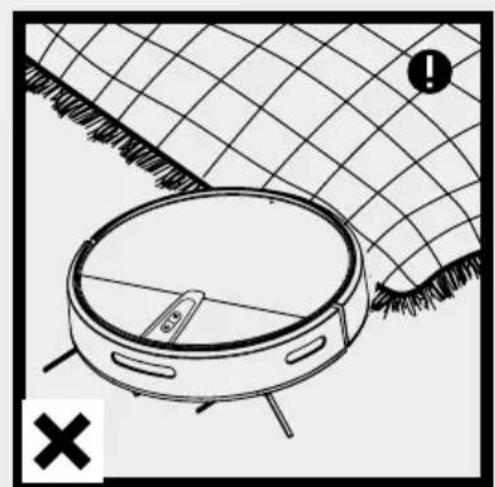
natural_image
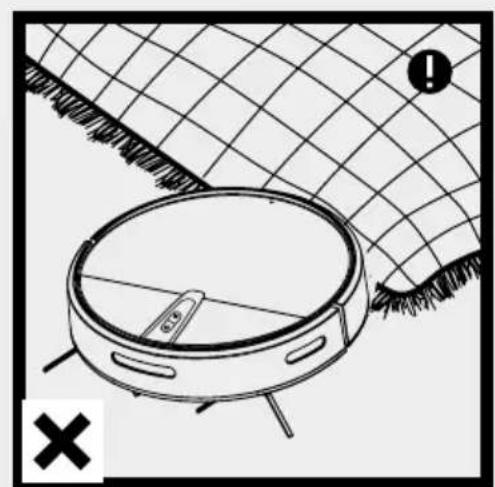
Diagram of a robotic vacuum cleaner inside a meshed area with a warning symbol (no text or labels)Please roll up the fringe of the carpet or make the product work on short-wool carpet.
natural_image
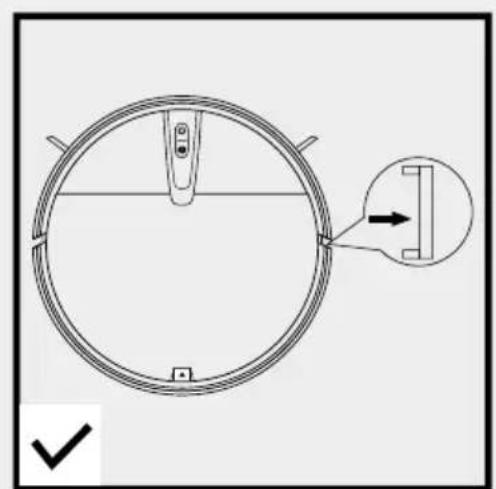
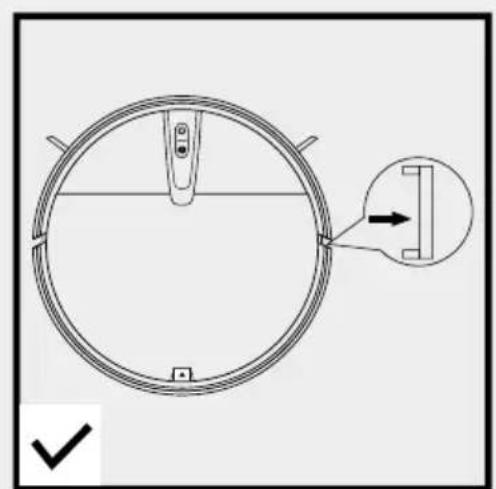
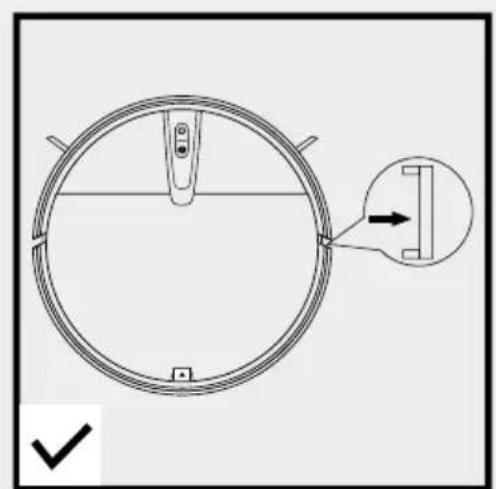
Technical diagram of a circular mechanical component with a cross-sectional view and a checkmark indicator (no text or symbols)Please remove the white strips on both sides of the bumper before use, otherwise the machine will not work properly.
natural_image
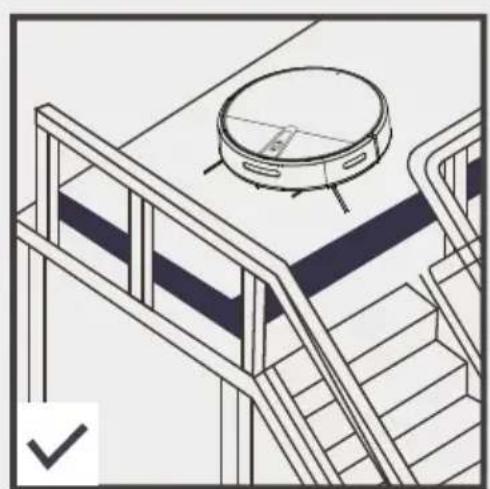
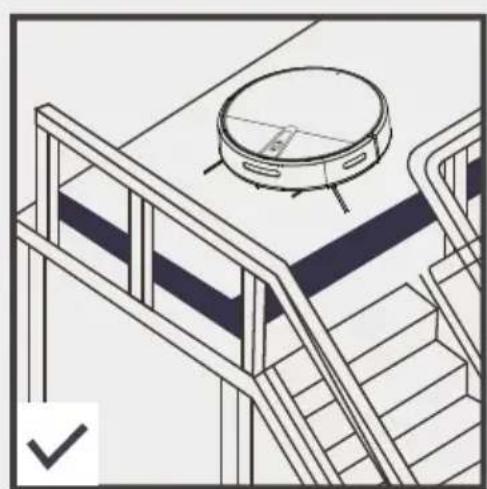
Line drawing of a staircase with a circular vacuum cleaner above it, no text or symbols presentGuardrails shall be placed at the edge to ensure the safe operation of the product.
3. Product introduction
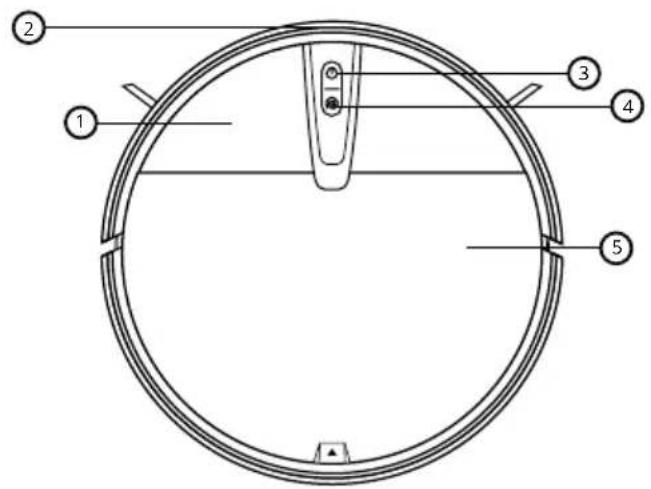
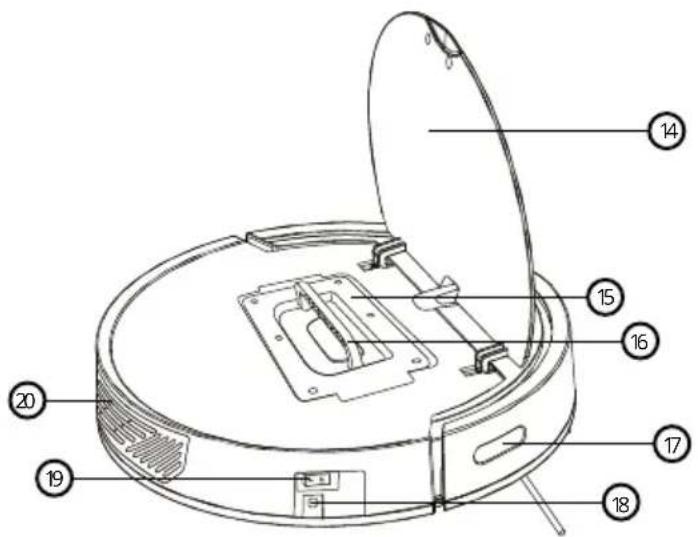
3.1. Cleaner Part Diagram
text_image
Technical diagram of a circular mechanical component with numbered parts labeled 1 through 5.- Cover
- Infrared bumper
- ON/OFF switch
- Fixed point cleaning
- Middle cover
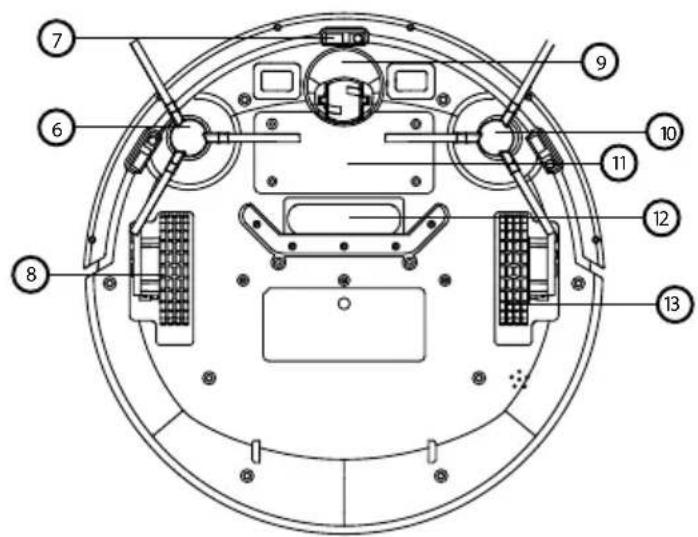
text_image
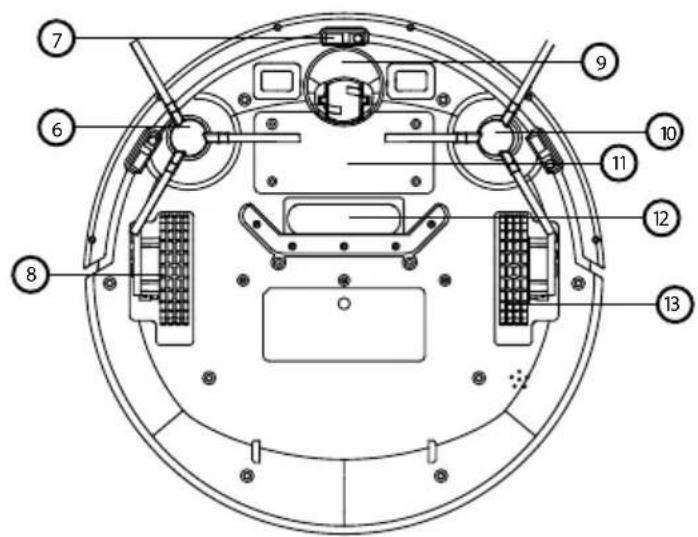
Technical diagram of a circular device with numbered components for identification- Side brush
- Cliff sensor
- Left driving wheel
- Universal wheel
- Side brush
- Battery cover
- Suction port
- Right driving wheel
text_image
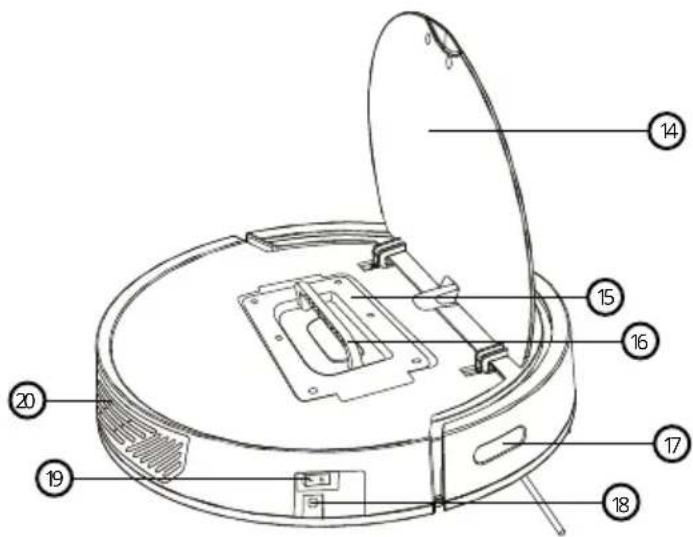
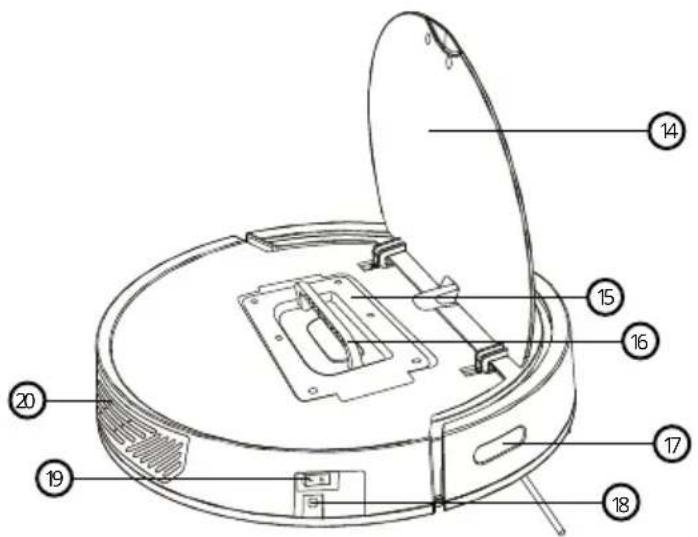
Technical diagram of a vacuum cleaner with numbered parts for identification- Middle cover
- Dust collector
- Dust collector handle
- Infrared signal reciever
- Power connector
- Switch
- Air outlet
3. Product introduction
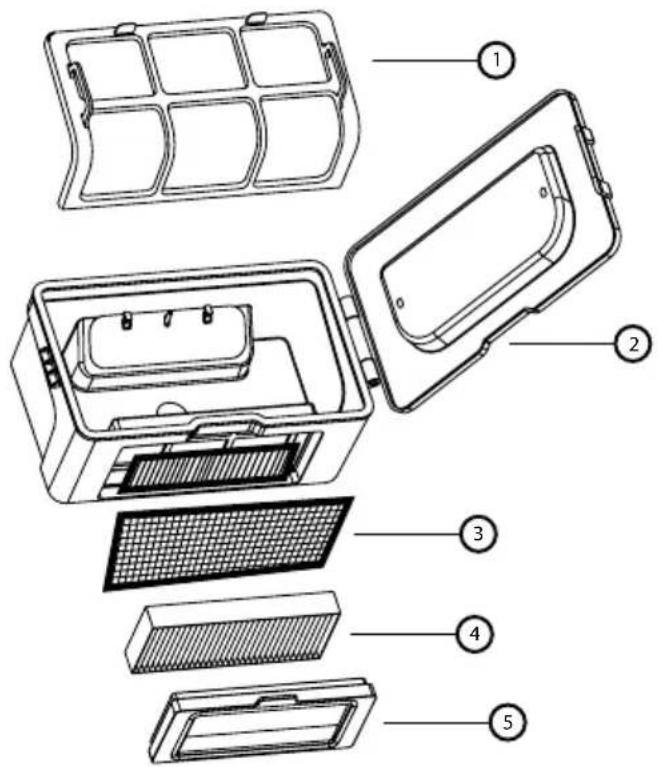
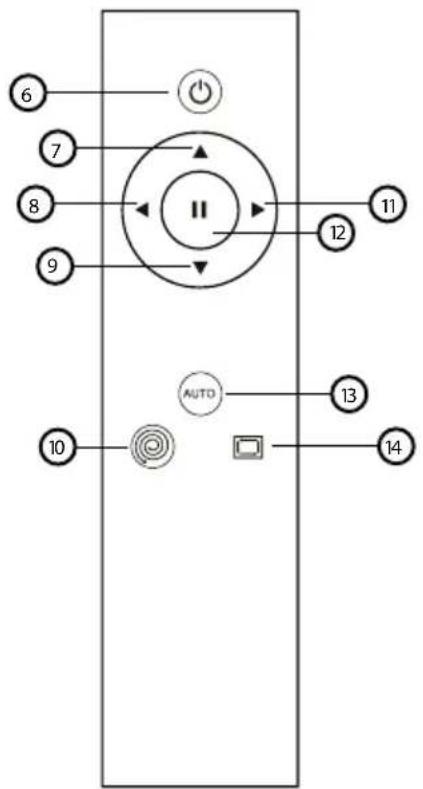
3.2. Dust collector and remote controller diagram
text_image
Exploded view diagram of a device's internal components with numbered labels- First level filter
- Dust collector
- Fine filter cotton
- HEPA filter
- Filter element seal ring
flowchart
graph TD
    A["6"] --> B["Power"]
    C["7"] --> D["II"]
    E["8"] --> D
    F["9"] --> D
    G["12"] --> D
    H["11"] --> D
    I["10"] --> J["AUTO"]
    K["13"] --> J
    L["14"] --> J
    J --> M["Control Panel"]
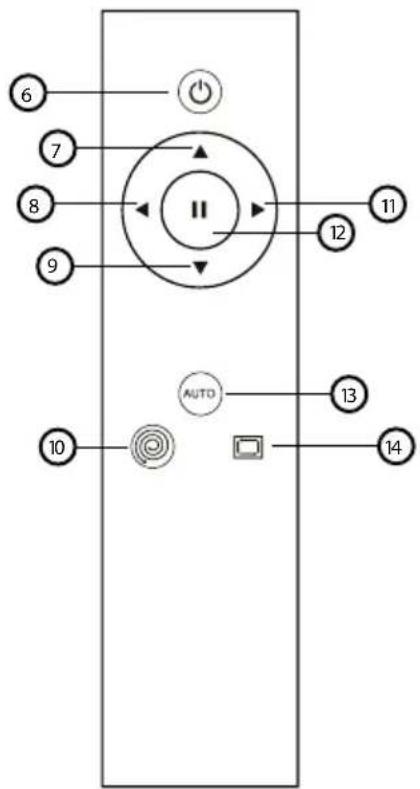
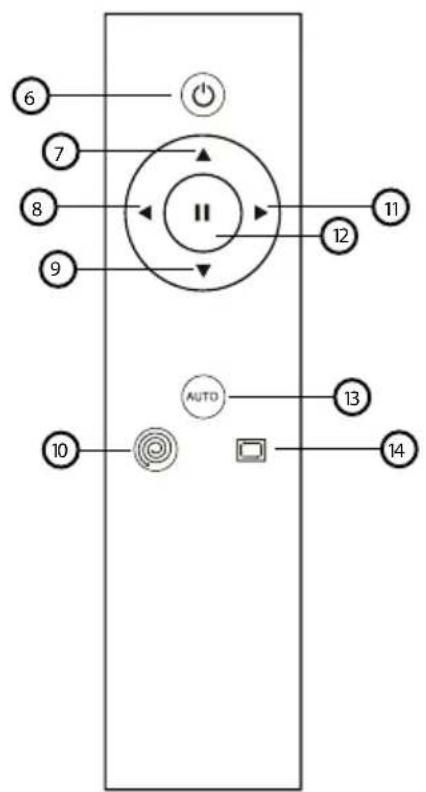
- ON/OFF
- Forward
- Turn left
- Backward
- Fixed-point cleaning
- Turn right
- Pause
- Auto cleaning
- Edge cleaning
3. Product introduction
3.3. Specifications
Diameter 320mm
Height 78mm
Net weight 2kg
Voltage 7.4V
Battery Lithium battery 2600mAh
Power 15W
Dust collector volume 600ml
Charging type Manual charging
Cleaning mode Automatic cleaning, fixed-point cleaning, Edge cleaning
Full charge time 7 hours
Working time Up to 80 minutes
Button type Physical buttons
The battery or accumulator that may be included with the product has a life of six months because it is a consumable item. Improper handling (prolonged charging, short circuit, breakage by another object, etc.) can lead to fires, overheating or battery leakage, for example.
4. Operation Instructions
natural_image
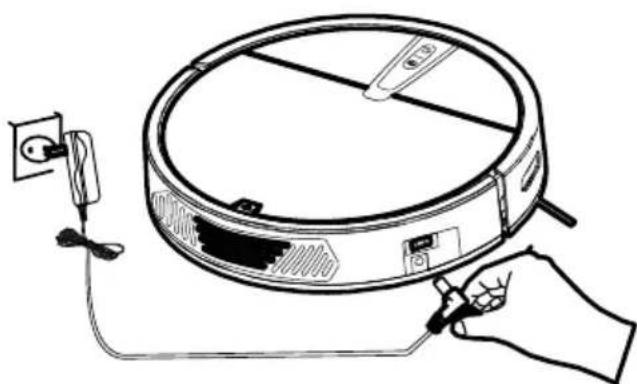
Line drawing of a hand holding a tool next to a circular device with wires and a power outlet (no text or symbols)4.1. Charging method
Directly plug the power adapter into the machine, as shown in the figure.
\* Notes
A. Please charge the machine for not less than 12 hours when charging for the first time, and charge it until the red light of the power key breathe. When the battery is fully charged, the green light will be constantly on.
B. When not in use for a long time, please full charge the machine, turn off the power switch and store it in a cool and dry place.
text_image
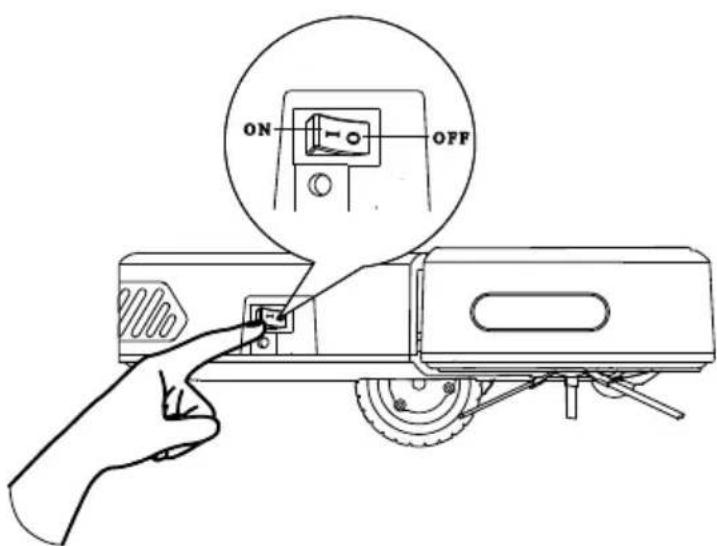
ON OFF4.2. Turn on machine
Turn on the power switch, the panel button indicator flashes (1 means power ON, 0 means power OFF).
4. Operation Instructions
4.3. Remote controller
Standby
Press this key to enter the sleep mode; press Pause key for restarting the machine; If the machine is not operated within 3 minutes, the machine will automatically enter the sleep mode.
Auto cleaning AUTO
Press this key to start cleaning automatically; Press Pause key ☐ to pause the machine if necessary.
Automatic recharge (Only for models with this feature)
Press this key to automatically find the charging base for charging.
Pause
Press this key to pause the machine in the running state, and press this key to wake up the machine in the sleeping state.
Direction
Forward – Press this key to move the machine forward.
- Backward – Press this key to move the machine back.
- Left – Press this key to move the machine left.
Right – Press this key to move the machine right.
Sweep along wall mode
Press this key to engage cleaning mode. You can only switch to other mode (like auto) by remote control or it will keep working on this mode till power off.
Fixed-point cleaning
Press this key to start the machine's spiral point cleaning. After the end of fixed-point cleaning mode, it will enter auto mode automatically.
5. Maintenance
5.1. Dust collector and filter screen cleaning
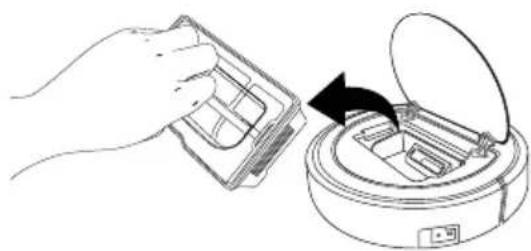
natural_image
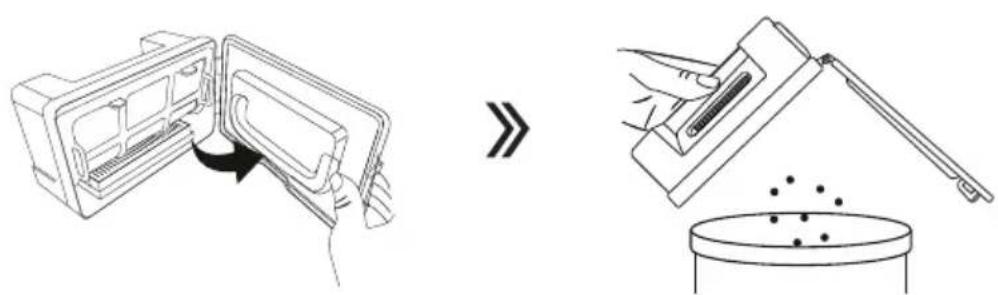
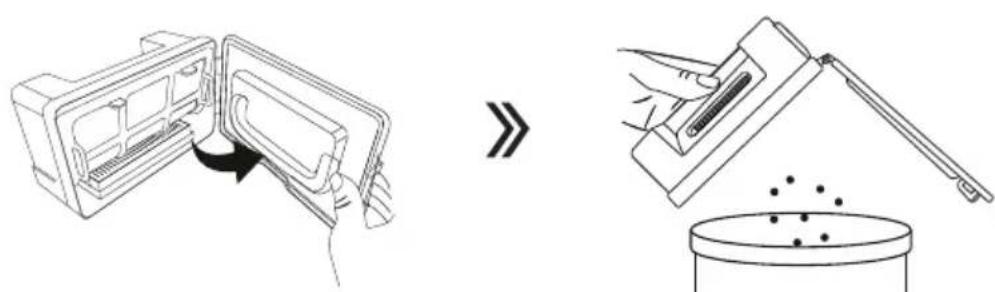
Line drawing showing a hand inserting a plastic bag into a microwave oven with an open lid (no text or symbols)Take out the dust collector.
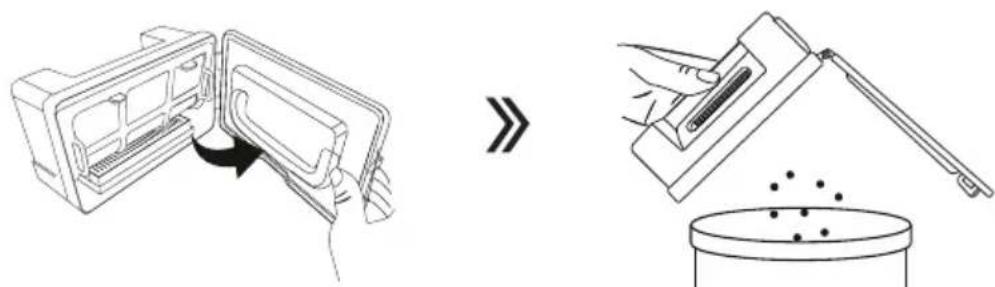
text_image
Diagram illustrating a device's internal processing process and its resulting product with granular material.Open the dust collector lock and pour the dust and garbage.

flowchart
graph LR
    A["Raw Material Inspection"] --> B["Add Material"]
    B --> C["Process Step"]
    C --> D["Final Product Inspection"]
    D --> E["Recyclable Waste Disposal"]
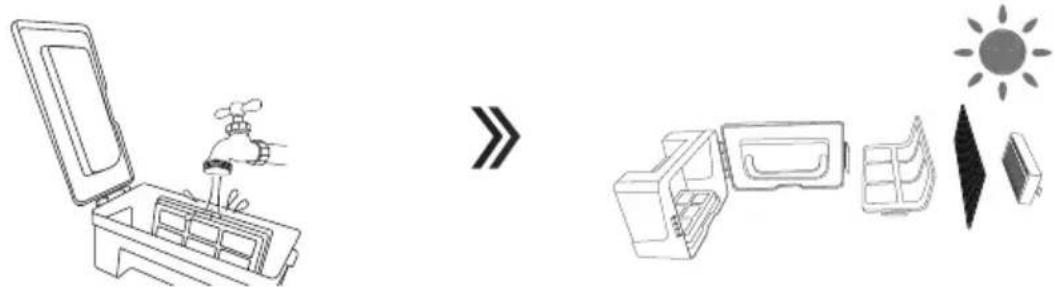
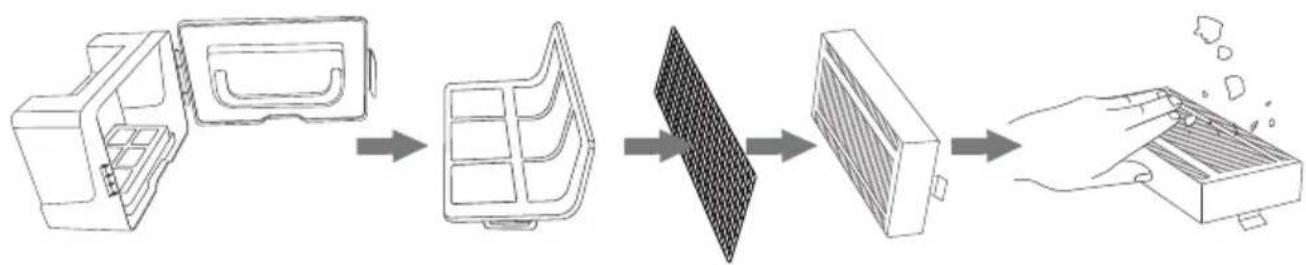
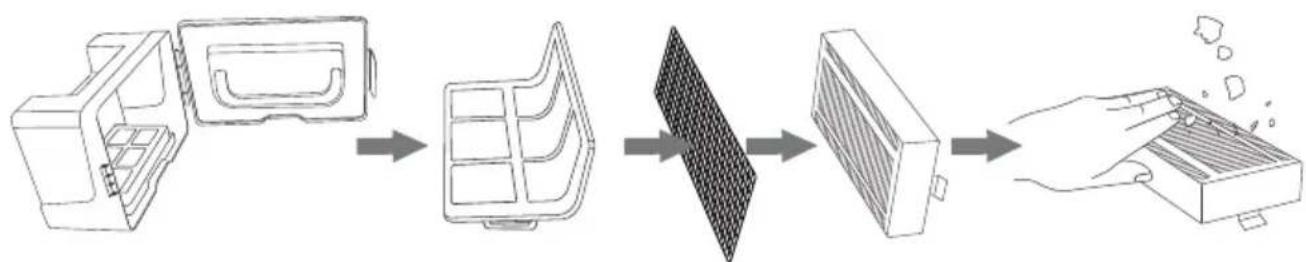
Remove the filter elements. HEPA can be washed with water, and you can tap it to remove dust before washing.
text_image
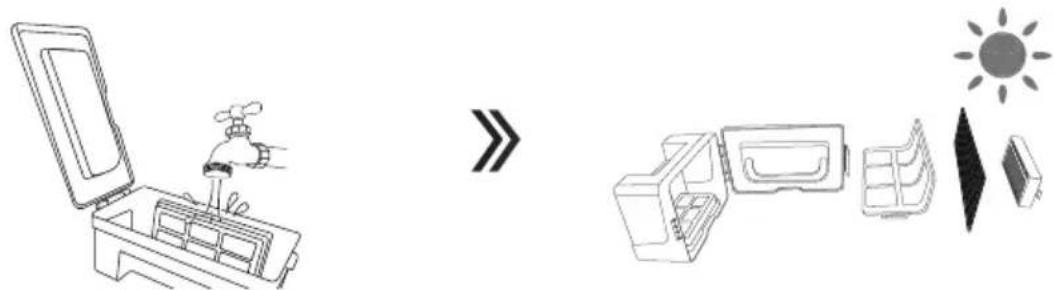
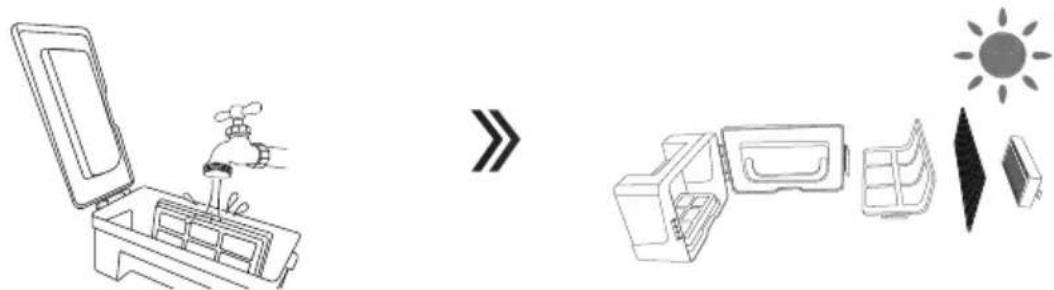
Diagram illustrating a water supply system with faucet, water container, and solar panel componentsWash the dust collector and the first filter element, dry the dust collector and filter elements, and keep them dry to ensure their service life.
5. Maintenance
5.2. Clean the side brush and universal wheel
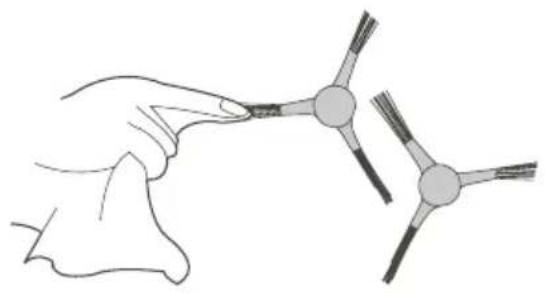
natural_image
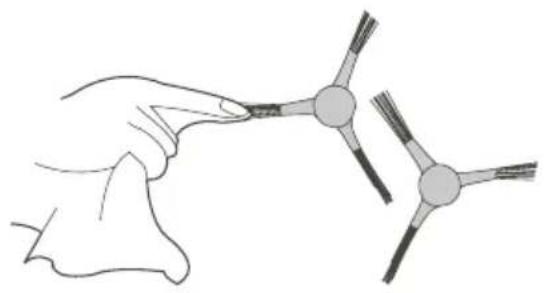
Illustration of a hand holding a small object with three connected nodes, next to a separate abstract diagram (no text or symbols)Clean the side brush: Remove the side brush and wipe it with a clean cloth.

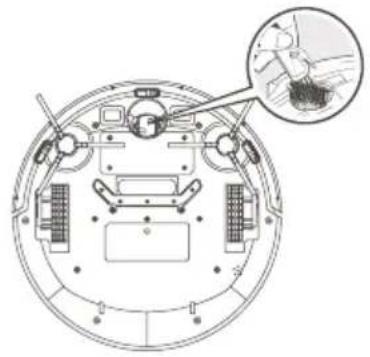
natural_image
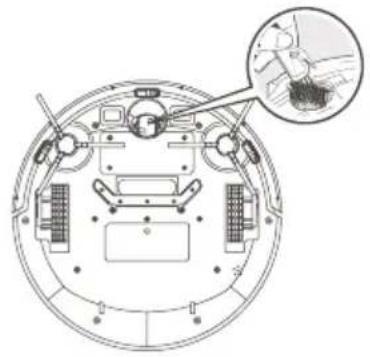
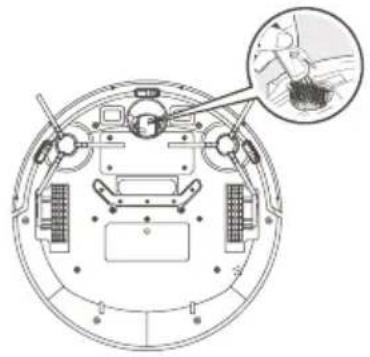
Top-down schematic of a circular mechanical or robotic device with internal components and a magnified inset showing a hand holding a small object (no text or symbols present)Clean universal wheel: Clean the universal wheel to remove hair entanglement.
5.3. Clean the cliff sensor
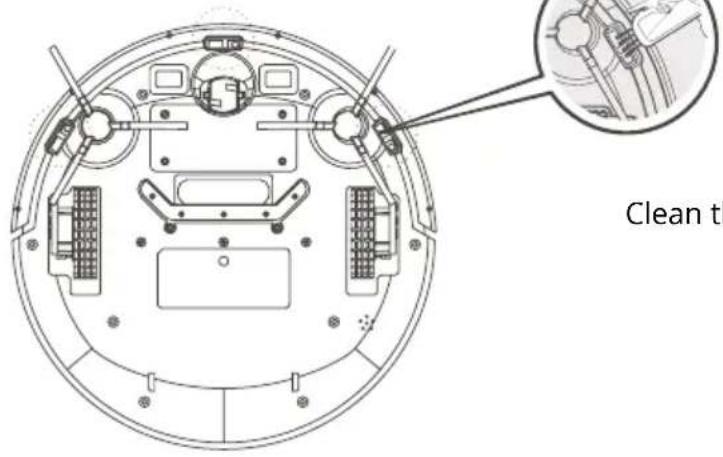
text_image
Clean thClean the cliff sensor to ensure sensor sensitivity.
5.5. Clean the sensor window
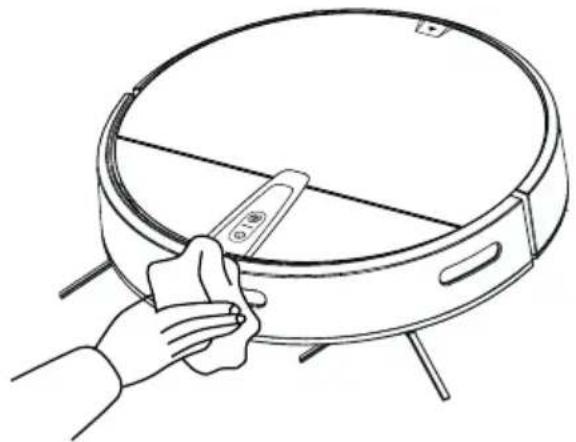
natural_image
Line drawing of a hand cleaning a circular appliance with a tool (no text or symbols)Clean the sensor window.
5.4. Clean the suction port
natural_image
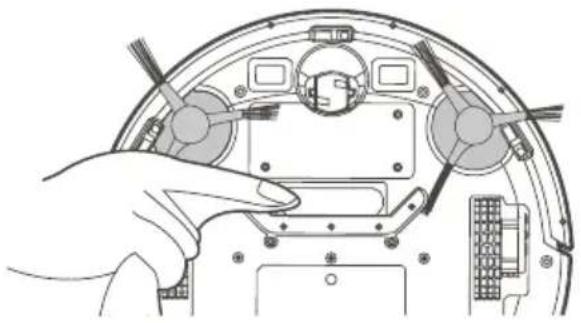
Illustration of a hand inserting a device into a computer case (no text or symbols visible)If there is a large amount of dust in the suction opening, clean it with a cloth.
6. Trouble shooting
When something goes wrong with the machine, the red light will be flash or lights on constantly, and the voice prompts at the same time.
| 1 beep, red light constantly on | Abnormal wheel | Please clean the foreign matter around the wheel |
| red light flashes IR bumper stuck | Clean the foreign matter around the bumper | |
| 2 beeps, red light flashes Abnormal side brush | Please clean the hair around the side brush if there is any | |
| 3 beeps, red light flashes Abnormal cliff sensor | Please clean the sensor window if there are any dirty objects | |
| 4 beeps, red light flashes Low battery power Charge the machine | ||
\* Technical tips
If the above method does not solve the problem, please try the following:
-
Restart the power of the machine.
-
If the problem cannot be solved by restarting the machine, please send the machine to the after-sales service center for maintenance.
7. Packing list
Number Description Quantity
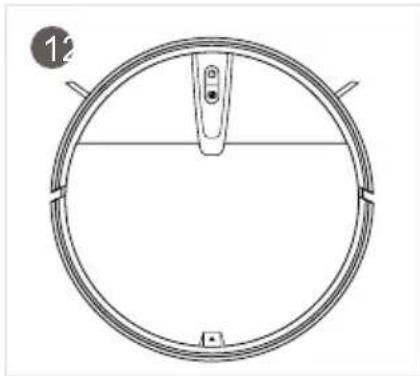
1 Main machine(includes battery) 1
2 Power adapter 1
3 User manual 1
4 Side brush 2 pair
5 HEPA filter 1
6 Remote controller (without battery) 1
natural_image
Technical line drawing of a circular mechanical component with a central pin and base (no text or symbols)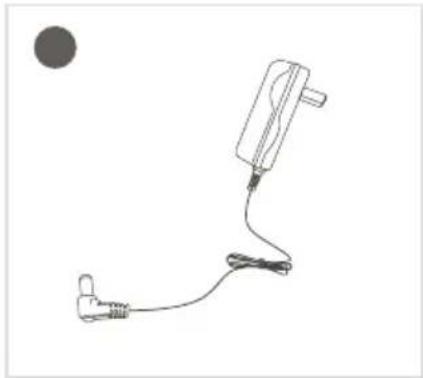
natural_image
Simple line drawing of a medical or electrical device with a plug, cable, and connector (no text or symbols)
text_image
User Manual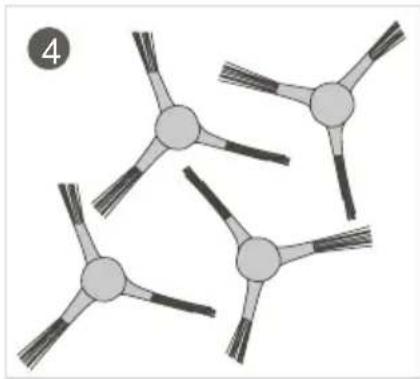
natural_image
Diagram of three connected nodes with radiating lines, no text or symbols present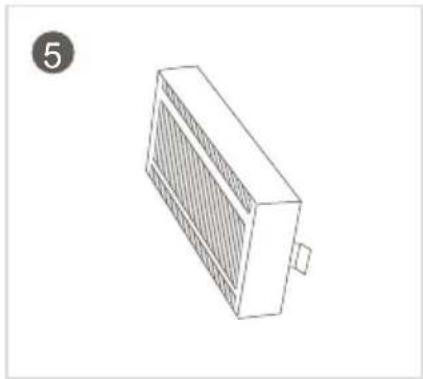
natural_image
Isometric line drawing of a rectangular electronic device with a grating and mounting base (no text or symbols)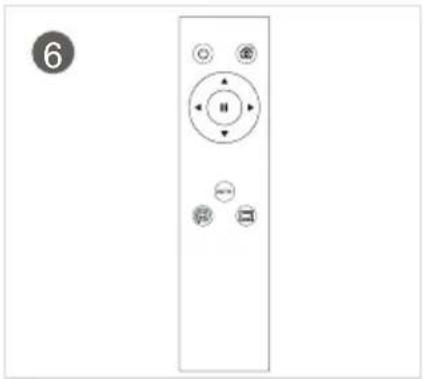
natural_image
Front view of a remote control panel with buttons and a numbered circle (no text or symbols on the panel itself)USER INFORMATION FOR DISPOSING ELECTRICAL AND ELECTRONIC DEVICES (HOME USE)
natural_image
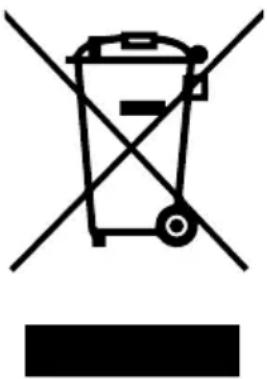
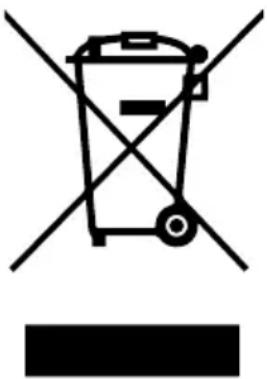
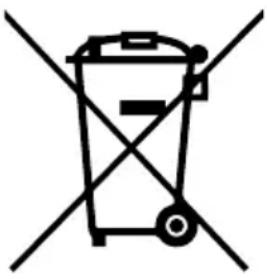
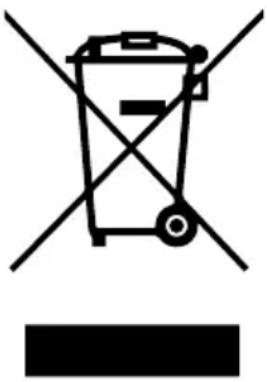
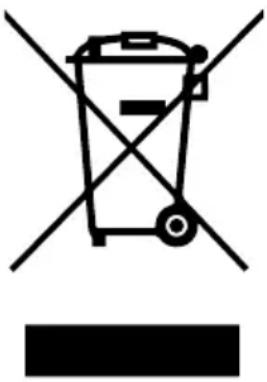
Symbol of a trash bin with no text or numbers presentThis symbol located on a product or in the product's original documentation means that the used electrical or electronic products may not be disposed together with the communal waste. In order to dispose of these products correctly, take them to a designated collection site, where they will be accepted for free. By disposing of a product in this way, you are helping to protect precious natural resources and helping to prevent any potential negative impacts on the environment and human health, which could be the result of incorrect waste disposal. You may receive more detailed information from your local authority or nearest collection site. According to national regulations, fines may also be given out to anyone who disposes of this type of waste incorrectly. User information for disposing electrical and electronic devices.
(Business and corporate use)
In order to correctly dispose of electrical and electronic devices for business and corporate use, refer to the product's manufacturer or importer. They will provide you with information regarding all disposal methods and, according to the date stated on the electrical or electronic device on the market, they will tell you who is responsible for financing the disposal of this electrical or electronic device. Information regarding disposal processes in other countries outside the EU. The symbol displayed above is only valid for countries within the European Union. For the correct disposal of electrical and electronic devices, request the relevant information from your local authorities or the device seller.
Inhalt
text_image
Safety warning illustration showing a circular device with warning symbol and a plug, accompanied by a cross mark indicating failure.natural_image
Diagram of a robotic vacuum cleaner inside a meshed area with a warning symbol (no text or labels)natural_image
Technical diagram of a circular mechanical component with a cross-sectional view and an arrow indicating a detail (no text or symbols present)natural_image
Line drawing of a staircase with a circular vacuum cleaner above it, no text or symbols presenttext_image
Technical diagram of a circular mechanical component with numbered parts labeled 1 through 5.text_image
Technical diagram of a circular device with numbered components for identificationtext_image
Technical diagram of a vacuum cleaner with numbered parts for identificationtext_image
Exploded view diagram of a device's internal components with numbered labels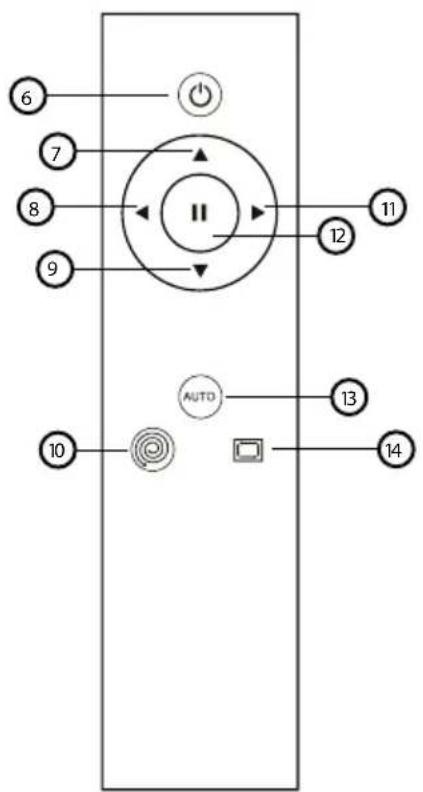
flowchart
graph TD
    6 --> A["Power Symbol"]
    7 --> B["Arrow Left"]
    8 --> C["Arrow Right"]
    9 --> D["Arrow Down"]
    10 --> E["Sensor Icon"]
    11 --> F["Arrow Up"]
    12 --> G["Arrow Down"]
    13 --> H["Arrow Up"]
    14 --> I["Arrow Down"]
    15 --> J["Arrow Left"]
    16 --> K["Arrow Right"]
    17 --> L["Arrow Left"]
    18 --> M["Arrow Right"]
    19 --> N["Arrow Down"]
    20 --> O["Arrow Up"]
    style A fill:#fff,stroke:#000
    style B fill:#fff,stroke:#000
    style C fill:#fff,stroke:#000
    style D fill:#fff,stroke:#000
    style E fill:#fff,stroke:#000
    style F fill:#fff,stroke:#000
    style G fill:#fff,stroke:#000
    style H fill:#fff,stroke:#000
    style I fill:#fff,stroke:#000
    style J fill:#fff,stroke:#000
    style K fill:#fff,stroke:#000
    style L fill:#fff,stroke:#000
    style M fill:#fff,stroke:#000
    style N fill:#fff,stroke:#000
    style O fill:#fff,stroke:#000
    style P fill:#fff,stroke:#000
    style Q fill:#fff,stroke:#000
    style R fill:#fff,stroke:#000
    style S fill:#fff,stroke:#000
    style T fill:#fff,stroke:#000
    style U fill:#fff,stroke:#000
    style V fill:#fff,stroke:#000
    style W fill:#fff,stroke:#000
    style X fill:#fff,stroke:#000
    style Y fill:#fff,stroke:#000
    style Z fill:#fff,stroke:#000
natural_image
Line drawing of a hand holding a device connected to a circular device with wires and power outlet (no text or symbols)4.1. Aufladung
natural_image
Line drawing showing a hand inserting a plastic bag into a microwave oven with an open lid (no text or symbols)text_image
Diagram illustrating the process of removing a device into a container, with an arrow indicating transformation.flowchart
graph LR
    A["Raw Material Inspection"] --> B["Process Step"]
    B --> C["Product Inspection"]
    C --> D["Final Product Inspection"]
text_image
Diagram illustrating a water supply system with faucet, water container, and solar panel componentsnatural_image
Illustration of a hand holding a small object with two connected arms, showing structural details (no text or symbols)
natural_image
Top-down schematic of a circular mechanical or robotic device with internal components and a magnified inset showing a hand holding a small object (no text or symbols present)natural_image
Line drawing of a hand holding a small device next to a circular appliance (no text or symbols)natural_image
Illustration of a hand inserting into a device panel with connectors and ports (no text or symbols)natural_image
Technical line drawing of a circular mechanical component with a central pin and base (no text or symbols)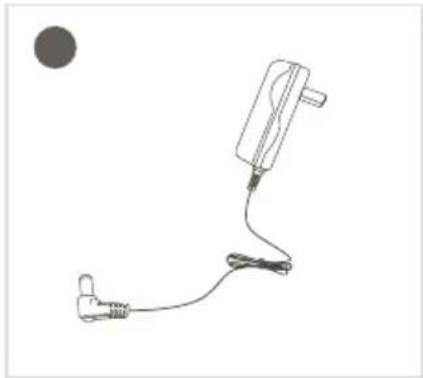
natural_image
Simple line drawing of a medical device with a plug and cable, no text or symbols present
text_image
User Manual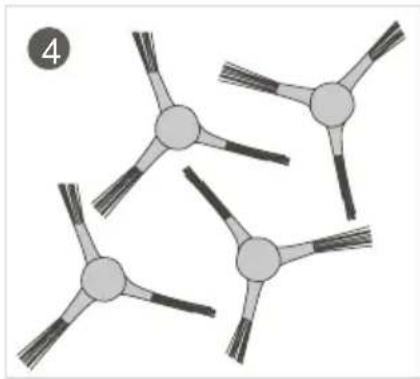
natural_image
Diagram of three connected nodes with radiating lines, no text or symbols present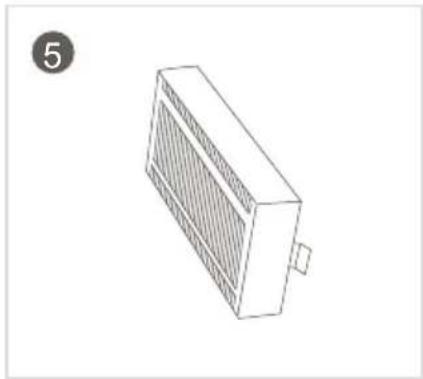
natural_image
Isometric line drawing of a rectangular electronic device with a grid pattern and a small protrusion, labeled with number 5 in the top-left corner (no text or symbols on the device itself)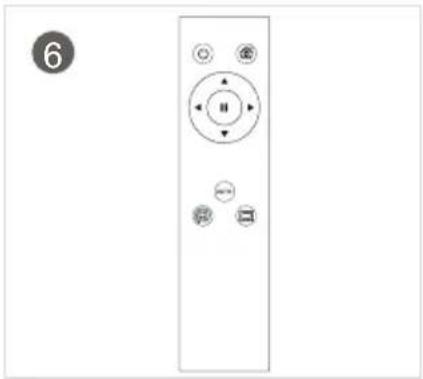
natural_image
Front view of a remote control panel with buttons and a numbered circle (no text or symbols on the panel itself)natural_image
Symbol of a trash bin crossed with no text or numbers, representing waste sorting or disposal (no text present)text_image
Safety warning illustration showing a circular device with warning symbol and a plug, plus a cross mark indicating failure.natural_image
Diagram of a robotic vacuum cleaner inside a meshed area with a warning symbol (no text or labels)natural_image
Technical diagram of a circular mechanical component with a cross-sectional view and an arrow indicating a detail (no text or symbols present)natural_image
Line drawing of a staircase with a circular vacuum cleaner above it, no text or symbols presenttext_image
Technical diagram of a circular mechanical component with numbered parts labeled 1 through 5.text_image
Technical diagram of a circular device with numbered components for identificationtext_image
Technical diagram of a vacuum cleaner with numbered parts for identificationtext_image
Exploded view diagram of a device's internal components with numbered labelsnatural_image
Line drawing of a hand holding a remote control device connected to a power outlet (no text or symbols)4.1. Töltés
natural_image
Line drawing showing a hand inserting a plastic bag into a cylindrical device with an open lid (no text or symbols)text_image
Diagram illustrating a device's internal processing and assembly process, showing steps from opening to adding granular material.text_image
Diagram illustrating a water supply system with faucet, water container, and solar panel componentsnatural_image
Illustration of a hand holding a small object with three arms, connected to a branched structure (no text or symbols)natural_image
Top-down schematic of a vehicle's internal components with an inset showing a hand holding a tool (no text or labels)natural_image
Line drawing of a hand cleaning a circular appliance with a tool (no text or symbols)natural_image
Illustration of a hand inserting a device into a circular component, showing internal components and wiring (no text or symbols)natural_image
Technical line drawing of a circular mechanical component with a central pin and base (no text or symbols)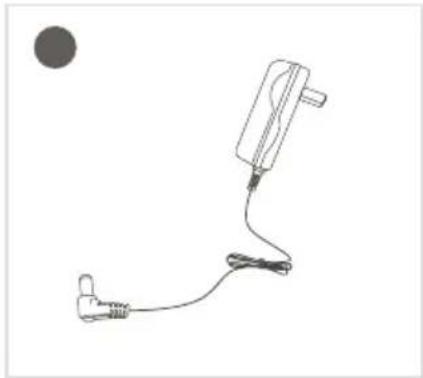
natural_image
Simple line drawing of a medical device with a connector and cable, no text or symbols present
text_image
User Manual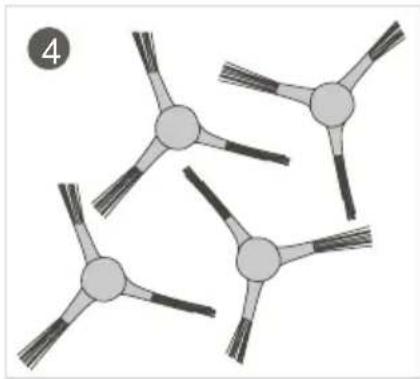
natural_image
Abstract diagram of interconnected nodes with radiating lines, no text or symbols present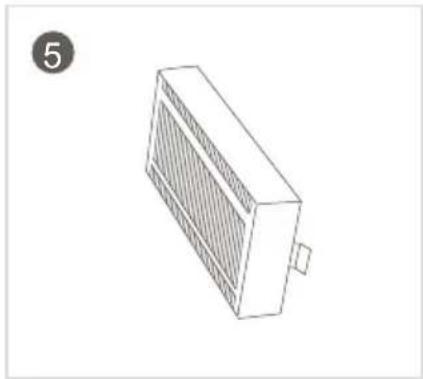
natural_image
Isometric line drawing of a rectangular electronic device with a grid pattern and a small protrusion, labeled with number 5 in the top-left corner (no text or symbols on the device itself)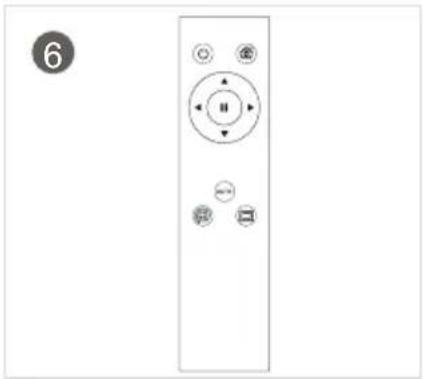
natural_image
Front view of a remote control panel with buttons and indicator lights (no text or symbols)FELHASZNÁLÓI TÁJÉKOZTATÓ (HÁZTARTÁSI) ELEKTROMOS ÉS ELEKTRONIKUS BERENDEZÉSEK ÁRTALMATLANÍTÁSÁRÓL
natural_image
Symbol of a trash bin crossed with a diagonal line, no text or numbers presenttext_image
Safety warning illustration showing a circular device with a warning symbol and a battery plug, accompanied by a cross mark.Kabel napajanja i ostali predmeti rasuti po tlu mogu se zapetljati ili omotati oko proizvoda. Obavezno ih uklonite prije upotrebe.
natural_image
Diagram of a robotic vacuum cleaner inside a meshed area with a warning symbol (no text or labels)Zamotajte rese na tepihu ili omogućite da uređaj radi na tepihu s kratkim nitima.
natural_image
Technical diagram of a circular mechanical component with a cross-sectional view and a checkmark indicator (no text or symbols)Skinite bijele trake s obje strane prednjeg infracrvenog senzora prije upotrebe jer u protivnom stroj neće ispravno raditi.
natural_image
Line drawing of a staircase with a circular vacuum cleaner above it, no text or symbols presentŠtitnici se moraju postaviti na rub da bi se osigurao siguran rad proizvoda.
3. Uvod u proizvod
text_image
Technical diagram of a circular mechanical component with numbered parts labeled 1 to 5- Poklopac
- Prednji infracrveni spremnik
- Prekidač za uklj/isklj
- Čišćenje fiksnom točkom
- Srednji poklopac
text_image
Technical diagram of a circular electronic device with numbered components for identification.- Bočna četka
- Senzor za detekciju pada
- Lijevi pogonski kotačić
- Univerzalni kotačić
- Bočna četka
- Poklopac baterije
- Otvor usisa
- Desni pogonski kotačić
text_image
Technical diagram of a vacuum cleaner with numbered parts for identificationtext_image
Exploded view diagram of a device's internal components with numbered labels- Filtar prve razine
- Sakupljač prašine
- Sitni pamučni filtar
- Filtar HEPA
- Brtveni prsten filtrirajućeg elementa
flowchart
graph TD
    A["6"] --> B["○"]
    C["7"] --> D["○"]
    E["8"] --> F["○"]
    G["9"] --> H["○"]
    I["10"] --> J["○"]
    K["11"] --> L["○"]
    M["12"] --> N["○"]
    O["13"] --> P["○"]
    Q["14"] --> R["○"]
    S["AUTO"] --> T["□"]
natural_image
Line drawing of a hand holding a device connected to a circular device with wires and power outlet (no text or symbols)4.1. Način punjenja
natural_image
Line drawing showing a hand inserting a plastic bag into a microwave oven with an open lid (no text or symbols)Izvadite sakupljač prašine.
natural_image
Illustration showing a device being processed with a tool, and its resulting in a lid (no text or symbols present)Otvorite bravu sakupljača prašine i izbacite prašinu i smeće.
flowchart
graph LR
    A["Raw Material Inspection"] --> B["Add Material"]
    B --> C["Process Step"]
    C --> D["Final Product Inspection"]
    D --> E["Final Product"]
Izvadite sve filtrirajuće elemente. HEPA se može oprati vodom, a možete ga rukom lupkati da biste izbacili prašinu prije pranja.
text_image
Diagram illustrating a water supply system with faucet, water container, and solar panel componentsOperite sakupljač prašine i prvi filtrirajući element, osušite sakupljač prašine i filtrirajuće elemente i držite ih suhim da biste osigurali njihov vijek trajanja.
5. Održavanje
5.2. Čišćenje bočne četke i univerzalnog kotačića
natural_image
Illustration of a hand holding a small object with two connected arms, showing structural details (no text or symbols)Čišćenje bočne četke: skinite bočnu četku i obrišite ju čistom krpom.

natural_image
Top-down schematic of a vehicle's internal components with an inset showing a hand holding a device (no text or labels)Čišćenje univerzalnog kotačića: očistite univerzalni kotačić da biste skinuli zapetljanu kosu.
natural_image
Line drawing of a hand cleaning a circular appliance with a tool (no text or symbols)Očistite okno senzora.
5.4. Čišćenje otvora usisa
natural_image
Illustration of a hand inserting a component into a device casing, showing internal components and wiring (no text or symbols)Ako se na otvoru usisa nalazi velika količina prašine, očistite ju krpom.
6. Rješavanje problema
natural_image
Technical line drawing of a circular mechanical component with a central pin and base (no text or symbols)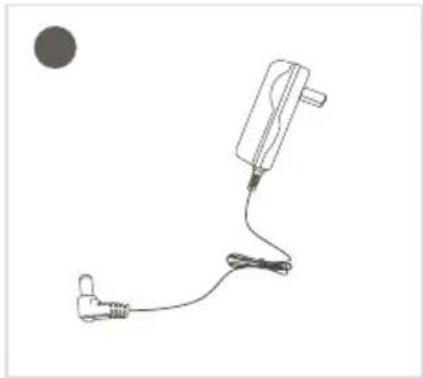
natural_image
Simple line drawing of a medical device with a plug and cable, no text or symbols present
text_image
User Manual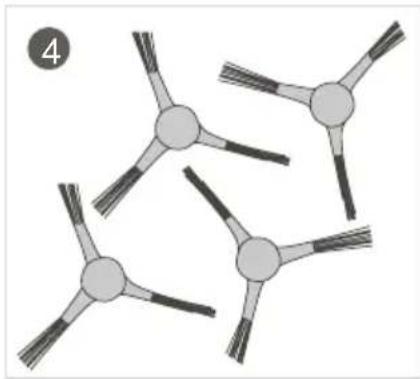
natural_image
Abstract diagram of interconnected nodes with radiating lines, no text or symbols present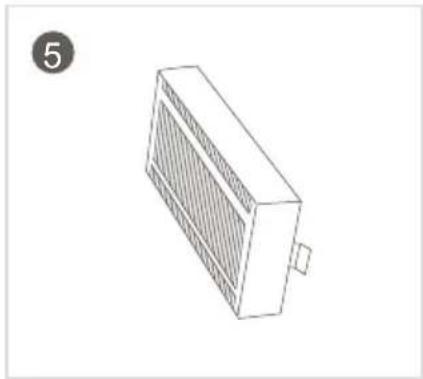
natural_image
Isometric line drawing of a rectangular electronic device with a grid pattern and a small protrusion, labeled with number 5 in the top-left corner (no text or symbols on the device itself)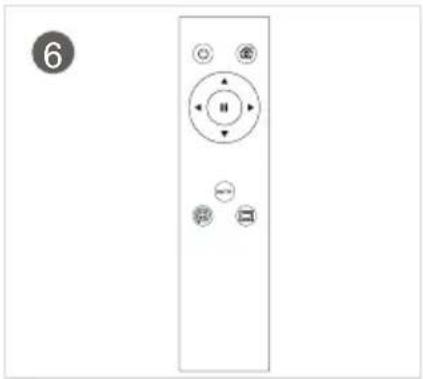
natural_image
Front view of a remote control panel with buttons and indicator lights (no text or symbols)INFORMACIJE ZA KORISNIKE O ODLAGANJU ELEKTRIČNIH I ELEKTRONIČKIH UREĐAJA (ZA KUĆNU UPOTREBU)
natural_image
Symbol of a trash bin crossed with two diagonal lines, representing no waste or discharge (no text or labels)
text_image
Safety warning illustration showing a circular device with warning symbol and a plug, plus a cross mark indicating failure.natural_image
Diagram of a robotic vacuum cleaner inside a meshed area with a warning symbol (no text or labels)natural_image
Technical diagram of a circular mechanical component with a cross-sectional view and a magnified inset showing a small rectangular feature (no text or symbols)natural_image
Line drawing of a staircase with a circular vacuum cleaner above it, no text or symbols presenttext_image
Technical diagram of a circular mechanical component with numbered parts labeled 1 through 5.text_image
Technical diagram of a circular electronic device with numbered components for identification.text_image
Technical diagram of a vacuum cleaner with numbered parts for identificationtext_image
Exploded view diagram of a device's internal components with numbered labelsnatural_image
Line drawing of a hand holding a tool next to a circular device with wires and a power outlet (no text or symbols)4.1. Ładowanie
natural_image
Line drawing showing a hand inserting a plastic bag into a microwave oven with an open lid (no text or symbols)natural_image
Diagram showing a device being processed with a tool, and its resulting in a lid (no text or symbols present)flowchart
graph LR
    A["Raw Material Inspection"] --> B["Process Step"]
    B --> C["Revised Material Collection"]
    C --> D["Final Product Inspection"]
text_image
Diagram illustrating a water supply system with faucet, water container, and solar panel componentsnatural_image
Illustration of a hand holding a small object with three connected arms, next to a separate abstract diagram (no text or symbols)natural_image
Top-down schematic of a vehicle's internal components with an inset showing a hand holding a tool (no text or labels)natural_image
Line drawing of a hand cleaning a circular appliance with a tool (no text or symbols)Wyczyścić czujnik.
natural_image
Illustration of a hand inserting into a device casing with visible internal components (no text or symbols)natural_image
Technical line drawing of a circular mechanical component with a central pin and base (no text or symbols)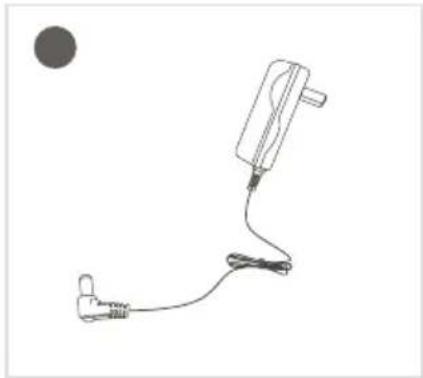
natural_image
Simple line drawing of a medical or electronic device with a plug, cable, and connector (no text or symbols)
text_image
User Manual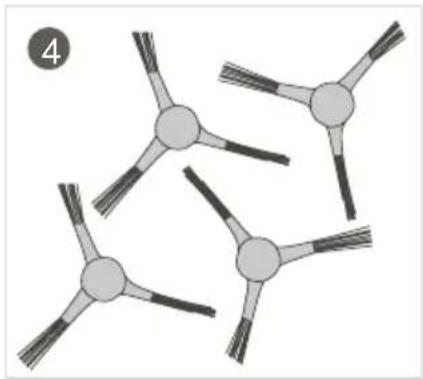
natural_image
Abstract diagram of interconnected nodes with radiating lines, no text or symbols present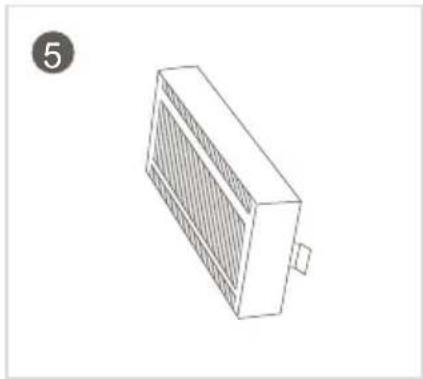
natural_image
Isometric line drawing of a rectangular electronic device with a grid pattern and a small protrusion, labeled with number 5 (no text or symbols on the device itself)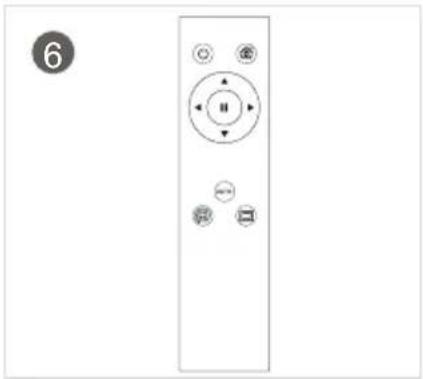
natural_image
Front view of a remote control panel with buttons and indicator lights (no text or symbols)INFORMACJE DLA UŻYTKOWNIKÓW DOTYCZĄCE UTYLIZACJI (DOMOWEGO) SPRZĘTU ELEKTRYCZNEGO I ELEKTRONICZNEGO
natural_image
Symbol of a trash bin crossed with two diagonal lines, representing no waste or discharge (no text or labels)
text_image
Safety warning illustration showing a circular device with a warning symbol and a battery plug, accompanied by a cross mark.natural_image
Diagram of a robotic vacuum cleaner inside a meshed area with a warning symbol (no text or labels)Spodvijte robove preproge z resicami ali poskrbite, da bo sesalnik sesal le po preprogi s kratkimi vlakni.
natural_image
Technical diagram of a circular mechanical component with a cross-sectional view and a checkmark indicator (no text or symbols)Pred uporabo odstranite bel trak na obeh straneh odbijača, sicer naprava ne bo delovala pravilno.
natural_image
Line drawing of a staircase with a circular vacuum cleaner above it, no text or symbols presenttext_image
Technical diagram of a circular mechanical component with numbered parts labeled 1 through 5.text_image
Technical diagram of a circular electronic device with numbered components for identification.- Stranska krtača
- Tipalo proti padcu
- Levo kolesce
- Sprednje kolesce
- Stranska krtača
- Pokrov akumulatorske baterije
- Sesalna odprtina
- Desno kolesce
text_image
Technical diagram of a vacuum cleaner with numbered parts for identificationtext_image
Exploded view diagram of a device's internal components with numbered labels- Glavni filter
- Zbiralnik prahu
- Fini bombažni filter
- Filter HEPA
- Ohišje filtra

flowchart
graph TD
    A["6"] --> B["○"]
    C["7"] --> D["○"]
    E["8"] --> F["○"]
    G["9"] --> H["○"]
    I["12"] --> J["○"]
    K["11"] --> L["○"]
    M["10"] --> N["○"]
    O["13"] --> P["○"]
    Q["14"] --> R["○"]
    S["AUTO"] --> T["□"]
- Vklop/izklop
- Naprej
- Levo
- Nazaj
- Točkovno sesanje
- Desno
- Premor
- Samodejno sesanje
- Sesanje robov
3. Pregledizdelka
natural_image
Line drawing of a hand holding a tool next to a circular device with wires and a power outlet (no text or symbols)4.1. Način polnjenja
natural_image
Line drawing showing a hand inserting a plastic bag into a microwave oven with an open lid (no text or symbols)Odstranite zbiralnik prahu.
text_image
Diagram illustrating a device's internal processing and assembly process, showing transformation from a device into a container with an arrow indicating the process.Odprite zapiralo na zbiralniku prahu in prah stresite v koš za smeti.
flowchart
graph LR
    A["Raw Material Inspection"] --> B["Process Step"]
    B --> C["Revised Material Collection"]
    C --> D["Final Product Inspection"]
Odstranite sestavne dele filtra. Filter HEPA lahko otepete, da odstranite prah, in sperete z vodo.
text_image
Diagram illustrating a water supply system with faucet, water container, and solar panel componentsSperite zbiralnik prahu in prvi sestavni del filtra, nato pa zbiralnik prahu in sestavne dele filtra posušite ter poskrbite, da bodo ostali suhi, da zagotovite njihovo življenjsko dobo.
5. Vzdrževanje
natural_image
Illustration of a hand holding a small object with three connected arms, next to a separate abstract diagram (no text or symbols)
natural_image
Top-down schematic of a circular mechanical or robotic device with internal components and a magnified inset showing a hand holding a small object (no text or symbols present)natural_image
Line drawing of a hand holding a small device next to a circular appliance (no text or symbols)natural_image
Illustration of a hand inserting a device into a computer case (no text or symbols visible)natural_image
Top-down schematic of a circular mechanical component with a central slot and two side handles (no text or symbols)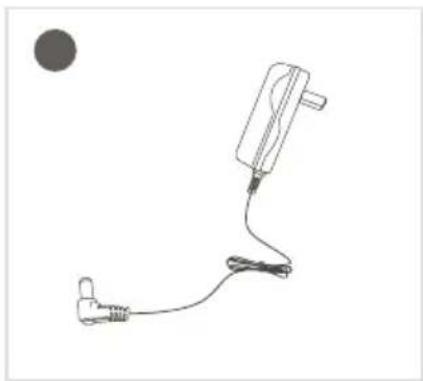
natural_image
Simple line drawing of a medical device with a plug and cable, no text or symbols present
text_image
User Manual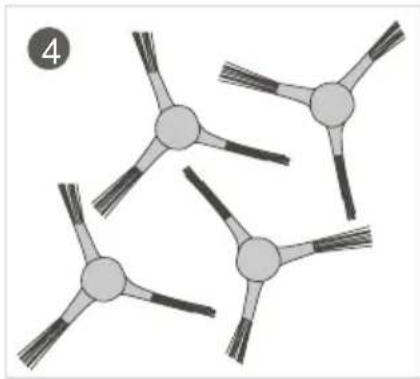
natural_image
Diagram of four connected spherical objects with radiating lines, no text or symbols present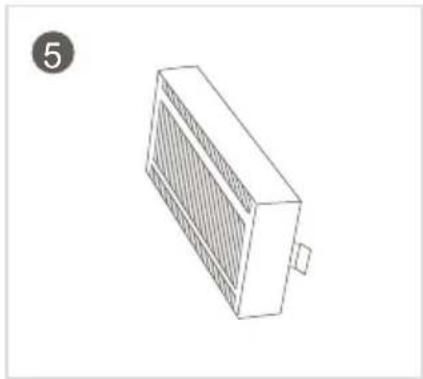
natural_image
Isometric line drawing of a rectangular electronic device with a grid pattern and a small protrusion, labeled with number 5 (no text or symbols on the device itself)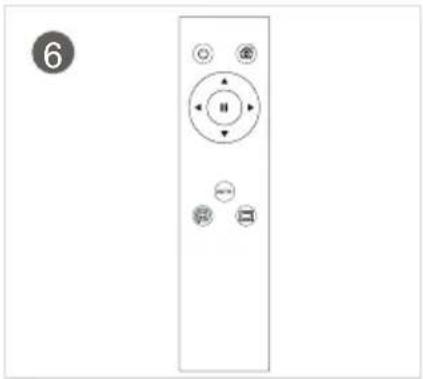
natural_image
Front view of a remote control panel with buttons and indicator lights (no text or symbols)INFORMACIJE ZA UPORABNIKE GLEDE ODSTRANJEVANJA ELEKTRIČNIH IN ELEKTRONSKIH NAPRAV (DOMAČA RABA)
natural_image
Symbol of a trash bin crossed with two diagonal lines, representing no waste or discharge (no text or labels)
text_image
Safety warning illustration showing a circular device with warning symbol and a plug, plus a cross mark indicating failure.natural_image
Diagram of a robotic vacuum cleaner inside a meshed area with a warning symbol (no text or labels)natural_image
Technical diagram of a circular mechanical component with a cross-sectional view and a checkmark indicator (no text or symbols)natural_image
Line drawing of a staircase with a circular vacuum cleaner above it, no text or symbols presenttext_image
Technical diagram of a circular mechanical component with numbered parts labeled 1 to 5text_image
Technical diagram of a circular device with numbered components for identificationtext_image
Technical diagram of a vacuum cleaner with numbered parts for identification- Capac mijloc
- Colector de praf
- Mâner colector de praf
- Receptor de semnal infraroşu
- Conector de alimentare
- Comutator
- leşire de aer
text_image
Exploded view diagram of a device's internal components with numbered labels- Filtru de prim nivel
- Colector de praf
- Filtru fin bumbac
- Filtru HEPA
- Inel de etanşare a elementului filtrant
flowchart
graph TD
    A["6"] --> B["○"]
    C["7"] --> D["○"]
    E["8"] --> F["○"]
    G["9"] --> H["○"]
    I["12"] --> J["○"]
    K["11"] --> L["○"]
    M["10"] --> N["○"]
    O["AUTO"] --> P["○"]
    Q["□"] --> R["○"]
    S["13"] --> T["○"]
    U["14"] --> V["○"]
natural_image
Line drawing of a hand holding a tool next to a circular device with wires and a power outlet (no text or symbols)natural_image
Illustration of a hand placing a small appliance into a vacuum cleaner (no text or symbols present)natural_image
Illustration showing a device being processed with a tool, and its resulting in a circular component (no text or symbols present)flowchart
graph LR
    A["Raw Material Inspection"] --> B["Process Step"]
    B --> C["Revised Material Collection"]
    C --> D["Final Product Inspection"]
    D --> E["Finished Material"]
text_image
Diagram illustrating a water supply system with an open tank, faucet, and solar panel components, alongside a directional arrow symbolizing environmental change.natural_image
Illustration of a hand holding a small object with three connected nodes, next to a separate abstract diagram (no text or symbols)natural_image
Top-down schematic of a circular mechanical or robotic device with internal components and a magnified inset showing a hand holding a small object (no text or symbols visible)natural_image
Line drawing of a hand holding a small device next to a circular appliance (no text or symbols)natural_image
Illustration of a hand inserting a device into a computer chassis (no text or symbols visible)natural_image
Top-down schematic of a circular mechanical component with a central handle and mounting points (no text or symbols)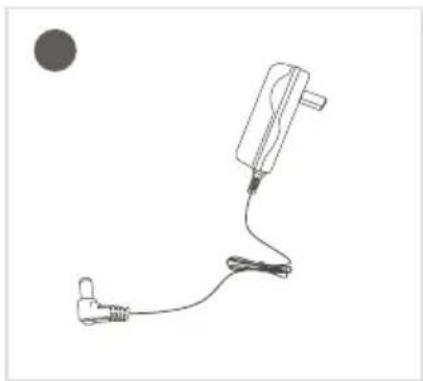
natural_image
Simple line drawing of a medical device with a connector and cable, no text or symbols present
text_image
User Manual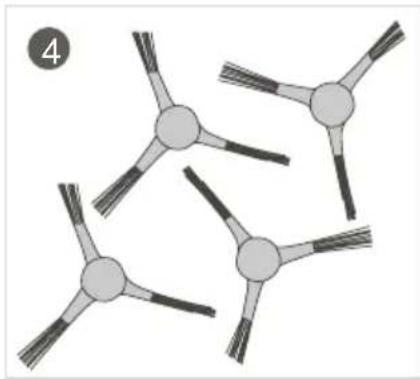
natural_image
Abstract diagram of interconnected nodes with radiating lines, no text or symbols present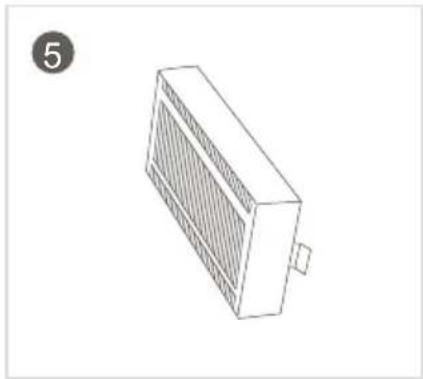
natural_image
Isometric line drawing of a rectangular electronic device with a grating and mounting base (no text or symbols)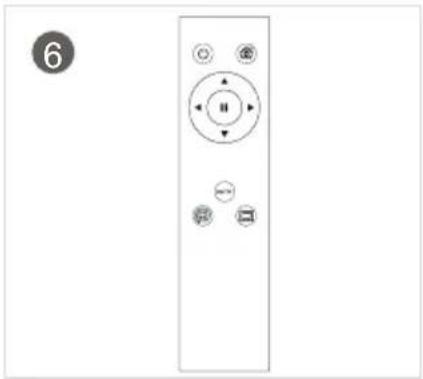
natural_image
Front view of a remote control panel with buttons and indicator lights (no text or symbols)INFORMATII PENTRU UTILIZATOR CU PRIVIRE LA ELIMINAREA DISPOZITIVELOR ELECTRICE ŞI ELECTRONICE (ELECTROCASNICE)
natural_image
Symbol of a trash bin crossed with no text or numbers, representing waste sorting or disposal (no text present)text_image
Safety warning illustration showing a circular device with warning symbol and a plug, plus a cross mark indicating failure.natural_image
Diagram of a robotic vacuum cleaner inside a meshed area with a warning symbol (no text or labels)natural_image
Technical diagram of a circular mechanical component with a cross-sectional view and a checkmark indicator (no text or symbols)natural_image
Line drawing of a staircase with a circular vacuum cleaner above it, no text or symbols presenttext_image
Technical diagram of a circular mechanical component with numbered parts labeled 1 through 5.text_image
Technical diagram of a circular device with numbered components for identificationtext_image
Technical diagram of a vacuum cleaner with numbered parts for identificationtext_image
Exploded view diagram of a device's internal components with numbered labelsnatural_image
Line drawing of a hand holding a tool next to a circular device with wires and connectors (no text or symbols)4.1. Зарядка
natural_image
Line drawing showing a hand inserting a plastic bag into a microwave oven with an open lid (no text or symbols)natural_image
Illustration showing a hand inserting a device into a box, and a close-up of a tool on a tray (no text or symbols)text_image
Diagram illustrating a water supply system with faucet, water container, and solar panel componentsnatural_image
Illustration of a hand holding a small object with three connected arms, next to a separate abstract diagram (no text or symbols)natural_image
Top-down schematic of a circular mechanical or robotic device with internal components and a magnified inset showing a hand holding a small object (no text or symbols present)natural_image
Line drawing of a hand cleaning a circular appliance with a tool (no text or symbols)natural_image
Illustration of a hand inserting a device into a computer case (no text or symbols visible)natural_image
Technical line drawing of a circular mechanical component with a central pin and base (no text or symbols)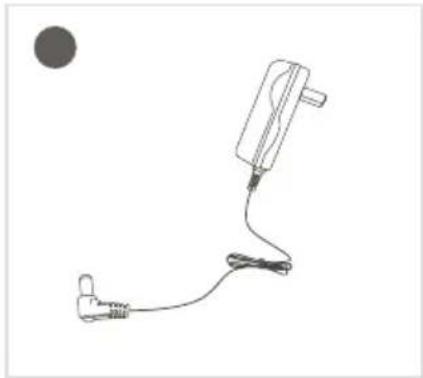
natural_image
Simple line drawing of a medical or electrical device with a plug and cable, no text or symbols present.
text_image
User Manual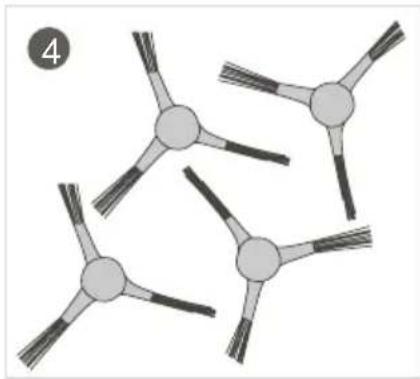
natural_image
Diagram of four connected circular structures with radiating lines, no text or symbols present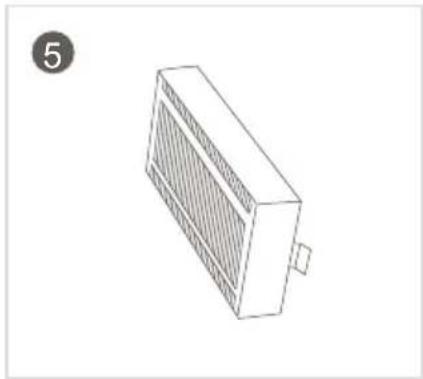
natural_image
Isometric line drawing of a rectangular electronic device with a grid pattern and a small protrusion, labeled with number 5 (no text or symbols on the device itself)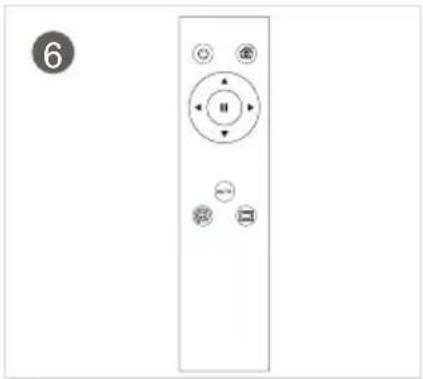
natural_image
Front view of a remote control with circular buttons and indicator lights (no text or symbols)natural_image
Symbol of a trash bin crossed with two diagonal lines, representing no waste or discharge (no text or labels)
text_image
Safety warning illustration showing a circular device with warning symbol and a plug, plus a cross mark indicating failure.natural_image
Diagram of a robotic vacuum cleaner inside a meshed area with a warning symbol (no text or labels)natural_image
Technical diagram of a circular mechanical component with a cross-sectional view and a magnified inset showing a small rectangular feature (no text or symbols)natural_image
Line drawing of a staircase with a circular vacuum cleaner above it, no text or symbols presenttext_image
Technical diagram of a circular mechanical component with numbered parts labeled 1 through 5.text_image
Technical diagram of a circular device with numbered components for identificationtext_image
Technical diagram of a vacuum cleaner with numbered parts for identificationtext_image
Exploded view diagram of a device's internal components with numbered labelsnatural_image
Line drawing of a hand holding a remote control device connected to a power outlet (no text or symbols)4.1. Recharge
natural_image
Line drawing showing a hand inserting a plastic bag into a microwave oven with an open lid (no text or symbols)text_image
Diagram illustrating the process of removing a device into a container, with an arrow indicating transformation.text_image
Diagram illustrating a water supply system with faucet, water container, and solar panel componentsnatural_image
Illustration of a hand holding a small object with three connected arms, next to a separate diagram showing a multi-arm structure (no text or symbols)natural_image
Top-down schematic of a circular mechanical or robotic device with internal components and a magnified inset showing a hand holding a small object (no text or symbols present)natural_image
Line drawing of a hand cleaning a circular appliance with a tool (no text or symbols)natural_image
Illustration of a hand inserting a component into a device casing (no text or symbols visible)natural_image
Technical line drawing of a circular mechanical component with a central pin and base (no text or symbols)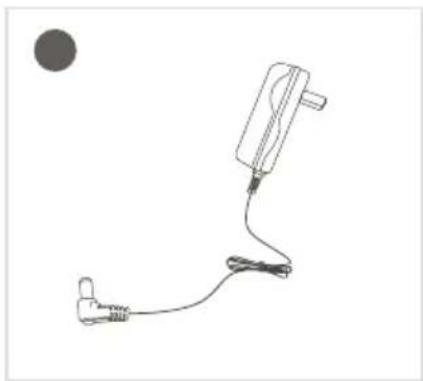
natural_image
Simple line drawing of a medical or electronic device with a plug and cable, no text or symbols present.
text_image
User Manual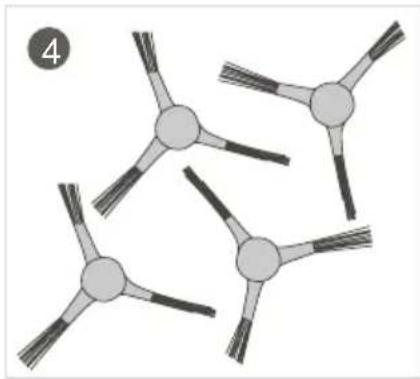
natural_image
Abstract diagram of interconnected nodes with radiating lines, no text or symbols present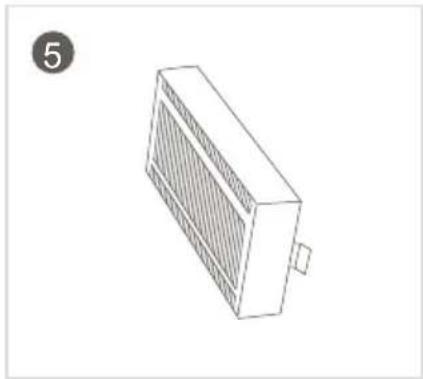
natural_image
Isometric line drawing of a rectangular electronic device with a grating and mounting base (no text or symbols)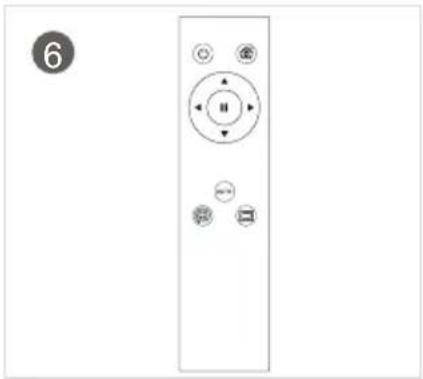
natural_image
Front view of a remote control panel with buttons and indicator lights (no text or symbols)INFORMATIONS DESTINÉES AUX UTILISATEURS ET RELATIVES À LA LIQUIDATION DES ÉQUIPEMENTS ÉLECTRIQUES ET ÉLECTRONIQUES (APPAREILS MÉNAGERS)
natural_image
Symbol of a trash bin crossed with no text or numbers, representing waste sorting or disposal (no text present)Praha 4, Czech Republic, ID: 294 16 876.
Made in China.