
ION Charles i6 - Robot vacuum Niceboy - Free user manual and instructions
Find the device manual for free ION Charles i6 Niceboy in PDF.


| Type | Robot Vacuum Cleaner |
| Model | Niceboy ION Charles i6 |
| Dimensions | 310 x 310 x 76 mm (L x W x H) |
| Power Supply | DC 11.1 V |
| Suction Power | 2500 Pa |
| Battery | Li-ion 2600 mAh |
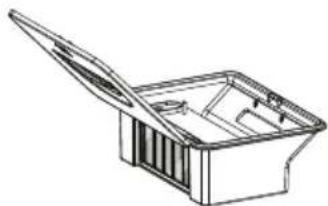
| Dust Container Capacity | 650 ml |
| Water Tank Capacity | 220 ml |
| Cleaning Time | Up to 120 minutes |
| Charging Time | Approximately 300 minutes |
| Connectivity | Wi-Fi (2.4 GHz), App control (Niceboy ION) |
| Mopping Function | Yes, with washable mopping cloth |
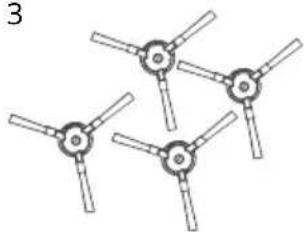
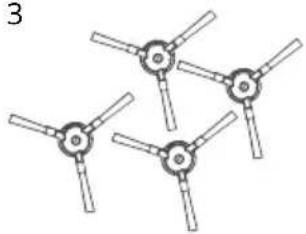
| Side Brushes | 4 x included |
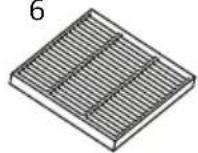
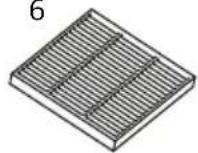
| Filter | Washable HEPA filter |
| Cliff Sensors | Yes |
| Anti-collision Bumper | Yes |
| Charging Base Input | 220–240 V, 50–60 Hz |
| Charging Base Output | 15 V / 0.8 A |
Frequently Asked Questions - ION Charles i6 Niceboy
User questions about ION Charles i6 Niceboy
0 question about this device. Answer the ones you know or ask your own.
Ask a new question about this device
Download the instructions for your Robot vacuum in PDF format for free! Find your manual ION Charles i6 - Niceboy and take your electronic device back in hand. On this page are published all the documents necessary for the use of your device. ION Charles i6 by Niceboy.
USER MANUAL ION Charles i6 Niceboy
User Manual / Robotic Vacuum
Návod k použití
natural_image
Simple circular diagram with a central circle and horizontal lines, no text or symbols present.Pěnové záslepky
natural_image
Technical line drawing of a circular mechanical component with internal components and mounting holes (no text or symbols)natural_image
Technical line drawing of a robotic vacuum cleaner with an inset close-up showing its internal components (no text or symbols)natural_image
Line drawings of a robotic vacuum cleaner's internal components, showing open lid, internal casing, and final assembled part (no text or symbols)natural_image
Technical line drawing of a mechanical component with two views (top and side), showing internal components and alignment indicators (no text or symbols)5.3. Mopovací hadr
flowchart
graph LR
    A["Top-down view of tank"] --> B["Water treatment with pipe and drop"]
    B --> C["Light sunlight on top"]
natural_image
Technical line drawings of a robotic vacuum cleaner with internal components and assembly steps (no text or symbols)natural_image
Technical line drawing of a circular mechanical component with internal components and mounting holes (no text or symbols)6. Mopování
natural_image
Close-up of a hand holding a knife over a white surface, no visible text or symbolsnatural_image
Close-up of a dark, curved mechanical component with no visible text or symbolsnatural_image
Top-down view of a car's seat cover with blue mesh material (no text or symbols visible)natural_image
Top-down view of a blue textured object with circular holes, possibly a vehicle or mechanical component (no visible text or symbols)7. Obsah balení
natural_image
Line drawing of a circular mechanical component with a flat top and side slots (no text or symbols)2
natural_image
Technical line drawing of a mechanical clamp or bracket (no text or symbols)3
natural_image
Four identical mechanical components arranged in a row, each with a central hub and three arms (no text or symbols visible)4
natural_image
Simple line drawing of a handheld device with a coiled cable and handle (no text or symbols)5
6
7
natural_image
Line drawing of a rectangular container with an open lid and internal compartments (no text or symbols)8


9

8. Parametry
Model výrobku: Charles i6
Rozměry: L310 * W310 * H 76 mm
Napětí: DC 11,1 V
natural_image
Technical line drawing of a circular mechanical component with internal components and mounting holes (no text or symbols)2.1.4. Nabíjanie zariadenia
natural_image
Technical line drawing of a robotic vacuum cleaner with an inset close-up showing its internal components (no text or symbols)natural_image
Line drawings of a robotic vacuum cleaner's internal components, showing open lid, internal casing, and final assembled part (no text or symbols)natural_image
Technical line drawing of a mechanical component with two views (top and side), showing internal components and alignment indicators (no text or symbols)5.3. Mopovacia handra
natural_image
Technical line drawing of a robotic vacuum cleaner with internal components and assembly steps (no text or symbols)natural_image
Technical line drawing of a circular mechanical component with internal components and mounting holes (no text or symbols)6. Mopovanie
6.1. Najprv pripevnite vytieraciu handru

natural_image
Close-up of a hand holding a knife over a white surface, with no visible text or symbols.natural_image
Top-down view of a black dome-shaped object with internal components and mounting holes (no visible text or symbols)natural_image
Close-up of a blue textured surface inside a dark container, with no visible text or symbols.Priložte mop na suchý zips. Mop pred nalepením nenamáčajte, handra sa namokrí sám v priebehu vytierania.
natural_image
Top-down view of a blue textured object with four circular holes, placed on a dark surface (no text or symbols visible)6.2. Naplňte vodnú nádobu
7. Obsah balenia
natural_image
Line drawing of a circular mechanical component with a flat top and side slots (no text or symbols)2
natural_image
Technical line drawing of a mechanical clamp or bracket (no text or symbols)3
natural_image
Four identical mechanical components arranged in a triangular pattern (no text or symbols visible)4
natural_image
Simple line drawing of a handheld device with a cable and connector (no text or symbols)5
6
7
natural_image
Line drawing of a mechanical component or housing with an open lid (no text or symbols)8


9

8. Parametre
Model výrobku: Charles i6
Rozmery: L310 * W310 * H 76 mm
Napätie: DC 11,1 V
natural_image
Cross-sectional diagram of a circular mechanical component with internal hatched area and central slot (no text or symbols)natural_image
Technical diagram of a circular mechanical component with internal components and mounting holes (no text or labels)natural_image
Technical line drawing of a robotic vacuum cleaner with an inset close-up showing its internal components (no text or symbols)4.2. Standby Modus
natural_image
Line drawings of a robotic vacuum cleaner's internal components, showing open lid, internal casing, and final assembled part (no text or symbols)natural_image
Technical line drawing of a mechanical component with two views (top and side), showing internal components and alignment indicators (no text or symbols)5.3. Wischtuch
5.5. Fallsensoren
natural_image
Technical line drawing of a circular mechanical component with internal components and mounting holes (no text or symbols)6. Moppen
natural_image
Close-up of a hand holding a knife over a white surface, with no visible text or symbols.natural_image
Top-down view of a black dome-shaped object with internal components and mounting holes (no visible text or symbols)natural_image
Close-up of a light blue textured surface inside a dark mechanical component (no text or symbols visible)natural_image
Close-up of a blue textured mechanical component with circular holes, mounted on a black base (no visible text or symbols)7. Packungsinhalt
natural_image
Line drawing of a circular mechanical component with a flat top and side slots (no text or symbols)2
natural_image
Technical line drawing of a mechanical clamp or bracket (no text or symbols)3
natural_image
Four identical mechanical components arranged in a triangular pattern (no text or symbols visible)4
natural_image
Simple line drawing of a handheld device with a coiled cable and connector (no text or symbols)5
6
7
natural_image
Line drawing of a rectangular container with an open lid and internal compartments (no text or symbols)8


9

8. Parameter
- ...... Product diagram
- ...... Operating instructions
2.1.....First start-up
2.2.....Dual water and dust container
3. ....App connection
4. ...... Device status
5. ...... Maintenance
6. ...... Mopping
7. ...... Package contents
8. .....Parameters
1. Product diagram
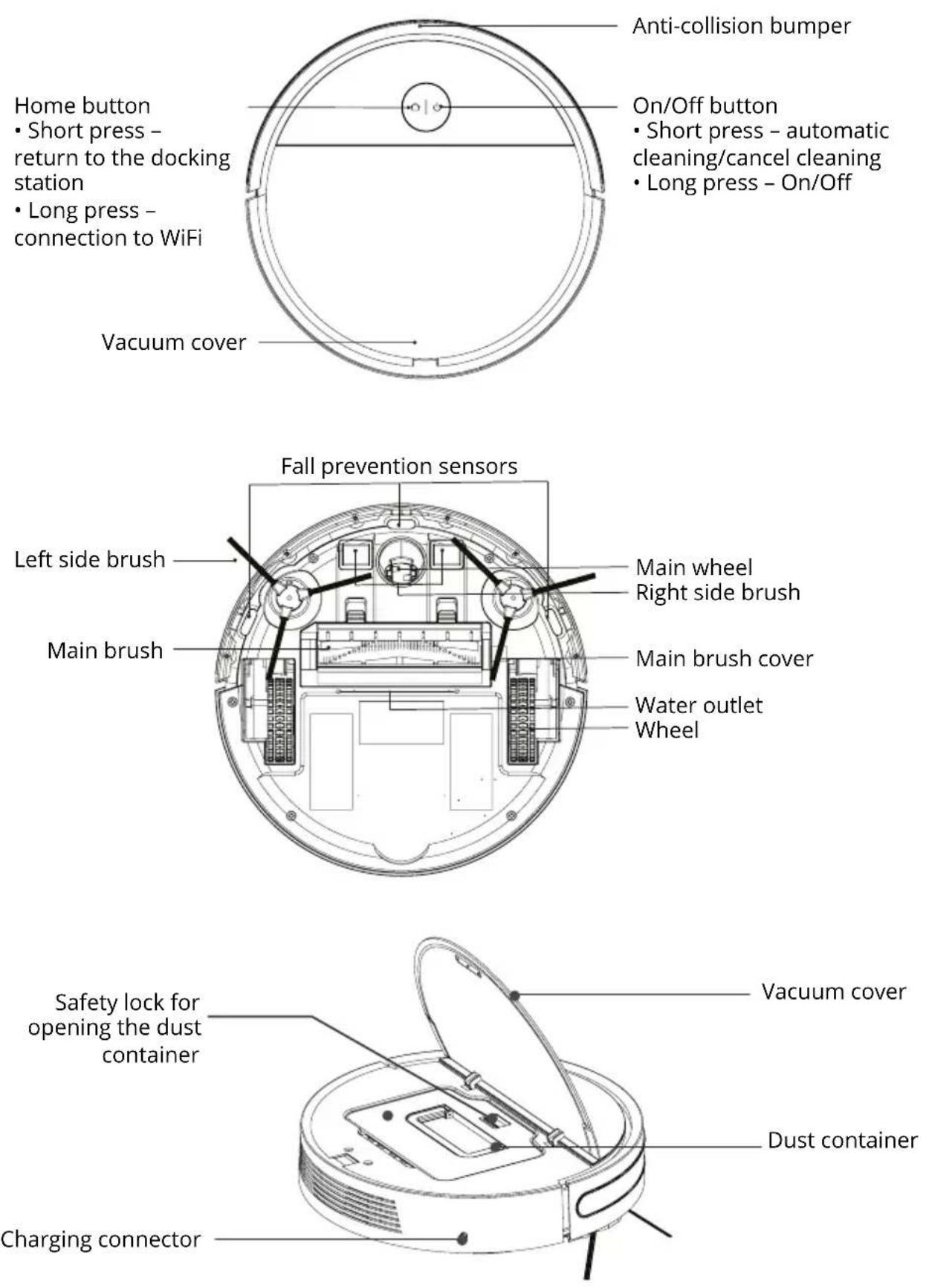
Home button
- Short press – return to the docking station
- Long press – connection to WiFi
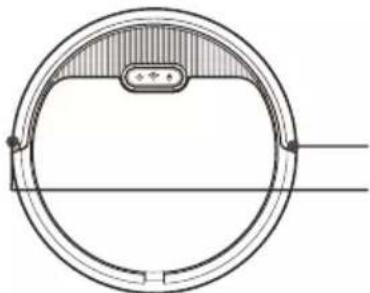
Anti-collision bumper
On/Off button
- Short press – automatic cleaning/cancel cleaning
- Long press - On/Off
Vacuum cover
2. Operating instructions
2.1 First start-up
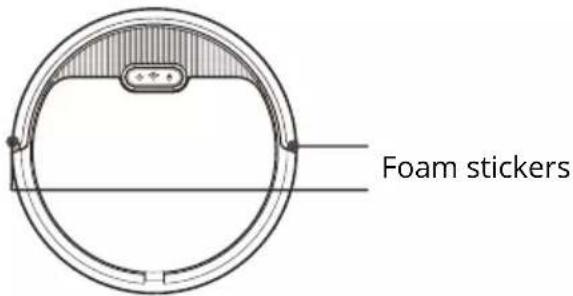
2.1.1. Removing stickers
Remove the stickers located on the sides of the front bumper.
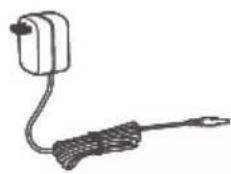
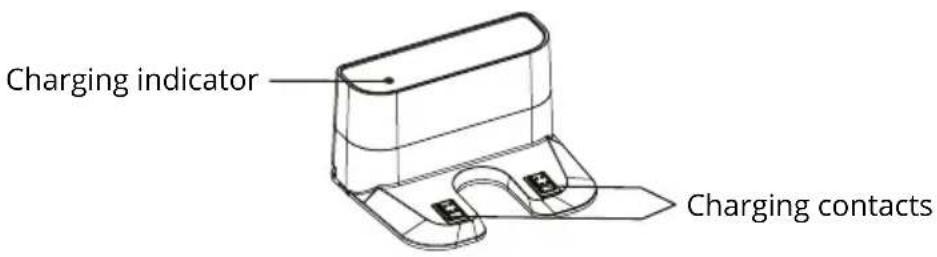
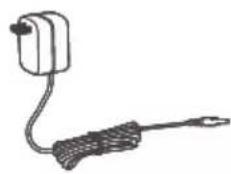
2.1.2. Connect the adapter to the charging base
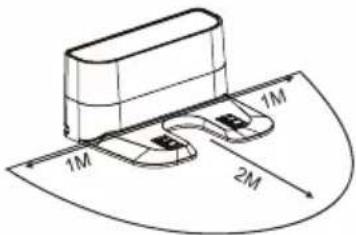
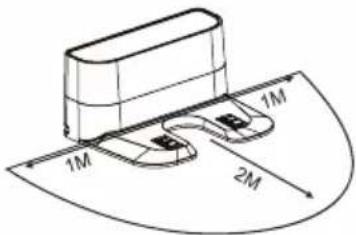
Place the charging stand flat against the wall. Do not place objects on the left and right sides within 1m and in front of the front side within 2m. The base should not be located near objects with a strong reflective surface (mirrors).
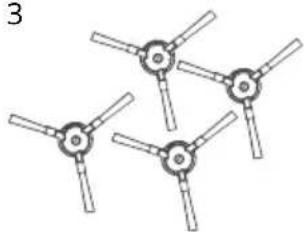
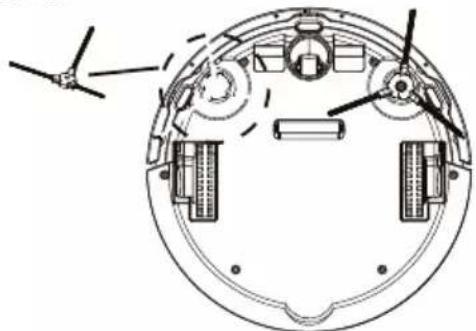
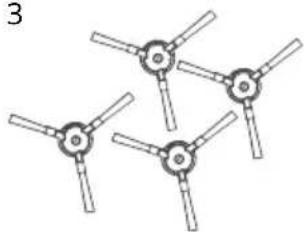
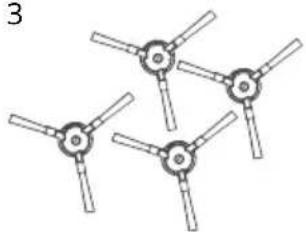
2.1.3. Attach the side brushes
natural_image
Technical line drawing of a circular mechanical component with internal components and mounting holes (no text or symbols)2.1.4. Charging the device
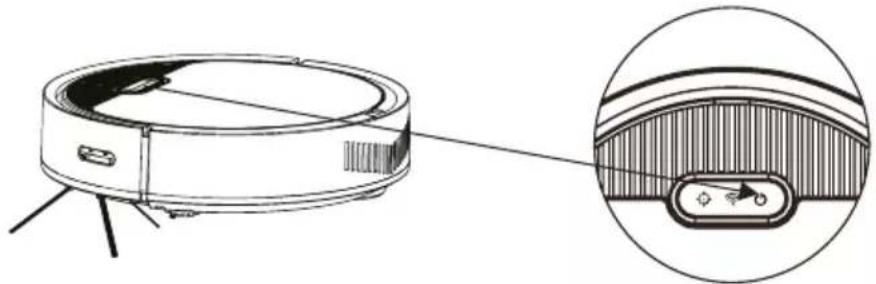
Place Charles in the charging base. Turn on Charles using the power button on the top of the device. The blue „house“ light flashes to indicate that the battery needs to be charged. A steady blue light indicates charging. When charging is complete, the light goes off. When using the device for the first time, charge the device for more than 6 hours.
- Download the app by scanning the QR code with your mobile phone or search for „Niceboy ION“ in the Google Play/Apple App Store and download the app.
- Open the „Niceboy ION“ app and register a new account or use your existing account.
- Once you have logged into the app to add a product, click on the „+“ in the top right corner and then „Add Device“.
- Then go to the „Robotic Vacuums“ tab and select „Charles i3 Plus“.
- Insert the vacuum cleaner into the charging base and switch it on with the power button.
- Press the „Home“ button for approximately 6 seconds to connect to the app. A beep will then sound and the WIFI icon will flash rapidly.
In the app, select the Charles i6 vacuum cleaner, select your WIFI and enter your password. Continue to the next page using the „Next“ button. Now wait until the vacuum cleaner connects to the app. If Charles does not connect, try the process again. Make sure your WIFI is transmitting on the 2.4 GHz frequency. If it doesn't on the second try, try connecting the vacuum to a different WIFI module. For example, you can use a mobile phone with a hotspot function for this test. If you are still unable to connect the vacuum cleaner in this way, please contact our technical support. - Once the device is successfully connected, you can edit the device name and add it to the room of your choice. Click on „Done“ to access the vacuum cleaner interface..
To connect to the app, your WIFI network must be transmitting at 2.4 GHz.
4. Device status
4.1. On/Off
When Charles is switched off, press and hold the power button, see picture above. The LED light will stop flashing and Charles will enter standby mode.
natural_image
Technical line drawing of a robotic vacuum cleaner with an inset close-up showing its internal components (no text or symbols)4.2. Standby mode
When Charles is in standby mode, both LEDs are lit simultaneously.
Charles enters standby mode based on various factors.
- A. If the device is already connected to the WIFI/application, it will automatically turn off after 5 minutes.
- B. If the device has not been connected to the WFI/application, it will automatically shut down after 30 minutes
4.3. Automatic cleaning
To start the automatic cleaning, press the power button briefly, followed by an audible signal and the automatic cleaning begins. Automatic mode is suitable for complex room cleaning.
4.4. Spot cleaning
To start spot cleaning, press the power button briefly, followed by an audible signal and the automatic cleaning begins. The spot cleaning mode is suitable for cleaning smaller dirty areas. Place the Charles on the dirty spot and start spot cleaning. Charles will then start to circle the area and after 2-3 minutes of cleaning will return to the charging station.
4.5. Wall cleaning
To start wall cleaning, you must first connect the vacuum cleaner to the Niceboy ION app. Then select wall cleaning in the app. Charles will start vacuuming the area along the wall, then returns to the docking station when the cleaning is complete.
5. Maintenance
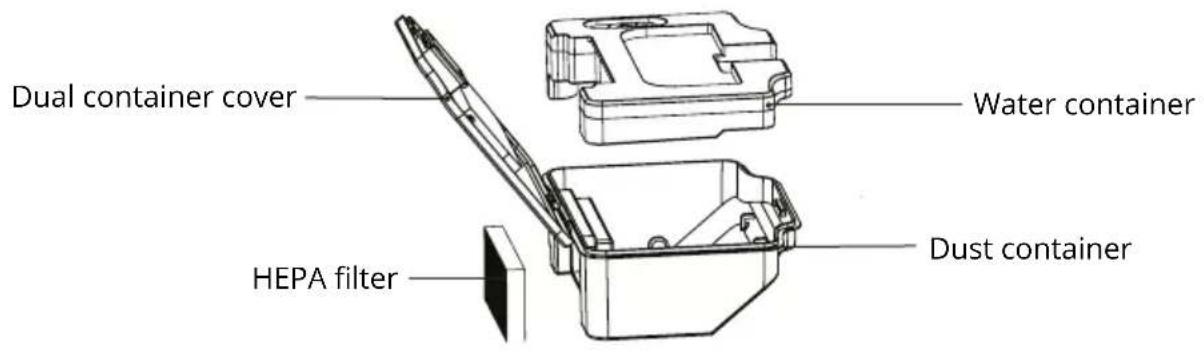
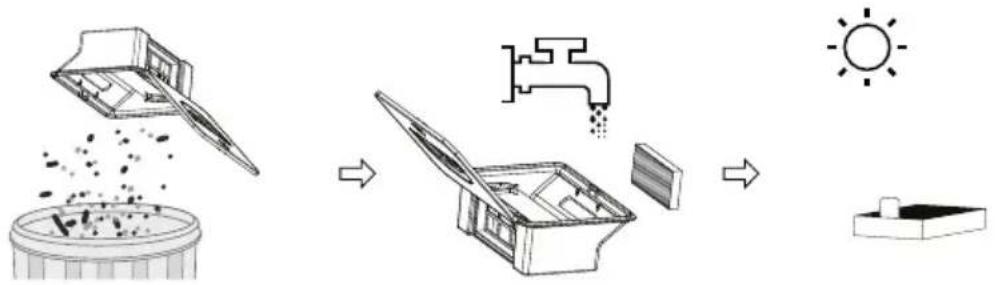
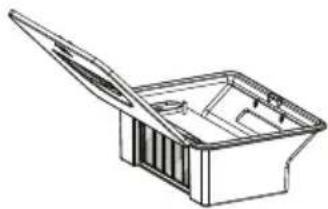
5.1. Dual container
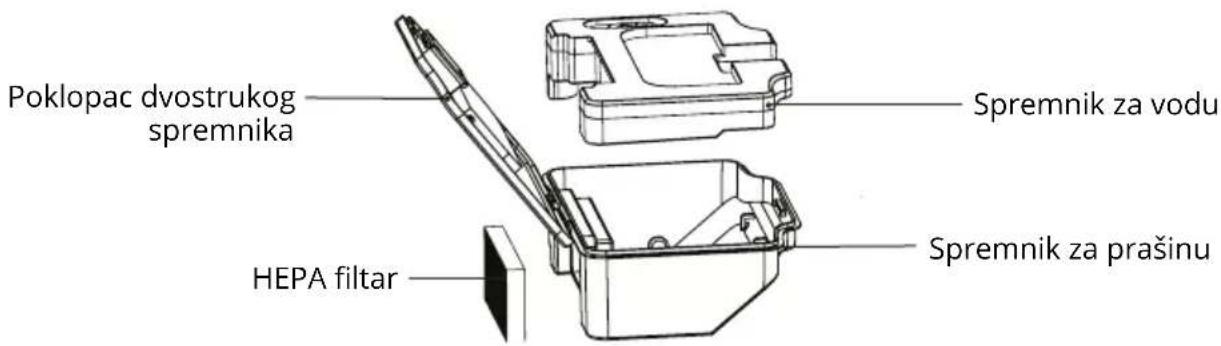
Open the top cover of the device and remove the dual container.
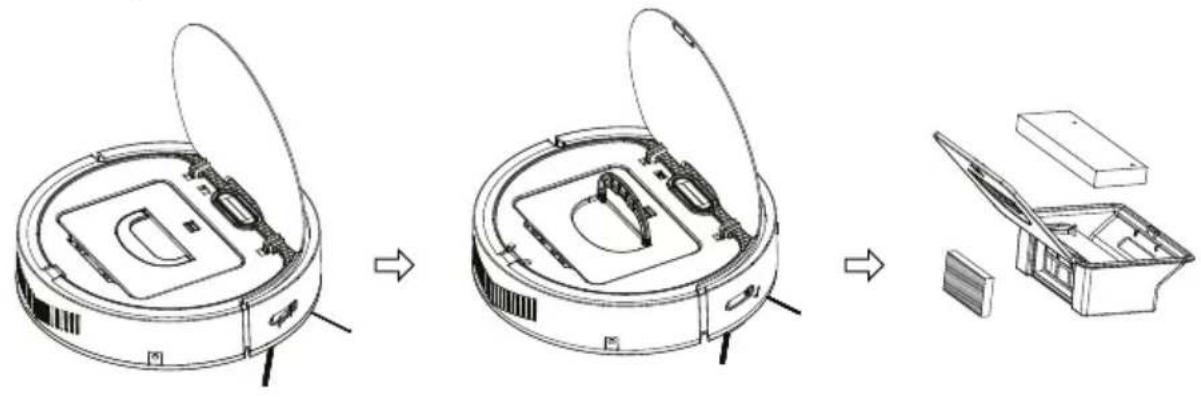
Empty the dirt and return the dual container into the vacuum cleaner.
The dual container contains two washable filters that should be washed with clean running water approximately every 15-30 days.
flowchart
graph LR
    A["Raw material input"] --> B["Add granular substance"]
    B --> C["Add liquid into tank"]
    C --> D["Add drying tube"]
    D --> E["Sun output"]
    style A fill:#f9f,stroke:#333
    style E fill:#bbf,stroke:#333
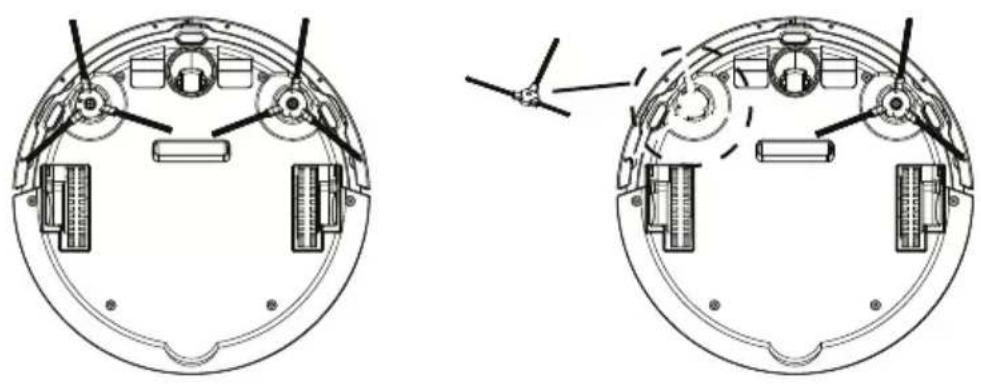
5.2. Side brushes
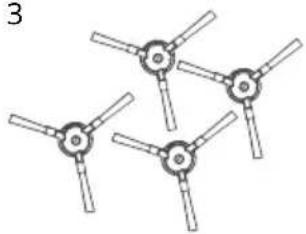
Turn Charles upside down (with the wheels up), remove the side brushes and clean them. If the side brushes are damaged, replace them with different ones.
natural_image
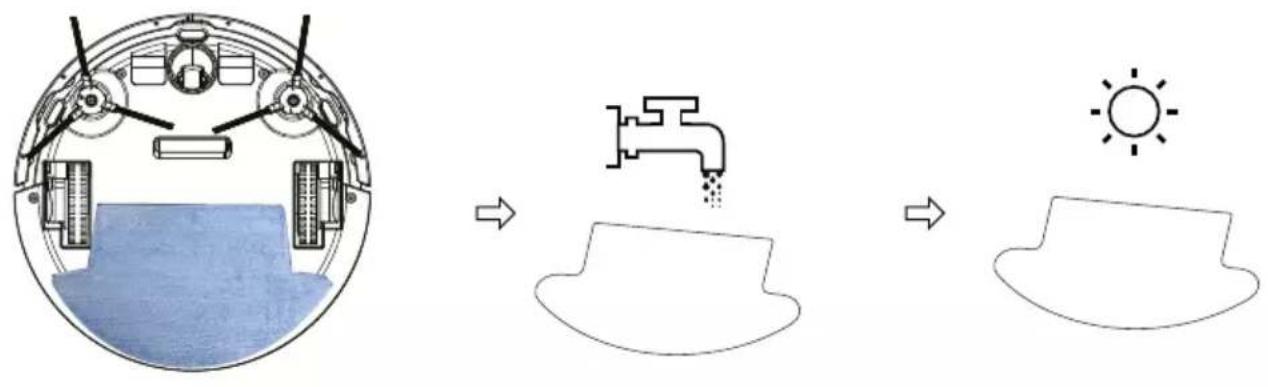
Technical line drawing of a mechanical component with two views (front and side), showing internal components and alignment indicators (no text or symbols)5.3. Mopping cloth
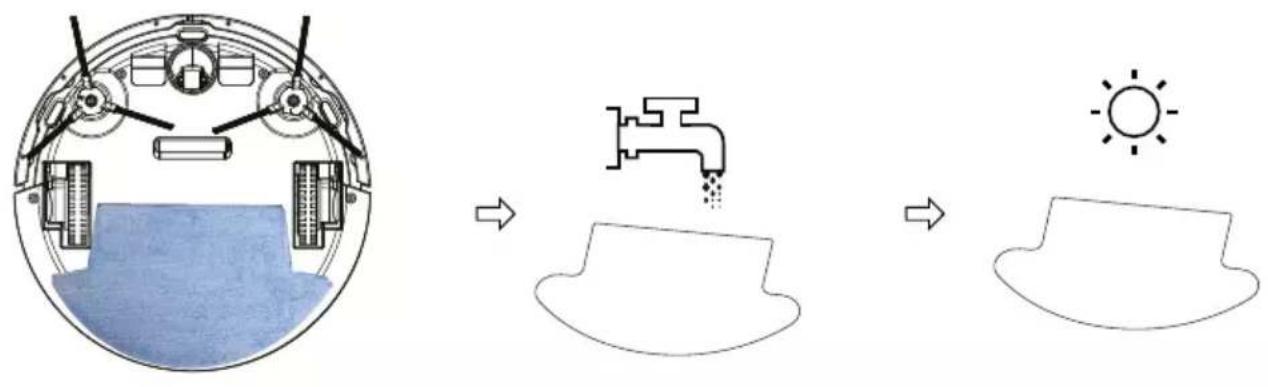
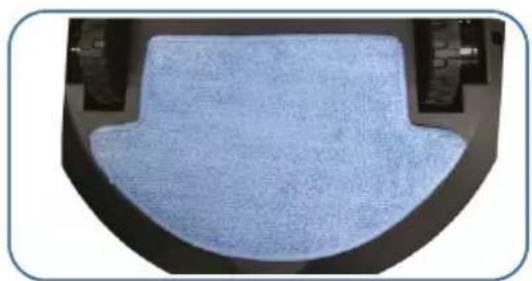
Turn Charles over, take off the mopping cloth and wash it. After drying, you can return it.
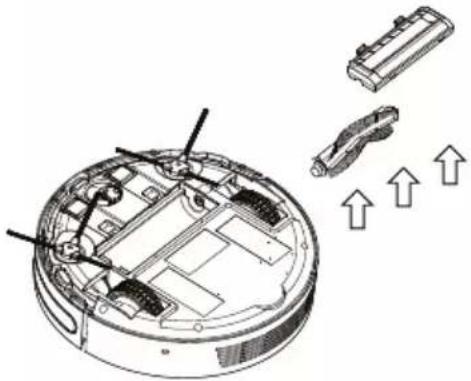
5.4. Main brush
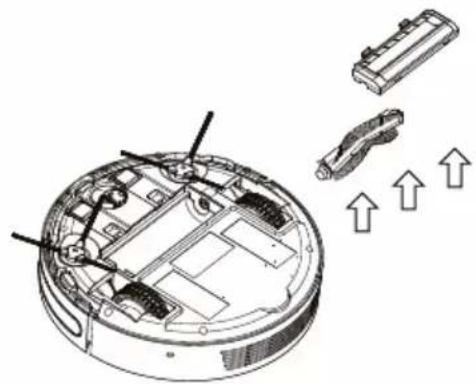
To clean the main brush, first remove the plastic cover located on it. Then remove the brush and clean it.
natural_image
Technical line drawing of a robotic vacuum cleaner with internal components and directional arrows indicating motion (no text or symbols)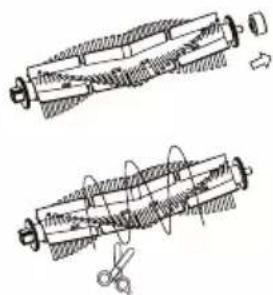
natural_image
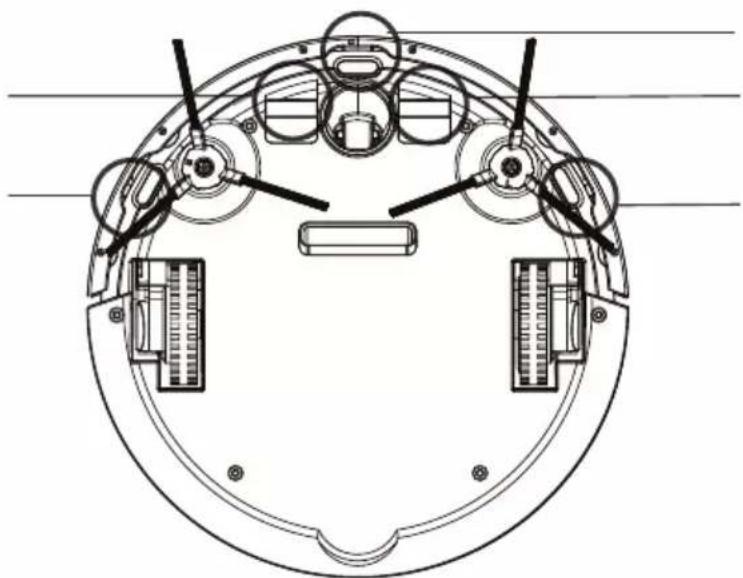
Technical line drawing of two mechanical components with no visible text or symbols5.5. Cliff sensors
Wipe the cliff sensors and charging pins at the bottom of the vacuum cleaner with a soft cloth.
natural_image
Technical line drawing of a circular mechanical component with multiple ports and control knobs (no text or symbols)6. Mopping
6.1. First, attach the wiping cloth

natural_image
Close-up of a hand holding a knife over a white surface, with no visible text or symbols.Remove the white tape on the back of the velcro.
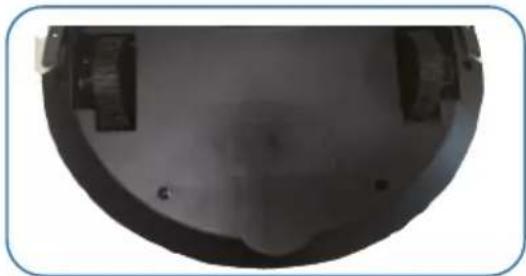
natural_image
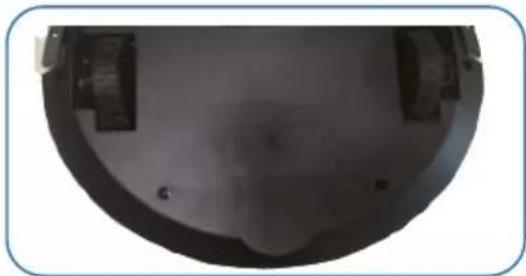
Close-up of a dark, curved mechanical component with mounting holes and a central cavity (no visible text or symbols)Make sure there is no dust or water droplets on the bottom of the vacuum cleaner. Then stick velcro to the designated areas at the bottom of the vacuum cleaner.
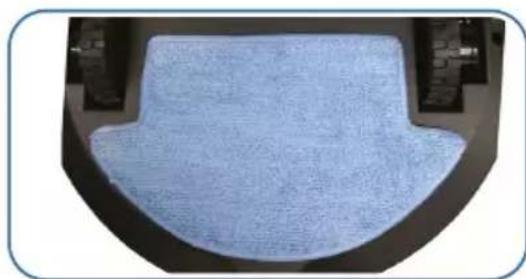
natural_image
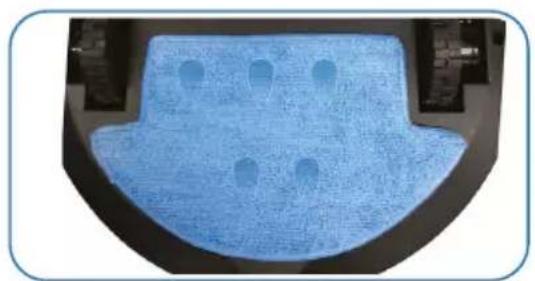
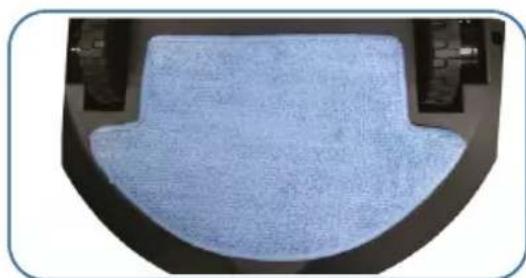
Close-up of a light blue textured surface inside a dark container (no text or symbols visible)Attach the mop to the velcro. Do not soak the mop before attaching,
the cloth will soak itself during mopping.
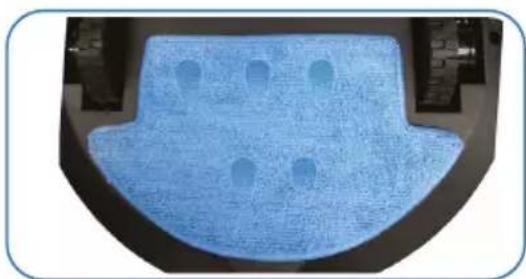
natural_image
Close-up of a blue textured mechanical component with circular holes, mounted on a black base (no text or symbols visible)6.2. Fill the water container
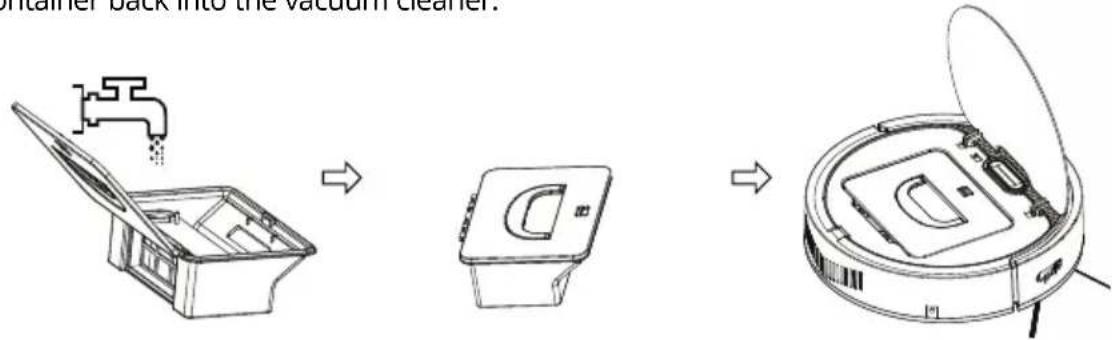
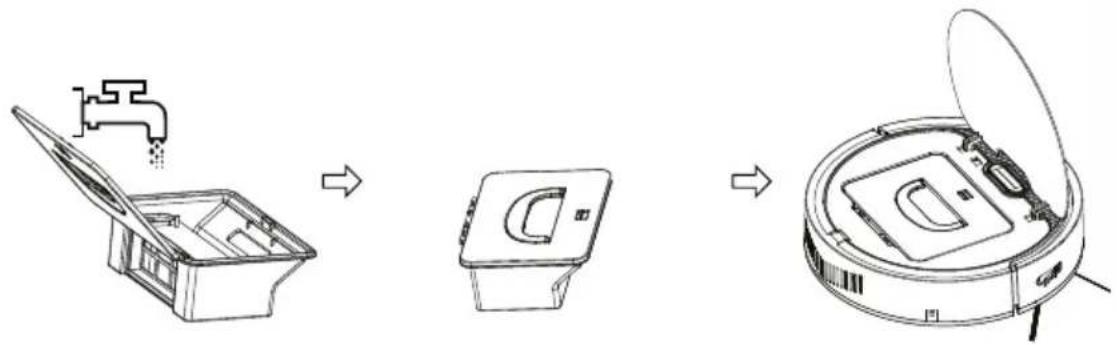
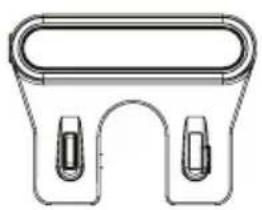
Remove the dual container from the vacuum cleaner, take off the secondary soft filter and fill the water container with water. Close the container, return the secondary filter to its position and put the container back into the vacuum cleaner.
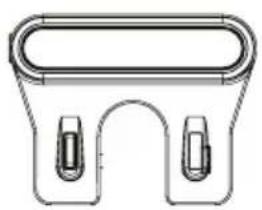
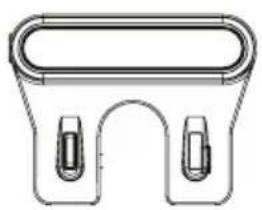
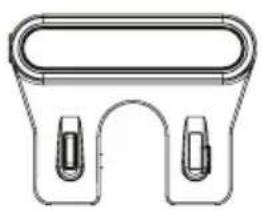
7. Package contents
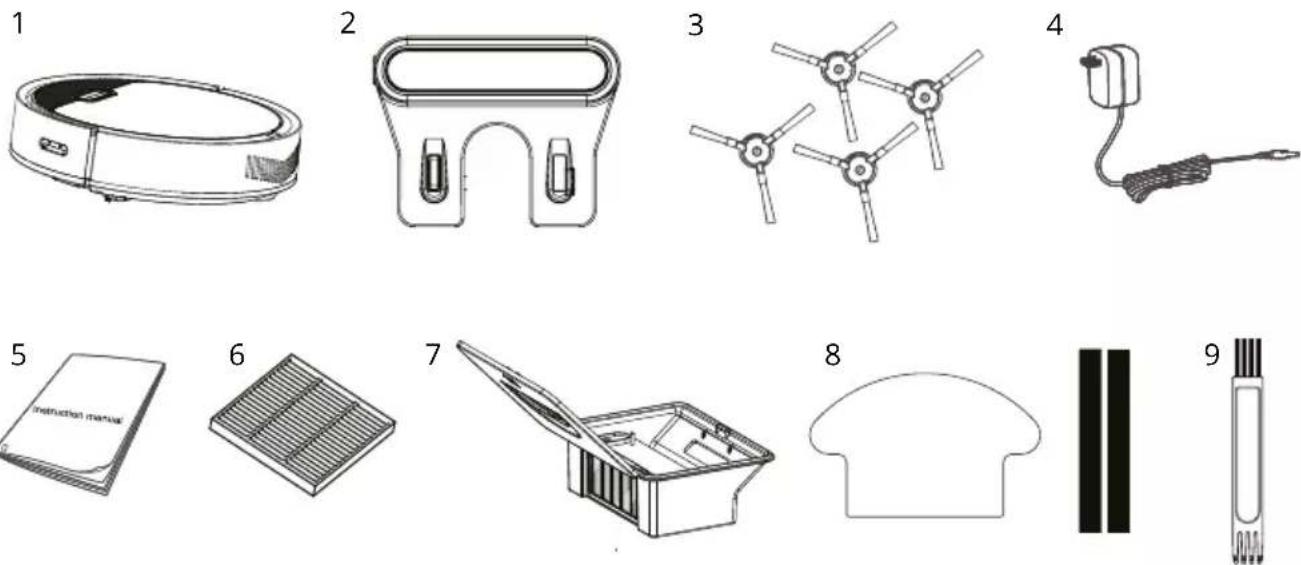
- Robotic vacuum cleaner
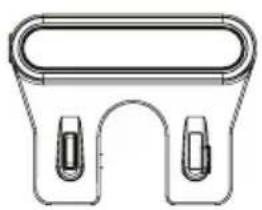
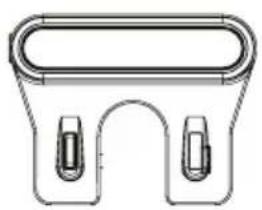
- Charging base
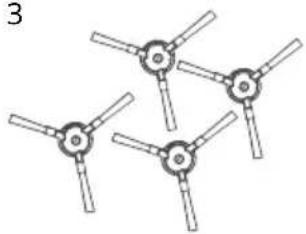
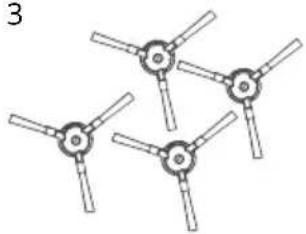
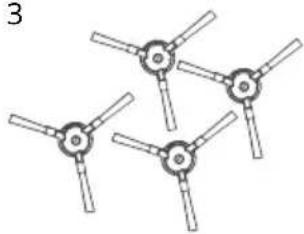
- Side bristles 4x
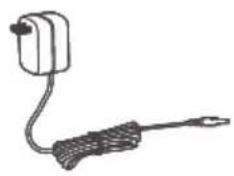
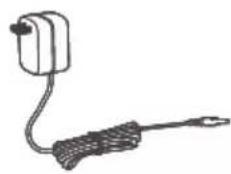
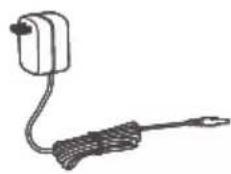
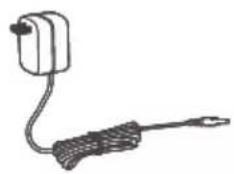
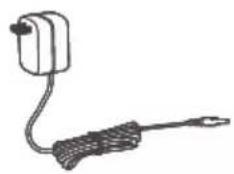
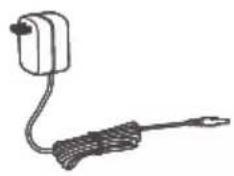
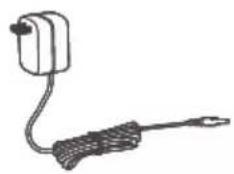
- Power adapter
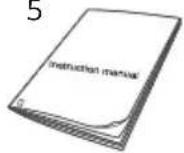
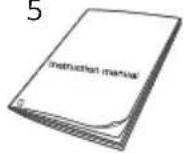
- Instruction manual
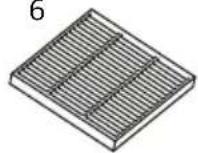
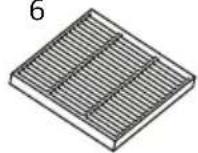
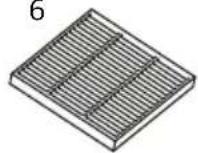
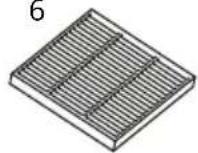
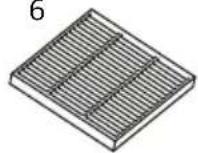
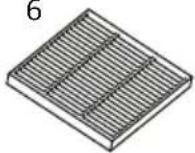
- HEPA filter
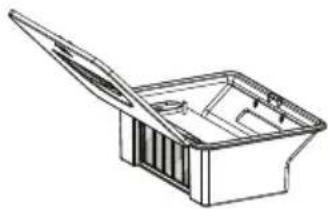
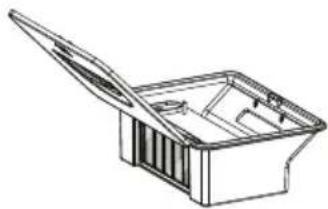
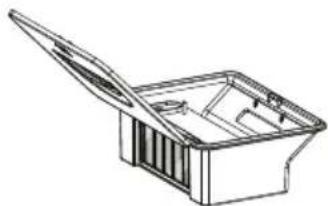
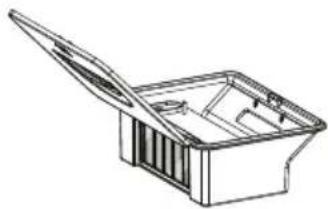
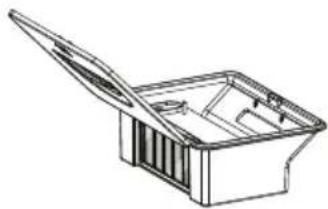
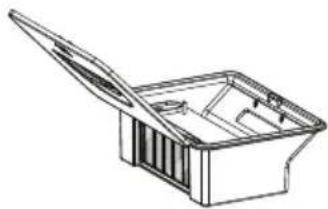
- Dual container
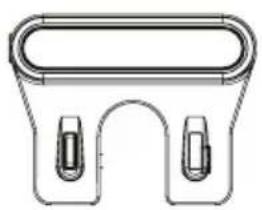
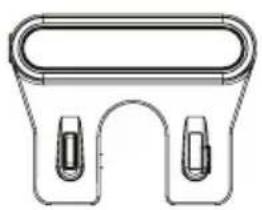
- Mopping cloth and velcro
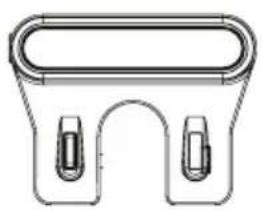
- Cleaning brush
8. Parameters
Product model: Charles i6
Measurements: L310 * W310 * H 76 mm
Voltage: DC 11,1 V
Suction power: 2 500 Pa
Battery capacity: DC 11,1 V Li-ion 2 600 mAh
Volume of the dual container – dust: 650 ml
Volume of the dual container - water: 220 ml
Cleaning time: Up to 120 min
Charging time: 300 min
Nominal docking station voltage range: 220–240 V
Rated frequency: 50–60 Hz
Nominal docking station input voltage: 15 V / 0,8 A
Docking station output voltage: 15 V / 0,8 A
Használati útmutató
natural_image
Cross-sectional diagram of a circular mechanical component with internal hatched area and two horizontal lines (no text or symbols)natural_image
Technical line drawing of a circular mechanical component with internal components and no visible text or symbolsnatural_image
Technical line drawing of a robotic vacuum cleaner with an inset close-up showing its internal components (no text or symbols)natural_image
Line drawings of a robotic vacuum cleaner's internal components, showing open lid, internal casing, and final assembled part (no text or symbols)natural_image
Technical line drawing of a mechanical component with two views (top and side), showing internal components and alignment indicators (no text or symbols)5.3. Felmosókendő
natural_image
Technical diagram of a robotic vacuum cleaner with internal components and directional arrows indicating motion (no text or symbols)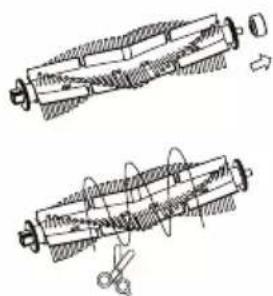
5.5. Esésérzékelők
natural_image
Technical line drawing of a circular mechanical component with multiple arms and control knobs (no text or symbols)6. Felmosás
natural_image
Close-up of a hand holding a knife over a white surface, with no visible text or symbols.natural_image
Top-down view of a black dome-shaped object with internal components and mounting holes (no visible text or symbols)natural_image
Top-down view of a light blue textured surface inside a dark container (no text or symbols visible)natural_image
Top-down view of a blue textured object with circular holes, possibly a vehicle or mechanical component (no visible text or symbols)natural_image
Line drawing of a circular mechanical component with a flat top and side slots (no text or symbols)2
natural_image
Technical line drawing of a mechanical clamp or bracket (no text or symbols)3
natural_image
Four identical mechanical components arranged in a triangular pattern (no text or symbols visible)4
natural_image
Simple line drawing of a handheld device with a cable and connector (no text or symbols)5
6
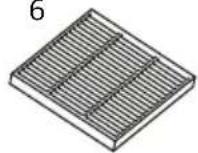
7
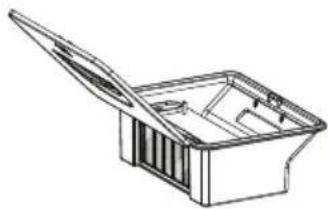
natural_image
Line drawing of a rectangular container with an open lid and internal compartments (no text or symbols)8


9

natural_image
Technical diagram of a circular mechanical component with labeled points and centerline (no text or symbols beyond labels)Odbojnik protiv sudara
natural_image
Technical line drawing of a vacuum cleaner with open lid and internal components (no text or symbols)Vakuumski poklopac
Spremnik za prašinu
Konektor punjenja

2. Radne upute
2.1 Prvo pokretanje
2.1.1. Uklanjanje naljepnica
Uklonite naljepnice koje se nalaze na bočnim stranama prednjeg odbojnika.
natural_image
Cross-sectional diagram of a circular mechanical component with internal hatched area and two horizontal lines (no text or symbols)Pjenaste naljepnice
2.1.2. Povežite prilagodnik s bazom za punjenje
Postavite stalak za punjenje ravno uza zid. Ne postavljajte predmete s lijeve i desne strane unutar 1 m i ispred prednje strane unutar 2 m. Baza se ne smije nalaziti u blizini predmeta s jakom reflektirajućom površinom (ogledala).
natural_image
Technical line drawing of a circular mechanical component with internal components and mounting holes (no text or symbols)natural_image
Technical line drawing of a robotic vacuum cleaner with an inset close-up showing its internal components (no text or symbols)4.2. Stanje čekanja
Kada je Charles u stanju čekanja, istovremeno svijetle obje LED lampice. Charles ulazi u stanje čekanja na temelju raznih čimbenika.
natural_image
Line drawings of a robotic vacuum cleaner's internal components, showing open lid, internal casing, and final assembled part (no text or symbols)Ispraznite prljavštinu i vratite dvostruki spremnik u usisavač.
natural_image
Technical line drawing of a mechanical component with two views (front and side), showing internal components and alignment indicators (no text or symbols)5.3. Krpa za brisanje
Okrenite Charles, skinite krpu za brisanje i operite je. Nakon sušenja možete je vratiti.
5.4. Glavna četka
Da biste očistili glavnu četku, najprije skinite plastični poklopac koji se nalazi na njoj. Zatim uklonite četku i očistite je.
natural_image
Technical illustration of a robotic vacuum cleaner with internal components and directional arrows indicating motion (no text or symbols)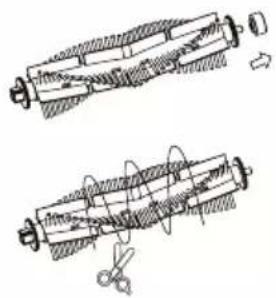
natural_image
Technical line drawing of a circular mechanical component with internal components and mounting holes (no text or symbols)6. Brisanje
6.1. Najprije prikvačite krpu za brisanje

natural_image
Close-up of a hand holding a knife over a white surface, with no visible text or symbols.natural_image
Top-down view of a black dome-shaped object with internal components and mounting holes (no visible text or symbols)Pazite da na dnu usisavača nema prašine ili kapljica vode. Zatim zalijepite čičak-traku na označena mjesta na dnu usisavača.
natural_image
Top-down view of a car's seat cover with blue textured material (no text or symbols visible)natural_image
Top-down view of a blue textured object with circular indentations, possibly a mechanical component or cover (no visible text or symbols)6.2. Napunite spremnik za vodu
Uklonite dvostruki spremnik iz usisavača, skinite sekundarni mekani filtar i napunite spremnik za vodu vodom. Zatvorite spremnik, vratite sekundarni filtar na mjesto i vratite spremnik u usisavač.
natural_image
Line drawing of a circular mechanical component with a flat top and side slots (no text or symbols)2
natural_image
Technical line drawing of a mechanical clamp or bracket (no text or symbols)3
natural_image
Pure diagram of four identical mechanical components with no text or symbols4
natural_image
Simple line drawing of a handheld device with a cable and connector (no text or symbols)5
6
7
natural_image
Line drawing of a mechanical component or housing with an open lid (no text or symbols)8


9

8. Parametri
Model proizvoda: Charles i6
Dimenzije: D 310 x Š 310 x V 76 mm
Napon: Istosmjerna struja 11,1 V
Usisna snaga: 2 500 Pa
Kapacitet baterije: DC 11,1 V litij-ionska 2 600 mAh
Zapremina dvostrukog spremnika - za prašinu: 650 ml
Zapremina dvostrukog spremnika - za vodu: 220 ml
natural_image
Technical diagram of a circular mechanical component with internal components and mounting holes (no text or labels)natural_image
Technical line drawing of a robotic vacuum cleaner with an inset close-up showing its internal structure (no text or symbols)4.2. Tryb czuwania
natural_image
Line drawings of a robotic vacuum cleaner's internal components, showing open lid, internal casing, and final assembled part (no text or symbols)natural_image
Technical line drawing of a mechanical component with two views (front and side), showing internal components and alignment indicators (no text or symbols)5.3. Tkanina mopa
natural_image
Technical line drawing of a robotic vacuum cleaner with internal components and assembly steps (no text or symbols)natural_image
Technical line drawing of a circular mechanical component with internal components and mounting holes (no text or symbols)6. Mop
natural_image
Close-up of a hand holding a knife over a white surface, with no visible text or symbols.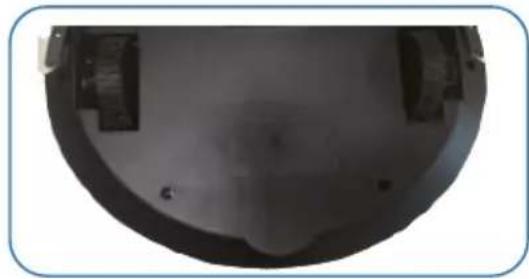
natural_image
Close-up of a dark, curved mechanical component with no visible text or symbolsnatural_image
Close-up of a blue textured surface inside a mechanical component (no text or symbols visible)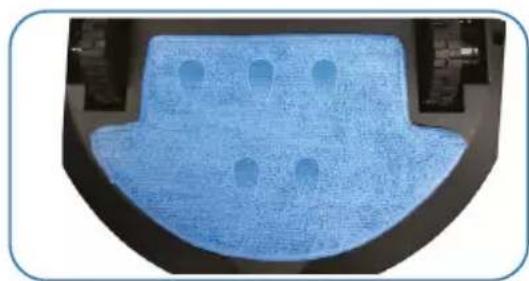
natural_image
Top-down view of a blue textured object with circular holes, possibly a vehicle or mechanical component (no visible text or symbols)natural_image
Line drawing of a circular mechanical component with a flat top and side slots (no text or symbols)2
natural_image
Technical line drawing of a mechanical clamp or bracket (no text or symbols)3
natural_image
Four identical mechanical components arranged in a triangular pattern with no visible text or symbols4
natural_image
Simple line drawing of a handheld electrical plug with a cable (no text or symbols)5
6
7
natural_image
Line drawing of a rectangular container with an open lid and internal compartments (no text or symbols)8


9

8. Parametry
Model produktu: Charles i6
Wymiary: L310 * W310 * H76 mm
Napięcie: DC 11,1 V
natural_image
Technical line drawing of a circular mechanical component with internal components and mounting holes (no text or symbols)natural_image
Line drawing of a robotic vacuum cleaner with an inset close-up showing its internal structure (no text or symbols)4.2. Stanje pripravljenosti
natural_image
Line drawings of a robotic vacuum cleaner's internal components, showing open lid, internal casing, and final assembled part (no text or symbols)Izpraznite umazanijo in znova vstavite dvojno posodo v sesalnik.
natural_image
Technical line drawing of a mechanical component with two views (top and side), showing internal components and alignment indicators (no text or symbols)natural_image
Technical illustration of a robotic device with internal components and directional arrows indicating movement (no text or symbols)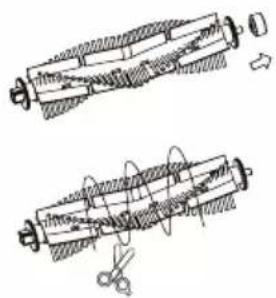
natural_image
Technical line drawing of two mechanical components with hatched sections and a tool, no visible text or symbols5.4. Tipala proti padcu
natural_image
Technical line drawing of a circular mechanical component with internal components and mounting holes (no text or symbols)6. Mokro čiščenje
natural_image
Close-up of a hand holding a knife over a white surface, with no visible text or symbols.Odstranite bel trak na zadnji strani sprimnega traku.
natural_image
Close-up of a dark, curved mechanical component with mounting holes and a central cavity (no visible text or symbols)Prepričajte se, da na dnu sesalnika ni prahu ali vodnih kapljic. Nato pritrdite sprimni trak na označena mesta na dnu sesalnika.
natural_image
Close-up of a blue textured surface inside a black container (no text or symbols visible)natural_image
Top-down view of a blue textured mechanical component with circular holes, mounted on a black surface (no text or symbols visible)natural_image
Line drawing of a circular mechanical component with a flat top and side slots (no text or symbols)2
natural_image
Technical line drawing of a mechanical clamp or bracket (no text or symbols)3
natural_image
Four identical mechanical components arranged in a grid, each with a central hub and two arms extending outward (no text or symbols visible)4
natural_image
Simple line drawing of a handheld electrical plug with a cable (no text or symbols)5
6
7
natural_image
Line drawing of a rectangular container with an open lid and internal compartments (no text or symbols)8


9

8. Lastnosti
Model naprave: Charles i6
Mere: D310 * Š310 * V76 mm
Napetost: DC 11,1 V
Sesalna moč: 2 500 Pa
Zmogljivost baterije: DC 11,1 V Li-ion 2 600 mAh
Prostornina dvojne posode - prah: 650 ml
Prostornina dvojne posode - voda: 220 ml
natural_image
Technical line drawing of a circular mechanical component with internal features and a central hub (no text or symbols)Spumă autocolante
natural_image
Technical line drawing of a circular mechanical component with internal components and mounting holes (no text or symbols)natural_image
Technical line drawing of a robotic vacuum cleaner with an inset close-up showing its internal components (no text or symbols)natural_image
Line drawings of a robotic vacuum cleaner's internal components, showing open lid, internal cavity, and final assembly (no text or symbols)natural_image
Technical line drawing of a mechanical component with two views (front and side), showing internal components and alignment indicators (no text or symbols)5.3. Pânză de mop
natural_image
Technical illustration of a robotic vacuum cleaner with internal components and directional arrows indicating motion (no text or symbols)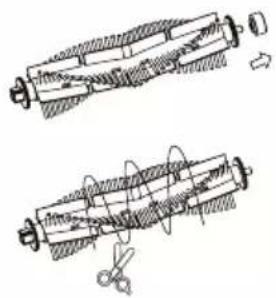
natural_image
Technical line drawing of a circular mechanical component with internal components and mounting holes (no text or symbols)6. Curățare cu mop
natural_image
Close-up of a hand holding a knife over a white surface, no visible text or symbolsnatural_image
Close-up of a dark, curved mechanical component with mounting holes and a central cavity (no visible text or symbols)natural_image
Top-down view of a light blue textured surface inside a dark container (no text or symbols visible)natural_image
Close-up of a blue textured mechanical component with circular holes, mounted on a black surface (no text or symbols visible)natural_image
Line drawing of a circular mechanical component with a flat top and side slots (no text or symbols)2
natural_image
Technical line drawing of a mechanical clamp or bracket (no text or symbols)3
natural_image
Four identical mechanical components arranged in a row, each with a central hub and three arms (no text or symbols visible)4
natural_image
Simple line drawing of a handheld device with a coiled cable and handle (no text or symbols)5
6
7
natural_image
Line drawing of a rectangular container with an open lid and internal compartments (no text or symbols)8


9

8. Parametri
Model de produs: Charles i6
Dimensiuni: L310 * W310 * H 76 mm
natural_image
Technical diagram of a mechanical assembly with labeled components (no text or symbols)2.1.4. Ladda enheten
flowchart
graph LR
    A["Raw Solar Collector"] --> B["Add Solar into Sun"]
    B --> C["Add Solar into Wind Turbine"]
    C --> D["Add Solar into Heat Exchanger"]
    D --> E["Solar Sun"]
natural_image
Technical line drawing of a robotic vacuum cleaner with an inset close-up showing its internal structure (no text or symbols)4.2. Vänteläge
flowchart
graph LR
    A["Raw material input"] --> B["Add heat source"]
    B --> C["Add steam bath"]
    C --> D["Add water tank"]
    D --> E["Solar heating system with sun symbol"]
5.2. Sidoborstar
natural_image
Technical line drawing of a mechanical component with two views (front and side), showing internal components and alignment indicators (no text or symbols)5.3. Moppduk
natural_image
Technical diagram of a robotic device showing internal components and directional arrows (no text or labels)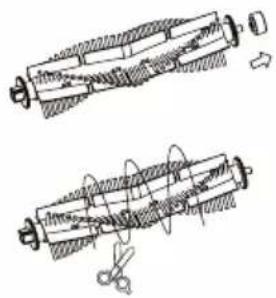
natural_image
Technical line drawing of two mechanical components with hatched sections and a tool, no visible text or symbols5.5. Fallsensorer
natural_image
Technical line drawing of a circular mechanical component with internal components and mounting holes (no text or symbols)6. Moppning
natural_image
Close-up of a hand holding a knife over a white surface, with no visible text or symbols.natural_image
Close-up of a dark, curved mechanical component with mounting holes and a central cavity (no visible text or symbols)natural_image
Top-down view of a blue textured surface inside a dark container (no text or symbols visible)natural_image
Close-up of a blue textured surface with circular indentations, possibly a mechanical component or panel (no visible text or symbols)natural_image
Line drawing of a circular mechanical component with a flat top and side slots (no text or symbols)2
natural_image
Technical line drawing of a mechanical clamp or bracket (no text or symbols)3
natural_image
Four identical mechanical components with three blades, arranged in a triangular pattern (no text or symbols)4
natural_image
Simple line drawing of a handheld electrical plug with a cable (no text or symbols)5
6
7
natural_image
Line drawing of a rectangular container with an open lid and internal compartments (no text or symbols)8


9

8. Parametrar
Modell: Charles i6
Mått: L 310 * B 310 * H 76 mm
Spänning: Likström 11,1 V
Sugkraft: 2 500 Pa
Batterikapacitet: 11,1 V Litiumjon 2 600 mAh
Praha 4, Czech Republic, ID: 294 16 876.
Made in China.




- User Manual / Robotic Vacuum
- Návod k použití
- Mopovací hadr
- Mopování
- Obsah balení
- Parametry
- Nabíjanie zariadenia
- Mopovacia handra
- Mopovanie
- Najprv pripevnite vytieraciu handru
- Naplňte vodnú nádobu
- Obsah balenia
- Parametre
- Standby Modus
- Wischtuch
- Fallsensoren
- Moppen
- Packungsinhalt
- Parameter
- Product diagram
- Operating instructions
- First start-up
- Removing stickers
- Connect the adapter to the charging base
- Attach the side brushes
- Charging the device
- Device status
- On/Off
- Standby mode
- Automatic cleaning
- Spot cleaning
- Wall cleaning
- Maintenance
- Dual container
- Side brushes
- Mopping cloth
- Main brush
- Cliff sensors
- Mopping
- First, attach the wiping cloth
- Fill the water container
- Package contents
- Parameters
- Használati útmutató
- Felmosókendő
- Esésérzékelők
- Felmosás
- Radne upute
- Prvo pokretanje
- Uklanjanje naljepnica
- Povežite prilagodnik s bazom za punjenje
- Stanje čekanja
- Krpa za brisanje
- Glavna četka
- Brisanje
- Najprije prikvačite krpu za brisanje
- Napunite spremnik za vodu
- Parametri
- Tryb czuwania
- Tkanina mopa
- Mop
- Stanje pripravljenosti
- Tipala proti padcu
- Mokro čiščenje
- Lastnosti
- Pânză de mop
- Curățare cu mop
- Ladda enheten
- Vänteläge
- Sidoborstar
- Moppduk
- Fallsensorer
- Moppning
- Parametrar
Brand : Niceboy
Model : ION Charles i6
Category : Robot vacuum