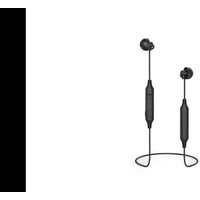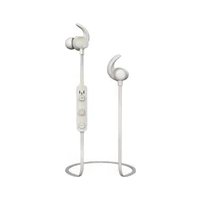
WEAR7208 - Headphones THOMSON - Free user manual and instructions
Find the device manual for free WEAR7208 THOMSON in PDF.



| Product type | Bluetooth® in-ear audio headset |
| Brand | Thomson |
| Model | WEAR7208 |
| Connectivity | Bluetooth® (2.4 GHz, 2402-2480 MHz) |
| Bluetooth range | Up to 10 meters (estimated) |
| Max RF power | 3.5 mW EIRP |
| Power supply | Built-in rechargeable battery (Li-ion) |
| Charging time | Approximately 2 to 3 hours |
| Battery life | Not specified (typical 4-6 hours) |
| Charger type | Micro-USB (cable included) |
| Charge indicator | Red LED (charging), blue LED (charged) |
| Controls | MF button (on/off, calls, playback), Volume +/-, Next/previous track |
| Main functions | Audio playback, hands-free, multipoint (2 devices), volume and track control |
| Microphone | Built-in for calls |
| Included accessories | USB/Micro-USB cable, 3 pairs of ear tips (S/M/L), user manual |
| Care and cleaning | Slightly damp lint-free cloth, no harsh detergents |
| Safety | Do not use while driving; moderate volume to protect hearing; do not open; recycle according to directives |
| Operating temperature | Not specified (avoid extreme temperatures) |
| Weight | Approximately 20 g (estimated) |
| Dimensions (approx.) | 3 x 2 x 2 cm (estimated) |
| Warranty | See manufacturer's conditions (Hama GmbH) |
| Customer service | Hama: +49 9091 502-115 (German/English) |
Frequently Asked Questions - WEAR7208 THOMSON
User questions about WEAR7208 THOMSON
0 question about this device. Answer the ones you know or ask your own.
Ask a new question about this device
Download the instructions for your Headphones in PDF format for free! Find your manual WEAR7208 - THOMSON and take your electronic device back in hand. On this page are published all the documents necessary for the use of your device. WEAR7208 by THOMSON.
USER MANUAL WEAR7208 THOMSON
Bluetooth® In-Ear-Headphones
Operating Instruction
Mode d'emploi
Bedienungsanleitung
THOMSON
GB OperatingInstruction2
F Moded'emploi5
GB Operatinginstruction
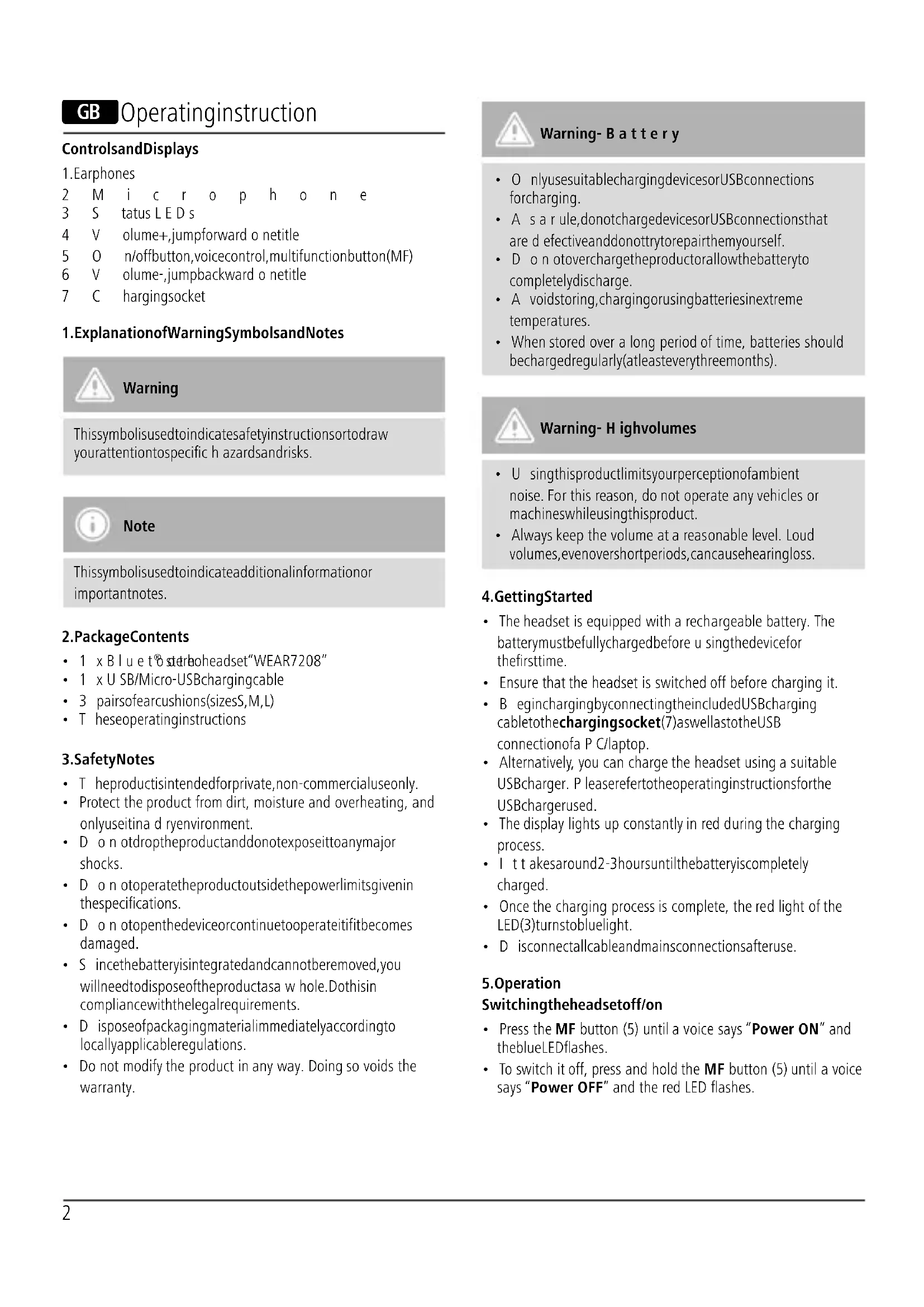
ControlsandDisplays
1. Earphones
2 Microphone
3 S tatus L E D s
4 V olume+,jumpforward o netitle
5 O n/offbutton,voicecontrol,multifunctionbutton(MF)
6 V olume-,jumpbackward o netitle
7 C hargingsocket
1. ExplanationofWarningSymbolsandNotes

Warning
This symbol is used to indicate safety instructions to draw your attention to specific hazards and risks.

Note
This symbol is used to indicate additional information or important notes.
2.PackageContents
• 1 x Blu et® stereoheadset"WEAR7208"
• 1 x USB/Micro-USBchargingcable
• 3 pairsofearcushions(sizesS,M,L)
• T heseoperatinginstructions
3.SafetyNotes
• T heproductisintendedforprivate,non-commercialuseonly.
- Protect the product from dirt, moisture and overheating, and only use it in a dry environment.
- D o n otdroptheproductanddonotexposeittoanymajor shocks.
- D o n otoperatetheproductoutsidethepowerlimitsgivenin thespecifications.
- D o n otopenthedeviceorcontinuetooperateitifitbecomes damaged.
- S incethebatteryisintegratedandcannotberemoved,you willneedtodisposeoftheproductasa w hole.Dothisin compliancewiththelegalrequirements.
- D isposeofpackagingmaterialimmediatelyaccordingto locallyapplicableregulations.
- Do not modify the product in any way. Doing so voids the warranty.

Warning-Battery
- O nlyusesuitablechargingdevicesorUSBconnections forcharging.
- A s a rule, donotcharged devices or USB connection that are d effective and donotttry to repair them yourself.
- D o n otoverchargetheproductorallowthebatteryto completelydischarge.
- A voidstoring, chargingorusingbatteriesinextreme temperatures.
- When stored over a long period of time, batteries should becharged regularly (at least every three months).

Warning- H ighvolumes
- U singthisproductlimitsyourperceptionofambient noise. For this reason, do not operate any vehicles or machineswhileusingthisproduct.
• Always keep the volume at a reasonable level. Loud volumes, evenovershortperiods, can cause hearing loss.
4. Getting Started
- The headset is equipped with a rechargeable battery. The batterymustbefullychargedbefore u singthedevicefor thefirsttime.
- Ensure that the headset is switched off before charging it.
- B eginchargingbyconnectingtheincludedUSBcharging cabletothechargingsocket(7)aswellastotheUSB connectionofa P C/laptop.
- Alternatively, you can charge the headset using a suitable USBcharger. P leaserefertotheoperatinginstructionsforthe USBchargerused.
- The display lights up constantly in red during the charging process.
- It takes around 2-3 hours until the battery is completely charged.
- Once the charging process is complete, the red light of the LED(3)turnstobluelight.
• D isconnectallcableandmainsconnectionsafteruse.
5.Operation
Switchingtheheadsetoff/on
- Press the MF button (5) until a voice says "Power ON" and the blue LED flashes.
- To switch it off, press and hold the MF button (5) until a voice says "Power OFF" and the red LED flashes.

Note
The functions described in this section are only available for Bluetooth ^® -capable terminal devices.
5.1. Bluetooth® pairing

Note- Pairing
- M akesure thatyourBluetooth®-capableterminaldevice isonandBluetooth ®isactivated.
- M akesure thatyourBluetooth®-capableterminaldevice isvisibleforotherBluetooth® devices.
-
For more information, please refer to the operating instructionsofyourterminaldevice.
-
T heheadsetandtheterminaldevices should not be any further than 1 metre away from each other. The smaller the distance, the better.
- S witchtheheadsetonusingtheMFbutton(5).
- Press and hold the MF button (5) until the red and blue LEDs flash alternatingly and a voice says „Pairing“ (you can also press the volume + (4) and volume - (6) simultaneously for 5s).
• T heheadsetissearchingfora Bluetooth connection. - O pentheBluetooth® settingsyourterminaldeviceand waituntilThomsonWEAR7208appearsinthelistof Bluetooth®devicesfound.
- S electThomsonWEAR7208andwaituntiltheheadset islistedasconnectedintheBluetooth ® settingsonyour terminaldevice.

Note- B bluetooth®password
Some terminal devices require a password in order to connecttoanotherBluetooth ^ device.
- If your terminal device requests a password for connectionwiththeheadset,enter0000.

Note
- Once the connection has been established, a voice says, "Connected".
- If the connection attempt takes longer than 300 seconds to complete, it is cancelled and the LEDsgout. In this case, repeat the steps listed previously under 5.1 Bluetooth® pairing.
5.2.AutomaticBluetooth ^® connection(aftersuccessful pairing)

Note
- M akesure that your Bluetooth®-capable terminal device is on and Bluetooth ® is activated.
- M akesure thatyourBluetooth®-capableterminaldevice isvisibleforotherBluetooth® devices.
-
For more information, please refer to the operating instructions of your terminal device.
-
S witchtheheadsetonusingtheMFbutton(5).TheblueLED beginstoflashandtheheadsetautomaticallyconnectswith thelastterminaldeviceused.
- A successful connection is signalized by the announcement (Connected)

Note
- Once the connection has been established, a voice says, "Connected".
- If the connection attempt takes longer than 300 seconds to complete, it is cancelled and the LEDsgout. In this case, repeat the steps listed previously under 5.2.
- I t m aybenecessarytomakesettingsonyourterminal devicetoenableautomaticconnectionwiththepaired headset.

Note- C onnectionimpaired
Aftertheheadsetandterminaldevicehavebeenpaired, a connection is established automatically. If the Bluetooth® connectionisnotestablishedautomatically, c heckthe following:
- C hecktheBluetooth® settingsofyourterminaldeviceto seewhetherThomsonWEAR7208isconnected.Ifnot, repeatthestepslistedunder5.1.Bluetooth ® pairing.
- Check whether obstacles are impairing the range. If so, movethedevicesclosertogether.
- The performance can also be affected by a weak battery.
5.3. Bluetooth ^® multipointconnection
ThisheadsetcanbeconnectedwithtwoBluetooth ^® -enabled terminaldevicessimultaneously.
- First connect the headset with the first terminal device as described in 5.1.
- T hendisableBluetooth® onthatterminaldevice.
- N ext, connecttheheadsetwiththesecondterminaldevice asdescribedin5.1.
- A ctivateBluetooth® onthefirstterminaldeviceonce more.Theheadsetnowconnectstothatterminaldevice automatically.
5.4.Audioplayback

Note
- Note that the functions described under 5.3. and 5.4. are o nlypossiblewithanactiveBluetooth ^ connection.
- Y ourterminaldevicemustalsosupporttheindividual functions.
- For more information, please refer to the operating instructionsofyourterminaldevice.
- Functionscanstillbecontrolleddirectlyviatheterminal device.
- Set the volume on your terminal device to a low level.
- S witchtheheadsetonusingtheMFbutton(5).Upon successful connection, a voice says, "Connected".
- S tartaudioplaybackontheconnectedterminaldevice.
- Press Volume + (4) to increase the volume. There is an announcementwhenthemaximumvolumeisreached.
- Press Volume - (6) to reduce the volume.
- Press the MF button (5) to start or pause audio playback.
- Press and hold Jump forward one title (4) to skip to the nexttitle.
- Press and hold Jump backward one title (6) to skip to the previoustitle.
5.5.Hands-freefunction
- Press the MF button (5) once to answer an incoming call.
- Press the MF button (5) for 1s or use your telephone to reject anincomingcall.
- During a call, press the MF button (5) once to end the call.
- Press the MF button (5) twice to call the number of the lastcall.

Note— C allquality
To increase the call quality, make sure that you are near the headsetwithyourmobilephoneduringthecall.
5.6.Disconnectingtheheadset
- S witchtheheadsetoff.
- D isconnecttheheadsetviatheBluetooth® settingsonyour terminaldevice.
5.7. Batterycapacity
- An announcement is made and the display flashes in red whenthebatteryislow.
• C hargetheheadsetasdescribedin4.GettingStarted.
6. Care and Maintenance
Onlycleanthisproductwitha s lightlydamp,lint-freeclothand donotuseaggressivecleaningagents.Makesure t hatwater doesnotgetintotheproduct.
7.WarrantyDisclaimer
Hama GmbH & Co. KG assumes no liability and provides no warrantyfordamageresultingfromimproperinstallation/mounting, improperuseoftheproductorfromfailure t o o s v e theoperatinginstructionsand/orsafetynotes.
8. Service and Support
PleasecontactHamaProductConsultingify you have any questions about this product.
Hotline:+499091502-115(German/English)
Furthersupportinformationcanbefoundhere:
www.hama.com
9. Recycling Information
Noteonenvironmentalprotection:
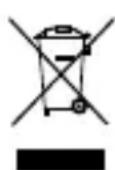
AftertheimplementationoftheEuropeanDirective 2012/19/EUand2006/66/EUinthenationallegal system,thefollowingapplies:Electricandelectronic devicesaswellasbatteriesmustnotbedisposedof withhouseholdwaste.Consumersare o bligedby lawtoreturnelectricalandelectronicdevicesaswellasbatteries attheendoftheirservicelivestothepubliccollectingpointsset up for this purpose or point of sale. Details to this are defined by thenationallawoftherespectivecountry. Thissymbolonthe product, theinstructionmanualorthepackageindicatesthata productissubjecttotheseregulations.Byrecycling,reusingthe materialsorotherformsofutilisingolddevices/Batteries,youare makinganimportantcontributiontoprotectingour environment.
10. Declaration of Conformity

Hereby, Hama GmbH & Co KG declares that the radioequipmenttype[00132640,00132641, 00132642,00132643]isincompliancewith
Directive2014/53/EU. ThefulltextoftheEUdeclarationof conformityisavailableatthefollowinginternetaddress: www.hama.com->00132640,00132641,00132642, 00132643->Downloads.
Frequencyband(s)
2402MHz-2480MHz
Maximumradio-frequency powertransmitted
3.5mWEIRP
F Moded'emploi
9. Pokynyk likvidaci
Hotline:+499091502-115(ty/eng)
Duhittarmersupport-informationhär:www.hama.com
The Bluetooth® word mark and logos are registered trademarks owned by the Bluetooth SIG, Inc. and any use of such marks by Hama GmbH & Co KG is under license. Other trademarks and trade names are those of their respective owners.
Thomson is a trademark of Technicolor (S.A.) or its affiliates used under license by HAMA GmbH & Co KG in 86652 Monheim/Germany
83873 00690
www.thomson-av-accessories.eu

WEAR7208 / 00132640_43