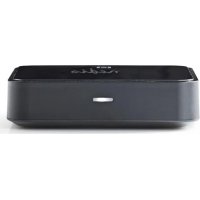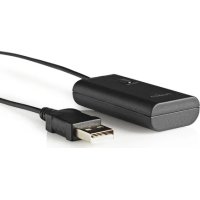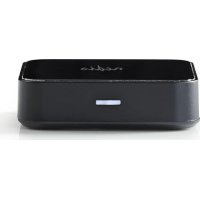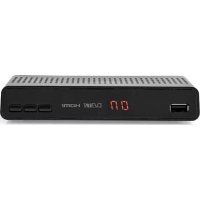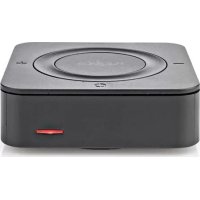
BTTC200BK - Receiver NEDIS - Free user manual and instructions
Find the device manual for free BTTC200BK NEDIS in PDF.



| Brand | Nedis |
| Model | BTTC200BK |
| Product type | Bluetooth receiver/transmitter |
| Intended use | Wireless audio transmission between devices |
| Bluetooth version | 5.0 |
| Bluetooth range | Up to 10 meters |
| Bluetooth profiles | A2DP |
| Supported audio codecs | SBC, aptX, aptX Low Latency |
| Power source | 5 V DC / 1 A (via micro USB) |
| Battery type | Built-in Lithium-Polymer |
| Battery capacity | 450 mAh |
| Battery life in streaming | Up to 22 hours |
| Standby time | Up to 48 hours |
| Charging time | Up to 2 hours |
| Audio connections | AUX 3.5 mm (input/output), SPDIF optical (input/output) |
| Charging connection | Micro USB |
| Main functions | Receiver and transmitter mode, multipoint pairing (2 devices), volume/track controls |
| Maintenance and cleaning | Clean with a dry, soft cloth. Do not use abrasive products. |
| Safety | Do not expose to water, humidity or heat. Do not disassemble. Use only with a 5V/1A adapter. |
| Spare parts and repairability | Repairs only by a qualified technician. No spare parts provided. |
| Package contents | Power adapter not included. Cables: 3.5 mm audio, RCA to 3.5 mm, charging USB, SPDIF optical. |
Frequently Asked Questions - BTTC200BK NEDIS
User questions about BTTC200BK NEDIS
0 question about this device. Answer the ones you know or ask your own.
Ask a new question about this device
Download the instructions for your Receiver in PDF format for free! Find your manual BTTC200BK - NEDIS and take your electronic device back in hand. On this page are published all the documents necessary for the use of your device. BTTC200BK by NEDIS.
USER MANUAL BTTC200BK NEDIS
Bluetooth® Transmitter Receiver
provides Bluetooth® connection to stream audio
BTTC200BK


ned.is/btcc200bk
EN Quick start guide 5
DE Kurzanleitung 11
FR Guide de démarrage rapide 17
NL Snelstartgids 23
IT Guida rapida all'avvio 30
ES Guía de inizio=rápido 36
PT Guia de iniciação<rapida 42
SV Snabbstartsguide 48
FI Pika-aloitusopas 54
NO Hurtiguide 60
DA Vejledning til hurtig start 66
HU Gyors beüzemelési utmutató 72
PL Przewodnik Szybki start 78
EL O8nyoc ypnyopnc EKKivnoonc 84
SK Rychly námod 91
CS Rychly námod 97
RO Ghid rapid de initiere
A
B


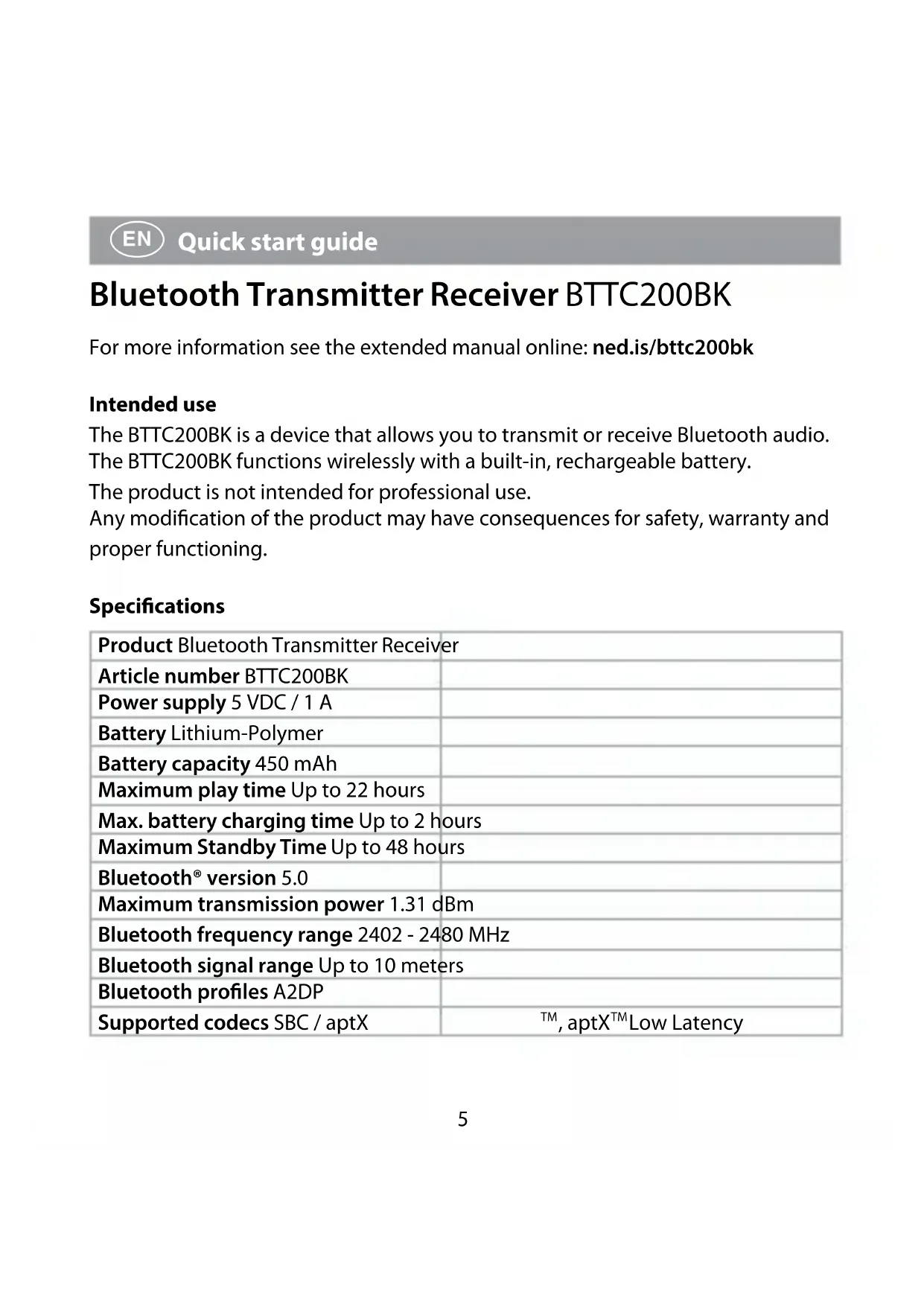
Bluetooth Transmitter Receiver BTTC200BK
For more information see the extended manual online:ned.is/bttc200bk
Intended use
The BTTC200BK is a device that allows you to transmit or receive Bluetooth audio. The BTTC200BK functions wirelessly with a built-in, rechargeable battery.
The product is not intended for professional use.
Any modification of the product may have consequences for safety, warranty and proper functioning.
Specifications
| Product Bluetooth Transmitter Receiver | |
| Article number BTTC200BK | |
| Power supply 5 VDC / 1 A | |
| Battery Lithium-Polymer | |
| Battery capacity 450 mAh | |
| Maximum play time Up to 22 hours | |
| Max. battery charging time Up to 2 hours | |
| Maximum Standby Time Up to 48 hours | |
| Bluetooth® version 5.0 | |
| Maximum transmission power 1.31 dBm | |
| Bluetooth frequency range 2402 - 2480 MHz | |
| Bluetooth signal range Up to 10 meters | |
| Bluetooth profiles A2DP | |
| Supported codescs SBC / aptX | TM, aptX™ Low Latency |
Connections AUX input/output
SPDIF input
SPDIF output
Micro USB
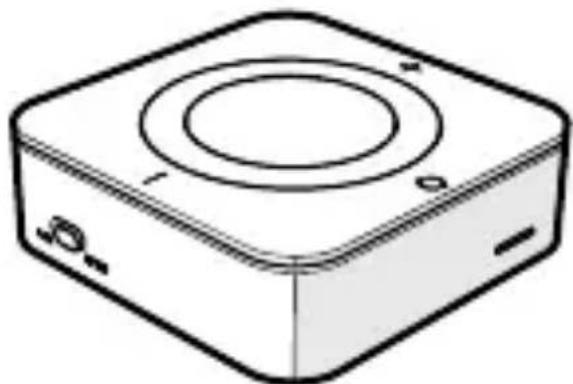
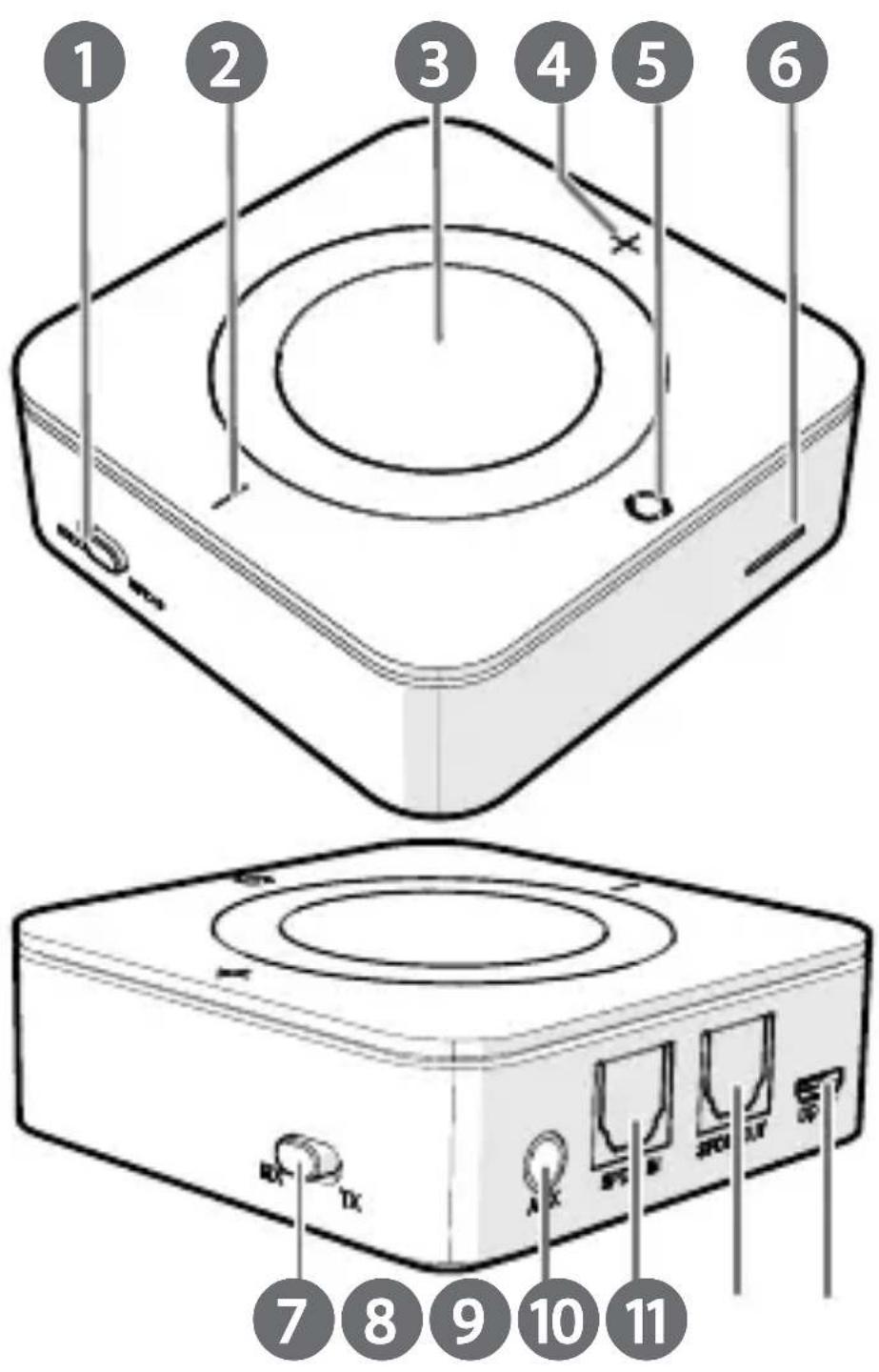
Main parts (image A)
1 AUX/SPDIF switch
Volume down / previous track button
3 On/off / play / pause button
4 Volume up / next track button
5 Bluetooth button
Status indicator LED
Mode switch
8 AUX port
9 SPDIF input (Tx)
10 SPDIF output (Rx)
Micro USB charging port
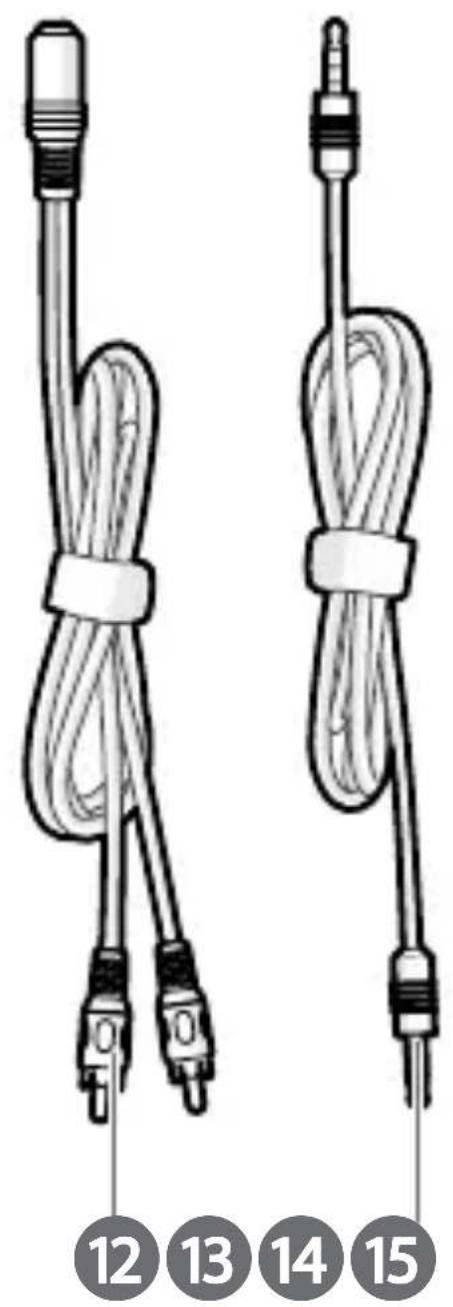
Main parts (image B)
Stereo audio cable 2x RCA male to 3.5 mm female
13 3.5 mm to 3.5 mm audio cable male to male
14 USB charging cable
15 SPDIF Optical Audio Cable male to male
Safety instructions
WARNING
- Ensure you have fully read and understood the instructions in this document before you install or use the product. Keep this document for future reference.
- Only use the product as described in this document.
- Do not use the product if a part is damaged or defective. Replace a damaged or defective product immediately.
-
Do not drop the product and avoid bumping.
-
This product may only be serviced by a qualified technician for maintenance to reduce the risk of electric shock.
- Disconnect the product from the power source and other equipment if problems occur.
- Do not expose the product to water or moisture.
- Do not dismantle, open or shred secondary cells or batteries.
- Do not expose cells or batteries to heat or fire. Avoid storage in direct sunlight.
- Retain the original product literature for future reference.
- Do not leave a battery on prolonged charge when not in use.
- After extended periods of storage, it may be necessary to charge and discharge the cells or batteries several times to obtain maximum performance.
- Batteries contain explosive gases. Prevent contact with flames and sparks. Provide adequate ventilation during charging.
- Some wireless devices may interfere with implantable medical devices and other medical equipment, such as pacemakers, cochlear implants and hearing aids. Consult the manufacturer of your medical equipment for more information.
- Do not use the product at locations where the use of wireless devices is prohibited due to potential interference with other electronic devices, which may cause safety hazards.
Charging the product
- Connect B ⑭ to A⑪.
- Plug the other end of B 14 into a 5V/1A USB adapter (not provided).
- Plug the USB adapter into a power outlet.
A 6 Burns red to indicate that the product is charging.
A6 switches off when the battery is fully charged.
When the battery is low, there is a prompt sound and A 6 blinks red.
Switching the product on/off
- Press and hold A ③ for 3 seconds to switch the product on or off.
The product automatically switches off when it is not paired within 10 minutes.
Receiver mode (image C)
Option 1: Using an AUX connection
- Set the AUX / SPDIF switch A ① to AUX.
- Set the mode switch A 7 to RX.
- Plug the 3.5mm to 3.5mm audio cable B 13 into the AUX A8.
- Plug the other end of B 13 into the audio output device.
You can also connect an audio device with the stereo audio cable 2x RCA male to 3.5 ~mm female B12.
Option 2: Using an SPDIF connection.
- Set the AUX / SPDIF switch A ① to SPDIF.
- Set the mode switch A 7 to RX.
- Plug the SPDIF optical cable B 15 into the SPDIF output (Rx) A10
- Plug the other end of B 15 into the audio output device.
- Switch on the product.
Press and hold A④ to turn the volume up.
Press and hold A to turn the volume down.
A6 Blinks blue.
- Enable Bluetooth on the device you want to pair.
- Press Bluetooth button A ⑤ to start pairing.
- Select "BTTC200BK" from the list of available Bluetooth devices on your device.
If asked, enter the pairing code '0000'.
A6 blinks slowly to indicate pairing is successful.
Transmitter mode (image D)
Option 1:
- Set the AUX / SPDIF switch A ① to AUX.
- Set A ⑦ to TX.
- Plug B ⑬ into A⑧.
- Plug the other end of B ⑬ into your audio source.
You can also connect an audio device with the stereo audio cable 2x RCA male to 3.5 ~mm female B⑫.
Option 2:
- Set the AUX / SPDIF switch A ① to SPDIF.
- Set A ⑦ to TX.
- Plug B ⑤ into SPDIF input (Tx) A ⑨
- Plug the other end of B 15 into your audio source.
- Switch on the product.
A⑥ Blinks green.
6. Keep your Bluetooth audio device within range and switched on.
Pairing time will vary depending on the device used.
A Burns to indicate pairing is successful.
Connect a second device
After successfully connecting the first device, press A ⑤ again to pair to a second device.
The devices must be one meter apart from each other.
The two devices are connected simultaneously.
If the pairing does not work, switch the product off and on.
Disconnect paired devices
- Press and hold A ⑤ for 3 seconds.
To disconnect a single device, switch off the Bluetooth of that device.
To clear the pairing list press and hold A5 for 8 seconds.
A Blinks twice when cleared.
Recommendations
- When connecting with two devices, use the devices with the same version of Bluetooth.
- In Bluetooth transmit mode, only headphones and similar devices can be connected. Smartphones cannot be paired with this mode.
- Do not use this product in a place with obstructions or other Bluetooth devices to avoid interference.
- When pairing fails, clear the list of paired devices on the product.
Declaration of Conformity
We, Nedis B.V. declare as manufacturer that the product BTTC200BK from our brand Nedis®, produced in China, has been tested according to all relevant CE standards and regulations and that all tests have been passed successfully. This includes, but is not limited to the RED 2014/53/EU regulation.
The complete Declaration of Conformity (and the safety datasheet if applicable) can be found and downloaded via: nedis.com/BTTC200BK#support
For additional information regarding the compliance, contact the customer service:
Web: www.nedis.com
E-mail: service@nedis.com
Nedis B.V., de Tweeling 28
5215 MC's-Hertogenbosch, the Netherlands
5215 MC's-Hertogenbosch, the Netherlands
Bluetooth ado-vevo BTTC200BK
5215 MC's-Hertogenbosch, the Netherlands

Rychly námod
Vysielač a prijímačs funkciou Bluetooth BTTC200BK
Viac informaci najdete v rozsirenom navode online:ned.is/bttc200bk
Urcené použitie
The Netherlands 04/20