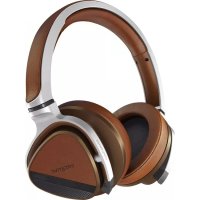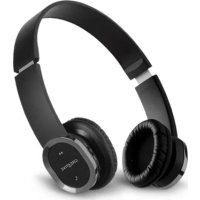
WP450 - Helmet CREATIVE - Free user manual and instructions
Find the device manual for free WP450 CREATIVE in PDF.



User questions about WP450 CREATIVE
0 question about this device. Answer the ones you know or ask your own.
Ask a new question about this device
Download the instructions for your Helmet in PDF format for free! Find your manual WP450 - CREATIVE and take your electronic device back in hand. On this page are published all the documents necessary for the use of your device. WP450 by CREATIVE.
USER MANUAL WP450 CREATIVE
text_image
CREATIVE WP-450 Model: FP0460 ©2018004507Safety Information
Refer to the following information to use your product
safety, and to reduce the chance of electric shock. short circuiting damage fire, hearing impairment
or other hazards. Improper handling may void the
warranty for your product. For more information,
Do not distante or absent to repair you must
Refer all servicing to authorized repair agents.
Do not check your product to impossible due to the range of 0.5" to 6.8" [17.5% to 12.9%]
(1) 31 pieces, cut of 20, be in your mind
- Keep you product only that thing organic
objects.
- De M. Satozi You, Penter E, Ossanir Me Impact
Do not expose your product to your or no
If your product is moisture-resistant, take care not to
introduce your podus, in water or capscite to be
Earphones
- What is exclusive approach such as options.
k. use in close proximity with a CE version or
- March, the 12th May 1st Saturday
exchange. This stochastic discharge can be in as a static shock. While this static shock is usually
harmiess, it is good practice to avoid close contact
will CRI design plan with values.
- Do not learn to info on your cards or telephones
at high volume for prolonged periods of time
as hearing loss may result. For users in the United States, no use of this is more
Information
(1) 2023年1月1日
text_image
Technical diagram of a CD or audio headphones with numbered labels pointing to different ear components.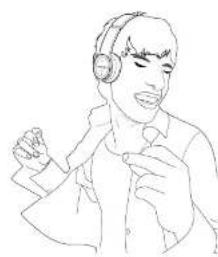
natural_image
Line drawing of a person wearing headphones, smiling and gesturing (no text or symbols)充電式電池リサイクルについてのご注意
The image is too blurry to recognize any text content.
-
-
-
-
-
-
-
-
-
-
-
-
-
-
-
-
-
-
-
-
-
-
-
-
-
-
-
-
-
-
-
-
-
-
-
-
-
-
-
-
-
-
-
-
-
-
-
-
-
-
-
-
-
-
-
-
-
-
-
-
-
-
-
-
-
-
-
-
-
-
-
-
-
-
-
-
-
-
-
-
-
-
-
-
-
-
-
-
-
-
-
-
-
-
-
-
-
- 99.
-
-
-
-
-
-
-
-
-
-
-
-
-
-
-
-
-
-
-
-
-
-
-
-
-
-
-
-
-
-
-
-
-
-
-
-
-
-
-
-
-
-
-
-
-
-
-
-
-
-
-
-
-
-
-
-
-
-
-
-
-
-
-
-
-
-
-
-
-
-
-
-
-
-
-
-
-
-
-
-
-
-
-
-
-
-
-
-
-
-
-
-
-
-
-
-
(一)本次股东大会的召集和召开程序
Notice for Australia / New Zealand
The product compares with the requirements of the 61% production capacity.
N136
NOTICE FOR SINGAPORE
Donglan with
EA Standards
135.41 (附)
NOTICE FOR TURKEY
- 3:06 (2) 17:00 PM
NOTICE FOR KOREA
SAFETY INFORMATION
10
For home, Use Broadcasting & Communication Formware
satisfactory government and to be used mainly at home and it
can be used in all areas.
EN Quick Start Guide
FR Démarrage Rapide
IT Guida Quick Start
DE Schnellstart
ES Guía Rápida
NL Snel aan de slag
PT Início Rápido
DA Lynstart
SV Snabbstart
FI Pikaohje
NO Lynstart
PL Szybki start
RU Краткие указания
CZ Krátky Úvod
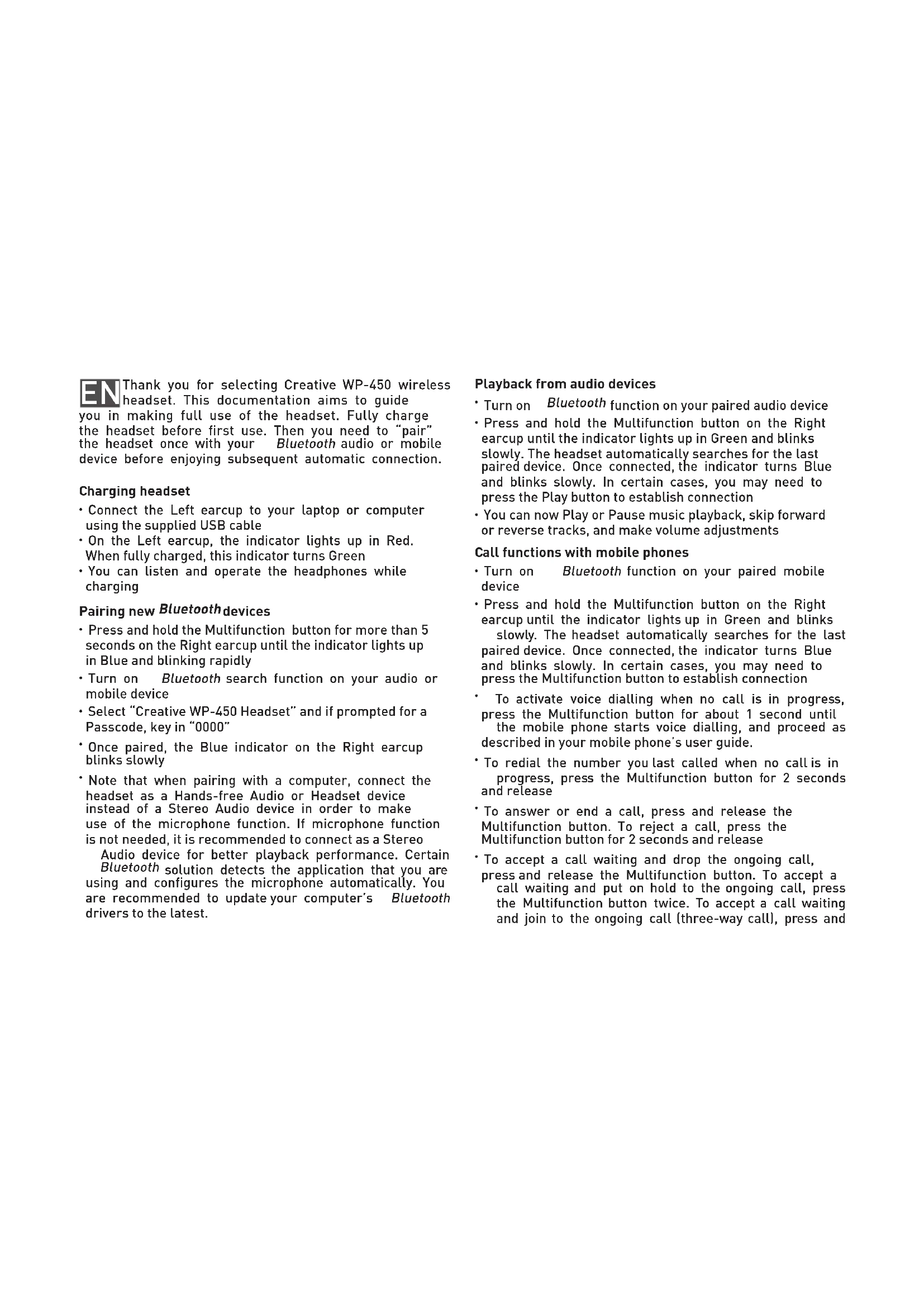
EN Thank you for selecting Creative WP-450 wireless headset. This documentation aims to guide you in making full use of the headset. Fully charge the headset before first use. Then you need to "pair" the headset once with your Bluetooth audio or mobile device before enjoying subsequent automatic connection.
Charging headset
- Connect the Left earcup to your laptop or computer using the supplied USB cable
- On the Left earcup, the indicator lights up in Red. When fully charged, this indicator turns Green
- You can listen and operate the headphones while charging
Pairing new Bluetooth devices
- Press and hold the Multifunction button for more than 5 seconds on the Right earcup until the indicator lights up in Blue and blinking rapidly
- Turn on Bluetooth search function on your audio or mobile device
- Select "Creative WP-450 Headset" and if prompted for a Passcode, key in "0000"
• Once paired, the Blue indicator on the Right earcup blinks slowly
Note that when pairing with a computer, connect the headset as a Hands-free Audio or Headset device instead of a Stereo Audio device in order to make use of the microphone function. If microphone function is not needed, it is recommended to connect as a Stereo Audio device for better playback performance. Certain Bluetooth solution detects the application that you are using and configures the microphone automatically. You are recommended to update your computer's Bluetooth drivers to the latest.
Playback from audio devices
• Turn on Bluetooth function on your paired audio device
- Press and hold the Multifunction button on the Right earcup until the indicator lights up in Green and blinks slowly. The headset automatically searches for the last paired device. Once connected, the indicator turns Blue and blinks slowly. In certain cases, you may need to press the Play button to establish connection
- You can now Play or Pause music playback, skip forward or reverse tracks, and make volume adjustments
Call functions with mobile phones
- Turn on Bluetooth function on your paired mobile device
- Press and hold the Multifunction button on the Right earcup until the indicator lights up in Green and blinks slowly. The headset automatically searches for the last paired device. Once connected, the indicator turns Blue and blinks slowly. In certain cases, you may need to press the Multifunction button to establish connection
To activate voice dialling when no call is in progress, press the Multifunction button for about 1 second until the mobile phone starts voice dialling, and proceed as described in your mobile phone's user guide.
* To redial the number you last called when no call is in progress, press the Multifunction button for 2 seconds and release
• To answer or end a call, press and release the Multifunction button. To reject a call, press the Multifunction button for 2 seconds and release
* To accept a call waiting and drop the ongoing call, press and release the Multifunction button. To accept a call waiting and put on hold to the ongoing call, press the Multifunction button twice. To accept a call waiting and join to the ongoing call (three-way call), press and
release both the Multifunction and Volume Up "+" buttons.
- To mute or unmute the microphone during a call, press and release both the Volume Up “+” and Volume Down “-” buttons.
- To transfer an ongoing call between the WP-450 and your mobile phone, press and hold the Multifunction button for 2 seconds and release.
- Note that features such as voice dial, last number redial or three-way call are phone dependent.
Clear or reset headset
- Press and hold the Volume Down “-” and Multifunction buttons for more than 6 seconds to clear the paired Bluetooth devices
- If the headset malfunctions, reset it by supplying USB power, then press the Volume Up “+” and Multifunction buttons for about 1 second
Automatic shutdown
• Once the headset is powered on, if it is unable to connect to the last paired device or failed to pair with a new device within 5 minutes, the headset will automatically shut down.
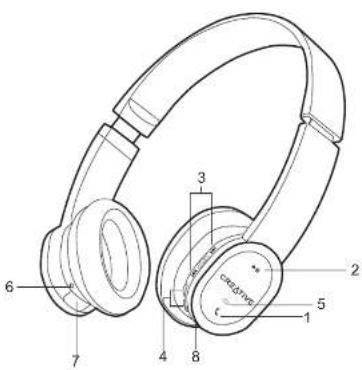
List of button, indicator and connector / port functions
| Button Function | |
| 1. Multifunction (Power / Pair / Call) | Power: Press and hold for 2 seconds to power on the headset. Press and hold for 3 seconds to power off the headset.Pair: In off mode, press and hold for more than 5 seconds to activate Pairing mode.Call: Press and hold for 1 second to activate voice dial. Press and hold for 2 seconds to redial the last called number when no call is in progress. Press and release to answer or end an incoming call. Press and hold for 2 seconds to reject a call during an incoming call. Press twice to accept a call waiting and put on hold the ongoing call. Press together with ‘+’ button and release to initiate a three-way call. |
| 2. ▶ Play / Pause | Press to play. Press again to pause playback. |
| 3. ▶▶/ ◀◀◀ Next, Forward / Previous, Backward | Press to change to the next or previous track. Press and hold to scroll forward or backward a track (device dependent). |
| 4.+/—Volume Up / Volume Down | Press ‘+’ to increase or press ‘-’ to decrease volume. A beep tone is emitted at maximum volume level. Press and release both ‘+’ and ‘-’ to mute or unmute the microphone during a call. |
| Light Indicator | Function |
| 5. Right earcup light indicator | Green and blinks slowly: automatically searching and attempts to connect to the last paired device.Blue and blinks slowly: connected to a paired device.Blue and blinks rapidly: in pairing mode and is ready to pair with a new device.Blue and flashes twice: muting microphone during a call.Red and blinks twice: powering off the headset.Red and blinks slowly: low battery level, charge the headset soonest. This is accompanied by a beep tone every 2 minutes. |
| 6. Left earcup light indicator | Red: charging headset.Green: headset fully charged. |
| Connector / Port | Function |
| 7. Micro-USB charging connector | Use the supplied USB cable for charging the headset via a laptop or computer. |
| 8. Invisible Microphone | Noise suppression microphone for crystal clear communications |
Technical Specifications:
• Driver: 34mm Neodymium magnet
• Frequency Response: 18Hz \~ 22kHz
• Impedance: 32ohms
- Wireless Technology: Bluetooth 2.1 + EDR (Enhanced Data Rate)
- Bluetooth Profiles: A2DP (Wireless stereo Bluetooth), AVRCP (Bluetooth remote control), HFP (Hands-free profile), HSP (Headset profile)
• Audio Codec: apt-X, SBC, FastStream
• Operating Frequency: 2402 \~ 2480MHz
- Operating Range: Up to 10m / 33ft
• Power Supply: Rechargeable Lithium Ion battery, 3.7V, 240mAh
• Charge via USB: 5VDC, 500mA
- Charge / Playback / Talk time: 1 hour / 8 hours / 9 hours
• Net Weight: 114g / 4oz
EN Safety instructions
• The short wave radio frequency signals of a Bluetooth device may impair the operation of other electronic and medical devices
- Switch off the device where it is prohibited. Do not use the device in medical facilities, aircraft, refueling points, close to automatic doors, automatic fire alarms or other automatically controlled devices
- Keep this device at least 20 cm from pacemakers and other medical devices. Radio waves may impair the operation of pacemakers and other medical devices
Avoid Hearing Damage
Permanent hearing loss may occur if the headphone is used at high volume. Set the volume to a safe level. You can adapt over time to a higher volume of sound that may sound normal but can be damaging to your hearing. If you experience ringing in your ears or muffled speech, stop listening and have your hearing checked. The louder the volume, the less time is required before your hearing could be affected. Hearing experts suggest that to protect your hearing:
- Limit the amount of time you use the headphone at high volume.
- Avoid turning up the volume to block out noisy surroundings.
- Turn the volume down if you can't hear people speaking near you.
Safety And Regulatory Information
The following sections contain notices for various countries:
Caution
This product is intended for use with FCC/CE certified computer equipment. Please check the equipment operating/installation manual and/or with the equipment manufacturer to verify/confirm if your equipment is suitable prior to the installation or use of the product.
Notice for USA
FCC Part 15: This equipment has been tested and found to comply with the limits for a Class B digital device, pursuant to Part 15 of the FCC Rules. These limits are designed to provide reasonable protection against harmful interference in a residential installation. This equipment generates, uses and can radiate radio frequency energy and, if not installed and used in accordance with the instructions, may cause harmful interference to radio communications. However, there is no guarantee that interference will not occur in a particular installation. If this equipment does cause harmful interference to radio or television reception, which can be determined by turning the equipment off and on, the user is encouraged to try to correct the interference by one or more of the following measures:
* Reorient or relocate the receiving antenna.
• Increase the separation between the equipment and receiver.
- Connect the equipment into an outlet on a circuit different from that to which the receiver is connected.
- Consult the dealer or an experienced radio/TV technician for help.
This device complies with part 15 of the FCC Rules. Operation is subject to the following two conditions
- This device may not cause harmful interference, and
- This device must accept any interference received, including interference that may cause undesired operation.
Caution
To comply with the limits of the Class B digital device, pursuant to Part 15 of the FCC Rules, this device must be installed with computer equipment certified to comply with Class B limits.
All cables used to connect to the computer and peripherals must be shielded and grounded.
Operation with non-certified computers or non-shielded cables may results in interference to radio or television reception.
Modification
Any changes or modifications not expressly approved by the grantee of this device could void the user's authority to operate the device.
Federal Communication Commission (FCC) Radiation Exposure Statement
This equipment complies with FCC radiation exposure limits set forth for an uncontrolled environment. This transmitter must not be co-located or operating in conjunction with any other antenna or transmitter. It passes the SAR test of OET 65 standard.
Notice for Canada
This Class B digital apparatus complies with Canadian ICES-003 and RSS-210.
This device complies with Industry Canada licence-exempt RSS standard.
Operation is subject to the following two conditions:
(1) This device may not cause harmful interference, and
(2) this device must accept any interference received, including interference that may cause undesirable operation.
Cet appareil est conforme avec Industrie Canada RSS standard exempts de licence.
Canadian Class B Statement
This digital device does not exceed the Class B limits for radio noise emissions from digital
apparatus as set out in the interference-causing equipment standard entitled “Digital Apparatus,” ICES-003 of the Department of Communications.
Any changes or modifications not expressly approved by the grantee of this device could void the user's authority to operate the device.
UK: Hereby, Creative Technology Ltd. declares that this Bluetooth headset is in compliance with the essential requirements and other relevant provisions of Directive 1999/5/EC
This product conforms to the following:
EMC Directive 2004/108/EC
Mains operated product for the European market comply with Low Voltage Directive 2006/95/EC and Commission Regulation(s) Implementing Directive (2005/32/EC).
Communication / RF wireless products for the European market comply with R&TTE Directive1999/5/EC.
CAUTION: To comply with the Europe CE requirement, this device must be installed with CE certified computer equipment which meet with Class B limits.
All cables used to connect this device must be shielded, grounded and no longer than 3m in length. Operation with non-certified computers or incorrect cables may result in interference to other devices or undesired effects to the product. MODIFICATION: Any changes or modifications not expressly approved by Creative Technology
Limited or one of its affiliated companies could void the user's warranty and guarantee rights.
Français
EN
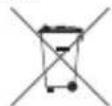
Batteries Directive 2006/66/EC
FOR INTEGRATED BATTERY
This product contains a Lithium ion/polymer battery that should only be removed by an authorized recycling centre. By recycling this product at your local authorized recycling centre or the place of purchase, the battery will be removed and recycled separately.
FR
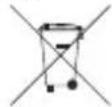
Directive 2006/66/CE sur les batteries
POUR LA BATTERIE INTEGREE
DECLARATION OF CONFORMITY
According to R&TTE Directive (1999/5/EC)
Company Name:
Company Address:
Creative Technology Ltd
31, International Business Park
Creative Resource
Singapore 609921
Declare under our sole responsibility that the product(s):
Product Name: Creative WP-450
Product Model Number: EF0460
Intended Use: Indoor and Outdoor Usage
Restrictive use: Nil
To which this declaration relates are in conformity with the following standard(s):
EMC: Class B
EN 55022:2006 +A1:2007
EN 61000-3-2:2006 +A1: 2009 + A2: 2009
EN 61000-3-3:2008
EN 301 489-1 V1.8.1:2008
EN 301 489-17 V2.1.1:2009
Safety:
EN 60950-1:2006 + A11:2009+A1:2010
EN 62479: 2010
Radio :
EN 300 328 V1.7.1:2006
Supplementary Information:
This product does not fall under the EuP scope.
Technical documentation for this product(s) is retained at the following address:
Company Name:
Company Address:
Creative Technology Ltd
31, International Business Park
Creative Resource
Singapore 609921