
Sonicare ExpertClean 7500 HX9631 - Electric toothbrush PHILIPS - Free user manual and instructions
Find the device manual for free Sonicare ExpertClean 7500 HX9631 PHILIPS in PDF.
 FR
FR
 AZ
AZ
 BG
BG
 CS
CS
 DA
DA
 DE
DE
 EL
EL
 EN
EN
 ES
ES
 ET
ET
 FI
FI
 HE
HE
 HU
HU
 HY
HY
 IT
IT
 KA
KA
 KK
KK
 KY
KY
 LT
LT
 LV
LV
 MK
MK
 NL
NL
 NO
NO
 PL
PL
 PT
PT
 RO
RO
 RU
RU
 SK
SK
 SL
SL
 SQ
SQ
 SV
SV
 TG
TG
 TK
TK
 UK
UK
 UZ
UZ
| Product Type | Sonic electric toothbrush |
| Brand | Philips |
| Model | Sonicare ExpertClean 7500 HX9631 |
| Power supply | Rechargeable Li-ion battery, inductive charging via base or USB travel case |
| Battery life | Up to 28 sessions of 2 minutes (14 days of twice-daily use) |
| Charging time | Approximately 24 hours for a full charge |
| Brushing modes | Clean, Deep Clean+, Gum Health, White+ (depending on model) |
| Intensity levels | 3 levels: low, medium, high |
| Integrated technologies | BrushSync (head recognition, replacement reminder), pressure sensor, BrushPacer, Smartimer, EasyStart |
| Connectivity | Bluetooth for synchronization with the Sonicare app |
| Brush head | Smart head with BrushSync chip, recommended every 3 months |
| Included accessories | Brush heads, charging base, USB travel case, wall adapter, USB cable, UV sanitizer (depending on version) |
| UV sanitizer | 10-minute disinfection cycle, UV bulb containing mercury |
| Cleaning and maintenance | Handle and head: rinse with water; charger: wipe with damp cloth; sanitizer: clean with damp cloth once a week |
| Safety | Avoid contact of charger with water, do not clean in dishwasher, keep out of reach of children, use only original Philips accessories |
| Warranty | International warranty (details at www.philips.com/support) |
| Recycling | Product and battery recyclable, UV bulb containing mercury must be disposed of at an approved center |
| Handle model number | HX9600 (at the bottom of the handle) |
Frequently Asked Questions - Sonicare ExpertClean 7500 HX9631 PHILIPS
User questions about Sonicare ExpertClean 7500 HX9631 PHILIPS
0 question about this device. Answer the ones you know or ask your own.
Ask a new question about this device
Download the instructions for your Electric toothbrush in PDF format for free! Find your manual Sonicare ExpertClean 7500 HX9631 - PHILIPS and take your electronic device back in hand. On this page are published all the documents necessary for the use of your device. Sonicare ExpertClean 7500 HX9631 by PHILIPS.
USER MANUAL Sonicare ExpertClean 7500 HX9631 PHILIPS
Welcome to the Philips Sonicare family! This toothbrush enables you to obtain superior plaque removal, whiter teeth and healthier gums. Using Sonicare's combination of gentle sonic technology and clinically developed and proven features, you can be confident that you're getting the very best clean, every time.
Further support and product registration are available to you at: www.philips.com/support
Important safety information
Only use the product for its intended purpose. Read this important information carefully before you use the product and its batteries and accessories, and save it for future reference. Misuse can lead to hazards or serious injuries.
Warnings
- Keep the chargers and UV sanitizer away from water.
- After cleaning, make sure the charger and/or sanitizer is completely dry before you connect it to the wall socket.
- This appliance can be used by children and persons with reduced physical, sensory or mental capabilities or lack of experience and knowledge if they have been given supervision or instruction concerning use of the appliance in a safe way and understand the hazards involved. Cleaning and user maintenance shall not be made by children without supervision.
- Children shall not play with the appliance.
- Only use original Philips accessories or consumables. Only use the charger provided with the product. If supplied, only use the original USB cable and USB power supply unit.
- This appliance contains no user-serviceable parts. If the appliance is damaged, stop using it and contact the Consumer Care Center in your country. Devices with cord only: If the cord is damaged, replace the charger with sanitizer with a new one.
- Do not use the charger and/or sanitizer outdoors or near heated surfaces.
- Do not clean any part of the product in the dishwasher.
- This appliance has only been designed for cleaning teeth, gums and tongue.
- Keep the sanitizer out of the reach of children at all times.
- Stop using the sanitizer if the UV light bulb remains on when the door is open. UV light can be harmful to the human eye and skin.
- Only operate the sanitizer with the protective screen in place.
- Do not touch the UV sanitizer's UV light bulb when it is hot.
- Stop using a brush head with crushed or bent bristles. Replace the brush head every 3 months or sooner if signs of wear appear.
- Avoid direct contact with products that contain essential oils or coconut oil. Contact may result in bristles dislodging.
- Stop using the appliance and consult your dentist/doctor if excessive bleeding occurs after use, if bleeding continues to occur after 1 week of use or if you experience discomfort or pain.
- If you have had oral or gum surgery in the previous 2 months, consult your dentist before you use this appliance.
- If you have a pacemaker or other implanted device, contact your doctor or the manufacturer of the implanted device prior to use.
- If you have medical concerns, consult your doctor before you use this appliance.
- This appliance is a personal care device and is not intended for use on multiple patients in a dental practice or institution.
Battery safety instructions
- This appliance contains batteries that are only to be removed by skilled persons.
- Only use the product for its intended purpose. Read this information carefully before you use the product and its batteries and accessories, and save it for future reference. Misuse can lead to hazards or serious injuries. Accessories supplied may vary for different products.
- Only use original Philips accessories and consumables. Only use detachable supply unit TCBxxxx, HX6100, HX6110, HX6160 or WAAxxxx.
- Keep product and batteries away from fire and do not expose them to direct sunlight or high temperatures.
- If the product becomes abnormally hot or smelly, changes color or if charging takes longer than usual, stop using and charging the product and contact Philips.
- Do not place products and their batteries in microwave ovens or on induction cookers.
- Do not open, modify, pierce, damage or dismantle the product or battery to prevent batteries from heating up or releasing toxic or hazardous substances. Do not short-circuit, overcharge or reverse charge batteries.
- This appliance contains batteries that are non-replaceable. When the battery is at end of life, the appliance shall be properly disposed of, see section on recycling.
- If batteries are damaged or leaking, avoid contact with the skin or eyes. If this occurs, immediately rinse well with water and seek medical care.
- When you handle batteries, make sure that your hands, the product and the batteries are dry.
- To avoid accidental short-circuiting of batteries after removal, do not let battery terminals come into contact with metal objects (e.g., coins, hairpins, rings). Do not wrap batteries in aluminum foil. Tape battery terminals or put batteries in a plastic bag before you discard them.
- Charge and use the product at a temperature between 0°C and 40°C (32°F and 104°F).
Storage and transportation conditions
Temperature: -10°C to 60°C (14°F to 140°F).
Electromagnetic fields (EMF)
This Philips appliance complies with all applicable standards and regulations regarding exposure to electromagnetic fields.
Radio Equipment Directive
Hereby, Philips declares that electric toothbrushes with radio equipment type (Bluetooth, NFC) are in compliance with Directive 2014/53/EU.
- The Bluetooth radio frequency interface in applicable products operates at 2.4 GHz.
- The maximum output power by the Bluetooth appliance is 3 dBm.
- The NFC radio frequency interface in applicable products operates at 13.56 MHz.
- The maximum RF power transmitted by the appliance is 30.16 dBm.
The full text of the EU declaration of conformity is available at the following internet address:
www.philips.com/support
Note: The features of different models may vary. Some models may not be equipped with Bluetooth or NFC.
The following symbols may appear on the product: Read Operator's Manual.


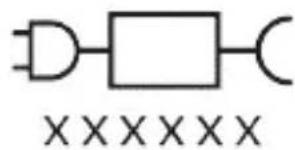
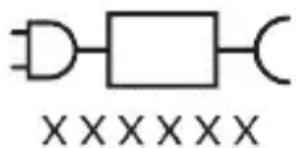
Detachable Power Supply Part: The "xxxxxx" indicates the model number of the approved chargers to be used.
(TCBxxxx, HX6100, HX6110, HX6160 or WAAxxxx)
Intended use
Sonicare ExpertClean power toothbrushes are intended to remove adherent plaque and food debris from the
teeth to reduce tooth decay and improve and maintain oral health. Sonicare ExpertClean power toothbrushes are intended for personal use. Use by children should be with adult supervision.
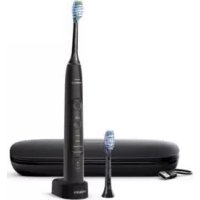
Your Philips Sonicare (Fig 1.)
1 Handle 2 Power on/off button 3 Intensity indicator 4 Mode/intensity button 5 Mode indicator 6 Brush Head Replacement Reminder 7 Battery indicator
Accessories:
8 Brush head cap 9 Smart brush head(s) 10 BrushSync symbol 11 Charging stand 12 Travel case 13 Charging travel case 14 USB-A wall adapter 15 USB-A cable 16 UV sanitizer and charger
Note: Accessories included may vary based on the model purchased.
Sonicare app - Getting started
The Sonicare app pairs with your toothbrush to provide you a connected experience. By connecting your toothbrush to your Sonicare app account, you will be able to:
- Track your brushing progress
- Receive personalized tips and actionable recommendations to improve your oral health
- Access the full range of benefits and receive ongoing upgrades
The app is compatible with a wide range of mobile devices.
To start using the Sonicare app:
1. Download the Sonicare app to your phone.
2. Ensure that Bluetooth for your device is turned on. 3. Pick up your toothbrush to ensure it is active (lights on). 4. Open the app and follow the steps. 5. Pair your toothbrush with the app. 6. Create your account via the app. Complete firmware update, if prompted, to access the latest improvements and features. 7. Brush regularly with your toothbrush connected to the app. When you regularly sync the toothbrush with the app, you will receive updates to help improve your oral healthcare. 8. Sync regularly. 9. Keep your phone close to your toothbrush for optimal data transfer.
To sync manually: Pair/connect your toothbrush with the app every two weeks to benefit from the app features/capabilities.
To sync automatically: Allow location permission while setting up the app. By allowing location permission, your phone knows when it is in the connection range of your toothbrush and can refresh your brushing data in the app to provide the latest insights and recommendations.
Note: Make sure your phone's Bluetooth is switched on when using the app so that your toothbrush can transfer and update your brushing data in the app. If you have questions about why your brushing data is collected, be sure to review the Sonicare Privacy Statement, available throughout the app setup process.
App features
Your Sonicare power toothbrush is equipped with smart sensors to provide you with feedback about your brushing habits, including:
- Daily brushing sessions
- Time spent during each brushing session
- Applied brushing pressure
- Personalized tips and actionable recommendations
- Brush head replacement reminder (based on actual use)
The Sonicare app collects the data provided by the smart sensors and tracks your brushing habits over time.
Getting started
Attaching the brush head
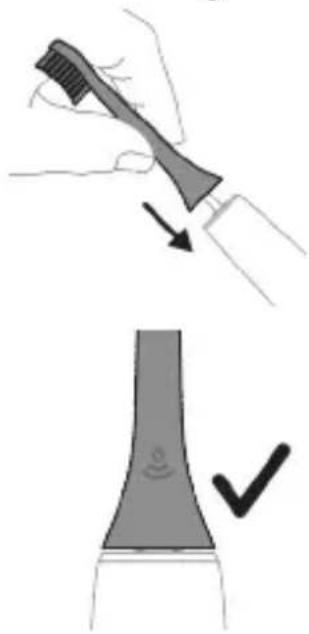
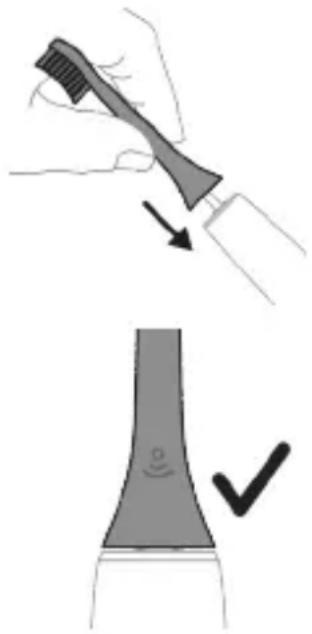
1. Align the brush head so the bristles point in the same direction as the front of the handle. 2. Firmly press the brush head down onto the metal shaft until it will not go any further.
Note: It is normal to see a slight gap between the brush head and the handle.
Using your Philips Sonicare toothbrush
If you are using your Sonicare toothbrush for the first time, it is normal to feel more vibration than when using a non-electric toothbrush. It is common for first-time users to apply too much pressure. Only apply gentle pressure and let the toothbrush do the brushing for you. Please follow the brushing instructions below for the best experience.
To help you transition to your new Sonicare power toothbrush, use a lower setting for the first 1-2 weeks then transition to a higher setting.
Brushing instructions
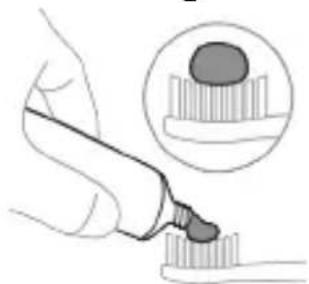
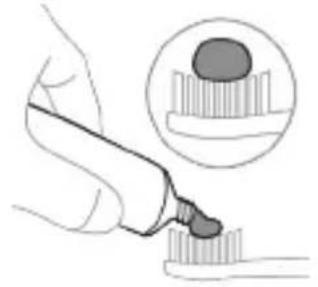
1. Wet the bristles and apply a small amount of toothpaste.
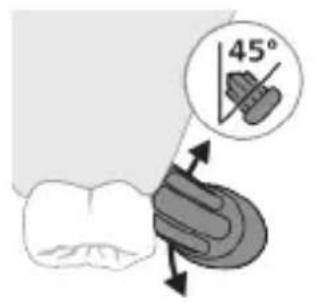
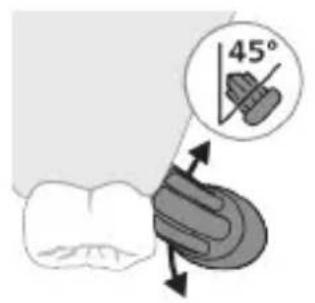
2. Place the toothbrush bristles against the teeth at a slight angle (45 degrees). Pressing firmly to make the bristles reach the gumline or slightly beneath the gumline.
Note: Keep the center of the brush in contact with the teeth at all times.
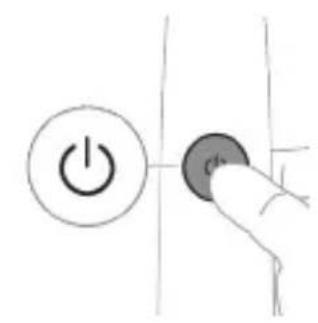
3. Press the power on/off button to switch on the Philips Sonicare.
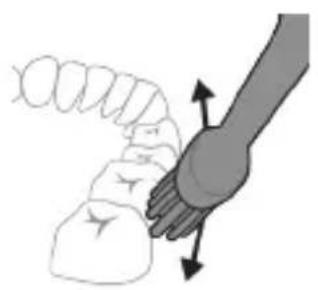
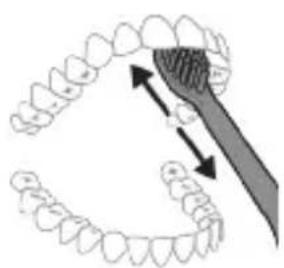
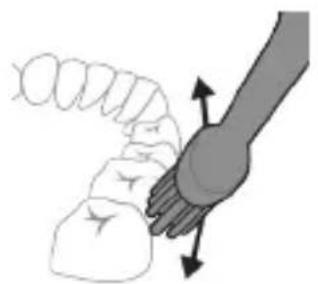
4. Gently keep the bristles placed on the teeth and in the gumline. Brush your teeth with small back and forth motion so the bristles reach between the teeth. Continue this motion throughout your brushing cycle.
Note: The bristles should slightly flare. It is not recommended to scrub as you would with a manual toothbrush.
Note: If you apply too much pressure, you will be alerted by a change in vibration of the handle and the brush head replacement reminder flashing amber.
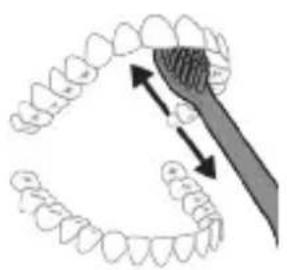
5 To clean the inside surfaces of the front teeth, tilt the brush handle semi-upright and make several vertical overlapping brushing strokes on each tooth. 6 After you have completed the brushing cycle, you can spend additional time brushing the chewing surfaces of your teeth and areas where staining occurs. You can also brush your tongue, with the toothbrush switched on or off, as you prefer.
Note: Your Philips Sonicare toothbrush is safe to use on braces (brush heads wear out sooner when used on braces) and dental restorations (fillings, crowns, veneers) if they are properly adhered and not compromised.
BrushPacer
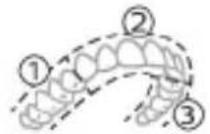
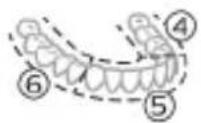
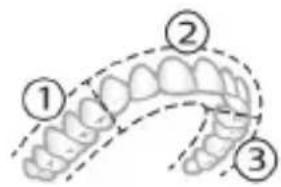
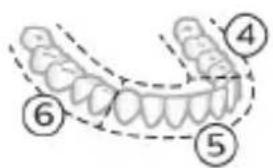
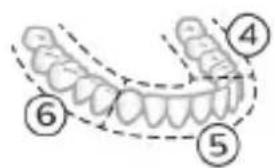
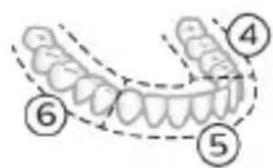
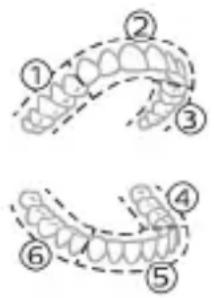
To make sure you brush evenly throughout the mouth, divide your mouth into 6 sections using the BrushPacer feature. The BrushPacer divides the brushing time into 6 equal segments and indicates when you should move to the next area. The segments are indicated with a brief pause in vibration. The toothbrush automatically stops at the end of the brushing session.
Note: Additional time may be added when you use the White+ or Gum Health modes.
Modes
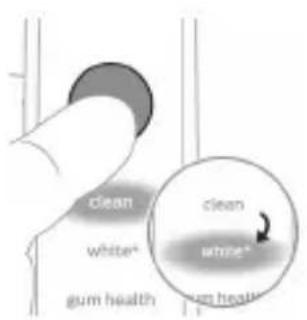
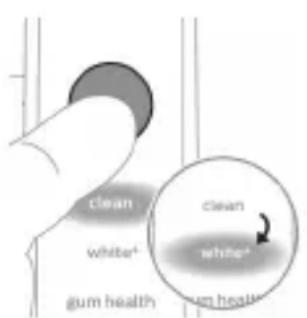
Your power toothbrush is equipped with up to 4 different modes: Clean, Deep Clean+, Gum Health and White+ (specific models only).
Based on the smart brush head you use, the optimal mode and intensity will be selected automatically by the BrushSync technology.
To manually change the mode, press the mode/intensity button when the toothbrush is off. All brush heads work with each mode.
Clean and Deep Gum Health White+ Clean+
| Benefit Plaque removal Plaque removal | Plaque and surface stains removal | ||
| and gum massage | |||
| Recommended intensity level | High High High | ||
| Total brushing time | Clean: 2 minutes | 3 minutes and 20 seconds | 2 minutes and 40 seconds |
| Deep Clean+: 3 minutes* | |||
Clean and Deep Gum Health White+ Clean+
How to brush Clean: Brush each segment 20 seconds.
Brush each segment for 20 seconds,
Brush each segment for 20 seconds,
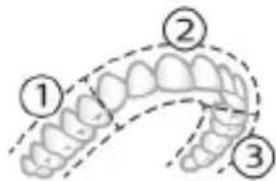
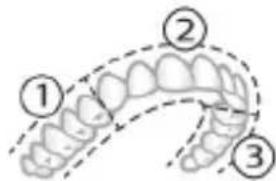
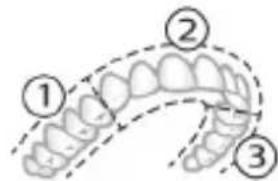
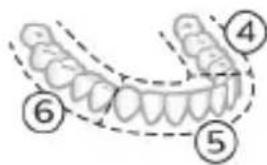
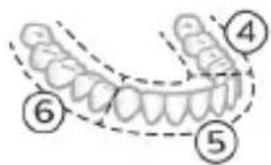
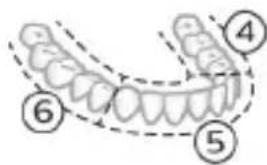
Deep clean+: Brush each segment for 30 seconds.*
then brush segments 7,8,9 and 10 for 20 seconds each.
then brush segments 7 and 8 for 20 seconds each.
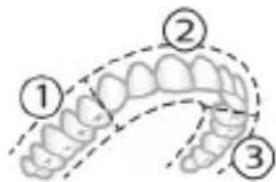
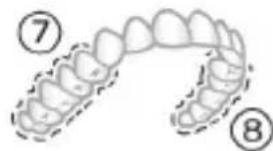
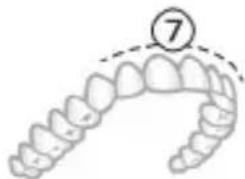
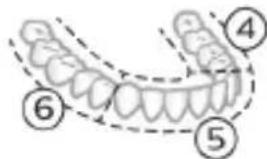
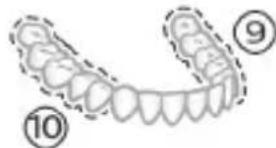
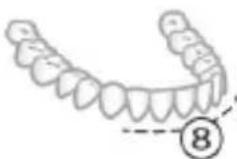
*Note: When brushing with the Philips Sonicare app in 'Deep Clean+' mode, the brushing time will be 2 minutes when connected to the app and 3 minutes when not connected to the app
Intensities
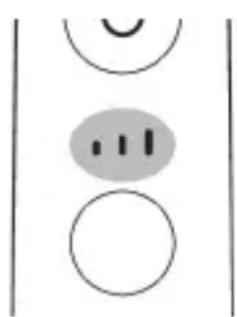
Your power toothbrush comes with 3 different intensity settings:
- low intensity (one bar)
- medium intensity (two bars)
- high intensity (three bars)
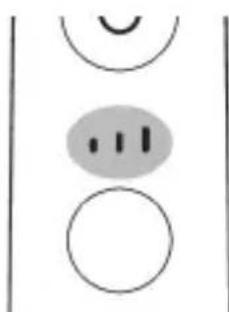
When attached to the handle, the smart brush head will automatically select the recommended intensity. If you wish to change to a different intensity, you can do so by pressing the mode/intensity button while brushing. The intensity cannot be changed as long as the handle is powered off or paused.
BrushSync technology
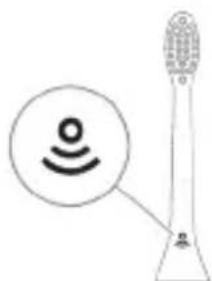
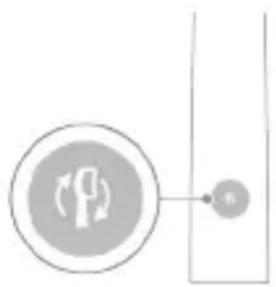
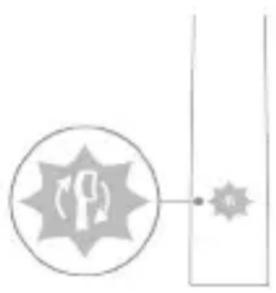
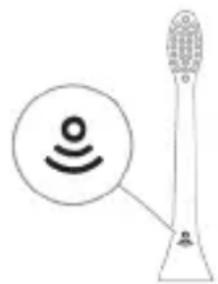
BrushSync technology enables your brush head to communicate with your handle using a microchip. The symbol at the bottom of the brush head indicates that the brush head is equipped with this technology.
BrushSync technology enables:
- Brush head replacement reminder
- BrushSync mode pairing
Philips Sonicare offers a wide range of smart brush heads, equipped with BrushSync technology. To explore our full range of toothbrush brush heads, and find the brush head that is best for you, go to
www.philips.com/toothbrush-heads for more information.
Features
-Pressure Sensor Feedback - BrushPacer - SmarTimer - EasyStart - Brush Head Replacement Reminder - Brush Head Mode Pairing
Pressure Sensor Feedback
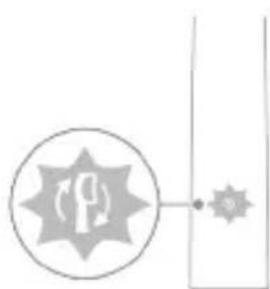
Your Sonicare toothbrush measures the pressure you apply while brushing, to protect your gums and teeth from damage.
If you apply excess pressure, the handle changes its vibration and the brush head replacement reminder light on the handle flashes amber until you reduce the pressure.
Note: Your product comes with the Pressure Sensor activated. To deactivate this feature (see 'Activating or deactivating features').
BrushPacer
The BrushPacer is an interval timer that helps you to brush evenly through the mouth by dividing your mouth into 6 sections.
SmarTimer
The SmarTimer indicates that your brushing cycle is complete by automatically switching off the toothbrush at the end of the brushing cycle. Dental professionals recommend brushing no less than 2 minutes twice a day.
Note: If you press the power on/off button after you started the brushing cycle, the toothbrush pauses. After a pause of 30 seconds, the SmarTimer resets.
EasyStart
This Philips Sonicare model comes with the EasyStart feature deactivated. The EasyStart feature gently increases the power over the first 14 brushings to help you get used to brushing with the Philips Sonicare. The EasyStart feature works with all modes.
Disclaimer: When the Philips Sonicare toothbrush is used in clinical studies, it must be used at high intensity with the handle fully charged and the EasyStart feature deactivated.
To activate EasyStart (see 'Activating or deactivating features').
Brush Head Replacement Reminder
Your Philips Sonicare is equipped with BrushSync technology that tracks the wear of your brush head.
Note: This feature only works with Philips Sonicare smart brush heads with BrushSync technology.
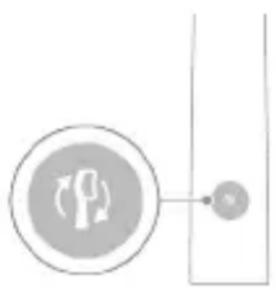
1. When you attach a new smart brush head for the first time, the handle recognizes that you have a Philips brush head with BrushSync technology and begins tracking brush head wear. 2. Over time, based on the pressure you apply and the total time the brush head has been used, the handle tracks brush head wear in order to determine the optimal time to replace your brush head. This feature guarantees the best cleaning and care of your teeth. 3. When the Brush Head Replacement Reminder indicator lights up amber, you should replace your brush head.
Note: All smart brush heads come with the brush head replacement reminder feature activated. To deactivate the brush head replacement reminder, see 'Activating or deactivating features'.
Brush head mode pairing
Brush heads with BrushSync technology are equipped with a microchip which communicates with the handle and automatically pairs it with the recommended mode and intensity. Most brush heads with BrushSync technology will auto pair to Clean Mode. Brush heads with specific benefits will pair with the corresponding mode (when available), examples include:
- G3 Premium Gum Care: Gum Health Mode - W3 Premium White or W(c) DiamondClean (compact): White+ Mode
Note: If you choose to change mode/intensity from the recommended setting, the brush head will remember your chosen setting for future brushing sessions.
Activating or deactivating features
You can activate or deactivate the following features of your toothbrush:
- EasyStart
- Brush Head Replacement Reminder
- Pressure Sensor Feedback
Note: You can only activate or deactivate the brush head replacement reminder when a smart brush head is on the handle.
From handle:
Step 1: Place the handle on a plugged-in charger or charging travel case.
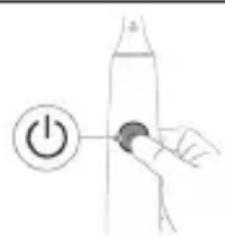
Step 2: Press and hold the power on/off button for:
EasyStart Brush Head Replacement Sensor Reminder
Up to 3 seconds, up to 5 seconds, up to 7 seconds

Step 3: Let go of the power on/off button when you hear:
1 beep, 1 beep and then 1 beep, 2 beeps and then 3 beeps
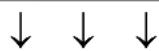
Together with:
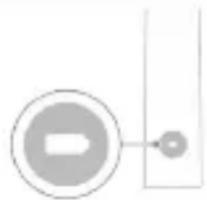
If you see the left LED for the battery indicator flash green 2 times and hear 3 tones low to high, then the feature has been activated.
OR
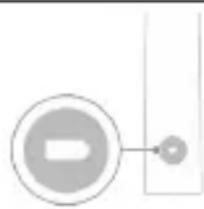
If you see the left LED for the battery indicator flash amber 1 time and hear 3 tones high to low, then the feature has been deactivated.
UV sanitizer
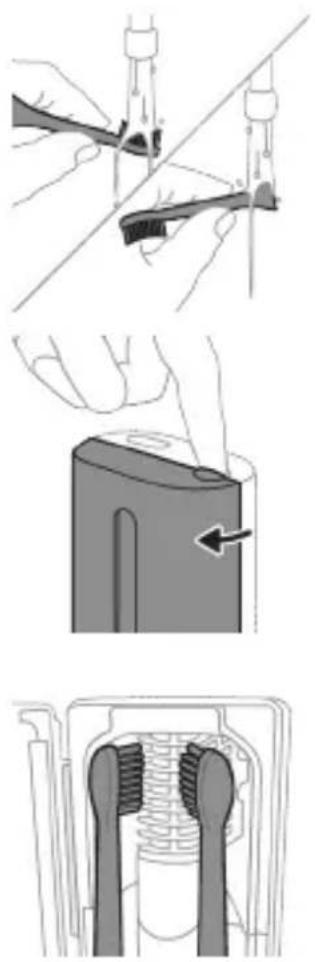
Note: Accessories included may vary based on the model purchased.
With the UV sanitizer you can clean your brush head after every use.
Unplug the sanitizer, discontinue use and call Consumer Care if:
- The UV light bulb remains on when the door is open.
- The window is broken or missing from the sanitizer.
- The sanitizer gives off smoke or a burning smell while it is operating.
Note: UV light can be harmful to the human eye and skin. This device should be kept out of reach of children at all times.
1 After brushing, rinse the brush head and shake off excess water.
Warning: Make sure that the brush head cap is not on the brush head when the brush head is being cleaned in the sanitizer.
2 Place your finger in the door recess on top of the sanitizer and pull open the door. 3 Place the brush head on one of the 2 pegs in the sanitizer with the bristles facing the light bulb.
Note: Only clean Philips Sonicare snap-on brush heads in the sanitizer.
Note: Do not clean Philips Sonicare for Kids brush heads in the sanitizer.
4 Make sure the sanitizer is plugged into a live outlet of appropriate voltage.
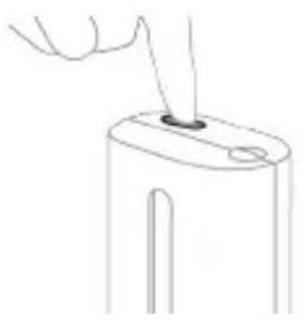
5 Close the door and press the green power on/off button once to select the UV clean cycle.
Note: you can only switch on the sanitizer if the door is properly closed.
Note: the sanitizer stops operating if you open the door during the sanitizer cycle.
Note: The sanitizer cycle takes approximately 10 minutes and then switches off automatically.
The sanitizer is in operation when the light glows through the window.
Charging and battery status
This Philips Sonicare toothbrush is designed to provide at least 28 brushing sessions, each session lasting 2 minutes (14 days if used twice per day) on a fully charged battery. The battery indicator shows the battery status when you complete the 2-minute brushing session, when you pause the toothbrush, or while it is charging.
Note: It can take up to 24 hours to fully charge the battery before first use, but you can use the Philips Sonicare toothbrush before it is fully charged.
Charging
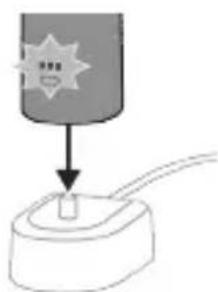
Charging on charger or UV Sanitizer
1 Plug the charger or sanitizer into an electrical outlet. 2 Place the handle on the charger or sanitizer. - The handle emits 2 short beeps to confirm that the handle is placed properly. - The flashing light of the battery indicator shows that the toothbrush is charging. - When the handle is fully charged on the charger, the battery indicator lights up green for 30 seconds and then switches off.
Charging with the travel case
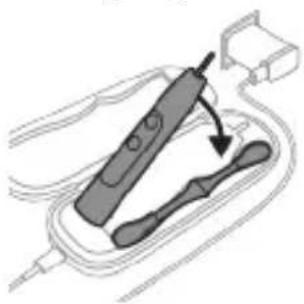
Note: Accessories included may vary based on the model purchased.
1 Insert the USB cable to the charging travel case.
2 Connect the attached USB cable to the 5V DC input power either from:
- The USB adapter provided. -A UL-listed or certified to ANSI/UL 60950-1 personal computer's standard USB connector.
- A UL-listed or certified to ANSI/UL 60950-1 LPS power supply with USB output port.
- A UL-listed or certified 1310 Class 2 power supply.
Important: The wall adapter must be a safe extra low voltage source, compatible with the electrical ratings marked on the bottom of the device.
3 Place the handle in the charging travel case.
- The handle emits 2 short beeps to confirm that the handle is placed properly.
- The flashing light of the battery indicator shows that the toothbrush is charging.
4 The travel case will charge your toothbrush until your toothbrush is fully charged.
- When the handle is fully charged, the battery indicator lights up green for 30 seconds and then switches off.
Note: Charging the handle with the charging travel case may take longer than on the charger.
Battery status
Battery status (handle on plugged-in charger/charging travel case)
When the handle is placed on the charger or in the charging travel case, the battery indicator shows the battery level.
Battery status Number of flashing LEDs
LED color
Low 1 Flashing green
Partially full 2 Flashing green
Full 3 Flashing green until full,
then green for 30 seconds and then switches off
Battery status (when handle is not on plugged-in charger/charging travel case)
When the toothbrush is awake, the battery indicator at the bottom of the handle shows the battery level.
Battery status Number of LEDs LED color
Full 3 Solid green
Partially full 2 Solid green
Low 1 Solid green
Empty 1 with beeps Flashes amber
Note: To save energy, the battery indicator will switch off when not in use.
Note: When the battery is completely empty, the toothbrush switches off. Place the toothbrush on the charger to charge it.
Note: To keep the battery fully charged at all times, you may keep your toothbrush on the charger when not in use.
Cleaning
Toothbrush handle
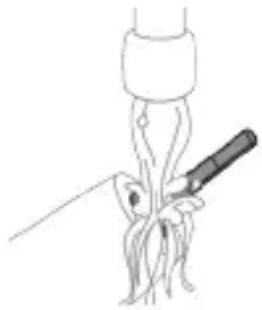
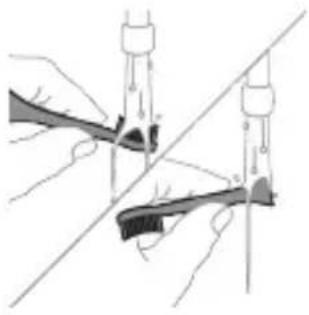
1 Remove the brush head and rinse the metal shaft area with warm water. Make sure you remove any residual toothpaste.
Caution: Do not push on the rubber seal on the metal shaft with sharp objects, as this may cause damage.
2 Wipe the entire surface of the handle with a damp cloth.
Note: Do not tap the handle on the sink to remove excess water.
Brush head
Charger
1 Rinse the brush head and bristles after each use. 2 Remove the brush head from the handle and rinse the brush head connection with warm water at least once a week. Rinse the travel cap as often as needed.
1 Unplug the charger before you clean it. 2 Wipe the surface of the charger with a damp cloth.
Travel case
Rinse with warm water and use a damp cloth to clean inside of travel case.
Charging travel case
1 Unplug the charging travel case before cleaning. 2 Use damp cloth to wipe the surface of the travel case.
UV Sanitizer
Warning: Do not immerse the sanitizer in water or rinse it under the faucet.
Warning: Do not clean the sanitizer when the UV light bulb is hot.
For optimal effectiveness, it is recommended to clean your sanitizer weekly.
1 Unplug the sanitizer. 2 Pull the drip tray straight out. Rinse the drip tray and wipe it clean with a damp cloth. 3 Clean all interior surfaces with a damp cloth. 4 Remove the protective screen in front of the UV light bulb.
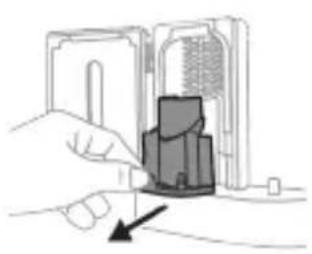
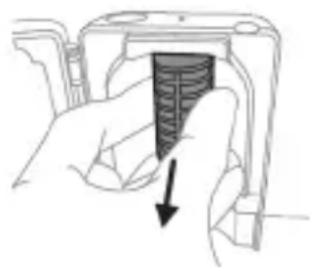
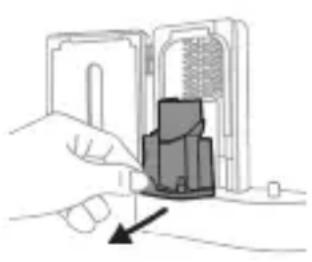
To remove the screen, grasp the edges next to the snaps, gently squeeze and pull out the protective screen.
5 Remove the UV light bulb.
To remove the light bulb, grasp it and pull it out of the metal clasp.
6 Clean the protective screen and the UV light bulb with a damp cloth. 7 Reinsert the UV light bulb.
To reinsert the light bulb, align the bottom of the light bulb with the metal clasp and push the bulb into the clasp.
8 Reinsert the protective screen. To reinsert the screen, align the pegs on the screen with the slots on the reflective surface near the UV light bulb. Push the screen straight into the slots on the sanitizer. 9 Place the drip tray back in the UV sanitizer. 10 After cleaning, make sure the sanitizer is completely dry before you connect it to the mains.
Storage
If you are not going to use the product for an extended period of time, unplug it from the electrical outlet, clean it and store it in a cool and dry place away from direct sunlight.
Replacement
Replace Philips Sonicare brush heads every 3 months to achieve optimal results. Use only Philips Sonicare replacement brush heads.
Locating the model number
Look on the bottom of the Philips Sonicare toothbrush handle for the model number (HX9600)
Warranty and support
If you need information or support, please visit www.philips.com/support or read the international warranty leaflet.
Warranty exclusions
What is not covered under warranty:
- In-mouth attachments, including brush heads and nozzles.
- Damage caused by the use of unauthorized replacement parts or unauthorized brush heads.
- Damage caused by misuse, abuse, neglect, alterations, or unauthorized repair.
- Normal wear and tear, including chips, scratches, abrasions, discoloration, or fading.
- UV light bulb.
Recycling
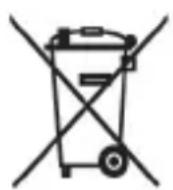
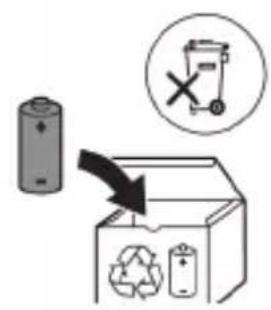
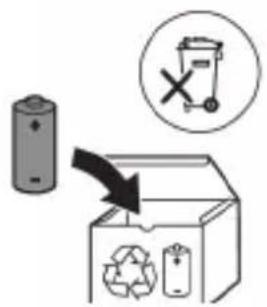
- This symbol means that electrical products and batteries shall not be disposed of with normal household waste.
- Follow your country's rules for the separate collection of electrical products and batteries.
- The UV light bulb of the sanitizer contains mercury. Do not throw the UV light bulb away with the normal household waste at the end of its life. Hand it in at an official collection point for recycling.
Removing the rechargeable battery
The built-in rechargeable battery must only be removed by a qualified professional when the appliance is discarded. Before removing the battery, make sure that the battery is completely empty.
Take any necessary safety precautions when you handle tools to open the appliance and when you dispose of the rechargeable battery. Be sure to protect your eyes, hands, fingers, and the surface on which you work.
When you handle batteries, make sure that your hands, the product, and the batteries are dry.
To avoid accidental short-circuiting of batteries after removal, do not let battery terminals come into contact with metal objects (e.g., coins,
hairpins, rings). Do not wrap batteries in aluminum foil. Tape battery terminals or put batteries in a plastic bag before you discard them.
To remove the rechargeable battery, you need a towel or cloth, a hammer, and a flat-head (standard) screwdriver. Observe basic safety precautions when you follow the procedure outlined below.
1. To deplete the rechargeable battery of any charge, remove the handle from the charger, turn on the toothbrush and let it run until it stops. Repeat this step until you can no longer turn on the toothbrush. 2. Remove and discard the brush head. Cover the entire handle with a towel or cloth. 3. Hold the top of the handle with one hand and strike the handle housing 0.5 inch above the bottom end. Strike firmly with a hammer on all 4 sides to eject the end cap. Note: You may have to hit on the end several times to break the internal snap connections. 4. Remove the end cap from the toothbrush handle. If the end cap does not release easily from the housing, repeat step 3 until the end cap is released.
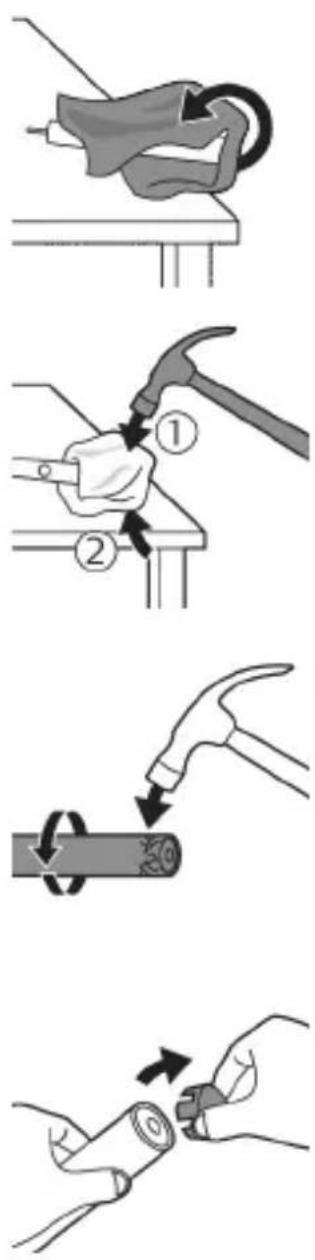
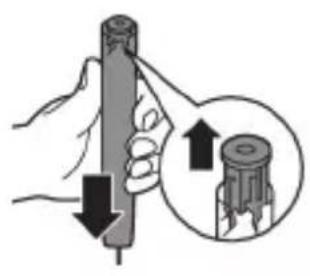
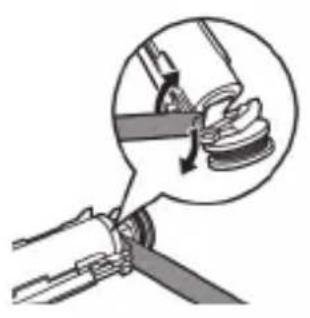
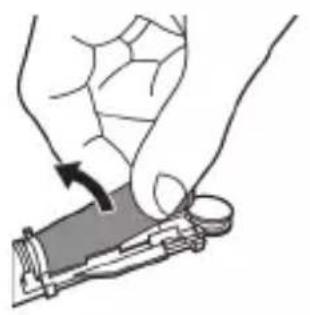
5. Holding the handle upside down, press the shaft down on a hard surface. If the internal components do not easily release from the housing, repeat step 3 until the internal components are released. 6. Wedge the screwdriver between the battery and the black frame at the bottom of the internal components. Then pry the screwdriver away from the battery to break the bottom of the black frame. 7. Insert the screwdriver between the bottom of the battery and the black frame to break the metal tab connecting the battery to the green printed circuit board. This will release the bottom end of the battery from the frame. 8. Grab the battery and pull it away from the internal components to break the second metal battery tab.
Caution: Be aware of the sharp edges of the battery tabs so as to avoid injury to your fingers.
9. Cover the battery contacts with tape to prevent any electrical short from residual battery charge.
The rechargeable battery can now be recycled and the rest of the product discarded appropriately.
Note: Do not throw away the appliance with the normal household waste at the end of its life, but hand it in at an official collection point for recycling. By doing this, you help to preserve the environment.
Introduction
Welcome to Philips Sonicare! For better cleaning of your teeth, whiter teeth, and healthier gums - all at your fingertips. With Sonicare's gentle sonic technology, along with clinically developed and tested features, you can be sure you are getting the best possible cleaning.
www.philips.com/support
Note: Features may vary by model. Some models may not be equipped with Bluetooth or NFC.

The following symbols may appear on the product: Read the operator's manual:
www.philips.com/support
Clean a Deep Gum Health White+ Clean+
www.philips.com/support
www.philips.com/support
www.philips.com/support
- G3 Premium Gum Care: Gum Health brushing program
www.philips.com/toothbrush-heads.
Features
- Pressure sensor feedback
- BrushPacer
- SmarTimer
- EasyStart
- Brush head replacement reminder
- Brush head mode pairing
Pressure sensor feedback
Clean and Deep Gum Health White+ Clean+
Clean i Deep Gum Health White+ Clean+
| Prednost uklanjanje naslaga | uklanjanje naslaga i masaža desni | uklanjanje naslaga i povrsinskih mrlja | |
| Preporučena razina intenziteta | visoka visoka visoka | ||
| Ukupno vrijeme četkanja | Clean: 2 minute Deep Clean+: 3 minute* | 3 minute i 20 sekundi | 2 minute i 40 sekundi |
Clean i Deep Gum Health White+ Clean+
| Kako Četkati Clean: Četakajte svaki segment 20 sekundi. | Četakajte svaki segment 20 sekundi, | Četakajte svaki segment 20 sekundi, |
| Deep Clean+: Četakajte svaki segment 30 sekundi.* | a zatim segmente 7,8,9 i 10 Četakajte svakog po 20 sekundi. | a zatim segmente 7 i 8 Četakajte svakog po 20 sekundi. |
| 1 3 4 5 | 7 8 9 10 | 7 8 9 10 |
*Note: When brushing with the Philips Sonicare app in Deep Clean+ mode, brushing time will be 2 minutes if you are connected to the app, or 3 minutes if you are not connected to the app.
Intensities
Your electric toothbrush has three different intensity settings:
- low intensity (one bar)
- medium intensity (two bars)
- high intensity (three bars)
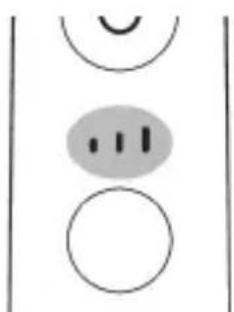
After installing the smart brush head, the handle automatically selects the recommended brushing intensity. If you want to change it, you can do so by pressing the mode/intensity button during brushing. The intensity cannot be changed while the handle is off or paused.
BrushSync Technology
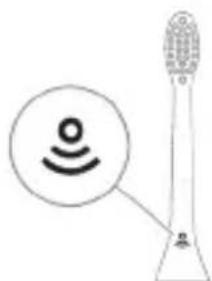
BrushSync technology allows the brush head to communicate with the handle via a microchip. A symbol on the bottom of the brush head indicates that the brush head is equipped with this technology.
BrushSync technology enables:
www.philips.com/support
Note: Functions may differ for different models. Some models may not be equipped with Bluetooth or NFC.
The following symbols may appear on the product: Read the user manual.

www.philips.com/support
Clean and Deep Clean+ Gum Health White+
www.philips.com/support
Clean and Deep Clean+ Gum Health White+
3 Place the handle in the travel case for charging.
- The handle emits 2 short beeps to confirm that the handle is correctly placed.
- The blinking light on the battery indicator shows that the toothbrush is charging.
4 The travel charger will charge the toothbrush until it is fully charged. - When the handle is fully charged, the battery indicator will light up green for 30 seconds and then turn off.
Using Philips Sonicare toothpaste
If you are using Sonicare toothpaste for the first time, it is normal to feel more vibration than with a non-electric toothbrush. First-time users often apply too much pressure. Press gently and let the toothbrush do the cleaning for you. For the best experience, follow the brushing instructions.
To help you transition to your new Sonicare power toothbrush, use a lower setting for the first 1-2 weeks, then switch to a higher setting.
Tooth brushing instructions
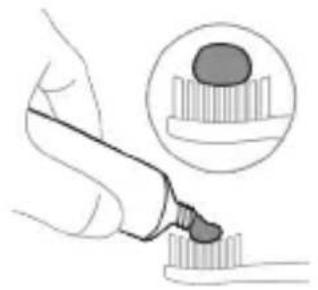
1 Wet the brush and apply a small amount of toothpaste.
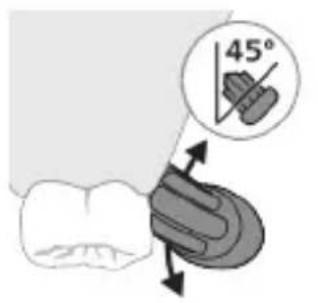
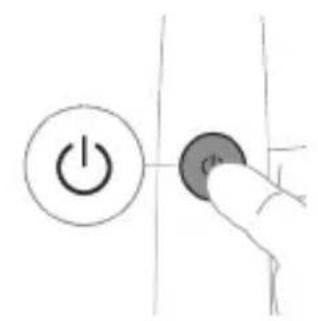
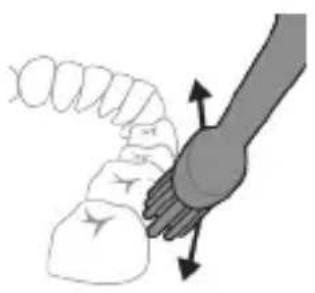
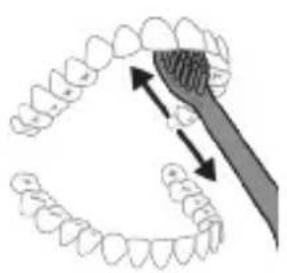
2 Hold the toothbrush at a small (45-degree) angle against the teeth. Press firmly so the bristles reach the gum line or just below it.
Note: Keep the center of the brush in full contact with the teeth at all times.
3 Press the on/off button to turn on the Philips Sonicare device.
4 Gently hold the brush against the teeth and gum line. Clean your teeth by moving the brush head back and forth in small motions so the bristles can reach between the teeth. Continue these motions until your brushing cycle is complete.
Clean and Deep Gum Health White+ Clean+
| Foydasi Qasmoqlarni ketakazish | Qasmoqlarni ketakazish va milkarni uqalah | Qasmoqlarni va yuzadagi dog'larni ketakazish |
www.philips.com/support
www.philips.com/support
Clean and Deep Gum Health White+ Clean+
Clean and Deep Gum Health White+ Clean+
How to brush Clean: brush each segment for 20 seconds.
www.philips.com/support
Important safety information
www.philips.com/support
Clean & Deep Gum Health White+ Clean+
www.philips.com/support
Note: Functions may vary for different models. Some models may not be equipped with "Bluetooth" or "NFC".
The product may display the following symbols:
Read the user manual.

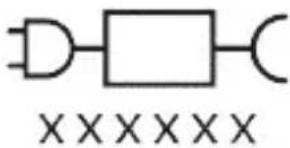
Detachable power supply unit: "xxxxxx" indicates the model number of approved chargers to be used. (TCBxxxx, HX6100, HX6110, HX6160 or WAAxxxx)
Intended use
www.philips.com/toothbrush-heads for more information.
Functions
- Pressure sensor alert
- BrushPacer
- SmarTimer
- EasyStart
- Brush head replacement reminder
- Brush head mode pairing
Pressure sensor alert
Clean in Deep Gum Health White+ Clean+
- G3 Premium Gum Care: Gum Health mode
- W3 Premium White or W(c) DiamondClean(compact): White+ mode
Clean and Deep Gum Health White+ Clean+
| Pogodnost Uklanjanje plaka Uklanjanje plaka i masaža desni | Uklanjanje plaka i mrlja sa povrsina | ||
| Preporučeni nivo intenziteta | Visoka Visoka Visoka | ||
| Ukupno vreme pranja zuba | Clean: 2 minuta Deep Clean+: 3 minuta* | 3 minuta i 20 sekundi | 2 minuta i 40 sekundi |
| Kako se pere Clean: perite svaki segment 20 sekundi. | perite svaki segment 20 sekundi, | perite svaki segment 20 sekundi, | |
| 1 | 1 | 1 | |
| 2 | 2 | 2 | |
| 3 | 3 | 3 | |
| 4 | 4 | 4 | |
| 5 | 5 | 5 | |
| Deep Clean+: perite svaki segment 30 sekundi.* | a zatim perite segmente 7,8,9 i 10, svaki po 20 sekundi. | a zatim perite segmente 7 i 8, svaki po 20 sekundi. | |
| 1 | 2 | 2 | |
| 3 | 3 | 3 | |
| 4 | 4 | 4 | |
| 5 | 5 | 5 | |
www.philips.com/support
Clean and Deep Gum Health White+ Clean+
Charger travel case
www.philips.com/support

Note: Features may vary by model. Some models may not be equipped with Bluetooth or NFC.
The following symbols may appear on the product: Read the operator's manual.
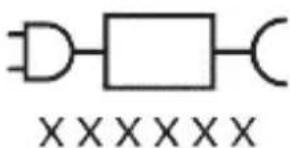
Charging base: "xxxxx" indicates the model number of approved chargers for use. (TCBxxxx, HX6100, HX6110, HX6160, or WAAxxxx)
Intended use
The Sonicare ExpertClean electric toothbrush is intended to reduce plaque and maintain oral hygiene by removing dental plaque and food debris. The Sonicare ExpertClean electric toothbrush is intended for personal use. Children should use it under adult supervision.
Your Philips Sonicare device (Fig. 1.)
Clean Deep Gum Health White+ Clean+
| Yeşillik Daş ayyrmak Daş ayyrmak we diş eti massaşy | Daş we üst tegmiller ayyrmak | ||
| Maslahat berilş’an yygjamlyk derejisı | Yokary Yokary Yokary | ||
| Jemi çotgalama wagty | Clean: 2 minut Deep Clean+: 3 minut* | 3 minut we 20 sekunt | 2 minut we 40 sekunt |
| Çotgalayş usuly Clean: Her segmenti 20 sekunt çotgalaş. | Her segmenti 20 sekunt çotgalaş, | Her segmenti 20 sekunt çotgalaş, |
| 1 3 4 5 | 2 3 4 5 | 2 3 4 5 |
| Deep Clean+: Her segmenti 30 sekunt çotgalaş.* | soñra segment 7,8,9 bilen 10-iñ her birini 20 sekunt çotgalaş. | soñra segment 7 bilen 8-iñ her birini 20 sekunt çotgalaş. |
| 1 3 4 5 | 7 8 9 | 7 8 9 |
*Note: When brushing with the Philips Sonicare program in "Deep Clean+" mode, the brushing time will be 2 minutes if the program is connected, and 3 minutes if the program is not connected.
Intensity settings
Your electric toothbrush comes with 3 different intensity settings:
- low intensity (one bar)
- medium intensity (two bars) - high intensity (three bars)
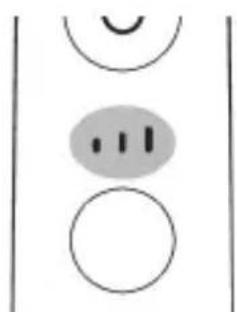
When the handle is on, the smart brush head automatically selects the recommended intensity. If you want to change to a different intensity, you can press the mode/intensity button while brushing. The intensity cannot be changed when the handle is off or while charging.
BrushSync technology
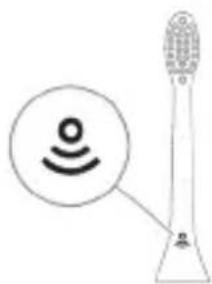
BrushSync technology allows the brush head to communicate with the handle using a microchip. The symbol on the bottom of the brush head indicates that it is equipped with this technology.
BrushSync technology allows you to:
- Remind you to replace the brush head
- BrushSync mode pairing
Philips Sonicare offers you a wide range of smart brush heads with BrushSync technology. To browse the full assortment of toothbrush heads and find the one that suits you best, visit www.philips.com/toothbrush-heads for more information.
Features
- Pressure sensor feedback
- BrushPacer - Smartimer
- EasyStart
- Brush head replacement reminder
- Brush head pairing
Brush head replacement reminder
Your Philips Sonicare is equipped with BrushSync technology that monitors the wear of your brush head.
Note: This feature only works with Philips Sonicare smart brush heads that have BrushSync technology.
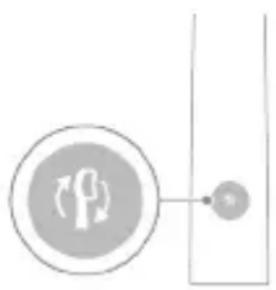
1 When you attach a NEW smart brush head for the first time, the handle recognizes that you have a Philips brush head with BrushSync technology and starts tracking the wear of the brush head. 2 Over time, based on your brushing pressure and the total time you have used the brush head, the handle tracks its wear to determine the optimal time to replace the brush head. This feature ensures the best cleaning and care for your teeth. 3 When the brush head replacement reminder light glows amber, it is time to replace the brush head.
Note: All smart brush heads come with the brush head replacement reminder feature activated. To deactivate the brush head replacement reminder, see the "Activating or deactivating features" section.
Brush head pairing
Brush heads with BrushSync technology are equipped with a microchip that communicates with the handle and pairs it with the recommended mode and intensity. Many brush heads with BrushSync technology will auto-pair to the Clean mode. Brush heads with specific features will pair with the corresponding mode (if available), for example:
- G3 Premium Gum Care: Gum Health mode - W3 Premium White or W(c)
DiamondClean (compact): White+ mode
Note: If you choose to change the mode/intensity from the recommended setting, the brush head will remember that selected setting for your subsequent brushing sessions.
Activating or deactivating features
You can enable or disable the individual features of the device as follows:
- EasyStart
- Nozzle removal reminder
- Pressure sensor feedback
Note: The nozzle removal reminder can be enabled or disabled while the smart nozzle is attached to the handle.
From the handle:
Step 1: Place the handle in the charging dock/travel case.
Step 2: Press and hold the on/off button for the following durations:
EasyStart Nozzle removal reminder Pressure sensor feedback
3 seconds %-enli 5 seconds %-enli 7 seconds %-enli
1 beep 1 beep and then 1 beep, 2 beeps and then 2 beeps, 3 beeps
At the same time:
If you see the LED on the left side of the battery indicator flash green twice and hear 3 signals from the speaker, the feature is enabled.
OR
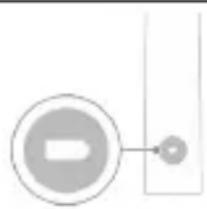
If you see the LED on the left side of the battery indicator flash yellow once and hear 3 signals from the speaker, the feature is disabled.
Ultraviolet disinfectant
Note: Accessories may vary depending on the model purchased.
You can clean the brush heads with the ultraviolet cleaner after each use.
If the following situations occur, unplug the disinfectant, stop using it, and call customer service:
-When the lid is open, the ultraviolet lamp is on. - The disinfectant's window is broken or missing. - The disinfectant emits smoke or a burning smell while operating.
Note: The ultraviolet lamp is harmful to human eyes and skin. Always keep this device out of reach of children.
1 After brushing, rinse the brush head and shake off excess water.
Caution: While the nozzle is being cleaned in the disinfectant, the nozzle cap must not be attached to the nozzle.
3 Place the brush head into the 2 slots in the cleaner, with the bristles facing the UV light.
2 Place your finger in the lid recess on the cleaner and push the lid open.
Note: The cleaner is only for cleaning brush heads that fit Philips Sonicare.
Note: Do not clean Philips Sonicare for Kids nozzles in the disinfectant.
4 Ensure the cleaner is plugged into a properly grounded and powered outlet.
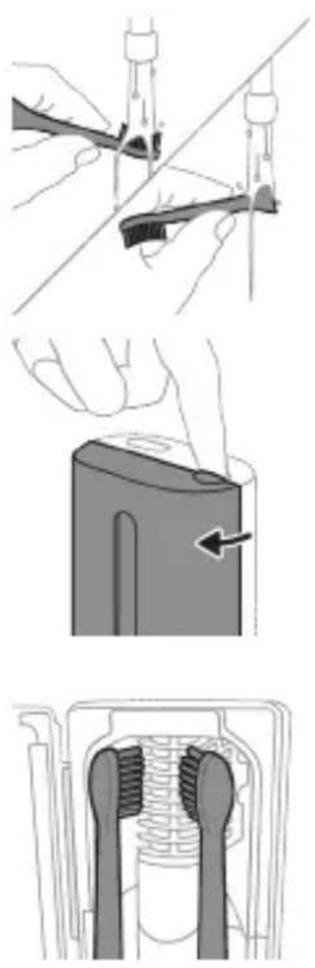
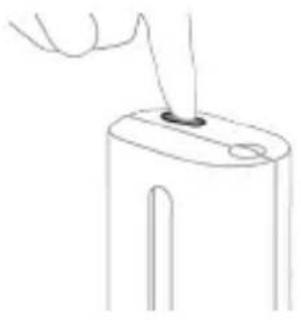
5 Close the lid and press the on/off button once to select the ultraviolet cleaning cycle.
Note: The disinfectant can only be operated when the lid is properly closed.
Note: If you open the lid during the disinfection cycle, the disinfection process will stop.
Note: The disinfection cycle lasts approximately 10 minutes and then turns off automatically.
The light visible through the window indicates that the cleaner is working.
Charging and battery status
This Philips Sonicare toothbrush is designed for at least 28 brushing sessions, each session lasting 2 minutes on a fully charged battery (if used twice a day, that's 14 days). The battery indicator shows the battery status when you pick up the toothbrush or while it is charging, and after a 2-minute brushing session ends.
Note: Before first use, charging the battery fully may take up to 24 hours, but you can use the Philips Sonicare toothbrush even before it is fully charged.
Charging
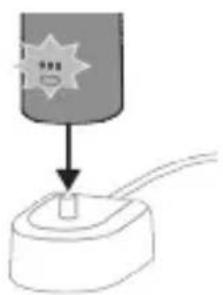
Charging in the charger or in the UV sanitizer
1. Plug the charger or sanitizer into an electrical outlet.
2. Place the toothbrush handle in the charger or sanitizer.
The handle emits two short beeps to confirm that it is correctly placed in the charger.
- The blinking battery indicator light shows that the handle is charging.
- When the handle is fully charged in the charger, the battery indicator lights up green for 30 seconds and then turns off.
Charging the travel case
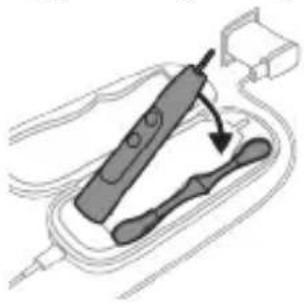
Note: The accessories may differ depending on the model purchased.
1 Insert the USB cable into the charging travel case. 2 Connect the included USB cable to a 5V DC power source from one of the following:
- The provided USB adapter.
- A standard USB port on a personal computer that complies with UL requirements or is certified to the ANSI/UL 60950-1 standard.
- A power source with a USB output port that complies with UL requirements or is certified to the ANSI/UL 60950-1 LPS standard.
- A power source that complies with UL requirements or is certified to the 1310 Class 2 standard.
Important: The wall adapter must be a safety extra-low voltage source that matches the ratings shown on the device.
3 Place the earbuds into the charging travel case.
- The earbuds will emit two short beeps to confirm they are correctly placed in the charging case. The battery indicator light will blink to show that the earbuds are charging.
4 The travel case will charge the earbuds until they are fully charged.
When the earbuds are fully charged, the battery indicator will light up green for 30 seconds and then turn off.
Note: Charging the earbuds in the travel case may take longer than charging them with the charger.
Battery status
Battery status (when the handle is placed on the charger/travel case)
When the handle is placed on the charger or in the travel case, the battery indicator shows the battery level.
Battery status Number of LEDs lit
LED color
Low 1 Flashing green
Partially full 2 Flashing green
Full 3 Solid green
flashing, then after 30
seconds solid green
flashes and then goes out
Battery status (when the handle is not placed on the charger/travel case)
When the handle is not on the charger, the battery indicator on the bottom of the handle shows the battery level.
www.philips.com/support
Clean, Deep Gum Health, White+, Clean+
Depending on the type of brush head you use, the BrushSync technology will automatically select the optimal mode and intensity.
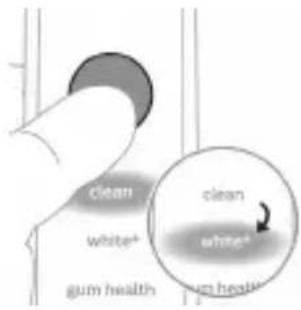
To manually change the mode, press the mode/intensity button while the brush is on. All brush heads work with all modes.
Clean and Deep Gum Health White+ Clean+
| Преемстvo Отстраимьаце на плakату | Одстраимьаце на плakа и масж на венц范围内 | Одстраимьаце на плakа и петва от повырховоста | |
| Преорьчано нимь на ИNTеНЗИВHOCT | Висoka Висoka Висoka | ||
| Овно вreme за мение на зъбиту | Clean: 2 минуту Deep Clean+: 3 MinHyTu* | 3 минуту 20 секунни | 2 минуту 40 секунни |
Clean and Deep Gum Health White+ Clean+
How to use Clean: Brush each segment for 20 seconds.
Brush each segment for 20 seconds.
Brush each segment for 20 seconds.
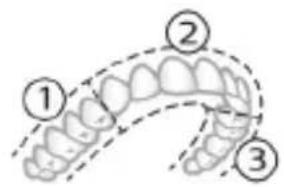
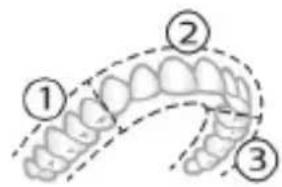
Intensity levels
Your electric toothbrush comes with 3 different intensity settings:
- Low intensity (one line)
- Medium intensity (two lines)
- High intensity (three lines)
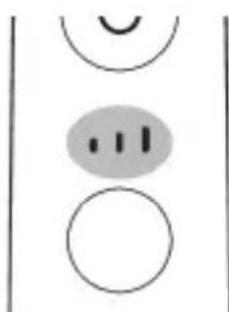
When attached to the handle, the intelligent brush head automatically selects the recommended intensity. If you want to change the intensity, press the mode/intensity button while brushing your teeth. The intensity cannot be changed while the handle is off or in pause.
BrushSync technology
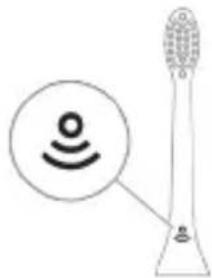
BrushSync technology allows brush heads to send a signal to the handle via microchip. The symbol on the bottom part of the brush head indicates that the head is equipped with this technology.
TexHOLOrnIa BrushSync daBa Bb3MOxHocT 3a:
- HanomHЯHe 3a CMЯHa Ha rJaBaTa C YeTka
- Pexim Ha cDBoBaHe BrushSync Philips Sonicare npedla rupoka rama ot INTeJIrEHTn rIaBn Ha cheTkn, o6OpyDbHn C texHoiOrna BrushSync. 3a da pa3rIeIate zraIata Hn rama OT rIaBn Ha cheTkn Ida OTKpIeTe rIaBaTa, KoYTo e Han-Do6pa 3a Bac, OTndTe Ha
www.philips.com/toothbrush-heads 3a NOBue HOpMaun.
ФункциN
- 06paTHa Bpb3ka OT daTUnka 3a HaTnCK
- BrushPacer
- SmarTimer EasyStart
- HanomHЯHe 3a CMYHa Ha ΓλaBaTa Ha YeTkɑTa
- CdboBaHe Ha peKIM Ha rJaBaTa Ha yeTkata
06paTHa Bpb3ka OT daTUnKa 3a HATnCK
Baшатуетka Sonicare n3мерва натуся, които пплагат почетке, за зашитten BEнцteи 3ьбnte в OT yВрждане.
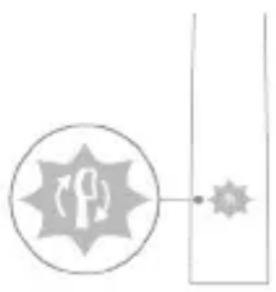
AkoHaTnCKbTe TBbpDe cInJeH,dpBXKaTa npomHe Bn6paunTe cN INHnIKaTOPbTBbPxy dpBXKaTa, HApOMHra3a CmHa Ha TlaBaTa Ha yeTKata,ue npIMnRBA B KexnIbapeH cBrt,doKATO He HamaJInte HaTnCKa.
3a6eIexka: BaIyIrpOdyKT ce npedlaRa cakTNBipan ceH3Op 3a HATnCK. 3a da de3aKTHBipate Ta3n φ yHKcIIy (Bx. "AKTINBipane nIi DeaKTINBipane Ha φ yHKcII".
BrushPacer
The brush head moves in intervals with a timer, which helps you brush evenly through the mouth, dividing the mouth into 6 zones.
SmarTimer
The SmarTimer shows you when the brushing time is complete, and it automatically turns off the brush head at the end. It is recommended to brush your teeth for at least 2 minutes twice a day.
Note: If you press the on/off button during brushing, the brush will pause. After a pause of 30 seconds, the SmarTimer will reset.
EasyStart
This Philips Sonicare model comes with the EasyStart function activated. The EasyStart function gradually increases the brushing power over the first 14 sessions, to help you get used to brushing with Philips Sonicare. The EasyStart function works with all modes.
Disclaimer: When the Philips Sonicare toothbrush is used in clinical trials, it must be used at high intensity with the brush head that is provided, and the EasyStart function must be deactivated.
Brush head replacement reminder
Your Philips Sonicare is equipped with BrushSync technology, which tracks the wear of the brush head.
Note: This function works only with Philips Sonicare smart brush heads with BrushSync technology.
1 When you attach a new smart brush head for the first time, the handle recognizes that you have a Philips brush head with BrushSync technology, and starts tracking the wear of the brush head. 2 Over time, depending on the brushing pressure and total brushing time, the handle tracks the wear of the brush head to determine the optimal time to replace it. This function ensures optimal cleaning and care for your teeth. 3 When the brush head replacement reminder light flashes in the handle, you should replace the brush head.
Note: All new smart brush heads come with the brush head replacement reminder function activated. To deactivate the brush head replacement reminder, see "Activating or deactivating functions".
Storing brush heads
Brush heads with BrushSync technology are equipped with a microchip that sends a signal to the handle and automatically adjusts the brushing intensity. The brush heads with BrushSync technology automatically adjust to the Clean mode. Brush heads with specific features will adjust to the corresponding mode (when available), for example:
- G3 Premium Gum Care: Pēžīm Gum Health - W3 Premium White и W(c) DiamondClean (compact): РекиМ White+
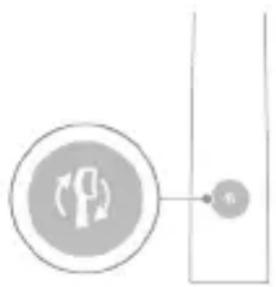
You can adjust the intensity mode from the preset setting, the head of the brush you have selected for the following mode, when you press it.
Activating/deactivating functions
You can activate or deactivate the functions of your brush for brushing:
- EasyStart
- Reminder for changing the brush head
- Feedback from the pressure sensor
Note: You can activate or deactivate the reminder for changing the brush head only when the brush has an intelligent head.
Removing:
Step 1: Place the brush on the connected charging station or the charging stand for travel.
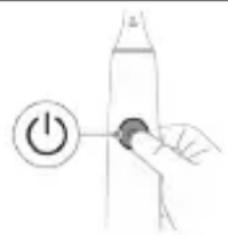
Step 2: Press and hold the on/off button for:
EasyStart reminder for
changing the
brush head
the brush
Feedback from
Pressure button 3
Up to 3 seconds Up to 5 seconds Up to 7 seconds
Button 3: Release the button to turn on/off when you hear:
1 beep 1 beep briefly, then 2 beeps
1 beep, 2 beeps, then 3 beeps
Connected to:
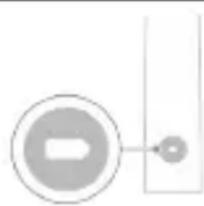
If you see the battery indicator flashing green 2 times and hear 3 beeps, the device is activated.
N/A
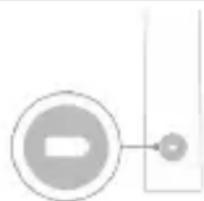
If you see the battery indicator flashing orange 1 time and hear 3 beeps, the device is deactivated.
UV disinfection device
Note: Accessories may vary depending on the model.
With the UV disinfection device, you can clean the head of your toothbrush after each use.
Remove the disinfection device, stop using it, and dispose of it at a service center if:
- The UV lamp remains on when the lid is open.
- The window of the disinfection device is cracked or broken.
- The device switches off automatically after the disinfection cycle.
Caution: The UV light can be harmful to the eyes and skin. This device must be kept away from pets at all times.
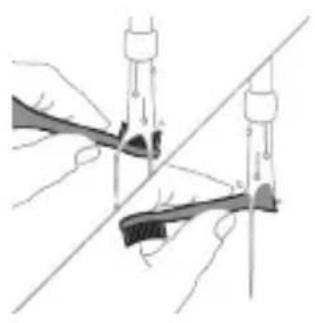
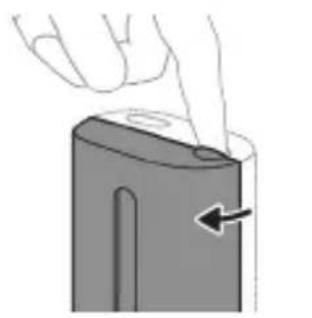
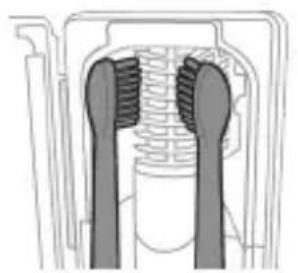
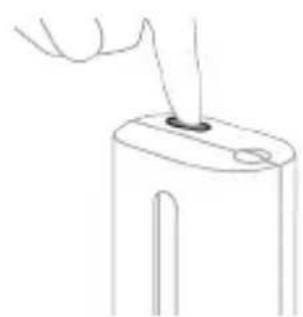
1. Remove the brush head from the handle and rinse it with water.
Warning: Make sure that the brush head is not placed on the handle when the brush head is being disinfected.
2. Place the brush head into the opening of the disinfectant device and close the lid.
3. Place the brush head on one of the 2 UV lamps in the disinfectant device, with the bristles facing the UV lamp.
Note: Use only Philips Sonicare brush heads with the disinfectant device.
Note: Do not use Philips Sonicare for Kids brush heads in the disinfectant device.
4. Make sure the disinfectant device is plugged into a working power outlet.
5. Close the lid and press the green button to turn on/off the power, then select the cycle for UV disinfection.
Note: You can turn on the disinfectant device only if the lid is closed properly.
Note: The disinfectant device will stop working if you open the lid during the disinfection cycle.
Note: The disinfection cycle lasts about 10 minutes and then the device turns off automatically.
The disinfectant works when the lamp lights up through the transparent window.
Battery charging and status
The Philips Sonicare toothbrush is designed to provide 28 brushing sessions, each with a duration of 2 minutes (14 days if used twice daily) when the battery is fully charged. The battery indicator shows the battery status when you complete a 2-minute brushing session, when you place the handle on the charger, or when it is charging.
Note: The full charge of the battery may take up to 24 hours for the first use, but you can use the Philips Sonicare toothbrush before it is fully charged.
Charging
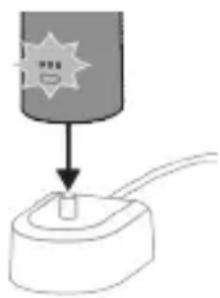
Charging in the charging unit
1 Plug the charging unit into an electrical outlet. 2 Place the handle on the charging unit. - The handle emits 2 short beep signals to confirm it is placed correctly. - The green light on the battery indicator shows that the toothbrush is charging. - When the handle is fully charged in the charging unit, the battery indicator lights up green for 30 seconds and then turns off.
Charging via the travel case
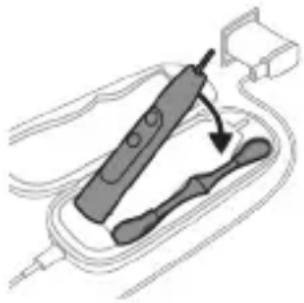
Note: Included accessories may vary depending on the model purchased.
1 Plug the USB cable into the travel charging case. 2 Connect the attached USB cable to a power source of 5 V DC from one of the following:
- A USB adapter. - A standard USB connector on a personal computer, compliant with UL listed I.T.E. per ANSI/UL 60950-1.
- LPS power supply with USB output port, compliant with UL listed I.T.E. per ANSI/UL 60950-1. - A power supply with USB output, compliant with UL listed per standard 1310, Class 2.
Important: The wall adapter must be a safe power source with overvoltage protection and must meet the nominal electrical parameters specified in the lower part of the device.
3 Place the handle in the travel charging case.
- The handle emits 2 short beep signals to confirm it is placed correctly. - The green light on the indicator shows that the toothbrush is charging.
4 The travel case will charge the toothbrush until it is fully charged. - When the handle is fully charged, the battery indicator lights up green for 30 seconds and then turns off.
Note: Charging the toothbrush via the travel case during travel takes longer time.
Battery status
Battery status (the device is connected to a charging device/charging case during travel)
When the device is placed on the charging device or in the charging case during travel, the battery indicator shows the battery level.
Battery status
2 Wipe the device surface with a damp cloth.
Note: Do not place the device on the microwave to remove excess water.
Brush head.
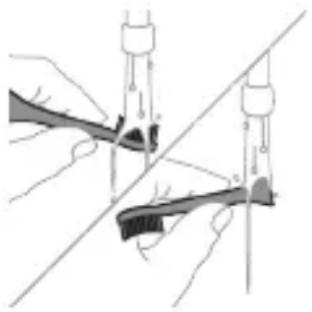
1 Rinse the brush head and bristles after each use.
2 Remove the brush head from the device and rinse the connection area with warm water at least once a week. Rinse the travel case as often as necessary.
Charging device
1 Unplug the charging device before cleaning it. 2 Wipe the surface of the charging device with a damp cloth.
Travel case
Rinse with warm water and use a damp cloth to clean the inside of the travel case.
Charging case
1 Unplug the charging case before cleaning it. 2 Use a damp cloth to wipe the surface of the travel case.
Warning: Do not use the disinfection device when the water is not in the device and do not pour water into the device.
Warning: Do not use the disinfection device when the ultraviolet lamp is on.
For optimal effectiveness, it is recommended to use the disinfection device every time.
1 Remove the disinfection device from the contact. 2 Pull the drip tray straight out. Pull it out and empty it with a damp cloth. 3 Clean all interior surfaces with a damp cloth. 4 Remove the protective screen, located in front of the control lamp.
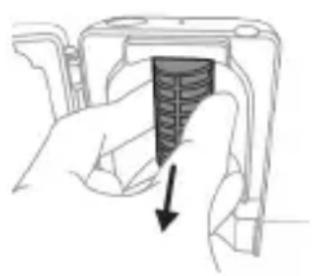
To remove the screen, hold the ribs, pull them towards you, carefully press and remove the protective screen.
5 Remove the control lamp.
To remove the lamp, hold it and pull it out of the metal bracket.
6 Clean the protective screen and the ultraviolet lamp with a damp cloth. 7 Replace the control lamp.
To replace the lamp, align the lower part of the lamp with the metal bracket and press the lamp into the bracket.
8 Replace the protective screen.
To replace the screen, align the screen pins with the openings of the reflector surface near the control lamp.
Press the screen straight into the openings of the disinfection device.
9 Replace the drip tray back into the control device of the disinfection device.
10 After cleaning, make sure the disinfection device is completely dry before plugging it into the electrical outlet.
If you are not going to use the product for an extended period of time, unplug it from the electrical outlet, clean it, and store it in a cool, dry place away from direct sunlight.
Cleaning
To achieve optimal results, replace the brush head of your Philips Sonicare toothbrush every 3 months. Use only genuine Philips Sonicare replacement brush heads.
Model Number
Warranty and Support
If you need information or support, visit www.philips.com/support or read the international warranty leaflet.
What is not covered by the warranty:
- Brush heads, including the brush head of the toothbrush and the charger.
- Damage caused by the use of unapproved replacement parts or non-original brush heads. - Damage caused by incorrect use, use not in accordance with the instructions, negligence, wear and tear, or unauthorized repair.
- Normal wear and tear, including chipping, scratching, abrasion, discoloration, or fading.
- The UV light bulb.
Recycling
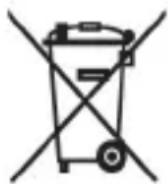
- This symbol means that electrical products and batteries should not be disposed of with regular household waste. - Follow your country's rules for separate collection of electrical products and batteries.
- The UV light bulb of the sanitizing device contains mercury. At the end of its lifespan, do not dispose of the UV light bulb with regular household waste. Take it to an official waste collection point for recycling.
The rechargeable battery
The rechargeable battery must be removed only by a qualified specialist when disposing of it. Before removing the battery, make sure the battery is completely discharged.
Take all necessary safety measures when handling tools for removing the device and when disposing of the rechargeable battery. Carefully read, understand, and follow the instructions and the surface on which you work.
When handling batteries, keep your hands, the product, and the batteries dry.
To avoid accidental short circuiting of the batteries after removal, do not allow the battery terminals to come into contact with metal objects (such as coins, clips, rings). Do not wrap the batteries in aluminum foil. Cover the battery terminals or place the batteries in a plastic bag before disposing of them.
Removing the rechargeable battery
To remove the rechargeable battery, you will need a pair of pliers and a flat (standard) screwdriver. Follow the basic safety measures when performing the described procedure.
1 To fully discharge the rechargeable battery, remove the plug from the charging device, turn on the toothbrush and let it run until it stops by itself. Repeat this step until the toothbrush can no longer be turned on.
2 Remove and discard the brush head. Cover the handle and the shaft with a cloth or a pair of pliers.
3 Hold the upper part of the shaft with one hand and tap the housing of the handle about 1 cm above the lower edge. Tap firmly from all 4 sides to release the end cap.
Note: You may need to tap several times to release the internal locking tabs.
4 Remove the end cap from the shaft of the toothbrush. If removal from the housing is not easy, repeat step 3 until it is released.
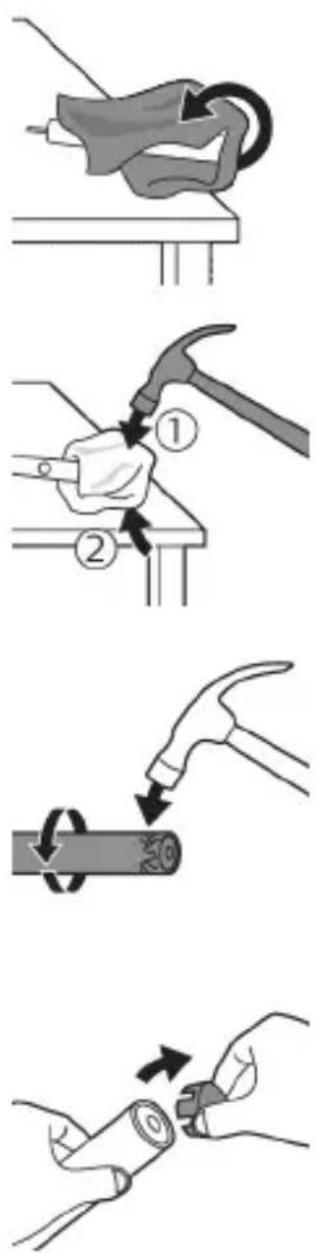
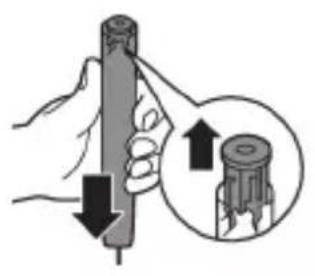
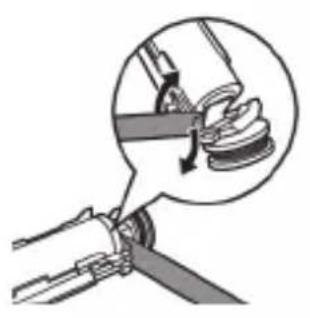
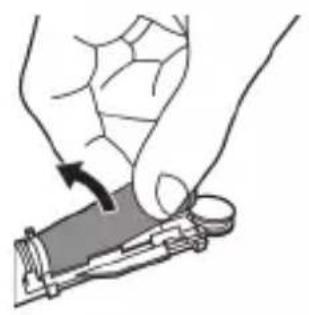
5 Holding the handle with the lower part facing up, press the handle firmly against a hard surface. If the internal components do not release easily from the housing, repeat step 3 until they are released. 6 Insert the screwdriver between the battery and the black frame at the lower part of the internal components. Then pry the screwdriver away from the battery to release the lower part of the black frame. 7 Insert the screwdriver between the lower part of the battery and the gray frame to release the metal clip connecting the battery to the green circuit board. This will release one side of the battery from the frame. 8 Hold the battery and pull it out of the internal components to release the second metal clip on the battery.
Warning: Be careful of the sharp edges of the battery clips to avoid cutting your fingers.
9 Cover the contacts of the battery with tape to prevent short circuiting from the remaining charge in the battery.
After the expiration of the warranty period, the product can be repaired or the remaining part of the product can be disposed of in accordance with the regulations.
Warning: At the end of the product's service life, do not dispose of it with normal household waste, but take it to a designated collection point for recycling. In this way, you help protect the environment.
Kyrgyz
Philips Sonicare is a breakthrough in oral care! This toothbrush uses sonic technology to effectively remove plaque and improve gum health. The Sonicare compact head with advanced technology is clinically proven to be more effective than a manual toothbrush. For more information on the product and accessories, visit: www.philips.com/support
Product information
Do not use the device if it has been dropped or damaged. Do not use the device if the battery or the charging base is damaged. If the device is damaged, contact the service center for repair.
Experts
- Disinfect the brush head regularly. -Rinse the brush head with warm water and mild soap or an antibacterial mouthwash. -People with limited physical, sensory, or mental abilities, as well as those with lack of experience and knowledge, should use the device only under supervision or after receiving instructions. Children should be supervised to ensure they do not play with the device.
- Use only Philips Sonicare accessories and spare parts. Use only the power adapter provided with the device. If the adapter is damaged, use only the original Philips Sonicare cable and USB adapter.
- If the device is used in a bathroom, do not place it near water. If the device falls into water, unplug it immediately and do not reach for it. If the device is damaged, do not use it and contact the service center.
- Disinfect the brush head regularly and replace it every 3 months or sooner if the bristles are worn.
- Do not use the device if it has been dropped or damaged. -The toothbrush is intended for cleaning teeth, gums, and tongue.
- Keep the brush head away from direct sunlight and store it in a dry place.
- If the lamp starts to emit UV light, stop using the device immediately. UV light can be harmful to the eyes and skin.
- Use the device with the protective cap and the brush head attached.
- Do not use the device if the UV lamp is broken or damaged.
- Stop using the brush head if the bristles are bent or broken. Replace the brush head every 3 months or sooner if you notice signs of wear.
- Do not use the device with essential oils or coconut oil. If oil gets on the brush head, the bristles may fall out. - If the brush head becomes loose or falls off during use, or if you experience discomfort or pain, stop using the brush head and consult your doctor or dentist. - If you have had oral or gum surgery in the past 2 months, consult your doctor or dentist before using the brush head. - If you have a pacemaker or other implanted device, consult your doctor or dentist before using the brush head.
- If you have any medical conditions, consult your doctor or dentist before using the brush head. - This device is intended for use on teeth and is not intended for use on other parts of the body.
www.philips.com/support
Note: The functions of each brush head may vary. Some brush heads are compatible with Bluetooth and NFC.
Symbols: Read the operator's manual.

To check the battery level: The number of lights on the handle indicates the battery level.
(TCBxxxx, HX6100, HX6110, HX6160 and WAAxxxx)
Usage instructions
Sonicare ExpertClean electric toothbrushes are designed to remove plaque and improve oral health. They are intended for use by adults. Children should use them under adult supervision.
Philips Sonicare app (1-cypər)
1 Cap button 2 Power on/off button 3 Intensity indicator 4 Mode/intensity button 5 Mode indicator
6 Brush head replacement reminder 7 Battery indicator Accessories: 8 Brush head cap 9 Start button(s) 10 BrushSync symbol 11 Charging base 12 Charging base holder 13 Charging base cord 14 USB adapter 15 USB cable 16 USB charging cap
Note: The contents may differ from the original packaging.
Sonicare app - Overview
The Sonicare app helps you brush better and get the most out of your brushing routine. By connecting your Sonicare toothbrush to the app, you can:
- Track your brushing progress - Get personalized tips and reminders to improve your oral health - Receive real-time feedback on your brushing technique
The app is compatible with most smartphones.
To set up the Sonicare app:
1 Download the Sonicare app to your phone. 2 Turn on Bluetooth on your phone. 3 Press the power button on your toothbrush to turn it on. 4 Open the app and follow the instructions. 5 Connect your toothbrush to the app.
6 Create an account in the app.
You can access additional features and settings after registering.
7 Use the app with your toothbrush to maintain good oral hygiene. When you brush with the app, you can get real-time feedback to improve your brushing habits. 8 Adjust the brushing mode as needed. 9 For optimal performance, keep your toothbrush and app updated.
For manual use: To use the toothbrush without the app, simply press the power button to turn it on and off.
For automatic mode:
To use the toothbrush correctly, follow the instructions below. To use the toothbrush correctly and to connect your phone, you can use the brush handle to control the app within the Bluetooth range.
Note: When using the toothbrush, make sure your phone's Bluetooth is turned on.
Your toothbrush, when used with the app,
will display the information on the handle screen.
If you want to change the information displayed,
refer to the Sonicare app instructions for customizing the handle display.
See the instructions.
Handle functions
Your Sonicare electric toothbrush is equipped with sensors that provide information about your brushing, including:
- Brushing time - time spent brushing per session - Brushing pressure
- The sensors detect when you are brushing too hard.
- The brush handle's pressure sensor (on the handle) provides real-time feedback to help you improve your brushing technique and reduce pressure.
Getting started
Charging
1. Place the brush handle on the charger base and ensure it is properly seated. 2. The brush handle will vibrate briefly to confirm charging.
Caution: Do not use the brush head if the bristles are bent or broken.
Philips Sonicare Brush Head
The Sonicare brush head is intended for use with the Sonicare handle. The brush head should be replaced every 3 months for optimal performance. Press the brush head onto the handle until it clicks into place. To remove, pull it straight off. Do not use the brush head if the bristles are bent or broken. To help the Sonicare handle last longer, replace the brush head every 1-2 months, and then continue with regular use.
Brushing Instructions
1 Wet the bristles and apply a small amount of toothpaste.
2 Place the brush bristles against the teeth at a slight angle (45 degrees). Press the power button to turn on the brush, and gently move the brush head back and forth.
Caution: Do not press too hard against the teeth or gums.
3 Brush the outside surfaces of the teeth, holding the brush at a 45-degree angle.
4 Continue brushing the inside surfaces of the teeth. To clean the front teeth, hold the brush vertically and make several up-and-down strokes. Be careful not to brush too hard.
Caution: Do not brush too vigorously. This can damage the teeth and gums.
Caution: If you have sensitive teeth or gums, consult your dentist before using the brush.
5 To clean the chewing surfaces of the teeth, hold the brush flat and brush back and forth.
6 After brushing, rinse the brush head and handle thoroughly. Store the brush upright and allow it to air dry.
Caution: The Sonicare brush head is not intended for use by children or persons with reduced physical, sensory, or mental capabilities, unless they are supervised or instructed by a responsible person. Do not use the brush head if it has been damaged (e.g., cracked, broken, or missing bristles).
BrushPacer
The BrushPacer handle is designed for use with the Oral-B iO brush heads. The BrushPacer handle works with the Oral-B iO brush heads, which are needed for proper use. The brush heads are designed with a tongue cleaner and a brush head. The handle automatically stops in a session mode at the end of the brushing time.
Note: The brush head is compatible with the Oral-B iO and Gum Health modes.
Modes
There are 4 brushing modes: Clean, Deep Clean+, Gum Health, and White+ (only on certain models).
The handle automatically selects the optimal intensity for the selected mode using the BrushSync technology. To change the mode or intensity, press the mode/intensity button while the brush is on. All brush heads are compatible with every mode and intensity.
Clean, Gum Health, White+, Deep Clean+
| Аръкълък Θнерду кетируг Θнерду кетиру Жана Тиш зали Укалоо | Θнерду жа сырTKы ТаКТы Кетиру | ||
| Суншталган ИNTенсвдуч К Deнгэлл | ЖoropкуЖoropкуЖoropку | ||
| Жалъл{Tишт Тазалоо убakъсы} | Clean: 2 мунот Deep Clean+: 3 мунот* | 3 мунот жа 20 секунд | 2 мунот жа 40 секунд |
| Кантул{Tишт Тазалоо Керек} | Clean: Ap бир сerмени 20 секундай Тазалань. | Ap bisp сerмени 20 секундай Тазалань. | Ap bisp сermени 20 секундай Тазалань. |
| 1 2 3 | 1 2 3 | 1 2 3 | |
| 4 6 5 | 4 6 5 | 4 6 5 | |
| Deep clean+: Ap бир сerмени 30 секундай Тазалань. | Андан кийн 7,8,9 жа 10-cermetтп ap bирin 20 секундай Тазалань. | Андан кийн 7 жа 8-cermettп ap бирin 20 секундай Тазалань. | |
| 1 2 3 | 7 8 9 | 7 8 | |
| 4 6 5 | 4 6 9 | 4 6 8 |
*Note: When using the Philips Sonicare brush head with the "Deep Clean+" mode, the brush head will run for 2 minutes when the brush is held in the mouth, and 3 minutes when the brush is held outside the mouth.
Intensity
The electric toothbrush has three intensity levels: Low, Medium, and High.
- Low intensity (1 bar) - Medium intensity (2 bars)
- High intensity (3 bars)
When the brush is turned on, the brush head will automatically select the intensity level. If you want to change the intensity, press the mode/intensity button while the brush is on. The intensity level will change accordingly.
BrushSync Technology
BrushSync technology uses microchips in the brush head to communicate with the handle, providing a personalized brushing experience. The brush head's indicator light shows that the brush head is compatible with this technology.
BrushSync Technology features:
- Checking the correct replacement brush head
- BrushSync mode indicator Philips Sonicare BrushSync technology equipped brush heads offer a selection of replacement reminders. Philips Sonicare BrushSync technology equipped brush heads offer a selection of replacement reminders.
www.philips.com/toothbrush-heads for more information.
Features
- Pressure sensor
- BrushPacer
- SmarTimer
- EasyStart
- Checking the correct replacement brush head
- Replacing the brush head
Pressure sensor
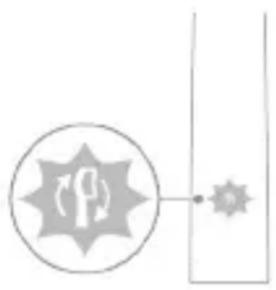
Your Sonicare toothbrush is designed to be used with brush heads that have the Sonicare logo. Using other brush heads may reduce the effectiveness of the toothbrush.
If you use a brush head without the logo, the toothbrush will automatically reduce the intensity of the brush head's vibration to a lower level.
Reminder: Before using the brush for the first time, it must be charged. See the section "Functions" and "Charging".
BrushPacer
BrushPacer - this helps you brush evenly, providing interval timers at regular intervals.
SmarTimer
SmarTimer automatically turns off the brush at the end of the brushing cycle, helping to ensure a consistent brushing time.
The brush timer reminds you to brush for 2 minutes, with intervals of 30 seconds.
Reminder: If you press the power button before the brushing cycle is complete, the timer will reset. After 30 seconds, the SmartTimer will start a new cycle.
EasyStart
This Philips Sonicare toothbrush has the EasyStart feature, which gradually increases the brushing power over the first 14 uses. EasyStart works with all modes.
To get used to the brush: Philips Sonicare toothbrush adapts to your oral care routine, and with the EasyStart feature, you can gradually increase the intensity.
You may need to increase the intensity gradually.
To activate EasyStart, see "Functions" and "Charging".
Replacing the brush head is necessary.
Toothbrush. This device should be kept out of reach of children.
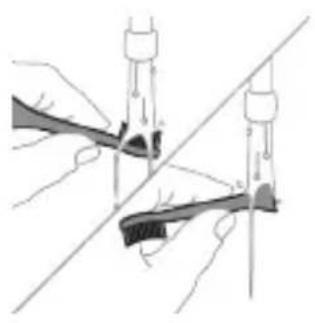

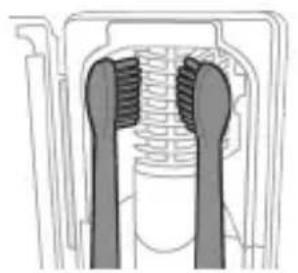
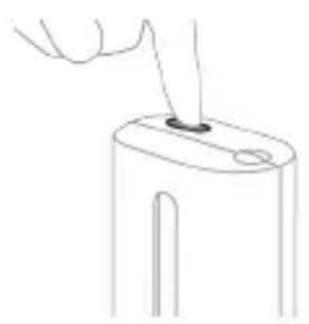
After brushing, rinse the brush head thoroughly with water.
Replace the brush head every 3 months or sooner if worn. Use only Philips Sonicare replacement brush heads.
2 To clean the brush head and handle, rinse under running water.
3 Do not clean the brush head or handle in the dishwasher.
Note: The Philips Sonicare brush head is not intended for cleaning by children.
Note: The Philips Sonicare for Kids brush head is not intended for cleaning by children.
4 Do not plug the charger into an outlet that is not properly grounded. 5 For cleaning, use a soft cloth or a damp cloth, not abrasive.
Note: If the handle is dropped, check for damage before using.
Note: Do not use the charger if it is damaged. Do not use the charger if it is cracked.
Note: If the charger is damaged, it will stop working after 10 minutes and then turn off automatically.
If the brush head is worn, replace it.
Charging the battery
The Philips Sonicare toothbrush is designed to provide 28 brushing sessions (each lasting 2 minutes) per charge (approximately 14 days).
After the 2-minute brushing session, the brush will continue to operate for a short time, and the battery indicator will show the remaining charge.
Note: The first charge may take up to 24 hours. After that, a full charge typically lasts for about 14 days of normal use.
Charging
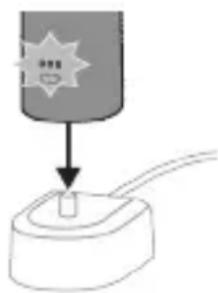
1 Connect the charger to the power outlet. 2 Insert the charger or charging cable into the pocket. - The indicator light will turn on for 2 seconds. - The battery indicator shows the charging status. - When the charger is fully charged, the battery indicator will stay on for 30 seconds, then turn off.
Charging with the charging cable
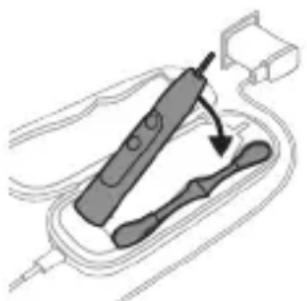
Note: The charging time may vary depending on the connected device.
1 Connect the USB cable to the charging port. 2 Connect the USB cable to a 5 V DC power source.
- USB adapter is not included.
- Use a computer USB port that is certified to UL and ANSI/UL 60950-1 standards.
- Use a USB power adapter that is certified to UL and ANSI/UL 60950-1 LPS standards.
- Use a UL-certified Class 2 power source.
Warning: This adapter may cause electrical interference with the device's operation.
This may cause the device to malfunction.
3 Insert the plug into the charging port.
- The indicator light will turn on for 2 seconds. - The battery indicator shows the charging status. - When the charger is fully charged, the battery indicator will stay on for 30 seconds, then turn off.
4 Charge until the battery indicator shows full charge.
- After the charger is fully charged, the battery indicator will stay on for 30 seconds, then turn off.
Note: When using the battery, keep the battery and the battery compartment clean and dry.
Battery status
Battery status (when using the battery compartment/battery compartment cover)
When the battery compartment cover is closed, the battery status LED will light up.
Battery status LED indicator
| Темен 1 Хашил тусте | 6улбундейт |
| Жарым-жарылай 2 Хашил тусте | 6улбундейт |
| Толук | |
| Толук 3 Толгuya щашил б龄и, | андан сон 30 секунд божю жашил тустe Кунун, анан[eует] |
Battery status (when the battery compartment cover is open)
When the battery compartment cover is open, the battery status LED will light up.
Battery status LED indicator
| Толук 3 Туркутuy кашил | |
| Жарым-жарылай 2 Туркутuy кашил | |
| Толук | |
| Темен 1 Туркутuy кашил | |
| Бош 1 жoly ун менин Кочкул capы Tүстэ 6улбүлдөн | |
| Эске�тme: Кал doунлбай Турганда Энергийны унемдө Чун SFатapestянын Харыгы чет. | |
| Эске�тme: Баразая толугу менин SFош SFолгогдо, Тиш ШеTKA чет. ШeTKANы КьБATTARычka чayraштырл, КьБATTANыЗ. | |
| Эске�тme: Баразаяны ap дайыm Tolук КьБATTALГан | |
| Бойdoн karмал Турuy учн, Тиш SFолтуканы 3ды | |
| Кал doюн doю кьБATTARычta karмасаны 3 boлот. | |
Cleaning
Cleaning the battery compartment
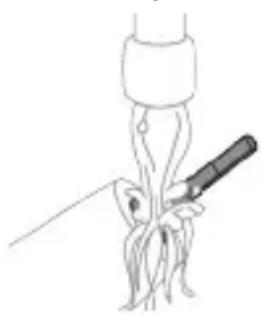
1. Remove the battery from the battery compartment. Clean the contacts with a dry cloth. Do not use water or cleaning agents.
Note: Do not use metal objects or abrasive materials. This may cause damage.
2. Clean the battery compartment with a dry cloth.
3. Note: Do not rinse the battery compartment under running water.
Battery compartment
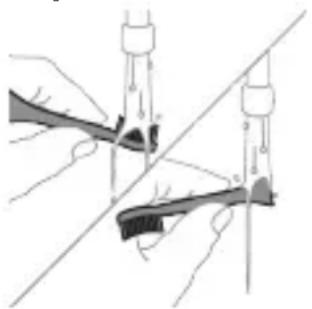
1 Remove the brush head from the handle. 2 Rinse the brush head under the tap, then place the brush head in a glass of water and let it soak for a while. Do not leave it soaking for more than 10 minutes.
Cleaning
1 Remove the brush head from the handle. 2 Clean the metal part of the brush head with a soft cloth.
Replacing the brush head
Replace the brush head every 3 months for optimal results. If the bristles are worn or bent, replace the brush head sooner.
Battery status
1 Remove the brush head from the handle. 2 Clean the metal part of the brush head with a soft cloth.
Disposal
Warning: Do not immerse the handle in water or rinse it under the tap.
www.philips.com/support
Note: Functionality may differ between models. Some models are not equipped with Bluetooth and NFC.
The following symbols may appear on
the product:
Read the user manual before use.

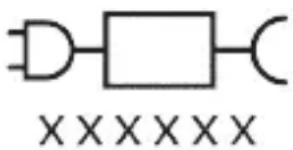
Your Philips Sonicare (Fig. 1)
1 Power button 2 Handle 3a On/off button 3 Intensity indicator 3b Mode button 4 Mode/intensity button 5 Mode indicator 6 Brush head replacement reminder 7 Battery indicator
Additional:
8 Brush head release button 9 Brush head 10 BrushSync symbol 11 Charging stand 12 Charging case 13 Charging case with USB port 14 USB-A adapter 15 USB-A cable 16 USB sterilizer with USB port
Note: The included accessories may vary depending on the purchased model.
Sonicare app - Welcome
The Sonicare app works with your toothbrush to provide a connected experience. If you connect your toothbrush to your Sonicare app account, you can do the following:
- Follow your brushing progress - Get personalized tips and intensive recommendations to improve your oral health - Access the full spectrum of guides and get real-time feedback
The app is compatible with a wide range of mobile devices.
To get started with the Sonicare app:
1 Download the Sonicare app to your phone. 2 Make sure Bluetooth on your device is turned on. 3 Charge the toothbrush to ensure it is active (lights on). 4 Open the app and follow the instructions. 5 Pair the toothbrush with the app.
6 Create your account through the app. Complete the firmware update, if prompted, to get the latest improvements and features. 7 Brush regularly with the toothbrush connected to the app. When you regularly sync the toothbrush with the app, you will receive updates that will help you improve your oral health. 8 Sync regularly. 9 Keep the phone close to the toothbrush for optimal data transfer.
For manual syncing: Pair/connect your toothbrush with the app every two weeks to benefit from the advanced features/capabilities.
For automatic syncing: Grant location permission when setting up the app. By granting location permission, your phone knows when it is in range of your toothbrush and can upload your brushing data to the app to provide the latest insights and recommendations.
Note: Bluetooth on your phone must be turned on when using the app, so that your toothbrush can transfer and upload brushing data to the app. If you have concerns about this, as your brushing data is collected, check the Sonicare privacy notice, available during the entire setup process of the app.
App features
The Sonicare app is equipped with sensors to provide you with real-time feedback on your brushing habits, including:
-Daily brushing sessions -Total time for each brushing session -Applied brushing pressure -Personalized tips and interactive recommendations
-A reminder to replace your brush head (based on actual usage) The Sonicare app collects data through the sensors and tracks your brushing habits in real time.
Getting started
Clean and Deep Gum Health White+ Clean+
| Проблема Остразуваtheses На забен камен | Остразуваtheses На забен камен и масжа на нелцату | Остразуваtheses На забен камен и поsprинску дамки | |
| Проблема НИВО на ИNTEH3IITET | Високо Високо Високо | ||
| Вкуто врееме На чеканые | Clean: 2 минутNi Deep Clean+: 3 MNHyTu* | 3 минутNi 20 секунNi | 2 минутNi 40 секунNi |
| Clean and Deep Clean+ | Gum Health White+ | ||
| Како за се чека | Clean:Чекajte ro sekoj sejmert 20 sekyнд. | Чекajte ro sekoj sejmert 20 sekyнд, | Чекajte ro sekoj sejmert 20 sekyнд, |
| 1 2 3 | 1 2 3 | 1 2 3 | |
| 4 6 5 | 4 6 5 | 4 6 5 | |
| Deep clean+: Chetkajte ro sekoj sejmert 30 sekyнд.* | потoa chetkajte ra sejmertite 7,8,9и 10 по 20 sekyнд sekoj. | потoa chetkajte ra sejmertite 7и 8 по 20 sekyнд sekoj. | |
| 1 2 3 | 7 8 | 7 | |
| 4 6 5 | 9 | 8 | |
*Note: When you brush with the Philips Sonicare app in "Deep Clean+" mode, the brushing time will be 2 minutes when connected to the app and 3 minutes when not connected to the app.
Intensity
Your toothbrush has 3 different intensity settings:
- Low intensity (one dot) -Medium intensity (two dots) -High intensity (three dots)
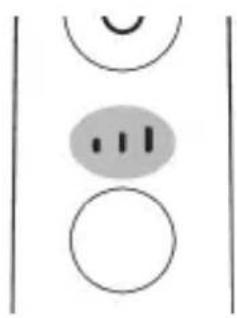
When the handle is activated, the brush head will automatically select the recommended intensity. If you want to change the intensity, you can adjust it by pressing the mode/intensity button while brushing. The intensity cannot be changed when the handle is turned off or paused.
BrushSync technology
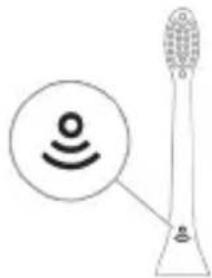
BrushSync technology allows the brush head to communicate with the handle using microchips. The symbol on the brush head indicates that it is equipped with this technology.
BrushSync technology enables:
-A replacement reminder for the brush head -BrushSync mode pairing
Philips Sonicare offers a wide range of brush heads equipped with BrushSync technology. To explore the full spectrum of brush heads and find the one that best suits you, visit www.philips.com/toothbrushheads for more information.
Functions
- Pressure sensor feedback - BrushPacer - SmartTimer - EasyStart - Brush head replacement reminder - Brush head pairing mode
Pressure sensor feedback
The Sonicare brush head measures the pressure you apply with the brush head to protect your teeth and gums from over-brushing.
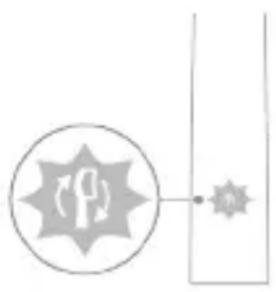
If you press too hard, the handle will change the vibration and light to alert you to replace the brush head. The handle will continue to operate in running water until you find the right pressure.
Note: Your product comes with the pressure sensor activated. To deactivate this function (see "Activating or Deactivating Functions").
BrushPacer
BrushPacer is an interval timer that helps you brush evenly across your mouth by dividing your mouth into 6 sections.
SmartTimer
SmartTimer signals the end of the brushing cycle with an automatic shut-off of the brush head at the end of the brushing cycle. Dental professionals recommend brushing for at least 2 minutes twice daily.
Note: If you press the on/off button during the brushing cycle, the brush head will pause. After a pause of 30 seconds, SmartTimer resets.
EasyStart
This Philips Sonicare model comes with the EasyStart function activated. The EasyStart function gradually increases the power over the first 14 brushings to help you get used to brushing with Philips Sonicare. The EasyStart function works with all modes.
Exclusion of liability: When the Philips Sonicare brush head is used for clinical studies, it must be used at high intensity with the handle fully charged, and the EasyStart function deactivated.
To activate EasyStart (see "Activating or Deactivating Functions").
Notice for replacing the brush head
Your Philips Sonicare toothbrush is equipped with BrushSync technology that monitors the wear of the brush head.
Note: This function works only with the original Philips Sonicare brush heads with BrushSync technology.
1 When you attach a new brush head for the first time, the handle detects that it is a Philips brush head with BrushSync technology and starts tracking the wear of the brush head. 2 Over time, based on the pressure you apply and the total time the brush head is used, the handle will track the wear of the brush head to determine the optimal time for replacement. This function guarantees the best cleaning and care for your teeth. 3 When the brush head replacement indicator lights up in an orange color, you should replace the brush head.
Note: All original brush heads for teeth come with the brush head replacement reminder function activated. To deactivate the brush head replacement reminder, see "Activating or deactivating functions".
Pairing the brush head
Brush heads with BrushSync technology are equipped with a microchip that communicates with the handle and automatically pairs with the recommended mode and intensity. Most brush heads with BrushSync technology automatically pair with the Clean mode. Brush heads with special features pair only with the corresponding mode (when available), such as:
- G3 Premium Gum Care: Gum Health mode
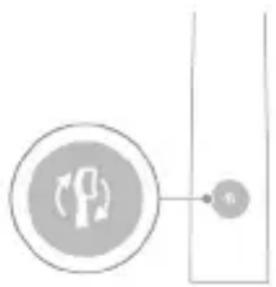
- W3 Premium White or W(c)
DiamondClean (compact): White+ mode
Note: If you choose to change the mode/intensity from the recommended setting, the brush head will remember the chosen setting for the next brushing sessions.
Activating or deactivating functions
You can activate or deactivate the following functions of your toothbrush:
- EasyStart
- Brush head replacement reminder - Pressure sensor information
Warning: Read the instructions before replacing the brush head for the toothbrush. When the brush head is worn, replace it with a new brush head.
From the handle:
Step 1: Place the handle on the charging base for travel with the cap on.
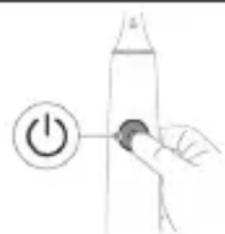
Step 2: Press and hold the on/off button.
When using with batteries, make sure the batteries, product, and batteries are dry.
To avoid accidental short circuit of the batteries after removal, do not allow the battery terminals to come into contact with metal objects (e.g., coins, hairpins, rings). Do not put the batteries in a metal box. Insulate the battery terminals or place the batteries in a plastic bag before disposing of them.
Removing the rechargeable battery
To remove the rechargeable battery, you will need a flat-head (standard) screwdriver. Follow the basic safety precautions when following the procedure described below.
1 To discharge the rechargeable battery, remove the handle from the charger, turn on the toothbrush and let it run until it stops. Repeat this step until you can no longer turn on the toothbrush.
2 Remove the brush head. Clean the entire surface of the handle with a cloth or tissue.
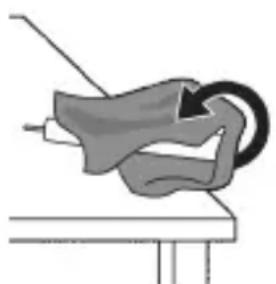
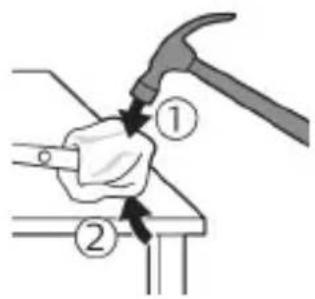
3 Hold the top of the handle with one hand and twist the handle cap about 1 cm from the bottom end. Twist firmly with a screwdriver on all 4 sides to remove the end cap.
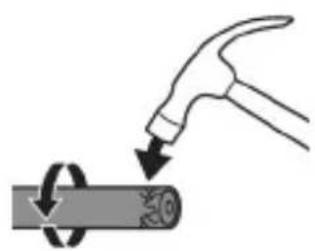
Warning: You may need to press on the edges several times to release the internal clips.
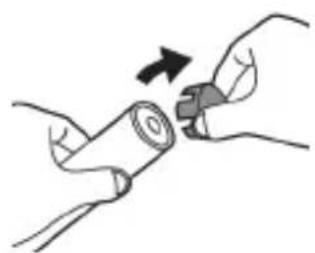
4 Remove the end cap from the handle of the toothbrush. If the end cap does not release easily from the cap, repeat step 3 until the end cap releases.
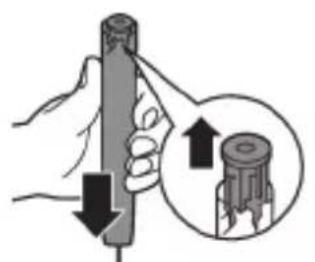
5 Hold the handle upside down, press the exposed end against a hard surface. If the internal components do not release easily from the cap, repeat step 3 until they release.
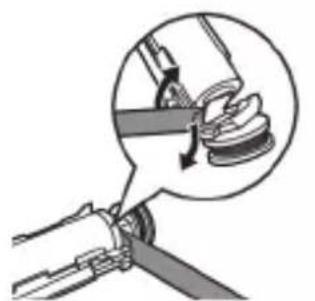
6 Insert the screwdriver under the battery and the plastic frame of the bottom part of the internal components. Then twist the screwdriver away from the battery to release the bottom part of the plastic frame.
7 Remove the battery from the frame by lifting the metal plate that connects the battery to the green wire. This will release the lower end of the battery from the frame.
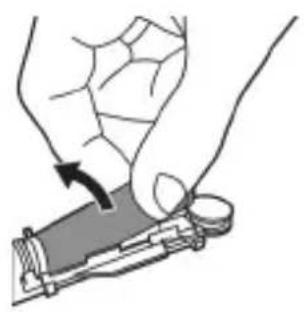
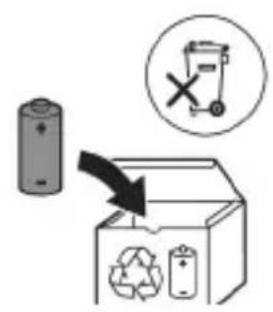
8 Lift the battery and pull it out of the internal components to remove the second metal plate from the battery.
Caution: Be careful of the sharp edges on the battery terminals to avoid injuring your fingers.
9 Cover the battery contacts with tape to prevent an electrical short from the remaining charge in the battery.
The battery can now be recycled, and the rest of the product can be disposed of appropriately.
Warning: Do not throw the device in the regular household waste at the end of its life. Take it to a designated recycling point. By doing this, you help protect the environment.
Introduction
www.philips.com/support
Important safety instructions
www.philips.com/support
Note: Features of different models may vary. Some models may not be equipped with Bluetooth or NFC technology.
The following symbols may appear on the device:

Read the operator's manual.
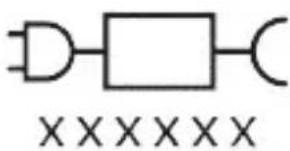
Power supply unit: "XXXXXX" indicates the model number of the charging device used with this product. (TCBxxxx, HX6100, HX6110, HX6160 or WAAxxxx)
Intended use
The Philips Sonicare ExpertClean toothbrush is intended for the removal of dental plaque and food debris from teeth to reduce the risk of caries and improve the health of teeth and the oral cavity. The Sonicare ExpertClean toothbrushes are intended exclusively for personal use. Use by children is permitted only under adult supervision.
Philips Sonicare handle (fig. 1).
1 Handle 2 On/off button 3 Intensity indicator 4 Mode/intensity selection button 5 Mode indicator 6 Reminder to replace the brush head 7 Battery charge level indicator
- Medium intensity (two bars); - High intensity (three bars).
When the smart brush head is connected to the handle, it will automatically select the recommended intensity level. To select a different intensity level, press the mode/intensity selection button during brushing. The intensity level cannot be changed if the handle is switched off or in standby mode.
BrushSync technology
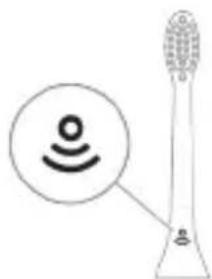
BrushSync technology allows the brush head to communicate with the handle via microchips. The symbol on the bottom of the brush head indicates that the brush head is equipped with this technology.
BrushSync technology features:
- Brush head replacement reminder - BrushSync mode selection
Philips Sonicare offers a wide range of smart brush heads with BrushSync technology.
To learn about the full range of our toothbrush heads and find the most suitable brush head for you, visit
www.philips.com/toothbrush-heads for additional information.
Disclaimer
When using the Philips Sonicare toothbrush in clinical studies, it should be used intensively with a fully charged battery in the handle, and the EasyStart function should be turned off.
AUTOMATIC SELECTION OF THE MODE DEPENDING ON THE BRUSH HEAD
Technology BrushSync with a smart chip, which communicates with the handle and automatically selects the recommended mode and intensity of operation. Most brush heads with BrushSync technology automatically switch to Clean mode. Brush heads with special benefits will be combined with the corresponding mode (if available), for example: - G3 Premium Gum Care: Gum Health mode - W3 Premium White or W(c) DiamondClean (compact): White+ mode
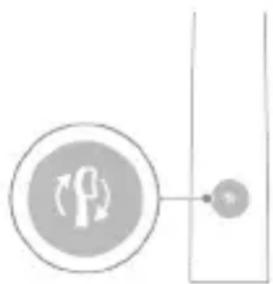
Application. If you decide to change the mode/intensity from the recommended settings, the brush head will remember your chosen settings for the next brushing sessions.
Turning on or off the function
www.philips.com/support
Charging: Place the handle on the charger. The handle has a Bluetooth and NFC indicator.
For optimal charging, place the handle on the charger.
Find the user manual.
XXXXXX

Charging indicator: The 'xxxxxx' lights up when the handle is placed on the charger. (TCBxxx, HX6100, HX6110, HX6160 and WAAxxx)
Using the app
The Sonicare ExpertClean app helps you improve your brushing habits and get personalized guidance for better oral health.
The app provides real-time feedback. The Sonicare ExpertClean app is designed for personal use. Use of the app requires a compatible smartphone.
Your Philips Sonicare (Fig. 1)
1 Handle 2 Brush head 3 Charger 4 Brush head cap 5 Brush head holder 6 Battery indicator 7 Battery compartment
8 Brush head 9 Brush head (x2) 10 BrushSync technology 11 Handle 12 Brush head cap 13 Brush head cap storage 14 USB-A adapter 15 USB-A cable 16 UV sanitizer and storage
Note: The brush head and handle are not interchangeable with other models.
Philips Sonicare - Overview
The Philips Sonicare app is designed to help you improve your brushing habits and get personalized guidance. To connect your brush to the Philips Sonicare app, you will need:
- Follow your brushing progress - Get tips and advice to improve your oral health - Access to personalized guidance and modern navigation - The app works with Bluetooth-enabled mobile devices.
To connect your Philips Sonicare brush:
1 Place your Philips Sonicare brush near your phone. 2 Make sure Bluetooth is enabled on your phone. 3 Turn on your brush so that it is on (the lights are on). 4 Open the app and follow the instructions. 5 Your brush will connect to the app. 6 Follow the app instructions to complete the setup. For access to improvements and new features, make sure to update the app regularly. 7 When your brush is connected to the app, you can start brushing. When you start brushing with the app, you will receive guidance to help you improve your oral health. 8 Start brushing. 9 For the best experience, keep your phone near your brush.
For best results: Place your brush in the charger/stand to benefit from the app's features. For best results: The app's features are available when the brush is in the stand. If you place the brush in the stand, your phone will show a message that your brush is connected and will provide you with tips and advice.
Note: Make sure that the Bluetooth feature on your phone is enabled so that your brush can send your brushing data to the app. If you have any concerns about your data privacy, make sure that the privacy settings
Sonicare, which is available throughout the app, are set to your preference.
App features
Your Sonicare brush is equipped with sensors that track your brushing habits and provide you with personalized feedback, including:
- Pressure sensor
- When you apply too much pressure during brushing, the brush will vibrate and provide tips and advice.
The Sonicare handle is designed to be used with the Sonicare brush heads and to be disposed of at the end of its service life.
Overview
Brush heads

1. Brush heads wear out over time, so for optimal results, replace the brush head every 3 months. 2. Brush heads are available in different types to suit your needs.
Note: The brush heads are disposable and should be replaced regularly.
Visit www.philips.com/toothbrush-heads for more information.
Features
- Easy-start feature - BrushPacer - SmarTimer EasyStart - Brush head replacement reminder - Brush head compatibility
Easy-start feature
The Sonicare brush head is designed to gently clean your teeth and gums, removing plaque and protecting your teeth and gums from damage.
If you are using the brush for the first time, the handle will vibrate and the brush head will move gently during the first few uses, helping you get used to it.
Note: This feature is intended for first-time users. You can turn it off by pressing the power button (see 'Turning off the Easy-start feature').
BrushPacer
The BrushPacer timer helps you divide your mouth into four sections and brush each section evenly.
SmarTimer
The SmarTimer feature helps you keep track of your brushing time and ensures you brush for the recommended two minutes.
Your dentist or hygienist recommends that you brush at least twice a day for two minutes each time.
Note: If you start or pause brushing after the start of the brushing cycle, the brushing time will be extended accordingly. After 30 uses, the SmarTimer will automatically turn off.
EasyStart
This Philips Sonicare toothbrush comes with the EasyStart feature pre-activated. The EasyStart feature gradually increases the power over the first 14 brushing sessions, so you can get used to brushing with your Philips Sonicare. The EasyStart feature works with all brush heads.
Off
When your Philips Sonicare toothbrush is used for the first time, it will operate at full power and the brush head will vibrate normally, and the EasyStart feature will be disabled.
To turn off EasyStart (or to turn it back on):
Brush head replacement indicator
Your Philips Sonicare toothbrush is equipped with BrushSync technology, which monitors your brush head wear and reminds you to replace it.
Note: This feature only works with Philips Sonicare brush heads that have BrushSync technology.
1 When you first attach a new brush head, the handle will remind you that you have attached a Philips brush head with BrushSync technology, and from that moment the handle will monitor the wear of your brush head. 2 Over time, based on your brushing habits and the pressure you apply, the handle will monitor the wear of your brush head and will indicate when it is time to replace it. This feature ensures optimal brushing and care for your teeth. 3 When the brush head replacement indicator turns yellow, it means you should replace your brush head.
Note: All Philips Sonicare brush heads are equipped with the brush head replacement indicator. For more information on the brush head replacement indicator, see "Understanding the brush head replacement indicator".
Pairing your brush head with your handle
The brush head is compatible with BrushSync technology and Philips models, which automatically adjusts the cleaning mode and intensity for optimal use. The brush head's built-in BrushSync technology and the "Clean" mode automatically adjust the intensity. The brush head's special cleaning mode (and low intensity) is automatically adjusted, for example: - G3 Premium Gum Care: "Gum Health" mode - W3 Premium White and W(c) DiamondClean (for some models): "White+" mode
Note: If you manually adjust the cleaning mode or intensity, the brush head will automatically return to its optimal setting after a few uses.
Replacing the brush head
To replace the brush head, pull it off the handle:
- EasyStart
- First use of the brush head
- Activating the EasyStart mode
Note: If you want to use the brush head at full intensity from the start, you can deactivate the EasyStart mode.
From the handle:
Step 1: Connect the handle to the charger and let it charge fully.
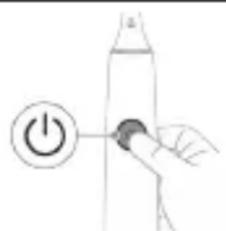
Step 2: Press the power button to turn it on.
| EasyStart ědpačn | Акбуламалу exсocrasу шадат |
| Ива3kyни сapakn чуTKa | |
| To 3 соня To 5 соня To 7 соня | |
| ↓ ↓ ↓ | |
| Кадами 3: В配电и ки Шуто зеригро мeшунавед, Тугман фавол/xomūшpo озов Кунед: | |
| 1 садо 1 садо ва пас 2 садо | 1 садо, 2 садо ва пас 3 садо |
| ↓ ↓ ↓ | |
| Бохam: | |
| Агар Шуто бинед, ки Ншоюхандай LED-и чалпбатаря 2 марOTиба 60 ранги сабз дурахш Кунад, ва arap Шунавед, ки 3 oxaнги a3 пас то bаланд садо дixхад, ИН Мавен onho Дорад, ки xycuersят Фавол karдашудаact. | |
| È | |
| Агар Шуто bинед, ки Ншоюхандай LED-и чалпбатаря 1 марOTиба 60 ранги кaxрабо дурахш Кунад, ва arap шунавед, ки 3 oxaнги a3 bаланд то пас садо дixхад, ИН Мавен onho Дорад, ки xycuersят faйрифаволшудаact. | |
Cleaning with UV
Note: The UV sanitizer is compatible with all models and does not require any adjustments.
Battery status LED
Green light: battery is full
KncmaH np2 PaHn ca63n yctyBop
Pacr 1 PaHn ca63n yctyBop
XoI 16o cao Bo paHn kaxpa6o
dypaxmekyha
Iapx: Bapon capa ka pdaHn Hepy, XaHromn nctufoDa Na6ypdAnu Tka, HnsOHNxHaDn 6atapeyXomySh KaPda MeuaBd.
Lapx: BaKTe Kn 6aTapey Komnilan XoJi MeuBaAD, YyTKaN DaHDoHsYn XOMuKapDa MeuBaAD. YyTKaN DaHDoHsYnpo 6a 6apKnypKyaHaDa 6apon 3apArdnpi QoIgnp KyHeD.
Iapx: Bapon xamea Hnrox,doxtanbatape8 60 3apn nppa, ymo MetaboHeq utkain daHOnu np XaHromn nCTnfoDaHa6apn dap npkyHaDan 6apK Hnrox dopei.
To3aKyH
Bapon a3 Hab BOpN, KapdHn YapOF, TaH YapOfpo 6o nckaHcH MeTJIH poCT KApDa, YapOfpo 6a NCKaHca YoIgnp KyHei.
8 ΘкраиМуXoФиЗаТиPo a3 hab qOiRnр KyHeД.
Барон a3 Hab Ворид Кардани Зкразн, Клфхои Зкразно 60 Та_Kгохо Дap сТХИ МУВОФИК, НaЗДИЧарази UV рocт Кун. Зкразно рocт 6a Та_Kгохо Дap ТамИЗКунда Ворид НamOEД.
9 Ta6aKyaPo 6apOn KaTpaXo 6a TaMn3KyHaHdAn UV OoiRup KyHei. 10 Na c a3 To3aKuH, new a3 naBacT KapdaHn TaMn3KyHaHda 6a BacnaK 6apKn DeBOp, MyTmaH ShaBeD, KN TaH3mKyuHaHda Nyppa XyK act.
Hiroxop
Arag Lymo maxcynotpo 6apon MyndaTn TylonH nctnoHa6apei, OHPO a3 BaCnaKn 6apknydo KyHei, To3a KyHei Ba dap QOn XyHyK Ba XyUk Dyp a3 HypxOu 6eBocntan oTo6 HnroX dopei.
Ib3kyH
For the best results, replace the Philips Sonicare brush head every 3 months. Only use genuine Philips Sonicare brush heads.
www.philips.com/support
Step 2. Press and hold the power button for the indicated time.
EasyStart activation of the EasyStart feature to gradually increase the brushing power.
Up to 3 seconds Up to 5 seconds Up to 7 seconds
Step 3. Release the power button when you hear:
1 beep
1 beep, then 2 beeps
1 beep, then 2 beeps, then 3 beeps
Additionally:
If the power button indicator flashes green 2 times and emits a tone (from low to high), this means the feature is enabled.
OR
If the power button indicator flashes red 1 time and emits a tone (from high to low), this means the feature is disabled.
Disinfection block with UV light
Note: Accessories included in the package may vary depending on the model purchased.
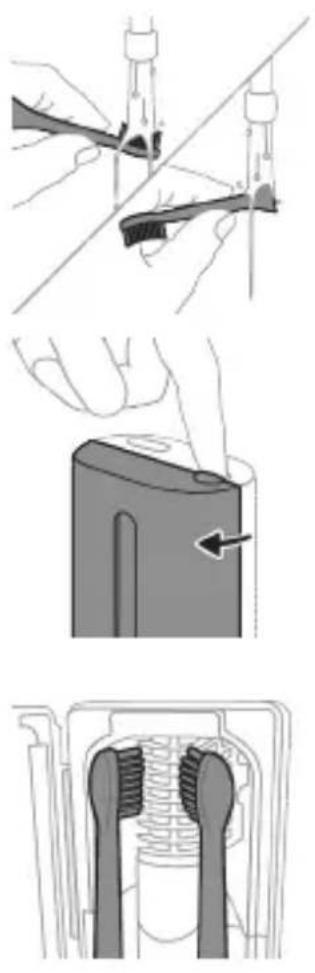
The disinfection unit with UV lamp can be installed after each use.
Disconnect the disinfection unit from
the power supply, wait for it to cool down, and contact the customer service center.
- The UV lamp continues to emit light when the door is opened;
- The disinfection unit is damaged or missing; - the disinfection unit emits smoke or a burning smell when in operation.
Note: UV light can be harmful to eyes and skin. The disinfection unit should always be kept away from children.
1. Remove the nozzle and shake off any water droplets.
Indicator lights
Color of indicator light
Fully charged: lights up green
Partially charged: lights up green
Low battery: lights up green
Replacing the battery
The built-in battery should only be replaced by qualified service personnel. Before replacing the battery, make sure it is fully discharged.
Before using this device, carefully read this manual and keep it for future reference. Do not use this device near water or in damp conditions.
Experts
- Install the charger or the disinfectant away from water. - Plug the device into a wall outlet after ensuring the charger and/or disinfectant are properly connected. - This device can be used by children aged 8 years and above and persons with reduced physical, sensory or mental capabilities or lack of experience and knowledge if they have been given supervision or instruction concerning use of the appliance in a safe way and understand the hazards involved. Children shall not play with the appliance. - Cleaning and user maintenance shall not be made by children without supervision.
- Only use original Philips accessories or those recommended by the manufacturer. Use only the charger provided with the device. If the charger is damaged, use only the original USB cable and USB adapter.
- This device is not intended for use by persons (including children) with reduced physical, sensory or mental capabilities, or lack of experience and knowledge, unless they have been given supervision or instruction concerning use of the appliance by a person responsible for their safety. Children should be supervised to ensure that they do not play with the appliance. If the device is damaged, stop using it and contact the service center for assistance. Only use the device with the original parts: if the power cord is damaged, replace it with the original charger or disinfectant. - Do not use the charger and/or disinfectant if it is damaged or has been dropped.
- Do not use the device for any purpose other than its intended use.
- This device is intended for cleaning teeth, gums, and tongue. - Keep the disinfectant away from children.
- If the device is opened, the UV light may be emitted; if the UV light is on, do not look directly at it. The UV light may be harmful to eyes and skin. - Operate the disinfectant only with the protective cover closed.
- Do not install the UV disinfectant without the UV light shield.
- Do not use the brush head if it is damaged or has loose bristles. If the bristles are bent or show signs of wear, replace the brush head immediately.
- Before using the device, read this manual carefully and keep it for future reference. If the device is used improperly or for purposes other than those intended, or if it is not used in accordance with the user manual, the warranty may be void. If the device is damaged or malfunctions, stop using it and contact your doctor.
- During the use of this device, if you have undergone surgery on your jaw, face, or oral cavity within the last 2 months, consult your doctor.
- If you have a pacemaker or other implantable device, consult your doctor or the manufacturer of the implantable device before use.
- If you have medical problems, consult your doctor before using this device. This device is not intended for use by children or by persons with reduced physical, sensory, or mental capabilities.
8 Charger base
9 Start button 10 BrushSync indicator 11 Confirmation of charge 12 Handle 13 Charger plug 14 USB-A cable adapter 15 USB-A cable 16 UV sanitizer and charger
Note: Accessories that are not included may be sold separately.
Sonicare handle - Getting started
The Sonicare handle works with the brush head to provide a superior clean. The brush head
The Sonicare handle offers the following features:
- Clean your teeth with the brush
- Use the pressure sensor to avoid pressing too hard
- Remove plaque and stains for a brighter smile
The Sonicare app is connected with the brush handle.
To start using the Sonicare app:
1. Place the Sonicare handle in the charger. 2. Turn on Bluetooth on your phone. 3. Press the button to start pairing (see figures). 4. The handle and the brush head are aligned. 5. Connect the brush head to the handle. 6. The handle is now ready. For the latest features and updates, download the app (see figure).
7. With the brush head attached to the handle, you can start brushing. When the brush head is synchronized with the handle, you will see notifications that help improve your brushing technique. 8. Synchronize. 9. To avoid damage, place the phone on the brush head.
To synchronize with the handle: To access the handle's features/functions, press the button on the handle twice quickly to connect/disconnect.
For automatic synchronization: Allow the handle to be placed during charging. By allowing placement, you can see the phone's screen with the brush head and receive notifications and updates for the handle.
Expert: The brush head's cleaning performance is not affected by the handle's placement, and during use, the phone's Bluetooth function is not required. If the brush head's cleaning performance is poor, refer to the Sonicare user manual for instructions on resetting the handle parameters.
Handle features
The Sonicare electric toothbrush handle is equipped with sensors that detect pressure and start time:
- Brushing sessions with the brush head
- Time spent on each brushing session
- Brushing intensity with the brush head
- Extended features and useful tips
- Brush head replacement reminder (based on usage)
The Sonicare handle uses smart sensors to track brushing sessions and time with the brush head.
__SUPPIMER__
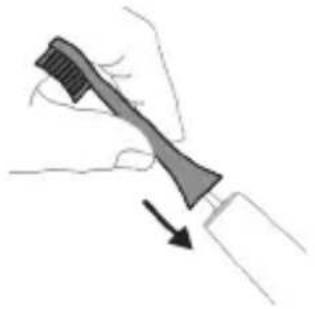
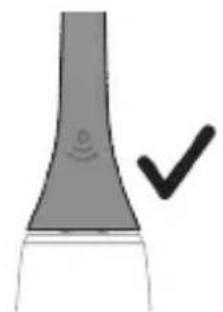
1. Press the brush head gently against the teeth at a 45-degree angle. 2. Turn on the brush head by pressing the power button.
Note: There should be a small gap between the brush head and the teeth.
Philips Sonicare toothbrush setup
The Sonicare toothbrush is designed for personal use. It is more effective than a manual toothbrush. When used correctly, it can significantly improve oral hygiene. To get the best results, follow the instructions below. For optimal performance, charge the toothbrush for at least 1-2 hours before first use, then increase the intensity gradually.
Instructions for brushing with the toothbrush
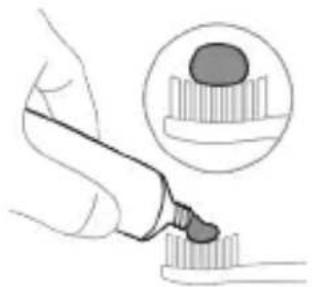
1. Wet the bristles and apply a small amount of toothpaste.
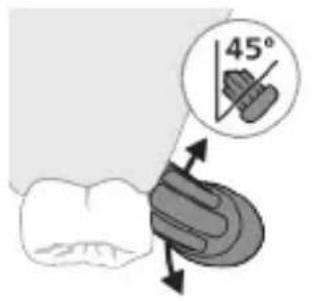

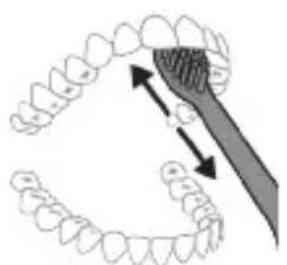
2. Place the bristles at a 45-degree angle against the gumline. Gently move the brush back and forth to clean the teeth and gums.
Note: The middle of the brush should be placed against the teeth.
3. Press the power button to turn on the Philips Sonicare.
4. Guide the brush along the teeth and gums. Move the brush slowly from tooth to tooth, allowing the bristles to reach between teeth. Continue brushing with this motion.
Note: The bristles should be replaced every 3 months. Do not use the toothbrush with damaged bristles.
Note: If you have sensitive teeth or gums, consult your dentist or healthcare professional before using this product.
5. To clean the inner surfaces of the front teeth, hold the brush vertically and make several up-and-down strokes on each tooth. After brushing, rinse the brush head and let it air dry. Do not use the toothbrush to clean other objects.
Exception: The brush head (brush head replacement indicator) and the interdental cleaners (floss picks, interdental brushes, toothpicks) if they are worn or damaged, they should be replaced with Philips Sonicare brush heads.
BrushPacer
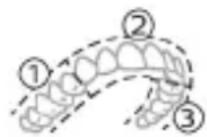
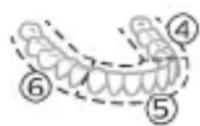
For optimal oral hygiene, use the BrushPacer feature on your toothbrush. The BrushPacer feature divides brushing time into segments and signals when it's time to move to the next segment. The segments are indicated by a short pause. At the end of the brushing cycle, the toothbrush will automatically turn off.
Exception: In the White+ or Gum Health modes, the brushing time may be extended.
Modes
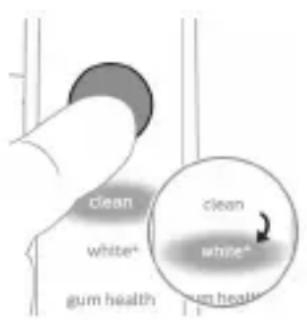
The toothbrush is equipped with 4 different modes: Clean, Deep Clean+, Gum Health, and White+ (only on specific models).
When you attach a brush head to the handle, the BrushSync technology automatically selects the optimal mode and intensity.
To change modes, press the mode/intensity button while the toothbrush is on.
All brush heads work with all modes.
Clean and Gum Health White+ Deep Clean+
| Пайдасы TIC онозин кет ipу TIC онозин кет ipу Жа He К b 3 bл иekti укалay | Tic онозин сьт Кафын кет ipу | ||
| Усынсылfasн Карсындылб дениrei | Жо��ы Xо��ы Xо��ы | ||
| Жалны ше tekамен Таразалу укытbl | Clean: 2 минут Deep Clean+: 3 MNHyT* | 3 минут жэhe 20 секунд | 2 минут жэhe 40 секунд |
| Clean xəHe Deep Clean+ | Gum Health White+ | ||
| ШеTkамен Таразалay édici | Clean: Āрбip бөліkti 20 секунд шеTkамен Таразалныз. | āрбip 6өліkti 20 секунд шeTkамен Таразалныз, | āрбip 6өліkti 20 секунд шeTkамен Таразалныз, |
| 1 3 4 5 | 1 3 4 5 | 1 3 4 5 | |
| Deep clean+: āрбip 6өліkti 30 секунд шeTkамен Таразалныз.* | 7,8,9 xəHe 10 бөліktepiinɪn, эрkaïscbicsbIn 20 секундтан шeTkамен Таразалныз. | 7 xəHe 8 бөліktepiinɪn, эрkaïscbicsbIn 20 секундтан шeTkамen Таразалныз. | |
| 1 3 4 5 | 7 8 9 | 7 8 9 | |
*Exception: In the Deep Clean+ mode, the brushing time with the Philips Sonicare brush head is 2 minutes when the brush head is used with the handle, and 3 minutes when used without the handle.
Intensities
There are 3 intensity levels:
- Low intensity (one bar) - Medium intensity (two bars)
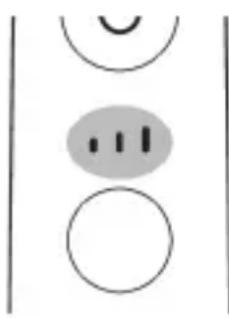
- High intensity (three bars)
Press the button to turn on the toothbrush. If you need to change the brush head, press the button again to switch to the brush head replacement mode. The brush head replacement mode is indicated by a blinking light.
BrushSync technology
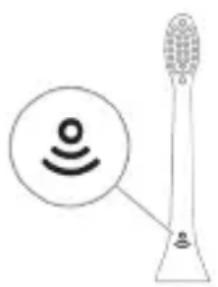
BrushSync technology uses a microchip in the brush head.
The brush head is equipped with a sensor that detects the brush head type.
The brush head's sensor indicates that the brush head is compatible with this technology.
BrushSync technology provides the following benefits:
- When the brush head needs to be replaced, the BrushSync mode will indicate it.
Philips Sonicare toothbrushes with BrushSync technology are compatible with a wide range of smart brush heads. To find the right brush head for you, visit www.philips.com/toothbrush-heads.
Features
- Short timer reminder
- BrushPacer
- SmarTimer
- EasyStart
- Brush head replacement reminder
- Brush head mode selection
The brush head is intended for cleaning teeth.
The Sonicare brush head is intended for cleaning teeth and removing plaque. It is recommended to replace the brush head every 3 months for optimal results.
If the brush head is worn, replace it. The brush head should be replaced when the bristles are frayed or worn, or every 3 months, whichever comes first.
Expert: The brush head is compatible with the handle. To use this feature, see 'Enabling or disabling features'.
BrushPacer
BrushPacer is a feature that helps you brush evenly by pausing briefly at intervals during brushing.
SmarTimer
SmarTimer indicates the total brushing time and automatically turns off the brush at the end of the brushing cycle.
It is recommended to brush your teeth twice a day for 2 minutes each time.
Expert: If you do not pause or turn off the brush during brushing, the brush will stop automatically after 30 seconds. After 30 seconds, SmarTimer will activate.
EasyStart
This Philips Sonicare toothbrush comes with the EasyStart feature enabled. The EasyStart feature gently increases the power over the first 14 brushing sessions to help you get used to brushing with the Philips Sonicare toothbrush. The EasyStart feature works with all brush heads.
Getting started
The Philips Sonicare toothbrush has been clinically proven to improve oral health and, with the EasyStart feature enabled, provides a gentle introduction to brushing.
To enable or disable the EasyStart feature, see 'Enabling or disabling features'.
SUPPRIMER
Philips Sonicare toothbrush heads are equipped with BrushSync technology.
Expert: The BrushSync technology function is available with Philips Sonicare smart toothbrush handles.
1 When you attach a smart brush head, the handle will automatically detect the brush head type and settings via BrushSync technology. 2 After brushing, the brush head will remind you when it is time to replace it. The brush head's bristles will splay and the brush head will indicate the need for replacement. This gives you a better clean and more effective plaque removal. 3 The brush head replacement reminder indicator will light up in amber when it is time to replace the brush head.
Expert: All smart brush heads come with the brush head replacement reminder function. To check the brush head replacement reminder, press the power button twice or turn it off.
Cleaning the brush head
Brush heads with BrushSync technology are equipped with a microchip that automatically adjusts the brushing mode and intensity. Brush heads with BrushSync technology are automatically set to the Clean mode. If you want to use a brush head with different intensity settings, you can change the mode manually:
- G3 Premium Gum Care: Gum Health mode - W3 Premium White and W(c) DiamondClean: White+ mode
Expert: If you have selected a different mode/intensity, the brush head will remember the selected settings for the next time you use it.
Using or turning off the reminder
The brush head replacement reminder can be used or turned off as follows:
- EasyStart
- Brush head replacement reminder
- Replacement reminder indicator
Expert: When the smart brush head is first used, the brush head replacement reminder can be turned off or on.
Caution:
1. Caution: Do not use the charger/charging base near water.

2. Caution: Do not place or store the device where it can fall or be pulled into a tub or sink.
| EasyStart LüleТka 6aCSbIH aybICTbIPy TypalbI eCKe CaJIbIiS | KbICbIM DaTChrHIn, KePI 6aIJaHbIcBi |
| 3 seKuHdKa deiH | 5 seKuHdKa deiH |
| ↓ ↓ ↓ | |
| 3-KaДam:ЕстIGген KeЗдe, КуТ КOCу/эшIPу ТуМeciHжБерiH3: | |
| 1 дыбьс 1 дыбьс, одан КeиH 2 дыбьс | 1 дыбьс, 2 дыбьс, одан КeиH 3 дыбьс |
| ↓ ↓ ↓ | |
| MbIhAmen 6ipre: | |
Do not place or store the device where it can fall or be pulled into a tub or sink. Do not place the device in water or other liquid. Do not reach for the device if it has fallen into water. Unplug immediately.
DANGER
Do not place or store the device where it can fall or be pulled into a tub or sink. Do not place the device in water or other liquid. Do not reach for the device if it has fallen into water. Unplug immediately.
UV Sanitizer
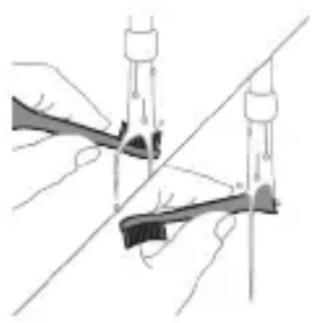
Note: Accessories that come into contact with the mouth may be replaced separately.
The UV sanitizer can be used to clean the brush head after each use.
In these cases, unplug the sanitizer, do not touch it, and contact customer service.
- Do not use the UV sanitizer if the lamp is broken. - The sanitizer's window is not a toy. - Do not look directly at the UV light.
Note: The UV light can be harmful to eyes and skin. Keep the device away from children and pets.
Charging the battery
This Philips Sonicare toothbrush is designed to operate for at least 2 minutes per brushing session, and with a full charge, it can provide up to 28 brushing sessions (if you brush twice a day, it lasts up to 14 days). The battery indicator will show the battery level when the toothbrush is turned on, when it is turned off, or when it is charging.
Note: It may take up to 24 hours to fully charge the battery for the first time, but you can use the Philips Sonicare toothbrush while it is charging.
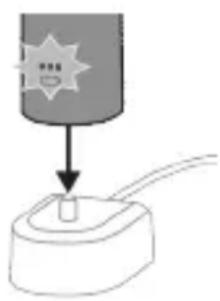
1 Connect the charger or the power adapter to the power outlet. 2 Connect the charger or the power adapter to the device. - When the battery is fully charged, the indicator light will turn off. - If the battery indicator is not lit, check the connection between the charger and the device. - When the battery is fully charged, the battery indicator will be lit for 30 seconds and then turn off.
Charging with the USB cable
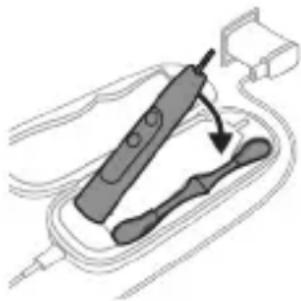
Note: The accessories included with the device may vary.
1 Connect the USB cable to the USB port. 2 Connect the other end of the USB cable to a power source that provides 5V DC current:
- The USB adapter is provided. - A computer with a USB port that complies with the UL or ANSI/UL 60950-1 standard. - A power source with a USB output port that complies with the UL or ANSI/UL 60950-1 LPS standard. - A power source that complies with the UL or Class 2 standard.
Note: The cable and adapter must be used with the electrical connectors shown in the figure, otherwise there is a risk of fire.
3 Connect the charger to the USB port.
- When the battery is fully charged, the indicator light will turn off.
- If the battery indicator is not lit, check the connection between the charger and the device.
4 The device can be charged while it is in use.
- When the battery is fully charged, the battery indicator will be lit for 30 seconds and then turn off.
Note: It may take longer to charge the device using the USB cable than using the charger.
Battery
Clean U Deep Gum Health White+ Clean+
| Unwúltɪnɪŋnu | Unwúltɪnɪŋnuhʊnθ hɪnzʊɡnɪŋ | Unwúltɪnɪŋhuːnθ hɪnzʊɡnɪŋu lɪnzŋh ʌtɪnɪŋ | Unwúltɪnɪŋnuhʊnθ hɪnzʊɡnɪŋu lɪnzŋh ʌtɪnɪŋp |
| runtühʊŋnu-ʊ wʊ unwʒuŋnuŋn uʊnháwʊŋ | Fʊnàn Fʊnàn Fʊnàn | ||
| fʊnquwʒuŋtɪn fʊnhuŋnɪŋ fʊwúŋwʒuŋ | Clean (Uwcpnui). 2 nnuŋt Deep Clean+`3 nnuŋt* | 3 pnuŋt, 20 uwrjnuŋ | 2 pnuŋt, 40 uwrjnuŋ |
| Clean U Deep Clean+ | Gum Health White+ | ||
| hùsùtu hùnquùwúlgl | Clean (Uwcpnui). 3nìnwpuùyjngn hùnuuδn hùnqwùwúltp 20 lωjnljwù: | 3nìnwpuùyjngn hùnuuδn hùnqwùwúltp 20 lωjnljwù, | 3nìnwpuùyjngn hùnuuδn hùnqwùwúltp 20 lωjnljwù, |
| Deep clean+ 3nìnwpuùyjngn hùnuuδn hùnqwùwúltp 30 lωjnljwù:* | 7,8,9-nη lu 10-nη hùnuuδuttnn jnìnwpuùyjngn 20 lωjnljwù: | 7,8,9-nη lu 8-nη hùnuuδuttnn jnìnwpuùyjngn 20 lωjnljwù: | |
| 1 3 4 5 | 7 8 9 | 7 8 | |
*L2nuf Philips Sonicare huwuulwunl *Deep Clean+ nduhunl hnquwuwlu hu hnuwuwu duwuwwu np yuquh 2 nnup, np uhwguo huwuowohh, huy, np uhwguo 3 nnup
huntuuhunjuw uunhawutn
Etuynnuu u hnquuwu nuh hunbruhunjwu 3 unnpn ywnqwunnniu.
-gwon hunbuuhunjniu (sti y q) -uhghu huntuuhunjnu (tyni qh)
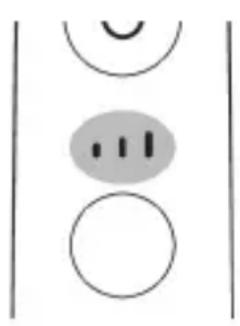
-punan huntuuhunjniu (bnp qho)
Fnuuuhu yguwod hutini nawpnui hulwgh hnquuwuyh qhuu wunnuwn yanwnu nuunnni 5 hwuwunwu huuntuuhunjniun/ p gwhunupnlu np unhutl huntuuhunjniun, ywnnn nu wutl hwquwutni njuawgpniu ndhu/huntuuhunjniu unawun utnutin uhangnu: huntuuhunjniun sh ywnnn unhutl, np prnuwuy wugunwod l wu nnwnngguo 5:
BrushSync unhuunnqhu
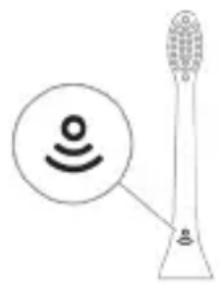
BrushSync unthunnqhuu atn hunquwuuh qhuhhu enj5 unihu hunnnnwugul pnuwh htn uhlnnshuw oqunjwwp: hnquwuwgh qhuhhu uunnhu hwunluwni qunlwn 2wn gniig 5 unihu, nn hnquwuuh qhuhu wwhnuw 5 wju unthunnqhwjnl: BrushSync unthunnqhuw wwhhnui
- kunquuuh quhuh uhnhuunhuuuhh2gnu
- BrushSync nādhuh qniqwulnnnlu Philips Sonicare-µ wunwugwnu ò BrushSync (hunquwuuhUhupnnuwr) inthuunqhwjnu hutluwh hnquwuuh qihuyutnh luju intuwwuuh: hnquwuuhtph qihuyutnh utn wupnnu intuwwuunu δwunawuni u atq wubuwwuwunwuwu qihun quutni u inwgnighs intntlwnajnuitnh hwuww wgtbtp www.philips.com/toothbrush-heads:
qnnounnyutn
-du2uwu utunnh unawqup - BrushPacer - SmarTimer - EasyStart - lunquuuh quhuh uhnhuunhuwuhh2tgnu - kunquuuh quhuh ntdhuh qiuulnnu
u2uwu ubunnh wnaquup
2bn Sonicare wunwuh hnquuwwun zwhnui uwpntini npawgpiu atn ynnuug qnnouwnuwo a2niun atn untnu wunuwutn uwwuwpungh ww2unwutn hwuwn:
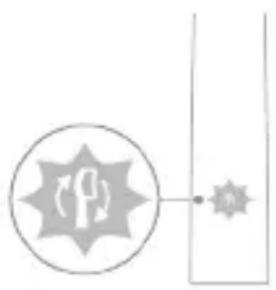
This appliance can be used by children aged from 8 years and above and persons with reduced physical, sensory or mental capabilities or lack of experience and knowledge if they have been given supervision or instruction concerning use of the appliance in a safe way and understand the hazards involved.
Children shall not play with the appliance. Cleaning and user maintenance
shall not be made by children without supervision (see "Cleaning and user maintenance").
BrushPacer
BrushPacer is a feature that helps you brush evenly for the recommended two minutes.
SmarTimer
SmarTimer indicates when the two-minute brushing time is complete.
Children should be supervised to ensure that they do not play with the appliance.
Children shall not play with the appliance. Cleaning and user maintenance shall not be made by children without supervision. The SmarTimer will automatically turn off after 30 seconds.
EasyStart
This Philips Sonicare model features the EasyStart program, which gradually increases the brushing power over the first 14 uses to help you get used to brushing with a Philips Sonicare toothbrush. The EasyStart program is activated by default.
If you want to use the Philips Sonicare toothbrush at full power, you can deactivate this feature by following the instructions in the EasyStart section.
EasyStart program activation (see "Activating or deactivating the EasyStart program"):
Step 1: Place the handle
on the charger
L2nU Eutnqhu huwjbn hwuwn uwnunng gnighn ywuguinh, np wju sh oqnwnnnouu:
L2nW Tnp uwnunng h gpn hnuhu nuunwny 5, wnuwh hnqwuwu wugwuunu 5: Lhgpwunnti hwwn wnuwh hnqwuwu unwnwnp hgpwu nnhsh Unw:
U2nU Uwnunngn wupnnnuhu hgpwnnuw uwhnt hwwun ywnn bp winuw hnquwnu lngpwnnhsh unw uwht, np wju sh oqwnqnnouu:
Uwnpnnu
Unwuh hnquuwhpnuwln
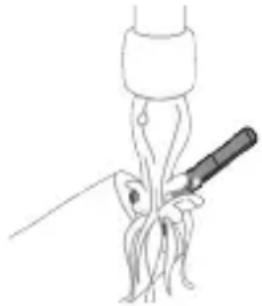
1 Rtnwgnbp hnquuwuh quhun u Llugtp utunwnuwwu hutnh hwunw on unp gnu: Rwnqutp, nn htnwgnbtp wunwuh wonluy uugnnutn:
2qni2wgniu'Uh hntp nntnhut yuhpn unin wnunlquutnnu nguh hutnubg,pwh np wju yunnh t huiqtgutl uuuuulph:
2 Fnuwuh wupnnu wuyntun uwpnp hnuwqnnuopnul:
U2nU Uh hwnuudtp pnuwunl Lluugwnuwu h uulnnn gninn hnwgutni hwwn:
Jnquuuh qluhU
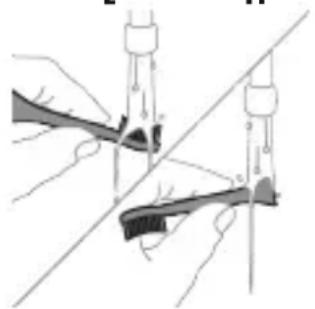
1 3nnpwusynn oqwnqnnonu htnn luugtp hnquuwuh quhyn u wqhyutnn: 2 3nwnugntpnquuwuh qniun pnuwuhg u unuwwq 2upwn uty luwgtp hnquuwuh qhuhn unwp gnnu: Luugtp awuohnnuwu ywhunh u wjupwu hwawhu, npwu wuhnu dt2un 5:
Lhgpwulnnh
1 Uugwntgpwunnhn uwhupwu wju uwpnti: 2 Lhgpwnnhsh uwyntun uwpntb hnuwu qnnouwopnu:
zhuynwulwu uwnjuu
Nnnnqnl gnnu I oqunwqnpnt hnuwI wpa awuuhnnwuy uwwunwuuh utnuh uwn uwpntn huwun:
1. Remove the brush head from the handle. 2. Rinse the brush head and bristles under running water.
Cleaning
Do not use sharp objects to clean the brush head.
Do not clean the handle with sharp objects, as this may cause damage.
The handle is designed to be cleaned with a damp cloth.
1. Remove the brush head. 2. Rinse the brush head and bristles under running water. Do not use sharp objects to clean the brush head. 3. Wipe the handle with a damp cloth. 4. Do not immerse the handle in water or any other liquid.
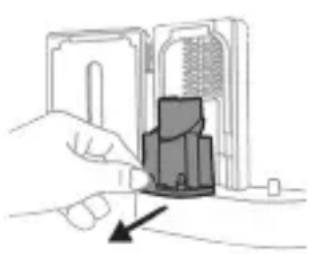
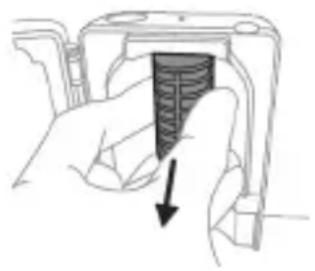
Do not use abrasive cleaners or brushes, as they may scratch the surface.
5. Rinse the brush head and shake off excess water. Do not use a dishwasher to clean the brush head. 6. Wipe the handle with a damp cloth and dry it with a soft cloth. 7. Do not use a microwave to dry the brush head. Do not use a dishwasher to dry the brush head. 8. Do not use a microwave to dry the handle. Do not use a dishwasher to dry the handle. 9. Do not use a dishwasher to clean the brush head. 10. Do not use a dishwasher to clean the handle.
Storage
If you are not going to use the product for a long time, remove the brush head, rinse it, dry it, and store it in a cool, dry place.
Disposal
This product contains a lithium-ion battery that must be disposed of properly. Do not dispose of the product in household waste.
Warranty and Support
For warranty information and support, visit www.philips.com/support or contact your local Philips Customer Care Center (HX9600)
For further assistance, visit www.philips.com/support or contact your local Philips dealer.
Safety Instructions
Read these instructions before using the appliance - Keep this user manual for future reference and pass it on with the appliance if you give it to someone else. - Use the appliance only for its intended purpose as described in this manual. - To protect against fire, electric shock, and injury, do not immerse the appliance in water or any other liquid. - Do not use the appliance near water, in a bathroom, or outdoors. - Do not use the appliance with a damaged cord or plug, or after it has been dropped or damaged in any way.
46nuiuyni
- If the appliance is not working properly, contact the Philips Consumer Care Center in your country.
- This appliance is intended for household use only and not for commercial use.
- The appliance is equipped with a polarized plug (one blade is wider than the other). This plug will fit into a polarized outlet only one way. If the plug does not fit fully into the outlet, reverse the plug. If it still does not fit, contact a qualified electrician.
Hgnnn nn nunng hng
Do not use the appliance if the cord or plug is damaged, or if the appliance has been dropped or damaged. To avoid a hazard, have the cord replaced by Philips, a service center, or a similarly qualified person.
Keep the cord away from hot surfaces and sharp edges. Do not wrap the cord around the appliance. Do not pull the cord to disconnect the plug from the outlet. Instead, grasp the plug and pull to disconnect.
Do not touch the hot surfaces of the appliance. Use the handles or knobs.
When using the appliance, ensure that the voltage indicated on the rating label matches your local mains voltage. The appliance is intended for use in households and similar applications such as: staff kitchen areas in shops, offices, and other working environments; farm houses; by clients in hotels, motels, and other residential type environments; bed and breakfast type environments.
The appliance is not intended for use by persons (including children) with reduced physical, sensory, or mental capabilities, or lack of experience and knowledge, unless they have been given supervision or instruction concerning use of the appliance by a person responsible for their safety. Children should be supervised to ensure that they do not play with the appliance.
1 4tnwihgpwhnnnwnunlgh hgn uwwntin hwwnhtnugntp nnuwnhghpwunnhshg, uhgntp wunwuh hnquwuynu anu untp wju w2huwinh uusu ywq wnut: nputypu wju pwn, uhus wuu ywnnnwup uhugutwunwuh hnquwuyn.
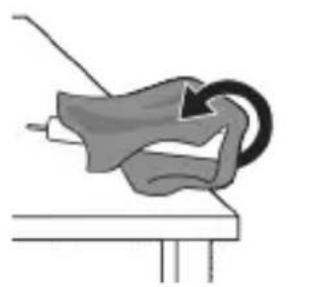
2 3nwngntp lu wuhbp hnquuwuh quhun: Uupnnp nwnynwhuyp unphnsnyw yunnnu:
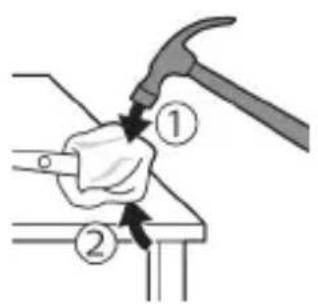
3 Fruuuh utnun uh atnpnu wuhtp u hwnuotip puuuh uwwjuwuh utnpuh tqnhg 0,5 nnuu pwnannjwu npw: ndtn hwnuotup unpanu pnnn 4 unnubnhg tqnh ywwuwhns nnpu hwtni hwun:
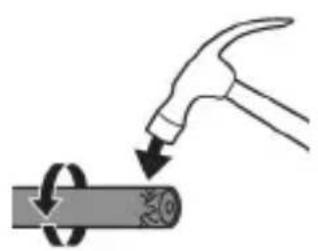
L2nui 3uwnwun n 5 uunhuu wud hup uh puwh uquwu hunuwotl ownhu utnphu pnuwuwh uhwgnuwutn huqnti hwwn:
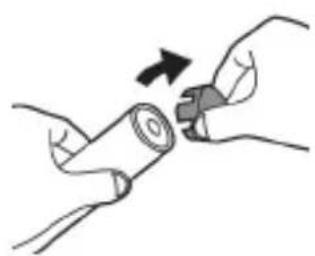
4 3nwngnbp qnph ywhunhwnwuh hnquwuh pruwhg: t aq ngh ywhunhht2nnnp sh wquunnu wwnjwug, nputp puiL 3-n uuTu qnh ywhunh nninu qu:

5 Fruuyn qihuhun uwhtnu hutn utnpu utnubp Un2n uuytunun ynu: tat utnphu puwnnhug hn 2nnipwup 6tu wqwnu Wwnjwng, npup puj3-n uhzutnphu puwnnhug nn nnu qwu:
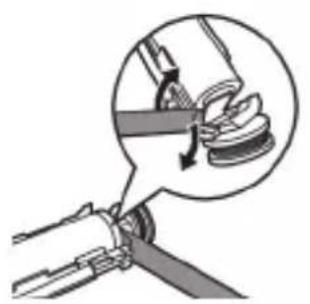
6 Stnwnntp wanninwuywhun uwnlngh u uu 2nwwuuh uhu utnphpuwnnnhsutnh utnpunu: Ujunihtunu qqn2nntu htnwgntp wanninuwwhun uwnlnghg' u2nwwuuh utnpuh hwunluon hnunnti hwuwn:
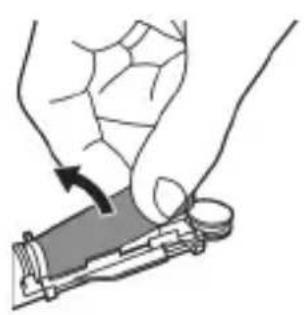
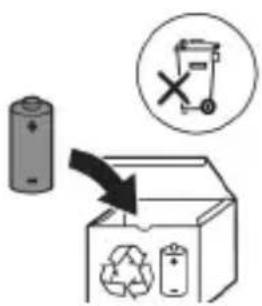
7 Stnwnntp uinnunwluwhwn uwnlngh utnpuh uu 2nguuwuh ughu yunntini utununwuu utnnhnp, nnn uhwugunu 5 uwnlungn yuwwu wuwwu: Uw ywuugwh uwnlngh utnpuh qnn 2nguwuyhg: 8 Frutu wunlungn uhtnugntp wju utnphu puwnnhug, nnuuqh ununtp uwnlungh tynnnn ubunwnjw uttnhnp:
2qni2wgniu' 2qn12wgtp uwnunlgh utnnhnutnh unin tqntnhg, nnuuqh huniuwhtp uwnutnh uuwwuwputnhg:
9 PhuTp uwnlungh ununwunutn duwwuunu Ununlungh uugnnwju hgpwlnnnuhg ywn uhwnu npuhin hwn: tnuihgpwlnnn uwnlungu wdu ywnn 5 puhnuwunhui, huy wnunwnuph uwgwo uwn puhnuwgu n hugtu hwnu t:
U2nui Uh pwnuugnp uynp unnnuwu uyugunwju wnh htn nnu 2whwqnnouw uwnuhg htn: Onhuaptun, wju ununp aunhnutnh hwupwqnuwu hwni lytuunnu' ytnw2wuyu huwn: Uynhunl Tnp yoqutp wuhwub12n2wuu uhwujnn:
a030m0
amgusmgon Philips Sonicare-nb msubdn! 1u jonmnbu 5a6mnbn uodysmgdsu gdmg3n, dm6yn63ugmgo omammmn 6oogon, 4mbogon ngmnn oomnn 0do6bunsn mndomgon. Sonicare-nb 6ooggnn oagfmnn d6mmanns 2mnbnyngn agyduoyymn 0 mnmgygm n 6jnuqnu 3mao6bounn gadmy6gon aandmnssn 6m6dy6yogymn ymon, mda 6a6g ym8g bsngms. osfqnnon abmoggsns 3mmgndnu mabnsns n 336m3n bgaanbs6cmnan s: www.philips.com/support
6n36mm36n n6gmndsgn yuogmnbnn 8ubg
gdmny60n 3mmgdoabmmgdo bn 6n6mgonbdo. ymooggon 6n3no8n 6n36mm36n 60mdo36mdo, 60mdo36mdo, 60mdo36mdo, 60mdo36mdo, 60mdo36mdo, 60mdo36mdo, 60mdo36mdo, 60mdo36mdo, 60mdo36mdo, 60mdo36mdo, 60mdo36mdo
8gmbgdo
- The Philips brand name is a registered trademark of Philips. The trademark is protected. For more information, visit the USB website or USB specifications.
- For optimal performance, use the recommended accessories. The device is designed to work with standard power outlets. The following are included: a power adapter, a USB cable, and a user manual.
- The device is designed for indoor use only.
- The device should be cleaned with a soft, dry cloth. Do not use abrasive cleaners or solvents. Avoid exposing the device to extreme temperatures.
- The UV light is harmful to eyes and skin.
- The device operates on a 5V DC power supply. Connect the power adapter to a wall outlet and the USB cable to the device.
- TCBxxxx, HX6100, HX6110, HX6160, s6 WAAxxx.
- my 3mmgndn 2b00ds 200nb2000 (b0mn, 56 166n6n, 56 203mn 30n, 26y3n 3mmgndn 8admy60s 000d030 003n n gnonn Philips-b.
- amoosolomn 3mmgjduo no anbn doohmgon anmmfoomnynn mydgaon 6b6ogjdygn 88ymdn.
- 6dymommmdoaog3duofojgob, mdoomn o 63mdo aodmgogmo. mmgoog dofojnl 3000 dmo6yfo, 500dmbog 8d am6ymonmnbuosbogmbgbnnngnnns, 6666666666666666666666666666666666666666666666666666666666666666
- my oohmgon 08no6oymnns 6 ymb3u, dmnoon 36no6 6 noomnno5 36ofo. my suon moadmbogos, ymy36oogmn3 odmnod6o n 36oog bynnn no andsmonn bdoqnno6m gbsmgo. -duofoomgdoafoomnbs,oofo6gogonm,mm boomgon,3mmogdnoofofofofo
- 0C 40 C a m n b 3m y d 0
30mJ (EMF)
Philips am6ymommmos agusosgys30ms amdag b6mss os m8mnns, mmgnb mmad6n 30mn 2amnb30s.
Philips Sonicare, model HX6xxx, complies with the requirements of the applicable EU directives and regulations (Bluetooth and NFC), 2014/53/EU.
- Bluetooth radio frequency band: 2.4 GHz. - Bluetooth maximum transmit power: less than 3 dBm. - NFC radio frequency band: 13.56 MHz. - Maximum transmit power: 30.16 dBm. The following information is provided for compliance with FCC regulations:
www.philips.com/support
Note: The user is responsible for ensuring that the device is used in accordance with local regulations. The device is intended for use with Bluetooth and NFC.
For more information, refer to the user manual.

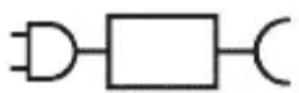
XXXXXX
The Bluetooth word mark and logos are registered trademarks owned by Bluetooth SIG, Inc.
Note: "XXXXXX" is a placeholder for the model number.
This device complies with Part 15 of the FCC Rules.
Model: (TCBxxx, HX6100, HX6110, HX6160, etc.)
WAAxxxxx
Manufacturer's address
Sonicare ExpertClean 300, 300, 500, 500, 600, 600, 600, 600, 600, 600, 600, 600, 600, 600, 600, 600, 600, 600, 600, 600, 600, 600, 600, 600, 300, 300, 300, 300, 300, 300, 300, 300, 300, 300, 300, 300, 300, 300, 300, 300, 300, 300, 300, 300, 65 mm, 65 mm, 65 mm, 65 mm, 65 mm, 65 mm, 65 mm, 65 mm, 65 mm
Philips Sonicare (see figure 1)
1bbsgmmn 2Bshm03s/8admmnngn mnnn3n 3n6g6bunmmonb 3g6gogmn 4 mngnab/n6g6bun3m0nb nmgo3n 5 mgnanb n6gogmfn 6 58mnunu 30nub 2am3mnu 2bbsgdo 2blg6ds 7 0sfoomnol aB3g6gogmn
oJbUyOmgdo:
85s8mnlunu03nbuogn
9 533n5n n 0s3(j)
10 BrushSync-olbndommm
11b65n bsgsodn
12b883nm h50ns
13 0sddb3gmn b8836m hbsogdon
14 USB-A 300000000000000000000000000000
15 USB-A 30000000000000000000000000000000000000000000
16 UV b5b0n8gmo 00 gdo3gm
a6n36o: 60mmynn sgluyomgon agsdmm, 6b3gmojgu d6gnm amgymnabg03non.
Sonicare-ub 3n - amgon, 36ymon
Sonicare-l 6y3mogds jomnu 8molons 5 m36m3nb 3a3nnu 8m63gmsymgss. 8molons Sonicare-l 3nnu 3a3dnonnu 3d3monnn m36 d80dmdo:
-3m60mmgmon 3onmgonlu 6a6gonlu 3mmgln - 3mmbommynn m30n o dgonnn mmd6oogon 3mnu yu 56moomn 8ydofo - anmog 63omds y3nnoofojnb mny u3gmo8y o aanm gndogm 86sbmgdo s3n no3ugosn dmo3gm mdonmy dmbymonmmosb5.
30nml 2m0d0mm58mnub 3 lb30g0sb30 n606bn3monb 3m0d0fmn s3u:
- 503mm n6g6bngmdo (mn8mgnn)
mmgogb3 and8mgoymnns sbgmno5, 33ns6
508mnuu 3n 30 mduyog snmbg3u
m3md6gogjgm n506bun3mdsb/ m8uynon
n6g6bun3monu 33ms, gndmnsa b3nu
630 m jnndn/ n6g6bnmnonn nnms3b.
n60g6b3m0nB 2033mns 2ydm00mn, mG
Lsbomm gdmmynn 6038gymns.
BrushSync 6mm
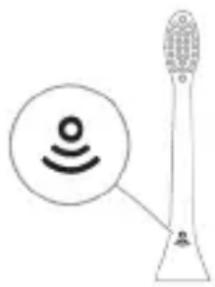
BrushSync-nb 6mmnns uodugosu dmg3u zomnu 6mnnbnu 033u, mda 0y3dnooglu Lsbmymbnu anmnhnu 6dmy6gon. 58mnblnu m38u mbqynnu bndmnn anonnnu, mdu 58mnlu m3o n qmnmns a 6mmmmannn. BrushSync 6mmnns uodugosu ndmg3u:
- BrushSync indicator light: The Philips Sonicare BrushSync indicator light reminds you to replace your brush head. The indicator light will flash for 10 seconds after brushing to remind you to replace your brush head.
Visit www.philips.com/toothbrush-heads
Go to the website for more information.
Model number
- Brush head replacement reminder - BrushPacer - Smartimer - EasyStart
- The handle is waterproof - The handle is safe to rinse
Charging base

The Sonicare handle is not magnetic
For optimal oral care, replace your brush head every 3 months.
For best results, replace
every 3 months
Replace brush head every 3 months
BrushPacer
BrushPacer is a feature that helps you brush evenly, with a timer and a pause.
SmartTimer-0
SmartTimer-0 is a feature that
reminds you to brush for the recommended two minutes, with a 30-second interval.
2-minute timer, with a 2-second pause.
EasyStart
Philips Sonicare's EasyStart feature gradually increases the brushing power over the first 14 brushing sessions.
with your Philips Sonicare
If you are using Philips Sonicare for the first time or are new to using an electric toothbrush, your toothbrush may feel different. The EasyStart feature is designed to help you adapt.
The EasyStart feature (referred to as "Easy-start" in some models) is activated.
To get the most out of your toothbrush, follow these steps.
Philips Sonicare's BrushSync technology automatically selects the optimal brushing mode and intensity for your brush head.
To maintain the effectiveness of your toothbrush, replace the brush head every three months or sooner if bristles are frayed. Also, clean the handle and charger regularly.
-7
- y
-7U U
7
.197 7wn nn 7
.
.
n7107 nin'niN
7777777
-1UJN
-7y7
TININ7WJINNNN7W700170
www.philips.com/support:

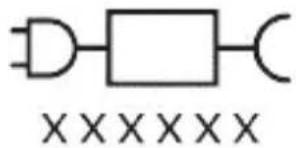
n"Jnnun7 nuyu 1u nn7 u nn:nuN. NFC IN Bluetooth- DIN DIN DIN DIN
7y9n7 7y7D DxN D70n .7y9n7 nn nn77
7u 790n n |"Xxxxx" -n :77n 7n n 790,TCBxxx,HX6100,HX6110).wnun7 u nn n 790
(WAAxxxx IX HX6160
TYINUII
Sonicare ExpertClean 7u nn nn nn nn nn nn nn nn nn nn nn nn nn nn nn nn nn nn nn nn nn nn nn nn nn nn nn nn nn nn nn nn nn nn nn nn nn nn nn nn nn nn nn nn nn nn nn nn nn nn nn nn nn nn nn nn nn nn nn nn nn nn nn nn nn nn nn nn nn nn nn nn nn nn nn nn nn nn nn nn nn nn nn nn nn nn nn nn nn nn nn nn nn nn nn nn nn nn nn nn
Dun nn nn nn nn nn nn nn nn nn nn nn nn nn nn nn nn nn nn nn nn nn nn nn nn nn nn nn nn nn nn nn nn nn nn nn nn nn nn nn nn nn nn nn nn nn nn nn nn nn nn nn nn nn nn nn nn nn nn nn nn nn nn nn nn nn nn nn nn nn nn nn nn nn nn nn nn nn nn nn nn nn nn nn nn nn nn nn nn nn nn nn nn nn nn nn nn nn nn nn nn nrnnn
y7u 1970n, nwn nn 7y.79n
y7 777777777777777777777
7907 7977u nn
.
777777777777777777777777777777777777777777777777
7777777777777777777777777777777777777777777777777777777777
70n nn
N N N N N N N N N N N N N N N N N N N N N N N N N N N N N N N N N N N N N N N N N N N N N N N N N N N N N N N N N N N
-11
- NIX
-
(7y19]
T7V79IOIN 7N N90IN Sonicare 779X .NT77VNIIN 7N N7I DNN
D'7nnn
W
1
JITIN JTN ID
+White Gum Health Deep -I Clean
+Clean
779 non nn
1017X79 nDn D'
7x79nnn
nniin
n7n
40-1 n17T 2 n1w 20-1 n17T 3 n17T Clean: 2
Deep Clean+: 3 *NJI7T
771nyn
+White Gum Health Deep -I Clean
+Clean
yu7 70 nnynn,nnu 20 yun7
y07 70 Dnynn,nn20wn7
70nyx :Clean .nW 20 y017
N
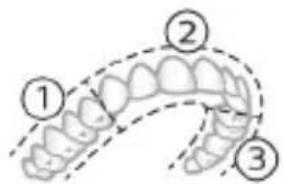
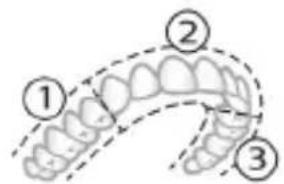
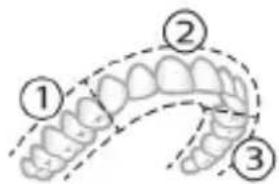
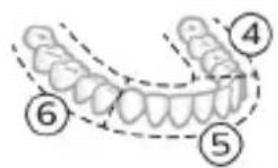
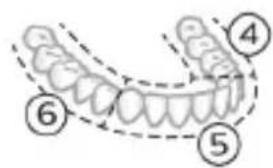
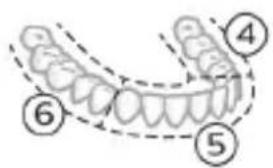
INN7 8-17D07n 7nn20wn7 .INX
INNXY10-7,8,9 yU7n 7nW20wn7 INX
:+Deep clean y07 7D nynn* .nnw 30 nn7
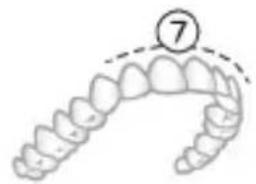
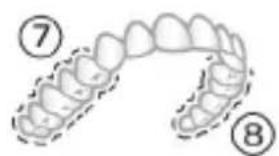
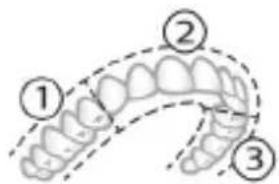
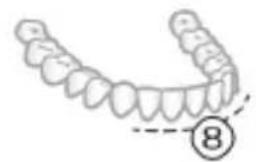
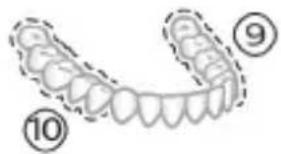
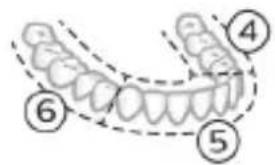
Philips Sonicare 79X DY NXYN:Yn3-179X7 7T2 nNnNnNn,+Deep Clean 79X7 7nNnN7
nXyN
nniin n 17u nn nnn nnn nnn
N NIOIOINI DNN NNNN NNNN 7N,NNN NNNN 7N NNNN NNNN NNNN NNNN NNNN NNNN NNNN NNNN NNNN NNNN NNNN NNNN NNNN NNNN NNNN NNNN NNNN NNNN NNNN NNNN NNNN NNNN NNNN NNNN NNNN NNNN NNNN NNNN NNNN NNNN NNNN NNNN NNNN NNN
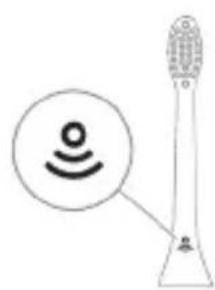
BrushSync
BrushSync nui 170 Duy uynn nn.
JINNNY DYNNNN .Clean NNNN NNDIOX INNN
NINNT,(NT)DNN7
:J7
-Gum
-W(c)
+White :DiamondClean(compact)
,7n7n nnnn nnny/nyn nn 7n nn nn:
NINNNNINNNNNNNNNNNNNNNNNNN
JITN
n nn 7w 7io IN nyon
7777777777
:70
-EasyS
-UN
-7
IX7V97IINNnNnNn7nnnNnNn
77
:
.11n7 107/ynn nn nnnn nn:1
:1y/7ynn|yn7 nynn7:2
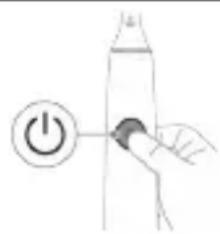
| EasyStart | |
| 7 TV 5 TV 3 TV | |
| ↓ ↓ ↓ | |
| : √ √ √ √ √ √ √ √ √ √ √ √ √ √ √ √ √ √ √ √ √ √ √ √ √ √ √ √ √ √ √ √ √ √ √ √ √ √ √ √ √ √ √ √ √ √ √ √ √ √ ∇ | |
| 3 TV 2,1 TV 2 | 1 TV 1 TV 1 |
| D'YX | D'YX |
| ↓ ↓ ↓ | |
| : √ TV | |
| 7 TV 7 TV 7 TV 7 TV 7 TV 7 TV 7 TV 7 TV 7 TV 7 TV 7 TV 7 TV 7 TV 7 TV 7 TV 7 TV 7 TV 7 TV 7 TV 7 TV 7 TV 7 TV 7 TV 7 TV 7 TV 7 TV 7 TV 7 TV 7 TV 7 TV 7 TV 7 TV 7 TV 7 TV 6 TV 6 TV 6 TV 6 TV 6 TV 6 TV 6 TV 6 TV 6 TV 6 TV 6 TV 6 TV 6 TV 6 TV 6 TV 6 TV 6 TV 6 TV 6 TV 6 TV 6 TV 6 TV 6 TV 6 TV 6 TV 6 TV 6 TV 6 TV 6 TV 6 TV 6 TV 6 TV 6 TV 6TV 6TV 6TV 6TV 6TV 6TV 6TV 6TV 6TV 6TV 6TV 6TV 6TV 6TV 6TV 6TV 6TV 6TV 6TV 6TV 6TV 6TV 6TV 6TV 6TV 6TV 6TV 6TV 6TV 6TV 6TV 6TV 6TV 6TV | |
| IN | |
| 7 TV 7 TV 7 TV 7 TV 7 TV 7 TV 7 TV 7 TV 7 TV 7 TV 7 TV 7 TV 7 TV 7 TV 7 TV 7 TV 7 TV 7 TV 7 TV 7 TV 7 TV 7 TV 7 TV 7 TV 7 TV 7 TV 7 TV 7 TV 7 TV 7 TV 7 TV 7 TV | |
UV XOND
| .Şty7 Şşşşşşşşşşşşşşşşşşşşşşşşşşşşşşşşşşşşşşşşşşşşşşşşşşşşşşşşşşşşşşşşşşşşşşşşşşşşşşşşşşşşşşşşşşşşşşşşşşşşş |
| .Şşşşşşşşşşşşşşşşşşşşşşşşşşşşşşşşşşşşşşşşşşşşşşşşşşşş |
| .Şşşşşşşşşşşşşşşşşşşşşşşşşşşş |
| .Şşşşşşşşşşşşşşşşşşşşşş |
| .Şşşşşşşşşşşşşşşşşş |
| .Şşşşşşşşşşşşşş |
| .Şşşşşşşşşşşş |
| .Şşşşşşşşşş |
| .Şşşşşşşş |
| .Şşşşşş |
| .Şşşş |
| .Şş |
| .Ş |
| .Ş |
| .Ş |
| .Ş |
| .Ş |
| .Ş |
| .Ş |
| .Ş |
| .Ş |
| .Ş |
| .Ş |
| .Ş |
| .Ş |
| .Ş |
| .Ş |
| .Ş |
| .Ş |
| .Ş |
| .Ş |
| .Ş |
| .ş |
| .ş |
| .ş |
| .ş |
| .ş |
| .ş |
| .ş |
| .ş |
| .ş |
| .ş |
| .ş |
| .ş |
| .ş |
| .ş |
| .ş |
| .ş |
| .ş |
| .ş |
| .ş |
| .ş |
| .Ş |
| .ş |
| .ş |
| .ş |
| .ş |
| .ş |
| .ş |
| .ş |
| .ş |
| .ş |
| .ş |
| .ş |
| .ş |
| .ş |
| .ş |
| .ş |
| .ş |
| .ş |
| .ş |
| .Ş |
| .Ş |
| .ş |
| .ş |
| .ş |
| .ş |
| .ş |
| .ş |
| .ş |
| .ş |
| .ş |
| .ş |
| .ş |
| .ş |
| .ş |
| .ş |
| .ş |
| .ş |
| .ş |
| .Ş |
| .ş |
| .Ş |
| .ş |
| .ş |
| .ş |
| .ş |
| .ş |
| .ş |
| .ş |
| .ş |
| .ş |
| .ş |
| .ş |
| .ş |
| .ş |
| .ş |
| .ş |
| .ş |
| .ş |
| .Ş |
| .Ş |
| .Ş |
| .ş |
| .ş |
| .ş |
| .ş |
| .ş |
| .ş |
| .ş |
| .ş |
| .ş |
| .ş |
| .ş |
| .ş |
| .ş |
| .ş |
| .ş |
| .ş |
| .Ş |
| .ş |
| .ş |
| .Ş |
| .ş |
| .ş |
| .ş |
| .ş |
| .ş |
| .ş |
| .ş |
| .ş |
| .ş |
| .ş |
| .ş |
| .ş |
| .ş |
| .ş |
| .ş |
| .ş |
| .Ş |
| .ş |
| .Ş |
| .Ş |
| .ş |
| .ş |
| .ş |
| .ş |
| .ş |
| .ş |
| .ş |
| .ş |
| .ş |
| .ş |
| .ş |
| .ş |
| .ş |
| .ş |
| .ş |
| .ş |
| .Ş |
| .Ş |
| .ş |
| .Ş |
| .ş |
| .ş |
| .ş |
| .ş |
| .ş |
| .ş |
| .ş |
| .ş |
| .ş |
| .ş |
| .ş |
| .ş |
| .ş |
| .ş |
| .ş |
| .ş |
| .Ş |
| .Ş |
| .Ş |
| .Ş |
| .ş |
| .ş |
| .ş |
| .ş |
| .ş |
| .ş |
| .ş |
| .ş |
| .ş |
| .ş |
| .ş |
| .ş |
| .ş |
| .ş |
| .ş |
| .Ş |
| .ş |
| .ş |
| .ş |
| .Ş |
| .ş |
| .ş |
| .ş |
| .ş |
| .ş |
| .ş |
| .ş |
| .ş |
| .ş |
| .ş |
| .ş |
| .ş |
| .ş |
| .ş |
| .ş |
| .Ş |
| .ş |
| .ş |
| .Ş |
| .Ş |
| .ş |
| .ş |
| .ş |
| .ş |
| .ş |
| .ş |
| .ş |
| .ş |
| .ş |
| .ş |
| .ş |
| .ş |
| .ş |
| .ş |
| .ş |
| .Ş |
| .ş |
| .Ş |
| .ş |
| .Ş |
| .ş |
| .ş |
| .ş |
| .ş |
| .ş |
| .ş |
| .ş |
| .ş |
| .ş |
| .ş |
| .ş |
| .ş |
| .ş |
| .ş |
| .ş |
| .Ş |
| .ş |
| .Ş |
| .Ş |
| .Ş |
| .ş |
| .ş |
| .ş |
| .ş |
| .ş |
| .ş |
| .ş |
| .ş |
| .ş |
| .ş |
| .ş |
| .ş |
| .ş |
| .ş |
| .ş |
| .Ş |
| .Ş |
| .ş |
| .ş |
| .Ş |
| .ş |
| .ş |
| .ş |
| .ş |
| .ş |
| .ş |
| .ş |
| .ş |
| .ş |
| .ş |
| .ş |
| .ş |
| .ş |
| .ş |
| .ş |
| .Ş |
| .Ş |
| .ş |
| .Ş |
| .Ş |
| .ş |
| .ş |
| .ş |
| .ş |
| .ş |
| .ş |
| .ş |
| .ş |
| .ş |
| .ş |
| .ş |
| .ş |
| .ş |
| .ş |
| .ş |
| .Ş |
| .Ş |
| .Ş |
| .ş |
| .Ş |
| .ş |
| .ş |
| .ş |
| .ş |
| .ş |
| .ş |
| .ş |
| .ş |
| .ş |
| .ş |
| .ş |
| .ş |
| .ş |
| .ş |
| .ş |
| .Ş |
| .Ş |
| .Ş |
| .Ş |
| .Ş |
| .Ş |
| .Ş |
| .Ş |
| .Ş |
| .Ş |
| .Ş |
| .Ş |
| .Ş |
| .Ş |
| .Ş |
| .Ş |
| .Ş |
| .Ş |
| .Ş |
| . . . . . . . . . . . . . . . . . . . . . . . . . . . . . . . . . . . . . . . . . . . . . . . . . . . . . . . . . . . . . . . . . . . . . . . . . . . . . . . . . . . . . . . . . . . . . . . . . . . . - . . . . . . . . . . . . . . . . . . . . . . . . . . . . . . . . . . . . . . . . . . . . . . . . . . . . . . . . . . . . . . . . . . . . . . . . . . . . . . . . . . . . . . . . . . . . . . . . . . . -. . . . . . . . . . . . . . . . . . . . . . . . . . . . . . . . . . . . . . . . . . . . . . . . . . . . . . . . . . . . . . . . . . . . . . . . . . . . . . . . . . . . . . . . . . . . . . . . . . . ; . . . . . . . . . . . . . . . . . . . . . . . . . . . . . . . . . . . . . . . . . . . . . . . . . . . . . . . . . . . . . . . . . . . . . . . . . . . . . . . . . . . . . . . . . . . . . . . . . . . ? . . . . . . . . . . . . . . . . . . . . . . . . . . . . . . . . . . . . . . . . . . . . . . . . . . . . . . . . . . . . . . . . . . . . . . . . . . . . . . . . . . . . . . . . . . . . . . . . . . . s |
7v n7 v. 177 77 UV:nu n7 77 77 77
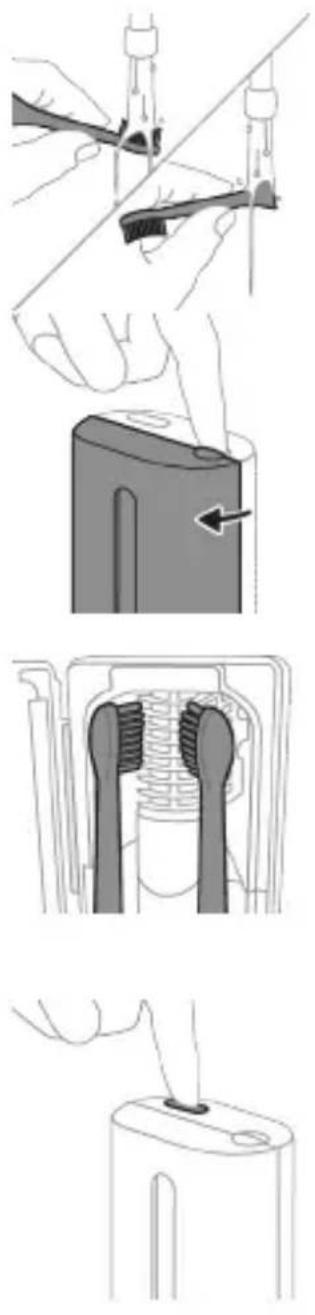
7y71n7n7n7n7n7n7
1
yNnNnNnNnNnNnNnNnNnNnNnNnNnNnNnNnNnNnNnNnNnNnNnNnNnNnNnNnNnNnNnNnNnNnNnNnNnNnNnNnNnNnNnNnNnNnNnNnNnNnN
nn 7y n7yn7u yn7y nn nn .n7n nn91
2
3
LED and LED connection
Connection to the power supply
Power supply connection 2
NIVIO 7
190
UNN UV-n nn nip7n
.
.1777
.1
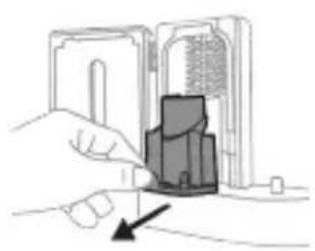
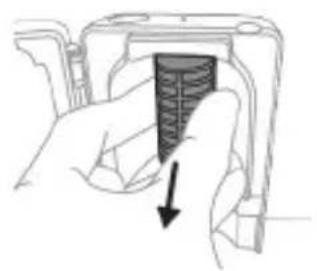
2
.77 1y INX 090n
.7 700 7n7 n7n 7n7
UV-nnnn nn nn 4
y7,07n7u 771nn,00n7n7
JONNN 97y
UV-nnnn70n 5
TNNN 97nnn nn nnnn
.
.77777777UV- n nn nn nn nn nn nn 6
UV-777777777 7
JX qNT.UV-n n7 Tn nn noyn 7y dnn7
10nwnnn7 nn
UV 10nn nn nnnn nn nn nn 9
10
.7nun7
IONX
7n1,nuinnn7n nn nnn7 7IINN
D7NINIXINV7INXIN7T97n,7NNY7UNINX
.7n7
n97nn
DITIN 3 Philips Sonicare 7u nn nn
Philips Sonicare 7w D917n
DTH 900HIN
Philips Sonicare 7u
(HX9600) 190n
https://www.philips.co.il/c-w/support-home.html
-1N
.
-UVT
#
-1N
-
.17101 D7DUN
-7X
.7n nn n7109n Dy nnn7 ntyi
J177101 177un
nNIXION7W.7n nn n7109n UV-n
.71n7 nwn 90X nT171
nynnn nnon
yIN 77n77n77n77n
NT17 7710NIN97.7WnTUNDPOIN
www.philips.com/Sonicare
© 2022 Koninklijke Philips N.V. (KPNV). All rights reserved. Philips and the Philips shield are trademarks of KPNV. Sonicare and the Sonicare logo are trademarks of Philips Oral Healthcare, LLC and/or KPNV.
300007790502 (02/12/2022)
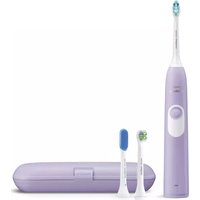


- IMPORTANT SAFETY INFORMATION
- WARNINGS
- BATTERY SAFETY INSTRUCTIONS
- STORAGE AND TRANSPORTATION CONDITIONS
- ELECTROMAGNETIC FIELDS (EMF)
- RADIO EQUIPMENT DIRECTIVE
- WWW.PHILIPS.COM/SUPPORT
- INTENDED USE
- YOUR PHILIPS SONICARE (FIG 1.)
- ACCESSORIES
- SONICARE APP - GETTING STARTED
- APP FEATURES
- GETTING STARTED
- ATTACHING THE BRUSH HEAD
- USING YOUR PHILIPS SONICARE TOOTHBRUSH
- BRUSHING INSTRUCTIONS
- BRUSHPACER
- MODES
- CLEAN AND DEEP GUM HEALTH WHITE+ CLEAN
- INTENSITIES
- BRUSHSYNC TECHNOLOGY
- FEATURES
- PRESSURE SENSOR FEEDBACK
- SMARTIMER
- EASYSTART
- BRUSH HEAD REPLACEMENT REMINDER
- BRUSH HEAD MODE PAIRING
- ACTIVATING OR DEACTIVATING FEATURES
- FROM HANDLE
- OR
- UV SANITIZER
- CHARGING AND BATTERY STATUS
- CHARGING
- CHARGING ON CHARGER OR UV SANITIZER
- CHARGING WITH THE TRAVEL CASE
- BATTERY STATUS
- BATTERY STATUS (HANDLE ON PLUGGED-IN CHARGER/CHARGING TRAVEL CASE)
- BATTERY STATUS NUMBER OF FLASHING LEDS
- LED COLOR
- BATTERY STATUS (WHEN HANDLE IS NOT ON PLUGGED-IN CHARGER/CHARGING TRAVEL CASE)
- BATTERY STATUS NUMBER OF LEDS LED COLOR
- CLEANING
- TOOTHBRUSH HANDLE
- CAUTION: DO NOT PUSH ON THE RUBBER SEAL ON THE METAL SHAFT WITH SHARP OBJECTS, AS THIS MAY CAUSE DAMAGE
- BRUSH HEAD
- CHARGER
- TRAVEL CASE
- CHARGING TRAVEL CASE
- STORAGE
- REPLACEMENT
- LOCATING THE MODEL NUMBER
- WARRANTY AND SUPPORT
- WARRANTY EXCLUSIONS
- RECYCLING
- REMOVING THE RECHARGEABLE BATTERY
- HAIRPINS, RINGS). DO NOT WRAP BATTERIES IN ALUMINUM FOIL. TAPE BATTERY TERMINALS OR PUT BATTERIES IN A PLASTIC BAG BEFORE YOU DISCARD THEM
- INTRODUCTION
- CLEAN I DEEP GUM HEALTH WHITE+ CLEAN
- CLEAN AND DEEP CLEAN+ GUM HEALTH WHITE
- USING PHILIPS SONICARE TOOTHPASTE
- TOOTH BRUSHING INSTRUCTIONS
- FUNCTIONS
- PRESSURE SENSOR ALERT
- CHARGER TRAVEL CASE
- YOUR PHILIPS SONICARE DEVICE (FIG. 1.)
- CLEAN DEEP GUM HEALTH WHITE+ CLEAN
- INTENSITY SETTINGS
- BRUSH HEAD PAIRING
- FROM THE HANDLE
- ULTRAVIOLET DISINFECTANT
- CHARGING IN THE CHARGER OR IN THE UV SANITIZER
- CHARGING THE TRAVEL CASE
- BATTERY STATUS (WHEN THE HANDLE IS PLACED ON THE CHARGER/TRAVEL CASE)
- BATTERY STATUS (WHEN THE HANDLE IS NOT PLACED ON THE CHARGER/TRAVEL CASE)
- INTENSITY LEVELS
- ФУНКЦИN
- PATHA BPB3KA OT DATUNKA 3A HATNCK
- STORING BRUSH HEADS
- ACTIVATING/DEACTIVATING FUNCTIONS
- REMOVING
- N/A
- UV DISINFECTION DEVICE
- BATTERY CHARGING AND STATUS
- CHARGING IN THE CHARGING UNIT
- CHARGING VIA THE TRAVEL CASE
- BATTERY STATUS (THE DEVICE IS CONNECTED TO A CHARGING DEVICE/CHARGING CASE DURING TRAVEL)
- CHARGING DEVICE
- CHARGING CASE
- MODEL NUMBER
- THE RECHARGEABLE BATTERY
- KYRGYZ
- PRODUCT INFORMATION
- EXPERTS
- USAGE INSTRUCTIONS
- PHILIPS SONICARE APP (1-CYPƏR)
- SONICARE APP - OVERVIEW
- FOR AUTOMATIC MODE
- HANDLE FUNCTIONS
- PHILIPS SONICARE BRUSH HEAD
- INTENSITY
- PRESSURE SENSOR
- REPLACING THE BRUSH HEAD IS NECESSARY
- CHARGING THE BATTERY
- CHARGING WITH THE CHARGING CABLE
- BATTERY STATUS (WHEN USING THE BATTERY COMPARTMENT/BATTERY COMPARTMENT COVER)
- BATTERY STATUS (WHEN THE BATTERY COMPARTMENT COVER IS OPEN)
- BATTERY STATUS LED INDICATOR
- CLEANING THE BATTERY COMPARTMENT
- BATTERY COMPARTMENT
- REPLACING THE BRUSH HEAD
- DISPOSAL
- YOUR PHILIPS SONICARE (FIG. 1)
- ADDITIONAL
- SONICARE APP - WELCOME
- SMARTTIMER
- NOTICE FOR REPLACING THE BRUSH HEAD
- PAIRING THE BRUSH HEAD
- ACTIVATING OR DEACTIVATING FUNCTIONS
- IMPORTANT SAFETY INSTRUCTIONS
- PHILIPS SONICARE HANDLE (FIG. 1)
- AUTOMATIC SELECTION OF THE MODE DEPENDING ON THE BRUSH HEAD
- CHARGING: PLACE THE HANDLE ON THE CHARGER. THE HANDLE HAS A BLUETOOTH AND NFC INDICATOR
- THE SONICARE EXPERTCLEAN APP HELPS YOU IMPROVE YOUR BRUSHING HABITS AND GET PERSONALIZED GUIDANCE FOR BETTER ORAL HEALTH
- HANDLE 2 BRUSH HEAD 3 CHARGER 4 BRUSH HEAD CAP 5 BRUSH HEAD HOLDER 6 BATTERY INDICATOR 7 BATTERY COMPARTMENT
- PHILIPS SONICARE - OVERVIEW
- OVERVIEW
- BRUSH HEADS
- EASY-START FEATURE
- BRUSH HEAD REPLACEMENT INDICATOR
- PAIRING YOUR BRUSH HEAD WITH YOUR HANDLE
- CLEANING WITH UV
- BATTERY STATUS LED
- TO3AKYH
- HIROXOP
- IB3KYH
- DISINFECTION BLOCK WITH UV LIGHT
- REPLACING THE BATTERY
- SONICARE HANDLE - GETTING STARTED
- HANDLE FEATURES
- SUPPIMER
- PHILIPS SONICARE TOOTHBRUSH SETUP
- INSTRUCTIONS FOR BRUSHING WITH THE TOOTHBRUSH
- THE BRUSH HEAD IS INTENDED FOR CLEANING TEETH
- SUPPRIMER
- CLEANING THE BRUSH HEAD
- USING OR TURNING OFF THE REMINDER
- CAUTION
- DANGER
- CHARGING WITH THE USB CABLE
- BATTERY
- HUNTUUHUNJUW UUNHAWUTN
- BRUSHSYNC UNHUUNNQHU
- QNNOUNNYUTN
- U2UWU UBUNNH WNAQUUP
- UWNPNNU
- UNWUH HNQUUWHPNUWLN
- JNQUUUH QLUHU
- LHGPWULNNH
- ZHUYNWULWU UWNJUU
- DO NOT CLEAN THE HANDLE WITH SHARP OBJECTS, AS THIS MAY CAUSE DAMAGE
- SAFETY INSTRUCTIONS
- NUIUYNI
- HGNNN NN NUNNG HNG
- A030M
- N36MM36N N6GMNDSGN YUOGMNBNN 8UBG
- GMBGDO
- MJ (EMF)
- MANUFACTURER'S ADDRESS
- PHILIPS SONICARE (SEE FIGURE 1)
- OJBUYOMGDO
- SONICARE-UB 3N - AMGON, 36YMON
- BRUSHSYNC 6MM
- CHARGING BASE
- TO GET THE MOST OUT OF YOUR TOOTHBRUSH, FOLLOW THESE STEPS
- N7107 NIN'NIN
- TYINUII
- N NN
- NIX
- D'7NNN
- W
- WHITE GUM HEALTH DEEP -I CLEAN
- CLEAN
- N7N
- NYN
- NXYN
- BRUSHSYNC
- N NN 7W 7IO IN NYON
- UV XOND
- NIVIO
- IONX
- N97NN
- DTH 900HIN
- NYNNN NNON
Brand : PHILIPS
Model : Sonicare ExpertClean 7500 HX9631
Category : Electric toothbrush